
More than 15,000 restaurant designs sit behind one maker in this guide, while another builds a menu from a typed list and syncs every price automatically. That gap is the whole buying decision, because a menu is not a poster. It is a sales tool that must be readable in dim light, easy to update when a supplier price moves, and accurate on paper, on a phone and at the table at the same time. This guide to the best restaurant menu makers sorts print makers, digital menu platforms and ordering systems by the job each one actually does.
We compared template range, price updating, print quality, hosted QR menus, ordering and cost per location, because a price that looks low for one site can double for three. A cafe needs a different answer from a multi-location group, and a restaurant that still prints menus needs a different answer from one that has gone fully digital. Read the table, then read the reviews for your venue type, and test a real menu with real dishes before you pay.
A print maker produces a file for a printer. A digital menu platform hosts a live menu that a phone can open from a QR code, and updates instantly when a price changes. An ordering system adds checkout, so a customer can pay without a server. Many tools blur these lines, but the distinction matters, because a beautiful print file cannot take an order, and an ordering page rarely prints well. Decide which job you are buying first, then check whether the tool also covers the second job well enough to avoid a second subscription.

Best Pick by Job
The table below gives the fast comparison by job. Use it to separate print makers from digital platforms, then read the reviews for price and per-location cost.
| Tool | Main job | Starting point |
|---|---|---|
| iMenuPro | Print menus | 16 dollars monthly, 135 dollars yearly |
| MustHaveMenus | Print and digital design | Design 24 dollars monthly |
| Menubly | Digital menu and ordering | Pro 9.99 dollars monthly |
| UpMenu | Ordering and marketing | Around 49 dollars monthly |
| GloriaFood | Free ordering | Free core |
| MenuTiger | QR dine-in ordering | Free plan, paid around 17 dollars |
| Canva | General design | Free plan, Pro paid |
| Adobe Express | Design-led templates | Free plan, Premium 9.99 dollars |
| PosterMyWall | Low cost design | Free tier, paid subscription |
| VistaCreate | Marketing set | Free Starter, Pro paid |
| Square for Restaurants | Ordering page | Free plan, Plus 49 dollars |
| BentoBox | Custom hospitality site | Custom quote |
| Fotor | Photo-led design | Free plan, Pro annual |
Use the table to shortlist, then judge the best restaurant menu makers by a real job, not by a feature list alone.
With that context, the next section reviews the best restaurant menu makers one by one, starting with the strongest all-rounder.

The 13 Tools Reviewed
iMenuPro is the only maker here built entirely around menus, with auto-formatting that turns a typed item list into a finished menu with aligned prices and dot leaders. It suits restaurants that want print menus built from a typed list. Its Live-Sync idea is the difference. Change a price once and it updates everywhere it appears, and switching designs keeps your text, so a rebrand does not mean retyping the menu.
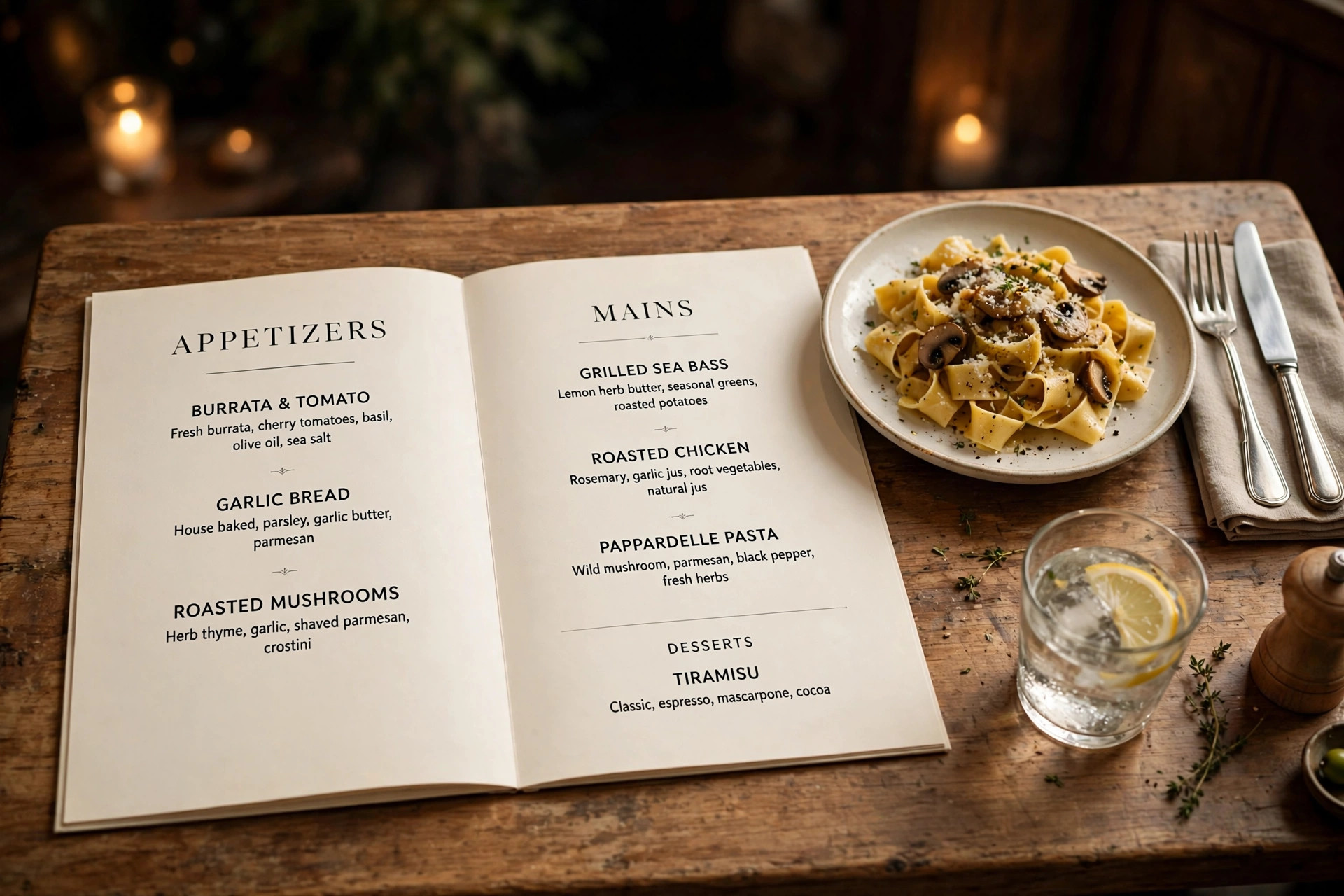
iMenuPro costs 16 dollars a month, or 135 dollars a year, which works out to 11.25 dollars a month on annual billing. All features are included in that single plan. In daily use, the appeal is practical rather than decorative. a restaurant gets a fast, consistent print menu without wrestling text boxes, and the price is clear with no per location surprise. That matters when a deadline is close and the design still has to look intentional, not rushed.
The limit to weigh is that the graphics library is smaller than a general design platform, and it offers no ordering or online menu system, so a digital-first restaurant needs a second tool. Verdict. The best pure print menu maker in this guide, and the default when print quality and easy price updates matter most.
MustHaveMenus offers thousands of restaurant designs, with menu templates, flyers, signage and digital menus, plus POS integrations and a print service. It suits restaurants that want a large template library plus print and digital options. Its template depth is hard to match. A cafe, a sushi bar and a steakhouse can each find designs that already fit their food and price range, rather than forcing a generic layout.

MustHaveMenus Design costs 24 dollars a month billed monthly or 19 dollars a month billed annually, and Pro costs 49 dollars a month per location billed monthly. Confirm the current tier before buying. In daily use, the appeal is practical rather than decorative. a restaurant gets a huge design library, hosted menus and print ordering in one account, which suits a multi-location group. That matters when a deadline is close and the design still has to look intentional, not rushed.
The limit to weigh is that the per location price on Pro adds up quickly, and a small single-location restaurant may pay for features it never uses. Verdict. The strongest library-led option, best when design range and print service justify the higher price.
Menubly builds a mobile-friendly digital menu with QR codes and commission-free online ordering, plus a simple restaurant website builder. It suits small restaurants that want a digital menu with ordering. Its ordering focus changes the maths. Instead of paying for design alone, a restaurant gets a menu customers can order from, which can repay the subscription in saved commission.
Menubly Pro costs 9.99 dollars a month or 95.99 dollars a year, with a free plan and a 30 day free trial available. In daily use, the appeal is practical rather than decorative. a small restaurant gets a live menu in about thirty minutes, with instant price updates and no delivery commission on direct orders. That matters when a deadline is close and the design still has to look intentional, not rushed.
The limit to weigh is that it is not a print design tool, so a restaurant that still wants a polished paper menu needs a second maker for print. Verdict. The best digital-first pick for a small restaurant that wants ordering, not just a good looking menu file.
UpMenu combines a digital menu and online ordering with loyalty, SMS and email campaigns, so a menu becomes part of a repeat-visit system. It suits restaurants that want ordering plus marketing tools. Its marketing tools are the extra. A restaurant can send an offer to past customers and track whether it brings them back, rather than merely publishing a menu.
UpMenu starts at around 49 dollars a month, with the final price depending on activated modules. Confirm the current plan for your needs. In daily use, the appeal is practical rather than decorative. a growing restaurant gets ordering, marketing and menu management in one system, with less juggling between apps. That matters when a deadline is close and the design still has to look intentional, not rushed.
The limit to weigh is that the price is high for a small cafe that only needs a menu, and the design side is thinner than a dedicated print maker. Verdict. Buy it for ordering plus marketing, not for print design alone.
GloriaFood
GloriaFood offers a free online ordering system with a QR menu, website widget and ordering app, funded by optional paid add-ons. It suits restaurants that want free ordering with no commission. Its free core is the story. A restaurant can take direct orders without paying a monthly fee or a commission, which is rare in this category.
GloriaFood core ordering is free, with paid add-ons for extra features. Check which add-ons your restaurant actually needs before paying. In daily use, the appeal is practical rather than decorative. a small restaurant gets a working ordering system at zero monthly cost, which is ideal for testing direct orders. That matters when a deadline is close and the design still has to look intentional, not rushed.
The limit to weigh is that design and print options are basic compared with MustHaveMenus or iMenuPro, and support and advanced marketing need paid extras. Verdict. The best free ordering start, best paired with a design tool when a polished print menu is also needed.
MenuTiger builds QR menus that diners scan at the table, with ordering, menu management and a free plan for getting started. It suits restaurants that want QR ordering for dine-in tables. Its dine-in focus suits a busy floor. A table QR code can show the current menu, take an order and reduce the wait for a server, without a printed menu at every seat.
MenuTiger has a free plan, and paid plans start at around 17 dollars a month in third party comparisons. Confirm the current vendor price. In daily use, the appeal is practical rather than decorative. a restaurant gets a practical QR ordering flow with menu management, at a price below several full ordering suites. That matters when a deadline is close and the design still has to look intentional, not rushed.
The limit to weigh is that print design is not its strength, and advanced marketing features are thinner than UpMenu, so a restaurant that needs both should compare carefully. Verdict. A good QR ordering pick for dine-in service, best when table ordering is the priority.
Canva
Canva offers thousands of menu templates, with drag and drop editing, photo upload and PDF export for print or sharing. It suits restaurants that already use Canva for other marketing. Its familiarity is the advantage. A restaurant that already makes social posts in Canva can build a menu in the same account, with the same brand colours and fonts.
Canva has a free plan, and Pro is priced by region, with annual billing commonly shown around 144 dollars a year in the United States. In daily use, the appeal is practical rather than decorative. a team gets a huge template range, easy photo swaps and a low learning curve, with brand controls on Pro. That matters when a deadline is close and the design still has to look intentional, not rushed.
The limit to weigh is that price updates are manual, since Canva does not sync a price across sections, and there is no hosted QR menu or ordering built in. Verdict. A strong generalist for a restaurant that already lives in Canva, and a weak choice as an ordering system.
Adobe Express
Adobe Express pairs menu templates with Adobe Fonts and stock photos, plus brand kits that keep colours and type steady across menus, flyers and social posts. It suits restaurants that want polished menu templates with Adobe fonts and stock. Its typography and photo quality lift a menu above a generic template. A good font pairing and a real food photo do more for appetite appeal than a new border.
Adobe Express has a free plan, and Premium is listed at 9.99 dollars a month. Confirm whether an existing Creative Cloud plan already includes Premium. In daily use, the appeal is practical rather than decorative. a restaurant gets polished templates and reliable PDF export, with brand application across other assets. That matters when a deadline is close and the design still has to look intentional, not rushed.
The limit to weigh is that like Canva, it offers no price syncing, hosted menu or ordering, so a restaurant that needs those must add a second system. Verdict. A good design-led pick, best when the menu is a brand asset first and ordering lives elsewhere.
PosterMyWall
PosterMyWall offers menu templates inside a large design library, with drag and drop editing and download options for print and digital use. It suits small restaurants that want a cheap menu plus flyers and social designs. Its low cost breadth suits a cafe that needs a menu, a poster and a social graphic in the same week, without a separate account for each.
PosterMyWall has a free tier, and paid options include a subscription around 9.95 dollars a month and per-download pricing in third party comparisons. Confirm the current vendor price. In daily use, the appeal is practical rather than decorative. a small restaurant gets fast templates at a low entry cost, with a simple editor that staff can learn quickly. That matters when a deadline is close and the design still has to look intentional, not rushed.
The limit to weigh is that the menu library is smaller than MustHaveMenus, and there is no price syncing or ordering, so a larger restaurant may outgrow it. Verdict. A handy low cost design option, best for a small venue that values speed over a deep menu system.
VistaCreate
VistaCreate offers menu and restaurant templates alongside social, flyer and presentation formats, with brand kits and direct download. It suits small restaurants that want menu templates plus a full marketing set. Its value is a whole marketing set at a low price. A new restaurant can build a menu, a flyer and social posts in one account, with one brand kit behind them.
VistaCreate Starter is free, and Pro costs 10 dollars a month billed annually or 13 dollars a month billed monthly. In daily use, the appeal is practical rather than decorative. a small team gets a real free tier and a low Pro price, with enough templates for a new venue. That matters when a deadline is close and the design still has to look intentional, not rushed.
The limit to weigh is that menu-specific features such as price syncing and hosted QR menus are absent, so a restaurant that updates prices often should weigh that gap. Verdict. Good value for a new venue building many assets at once, weaker as a dedicated menu system.
Square for Restaurants
Square for Restaurants hosts a free branded ordering page as part of Square for Restaurants, with a QR menu and a Plus plan for wider features. It suits restaurants that already use Square for payments and want a free menu page. Its payment link is the advantage. A restaurant that already takes Square payments can add an ordering page without a new vendor, and menu edits flow into the system staff already use.
Square for Restaurants has a free plan, and Plus costs 49 dollars a month per location. Confirm the current plan details for your location count. In daily use, the appeal is practical rather than decorative. a Square restaurant gets a free ordering page, QR menus and a familiar back office, with less setup than a standalone platform. That matters when a deadline is close and the design still has to look intentional, not rushed.
The limit to weigh is that design control is thinner than a dedicated menu maker, and a restaurant that does not use Square gains less from the integration. Verdict. The obvious pick for a Square restaurant, and a weaker pick for a venue on another payment system.
BentoBox
BentoBox is a hospitality platform that builds custom restaurant websites, with designed menus, online ordering and a dedicated account manager on higher plans. It suits upscale restaurants that want a custom website and menu experience. Its custom design suits a restaurant where the website and menu are part of the brand experience, not merely a list of dishes and prices.
BentoBox pricing is custom and quoted by the vendor, so a restaurant should request a quote based on locations and features. In daily use, the appeal is practical rather than decorative. an upscale venue gets a designed, managed presence with support, rather than a self-serve template. That matters when a deadline is close and the design still has to look intentional, not rushed.
The limit to weigh is that the custom price and setup time are high for a small cafe, and a simple venue will pay for service it does not need. Verdict. A premium pick for upscale venues, overkill for a small cafe that only needs a menu.
Fotor
Fotor bundles menu templates with a photo editor and collage tools, so food photos can be edited and placed on a menu in one account. It suits small venues that want simple menu designs plus photo editing. Its photo editing is the extra. A venue that photographs its own dishes can enhance, crop and place them without a second editor.
Fotor has a free plan, and Pro is listed at 39.99 dollars a year billed annually in third party comparisons. Confirm the current vendor price. In daily use, the appeal is practical rather than decorative. a small venue gets a low annual price, simple templates and useful photo tools. That matters when a deadline is close and the design still has to look intentional, not rushed.
The limit to weigh is that menu-specific features are thin, with no price syncing, hosted menu or ordering, and the template range is smaller than the leaders. Verdict. A low cost photo-led option, best as a design helper rather than a menu system.
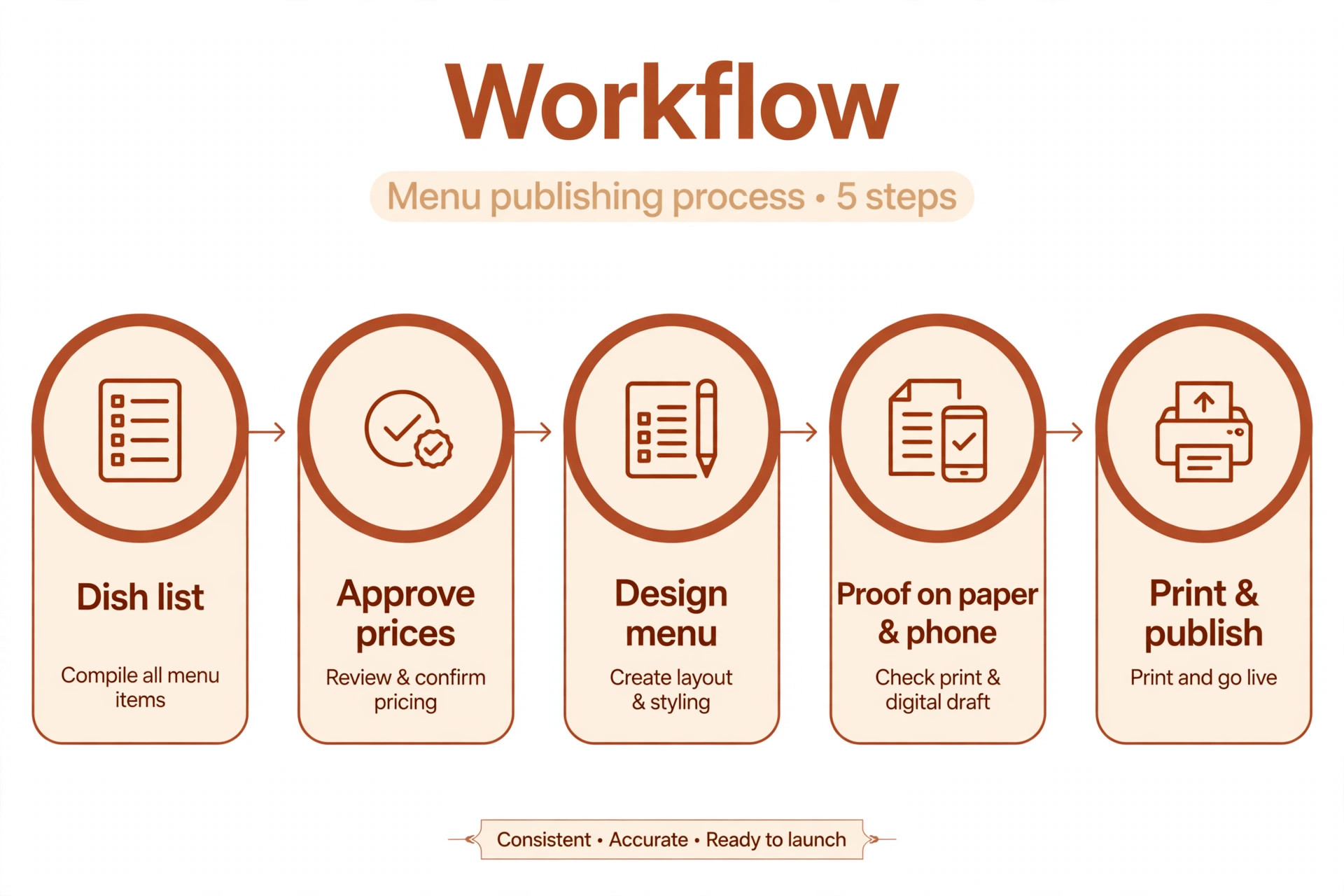
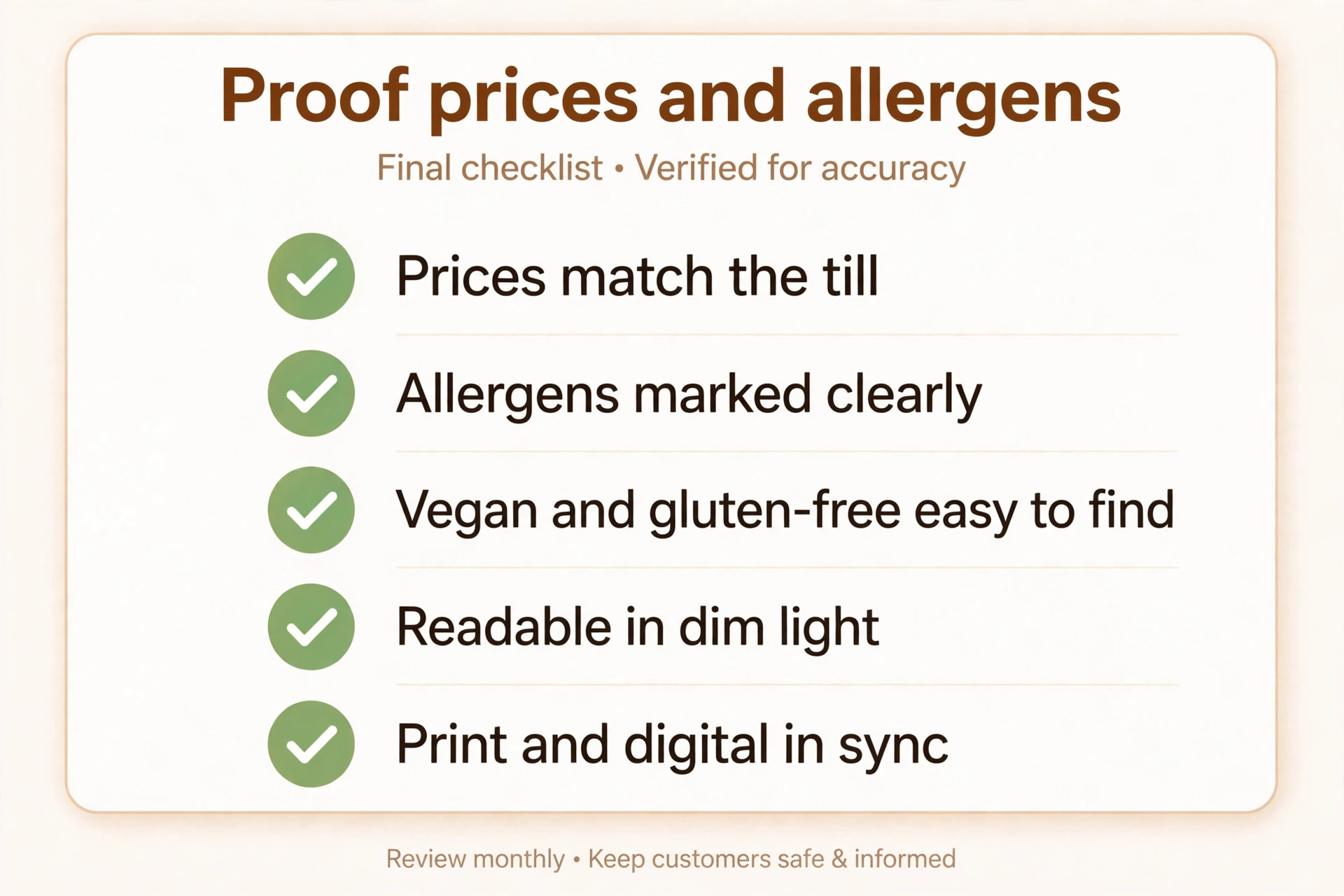
Write the menu as a list first, with dish names, descriptions, allergen notes and prices in one document, and get that list approved before anyone opens a design tool. Build the design from the approved list, proof it on paper and on a phone, and check every price against the till or the ordering system. When a price changes, update the source list, then the print file and the digital menu on the same day, and keep a dated copy of each version. This dull discipline prevents the most common menu failure, which is a printed price that no longer matches the price a customer is charged.
Start with locations and updates. A single cafe that changes prices twice a year can use almost any design tool, while a group that changes prices monthly needs syncing or a hosted menu, or staff time will eat the saving from a cheap plan. Next, check whether customers order from the menu or merely read it, because ordering changes the tool entirely. Finally, price the whole system, including print runs, per-location fees and any commission, rather than the headline monthly figure alone. In short, choosing among the best restaurant menu makers is a volume and workflow decision first, and a price decision second.
Photography deserves a frank assessment. A menu photo that looks appetising on a phone can look flat in print, and a stock photo of a dish you do not serve will disappoint a diner who orders it. Photograph your own signature dishes in natural light, with a simple background and a consistent style, and use photos sparingly, for dishes where the image genuinely helps a choice. A menu with three great photos outsells a menu with twenty mediocre ones, and it costs less to produce and update.
Allergen and dietary information is now a core part of menu design, not a footnote. Mark common allergens clearly, keep vegan, vegetarian and gluten-free options easy to find, and make sure staff can answer questions about any dish without guessing. A digital menu can carry fuller allergen detail than a printed menu, so use the digital version for depth and the printed version for clarity, and keep both in sync. A diner who trusts the allergen information is more likely to return, and a diner who cannot find it may simply leave.
A second test is readability in the real room. A menu that looks elegant on a bright laptop can be hard to read under warm restaurant light, especially for older diners. Print a proof, read it at arm’s length in dim light, and check that prices align, sections are clear and allergen notes are not buried. If a dish name, a price or a dietary note is hard to find, the design has failed, however stylish it looks. That test applies to the best restaurant menu makers as a whole, not merely to one popular tool.
Mistakes That Cost a Restaurant Real Money
The costliest mistake is a printed price that differs from the till price, because it creates arguments at the table and erodes trust. The second is a menu with too many dishes and no clear stars, so diners take longer to choose and servers spend more time explaining. The third is a QR menu that opens slowly or needs an app download, which loses customers before they see a dish. Fix all three by syncing prices, trimming the menu to dishes the kitchen does well, and testing the QR menu on a slow phone connection before you put it on tables.
Frequently Asked Questions
These answers reflect the trade-offs in the reviews, not a single tool recommendation. They cover the best restaurant menu makers from price to everyday use.
Not always, but many restaurants keep both. A printed menu helps diners who prefer paper, older guests and anyone with a low battery, while a QR menu updates instantly and saves reprinting. A common compromise is a short printed menu for signature dishes plus a full QR menu, so neither group is left out.
Canva, VistaCreate and PosterMyWall all offer free tiers that can produce a clean menu, and iMenuPro annual billing works out to 11.25 dollars a month for a dedicated print tool. The cheapest professional route is usually a free design tool plus a careful proof, with a paid tool added only when price syncing or a large template library saves real staff time.
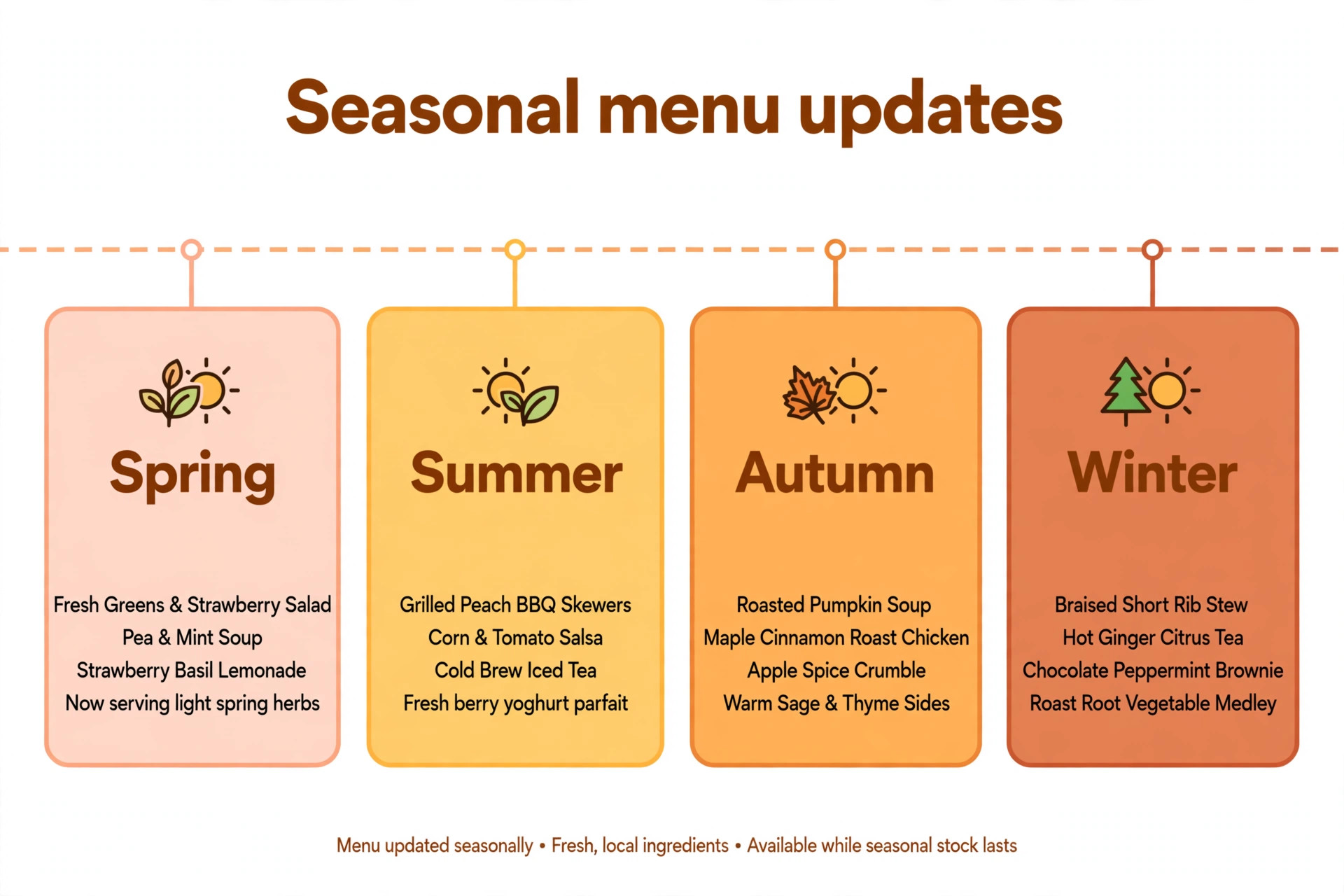
Update prices whenever a supplier cost changes enough to affect margin, and review the full menu at least once a season. A hosted digital menu makes frequent updates cheap, while a printed menu rewards batching changes, so plan print runs around seasonal changes rather than reacting to every small move.
For a straightforward menu, yes. Digital platforms generate a clean mobile menu from item data, and templates handle layout. For a distinctive brand menu, a designer still adds value in typography, photography and layout, and many upscale venues use both, a platform for ordering and a designer for the printed showpiece.
There is no universal rule, and the best choice depends on the venue. Round prices read as premium and simplify mental maths, while prices ending in 9 can feel like value. Test one approach across the menu rather than mixing styles, and keep prices aligned and easy to scan, which matters more than the final digit.
Placement, description and photography do most of the work. Put high margin dishes where eyes land first, describe them with specific ingredients and cooking detail, and use a photo only when it genuinely appetises. A crowded menu with equal weight on every dish sells nothing in particular, so give the stars room to stand out.
For print alone, iMenuPro is the clearest pick, with MustHaveMenus as the library-led alternative. For digital menus with ordering, Menubly gives a small restaurant the most for under ten dollars a month, while GloriaFood is the free starting point and Square is the obvious choice for a Square venue. A restaurant that needs both print and digital should budget for two tools rather than forcing one tool to do both jobs badly. That is the practical way to choose among the best restaurant menu makers without overpaying for features you will not use.
Whatever you choose, proof the menu as a diner will see it, in dim light and on a phone, and keep one approved price list behind every version. A menu that is accurate, readable and easy to update will outsell a prettier menu that confuses diners or charges the wrong price.
More Reading on Stratilyze. For the wider restaurant toolkit, read AI tools for restaurants and Canva for restaurant menu design, and for social promotion of a new menu, see AI tools for Instagram. For design comparisons, read Canva alternatives and AI logo makers. Those guides pair well with the best restaurant menu makers when you plan a full workflow.