
The best AI tools for restaurants in 2026 do not try to replace the kitchen, the dining room, or the owner. They fix the work that happens between services: the phone that rings during dinner rush, the menu item that costs more than it sells for, the review that sits unanswered for a week, and the rota that falls apart when two staff call in sick. Restaurants lose money in those gaps, not in grand strategy meetings, and the tools below are judged on whether they close a specific gap.
This guide is built for owners and general managers who already run a restaurant and need to choose software, not for people shopping for a first idea. Every tool was checked for what it actually does in a working restaurant, what it costs in practice, and where it creates new work of its own. Prices change, and several vendors in this space price by location, covers, or modules, so where a vendor does not publish a single headline price this guide says check checkout rather than guessing a figure.
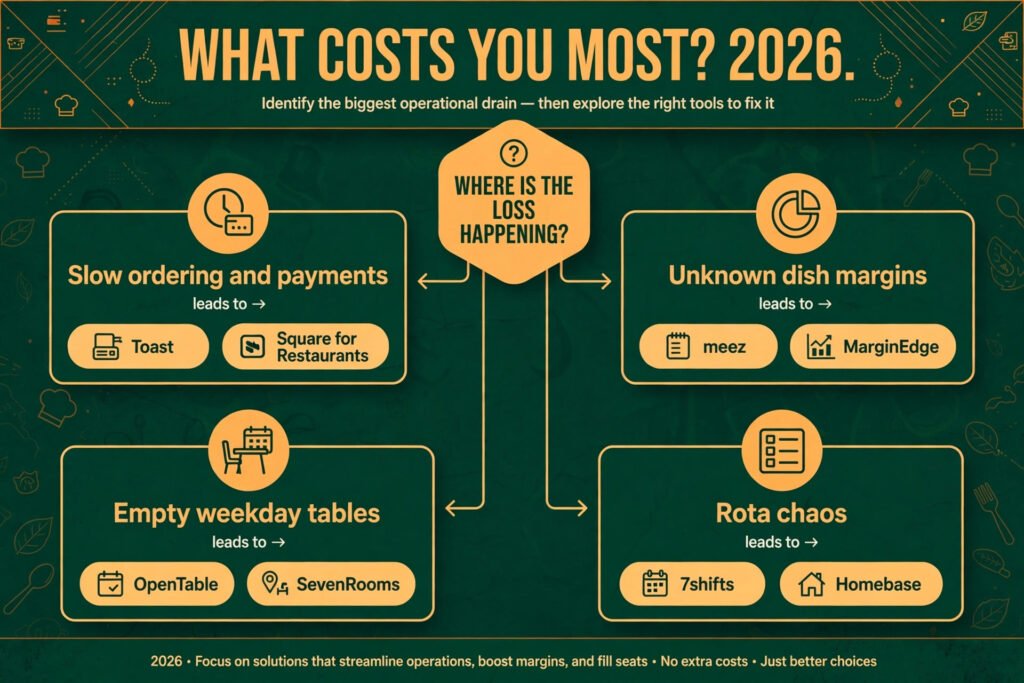
The short version is simple. If ordering and payments are the bottleneck, start with a modern point of sale system. If food cost is eating margin, start with a menu costing tool. If tables sit empty on weekdays, start with reservations and marketing. Buy one fix at a time, measure it for a month, and only then add the next tool.
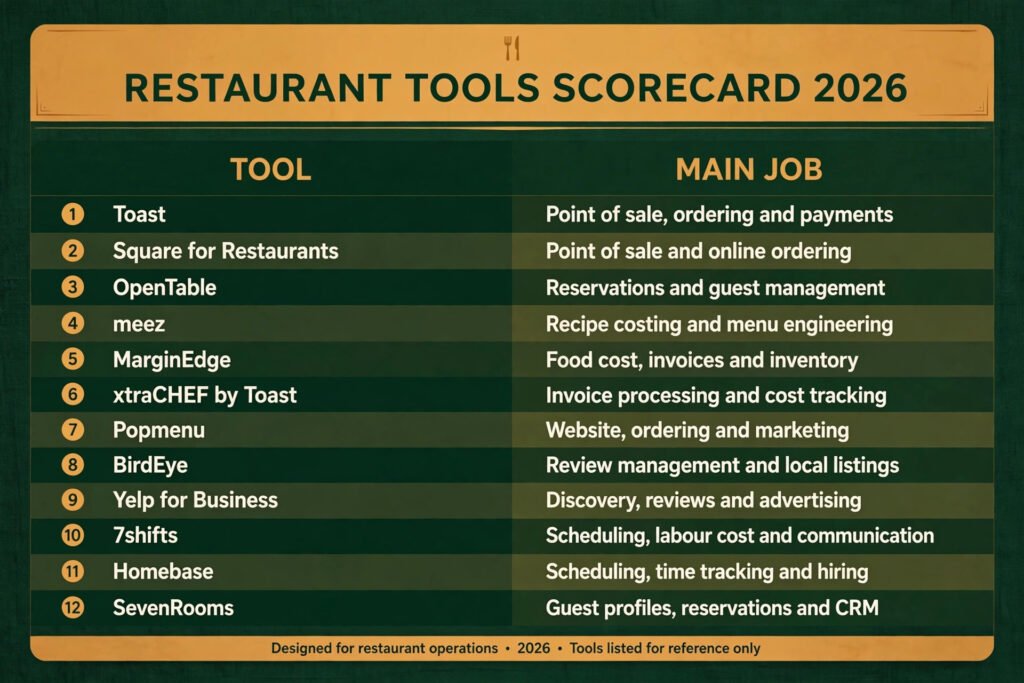
The 12 best AI tools for restaurants at a glance
| Tool | Main job | Best for |
|---|---|---|
| Toast | Point of sale, ordering and payments | Full service restaurants that want one system for the floor and the kitchen |
| Square for Restaurants | Point of sale and online ordering | Small restaurants and cafes that want a fast, low friction start |
| OpenTable | Reservations and guest management | Restaurants that want discovery from diners already searching for a table |
| meez | Recipe costing and menu engineering | Kitchens that need to know the true cost of every dish |
| MarginEdge | Food cost, invoices and inventory | Operators juggling supplier invoices across several locations |
| xtraCHEF by Toast | Invoice processing and cost tracking | Toast users who want purchasing data without a second system |
| Popmenu | Website, ordering and marketing | Independent restaurants that need online ordering plus local marketing |
| BirdEye | Review management and local listings | Multi location groups that cannot watch every review site by hand |
| Yelp for Business | Discovery, reviews and advertising | Restaurants in areas where diners still search Yelp first |
| 7shifts | Scheduling, labour cost and communication | Teams with hourly staff and shifting weekly rotas |
| Homebase | Scheduling, time tracking and hiring | Small teams that need hiring and rotas in one place |
| SevenRooms | Guest profiles, reservations and CRM | Restaurants that want to remember regulars and fill slow nights |
Start here: the right pick for each restaurant job
| If your problem is | Start with | Why |
|---|---|---|
| Orders pile up and payments are slow | Toast or Square for Restaurants | The point of sale is the spine of everything else |
| You do not know which dishes make money | meez | Recipe cost answers the margin question directly |
| Supplier prices keep moving | MarginEdge or xtraCHEF | Invoice data turns a feeling about food cost into a number |
| Weekday tables are empty | OpenTable or SevenRooms | Reservations plus guest data fill specific nights, not just weekends |
| Reviews and listings are out of date | BirdEye | One inbox for reviews beats checking five sites |
| The rota takes hours every week | 7shifts or Homebase | Labour cost is visible before the week starts, not after payroll |
Ordering and reservations: the tools guests touch first
1. Toast
Toast is a point of sale platform built for restaurants, with handheld ordering, kitchen display screens, online ordering, gift cards, and payroll add ons. Its strength is depth. A server can take an order tableside, send it to the kitchen display, split the bill, and take payment without walking back to a terminal, and the owner can see sales, labour, and menu performance in the same dashboard at the end of the night.
Pricing: Toast prices by hardware, software plan, and payment processing, so the total depends on terminals, locations, and add ons. Check checkout for a quote for your setup, and budget separately for hardware.
Best for: Full service restaurants, bars, and multi location groups that want ordering, payments, and reporting in one system.
Watch out for: Toast works best when you commit to its ecosystem. Add ons stack up, and switching away later takes planning, so confirm which modules you actually need before signing.
Try it at: https://pos.toasttab.com/

2. Square for Restaurants
Square for Restaurants turns the familiar Square point of sale into a restaurant system, with table layouts, course firing, online ordering, and team management. Its strength is speed of setup. A small restaurant can be taking orders on a tablet quickly, with a free starter option for basic point of sale use and paid restaurant plans for fuller features.
Pricing: Square offers a free point of sale starter tier, with paid restaurant plans priced per location per month. Check checkout for current plan pricing, since paid features differ by tier.
Best for: Cafes, fast casual spots, food trucks, and small restaurants that want to start simply and add features later.
Watch out for: Very large or complex operations may outgrow the simpler reporting and kitchen workflows. If you run many stations or need deep multi location controls, test those workflows before committing.
Try it at: https://squareup.com/us/en/point-of-sale/restaurants
3. OpenTable
OpenTable is the reservation platform most diners already know. Guests find a restaurant, book a table, and get reminders, while the restaurant gets a reservation book, guest notes, and table management. Its strength is demand. Diners searching for a table on a Friday night are already on OpenTable, so a listing there can bring bookings a standalone booking page will not.
Pricing: OpenTable charges a subscription plus a fee per seated cover booked through its network, with different terms for covers booked through the restaurant’s own site. Check checkout for current subscription and cover fee terms for your market.
Best for: Restaurants in busy dining areas that want discovery as well as a reservation book.
Watch out for: Cover fees add up on high volume nights, so compare the cost of a network booking with a direct booking. Many restaurants use OpenTable for discovery and steer regulars to direct booking where possible.
Try it at: https://www.opentable.com/

4. meez
meez is a recipe and menu costing tool. Chefs enter recipes with yields, supplier prices, and portion sizes, and meez calculates the food cost and margin of every dish. When a supplier price moves, the cost of every affected recipe moves with it, so the menu price conversation is based on current numbers rather than last quarter’s guess.
Pricing: meez prices by plan and location, with a free trial for new users. Check checkout for current plan pricing.
Best for: Kitchens that change menus seasonally, run specials, or have never costed recipes properly.
Watch out for: meez only helps if recipes and supplier prices are kept current. Assign one person to update prices weekly, or the numbers drift and the team stops trusting them.
Try it at: https://www.meez.com/
5. MarginEdge
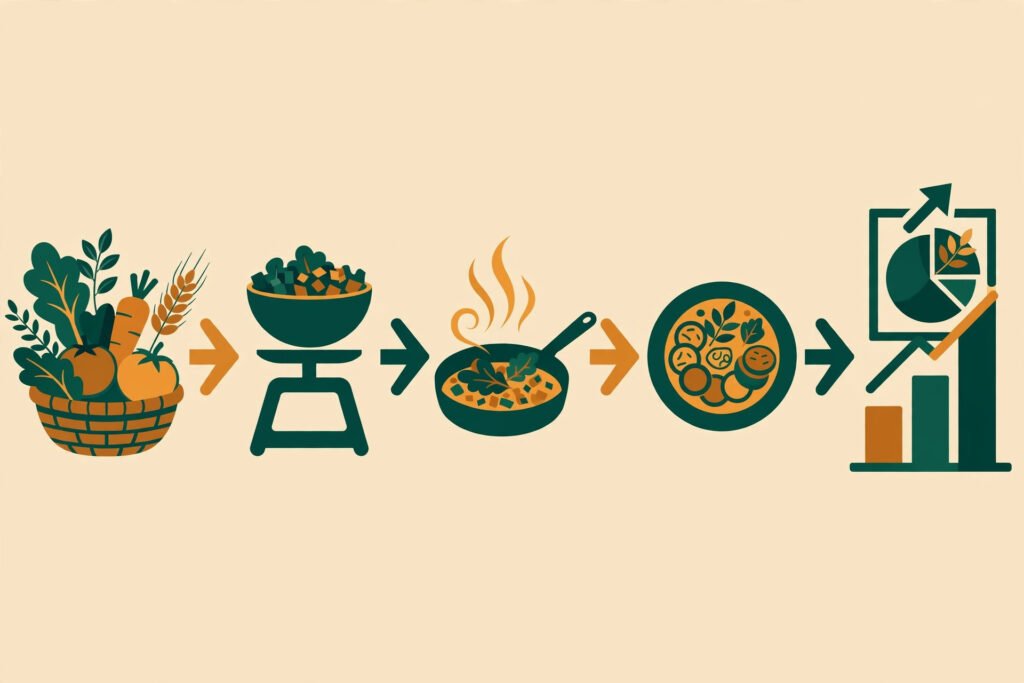
MarginEdge pulls supplier invoices into one system, tracks inventory, and reports food cost without manual data entry for every delivery. Invoices are captured from suppliers, matched to purchases, and turned into cost reports by category, location, and period. For operators who currently chase paper invoices, this is the least glamorous and most useful kind of automation.
Pricing: MarginEdge prices per location, with features that vary by plan. Check checkout for a quote for your number of locations.
Best for: Multi location operators and restaurants with many suppliers and frequent deliveries.
Watch out for: Setup takes effort. Supplier connections and inventory counts need to be right at the start, or early reports will mislead. Plan a proper onboarding week.
Try it at: https://www.marginedge.com/
6. xtraCHEF by Toast
xtraCHEF, now part of Toast, processes supplier invoices and tracks food and labour cost for restaurants. Invoices are digitised, purchases are categorised, and cost data feeds into reports the owner can read without building spreadsheets. For a restaurant already on Toast, the appeal is obvious: purchasing data sits next to sales data.
Pricing: xtraCHEF is sold as an add on with pricing by location and features. Check checkout for current pricing, especially if you already use Toast.
Best for: Toast users who want invoice and cost tracking without learning a separate platform.
Watch out for: If you are not on Toast, xtraCHEF alone is a weaker reason to switch point of sale systems. Judge it as part of the full Toast package, not as a standalone purchase.
Try it at: https://pos.toasttab.com/xtrachef
Marketing and reviews: filling tables and protecting reputation
Popmenu combines a restaurant website, online ordering, and marketing tools in one package. It builds menus that are easy to update, takes commission free online orders through the restaurant’s own site, and runs email and text campaigns, waitlists, and review prompts. Its strength is that the website, the menu, and the marketing list stay in step, so a menu change does not require updating three separate places.
Pricing: Popmenu prices by monthly plan, with features that vary by tier. Check checkout for current plan pricing.
Best for: Independent restaurants that want their own ordering channel instead of relying only on third party delivery apps.
Watch out for: Popmenu is a bundle, so restaurants that already have a good website or ordering system may pay for overlap. List what you already use before adding it.
Try it at: https://popmenu.com/
8. BirdEye
BirdEye gathers reviews, local listings, and customer messages into one inbox. A restaurant group can reply to Google, Yelp, Facebook, and other reviews from one place, keep opening hours and menus consistent across listings, and send review requests by text or email after a visit. For a group with several locations, this saves the daily trawl through separate review sites.
Pricing: BirdEye prices by plan and location, with quotes for multi location groups. Check checkout for current pricing.
Best for: Restaurant groups and franchises that need consistent listings and fast review replies across locations.
Watch out for: Review software cannot fix a bad experience, and templated replies can read as cold. Use BirdEye to reply faster, but write replies that sound like a person who read the review.
Try it at: https://birdeye.com/
9. Yelp for Business
Yelp for Business lets restaurants claim and manage their Yelp page, respond to reviews, add photos and menus, and run local advertising. In many cities, diners still check Yelp before choosing a restaurant, so an unclaimed or out of date page can cost tables even if the food is good. Yelp also offers reservation and waitlist features in some markets.
Pricing: Claiming and managing a basic business page is free, with paid advertising and upgraded features available. Check checkout for advertising costs in your area, since they vary by market and competition.
Best for: Restaurants in markets where Yelp drives real discovery, especially in the United States.
Watch out for: Advertising on Yelp needs a clear budget and a way to measure bookings, or spend drifts. Treat it as a test with a monthly cap, not an open ended commitment.
Try it at: https://business.yelp.com/
Social media still matters alongside review sites, and restaurants that post regularly will find the best AI tools for Instagram useful for planning visual content. That link is included here only because Instagram content and review marketing overlap in practice
for many restaurants.
Operations and staffing: the rota, the team, and the regulars
10. 7shifts
7shifts is built for restaurant scheduling. Managers build rotas, staff swap shifts from a phone app, labour cost is shown against sales as the rota is built, and team messages stay in one place. It also handles time off requests and availability, which are the two things that usually break a paper rota.
Pricing: 7shifts prices per location per month by plan, with a free trial. Check checkout for current plan pricing.
Best for: Restaurants with hourly teams, split shifts, and frequent rota changes.
Watch out for: Scheduling software only works if availability and sales forecasts are honest. If managers ignore labour targets when building rotas, the cost warnings become background noise.
Try it at: https://www.7shifts.com/

11. Homebase
Homebase combines scheduling, time clocks, team messaging, and hiring in one tool. A small restaurant can post a job, hire, schedule, and run payroll inputs without four separate systems. Employees clock in from a tablet or phone, and managers see who is late, who is approaching overtime, and which shifts still need cover.
Pricing: Homebase offers a free basic plan for a single location, with paid plans for fuller scheduling, hiring, and payroll features. Check checkout for current paid plan pricing.
Best for: Small restaurants, cafes, and single location operators that need hiring plus scheduling in one place.
Watch out for: Larger groups may need deeper labour analytics or multi location controls than Homebase provides. Test reporting across locations before rolling it out to a group.
Try it at: https://www.homebase.com/
12. SevenRooms
SevenRooms is a guest experience and customer relationship platform. It manages reservations, builds guest profiles from visit history and preferences, and lets restaurants run marketing campaigns to specific groups, such as regulars who have not visited in a month or guests who always book for birthdays. Its strength is memory: a good restaurant remembers its regulars, and SevenRooms makes that memory systematic.
Pricing: SevenRooms prices by plan and location, with quotes for larger groups. Check checkout for current pricing.
Best for: Restaurants that rely on repeat guests, private dining, and slow night campaigns.
Watch out for: Guest data only helps if staff use it. Train hosts to check profiles before service, or the system becomes an expensive reservation book.
Try it at: https://sevenrooms.com/
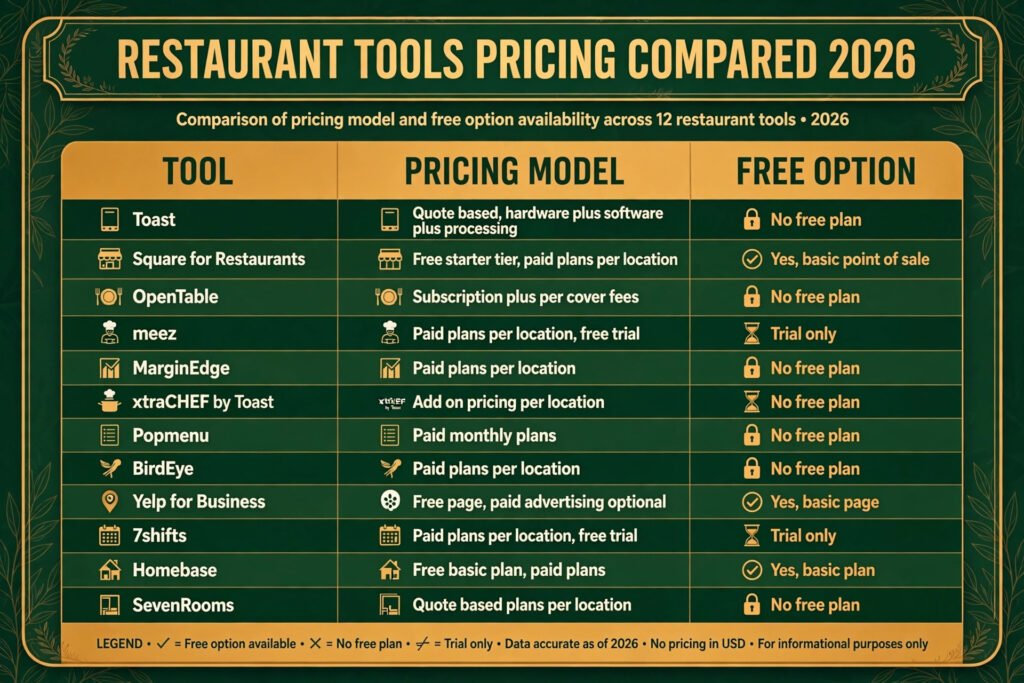
Pricing compared: what a restaurant actually pays in 2026
| Tool | Pricing model | Free option |
|---|---|---|
| Toast | Quote based, hardware plus software plus processing | No free plan |
| Square for Restaurants | Free starter tier, paid plans per location | Yes, basic point of sale |
| OpenTable | Subscription plus per cover fees | No free plan |
| meez | Paid plans per location, free trial | Trial only |
| MarginEdge | Paid plans per location | No free plan |
| xtraCHEF by Toast | Add on pricing per location | No free plan |
| Popmenu | Paid monthly plans | No free plan |
| BirdEye | Paid plans per location | No free plan |
| Yelp for Business | Free page, paid advertising optional | Yes, basic page |
| 7shifts | Paid plans per location, free trial | Trial only |
| Homebase | Free basic plan, paid plans | Yes, basic plan |
| SevenRooms | Quote based plans per location | No free plan |
The table shows a pattern worth noting. Point of sale and reservation tools usually cost the most, because they touch every transaction. Costing, scheduling, and review tools cost less, but they save money in quieter ways, through margin, labour, and reputation. Judge each tool on the cost it removes, not only on its monthly fee.
How to Choose: match the tool to the bottleneck, not the trend
Start with the number that hurts most. If food cost is above target, a scheduling tool will not fix it, however good its app looks. If the rota is the weekly crisis, a review tool will not help. Write down one bottleneck, one tool, and one measure for a month: food cost percentage, labour percentage, covers on Tuesday nights, or average review response time.
Next, check integration before features. A point of sale system that does not talk to your accounting software, or a reservation tool that does not sync with your guest list, creates manual work that cancels the benefit. Ask every vendor for a live demo using your menu, your rota, and your real supplier invoices, not a polished sample account.
Then count the total cost, including hardware, training, and the staff time needed to keep data current. A costing tool with stale supplier prices is worse than no costing tool, because it gives false confidence. A scheduling tool nobody updates is just a prettier rota. Budget an owner or manager hour each week for data upkeep, and assign that job by name.
Finally, test on one location or one section before rolling a tool out everywhere. A month of real use will reveal integration gaps, staff resistance, and hidden fees faster than any sales call. If the tool does not move your chosen measure in that month, stop and try the next bottleneck instead of adding more software on top.
Mistakes to avoid when buying restaurant software
The most common mistake is buying a bundle for features you will never use. A platform that promises ordering, marketing, hiring, accounting, and loyalty in one package sounds efficient, but each weak module adds login time and training time. Buy the strongest tool for your main bottleneck, and accept a second system for a different job if it is clearly better at that job.
The second mistake is ignoring staff adoption. Tools chosen by owners and never explained to servers, hosts, and kitchen staff end up bypassed. A handheld ordering system that servers distrust will sit in a drawer. Involve a server, a host, and a cook in the trial, and listen when they say a workflow is slower than the old way.
The third mistake is letting third party delivery and reservation fees grow unchecked. A restaurant can look busy while delivery commissions and cover fees quietly take the margin. Review fees monthly, compare direct booking and direct ordering with third party volume, and steer regulars toward direct channels where the economics are better.
The fourth mistake is treating reviews as a marketing job rather than an operations signal. If several reviews mention slow service on Friday nights, that is a staffing or kitchen flow problem, not a reply writing problem. Read reviews weekly as a team, fix the repeated complaint, and then reply to show the fix.
The fifth mistake is setting menu prices once and never revisiting them. Supplier prices move, portions drift, and a dish that made money last year can lose money now. Re-cost the menu quarterly, or at least whenever a key ingredient price jumps, and adjust portions or prices before margin disappears.
Frequently asked questions
What is the best AI tool for a small restaurant starting out?
Square for Restaurants or Homebase, depending on the bottleneck. Square covers ordering and payments with a free starter tier, while Homebase covers scheduling and hiring with a free basic plan. Start with whichever problem costs more each week, and add the other later.
Do restaurants need AI tools, or is good software enough?
Most restaurants need good software first and AI features second. The AI features that matter here are practical ones: invoice capture, demand forecasting for rotas, review summaries, and guest segmentation. A tool that only labels itself as AI without a clear job is not worth paying extra for.
How much should a restaurant budget for software each month?
It depends on size and channels. A single location restaurant with a point of sale system, a scheduling tool, and a review tool will usually pay several hundred dollars a month in total, plus payment processing and any reservation cover fees. Price the full stack, including hardware and add ons, before signing.
Can these tools replace a manager?
No. They give a manager better numbers, faster rotas, and quicker review replies, but they do not run a service, train staff, or fix a bad dish. The best use of these tools is to free manager time for the floor, not to remove the manager from it.
Which tool helps most with food cost?
meez for recipe level cost, or MarginEdge for invoice and inventory level cost. Use meez if the question is which dishes make money. Use MarginEdge if the question is where supplier spending is going. Many operators use both, with meez for menu decisions and MarginEdge for purchasing control.
Should a restaurant use OpenTable, SevenRooms, or both?
OpenTable brings discovery from diners already searching, while SevenRooms builds guest profiles and campaigns for repeat visits. Restaurants in busy areas often use OpenTable for new guests and SevenRooms style guest data for regulars, but paying for both only makes sense if each one earns its fee in bookings it would not otherwise get.
Conclusion
The best AI tools for restaurants in 2026 are the ones that remove a specific, measurable cost: a slow till, an uncosted dish, an empty Tuesday, an unanswered review, or a rota that takes all Sunday to build. Toast and Square for Restaurants anchor ordering and payments. meez, MarginEdge, and xtraCHEF bring order to food cost. Popmenu, BirdEye, and Yelp for Business fill tables and protect reputation. 7shifts, Homebase, and SevenRooms organise the team and remember the guests.
Pick one bottleneck, test one tool for a month, and measure the result. That discipline matters more than any single platform, because restaurant software only pays when it is used every service, kept current, and judged on numbers the owner actually watches.