

Most journaling habits die in week two, not because people lack thoughts but because the tool adds friction. An app that demands an account, syncs slowly or buries yesterday entry behind menus will lose to a busy morning. When you use Obsidian for daily journaling beginners get a fast, private notebook where entries are plain text files on their own device, and a daily note opens in one click.
This guide sets up that habit properly. It covers creating a vault, a daily note template that takes five minutes, simple linking that connects entries over time, and a weekly review that turns scattered notes into insight. It also covers cost, since Obsidian is free for personal use, and the plugins worth ignoring until the habit is solid.
Why This Setup Earns Its Keep
Privacy is the first reason journaling belongs in plain text files you own. A journal holds honest thoughts, and an app that stores them on someone else servers with an account attached creates a quiet hesitation that weakens honesty. Local files remove that hesitation, and honest entries are the only ones worth rereading.
Speed is the second reason. Obsidian opens fast, a daily note template fills in one command, and typing starts immediately. A habit that takes under five minutes survives busy mornings, while a habit that takes fifteen minutes survives only quiet ones, and quiet mornings are rare.
The third gain is connection over time. Linking entries by topic, person or project lets patterns emerge across months, such as a recurring worry or a slowly forming goal. A journal that only records days is a diary, while one that links days becomes a map of a life, and that map is where insight lives.
How to Use Obsidian For Daily Journaling Beginners
This section shows how to use Obsidian for daily journaling beginners in practice, starting from the setup decisions that matter most and ending with a routine you can repeat weekly.
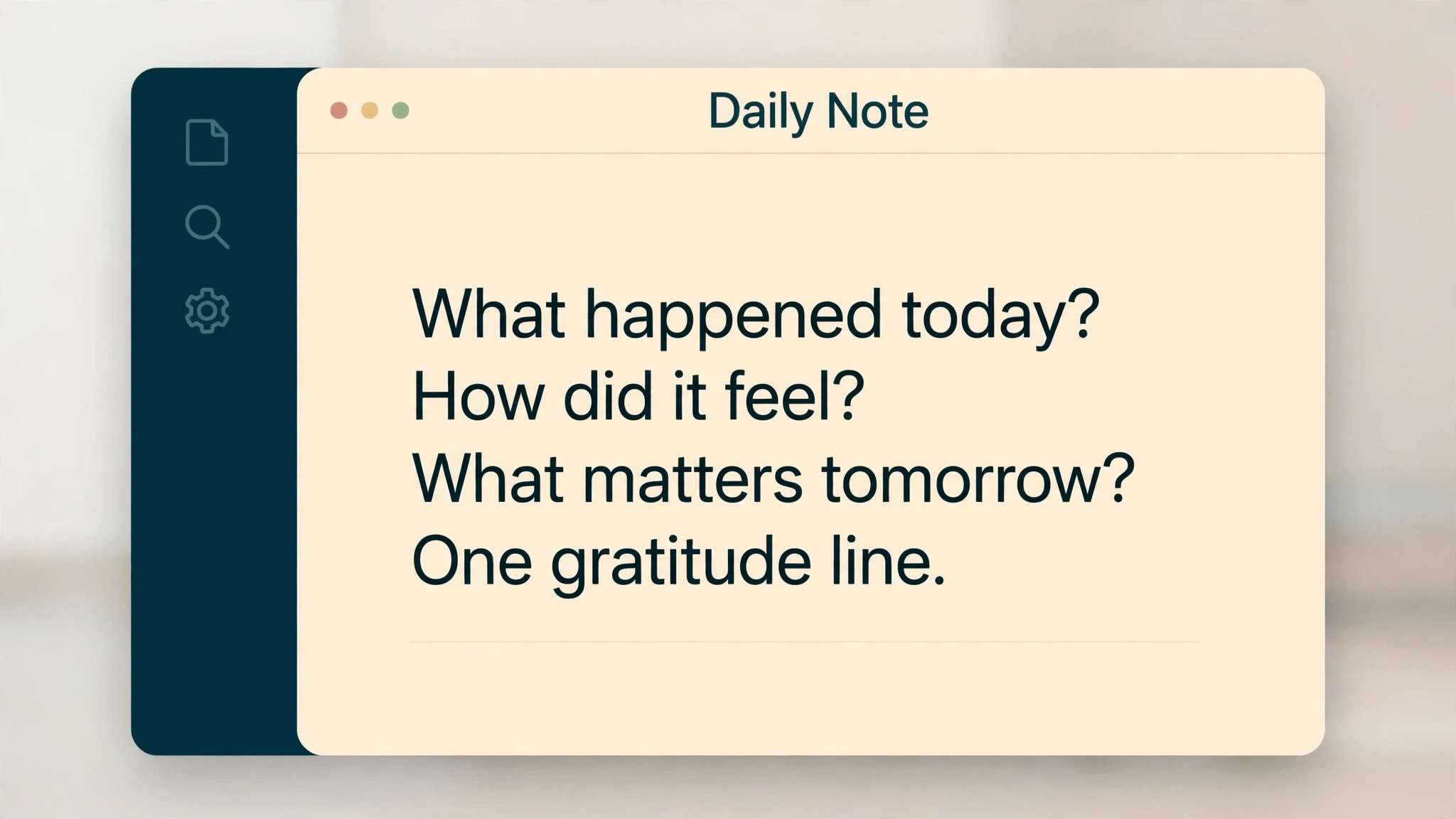
Start with five minutes and three prompts, not with a long template. A daily note that asks what happened, how it felt and what matters tomorrow takes five minutes and gets written daily, while a twenty prompt template gets written twice and abandoned. Small and daily beats long and occasional, every time.
Then keep the vault to one folder for journaling at first. A vault with a dozen folders, tags and plugins feels impressive and adds decisions to every entry, while a single journal folder with daily notes needs no decisions at all. Complexity can arrive later, after the habit has survived a month.
Success in the first month looks ordinary, which is a good sign. The system is built, the first entries are real, the weekly review happens on schedule, and the numbers start to tell a story. If the first month feels messy, that usually means the system is being used honestly, since a tidy system with no real entries helps nobody.
Options Worth Comparing
The main tool here is Obsidian, and the table below compares it with two other routes to the same result. Start with the option that fits your current setup, run it for a month, and only add a second tool when a clear gap appears, because stacking tools before the routine is settled creates confusion that no software can fix.
| Option | What it does | Best for |
|---|---|---|
| Obsidian | a local plain text notebook with linking and templates | a beginner who wants private, fast daily notes |
| Day One | a polished journal app with prompts and photos | a journaler who wants photos and a guided experience |
| A paper notebook | a physical journal with no screens | a journaler who thinks best away from devices |
Obsidian
Obsidian wins on privacy, speed and ownership. Notes are files you control, the app is free for personal use, and linking grows with the habit. Its limit is setup, since templates and sync need a little configuration, so this guide keeps that setup to the minimum that matters.
Day One
Day One wins on polish and ease, with prompts, photos and a pleasant mobile experience. Its cost is a subscription for full features and cloud storage of personal entries, so it suits journalers who value guided ease over file ownership.
A paper notebook
Paper wins on focus and freedom from screens, and many journalers think more clearly by hand. Its weakness is search, since finding a note from three months ago means flipping pages, while a digital vault finds it in seconds.
The choice between these routes usually comes down to how much structure you already have. If the work is mostly visible and the team is small, the simplest tool that holds the routine wins, because a simple tool gets used daily. If the work is complex or the volume is high, the extra features pay for themselves in time saved, provided someone owns the setup. Choose the simplest option that covers the real need, and revisit the choice after a month of evidence, not after a week of opinions.
The Workflow in Order
Use this workflow to use Obsidian for daily journaling beginners in order, because the order matters. Skipping ahead to extras before the basics are recorded creates work that has to be redone, while following the steps in order means each step builds on a finished earlier step. Tick each step off, and do not move on until the current step works with a real task.
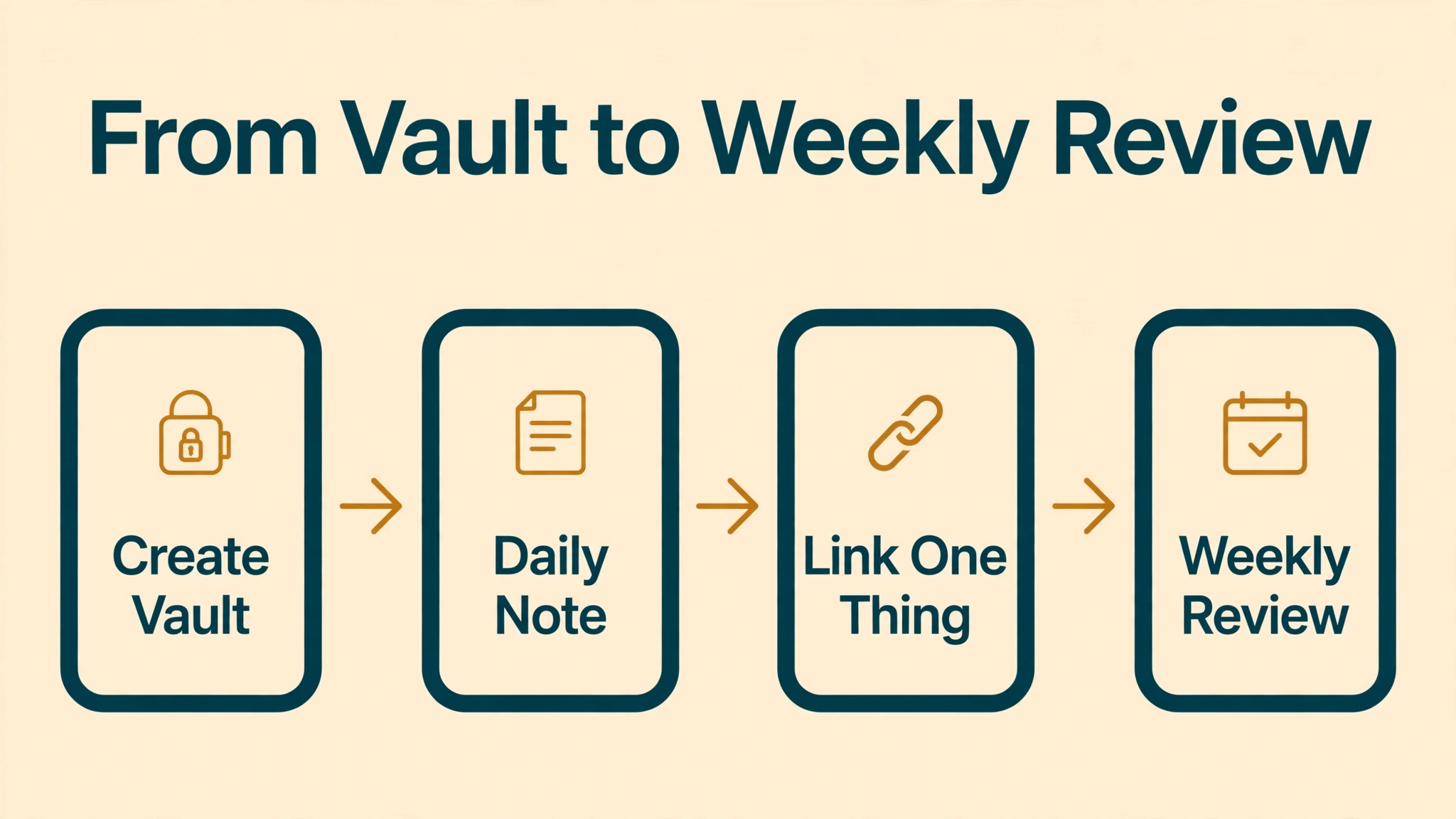
- **Create one vault for journaling.** Open Obsidian, create a new vault in a folder you control, and name it Journal. One vault keeps the habit simple, and a folder you control means the files stay yours even if you stop using the app.
- **Turn on the daily notes core plugin.** Enable the built in daily notes plugin, set the folder to Journal and the date format to year, month, day. Core plugins need no download, so this step takes a minute and gives you a daily note command that works every morning.
- **Create a five minute template.** Write a template with three prompts, what happened today, how it felt, and what matters tomorrow, plus a one line gratitude note. Save it as the daily note template, so each new day opens with the prompts already in place.
- **Write the first seven days without tweaking.** Use the template exactly as written for a week, even if a prompt feels slightly off. Tweaking in week one replaces writing with configuring, and configuring is how journaling habits die before they start.
- **Link one thing per entry.** Add one link per day to a topic, person or project mentioned in the entry, using double brackets. One link a day builds a useful web over months without turning each entry into a linking exercise.
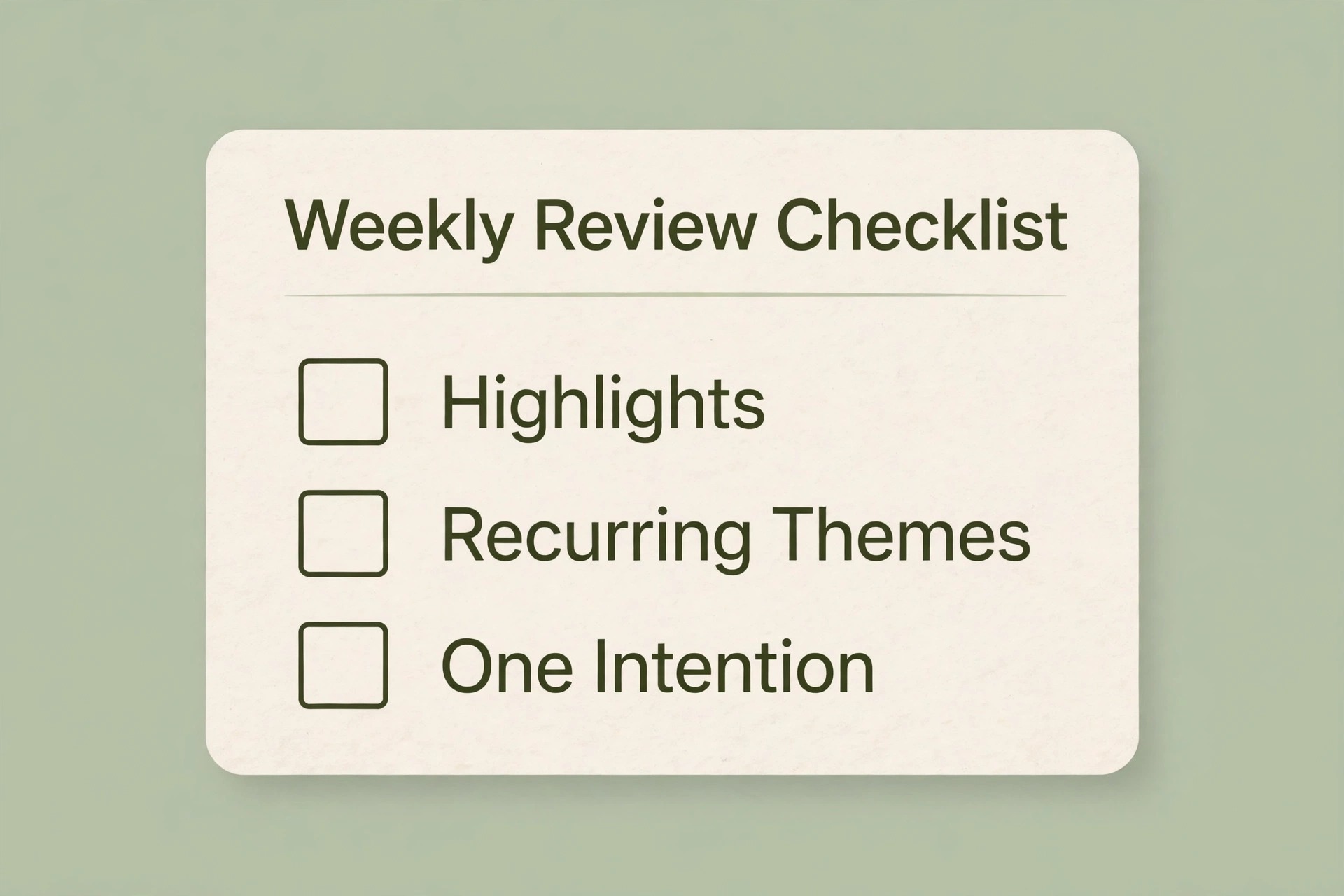
- **Add a weekly review note.** Each Sunday, create a short note listing the week highlights, recurring themes and one intention for next week. The review takes ten minutes and turns daily entries into insight, which is the reward that keeps the habit alive.
- **Back up the vault monthly.** Copy the vault folder to a second location monthly, since local files are yours to lose as well as yours to keep. A backup habit protects years of entries from a single device failure.
A Worked Example
Picture the first full week with the system running. On Monday, the routine opens with a short review of what is live, what is overdue and what needs a decision, and that review produces a short list of actions for the week. Nothing on the list is vague, because every item carries a next step and a date, and the list is short enough to finish. By Tuesday, the routine itself fades into the background, which is exactly what a good system should do.
Midweek is where most systems are tested, because new work arrives and old plans collide with reality. The test is simple. New items go into the system the same day they arrive, instead of living in chat or memory, and the template handles them without redesign. If a new item needs a new field or a new list, that is a signal to pause and ask whether the item is genuinely different or just unfamiliar, since unfamiliar work often fits the existing structure better than it first appears.
By Friday, the weekly review closes the loop. Completed items are archived or marked done, overdue items get a new date or a decision to drop them, and the numbers for the week are recorded in one place. That Friday habit is the difference between a system that accumulates and a system that stays useful, because a system that only grows eventually collapses under its own weight, while one that is pruned weekly stays sharp.
The Template and Checklist You Can Copy
Use this template when you use Obsidian for daily journaling beginners without starting from a blank page each time. Copy it, fill it in with your own details, and keep the filled version where the people who use it can see it. A template that lives in a drawer helps nobody, while one that sits beside the work becomes the way the job actually gets done.
| Item | What to write down |
|---|---|
| Daily note template | what happened, how it felt, what matters tomorrow, one gratitude line |
| Weekly review template | highlights, recurring themes, one intention for next week |
| Linking rule | one link per entry to a topic, person or project |
| Vault structure | one Journal folder, daily notes inside, reviews beside them |
| Backup rule | vault copied to a second location monthly |
Fill the table in with real details from your own setup, not with guesses, because a plan filled with guesses gives confident answers that are wrong. If a detail is unknown, write unknown and find it before you act on that row, since a single guessed cost or time can undo an otherwise sound plan. Review the filled version every month for the first quarter, then every quarter after that, and update it when prices, people or suppliers change.
Keep the filled version where the work happens, whether that is a shared folder, a printed page or the tool itself, and name one person who owns updating it. Ownership matters because a template without an owner goes stale within a quarter, while one with a named keeper stays current through staff changes and price changes alike. When the owner changes, hand the template over explicitly, like any other responsibility.
- The daily note opens in one command with the template in place
- Entries take five minutes or less on a normal day
- Each entry links one topic, person or project
- The weekly review note exists for the current week
- The vault holds only journaling, not a dozen half built systems
- No new plugins were added in the first month
- A monthly backup copy exists outside the main device
- The habit survived a busy week without a gap longer than two days

Making the Template Your Own
A template should change slowly, and only for a reason you can name. If a field sits empty for a month, remove it, since empty fields make the template look broken and discourage use. If the same question gets asked twice in reviews, add a field for it, since the template should answer recurring questions without extra work. Change in small steps, one field at a time, and note the change so the next person understands why the template looks the way it does.
Resist the urge to copy someone else template wholesale, because a template built for another team workflow will fight yours in small ways every week. Borrow the structure, keep the fields that match your decisions, and delete the rest without guilt. A template that fits the actual decisions of its owner gets used, while a template that impresses visitors gets admired and abandoned.
Costs, Limits and Trade-Offs
Before you commit money or time, write down the costs of the current way of working, because when you use Obsidian for daily journaling beginners you need a baseline to judge the new way against. Count the time spent, the errors made and the opportunities missed under the old way, then compare that total with the same total after one month of the new routine. If the new total is not lower, or the experience is not clearly better, change one thing and measure again rather than adding more tools.
Obsidian is free for personal use, which makes journaling essentially free. Optional paid sync and publishing services exist, but a beginner needs neither, since local files plus a monthly manual backup cover the habit. Check the vendor pricing page if you later want sync across devices, and start free, because the habit matters more than the features.
Time cost is five minutes daily plus ten minutes weekly for the review. That is the smallest journaling habit that still produces insight, and it is deliberately small, since a habit that fits a busy life survives, while an ambitious one does not.
Watch for the cost that appears only after launch, such as extra seats as a team grows, premium features on higher tiers, or the time spent maintaining a setup that looked simple at first. Read the pricing page for the tier you will actually land on in six months, not the starter tier you land on today, because a tool that is cheap at small volume and expensive at larger volume can punish growth. Set a calendar reminder to review the bill every quarter, and compare it with the time saved, since a subscription that no longer saves time should be renegotiated or dropped.
Mistakes That Quietly Undo the Work
The mistakes below are common because each one feels reasonable at the time, and when you use Obsidian for daily journaling beginners it helps to name them before they happen. Read the list with anyone who will use the routine, agree which mistake your setup is most likely to make, and put one guard in place against it, because a named mistake is far easier to avoid than a vague warning to be careful.
- Building a complex vault before writing. Templates, tags and plugins feel productive and replace the actual habit.
- Writing long entries occasionally instead of short entries daily. Frequency builds the habit, length does not.
- Skipping the weekly review. Daily entries without review become a pile, not insight, and piles do not motivate.
- Adding plugins in week one. Each plugin adds decisions, and decisions kill a fragile new habit.
- Judging entries for quality. A journal is for honesty, not for prose, so write plainly and move on.
How to Tell Whether It Is Working
Pick a small set of numbers and track them monthly, because when you use Obsidian for daily journaling beginners you need evidence, not a feeling, about whether the change is paying. Choose numbers you can collect without extra admin, such as days journaled per week, weekly reviews completed, links created per month and longest unbroken streak, and record them in one place on the same day each month. A trend over three months tells you far more than a single good or bad week.
Track days journaled per week, weekly reviews completed and longest streak, because a habit measured gently survives better than one judged harshly. Aim for five days a week, not seven, since a missed day that breaks a perfect streak often ends the habit entirely, while a five day target forgives life.
Also notice themes in weekly reviews. If the same worry appears for three weeks, that pattern is the journal doing its job, and it deserves attention outside the notebook, whether a conversation, a decision or a change of routine.
When a number moves the wrong way, change one element and watch the next period before changing anything else. Changing five things at once feels decisive, but it destroys the evidence, since nobody can tell which change helped. Single changes, measured honestly, are slower to announce and faster to learn from, which is the trade that matters over a year.

What Good Looks Like After 90 Days
After ninety days, a healthy setup shows up in small, boring ways, such as days journaled per week, weekly reviews completed, links created per month and longest unbroken streak trending in the right direction without heroic effort, and fewer messages asking where things stand. Nobody celebrates a routine that simply works, which is why it is worth naming those signs when they appear, so the people involved recognise the payoff and keep funding the habit.
The warning sign is different, and it is worth watching for, which is when people start working around the setup instead of through it. Workarounds usually mean one step no longer fits reality, so ask what changed, fix that step, and prune anything the workaround replaced. A setup that adapts to one real change survives, while one that demands loyalty to an outdated step gets quietly abandoned.
Set the ninety day review now, with a named owner and a date in the calendar. Without a named owner and a date, reviews slip, and a slipped review means a system that slowly stops matching the reality it was built for. The review itself need not take long, since one hour with the numbers and the honest answers is enough to decide what to keep, what to change and what to stop.
The First 30 Days
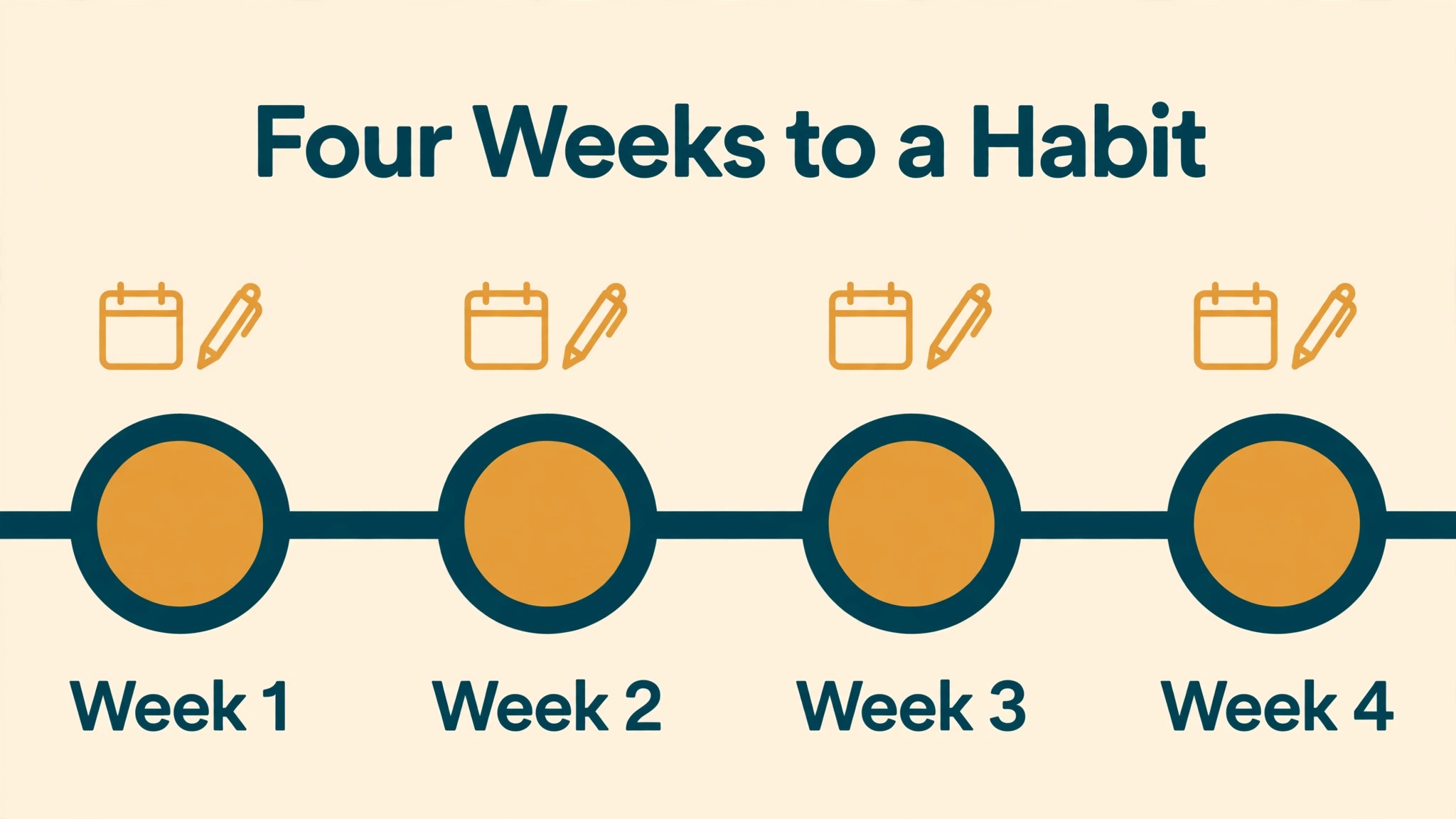
Week one is setup and seven entries. Create the vault, set the template, write daily without tweaking, and link one thing per entry. Do not add plugins, tags or extra folders, however tempting they look.
Weeks two to four are habit and review. Write five days a week, complete the Sunday review, and adjust the template once at month end based on what actually helped. By month end, the vault should hold a month of entries, four reviews and a linking web that already shows patterns.
If the first month feels messy, resist the urge to rebuild the system from scratch, since the fault usually sits in one step rather than in the whole approach. Return to the numbers you tracked, find the step where results diverged from the plan, and change that step alone. System swaps feel decisive, but they reset learning to zero, while a single step fix preserves everything that already worked.
Day by Day in Week One
On day one, build the template and import what is already live, without redesigning anything. The goal for day one is a working system with real entries, not a beautiful system with sample data, since real entries reveal the flaws that sample data hides. End the day by checking that every live item has a status and a next action.
On day two, use the system for new work as it arrives, and note every moment of friction. Friction notes are gold, because they point at the exact field, step or view that needs fixing, while general complaints about the system point nowhere. Keep the notes short, one line each, and review them at the end of the week.
On day three, fix the single biggest friction from the notes, and leave the rest alone. One fix per week is the pace that improves a system without destabilising it, and a system that changes daily never gets learned properly by anyone, including its owner. Stability for a week beats improvement every day.
On day four, share the system with anyone else who touches the work, and watch them use it without help. Watching a second person reveals instructions that only made sense to the author, and those instructions need rewriting before the system can survive a holiday or a handover. A system that only its author understands is not yet a system.
On day five, run the first weekly review, record the numbers, and decide one change for next week. The review closes week one with evidence instead of feelings, and that evidence becomes the baseline for month one. A week that ends with a review has already succeeded, whatever the numbers say, because the habit is the achievement.
When the System Stalls
A stalled system usually fails at one of three points, which are entry, review or follow through, and diagnosing the right point saves a rebuild. If entries lag, the template is too heavy or entry takes too long. If reviews get skipped, the review is too long or it has no fixed slot. If actions do not follow, the numbers are not connected to decisions. Name the failing point plainly before changing anything, since a fix aimed at the wrong point adds complexity without restoring momentum.
When entry is the problem, simplify before adding features. Remove one field, shorten one checklist, or batch entry to a single sitting per day, and watch whether entries recover within a week. Entry friction is the most common stall, because a system that takes ten minutes per item will be abandoned in a busy week, while one that takes two minutes survives. Speed of entry matters more than completeness of record, especially in the first month.
When reviews are the problem, shrink the review rather than skipping it. A five minute review that happens beats a thirty minute review that does not, so cut the review to the three most important checks and protect its slot on the calendar. Pairing the review with an existing habit, such as Friday coffee or Monday planning, also helps, since a review attached to a habit survives while a review floating free gets postponed.
More Reading on Stratilyze
More Reading on Stratilyze. For the systems around this one, read the notion vs obsidian guide, the fix obsidian sync conflicts guide, the migrate evernote to obsidian notes users guide. Read the guide that matches your next bottleneck first, because fixing the biggest bottleneck next gives a larger gain than polishing a part of the setup that already works well.
Frequently Asked Questions

Is Obsidian really free?
Yes for personal use, with optional paid sync and publishing for those who want them. A beginner needs neither, since local files plus a monthly backup cover journaling fully. Check the vendor pricing page before paying for extras.
Do I need to learn Markdown to journal?
No, plain typing works fine, and Markdown formatting is optional. Headings, bold and links help over time, but a journal written as plain paragraphs is a perfectly good journal, so learn formatting only when a need appears.
What if I miss a day?
Write the next day and move on, since a missed day is normal and a broken streak is not a failure. Habits survive missed days when the target is five days a week, while perfection targets turn one miss into a quit.
Should I journal on my phone too?
Phone journaling helps on busy days, and Obsidian mobile apps exist for that. Start on one device until the habit is solid, then add mobile, since adding devices in week one adds setup friction.
How is Obsidian different from a notes app?
Notes are plain text files you own, stored locally, with linking between notes. Notes apps often store entries in proprietary formats on company servers, which makes export harder and privacy weaker. Ownership is the core difference.
What should I do with old entries?
Reread them in weekly and monthly reviews, and let patterns guide decisions. Old entries are not clutter, they are the record that makes insight possible, so keep them, back them up, and revisit them regularly.
The Bottom Line on Daily Journaling
Journaling works when it is private, fast and daily, and fails when it is complex, ambitious or judged. When you use Obsidian for daily journaling beginners get plain text files they own, a five minute template and a weekly review that turns scattered days into visible patterns. Small, daily and honest beats long, occasional and polished.
Create the vault today, set the three prompt template, and write five minutes tomorrow morning before the day starts. Review on Sunday, back up monthly, and let a month of short honest entries show you what a year of journaling could reveal.