Television speakers and soundbars fail in opposite ways, and that difference decides which upgrade is worth your money. Built in speakers point backwards or down, so dialogue arrives muffled and thin, while a soundbar points at you but only helps if the television actually sends it the right signal. The missing step is almost never the bar itself. It is the television setting that routes sound to the bar and lets one remote control the volume. This guide explains how to set up soundbar for TV beginners in the order that fixes that chain, from placement to connection to the settings that make it all work.
A soundbar is a long, slim speaker that sits under or in front of a television, usually with a separate subwoofer for bass on larger models. It replaces the small speakers built into a flat television, which face backwards or downwards and were never designed for clear dialogue. A soundbar faces you directly, which alone improves clarity, and its larger drivers and dedicated centre channel, where fitted, separate speech from music and effects far better than television speakers can.
Placement and What to Check Before You Buy
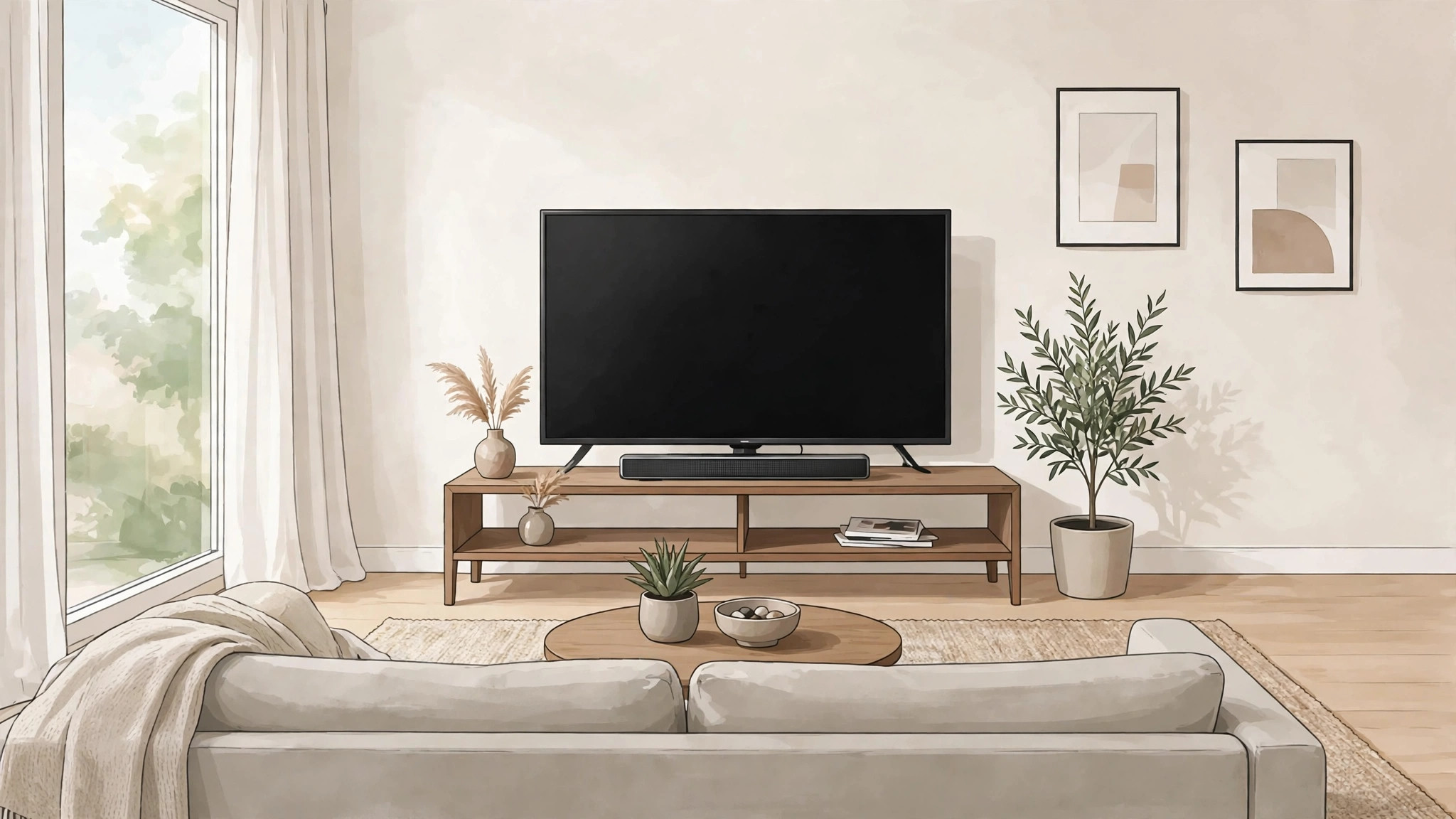
Placement decides sound quality before any cable is connected, so choose the spot first. The ideal position is directly under the television, centred on the screen, with the front of the bar clear of obstacles and roughly at ear height when seated. A bar hidden inside a closed cabinet sounds muffled, because the cabinet traps sound and vibrates, and a bar placed far to one side pulls dialogue away from the faces on screen. If the television sits on a stand, the bar usually sits on the same stand in front of it, and if the television is wall mounted, a wall bracket for the bar keeps the same centred alignment.
Check the television stand depth and the bar length before buying, since a bar wider than the stand overhangs awkwardly and a bar deeper than the stand may block the television infrared sensor or stand in front of the screen bottom edge. Measure the stand, note the television screen height from the stand surface, and confirm the bar height leaves subtitles and the bottom of the picture visible. A bar that blocks the bottom centimetre of the screen ruins every subtitled programme, and that fault is discovered only after installation unless you measure first.
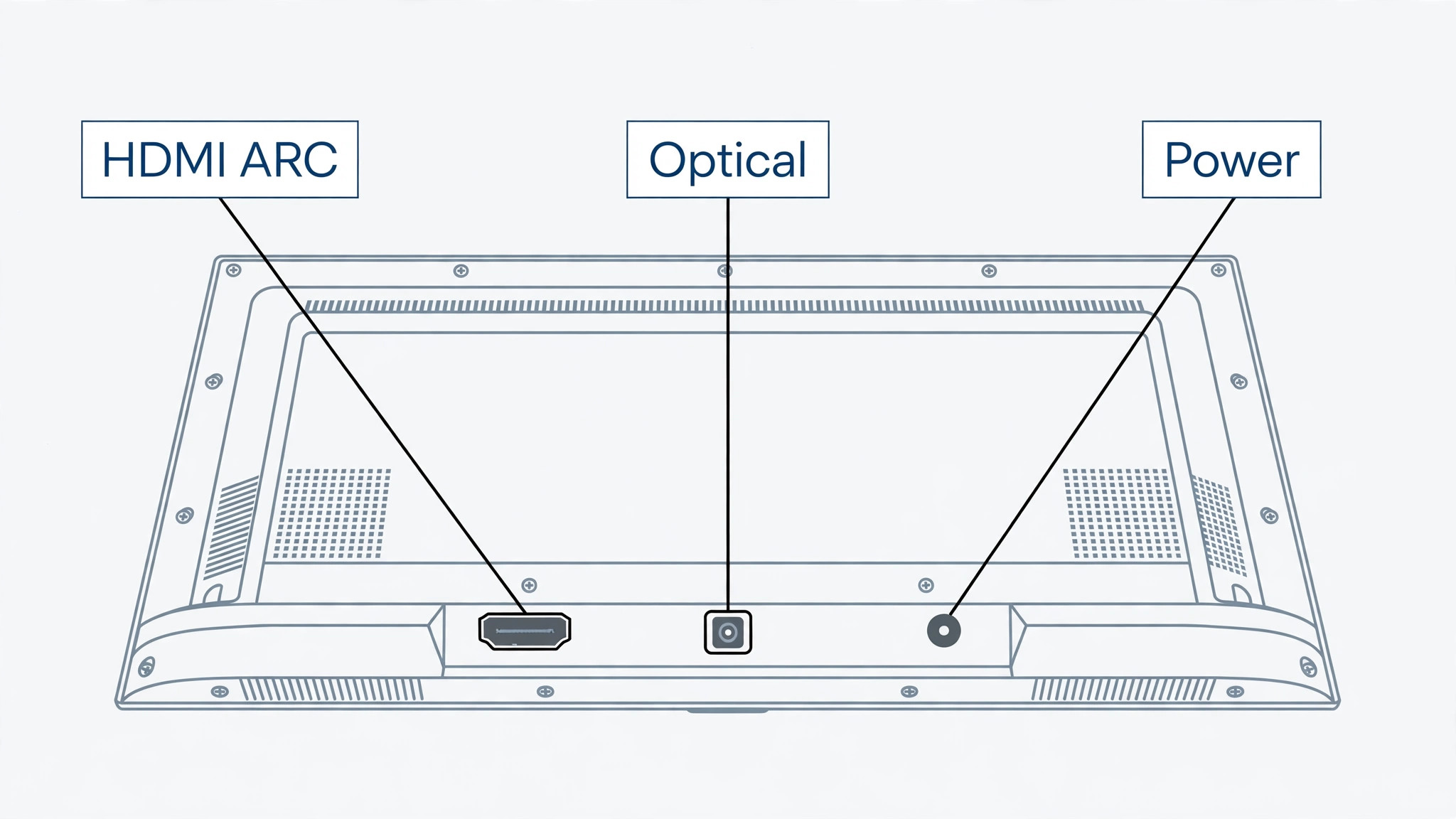
Check the back of the television for connection options before buying as well. Look for an HDMI port labelled ARC or eARC, a digital optical output, and a headphone or analogue output, and note which ones are free. The ARC port is the preferred connection for most beginners, and the next section explains why, but a television without ARC still works well over optical, and a television with neither needs a different approach, such as Bluetooth or analogue, with the trade offs those carry. Knowing the ports before buying also tells you which cable to have ready, since some bars include an HDMI cable and some include only an optical cable.
Subwoofer placement matters on models that include one. A wireless subwoofer connects to the bar without a cable, but it still needs a power outlet and a sensible position, usually on the floor near the television, not jammed into a corner where bass becomes boomy, and not behind a sofa where it is muffled. Try the subwoofer in two or three spots during the first week, listening to the same scene each time, since bass changes dramatically with room position, and the best spot is often not the most convenient corner. Wired subwoofers limit placement to cable reach, so plan that cable route before the bar arrives.
How to set up soundbar for TV beginners
The steps below assume an HDMI ARC connection, with notes for optical and Bluetooth where the path differs. Work through them in order, and test sound at each stage rather than connecting everything and testing once at the end, since staged testing tells you exactly which step failed. To set up soundbar for TV beginners well, the television settings matter as much as the cable, and the steps below treat them as part of setup, not as an afterthought.
- Unbox and place the bar. Put the bar centred under the television, with its front clear, and place the subwoofer, if any, on the floor near the television. Plug the bar power cable into a wall outlet, and plug the subwoofer power in as well, since wireless subwoofers still need mains power.
- Connect the HDMI cable to the ARC ports. Plug one end into the television HDMI port labelled ARC or eARC, and the other end into the soundbar HDMI port labelled ARC, TV, or HDMI OUT, depending on the bar maker label. Use a good quality HDMI cable, and for eARC and Dolby Atmos content, use a high speed cable rated for the format, since an old cable can silently limit the formats that pass through.
- Power on the television and the bar. Switch the television on first, then the bar, and wait for both to fully start. Some televisions detect the bar automatically and switch audio output on their own, while others need the manual settings change in step five, so do not worry if sound still comes from the television speakers at this point.
- Select the correct input on the bar. Use the bar remote or buttons to select the HDMI ARC input, often labelled TV, ARC, or HDMI. If the bar has a display, it should show the input name briefly, and if it has only lights, check the maker guide for which light pattern means ARC input, since guessing the input is a common cause of silence.
- Change the television audio output. Open the television settings, go to sound or audio, and change the audio output or speaker setting from television speakers to HDMI ARC, audio system, or external speakers, using the exact label your television offers. Also enable HDMI CEC control if it is off, since CEC is what lets the television remote control the bar volume, and without it you will need two remotes for daily use.
- Test volume with the television remote. Play a programme, press volume up and down on the television remote, and confirm the bar volume changes and the television speakers stay silent. If the television speakers still play alongside the bar, return to the audio output setting and confirm television speakers are set to off or external only, since dual sound is confusing and usually means the output change did not save.
- Test a dialogue heavy scene and a music heavy scene. Dialogue tests clarity, music tests balance, and together they reveal whether the bar needs a sound mode change, which the next sections cover. Listen from your usual seat, not standing next to the bar, since soundbar performance is judged from the sofa, and a bar that sounds fine up close can sound thin from three metres away.
Once sound plays through the bar and the television remote controls volume, the core setup is done. The remaining work is choosing the best connection for your television, tuning sound modes, and learning the fixes for the faults that appear later, and each of those is smaller than the setup you just finished. To set up soundbar for TV beginners in full, this tested core is the foundation, and everything after it is refinement.
Connection Method Table
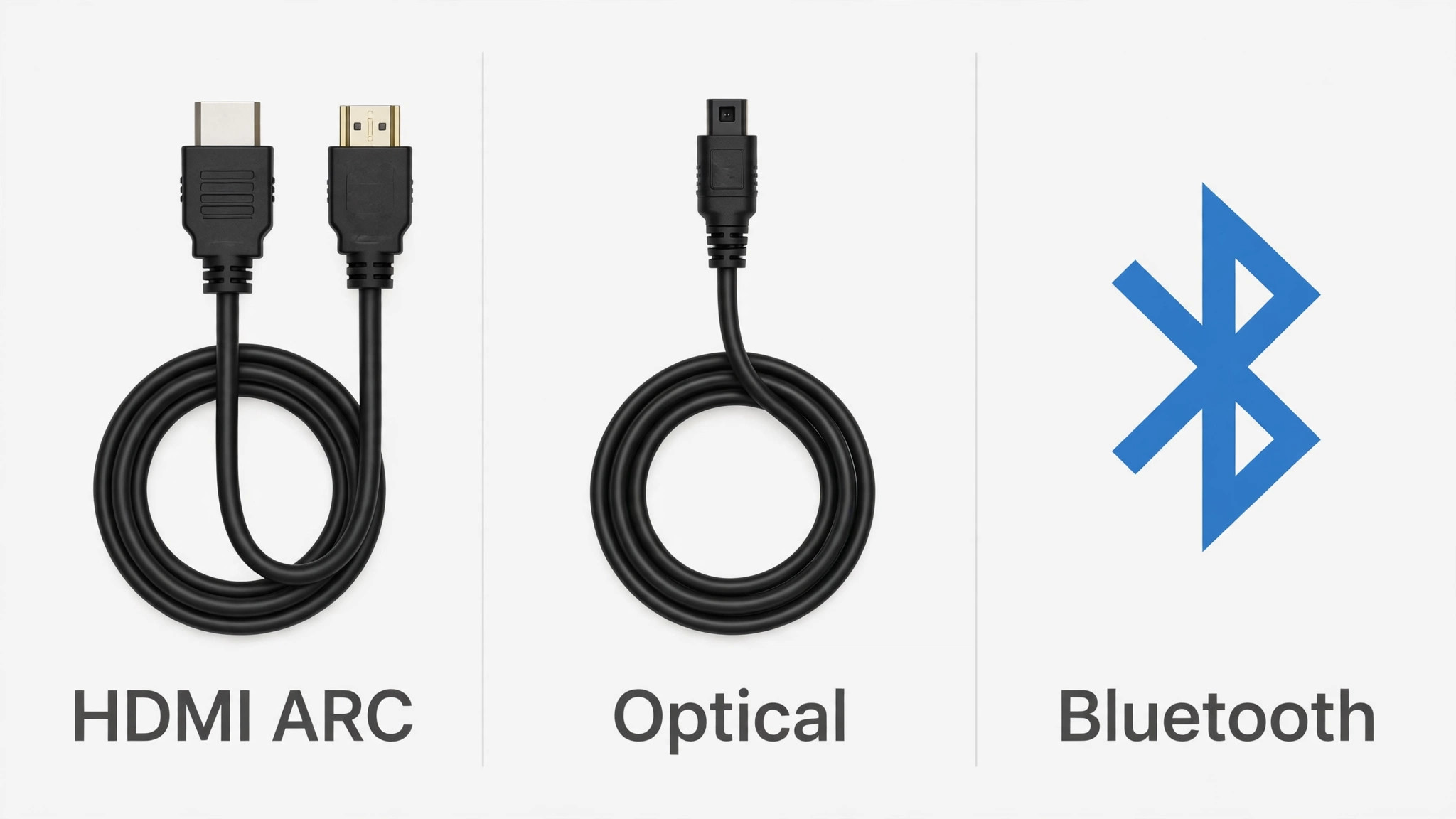
The connection you choose decides sound quality, remote control, and format support, so the table below is the overview proof element for this guide, paired with the settings checklist in the next section. Pick the highest method in the table that both your television and your bar support, and only drop to a lower method when a port is missing or a fault forces you there.
| Method | What it carries | Remote control | Best for |
|---|---|---|---|
| HDMI eARC | Full surround including Dolby Atmos and DTS:X in lossless form | Television remote controls bar volume through CEC | Newer televisions and bars, film lovers |
| HDMI ARC | Surround including Dolby Digital and compressed Dolby Atmos | Television remote controls bar volume through CEC | Most beginners, the best default choice |
| Optical, also called TOSLINK | Surround up to Dolby Digital and DTS, no Atmos | Usually needs the bar remote for volume | Older televisions without ARC, or ARC faults |
| Bluetooth | Stereo music and television sound, with possible delay | Television or phone controls volume, bar may need its own remote | Temporary setups, music from a phone, televisions without wired outputs |
| Analogue 3.5 mm or RCA | Stereo only | Bar remote for volume | Last resort, very old televisions |
HDMI ARC wins for most beginners because one cable carries sound from the television to the bar and lets the television remote control volume, which keeps daily use to one remote. It also carries surround formats that optical cannot, including compressed Dolby Atmos, which matters if you watch streaming films with Atmos soundtracks. The catch is that ARC needs CEC enabled on the television, and some televisions label CEC with a brand name rather than the letters CEC, so check the television manual for the brand term if you cannot find a CEC setting.
Optical is the most reliable fallback, and it deserves respect rather than being treated as a failure. An optical cable carries clean digital sound, it is immune to electrical interference, and it works on televisions that predate ARC entirely. Its limits are format support, since it cannot carry Atmos, and remote control, since the television remote usually cannot change bar volume over optical, meaning the bar remote stays in daily use. If you choose optical, remove the small plastic caps from both cable ends before plugging in, since capped ends are a classic cause of a silent optical setup that looks correctly connected.
Bluetooth is convenient for music but weak for television, because Bluetooth audio can lag slightly behind the picture, producing lip sync error that is hard to ignore in dialogue. Some televisions and bars compensate for that delay, but many do not, so Bluetooth should be a temporary television connection or a music connection, not the main television link where a wired option exists. Analogue connections share the stereo limit and add interference risk, so they belong only where no digital option exists, and even then a short, good quality cable matters more than a long cheap one.
TV Audio Settings Checklist
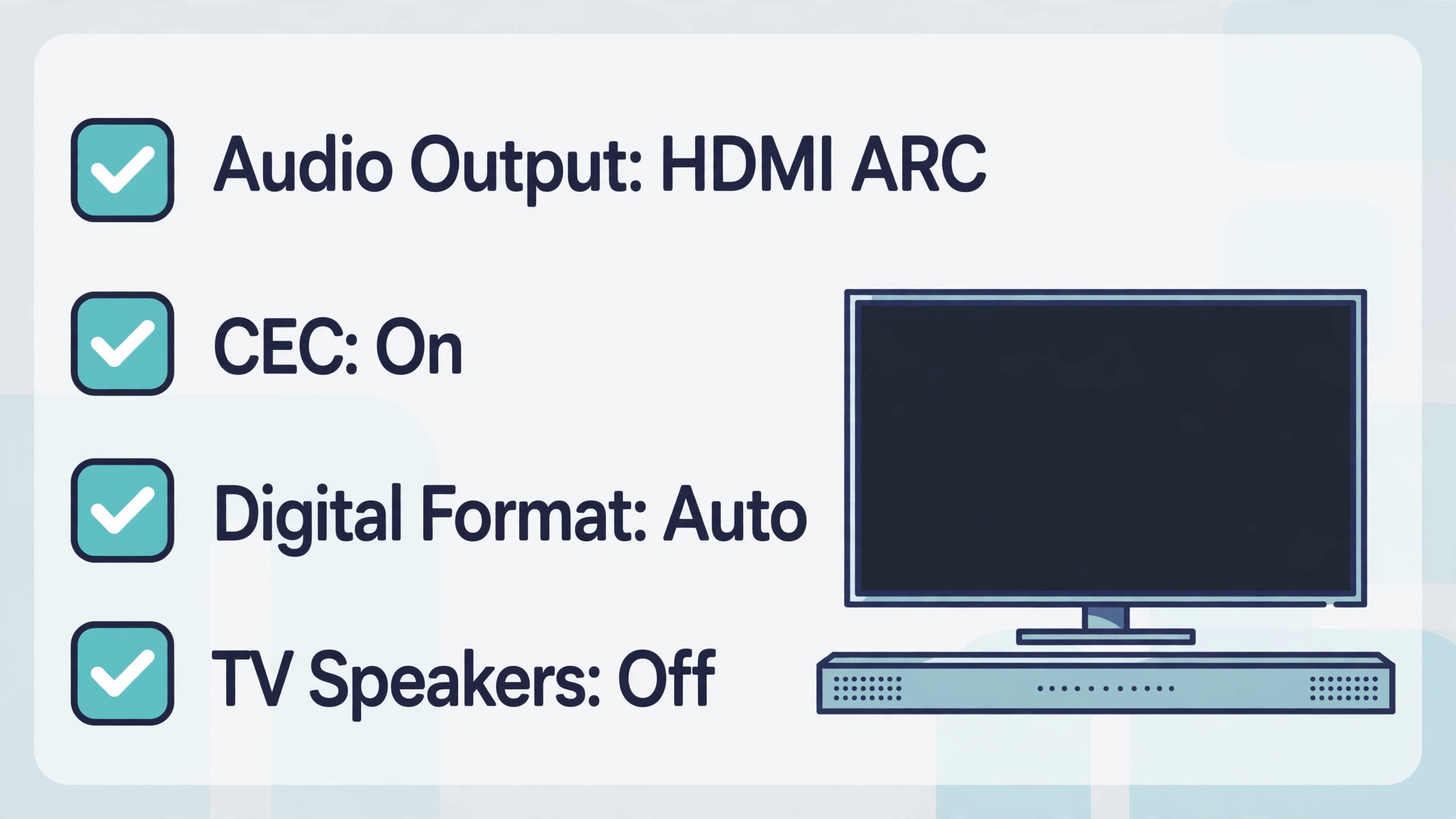
Television audio menus hide several settings that affect a soundbar, and the checklist below covers them in the order to check. Work through it once after connection, and again whenever sound changes after a television software update, since updates sometimes reset audio output to television speakers without warning.
- Audio output set to HDMI ARC, audio system, or external speakers, matching your connection, with television speakers off.
- HDMI CEC enabled, under whatever brand name your television uses, so the television remote controls bar volume and power.
- eARC mode enabled if both television and bar support eARC, and set to auto where the television offers that choice.
- Digital audio format set to auto or pass through first, so the television sends the original format to the bar rather than converting it to stereo.
- Television sound modes, such as cinema or sports modes on the television itself, set to standard or off, so the television does not process sound twice, once itself and once in the bar.
- Dialogue enhancement or clear voice on the television set to off when the bar has its own dialogue mode, to avoid double processing that makes voices sound harsh.
- Lip sync or audio delay checked with a talking head programme, and adjusted in small steps if lips and sound do not match, since a delay setting fixes Bluetooth and some ARC lip sync faults.
- Night mode or dynamic range compression noted for later use, since it reduces loud effects while keeping dialogue audible, which helps late night viewing without waking the house.
Digital audio format deserves a longer note, because it confuses more beginners than any other setting. Auto or pass through means the television sends the soundtrack as it arrived, and the bar decodes it, which preserves surround sound. PCM or stereo means the television converts everything to two channel sound before sending it, which loses surround information and wastes a capable bar. If surround sound seems missing on a film you know has it, check this setting first, since a television set to PCM by default is a common cause of a bar that sounds no better than television speakers.
Sound modes on the bar itself are the next layer. Most bars offer movie, music, dialogue or news, and night modes, and each changes the balance between speech, music, and effects. Movie mode usually widens the soundstage and boosts bass, music mode keeps a flatter balance, and dialogue mode lifts the centre frequencies where speech lives. Start with movie mode for films and dialogue mode for news and drama, and switch modes per programme type rather than leaving one mode on for everything, since a mode that flatters a film can make a newsreader sound harsh.
Placement Tuning and Room Effects
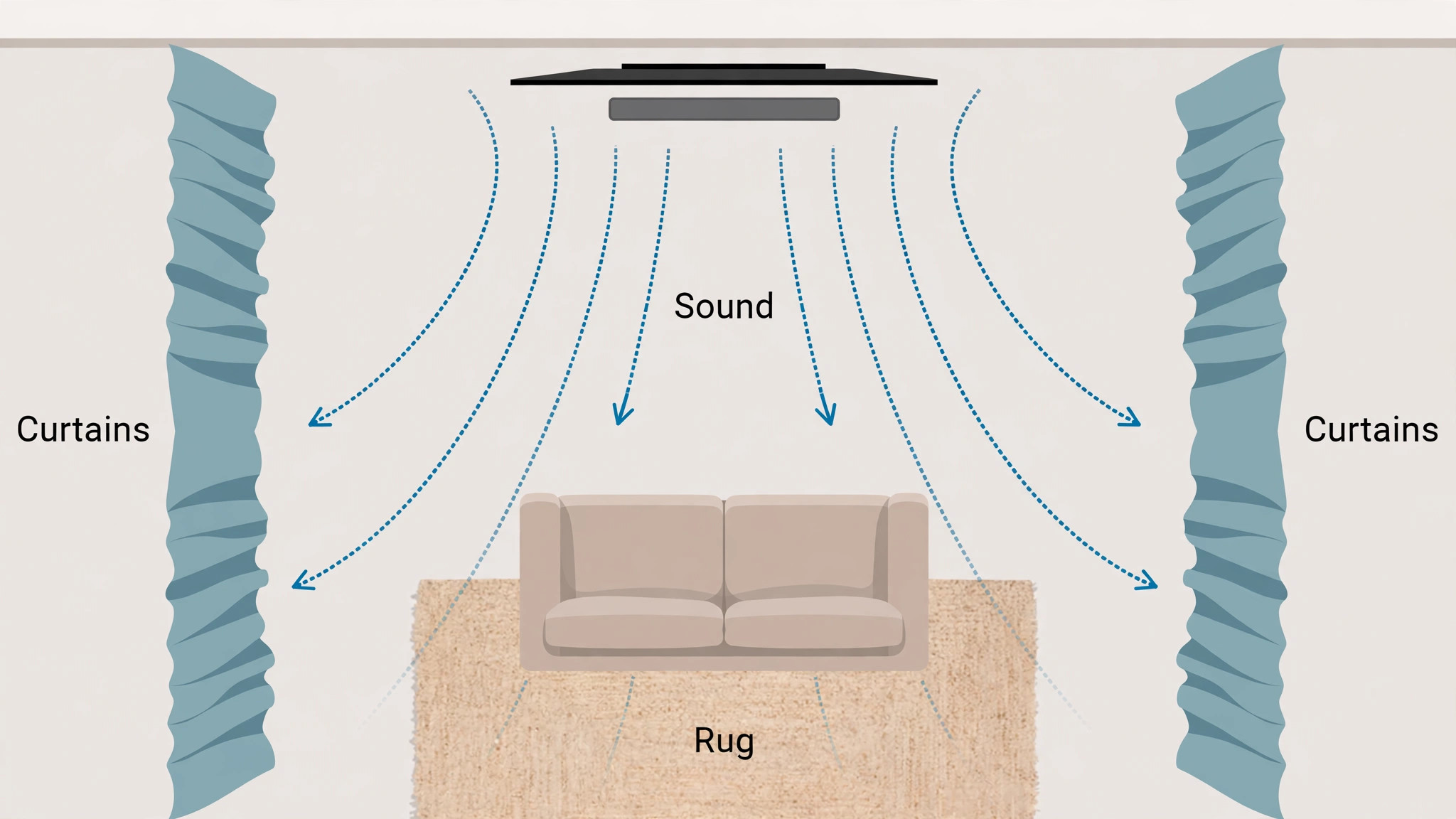
Room acoustics affect a soundbar more than specifications suggest, because sound reflects off walls, floors, and furniture before it reaches your ears. A bare room with hard floors and large windows sounds brighter and more echoey than a room with rugs, curtains, and soft furniture, and the same bar can sound different in each. A rug between the bar and the sofa, curtains on a large window, and a bookshelf on a bare wall all soften reflections, and those soft furnishings often improve dialogue clarity more than a settings change.
Distance matters too. Sit at the distance the bar was designed for, usually two to four metres, and avoid sitting hard against the back wall if you can, since bass builds up near walls and makes dialogue muddy. If the sofa must sit against the wall, reduce the subwoofer level slightly and try the dialogue mode, since both compensate for the bass build up. If the room is very large, a single bar may struggle to fill it, and that is a sizing issue rather than a setup fault, meaning a larger bar or a bar with a subwoofer suits the room better than endless tuning of a small bar.
Height and angle are worth checking once. A bar aimed at your knees sounds duller than a bar aimed at your ears, so if the bar sits low on a stand, tilt it slightly upward if the design allows, or raise it on a low platform. A bar behind a television stand lip or behind a decorative object loses high frequencies first, which are exactly the frequencies that carry speech clarity, so keep the front of the bar clear even if the sides are hidden. These physical checks take minutes and often beat an hour of menu adjustments.
When you set up soundbar for TV beginners with room effects in mind, remember that the goal is clear dialogue at normal volume, not impressive bass at high volume. Test the same ten minutes of a familiar drama in each candidate position for the bar and subwoofer, rather than testing a loud action scene, since drama dialogue reveals clarity problems that bass heavy scenes hide. A position that makes whispers audible without raising the overall volume is the right position, even if it is not the tidiest spot in the room, and a bar that passes the drama test will handle films and sport with ease.
A system that lets you follow a quiet drama without subtitles at a neighbour friendly volume is doing its job, while a system that shakes the room during action scenes but buries whispers is not, however exciting it feels at first.
Problems and How to Fix Them
No sound at all usually means input, output, or power, in that order. First, confirm the bar is powered and set to the right input, since a bar left on Bluetooth after music playback will stay silent for television. Next, confirm the television audio output is set to the bar connection and television speakers are off. Next, reseat both ends of the cable, since HDMI and optical cables can look connected while sitting slightly loose. If sound returns after reseating, the cable was the fault, and a cable that repeatedly loosens may need replacing or rerouting so it is not tugged by furniture.
Sound that drops out intermittently often points to a cable, a CEC conflict, or Wi-Fi interference on Bluetooth, depending on the connection. For HDMI, try a different HDMI cable and a different ARC port if the television has one, since a marginal cable causes dropouts that look like a bar fault. For optical, check that the cable is not bent sharply, since optical cables dislike tight bends. For Bluetooth, move closer or switch to a wired connection for television, since Bluetooth dropouts in a busy wireless home are common and hard to eliminate fully.
Lip sync error, where lips move before or after sound, has different fixes per connection. For HDMI ARC, check the television audio delay setting and adjust in small steps while watching a talking head. For Bluetooth, check delay settings on both television and bar, and consider switching to wired if delay cannot be corrected, since some Bluetooth combinations cannot fully sync. For optical, lip sync error is rarer, but a television processing mode can add delay, so try standard sound mode on the television before adjusting delay settings.
Remote control faults usually mean CEC is off, the wrong remote is in use, or the television updated and reset CEC. Re-enable CEC, confirm the bar input is ARC, and test volume again. If the television remote controls power but not volume, the CEC link is partial, and a full restart of both devices, television first, then bar, often restores full control. Keep the bar remote nearby even when CEC works, since bar sound modes and subwoofer level usually need the bar remote anyway, and one remote for volume does not mean one remote for everything.
That two remote reality is normal when you set up soundbar for TV beginners, and accepting it early avoids the frustration of hunting for a single remote solution that most bars do not offer.
Habits That Keep Sound Good
Dust the bar front regularly, since dust on speaker grilles dulls high frequencies gradually, in a way you notice only when you finally clean it and the sound brightens. Keep drinks away from the bar, since a spill into a speaker grille is a costly accident, and keep the bar ventilation clear if it has vents, since overheating electronics distort sound before they fail outright. These habits sound minor, but a bar is a long term purchase, and small care extends its life noticeably.
Review sound modes seasonally, or whenever viewing habits change. A household that adds a new member, moves a sofa, or buys a rug changes the room acoustics in ways that deserve a fresh listen from the usual seat, and a five minute retest after such a change often reveals that a different sound mode now suits the room better. Keep a short note of the winning combination of input, format, and mode, so that any future reset is a five minute restore rather than a fresh evening of trial and error.
A household that moves from films to news, or adds a new streaming service with different audio formats, may need a different default mode or a different digital format setting. Check for television and bar software updates monthly, since updates fix CEC faults and format support, and a bar that suddenly loses ARC control after a television update often needs a settings revisit rather than a repair.
When you set up soundbar for TV beginners with habits included, the bar stops being a gadget to troubleshoot and becomes part of the room. Test it from your usual seat, keep the bar remote in the same place as the television remote, and note the settings that work, so a future reset or a new television does not mean starting from scratch.

More Reading on Stratilyze
More Reading on Stratilyze. Television setup continues beyond sound, so the guides on Roku for streaming beginners and Apple TV for home entertainment cover the streaming side, and the guide on Bluetooth speakers for outdoor movies covers portable sound for a different setting. Read the streaming guides first if you are setting up a new television end to end, since picture, apps, and sound all interact.
Frequently Asked Questions
Do I need a soundbar if my television already sounds loud enough?
Loudness is not the same as clarity, and most television speakers can get loud while still burying dialogue under music and effects. A soundbar improves clarity by facing you directly, using larger drivers, and separating speech frequencies better, so you can follow dialogue at lower, neighbour friendly volumes. If you regularly use subtitles for ordinary programmes, a soundbar is likely to help more than a louder television setting.
Is HDMI ARC better than optical for a beginner?
Yes, for most beginners, because HDMI ARC carries more surround formats and lets the television remote control bar volume through CEC, keeping daily use to one remote. Optical is a strong fallback for older televisions without ARC, and it carries clean digital sound, but it cannot carry Dolby Atmos and usually needs the bar remote for volume. Choose ARC where both devices support it, and optical where they do not.
Why does my television remote not control the soundbar volume?
The usual cause is HDMI CEC being off, the television audio output not set to ARC, or the bar input not set to ARC. Enable CEC, confirm the audio output and input settings, and restart both devices, television first, then bar. If the bar connects over optical or Bluetooth, the television remote may simply not control it, in which case the bar remote is the daily volume control.
What is the difference between ARC and eARC?
ARC carries surround sound including compressed Dolby Atmos, while eARC carries higher bandwidth formats including lossless Dolby Atmos and DTS:X, with better lip sync handling. eARC needs both a compatible television port and a compatible bar, plus a high speed HDMI cable, and it falls back to ARC behaviour when any part of the chain lacks eARC support. For most streaming viewing, ARC is enough, and eARC matters most for disc players and high quality film sources.
Where should I put the subwoofer?
Place it on the floor near the television, not jammed hard into a corner, and try two or three positions while listening to the same scene, since bass changes greatly with room position. Avoid placing it behind a sofa where it is muffled, and keep it near a power outlet, since wireless subwoofers still need mains power. The best spot balances strong bass with clear dialogue, rather than maximum bass alone.
Can I use a soundbar with a projector or a computer monitor?
Yes, where the projector or monitor has an HDMI ARC port, an optical output, or a headphone output, using the same connection logic as a television. Many projectors lack ARC, in which case optical or Bluetooth, or routing sound through a streaming device connected to the bar first, are the usual paths. Check the display outputs before buying, since a display with no audio output at all needs a different solution, such as a bar with HDMI pass through.
Clear Dialogue at Normal Volume
A good soundbar setup ends quietly, not loudly. You sit down, press play, follow every word without straining, and forget the bar is there, which is the highest compliment a speaker can earn. That state comes from a centred bar, the right cable, CEC on, and a sound mode that suits the programme, all tested from your usual seat rather than assumed from a specification sheet.
Keep the settings note you made during setup, revisit the audio output after television updates, and adjust sound modes as viewing habits change. Small, ordered habits keep sound good for years, while a single frantic evening of random settings changes usually makes things worse. To set up soundbar for TV beginners and keep it sounding right, the rule is simple. Connect once, properly, test from the sofa, and then just watch television, with dialogue you can actually hear.