
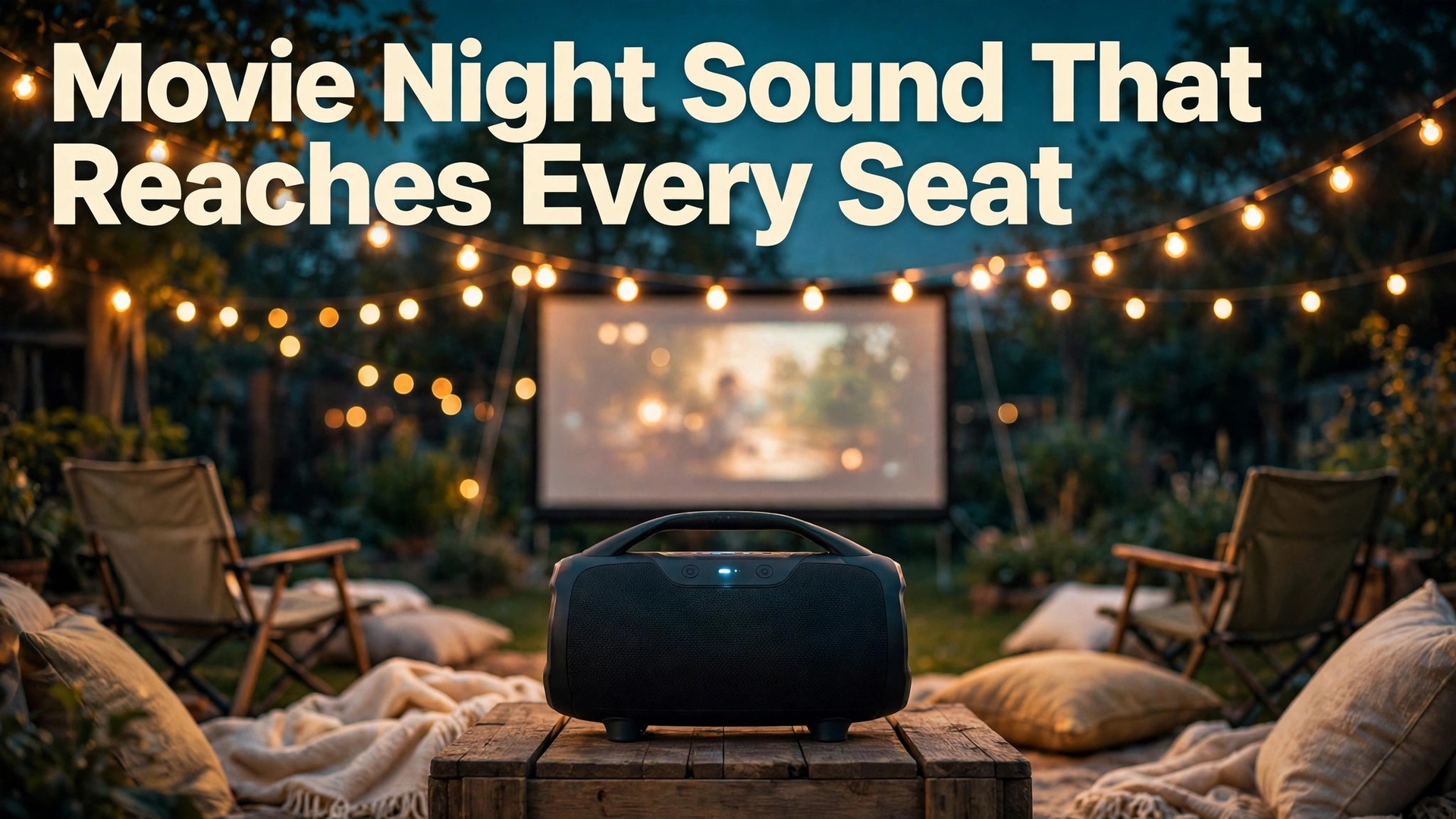
Outdoors, sound has nowhere to bounce. In a living room, walls and furniture catch audio and send part of it back toward the seats. In a garden or park, most of that energy drifts away into open air, which is why a speaker that sounds full indoors can sound thin at ten metres outside. When you set up Bluetooth speaker outdoor movies properly, you are not just turning volume up. You are closing the distance between speaker and seats, choosing a connection that keeps lips and voices in sync, and planning power so the film does not die at the climax.
This guide covers the job in order. First, picking a speaker for open air rather than for a spec sheet. Then pairing to a projector, a phone or a laptop, with a wired fallback for nights when wireless timing matters most. Then battery planning, placement, weather and safety checks, and a reusable run sheet. Prices and specifications come from manufacturer pages checked in October 2026, so confirm the checkout total.
Why Outdoor Sound Fails Before the Movie Starts
The first problem is distance. Sound pressure drops roughly 6 decibels every time distance doubles in open air, so a seat at eight metres hears far less than a seat at two metres, even before wind or traffic enters the picture. A small indoor speaker pushed to maximum volume cannot fix that drop, because at full volume many compact speakers compress bass, harden treble and distort dialogue. The result is loud but tiring, and whispers still vanish.
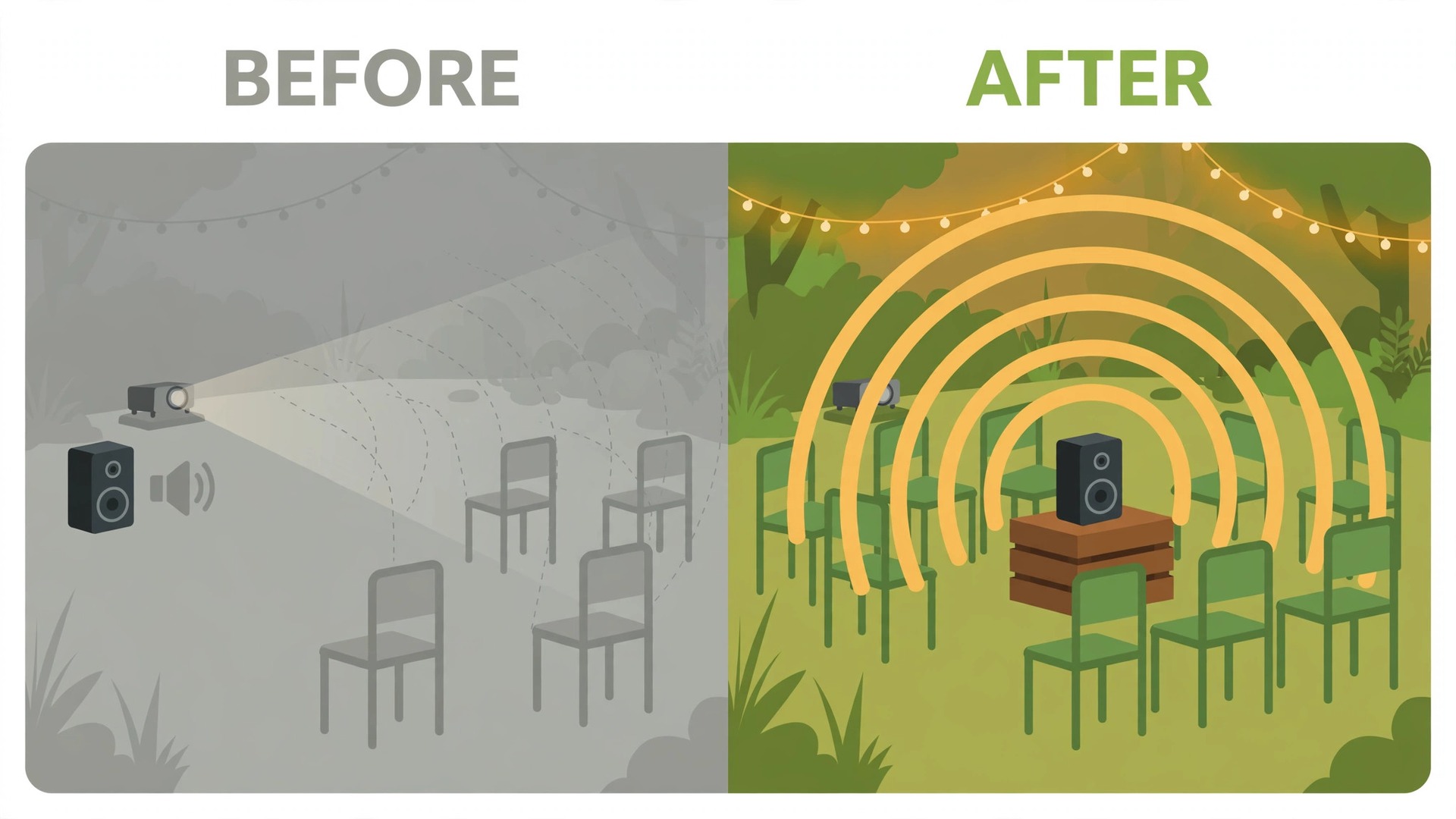
The second problem is direction. Most portable speakers fire sound forward from one face, or spread it in a circle from a cylindrical body. A speaker beside the projector at the back of the yard sends its best sound to the wrong place. Front rows sit in a loud pocket while back rows get a thinner mix. A 360 degree speaker in the middle of the seating area shares sound more evenly, but still needs to sit close to listeners.
The third problem is timing. Bluetooth audio must be encoded, sent and decoded, and that chain adds delay, typically 50 to 150 milliseconds depending on codec and devices. At the low end, most viewers will not notice. At the high end, lip movement and speech visibly separate. That is why this guide treats a wired connection as a first class option. A short 3.5 mm cable between projector and speaker removes wireless delay entirely and costs very little.
The fourth problem is power. A film plus trailers plus pre show music can run well past two hours, and a speaker rated for a full day at half volume lasts far less at outdoor screening volume. Add a projector, a streaming stick and phone charging, and the night needs a power plan, not a hope. Work through all four problems before the audience arrives.
Pick a Speaker That Fits the Yard, Not Just the Spec Sheet
Start with the audience and the space, not the wattage on the box. Count the seats, pace out the distance from screen to last row, and note whether the ground is lawn, patio, deck or slope. A group of four on a small patio needs a different tool from a group of twenty spread across a garden. For a small patio, one mid sized speaker with a clear midrange and 30 to 40 watts will usually do. For a larger garden, plan for one bigger speaker among the seats or two paired in stereo, buying the second only if a test screening shows a thin back row.
Wattage helps, but it does not tell the whole story. A 40 watt speaker with a large driver and a tuned enclosure can sound fuller outdoors than a compact unit that distorts at high volume. Listen for dialogue clarity first. Movie audio lives in the midrange, where voices sit, and a speaker that boosts bass at the expense of voices makes action scenes rumble and conversations mumble. If the speaker app has an equaliser, a small cut to heavy bass and a small lift to the upper midrange often makes dialogue far easier to follow at distance, without raising volume.
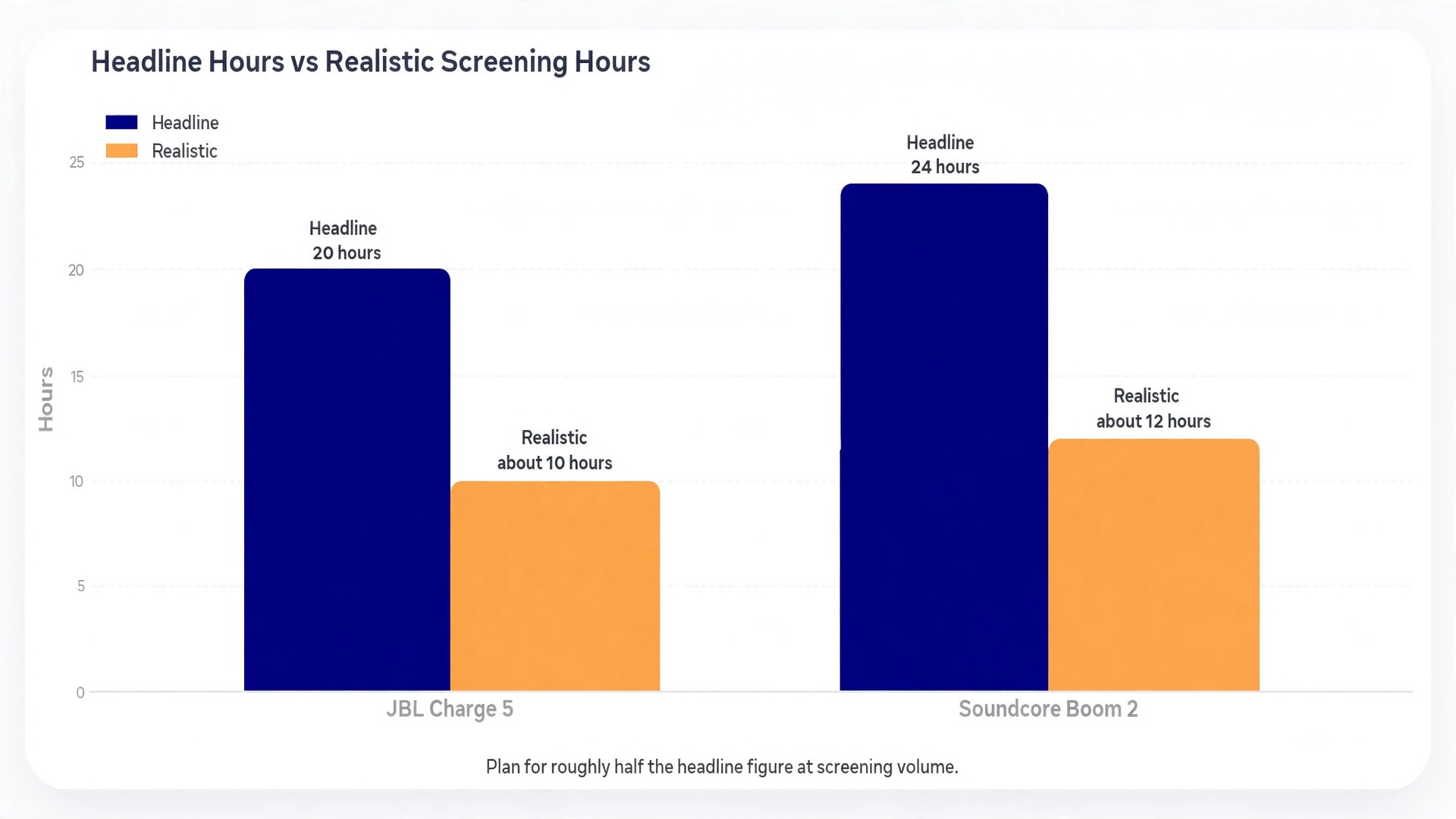
Battery ratings need the same careful reading. Manufacturers usually quote playtime at moderate volume, often around 50 percent, with extra features switched off. A speaker promising 24 hours at half volume will not deliver 24 hours at the 75 to 85 percent volume an outdoor screening may need, especially with bass boost and light effects running. Treat the headline figure as a best case and plan for roughly half of it at screening volume. Two real examples show the range. The JBL Charge 5, listed on JBL’s own page at 179.95 dollars, delivers 40 watts, up to 20 hours of playtime, Bluetooth 5.1 and an IP67 rating, with a charging time of about 4 hours.
The Soundcore Boom 2, listed on Soundcore’s page at 139.99 dollars, delivers up to 80 watts with BassUp 2.0 engaged, up to 24 hours at 50 percent volume with bass boost and lights off, Bluetooth 6 and an IPX7 rating, with a charging time of about 5.5 hours on a 15 watt charger. Neither figure is a promise for a loud outdoor night. Charge fully and test at real volume.
Weather protection is the next filter. The IP code has two digits. The first rates dust, where 6 means dust tight. The second rates water, where 7 means survival in up to one metre of fresh water for 30 minutes. IP67 therefore means dust tight plus that immersion rating. IPX7 means the same water rating with no dust rating claimed, because X stands for untested in that category. For a garden screening, IPX5 or better handles rain, while IP67 adds protection against dust, sand and a drop into a paddling pool. No rating covers salt or chlorinated water well over time, so rinse with fresh water after beach or pool use and dry before charging.
Size and weight decide whether the speaker actually travels to the screening spot. A 1 kilogram speaker goes to the park without a second thought. A 4 kilogram speaker with a handle still works for a garden, but it needs a planned carry route and a stable surface. Check the base before you buy. A speaker that rolls on a sloped lawn, or tips when a cable is tugged, causes more trouble than a slightly quieter stable one.
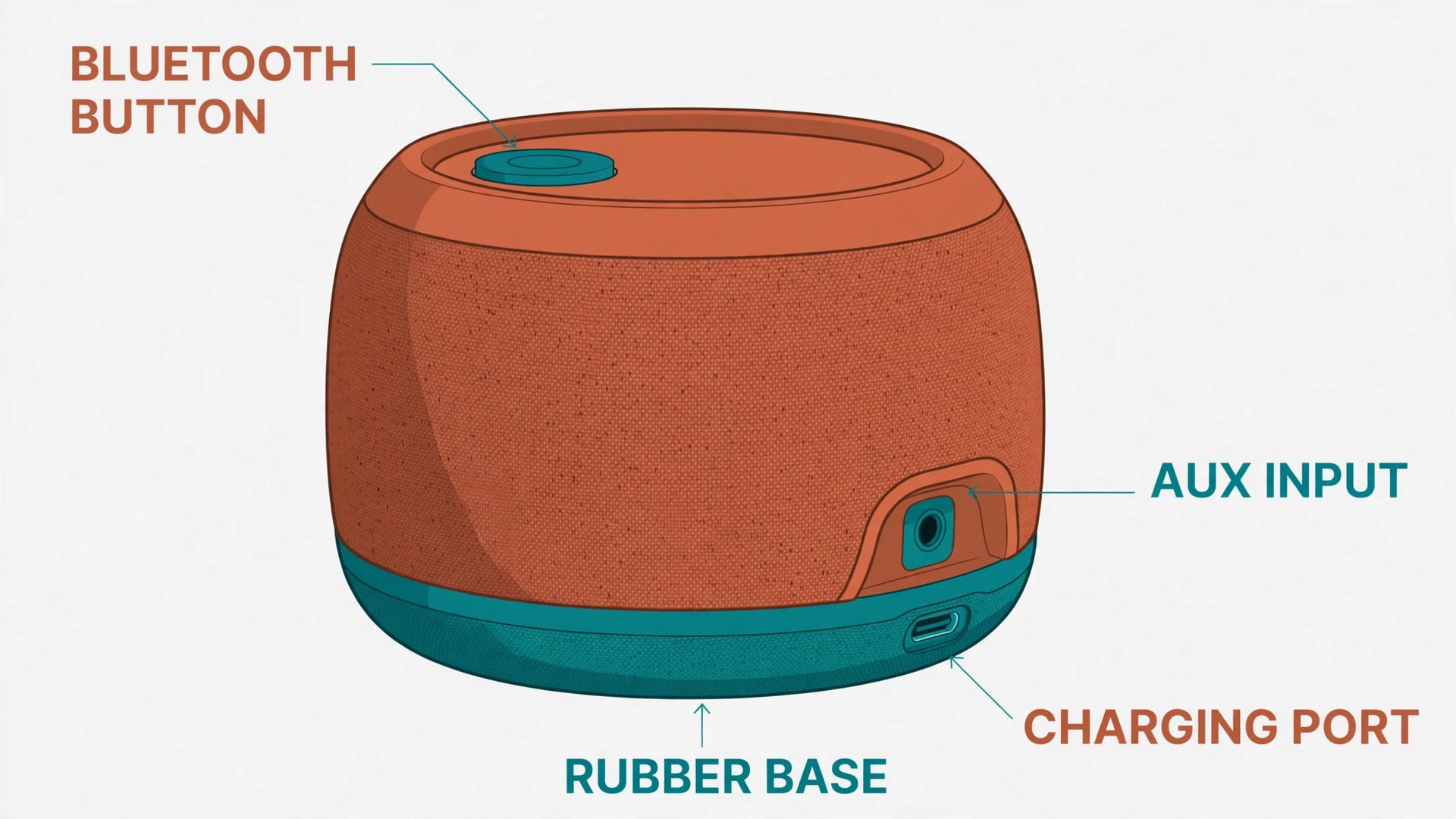
Finally, check the inputs before you fall for the design. For movie nights, the useful inputs are Bluetooth, a 3.5 mm AUX input, and ideally a USB-C port that can charge a phone in an emergency. Some larger speakers drop the AUX input entirely, which removes your lowest latency fallback, so confirm it on the spec sheet. A speaker that pairs with a second identical unit for stereo is a bonus for bigger gardens, but only if you actually plan to buy the second unit.
How to Set Up Bluetooth Speaker Outdoor Movies
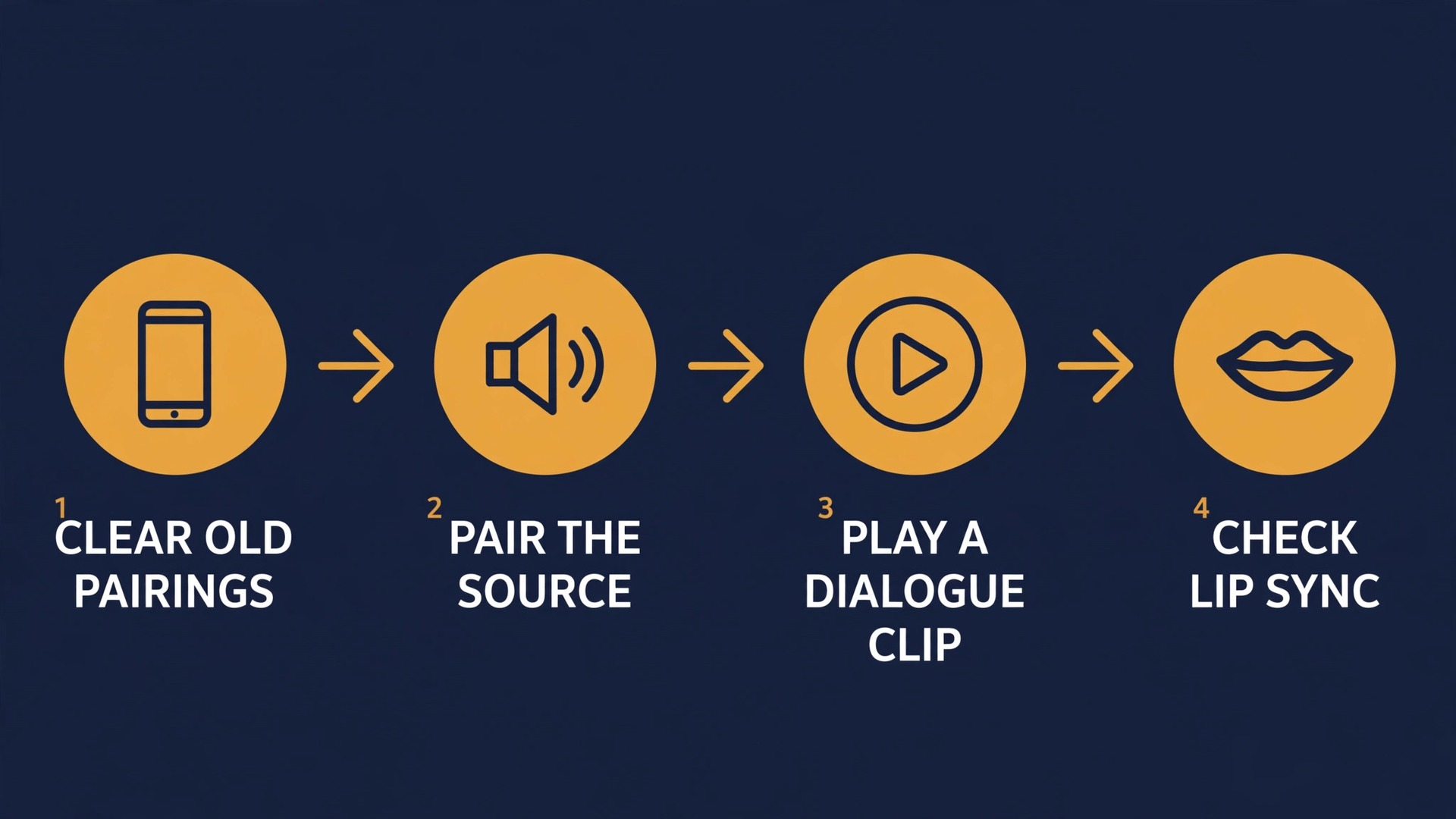
Pairing is a sequence, and order matters more than people expect. The most common outdoor failure is a speaker that pairs to the wrong device, because a phone that connected last week grabs it before the projector can. Fix that before the audience arrives by clearing old pairings or switching Bluetooth off on nearby phones not part of the show. Then follow the steps for your source, test with a two minute dialogue clip, and only then invite the audience to sit down.
Pair to a Projector
Most projectors that support Bluetooth audio hide the setting under sound or audio output, not under the main Bluetooth menu. Open projector settings, find audio output, and set it to Bluetooth or external speaker. Put the speaker into pairing mode, usually by holding its Bluetooth button until a light flashes or a prompt confirms it is discoverable. Select the speaker name on the projector, wait for the confirmation tone, then play a clip with clear speech. If the projector offers an audio delay or lip sync setting, use it now, not during the film, shifting delay in small steps until speech and lips match.
Some projectors transmit Bluetooth to only one device at a time, and some cheaper models receive Bluetooth audio without transmitting it at all. Check the manual for Bluetooth transmitter or Bluetooth audio out before the night. If yours has no transmitter, the fix is a small Bluetooth transmitter plugged into its 3.5 mm or optical output, or a wired cable straight to the speaker.
Pair to a Phone or Tablet
Pairing to a phone is the easiest route, and the right choice when the phone is the video source. Open Bluetooth settings, put the speaker into pairing mode, tap its name, and wait for the connected confirmation. Then set phone volume to about 80 percent and control the final level from the speaker, which usually gives cleaner sound than a phone at full volume driving a speaker at low volume. Keep the phone close to the speaker and in line of sight. Sony’s official help guides put the practical Bluetooth range for its larger speakers at about 30 metres in open conditions, but warn that people, walls, Wi-Fi routers and microwave ovens shorten it.
For a film, keep phone and speaker within a few metres of each other.
One warning matters for phone screenings. Notifications, calls and other apps can hijack audio mid film. Turn on Do Not Disturb, silence message tones, and close apps that might play sound. If the phone is also the hotspot for a streaming stick or laptop, test that combination before the night, because a phone juggling a hotspot and a Bluetooth stream can stutter. A downloaded film removes that risk where signal is weak.
Pair to a Laptop
A laptop is the most flexible source, because it can play local files, stream, and run a downloaded film with subtitles, but it also has the most settings that can send audio to the wrong place. Pair the speaker in laptop Bluetooth settings, then open sound output settings and confirm the speaker is the selected output device, not laptop speakers or a connected display. On many laptops, connecting an HDMI cable to a projector switches audio to the projector automatically, so switch it back after the cable goes in. Then set laptop volume to about 80 percent and play a dialogue clip to check sync.
If lip sync looks off, switch to the wired AUX connection for the film and keep Bluetooth for pre show music. That single decision solves most laptop sync complaints. For projector choice itself, the guide to the best projector for a small classroom covers brightness and throw distance in detail, and much of that room measurement advice transfers directly to sizing a garden screen.
Power and Battery Planning That Covers the Whole Film
A movie night has a hidden power budget, and the speaker is only one line in it. List every device that needs power and estimate its runtime. A typical garden screening runs a projector for two to three hours, a speaker for three to four hours including pre show music, and a phone or streaming stick for the same period. If any one dies first, the night ends early, so plan the whole chain, not just the speaker.
Start with a full charge on everything, the night before if possible. A speaker needing 4 to 5.5 hours to charge, like the two models quoted earlier, cannot be rescued by a quick top up an hour before guests arrive. Charge speaker, projector battery if it has one, laptop and phone, and lay out cables in daylight. Test the speaker at real screening volume for at least 20 minutes during the sound check, because that test exposes a weak battery before the audience does. If the indicator drops faster than expected, lower volume slightly, cut bass boost, switch off light effects, and move the speaker closer to the seats.
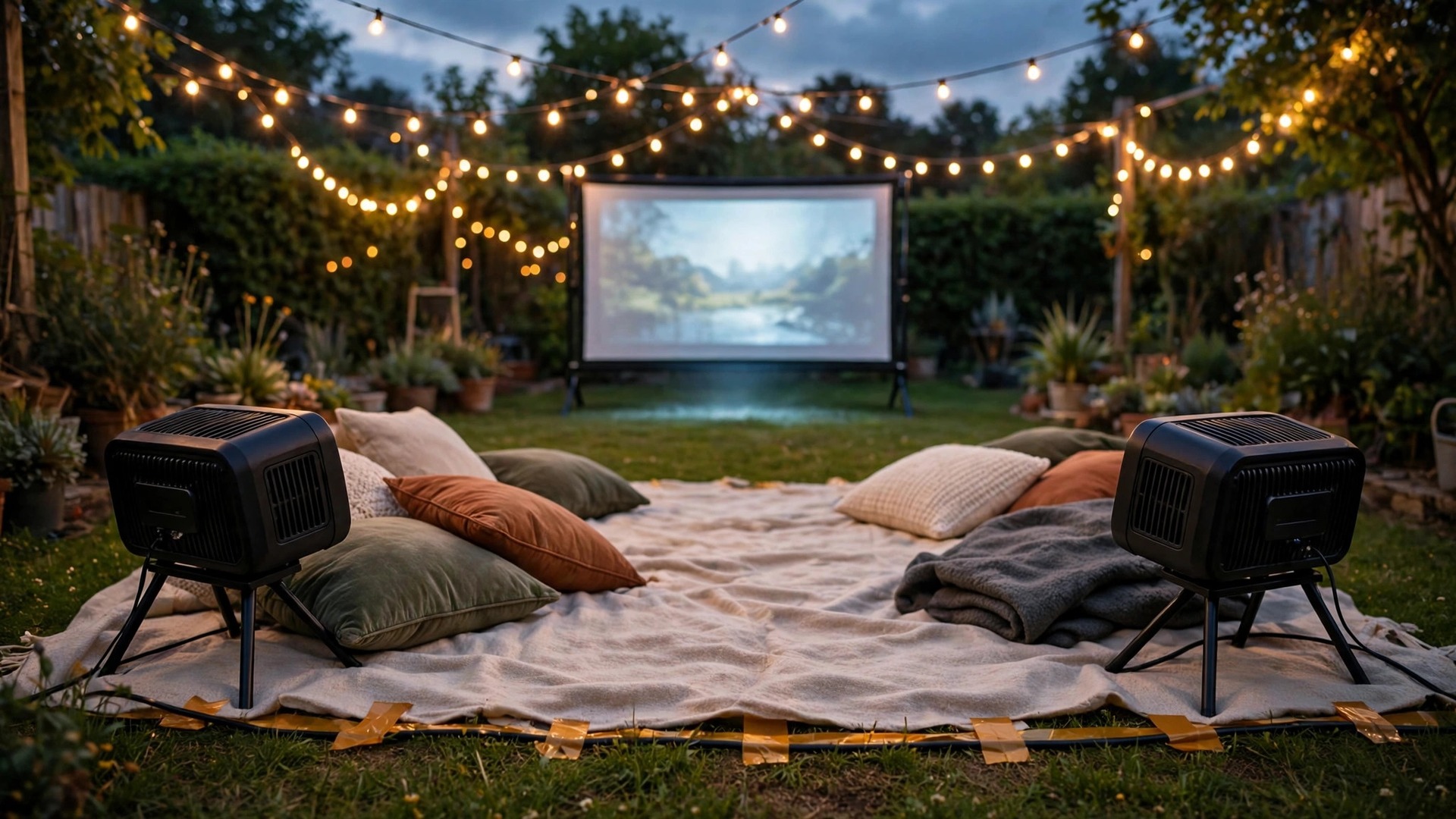
Mains power is the simplest backup when it is available and safe. Run one outdoor rated extension lead from a protected outdoor socket, keep it away from walkways, tape down any crossing point, and keep connections off wet ground and under cover. Never overload one socket with a projector, a speaker charger, a laptop charger and lights at once. If mains power is not available, a portable power station with AC output can run a small projector and charge a speaker, but check its wattage rating against the projector draw first.
When you set up Bluetooth speaker outdoor movies in a park or campsite with no mains supply, the plan changes. Bring the speaker fully charged, download the film in advance, and carry a power bank for the phone. Some speakers can charge a phone from their own battery, but using that feature during the film shortens speaker runtime, so reserve it for emergencies. A second fully charged speaker is a better backup than a phone charging cable, because it can take over audio if the main unit dies. Pack it charged, paired and tested.
Do a power check at three points. During the sound check, confirm every battery indicator. At the intermission, glance at speaker and projector indicators. Keep a charger and cable within arm’s reach of the seats, so a top up does not mean pausing the film to hunt through a bag in the dark.
Battery Planning at a Glance
| Night length | Speaker plan | Backup to pack |
|---|---|---|
| Short film, under 90 minutes | Full charge, bass boost off | Phone charger, spare AUX cable |
| Feature film, 90 to 150 minutes | Full charge, test at real volume, lights off | Power bank, spare cable |
| Double feature or long evening | Full charge plus mains or power station | Second charged speaker, tested |
| No mains supply at all | Full charge, downloaded film | Power bank plus a second speaker |
Placement for Even Sound Across Every Seat
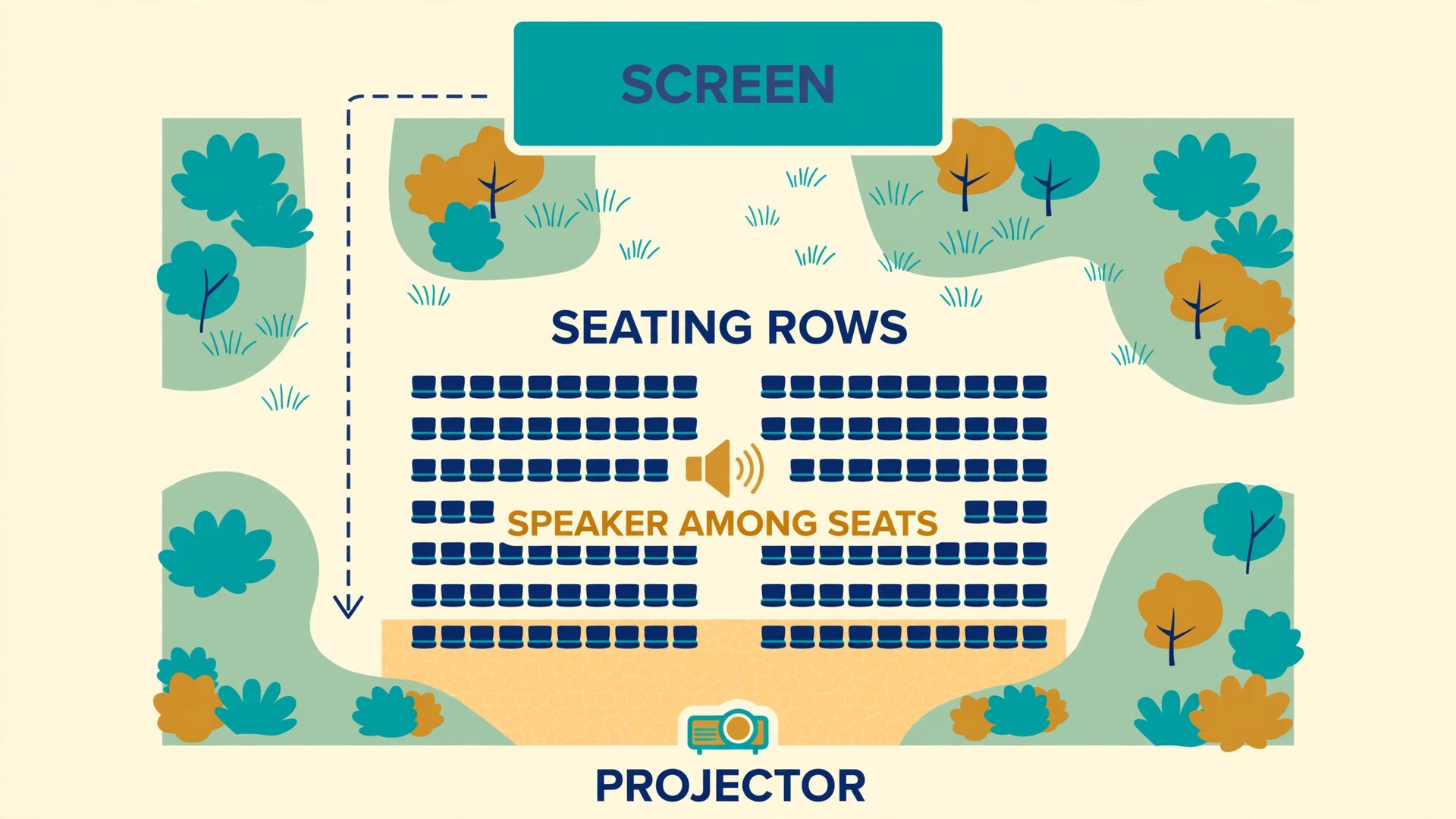
Placement is the cheapest upgrade in this guide, because moving a speaker costs nothing and changes everything. Put the speaker where the listeners are, not where the equipment is. The projector sits at the back, the screen at the front, and the audience between them, so a speaker beside the projector sends sound over the audience’s heads toward the screen, the opposite of what you want. Move it into the seating area, roughly in the middle of the group, and point its main drivers toward the listeners.
Height matters almost as much as position. A speaker flat on grass loses energy into the ground and gets blocked by chairs, blankets and legs. Raise it to roughly seated ear height, about 60 to 90 centimetres, on a stable table, stool or crate. If it is a 360 degree model, height matters even more, because a low cylinder fires into chair backs. Keep it clear of blankets and bags, with a few centimetres from any wall or fence behind it, so reflected sound does not muddy direct sound.
For a wide seating area, two speakers beat one louder speaker. Place one on each side of the seating area, angled slightly inward, and pair them in stereo if the model supports it. Keep both at the same height and roughly the same distance from the centre seat. If stereo pairing is not available, place a single speaker dead centre in front of the middle seats. Walk the seating area during the sound check and sit in the four corner seats, not just the middle. If a corner seat sounds thin, move the speaker a metre toward that corner and test again.
Wind and surfaces shape the result too. A hard patio reflects sound and can make dialogue harsh, while thick grass and soft blankets absorb it and can make the same speaker sound dull. If the patio sounds harsh, move the speaker slightly away from the wall. If the lawn sounds dull, raise the speaker and move it closer rather than turning volume up. Wind carries high frequencies away first, which is why dialogue suffers on a breezy night before music does. A fence, hedge or parked car upwind of the seats can cut the wind, and moving the speaker closer helps more than any equaliser setting.
When you set up Bluetooth speaker outdoor movies for a mixed group of chairs, blankets and bean bags, aim for a sound field that is even rather than loud. Set volume so the nearest seat is comfortable, then walk to the farthest seat and check dialogue is still clear. If it is not, move the speaker closer to the far seats or add a second speaker, rather than turning the main speaker up until the front row complains. Even coverage is almost always a placement fix, not a purchase fix.
Sound Options Compared
No single connection wins for every screening, so choose by what matters most on the night. Bluetooth wins on convenience and keeping cables out of walkways. A wired AUX cable wins on sync and reliability. A Bluetooth transmitter wins when the projector has no Bluetooth of its own. A paired stereo set wins on coverage for a big garden. When you set up Bluetooth speaker outdoor movies, use the table below to match the option to the night.
| Sound option | Best for | Sync | Setup effort | Watch out for |
|---|---|---|---|---|
| Bluetooth to projector | Tidy setup, no cable across the garden | Good, but test for delay first | Low, pair once and reuse | Lip sync drift on some projector and speaker pairs |
| Bluetooth to phone or laptop | Phone or laptop is the video source | Good, varies by codec and device | Low, familiar pairing steps | Notifications and hotspot load can interrupt audio |
| Wired 3.5 mm AUX cable | Dialogue heavy films and sync sensitive viewers | Best, no wireless delay | Low, one cable to plug in | Cable across a walkway needs taping down |
| Bluetooth transmitter from projector | Projector with no Bluetooth audio out | Good, depends on transmitter codec | Medium, extra device to charge and pair | Transmitter battery and pairing add failure points |
| Two speakers in stereo pair | Large or wide seating areas | Good, both speakers share one source | Medium, pair speakers first, then source | Both speakers must stay charged and in range |
| Projector built in speaker | Tiny group, quiet garden, short clip | Best, internal audio path | None | Too quiet and too far from seats for most films |
Switch to the wired cable when lip sync looks off, when garden Wi-Fi traffic is heavy, or when viewers are sensitive to sync problems. Stay wireless when a cable would cross a busy walkway or when the screening is casual and a small delay will pass unnoticed. For a big night, run the sound check on Bluetooth first and keep the AUX cable coiled beside the speaker, so a switch takes under a minute if the test clip shows drift.
Weather, Safety and Neighbour Notes
Outdoor screenings live or die on the forecast, so check it twice, once the day before and once on the afternoon of the show. Light rain is survivable for an IPX5 or better speaker, but rain on a projector lens, laptop keyboard or extension lead connection is a different problem. When you set up Bluetooth speaker outdoor movies, keep a pop up canopy or large umbrella ready for the equipment table, even on a clear forecast, and set a rain rule before guests arrive. If rain starts, pause the film, cover projector and laptop first, move the speaker under cover, and only then worry about the screen.
A speaker rated for immersion still should not sit in a puddle while it charges.
Safety starts with cables and ends with light. Tape down every cable crossing a walkway, keep extension connections off the ground and under cover, and use a residual current protected outdoor socket where one is available. Keep drinks away from the equipment table, and give projector and speaker a stable surface, not a wobbly camping chair. Put a small light on the path to the equipment area and on any step or slope between seats and house. If children are present, keep volume at a level that protects young ears, and keep the speaker where it cannot be pulled over.
Neighbours deserve the same planning as the audience. Sound carries much further at night than most hosts expect, especially bass, which passes through fences and hedges easily. Agree on a finish time before the night, keep bass moderate after dark, and angle speakers toward your own seats rather than the boundary. A quick message to neighbours before a first screening, with the finish time, prevents far more trouble than an apology the next morning. If local rules set a noise curfew, treat it as a hard stop and plan the start time so credits roll before it.
Your Movie Night Run Sheet
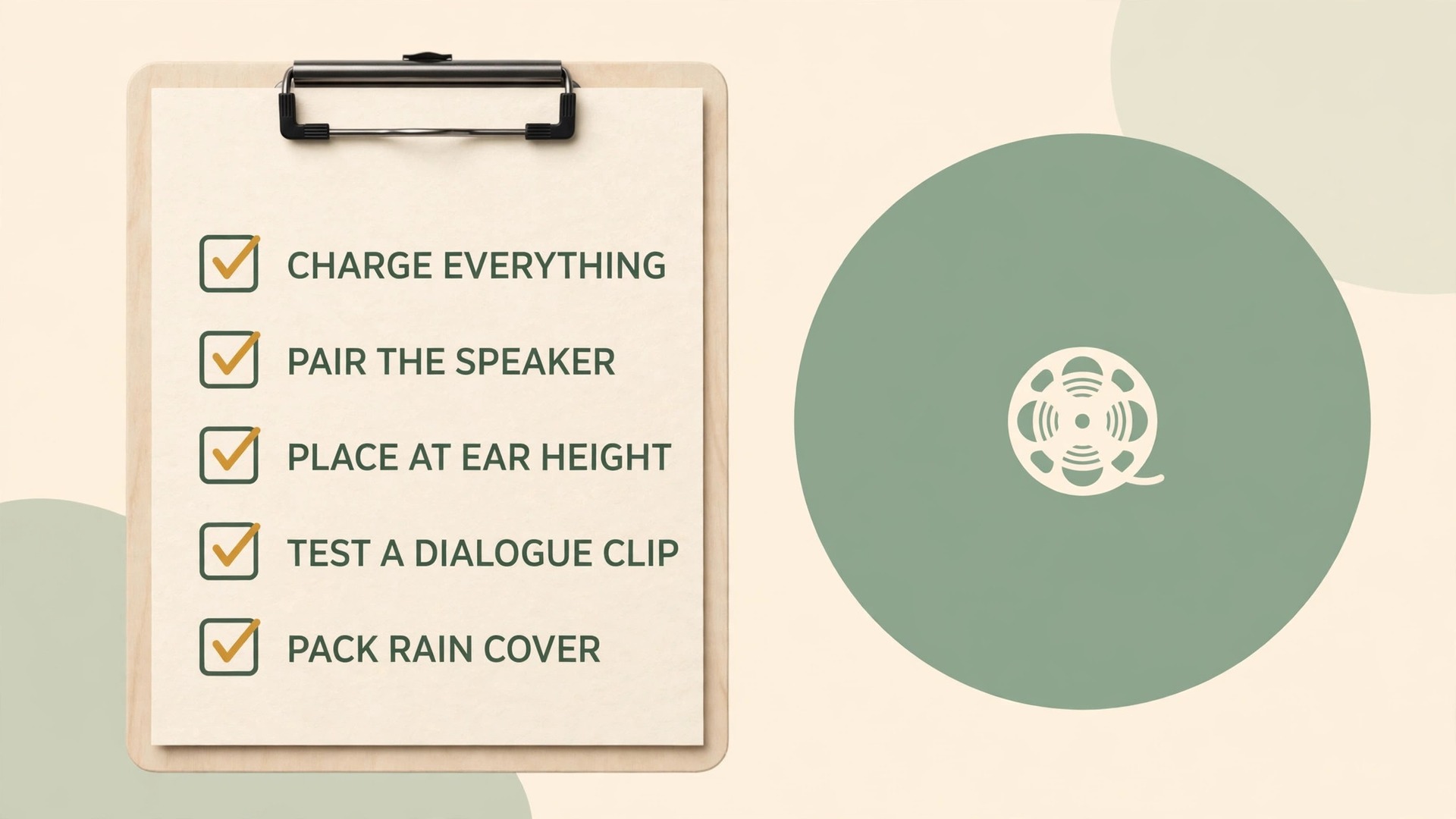
A run sheet turns a good setup into a repeatable one. Print it or save it on the phone that runs the show, and work through it in daylight before guests arrive. The checklist below covers pairing, power, placement and safety in one pass, and doubles as a packing list for park screenings. When you set up Bluetooth speaker outdoor movies for the second or third time, this list makes setup take twenty minutes instead of an hour.
- Charge speaker, projector, laptop and phone fully, and pack a power bank plus a spare AUX cable.
- Download the film or confirm the streaming app works on garden Wi-Fi or phone signal at the screening spot.
- Clear old Bluetooth pairings on nearby phones not part of the show, so the speaker pairs to the right source first time.
- Set screen and projector, measure throw distance, and confirm the image fills the screen without spilling onto a fence or hedge.
- Place the speaker among the seats at roughly seated ear height, clear of blankets, bags and chair backs.
- Pair the speaker, play a two minute dialogue clip, and check lip sync from the middle seat and a corner seat.
- Set volume and equaliser from the farthest seat, cut bass slightly if dialogue is buried, and save the winning preset.
- Check battery indicators on every device, confirm rain cover and cable tape are within reach, and agree the finish time.
- Start pre show music at a low level, welcome guests, and keep the AUX cable coiled beside the speaker as the sync fallback.
- At the intermission, glance at battery indicators, wipe dew from connectors if the night has turned cool, and adjust volume if wind has risen.
Keep a short note after each screening with three lines. What speaker position worked, what volume and equaliser setting worked, and what went wrong. That note captures your garden, your neighbours and your audience. After two or three screenings, the run sheet plus those notes become a personal setup guide.
Related reading covers the two jobs beside the speaker. If headphones or earbuds refuse to pair on the night, the guide to fix Bluetooth headphones not pairing walks through the same source device checks, which is handy when a guest wants to listen privately. If the projector is the weak link, revisit throw distance and brightness before buying a bigger speaker, because a dim image makes even good audio feel like a poor screening.
Frequently Asked Questions
Can a single Bluetooth speaker really work for an outdoor movie?
Yes, for a small group in a quiet garden, provided the speaker sits among the seats rather than beside the projector. A mid sized speaker with clear dialogue and 30 to 40 watts covers two to six people on a patio well. For larger gardens or windy nights, a bigger speaker or paired stereo set gives the back row a fair share without pushing one unit into distortion.
Why do lips and voices fall out of sync over Bluetooth?
Bluetooth audio must be encoded, transmitted and decoded, and that chain adds delay, typically 50 to 150 milliseconds depending on codec and devices. Small delays pass unnoticed, but larger ones show as a visible gap between lip movement and speech. If you notice drift during the sound check, switch to a wired AUX cable, which removes wireless delay, or use the projector audio delay setting to nudge sound back into line.
How far can the speaker sit from the phone or projector?
Plan for a few metres in practice, even though official guides quote far larger headline ranges. Sony’s help guides put the practical range for its larger speakers at about 30 metres in open conditions, but people, walls and Wi-Fi routers shorten it. For a film, keep source and speaker within a few metres with a clear line of sight, and test at the actual screening spot.
Should I buy a bigger speaker or a second speaker for a large garden?
A second speaker usually wins for a wide seating area, because two moderate speakers spread sound evenly while one very loud speaker creates a loud pocket and a thin back row. Place one on each side of the seats, at the same height, and pair them in stereo if the model supports it. Buy the bigger single speaker only when the group sits in a narrow arc.
What weather rating do I need for garden movie nights?
IPX5 or better handles rain and splashes, which covers most garden screenings. IP67 adds dust protection plus immersion in up to one metre of fresh water for 30 minutes, which suits sandy or poolside spots. No rating makes a speaker safe to charge while wet, and salt or chlorinated water can damage seals over time, so rinse after beach or pool use.
How do I plan battery life so the film does not stop halfway?
When you set up Bluetooth speaker outdoor movies, charge everything fully the night before, test at real screening volume for at least 20 minutes, and plan for roughly half the headline battery figure at that volume. Switch off light effects and bass boost if the indicator drops fast, keep a power bank for the phone, and pack a second charged speaker for a long evening or a screening with no mains supply.
Make the Next Screening Sound Like a Cinema
The best outdoor screening is rarely the one with the most expensive speaker. It is the one where the speaker sits among the seats at ear height, the connection is tested with a dialogue clip before guests arrive, the battery plan covers the whole film plus pre show music, and volume is set from the farthest seat rather than the nearest. Those four decisions cost nothing, and together they matter more than an extra ten watts on a spec sheet. Start with the run sheet in this guide, keep the AUX cable beside the speaker as your sync fallback, and note what worked after each screening.