
Two coworking spaces with the same 100 members can pay very different bills for software, and the gap has nothing to do with quality. One pays $165 a month on a flat plan that covers every member, while the other pays $479 a month on a per member plan that charges for each paying person. This guide to best membership software for coworking spaces starts from that gap, because the pricing model matters as much as the feature list.
The tools below were judged on the same questions. How does billing work when members join, pause and upgrade mid month. How do members book desks and rooms without staff help. How does door access connect to membership status. And what does the bill become at 50, 150 and 500 members. A tool that wins on design but bills per member can become the most expensive line in the budget, and a tool that wins on price but needs staff to chase every invoice is not cheap at all.
How Membership Billing Actually Works
Coworking billing is messier than a normal subscription. Members join on any day, so the first month needs prorating. They upgrade from hot desk to dedicated desk mid cycle, so the invoice must split across two plans. They pause for a holiday, add a meeting room booking, and buy day passes for guests, and each of those events should land on one invoice without manual work. A membership platform that handles this automatically saves the operator hours every month. One that does not turns billing week into a spreadsheet exercise.
The second job is self service. Members should sign up online, pick a plan, sign the agreement, pay, and get door access without staff intervention. Every step that needs a staff member is a bottleneck, especially for spaces that sell day passes and trial weeks. The best platforms turn a website visitor into a paying member with a door code in minutes, and that speed directly affects occupancy.
The third job is access. A membership that does not unlock the door is just a billing record. The platform should connect to door hardware, Wi-Fi and printers, so a lapsed payment pauses access automatically and a new signup activates it. Operators should check which access integrations are native and which need a third party bridge, because access is where a cheap platform often shows its limits.
Why the best membership software for coworking spaces Is Not a Booking App
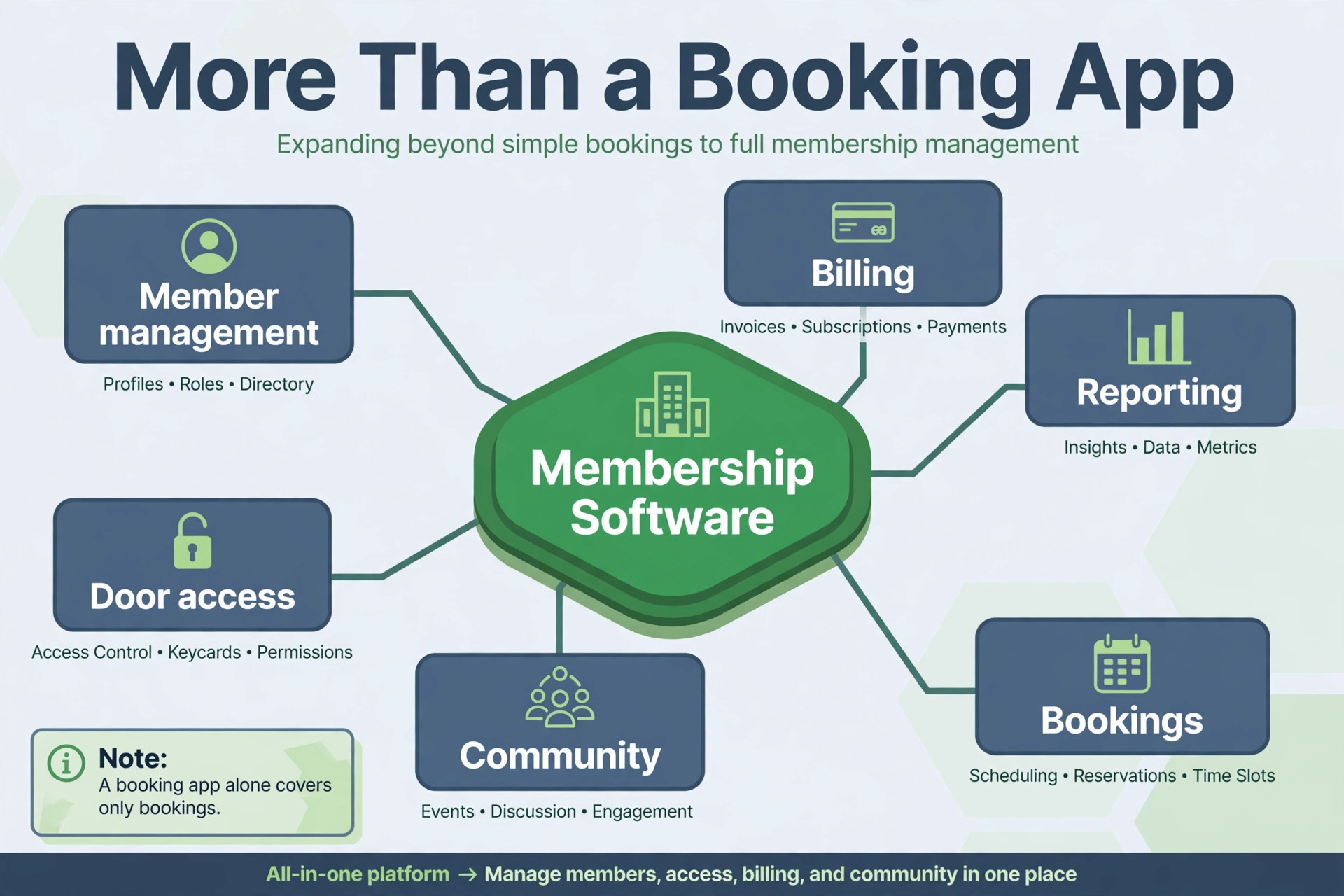
A desk booking app solves one problem, which room is free at 2pm. A membership platform solves the business, which members pay what, when their plan renews, what they can book, and what happens when they stop paying. The difference shows up on billing day, when the booking app leaves the operator to reconcile payments by hand while the membership platform has already issued every invoice.
The second difference is the member record. A membership platform holds plans, contracts, billing history, bookings, community posts and access status in one profile. That single profile is what lets a member upgrade from a day pass to a dedicated office without re-entering details, and what lets staff answer a billing question in one screen rather than three systems.
The third difference is growth. A single boutique space can survive on a booking app plus a spreadsheet, but a second location breaks that setup immediately. Consolidated reporting, shared member databases and central billing only exist in true membership platforms, and an operator planning a second site should buy for that future rather than rebuilding the stack a year later.
Plans, Limits and Prices Compared
| Tool | Starting price | Best for |
|---|---|---|
| Nexudus | from $150 a month | growing and multi-location operators |
| Optix | from $197 a month | boutique spaces with a premium member app |
| Cobot | from $81 a month | small spaces wanting simplicity |
| OfficeRnD Flex | from $165 a month billed annually | enterprise grade flex operations |
| Coworks | from $149 a month billed annually | community first spaces |
| Spacebring | from $165 a month | branded member app and community |
| Archie | from $165 a month | teams native booking experience |
| Deskworks | priced by quote | simple check in and billing |
| Yardi Kube | priced by quote | real estate portfolios with flex space |
| essensys | priced by quote | enterprise flex workspace platforms |
| Proximity | from $189 a month | spaces needing built in access control |
| andcards | priced by quote | white label member apps |
| Skedda | priced by quote | desk and room scheduling depth |
| Deskie | priced by quote | small spaces wanting a light setup |
Read the table as a shortlist, not as a ranking. The cheapest tool may suit a small space perfectly, while the most expensive tool may be the only one that handles a specific workflow. Use the table to pick three finalists, then read their full sections below before deciding.

Fourteen Platforms Compared in Depth
Nexudus
Nexudus is the pick for growing and multi-location operators that need control. It combines member management, bookings, billing, CRM and marketing automation with deep customisation, and multi-location operators get consolidated reporting and shared member databases across sites. The Professional plan starts at $150 a month per location, with pricing scaling by active user count, and an Enterprise tier covers custom packages.
The strength is depth. Nexudus has run coworking spaces since 2012, and its feature set covers the awkward cases, such as dynamic pricing, virtual offices and fractional offices, that simpler tools handle badly. The weakness is complexity. Setup takes real time, the learning curve is steep, and single location spaces with straightforward needs often find it heavier than necessary.
Choose Nexudus if the business is growing across sites and will use the depth. Skip it if the space is small and simple, because the power will go unused.
Optix
Optix is the pick for boutique spaces that want a premium member app. Its mobile first app lets members book desks and rooms, manage accounts and join the community through an interface that feels like a consumer product. Essentials costs $197 a month for 50 active users, Pro costs $299 a month for 100 users, and Grow costs $498 a month for 250 users, with a custom Scale tier above that.
The strength is the member experience. Boutique and premium spaces choose Optix because the app carries the brand, and onboarding is quick. The weakness is operational depth and add on costs. Admin tools are desktop only, operators pay per automation in some cases, white label apps cost extra, and enterprise reporting trails Nexudus and OfficeRnD.
Choose Optix if member experience is the priority and the space is boutique. Skip it if the operation is multi-location and reporting heavy.
Cobot
Cobot is the pick for small spaces that want simplicity above all. It starts at $81 a month for up to 10 members, with pricing rising per paying member, and it covers memberships, automated invoicing, bookings, and multi-language support in a clean interface.
The strength is the low entry cost and the gentle learning curve. A small space can be live in days, and the team does not need training to run it. The weakness is the per member model. At 100 members the bill reaches roughly $479 a month, which makes Cobot one of the most expensive options at scale despite the cheapest start.
Choose Cobot if the space is small and simplicity matters most. Skip it once membership passes about 50, because the per member math turns against it.
OfficeRnD Flex
OfficeRnD Flex is the pick for enterprise grade flex operations that want a polished system. Start costs $165 a month billed annually, Grow costs $259 a month billed annually, and Scale is custom priced. It covers memberships, contracts, room bookings, billing, accounting integrations and reporting, with a modern interface that staff and members both like.
The strength is balance. OfficeRnD scores well on ease of use, setup and support, and it connects billing, reporting and online sales in one system rather than a set of separate jobs. The weakness is depth of reporting for very complex portfolios, where some operators still export data for forecasting.
Choose OfficeRnD Flex if the operation is mid size or larger and wants a system that scales cleanly. Skip it if the space is tiny, because the richness will feel like overkill.
Coworks
Coworks is the pick for community first spaces such as incubators and makerspaces. It starts at $149 a month billed annually, or $199 a month on monthly billing, with the base plan covering up to 150 members. It covers memberships, bookings, billing, events and community tools in a system built around member engagement.
The strength is value at the 150 member mark. A space with a hundred or more members gets a generous member cap for a modest price, plus community features that help retention. The weakness is enterprise depth. Large portfolios with complex financial reporting will find its toolset lighter than Nexudus or OfficeRnD.
Choose Coworks if the space is community driven and mid size. Skip it if the operation is a large portfolio needing real estate grade financials.
Spacebring
Spacebring is the pick for spaces that want a branded member app and billing automation. It starts from $165 a month, with pricing scaling by members, and it covers sign up, bookings, billing, payments, events and community in one flow. A white label app add on starts near $118 a month.
The strength is billing automation. Once a member signs a contract, the platform activates the subscription, prorates the first month and handles recurring payments without manual entry, which is exactly the job operators hate doing by hand. The weakness is a smaller footprint and fewer public reviews than the established names, so a buyer should run a full trial.
Choose Spacebring if billing automation and a branded app matter most. Skip it if the operation needs the deepest enterprise reporting.
Archie
Archie is the pick for spaces that want a Teams native booking experience. It starts from $165 a month, with pricing scaling by members and locations, and it covers memberships, bookings, billing and community tools with a strong integration into workplace chat tools.
The strength is the booking experience inside the tools teams already use. Members book desks and rooms without leaving their chat app, which lifts adoption. The weakness is quote based upper tiers and a younger platform profile, so a buyer should confirm the full price at real member count before committing.
Choose Archie if the space is mid size and members live in chat tools. Skip it if the operation needs the deepest customisation.
Deskworks
Deskworks is the pick for simple check in and billing. Pricing is by quote, and it covers memberships, bookings, invoicing, check in and reporting in a straightforward system that small and mid size spaces can run without specialist staff.
The strength is simplicity. The system does the core jobs without a maze of settings, and support is known for being responsive. The weakness is breadth. Community features, advanced marketing automation and deep multi-location reporting are thinner than on the bigger platforms.
Choose Deskworks if the space wants a simple, dependable core system. Skip it if the operation needs rich community or enterprise features.
Yardi Kube
Yardi Kube is the pick for real estate portfolios that already run Yardi. Pricing is by quote, and it covers member, prospect and operator portals, bookings, billing and advanced reporting in an enterprise suite built for landlords adding flex space to commercial buildings.
The strength is the real estate fit. A landlord with several buildings gets portfolio level financials, lease style contracts and a system that speaks the language of property management. The weakness is access. It is enterprise software with enterprise pricing and implementation, far beyond what an independent single space needs.
Choose Yardi Kube if the business is a landlord or a large operator inside the Yardi world. Skip it if the space is independent, because the cost and setup only make sense at portfolio scale.
essensys
essensys is the pick for enterprise flex workspace platforms that need infrastructure as well as software. Pricing is by quote, and it covers memberships, bookings, billing, access control, Wi-Fi management and reporting in a platform built for large operators and landlords.
The strength is the infrastructure layer. Door access, network management and workspace software come from one vendor, which removes the integration work that multi-site operators otherwise carry. The weakness is the same as Yardi Kube, enterprise scale only, with pricing and implementation to match.
Choose essensys if the operation is large, multi-site and infrastructure heavy. Skip it if the space is a single independent site.
Proximity
Proximity is the pick for spaces that need built in access control and visitor management. It starts at $189 a month for 40 users, with pricing scaling from there, and it covers memberships, bookings, billing, native door access and Wi-Fi integration.
The strength is the access story. A US based space that wants door control without a separate access vendor gets it in the same system, plus visitor management for guests. The weakness is the member cap on the entry tier, which is lower than rivals at a similar price, so growing spaces should model the bill at 100 members.
Choose Proximity if access control is a deciding factor. Skip it if the space already has door hardware it likes, because the bundled access adds cost without benefit.
andcards
andcards is the pick for spaces that want a white label member app without enterprise pricing. Pricing is by quote, and it covers memberships, bookings, billing, community and a branded app that carries the space’s own name and design.
The strength is the branded experience at a mid market price. Members open an app that looks like the space, not like a software vendor, which helps retention and referrals. The weakness is quote based pricing, which makes comparison shopping slower, and a smaller review base than the biggest names.
Choose andcards if a branded app matters and the budget is mid range. Skip it if the operation needs the deepest billing or reporting depth.
Skedda
Skedda is the pick for desk and room scheduling depth. Pricing is by quote, and it covers space scheduling, bookings, rules, payments and reporting with a strong focus on the booking experience itself, including interactive floor plans and booking rules.
The strength is scheduling. A space with complex booking rules, such as limited hot desk hours, room credits and approval workflows, will find Skedda handles them cleanly. The weakness is membership breadth. Billing, contracts and community tools are lighter than on full membership platforms, so a space may need a companion billing tool.
Choose Skedda if scheduling complexity is the main problem. Skip it if the space needs full membership billing in the same system.
Deskie
Deskie is the pick for small spaces that want a light setup and a low learning curve. Pricing is by quote, and it covers memberships, bookings, billing and member communication in a compact system aimed at independent spaces rather than portfolios.
The strength is speed to live. A small space can set it up quickly, train staff in an afternoon, and run the core jobs without a consultant. The weakness is scale. Multi-location reporting, advanced automation and deep integrations are thinner than on the established platforms, so a growing operator should plan a future migration.
Choose Deskie if the space is small and wants the lightest possible start. Skip it if the business plans rapid multi-site growth.
Best Fit by Operator Size and Model
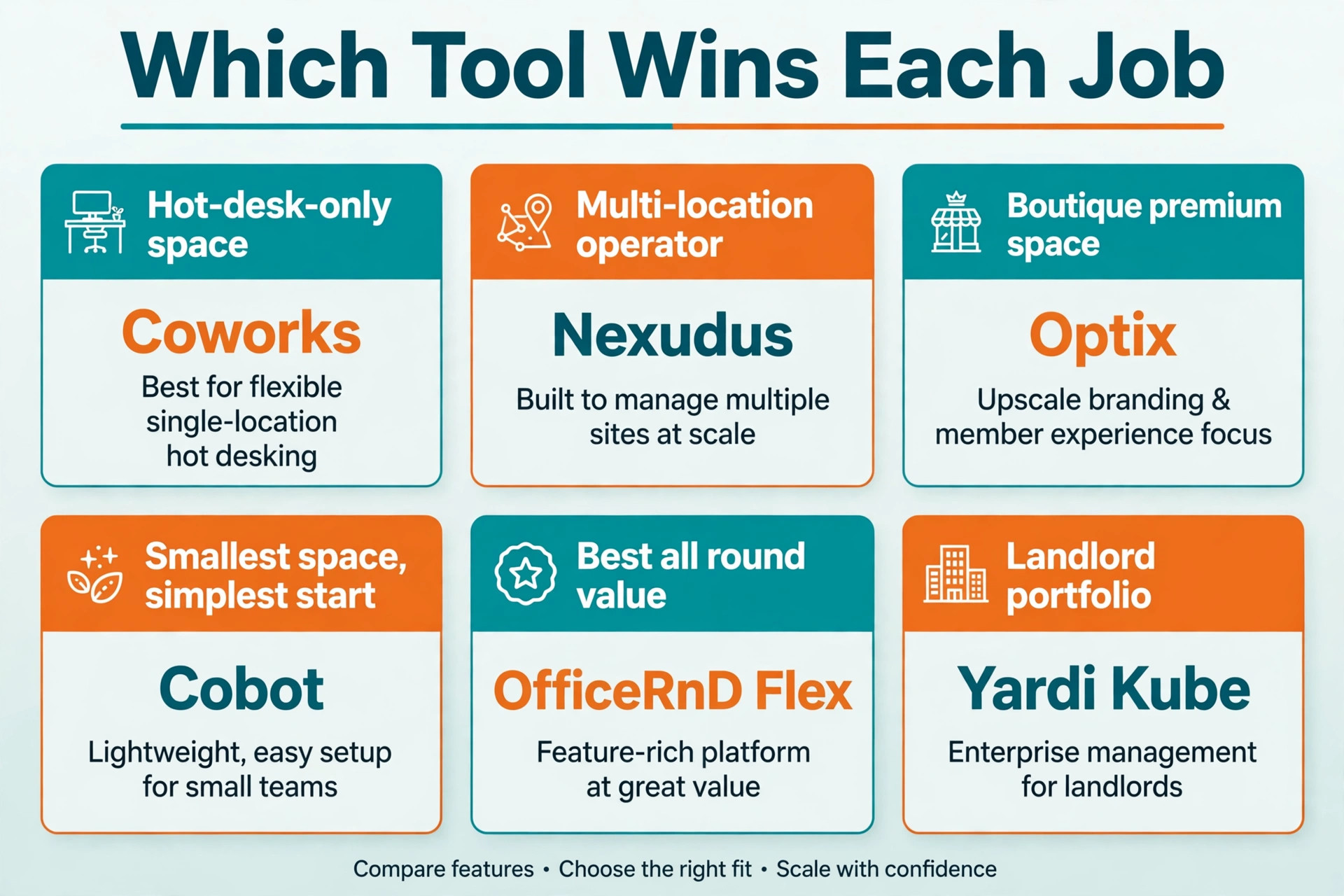
Use this table to match the tool to the job, because the best overall tool is not always the best tool for a specific business. The choice should follow the job that matters most, whether that job is saving money, delighting members, or covering several sites.
| Job | Best pick | Why it wins for that job |
|---|---|---|
| Hot-desk-only space | Coworks | Generous member cap at a modest price |
| Multi-location operator | Nexudus | Deepest control and consolidated reporting |
| Boutique premium space | Optix | Best member app experience |
| Smallest space, simplest start | Cobot | Cheapest entry and gentlest learning curve |
| Best all round value | OfficeRnD Flex | Balance of ease, billing and scale |
| Landlord portfolio | Yardi Kube | Real estate grade financials and portals |
The Cost at 100 Members
Headline prices mislead because pricing units differ. A plan capped at 10 members is not the same product as a plan built for 100, so this best membership software for coworking spaces cost table compares the same setup across vendors, which is roughly 100 users at one location on standard monthly billing.
| Tool | Cost at 100 members, 1 location | Pricing model |
|---|---|---|
| OfficeRnD Flex | $185 a month | flat by member band |
| Nexudus | $194 a month | per active user, per location |
| Coworks | $199 a month | flat, base plan covers 150 members |
| Spacebring | $206 a month | flat by member band |
| Archie | $192 a month | flat by member band |
| Optix | $349 a month | per active user band, Pro plan |
| Cobot | $479 a month | per paying member |
The table leaves out white label app fees, which most vendors charge extra, near $85 to $118 a month. It also leaves out access hardware. The lesson is the pricing model. Flat band pricing stays predictable as members grow, while per member pricing compounds with every signup. Model the bill at 50, 150 and 500 members before choosing, because the cheapest headline is rarely the cheapest at real scale.

Access Control and the Member App
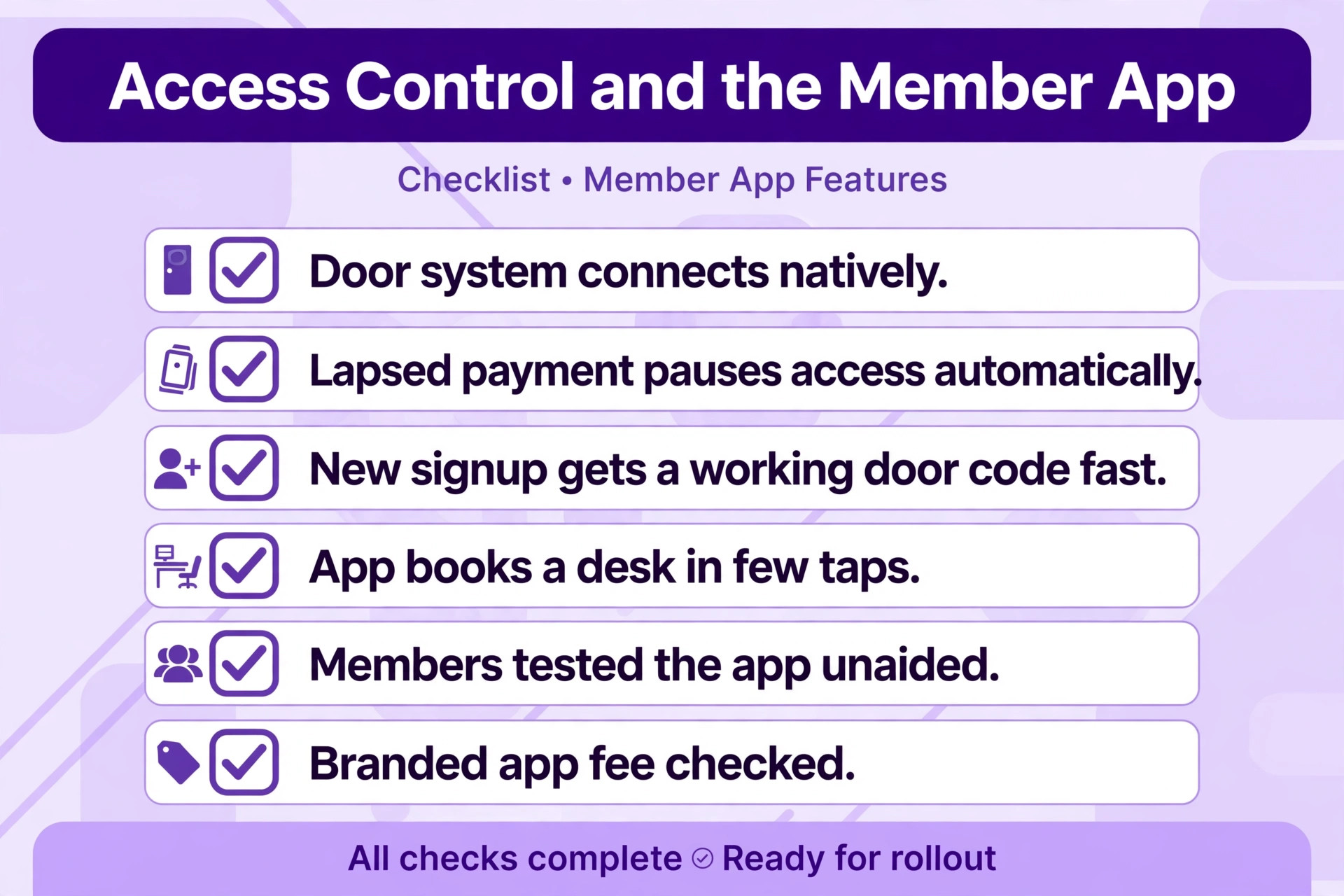
Access is where membership software meets the physical space, and it deserves a dedicated check during the trial. Confirm which door systems the platform connects to natively, whether a lapsed payment pauses access automatically, and how quickly a new signup receives a working door code. A gap here creates manual work for staff and awkward moments at the door.
The member app matters almost as much. Members book desks, pay invoices, join events and message the community from the app, so a clumsy app depresses bookings and increases front desk questions. Test the app on a real phone during the trial, count the taps from opening the app to a confirmed desk booking, and ask a few members to try it unaided.
White labelling is the final question. A branded app costs extra on most platforms, and the price varies widely. Decide whether the brand benefit justifies the fee, or whether a well designed standard app is enough. For a boutique space selling experience, the brand matters. For a budget space selling desks, it rarely does. Either way, a best membership software for coworking spaces trial should include real members using the real app, because staff impressions alone will not reveal a clumsy booking flow.
Community Tools and Retention
A coworking space sells community as much as desks, and the software should support that sale. Member directories, event listings, community boards and member to member messaging all help new members feel part of the space quickly, which is the strongest retention lever an operator has. A platform that treats community as an afterthought leaves the operator running events and introductions through separate tools, and the member experience fragments.
Retention math makes the case plainly. Replacing a departed member costs far more than keeping one, because marketing, tours and onboarding all take staff time. A best membership software for coworking spaces choice should therefore be judged on retention tools as well as billing tools, and the trial should include a real event listing and a real member introduction, not just a booking and an invoice.
Check the details during the trial. Can members post events themselves, or must staff approve every listing. Can members message each other without sharing personal phone numbers. Does the platform surface new members to the community automatically. Those small features decide whether the space feels alive or merely rented, and a space that feels alive keeps its members.
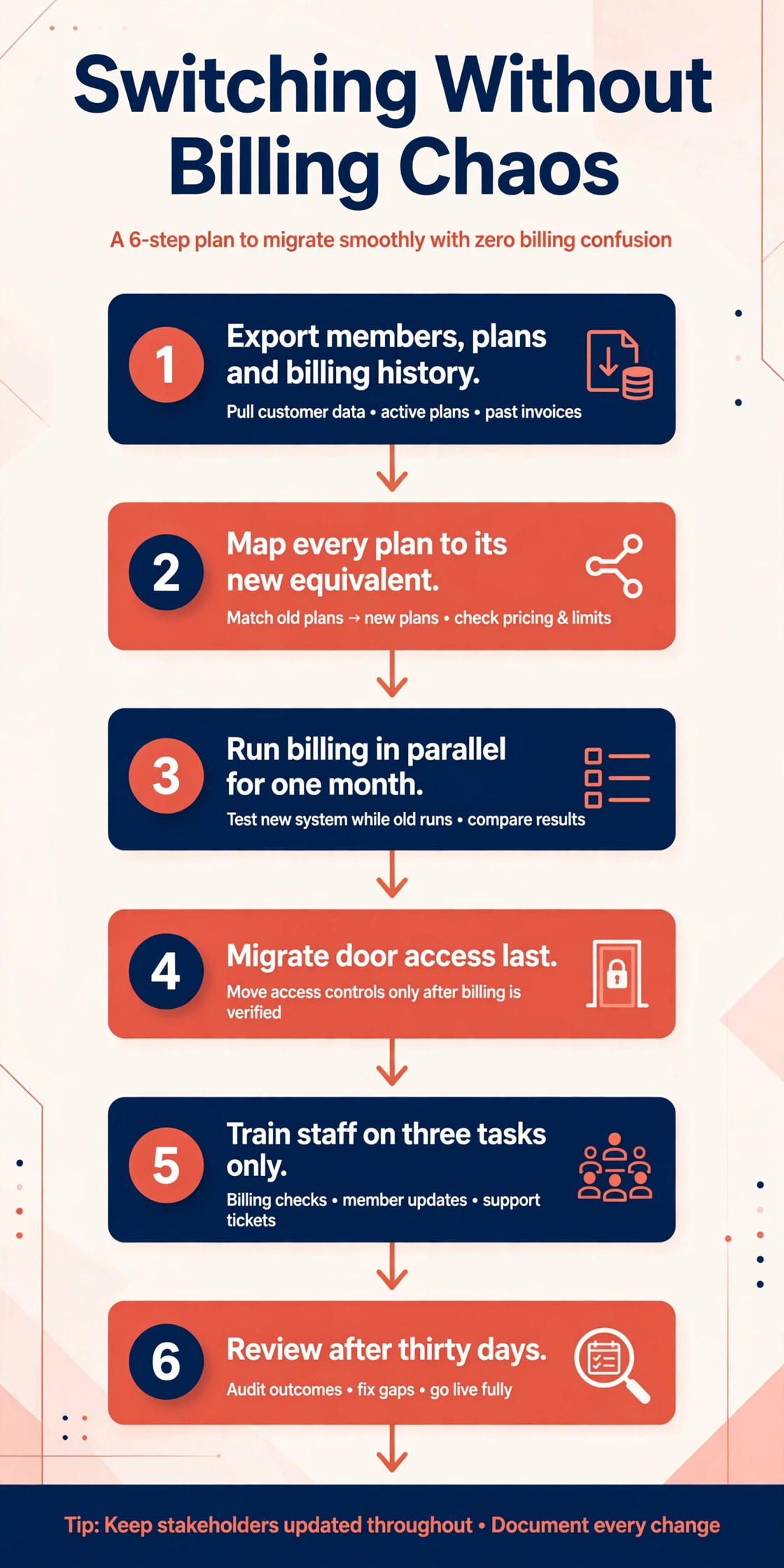
Switching Without Billing Chaos
Switching membership platforms fails most often on billing day, not on moving day. A short, careful sequence protects invoices, access and member trust through the change.
1. Export the full member list, plans, contracts, billing history and bookings, and confirm the new tool can import them intact. 2. Map every plan to its new equivalent, including prices, billing dates and booking credits. 3. Run the new billing cycle in parallel for one month and compare every invoice against the old system. 4. Migrate door access last, after billing matches, and test a sample of members at the door. 5. Train staff on three tasks only, then expand training once those habits feel automatic. 6. Review the bill, the occupancy and member feedback after thirty days, and fix the setup before blaming the tool.
The Verdict for Operators
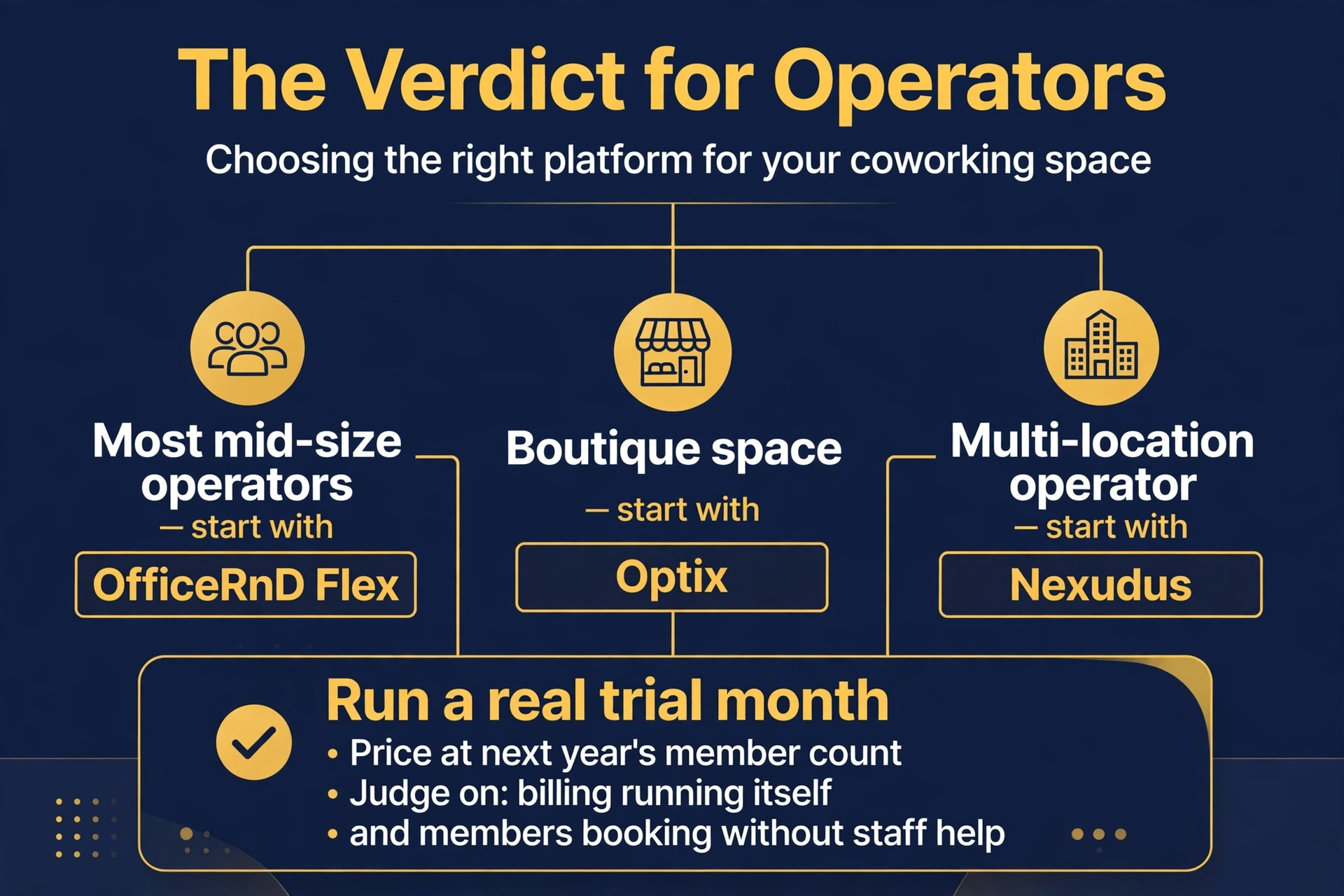
Start with the job, then the member count, then the trial. For most mid size operators, OfficeRnD Flex is the safest first trial, because it balances ease of use, billing strength and scale better than the extremes. A boutique space should start with Optix instead, and a multi-location operator should start with Nexudus, because the best pick by job table above points to the tool built for that exact situation.
The best membership software for coworking spaces decision does not need to be perfect, it needs to be tested. Run a real trial month, price the tool at next year’s member count, and judge it on whether billing runs itself and members book without staff help. A tool that passes that test is worth keeping, even if a rival looks better on a pricing page, because daily work is the test that actually matters.
For a final check, compare the shortlist on cost at 100 and 500 members before you sign a contract. A shortlist built around best membership software for coworking spaces should still be tested with real members, because a pricing page cannot show how a tool feels when billing day arrives. When the trial ends, judge the choice by hours saved, invoices correct and members retained, not by the length of the feature list.
More Reading on Stratilyze
Readers comparing tools usually check the neighbouring guides next. The guide to software for small business covers the wider toolkit, the guide to CRM software for small firms explains member relationships, and the guide to subscription billing software for small business helps with the billing engine around it.
Frequently Asked Questions
How much does coworking membership software cost
A small space can start near $81 a month, while a mid size space with 100 members should expect roughly $185 to $210 a month on flat band pricing, or far more on per member pricing. Enterprise portfolios pay by quote. Model the bill at 50, 150 and 500 members, and add white label app fees and access hardware to the total.
Should a coworking space charge per member or per location
Flat band pricing suits a space that will grow, because the bill stays predictable as members join. Per member pricing suits a very small space, because the entry cost is low. The right choice depends on how fast membership will actually grow, and the answer usually favours flat pricing once the space passes about 50 members.
Does membership software control door access
Most platforms connect to door hardware, but the depth varies. Some offer native integrations with major access systems, while others need a third party bridge. Confirm the exact door system, the automatic pause on lapsed payment, and the speed of new member activation during the trial, because access gaps create daily staff work.
Can members sign up and pay without staff help
Yes, on most tools in this guide. The best platforms turn a website visitor into a paying member with a door code in minutes, through online signup, plan selection, agreement signing and payment. Test the full flow on a phone during the trial, and count the steps, because every extra step loses signups.
What happens to member data if I cancel
That depends on the tool, which is why export terms matter before you sign. Most tools allow a member and billing export, but the format and completeness vary. Export member data monthly, keep a copy outside the system, and test the export during the trial rather than discovering a problem on cancellation day.
Is a white label app worth the extra fee
It is worth it for a boutique space selling experience, because members open an app that looks like the space rather than a software vendor. It is poor value for a budget space selling desks, because members care about booking speed, not branding. Compare the monthly app fee against the retention benefit, and skip it if the standard app already books cleanly.