
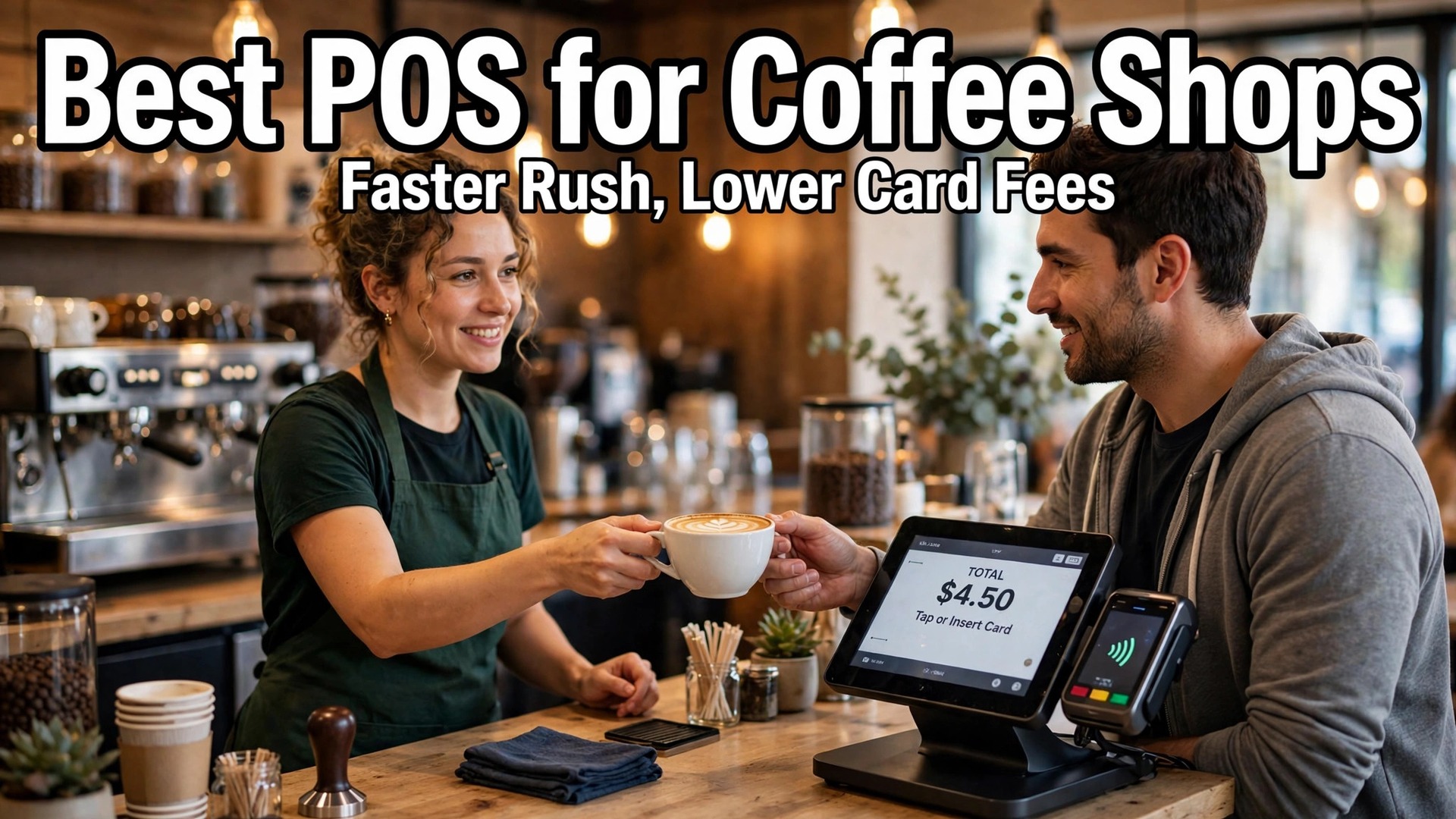
The morning rush exposes a bad POS in about ten minutes. A line of twelve people, a barista calling out modifiers, a card reader that lags, and a kitchen printer that jams will turn a good coffee shop into a slow one, and slow coffee shops lose regulars. This guide to best POS system for coffee shops starts at the counter during that rush, because a system that survives the rush will handle the quiet afternoon without trouble.
The tools below were judged on the same questions. How fast can staff ring in a custom drink. What does each card sale actually cost. What does the hardware cost up front. And what happens when the internet drops mid rush. A system that wins on monthly price but bleeds money on card fees is not cheap, and a system with beautiful hardware that cannot handle modifiers will frustrate every barista on staff.
The Morning Rush Test
A coffee shop POS has five jobs during the rush, and it must do all five without thinking time. It must take the order fast, with modifiers for milk, shots, syrup and temperature that do not need three screens. It must send the drink to the barista screen or printer instantly, in the order the drinks were sold. It must take payment, including tap, phone wallets and tips, without a second device. It must remember regulars, so a loyalty reward applies without a manager override. And it must keep selling if the internet drops, syncing sales once the connection returns.
Most general retail POS systems fail the first two jobs. They were built for scanning barcodes, not for building a drink from modifiers, and a flat white with oat milk, an extra shot and no foam becomes a slow, error prone sequence. Restaurant systems do better on modifiers but often carry table management and course firing that a counter service shop never uses, and the owner pays for that weight every month.
The right test is a timed trial. Run a real rush hour on the new system with real staff, real modifiers and real payments, and count the seconds per order and the errors per hundred drinks. A system that adds ten seconds per order costs a shop selling 300 drinks a day nearly an hour of queue time, which is the difference between a line that moves and a line that walks out.

Why the best POS System for Coffee Shops Is Not a Retail POS
Retail POS software assumes a barcode, a shelf price and a stock count. Coffee assumes a recipe, a modifier tree and a barista. That difference shows up in the menu build, where a coffee menu needs sizes, milk options, shot counts, syrups and temperature as structured choices, not as free text notes that the barista must read and interpret. Structured modifiers cut errors, speed up the line and make sales reporting meaningful, because the owner can see which milk actually sells.
The second difference is tips and loyalty. Coffee regulars tip often and return often, and the POS should make both effortless. Tip prompts on the customer screen, loyalty points that apply automatically, and gift cards that work across locations all turn one time buyers into regulars. A retail system that treats tips as an afterthought will leave money on the table every day.
The third difference is the ticket. Coffee tickets are small, often under ten dollars, so the per transaction fee matters more than the percentage rate. A system charging 15 cents per sale costs a shop selling 4,000 drinks a month $600 in per sale fees alone, before any percentage. That is why this guide prices the fee math, not just the subscription.
The Specs and Prices, Side by Side
| Tool | Starting price | Best for |
|---|---|---|
| Square | free plan, paid plans from $49 a month | small and growing cafes |
| Toast | $0 Starter Kit, paid plans from $69 a month per terminal | high volume and multi-location cafes |
| Lightspeed Restaurant | from $69 a month per location | inventory heavy and multi-location cafes |
| Clover | from $14.95 a month per terminal | cafes wanting flexible hardware |
| Shopify POS | runs on a Shopify subscription, POS Pro as a paid upgrade | cafes already selling online |
| SpotOn | $0 Quick Start, paid plans from $99 a month | cafes with bigger teams to schedule |
| TouchBistro | $69 a month per terminal | iPad based counter and table service |
| SumUp | free POS Lite, paid plans from $99 a month | simple setups on a budget |
Read the table as a shortlist, not as a ranking. The cheapest tool may suit a single counter perfectly, while the most expensive tool may be the only one that handles a specific workflow. Use the table to pick three finalists, then read their full sections below before deciding.

Eight POS Systems on the Counter
Square
Square is the pick for small and growing cafes that want the fastest start. The free plan covers the POS app, online ordering and basic reporting, with paid restaurant plans from $49 a month adding advanced features. In person card processing runs 2.6 percent plus 15 cents, and hardware starts with a card reader at a low price, scaling to a full register setup.
The strength is the lack of friction. A new cafe can take its first payment the same day it signs up, with no contract and no hardware lock in, and the menu builder handles modifiers well enough for most coffee menus. The weakness is depth at scale. Multi-location reporting, advanced inventory and labour tools are thinner than on Toast or Lightspeed, so a growing group may outgrow it.
Choose Square if the cafe is new, small or single site and speed of setup matters most. Skip it if the business is a multi-location group that needs deep reporting and central menu control.
Toast
Toast is the pick for high volume and multi-location cafes that want a restaurant grade system. The Starter Kit costs $0 a month with pay as you go processing, while paid plans start from $69 a month per terminal and add digital ordering, loyalty, gift cards and deeper reporting. Paid plan processing runs about 2.49 percent plus 15 cents, while pay as you go processing runs higher, near 2.99 percent plus 15 cents.
The strength is the restaurant platform. Kitchen display screens, handheld ordering, online ordering and loyalty all come from one vendor, and the system is built for the pace of a busy food business. The weakness is cost and lock in. Toast hardware is proprietary, terminals run near $799, and the business must use Toast payments, so processing rates cannot be shopped elsewhere.
Choose Toast if the cafe is high volume, multi-site, or planning table service alongside the counter. Skip it if the budget is tight and the shop only needs a counter POS, because the bundle is more than a small cafe needs.
Lightspeed Restaurant
Lightspeed Restaurant is the pick for inventory heavy and multi-location cafes. Essentials starts at $69 a month per location, with Plus at $189 a month adding deeper analytics and advanced features. In person processing through Lightspeed Payments runs 2.6 percent plus 10 cents, and the system also allows a business to bring its own processor, which is rare and valuable.
The strength is reporting and inventory. A cafe roasting its own beans, selling retail bags and running several sites gets ingredient level tracking, purchase orders and consolidated reports that simpler systems cannot match. The weakness is the iPad base. The business supplies its own iPads, and the total hardware bill depends on how many stations the shop builds.
Choose Lightspeed if inventory, retail and multiple sites matter as much as the counter. Skip it if the menu is simple and the shop only needs fast checkout, because the depth will go unused.
Clover
Clover is the pick for cafes that want polished, flexible hardware. Software starts at $14.95 a month per terminal on the Starter plan, with higher tiers adding more features, while hardware runs from about $599 for a Mini terminal to about $799 for a full station. Processing typically runs 2.3 to 2.6 percent plus 10 cents, depending on the merchant services arrangement.
The strength is the countertop experience. Clover terminals look good, feel fast and handle tap, dip and swipe cleanly, and the app marketplace adds loyalty, scheduling and inventory tools as needed. The weakness is the reseller maze. Clover is sold through many providers with different rates and contract terms, so two cafes can pay very different totals for the same hardware.
Choose Clover if hardware quality and a polished counter matter most. Skip it if the owner wants one transparent published price, because Clover pricing varies by seller.
Shopify POS
Shopify POS is the pick for cafes already selling online through Shopify. It runs on a Shopify subscription, with POS Pro available as a paid upgrade for advanced features such as unlimited registers, smart inventory and detailed staff permissions. It handles in person sales, loyalty, gift cards and unified reporting across the online store and the counter.
The strength is the single inventory. A cafe selling beans online and drinks at the counter sees one stock count, one customer list and one set of reports, which removes the double entry that plagues split systems. The weakness is the restaurant gap. Kitchen display, modifier depth and cafe specific workflows are thinner than on Toast or Lightspeed, so a busy counter may feel the limits at rush hour.
Choose Shopify POS if online sales already matter and the counter is an extension of the store. Skip it if the cafe is counter first and online is an afterthought.
SpotOn
SpotOn is the pick for cafes with bigger teams to schedule and manage. Quick Start costs $0 a month, while paid plans start from $99 a month and add scheduling, payroll tools, marketing and deeper reporting. Processing on paid plans runs about 1.99 percent plus 25 cents, which suits higher average tickets better than very small ones.
The strength is the team toolkit. Scheduling, tip management and staff tools sit beside the POS, which helps a cafe with ten or more staff keep labour organised. The weakness is the per sale fee. At 25 cents per transaction, a shop selling thousands of small drinks a month pays more in per sale fees than on a 15 cent system, which can erase the lower percentage rate.
Choose SpotOn if staff management matters as much as checkout. Skip it if the average ticket is small and transaction count is high, because the per sale fee adds up fast.
TouchBistro
TouchBistro is the pick for iPad based cafes that mix counter service with table service. It costs $69 a month per terminal, runs on iPads the business supplies, and covers menu management, tableside ordering, payments, loyalty and reporting in a restaurant shaped system.
The strength is the floor. Tableside ordering, bill splitting and course management work well for a cafe that also serves food at tables, and the iPad base keeps hardware flexible. The weakness is processing transparency. Processing rates are quoted rather than published, so the owner must get the full rate in writing before signing.
Choose TouchBistro if the cafe blends counter and table service. Skip it if the shop is counter only and wants a published processing rate up front.
SumUp
SumUp is the pick for simple setups on a budget. POS Lite costs $0 a month, while paid plans start from $99 a month and add advanced features. In person processing runs 2.6 percent plus 10 cents, and hardware runs from affordable card readers to a full POS kit near $499.
The strength is the low entry cost. A small cafe can start with a reader and a tablet, pay no monthly software fee, and upgrade only when the feature set demands it. The weakness is depth. Loyalty, inventory and multi-location tools are lighter than on the bigger platforms, so a growing cafe may need to switch sooner.
Choose SumUp if the cafe is small, simple and budget driven. Skip it if the business plans rapid multi-site growth, because the platform will need replacing sooner.
Winners by Counter, Queue and Budget
Use this table to match the tool to the job, because the best overall tool is not always the best tool for a specific business. The choice should follow the job that matters most, whether that job is saving money, surviving the rush, or covering several sites.
| Job | Best pick | Why it wins for that job |
|---|---|---|
| New single cafe | Square | Free start, same day setup, no contract |
| High volume or multi-site | Toast | Restaurant platform with kitchen display and handhelds |
| Inventory and retail focus | Lightspeed Restaurant | Ingredient tracking and consolidated reporting |
| Polished counter hardware | Clover | Best looking terminals with a deep app marketplace |
| Online store plus counter | Shopify POS | One inventory across web and shop |
| Tightest budget | SumUp | Free lite plan with low hardware cost |

Transaction-Fee Math
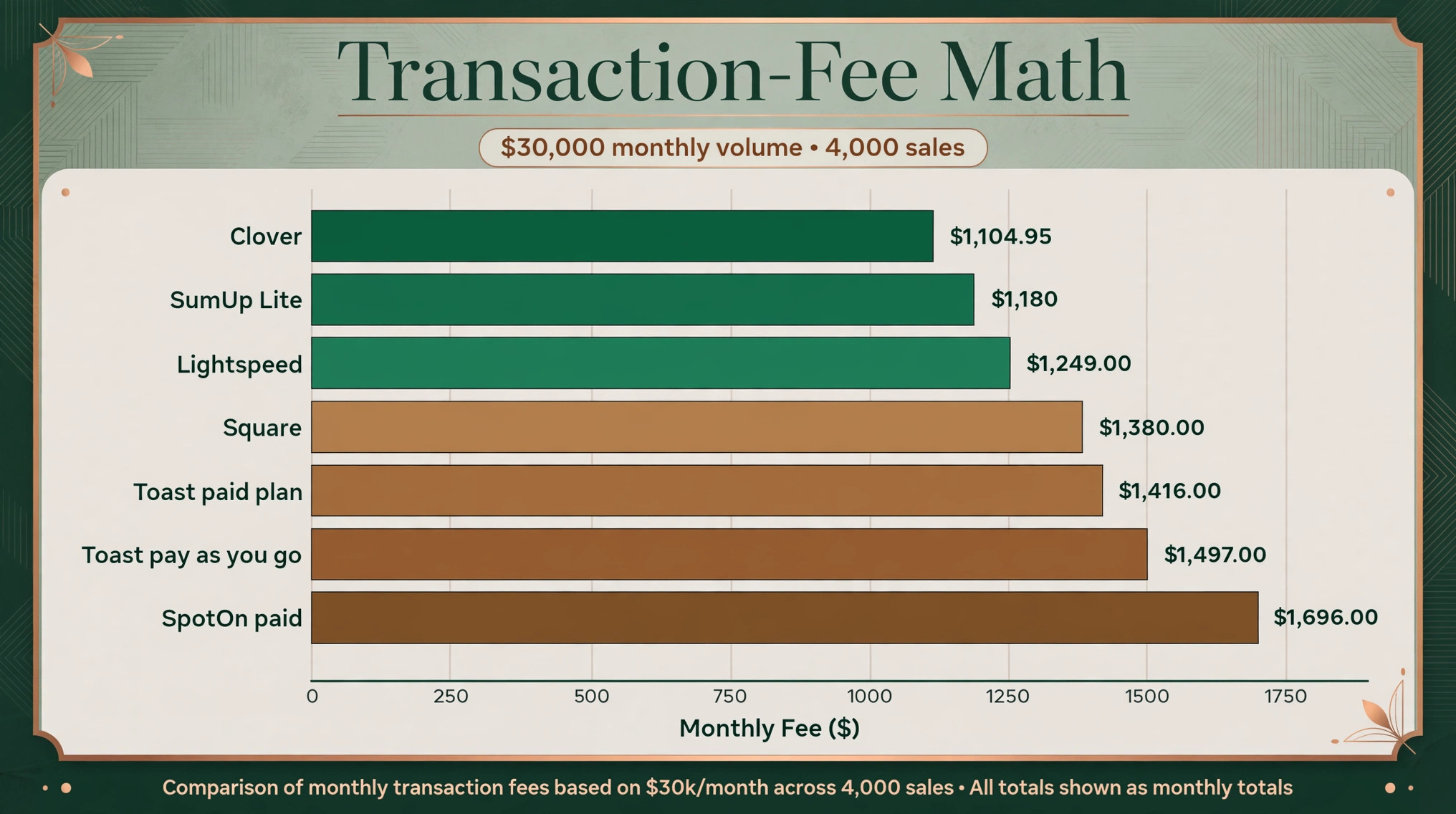
Card fees matter more than the subscription once volume climbs, because a coffee shop processes thousands of small sales a month. This best POS system for coffee shops fee table models a shop doing $30,000 a month in card sales across 4,000 transactions, an average ticket of $7.50, which is typical for a busy neighbourhood cafe.
| System | Rate used | Fee on $30,000 and 4,000 sales | Plus subscription | Monthly total |
|---|---|---|---|---|
| Square | 2.6 percent plus 15 cents | $1,380 | $0 | $1,380 |
| Toast paid plan | 2.49 percent plus 15 cents | $1,347 | $69 | $1,416 |
| Toast pay as you go | 2.99 percent plus 15 cents | $1,497 | $0 | $1,497 |
| Lightspeed | 2.6 percent plus 10 cents | $1,180 | $69 | $1,249 |
| Clover at 2.3 percent | 2.3 percent plus 10 cents | $1,090 | $14.95 | $1,104.95 |
| SpotOn paid plan | 1.99 percent plus 25 cents | $1,597 | $99 | $1,696 |
| SumUp Lite | 2.6 percent plus 10 cents | $1,180 | $0 | $1,180 |
The lesson is the per sale fee. SpotOn has the lowest percentage rate in the table yet the highest total, because 25 cents on 4,000 sales adds $1,000 before any percentage. Lightspeed and SumUp win this model because their 10 cent per sale fee suits small tickets. Run the same math on your own volume and average ticket before choosing, because a different ticket size changes the winner.
Hardware and Setup Costs
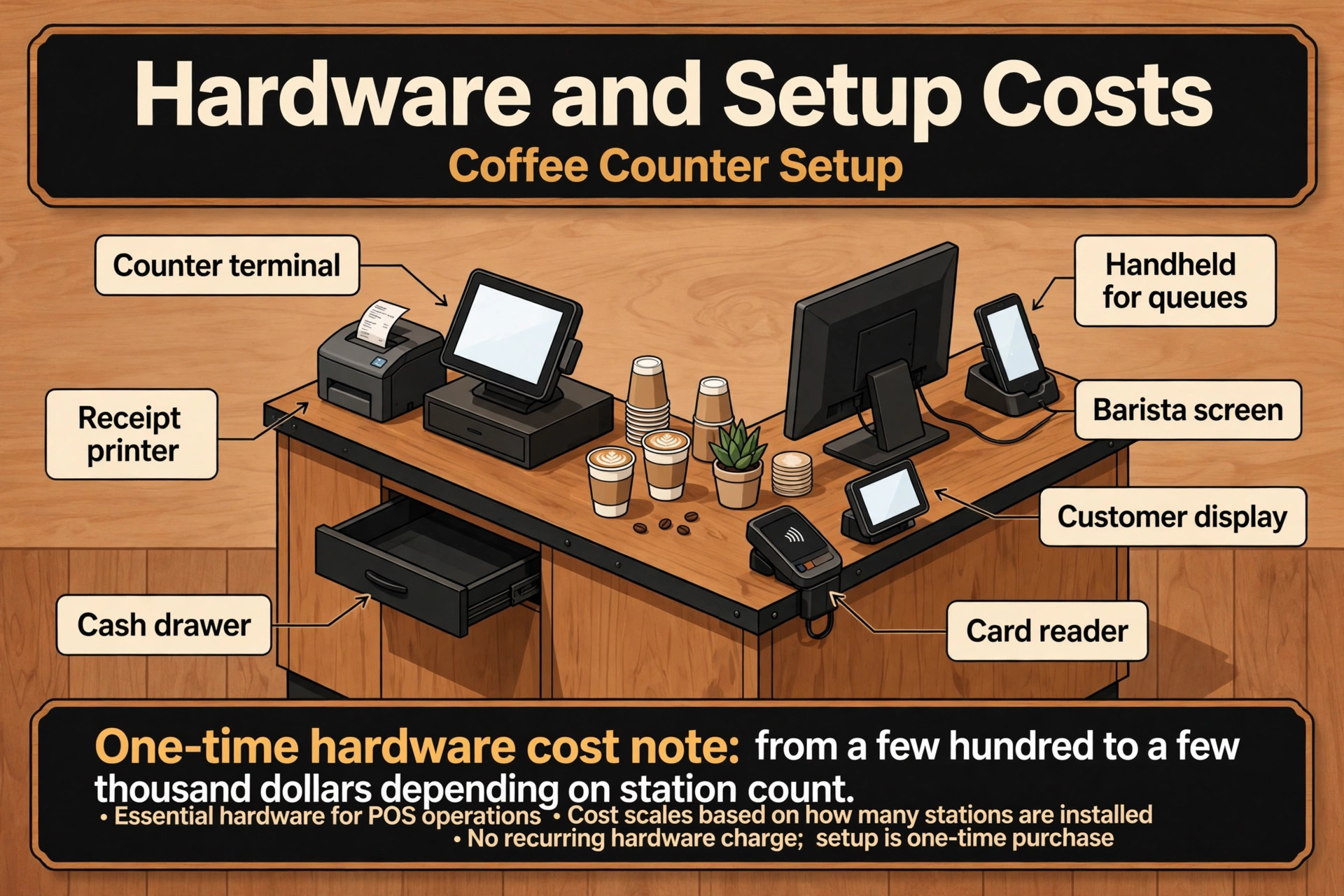
Software is only part of the first year bill. A counter station needs a terminal or tablet, a card reader, a receipt printer and usually a cash drawer, and a second station doubles most of that. Square keeps the entry cost low, with a reader near $59 and a full terminal near $299. Toast terminals run near $799 each, with handhelds near $400 and kitchen displays near $799, so a two station Toast setup can pass $2,000 before installation.
Lightspeed and TouchBistro run on iPads the business supplies, which keeps hardware flexible but shifts the cost to tablets, stands and printers. Clover hardware runs from about $599 for a Mini to about $799 for a full station, and SumUp offers a full kit near $499. Budget installation and training too, because a system installed badly will frustrate staff for months.
The smart move is to price the first year, not the first month. Add subscription, hardware, installation and a month of processing fees, then compare that total across finalists. A system that looks cheap monthly but needs $2,000 of proprietary hardware is not cheap, and a system with free software but high processing fees will cost more by month six.
Training cost belongs in the same total. A system that takes a new hire a full shift to learn costs the cafe every time staff turns over, which in coffee happens often. Budget two hours of paid training per hire, watch how fast a new barista rings their first ten drinks unaided, and treat a system that needs a manual beside the till as a warning sign.
Online Ordering and the Second Queue
Mobile ordering is now a second queue, and a POS that treats it as an afterthought will create chaos at the handoff point. Orders from the app must land on the same barista screen as counter orders, in the same sequence, with pickup times the kitchen can actually meet. When app orders jump the queue or pile up without a promised time, both queues suffer, and the regulars standing at the counter notice first.
The fee question matters here too. Some systems charge a commission or a monthly fee for online ordering, while others include it in the subscription. A cafe doing 200 app orders a week should compare the ordering fee against the labour saved at the till, because an ordering fee that eats the margin on every drink is worse than a slightly slower counter.
Test the handoff during the trial. Order from a phone outside the shop, walk in, and see whether the drink is ready at the promised time and whether the barista knew it was an app order without asking. A best POS system for coffee shops choice should make the second queue invisible to the customer and painless for the barista, because mobile ordering only grows from here.
Staff Permissions and the Till
A coffee shop till needs rules, and the POS should enforce them without a manager standing over the counter. Baristas need to ring sales, apply standard discounts and void a mistaken item. They should not be able to delete a whole sale, change prices, or open the cash drawer without a reason the system records. Good permission sets separate those powers by role, so the owner can see exactly who did what and when.
Cash handling deserves the same attention. Even in a mostly card business, the drawer still opens for change and tips, and the POS should track expected cash against counted cash at close. A blind close, where the system records the count and the variance by staff member, catches small leaks before they become habits. Shops that skip this step usually discover the problem months later, when the pattern is already expensive.
Refunds and discounts need limits too. A barista who can discount without a cap will use it to smooth over every complaint, and the margin disappears quietly across hundreds of small gestures. Set a discount cap per role, require a reason code for voids, and review the discount report weekly. The goal is not suspicion, it is visibility, because a shop that sees its discounts can manage them.
Mistakes That Eat Margin
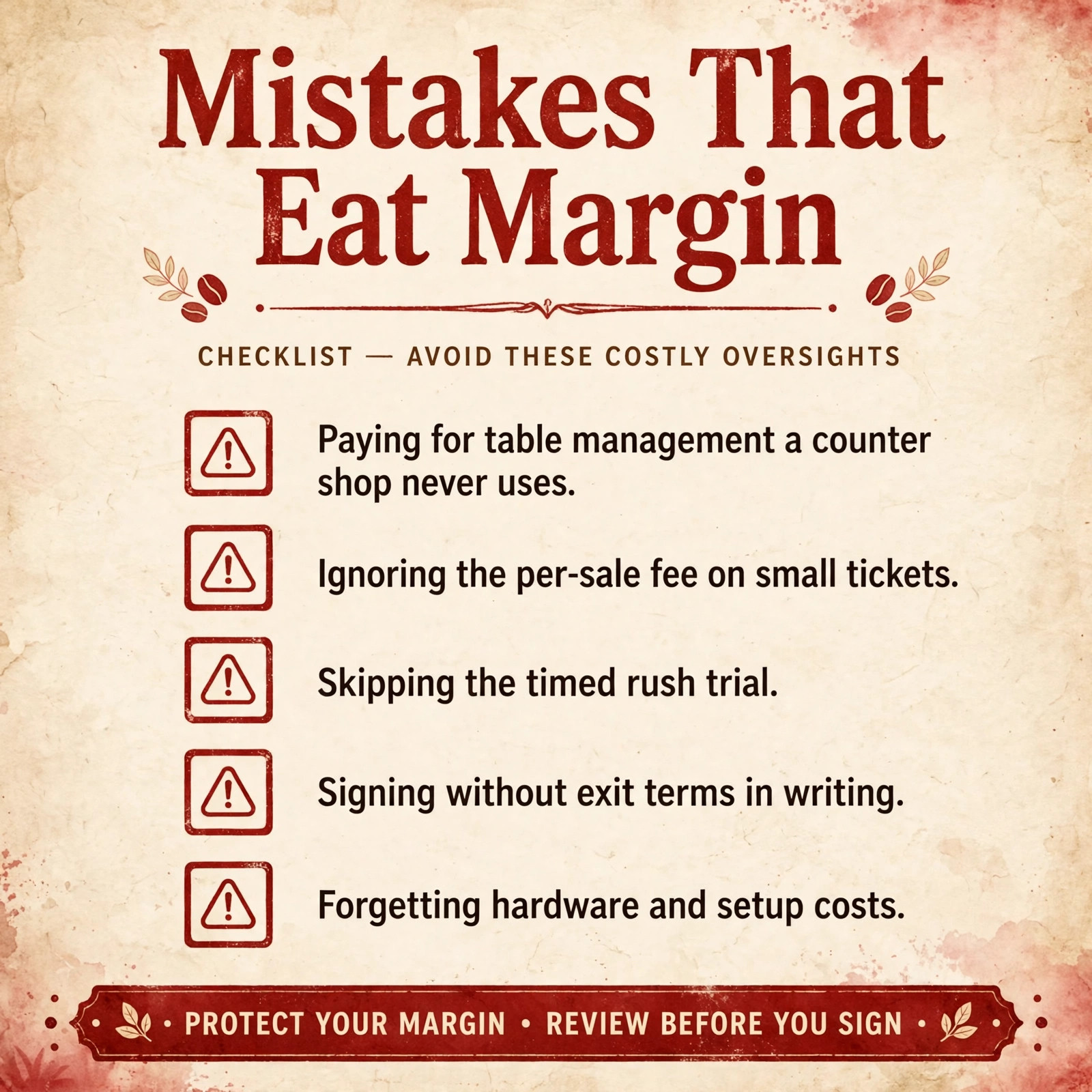
The most common mistake is choosing on subscription price alone. A $0 plan with a high processing rate can cost hundreds more per month than a $69 plan with a lower rate, as the fee table above shows. Compare the full monthly total at real volume, not the headline subscription.
The second mistake is signing a long contract before the rush test. Some systems lock the business into multi-year terms with early exit fees, and a system that frustrates baristas for three years is an expensive error. Prefer month to month or short terms until the rush test passes, and get the processing rate and contract length in writing.
The third mistake is skipping offline mode. Internet outages happen, and a POS that stops selling when the connection drops loses the whole rush. Confirm offline mode during the trial by unplugging the connection and selling ten drinks, then checking that every sale syncs correctly when the connection returns.
The fourth mistake is building the menu badly. Modifiers buried three screens deep, sizes in the wrong order, and syrups listed as free text notes all slow the line and create errors that the barista must fix by remaking drinks. A best POS system for coffee shops setup puts the most ordered modifiers first, keeps the menu shallow, and tests every drink on the menu before launch day. Remade drinks cost beans, milk and time, and a menu that causes remakes is a daily tax on margin.
The Verdict for Coffee Shops
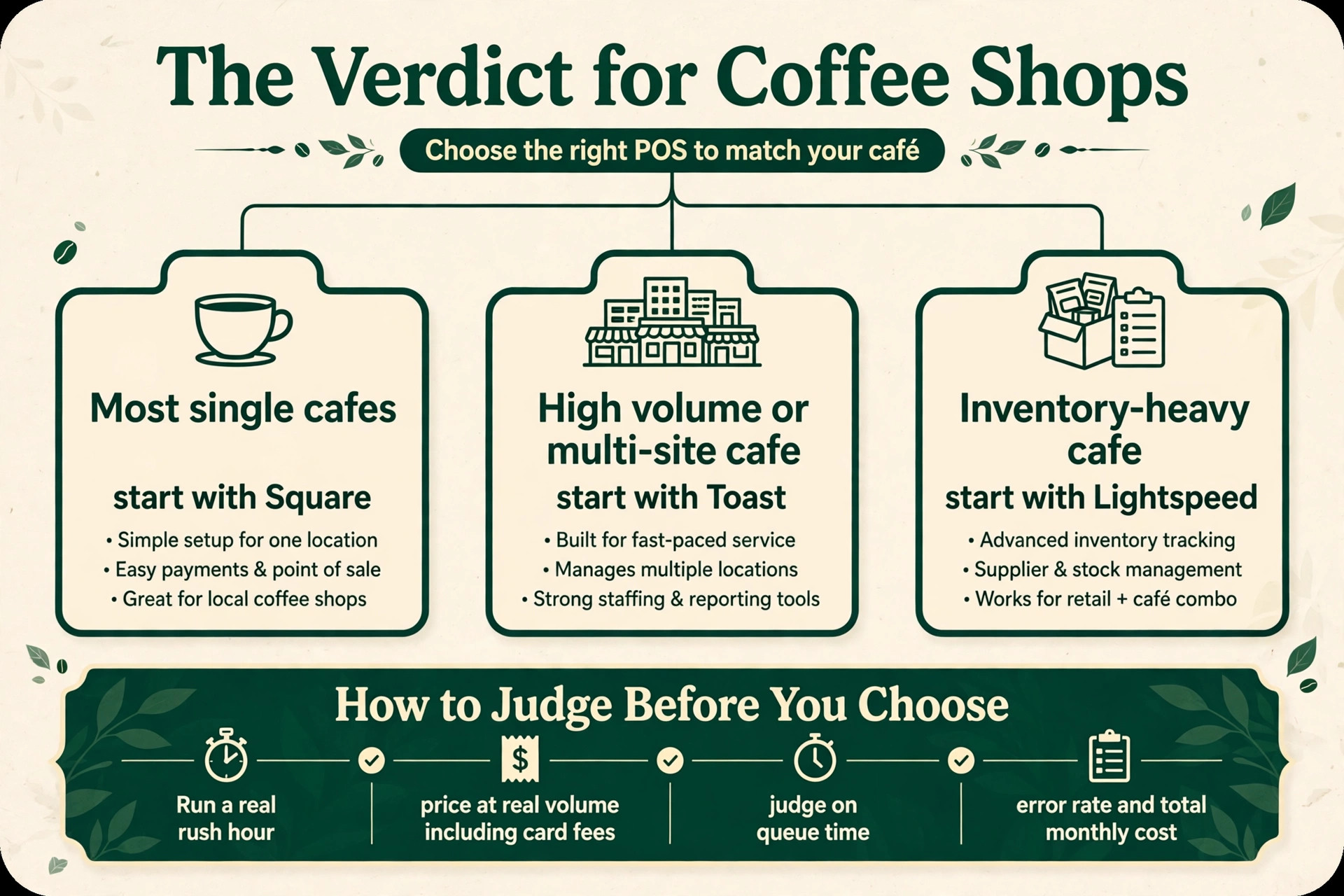
Start with the rush, then the fee math, then the trial. For most single cafes, Square is the safest first trial, because it balances price, speed and ease of use better than the extremes. A high volume or multi-site cafe should start with Toast instead, and an inventory heavy cafe should start with Lightspeed, because the best pick by job table above points to the tool built for that exact situation.
The best POS system for coffee shops decision does not need to be perfect, it needs to be tested. Run a real rush hour, price the tool at real volume including card fees, and judge it on whether orders move faster and errors fall. A tool that passes that test is worth keeping, even if a rival looks better on a pricing page, because daily work is the test that actually matters.
For a final check, compare the shortlist on first year total cost before you sign a contract, and get the processing rate, contract length and exit terms in writing. A shortlist built around best POS system for coffee shops should still be tested in a real rush, because a pricing page cannot show how a tool feels at 8am with a line out the door. When the trial ends, judge the choice by queue time, error rate and total monthly cost, not by the length of the feature list.
More Reading on Stratilyze
Readers comparing tools usually check the neighbouring guides next. The guide to POS systems for food trucks covers a closely related decision, the guide to cafe menu pricing with AI help explains the pricing around it, and the guide to coffee shop loyalty programs helps with keeping regulars coming back.
Frequently Asked Questions
How much does a coffee shop POS cost per month
A small cafe can start at $0 on a free plan and pay only card fees. A mid range setup typically runs $49 to $99 a month in subscription, plus $1,000 to $1,500 a month in card fees at $30,000 of card volume. Hardware adds a one-time cost from a few hundred to a few thousand dollars depending on station count.
Should a coffee shop use Toast or Square
Square suits a new or single site cafe that wants a fast, low cost start with no contract. Toast suits a high volume or multi-site cafe that needs kitchen displays, handhelds and loyalty in one restaurant platform. Run the fee math at real volume for both, because the cheaper subscription is not always the cheaper total.
What is the cheapest card rate for a coffee shop
The cheapest headline percentage is not always the cheapest total, because the per sale fee matters more on small tickets. At 4,000 sales a month, a 10 cent per sale fee saves $200 a month against a 15 cent fee, and $600 against a 25 cent fee. Compare the full fee on your own volume and average ticket before deciding.
Does a coffee shop POS work without internet
Good ones do, through offline mode that stores sales locally and syncs when the connection returns. Confirm this during the trial by disconnecting the terminal and selling drinks, then checking that every sale, tip and loyalty point syncs correctly. A system without reliable offline mode is a risk during every outage.
Can a POS handle mobile ordering and loyalty together
Yes, on most tools in this guide. Square, Toast, Lightspeed and Shopify all offer online ordering with loyalty and gift cards attached to the same customer record. Confirm that loyalty points apply automatically at checkout, because a system that needs a manager override for every reward will slow the line.
How long does it take to switch POS systems
A single site cafe can switch in one to two weeks, including menu build, hardware setup, staff training and a soft launch day. A multi-site group should allow a month, with one pilot site first. Build the menu carefully, because modifier errors created during setup will frustrate baristas for months.