

The food bank shift is short three people, the coordinator is texting down a list from last month, and two willing volunteers never heard the shift existed. That quiet breakdown is the daily reality this guide addresses, because the best volunteer management software for small nonprofits exists to make sure willing people actually hear about shifts, sign up cleanly and show up on time.
Small nonprofits rarely lack willing volunteers. They lack a reliable way to reach them, to match skills to roles, to track hours for grants and to thank people so they return. When those jobs live in group chats and spreadsheets, shifts go unfilled, hours go unrecorded and good volunteers drift away unnoticed.
The fourteen systems below were judged on the same tests. Can a volunteer find and claim a shift in two minutes on a phone. Can a coordinator see at a glance which shifts are short. Are hours tracked cleanly for reports and grants. And does the price stay fair for a nonprofit with one part-time coordinator and a few dozen volunteers.
Why the Best Volunteer Management Software for Small Nonprofits Is Not a Spreadsheet
A spreadsheet records what already happened. Volunteer software prevents the gap before it happens, by showing open shifts, sending reminders and letting volunteers swap without the coordinator acting as a switchboard. That difference is worth more than any report, because an unfilled shift is a service that does not happen.
Hours are the second dividing line. Grants, board reports and volunteer recognition all depend on accurate hours, and hours reconstructed from memory at month end are always wrong. Systems with check-in, kiosk or app-based hour tracking give the nonprofit numbers it can defend in a grant report.
Retention is the third test. Volunteers return when they feel thanked, informed and well used, and they leave when they are over-contacted, under-briefed or given work far from their skills. Software that matches skills, sends the right briefing and records thanks helps a small team treat volunteers like the asset they are.
Volunteer programs compete for attention with busy lives, and convenience decides whether willing people actually show up. A volunteer who can find a shift, sign up and get a reminder from a phone in two minutes is far more likely to attend than one who must email a coordinator, wait for a reply and remember the details unaided. Convenience is not a luxury in volunteer management, it is the program itself.
Small nonprofits also face scrutiny that larger organisations absorb more easily. Funders, partners and boards all ask for volunteer numbers, hours and outcomes, and a nonprofit that answers with clean reports looks credible and well run. Volunteer software turns that reporting from a month-end scramble into a routine export.
Four Questions to Ask Before Choosing a Volunteer System
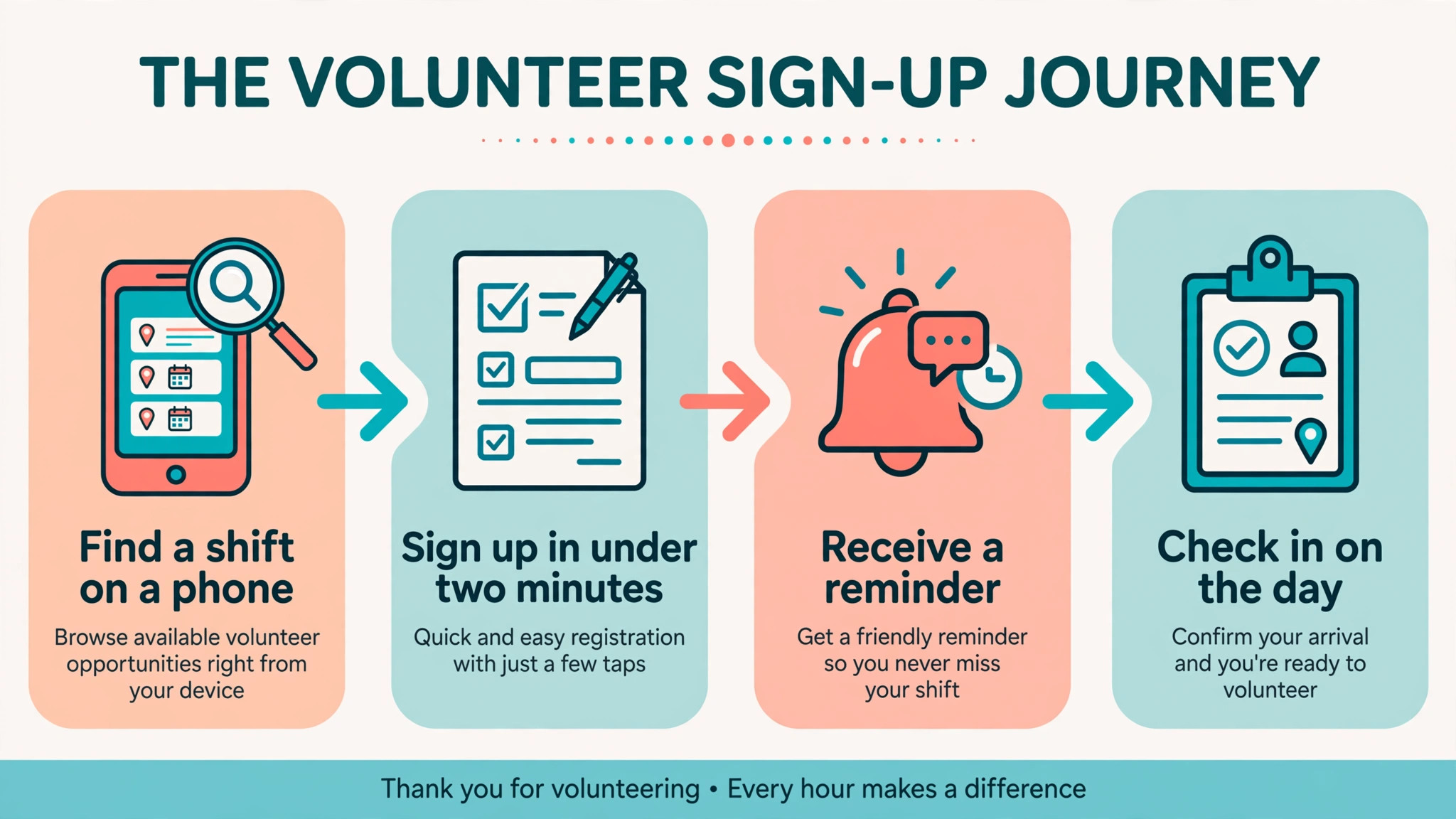
Start with the volunteer journey, not the coordinator dashboard. Ask a friend to find a shift, sign up, receive a reminder and check in, using only a phone. If any step needs an email to the coordinator or a desktop computer, the system will create work instead of removing it.
Then test the coordinator view at a busy moment. Open the dashboard for a weekend with ten shifts and check which shifts are short, who has cancelled and who has not confirmed. A system that answers those questions in one screen will save hours every week.
- Phone-first sign-up that takes under two minutes for a new volunteer.
- A coordinator view that shows short shifts, cancellations and unconfirmed volunteers at a glance.
- Hour tracking that produces grant-ready reports without manual rebuilding.
- Messaging that reaches volunteers by email or text without a separate tool.
Volunteer Systems and Prices at a Glance
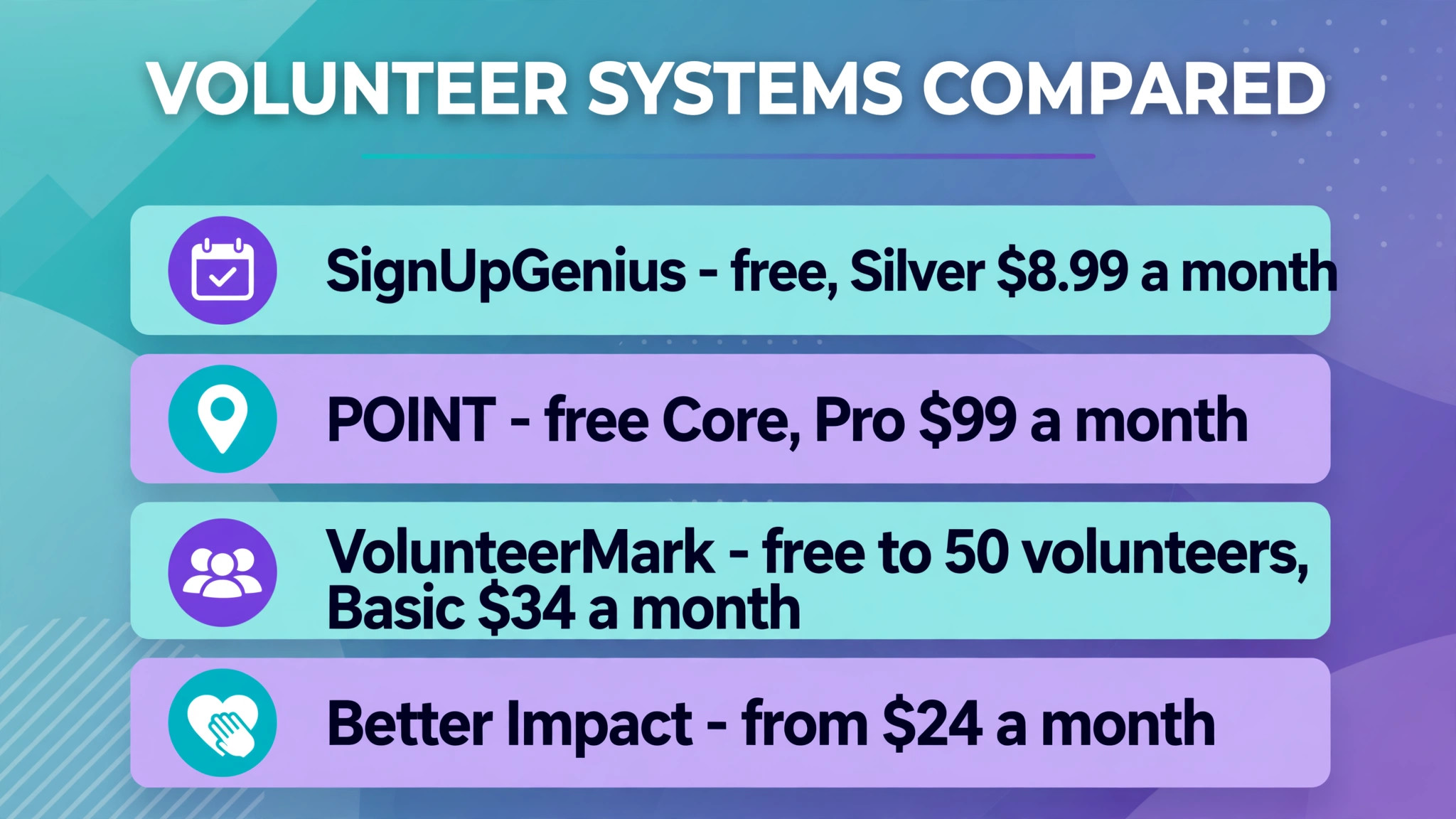
Use the table to pick three finalists, then run each one through a real event with real volunteers. A pricing page cannot show whether sign-up feels easy on a phone.
| Tool | Starting price | Best for |
|---|---|---|
| SignUpGenius | free, Silver $8.99 a month billed annually | small groups needing fast simple shift sign-ups |
| POINT | free Core, Pro $99 a month billed annually | early-stage nonprofits wanting a free volunteer system |
| VolunteerMark | free to 50 volunteers, Basic $34 a month billed annually | small to mid-size teams wanting scheduling plus hour tracking |
| Bloomerang Volunteer | from $119 a month | nonprofits wanting volunteer and donor records in one system |
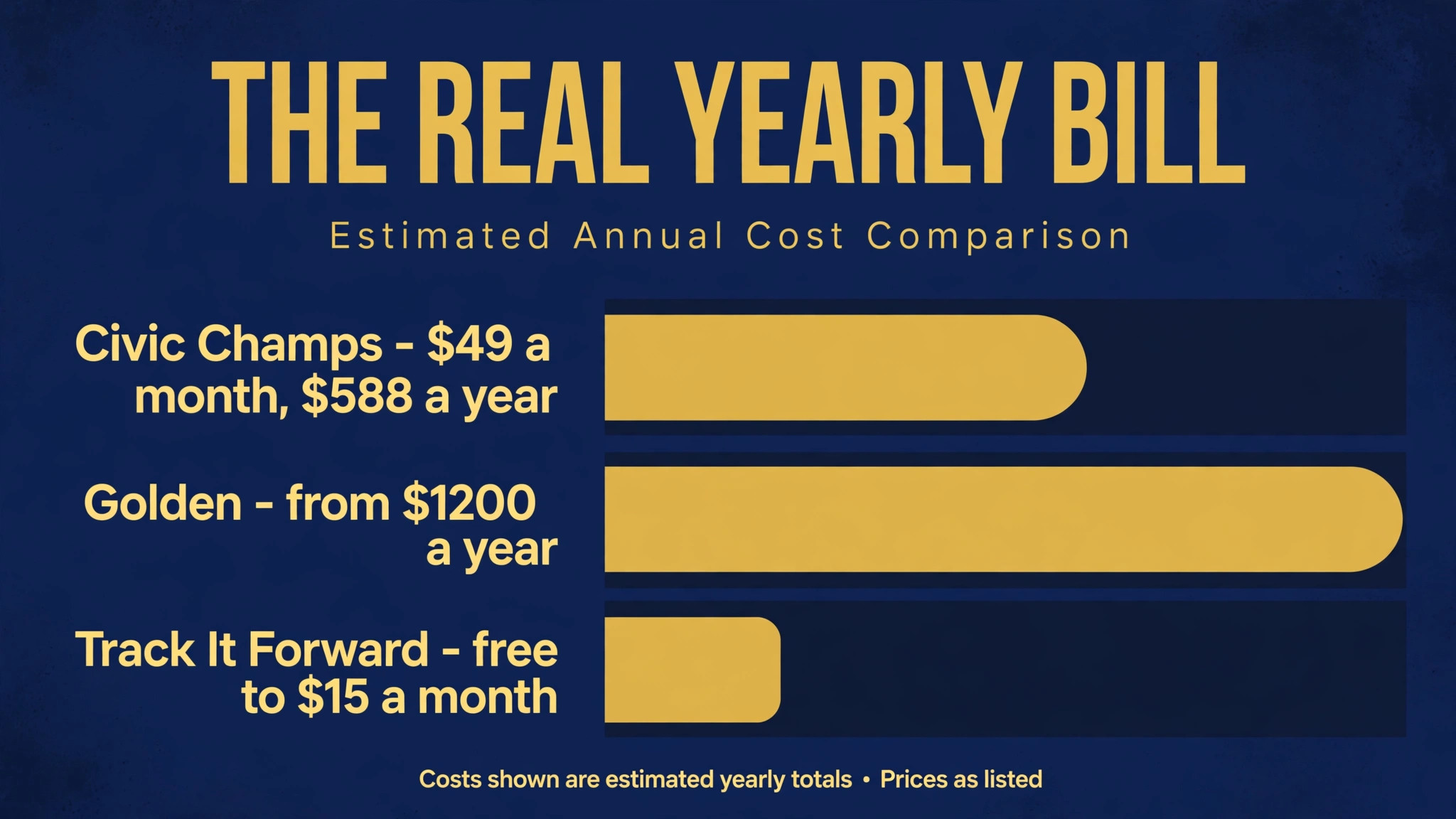
| Golden | from $1200 a year | mobile-first nonprofits needing background checks and events |
| Better Impact | from $24 a month | multi-program nonprofits wanting control at a low price |
| Timecounts | free to $125 a month | international and growing nonprofits wanting flexible scheduling |
| Track It Forward | free to $15 a month | nonprofits whose main need is clean hour tracking |
| Civic Champs | $49 a month | tiny teams wanting a full platform at a small-team price |
| Mobilize | from about $200 a month for small organisations | advocacy nonprofits running large recurring volunteer drives |
| GivePulse | priced by plan | nonprofits tied to schools, campuses or community partners |
| Helper Helper | priced by plan | teams and groups needing simple hour tracking and sign-ups |
| InitLive | priced by plan | event-heavy nonprofits needing shift scheduling at scale |
| VolunteerHub | priced by plan | nonprofits wanting structured recruitment and scheduling |
The Fourteen Systems, Compared Side by Side
SignUpGenius
SignUpGenius is the pick for small groups needing fast simple shift sign-ups. SignUpGenius is the simplest way to fill shifts, with online sign-up pages, automated reminders and hundreds of templates that a coordinator can launch in minutes. Its own site puts paid plans at Silver $8.99 a month, Gold $22.49 a month and Platinum $44.99 a month when billed annually, with a free tier for basic sign-ups.
The strength is its speed and simplicity for basic shift filling The limit to test in a trial is its thin volunteer records and hour tracking next to full volunteer systems When that limit touches daily work, shortlist a rival whose limits sit elsewhere.
POINT
For early-stage nonprofits wanting a free volunteer system, start with POINT. POINT offers a volunteer dashboard, website sign-up integration, event sign-ups and automated hour tracking, with a free Core plan for registered nonprofits. Published comparisons put the free Core plan at no cost for registered nonprofits, with Pro at $99 a month billed annually.
What stands out is its genuinely free Core plan for small nonprofits What to check before paying is its lighter depth for complex multi-program scheduling A trial week with real orders shows whether that limit matters for your shop.
VolunteerMark
VolunteerMark suits small to mid-size teams wanting scheduling plus hour tracking best. VolunteerMark combines opportunity creation, one-time and flexible scheduling, self sign-up, hour tracking and a volunteer mobile app. Published reviews put the free plan at up to 50 volunteers, with Basic at $34 a month billed annually and higher tiers adding messaging and reporting.
Bloomerang Volunteer
If nonprofits wanting volunteer and donor records in one system is the job that matters most, Bloomerang Volunteer deserves the first trial. Bloomerang Volunteer pairs volunteer scheduling and retention tools with donor management, so a volunteer who later donates is already in the same record. Published comparisons put it from $119 a month billed annually.
It earns its place through its unified volunteer and donor view It loses ground where its price and bundled structure for a very small nonprofit If that weakness never touches your daily jobs, it is a strong buy.
Golden
Golden is the pick for mobile-first nonprofits needing background checks and events. Golden is mobile-first, with volunteer discovery, event management, instant background checks and a raffle system for volunteer engagement. Published comparisons put paid plans from $1200 a year.
The strength is its mobile experience and its background-check integration The limit to test in a trial is its annual price, which is steep for the smallest nonprofits When that limit touches daily work, shortlist a rival whose limits sit elsewhere.
Better Impact
For multi-program nonprofits wanting control at a low price, start with Better Impact. Better Impact offers volunteer profiles, scheduling, hour tracking and reporting across multiple programs, with strong control for coordinators. Published comparisons put it from $24 a month.
Timecounts
Timecounts suits international and growing nonprofits wanting flexible scheduling best. Timecounts covers volunteer applications, shifts, team scheduling and hour tracking, with support for international teams and languages. Published comparisons put it from a free tier to $125 a month.
The case for it rests on its flexibility for growing and international teams The case against it is its setup time for complex custom workflows Weigh those two against the work your team actually does each day.
Track It Forward
If nonprofits whose main need is clean hour tracking is the job that matters most, Track It Forward deserves the first trial. Track It Forward focuses on volunteer hour logging, verification and reporting, with a mobile app for volunteers to record their own hours. Published comparisons put it from a free tier to $15 a month.
It earns its place through its simple and reliable hour tracking It loses ground where its narrower scheduling depth next to full volunteer platforms If that weakness never touches your daily jobs, it is a strong buy.
Civic Champs
Civic Champs is the pick for tiny teams wanting a full platform at a small-team price. Civic Champs offers a dashboard, event scheduling, geofenced hour tracking and micro-donation tools in one platform aimed at small nonprofits. Published comparisons put it at $588 a year, which works out at $49 a month.
Mobilize
For advocacy nonprofits running large recurring volunteer drives, start with Mobilize. Mobilize, now part of a larger advocacy platform family, supports single, multi-shift and recurring events with automated reminders and post-event surveys. Published comparisons put it from around $200 a month for small organisations, rising with size.
What stands out is its scale for large recurring drives and its reminder cadence What to check before paying is its price and weight for a local nonprofit with a few dozen volunteers A trial week with real orders shows whether that limit matters for your shop.
GivePulse
GivePulse suits nonprofits tied to schools, campuses or community partners best. GivePulse connects nonprofits with volunteers through community listings, event management and hour verification for partners. Pricing is by plan, so get a written quote at your volunteer count before comparing it.
The case for it rests on its community network for finding new volunteers The case against it is its partner-network design, which suits some nonprofits better than others Weigh those two against the work your team actually does each day.
Helper Helper
If teams and groups needing simple hour tracking and sign-ups is the job that matters most, Helper Helper deserves the first trial. Helper Helper offers sign-ups, hour tracking and team communication for volunteer groups, with a simple setup for coordinators. Pricing is by plan, so compare it on the tier that includes reporting and messaging.
InitLive
InitLive is the pick for event-heavy nonprofits needing shift scheduling at scale. InitLive focuses on event volunteer scheduling, with shift building, volunteer communication and on-site check-in for large events. Pricing is by plan, so get an event-size quote before deciding.
The strength is its event scheduling depth for big volunteer days The limit to test in a trial is its event focus, which is more than a weekly rota needs When that limit touches daily work, shortlist a rival whose limits sit elsewhere.
VolunteerHub
For nonprofits wanting structured recruitment and scheduling, start with VolunteerHub. VolunteerHub covers volunteer recruitment, registration, scheduling and hour tracking in a structured system for established programs. Pricing is by plan, so compare it on total cost including any onboarding.
The Best Pick for Tiny Teams, Growing Programs and Event Days
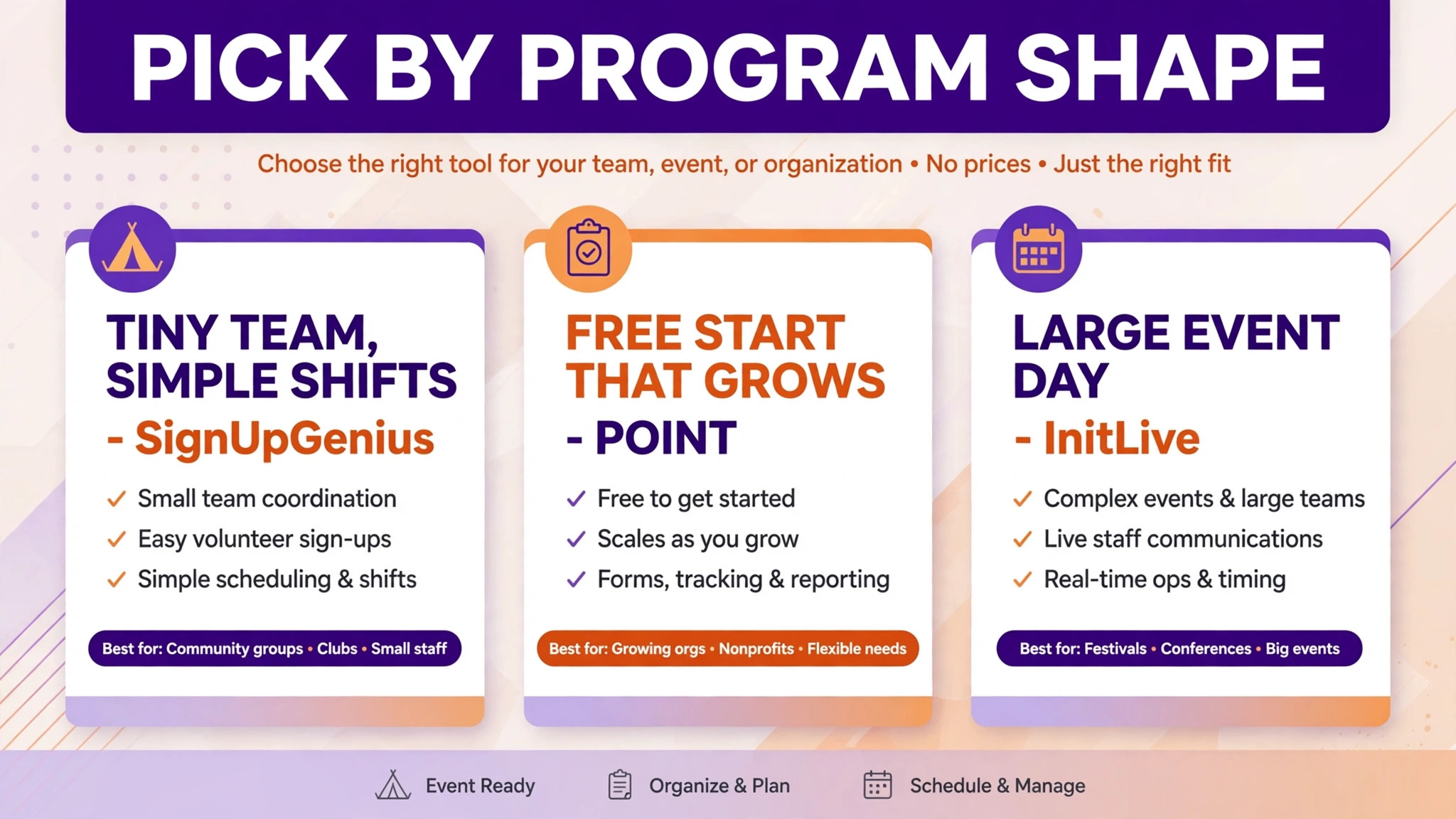
A tiny team, a growing program and a big event day need different volunteer tools, even when they serve the same community. The table below matches the best volunteer management software for small nonprofits to the shape of the program, so a tiny team does not pay for enterprise scale and an event day is not run on a sign-up sheet.
| Job | Best pick | Why it wins for that job |
|---|---|---|
| Tiny team, simple shifts | SignUpGenius | Fastest sign-up pages from a free start |
| Tiny team, full platform | Civic Champs | Full tools at a small-team price |
| Free start that grows | POINT | Free Core plan for registered nonprofits |
| Hour tracking first | Track It Forward | Simple verified hours from a free tier |
| Multi-program nonprofit | Better Impact | Control across programs at a low price |
| Volunteer plus donor records | Bloomerang Volunteer | One record for volunteers who later donate |
| Large event day | InitLive | Shift scheduling built for big event days |
| Large advocacy drives | Mobilize | Scale and reminders for recurring drives |
If the program sits between two rows, choose the row for next year’s volunteer count. A system outgrown mid-season costs more in migration and retraining than a slightly larger plan does now.
A Volunteer-Shift Scheduling Template That Fills Shifts
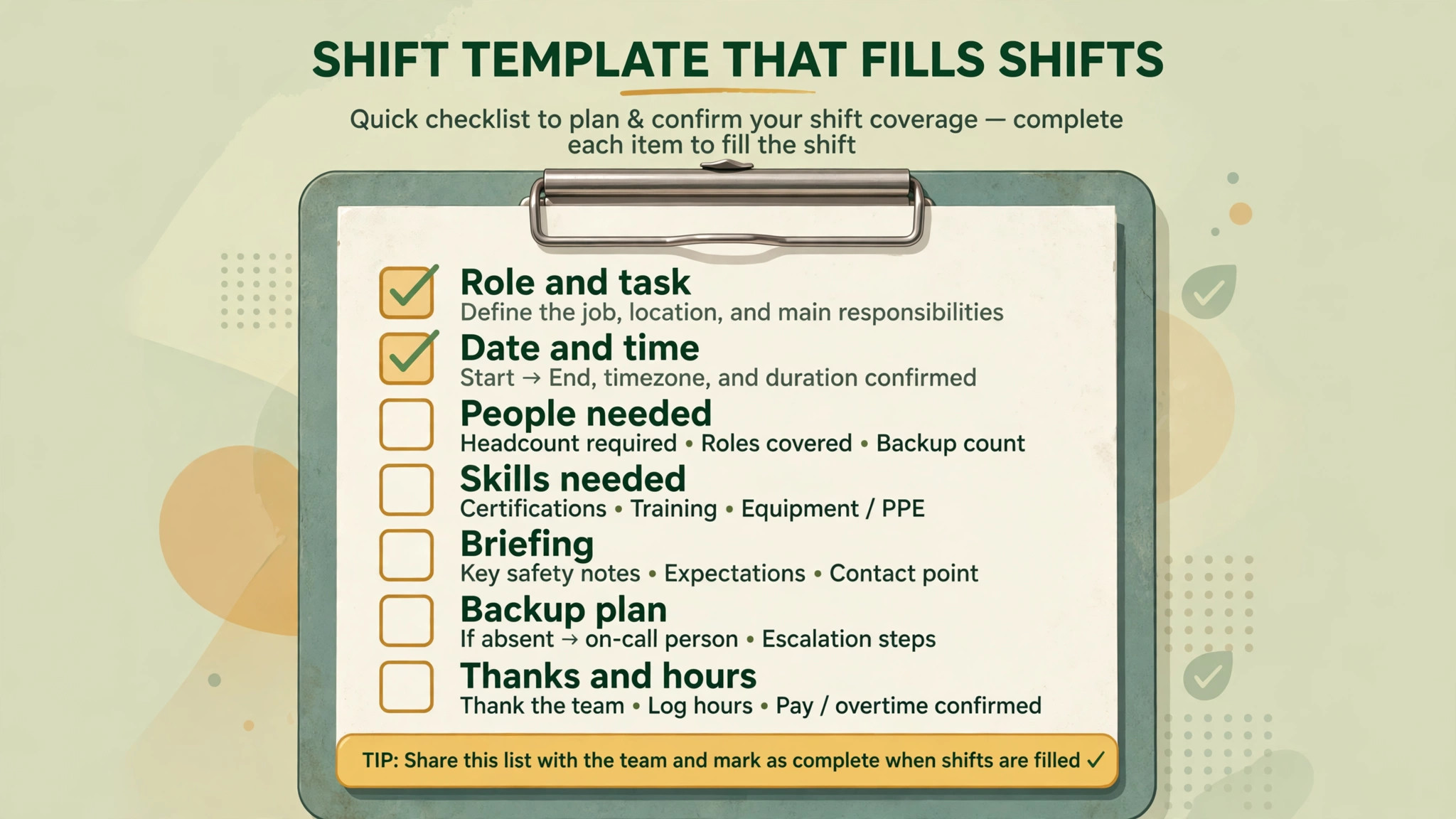
Most unfilled shifts fail on the same points. The role is vague, the time is unclear, the briefing never arrives, and nobody owns the gap when someone cancels. The template below fixes all four, and it works in any system above that supports roles, times and reminders.
| Shift field | What to write |
|---|---|
| Role and task | The exact job, such as greeting, packing or driving, in plain words |
| Date and time | Start and finish times, plus arrival time for briefing |
| People needed | The number of volunteers for the role, and the minimum viable number |
| Skills needed | Any requirement, such as driving, lifting or a language |
| Briefing | Where to go, who to ask for, and what to bring |
| Backup plan | Who is contacted first when a volunteer cancels |
| Thanks and hours | How hours are recorded and when thanks go out |
Run one full event on the template before judging any system. A tool that makes the template easy to copy, fill and share will fill more shifts than a tool with a longer feature list but a harder shift form.
The Real Yearly Bill for a Small Nonprofit
The best volunteer management software for small nonprofits should be judged on yearly cost, because grants and budgets run yearly and monthly prices hide the annual total. A $49 monthly plan is $588 a year, and that figure, not the monthly one, is what the board approves.
Free tiers deserve a careful look too. A free plan that covers sign-ups and hours can serve a small nonprofit for years, while a paid plan bought for features nobody uses is money taken from programs. Upgrade when a limit is actually hit, not when a sales page suggests it.
| Cost line | What to count |
|---|---|
| Subscription | The yearly total, not just the monthly figure |
| Messaging | Text volume limits on the chosen tier |
| Extra seats | Coordinators and team leaders who need access |
| Add-ons | Background checks, onboarding and extra locations |
Model the bill at today’s volunteer count and at double that count. A system that stays fair at both sizes is a safer buy than one that only wins while the program is tiny.
Keeping Volunteers Coming Back After the First Shift
Onboarding turns a willing stranger into a reliable volunteer. A short welcome message, a clear first-shift briefing and a named contact on the day make the first shift feel safe rather than confusing. Systems that automate onboarding steps, from application to first shift, free the coordinator to greet people instead of chasing forms.
Training records matter even for unpaid roles. Food handling, safeguarding, driving and first aid all carry requirements, and a system that tracks who is trained, when training expires and who needs a refresher protects both volunteers and the nonprofit. Expired training discovered during an inspection is a problem that good records prevent.
Recognition does not need to cost money to work well. A thank-you message after a shift, a milestone note after fifty hours and a mention in the newsletter all make volunteers feel seen. Systems that track milestones and prompt thanks help a busy coordinator recognise people consistently, not just when there is time.
Feedback from volunteers improves programs faster than any board meeting. A short survey after an event, asking what worked and what did not, surfaces problems the coordinator never sees, from confusing briefings to poor shift timing. Volunteers who are asked for feedback, and who see it acted on, stay longer.
Skills matching turns a general volunteer pool into a capable team. A driver, a translator, a social media helper and a heavy lifter are not interchangeable, and a system that records skills and availability lets the coordinator fill specialist roles without broadcasting every shift to everyone. Targeted asks get better responses than mass messages.
Youth volunteers need different handling from adult volunteers. Parental consent, supervision ratios, suitable roles and hour verification for school or college all matter, and a system that records consent and restricts roles by age keeps youth programs safe and credible. Ask how the system handles under-eighteen volunteers before recruiting them.
Corporate volunteer groups arrive as teams, not as individuals. A company day needs group registration, a single contact, shared briefing and group hour records, and a system that handles groups cleanly turns a one-day visit into a lasting partnership. Groups that enjoy a well-run day often return, and sometimes bring funding with them.
Grant reporting is where volunteer software pays for itself most visibly. Funders ask how many volunteers, how many hours, which programs they served and what changed as a result. A system that produces those numbers by program and by period, without manual rebuilding, makes grant reports faster and more convincing.
Board reports need a different view from coordinator reports. Board members want trends, such as volunteer growth, retention and hours by program, rather than shift-level detail. A system that summarises those trends in one view helps the board see the volunteer program as a strategic asset, not as an administrative burden.
Waiting lists deserve the same care as confirmed shifts. A volunteer who joins a waiting list and hears nothing feels rejected, while one who is offered the next suitable shift feels valued. Systems that manage waitlists and automatically offer freed slots keep willing people engaged instead of losing them quietly.
Accessibility should shape every volunteer touchpoint. Sign-up pages, briefings and shift information must work for volunteers with different needs, from screen readers to plain language. A system that supports accessible sign-up widens the volunteer pool and reflects the nonprofit’s values in practice, not just in words.
Data protection applies to volunteers just as it does to donors. Contact details, availability, background-check status and hour records are sensitive, and a system with clear permissions, consent records and deletion options protects both volunteers and the nonprofit. Ask those questions before importing a full volunteer list.
Finally, review the volunteer system against retention, not just sign-ups. A system that fills shifts but loses volunteers after one event is failing, while a system that brings volunteers back month after month is succeeding. Track returning volunteers as the headline number, and judge every tool by whether that number grows.
Switching Volunteer Systems Without Losing Volunteers
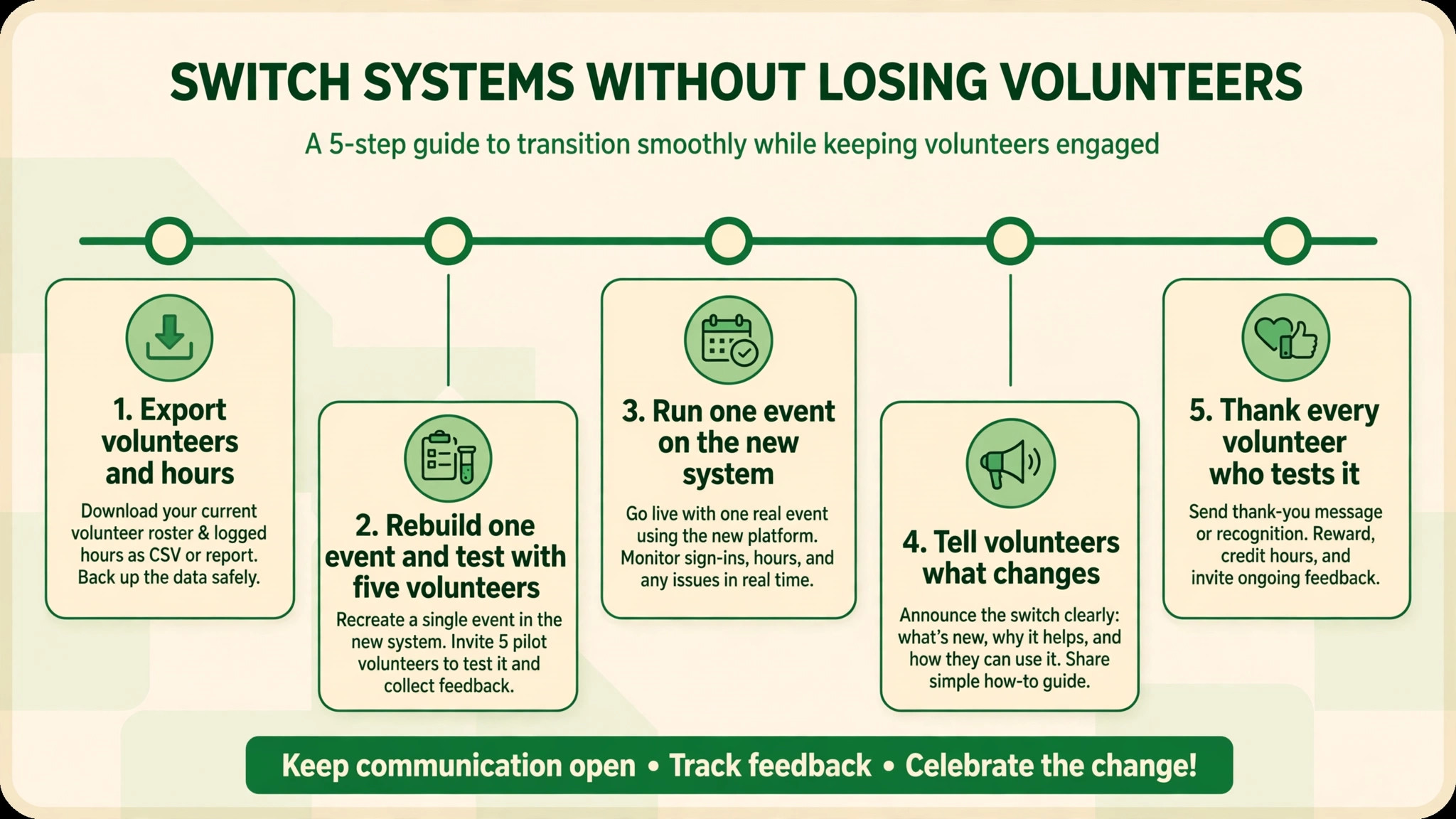
Export volunteers, hours, roles and contact preferences from the old system, and check that hour history survives the move for grant reports.
Rebuild one event in the new system with real roles and shifts, and ask five volunteers to sign up as a test.
Run one event on the new system while the old method stays as backup, then compare sign-ups and hours line by line.
Tell volunteers what changes for them, such as a new sign-up link or app, before the first shift on the new system.
Thank every volunteer who tests the new system, because early goodwill carries the switch further than any feature.
Admin Traps That Burn Coordinators Out
The most common mistake is buying scale for a program that has not filled its current shifts yet. Enterprise features look reassuring, but they add cost, setup and training to a team that mainly needs reliable sign-ups and reminders. Fill shifts reliably first, then buy depth.
The second mistake is over-messaging volunteers. Daily emails and texts feel like good communication, but they train volunteers to ignore everything, including the one message about a short shift. Send fewer, better messages, and save urgent contact for genuinely urgent gaps.
The third mistake is losing hour history in a switch. Hours feed grants, recognition and board reports, so a system that cannot import past hours forces the nonprofit to rebuild its record by hand. Test the import before committing.
A fourth trap is treating all volunteers as identical. A retired teacher, a student seeking experience and a corporate group on a day out need different roles, briefings and thanks, and a system that cannot distinguish them will send the wrong message to all three. Segment volunteers by skill, availability and motivation, and the program will feel personal at any size.
A fifth trap is launching a system without telling volunteers why it changed. Volunteers who arrive at a new sign-up link with no explanation assume the old way was fine and the new way is bureaucracy. A short message explaining that the change means better reminders, clearer shifts and faster thanks will carry most volunteers through the switch happily.
The Verdict for Small Nonprofits
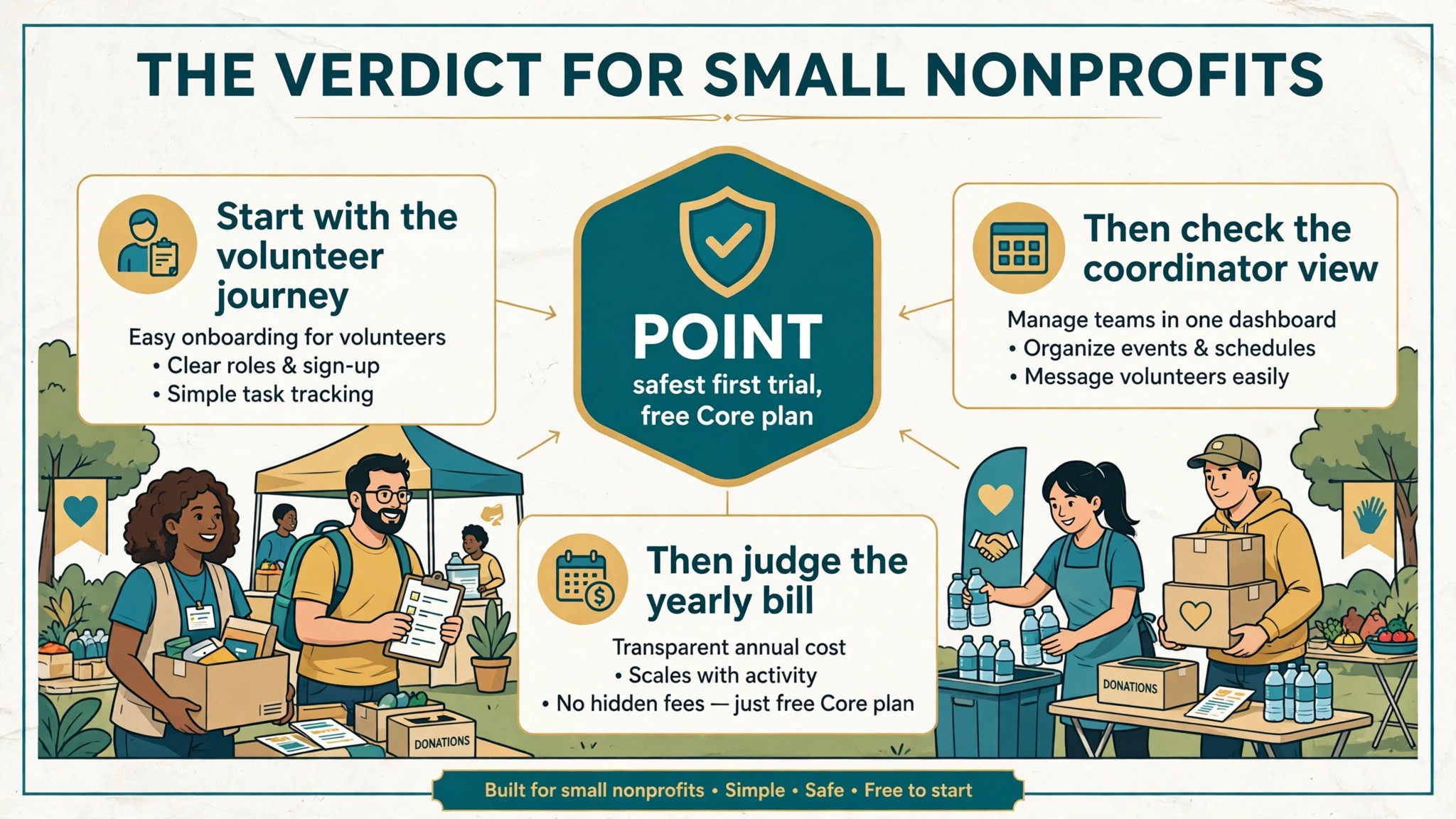
Start with the volunteer journey, then the coordinator view, then the yearly bill. For most small nonprofits, POINT is the safest first trial for the best volunteer management software for small nonprofits, because its free Core plan covers the core jobs and the paid step is clear when growth demands it.
A team that only needs shifts filled fast should trial SignUpGenius, and a multi-program nonprofit should trial Better Impact, because those systems match the jobs those programs actually do each week.
Whatever the shortlist, run one real event through the finalist before paying. The best volunteer management software for small nonprofits is the one that fills shifts, tracks hours cleanly and still feels affordable at double the current volunteer count.
Volunteer software should be judged on returning volunteers, not on sign-up counts. A system that fills one event brilliantly but loses every volunteer afterwards has failed, while a system that brings people back month after month is building the program’s future, and that is the number the board should watch.
Start small, prove the value on one event and then expand. A system adopted for a single successful event, with volunteers thanked and hours recorded cleanly, will earn the trust needed to roll it out across the whole program, while a big-bang launch risks confusion at the busiest moment.
More Reading on Stratilyze
Nonprofits comparing systems usually read the neighbouring guides next. The guide to HR software for small teams covers staff records alongside volunteer records, the guide to CRM software for small businesses explains the contact records behind donor and volunteer lists, and the guide to booking software for service businesses helps with the scheduling side of program work.
Frequently Asked Questions
Can volunteers sign up from a phone without an account
On most systems in this guide, yes, or with a very light account. Test the sign-up flow on a phone before buying, because a sign-up that needs a desktop computer or a long form will lose volunteers who were ready to help.
How do volunteer hours help with grants
Grants often ask for volunteer numbers and hours as evidence of community support and program delivery. Clean, check-in based hours give the nonprofit numbers it can defend, while hours rebuilt from memory at month end are always questioned.
Should a tiny nonprofit pay for volunteer software at all
Not always. A tiny team with one event a month can run well on a free tier or even a simple sign-up tool. Pay when shifts go unfilled, hours go unrecorded or the coordinator spends more time chasing people than running programs.
What happens when a volunteer cancels a shift
In a good system, the cancellation frees the slot immediately, notifies the coordinator and, where offered, alerts waitlisted volunteers. Test that flow in the trial, because late cancellations are where most shifts are actually lost.
Is the best volunteer management software for small nonprofits worth it for under 30 volunteers
Yes, when coordination already eats coordinator hours every week. Even thirty volunteers generate shifts, reminders, hours and thanks, and a system that handles those reliably frees the coordinator for program work.
How do I keep volunteers coming back
Thank them promptly, brief them well, match work to their skills and record their hours accurately. Software helps with all four, but the habit matters more than the tool, because volunteers return to programs that respect their time.