

Start with Buildertrend if the work is residential and the homeowner relationship matters as much as the schedule. That verdict opens this guide to the best project management software for construction teams, because the right system depends on whether the firm builds houses, runs commercial jobs, or works as a subcontractor on someone else’s project.
Construction work fails in the gaps between office and field. Drawings change, a submittal stalls, a change order sits unsigned, and the budget drifts while nobody owns the update. General task boards hide those gaps behind pretty cards. Construction tools expose them, with drawings, RFIs, daily logs, punch lists, and job costing in one record that the field can actually open on a phone.
The six tools below were judged on field usability, drawing and document control, RFI and submittal depth, scheduling, job costing, and the real monthly bill at a realistic crew size. Prices change often, so check the vendor page before you buy and treat every figure here as a starting point rather than a quote.
Construction Tools at a Glance
| Tool | Starting price | Best for |
|---|---|---|
| Buildertrend | from about $299 a month on some published comparisons, with other sources listing higher current plans, so check the vendor page | residential builders and remodelers |
| Procore | priced by quote based on annual construction volume, with third party reports putting small accounts in the hundreds of dollars a month and larger accounts far higher, so check the vendor page | commercial general contractors |
| Fieldwire by Hilti | a free basic plan, with paid plans reported from about $29 per user a month, so check the vendor page | field crews that live on drawings |
| Contractor Foreman | from about $49 a month on published comparisons, so check the vendor page | budget focused small contractors |
| Autodesk Build | priced by quote, with third party reports around $480 per user a year for some plans, so check the vendor page | design build and BIM heavy teams |
| JobTread | from about $199 a month plus about $20 per internal user on published comparisons, so check the vendor page | general contractors who watch the budget daily |
This shortlist for best project management software for construction teams is a starting point for a short demo list, not a final ranking, because the best tool for one firm can fail for another with a different mix of staff, locations, or clients.
Read the table as a shortlist, not as a ranking. The cheapest tool may suit a solo operator perfectly, while the most expensive tool may be the only one that handles a specific workflow. Use the table to pick three finalists, then read their full sections below before deciding.
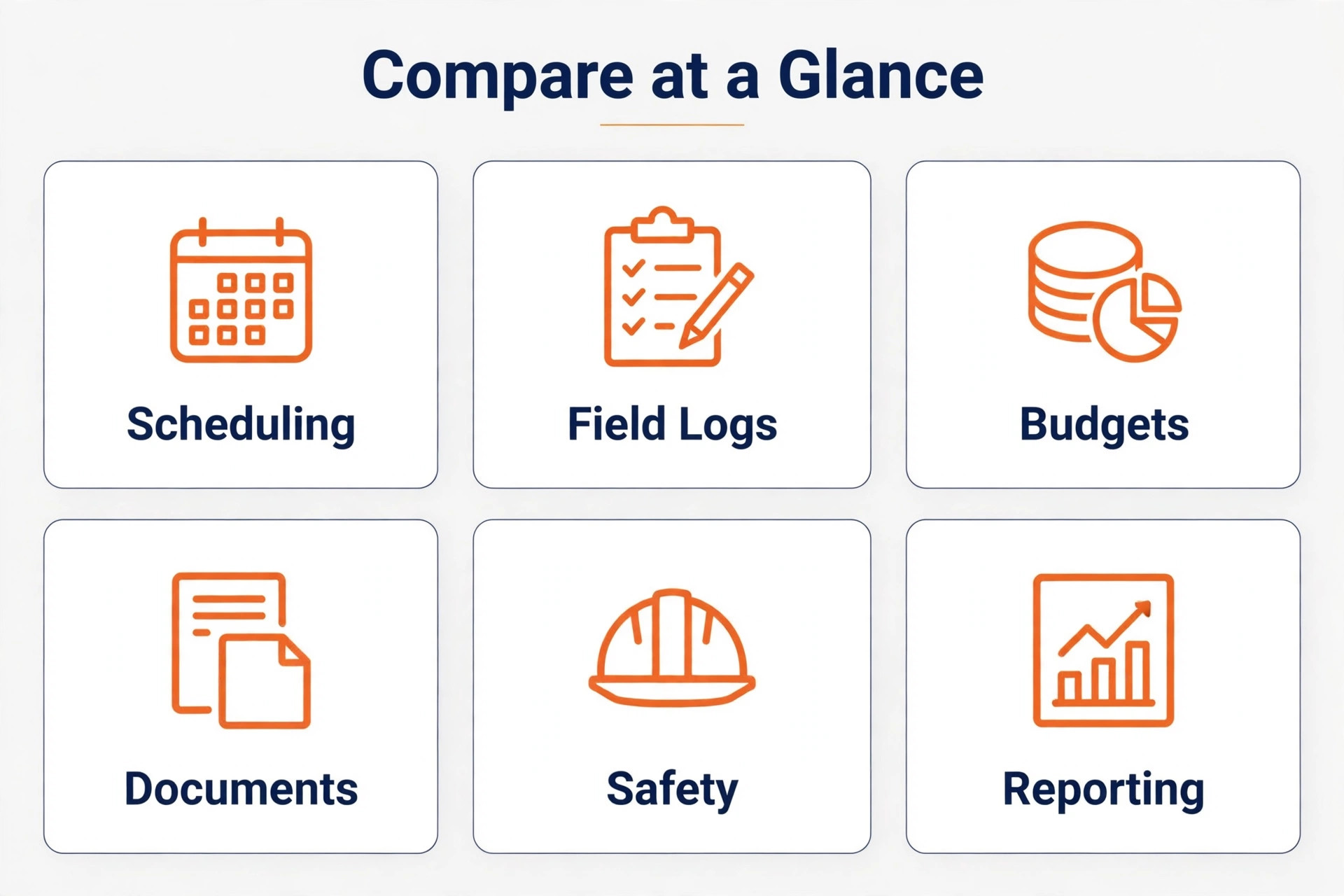
Why the best project management software for construction teams Looks Different From General Tools
A construction project has more document types than a normal project. Drawings carry revisions, submittals need approvals, RFIs need answers with dates attached, and daily logs become evidence when a dispute starts. A tool without revision control lets two crews build from two versions of the same drawing, and that mistake costs far more than any subscription.
Money control is the second difference. Job costing must track committed costs, change orders, and draws against the original budget in real time. A system that only tracks tasks will look busy while the job quietly goes over budget. The strongest tools in this guide tie the schedule, the documents, and the money to the same job record.
Field adoption decides everything else. If foremen will not open the app in dust, gloves, and poor signal, the office gets stale data and stops trusting the system. Offline access, fast photo capture, and a mobile view that works with one hand matter more than a long feature list that only looks good in a demo.
6 Tools, Reviewed One by One
Each tool below gets the same treatment. What it does well, where it falls short, what it costs at a realistic starting point, and who should choose it or skip it. Prices are starting points only, so check the vendor page before you buy.

Buildertrend
Buildertrend is the pick for residential builders and remodelers. Scheduling, estimating, budgets, selections, change orders, daily logs, purchase orders, and a homeowner portal share one job record, which cuts the phone calls that eat a builder’s week. Pricing is from about $299 a month on some published comparisons, with other sources listing higher current plans, so check the vendor page.
The strength is clear in daily use, and the limit is equally clear. The system is built for residential work, so commercial firms with heavy RFI and submittal volume will find its formal document workflows thinner than Procore or Autodesk Build. That trade off matters more than any single feature, because it decides whether the tool still fits after six months of real work.
Choose Buildertrend if the business matches a residential firm running several jobs at once with active homeowners. Skip it if the situation looks more like a commercial contractor whose main need is formal RFI and submittal control, because a cheaper or more specialised tool will serve that job better.
Procore
Procore is the pick for commercial general contractors. Drawings, RFIs, submittals, punch lists, daily logs, budgets, and change orders live in one system with unlimited users, which matters when dozens of subcontractors need access without per seat penalties. Pricing is priced by quote based on annual construction volume, with third party reports putting small accounts in the hundreds of dollars a month and larger accounts far higher, so check the vendor page.
The strength is clear in daily use, and the limit is equally clear. Cost and implementation time are the barriers. Smaller firms will pay for depth they never use, and onboarding can take weeks rather than days. That trade off matters more than any single feature, because it decides whether the tool still fits after six months of real work.
Choose Procore if the business matches a commercial general contractor with dedicated project managers. Skip it if the situation looks more like a two truck remodeler or a firm under about ten projects a year, because a cheaper or more specialised tool will serve that job better.
Fieldwire by Hilti
Fieldwire by Hilti is the pick for field crews that live on drawings. Plan markup, field tasks, punch lists, photos, and checklists work well on mobile, and the free tier lets a small crew test real field workflows before paying anything. Pricing is a free basic plan, with paid plans reported from about $29 per user a month, so check the vendor page.
The strength is clear in daily use, and the limit is equally clear. Scheduling, budgeting, and financial depth are weak next to full project management platforms, so the office still needs another system for money and planning. That trade off matters more than any single feature, because it decides whether the tool still fits after six months of real work.
Choose Fieldwire by Hilti if the business matches a field first team that mainly needs plans, tasks, and punch lists on mobile. Skip it if the situation looks more like a firm that wants estimating, job costing, and client billing in the same tool, because a cheaper or more specialised tool will serve that job better.
Contractor Foreman
Contractor Foreman is the pick for budget focused small contractors. Estimating, scheduling, daily logs, time tracking, invoices, and client communication come in one low priced package, which gives a small firm a single system without an enterprise bill. Pricing is from about $49 a month on published comparisons, so check the vendor page.
The strength is clear in daily use, and the limit is equally clear. The interface feels dated next to newer tools, and some integrations are thinner, so firms with complex accounting needs should test the accounting link during the trial. That trade off matters more than any single feature, because it decides whether the tool still fits after six months of real work.
Choose Contractor Foreman if the business matches a small contractor that wants one affordable all rounder. Skip it if the situation looks more like a firm that needs polished client facing design or deep enterprise integrations, because a cheaper or more specialised tool will serve that job better.
Autodesk Build
Autodesk Build is the pick for design build and BIM heavy teams. Scheduling, document control, cost management, and safety tools connect directly to Revit and AutoCAD models, which keeps design data and construction data in the same workflow. Pricing is priced by quote, with third party reports around $480 per user a year for some plans, so check the vendor page.
The strength is clear in daily use, and the limit is equally clear. The Autodesk ecosystem buy in is real, and firms without BIM workflows will pay for model depth they never open, while setup complexity slows smaller teams. That trade off matters more than any single feature, because it decides whether the tool still fits after six months of real work.
Choose Autodesk Build if the business matches a design build firm already working in Autodesk tools. Skip it if the situation looks more like a residential builder with no BIM workflow, because a cheaper or more specialised tool will serve that job better.
JobTread
JobTread is the pick for general contractors who watch the budget daily. Estimating, change orders, job costing, purchase orders, and payment applications run from one job record, with customer and subcontractor portals included for communication. Pricing is from about $199 a month plus about $20 per internal user on published comparisons, so check the vendor page.
The strength is clear in daily use, and the limit is equally clear. There is no self serve free trial on some reports, so the buying decision depends on a demo rather than hands on testing, and firms should insist on a trial project before signing. That trade off matters more than any single feature, because it decides whether the tool still fits after six months of real work.
Choose JobTread if the business matches a general contractor whose main pain is budget drift. Skip it if the situation looks more like a firm that wants a free trial before any sales conversation, because a cheaper or more specialised tool will serve that job better.
Pricing and the Real Monthly Total for Construction Teams
Pricing for best project management software for construction teams only makes sense as a total, because base fees, per person charges, add ons, and payment or processing costs combine into a bill far larger than the advertised starting price.
Expect three pricing shapes in this market. Flat monthly plans suit residential builders with large crews, because adding a foreman costs nothing extra. Per user plans suit small firms with a tight office team, but they punish growth as every field login adds to the bill. Quote based enterprise plans suit commercial general contractors, but they hide the real cost until a sales call.
Add implementation to the first year budget. Data migration, template setup, and training a field crew take weeks, and some vendors charge for onboarding on top of the subscription. A cheap plan that nobody adopts is the most expensive option in this guide, because the firm pays for it and still runs the job on text messages.
Check what sits behind the headline price before signing. Extra charges often appear for additional projects, storage, advanced financials, or integrations with accounting software. Ask for the total at your project count and user count, in writing, and compare that figure rather than the advertised starting price.
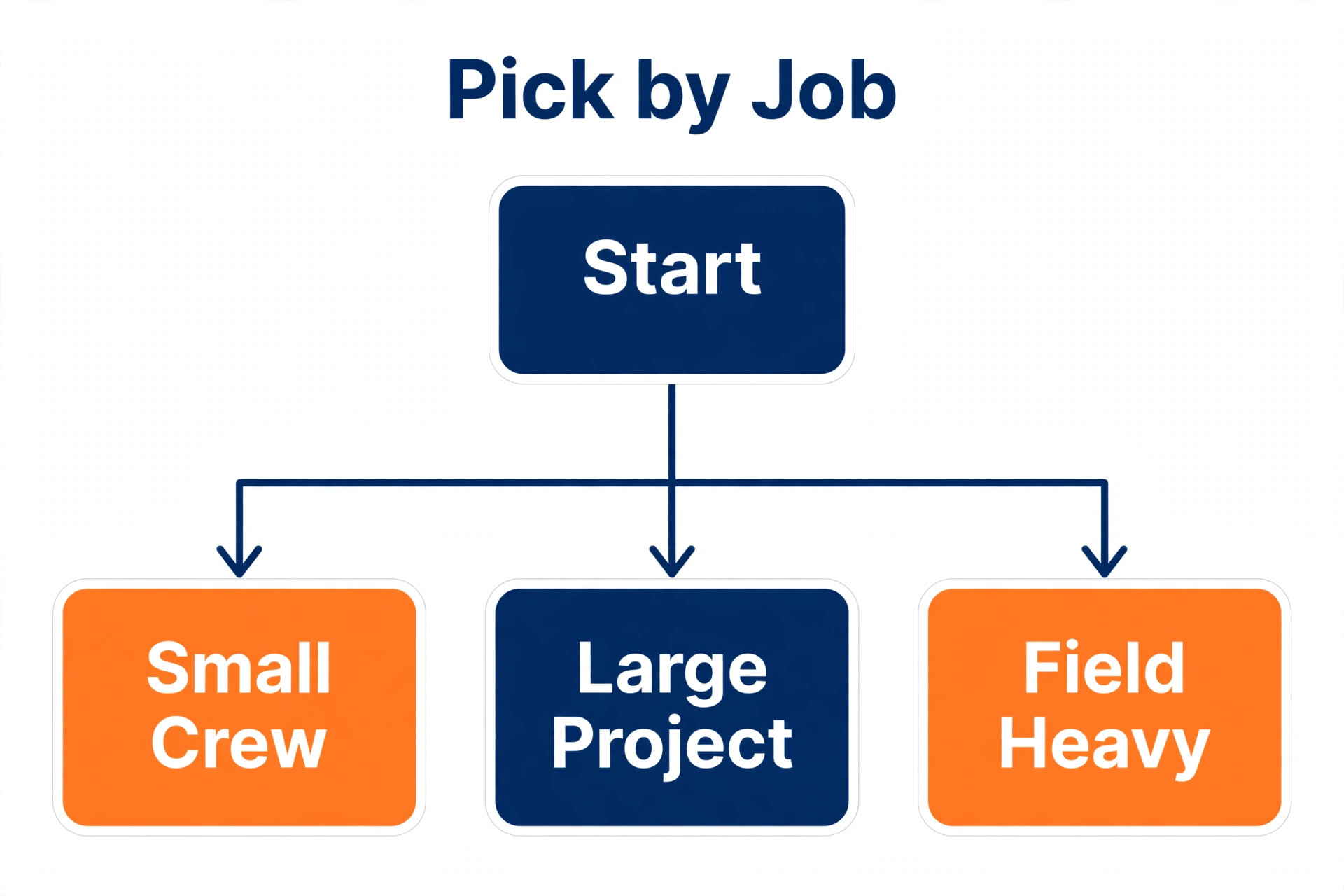
Best Pick by Construction Job
| Job | Pick | Why it fits |
|---|---|---|
| General contractor | Procore | Formal RFIs, submittals, and document control at commercial scale. |
| Subcontractor | Fieldwire by Hilti | Fast field tasks and plan markup without paying for office depth it will not use. |
| Remodeler | Buildertrend | Homeowner portal, selections, and change orders in one residential system. |
Choosing best project management software for construction teams by job avoids the trap of buying the highest rated tool overall, because the tool that wins for one job can lose badly for a different job in the same business.
Use this table to narrow the shortlist to one winner for the actual job, rather than the highest rated tool overall. A tool that wins for one job can lose badly for another, and the table keeps that distinction visible.
Checklist Before Construction Teams Buy
Work through this checklist for best project management software for construction teams before signing, because each item catches a problem that is cheap to find in a trial and expensive to fix after a rollout.
Confirm the tool handles drawing revisions, so the field never builds from an old version.
Test the mobile app on site, with gloves and weak signal, before you trust any demo.
Run one real job end to end in the trial, including a change order and a draw.
Check the accounting integration with your actual chart of accounts, not a sample file.
Get the total price at your project count and user count in writing before signing.
Ask how data exports work, so drawings, logs, and budgets leave cleanly if you cancel.

Mistakes That Cost Construction Teams Time and Money
Most buyers of best project management software for construction teams make the same three mistakes, and each one is avoidable with a trial that uses real data rather than sample data.
The most common mistake is buying for the office and ignoring the field. A system that project managers love and foremen avoid produces beautiful reports based on stale data. Adoption in the field is the product, and everything else is decoration if the daily log is a week old.
The second mistake is skipping the accounting test. Estimating and scheduling demos always look good, but the job costing link is where implementations fail. If costs do not flow cleanly into the accounting system, the office keeps a shadow spreadsheet and the software becomes a second job.
The third mistake is signing a long term deal before the first job closes. Construction software reveals its real limits only under live pressure, with a real change order, a real delay, and a real dispute over a drawing revision. A short initial term protects the firm while those limits surface.
How to Test Construction Software Before You Buy
Support quality deserves a direct test during the trial, not a glance at a marketing page. Submit a real question about a drawing revision or a change order workflow, note how long a useful answer takes, and check whether support hours cover the field’s working hours rather than only office hours.
Template setup is where most firms either save weeks or lose them. Build one standard job template with your usual phases, checklists, and document folders before rolling the tool out to every crew, then copy that template for the next job instead of rebuilding the structure each time.
Reporting should answer three questions without manual work. Which jobs are over budget, which RFIs are overdue, and which punch items block closeout. If a tool needs a spreadsheet to answer those questions, its reporting is decoration rather than control.
What to Ask on a Construction Demo
Ask the vendor to run your real workflow, not a polished sample, because demos hide the exact steps that cause trouble later. Bring one real project, one real employee file, or one real class timetable, and watch how many clicks each task takes from start to finish.
Ask who owns support after the sale, and how fast a useful answer arrives during working hours. A vendor that answers quickly during a trial often slows down after payment, so note response times now and ask for the support hours and channels in writing.
Ask about contract length, renewal behaviour, and price changes at renewal, because the first year price rarely survives untouched. A tool that looks affordable on a twelve month deal can become expensive in year two, and that renewal figure belongs in the first comparison.
Setup in the First 30 Days on Site
Start with one team, one location, or one project, rather than rolling the tool out everywhere on day one. A small pilot surfaces template problems, permission mistakes, and training gaps while they are still cheap to fix, and the pilot team becomes the internal help desk for the wider rollout.
Build templates before adding volume, because a tool without templates forces every user to reinvent the same structure. Create the standard job, employee record, project, or class timetable once, test it on a real case, and only then copy it for the next case.
Schedule a review at day 30 with real usage data, not opinions. Check how many records are complete, how many tasks or hours are missing, and which features nobody opened. Cut the unused features from training, fix the missing data process, and only then expand to the next team or location.
Getting More From Construction Software After Launch
Review security and access controls before adding sensitive records, because a tool that everyone can edit will soon hold data nobody trusts. Set roles for admin, manager, and field or frontline users, test what each role can see and change, and remove access promptly when staff leave.
Check integration depth with the tools already in daily use, because a new system that sits apart from email, calendar, accounting, or point of sale creates double entry. Test the integration with real records during the trial, not with sample data that hides mapping problems.
Plan data migration as a project of its own, with a clear owner and a deadline, because importing years of messy history without cleaning it simply moves the mess. Migrate active records first, archive old records separately, and verify counts after import before going live.
Test reporting with the questions managers actually ask each week, rather than admiring a dashboard in a demo. If a report needs a spreadsheet to answer a basic question about cost, hours, or bookings, the reporting is decoration rather than control.
Confirm renewal terms, price change notice periods, and cancellation steps in writing before signing, because the cheapest first year can become the dearest second year. Note the renewal date in a calendar the business actually checks, so it never renews by surprise.
Train with real tasks, not feature tours, because users remember a workflow they completed themselves and forget a tour they watched. Give each team one real case to complete in the tool, then review the result together before the next team starts.
Ask about data ownership and export formats early, because a tool that holds records hostage at renewal time creates a long term cost. Test an export during the trial, keep a local archive, and confirm that history, balances, and documents leave in usable formats.
Watch total cost over two years, not one month, because implementation, training, add ons, and renewal increases change the ranking. A tool that costs more monthly but needs no add ons can be cheaper over two years than a cheap plan with paid extras.
Check mobile performance on the devices staff actually carry, including older phones and weak signal, because a tool that works in the office and fails on site will be abandoned by the people whose data matters most.
Set a single owner for the system after launch, because a tool with no owner drifts into inconsistent use, duplicate records, and stale templates. The owner need not be technical, but must review usage monthly and fix the small problems before they become habits.
Submittal tracking deserves its own trial test, because a submittal that sits unanswered for two weeks can stall a whole trade sequence. Log a sample submittal, send it through the approval chain, and check that overdue items surface automatically rather than waiting for someone to remember them.
Daily log quality improves when the form matches the site, not the office template. Customise log fields for weather, crew count, work completed, and issues encountered, then check that photos attach to the correct day and location without extra steps for the foreman.
Change order discipline protects margin more than any single feature in this category. Test how a change moves from field request to priced proposal to signed approval, and confirm that the approved amount flows into the budget automatically rather than needing manual rekeying.
Safety documentation also belongs in the same job record, because incident reports, toolbox talks, and inspection sign offs are easier to find when they sit beside daily logs and drawings. Test that safety forms work offline on site, so a crew never delays a report because the app needs a signal it does not have.
The Verdict for Construction Teams
The verdict for best project management software for construction teams depends on the job, not on a single overall winner, so match the recommendation below to the actual work before buying.
For most residential builders, Buildertrend is the safest first buy, because it covers scheduling, selections, change orders, and the homeowner portal in one flat priced system. For commercial general contractors with real RFI volume, Procore is the standard, and its price makes sense once project volume and subcontractor count grow past what smaller tools handle well.
Smaller firms should start with Contractor Foreman or Fieldwire and upgrade only when a specific limit bites, such as weak job costing or missing submittal workflows. Buy for the jobs you will run next year, not the jobs you wish you ran, and recheck the decision after two completed projects rather than locking in for three years on day one.
Frequently Asked Questions
These questions cover the points buyers of best project management software for construction teams ask most often, with answers based on the pricing and feature trade offs in the sections above.
How much should a small contractor pay for construction project management software
A small firm can start near $49 to $199 a month on the tools in this guide, before per user charges. A residential builder on a flat plan should expect a few hundred dollars a month, while a commercial contractor on a quote based platform should budget well into four figures once volume and users are counted.
Is Procore worth it for a small firm
Usually not at the start. Procore earns its price when RFI volume, subcontractor count, and project value grow past what smaller tools handle cleanly. A small firm should revisit Procore after outgrowing a cheaper tool, rather than starting there and paying for depth it never uses.
Can field crews use these tools without office training
The field tools in this guide are built for mobile use, but no tool works without a short training pass. Plan a single site walkthrough, a printed quick guide for daily logs and photos, and one named person in the office who answers field questions in the first month.
Do these tools replace accounting software
No, and any vendor that suggests otherwise should be questioned. The best tools integrate with accounting systems and pass job costs, invoices, and change orders across cleanly. Accounting stays the system of record for money, while project software stays the system of record for the job.
What happens to project records if we cancel
That depends on the vendor, which is why export terms matter before signing. Ask for drawings, daily logs, RFIs, photos, and budget history in usable formats, test an export during the trial, and keep a local archive of closed job records outside the system.
Should subcontractors buy their own system or use the general contractor’s
Use the general contractor’s system for project documents on that job, because split records cause version disputes. A subcontractor still benefits from its own system for estimating, scheduling across jobs, and job costing, and Fieldwire fits that second role well.
More Reading on Stratilyze
Read Best Project Management Software for the general comparison, Best Project Management Software for Interior Designers for a design led workflow, and Best Project Management Tool for Freelancers for solo project work.