
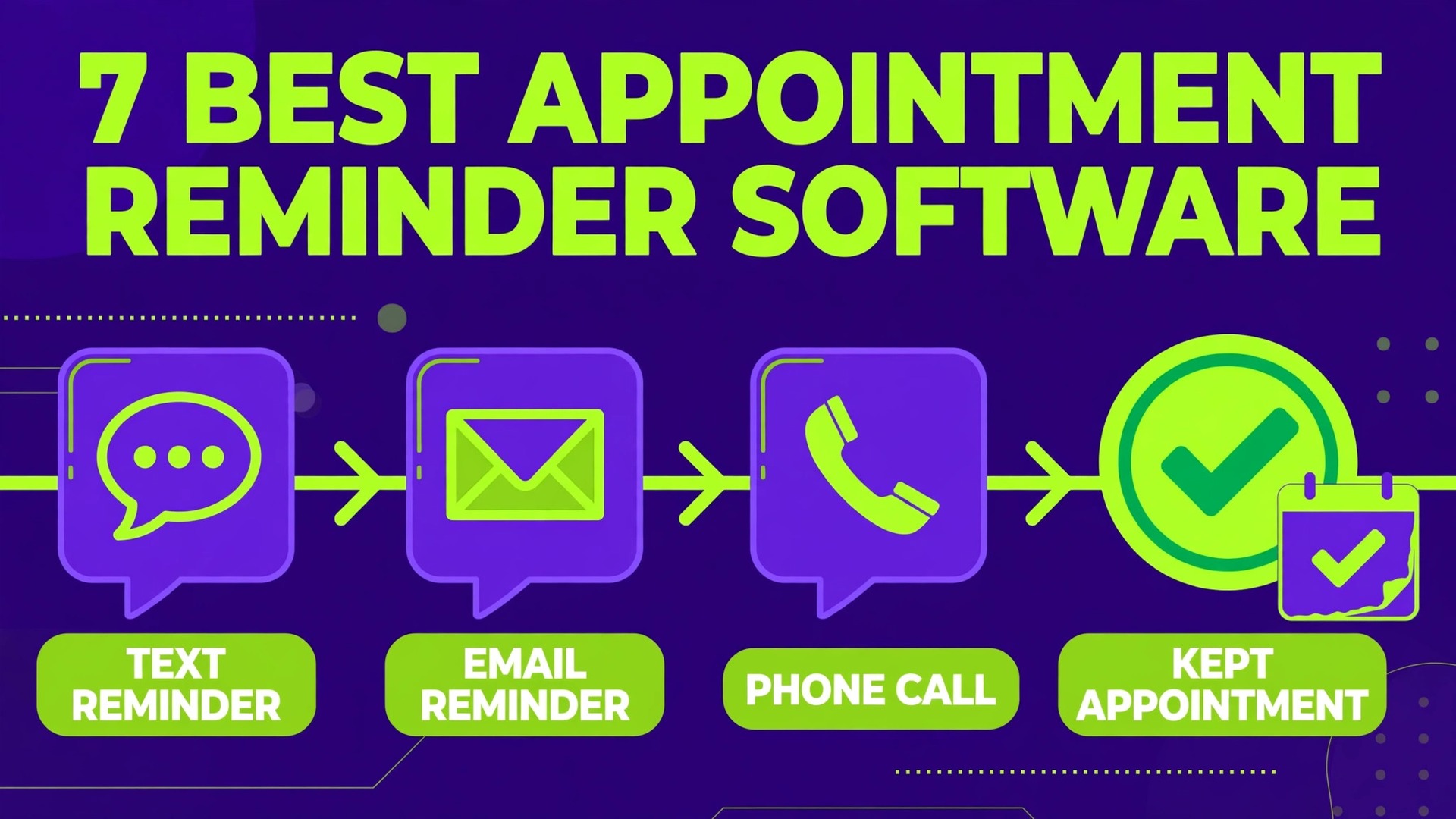
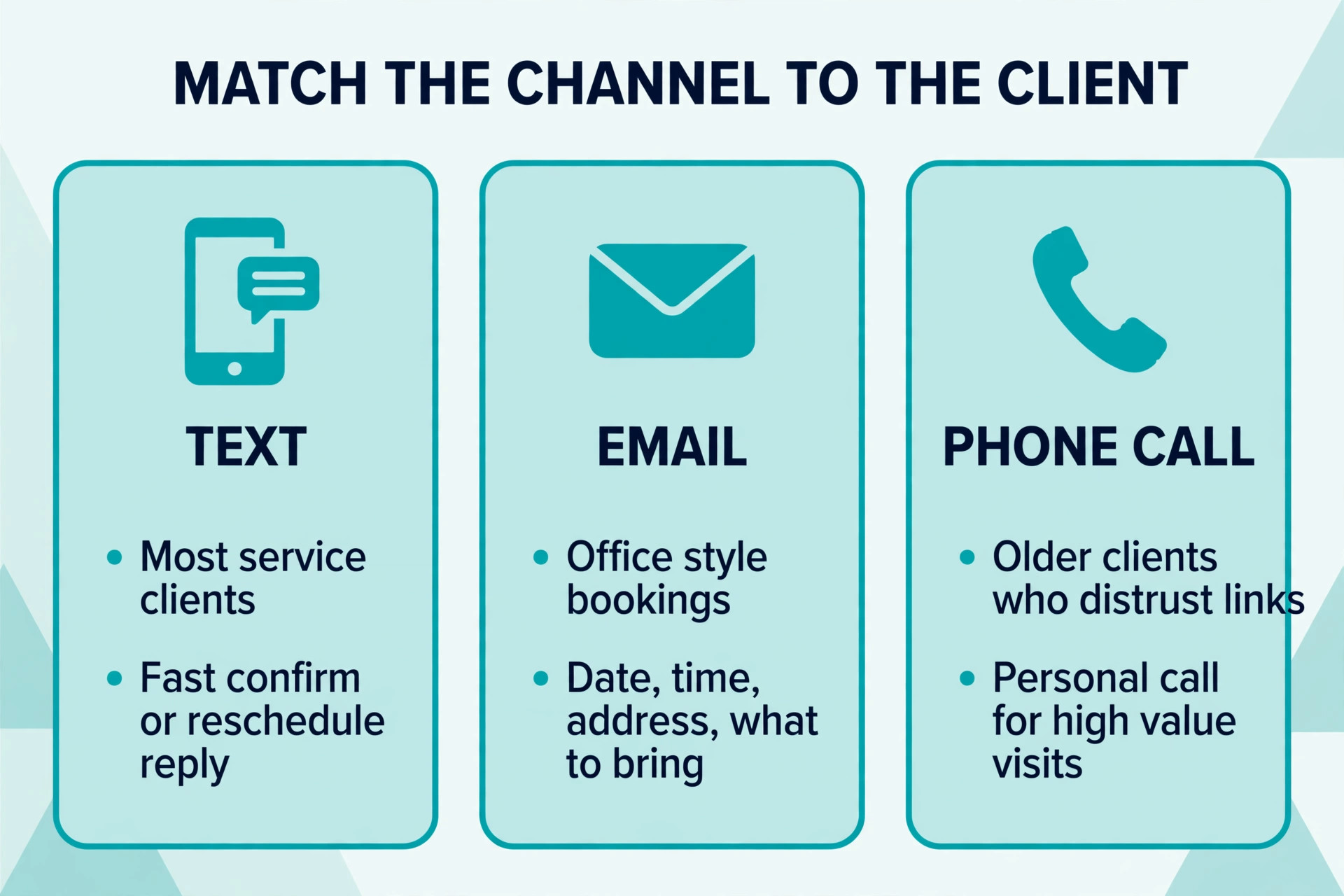
Published comparisons put GoReminders at $30 a month and Apptoto from $30 a month, while Square Appointments still offers a free plan for a single location. That spread matters because the best appointment reminder software for small business is rarely the cheapest option on a pricing page. It is the one that matches how your clients actually reply, text for most service clients, email for office style bookings, and a phone call for older clients who distrust links. This guide compares seven tools on price, reply handling, and the daily work they remove from a front desk.
Clients judge a business by how easy it is to book, pay, and get an answer, not by the software running behind the scenes. That is why the tools in this guide are judged on the client journey first and on feature lists second. A system that clients understand without instructions will be used, and a system that needs explaining will be avoided, however powerful it looks in a demo.
What best appointment reminder software for small business should do for your week
Most owners judge a new tool by its feature list, but the daily test is simpler. Does it remove a phone call, a retyped entry, or a missed follow up, and does the team use it without being reminded. A tool that passes that test for two weeks is worth more than a tool with fifty features the team never opens. Write down the three tasks you want gone before you trial anything.
A service business also needs a clear owner for the new system, because a tool without an owner drifts back to old habits within a month. That owner does not need to be technical, they need to check the diary, the queue, or the inbox daily and fix small problems early. When the owner changes, hand the role over formally, with a short note on passwords, settings, and the weekly review habit.
Measure the result after thirty days with numbers you already have, such as gaps filled, messages answered, orders completed on time, or documents received. Compare those numbers with the month before, not with a vendor promise. If the numbers moved in the right direction and the team still uses the tool, keep it. If not, change the workflow before blaming the software.

What the monthly bill really includes
Prices in this guide come from vendor comparisons and published pricing pages checked during research, and they change, so treat every figure as a starting point and confirm it on the vendor site before buying. The real question when you look at best appointment reminder software for small business is total monthly cost at your size, including messages, users, and processing, rather than the headline rate on a pricing page.
Entry prices tell only part of the story for a service business. Message credits, extra users, marketplace fees, and payment processing can add a large share to the headline price, so always model the bill at your real team size and message volume. A tool that looks cheap at one user can become the expensive option at five users, and the reverse is also true when a flat priced tool covers unlimited logins.
Annual billing usually cuts the monthly rate, but it locks a service business into a tool before the team has learned it. A safer route is a monthly start for the first two months, then a switch to yearly billing once the team uses the tool daily without prompting. That small delay costs little and avoids paying a year for a tool the team quietly abandons.
Free plans deserve a fair trial, but they also carry limits that matter for a service business, such as record caps, message limits, or missing text reminders. Test the exact workflow you will run daily, not a demo workflow, and check what happens when you hit the limit. A free plan that stops working at the busiest week is not a bargain, it is a risk.
| Tool | Starting price | Best for |
|---|---|---|
| GoReminders | from $30 a month | Lowest effort start |
| Apptoto | from $30 a month in third party comparisons | Deep control |
| Square Appointments | free for a single location | Budget solo route |
| Setmore | free for up to four users, paid plans from $12 a month | Free tier value |
| Acuity Scheduling | from $16 a month for the starter plan in vendor comparisons | Detailed setup |
| Calendly | free plan available, paid plans from $10 a month per user in most comparisons | Simple booking |
| Schedulicity | from $34.99 a month | All in one coverage |

The seven tools compared
Each tool below is judged on the same questions, what it does well, where it strains, and which size of service business should shortlist it. Prices are starting points from published comparisons, not quotes, and higher tiers change both price and features. Trial the top two on your real workflow before deciding, because a trial on your own data reveals problems a demo never shows. That trial is the most reliable way to judge best appointment reminder software for small business.
GoReminders
GoReminders keeps the setup deliberately simple. Owners build a reminder template, connect a calendar, and send text and email reminders without a long training period. It also supports mass texting for a full day of appointments, which helps when a schedule shifts at short notice.
The trade off is clear. It does its core job well and stays out of the way, but it will not replace a broader system, so pair it with the tools you already trust rather than expecting one subscription to do everything.
- Starting price to check first. from $30 a month.
- Best first test. Run one real week of work in GoReminders before judging it.
Apptoto
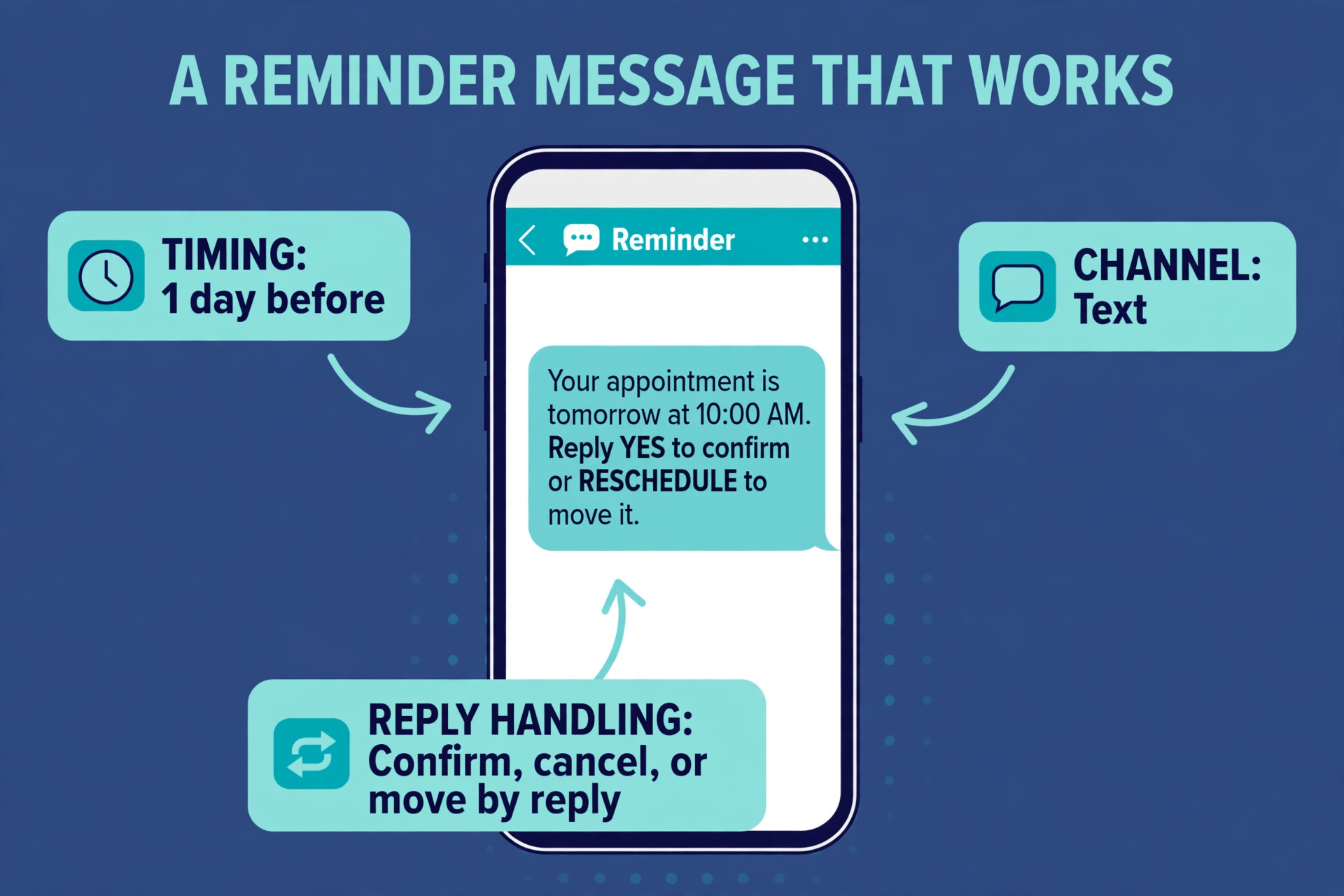
Apptoto gives small teams strong control over reminder timing and two way replies. Clients can confirm, cancel, or ask to move a booking by reply, and staff see that answer in one place. Its integrations suit firms that already run a CRM or a booking calendar and want reminders added on top.
The watch point is price growth. Entry pricing looks friendly, but add ons, extra users, and message costs can lift the bill, so model a busy month before committing and ask for a written total.
- Starting price to check first. from $30 a month in third party comparisons.
- Best first test. Run one real week of work in Apptoto before judging it.
Square Appointments
Square Appointments suits a business that already takes card payments through Square. Booking, reminders, and payment sit in the same account, so a client who books also has a payment path ready. The free single location plan makes it a low risk starting point for a solo operator.
The strength to test first is the daily habit. If staff open it every morning without prompting and clients answer its messages, it will pay for itself. If either side avoids it, no feature list will save it.
- Starting price to check first. free for a single location.
- Best first test. Run one real week of work in Square Appointments before judging it.
Setmore
Setmore offers a generous free tier for very small teams and adds paid text reminders on higher plans. Its booking page is quick to share by link, and staff calendars stay visible without extra software. It is a practical pick when the budget is tight but online booking still matters.
The limitation to accept is scope. It covers its chosen workflow deeply and leaves neighbouring jobs to other tools, which is a strength when you want focus and a weakness when you want one bill for everything.
- Starting price to check first. free for up to four users, paid plans from $12 a month.
- Best first test. Run one real week of work in Setmore before judging it.
Acuity Scheduling
Acuity Scheduling, now part of Squarespace, handles intake forms, time zones, and appointment types in depth. It works well for services that need different lengths, buffers, or preparation questions before a visit. The learning curve is steeper than simpler reminder tools, but the control is greater.
The trade off is clear. It does its core job well and stays out of the way, but it will not replace a broader system, so pair it with the tools you already trust rather than expecting one subscription to do everything.
- Starting price to check first. from $16 a month for the starter plan in vendor comparisons.
- Best first test. Run one real week of work in Acuity Scheduling before judging it.
Calendly
Calendly is best known for simple scheduling links rather than reminder campaigns. Its strength is letting a client pick a real open slot without a phone call, which cuts the back and forth that fills a front desk inbox. Reminder emails and calendar invites are included, and text reminders sit on higher plans.
The watch point is price growth. Entry pricing looks friendly, but add ons, extra users, and message costs can lift the bill, so model a busy month before committing and ask for a written total.
- Starting price to check first. free plan available, paid plans from $10 a month per user in most comparisons.
- Best first test. Run one real week of work in Calendly before judging it.
Schedulicity
Schedulicity combines booking, reminders, payments, and a marketplace listing for service businesses. Extra users cost about $10 a month each, so a small team can predict the bill as it grows. It fits salons, studios, and clinics that want bookings and payments handled together.
The strength to test first is the daily habit. If staff open it every morning without prompting and clients answer its messages, it will pay for itself. If either side avoids it, no feature list will save it.
- Starting price to check first. from $34.99 a month.
- Best first test. Run one real week of work in Schedulicity before judging it.
The workflow and template to copy
A workflow only helps if it is followed every day, so keep it short enough to remember and specific enough to check. The steps below turn best appointment reminder software for small business into a daily routine, with one owner, one weekly review, and a clear handoff when a task moves from one person to another. Print the list for the first month, then keep it as a short checklist once the habit forms.
- Write down every appointment type, its length, and the buffer it needs before touching any software.
- Import the client list with mobile numbers and email addresses, then clean duplicates and bad numbers.
- Set reminder timing at booking plus one day before plus two hours before for high value visits.
- Turn on two way replies so a client can confirm, cancel, or ask to move without calling.
- Build a waitlist for cancelled slots and fill gaps from it before the day starts.
- Add a deposit or card on file rule for repeat no shows and state it clearly at booking.
- Review the no show list every Friday and rebook lapsed clients with a short personal message.
- Test the full flow as a client, from booking link to reminder to reschedule, before going live.
A reminder cadence template you can copy
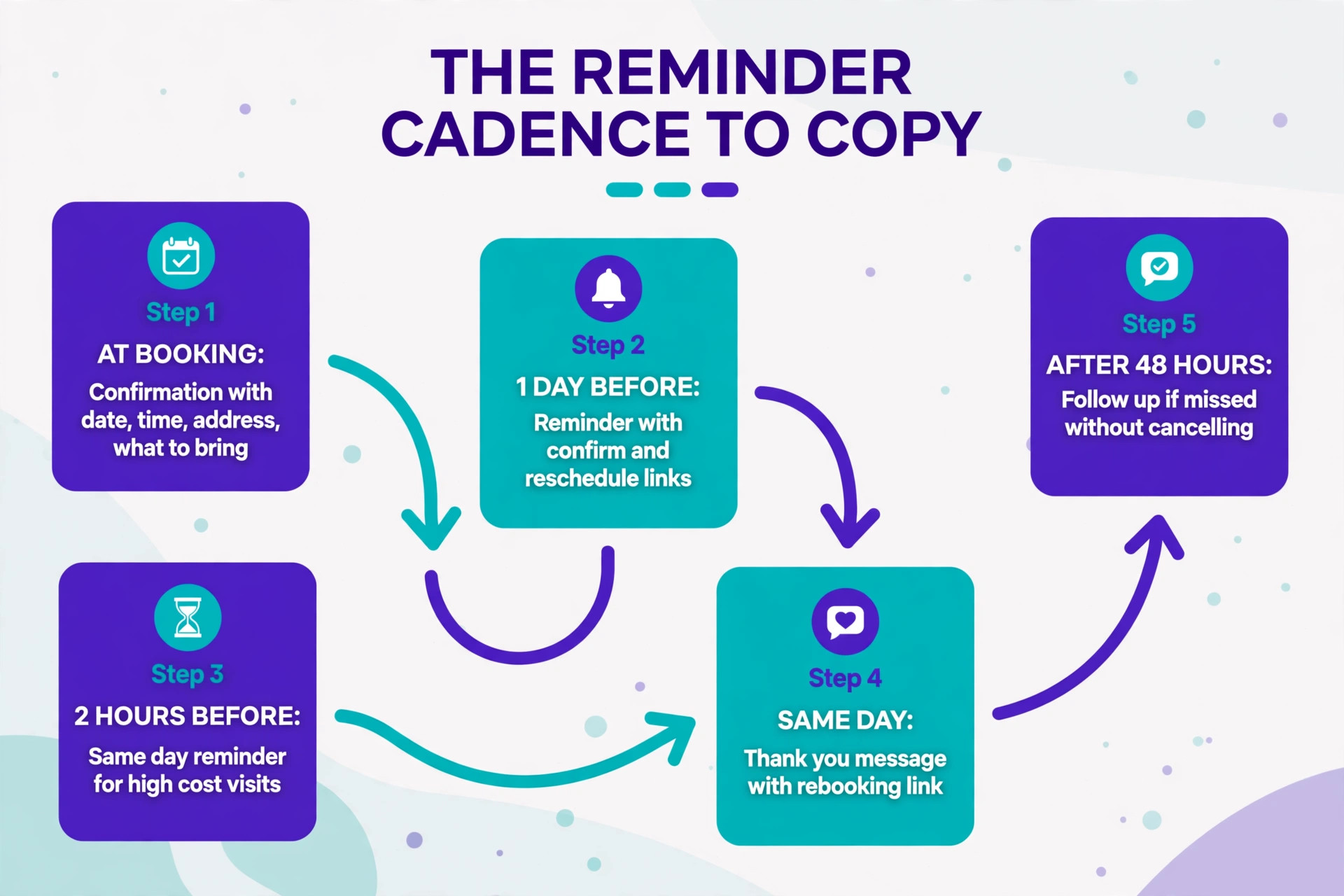
- Booking confirmation sent at once, with date, time, address, and what to bring.
- Reminder one day before, with a confirm link and a reschedule link.
- Reminder two hours before for same day services that carry a high cost when missed.
- Same day thank you message with a rebooking link for repeat services.
- Follow up after 48 hours for any client who missed without cancelling.
Use the template exactly as written for the first month, then adjust one line at a time based on what clients actually ask about. A template that changes every week never becomes a habit, while a template that never changes misses obvious improvements. The weekly review is the place to make those changes, not a rushed decision in the middle of a busy day.
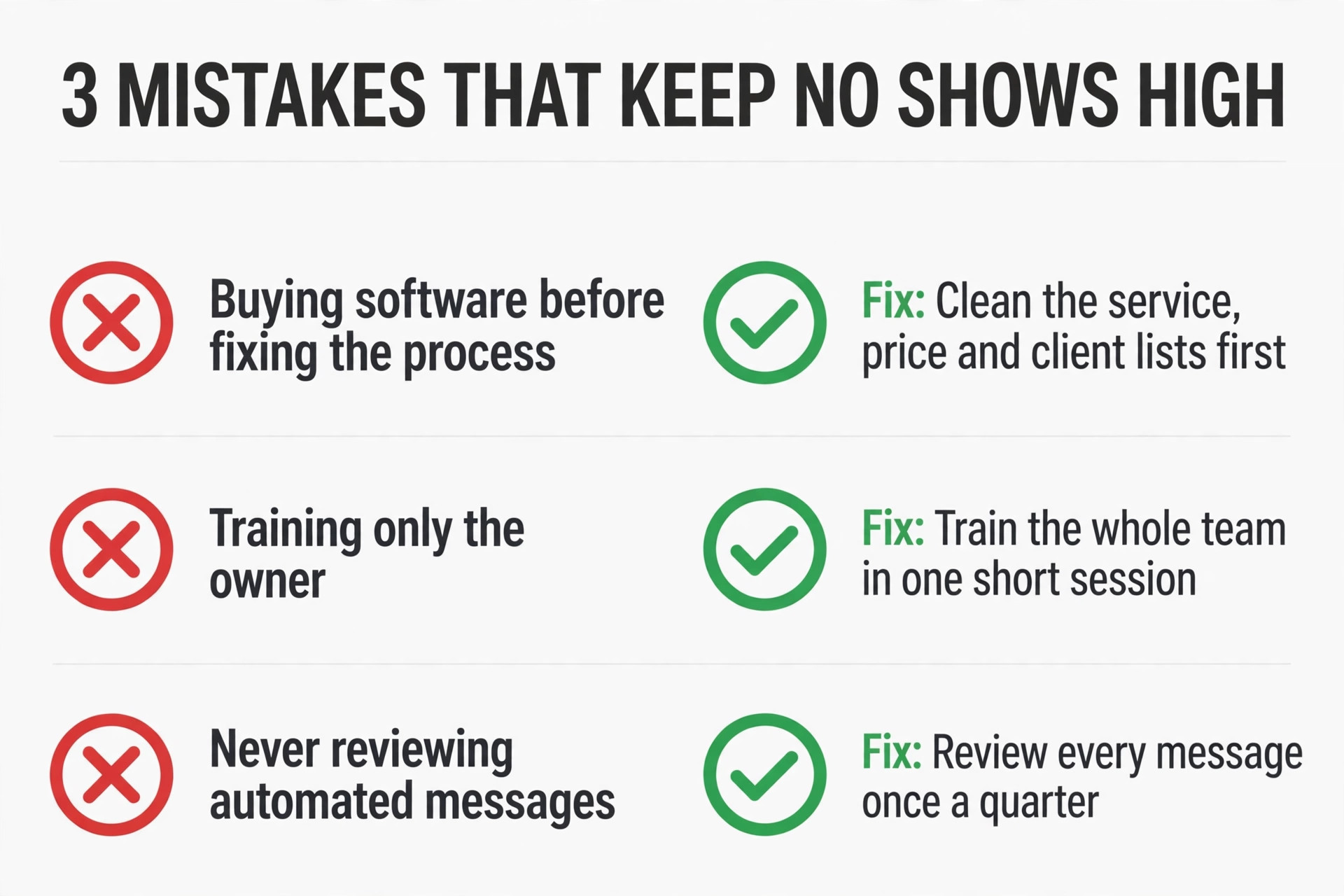
Mistakes that keep no shows high
The most common mistake for a service business is buying software before fixing the process it is meant to run. A messy service list, unclear prices, or missing client details will not improve inside a new tool, they will simply move there and cause the same problems faster. Clean the service list, the price list, and the client list first, then choose software that fits the clean version.
The second mistake is training only the owner and expecting the team to follow. Staff who were not shown the new flow will keep using the old one, and the owner ends up running two systems at once. Train the whole team in one short session, give each person one practice task, and check their work the next day while questions are still fresh.
The third mistake is setting up reminders, messages, or workflows and never reviewing them. A message that worked in January may sound wrong by June, and a reminder sent at the wrong hour may annoy clients instead of helping them. Review every automated message once a quarter, read it as a client would, and fix anything that sounds cold, vague, or pushy.
A decision checklist before you pay
Use this checklist as the final gate before you pay, because it catches the problems that only appear after launch. Work through it with the person who will run the system daily, not just the person who signs the bill, since daily users notice friction that a buyer misses. If any item fails, fix it during the trial, because it will not fix itself after payment. Choosing best appointment reminder software for small business well means passing this checklist, not just liking a demo.
- The client journey works end to end in a trial, from first contact to payment or completion.
- The monthly bill at real team size, including messages and add ons, is written down and approved.
- Staff have been trained and have completed one practice task each without help.
- Data export has been tested, so clients and history can leave in a usable format.
- One person owns the system, the weekly review, and the password and settings record.
- Automated messages have been read as a client would read them and sound human and clear.
- A thirty day success measure has been agreed, with numbers from the month before launch.
- Support response time has been tested with a real question during the trial.

A rollout plan that takes one week
Rollout is where many good tools fail, because a rushed launch teaches staff and clients to distrust the new system. The plan below keeps the change small, visible, and reversible for the first month, which is the right pace for a service business. When you plan best appointment reminder software for small business as a rollout rather than a purchase, the team has time to learn, clients have time to adapt, and problems surface while they are still easy to fix.
A one week rollout works better than a big launch for a service business, because small changes are easier to correct. Spend day one cleaning data, day two setting up the core workflow, and day three testing it as a client. Invite a small group first, fix every confusing step they report, and only then invite everyone else. That order prevents a bad first impression from spreading.
During the first month, hold a short weekly review of fifteen minutes and no more. Look at what worked, what was ignored, and what clients asked about, then make one change at a time. A tool that changes every week confuses staff, but a tool that never changes misses obvious fixes. One change a week is the right pace for a small team.
After thirty days, decide with evidence, not habit. If the team uses the tool daily, clients respond faster, and the numbers you chose at the start moved in the right direction, commit to it and move to yearly billing if the saving is real. If not, write down exactly what failed, because that note is the brief for the next tool you trial, and it stops the team repeating the same mistake.
Training deserves a full morning, not a rushed video link sent the night before launch. Sit the team down together, walk through one real job from start to finish, and let each person try the same job themselves while questions are still easy to ask. People remember a task they have done once far better than a task they have only watched, and that memory is what keeps the new system alive on a busy day.
Peak weeks reveal the truth about any system, because quiet weeks forgive slow tools and busy weeks punish them. Before a peak period, test the workflow at double the normal volume, even if that test is only a paper exercise with sample bookings or orders. A bottleneck found in a test costs an hour to fix, while the same bottleneck found during a peak week costs clients and reputation.
Client communication improves fastest when messages are short, specific, and sent at the right hour. A reminder that arrives at midnight feels careless, while the same reminder at a sensible hour feels helpful, so check the sending times in every tool you trial. Small details like that decide whether clients see your messages as a service or as noise, and the difference shows up in reply rates within weeks.
Data hygiene is unglamorous work, but it decides whether a new system helps or misleads. Duplicate client records, old phone numbers, and outdated prices will follow you into any tool you buy, so clean them before migration and keep a simple rule for new entries. One person should own that rule, because a shared rule with no owner is a rule nobody follows.
A monthly review of thirty minutes is enough to keep a system honest, provided it happens every month without fail. Look at the numbers you chose at launch, read three recent client messages, and ask staff what still takes too long. Then make one improvement and write it down, because a written log of small improvements becomes a record of progress that a team can be proud of.
Pricing pages change, and a tool that was good value last year may not be good value today, so recheck the bill once a year against two rivals. That check does not mean switching every year, it means knowing whether you are still getting fair value for what you pay. A loyal customer who never checks the market pays more over time, while a customer who checks yearly negotiates from knowledge.
Security and privacy deserve attention even for a small firm, because client names, phone numbers, and payment details are sensitive in any business. Check who can see what inside the tool, remove access when staff leave, and avoid storing payment details in notes or spreadsheets. A simple permission review every quarter prevents most of the problems that small firms actually face.
When a tool fails on a busy day, the recovery plan matters more than the apology, so write it down before launch. Note who to call, how to reach clients without the tool, and how to keep work moving on paper for a few hours. A team with a written fallback stays calm, while a team without one improvises under pressure and makes mistakes that outlast the outage.
A short weekly habit beats a grand relaunch, because small firms improve by steady repetition rather than by sudden change. Keep the review short, keep the notes written, and keep the team involved in every decision that affects their daily work, and the system will stay useful long after launch day.
A short weekly habit beats a grand relaunch, because small firms improve by steady repetition rather than by sudden change. Keep the review short, keep the notes written, and keep the team involved in every decision that affects their daily work, and the system will stay useful long after launch day.
A short weekly habit beats a grand relaunch, because small firms improve by steady repetition rather than by sudden change. Keep the review short, keep the notes written, and keep the team involved in every decision that affects their daily work, and the system will stay useful long after launch day.
A short weekly habit beats a grand relaunch, because small firms improve by steady repetition rather than by sudden change. Keep the review short, keep the notes written, and keep the team involved in every decision that affects their daily work, and the system will stay useful long after launch day.
A short weekly habit beats a grand relaunch, because small firms improve by steady repetition rather than by sudden change. Keep the review short, keep the notes written, and keep the team involved in every decision that affects their daily work, and the system will stay useful long after launch day.
A short weekly habit beats a grand relaunch, because small firms improve by steady repetition rather than by sudden change. Keep the review short, keep the notes written, and keep the team involved in every decision that affects their daily work, and the system will stay useful long after launch day.
Frequently Asked Questions
How long does setup usually take?
Most small firms get a basic setup running in a few days, with a full rollout taking one to two weeks. Data cleaning takes longer than software setup, so start with the client and service lists. A trial that covers one real week of work gives a fairer verdict than a demo alone. That test matters most for best appointment reminder software for small business, because a tool that handles a real week well is the tool to keep.
What should I check before paying for a year?
Check the monthly price at your real team size, including message credits, extra users, and payment fees. Confirm what happens when you hit a plan limit, and ask how exports work if you leave. Yearly billing only makes sense after a month of daily use by the whole team.
Can a small team run this without a technical person?
Yes, provided one person owns the system and checks it daily. Modern tools in this guide are built for non technical owners, with templates and support included. The risk is not technical skill, it is nobody owning the weekly review, so assign that role on day one.
How do I know if it is working after a month?
Pick three numbers before you start, such as gaps filled, messages answered on time, or orders completed without rework. Compare the month after launch with the month before, and ask staff and clients what still feels slow. Numbers plus honest feedback give a clearer verdict than any vendor dashboard.
Message credits, marketplace fees, and add on modules are the usual surprises, because they sit outside the headline price. Model a busy month, not a quiet one, and ask for a written quote that lists every add on you will use. A tool with a higher base price can still be cheaper than a low price tool with many add ons.
Should I switch tools if the first choice disappoints?
First change the workflow, because many disappointments come from an unclear process rather than bad software. If the workflow is clean, the team is trained, and the numbers still do not move after thirty days, switch with your export in hand. A second trial informed by the first failure usually lands much faster.
The verdict
If your clients reply by text, start with GoReminders or Square Appointments. If you need deep control over appointment types and intake, Acuity Scheduling earns its higher effort. Either way, run the one week rollout in this guide before judging results, because reminder gains show up in the second week once clients learn the new reply habit.
Start with a two week trial of the top two tools on your shortlist, run the same real week in both, and choose the one your team and your clients both found easy. That test, repeated honestly, beats any ranking, and it is the most reliable way to settle best appointment reminder software for small business for your business.
More Reading on Stratilyze
For related help, read how small firms automate routine admin work, a roundup of scheduling apps for small teams, a guide to small business CRM options.