
Square Online costs nothing to start, while ChowNow charges a substantial monthly fee, and the cheaper option is not always the cheaper business decision. That contrast is the heart of best online ordering software for bakeries, because a bakery pays for ordering in subscription fees, processing fees, customer fees, and lost orders, and only the total across all four tells the truth. A free tool that loses holiday pre-orders costs far more than a paid tool that captures them.
A bakery is not a standard restaurant. Breads sell out by mid morning, cakes need days of notice, holiday boxes open for pre-order weeks ahead, and production capacity caps how many orders the kitchen can accept each day. An ordering tool that cannot set cutoffs, cap daily production, and handle custom cake modifiers will create phone calls, disappointed customers, and wasted stock. The tools below were judged on bakery workflow, cutoff control, production caps, fees, and the real monthly cost at a realistic order volume.
Prices come from vendor pricing pages and reputable comparison pages checked during research, and they move often. Treat every price as a starting point and confirm it on the vendor page before you buy, especially where order caps, setup fees, or managed plan pricing change the total.
Six Ordering Tools at a Glance
| Tool | Starting price | Best for |
|---|---|---|
| Square Online | Free, paid from 29 dollars a month | Square POS bakeries and free starts |
| Toast Online Ordering | From 69 dollars a month, plus POS | Toast POS bakeries |
| ChowNow | From 229 dollars a month annual | Branded app and steady direct orders |
| Restolabs | 55 dollars a month annual | Long pre-orders and modifiers |
| UpMenu | 49 dollars a month for 75 orders | Website plus ordering plus marketing |
| Menufy | Free, 1.75 dollars customer fee | No subscription testing |
Read the table as a shortlist, not as a ranking. The cheapest tool may suit a small bakery perfectly, while the most expensive tool may be the only one that handles branded app ordering well. Pick three finalists from the table, then read their full sections before you commit to a trial.
Why the best online ordering software for bakeries Must Handle Pre-Orders
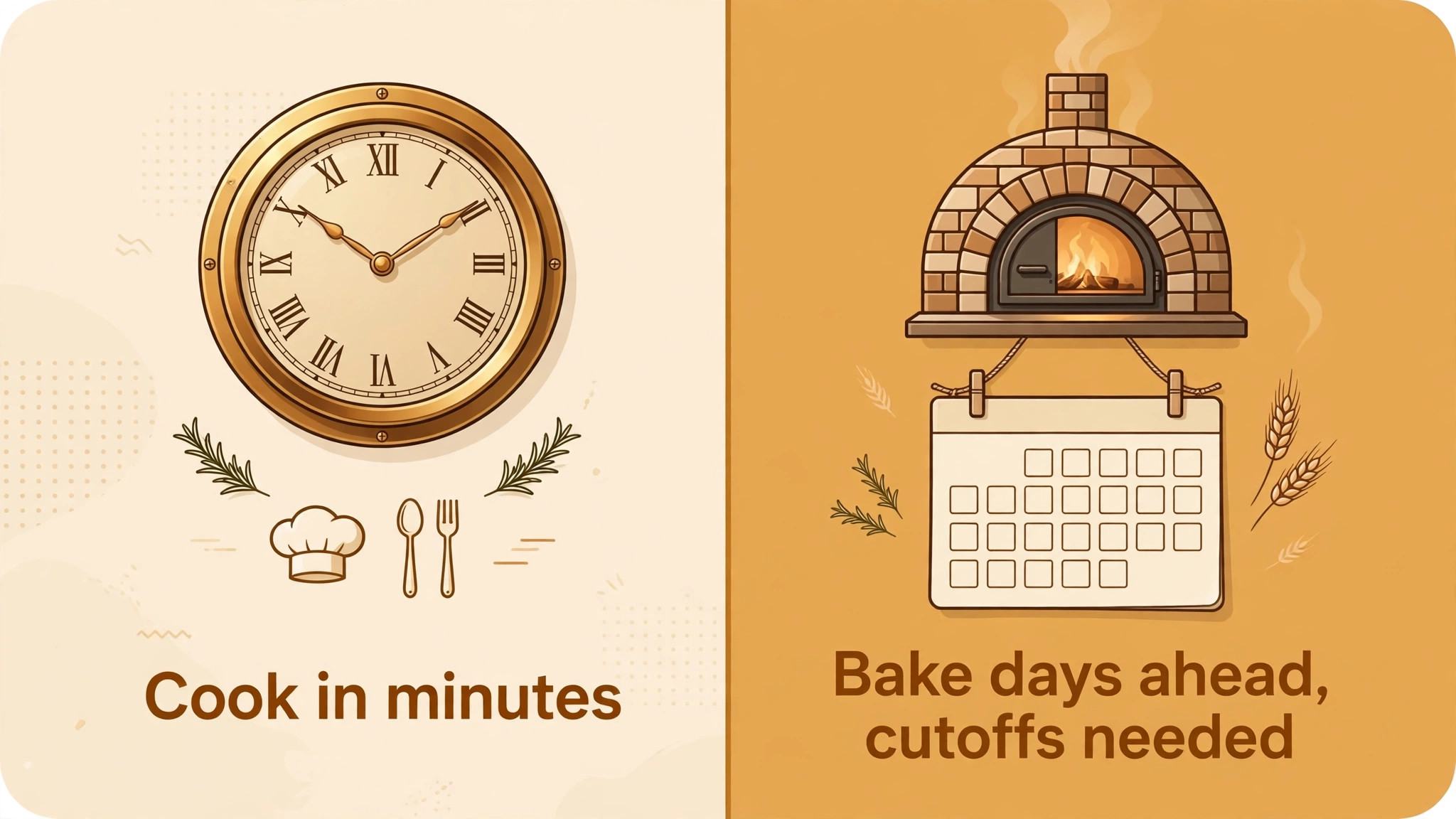
The gap starts with time. A restaurant sells food it can cook in minutes, while a bakery sells food it must bake hours or days ahead. Pre-order cutoffs protect that production schedule, because orders placed after the cutoff cannot be baked in time without overtime or rushed quality. A tool without clear cutoff control forces staff to police orders by phone, which defeats the purpose of online ordering.
The second gap is capacity. A bakery oven, a decorator, and a delivery driver each cap daily output, and an ordering tool that accepts unlimited orders will oversell the kitchen on the busiest days. Daily caps, sold out flags, and per item limits keep demand inside what the bakery can actually produce. That control matters most at holidays, when demand spikes and a single oversold weekend can damage reputation for months.
The third gap is customisation. Cakes, boxes, and gift sets carry modifiers for size, flavour, filling, message, and pickup date, and a tool that flattens those choices into a plain menu will generate clarification calls. Rich modifiers, clear pickup slots, and deposit or full payment options turn a complex bakery order into a clean production ticket. Judging best online ordering software for bakeries on subscription price alone misses all three gaps, and those gaps decide whether online ordering helps or hurts.
Each tool below is judged against the same question, which is whether it makes bakery ordering easier without breaking production. That shared test is what makes a comparison of best online ordering software for bakeries useful, because feature lists alone hide cutoff limits and order caps that only show up in real use.
Six Tools, Reviewed One by One
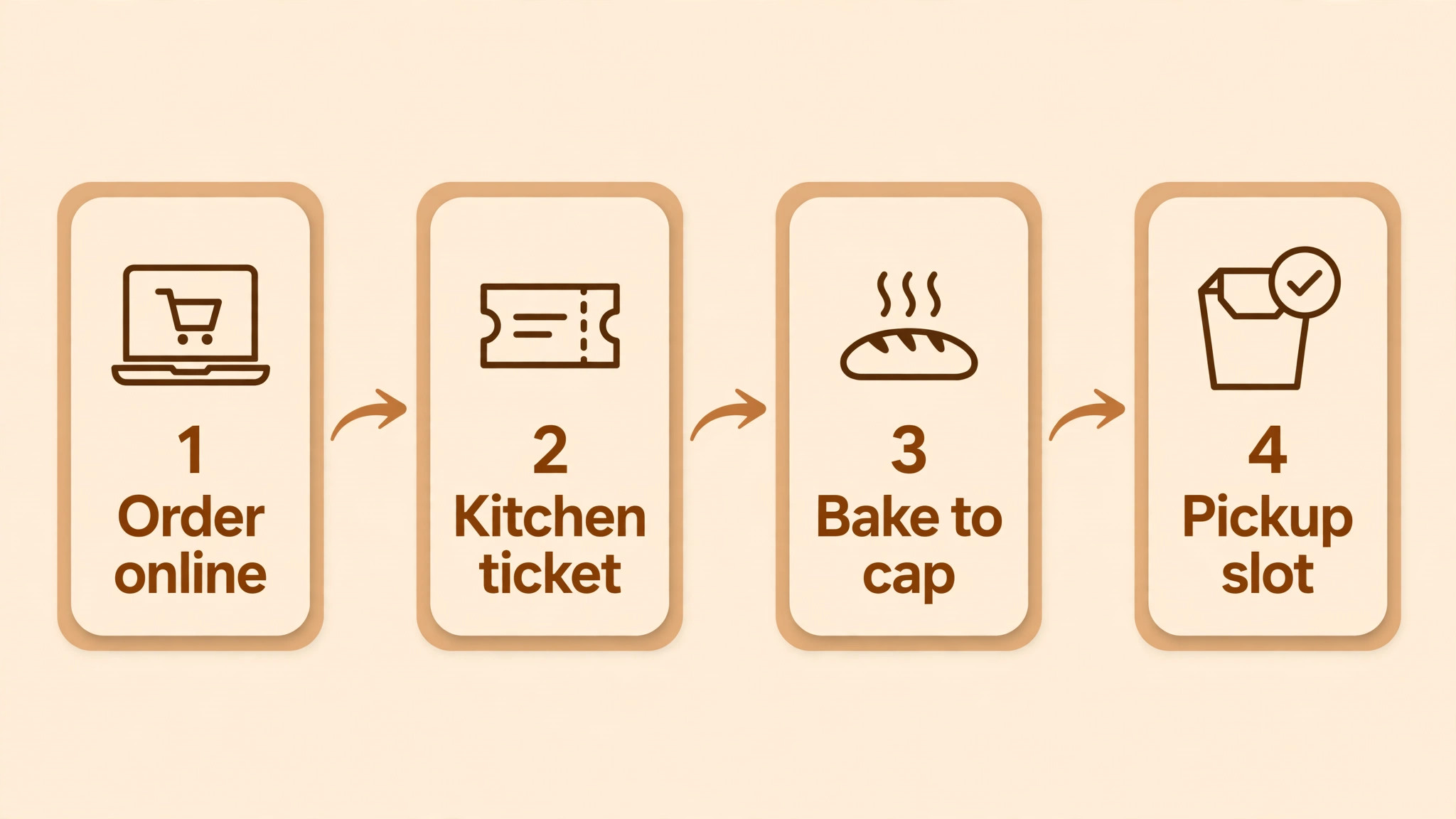
Square Online
Square Online offers a free plan for a basic ordering page, with paid plans from around 29 dollars a month in published comparisons, and card processing listed at 2.9 percent plus 30 cents per transaction in the United States, with higher rates on some paid plans. It covers a branded ordering page, pickup and local delivery, menu management, Google ordering, and native sync with Square POS and inventory. A bakery already using Square for in store sales gets ordering, payments, and stock in one system without a second vendor.
The strength is the free start and the Square ecosystem. A small bakery can publish an ordering page in a day, take pickup orders, and keep the same inventory for counter and online sales. The weakness is depth for complex bakery workflows, because pre-order cutoffs, production caps, and custom cake ordering need careful setup and sometimes workarounds. Paid plans add features and lower processing rates, so price the plan that actually covers the bakery workflow, not just the free tier.
Choose Square Online if the bakery already runs Square POS or wants a free start. Skip it if complex pre-orders and production caps are the core of the business.
Toast Online Ordering
Toast Online Ordering is an add on to Toast POS, with POS plans starting from 0 dollars a month plus hardware on entry offers, and online ordering typically quoted from around 69 dollars a month in published comparisons, so confirm the full quote on the vendor page. It covers native POS and kitchen sync, pickup, curbside, drive thru, and delivery through partners, plus order throttling, upselling, and menu management in one system. A bakery already on Toast gets online orders flowing straight to the kitchen display without a separate tablet.
The strength is kitchen integration. Orders, modifiers, and production timing stay in the same system as counter sales, which reduces missed items and double entry. The weakness is cost and commitment for a small bakery, because the full Toast ecosystem suits larger operations better than a single counter bakery. A small bakery should compare the total Toast bill, including hardware and add ons, against a standalone ordering tool before committing.
Choose Toast Online Ordering if the bakery already uses Toast POS. Skip it if the bakery is small and wants a standalone low cost ordering page.
ChowNow
ChowNow is listed from 229 dollars a month billed annually in recent comparisons, with setup fees from 119 to 499 dollars, and other comparisons showing lower monthly rates for different plans, so confirm the current quote on the vendor page. It charges 0 percent commission on eligible direct orders, with card processing at 2.95 percent plus 29 cents per transaction, and it includes a branded ordering website and app, Google ordering, marketing tools, and menu stock management. Pre-ordering up to a month ahead is available, which suits bakeries that sell seasonal boxes and holiday pre-orders.
The strength is direct ordering without marketplace commission, plus a branded app that keeps repeat customers ordering direct. The weakness is the monthly price, which is hard to justify for a bakery with low online volume. A bakery doing steady daily online orders can absorb it easily, while a bakery with only weekend pre-orders should model the fee against monthly online revenue first.
Choose ChowNow if direct orders are steady and a branded app matters. Skip it if online volume is low and the monthly fee would eat the margin.
Restolabs
Restolabs lists a Basic plan from 55 dollars a month on annual billing, or 69 dollars a month on monthly billing, with higher plans adding features and integrations. It charges 0 percent commission, and it covers branded online ordering, a website, QR ordering, pickup, curbside, in house and third party delivery, catering orders, multilingual menus, modifiers, and stock management. Pre-ordering from a day up to three months ahead is a headline feature, which fits bakeries that open holiday and event pre-orders early.
The strength is ordering flexibility at a mid range price. Payment gateway choice, modifiers for custom cakes and boxes, and long pre-order windows cover bakery needs that simpler tools miss. The weakness is that POS and third party delivery integrations sit on higher plans, so a bakery needing deep POS sync should price the higher tier, not the Basic plan. Confirm which integrations sit on which tier before signing.
Choose Restolabs if long pre-order windows and modifiers matter. Skip it if you need full POS integration on the cheapest plan.
UpMenu lists a Basic plan at 49 dollars a month for up to 75 orders a month, a Standard plan at 89 dollars a month for up to 210 orders with pre-ordering, and a Premium plan at 169 dollars a month with unlimited orders. It charges no commission on orders, and it covers a restaurant website, QR menu, menu management, online payments, tableside ordering on higher tiers, email and SMS marketing, coupons, gift cards, and inventory on Premium. That order cap structure means a bakery should pick a tier by monthly order count, not by feature wish list.
The strength is the website plus ordering plus marketing bundle at a clear price. A bakery that wants its own site, ordering, and customer marketing in one subscription gets good value, especially on Standard with pre-ordering included. The weakness is the order cap, because a busy holiday month can push a bakery past 75 or 210 orders and force an upgrade. Price the tier that survives December, not an average month.
Choose UpMenu if you want website, ordering, and marketing in one bundle. Skip it if monthly order volume swings sharply with seasons and holidays.
Menufy is free for restaurants to join, with a 1.75 dollar convenience fee paid by the customer on each order, and restaurant payment processing at 2.75 percent plus 30 cents per transaction. It covers a custom ordering website, branded mobile app options, pickup, in house delivery, and delivery through partners, plus marketing and loyalty tools on managed plans. Managed plans are listed around 149 dollars a month in some comparisons, so confirm whether the bakery needs the free self serve route or the managed service before budgeting.
The strength is zero monthly cost on the self serve route, which suits a bakery testing online ordering without a subscription commitment. The weakness is the customer fee, which can put off price sensitive buyers, and the thinner control compared with a paid platform the bakery fully owns. A bakery with strong direct demand can absorb the customer fee easily, while a bakery competing on price should test customer reaction first.
Choose Menufy if you want online ordering with no monthly subscription. Skip it if a customer facing fee would hurt conversion on low priced bakery items.
The table below turns the full comparison into a short decision. It matches bakery job to a starting pick, so a reader comparing best online ordering software for bakeries can skip straight to the option that fits small bakeries, pre-order led bakeries, or POS users.
Best Pick by Job for Bakeries
| Bakery job | Best pick | Why it fits |
|---|---|---|
| Small bakery, Square POS | Square Online | Free start with native POS and inventory sync |
| Bakery on Toast POS | Toast Online Ordering | Orders flow straight to the kitchen display |
| Steady direct orders, branded app | ChowNow | 0 percent commission with app and marketing |
| Holiday and event pre-orders | Restolabs | Pre-orders up to three months ahead with modifiers |
| Website plus marketing bundle | UpMenu | Site, ordering, and marketing in one subscription |
| Testing online ordering free | Menufy | No monthly subscription on the self serve route |
A small bakery should optimise for low risk and simple pickup, not for enterprise features it will never use. Square Online wins that job for Square users because the free start removes financial risk, while Menufy wins the no subscription version for bakeries outside the Square system. Either choice lets a bakery test demand before committing to a monthly fee.
A pre-order led bakery should optimise for cutoff control and production caps. Restolabs wins that job because long pre-order windows and modifiers match holiday boxes and custom cakes, while UpMenu wins the bundle version because Standard includes pre-ordering plus marketing for repeat orders. The deciding question is whether the bakery sells mostly daily pickup or mostly planned pre-orders, because each winner leads on a different side of that split.
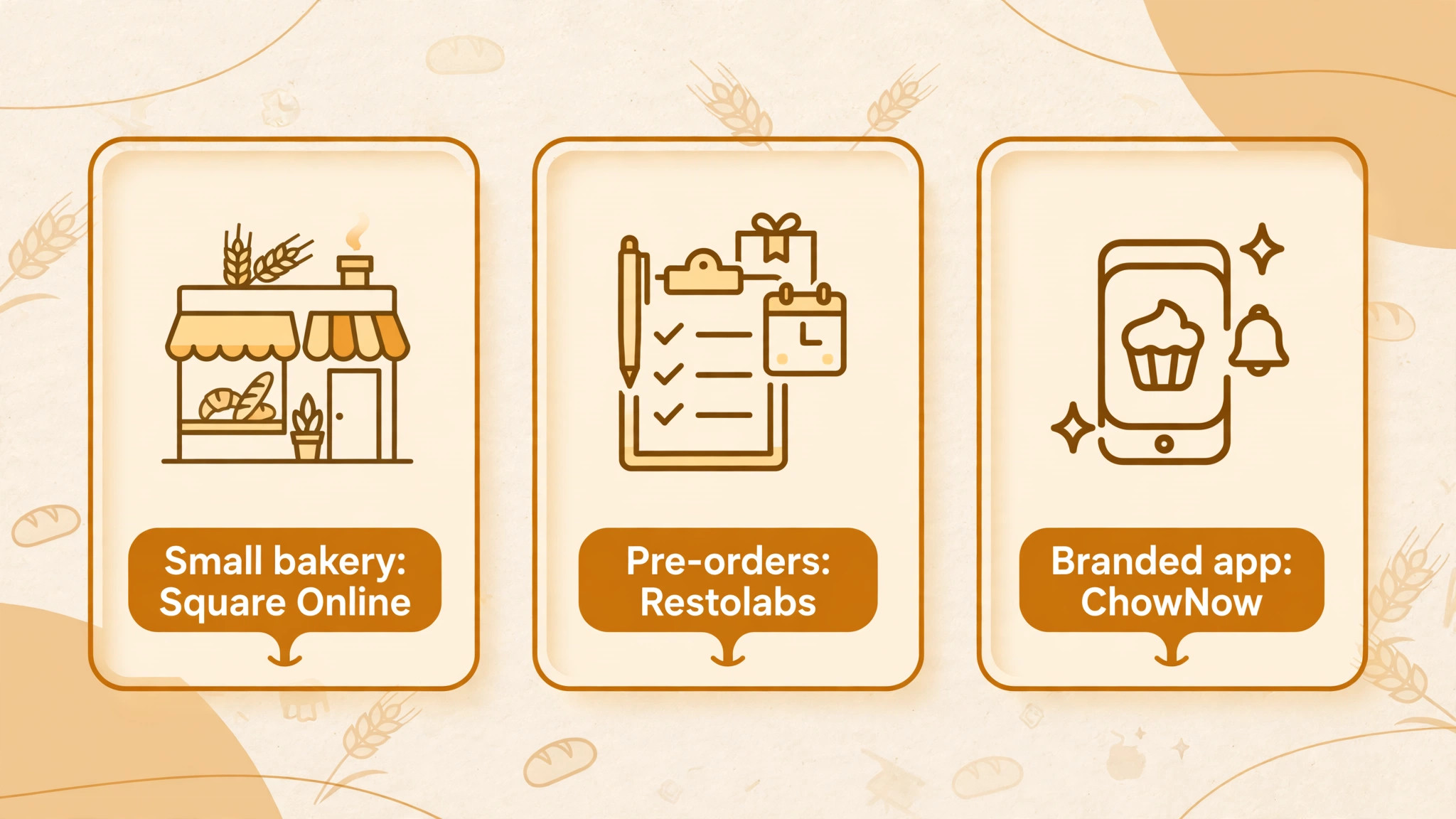
Cutoff workflow is the feature that separates bakery ordering from generic restaurant ordering, so this section sets it out step by step. Anyone comparing best online ordering software for bakeries should test each step on a real product before launch.
The Pre-Order Cutoff Workflow That Protects Production
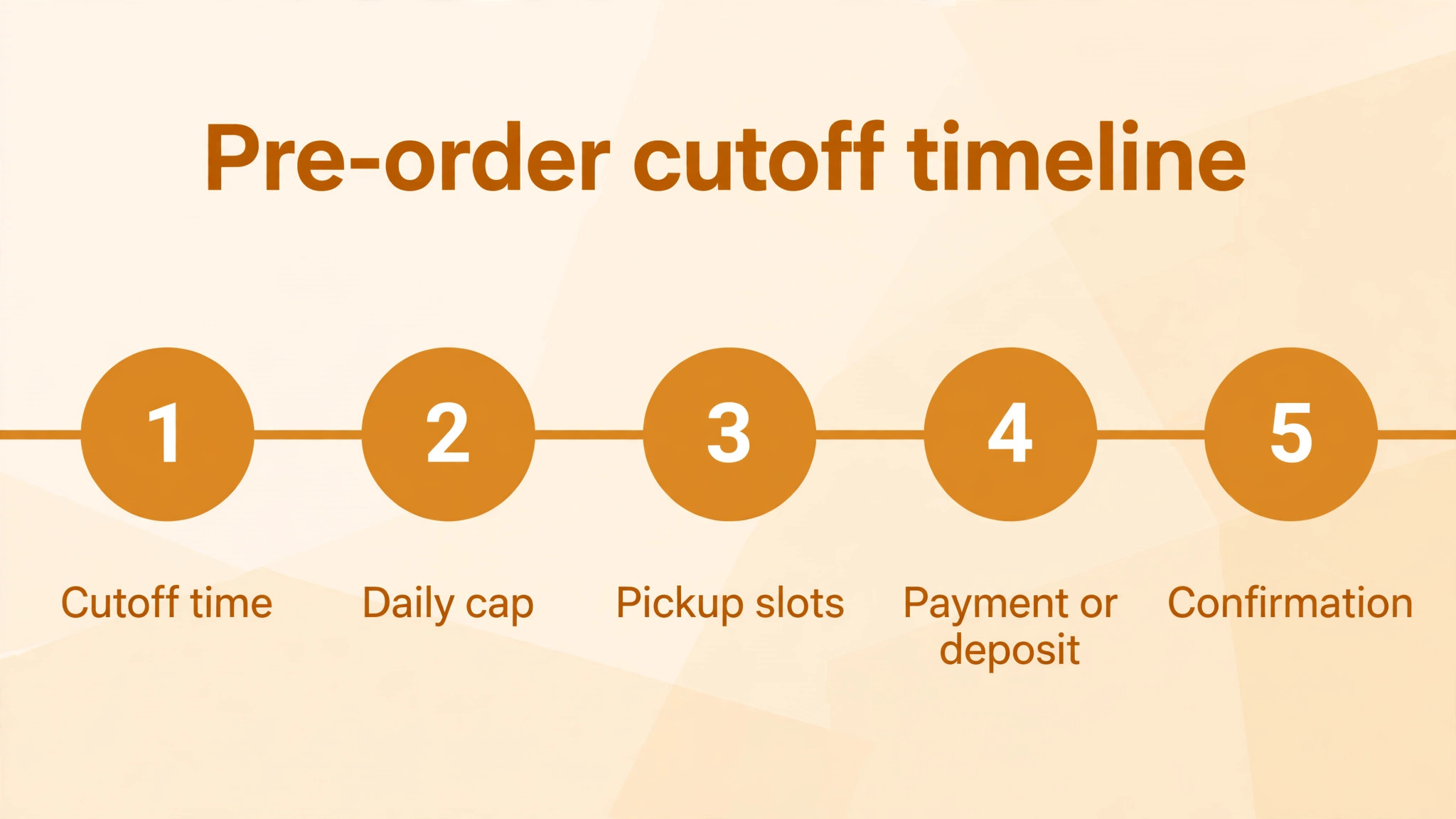
A workable bakery cutoff workflow has five steps, and the ordering tool must support each one without manual workarounds. First, set a cutoff time for each product group, such as 48 hours for custom cakes and noon the day before for daily bread boxes. Second, set a daily production cap per product, so the item shows as sold out once the cap is reached instead of accepting orders the kitchen cannot fill. Third, offer pickup slots tied to bake times, so customers choose a slot the bakery can actually meet.
Fourth, collect full payment or a deposit at order time, which cuts no shows and confirms that the customer is committed. Fifth, send an automated confirmation with pickup date, time, and order details, plus a reminder on the morning of pickup. A tool that handles all five steps turns online ordering into a production plan, while a tool that misses cutoffs or caps turns it into a phone queue. Test each step with a real holiday product before launch, because a cutoff that fails in December cannot be fixed by working harder.
Run the workflow for one product first, such as a weekend bread box with a Friday noon cutoff and a 40 box cap. Watch how sold out flags behave, how pickup slots fill, and how the kitchen ticket reads, then extend the same rules to cakes and holiday boxes. That staged rollout catches setup errors while the stakes are low, and it gives staff confidence in the system before the busiest season arrives.
What Online Ordering Really Costs a Bakery
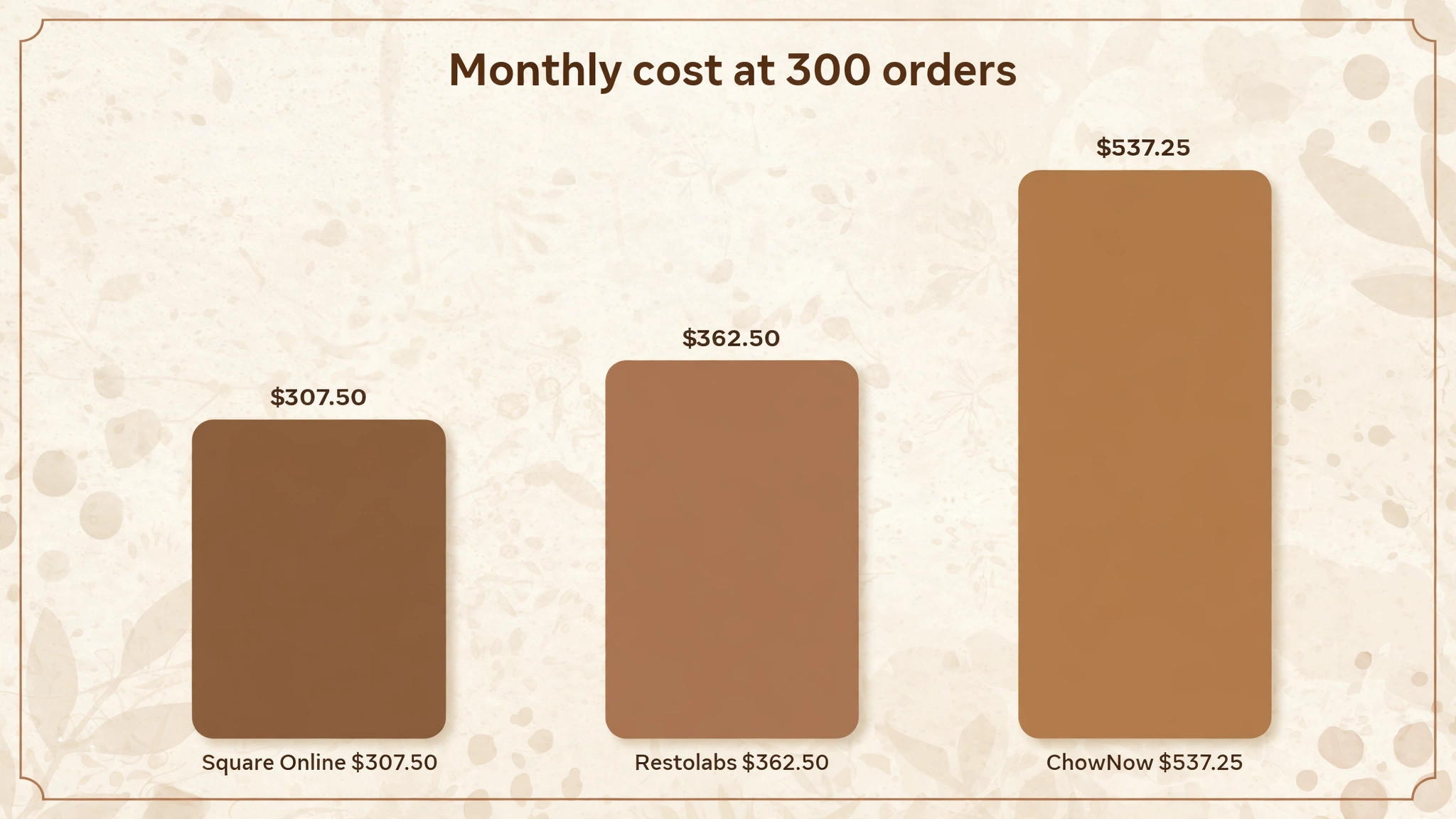
Subscription price is only the first line of the bill, and bakeries should compare four costs together. Take a bakery doing 300 online orders a month at an average of 25 dollars, which gives 7,500 dollars of online revenue. On Square Online free, processing at 2.9 percent plus 30 cents per order costs about 307.50 dollars that month, with no subscription. On Restolabs at 55 dollars a month annual plus the same processing through its gateway choice, the total sits near 362.50 dollars before gateway differences, which is still under 5 percent of online revenue.
On ChowNow at 229 dollars a month plus processing at 2.95 percent plus 29 cents per order, the same month costs about 537.25 dollars, or about 7.2 percent of online revenue, before setup fees. That higher share can still be good value when the branded app and marketing bring repeat orders that a free page would not win. On Menufy free, the bakery pays processing at 2.75 percent plus 30 cents per order, about 296.25 dollars, while customers pay 1.75 dollars per order, which shifts part of the cost to the buyer and may reduce conversion on low priced items.
Work out the same maths at your own average order value and monthly volume, and add setup fees spread over twelve months. A platform that costs under 5 percent of online revenue while saving phone time is good value, while a platform above 8 percent needs to prove it brings orders the cheaper tool would lose. That percentage, not the subscription headline, should decide the purchase.
Most failed bakery launches fail for the same reasons, and none of them appear on a pricing page. Keep these mistakes in mind while testing any option for best online ordering software for bakeries, because a trial that avoids them gives a far clearer verdict.
Build the menu around how customers actually order, with clear groups for daily bread, cakes, boxes, and seasonal specials, rather than one long list in bake order. Each item needs a plain name, a short description, a photo, and the modifiers that matter, such as size, flavour, and pickup date, so customers never need to call to clarify an order.
Photos deserve real attention, because a bakery menu without photos sells fewer add ons and generates more questions. Photograph each hero product in natural light, show the box or cake at a realistic size, and update photos when recipes or packaging change. A menu that looks good also reduces refunds, because customers receive what they expected to receive.
Set sold out behaviour before launch, so an item that hits its cap disappears cleanly or shows as sold out instead of accepting orders the kitchen cannot fill. Test sold out flags, waitlist behaviour if offered, and the message customers see, because a clear sold out notice protects trust while a failed order destroys it.
Mistakes That Hurt Bakery Ordering
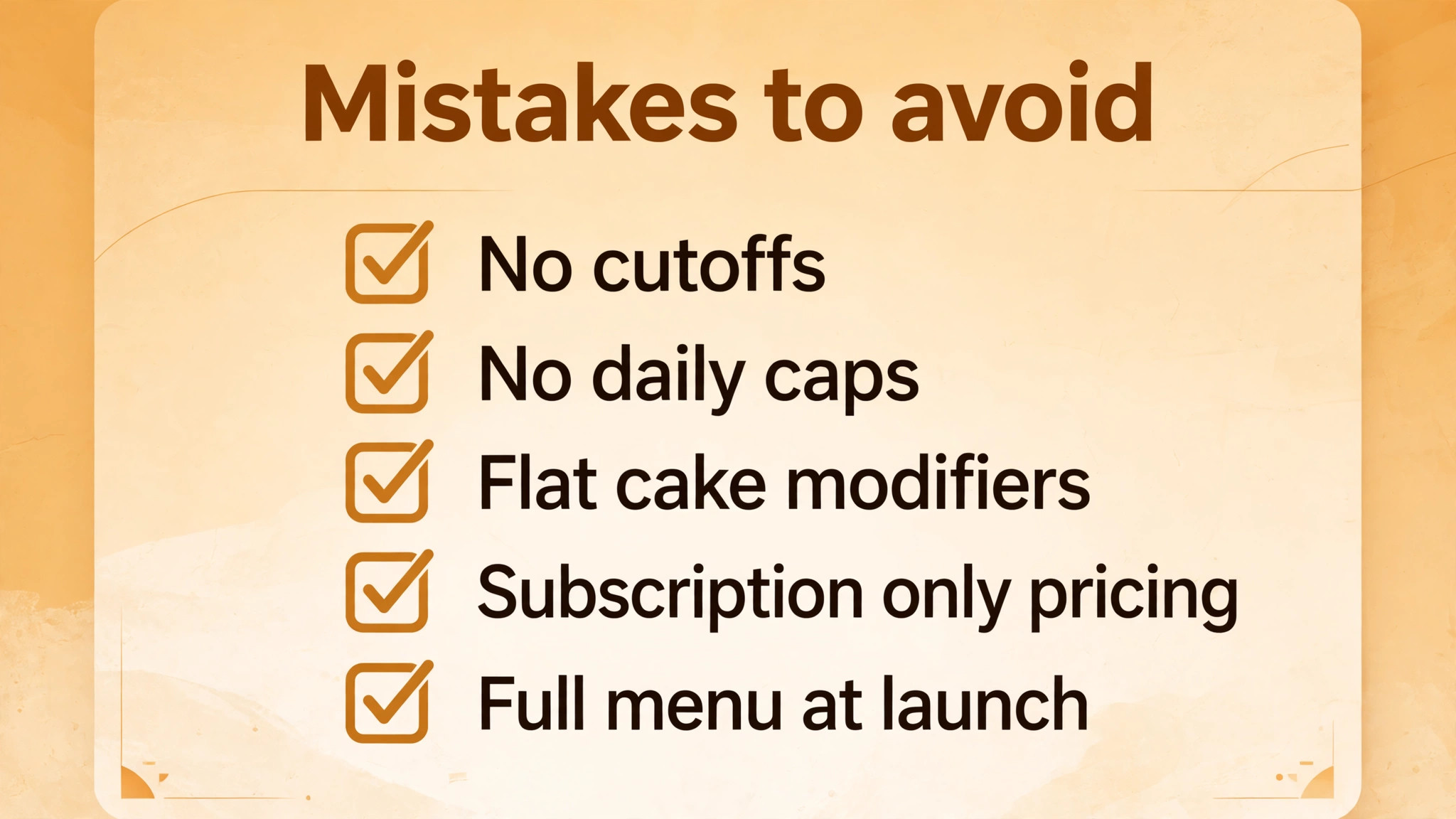
– Launching online ordering without cutoffs, then accepting cake orders the kitchen cannot bake in time. – Skipping daily production caps, which leads to overselling on holidays and disappointed regular customers. – Flattening cake modifiers into plain menu items, which creates clarification calls for every custom order. – Choosing a platform on subscription price alone, without adding processing, setup, and customer fees. – Going live with the full menu at once, instead of testing one product group with real customers first.
Trial ordering the way customers will use it. Place a test order for a custom cake, a bread box, and a holiday set, check the kitchen ticket, and confirm that cutoffs, caps, and pickup slots all behave as expected. That test exposes workflow gaps before they reach paying customers, and it is the cheapest insurance a bakery can buy before a busy season.
After six tools, the decision comes down to bakery job rather than a single best product. The verdict below names the strongest starting point for each kind of bakery comparing best online ordering software for bakeries today.
Delivery, Pickup, and Staff Rota Planning
Plan pickup slots around bake times and staffing, with tighter slots at peak hours and wider slots when the oven is free. A bakery that offers every hour as a pickup slot will face queues at noon and idle staff at 3 pm, while a bakery that shapes slots to production keeps the counter calm and orders accurate.
Delivery needs its own rules, including zones, minimum order values, cutoffs, and driver capacity per run. Start delivery in a small zone with a clear fee, measure how long each run actually takes, and expand only when timings hold. Online ordering should grow delivery steadily, not promise a zone the bakery cannot serve well.
Staff training deserves a trial test of its own, because a system the counter team distrusts will be bypassed with phone orders. Train two staff members on the test product, watch them process an order end to end, and note every point where they hesitate or ask for help.
Also check how the system behaves when the bakery is busy, since a page that loads slowly at peak times will lose orders. Test ordering from a phone on a weak connection, because many customers order from a car park or a bus, not from a fast home connection.
Price the platform at December volume, not at an average month, because a tool that fits in spring but fails at Christmas will cost far more than its subscription.
The Final Call for Bakeries
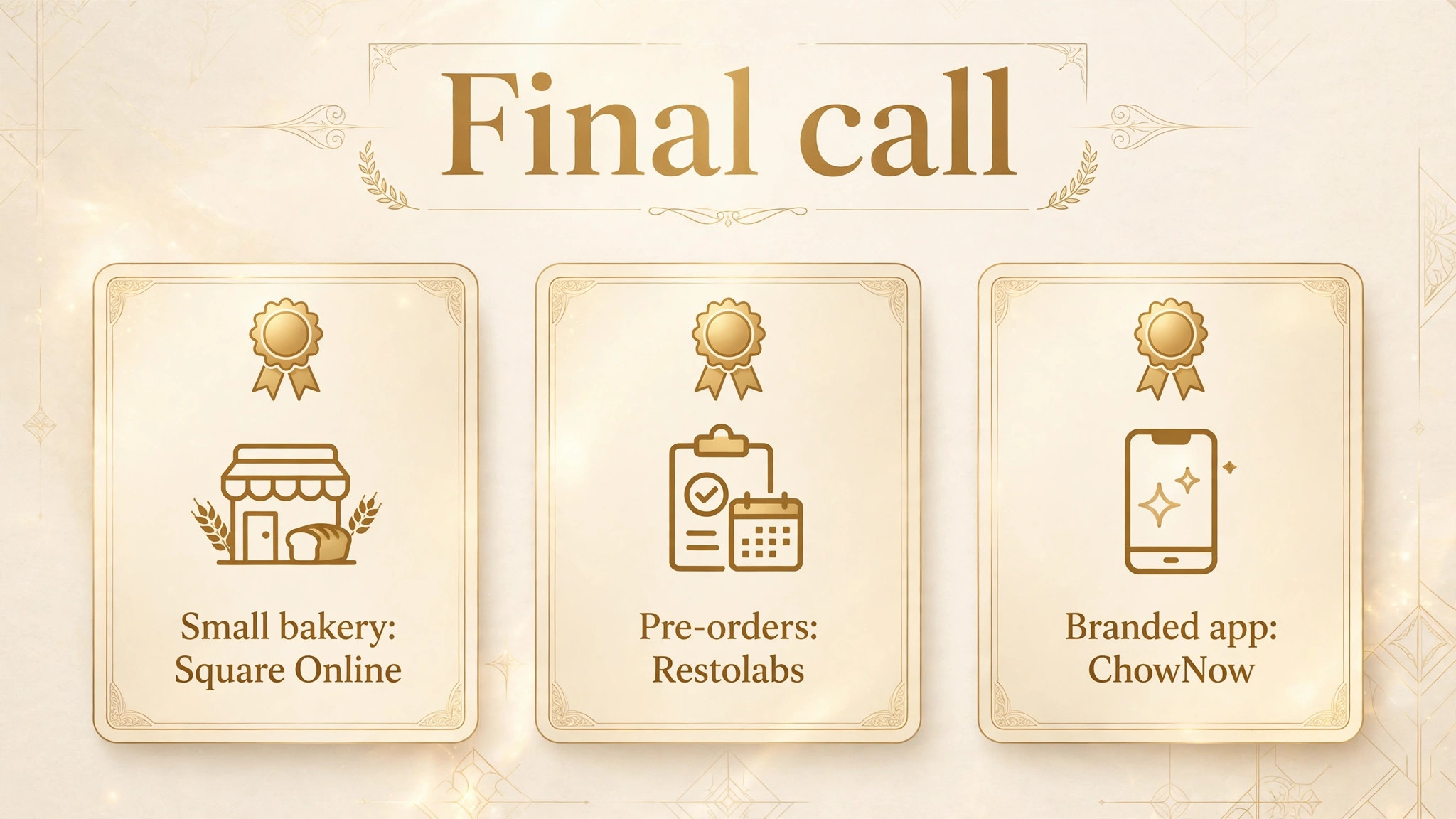
For most small bakeries, Square Online is the safest starting point when Square POS is already in use, because the free start and native sync remove risk. For bakeries outside that system, Menufy offers a no subscription way to test demand, while Restolabs is the stronger pick once pre-orders and modifiers become central. For steady direct order volume with a branded app, ChowNow earns its higher fee, and Toast Online Ordering remains the natural pick for bakeries already on Toast.
Start with the pick that matches your bakery job, run one product group through the full cutoff workflow, and only then open the full menu online. The best ordering tool is the one that protects production while making ordering easy, and a real test order will show you which one that is.
More Reading on Stratilyze
– POS systems built for coffee shops – Email marketing software for restaurants – What it costs to start a home bakery business
These questions cover the points buyers ask most when they compare best online ordering software for bakeries, from cutoffs and deposits to delivery and moving to a paid plan.
Frequently Asked Questions
Do bakeries need pre-order cutoffs in an ordering tool?
Yes, because bakery production runs hours or days ahead of pickup, unlike restaurant cooking. Cutoffs stop orders that cannot be baked in time, and daily caps stop overselling on busy days. A tool without cutoff and cap controls forces staff to police orders by phone, which removes most of the benefit of online ordering.
What is the cheapest way for a bakery to start online ordering?
Square Online free and Menufy self serve both start with no monthly subscription, though processing fees still apply on every order. Square Online suits bakeries already on Square POS, while Menufy suits bakeries that want no subscription at all. Compare processing rates and any customer fee before choosing, since those costs differ by platform.
How far ahead should a bakery open holiday pre-orders?
Most bakeries open holiday boxes four to eight weeks ahead, which gives production time to plan ingredients, staffing, and pickup slots. Tools such as Restolabs support pre-orders up to three months ahead, while ChowNow supports pre-orders up to a month ahead. Open early enough to spread demand, but not so early that customers forget their pickup date.
Should a bakery charge full payment or a deposit for custom cakes?
Full payment suits standard pre-orders, while a deposit suits high value custom cakes where details may change. Either approach beats payment on pickup, because paid orders rarely become no shows. Check that the ordering tool supports deposits or partial payments before promising that option to customers, since not every platform handles it cleanly.
How do production caps work in bakery ordering software?
Production caps set a maximum number of units per product per day, and the item shows as sold out once the cap is reached. Caps can sit at product level, such as 40 bread boxes, or at pickup slot level, such as 20 pickups per hour. Set caps from real oven and decorator capacity, not from hoped for demand, and review them after each busy weekend.
When should a bakery move from a free tool to a paid platform?
Move when online volume grows, when pre-orders and modifiers become central, or when phone clarification calls start eating staff time. Paid platforms add cutoff control, caps, marketing, and branded apps that free tools handle thinly. The right moment is usually the first holiday season where the free tool struggles, rather than after it has already failed.
Should a bakery charge a delivery fee for online orders?
Most bakeries charge a delivery fee, set a minimum order, or limit delivery to a small zone, because driver time and packaging cost real money. A fee that covers costs without scaring customers away usually works better than free delivery that loses money on every run. Test the fee on a small zone first, and watch whether order volume or average order value moves.
How should a bakery handle allergen information online?
List major allergens on each product page, keep ingredient notes accurate, and add a clear field for allergy notes at checkout. Staff should review allergy notes before baking, and the kitchen ticket must show them prominently. When a product cannot be made safely for a given allergy, say so plainly on the menu rather than accepting an order the bakery cannot fulfil safely.