
A small business owner opens Canva to make one social post, then hits the real question. The cost of Canva for small business monthly is not one price, because Canva sells a solo plan, a team plan and a quoted enterprise plan, and the team plan costs far more per person than the solo plan. Choose the wrong plan and the business either pays team prices for solo work or shares one login against the rules and loses brand control. This guide prices each plan by team size so the choice is clear before anyone pays.
Canva is priced per person, which means the bill moves with every seat added, and a solo plan cannot be stretched across a team by sharing a password. Pro covers one person, Business covers a team with shared brand controls, and Enterprise is quoted for larger organisations. The sections below show what each plan includes, where the gates between plans sit, and what a team of one, three, five or ten people actually pays. Prices have moved recently, so ranges are given where sources differ, with a note to confirm the current price on the vendor page.
Canva Prices at a Glance
Canva Free costs nothing and covers casual design with a smaller template and asset library. Pro is the solo paid plan, at 18 dollars a month when billed monthly and 144 dollars for a year when billed annually in recent published pricing, which works out near 12 dollars a month on the annual term. Business is the team plan that replaced Teams for new sign-ups, at 250 dollars per person per year in recent published pricing, with monthly billing around 25 dollars per person where offered.
Confirm both figures on the vendor page before buying, because older pages show Pro at 120 dollars a year and the former Teams plan at 200 dollars per person per year, and Canva has repriced since those pages were written.
The table below gives the headline view, and the rest of this guide explains why the headline is only part of the decision. A solo owner needs Pro, a team that shares brand assets needs Business, and a business that only makes occasional posts may manage on Free. The gap between Pro and Business is the story of this guide, because moving a five person team from separate Pro accounts to Business changes both the price and the way brand control works.
| Plan | Monthly billing | Annual total | Who it covers |
|---|---|---|---|
| Free | 0 dollars | 0 dollars | Casual single users |
| Pro | 18 dollars | 144 dollars | One person |
| Business | Around 25 dollars per person | 250 dollars per person | Teams with shared brand controls |
| Enterprise | Quoted | Quoted | Larger organisations |
Why One Price Never Tells the Whole Story
Canva pricing confuses buyers because the same product is sold per person on one plan and per team on another, and the annual total is charged in one payment rather than twelve monthly ones. Annual Pro is a single charge of 144 dollars, not twelve payments of 12 dollars, which surprises buyers who budget monthly. Business is charged per person, so adding a team member raises the bill at once, and removing one does not always refund the unused part of the year at once. Read the billing terms, not just the monthly equivalent, before committing.
The second confusion is the rename from Teams to Business, which left old pricing pages, old reviews and old forum posts describing a plan new buyers cannot buy. The former Teams plan, at 100 dollars to 120 dollars per person per year in older listings, is closed to new sign-ups, and Business replaced it at a higher price. Existing Teams subscribers may keep their old terms, but a new small business cannot plan on legacy pricing. Any article that quotes Teams at the old rate without noting the rename is out of date for a new buyer.
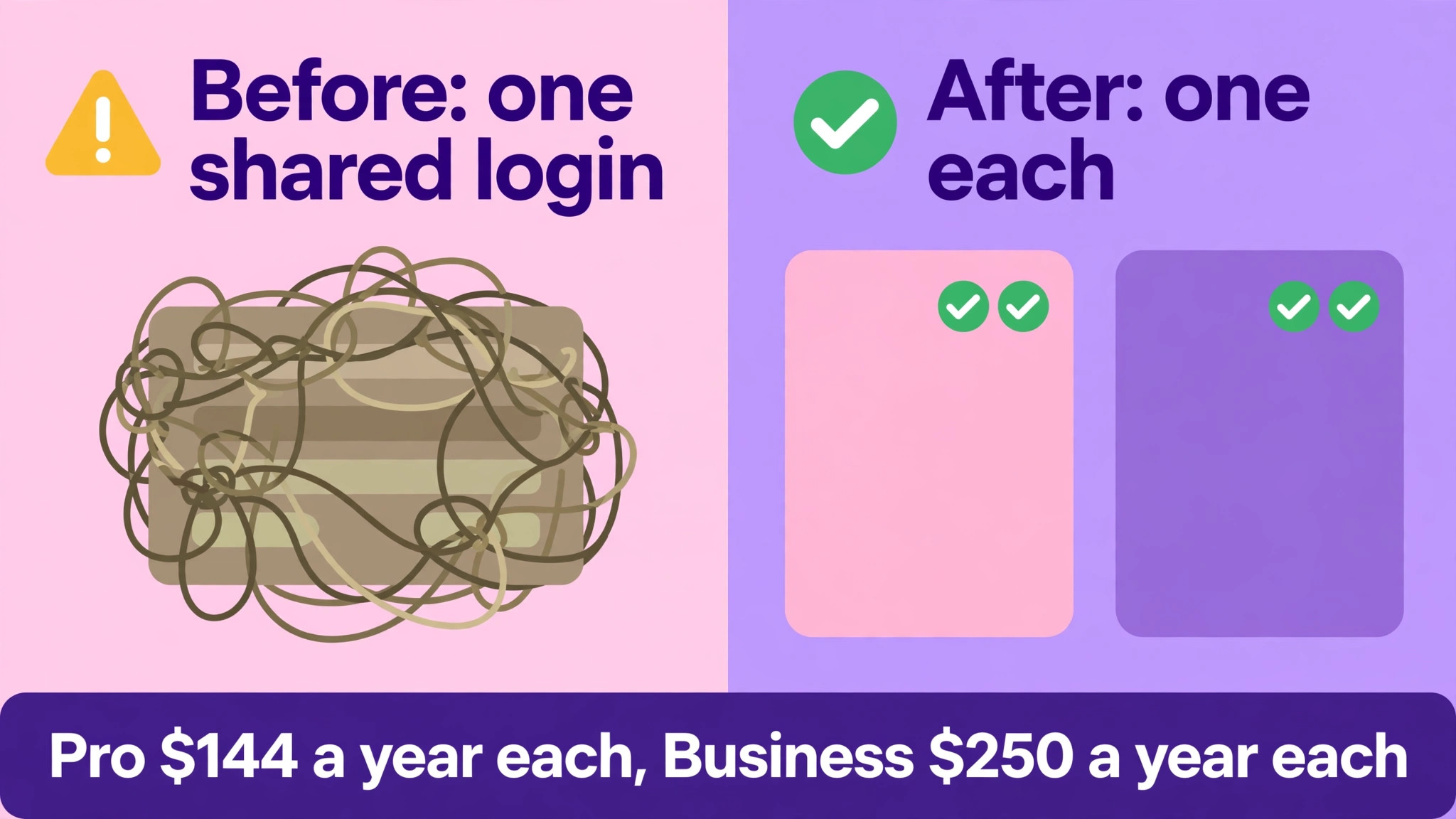
The third confusion is what counts as a seat, because Canva counts people, not designs. A business with five people who design needs five paid seats on Business, even if only two design every day. Sharing one Pro login across five people breaks the per person model, loses version control, and puts brand assets at risk when someone leaves. The honest budget counts every person who opens the editor to create or edit, not just the person who makes the most designs.
Free, a Genuine Starting Point With Firm Ceilings
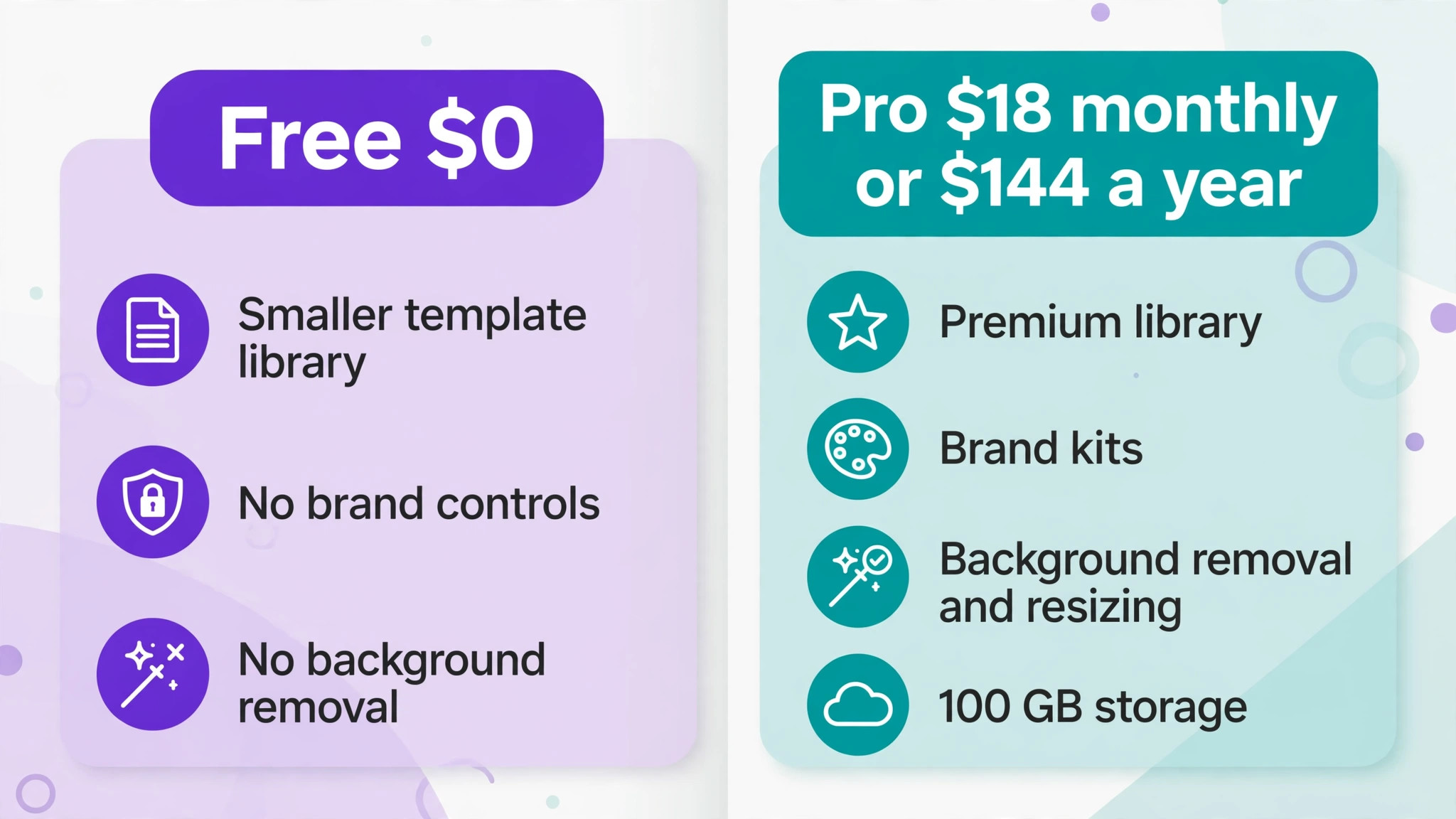
The cost of Canva for small business monthly on Free is zero, and it covers a surprising amount of casual design work. A business can make social posts, flyers and simple presentations from templates, using the free asset library, and can test whether Canva fits its workflow before paying anything. For a business that designs a few posts a month and has no brand kit to protect, Free can carry the whole job for a long time. The ceiling arrives when premium assets, background removal, resizing and brand controls become daily needs rather than occasional wants.
The limits of Free show up first in assets and editing power, not in the number of designs. Premium photos, videos and graphics sit behind the paywall, and premium elements in a design become watermarked again if a paid plan lapses. Background removal, one click resizing for another platform, and bulk creation for many similar designs are paid features, so a team that repeats those jobs by hand on Free is paying in staff time. When manual workarounds take more than an hour a week, the paid plan has become cheaper than the free one.
Free also lacks the brand controls a growing business needs, because it allows only a limited brand setup compared with paid plans. A solo owner can keep colours and fonts in mind, but a team cannot, and that is where off brand posts start to appear. If customers see different colours, fonts and logo treatments across posts, the business looks inconsistent, and fixing that inconsistency later costs more than a subscription. Free is the right home for testing and for very light use, and the wrong home for a team that publishes daily.
Pro, the Solo Creator and Owner Plan
Pro is built for one person, and it is the best value plan Canva sells for a solo owner or freelancer. It includes a much larger template and premium asset library, background removal, resizing a design for another platform, social scheduling, bulk creation and 100 GB of storage in recent published pricing. It also includes brand kits, with five brand kits listed for Pro in recent comparisons, so a solo owner can save colours, fonts and logos and start every design on brand. For one person, Pro removes nearly every daily friction in design work.
The annual payment is the part of Pro that needs planning, because 144 dollars leaves the account in one charge on annual billing. That charge is cheaper than twelve monthly payments of 18 dollars, which total 216 dollars, so the annual saving is 72 dollars. The trade-off is commitment, since the full term is paid up front and refunds are discretionary. Use the trial period before choosing annual billing, and confirm the trial length on the vendor page, because trial terms change and a trial is the cheapest way to test whether Pro earns its price.
Pro covers one account, so a business with two designers needs two Pro accounts, not one shared login. Two Pro accounts cost 288 dollars a year on annual billing, which is still cheaper than two Business seats at 500 dollars a year, but the two Pro accounts do not share brand controls or approvals. That gap is the decision point, because the saving comes at the cost of consistency. A pair of designers who work closely and trust each other may manage on separate Pro accounts, while a team that needs approval before publishing cannot.
The cost of Canva for small business monthly on Pro stays predictable as long as the seat count stays at one. Add a second designer and the bill doubles, add a third and it triples, because each person needs their own account. That linear growth is fair, but it means a growing design workload quickly reaches the point where Business, with its shared workspace and approvals, becomes worth its higher per person price. Track design hours per person, and revisit the plan when a second person designs more than a few hours a week.
Business, the Team Plan With Brand Controls
Business is the team plan, and the cost of Canva for small business monthly on Business buys control rather than more templates. It adds a shared workspace, team admin, shared brand kits with approvals, and a larger AI allowance per person than Pro in recent published comparisons. Approvals matter because they let a manager check a design before it publishes, which protects a brand when several people create content. Shared brand kits matter because every team member starts from the same colours, fonts and logos, so posts stay consistent without constant correction.
The per person price of Business is the shock for teams moving from Pro, because 250 dollars per person per year is far above the 144 dollar Pro annual total. A five person team pays 1,250 dollars a year on Business, against 720 dollars for five separate Pro accounts, a gap of 530 dollars a year. That gap buys approvals, shared brand control, team admin and a shared workspace, and it should be judged against the cost of off brand posts, rework and approval by email. If no one uses approvals or shared kits, Business is an expensive way to buy what Pro already provides.
Business has no listed minimum seat count in recent published pricing, which helps very small teams, because a two person team can buy Business without meeting a larger threshold. You pay for people who accept an invitation, and on yearly billing Canva reconciles added and removed seats on a quarterly bill in published descriptions. That reconciliation is worth confirming at purchase, because it affects how quickly a leaver stops costing money. Keep the invited list tight, and remove leavers promptly so the quarterly reconciliation does not carry dead seats.
Education and nonprofit programmes can change the whole calculation for eligible organisations, because Canva offers free premium access to K-12 teachers and students and to eligible nonprofits for a team of up to fifty people in published descriptions. A school or charity should check eligibility before anyone pays, since a free team can cover the entire design need. A commercial small business cannot use those programmes, so it should budget at the full Business rate and treat any discount as a bonus rather than a plan.
Enterprise, Quoted for Larger Organisations
Enterprise is quoted through sales, with published estimates ranging widely from a few thousand dollars a year upward, and it is aimed at larger organisations rather than small teams. It adds single sign-on, SCIM provisioning, tiered approvals and a dedicated success manager for larger contracted seat counts in published descriptions. Those controls matter when a company has hundreds of staff, strict security rules and several approval layers, but they solve problems a five person team does not have. A small business weighing the cost of Canva for small business monthly should not request an Enterprise quote unless a client or a security policy demands those controls.
The practical test for Enterprise is whether any feature on the list is a contractual requirement. If a client contract demands single sign-on or a specific approval workflow, get the quote in writing and compare it against the value of that client. If the requirement is simply better brand control, Business already covers it at a published price. Enterprise pricing is opaque by design, so a small team that enters a sales process without a named requirement risks a long negotiation for features it will never use.
The Cost of Canva for Small Business Monthly at 1, 3, 5 and 10 People
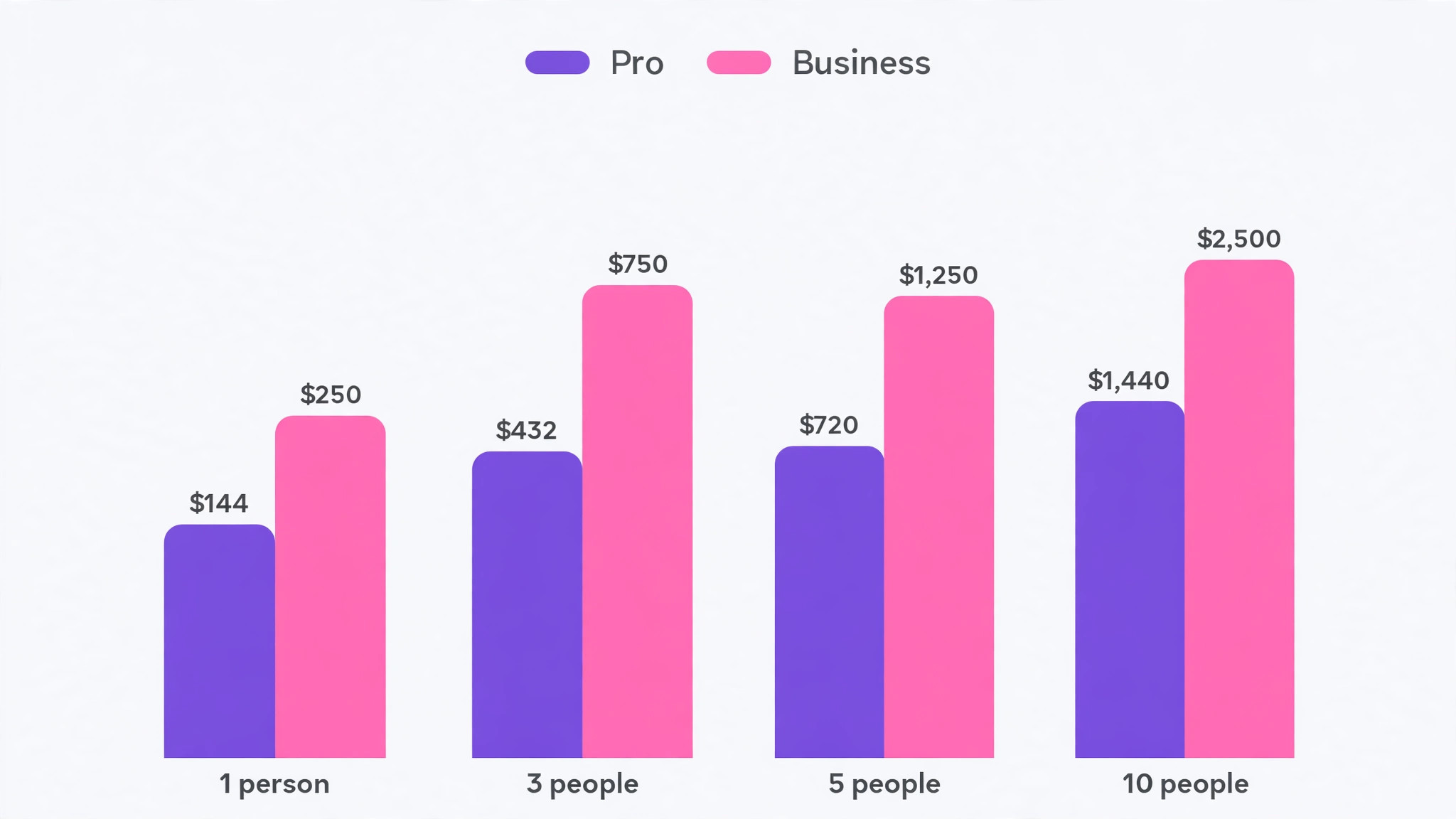
The table below uses annual totals, because Canva annual billing is charged as a single payment and the yearly total is the honest comparison. Monthly billing figures are shown for Pro, and Business monthly billing is given as an approximate figure to confirm on the vendor page. A solo owner pays 144 dollars a year on Pro, while a solo seat on Business costs 250 dollars a year, so a single person should almost never buy Business unless they need team features for future hires.
| People | Pro annual total | Business annual total | Pro monthly billing total per year | Business approximate monthly total per year |
|---|---|---|---|---|
| 1 | 144 dollars | 250 dollars | 216 dollars | Around 300 dollars |
| 3 | 432 dollars | 750 dollars | 648 dollars | Around 900 dollars |
| 5 | 720 dollars | 1,250 dollars | 1,080 dollars | Around 1,500 dollars |
| 10 | 1,440 dollars | 2,500 dollars | 2,160 dollars | Around 3,000 dollars |
The gap between Pro and Business grows with team size, reaching 1,060 dollars a year for a ten person team on annual totals. That gap is the price of shared brand control, approvals and team admin, and it should be weighed against rework and inconsistency. A team that publishes daily across several channels will usually recover the gap in saved correction time, while a team that designs a few posts a week will not. Count published designs per week and correction rounds per design before choosing, because those two numbers predict whether Business pays.
Monthly billing on Pro costs 72 dollars more per person per year than annual billing, which is 360 dollars extra for a five person team and 720 dollars extra for ten people. That premium buys flexibility, and it is worth paying during a trial or a period of uncertain headcount. Once the design team is stable, annual billing is the clear saving, provided the business can absorb the single annual charge. Put a reminder in place ninety days before renewal to review seats, because annual billing renews the whole seat list at once.
Brand Kits, Storage and the Gates Between Pro and Business
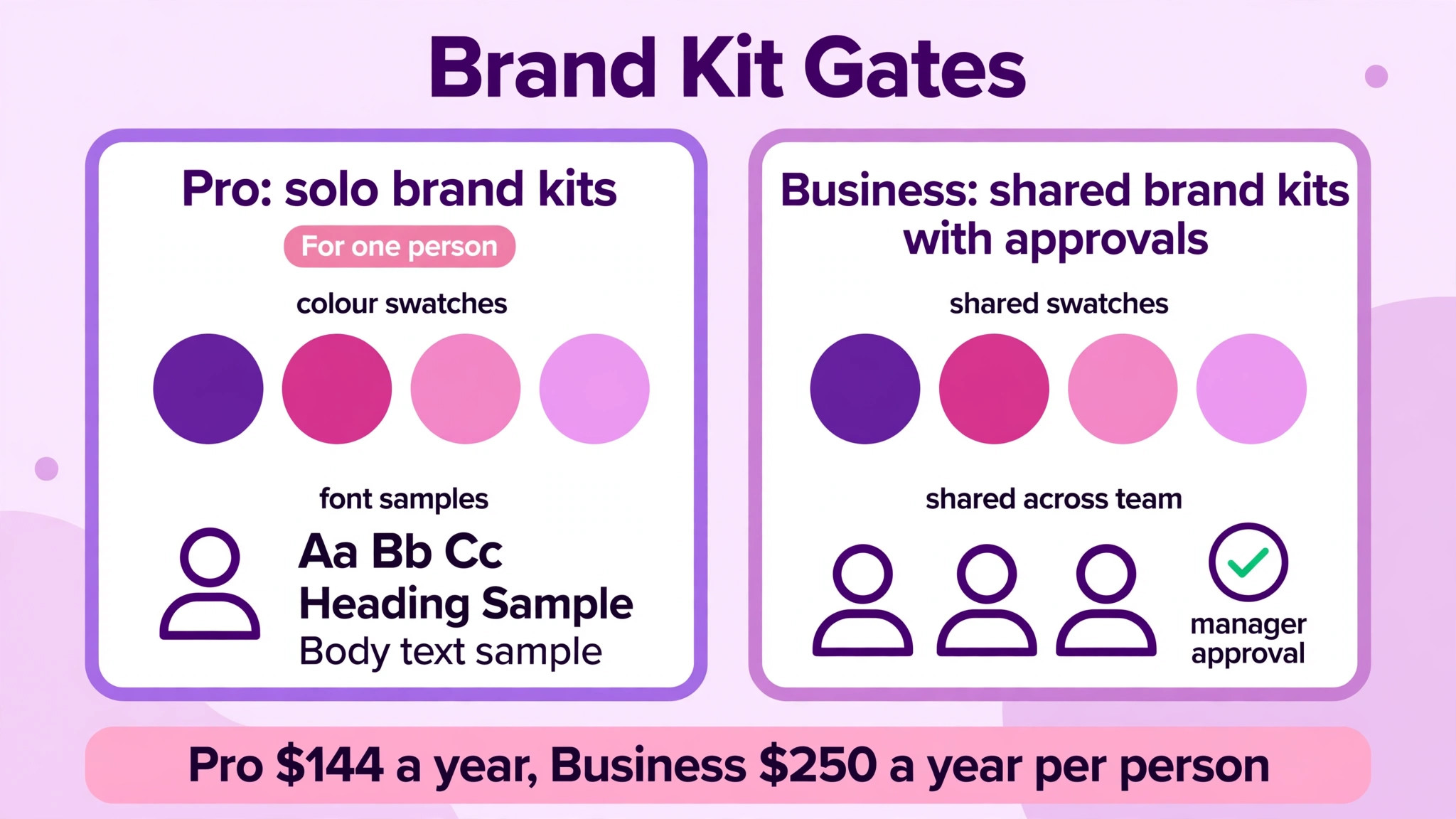
Brand kits are the gate that most clearly separates Pro from Business, because the two plans treat brand assets differently. Pro gives a solo owner brand kits to save colours, fonts and logos, which is enough for one person who controls every design. Business turns brand kits into a shared, controlled asset, with approvals that stop off brand work before it publishes. A team that shares a Pro login to fake shared brand control loses that approval step, and gains a security risk when a leaver keeps the password. The gate is not about the number of kits, it is about who controls them.
Storage is the second gate, though it is less sharp than brand control. Pro includes 100 GB of storage in recent published pricing, which covers a large library of designs and uploads for a solo owner. Business raises storage for the team, but the exact team allowance should be confirmed on the vendor page, since published comparisons describe it qualitatively rather than with a single team number. A team that stores large video files or years of campaign assets should check storage before purchase, because running out mid-campaign forces a hurried upgrade or a painful clean-up.
The cost of Canva for small business monthly on Business is best understood as a control purchase, not a content purchase. The template and asset libraries overlap heavily between Pro and Business, so a buyer who expects Business to unlock a far larger library will be disappointed. What Business unlocks is shared control, approvals, admin and a larger AI allowance per person. Buy Business when control is the bottleneck, and stay on Pro when content or editing power is the bottleneck, because the two problems have different solutions.
AI Allowances and Other Charges Behind the Subscription
The cost of Canva for small business monthly does not end with the subscription, because AI use in Canva is metered through a monthly allowance per plan, and heavy users can be offered an AI Pass add-on. That allowance matters because AI image generation and AI editing are the features many buyers want most, yet they are not unlimited on any standard plan. A business that generates dozens of AI images a day should read the allowance carefully, track usage in the first month, and price the AI Pass before assuming Pro or Business covers all AI work. The subscription price alone does not answer the AI question.
Premium elements are a second meter that catches teams by surprise. Designs made on a paid plan keep their premium elements while the plan is active, but those elements become watermarked again if the plan lapses, and buying an element back covers only the one design it was bought for. Download final files before cancelling, and keep a record of which designs use premium elements. A team that cancels in a quiet month and returns later may find its back catalogue needs rework, which is a hidden cost of churn.
Tax, currency conversion and payment timing complete the hidden charges, and they apply to Canva like any subscription. Prices in comparisons are usually shown in US dollars excluding tax, so the invoice total will be higher in most locations, and a non-US card may add conversion costs. Annual billing charges the full year at once, which affects cash flow for a small business more than the monthly equivalent suggests. Budget the annual charge as a lump sum, not as twelve small payments, and diarise the renewal date.
Design Mistakes That Waste Seats
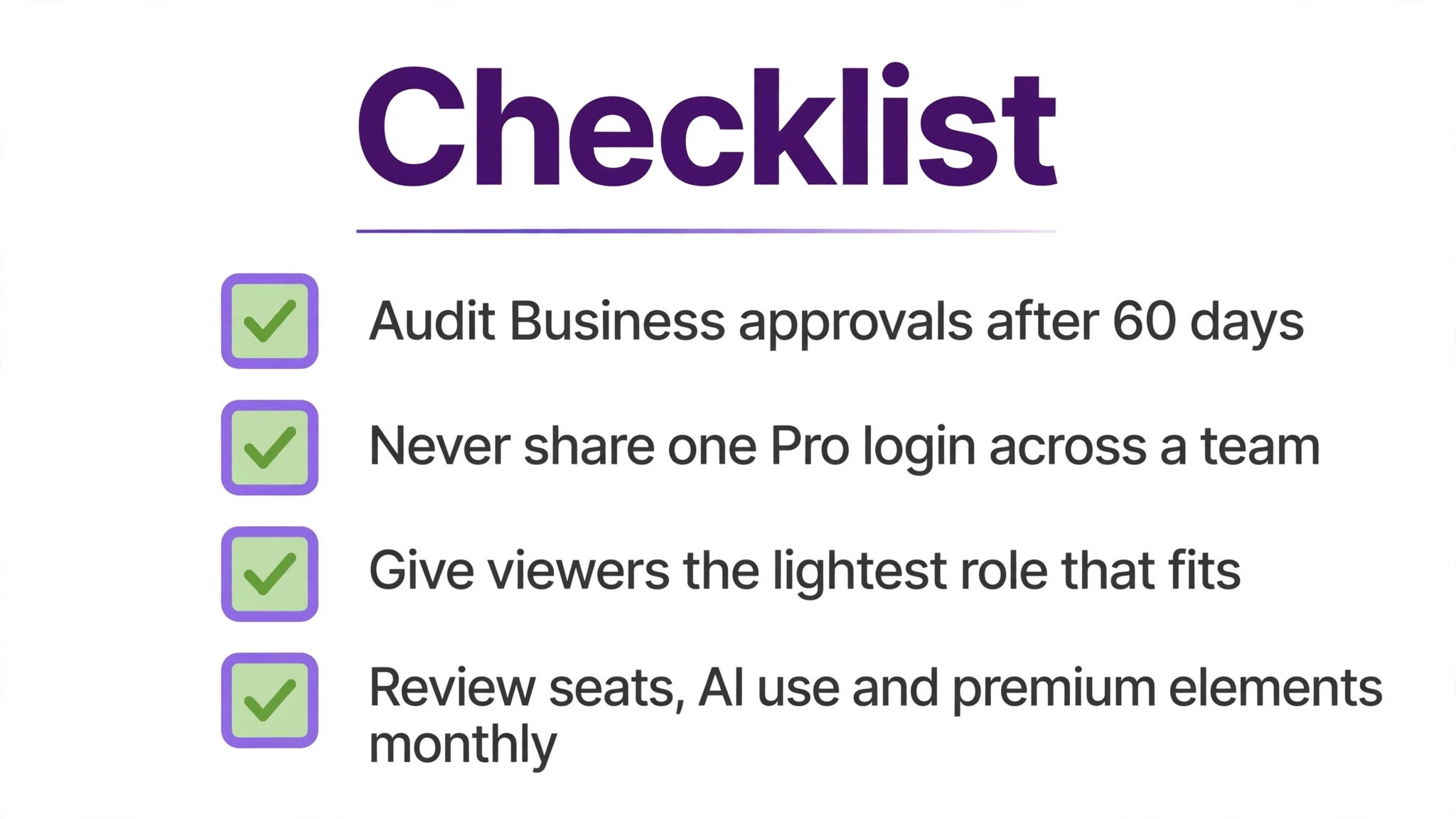
The most common mistake behind a high cost of Canva for small business monthly is buying Business for a team that never uses approvals or shared brand kits, because the premium then buys nothing. A team of three that designs independently, publishes without review and shares assets by link can do that work on separate Pro accounts for far less. Audit Business usage after sixty days, and check how many designs went through approval, how often shared kits were used, and whether team admin actually changed any workflow. If the answers are near zero, drop to Pro and save the difference.
The second mistake is sharing one Pro login across a team, which looks like a saving and behaves like a risk. Shared logins lose version history, make it impossible to tell who changed a design, and leave brand assets exposed when a team member leaves. The saving against proper seats is real in the short term, but a single brand incident or a lost design can cost more than a year of seats. Buy a seat for every person who designs, and treat the login rule as a security rule, not a budgeting trick.
The third mistake is paying for seats for people who only view or comment on designs. Canva team plans allow different roles, and a manager who only approves or views does not always need a full design seat, depending on the plan terms. Check the role options on the vendor page before buying, and assign the lightest role that covers each person’s job. That discipline can cut several seats from a larger team, and it keeps the bill tied to design work rather than to the staff list.
The fourth mistake is letting premium elements and AI usage run without a monthly check. A team that generates AI images freely in week one can hit the allowance before the month ends, and a team that uses premium elements in every design builds a back catalogue that depends on an active subscription. Set a simple monthly review, covering seats, AI usage and premium element dependence, and act on it before renewal. That review takes fifteen minutes and prevents most Canva billing surprises.
Trimming the Design Bill Without Losing Quality
Start by matching the plan to the person, not to the team average, because design needs vary more than most managers assume. Give Pro to solo creators who work independently, Business seats to team members who publish under brand control, and Free or viewer roles to colleagues who only comment. That mixed shape is cheaper than putting everyone on Business, and it keeps brand control where it matters. Review the mix when roles change, since a creator who starts publishing daily should move to the plan that covers that work.
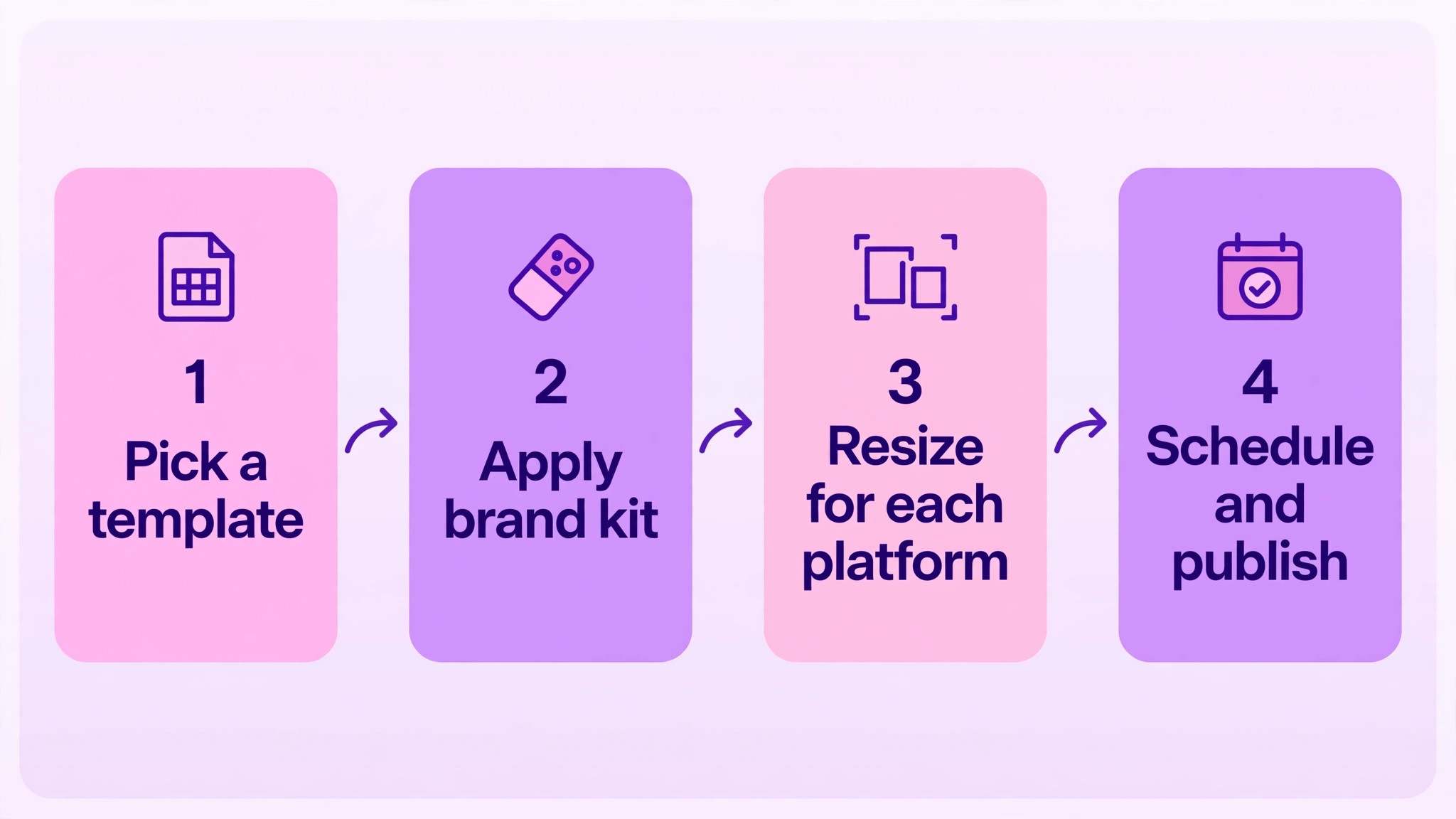
Next, use templates and brand kits to cut design time, which is the real cost behind the subscription. A well built template set lets a non-designer produce on brand posts in minutes, while a missing template forces every post to be built from scratch. Spend a day building templates for the ten most repeated post types, and the subscription starts paying for itself in saved hours. That investment matters more than the choice between monthly and annual billing, because staff time dwarfs the seat price.
Finally, decide on annual billing only for stable design seats, and keep uncertain seats on monthly terms until their workload is proven. A core designer on annual billing plus a seasonal helper on monthly billing beats an all annual purchase that pays for a helper who leaves after two months. The saving on Pro annual billing is 72 dollars per person per year, which is worth collecting for stable seats and worth forgoing for uncertain ones. Document which seats are core and which are flexible, so renewal does not sweep them together.
The Sensible Pick for Each Team Shape
A solo owner or freelancer should buy Pro on annual billing once the trial proves the value, because 144 dollars a year buys the full editing power, premium library and brand kits for one person. Monthly billing at 18 dollars is the right choice during the trial phase or a period of uncertain income, but the annual saving is clear for a stable business. Free remains useful for testing and for very light months, yet a solo owner who designs weekly will recover Pro quickly in saved editing time.
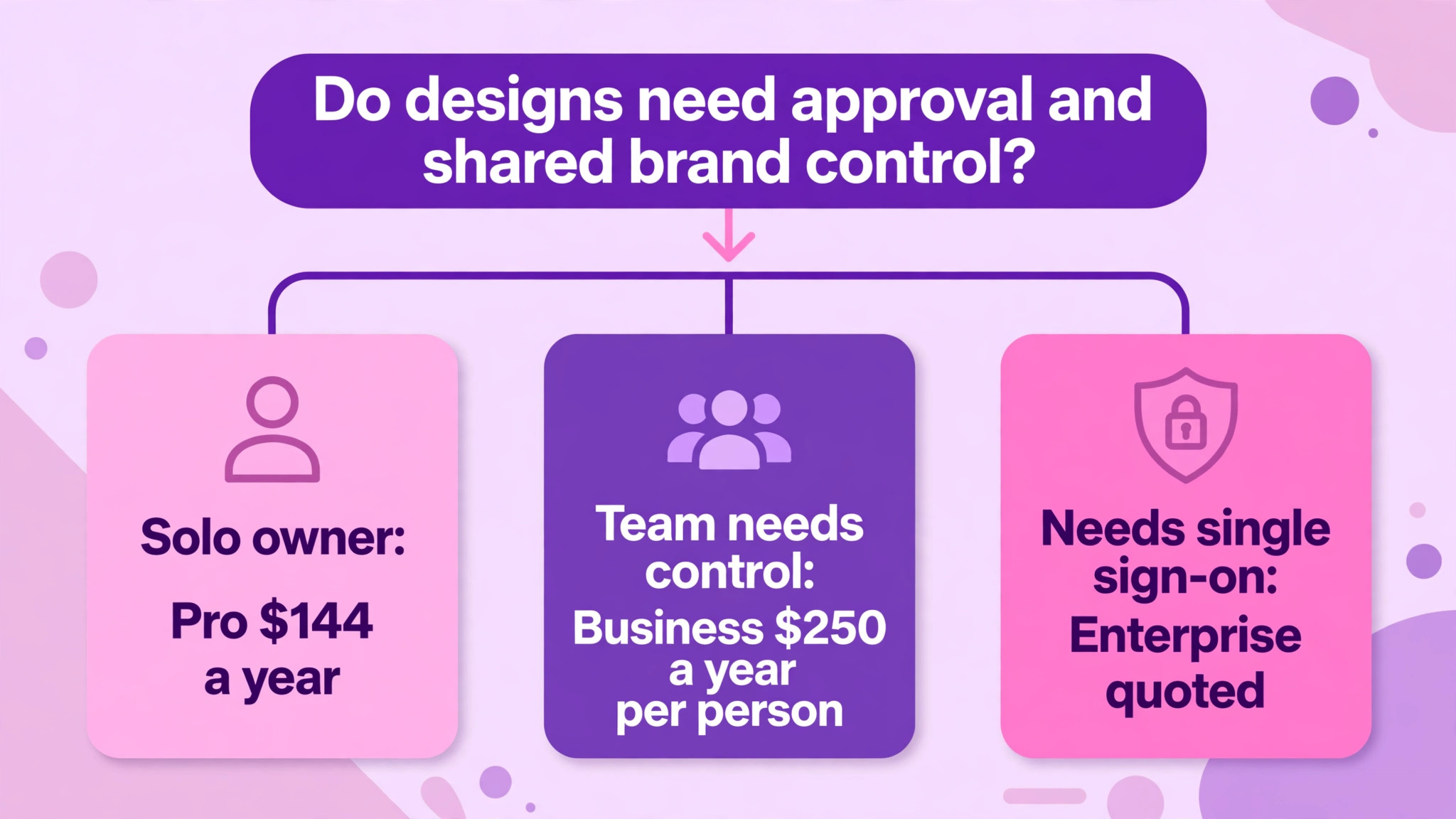
A team of three to ten people should judge the cost of Canva for small business monthly on one question, which is whether designs need approval and shared brand control. If the answer is yes, Business at 250 dollars per person per year is the honest price, and a five person team should budget 1,250 dollars a year. If the answer is no, separate Pro accounts at 144 dollars each are cheaper, and the team should accept that brand consistency will depend on habit rather than software. That choice should be revisited when publishing volume rises, because control needs grow with output.
Enterprise should wait until the organisation is large enough that single sign-on, SCIM and tiered approvals are requirements rather than wishes. Until then, the choice for a small business is between Pro for solo work and Business for team control, and the wrong choice in either direction wastes money. The cheapest plan that keeps designs on brand and published on time is the right plan, and for most small businesses that plan is Pro at the start and Business once the team publishes together.
More Reading on Stratilyze
Read more about related tools in AI tools for graphic designers.
Read more about related tools in social media design tools compared.
Read more about related tools in migrating a design team from Canva to Adobe Express.
Frequently Asked Questions
Is Canva Teams still available for new small businesses?
No, the former Teams plan is closed to new sign-ups, and Business replaced it for new customers at a higher price. Older pages that quote Teams at 100 dollars to 120 dollars per person per year describe legacy terms that a new buyer cannot obtain. New teams should budget at the Business rate of 250 dollars per person per year in recent published pricing, and confirm the current price on the vendor page.
How much does Canva Pro cost per month for one person?
Pro costs 18 dollars a month when billed monthly and 144 dollars for a year when billed annually in recent published pricing, which works out near 12 dollars a month on the annual term. Older pages show 15 dollars monthly and 120 dollars a year, so confirm the current price on the vendor page before budgeting. The annual charge is a single payment, not twelve monthly payments.
Sharing one Pro login across a team breaks the per person model, loses version control and leaves brand assets exposed when someone leaves. It also removes the approval and shared brand control that Business provides. Buy a seat for every person who creates or edits, and use viewer or comment roles where the plan allows them for colleagues who do not design.
What is the difference between Pro and Business brand kits?
Pro gives a solo owner brand kits to save colours, fonts and logos for their own designs. Business turns brand kits into a shared team asset with approvals, so a manager can check designs before they publish and every team member starts from the same brand. The difference is control, not just the number of kits, and it is the main reason teams pay the Business premium.
Does Canva charge extra for AI image generation?
AI use is metered through a monthly allowance per plan, and heavy users can be offered an AI Pass add-on on top of the plan in recent published descriptions. The subscription price alone does not guarantee unlimited AI work, so track usage in the first month and price the AI Pass if the team generates AI images daily. Check the current allowance on the vendor page, because AI terms change often.
Is Business worth it for a team of three?
Business is worth it when designs need approval, shared brand kits and team admin, because those controls prevent off brand posts and rework. A three person team pays 750 dollars a year on Business against 432 dollars for three Pro accounts, a gap of 318 dollars. If no one uses approvals or shared kits, Pro is the better buy, and the team should revisit Business when publishing volume or brand risk grows.