
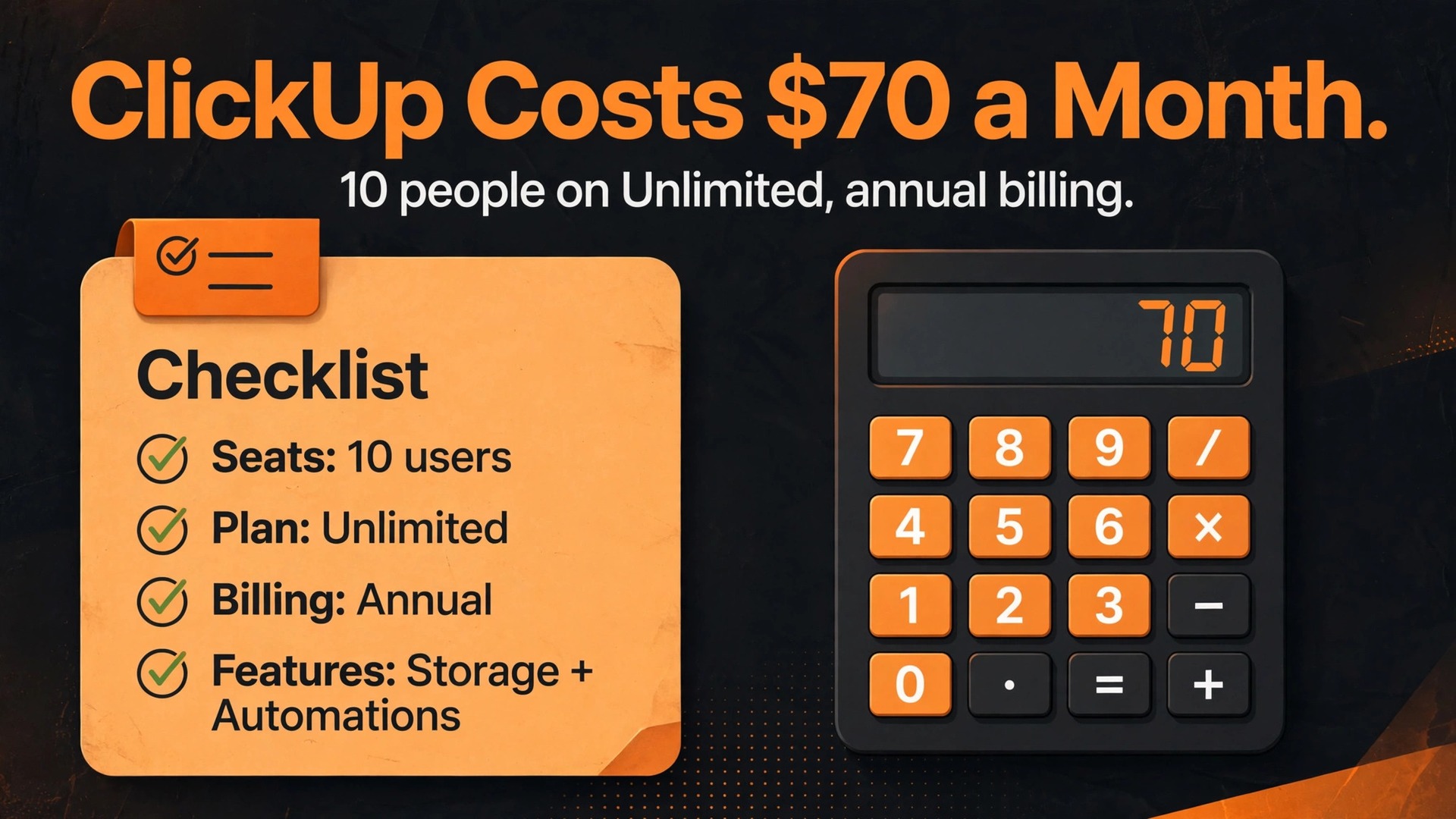
A 10 person team on ClickUp Business pays 120 dollars a month on annual billing, while the same team on Unlimited pays 70 dollars a month, and adding the Brain AI add-on to every seat lifts either bill by 90 dollars a month. That single gap explains why two small businesses can both use ClickUp and still report very different monthly costs, and it is why the cost of ClickUp for small business monthly cannot be answered with one price. The honest answer depends on seats, billing term, automation volume and whether AI is switched on for everyone or for no one.
This guide prices ClickUp the way a small business actually buys it. It starts with the published tier prices, then works out what each tier costs at 2, 5, 10 and 25 seats, and then adds the extras that most pricing pages leave in small print. Prices here reflect published figures at writing time, and ClickUp changes plan names and limits from time to time, so confirm the current price on the vendor page before you buy. The goal is a monthly number you can put in a budget without a surprise at renewal.
The Monthly Bill at a Glance
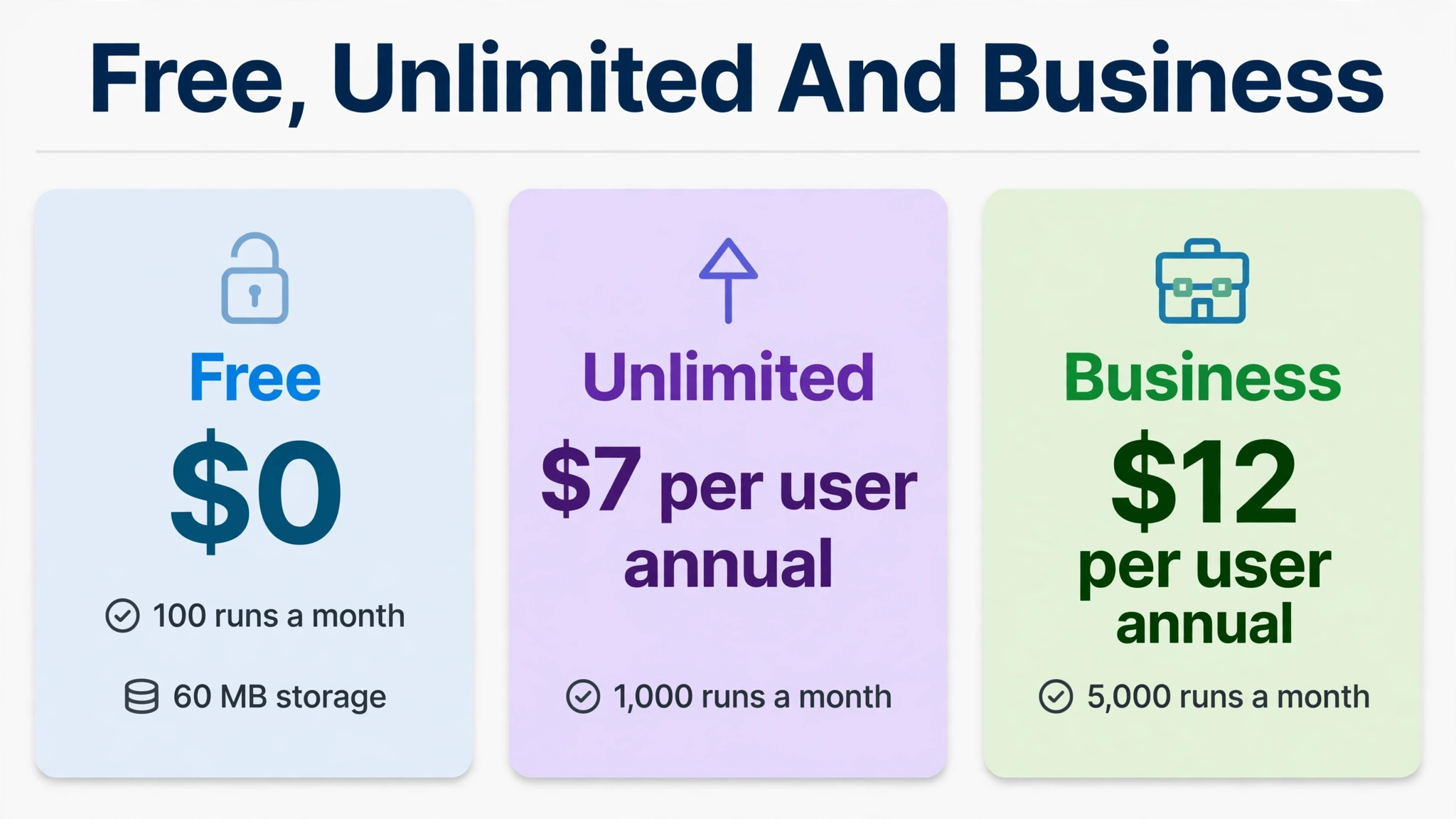
The table below gives the starting point for every calculation that follows. Annual billing figures are monthly equivalents, meaning the yearly charge divided by 12, and monthly billing figures are what you pay if you refuse the yearly commitment. Free costs nothing but carries hard limits on storage, guests and automations that most working teams outgrow quickly.
| Plan | Annual billing | Monthly billing | Automation limit |
|---|---|---|---|
| Free Forever | 0 dollars | 0 dollars | 100 runs a month |
| Unlimited | 7 dollars per user | 10 dollars per user | 1000 runs a month |
| Business | 12 dollars per user | 19 dollars per user | 5000 runs a month |
| Business Plus | Price not published | Price not published | Higher limits by quote |
| Enterprise | Custom quote | Custom quote | 250000 runs a month |
Why the Headline Price Misleads Small Teams
Pricing pages lead with the cheapest paid number, and for ClickUp that number is 7 dollars per user per month on Unlimited with annual billing. A small business owner sees that figure, multiplies it by the team size, and writes it into a budget, but the real bill often lands higher for three separate reasons. Monthly billing costs more than annual billing, AI is charged per seat rather than per user who wants it, and automation limits can force a tier jump that has nothing to do with headcount.
The second trap is the seat count itself. ClickUp charges for paid members, and a business that counts only full time staff will undercount the bill. Part time staff, contractors who need full access and managers who only check dashboards can all end up as paid seats if they need more than guest access. Guests are limited in number and in what they can do, so a team that leans on guests to save money often discovers that the workaround breaks the moment a guest needs to edit a task or see a private view.
The third trap is time. Annual billing looks cheaper on paper, and it usually is, but it locks the business into a seat count for a year. A seasonal business that hires five extra people for a busy quarter may pay for empty seats until renewal, while monthly billing lets the bill shrink the following month. The right billing term depends on how stable the headcount is, not just on which rate looks lower.
Free Forever
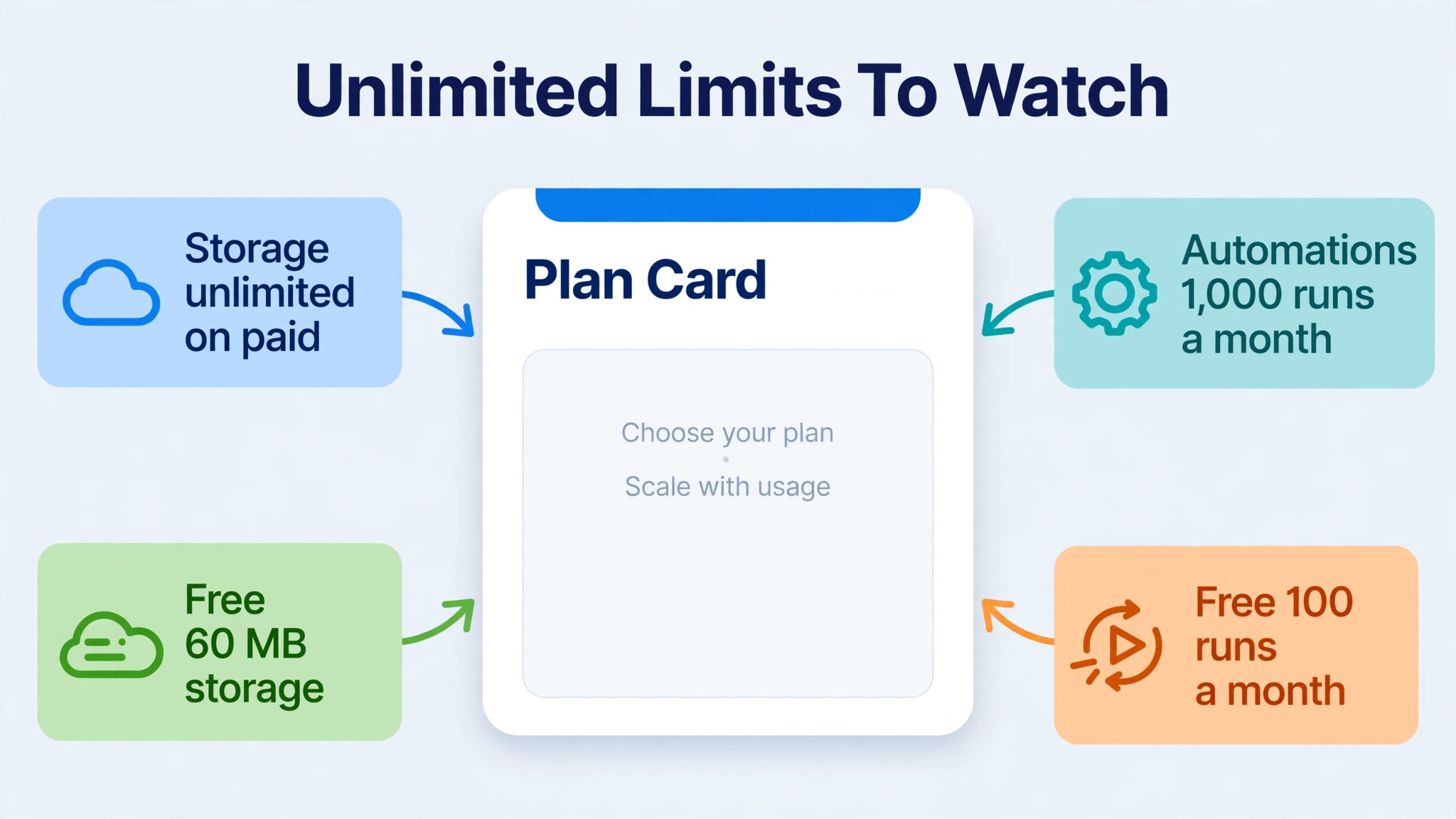
Free Forever suits a solo owner testing ClickUp or a tiny team running a handful of projects with light automation. It allows unlimited tasks and members, which sounds generous, but the limits that matter are storage at 60 megabytes, 100 automation runs a month, five spaces and a small number of guests. A team that attaches photos, videos or large files to tasks will hit the storage ceiling fast, and a team that automates status changes, assignments and reminders will burn through 100 runs in the first week of a busy month.
The free plan also limits views, dashboards and integrations compared with paid plans, so a business that wants Gantt charts, advanced dashboards or a wide set of connected apps will feel the ceiling quickly. That is not a flaw in the plan. It is the plan doing its job, which is to let a new user learn the product before paying. The mistake is treating free as a permanent home for a working team, because the workarounds for its limits cost more staff time than a paid plan costs in cash.
Move off free when any one of three things happens. Storage warnings appear, automations stop running because the monthly allowance is spent, or guests and spaces run out. At that point Unlimited at 7 dollars per user per month on annual billing is usually the cheapest honest step, and the business should price it at its real seat count rather than at the two or three people who use ClickUp most. Waiting until free breaks a live project is the expensive way to learn the limit.
Unlimited
Unlimited is the entry paid tier and the right home for many small teams that need real project work without heavy reporting. It removes the storage limit, opens all views, adds native time tracking, portfolios and resource management, and raises automations to 1000 runs a month. For a team that mainly tracks tasks, deadlines and client work, that set covers the daily job well, and at 7 dollars per user per month on annual billing it is one of the lower priced paid plans in its class.
The limit to watch is the automation allowance. One thousand runs a month sounds large until a team automates several actions per task, and a busy team can easily trigger dozens of runs a day. Each status change, assignment, due date shift or comment trigger can count, so a team running 50 tasks a week with three automations each is already close to the ceiling. When automations stop, work does not stop with them. Staff start doing the steps by hand, and the tool quietly stops saving the time it was bought to save.
Unlimited also lacks the deeper reporting, private views, workload management and advanced dashboard features that sit on Business. A team that manages several projects at once, or that needs to show a client or a manager a clean portfolio view, will feel that gap sooner than it expects. Choose Unlimited when the work is task led, the automation count is modest and reporting needs are simple, and move up when reporting or automation volume becomes part of the daily job rather than an occasional extra.
Business
Business is where ClickUp starts to behave like a management system rather than a task list, and at 12 dollars per user per month on annual billing the step up from Unlimited is 5 dollars per seat. That step buys 5000 automation runs a month, advanced dashboard cards, portfolio workload management, sprint reporting, timesheets and Google single sign on. For a team running multiple projects with shared staff, the workload view alone can justify the difference, because it shows who is overloaded before a deadline slips.
The reporting upgrade matters more than the feature list suggests. Unlimited shows what is happening inside one project, while Business makes it easier to compare projects, track time across a portfolio and report progress to people who do not live inside the tool. A small agency, a trades business with several crews or a product team shipping in sprints will use that view every week. A solo operator or a two person team with one project at a time probably will not, and for them the extra 5 dollars per seat buys features that sit unused.
Business is also the tier where AI add-ons start to make sense, because the teams that need reporting usually also want summaries, search and writing help across a larger workspace. The Brain AI add-on costs 9 dollars per user per month on annual billing, which lifts a Business seat to 21 dollars, and the Everything AI add-on costs 28 dollars per user per month on annual billing, which lifts it to 40 dollars. Those add-ons are priced per seat, so the business should decide who genuinely needs AI before switching it on for the whole team.
Business Plus and Enterprise
Business Plus sits above Business with stronger controls over roles, forms, timesheets and automation scale, but ClickUp does not publish a list price for it. Treat it as a quote tier, ask for a written quote at the real seat count, and compare it against Business on automation volume and API access rather than against a guessed price. A tier without a published price should never enter a budget as an assumption.
Enterprise is the top tier and is priced by custom quote, with published reports putting it roughly in the 25 to 40 dollar range per user per month, although the only reliable figure is the quote for a specific business. It adds SAML single sign on, SCIM provisioning, audit logs, custom roles, enterprise API access, governance controls and 250000 automation runs a month, plus HIPAA availability for teams that need it. Those features matter for regulated work, large organisations and businesses with strict client security requirements, and they matter very little for a typical small team.
Most small businesses should not aim for Enterprise. The jump from Business to Enterprise is a governance jump, not a productivity jump, and paying for audit logs and custom roles that no one uses is a pure waste. The exception is a small business that serves enterprise or healthcare clients who demand those controls in writing. In that case Enterprise is not a luxury, it is a condition of winning the work, and the cost belongs in the price of those contracts rather than in general overhead.
What Counts as a Paid Seat
ClickUp bills for paid members, and the seat question causes more billing surprises than any single price change. Full members who create and edit work across the workspace are paid seats, while guests have a limited allowance that depends on the plan. Free allows a small number of guests, while Unlimited and Business allow a larger number of full guests plus unlimited read only guests, with exact allowances set on the current plan page. A business that invites clients or contractors as guests should check the current allowance before relying on it.
The practical rule is simple. Anyone who needs to edit tasks, own work or see private views on a regular basis should be counted as a paid seat in the budget, even if they only work part time. Anyone who only needs to view a shared list or submit a form can usually stay outside the paid count. Counting honestly at the start avoids the common pattern where a team budgets for five seats, invites eight people, and then wonders why the invoice is larger than the pricing page promised.
Seat hygiene is a monthly habit, not a yearly event. Remove people who have left, convert former staff to guests where the plan allows it, and check the member list before renewal. An unused seat on annual billing is paid for in full whether anyone logs in or not, so five minutes of seat checking each month is one of the cheapest savings a small business can make.
The Cost of ClickUp for Small Business Monthly at 2, 5, 10 and 25 Seats
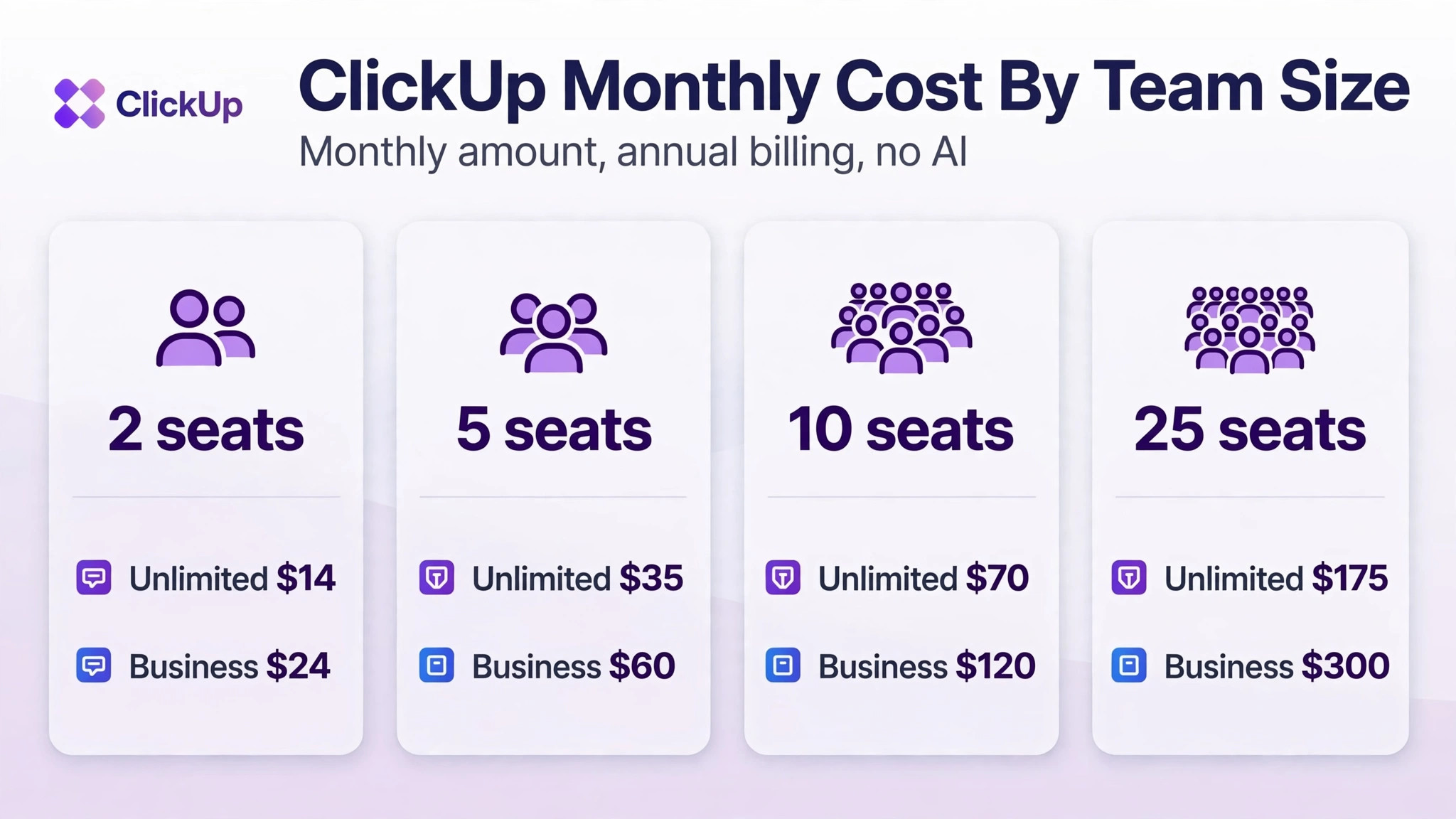
The table below prices the two tiers most small businesses actually choose, on annual billing, without AI add-ons. Monthly billing figures appear in the paragraph after the table for teams that cannot commit to a year. Enterprise is left out because it is quoted per business, and guessing at it would mislead more than it helps.
| Team size | Unlimited annual | Business annual | Unlimited plus Brain | Business plus Brain |
|---|---|---|---|---|
| 2 seats | 14 dollars | 24 dollars | 32 dollars | 42 dollars |
| 5 seats | 35 dollars | 60 dollars | 80 dollars | 105 dollars |
| 10 seats | 70 dollars | 120 dollars | 160 dollars | 210 dollars |
| 25 seats | 175 dollars | 300 dollars | 400 dollars | 525 dollars |
Yearly totals make the gap easier to judge. A 10 seat team pays 840 dollars a year on Unlimited and 1440 dollars a year on Business, a difference of 600 dollars. Adding Brain to every seat lifts those totals to 1920 dollars and 2520 dollars a year. A 25 seat team pays 2100 dollars a year on Unlimited and 3600 dollars on Business, and Brain lifts those to 4800 dollars and 6300 dollars. Those yearly figures are the numbers a finance plan should carry, because the monthly equivalent hides the lump sum that annual billing actually charges.
Monthly billing raises every figure in the table. Unlimited moves from 7 dollars to 10 dollars per user per month, so a 10 seat team pays 100 dollars a month instead of 70 dollars, and Business moves from 12 dollars to 19 dollars, so the same team pays 190 dollars instead of 120 dollars. Over a year, monthly billing costs a 10 seat Business team 840 dollars more than annual billing. That premium buys flexibility, and it is worth paying during a trial period or a season of uncertain headcount, but it is an expensive habit once the team size is stable.
Add-Ons That Change the Total
AI is the largest add-on cost inside the cost of ClickUp for small business monthly, and it is also the easiest to overspend on. Brain AI costs 9 dollars per user per month on annual billing and includes an AI assistant, writing help, workspace search and 1500 AI Super Credits per user per month on classic plans. Everything AI costs 28 dollars per user per month on annual billing and adds Super Agents, Brain MAX, premium models, an AI notetaker, AI fields and 5000 credits per month. Both are charged per seat, so switching AI on for a 25 seat team adds 225 dollars a month for Brain or 700 dollars a month for Everything AI, before any other cost.
The credit model deserves attention before buying. Credits are consumed by AI actions, and a team that uses AI fields across thousands of tasks can burn through a monthly allowance faster than expected. Start AI on a small group, watch credit use for a full month, and only then decide whether the whole team needs it.
Note also that some newer workspaces see a different plan list, with Core, Business and Max tiers that bundle AI credits into the seat price instead of selling AI as a separate add-on. If the pricing page inside a workspace does not match the classic list used here, price from the page actually shown and confirm the current price on the vendor page before signing anything.
The subscription is only part of the cost of ClickUp for small business monthly in the first year for many small businesses. Setup time is the largest hidden cost, because moving projects, templates, automations and docs into ClickUp takes staff hours, and a team that underestimates that work either pays a consultant or lives with a half finished workspace for months. Training is the second hidden cost, since ClickUp is a wide product and new users need guidance on views, automations and permissions before they use it well. Neither cost appears on the pricing page, but both appear in the payroll.
Renewal behaviour creates the next trap. Annual plans renew at the seat count on the account, so a business that forgets to remove departed staff before renewal pays for those seats for another year. A further trap is the guest limit. A team that builds client collaboration around guest seats and then exceeds the allowance must either pay for more seats or rebuild the sharing setup.
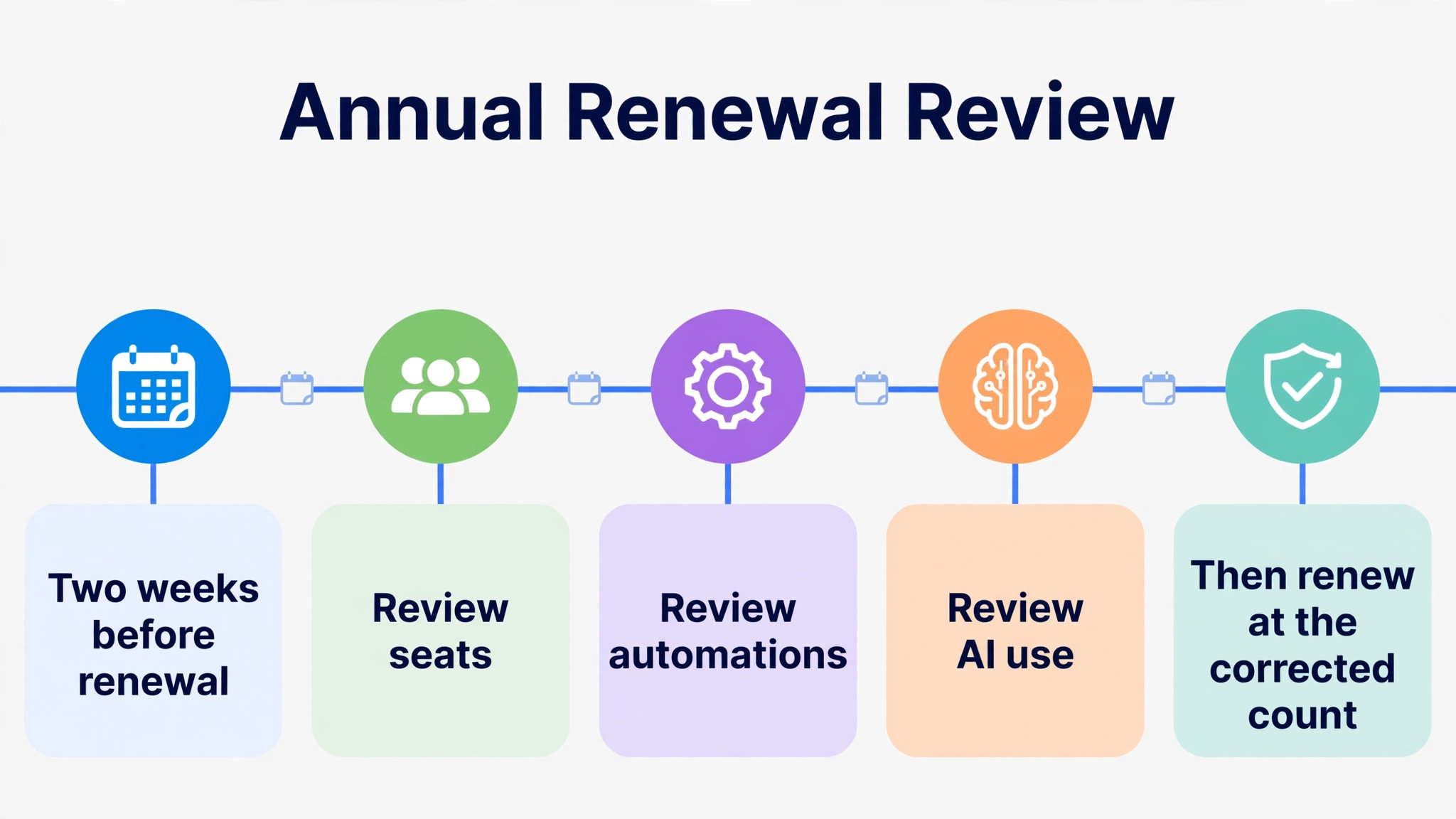
Taxes and payment method can also shift the final invoice, so read the checkout total rather than the pricing page headline. Set a calendar reminder two weeks before renewal to review seats, automations, AI use and plan fit. That single reminder catches almost every renewal surprise.
Annual Billing Against Monthly Billing
Annual billing saves roughly 30 percent on Unlimited and roughly 37 percent on Business compared with monthly billing. A 10 seat team on Business saves 840 dollars a year by paying annually, and a 25 seat team saves 2100 dollars a year. Those savings are real money, and they are why most established teams choose annual billing once they know ClickUp fits. The saving only holds if the seats are actually used for the full year.
Monthly billing is the better choice in three situations. The business is still trialling ClickUp and may switch tools, the headcount changes sharply with seasons or projects, or cash flow is tight and a yearly lump sum would strain the bank balance. In those cases the premium buys an exit route and a smaller monthly commitment, and that flexibility is worth more than the discount. A common smart pattern is to start monthly for one quarter, confirm the tier and the seat count, and then switch to annual billing once the numbers are stable.
There is also a middle path that many teams miss. Start on annual billing for the core team who will definitely stay, and delay adding variable or project staff until their roles are certain. Billing term is a business decision, not a checkout default, so choose it deliberately and revisit it at renewal.
Mistakes That Inflate the Bill
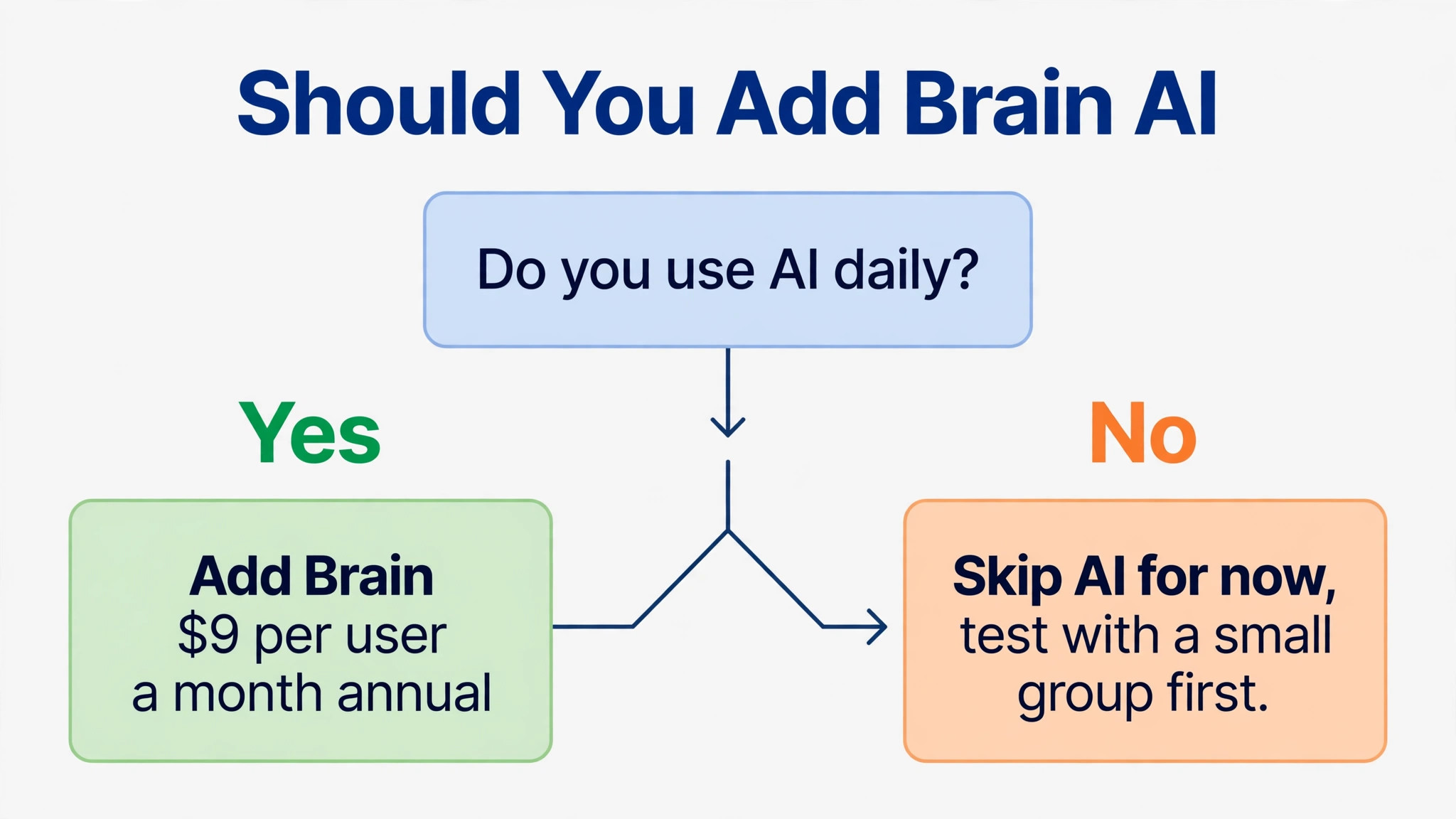
The most common mistake in the cost of ClickUp for small business monthly is paying for AI for everyone on day one. AI sounds like a productivity win, and for some roles it is, but a warehouse lead or a part time admin may never open the AI assistant, and their seats still cost 9 dollars or 28 dollars extra each month. Pilot AI with the people who write, summarise and search all day, measure whether it saves them real time, and expand only with evidence. An AI bill without a usage check is the fastest way to double a ClickUp subscription for no return.
The second mistake is buying Business for reporting that no one reads. Dashboards and workload views only pay for themselves when a manager reviews them weekly and acts on what they show. If the business builds one dashboard and never opens it again, Unlimited would have done the same daily job for 5 dollars less per seat. Audit dashboard use after 60 days, and downgrade if the reports are gathering digital dust.
The third mistake is ignoring automation counts until they run out. Teams often build automations freely, hit the monthly ceiling mid month, and then either pay for a tier jump or do the work by hand. Both outcomes cost money. Count automation runs in the first month, project the monthly total, and choose the tier that covers it with room to grow. A tier chosen on automation data will rarely surprise the business later.
– Buying AI for every seat before testing it with a small group – Choosing Business for dashboards that no one reviews each week – Letting automation runs hit the ceiling mid month without a plan – Budgeting for full time staff only and forgetting contractors and managers – Renewing an annual plan without removing departed staff first

A Simple Way to Decide Before You Pay
Start with a one week trial using real work, not demo data. Load two live projects, invite the people who will actually use the tool, and build the three automations the team will rely on most. Watch three numbers during that week. How many automation runs were used, how often staff hit a limit or a missing view, and how many guests the team actually needed. Those three numbers point to the right tier more reliably than any feature comparison table.
Then price three scenarios for the cost of ClickUp for small business monthly before committing. Price the team as it is today, price it with the hires planned for the next six months, and price it with AI switched on for the heavy users only. If the middle scenario pushes the team over an automation or guest limit, choose the higher tier now rather than paying for a disruptive mid year upgrade. If AI only makes sense for a few seats, keep it off the general bill and revisit it after a quarter of measured use.
Finally, set a review date. Put a 90 day check in the calendar to review seats, automation use, AI credits and dashboard use, and a renewal check two weeks before the annual date. Software costs drift upward when no one owns them, and a small business cannot afford an unowned subscription. The business that reviews its ClickUp bill twice a year will almost always pay less than the business that sets it up once and forgets it.
Who Should Pick Which Tier
Free fits a solo owner or a two person side project that needs basic task tracking and can live with 60 megabytes of storage and 100 automation runs a month. It is a trial, not a system, and a business should leave it the moment storage warnings or automation limits interrupt real work. Unlimited fits a small team that tracks tasks, deadlines and client work across a few projects, uses modest automation, and does not need portfolio reporting. At 7 dollars per user per month on annual billing it is the value pick for most small teams, and the cost of ClickUp for small business monthly stays closest to the headline price on this tier.
Business fits a team running several projects at once, managing shared staff across those projects, or reporting progress to clients and managers every week. The workload view, advanced dashboards and 5000 automation runs are the reasons to pay the extra 5 dollars per seat, and a team that uses them weekly will feel the difference immediately. Business Plus and Enterprise fit businesses with governance, security or scale requirements that a typical small team does not have, and they should be bought on a written quote tied to a specific requirement, not on a hunch.
The verdict for most small businesses is straightforward. Start on Unlimited, prove the workflow, and move to Business when reporting or automation volume demands it. Add Brain AI only for the seats that will use it daily, and keep Everything AI for teams with a proven agent or notetaker workflow. That path keeps the monthly bill honest, avoids paying for features before they earn their keep, and leaves room to grow without rebuilding the workspace.
More Reading on Stratilyze
The guides below cover the neighbouring decisions that usually come up alongside a ClickUp purchase, from choosing a project tool for a distributed team to picking a CRM that fits a small sales operation.
– Project management software for interior designers – Project management tool for remote teams – CRM software for small business
Frequently Asked Questions
Is ClickUp really free for a small business?
Free Forever costs nothing and allows unlimited tasks and members, but its limits make it a trial for most working teams. Storage is capped at 60 megabytes, automations at 100 runs a month, and spaces and guests are limited, so a team with files, automated steps or several projects will hit a ceiling quickly. A solo owner with light use can stay free for a while, but a team doing daily client work should budget for Unlimited from the start rather than building a workflow that free cannot support.
How much does the cost of ClickUp for small business monthly rise with Brain AI?
In the cost of ClickUp for small business monthly, Brain AI adds 9 dollars per user per month on annual billing, so a 10 seat team pays 90 dollars more a month and a 25 seat team pays 225 dollars more a month when AI is switched on for every seat. Everything AI adds 28 dollars per user per month on annual billing, which is 280 dollars a month for 10 seats and 700 dollars a month for 25 seats. Because AI is charged per seat, the cheapest approach is to enable it only for staff who use AI daily and to check credit use after the first month.
What happens when automation runs run out?
Automations stop running once the monthly allowance is spent, and the steps they performed must then be done by hand until the allowance resets or the team moves to a higher tier. Free allows 100 runs a month, Unlimited allows 1000, Business allows 5000 and Enterprise allows 250000. A team should count runs in its first month and project the total, because an automation ceiling reached mid month quietly removes the time saving the tool was bought to deliver.
Is annual billing always the better deal?
Annual billing is cheaper per seat, saving a 10 seat Business team 840 dollars a year compared with monthly billing, but it only wins when the seats stay filled for the full year. Monthly billing costs more per seat and lets the business shrink the bill the following month, which suits trials, seasonal teams and uncertain headcounts. Start monthly for a quarter if the fit is unproven, then switch to annual billing once the tier and the seat count are stable.
Does ClickUp charge for guests and clients?
Guests are not charged in the same way as full members, but each plan allows only a set number of full guests alongside unlimited read only guests on paid plans, and free allows fewer. A client who only views a shared list can usually stay a guest at no cost, while a contractor who edits tasks and sees private views will usually need a paid seat. Check the current guest allowance on the plan page before building a client workflow around guest access.
When should a small business move from Unlimited to Business?
Move when reporting or automation volume becomes part of the daily job rather than an occasional need. The triggers are a team that runs several projects with shared staff, a manager who needs workload and portfolio views every week, or automation use that regularly passes 1000 runs a month. If none of those triggers apply, Unlimited at 7 dollars per user per month on annual billing remains the better value, and the extra 5 dollars per seat on Business buys features that will sit unused.