

Compare two small business owners at tax time. One hands an accountant a neat log with every business trip dated, measured, and explained. The other hands over a pile of fuel receipts and a rough guess of miles driven, reconstructed from memory months later. The first owner can support a deduction with confidence. The second owner faces questions, delays, and a deduction that may be cut back. That difference is why how to track mileage small business taxes accept matters, and it is decided by a daily habit, not by a clever trick in April.
Mileage is one of the simplest deductions for a small business, and also one of the easiest to lose. The rules are not complicated, but they are strict about records. A log kept at or near the time of the trip, with the date, the places, the business purpose, and the miles, will usually satisfy the record requirement. A log rebuilt at year end from calendar guesses will not carry the same weight, even if the total looks plausible. The system in this guide is built to be easy enough to run on busy days, because a system you skip on busy days is the system that fails.
This guide is general information, not tax advice for your specific situation. Tax rules vary by business type, vehicle use, and location, and rates change by year. Check the current IRS guidance and talk to a tax professional before you file, especially if you have employees, a mixed use vehicle, or a home office question. With that caution in place, you will learn what counts as a business trip, what fields a log needs, whether to log daily or trip by trip, how apps compare with a spreadsheet, and how to turn a year of trips into a clean year end report.
How to Track Mileage Small Business Taxes Will Accept
The core rule is contemporaneous records. That term means records made at or near the time of the trip, not reconstructed long after. An app that logs a trip by GPS on the day, a notebook entry made at the end of the day, or a spreadsheet updated each evening all meet that idea far better than a January attempt to recall a full year of driving. Keep the habit small, so it survives busy weeks.

What counts as a business trip
Business miles are miles driven for business purposes, such as visiting a client, travelling to a job site, buying supplies for the business, or attending a business meeting. Personal miles are not deductible, even if you happen to pass a client on the way. Commuting between your home and your regular place of work is generally not a business trip, although the rules differ when your home is your principal place of business or when you travel to a temporary work location. Those edge cases are exactly where a tax professional earns their fee, so do not guess on them.
Mixed trips need care. If you drive to a client and then to a personal errand, log the business portion with its own start and end points, and log the personal portion separately or exclude it. A log that claims every mile of a mixed day as business mileage will not survive scrutiny, and it will undermine trust in the rest of the log. Honest splitting takes a minute, and it protects the whole deduction.
The standard rate and the actual expense choice
Most small business owners use the standard mileage rate, which is a cents per mile figure set for a tax year, multiplied by business miles.
For the 2025 tax year, the business rate was 70 cents per mile, according to multiple guides summarising IRS figures. For the 2026 tax year, guides summarising IRS announcements report two rates, 72.5 cents per mile for business miles driven from January 1 through June 30, 2026, and 76 cents per mile for business miles driven from July 1 through December 31, 2026. Those 2026 figures come from third party guides rather than a direct IRS page checked in this draft, so confirm the rate for the exact period on the IRS page or with your tax professional before you file.
The alternative is the actual expense method, where you track fuel, maintenance, insurance, depreciation, and other vehicle costs, then deduct the business use percentage. That method can pay more for an expensive vehicle driven heavily for business, but it needs far more records, including total miles for the year and a business use percentage.
Guides also note that you generally need to use the standard rate in the first year a vehicle is used for business if you want to keep the standard rate as an option later. Confirm that point with a tax professional, because switching methods has rules that depend on your situation. For most small businesses with a personal vehicle used partly for work, the standard rate plus a clean log is the simpler and safer path.
The Log Fields Every Trip Needs
This is the overview proof checklist at the heart of the guide. A log that is missing one of these fields will need extra work at year end, and a log that has all of them can be turned into a report in minutes. That completeness is the practical test for how to track mileage small business taxes reviewers will accept without extra questions. Keep the fields in the same order every time, so logging becomes automatic.
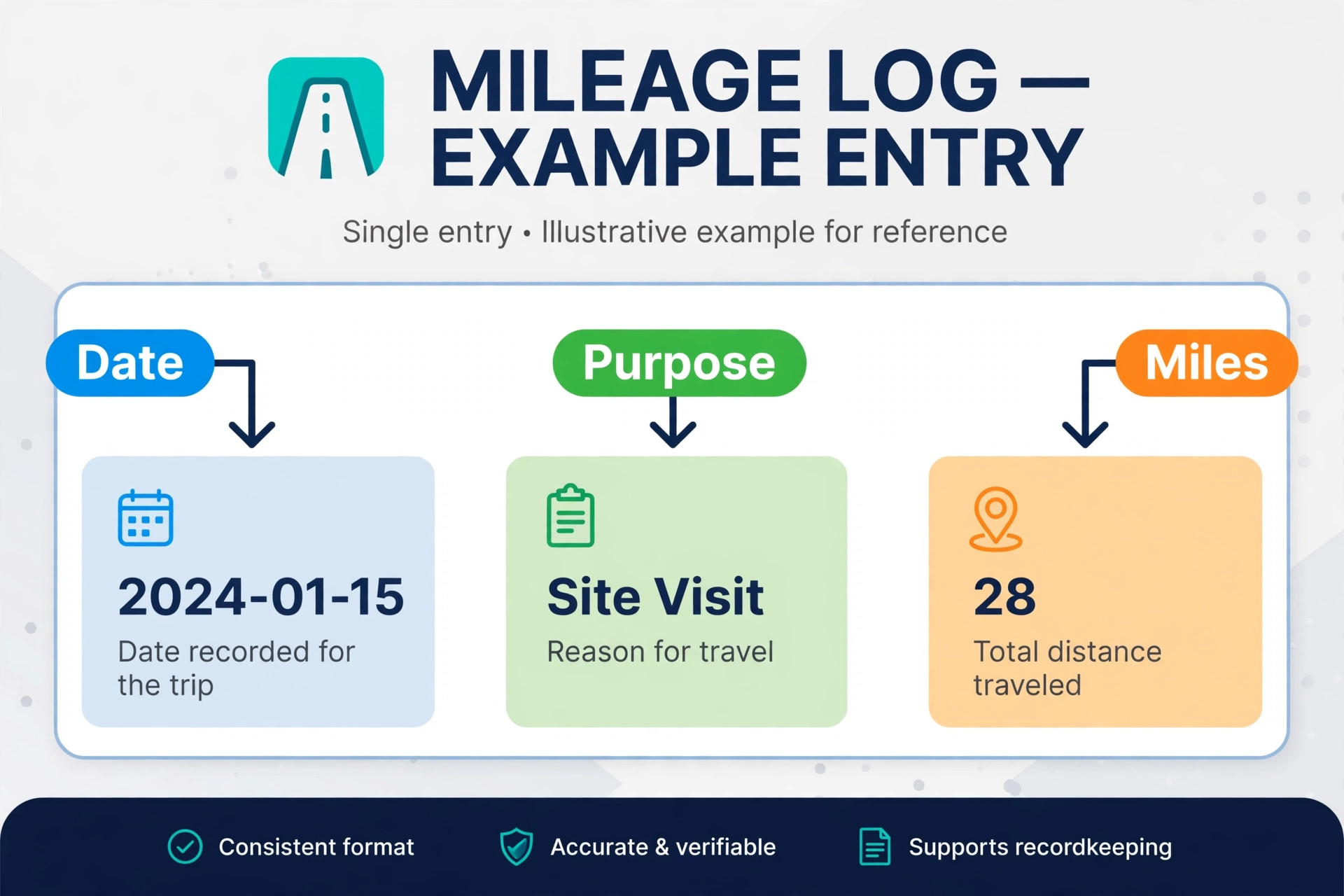
Trip field 1. Date of the trip, written on the day of travel.
Trip field 2. Starting location, such as home office or business premises, with enough detail to identify the place.
Trip field 3. Destination, including the client name or business purpose location where relevant.
Trip field 4. Business purpose, in plain words, such as client meeting, site visit, or supply run.
Trip field 5. Miles driven for the business portion, from odometer readings or a GPS route record.
Trip field 6. Odometer readings at the start and end of the year, plus total miles for the year, so business use can be checked.
Trip field 7. Notes on tolls, parking, or a mixed trip split, where they apply to the journey.
The date matters more than most owners realise, because the rate depends on the year and, for 2026, on the half of the year in which the trip happened. A log without dates cannot apply the right rate to the right trip. A log with dates, grouped by period, makes the calculation a simple multiplication for each period. Keep the date in the same format throughout the year, and avoid vague entries such as last week or Tuesday without a calendar date.
The business purpose should be specific enough for a stranger to understand. Client meeting is acceptable. Meeting is not, because it does not show why the trip was business. Site visit for kitchen measure is better than site visit alone. Supply run for job materials is better than errand. A purpose written in five to ten words takes seconds and removes doubt later. If a trip has more than one business stop, log each leg separately or list each stop clearly in one entry with its own miles.
Odometer readings anchor the whole log. Note the reading on January 1 and on December 31, and keep a running total of business miles, commuting miles, and personal miles for the year. That total lets you or your accountant check that business miles are a plausible share of total miles, and it supports the business use percentage if you ever use the actual expense method. A photo of the odometer at year start and year end is a simple backup that takes seconds and settles many questions.

Daily Logging Versus Trip by Trip Logging
There are two workable rhythms, and the best one is the one you will actually keep. Daily logging means you record all trips at the end of each day, from memory of that day, with help from your calendar and any GPS history. Trip by trip logging means you record each trip as it happens, or let an app record it automatically. Both can satisfy the contemporaneous idea, provided the gap between travel and record is short.

Daily logging suits predictable routines
Daily logging works well for owners with a regular pattern, such as a set round of clients or a fixed weekly route. At the end of the day, open the log, check the calendar, and enter each business trip with its purpose and miles. The risk is a busy day when logging slips to the next day, then to the weekend, then to the end of the month. Prevent that drift with a fixed trigger, such as logging before you close the laptop or before you leave the vehicle. A five minute evening habit will beat a heroic monthly catch up every time.
Use your calendar as a cross check, not as a replacement for the log. A calendar shows where you were meant to be, while a log shows where you actually drove and how far. If a meeting moved or a client cancelled, the calendar alone will misstate the trip. When you log daily, compare the two and correct any difference while the day is still fresh. That comparison also catches personal trips that were accidentally included in a business day.
Trip by trip logging suits varied days
Trip by trip logging works better for owners whose days vary, with unscheduled client visits, emergency callouts, or long driving days. Logging each trip as it happens, or letting an app capture the route, removes the need to remember a complex day in the evening. The risk is interruption, because a trip logged in a rush may miss the purpose or the destination. A short voice note, a photo of the job sheet, or a quick app entry with the client name can fill that gap until you complete the entry later the same day.
A hybrid rhythm suits many owners. Let an app or a GPS record capture the route and miles for every drive, then classify each drive as business or personal at the end of the day, adding the purpose where needed. That split keeps the accuracy of trip by trip capture with the simplicity of a daily review. Whatever rhythm you choose, test it for two weeks before committing to it for a year, and change it early if you find yourself skipping entries. A system that fits your day will survive. A system that fights your day will not.
Apps, Spreadsheets, and Paper Logs Compared
No single method suits every business, and the right choice depends on how much you drive, how varied your trips are, and how comfortable you are with technology. The comparison below focuses on record quality, not on marketing claims, and you should confirm current features and terms on the vendor page before you buy any app.
Mileage apps for automatic capture
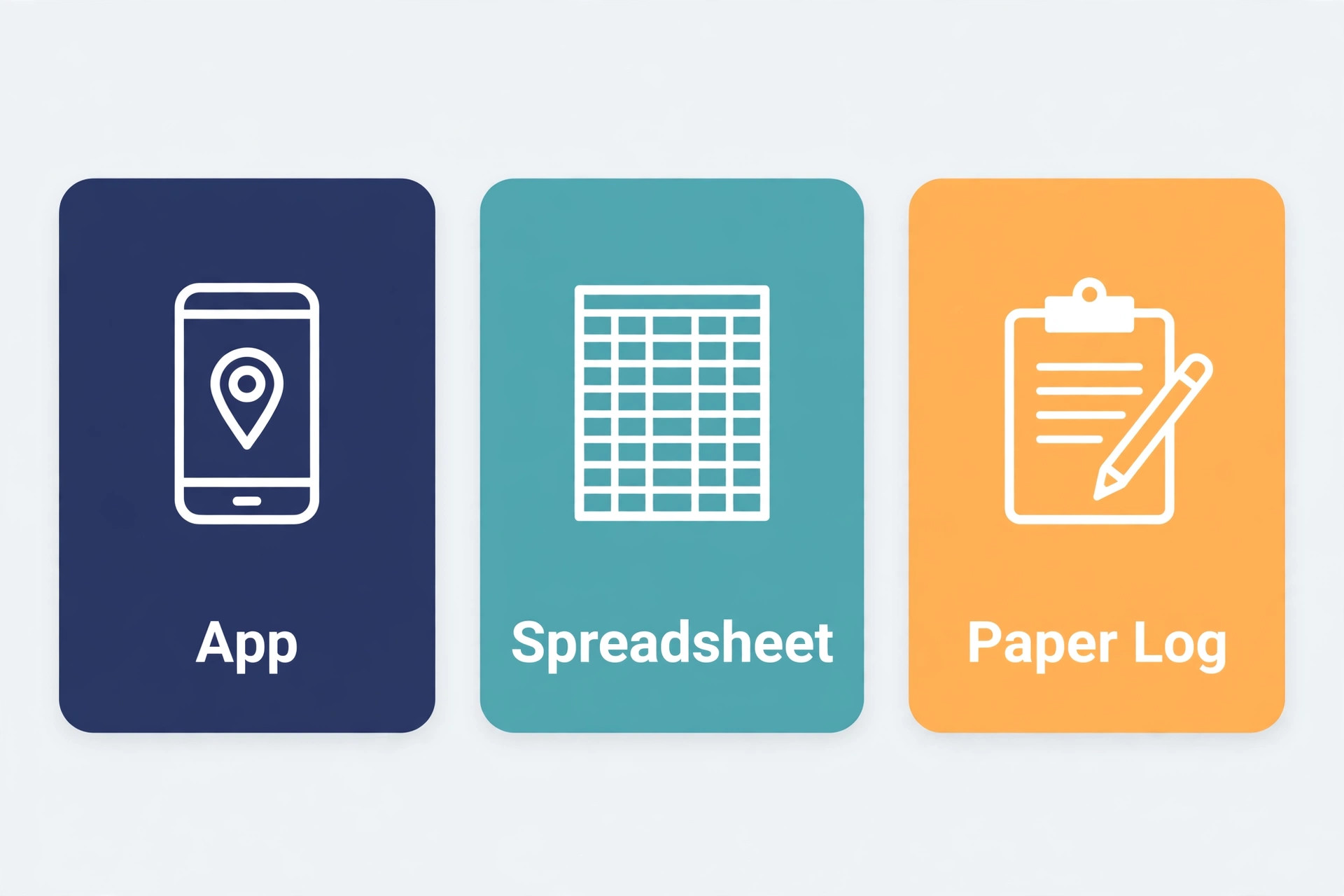
Mileage apps use GPS to record drives automatically, then ask you to classify each drive as business or personal and add a purpose. MileIQ, Everlance, Hurdlr, and QuickBooks are sponsor natural names in this space, and each approaches the same job in a slightly different way. An app suits owners who drive a lot, make many stops, or forget to log by hand. The main benefit is capture. A drive that is recorded automatically cannot be forgotten, even on a chaotic day.
Apps also have limits. GPS routes can be wrong when a signal drops, a phone battery dies, or a route is changed mid journey. Classification still needs a human, because an app cannot know whether a drive to a familiar address was business or personal on that particular day. Review classified drives weekly, correct errors while you remember them, and export a backup monthly so your log does not live only inside one app account. Check the app export format before you commit, because a log you cannot export cleanly at year end is a log you cannot hand to an accountant easily.
Spreadsheets and paper for full control
A spreadsheet suits owners with fewer trips, a regular route, or a preference for full control over the format. Build columns for the seven fields in this guide, add a formula that multiplies business miles by the rate for the period, and keep a separate sheet for odometer readings and totals. A spreadsheet is cheap, flexible, and easy to share with an accountant, provided you update it daily or at least weekly. That update rhythm is part of how to track mileage small business taxes work stays credible through a busy year. The risk is the same as with any manual system, which is drift when busy weeks pile up.
A paper log suits owners who dislike phones in the vehicle or who work in areas with poor signal. Keep a small notebook in the vehicle, with printed columns for date, start, destination, purpose, and miles, and transfer the entries to a spreadsheet weekly. Paper has one clear strength, which is that it is always available, and one clear weakness, which is that it can be lost or damaged. Photograph the pages monthly as a backup, and store the photos with your other tax records. Whichever manual method you choose, the discipline matters more than the format.
Reimbursing Employees and Handling Mixed Use Vehicles
If you have employees who drive their own vehicles for your business, mileage becomes a payroll and record question as well as a tax question. Many employers reimburse at or below the standard rate for the period, because reimbursements at or below that rate are generally not treated as taxable wages, while amounts above the rate can become taxable income for the employee. Confirm the current treatment with a payroll professional, because state rules add another layer. Some states require employers to reimburse work driving, and the guides summarised in this draft name California, Illinois, and Massachusetts as examples, so check your state rule rather than assuming a national rule applies.
Set a written reimbursement policy before the first claim. State the rate, the log fields required, the deadline for submitting claims, and how mixed trips are handled. Require the same log fields as for an owner, and review claims monthly for obvious errors, such as commuting miles claimed as business miles or round trips logged as one way. Pay claims promptly, because slow payment discourages accurate logging and pushes employees back to estimates. Keep the policy, the logs, and the payment records together, so a later query can be answered from one file.
Mixed use vehicles need a clear business use percentage if you ever use the actual expense method, and they need honest splitting even under the standard rate. A vehicle used for both business and personal driving should have its total miles recorded, so the business share is visible. If a spouse or family member also uses the vehicle, their personal miles count as personal miles in the total, not as business miles. A vehicle used only for business is simpler to log, but it still needs the same trip fields, because exclusive use does not remove the record requirement.
Build Your Year End Mileage Report
A year end report turns a year of trips into a document your accountant can use without chasing you for missing detail. Build it in January, while the year is fresh, and keep it with your tax return records for at least three years from the filing date, a retention period commonly cited in mileage guides. Check the exact retention rule for your situation with a tax professional, because record rules can vary.

Step 1. Split miles by rate period
Group business miles by the period in which they were driven. For 2025, that is one group at 70 cents per mile. For 2026, that is two groups, January through June at 72.5 cents per mile and July through December at 76 cents per mile, according to the guides summarised earlier in this guide. Multiply each group by its rate, then add the groups for the total deduction under the standard rate method. Show the working in the report, so an accountant can check each multiplication without redoing the whole log.
Step 2. Reconcile totals and check for gaps
Compare total business miles with total miles from odometer readings, and check that business miles plus commuting miles plus personal miles equal total miles for the year. Look for gaps, such as a month with no trips in a normally busy period, or a week where every trip was logged as business. Investigate gaps while you still have calendar and message history to check them against, and correct genuine errors with a dated note explaining the correction. Do not invent trips to fill a gap, because a corrected log with an honest note is far stronger than a complete looking log with guessed trips.
Step 3. Export, back up, and hand over cleanly
Export the log as a spreadsheet and as a PDF, and store both with the odometer photos, the rate note for the year, and any reimbursement policy. A clean handover like this is the final step in how to track mileage small business taxes reporting should work.
Name the files clearly, with the tax year in the file name, so a future search finds them fast. Send the accountant the full log, not only the totals, because the detail is what supports the deduction. Ask the accountant to confirm the method, the rate periods, and the business use treatment before filing, and keep their confirmation with the report. That final check is the cheapest insurance in the whole process, and it turns a year of small daily habits into a deduction you can defend.
Avoid the Common Mileage Mistakes
Most mileage problems come from a handful of repeatable mistakes, and each one is easy to prevent once you know to look for it. The first mistake is rounding every trip to a neat number. A log where every trip is exactly 10 miles, 20 miles, or 30 miles looks estimated, even if the trips were real. Record the actual miles from the odometer or the route, including odd numbers such as 13 miles or 27 miles, because real driving rarely lands on round numbers. Accuracy in small details builds trust in the whole log.
The second mistake is logging only the outward leg of a trip. A client visit that is 18 miles each way is 36 miles of business driving, not 18, provided both legs were for business and no personal detour intervened. Log the return leg as its own entry or as part of the same entry with the total clearly shown. Check your log monthly for one way entries that should have been round trips, and correct them while the journey is still fresh in memory.
The third mistake is claiming personal miles by accident. A drive to a client that continues to a family visit, a shopping trip, or a school run should be split, with only the business portion claimed. The same applies to a drive that starts at home, stops at a client, and ends at a personal destination. Splitting takes a minute and a clear note, while claiming the full distance risks the whole deduction if the pattern is spotted. When in doubt, claim the business portion you can explain, and leave the rest out.
The fourth mistake is keeping the log in only one place with no backup. A phone lost, an app account closed, or a notebook damaged in a vehicle can erase a year of records in a day. Export app logs monthly, photograph paper pages monthly, and store a spreadsheet copy in a second location, such as cloud storage or a separate drive. A backup habit that takes five minutes a month is the cheapest protection in the whole system, and it is the step most owners skip until they need it.
The fifth mistake is forgetting tolls and parking as separate items. Tolls and parking paid for business travel are generally handled separately from the mileage rate, which already covers fuel, maintenance, and depreciation under the standard method. Keep toll and parking receipts with the log, note the trip they belong to, and ask your accountant how to present them, rather than adding them into the mileage total. Mixing them into miles will inflate the mileage figure and confuse the calculation, while a separate list keeps both items clean.
Avoiding these five mistakes will not make mileage exciting, but it will make it reliable. A log that is accurate, split honestly, backed up, and reconciled at year end is a log that supports its deduction without drama. That reliability is worth more than a slightly higher total built on guesses, because a deduction that survives review is worth far more than a larger deduction that is cut back later with interest and stress.
Frequently Asked Questions
What fields must a mileage log include for taxes
A mileage log should include the date, the starting location, the destination, the business purpose, and the miles driven for each business trip, plus odometer readings at the start and end of the year and total miles for the year. Those fields are the core answer to how to track mileage small business taxes reviewers expect to see. Those fields let you or your accountant apply the right rate to the right period and check that business miles are a plausible share of total miles. A log missing the date or the purpose will need extra work at year end and may not support the deduction as strongly.
What is the standard mileage rate for 2025 and 2026
For the 2025 tax year, the business rate was 70 cents per mile, according to guides summarising IRS figures. For the 2026 tax year, guides summarising IRS announcements report 72.5 cents per mile for business miles driven from January 1 through June 30, 2026, and 76 cents per mile for business miles driven from July 1 through December 31, 2026. Confirm the rate for the exact period on the IRS page or with your tax professional before you file, because rates are set by year and, for 2026, by half year.
Can I deduct commuting miles to my regular workplace
Generally no, commuting between home and a regular place of work is not a business trip, although the treatment differs when your home is your principal place of business or when you travel to a temporary work location. Those cases depend on your facts, so check them with a tax professional rather than claiming commuting miles by default. Logging commuting miles separately, rather than mixing them into business miles, keeps your log honest and easier to defend.
Is an app log accepted, or do I need a paper log
An app log, a spreadsheet, a paper log, and calendar entries can all support a mileage deduction, provided the records are made at or near the time of the trip and include the required fields. That flexibility is useful, because how to track mileage small business taxes work best is the method you will actually keep up. The format matters less than the habit and the detail. Whichever method you choose, review entries weekly, correct errors promptly, and export a backup monthly, so your log does not depend on a single device or a single app account at year end.
Should I use the standard rate or actual expenses
The standard rate is simpler for most small businesses, because you multiply business miles by the cents per mile rate for the period. The actual expense method tracks fuel, maintenance, insurance, depreciation, and other costs, then applies a business use percentage, which can pay more for an expensive vehicle but needs far more records. Guides note that you generally need to use the standard rate in the first year a vehicle is used for business to keep it as an option later, so confirm the choice with a tax professional before you commit.
How long should I keep mileage records
Keep mileage logs for at least three years from the tax return due date or filing date, a period commonly cited in mileage guides, and check the exact rule for your situation with a tax professional. Retention is the quiet part of how to track mileage small business taxes records stay useful after filing. Store the log, the odometer photos, the rate note for the year, and any reimbursement records together, in both spreadsheet and PDF form, so a later query can be answered from one file without reconstructing the year from memory.
More Reading on Stratilyze
For business cost context, read Cost of FreshBooks for Small Business Monthly and Cost of Xero for Small Business Monthly. For a related money admin topic, Fix QuickBooks Bank Feed Not Syncing Small Business covers a common bookkeeping fault. For client software that pairs with field work, Best CRM for Cleaning Companies shows how job records support the business. Each post complements the mileage system in this guide.