
FreshBooks Lite caps at five billable clients, while Xero Starter caps at twenty invoices and five bills a month, according to a 2026 comparison of the two tools. Those two numbers explain the migration better than any feature list. FreshBooks counts clients, because it is built for invoicing freelancers and small service firms. Xero counts documents, because it is built as a full accounting system with a chart of accounts, bank reconciliation, and reporting. A business that outgrows five clients, or that needs inventory, multi currency, or accountant ready reports, has outgrown an invoicing tool and needs an accounting system. That threshold is where a switch FreshBooks to Xero small business plan starts to make sense.
The move is also the highest stakes migration in this series, because it touches money, tax, and legal records. A project tool migration that loses a comment is an annoyance. An accounting migration that loses an invoice, misstates a balance, or breaks a tax code is a problem that surfaces at year end, when fixing it costs accountant hours and risks a filing error. The guide below is therefore more conservative than the others. It insists on a conversion date, a trial balance, a parallel month, and an accountant check, even when the business is impatient to cut over.
This guide covers the move for a small business with roughly one to twenty staff, including freelancers growing into a team. It maps invoices, clients, and the chart of accounts, gives a year end and tax checklist, and walks through a numbered sequence. Xero conversion steps in this guide come from Xero Central help pages, so they are stated as published. Plan caps and FreshBooks details come from a third party comparison, so they are flagged as reported, and the guide says plainly to confirm them on the vendor pages before committing.
Why Invoicing Tools Hit an Accounting Ceiling
FreshBooks earns its reputation by making invoicing fast. A freelancer can create a client, send an invoice, record a payment, and chase an overdue balance without learning accounting language. The ceiling appears when the business needs to answer questions that invoicing alone cannot answer. What is the profit by service line. What is owed to suppliers this month. What does the balance sheet say about cash, debt, and owner drawings. FreshBooks reports touch those questions lightly, while Xero reports answer them from a double entry ledger, which is the difference between a billing record and an accounting record.
Inventory is the second ceiling. A product business that tracks stock, cost of goods, and supplier bills will strain FreshBooks, which is built around services and time. Xero handles inventory, purchase orders, and supplier bills as native objects, with reports that tie stock value to the balance sheet. A service business that adds a product line, or a product business that started on FreshBooks because it was simple, will feel this ceiling as soon as stock counts start living in a spreadsheet beside the invoicing tool.
Accountant collaboration is the third ceiling, and it is often the decisive one in a switch FreshBooks to Xero small business decision. Many accountants work in Xero daily, with advisor access, report packs, and year end workflows built around it. A business whose accountant asks for a Xero file every year end spends weeks preparing exports, reconciliations, and adjustments that a Xero business produces in days. Switching to the tool the accountant already uses removes that annual friction, and it usually improves the quality of advice, because the accountant sees live data instead of a year end export.
Ask the accountant before migrating. If the accountant prefers another system, follow that preference, because the accountant is the person who signs off the numbers.
Multi currency, payroll, and project profitability complete the picture. Xero supports multi currency on its higher plans, payroll through its own or connected tools, and project tracking with profitability reporting, according to comparison guides. FreshBooks covers some of this ground through its own features and integrations, but the depth differs, and a business with overseas clients or a growing team will notice the gap. Count the currencies, the payroll heads, and the projects that need profit reporting before deciding, because those counts predict whether Xero depth will be used or wasted.
Invoice, Client, and Chart of Accounts Mapping
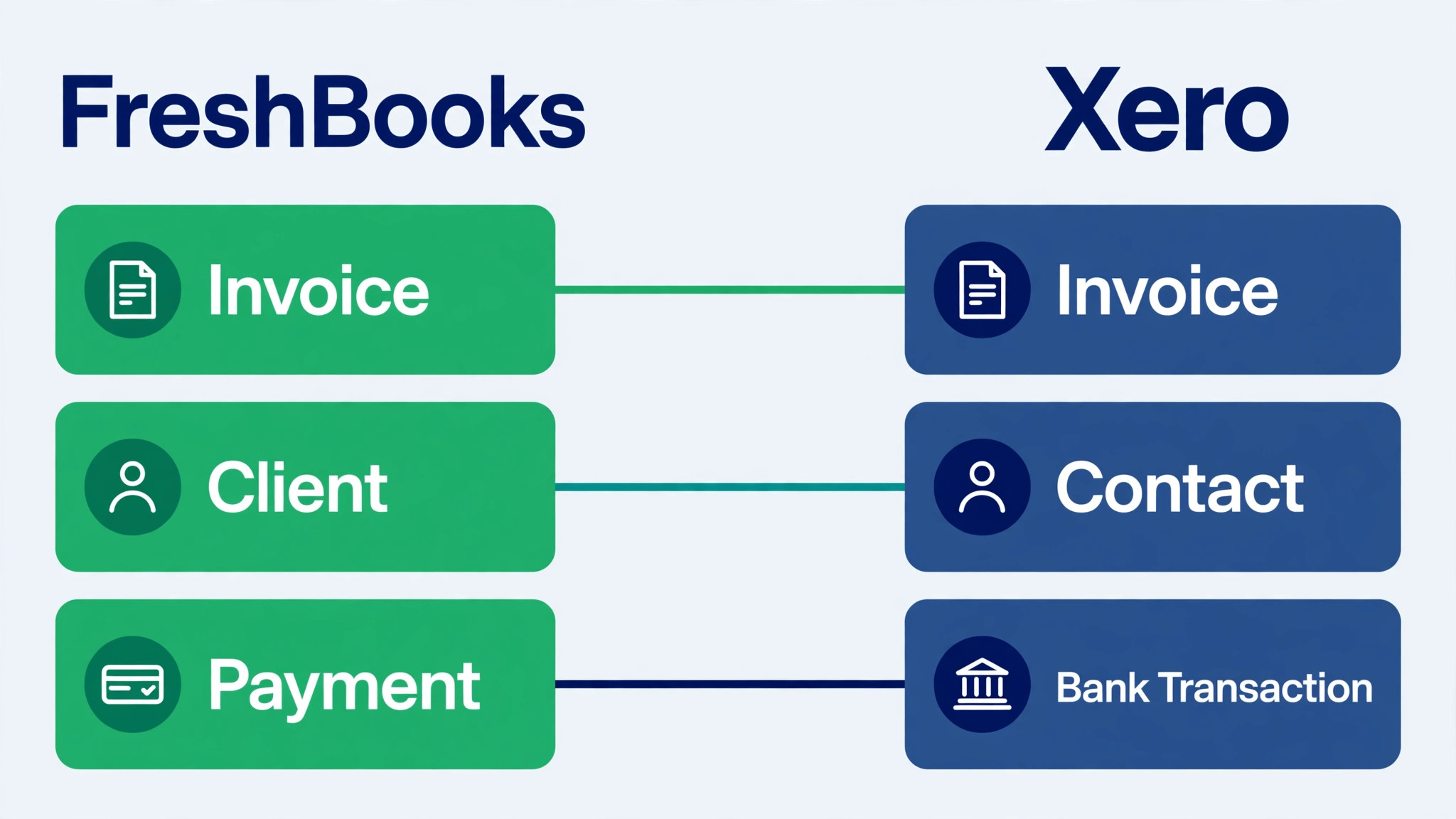
Map before exporting, and map at three levels, because a switch FreshBooks to Xero small business migration that maps only invoices will break the ledger those invoices feed. Client mapping decides who owes what. Invoice mapping decides which open items carry forward. Chart of accounts mapping decides how every future transaction is categorised. The table below covers the core objects, and the accountant should review it before any import begins.
| FreshBooks element | Xero equivalent | What to decide before import |
|---|---|---|
| Client | Contact, customer type | Match by name and email, and merge duplicate clients before export |
| Invoice, open or overdue | Customer invoice, unpaid at conversion | Import only unpaid invoices, since paid history stays in FreshBooks |
| Invoice, paid | Historical record, not imported | Keep paid invoices in the FreshBooks archive for reference |
| Payment received | Payment against the invoice | Apply payments to the imported invoices after import, or import net balances |
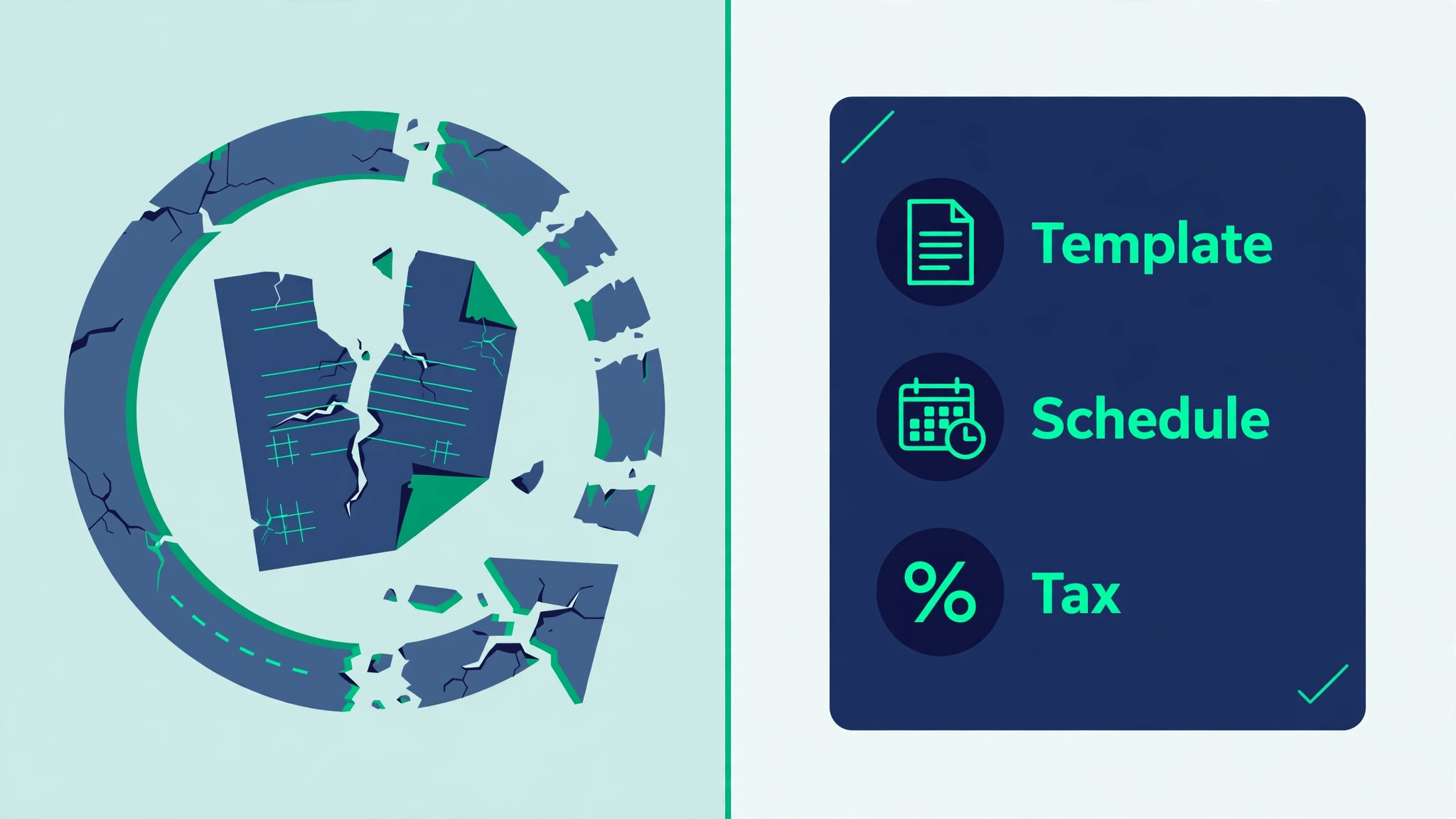
| Recurring invoice template | Repeating invoice template | Rebuild templates by hand, since schedules do not transfer |
| Estimate or quote | Quote | Rebuild open quotes, and archive expired ones |
| Expense | Bill or expense claim | Map expense categories to Xero account codes before import |
| Supplier or vendor | Contact, supplier type | Match suppliers separately from customers, even where names overlap |
| Item or service | Inventory item or service item | Map items to Xero items, with account codes and tax rates |
| Tax rate | Tax rate in Xero | Recreate every tax rate used, and confirm the rate values with the accountant |
| Chart of accounts | Chart of accounts | Clean dormant codes, merge duplicates, and map report codes |
| Account code | Account code | Keep codes where possible, or remap them in a documented table |
| Payment reminder | Invoice reminder setting | Rebuild reminder schedules in Xero, and test them on one invoice |
| Late fee | Late fee setting or manual charge | Decide whether late fees continue, and rebuild the rule explicitly |
| Project | Project in Xero | Map active projects only, and archive completed ones |
The paid versus unpaid decision is the most important row in that table. Xero conversion guidance directs businesses to import conversion balances and unpaid invoices and bills, not full transaction history. Most businesses need only twelve to twenty four months of history, according to migration guides, and many need far less. Importing every paid invoice since founding creates thousands of records that nobody reconciles, while importing only open items keeps the new ledger clean and reconcilable. Keep the full FreshBooks history as an archive, and link to it from Xero, rather than forcing it into the new system.
Chart of accounts mapping needs the accountant in the room. FreshBooks account structures are simpler than Xero structures, and a direct copy often produces a chart that reports badly. Clean the chart first by removing dormant codes, merging duplicates, and grouping accounts the way the business actually reports. Xero Conversion Toolbox guidance describes importing a chart of accounts from a CSV file with columns for account code, account name, account type, and tax codes, plus an account balance column where balances are imported. Check that total debits equal total credits before importing, because Xero adds a historical adjustment for any difference, and an unexplained adjustment is a year end problem waiting to happen.
Tax mapping is equally strict. Every tax rate used in FreshBooks must exist in Xero with the correct value before invoices import, or invoices will carry the wrong tax. Confirm tax rates with the accountant, including any special rates for particular services or regions, and test one invoice end to end before importing the rest. A tax error discovered after hundreds of invoices import is a correction project, while a tax error discovered on one test invoice is a five minute fix.
Year End and Tax Checklist
Work through this list with the accountant, and do not set a conversion date until every item is ticked in a switch FreshBooks to Xero small business plan. Accounting migrations fail at year end, not at import, so the checklist is weighted toward tax and reporting rather than toward file formats.
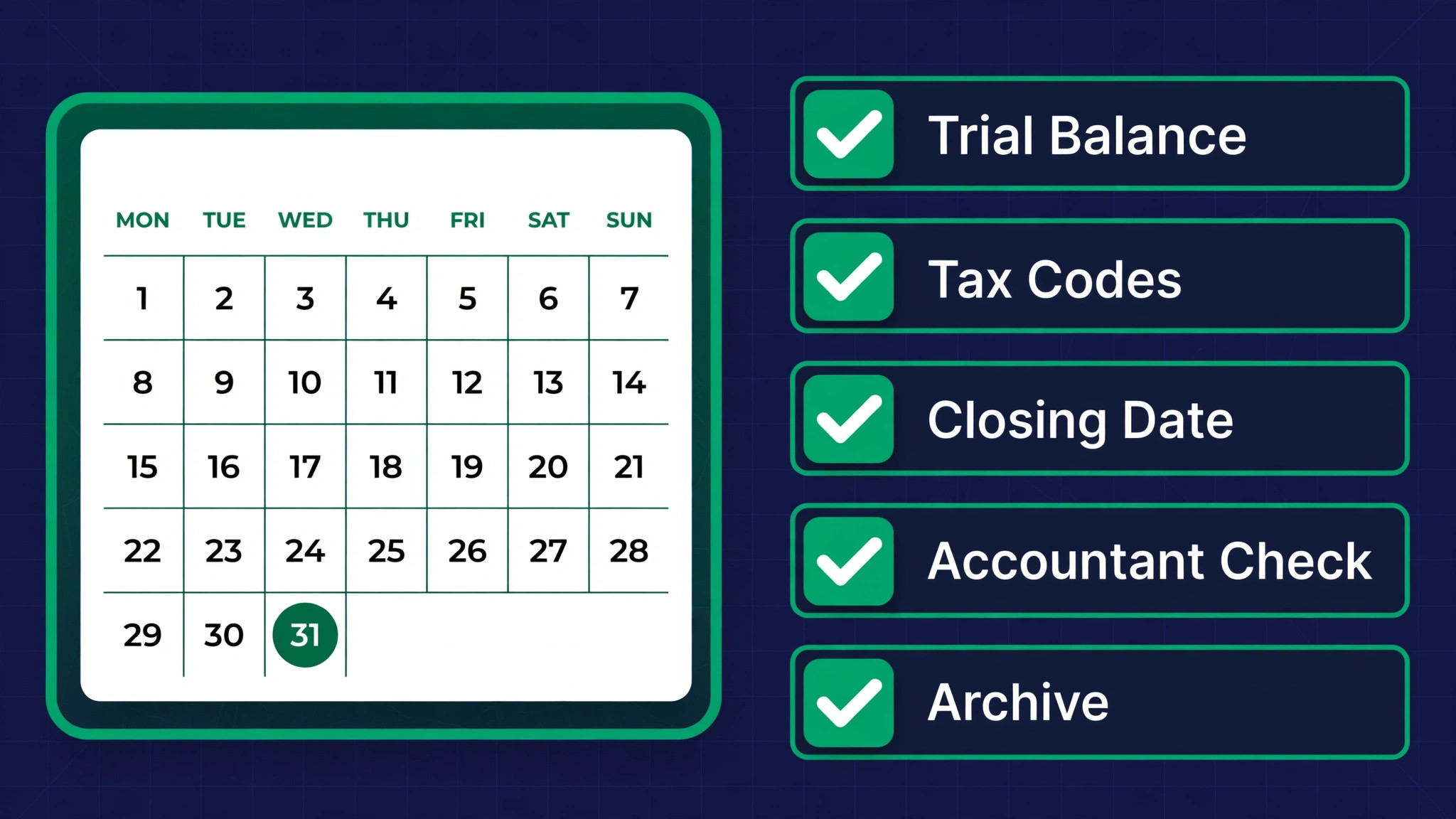
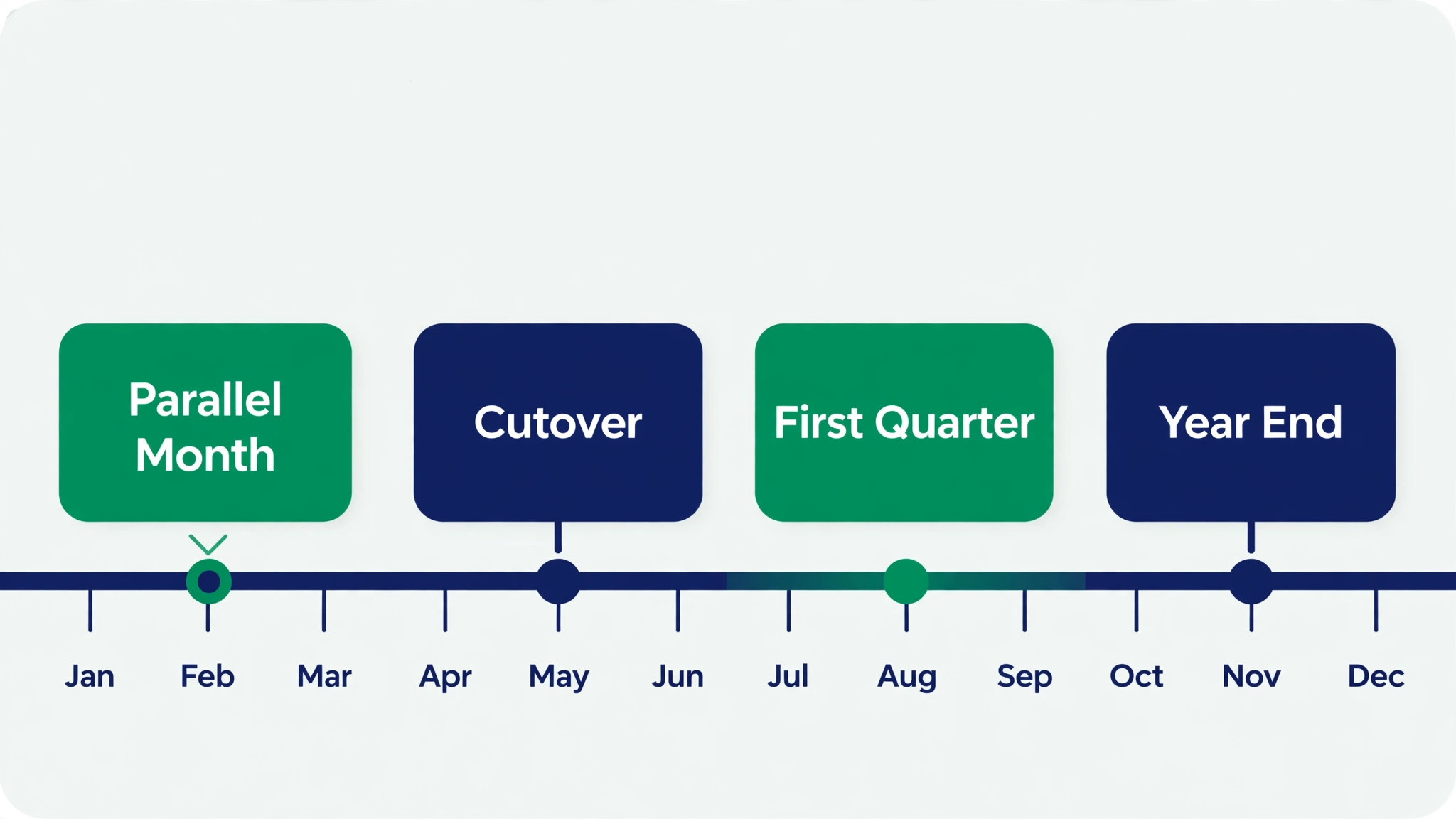
– Pick a conversion date, which Xero guidance states is always the first of a month, ideally the start of a financial period. – Run a trial balance in FreshBooks for the day before the conversion date, and reconcile it with the accountant. – List every open invoice and open bill at the conversion date, with amounts, clients, suppliers, and due dates. – Clean the chart of accounts, removing dormant codes and merging duplicates, with accountant approval. – Recreate every tax rate in Xero, and confirm the values against the last filed return. – Decide the history window, and archive older history in FreshBooks rather than importing it. – Confirm the financial year, base currency, and tax settings in the new Xero organisation before importing. – Map every FreshBooks expense category to a Xero account code, and document the mapping table. – Rebuild recurring invoice templates and payment reminder schedules in Xero, and test them on one record. – Reconnect bank feeds in Xero, and rebuild reconciliation rules, since feeds do not transfer between systems. – Reconnect payment processors, payroll, and expense tools, and test each with a real transaction. – Run both systems in parallel for one full month, comparing closing balances before switching off FreshBooks. – Keep FreshBooks available for a full year, or until the first Xero year end is filed, whichever is longer. – Book an accountant review two weeks after cutover, and another at the first month end close.
The conversion date rule deserves emphasis, because it is the decision teams most often try to shortcut. A mid month conversion splits a month across two systems, which makes reconciliation painful and month end reporting unreliable. A first of the month conversion gives a clean trial balance, a clean bank opening balance, and a clean month to reconcile in parallel. If the ideal date is two months away, wait for it. The cost of waiting is two months of the old tool. The cost of a mid month conversion is a year of reconciliation doubt.
Bank feeds need their own note. Feeds do not transfer, so the team must connect bank and card accounts in Xero, confirm the opening balances match the trial balance, and rebuild any reconciliation rules that categorised transactions automatically. Test the feed with a week of real transactions before cutover, and check that rules categorise correctly. A feed that imports but miscategorises creates a reconciliation backlog that grows daily, and the backlog is what makes teams declare the migration a failure in month two.
The Switch FreshBooks to Xero Small Business Sequence
Run this sequence in order, and involve the accountant at steps one, five, and ten. An accounting migration without accountant checks is a migration that discovers its errors at filing time.
- Set up the Xero organisation first. Add the business, set the financial year, base currency, and tax settings, and add bank and card accounts. Confirm those settings with the accountant before importing anything, because a wrong financial year or tax setting corrupts every later report. Create the users and roles, and invite the accountant as an advisor so they can review the setup directly.
- Clean FreshBooks before exporting. Merge duplicate clients and suppliers, archive dead deals and expired quotes, standardise tax rates and expense categories, and confirm the open invoice and open bill lists. Export the chart of accounts, the client and supplier lists, and the outstanding invoices as separate files, and note the counts in a migration log. FreshBooks Select is reported to include a data import service called Easy Switch, so check whether that service applies to the plan the business holds, and whether it covers the objects in the map, before relying on it.
- Build the Xero chart of accounts from the cleaned FreshBooks chart. Use the Conversion Toolbox or the template import path described in Xero Central guidance, with columns for account code, account name, account type, and tax codes, plus balances where they are imported. Check that total debits equal total credits in the import file, and fix any difference before importing, rather than letting Xero post a historical adjustment that nobody can explain later.
- Enter conversion balances from the trial balance. Xero guidance describes conversion balances as the closing balances from the previous system on the day before the conversion date, entered for each account, with bank opening balances entered for the bank accounts added in Xero. Enter the figures from the trial balance report, not from memory or from a dashboard, and have the accountant verify the totals. A conversion balance error is a ledger error, and it propagates into every report until it is found.
- Import contacts, then unpaid invoices and bills, using Xero template files. Xero Central guidance states that templates cover the chart of accounts, contacts, customer invoices, supplier bills, and fixed assets. Import in that order, so invoices link to contacts that already exist. Check the import counts against the FreshBooks lists, open twenty invoices across clients, and verify amounts, dates, tax rates, and linked contacts. Fix mapping errors by correcting the file and re-importing the affected records, not by editing invoices one by one.
- Connect bank feeds and test reconciliation. Link each bank and card account, confirm the opening balance matches the trial balance, and run a week of real transactions through the feed. Rebuild categorisation rules, and check that they assign the right account codes. Reconcile the test week fully before cutover, because an unreconciled test week predicts an unreconciled first month.
- Rebuild recurring invoices, quotes, reminders, and integrations. Recreate each recurring template with its schedule, amount, and tax rate, and test one cycle. Rebuild reminder schedules, and test them on one overdue invoice. Reconnect payment processors, payroll, and expense tools, and test each with a real transaction, confirming that payments attach to the right invoices and that payroll journals post to the right accounts.
- Run the parallel month. Record new transactions in Xero while keeping FreshBooks updated for the same period, then compare closing balances, open invoice totals, and bank reconciliations at month end. Investigate every difference, however small, before cutover. A small difference at month end is a mapping error that will grow, while a reconciled parallel month is the strongest evidence the migration is sound. Migration guides consistently recommend one full parallel month, and this guide agrees without qualification.
- Train the team on Xero daily habits, using real invoices and real bank transactions rather than demo data. Teach invoice creation, payment recording, expense capture, and bank reconciliation as a daily routine, not a month end chore. A team that reconciles weekly will trust Xero. A team that reconciles at month end will dread it, and the backlog will become the reason someone suggests moving back.
- Cut over on the first of the month following a clean parallel close. Make FreshBooks read only for new transactions, send the team the Xero links and the new routines, and keep FreshBooks available for history until the first Xero year end is filed. Book the accountant review for two weeks after cutover, and treat every mismatch report in the first month as urgent until the ledger reconciles cleanly.
What Breaks When FreshBooks Invoices Move to Xero
Recurring invoices break first in the practical sense, and they are the most expensive small failure in a switch FreshBooks to Xero small business move, because they stop silently. FreshBooks recurring templates do not transfer, so a business that forgets to rebuild them misses its monthly billing cycle and discovers the gap when clients ask why no invoice arrived. Rebuild every recurring template before cutover, list them in the migration log with their next send dates, and check the first send cycle explicitly. A missed recurring invoice is lost revenue that is awkward to recover, since backdating a monthly invoice looks unprofessional to the client.
Payment reminders break second, for the same reason. FreshBooks reminder schedules and late fee rules do not transfer, so overdue clients who used to receive automatic reminders suddenly receive silence. Rebuild the reminder schedule in Xero, test it on one overdue invoice, and confirm the wording and timing match what clients expect. A change in reminder tone or timing confuses clients, so keep the new schedule as close to the old one as possible for the first quarter.
Historical reporting breaks third, because Xero holds conversion balances and open items, not the full FreshBooks history. Year on year comparisons, client lifetime totals, and old invoice lookups now span two systems. The fix is a clear rule. Xero is the system of record from the conversion date forward, and FreshBooks is the archive for everything before it. Write that rule down, share it with the team and the accountant, and resist the temptation to import history just to make one report work. A report that needs history can pull it from the archive for the transition year, and the next year it will run natively in Xero.
Integrations break fourth, and each one needs testing. Payment processors must attach payments to the right invoices. Payroll tools must post journals to the right accounts. Expense tools must categorise to the right codes. An integration that worked in FreshBooks does not automatically work in Xero, and an untested integration fails silently, leaving payments unallocated or expenses miscategorised. Test each integration with a real transaction before cutover, and keep the test evidence in the migration log so the accountant can see what was verified.
Bank Feeds, Reconciliation, and the Parallel Month
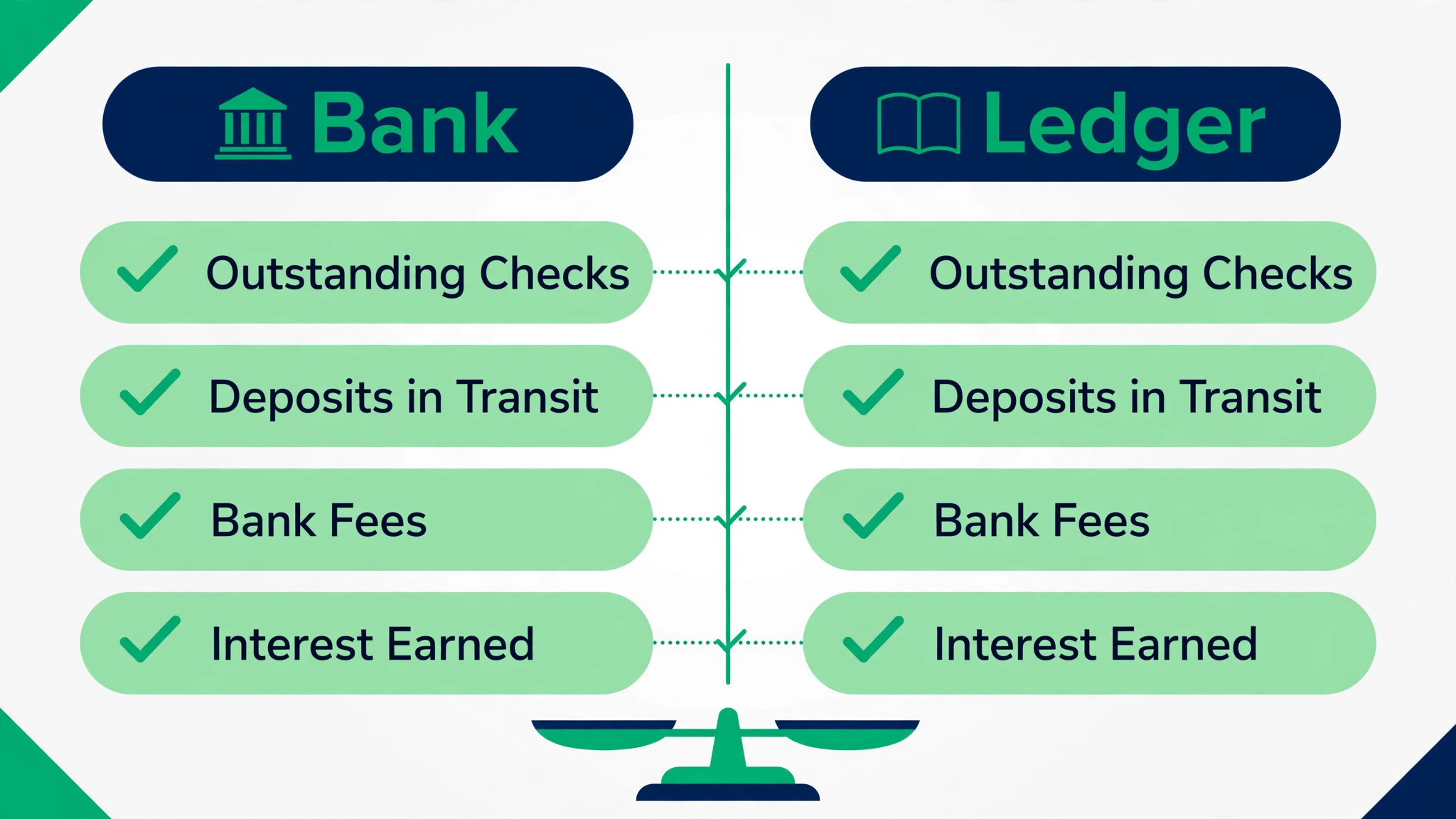
Bank reconciliation is the habit that decides whether Xero stays trusted, so build it in week one rather than month one in any switch FreshBooks to Xero small business rollout. Reconcile bank accounts weekly, not monthly, for the first quarter, and assign one owner per account. A weekly reconciliation takes twenty minutes and catches miscategorisation while the transaction is still fresh. A monthly reconciliation takes hours and catches errors when the person who made them has forgotten the context. The parallel month is the training ground for this habit, because the team reconciles the same month in both systems and learns where Xero categorisation differs from FreshBooks habits.
The parallel month also exposes the differences that matter. A bank fee categorised differently, a supplier bill posted to a different code, or a client payment allocated to the wrong invoice will all surface as a closing balance difference. Investigate each difference to its root cause, fix the mapping or the rule, and record the fix. A parallel month with ten small differences that are all explained is a success. A parallel month with one large unexplained difference is a reason to delay cutover, because that difference will still be unexplained at year end, when it costs far more to investigate.
Cash flow forecasting deserves a note here too. Xero cash flow forecasts depend on open invoices, open bills, and bank balances, so a clean conversion produces a credible forecast immediately. A dirty conversion produces a forecast nobody believes, and the team will revert to a spreadsheet forecast within a month. Check the first Xero cash flow forecast against the parallel month reality, and fix the inputs until the forecast tracks. A forecast the team trusts is one of the clearest returns on the migration effort.
Tax, Year End, and Working With an Accountant
Year end is the real test of this migration, and a switch FreshBooks to Xero small business plan should prepare for it deliberately, months before it arrives. Keep the mapping table, the trial balance, the conversion balance evidence, and the parallel month reconciliation in one folder the accountant can access. Those four documents answer most year end questions without a forensic exercise, and they prove the opening balances that the year end accounts rest on. A migration without that folder forces the accountant to reconstruct the opening position, which costs hours and risks errors.
Tax settings need a pre year end review, not just a cutover check. Confirm that tax rates, tax periods, and filing settings match the last filed return, and that invoices issued since cutover carry the right rates. Check the first tax return prepared from Xero line by line against the old system logic, and investigate any line that moves unexpectedly. A tax line that moves without explanation is a mapping error until proven otherwise, and proving otherwise takes the mapping table, which is why the folder matters.
The accountant relationship also changes for the better when the migration is clean. An accountant with advisor access to live Xero data can review quarterly, flag issues early, and advise on cash flow and tax timing during the year, rather than reconstructing history at year end. That advisory value is often worth more than the software saving that motivated the move. Book a quarterly review for the first year, and use it to check the chart of accounts, the reconciliation habit, and the tax settings. A clean first year in Xero compounds, because each clean quarter makes the next one easier.
Verdict, FreshBooks or Xero for a Small Business
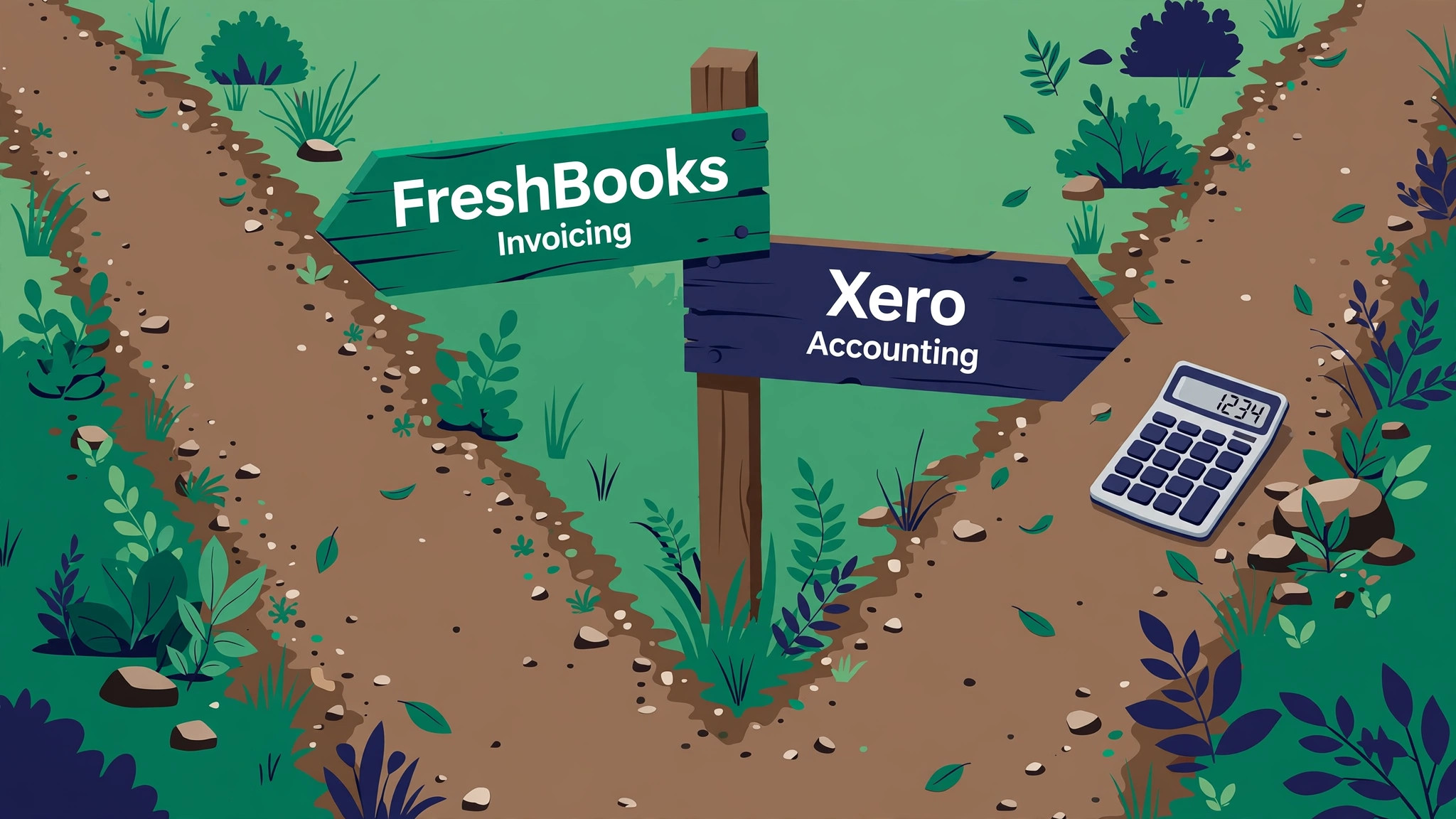
A switch FreshBooks to Xero small business move pays when the business needs full accounting, inventory or multi currency depth, accountant ready reporting, or a ledger that supports growth beyond invoicing. It does not pay when the business is a solo freelancer with simple invoicing, when the accountant prefers another system, or when the real problem is messy FreshBooks data that a cleanup would fix. Moving messy invoicing data into a double entry ledger produces a messy ledger, not a better business.
Budget a conversion date at the start of a financial period, a parallel month, and an accountant review at two weeks and at month end. Keep FreshBooks as the archive until the first Xero year end is filed, and judge the move by three measures. Reconciled bank accounts, a credible cash flow forecast, and a year end the accountant completes without reconstructing opening balances. If all three hold, Xero earned its place. If reconciliation slips, fix the habit before blaming the tool, because the tool only reports the discipline the team brings to it.
More Reading on Stratilyze
For the costs behind this move, see cost of FreshBooks for small business monthly and cost of Xero for small business monthly. For a related tool comparison, read Asana alternatives.
Frequently Asked Questions
Should paid FreshBooks invoices migrate to Xero
Usually not. Xero conversion guidance directs businesses to import conversion balances and unpaid invoices and bills, not full transaction history. Keep paid invoices in the FreshBooks archive for reference, and let Xero become the system of record from the conversion date forward. Importing years of paid history creates records nobody reconciles.
What is a conversion date in Xero
The conversion date is the date the business starts using Xero, and Xero guidance states it is always the first of a month. Conversion balances are the closing balances from the previous system on the day before that date, taken from a trial balance report. Pick the first of a month at the start of a financial period where possible, since a mid month conversion splits a month across two systems.
Do bank feeds and reconciliation rules transfer from FreshBooks
No. Bank feeds must be reconnected in Xero, opening balances must match the trial balance, and reconciliation rules must be rebuilt. Test the feed with a week of real transactions before cutover, and reconcile weekly for the first quarter so miscategorisation is caught while transactions are still fresh.
What happens to recurring invoices and payment reminders
They do not transfer, so rebuild every recurring template and reminder schedule in Xero before cutover, and test the first send cycle explicitly. A forgotten recurring template means missed monthly billing, and a missing reminder schedule means overdue clients receive silence instead of the reminders they expect.
How long should both systems run in parallel
One full month is the consistent recommendation, with closing balances, open invoice totals, and bank reconciliations compared at month end. Investigate every difference before cutover, however small, since a small parallel month difference is a mapping error that will grow by year end.
Should the accountant be involved in the migration
Yes, at setup, at conversion balance entry, and at the first month end close. The accountant verifies the trial balance, approves the chart of accounts mapping, and checks tax settings against the last filed return. A migration without accountant checks discovers its errors at filing time, when fixing them costs the most.