

A small store owner opens the Squarespace editor to add a simple feature, finds it needs a third party app or a workaround, and starts wondering whether the platform still fits. The store still sells, the pages still look good, and yet every small change takes longer than it should. That quiet friction is the usual reason to switch Squarespace to Wix small store operations, not a dramatic failure. The store is not broken. It has simply outgrown a platform that prioritises design polish over the everyday selling tools a small shop now needs, such as broader app choices, flexible checkout options, and a larger marketplace of add ons.
This guide is written for stores with a modest catalogue, not for large merchants with warehouses and complex fulfilment. It covers the pages, products, and domain move in practical detail, including the import limits that catch small stores by surprise, the redirect work that protects search traffic, and the checkout testing that prevents a launch day loss of orders. Where a limit is reported in migration guides rather than published on the vendor help pages, the text says so plainly, and every figure should be confirmed on the vendor page before launch day.
The Problem Small Stores Actually Face
Squarespace builds beautiful stores. Its templates look refined out of the box, its editor stays consistent, and a small store can look like a much larger brand within a week. The problem appears later, when the store needs something outside the template. A booking add on, a membership feature, a specific shipping rule, or a marketing integration may exist only as a third party workaround, and each workaround adds cost and fragility. Wix answers that problem with a much larger app market and a more modular editor, where a store adds features as apps rather than rebuilding pages to fit them.
The second problem is control over selling details. Small stores live or die on details like product options, discount rules, abandoned cart recovery, and shipping settings. Squarespace covers the basics well, but Wix gives a small store more levers, including a wider set of store apps and automation options on its business plans. That extra control only helps if the store actually uses it, which is why this guide starts with a decision check rather than assuming every Squarespace store should move.
The third problem is cost shape as the store grows. Both platforms charge a monthly plan fee plus payment processing, and both add app costs on top. A store that needs three paid workarounds on Squarespace may pay less on Wix with one app, or it may pay more if it falls in love with the app market and installs ten apps it barely uses. The honest comparison is the total monthly cost, plan plus apps plus processing, not the headline plan price on either pricing page.
A store should move when it can name the missing features in one sentence. Examples include a need for a specific booking system, a loyalty app, or a shipping integration that Squarespace handles poorly. A store should stay when the only complaint is vague, such as a wish for a fresher look, because a redesign on the current platform costs far less than a migration. Moving platforms to fix a design problem is like moving house to fix a paint colour.
What Wix Does Better, and What It Does Worse
Wix does app choice better. Its app market covers bookings, memberships, events, print on demand, dropshipping, and marketing tools, and most install in minutes. That breadth matters for a small store that sells in more than one way, such as a shop that also runs workshops or sells gift cards. Squarespace covers many of those needs too, but the Wix catalogue is larger, and a store is less likely to hit a wall.
Wix also does editor freedom better. The drag and drop editor lets a store place elements anywhere, while Squarespace keeps stricter layout rules that protect design quality at the cost of flexibility. A store with a distinctive brand, unusual product pages, or landing pages for campaigns will enjoy that freedom. A store that values consistency and fears messy pages may find the same freedom a liability, because nothing stops a hurried editor from breaking a good layout.
Squarespace still wins on out of the box polish. A Squarespace store looks good with less effort, its templates need less tweaking, and its blogging tools feel more refined. Wix templates are good, but a Wix store needs more design decisions to reach the same finish, and a store without a design eye can end up with pages that look busy. Wix also carries a learning curve in its dashboard, which packs more settings into more menus than the simpler Squarespace panel.
The fair summary is that Wix trades polish for flexibility. A store that needs flexibility wins on Wix. A store that needs polish and simplicity, and whose selling needs already work on Squarespace, gains little from moving. That trade off should decide the migration, not a feature list copied from a comparison article.

The Switch Squarespace to Wix Small Store Mapping Table
The mapping table below is the working document for the whole move. Fill it in before building anything on Wix, and use it to check the new store page by page. Each row names the Squarespace item, its Wix destination, and the action required.
| Squarespace item | Wix destination | Migration action |
|---|---|---|
| Static page, such as About or Contact | Wix static page | Recreate by hand, copy text, rebuild layout, reinsert images |
| Blog post | Wix blog post | Import by WordPress XML or RSS where possible, else copy by hand |
| Blog post image | Wix media manager image | Reupload, since imported posts often lose image placement |
| Product | Wix store product | Reformat Squarespace CSV to the Wix template, then import |
| Product variant | Wix product option | Split products over 100 variants, since Wix caps options at 100 per product as reported in migration guides |
| Product image | Wix product image | List up to 15 image URLs per product in the CSV, separated by semicolons with no spaces |
| Product category | Wix collection | Map each category to a collection before import |
| Discount code | Wix coupon | Recreate by hand, since coupons do not import |
| Gift card | Wix gift card | Recreate by hand and check balances before launch |
| Customer list | Wix contacts | Export and import by CSV, then verify counts |
| Order history | Wix orders or archived export | Import through a migration service if history must live in Wix, else keep a safe export |
| Domain, registered with Squarespace | Domain connected to Wix | Transfer or point DNS, keep email DNS records intact |
| Domain, registered elsewhere | Domain connected to Wix | Point DNS to Wix, preserve MX, SPF, DKIM, and DMARC records |
| Email address on the domain | Same mailbox, new DNS | Copy every email DNS record before touching DNS settings |
| Navigation menu | Wix site menu | Rebuild by hand, matching the old structure where possible |
| Footer content | Wix footer | Recreate, including policies, social links, and payment icons |
| Form | Wix form | Recreate with Wix Forms or an embedded third party form |
| Custom code block | Wix custom code or app | Rebuild, since Squarespace code does not transfer |
| SEO title and description | Wix page SEO settings | Copy each page title and description by hand |
| Page URL slug | Wix page slug or redirect | Keep the slug where Wix allows it, redirect where it changes |
| Blog URL pattern | Wix blog URL pattern | Redirect old blog URLs to the new post pattern |
| Product URL pattern | Wix product page URL | Redirect old product URLs to the new product page URLs |
| Analytics and pixels | Wix marketing integrations | Reconnect analytics, pixels, and tracking codes after build |
Three rows in that table cause most of the pain. The first is variants. Squarespace allows up to 250 variants per product, while Wix caps options at 100 per product as reported in migration guides, so a product with many size and colour combinations must be split into separate products or simplified before import. The second is images. Squarespace CSV exports do not include featured images, variant images, or image alt text in a form Wix can use directly, so plan a manual image pass after import. The third is the domain and email. Changing DNS can overwrite email records by accident, and a store that loses email for a day loses order confirmations and customer trust along with it.
The Squarespace to Wix Store Sequence, Week by Week
A small store migration fits into three weeks if the catalogue is modest and the owner can work on it daily. Larger catalogues need a fourth week for product cleanup, not a faster import.
1. Audit the Squarespace store. Export the product CSV, list every page and blog post with its URL, record search traffic for the top twenty pages, and screenshot complex layouts for reference. The audit becomes the checklist for the new store. 2. Choose the Wix plan and template. Pick a business plan that supports online selling, choose a template close to the store layout, and resist customising the template before products exist. A template chosen for looks and rebuilt three times wastes the week products should have used. 3. Clean the product data. Remove discontinued products, merge duplicate variants, fix prices and SKUs, and reformat the CSV to the Wix template without adding, deleting, or renaming its columns. Keep each file within 15 MB and under 5,000 rows as reported in migration guides, splitting larger catalogues into several files. 4. Test import with a small batch. Import five to ten products first, check images, variants, prices, and descriptions, and fix the CSV before importing the rest. A small test batch prevents a catalogue wide error that takes hours to undo. 5. Import the full catalogue in batches. Import products in batches of 50 to 100 to avoid timeout errors, verify each batch, and reupload images where URLs failed. Check variant counts on complex products against the 100 option cap. 6. Rebuild pages and blog posts. Recreate static pages by hand, import blog posts by XML or RSS where possible, and copy the rest by hand while keeping publication dates where the tool allows it. Recreate navigation and footer links to match the old structure. 7. Set up payments, shipping, and tax. Connect the payment provider, set shipping zones and rates, check tax settings against the old store, and confirm that discount codes and gift cards work as recreated. Do not assume tax settings transferred, because they did not. 8. Build the redirect map and SEO settings. Copy page titles and descriptions, keep slugs where possible, and create 301 redirects for every changed URL, starting with the highest traffic pages. Submit the new sitemap to search consoles after launch. 9. Test the whole buying journey. Place test orders on desktop and mobile, test discount codes, test shipping rates to different zones, and check order confirmation emails. Fix every failure before the domain moves. 10. Move the domain in a low traffic window. Point DNS to Wix or transfer the domain, verify SSL is active, test both the www and non-www versions, and keep Squarespace live until the new store is fully verified. Never cancel Squarespace before the domain, redirects, and content are confirmed on Wix.
The order matters. Products come before pages, because the store layout follows the catalogue, and redirects come before the domain move, because a redirect map built after launch is built under pressure. Testing comes before the domain move for the same reason. A store that moves the domain first and tests second discovers checkout problems while real customers hit them.

What Breaks When a Squarespace Store Becomes a Wix Store
Design breaks first, and that is expected. Squarespace layouts do not transfer to Wix, so every page needs rebuilding, and the new pages will look different even with the same text and images. Treat that as a redesign opportunity rather than a loss, but budget design time honestly. A store with twenty pages and a blog archive should expect several days of page work, not an afternoon.
Selling details break second. Discount codes, gift cards, shipping rules, tax settings, and custom checkout notes all need rebuilding by hand, and each one needs testing. A discount code recreated with the wrong condition, such as a minimum spend that differs by a few dollars, will either give away margin or anger customers at checkout. Test each code with a real cart, not by reading its settings.
Blog formatting breaks third. Imported posts often lose image placement, spacing, and embeds, and RSS imports may expose only recent posts, so older posts may need manual copying. A store whose blog drives search traffic should check its top posts by hand rather than trusting the import, because a broken top post costs more traffic than ten broken minor posts.
What to rebuild, in priority order, starts with the buying journey, meaning products, prices, payments, shipping, and checkout. Next come redirects and SEO settings, because search traffic pays the bills. Then come pages and navigation, then blog posts, then marketing integrations, and finally the nice to have apps and design refinements. A store that rebuilds in that order can launch safely even if the final polish slips by a week.
What a Switch Squarespace to Wix Small Store Project Costs
A switch Squarespace to Wix small store project costs time before it costs money, and the time budget is where small stores underestimate the job. Product cleanup takes the longest for stores with messy catalogues, because every duplicate variant, wrong price, and missing SKU must be fixed before import, not after. Page rebuilding takes the second longest block, since every static page and blog post needs a human pass. Redirect mapping and checkout testing take a full day each for a modest store, and rushing either one creates problems that cost far more than the day saved.
Money costs divide into three parts. The first part is the Wix business plan, and the store should compare it with the Squarespace plan it replaces on the same billing period, annual against annual or monthly against monthly, not mixed. The second part is apps, and this is where budgets slip, because the Wix app market makes adding a five dollar or ten dollar app feel trivial until six of them stack up.
List every app the new store actually needs, price them, and drop the ones that duplicate a built in Wix feature. The third part is payment processing, which stays broadly similar across platforms, but the store should still confirm its processing rate on the new provider rather than assuming it carries over.
A realistic budget for a small store also includes one month of overlap, where both platforms run while the new store is verified. That overlap month feels wasteful, and it is the cheapest insurance in the whole project, because it keeps the old store available if the domain move, the redirects, or the checkout hit a problem. A store that cancels Squarespace early to save one month of fees risks losing several days of sales, which costs far more. When owners plan a switch Squarespace to Wix small store move, the overlap month should sit in the budget from the start, not as an afterthought discovered on launch week.
The hidden cost is staff time during the first month after launch. Someone must watch Search Console, fix missed redirects, answer customer questions about the new checkout, and tidy blog formatting. For an owner operated store, that time comes out of selling and marketing hours, so launch during a quieter trading period if the store has one. A switch Squarespace to Wix small store project launched the week before the busiest sales period of the year is a gamble, however good the plan looks on paper.
The SEO Redirect and Checkout Checklist
Redirect work protects the traffic the store already earned, and checkout work protects the sales the store is about to make. Both checklists belong on one page, because a launch that passes one and fails the other still loses money.
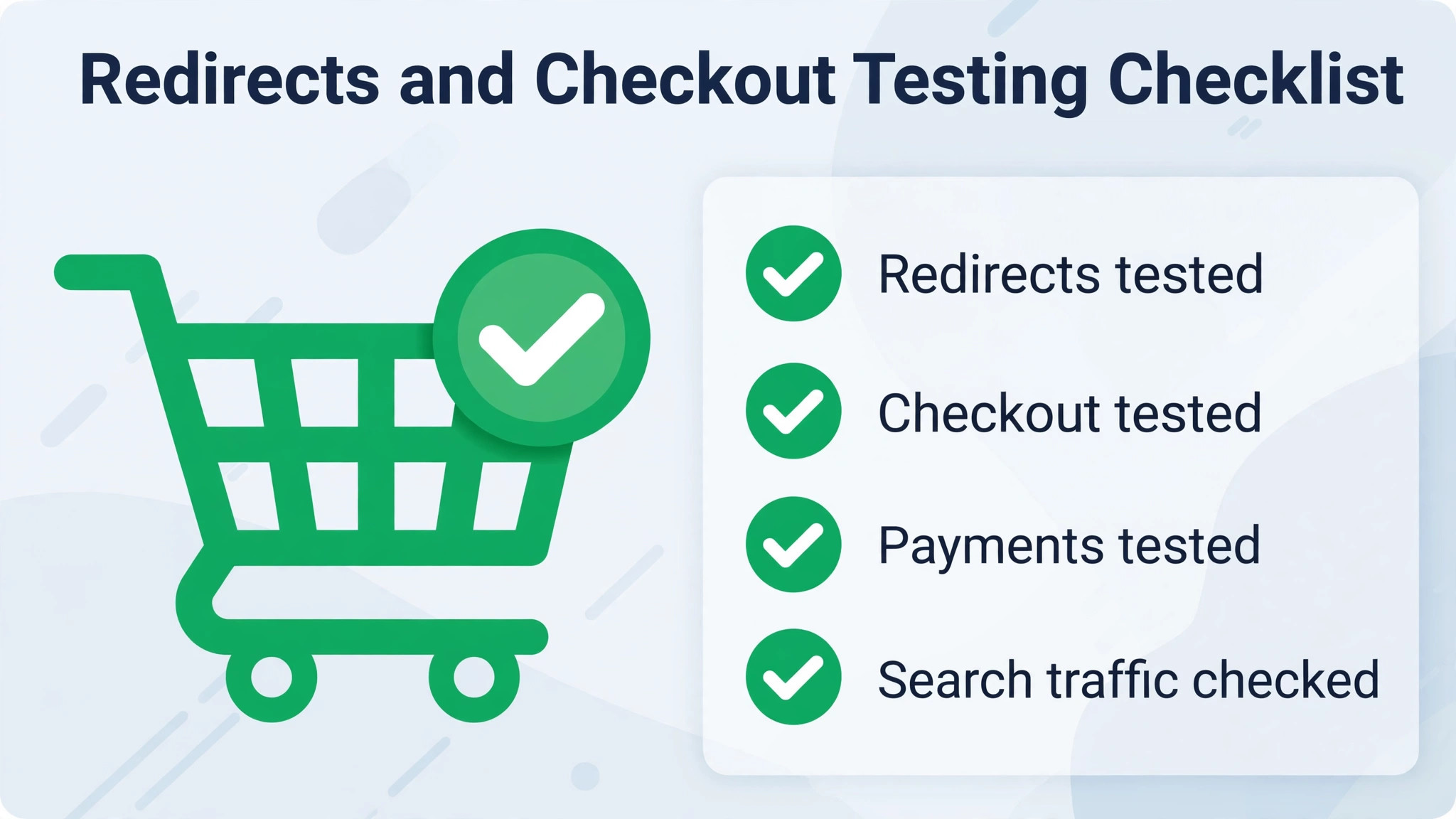
– [ ] Record the full URL list from Squarespace, including pages, blog posts, and product pages – [ ] Record search traffic and backlinks for the top twenty URLs, and redirect those first – [ ] Keep URL slugs unchanged wherever Wix allows it, so fewer redirects are needed – [ ] Create a 301 redirect for every changed URL in the Wix URL Redirect Manager, never a bulk redirect to the homepage – [ ] Map old blog URLs to the new Wix post pattern, since Squarespace and Wix blog patterns differ – [ ] Map old product URLs to the new Wix product page URLs – [ ] Confirm redirects work only on a custom domain, and that the homepage itself cannot be redirected – [ ] Note the reported limit of 5,000 redirects per site, and confirm the current limit on the vendor page if the store is large – [ ] Copy every page title and meta description into the Wix SEO settings for that page – [ ] Submit the new sitemap to Google Search Console after launch – [ ] Check Search Console for 404 errors in the first week, and add redirects for any missed URLs – [ ] Copy all email DNS records, including MX, SPF, DKIM, and DMARC, before changing DNS – [ ] Verify SSL is active after the domain connects, since Wix provisions SSL automatically – [ ] Test both the www and non-www versions of the domain – [ ] Place a test order on desktop and on mobile, with a real payment method for a small amount – [ ] Test a discount code, a gift card, and a free shipping threshold in separate test orders – [ ] Test shipping rates to at least two zones, including the most distant zone the store serves – [ ] Confirm order confirmation emails arrive, and that the store owner receives the order notification – [ ] Check that abandoned cart emails still trigger, if the store uses them – [ ] Confirm tax calculation on a test order matches the old store for the same basket – [ ] Check inventory counts after import, especially for products with variants – [ ] Reconnect analytics, pixels, and any marketing integrations, and confirm events fire on a test order – [ ] Keep Squarespace live until the domain, redirects, and checkout are all verified on Wix
One checklist item saves more traffic than any other. Never redirect all old URLs to the homepage. Search engines read a bulk homepage redirect as content that has gone, not content that has moved, and visitors who land on a homepage instead of the product they wanted rarely search again. A redirect to the closest matching page takes longer to build and preserves far more value.
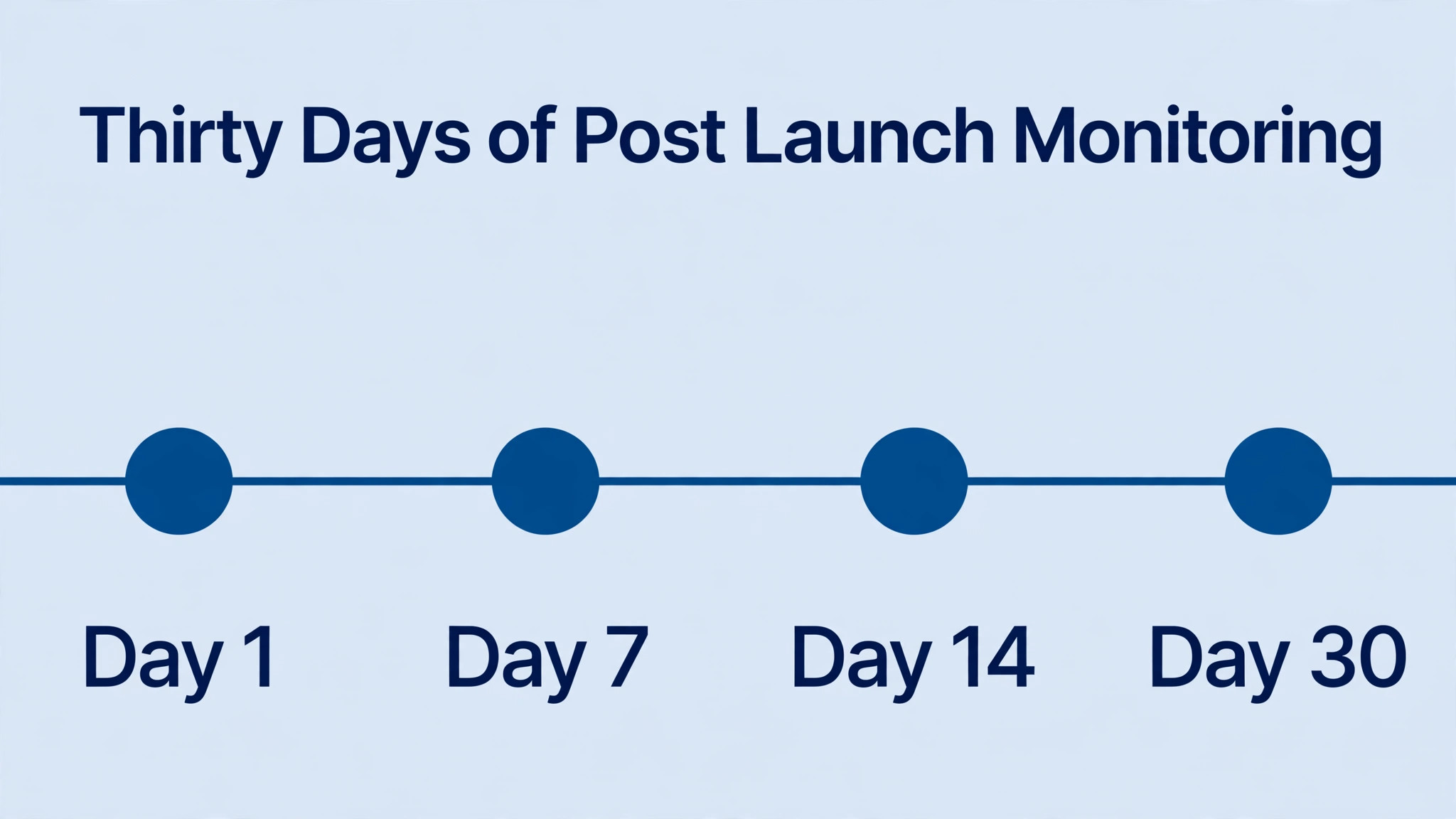
After Launch, What to Watch for Thirty Days
The first week after launch is a monitoring job, not a celebration. Check Search Console daily for 404 errors and add redirects for any missed URL. Watch analytics for traffic drops on specific pages, because a drop on one page points to a missed redirect while a drop everywhere points to a wider problem such as a sitemap or indexing issue. For stores that switch Squarespace to Wix small store operations, watch the checkout conversion rate against the old store too, because a small drop may signal a shipping, tax, or payment problem that test orders missed.
The second week is for cleanup. Remove test products and test orders, fix blog formatting on the posts that still look broken, and tighten page layouts that were rushed before launch. The third and fourth weeks are for improvement, meaning the apps and design refinements that were parked during the migration. A store that treats launch as the end of the project usually leaves broken blog posts and untested discount codes in place for months. A store that treats launch as the start of a thirty day watch period ends up with a cleaner store than the one it left behind.
Verdict, Squarespace or Wix for a Small Store
A small store should switch Squarespace to Wix small store selling when it can name the missing features, when its catalogue fits Wix import limits without painful restructuring, and when it has a week or two to rebuild pages and test checkout properly. It should stay on Squarespace when the store already sells well, when the catalogue is heavy with complex variants, or when the real complaint is design rather than selling tools.
For stores in the first group, the move in this guide protects search traffic, preserves the catalogue, and lands on a platform with more room to grow. For stores in the second group, the honest advice is to redesign where they stand and revisit the question when a real selling need forces it.
More Reading on Stratilyze
For a related small store topic, read online ordering software for bakeries and point of sale systems for coffee shops. For a different way to organise store work, see project management software for interior designers.
Frequently Asked Questions
Can I import my Squarespace products into Wix automatically
Wix imports products by CSV, so the Squarespace product export must be reformatted to the Wix template first, without adding, deleting, or renaming its columns. Keep each file within 15 MB and under 5,000 rows as reported in migration guides, and import in batches of 50 to 100 products to avoid timeout errors. Test with five to ten products before importing the full catalogue.
Do my Squarespace pages move to Wix automatically
No, static pages do not transfer automatically. Pages must be recreated by hand on Wix, copying text, rebuilding layouts, and reinserting images, while navigation and footer links are rebuilt to match the old structure. Blog posts can move by WordPress XML or RSS import where the tool supports it, but formatting and image placement still need checking by hand.
Will I lose search traffic when I switch platforms
Search traffic is protected by keeping URL slugs unchanged where possible and creating 301 redirects for every changed URL, starting with the highest traffic pages. That protection is the most valuable part of a switch Squarespace to Wix small store project, because traffic earned over years can be lost in a week of careless redirects. Never redirect all old URLs to the homepage, because search engines treat that as lost content. After launch, submit the new sitemap to Google Search Console and check for 404 errors daily in the first week.
What happens to my domain and email during the move
The domain is either transferred to Wix or pointed at Wix through DNS, and email keeps working only if every email DNS record is preserved, including MX, SPF, DKIM, and DMARC. Copy those records before changing DNS, verify SSL after the domain connects, and test both the www and non-www versions. DNS changes can take anywhere from a few minutes to 48 hours to spread across the internet, as reported in migration guides.
How many product variants can Wix handle per product
Wix caps product options at 100 per product as reported in migration guides, while Squarespace allows up to 250 variants per product. A product over the Wix cap must be split into separate products or simplified before import, so check variant counts during the data cleanup step rather than discovering the limit during import. Confirm the current limit on the vendor page before launch.
Should I cancel Squarespace before or after the move
Cancel Squarespace only after the domain, redirects, and all site content are fully verified on Wix. Image URLs from the old store stop working once that store is deleted, so product images should be uploaded to Wix before closing Squarespace. Keeping the old store live through verification costs one more month of subscription and prevents a launch day disaster.