
A general ledger and a restaurant back office solve different problems, and confusing the two is the costliest mistake in restaurant bookkeeping. QuickBooks Online records the money cleanly but knows nothing about recipe costs, while MarginEdge tracks food cost daily but hands the final accounts to QuickBooks anyway. That split shapes this guide to the best accounting software for restaurants, because the right answer is often a pair of tools, not a single winner.
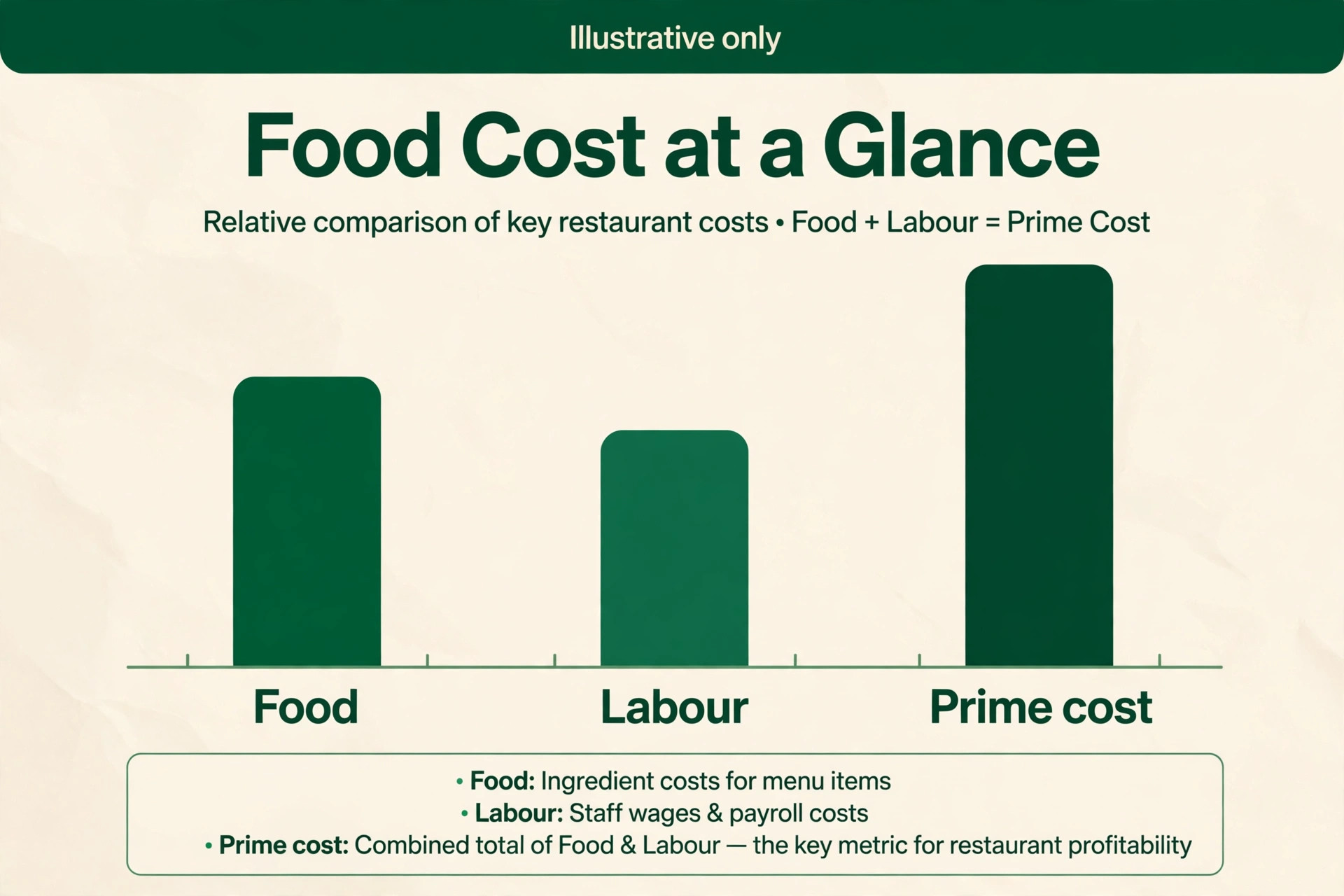
A restaurant lives on two numbers that most businesses never watch daily. Food cost percentage tells the owner whether the menu makes money after waste, portion drift and supplier price rises. Prime cost, which adds labour to food cost, tells the owner whether the whole operation makes money at all. A healthy full service restaurant usually targets prime cost near 55 to 60 percent of sales, though the right target varies by concept and city. Software earns its price when it puts those two numbers in front of the owner every day, not at month end when the damage is done.
Prices in this guide come from vendor pages and reputable comparison listings checked at writing time. QuickBooks figures come from comparison listings and forums, since the vendor site was not used for this guide, so check the current price on the vendor page before buying. Where a figure is reported rather than published, the text says so plainly.
Ten Tools on One Page
| Tool | Starting price | Best for |
|---|---|---|
| QuickBooks Online | $38 a month | Single units and small groups |
| Xero | $27 a month | Unlimited users and clean reporting |
| FreshBooks | $23 a month | Simple invoicing and catering bills |
| Wave | Free starter plan | Food trucks and micro restaurants |
| Restaurant365 | Quote based, reported from $499 per location a month | Multi unit groups |
| MarginEdge | $350 per location a month | Daily food cost control |
| Sage 50 | Reported from $607 a year per user | Desktop style control for established operators |
| Zoho Books | Free under $50,000 revenue | Budget conscious independents |
| Patriot | $20 a month | Low cost ledger plus payroll |
| MarketMan | Reported from $199 a month | Inventory and purchasing control |
Read the table as a shortlist, not a ranking. A free ledger can be the most expensive choice once food waste goes unmeasured for a month, while a $350 a month restaurant layer can pay for itself with one caught supplier overcharge. This best accounting software for restaurants comparison works through that trade off tool by tool, so the choice follows the operation rather than the headline price.

Why the Best Accounting Software for Restaurants Starts With Prime Cost
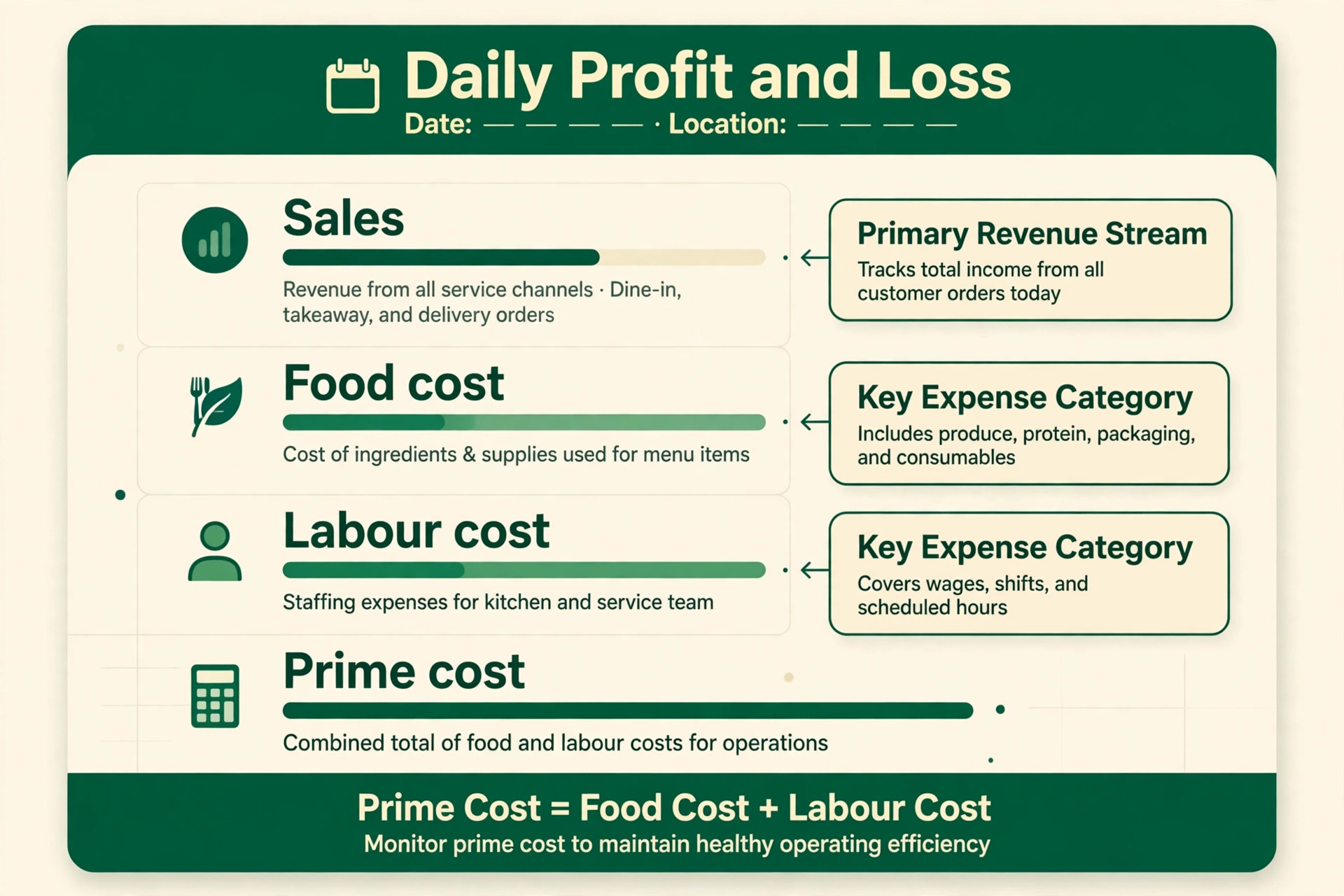
Prime cost is where restaurant accounting differs from every other kind of small business accounting. A retailer watches margin per product, but a restaurant watches margin per plate, per shift and per location, with waste and theft hiding inside every number. A daily controllable profit and loss statement, which strips out rent and other fixed costs, shows the owner what the kitchen and the floor actually controlled that day. MarginEdge and Restaurant365 build that report natively, while a general ledger needs an add on or a spreadsheet to produce it.
POS sync decides whether that daily report is trustworthy. A tool that pulls sales by item from Toast, Square or Aloha can match sales against recipe costs automatically, while a tool that relies on manual entry will always lag and always contain errors. Check which POS systems each shortlisted tool connects with directly, and check whether the sync runs daily or in real time. A weekly sync turns a daily report into a history lesson.
Payroll is the second half of prime cost, and it is where many restaurants leak money quietly. Scheduling tools that connect to sales data help managers staff to demand instead of habit, and payroll that flows into the ledger without retyping prevents the errors that distort labour percentage. A restaurant with ten or more staff should treat payroll and scheduling integration as a core requirement, not an extra.
How to Choose Without Paying for Two Systems Twice
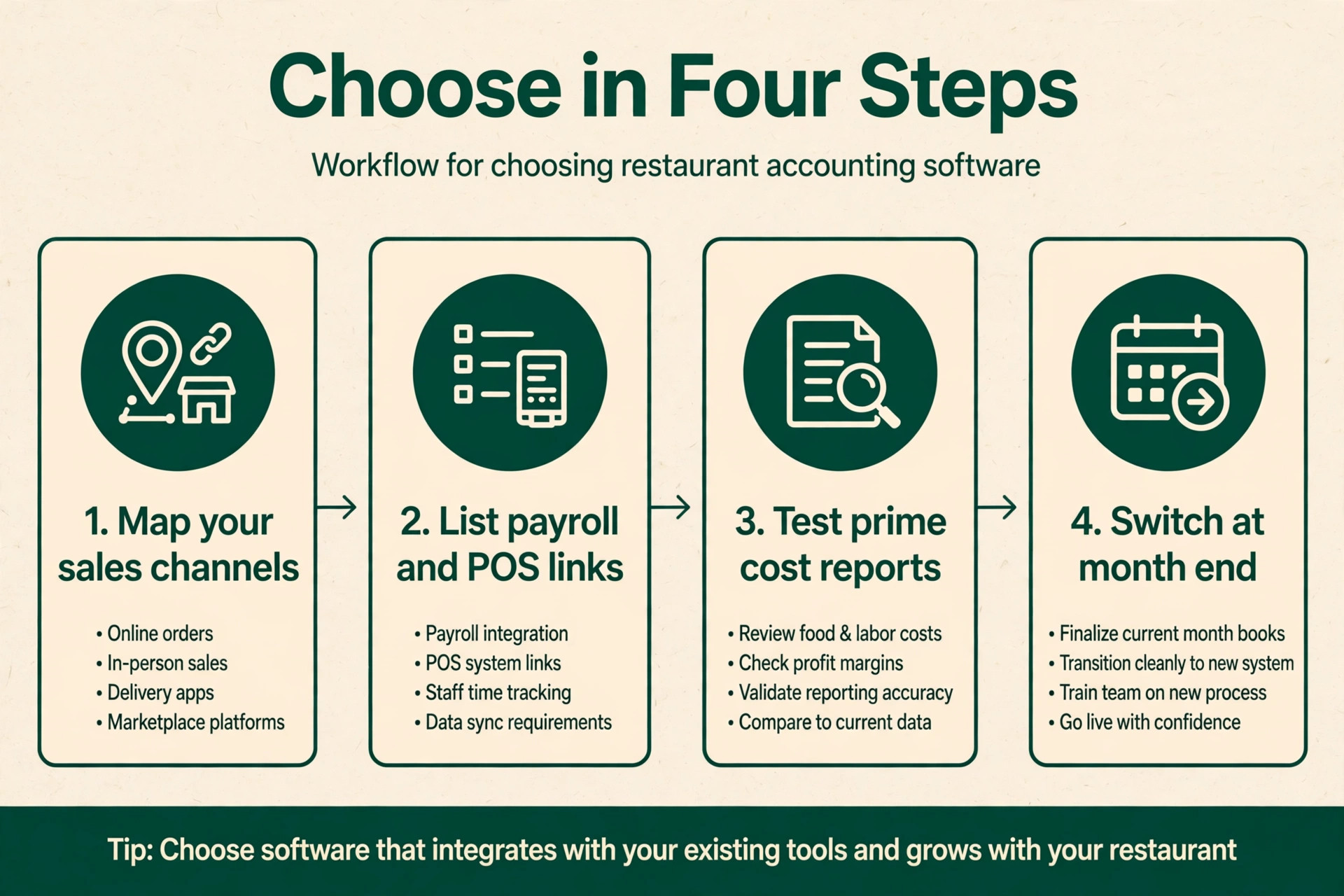
Start with the chart of accounts, not the software demo. List every revenue stream the restaurant has, from dine in and takeaway to catering and delivery apps, and check that the tool can report each stream separately by location. A single location cafe can live with a simple ledger, while a group with delivery, catering and a food truck needs location and department tracking from day one. QuickBooks Online only offers class and location tracking from Plus at $140 a month, which changes the real entry price for a group.
Then map the invoice flow from delivery to payment. A restaurant receives dozens of supplier invoices a week, often on paper at the back door, and a tool that photographs and codes those invoices automatically saves hours and catches price changes. MarginEdge, MarketMan and Restaurant365 all specialise in this flow, while general ledgers expect the owner or bookkeeper to enter bills by hand. Count weekly invoice volume honestly, because that volume decides whether a restaurant layer is a luxury or a necessity.
Finally, test the month end close with real data. Import one month of bank transactions, POS sales and supplier bills, reconcile the accounts, and produce a profit and loss statement by location. The tool that produces a clean close in hours, not days, is the tool that will still be used in six months. A system that needs a spreadsheet sidekick for every report will be abandoned, however good its demo looked.
The Shortlist Checklist for Restaurants
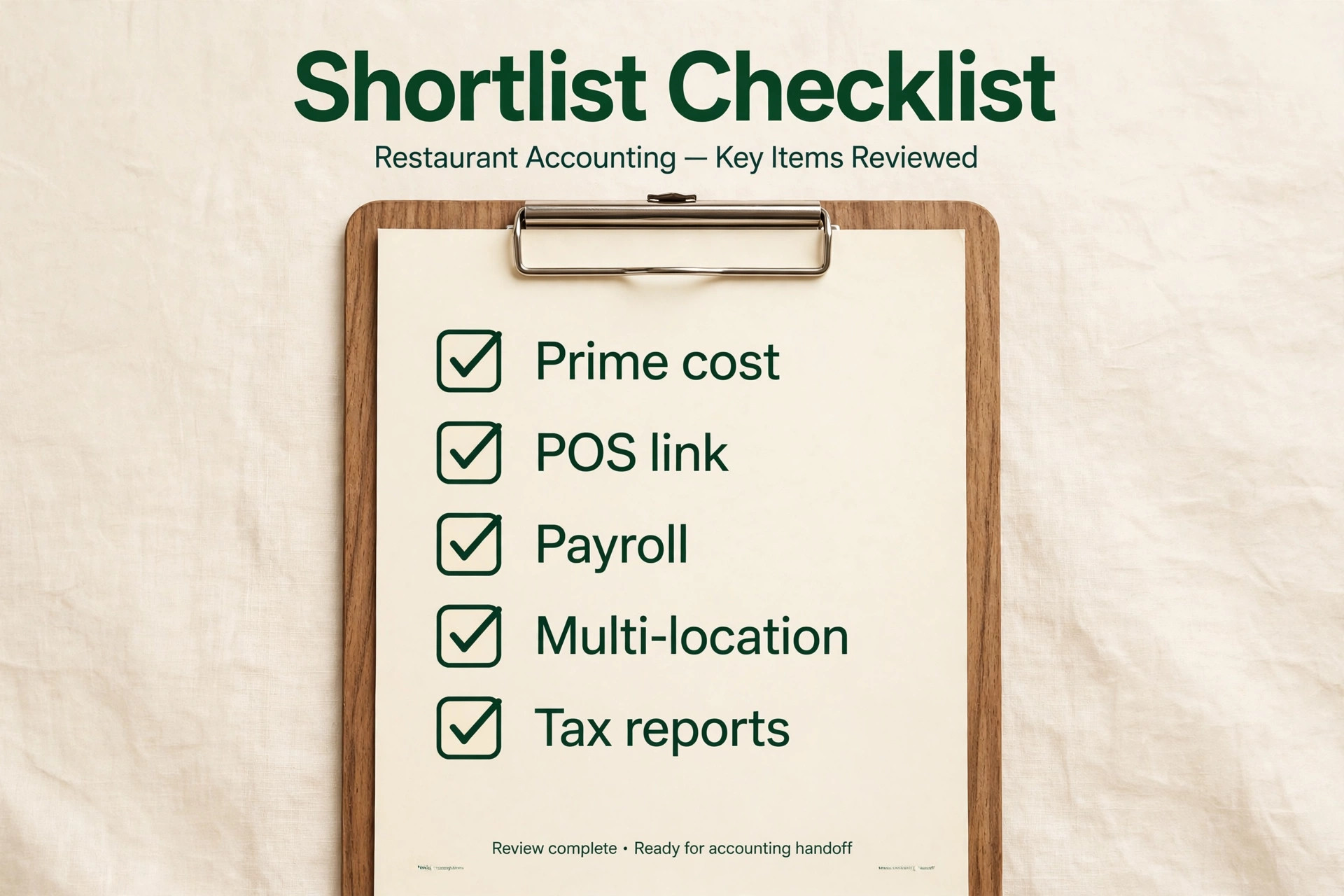
Use this checklist on every shortlisted tool before signing an annual contract.
– Confirm the POS systems it syncs with directly, and whether sales sync daily or in real time – Confirm that food cost, theoretical food cost and prime cost reports are native, not spreadsheet exports – Confirm how supplier invoices are captured, coded and approved, and who checks them – Confirm location, department and menu category reporting for every site the group runs – Confirm payroll and scheduling connections, and whether payroll flows into the ledger automatically – Confirm the per location price, the user limit and the cost of adding a second or third site – Run a one month close on real data before committing to a year
A tool that fails two or more checklist items will create manual work every week. Restaurants run on thin margins and long hours, so manual bookkeeping is not a minor inconvenience. It is the reason the books fall behind and the reason food cost drifts unnoticed.
The Best Pick by Job for Restaurants
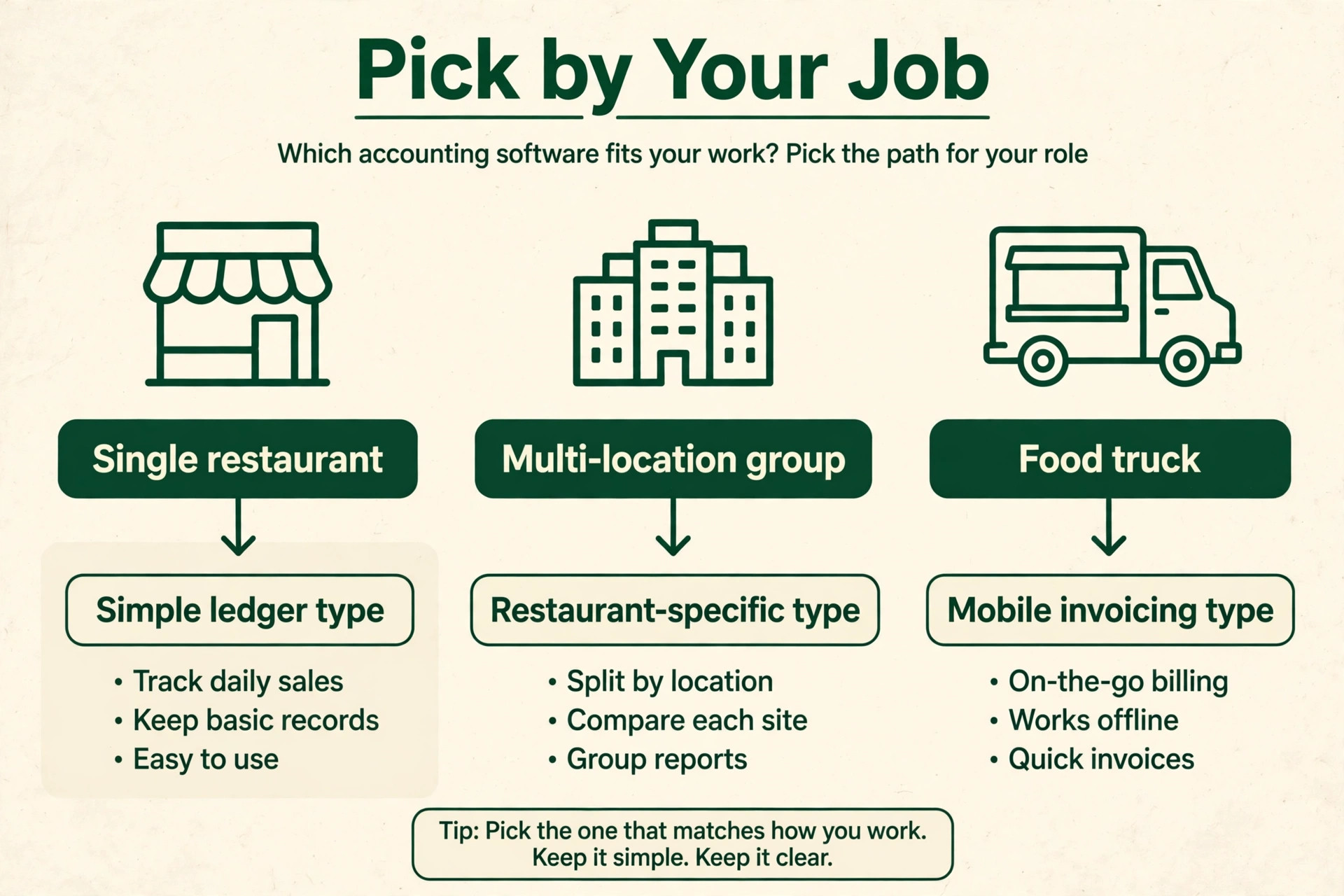
| Restaurant job | Best pick | Why it fits |
|---|---|---|
| Single location restaurant | QuickBooks Online | Familiar ledger with wide accountant support |
| Multi location group | Restaurant365 | Accounting, inventory and scheduling in one system |
| Food truck or micro restaurant | Wave | Free core ledger for a tiny operation |
The table follows the job, not the brand. A food truck with one operator and a handful of suppliers needs a free ledger and a card reader, not a $499 per location platform. A five site group needs consolidated reporting and inventory control that a free ledger cannot provide. This best accounting software for restaurants guide returns to that job test in every tool section below, because the wrong shape costs more in unmeasured waste than any monthly saving.
The Cost Maths at Real Restaurant Volumes
Take a single location restaurant doing $60,000 a month in sales with a 30 percent food cost. A one point rise in food cost, from 30 to 31 percent, costs $600 a month, or $7,200 a year. A restaurant layer at $350 a month pays for itself if it prevents a one point drift, and most operators who install one find larger gaps in the first month, from unrecorded waste to supplier price rises that nobody noticed. The maths is even clearer for a group, where a one point drift across five sites costs $3,000 a month at the same sales per site.
Now compare ledger costs honestly. QuickBooks Online Plus at $140 a month plus a restaurant layer at $350 a month totals $490 a month for one site, which looks steep beside a free ledger. But the free ledger plus a spreadsheet still costs staff hours every week, and staff hours at $20 an hour add up fast. Ten hours a month of manual invoice entry and reconciliation costs $200 in labour before errors, so the gap between manual and automated bookkeeping is smaller than the subscription gap suggests. Price the whole workflow, not the subscription alone.
Ten Tools in Detail
QuickBooks Online
QuickBooks Online is the pick for a single restaurant or small group that wants the ledger its accountant already knows. Simple Start costs $38 a month, Essentials costs $85 a month, Plus costs $140 a month with inventory and location tracking, and Advanced costs $340 a month. Those figures come from comparison listings, so check the vendor page for the current price. Payroll is an add on, reported at $50 a month plus a per employee charge.
The strength is familiarity and ecosystem, with most accountants, POS connectors and restaurant add ons built for it first. The limit is restaurant depth, since food cost, recipe costing and daily controllable profit and loss need a companion tool. Choose QuickBooks Online as the ledger under a restaurant layer. Skip it alone if daily food cost control is the main problem.
Xero
Xero is the pick for a restaurant team that hates per user fees. Early costs $27 a month with caps on invoices and bills, Growing costs $59 a month, and Established costs $97 a month with multi currency support. Every plan includes unlimited users, so a co owner, a bookkeeper and an accountant can all log in without extra seat charges.
The strength is clean reporting and a large app marketplace, with restaurant tools like MarginEdge and MarketMan connecting directly. The limit is the same as QuickBooks, since native food cost and recipe tools are absent. Choose Xero for a collaborative team on a simple ledger. Skip it alone for a multi unit group that needs built in inventory and scheduling.
FreshBooks
FreshBooks is the pick for a restaurant that bills clients, such as a caterer or a private dining operator. Lite costs $23 a month for five billable clients, Plus costs $43 a month for fifty, and Premium costs $70 a month for unlimited clients. Its invoicing is genuinely pleasant, with estimates, recurring invoices and client payment pages that look professional.
The strength is client billing and time tracking for catering work. The limit is accounting depth, since it lacks double entry bookkeeping and bank reconciliation on some listings, and it has no restaurant costing tools. Choose FreshBooks for a catering led business that invoices clients. Skip it for a dine in restaurant that needs food cost and inventory control.
Wave
Wave is the pick for a food truck or micro restaurant watching every dollar. The Starter plan is free and covers invoicing and expense tracking, while Pro costs $19 a month and adds automatic bank imports and receipt capture. Payroll is an add on, reported at $40 a month plus a per employee charge in tax service states.
The strength is the zero subscription cost, which suits a new truck or a market stall with simple books. The limit is scope, with no inventory, no food costing and limited bank refresh on the free plan. Choose Wave to start free and upgrade when volume justifies it. Skip it once the operation needs daily food cost or multi location reporting.
Restaurant365
Restaurant365 is the pick for a multi unit group that wants accounting, inventory, scheduling and payroll under one roof. Pricing is quote based, with comparison listings reporting from about $499 per location a month, so check the vendor page and request a quote for the actual footprint. It covers the general ledger, accounts payable, inventory, recipe costing, labour scheduling and consolidated reporting across sites.
The strength is consolidation, with one system replacing a ledger, a spreadsheet and a scheduling tool. The limit is complexity and cost, since users report a steep learning curve and the price only makes sense from roughly five sites upward. Choose Restaurant365 for a growing group or franchise. Skip it for a single site, where a ledger plus a restaurant layer costs less and deploys faster.
MarginEdge
MarginEdge is the pick for a restaurant that wants daily food cost visibility on top of an existing ledger. It costs $350 per location a month, with unlimited invoice processing and a daily controllable profit and loss statement. It photographs supplier invoices, codes line items, tracks recipe costs and syncs sales from major POS systems, then passes financials to QuickBooks, Xero or Sage.
The strength is speed to insight, since the owner sees food cost and price changes daily rather than at month end. The limit is that it is not a full ledger, so the restaurant still pays for QuickBooks or Xero alongside it. Choose MarginEdge for an independent or small group with a food cost problem. Skip it if the books are already clean and the real problem is labour scheduling alone.
Sage 50
Sage 50 is the pick for an established operator who prefers desktop style control and deep inventory features. Pricing is reported from $607 a year per user on comparison listings, so check the vendor page for the current figure and the minimum commitment. It covers invoicing, bill payment, inventory management, job costing and payroll functions in a system accountants have used for decades.
The strength is depth and familiarity for operators who grew up on desktop accounting. The limit is the subscription model, since access lasts only while payments continue, and restaurant specific costing still needs an add on. Choose Sage 50 for a business with an accountant who already works in Sage. Skip it for a new operator who wants a cloud native restaurant layer.
Zoho Books
Zoho Books is the pick for a budget conscious independent that wants real accounting free or nearly free. The free plan covers businesses under $50,000 in annual revenue, Standard costs $20 a month, Professional costs $50 a month, and Premium costs $70 a month on most listings. It covers invoicing, expenses, bank feeds and stock tracking from Professional upward.
The strength is value inside the wider Zoho suite, with CRM, payroll and inventory tools that share data. The limit is restaurant depth, since food costing and POS sync need integrations rather than native tools. Choose Zoho Books for a small cafe or bakery with simple books. Skip it for a multi unit restaurant that needs native inventory and scheduling.
Patriot
Patriot is the pick for a small restaurant that wants a low cost ledger with honest payroll. Accounting Basic costs $20 a month with unlimited use, while Accounting Premium costs $30 a month on most listings. Payroll is a separate add on, and the company is known for straightforward United States based support.
The strength is price and simplicity, with a clean ledger that a non accountant owner can actually use. The limit is restaurant specialisation, since there is no food costing, recipe tracking or POS depth. Choose Patriot for a tiny restaurant or food truck that also needs payroll. Skip it for any operation where food cost control drives the purchase.
MarketMan
MarketMan is the pick for a restaurant that wants inventory and purchasing control without a full ERP. Pricing is reported from $199 a month on one marketplace listing and from $249 a month on another, so check the vendor page for the current figure. It covers inventory counts, supplier ordering, recipe costing, price change alerts and waste tracking, and it connects to QuickBooks, Xero and major POS systems.
The strength is purchasing discipline, with suggested orders, par levels and variance reports that stop over ordering. The limit is that it is a back of house tool, not a ledger, so it pairs with an accounting system rather than replacing one. Choose MarketMan for a restaurant drowning in stock counts and supplier invoices. Skip it if inventory is small and the ledger alone already covers the books.
POS, Payroll and Tax Connections That Decide the Shortlist
A restaurant ledger is only as good as its connections, and the POS connection matters most. A direct sync pulls sales by item, by category and by payment type, which lets the owner see which menu categories carry the margin and which payment methods cost the most in fees. A tool that imports only daily totals can balance the books but cannot explain a bad week. Ask every vendor whether the sync covers item level sales, voids, discounts and refunds, because discounts and voids are where margin quietly disappears.
Payroll connections matter almost as much, because labour is the second half of prime cost. A scheduling tool that reads sales forecasts helps a manager build a rota that matches demand, and a payroll tool that reads approved hours removes retyping and the errors that come with it. Check whether tips, overtime rules and multi site staff sharing are handled natively, since restaurants with staff who work across two sites often discover that a simple payroll tool cannot split their hours correctly.
Sales tax handling is the third connection to test, and it varies sharply by location. A restaurant that sells dine in, takeaway and delivery may face different tax treatment for each channel, and a tool that applies one rate to everything will create a cleanup job at quarter end. Check that tax rates can vary by channel and by site, and that the tool produces a tax report the accountant can use without rebuilding it in a spreadsheet.
Delivery app reconciliation deserves its own check, because delivery payouts arrive net of commission, fees and adjustments. A tool that records only the payout will understate both sales and costs, which flatters margin while hiding the true delivery economics. The shortlisted tool should record gross delivery sales, platform commission and adjustments as separate lines, or connect to a reconciliation tool that does. Test this flow with one week of real delivery data before signing.
Finally, check accountant access and data export before committing. The accountant should be able to log in, review the books and make year end adjustments without taking over the owner login, and the owner should be able to export transactions, invoices and payroll history in a standard format. A tool that locks data behind an export fee or a support ticket will cost far more at exit than its monthly price suggests, so confirm export terms in writing during the trial.
Mistakes That Distort Restaurant Numbers
The first mistake is recording sales without matching them to recipes. A profit and loss statement that shows total food purchases but not food cost per menu item cannot tell the owner which dishes lose money. Build recipes for the top twenty sellers first, since those dishes drive most of the cost, and add the rest over time. A recipe file that covers eighty percent of sales beats a perfect file that never gets finished.
The second mistake is counting inventory rarely or badly. A monthly count hides waste, theft and portion drift for weeks, while a weekly count on key items catches problems while they are still small. Count high value proteins, alcohol and any item with a known variance problem every week, and count everything else at least monthly. A count sheet that one person completes alone without a second check invites errors.
The third mistake is letting delivery app fees hide inside general expenses. Delivery platforms take a large commission, and a restaurant that records net payouts without the gross sales and the fee cannot see whether delivery actually makes money. Record gross delivery sales, the commission and the payout separately, and review delivery profitability by channel every month. A channel that loses money on every order needs a menu price change or a smaller delivery radius.
The fourth mistake is staffing to habit instead of demand. A rota written from last year pattern ignores weather, events and booking pace, and labour percentage drifts upward quietly. Use sales forecasts and booking data to set staffing, and review labour percentage daily rather than monthly. A manager who sees labour at 35 percent on a Tuesday can fix Wednesday, while a manager who sees it at month end can only explain it.
A Sensible Rollout Plan for a Restaurant
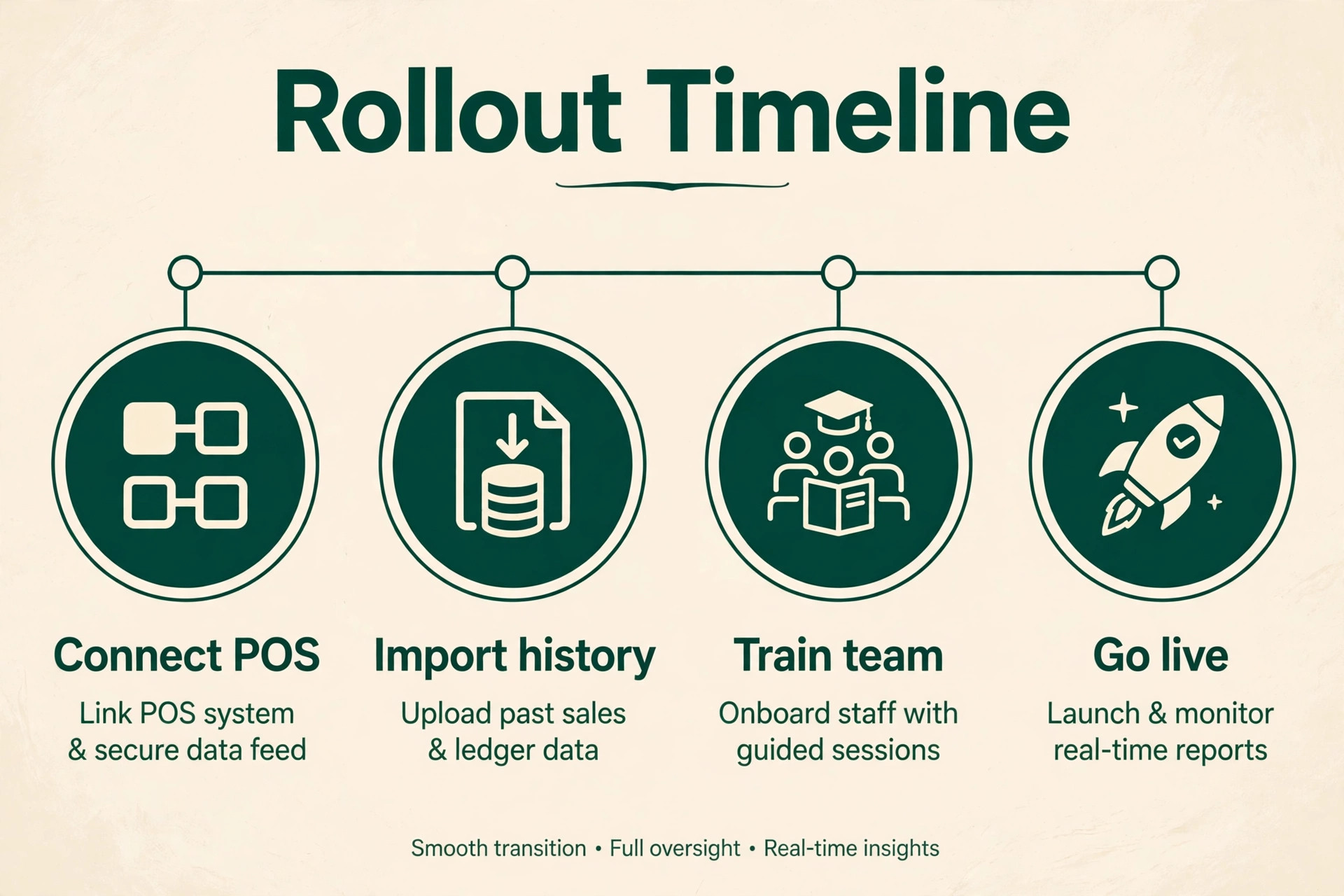
Start with one site and one month of parallel running. Keep the old bookkeeping method alive while the new tool imports bank feeds, POS sales and supplier invoices, and compare the two profit and loss statements line by line. That parallel month is the safest test in a best accounting software for restaurants rollout, because it catches mapping errors before the old system is switched off.
Next, roll out the restaurant layer to the remaining sites one at a time. Train the kitchen manager on invoice photography and the front of house manager on daily sales checks, and assign one person to own the numbers at each site. A tool with no owner at site level will drift, however good its reports look at head office.
Then lock the weekly rhythm that makes the software pay. Count key stock weekly, review food cost and prime cost every Monday, approve supplier invoices within two days, and review labour against sales daily. Software without a weekly rhythm is just a more expensive spreadsheet, while software with a rhythm turns daily numbers into daily decisions.
Our Closing Take on the Restaurant Shortlist
For most restaurants, the smart path is QuickBooks Online or Xero as the ledger, plus MarginEdge or MarketMan when food cost needs daily control, and Restaurant365 once the group is large enough to justify one system. Wave is the honest start for a truck or stall, and Patriot suits a tiny operation that needs payroll without fuss. That verdict is the centre of this best accounting software for restaurants guide, and it follows the job test rather than the loudest marketing.
Whatever the choice, judge it after two month ends on three numbers. The food cost percentage against target, the prime cost percentage against target, and the days taken to close the month. Those numbers show whether the best accounting software for restaurants you chose is actually working. If those three numbers improve, the tool is working. If they do not, the problem is the weekly rhythm or the recipe file, and no new tool will fix numbers nobody reviews.
More Reading on Stratilyze
For a related accounting comparison, read accounting software for small business and accounting software for ecommerce sellers. For a restaurant operations guide, see AI tools for restaurants.
Frequently Asked Questions
What is the cheapest accounting software for a restaurant
Wave is the cheapest starting point in this guide, because its Starter plan is free and covers invoicing and expenses. Zoho Books is also free under $50,000 in annual revenue. Both suit a tiny operation, but neither provides food costing, so a restaurant with a food cost problem will still need a restaurant layer alongside the free ledger.
Does a restaurant need QuickBooks plus a restaurant tool
Many do, because QuickBooks is a general ledger and MarginEdge or MarketMan is a restaurant layer. The layer tracks invoices, recipes and daily food cost, then passes financials to the ledger. A single site with simple books can run on QuickBooks alone, while a site with volatile food cost usually needs the pair.
What is prime cost in restaurant accounting
Prime cost is food cost plus labour cost, expressed as a percentage of sales. It is the single most useful health check for a restaurant, because it captures the two costs the operator controls daily. A full service restaurant often targets prime cost near 55 to 60 percent of sales, though the right target varies by concept, city and service style.
How much does Restaurant365 cost per location
Restaurant365 pricing is quote based, with comparison listings reporting from about $499 per location a month. The actual quote depends on site count, modules and contract length, so request a quote for the real footprint rather than budgeting from a headline figure. Smaller groups often find a ledger plus a restaurant layer cheaper.
Can a food truck use the same accounting software as a restaurant
Yes, but the needs are simpler. A food truck needs invoicing, expense tracking, bank feeds and sales tax handling, which Wave or Patriot cover at low cost. Food cost tracking still matters, but a truck with a short menu can track it in a spreadsheet until volume justifies a restaurant layer.
Should a restaurant group use one system or a ledger plus add ons
A group under five sites usually gets better value from a ledger plus a restaurant layer, because the pair deploys faster and costs less per site. A larger group or franchise usually benefits from one system like Restaurant365, because consolidated reporting, scheduling and inventory in one place outweigh the higher price and longer setup.