
FreshBooks against QuickBooks is not a like for like contest, and that is exactly why the migration needs care. FreshBooks grew up around simple invoicing for freelancers and service businesses, with clean invoices and easy time tracking. QuickBooks grew up around full double entry accounting, with a chart of accounts, bank reconciliation, payroll, and reports an accountant expects. Moving from one to the other is less like changing invoicing tools and more like moving the whole bookkeeping system into a bigger building. The invoices survive the move. The way the books are organised changes completely. That is why a switch FreshBooks to QuickBooks small business owners undertake needs a cutoff plan before any file moves.
A note on links in this guide, stated plainly. This post carries no direct outbound link to the QuickBooks vendor site, following the standing link free or alternate approach for this topic, and readers should reach the vendor through search or through their accountant. Nothing in the migration steps depends on that link, and every step below can be followed without it.
This guide works through the move in order, from the chart of accounts export through invoice template rebuilds, bank feed swaps, payroll checks, and a close out checklist. Prices and plan limits change often, so check both vendor pricing pages before you commit. Where sources disagree about what transfers, this guide says so plainly, because accounting migrations punish optimism more than any other kind of switch.
FreshBooks Versus QuickBooks, the Comparison That Decides the Move
A move to switch FreshBooks to QuickBooks small business owners plan makes sense when the business needs what FreshBooks does not offer. Bank reconciliation across multiple accounts, detailed profit and loss reporting by class or job, inventory tracking, payroll inside the same system, and accountant ready reports all sit naturally in QuickBooks. If the accountant already asks for QuickBooks files, or charges extra to translate FreshBooks reports, the switch often pays for itself in accountant time alone.
The move makes less sense when the business mainly sends invoices and tracks time, with simple expenses and one bank account. FreshBooks does that work with less setup and a gentler learning curve, and QuickBooks adds screens, settings, and terminology that a tiny team may never need. A freelancer with twenty clients and no employees rarely gains from a full chart of accounts, and the migration effort will feel wasted within months.
Also weigh who does the books. QuickBooks rewards a business with a bookkeeper or an accountant involved, because its power comes from correct categorisation and regular reconciliation. A business where the owner does the books in spare moments needs training and a simple routine, or the new system will drift into mess faster than the old one did. Talk to the accountant before migrating, not after, because the accountant will live in the new system and should approve the chart design.
Before You Touch an Export, the Accounting Audit
Accounting migrations fail on cutoff decisions made too late, so make them now, in writing, with the accountant involved.
First, choose the cutover date and the accounting method. Most small businesses migrate at a month end or quarter end, so the old books close cleanly and the new books open cleanly. Confirm whether the books run on cash or accrual basis, because conversion services and reports treat the two differently, and a mismatch here corrupts every comparison later.
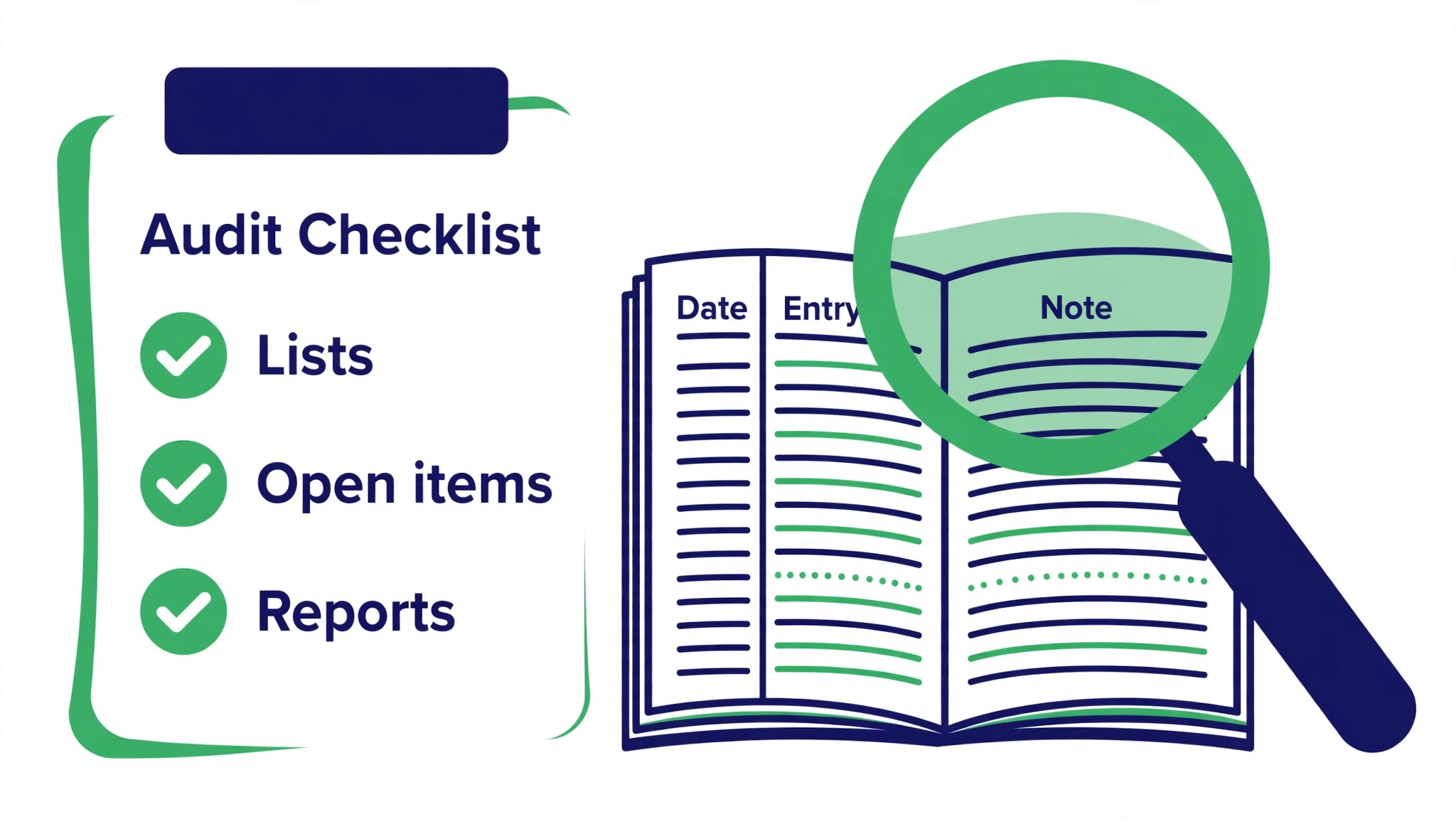
Second, list every list that must move. Customers, vendors, items and services, taxes, and the chart of accounts all need an export and a destination. Note which customers are inactive, which vendors are one off suppliers, and which items have not been invoiced in a year. Retire the dead weight before migration, not after, because importing it only recreates clutter in a more expensive system.
Third, list every open item. Unpaid invoices, unpaid bills, partial payments, credits, and unreconciled bank transactions all need a decision. Open items either move as opening balances or get settled before cutover, and the choice must be written down. A switch FreshBooks to QuickBooks small business plan that leaves open items undefined will reconcile to nothing at month end.
Fourth, list every integration and recurring flow. Bank feeds, payment processors, payroll, expense tools, and time tracking all connect differently in QuickBooks, and each one needs a swap date. Payroll deserves special attention, because payroll history, tax settings, and employee records carry compliance weight that invoices do not.
Fifth, record the baseline reports. Run profit and loss, balance sheet, aged receivables, and aged payables in FreshBooks at the cutover date, and save them outside both tools. These reports become the proof that the migration worked, because the same reports in QuickBooks must match them to the cent after opening balances are entered.
What Moves, What Rebuilds, and What QuickBooks Cannot Import Directly
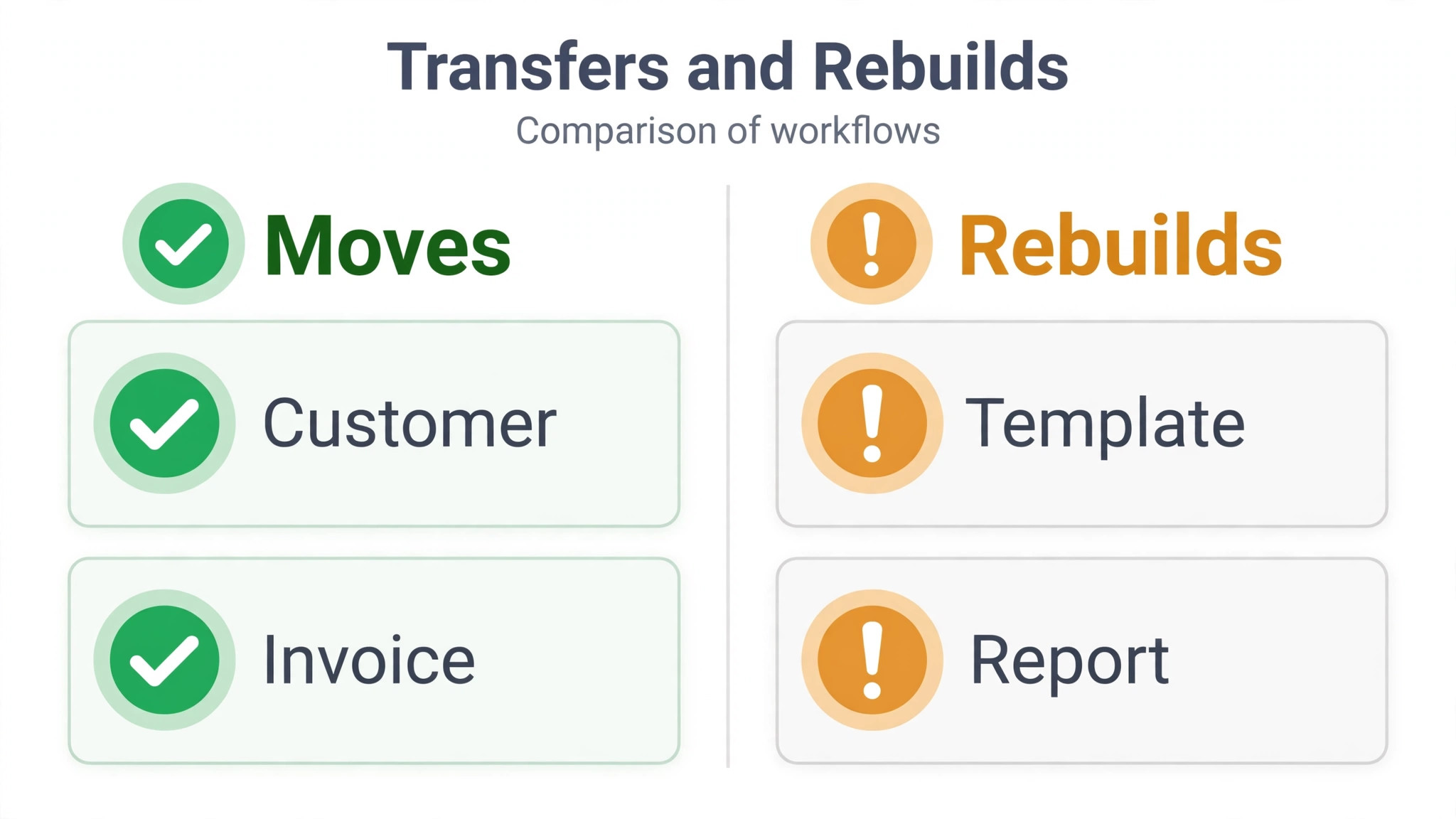
The most important fact about this migration is also the most surprising. QuickBooks community answers state that there is no direct tool to transfer data from FreshBooks to QuickBooks, and that lists move through Excel or CSV files while bank transactions import through CSV. Third party conversion services exist to fill that gap, and they advertise moving charts, customers, suppliers, opening balances, aged receivables and payables, invoices, bills, journals, and bank transactions. The choice between the manual CSV route and a conversion service is the central decision of the whole migration, and it turns on volume and on how much history must survive.
| FreshBooks item | Manual CSV route | Conversion service route |
|---|---|---|
| Customers and vendors | Import as lists from CSV | Moved with details and balances |
| Chart of accounts | Rebuilt or imported, then opening balances entered | Mapped from FreshBooks categories, with custom mapping |
| Invoices and credit notes | Rebuilt or imported with careful field mapping | Moved in detail, with line items, discounts, and tax |
| Bills and expenses | Imported or re entered | Moved in detail |
| Bank transactions | Imported from CSV | Moved, but left unreconciled for later reconciliation |
| Time entries and projects | Re entered or lost as detail | Time entries moved as activities, projects as classes |
| Invoice templates | Rebuilt in QuickBooks | Rebuilt in QuickBooks |
| Sales tax rates | Reconfigured as standard rates | Reconfigured, with manual checks |
| Payroll history | Checked and re entered as needed | Checked separately, never assumed |
| Budgets and memorised transactions | Rebuilt by hand | Some services include budgets and memorised items |
Two warnings from conversion service descriptions deserve emphasis. Bank transactions moved by conversion services arrive unreconciled in QuickBooks, and reconciliation happens afterwards by entering opening and closing balances. And where field structures differ between the tools, services use workarounds to carry the data across, which means the result needs verification rather than blind trust. Neither warning makes conversion services a bad choice. Both mean the business must verify the result against its baseline reports before trusting the new books.
The manual route suits small lists with little history. A business with under a hundred customers, a simple chart, and few open invoices can rebuild cleanly in days and will understand its new system better for having built it. The conversion route suits larger histories, where re entering hundreds of invoices by hand would take weeks and invite typing errors. Choose by volume and by history, not by which route sounds easier in a sales page.
The FreshBooks to QuickBooks Move, Step by Step
Step 1. Close the FreshBooks Books at the Cutover Date
Reconcile bank accounts in FreshBooks as far as possible, settle or record every open item decision, and run the baseline reports. Save profit and loss, balance sheet, aged receivables, and aged payables with the cutover date on them. Export customers, vendors, items, taxes, invoices, bills, and the chart of accounts to CSV, and store the exports outside both tools. Do not close or delete FreshBooks yet. It stays read only as the reference archive.
Step 2. Design the QuickBooks Chart of Accounts
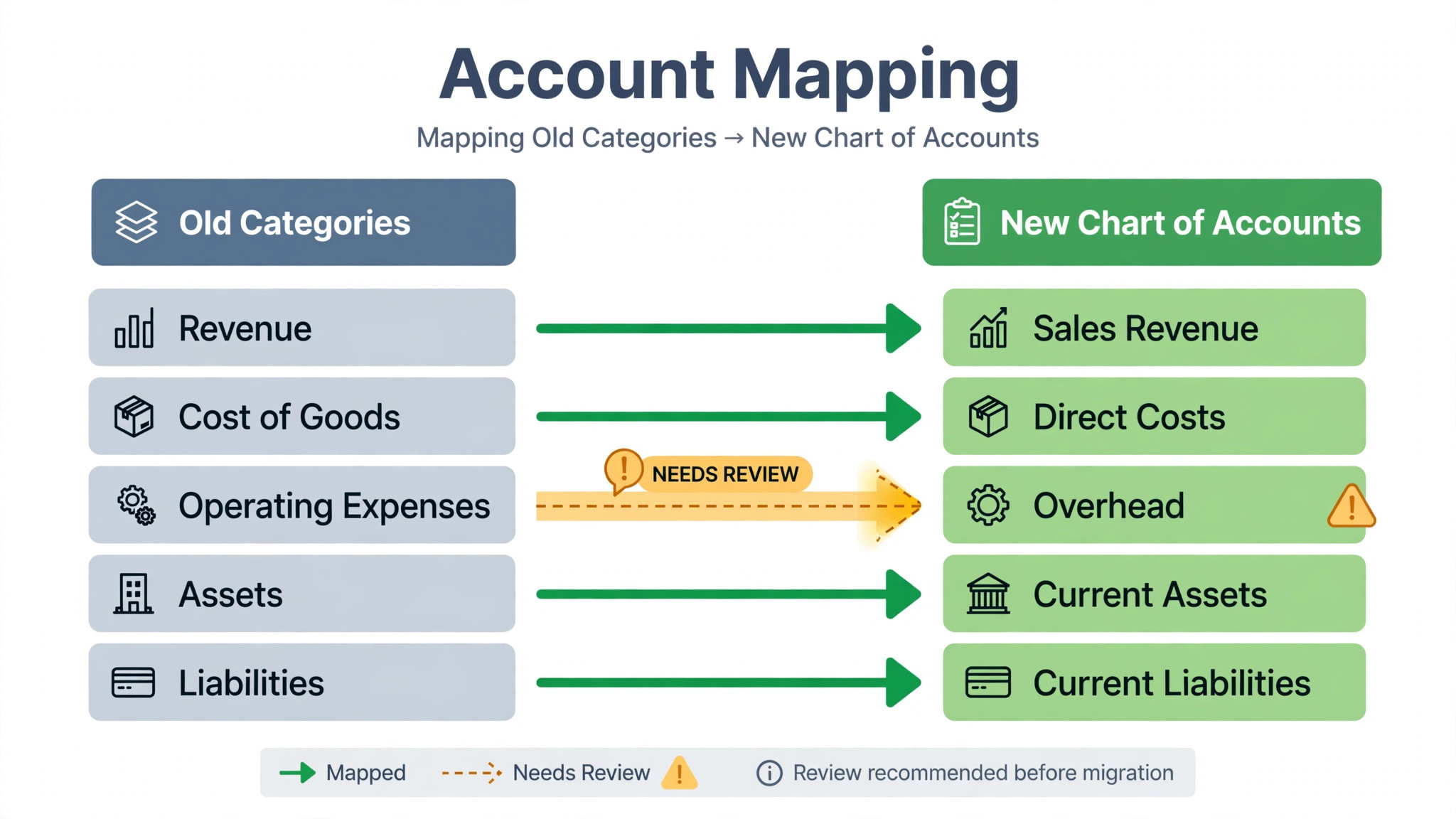
Build the chart of accounts in QuickBooks to match the business structure, not just to copy FreshBooks categories one for one. FreshBooks expense categories map to QuickBooks accounts, but account types matter in QuickBooks in a way they did not before, because income, expense, asset, liability, and equity accounts drive different reports. Review the chart with the accountant, merge duplicate or near duplicate accounts, and keep the chart as short as the business allows. A chart with two hundred accounts that nobody can categorise correctly is worse than a chart with forty that everyone understands.
Step 3. Import Lists and Enter Opening Balances
Import customers, vendors, and items first, then the chart of accounts, using QuickBooks import tools with careful field mapping. After importing the chart, enter opening balances through a journal entry, as QuickBooks guidance describes, so the new books start from the same position the old books ended. Reconcile the opening trial balance against the FreshBooks balance sheet before moving on. If the two do not match to the cent, stop and find the difference now, because every later report inherits it.
Step 4. Move Invoices, Bills, and Open Balances
Import or rebuild open invoices and bills, with line items, discounts, tax, and partial payment allocations checked against the aged receivables and payables reports. Partial payments deserve special care, because an invoice imported at full value without its payment history overstates what customers owe. Verify a sample of invoices line by line, including tax treatment, and confirm that aged totals in QuickBooks match the FreshBooks baseline exactly.
Step 5. Rebuild Invoice Templates and Sales Tax
Rebuild invoice templates in QuickBooks to match the business branding and the information customers expect, such as payment terms, bank details, and item descriptions. Reconfigure sales tax rates as standard QuickBooks rates, since custom FreshBooks rates may need manual setup, and test tax calculation on a dummy invoice for each rate before sending anything real. Send a test invoice to the team and check how it looks, how payment links behave, and whether the tax lines read correctly.
Step 6. Swap Bank Feeds and Reconcile
Connect bank and credit card accounts to QuickBooks so transactions download, then review and categorise them rather than accepting automatic categorisation blindly. Reconcile the first month in QuickBooks against bank statements, and investigate every difference, because early reconciliation errors compound silently. Bank feed problems are common enough that a dedicated fix guide exists for feeds that stop syncing, so treat the first reconciliation as a test of the feed itself, not just of the data.
Step 7. Run the Payroll Check
Payroll is the step that must never be rushed. Confirm employee records, pay schedules, tax settings, and year to date payroll totals in QuickBooks against FreshBooks and payroll records. Confirm that payroll tax filings and deadlines are covered during the transition, and ask the accountant to review the payroll setup before the first QuickBooks payroll run. If payroll history cannot be carried across cleanly, record the year to date totals as opening figures with the accountant guidance, and keep the old payroll reports archived for the full tax year.
Step 8. Reconnect Payments, Expenses, and Time Tracking
Reconnect payment processors so customers can pay new invoices without friction, and test a real payment end to end with a small amount. Reconnect expense tools and time tracking, and confirm that time entries flow to invoices and projects as expected. Where FreshBooks projects carried profitability detail, confirm that QuickBooks classes or jobs carry the same detail, and test one complete job from time entry to invoice to payment before relying on the flow.
Step 9. Run Parallel for One Month, Then Close Out
Run both systems in parallel for one full month where feasible, with QuickBooks as the system of record and FreshBooks kept updated only for reference. At month end, run profit and loss, balance sheet, aged receivables, and aged payables in both tools and compare them line by line. Investigate every difference, no matter how small, because small differences in accounting are usually symptoms of a mapping error that will grow. Only when the reports match should the team declare the migration complete.
The Cost of a Switch FreshBooks to QuickBooks Small Business Move
QuickBooks pricing turns on plan tier, seats, and add ons such as payroll, while FreshBooks pricing historically turned on client count and invoicing features, so the cheaper tool depends on the shape of the business. A business that needs payroll, inventory, and multi user access will usually find QuickBooks competitive once those needs are priced in both tools. A business that needs only invoicing will usually find FreshBooks cheaper, and the migration adds cost without adding value.
Run the comparison on the real setup. Price the QuickBooks plan that carries the needed features, including payroll if used, and price the FreshBooks plan that carries the current client count. Include the overlap month when both tools run, and include accountant time, because an accountant who works faster in QuickBooks may save more than the subscription difference. A switch FreshBooks to QuickBooks small business owners make on subscription price alone, without the accountant check, often reverses when the first tax season arrives.
Also budget staff time honestly. Chart design, list imports, opening balances, template rebuilds, bank reconciliation, and payroll checks take days of focused work, and a conversion service fee, where used, adds to that. The business case should rest on years of better reporting and accountant readiness, not on a single month of savings that the migration effort wipes out.
Rollback Plan if QuickBooks Does Not Fit
Keep FreshBooks read only for at least one full quarter after go live, and keep every export and baseline report for at least a full tax year. That archive is the safety net for any switch FreshBooks to QuickBooks small business rollback decision. If reconciliation fails repeatedly, if the team cannot categorise reliably, or if payroll proves unworkable on the chosen plan, the business can return to FreshBooks with its data intact, provided the return happens before FreshBooks data grows stale. Set the rollback review at the first month end close, and judge it on evidence. Do the reports reconcile. Does invoicing take longer or shorter. Does the accountant prefer the new books.
Rollback in accounting carries one extra rule that other migrations do not. Never run live transactions in both systems for longer than the parallel month, because dual entry splits the truth about money, and untangling two live ledgers costs far more than either migration. One system of record at a time, with the other kept strictly as reference, is the only safe way to hold a rollback option open.
Rehearse the rollback decision with real numbers before launch, not with feelings after a hard week. Agree the thresholds in advance, such as reconciliation failing twice, payroll checks failing, or reporting time doubling for two consecutive closes, and write them into the plan. When a threshold is crossed, the decision is already made, and the team can act calmly instead of debating whether the pain is temporary or structural.
Close Out Checklist
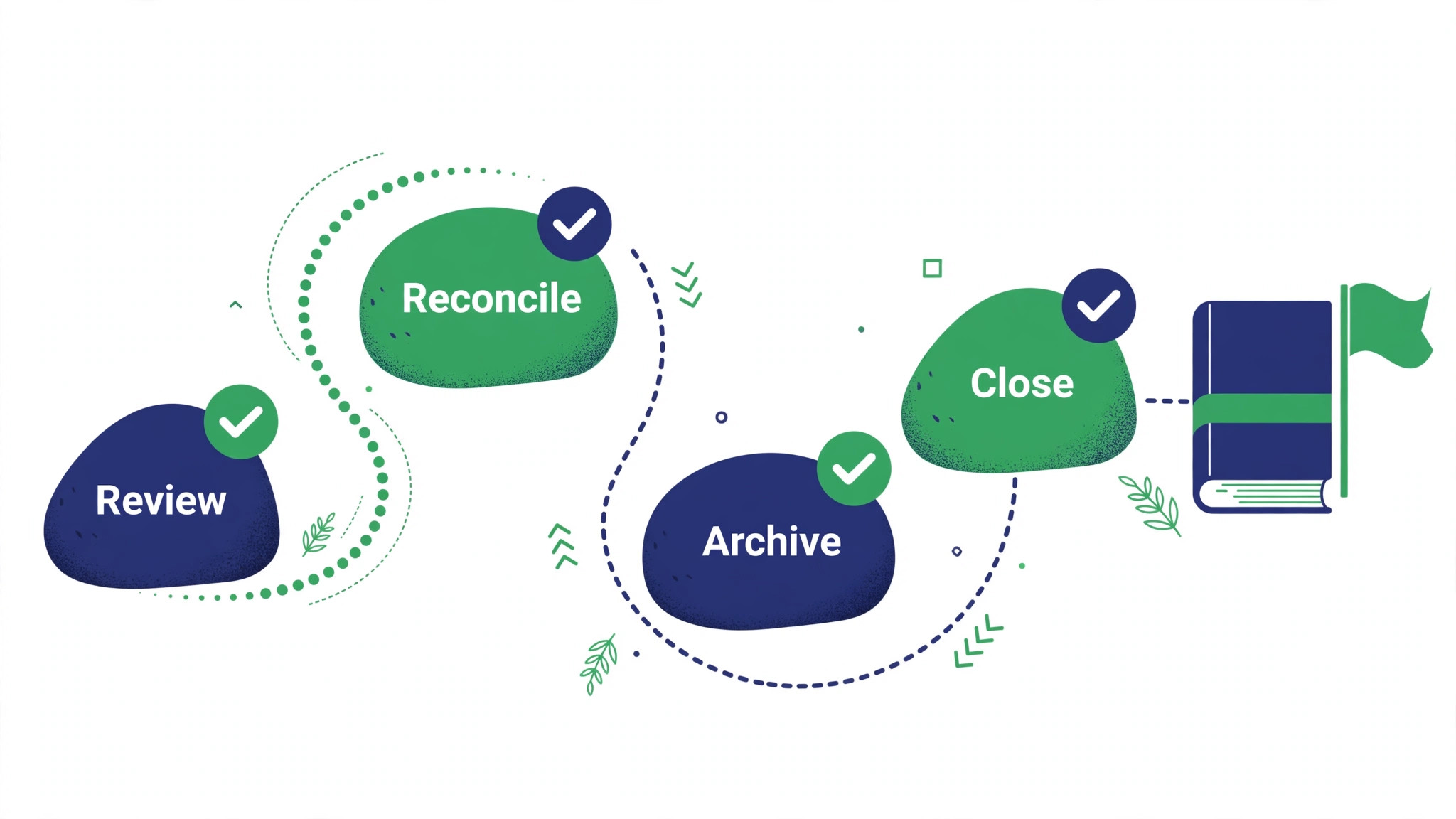
– Cutover date agreed, with cash or accrual basis confirmed by the accountant. – Baseline reports saved from FreshBooks, profit and loss, balance sheet, aged receivables, aged payables. – Chart of accounts designed and approved, with account types correct. – Customers, vendors, and items imported, with duplicates removed. – Opening balances entered by journal entry, trial balance matched to the cent. – Open invoices and bills verified, including partial payments and credits. – Invoice templates rebuilt and test invoice sent and checked. – Sales tax rates reconfigured and tested on dummy invoices. – Bank feeds connected, first month reconciled against statements. – Payroll records, tax settings, and year to date totals checked with the accountant. – Payment processor tested end to end with a real payment. – Parallel month reports compared line by line, differences resolved. – FreshBooks kept read only for a quarter, exports archived for a tax year. – Team trained on categorisation, invoicing, and reconciliation routine. – A monthly close routine written down, with an owner and a date each month.
Training the Team on the New Monthly Routine
New software fails quietly when nobody owns the monthly routine, so write the routine down before go live and assign each part to a person. QuickBooks only stays accurate when invoicing, categorisation, and reconciliation happen on schedule, and a routine that lives in one person’s head will lapse the first time that person is away. A switch FreshBooks to QuickBooks small business rollout that ends with a written routine will still be accurate at tax time. One that ends with good intentions will not.
Weekly tasks are small and frequent. Send invoices promptly, record expenses as they arrive, and review downloaded bank transactions at least once a week rather than letting them pile up for month end. Categorise each transaction while its purpose is still fresh, because a transaction categorised three months later is usually categorised by guesswork. Check overdue invoices weekly and send reminders on a fixed day, so collections become a habit rather than a crisis.
Monthly tasks carry the real discipline. Reconcile every bank and credit card account against statements, review profit and loss for miscategorised items, check aged receivables and payables for stale balances, and confirm that payroll ran correctly where payroll is in use. The owner or bookkeeper should run this close on the same date each month, and the accountant should review the close quarterly, or monthly during the first quarter after migration. A close that slips by a month is a warning sign, not a scheduling detail, because unreconciled months compound into year end problems.
Training should teach judgment, not just clicks. Show the team how to choose the right account for common expenses, how to handle a partial payment, how to record a credit, and when to ask the accountant instead of guessing. Publish a one page guide with the most used accounts, the tax treatment for common items, and the escalation rule for anything unusual. Teams that learn the reasoning behind categorisation make fewer errors than teams that memorise a menu path, and they ask better questions when something new appears.
One routine rule matters above the rest. Never let unreconciled bank transactions accumulate past one month. A backlog feels harmless while it is small, but it hides miscategorisation, duplicate entries, and missing invoices, and clearing a three month backlog takes longer than three monthly reconciliations combined. If the backlog grows, treat it as a staffing problem to fix immediately, not as paperwork to catch up later. This single rule protects a switch FreshBooks to QuickBooks small business investment more reliably than any feature in the software itself.

Mistakes That Corrupt an Accounting Migration
The most damaging mistake is skipping the opening balance reconciliation. A trial balance that does not match at cutover poisons every later report, and the error is hardest to find months later when hundreds of new transactions bury it. Match to the cent before importing another transaction.
The second mistake is importing invoices without payment history. Aged receivables then overstate what customers owe, collection letters go to people who already paid, and trust in the new system collapses. Verify partial payments and credits on a sample before trusting any aged total.
The third mistake is accepting automatic bank categorisation without review. Automatic rules learn from early mistakes, and a month of miscategorised transactions takes a week to unwind. Review every downloaded transaction in the first month, and correct the rules as you go.
The fourth mistake is migrating during tax season or payroll deadlines. A migration needs calm weeks and accountant attention, and both are scarce when filings are due. Schedule the cutover for a quiet month, even if that means waiting a quarter.
The fifth mistake is deleting FreshBooks too soon. Tax questions, client disputes, and audit requests reach back further than anyone expects, and the old reports are the only answer once the account closes. Keep the archive for a full tax year at minimum.
A sixth mistake is importing expense categories without checking how they map to tax lines. A category that looked harmless in the old system can land on the wrong tax line in the new one, and the error only surfaces when the accountant reviews the year end totals. Walk through the category list with the accountant before import, agree the mapping for the twenty most used categories, and test the mapping on a month of real expenses before the full history moves.
A seventh mistake is letting two people categorise the same transactions differently during the first month. One person files software under office expenses while another files it under subscriptions, and the monthly totals stop comparing cleanly with prior months. Agree one owner for categorisation decisions in the first quarter, publish the agreed list where the team can see it, and correct deviations the week they appear rather than at month end.

Frequently Asked Questions
Is there a direct FreshBooks to QuickBooks migration tool?
QuickBooks community answers state that no direct tool exists for this pair, and that lists move through Excel or CSV files while bank transactions import through CSV. Third party conversion services fill the gap for larger histories, but their results still need verification against baseline reports.
Will my invoice history transfer?
Open invoices and detailed history transfer best through a conversion service, while the manual route suits businesses that mainly need open items and lists. Either way, verify aged receivables against the FreshBooks baseline, including partial payments and credits, before trusting the new totals.
How long does the migration take?
A small business with a simple chart and few open items can finish in two to three weeks, including a parallel month for verification. Larger histories, payroll, and multi account reconciliation stretch the timeline, and the parallel month should never be skipped to save time.
What happens to my bank transactions?
Bank transactions import through CSV on the manual route, and conversion services move them while leaving them unreconciled for later reconciliation. Reconcile the first month against bank statements in either case, and treat feed problems as a setup issue to fix, not as data to ignore.
Should my accountant be involved?
Yes, from the chart design stage onwards. The accountant approves account types, opening balances, tax setup, and payroll totals, and reviews the first month end close. A migration the accountant has not approved will be rebuilt at tax time, at far greater cost.
Should I migrate mid-year or wait for year end?
Mid-year migration works well if the opening balances reconcile to the cent, because the new system then carries the rest of the year cleanly and the accountant reviews one continuous set of books. Waiting for year end avoids a mid-year cutover but delays the benefits by months, and a quiet month with accountant support matters more than the calendar date. Pick the quiet month, reconcile carefully, and keep the old archive for a full tax year.
A Closing Judgment for the Owner
QuickBooks earns its place when the business needs full books, accountant ready reports, and room to grow into payroll and inventory. It does not earn its place on the strength of its brand alone, and it punishes teams that import messy lists into an unreviewed chart. The migration in this guide, close cleanly, design the chart, match opening balances to the cent, verify open items, reconcile the first month, works because each step proves the one before it.
Start with the accountant conversation and the baseline reports. If the chart design is clean and the opening balances match, the rest of the migration is execution. If they do not match, stop and fix them before another transaction enters the new books. A switch FreshBooks to QuickBooks small business owners make on matched numbers will hold up at tax time. One made on hope will not.
More Reading on Stratilyze
– Cost of QuickBooks Online for Small Business Monthly – Cost of FreshBooks for Small Business Monthly – Best Accounting Software for Small Business – Best Accounting Software for Ecommerce Sellers – Fix QuickBooks Bank Feed Not Syncing Small Business