

Etsy charges a little on every sale, and Shopify charges a steady subscription whether you sell or not. That contrast is the whole decision in one sentence, and it explains why the same move looks brilliant for one seller and reckless for another. That contrast is the starting point for any plan to switch Etsy to Shopify small seller owners consider.
A shop paying hundreds in percentage fees each month can save money on a subscription, even after paying for traffic it used to get free. A shop selling a handful of items a month can pay more on Shopify and sell less, because the marketplace shoppers who found it on Etsy do not follow it automatically to a new website.
So before any export or theme choice, the question to switch Etsy to Shopify small seller owners should answer is not which platform is better in general. It is whether this shop, at this sales level, with this repeat customer base, can bring its own traffic profitably. If the answer is yes, the move builds a brand, a customer list and a margin that a marketplace can never offer. If the answer is no, the smarter move may be to keep Etsy and add Shopify slowly, letting the own store grow while marketplace sales still pay the bills.
This guide follows that honest path. It covers the fee comparison on real numbers, the listing export, the domain setup, the announcement sequence that protects repeat sales, and the launch checklist. It also names what does not transfer, including reviews and marketplace search rankings, so no seller is surprised after launch.
Plan and payment figures below use fee structures reported in 2026 guides, and sources disagree on one Shopify figure, which this guide flags plainly rather than hiding. Check the current Etsy fees policy and Shopify pricing page before you commit, because both change and your margin depends on the current version. Checking current figures is the first step in any plan to switch Etsy to Shopify small seller owners run well.
Etsy Versus Shopify on Cost, Control and Traffic
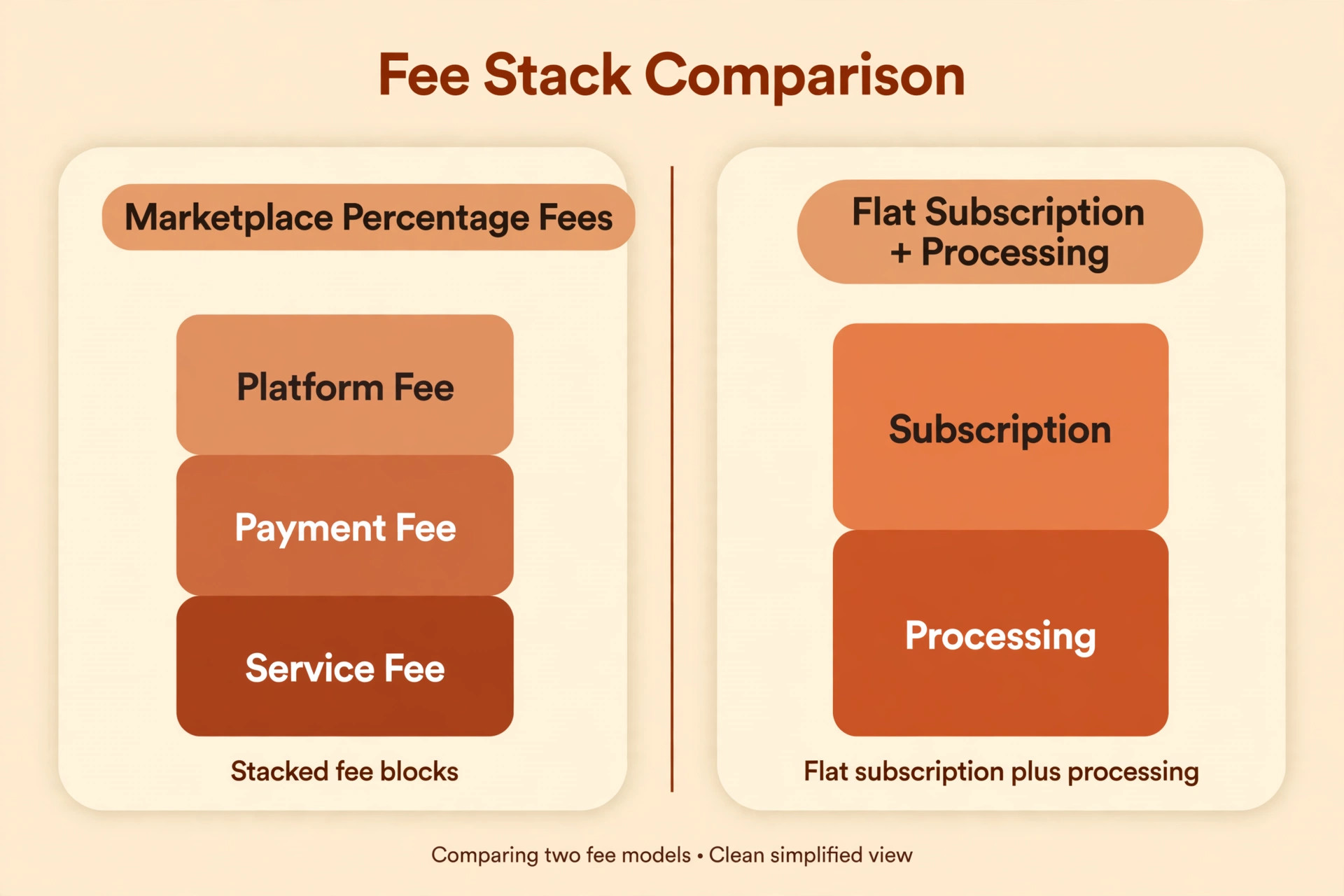
Cost is where most sellers start, and it needs real arithmetic, not a feeling. Etsy charges 20 cents to list an item, renewed every four months, plus a transaction fee of 6.5 percent on the sale price including shipping and gift wrapping, plus payment processing reported at 3 percent plus 25 cents per order in the United States. Offsite Ads can add 12 percent or 15 percent on attributed sales, with the lower rate applying once a shop passes 10,000 dollars in sales over the prior year, and participation becomes mandatory past that threshold. Those percentages stack, and on an Offsite Ads sale they can take a large share of a handmade margin.
Shopify replaces that stack with a subscription plus payment processing. One 2026 guide reports the Basic plan at 25 dollars a month, or 19 dollars a month on annual billing. Another guide from the same period reports Basic starting at 39 dollars a month. Sources disagree, and the difference matters for a small seller doing the break even maths. Check the Shopify pricing page for the current Basic figure, and run your comparison on that figure, not on either guide alone. Shopify charges no listing fee and no marketplace percentage, and it charges no extra transaction fee when you use Shopify Payments, while third party gateways can add a plan dependent fee.
Control is the second difference, and it cuts both ways. On Etsy, the shop lives inside a marketplace design, with limited branding, limited customer data and rules that can change without your vote. On Shopify, the seller controls the storefront, the email list, the offers, the bundles and the customer experience, and keeps customer contact details for repeat marketing. That control is valuable, but it comes with work. The seller now owns design, traffic, support, policies and every detail Etsy once handled inside the marketplace frame.
Traffic is the third difference, and it is the one sellers underestimate most. Etsy brings shoppers who are already searching inside the marketplace, including shoppers who never heard of your shop. Shopify brings no shoppers at all. Every visit must come from search, social content, email, ads, referrals or repeat customers. A seller with a strong social following, an email list, or repeat buyers who search for the brand by name starts Shopify with an advantage. A seller whose sales depend almost entirely on Etsy search starts with a traffic gap that must be closed before the move pays. Closing that gap is the real work in a plan to switch Etsy to Shopify small seller owners complete.
Before You Switch Etsy to Shopify Checklist
Do this audit while Etsy is still your main sales channel, so decisions are made calmly rather than during a launch week.
First, pull twelve months of Etsy sales data. Record monthly revenue, order count, average order value, fee totals by type, traffic sources, repeat purchase rate, and the share of sales attributed to Offsite Ads. These figures decide the fee comparison, the break even point, and whether the shop can afford a subscription in a quiet month. A shop with strong repeat sales and a growing brand search presence is a far better Shopify candidate than a shop with one off marketplace sales and no returning customers. That repeat base is what a plan to switch Etsy to Shopify small seller owners build on should look for first.
Second, rank listings by visits and sales, and mark each one as hero, steady, seasonal or retire. Heroes get the full Shopify treatment, with rewritten descriptions, better photos and careful SEO. Steady listings move as they are, with a light polish. Seasonal listings move only if the season justifies the work. Retired listings stay behind, and their old Etsy pages need a plan, which the announcement section covers. Moving every listing at equal effort wastes the launch window on products that never sold.
Third, gather assets at full quality. Download product photos at full resolution, save listing copy, materials, sizes, care instructions and variation details, and keep the original Etsy export as a backup. Photos downloaded at marketplace resolution look soft on a larger Shopify product page, so check hero images at full size before launch and reshoot the worst offenders rather than hoping customers will not notice.
Fourth, list everything Etsy does that Shopify must replace. Payment processing, shipping labels, tax handling, messaging, reviews, advertising inside the marketplace, and dispute handling all need a Shopify equivalent or a separate tool. Reviews deserve special attention, because they do not transfer. Plan how new reviews will be collected from launch week, and how past buyer praise can be shown honestly, such as quoted feedback with permission, rather than copied star ratings that belong to Etsy.
Fifth, pick a launch season that is not your peak. A handmade seller should not migrate in the weeks before Christmas, a wedding season peak, or any period where a week of disruption costs a month of profit. Choose a quieter period, keep Etsy live through launch, and give the new store time to earn trust before it must carry peak volume alone.
What Moves, What Stays Behind, and What Must Be Rebuilt
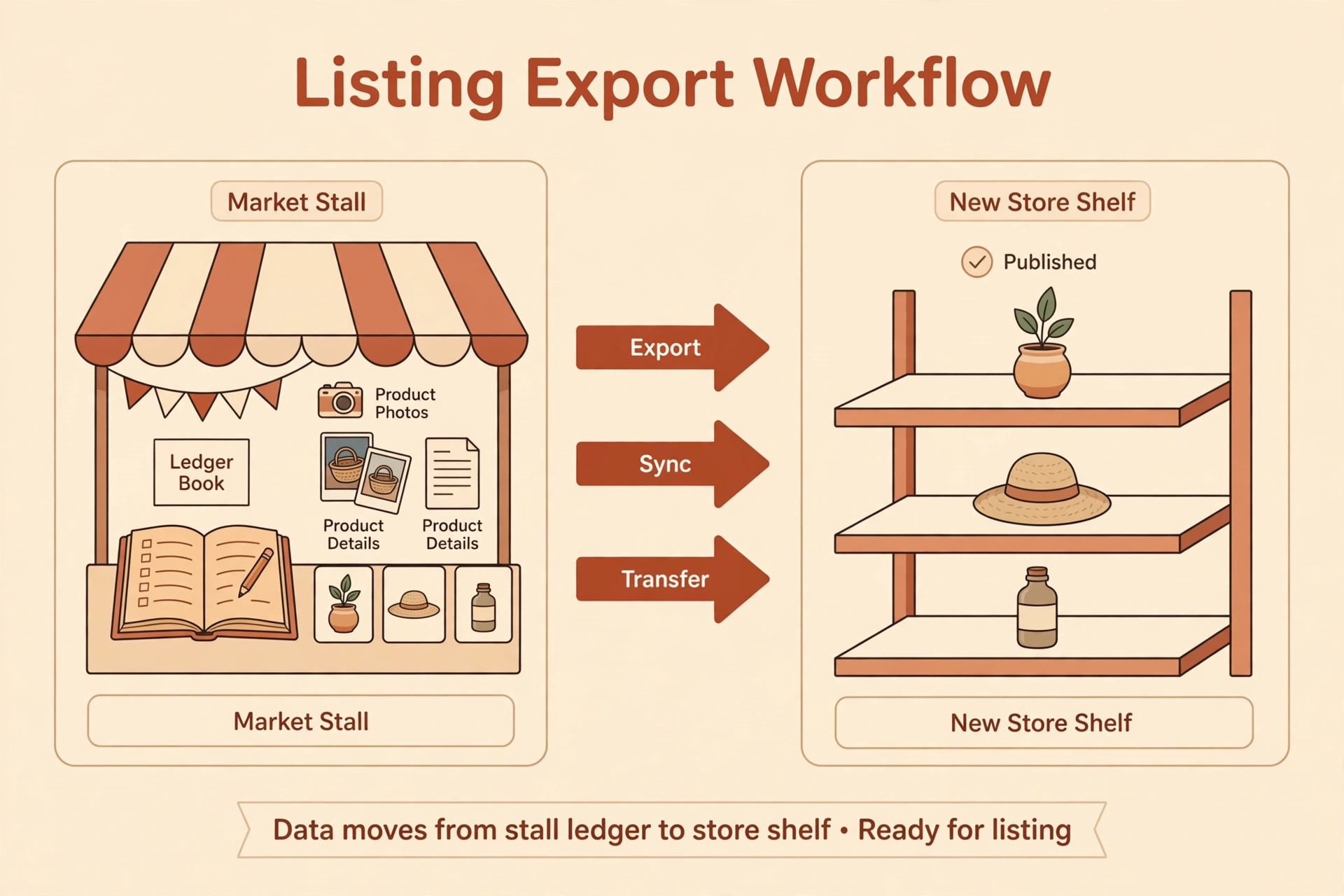
Listings move well through Etsy CSV export and Shopify import, with titles, descriptions, prices, tags and images carrying over after cleanup. The Etsy CSV format does not match the Shopify template exactly, so expect spreadsheet work, especially on variations, image links and Etsy specific fields that Shopify does not use. Shops with under a hundred products can often handle manual CSV work in a few focused sessions. Larger catalogues may justify a migration app, and the app cost should be weighed against the hours it saves.
Order history moves partially. Order records can be exported, but customer email addresses are restricted by Etsy privacy rules, so a full customer list does not simply appear in Shopify. That limit has a direct consequence for launch marketing. You cannot email every past Etsy buyer from Shopify on day one, because you do not own that list in the same way. Build the Shopify email list from new store signups, from social followers, and from buyers who opt in through a post purchase or announcement route that respects Etsy rules and buyer consent.
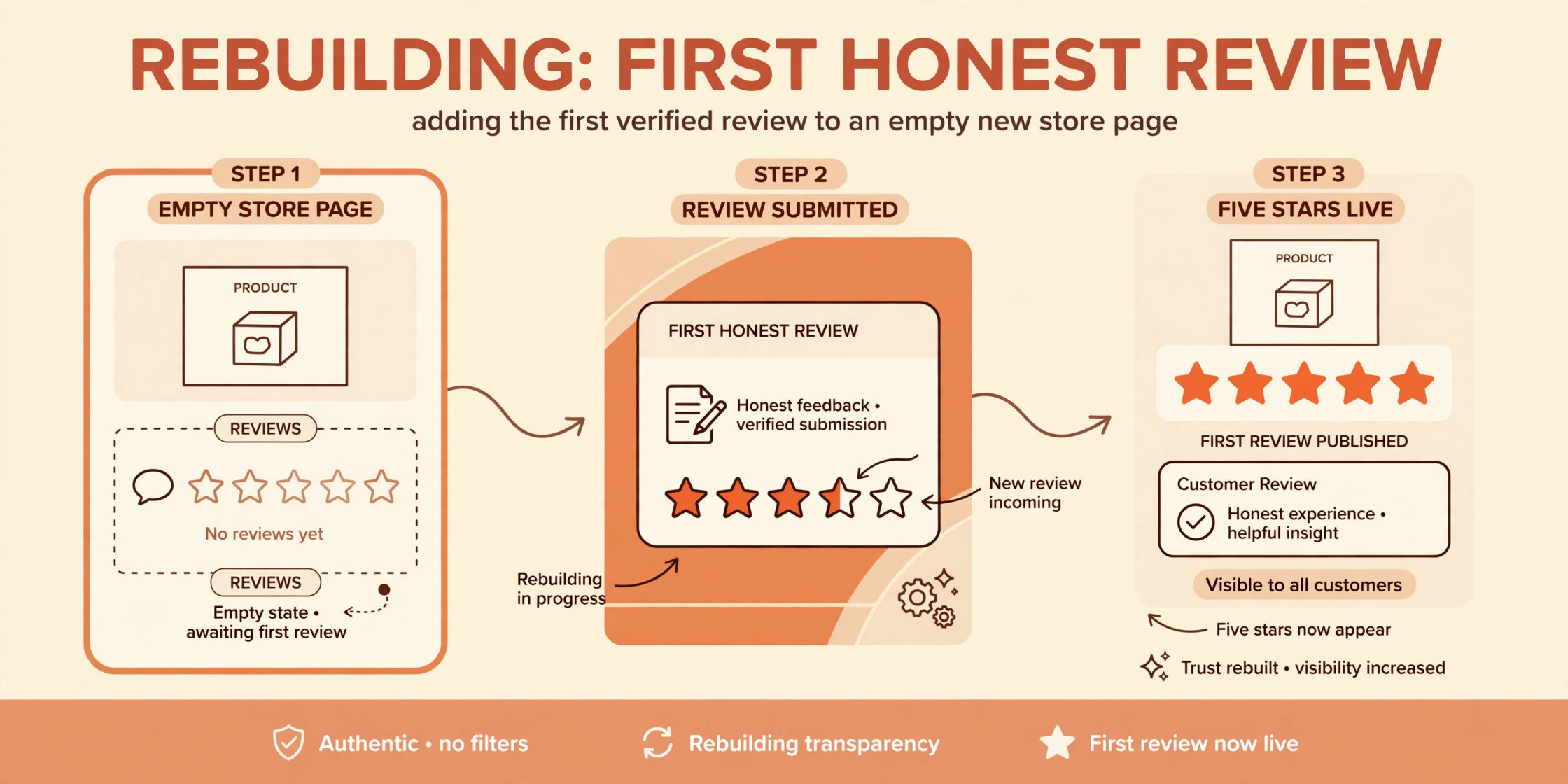
Reviews do not transfer automatically. Etsy reviews belong to the Etsy platform and its trust system, so a new Shopify store starts with no native reviews, however strong the Etsy record was. Rebuild social proof deliberately. A reviews app, early buyer incentives that comply with platform rules, press or creator mentions, and honest use of past feedback with permission all help, but none of them instantly replace years of marketplace reviews. Sellers who rely on reviews for conversion should plan a slower ramp and keep Etsy live while the new store earns its own proof.
Etsy search rankings and the Etsy shop URL do not carry over either. A listing that ranked well inside Etsy search starts from scratch in Google search and in Shopify internal search, and the new store needs its own SEO, content and links to earn visibility. That is why the domain setup and announcement sequence matter so much. They are not decoration. They are the bridge that carries repeat customers and brand searchers across a gap that marketplace rankings cannot cross.
Step Workflow to Switch Etsy to Shopify Small Seller Owners Can Follow
Follow these steps in order, and keep Etsy selling throughout until the launch checklist passes.
Step 1. Export Listings and Orders From Etsy
In Etsy Shop Manager, download listings as a CSV file and export order history, and save a backup copy of everything, including full resolution photos, before touching the new store. The export is your safety net, and it should be stored outside any single tool, so an import error never becomes a data loss.
Clean the CSV before import. Remove Etsy specific fields Shopify does not need, reformat variation columns to match the Shopify template, check that image links point to files you control, and confirm prices, inventory and tags are correct. One guide notes that the Etsy CSV only includes listings currently available for sale, and that sold out or expired listings may need to be temporarily relisted or recorded by hand. Relisting carries a 20 cent fee per listing, so weigh that cost against the value of each listing before relisting a long tail of slow products. Recording a few heroes by hand is often cheaper and cleaner than relisting dozens of weak listings.
Import in batches, starting with hero products. Check each batch on the Shopify preview for title, description, photos, variants, price, inventory and tags, and fix mapping errors before importing the next batch. Reconcile counts after each batch, so the number imported plus the number deliberately left behind plus the number rejected for errors equals the number exported. That reconciliation is a basic control in any plan to switch Etsy to Shopify small seller owners run.
Step 2. Run the Fee Comparison on Your Real Sales
Build the comparison from your own Etsy fee totals, not from a generic example. Take a recent typical month, and a recent strong month, and calculate what each month would have cost on each platform. On the Etsy side, include listing fees, the 6.5 percent transaction fee, payment processing, and Offsite Ads fees on attributed sales. On the Shopify side, include the subscription at the current Basic figure you verified, payment processing at the Shopify Payments rate for your plan, app costs, theme costs if any, and a realistic traffic cost for ads, content or email tools.
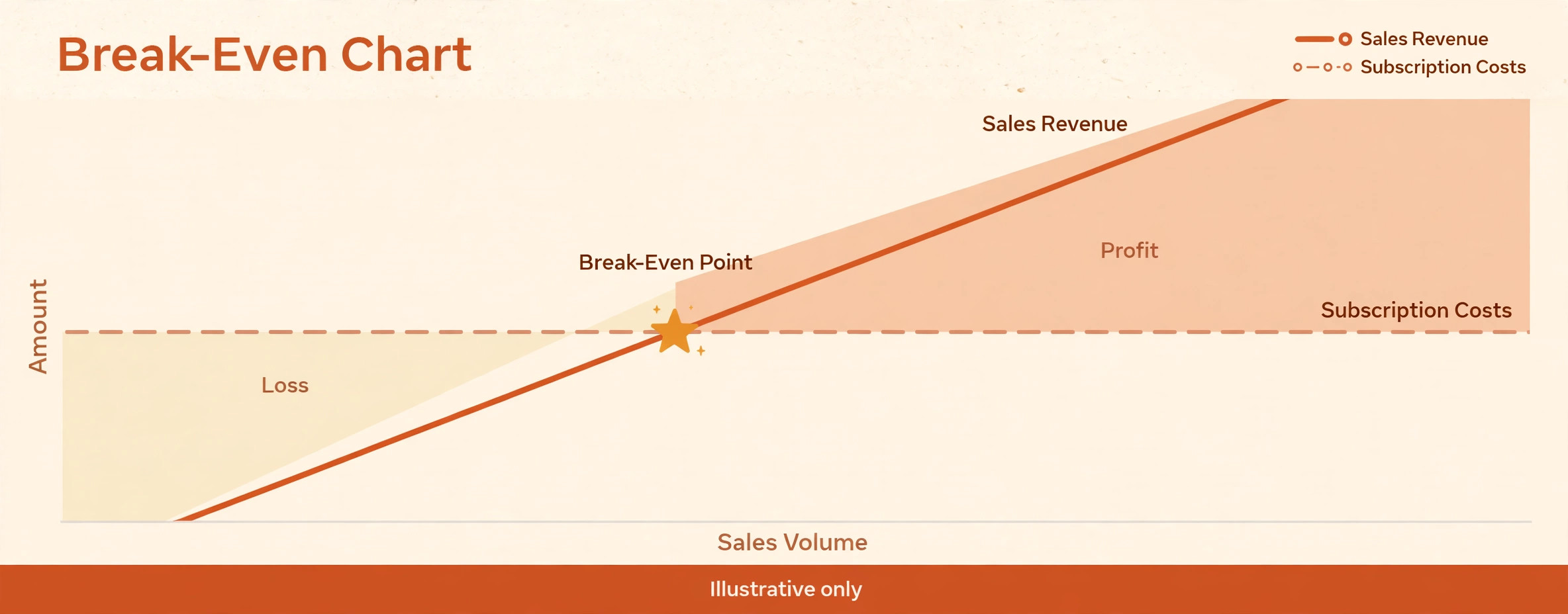
A worked illustration helps, using the widely reported Etsy rates. A shop selling 3,000 dollars in a month, before shipping complexities, would pay roughly 195 dollars in Etsy transaction fees alone at 6.5 percent, plus payment processing and any listing or Offsite Ads fees. The same sales on Shopify would carry a flat subscription plus payment processing, which is why higher volume shops often find Shopify cheaper even after traffic costs. A low volume shop paying only a small monthly sum in Etsy fees will not beat a subscription until sales grow, and that shop should treat Shopify as a brand investment or a second channel, not as an immediate saving.
Find your break even point honestly. Divide the Shopify fixed monthly cost, including subscription and essential apps, by the percentage fee saving per order, and you get the monthly sales level where Shopify starts to win on fees alone. Then add traffic reality. If reaching that sales level on Shopify requires ad spend that wipes out the fee saving, the break even point is higher than the fee maths suggests. Write both numbers down, because the second one is the number that decides whether the move pays this year.
Step 3. Set Up the Domain, Store Design and Policies
Buy or connect a domain that matches the brand, and set it as the primary domain in Shopify before launch announcements go out. A clean domain, such as the brand name with a common extension, is easier to remember, easier to print on packaging, and easier to build search authority around than a long subdomain or a marketplace shop address. Keep the domain registration separate from any single platform where possible, so a future platform change does not become a domain hostage situation. That separation is a wise step in any plan to switch Etsy to Shopify small seller owners set up.
Design the Shopify store around the hero products first. Product pages need large, honest photos, clear materials and size information, shipping times that handmade buyers can trust, and a returns or remake policy written in plain language. Handmade buyers ask different questions from mass market buyers. They want to know who made the item, how long it takes, what happens if it arrives damaged, and whether a variation can be customised. Answer those questions on the product page, not only in a policy page nobody reads before buying.
Write policies before launch, including shipping, returns, processing times, custom order terms and privacy handling for the new email list. Copy the spirit of the Etsy policies customers already trusted, but rewrite them for a direct store, where the seller, not the marketplace, handles disputes, refunds and communication. A policy that only works inside Etsy will confuse a Shopify buyer at the worst moment, which is when something has gone wrong with an order.
Step 4. Build Traffic Before You Announce the Move
Traffic building starts before launch, not after. Create or refresh the email signup incentive, such as a launch discount, a free guide, or early access to a collection, and place signup forms on social profiles, in Etsy shop announcements where allowed, and on any existing website or blog. Grow the list that Shopify can actually email, because that list is the most reliable launch traffic a new store has.
Prepare search content for hero products. Write product descriptions for Google search as well as for human buyers, with the words customers actually use for the product, the material, the occasion and the gift recipient. Add a small number of genuinely useful pages, such as a buying guide, a care guide, or a sizing guide, that earn search visits beyond product pages. A new store with only product pages has few ways to be found, while a store with helpful guides gives search engines reasons to send visitors.
Set up social and ad foundations, but do not bet launch week on paid ads alone. Confirm tracking, prepare launch creative from real product photos, and set a modest test budget to learn which products and audiences convert. Paid traffic that converts at a loss teaches a lesson, but it does not pay for a subscription. The launch goal is learning which traffic sources convert profitably, not spending the most on day one.
Step 5. Run the Announcement Sequence to Etsy Buyers and Followers
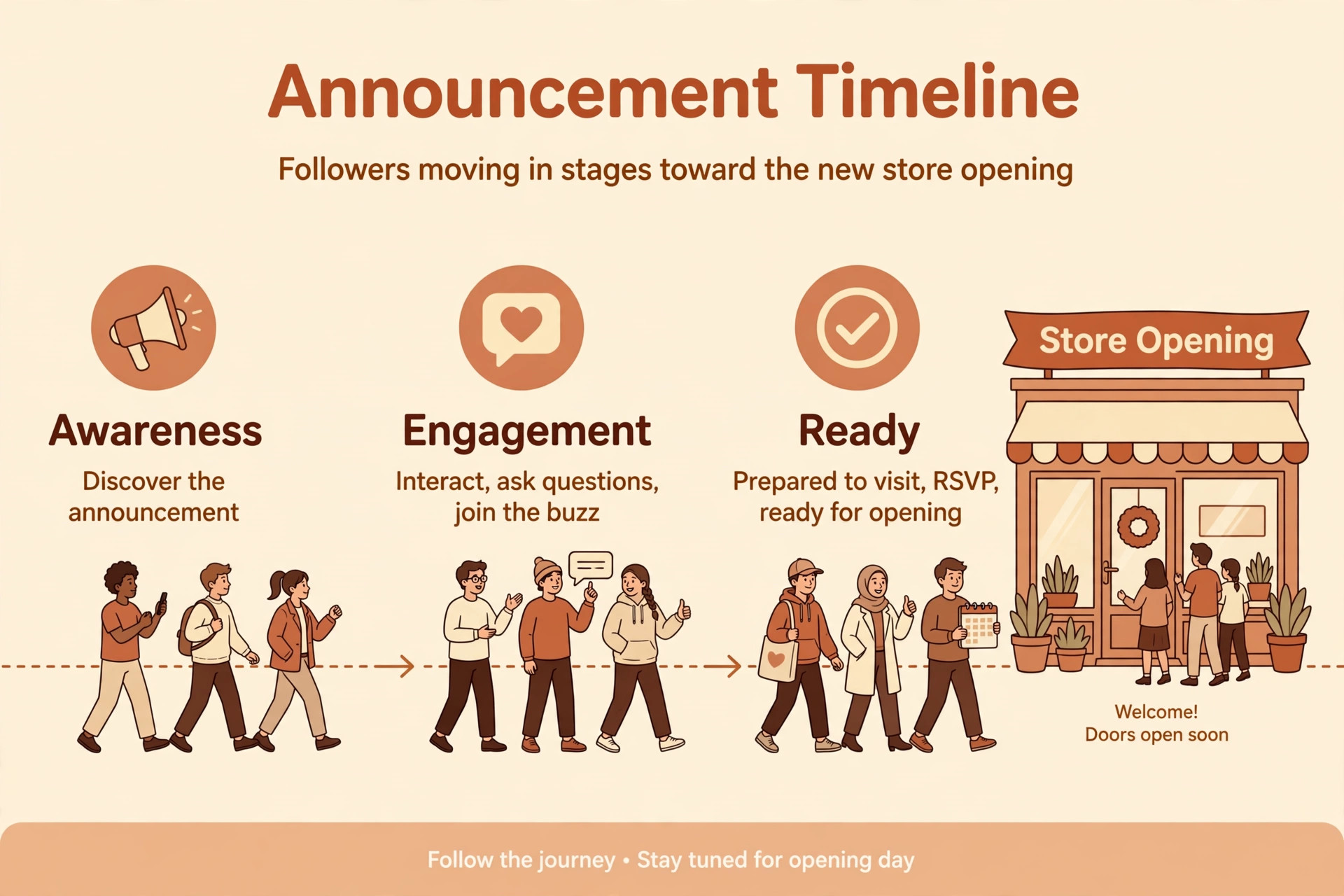
Announce in stages, not in one blast. Stage one tells social followers and email subscribers that a new own store is coming, with a reason that benefits them, such as better bundles, a loyalty offer, or early access. Stage two opens the store to that warm audience first, with a launch offer and a request for feedback and reviews. Stage three announces publicly, once the store has orders, reviews and proof that checkout works.
Respect marketplace rules in every announcement. Do not use Etsy messaging to divert buyers in ways that breach Etsy policy, and do not import buyer emails you do not have permission to email. Use public channels, social profiles, packaging inserts for future orders, and opt in routes that buyers choose. A launch that breaches marketplace rules can cost the Etsy shop that still pays the bills, which is the opposite of a successful migration.
Tell repeat buyers plainly what changes and what stays the same. Prices, processing times, shipping and the maker behind the products stay familiar. The checkout address, the account login and the review system change, and buyers need a simple explanation of each. Include a help contact for launch week, and answer launch queries fast, because early buyers who feel looked after become the reviewers and referrers the new store needs most.
Step 6. Launch With a Checklist, Then Keep Etsy Live for a Season
Launch day is a checklist, not a celebration. Test checkout, test discount codes, test shipping rates, test mobile product pages, and place a real order yourself before announcing publicly. Confirm order emails, inventory deduction and customer account creation all work, and confirm the domain, the sitemap and search console submission are in place.
After launch, keep Etsy live while Shopify grows. Many successful sellers run both for a season or longer, using Etsy for discovery and Shopify for repeat customers, bundles and brand building. That dual running is not failure. It is a sensible bridge, and it lets the seller compare conversion, fees and customer behaviour on real data rather than on forecasts. Close or scale down Etsy only when Shopify consistently covers the revenue and the traffic that Etsy once provided, and when the new store has its own reviews, email list and search presence to stand on.
Rollback Plan If Shopify Sales Stall
Keep Etsy listings live and current during the rollback window, so a return is a traffic decision, not a rebuild. If Shopify sales stall, the rollback is usually not a technical reversal. It is a decision to keep Etsy as the main channel, pause Shopify paid traffic, and treat the Shopify store as a brand and repeat customer channel until traffic improves. That softer rollback protects revenue, because the Etsy shop never stopped selling.
Set triggers before launch. A sensible set is Shopify conversion far below Etsy conversion for the same products over a full month, traffic costs that exceed the fee saving for two consecutive months, or a checkout or fulfilment problem that affects real orders. If a trigger fires, pause new Shopify ad spend, shift announcement effort back to Etsy, and diagnose the cause, which is usually traffic quality, product page trust, shipping cost presentation, or pricing, rather than the platform itself.
Only close Shopify if the store is losing money after a fair test period, with real traffic attempts and product page fixes already tried. Closing early, after a quiet launch week with no email list and no search presence, proves nothing except that a new store with no traffic sells little, which was known before launch. Give the store a season, judge it on the triggers, and then decide with data.

Launch Checklist for the Shopify Store Go Live
Check each item live, with a real order, before the public announcement.
– Domain is connected, primary, and secure, with no marketplace address in checkout or emails – Hero listings are imported, polished, photographed well, and priced with the new fee maths – Shipping rates, processing times, returns and custom order policies are written and tested – Discount codes, bundles and launch offers work at checkout on mobile and desktop – Email signup, welcome flow and order emails work, with unsubscribe handling correct – Reviews app is installed, with a plan for collecting the first honest reviews – Analytics, search console and ad tracking fire on a real order – Etsy stays live, current and compliant, with no policy breaching diversion messages – Launch announcement stages are scheduled, with a help contact for launch week queries
Mistakes That Hurt an Etsy to Shopify Move
The first mistake is closing Etsy on launch day. Marketplace discovery, reviews and search presence do not transfer, and a new store cannot replace them overnight. Keep Etsy live as the bridge, and let data, not enthusiasm, decide when to scale it down.
The second mistake is copying Etsy prices without redoing the maths. The fee mix changes completely, with subscription, apps and traffic costs replacing percentage fees, and the same price can produce a different margin. Recalculate each hero product for the new cost structure, including packaging, shipping, processing, apps and a traffic allowance, before launch.
The third mistake is launching with no email list and no traffic plan, then blaming Shopify for low sales. Shopify is a storefront, not a marketplace, and a storefront with no visitors sells nothing however beautiful it looks. Build the list, the search content and the social routes before launch, and judge the store only after those routes have had time to work.
The fourth mistake is importing buyer data or messaging buyers in ways that breach Etsy rules or buyer consent. That shortcut can cost the Etsy account, damage trust, and create a deliverability problem for the new store. Grow the Shopify list through opt ins, and treat past buyer trust as something to earn again, not something to carry over by force.
Frequently Asked Questions
Do Etsy reviews move to Shopify?
No, reviews do not transfer automatically, because they belong to the Etsy trust system. Rebuild reviews on Shopify with a reviews app, early buyer requests that follow the rules, and honest use of past feedback where permission has been given. Expect a slower trust ramp, and keep Etsy live while the new store earns its own reviews. That patience belongs in every plan to switch Etsy to Shopify small seller owners trust.
Can past Etsy buyers be emailed from Shopify?
Only buyers who have given permission to be emailed outside Etsy, or who opt in through a compliant route, should be emailed from the new store. Etsy order data restricts customer email access, so do not assume a full buyer list is available. Build the Shopify list from signups, social followers and new store buyers who opt in.
Is Shopify cheaper than Etsy for a small seller?
It depends on sales volume, average order value, Offsite Ads exposure, and traffic costs. Higher volume shops often save on fees, because a flat subscription plus processing replaces percentage fees that grow with every sale. Lower volume shops often pay more, because the subscription arrives whether sales do or not, and traffic must be bought or earned. Run the fee comparison in this guide on your real months before deciding.
Should a seller keep Etsy after opening Shopify?
Yes, for most sellers, at least for a season. Etsy provides discovery, trust and marketplace search that a new store cannot replace quickly. Shopify provides brand control, customer data and margin on repeat sales. Running both, with Etsy for discovery and Shopify for repeat and bundle sales, is a common and sensible bridge.
How long does an Etsy to Shopify move take?
A small shop with a clean catalogue can export, clean, import and design a basic store in two to four weeks, plus a launch and warm up period. A larger catalogue, a custom design, or a complex variation structure can take longer. The import is fast. Cleaning, photography fixes, policy writing and traffic building drive the real timeline.
What happens to the Etsy shop URL and search rankings?
They do not carry over to Shopify. The new store needs its own domain, its own search content and its own links to earn visibility. The announcement sequence and repeat customer bridge matter because they carry the audience that search rankings cannot carry across platforms.
Closing Judgement for a Small Seller Weighing the Move
Move when repeat customers, brand search, social following or an email list can bring traffic, when fee maths on real months shows a saving or a fair brand investment, and when the seller wants control over offers, bundles and customer relationships. Hold off when sales depend almost entirely on Etsy search, when volume is too low to cover a subscription plus traffic costs, or when the shop has no list and no traffic plan yet.
The switch Etsy to Shopify small seller owners get right is rarely a clean break on launch day. It is a bridge, with Etsy still selling, Shopify growing on repeat customers and brand traffic, reviews building honestly, and a decision to scale down Etsy made on data after a season, not on launch week excitement. Build that bridge, and the own store becomes an asset. Burn it, and the seller trades a working marketplace for an empty shopfront.

More Reading on Stratilyze
– Migrate Etsy to Shopify for Handmade Sellers – Cost of Running an Etsy Shop Monthly – Cost of Starting an Etsy Shop Breakdown – Shopify vs Etsy – Best AI Tools for Etsy Sellers – Cost of Shopify for Small Business Monthly