
The verdict is plain. A dance studio does not need a bigger front desk. It needs a booking system that places each student in the right level, sells the right class pack, fills an empty spot the hour it opens, and reminds a busy parent before the class starts. When those four jobs run on software instead of sticky notes and memory, the studio owner gets evenings back, teachers get accurate rosters, and parents stop sending the same question three times. That is the whole case when a studio decides to use AI for dance studio class booking, and it holds whether the studio has one room or six.
That verdict comes with a condition worth stating early. Software should run the routine work, not the teaching judgment. A teacher still decides whether a student is ready to move up a level. A studio owner still decides how many students a room can hold safely and how strict the cancellation rule should be. The tools in this guide handle the sorting, the selling, the billing and the messaging around those decisions. They do not replace the people who make them, and a studio that buys software expecting it to teach classes will be disappointed fast.
This guide builds the workflow in the order a studio actually lives it. You will see how level placement works without a chaotic trial week, how class pack booking fills rooms without overfilling them, how recital billing stops turning into a season of awkward conversations, how waitlist backfill moves in minutes, and how a reminder sequence cuts no shows without nagging families. It also covers tool choices by studio size, real costs and trade offs, the mistakes that undo the gains, and the numbers that show whether booking is truly improving.
How to Use AI for Dance Studio Class Booking Day to Day
Booking a dance class answers five questions in order. Which level fits this student. Which class still has a safe number of places. Which pack or membership pays for it. What happens when a place opens or a student cancels. And what does the family need to know before the class starts. Tools that help you use AI for dance studio class booking slot into each question, but they work best as one connected chain rather than five separate apps that never talk to each other.
Most studios start from one of three places. Some still run registration on paper forms and a phone that never stops ringing in August. Some use a general booking page plus a payment link, which works until recital season adds costumes, tickets and rehearsal schedules to the same inbox. Some already run studio software such as Mindbody, Jackrabbit Dance, DanceStudio Pro or Class Manager, and want the newer automated features layered on top. The workflow in this guide fits all three, because the steps stay the same even when the software changes. What changes is how much typing a human has to do at each step.
Think of the system as three helpers, not one brain. The first helper sorts, which covers level placement suggestions, class caps and waitlist order. The second helper sells and bills, which covers class packs, monthly tuition, recital fees and payment reminders. The third helper talks to families, which covers confirmations, reminders, waitlist offers and schedule changes. When you evaluate a tool, ask which helper it actually delivers well, because a vendor demo may show all three while the studio only ever uses one of them properly.
Level Placement Without the Trial Week Chaos
Level placement is where dance booking differs from a fitness class, because a wrong level is not just an empty mat. It is a beginner lost in an advanced combination, or an experienced dancer bored in a class pitched too low, and both students quietly leave within a month. Good placement starts before booking opens, with clear level descriptions written in plain words that parents can understand. Age ranges, years of experience, and the skills a student should already have belong on the class page, not in a teacher’s head.
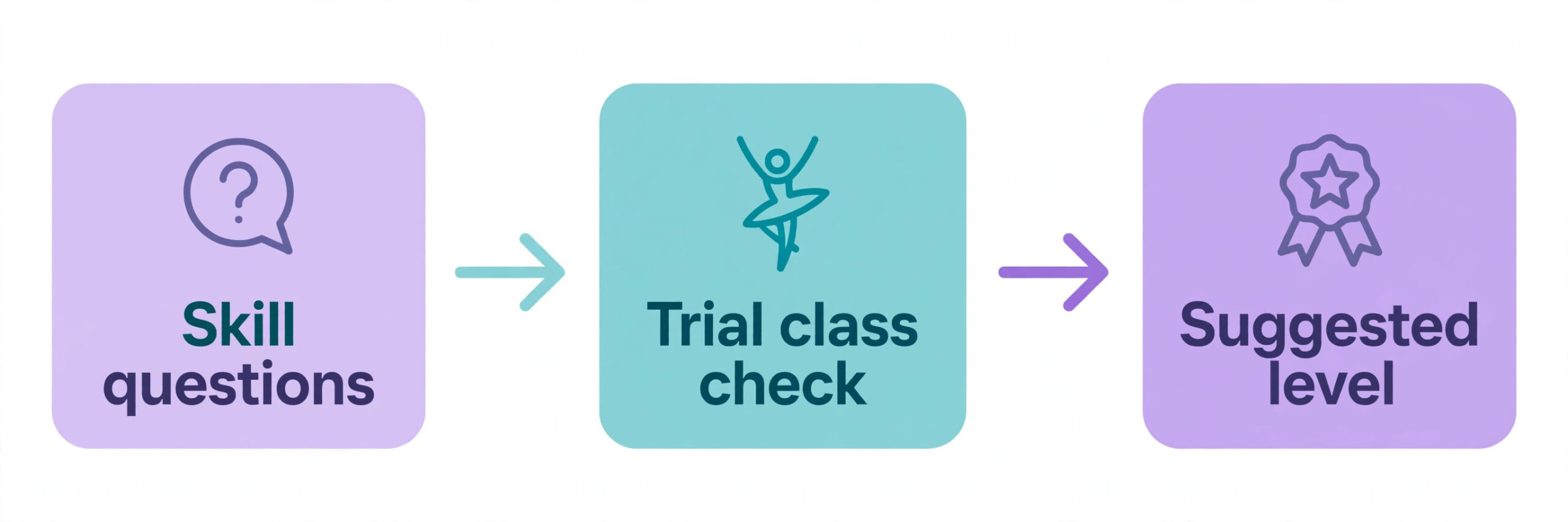
When you use AI for dance studio class booking, software helps by turning placement into a short guided check instead of a free for all. A new student answers a few questions about age, past training, and current skills, and the system suggests the matching levels while blocking levels that need a teacher assessment first. Returning students carry their level history forward, so a family rebooking for a new term sees the right classes first instead of the full timetable. That single change cuts the most common front desk question, which is some version of asking which class a child belongs in.
A Placement Check That Takes Ten Minutes
A placement check does not need to be a formal audition. For most recreational studios, a ten minute trial class plus a short teacher note is enough. The teacher records a recommendation in the student record, the system stores it, and the next booking screen uses it. For competitive or advanced tracks, keep a real assessment with named criteria, and let the system hold those levels closed until the assessment is recorded. The rule to write down in advance is simple. Suggested levels are open to book, assessed levels need a teacher sign off, and nobody gets moved up because a parent asked loudly enough.
What Teachers Still Decide
Teachers still own the edge cases, and software should make those cases visible rather than deciding them. A student between levels, a student returning after a year away, or a student whose strength in one style does not match another style all need a human look. Give teachers a short weekly list of placement questions to answer, with one tap to approve or change a suggestion. That list is far better than a stream of parent messages arriving at random hours, because it batches the judgment work into time a teacher actually has.
Class Pack Booking That Fills Rooms Without Overfilling Them
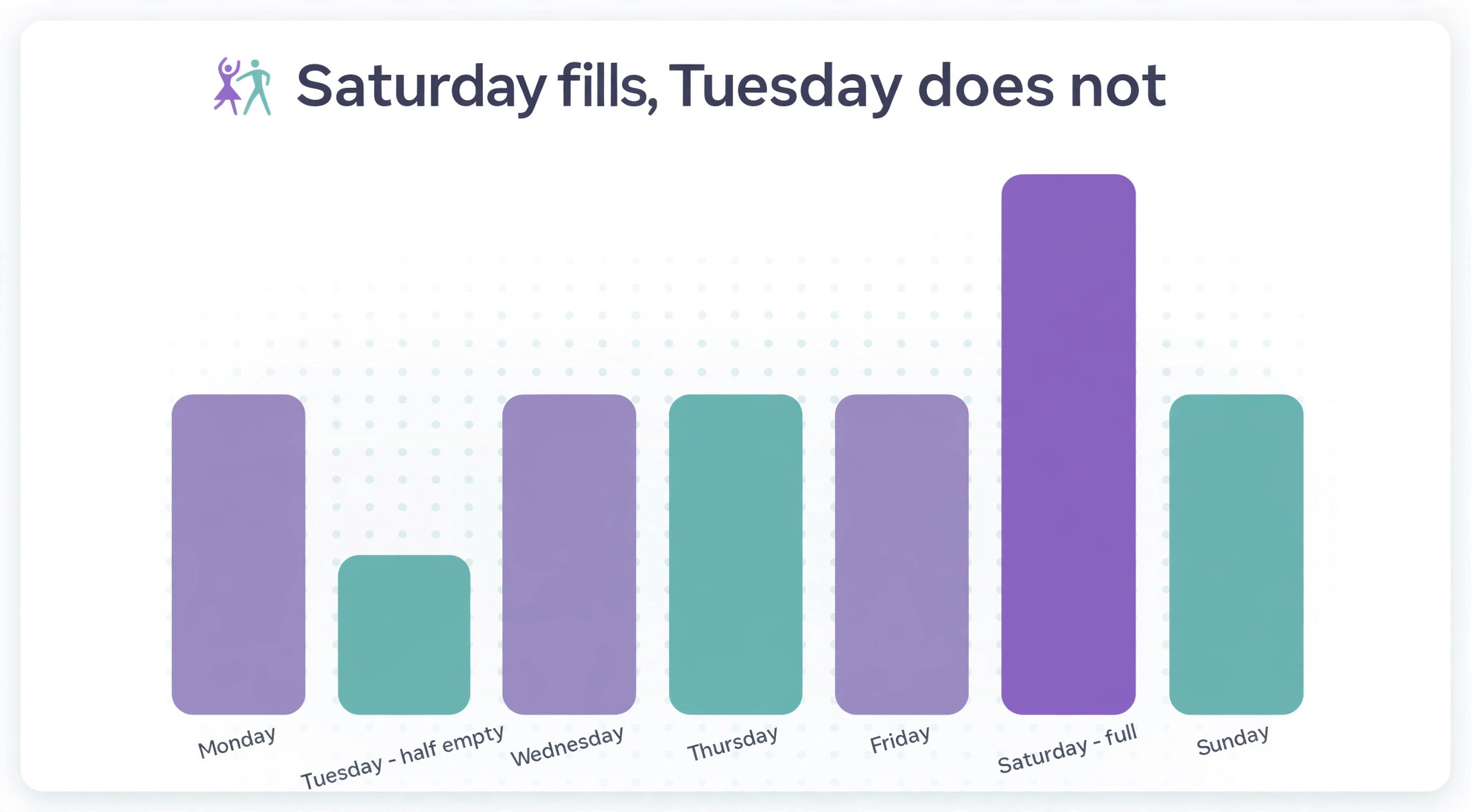
Class packs are the product most dance studios sell badly, because the pack and the timetable are planned separately. A studio sells a ten class pack, then discovers that the popular Saturday classes are full while Tuesday evening classes run half empty. The fix is to connect the pack to the room. Packs should show families which classes they can actually join, including the ones with places left, and the system should warn before a pack is sold for a class that is already at capacity.
Caps matter more in dance than in many class businesses, because floor space and safety set a hard limit. A room that holds sixteen dancers for ballet may hold only twelve safely for acrobatics, where tumbling needs more space per student. Set the cap per class, not per room, and let the booking page show places left honestly. Parents trust a page that says three places left far more than a page that takes a booking and sends an apology later. Published studio software descriptions consistently list firm caps, waitlists, family accounts and pack management as the core features to check, which tells you these are not extras. They are the product.
Pack design itself deserves a decision before the software setup. A pack with a long expiry suits adult drop in students who travel or work shifts. A pack with a short expiry suits a term based children’s program where attendance should be regular. A pack that works across all styles suits a family trying dance for the first time. A pack tied to one style suits a committed student who trains in one discipline. Sell two or three pack shapes, not ten, because every extra option adds a question at the front desk and a line in the billing report.
Recital Billing Parents Can Actually Follow
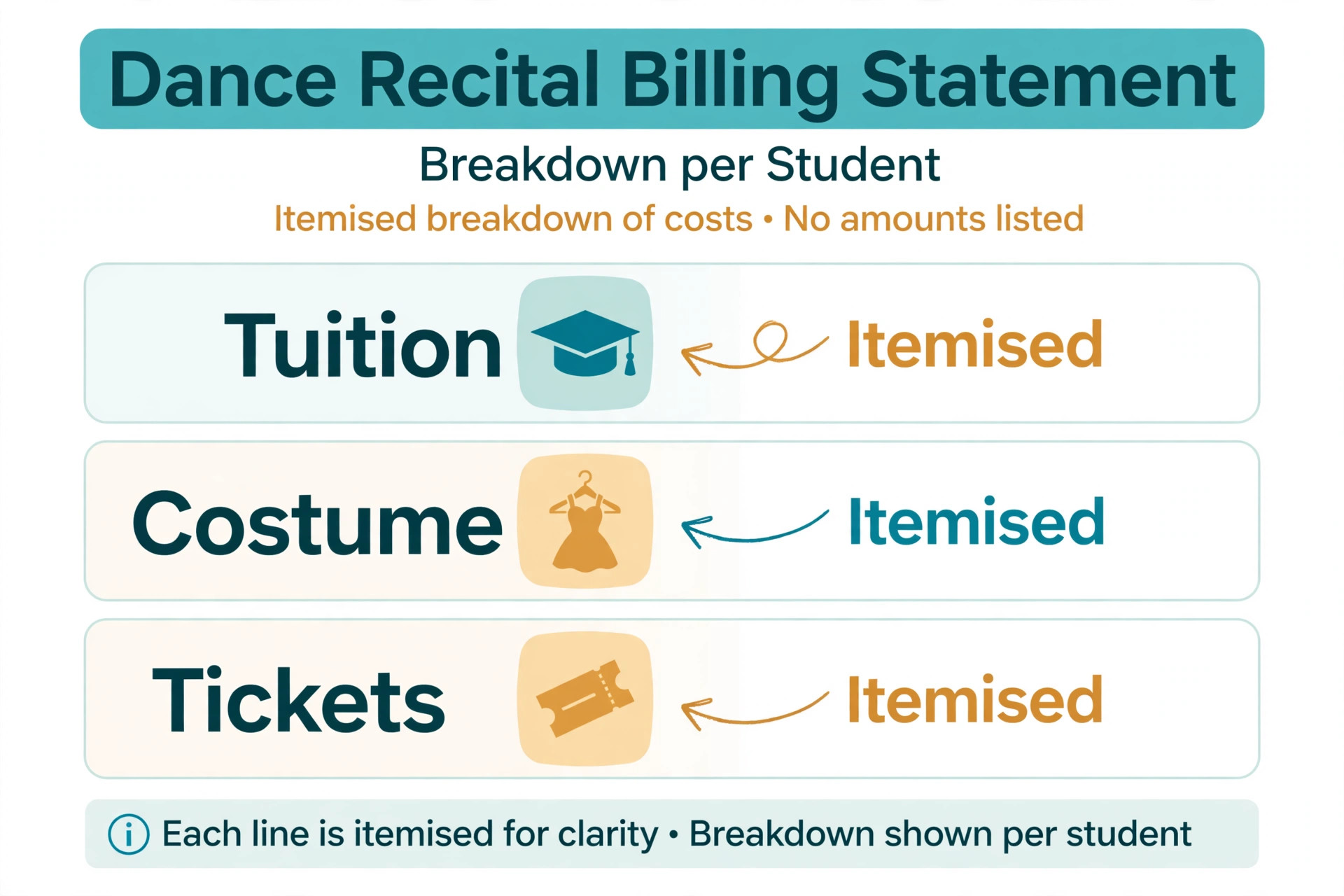
Recital season is where good studios lose goodwill, and the cause is almost never the recital itself. It is a bill that arrives as one confusing total covering tuition, costumes, tickets, rehearsal fees and a video package, with no breakdown and no warning. Parents who cannot follow a bill do not pay it quickly, and they ask questions that eat front desk time in the busiest weeks of the year. The fix is a billing page that reads like a receipt, with each charge named, dated, and linked to the student and class it belongs to.
When you use AI for dance studio class booking, software handles this well when the studio sets it up before the season starts. Costume fees are attached to the class when the class is created, not typed in by hand in April. Ticket sales open on a known date with a clear seat or entry count per family. Rehearsal schedules go out with the same message that carries the fee reminder, so a parent sees the reason and the date together. Monthly tuition, which many studio tools can charge automatically to a family card, keeps running separately from one off recital charges, so a parent can tell at a glance what is routine and what is seasonal.
Payment plans deserve the same clarity. A family that can split a recital balance across three monthly payments is far more likely to pay on time than a family handed one large total two weeks before the show. Set the plan dates in advance, send a reminder a few days before each payment, and make the remaining balance visible in the family portal at all times. The goal is not to chase money harder. It is to remove every reason a willing family has to delay, such as confusion, surprise, or not knowing how much is left.
Waitlist Backfill That Moves in Minutes, Not Days
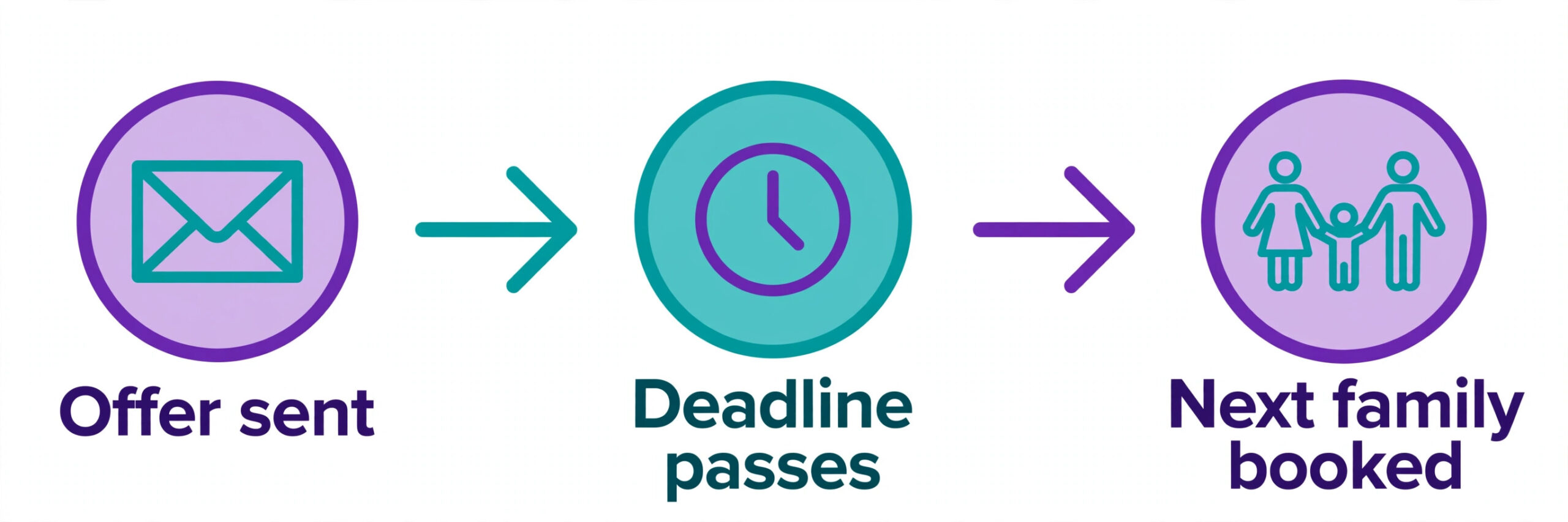
A waitlist that nobody works is worse than no waitlist, because it gives families false hope and gives the studio a false sense of demand. The pattern is familiar. A class fills, ten families join the waitlist, a place opens on a Thursday, and by the time the front desk works through phone calls on Monday, the family that wanted the place has booked elsewhere. The system should do the chasing, in order, with a deadline, so a place moves to the next family automatically when the first family does not reply.
When you use AI for dance studio class booking, the mechanics are simple and worth setting carefully. When a place opens, the first family on the waitlist gets a message with a clear offer, a booking link, and a reply deadline, often a few hours for a class starting soon and a day or two for a class starting next term. If that family declines or the deadline passes, the offer moves to the next family without anyone at the desk having to remember. Families who accept are booked and charged under the same pack or tuition rules as everyone else, and families who decline stay on the list for the next opening unless they choose to leave it.
Order rules need a decision in advance, because fairness arguments arrive fast. Most studios run a simple first come first served order, which is easy to defend. Some give priority to current students moving up a level over brand new students, which is also defensible when it is stated openly. What causes trouble is an order that changes quietly based on who asked most recently. Write the rule on the waitlist page, show each family their position honestly, and let the system apply it without exception. Transparency here costs nothing and saves difficult conversations.
Waitlist data is also planning data. A class with a waitlist of twenty and a class with a waitlist of zero are telling the owner different things, and the owner should act on both. The long waitlist may justify a second class or a larger room. The empty class may need a different time, a different teacher, or a merger with a nearby level. Review waitlist depth every month during term, not once a year at planning time, because demand shifts as students move levels and families change schedules.
A Reminder Sequence That Cuts No Shows Without Nagging Families
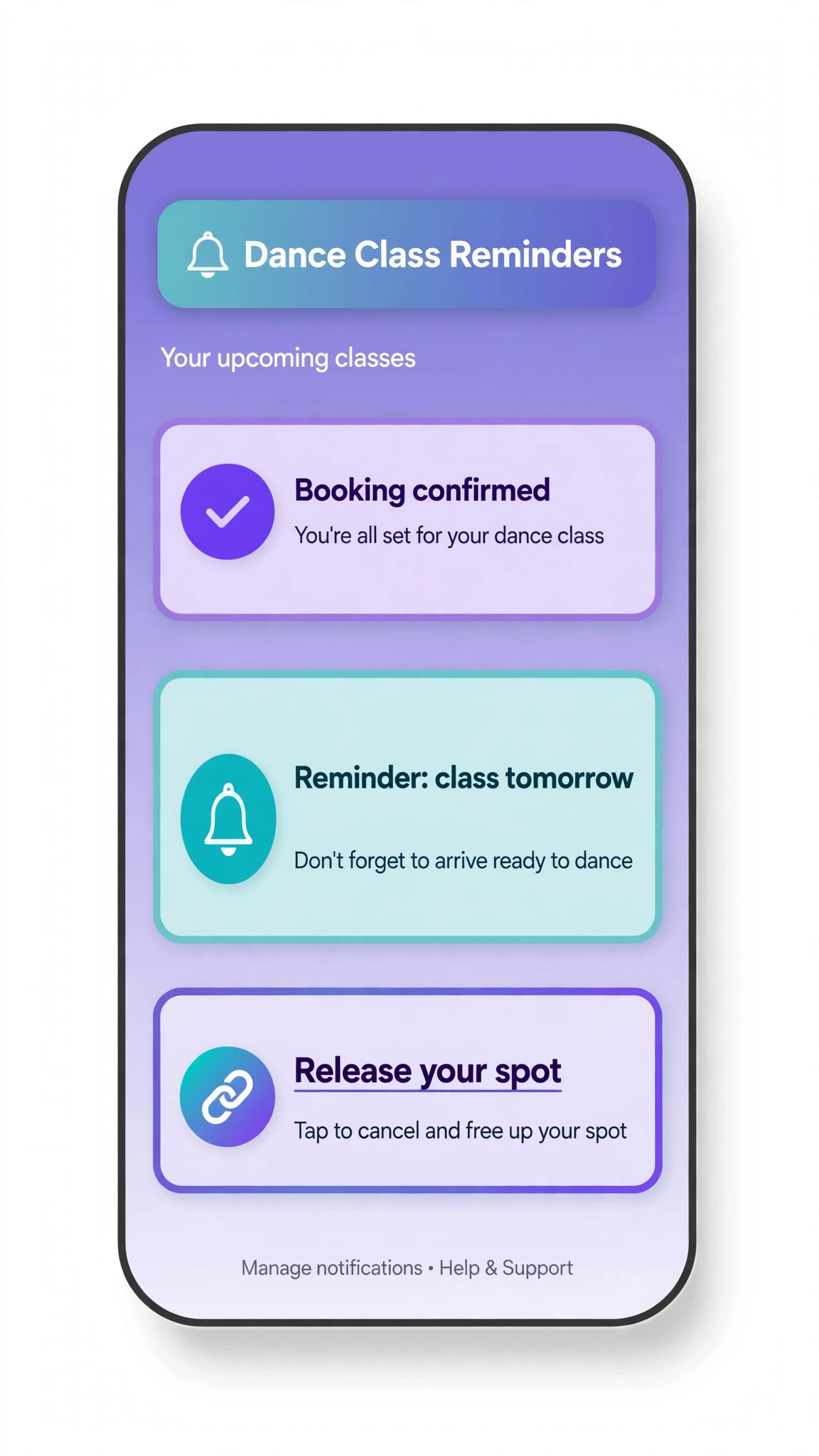
No shows in a dance studio look different from no shows in a clinic, because a missed class often means a mat that stays empty while a waitlisted family misses out. The reminder sequence should therefore do two jobs at once. It should remind the booked family, and it should make it easy for that family to release the place early enough for someone else to take it. A reminder without a simple release link only solves half the problem.
A sequence that works for most studios has three messages. A booking confirmation arrives at once, with the class, the level, the teacher, the room, and what to bring. A reminder arrives the day before, with a one tap way to cancel or reschedule. A short final note arrives a few hours before class for drop in and trial students, who are the most likely to forget. Each message comes from the studio number or account families already recognise, and each allows a reply, because a broadcast that cannot be answered creates a second inbox of confused parents.
Timing and tone matter more than volume. Four messages for one class feels like nagging, and families start ignoring the studio account entirely. One message sent a week early is forgotten by class day. Test the sequence on the studio’s own families for a term, watch the reply rate and the no show rate together, and adjust one variable at a time. If no shows fall but complaints about message volume rise, the sequence is too long. If no shows stay flat, the problem is usually the class time or the booking friction, not the reminder wording.
Best Pick by Job for Dance Studio Booking Tools
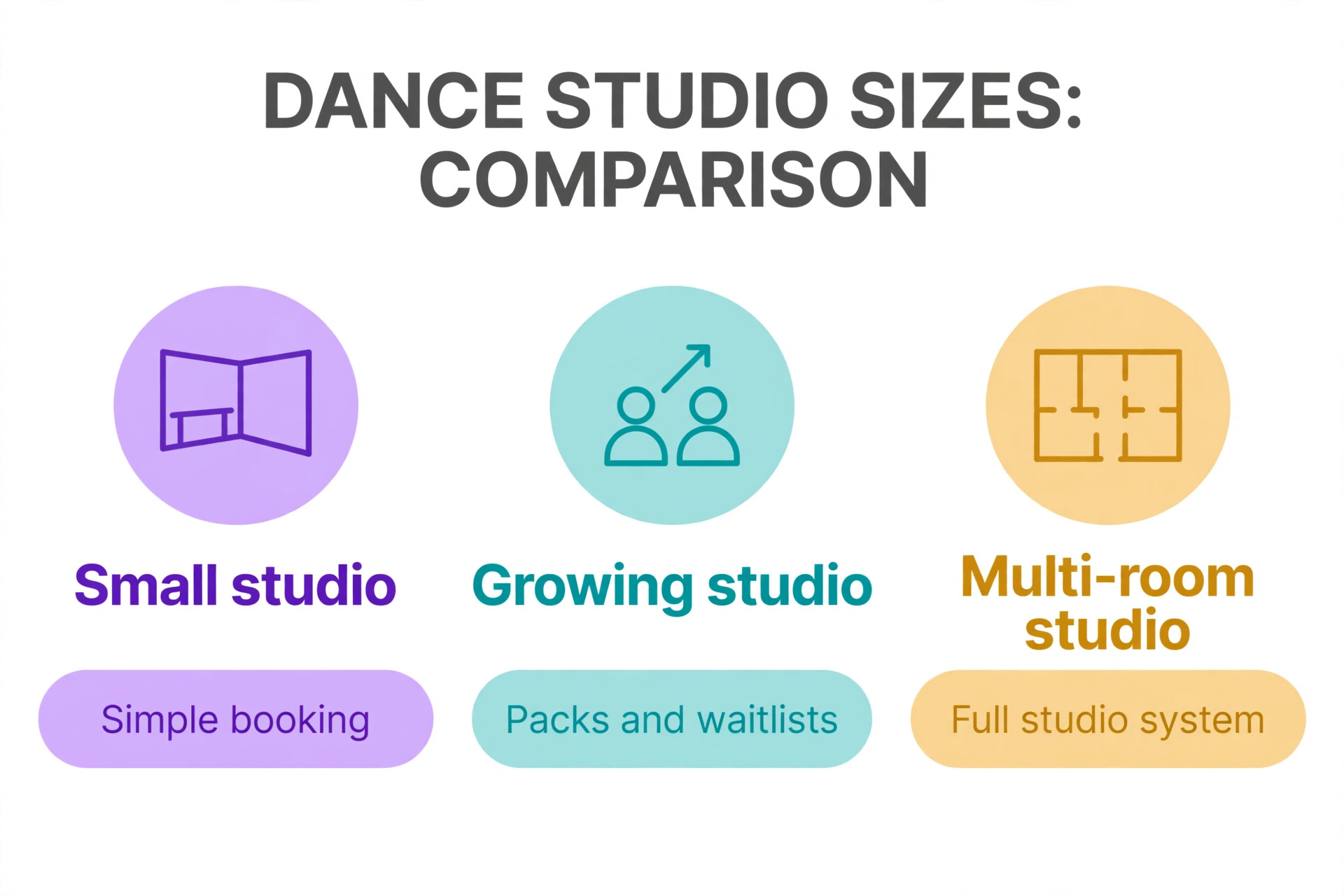
No single tool fits every dance studio, because a small recreational studio and a multi room competitive school buy different things even when the feature lists look similar. The table below sorts the main approaches by the job they do best, based on how vendors position them and how reviewers describe their fit.
| Studio shape | Best fit approach | Why it fits |
|---|---|---|
| Small studio or single room | Simple class booking with packs and waitlists | Low setup effort, family accounts, and clear caps without a heavy system |
| Growing studio adding terms and recitals | Studio management software with tuition billing | Monthly billing, costume and recital charges, and rosters in one place |
| Multi room or multi location studio | Full studio platform with reporting and staff tools | Teacher schedules, room use, and enrollment data across sites |
| Adult drop in and workshop led studio | Booking page with packs and single class sales | Fast checkout for casual students and easy pack conversion |
Read that table as a starting point, not a verdict. A small studio that plans to grow into recitals and competitive teams may be better starting on the fuller platform, even if it feels heavy at first, because migrating enrollment and billing history mid growth is painful. A large studio that values speed over depth may prefer the simpler tool and accept manual workarounds for recital billing. Demo each option with your own messy cases, including a level change mid term, a waitlist offer that expires, and a family with three children in different levels, and judge the tool on those days.
Pricing also separates these tools in ways a feature list hides. Some charge a flat monthly fee, some charge per student or per booking, and some quote only after a demo, which makes direct comparison hard. A vendor page for one studio tool lists a flat monthly price with no per student fee and a free trial period, which is a useful model to compare against, but it is only one data point.
Treat any third party price you read as a starting point and get a written quote for your exact student count and room count, because the price for fifty students and the price for five hundred are different products in practice. Check the vendor page again before signing, since prices and plan limits change.
Costs and Trade Offs Worth Pricing Before You Commit
The cost of a dance booking system is not one subscription. It is the platform fee, any payment processing fee on each transaction, the messaging cost for reminders and waitlist offers, the time to set up levels, packs and billing rules, and the staff hours spent checking the system in the early weeks. Studios already paying for a platform may add automated features for a smaller increment. Studios moving from paper pay for the whole platform at once, plus training, and should budget for a slower first month while families learn the new booking page.
The trade offs are real and worth naming plainly. A full studio platform brings billing, recitals and reporting together, but it also brings a longer setup and a steeper learning curve, which reviewers consistently note for larger systems. A simpler booking tool gets a small studio running in days, but it may need manual workarounds for recital charges or costume tracking as the studio grows.
An automated waitlist fills places faster, but it can also book a student into a class the family no longer wants if the offer message is unclear, which creates front desk cleanup the next morning. None of these trade offs is a reason to avoid the tools. Each is a reason to match the tool to the studio size you have now, with a clear path to the size you plan to reach.
Mistakes That Undo a Good Booking System
The most common mistake is automating a messy timetable. If level descriptions are vague today, an automated placement check will suggest vague levels faster. If class caps are guessed today, automated booking will fill rooms to the wrong number with confidence. Fix the timetable on paper first, with clear levels, honest caps per class, and pack rules written in plain words, then let software apply those rules. Software scales whatever you feed it, good or bad.
The second mistake is hiding the real availability. A booking page that takes a payment for a full class and sorts out the waitlist later destroys more trust than an honest full notice with a waitlist offer. Parents remember being sold a place that did not exist, and they tell other parents. Show places left, show the waitlist position, and never let the system oversell a room to hit a revenue target. A full class with a healthy waitlist is a good problem, and it should be shown as one.
The third mistake is letting the system message families without oversight in the early weeks. A wrong schedule change text sent automatically at scale reaches every family on the timetable before anyone notices. For the first month, review outgoing messages in batches, check the reminder timing against actual attendance, and fix the timing rules before removing the check. Speed without accuracy is worse than a slower manual message that arrives on time.
The fourth mistake is ignoring teacher feedback. Teachers know which level descriptions mislead parents, which class times always run thin, and which pack rules create roster problems. If they stop reporting those problems because nobody acts on them, the system keeps making the same errors with confidence. Hold a short review at the end of the first term, fix the top three recurring complaints, and tell the team what changed. That loop is what turns a generic tool into a system shaped for one studio.
Dance Studio Booking Checklist for the First Thirty Days
Use this checklist to roll out a plan to use AI for dance studio class booking without breaking the term.
1. Write level descriptions in plain words, with age ranges, experience, and skills needed for each level. 2. Set a firm cap for every class based on floor space and style, and show places left honestly on the booking page. 3. Build two or three pack shapes with clear expiry rules, and test checkout on a phone for a family with two children. 4. Attach recital and costume charges to classes in advance, with a written refund and credit rule families can read. 5. Set the waitlist order rule, the offer message, and the reply deadline, then test an offer from opening to booking. 6. Build the reminder sequence and test it on your own phone from booking to class day. 7. Run placement suggestions as recommendations for one term, with teachers confirming every edge case. 8. Review no shows, waitlist depth, and pack conversion every week, and fix the top recurring cause first.
That checklist is deliberately short. A longer rollout plan looks impressive and gets ignored. Eight steps, done properly, change booking more than a fifty page manual that nobody reads.
How to Measure Whether Booking Is Improving
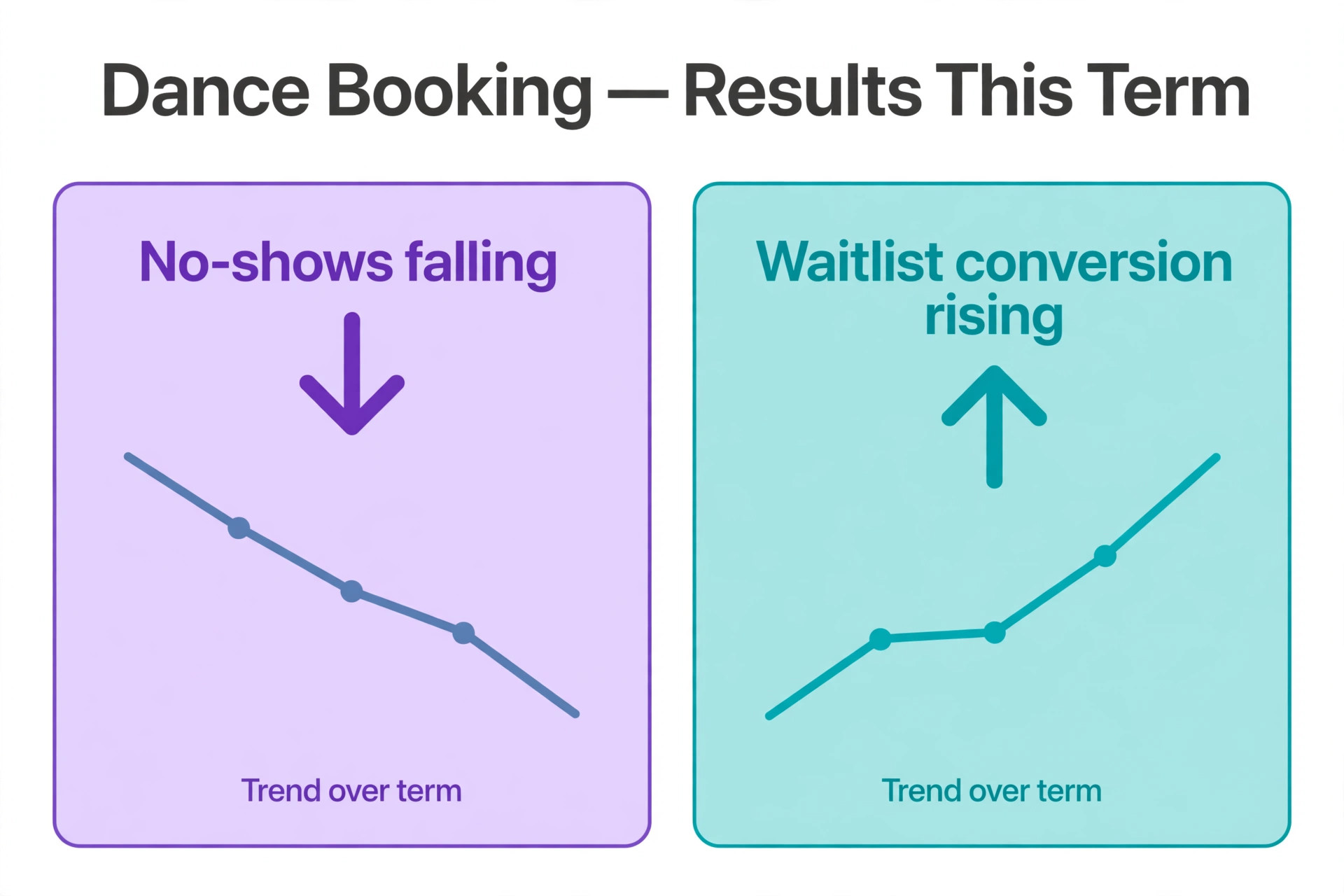
Measurement should start before the new workflow, so the improvement is visible rather than claimed. Record four numbers for four weeks on the old method. First, the no show rate, meaning booked students who do not arrive and do not cancel in advance. Second, the fill rate, meaning enrolled students as a share of total class places. Third, the waitlist conversion rate, meaning waitlisted families who end up booked. Fourth, the time the front desk spends on booking questions each week, estimated honestly from the message inbox.
After rollout, track the same four numbers weekly, plus two more. Track placement changes, meaning how often teachers move a student after the system suggestion, because a falling change rate shows sound level rules, while a rising rate shows rules that need fixing. Track pack conversion, meaning trial and drop in students who buy a pack within a month, because that number shows whether casual visitors are becoming regulars. A studio that only tracks enrollment will miss the quality change, since more enrollments in the wrong levels is not progress.
Set targets that fit the starting point. A studio with a high no show rate should aim to cut it first, because every avoided empty place is a place a waitlisted family could have used. A studio with good attendance but low fill should focus on class times and pack design. A studio with strong fill but weak pack conversion should focus on the follow up message after a third visit. One priority at a time beats five targets chased at once, because the team can see which change caused which result.
The Dance Studio Booking Verdict for Owners Ready to Change
The best way to use AI for dance studio class booking is to treat software as a disciplined front desk, not a replacement for teaching judgment. Let it suggest levels, sell packs, hold caps honestly, move waitlists in order, bill recitals with a clear breakdown, and remind families at the right moments. Keep people on placement edge cases, unhappy families, safety decisions, and every choice where the record is thin or the stakes are high. That split gives a small studio the coverage of a larger office without losing the personal feel parents chose the studio for.
Start small, with placement guidance and reminders, then add packs and waitlist automation once the timetable data is clean. Choose the platform that fits the studio you have, with room to grow, and judge it on a messy Saturday rather than a demo day. Measure no shows, fill, waitlist conversion and pack conversion, and fix the worst number first. Done that way, the studio spends less time answering the same booking question and more time teaching, which is the reason the studio exists in the first place.
Frequently Asked Questions
Do I need new software to start with automated class booking?
No. Start by adding one helper, such as automated reminders or an online waitlist, to the system you already use, and keep the rest of the workflow unchanged. Most studio tools already include some automated features, and a paper timetable can still gain from a booking page alone. Replace the whole system only when a clear gap remains after the first helper proves itself.
How do I place a new student in the right level without an audition?
Use a short guided check covering age, past training, and current skills, plus a trial class with a teacher note, for most recreational levels. Keep assessed levels closed until a teacher records a recommendation, and publish the level descriptions in plain words so parents can see why a level was suggested. For competitive or advanced tracks, keep a real assessment with named criteria rather than relying on a questionnaire alone.
What happens when a waitlisted family does not reply to an offer?
The offer should move to the next family automatically once the reply deadline passes, without anyone at the desk having to remember. Set a short deadline for a class starting soon and a longer deadline for a class starting next term, and state both on the waitlist page. Families who decline or miss an offer stay on the list for the next opening unless they choose to leave it.
Should class packs expire, and how long should they last?
Expiry should match the student type. A long expiry suits adult drop in students who travel or work shifts, while a short expiry suits a term based children’s program where regular attendance matters. Sell two or three pack shapes with clear expiry rules, and show the remaining classes and the expiry date in the family portal, because a pack a family cannot understand is a pack they will not renew.
Can a small studio with one room benefit from booking software?
Yes, because even one room wastes hours on phone booking, paper rosters, and manual waitlist calls when the term fills. Caps, family accounts, packs, and reminders pay off at any size, and the cost is usually one tool subscription rather than new staff. Start with online booking and reminders, which show results within weeks, and add billing and waitlist automation next.
How do I stop recital billing from turning into a season of complaints?
Break every charge down by student, class, and item, attach costume fees to classes when classes are created, and publish refund and credit rules before the season starts. Offer a payment plan with fixed dates for larger balances, and make the remaining balance visible in the family portal at all times. A bill a parent can follow is a bill a parent pays on time.
More Reading on Stratilyze
– Use AI for Plumbing Company Dispatch – Use AI for Roofing Company Estimates – Use AI for Pest Control Route Scheduling – Best Booking Software for Fitness Studios – Automate Small Business with AI