

The verdict is simple. A venue that answers date questions in minutes, quotes a clear package, and follows up on deposits without staff chasing every thread will book more dates than a venue with a prettier room and a slower reply. That is why you should use AI for event venue booking management, not as a gimmick, but as the front end of a sales process that currently depends too much on who happens to check the inbox first. The room has not changed. The speed and clarity around it have, and that is where bookings are won or lost.
Most venue owners know the feeling of a lost date. An inquiry arrives on a Friday night, the manager is on the floor, and by Monday morning the couple or planner has already toured somewhere else. Nothing was wrong with the space, the catering, or the price. The venue simply replied too late, or replied with a vague message that forced the buyer to ask three more questions before they could even picture the event. In a market where buyers shortlist several venues at once, the first clear answer sets the standard for the rest.
Prices in this guide are ranges drawn from vendor pages and published guides at writing time, so confirm on the vendor page before you buy. Venue platforms change plans often, and the price that matters is the one quoted for your room count, your event volume, and your location count.
Why Venue Bookings Slip Through the Cracks
A venue does not lose bookings for one reason. It loses them in small gaps between steps, and each gap looks harmless until you add them up across a month. The inquiry sits unread over a weekend. The date check needs a phone call to a manager who is off site. The package quote arrives as a long email with no total, no deposit amount, and no deadline. The client says they will think about it, and nobody follows up at the right moment. By the time someone does, the date is gone.
The second problem is that venue sales are detail heavy. One event involves a date, a room setup, a guest count, a menu or bar package, rental items, a timeline, outside vendors, a contract, and several payments. When those details live in separate inboxes, spreadsheets, and notebooks, mistakes are almost certain. A room gets promised twice. A vendor arrives at the wrong load in time. A final payment is missed because nobody owned the reminder. Clients notice that kind of disorganisation fast, and they read it as a warning about event day itself.
Data makes the pattern visible. Track inquiry to tour rate, tour to booking rate, average reply time, and lost date reasons, and you will usually find that one stage leaks far more than the others.
AI fits this problem well because most of the leaking work is routine. Checking a calendar, sending a standard package summary, reminding a client about a deposit, and collecting vendor arrival times are all repeatable jobs. They do not need a manager’s judgment every time. They need speed, consistency, and a record that the whole team can see. Keep human judgment for pricing exceptions, custom layouts, and sensitive client conversations, and let the system carry the routine work between them. That routine load is exactly where you use AI for event venue booking management to best effect.
How to Use AI for Event Venue Booking Management
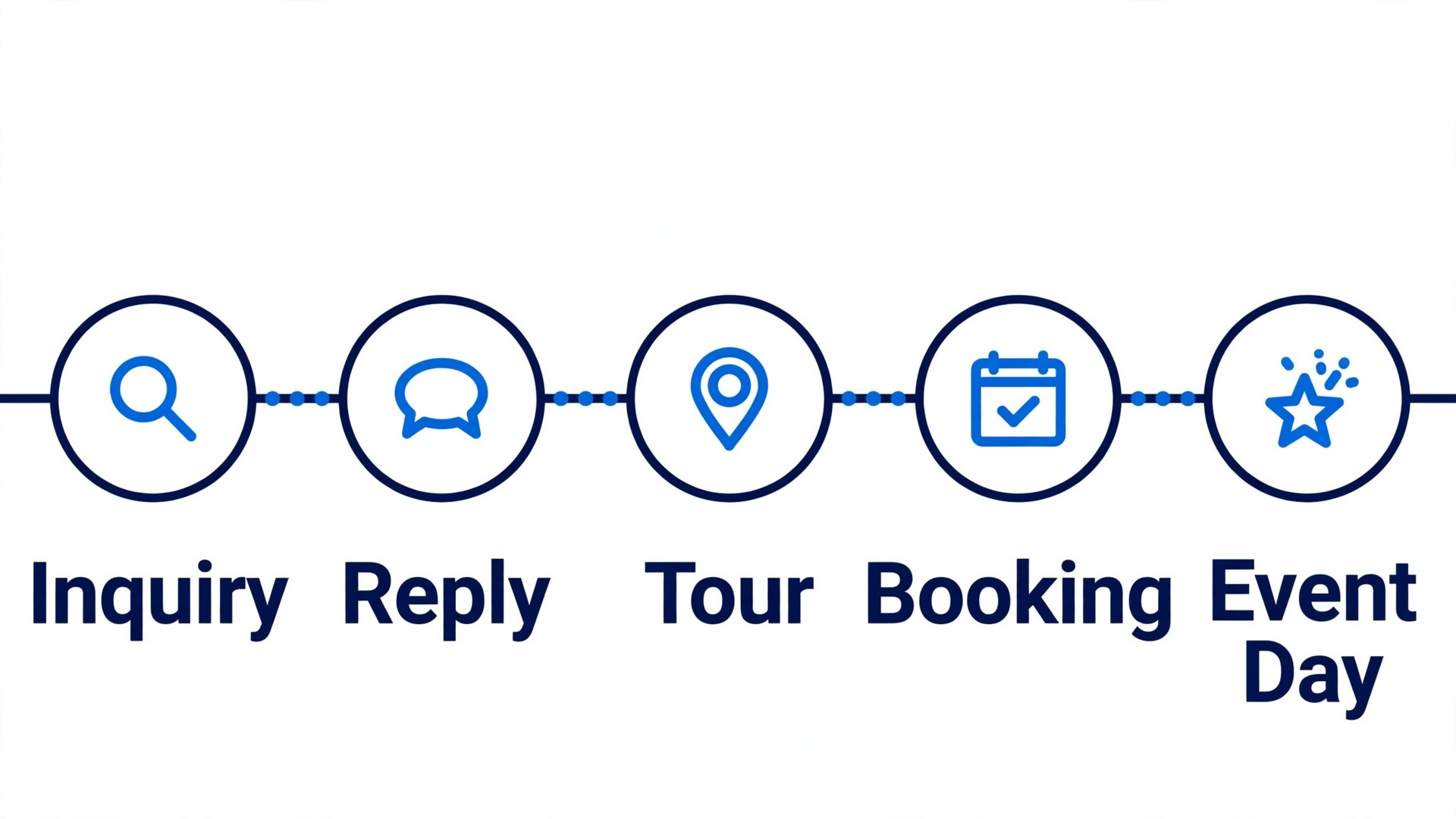
Start with the buyer journey, not with a software demo. A buyer discovers the venue, asks about a date, compares packages, tours the space, signs a contract, pays deposits, coordinates vendors, and arrives on event day. Every step either builds confidence or creates doubt, and the booking system should make each step shorter and clearer. Map that journey on paper first, then judge every tool against it.
The core workflow has five moving parts, and they must work together. A date availability check confirms whether a date and room are free, and what setup is possible on that date. Package tiers turn a long list of options into two or three clear choices with totals. Vendor coordination collects arrival times, contacts, and requirements in one place. Deposit milestones break payment into dated steps with automatic reminders. An event day packet turns all of that into one document the team can run from.
Set one rule before you switch anything on. No buyer should need to phone the venue to learn whether a date is free, what a package costs, or how much deposit is due. If those three answers still need a phone call, the system is not doing its job, and it will still eat staff time at the worst moment, which is usually a Saturday when the team is already running an event.
| Workflow part | What good looks like | Failure it prevents |
|---|---|---|
| Date availability check | Date, room, and setup confirmed in minutes | Lost dates from slow replies |
| Package tiers | Two or three choices with clear totals | Quotes that stall in comparison |
| Vendor coordination | One list of contacts and arrival times | Vendors arriving late or unprepared |
| Deposit milestones | Dated payments with reminders | Cash flow gaps and awkward chasing |
| Event day packet | One packet for the whole team | Event day confusion and missed details |

The Date Availability Check That Answers in Minutes
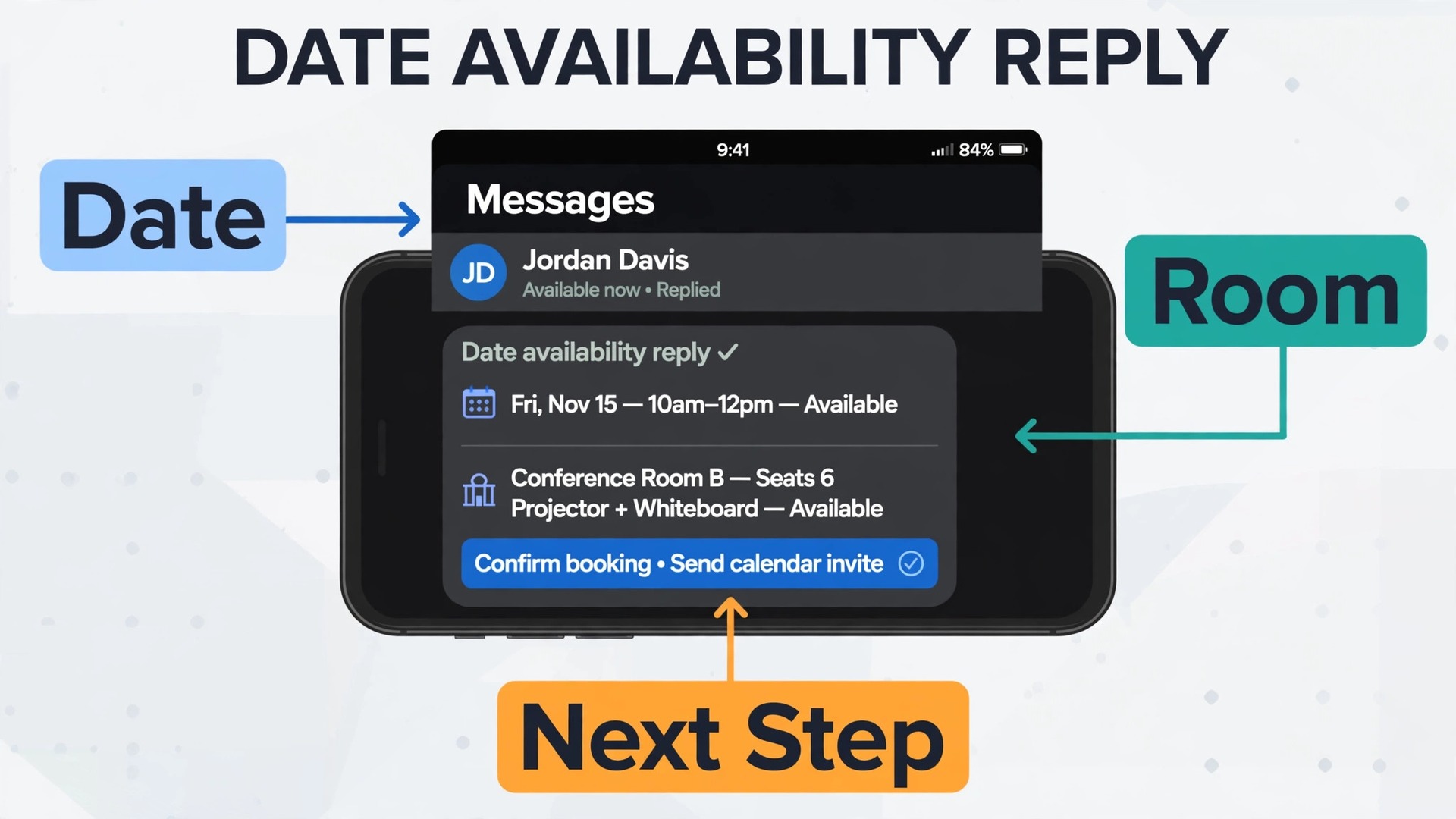
Speed matters most at the date check, because that is when the buyer is most likely comparing venues. A good system holds one calendar of truth for every room and every setup. When an inquiry names a date, the system checks that calendar, flags conflicts such as a flip between two events on the same day, and returns a clear answer with the next available dates if the first choice is taken. Staff should not need to check three calendars and then call back.
AI helps by drafting the reply, not by inventing availability. The draft should name the date, the room, the setup that fits that date, and the next step, which is usually a tour or a package summary. A human approves the draft for high value dates, and the system sends standard answers on its own for straightforward inquiries. That balance keeps replies fast without letting the system promise a room that a manager knows needs maintenance that week. That is a practical way to use AI for event venue booking management, because speed stays high and promises stay honest.
Hold rules deserve attention here. A soft hold should have an expiry, and the system should remind staff before it lapses so a held date does not drift into a lost date. A firm hold should block the calendar visibly, so nobody quotes the same date twice. Publish the hold policy to buyers in plain language, because a buyer who understands that a hold lasts 48 hours will act faster than a buyer who thinks the date is theirs indefinitely.
Test the date check the way a buyer would, on a phone, late at night, with only a date and a guest count. If the answer takes more than a few taps and a short form, simplify it. Ask only for what the availability check needs, meaning date, guest count, event type, and contact details. Extra questions can wait until the tour stage, when the buyer is already invested. Every extra field on the first form costs inquiries.
Package Tiers That Sell Themselves Clearly
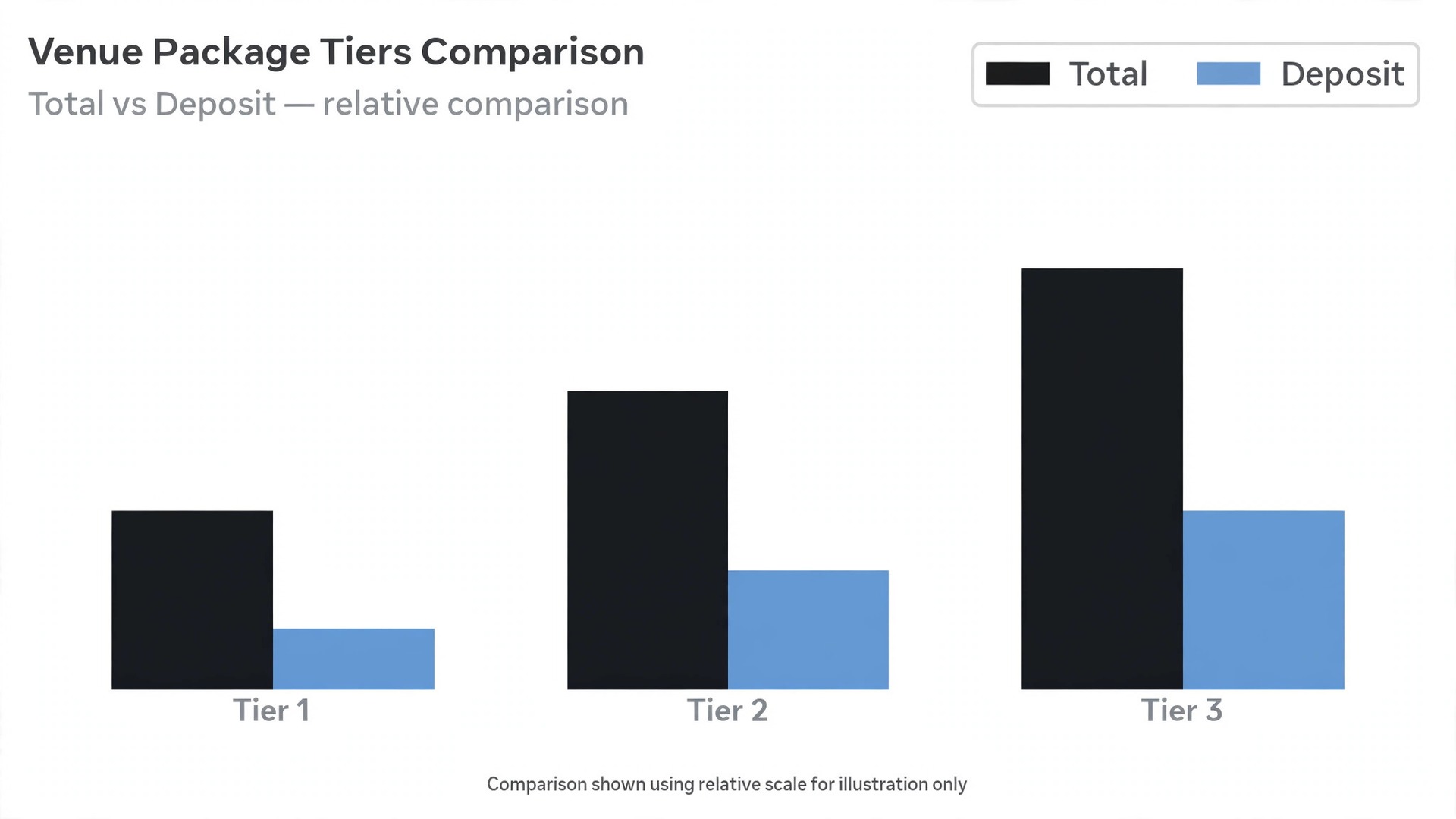
Most venue quotes fail because they are too flexible. A buyer who receives a long menu of add ons, rental items, and optional upgrades cannot compare two venues, and cannot show the quote to a partner or a finance approver without explaining it first. Package tiers solve that by grouping the common choices into a small number of clear offers, each with a total, a deposit, and a list of what is included and what is extra.
Build three tiers only if three genuinely fit your market. A base tier covers the room, standard setup, and basic staffing. A middle tier adds the items most buyers already ask for, such as upgraded linens, a longer rental window, or a sound system. A top tier covers the full experience, such as premium setup, extended hours, and dedicated coordination. Each tier should read as a complete event, not as a starting point that still needs ten decisions before a total appears.
AI can help draft tier summaries and spot which tier each inquiry fits, based on guest count, event type, and budget signals in the first message. When you use AI for event venue booking management at quote stage, the tier summary should still read like a human wrote it for that buyer. That suggestion should stay a suggestion. A buyer planning a small family celebration should not be pushed to a top tier that fits a corporate gala, and a buyer planning a 300 guest wedding should not be offered a base tier that cannot hold the party. Use the data to shorten the quote, not to upsell a buyer into a package they will regret.
Price transparency protects the venue as much as the buyer. Show the deposit, the payment dates, and the cancellation terms on the same page as the package total, so nobody is surprised later. Venues that hide those details until the contract stage create a second round of negotiation at exactly the moment trust matters most. A clear tier page shortens that negotiation to a single question, which tier, rather than a long debate about what counts as included.
Vendor Coordination Without the Email Maze
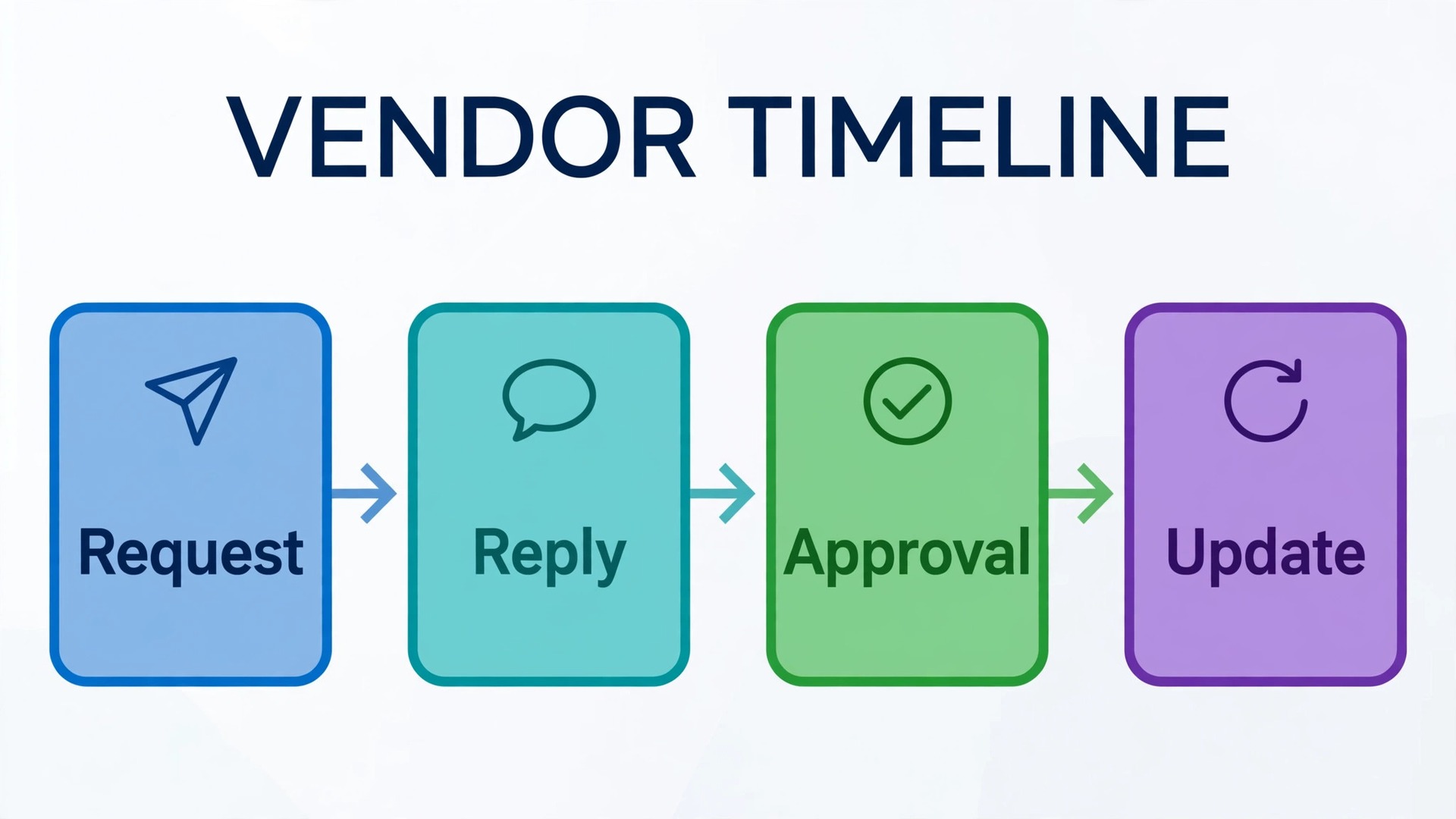
Vendor coordination is where many well sold events start to wobble. The florist needs a load in time, the band needs a sound check window, the photographer needs a timeline, and the rental company needs a delivery door. When each vendor communicates with a different staff member by email, the venue ends up with four versions of the timeline and no single owner. The fix is one vendor record per event, shared with the team.
Collect the same details from every vendor, every time. Contact name and phone, arrival time, setup duration, power and space needs, load in route, and any item the venue must provide. AI can draft the request email, chase a missing reply after two days, and summarise the answers into a timeline draft. Staff still approve the timeline, because a vendor who says they need two hours for setup should not be squeezed into one hour by a system that never visited the room. That approval step is central when you use AI for event venue booking management for vendor work, because the system collects and chases, while people judge what fits the room.
Changes need a single channel. If the timeline moves, update the shared record and notify every affected vendor from that record, rather than sending separate emails that may disagree. That discipline matters most in the final week, when small changes arrive daily and staff are busy with other events. A vendor who receives one updated timeline trusts it. A vendor who receives three conflicting emails calls the venue, and that call eats the time the system was supposed to save.
Deposit Milestones That Protect Cash Flow
Deposits are where venue cash flow is decided. Milestones balance those risks by tying payments to dated steps that both sides understand.
A workable pattern is a booking deposit to secure the date, a second payment at a planning milestone such as menu selection or floor plan approval, and a final payment a set number of days before the event. Each milestone should have a date, an amount, and a reminder sequence that starts before the due date, not after it. Clients who receive a friendly reminder a week ahead pay more reliably than clients who receive a first notice after the deadline has passed.
AI reminders work best when they sound like a person who knows the event, not like a billing machine. Name the event date, the amount, and the link or method, and offer a one step reply if the client needs a different date for that payment. Staff should step in personally when a payment is late by more than a few days, or when the amount is large, because a template cannot judge whether a client is struggling, travelling, or simply disorganised. The system handles the routine chase, and people handle the exceptions. That split is why you use AI for event venue booking management for deposits, rather than handing the whole payment relationship to a template.
Audit deposits monthly. Look for events with overdue milestones, dates held with no deposit, and final payments due inside the event week, because each pattern signals a process gap. A held date with no deposit is a date you cannot count on. A final payment due on event day is a risk you do not need. Fix the milestone pattern once, and the system will enforce it for every future event without a manager remembering to check.

The Event Day Packet Your Team Actually Uses
An event day packet is only useful if the team opens it. A 40 page document that nobody reads is worse than a short packet that every staff member can follow under pressure. The packet should fit on a few pages and answer the questions staff actually ask on event day, meaning who is in charge, what the timeline is, where each vendor goes, what the room setup is, and what happens if something runs late.
Build the packet from data already collected, not by retyping it the night before. Date, room, guest count, setup diagram, timeline, vendor contacts, payment status, and special notes should flow from the booking record into the packet automatically. AI can draft the packet and flag missing items, such as a vendor with no arrival time or a setup with no diagram, a week before the event. Staff then fill the gaps while there is still time to fix them, rather than discovering them on event morning.
Assign ownership inside the packet. Name the lead for the room, the lead for vendors, and the lead for client contact, and give each lead a phone number on the first page. When a problem arises, staff should know who decides, not just what the plan says. That single page of ownership prevents the most common event day failure, which is several people waiting for someone else to act while a timeline slips.
Review the packet after the event, briefly. Note what ran late, what the client asked for that was not in the packet, and what the team improvised well.
Tools Worth Testing First
Tripleseat
Tripleseat suits venues that want a full sales and event platform, covering inquiries, proposals, contracts, payments, and event orders in one system. Published pricing starts from about 375 dollars per venue per month, with add ons such as floor plans and self serve booking priced separately, so confirm on the vendor page for your venue count and add ons.
Perfect Venue
Perfect Venue suits independent venues and small groups that want branded proposals, a guest portal, and self serve booking without enterprise complexity. Published pricing starts from about 199 dollars per location per month when billed annually, so confirm on the vendor page for your billing terms and location count.
Planning Pod
Planning Pod suits venues with variable event volume that want a venue first system with a per event feel and a broad feature set. Published pricing is often quoted in the 199 to 319 dollars per month range for a typical single location, so confirm on the vendor page for your event volume and plan.
Event Temple
Event Temple suits hotels and venue groups that need group room blocks, pace reporting, and sales team workflows alongside event booking. Published pricing starts from about 249 dollars per month when billed annually, so confirm on the vendor page for your property count and billing terms.
Caterease
Caterease suits catering heavy venues where menus, banquet orders, and food costing matter as much as the room booking itself. Published pricing starts from about 99 dollars per month in several guides, so confirm on the vendor page for your current plan and user count.
Run a two week trial the way buyers will use the tool, not the way a sales demo shows it. Submit an inquiry from a phone at night, check a date, compare two package tiers, chase a deposit reminder, and build an event day packet for a real past event. When you use AI for event venue booking management in a trial, the buyer test matters more than the feature list.
| Tool type | Best for | Watch out for |
|---|---|---|
| Full sales platform | Weekly event volume, pipeline view | Add on costs beyond the base price |
| Independent venue platform | Single venue, branded proposals | Limits at multi location scale |
| Venue first system | Variable volume, small team | Learning curve for a broad feature set |
| Hotel group platform | Room blocks, group sales | Overkill for a single standalone venue |
| Catering focused platform | Menus, banquet orders, food costing | Extra complexity without in house catering |
A Worked Example. A Saturday Wedding From Inquiry to Event Day
A couple inquires on a Friday night for a Saturday six months away, with 180 guests and a preference for a garden ceremony and a ballroom reception. The system replies within minutes, confirms the date is free for both spaces, and sends a tour link plus a one page summary of the middle package tier, which fits a guest count of that size. The couple books a tour for the following week, and the system holds the date for 48 hours with a clear expiry shown in the reply.
At the tour, the manager walks the garden and the ballroom, notes that the garden needs a wet weather backup, and records the couple’s choices in the booking record. The quote that follows names the middle tier total, the deposit, and the payment dates, and it lists the wet weather backup as included, not as a surprise add on.
Vendor coordination starts eight weeks out. The system sends each vendor the same request form, collects arrival times, and builds a timeline draft that staff approve. The florist arrives at 10 a.m., the band sound checks at 4 p.m., and the photographer follows a shot list tied to the garden light. A late timeline change updates the shared record once, and every vendor receives the same version.
Deposit milestones keep cash flow steady. A booking deposit secures the date, a second payment lands at menu selection, and the final payment clears 14 days before the event. Reminders go out a week before each due date, and the final payment is confirmed before the event day packet is built. On event day, the team works from a short packet that names the leads, the timeline, the setup diagram, and the wet weather backup. The ceremony moves indoors at short notice, the team already knows the backup plan, and the event runs on time.
A 30 Day Rollout Plan
Week one is mapping and cleanup. List every room, every setup, and every blackout date, and put them in one calendar that the whole team trusts. Audit open inquiries, close dead leads, and confirm which held dates are real and which have already lapsed. Import client and vendor data cleanly, meaning one record per client and one record per vendor, because bad data will poison every automated message that follows. Do not turn on AI messages until the underlying calendar is trustworthy.
Week two is a quiet pilot. Turn on automated date replies and package summaries for new inquiries only, and watch reply time, tour booking rate, and buyer messages daily. Train front of house staff on the new screens, especially date holds and deposit checks, so they can answer buyer questions without guessing. Collect buyer feedback after tours.
Week three expands the pilot to deposits and vendor coordination. Switch on milestone reminders for upcoming events, send vendor request forms from the shared record, and build event day packets for the next two events from the system. Review inquiry numbers at the end of the week, and adjust one weak stage rather than rewriting the whole process at once.
Week four is review and lock in. Compare reply time, tour to booking rate, deposit timeliness, and staff time on routine messages against the month before the change, and keep only the automations that moved a number. Turn off messages that buyers ignored, shorten hold windows that left dates drifting, and document the final settings in a one page runbook. That runbook is what keeps the system working when the manager is on holiday and a Saturday event needs a decision at short notice.
Mistakes That Cost Venue Owners Bookings
The first mistake is treating automation as a one time setup. Reply timing, hold windows, and reminder sequences need a monthly review for the first three months, because buyer behaviour changes with seasons, wedding cycles, and corporate calendars. Review beats set and forget every time.
The second mistake is hiding the rules. Buyers who do not know the hold length, the deposit dates, or the cancellation terms will break all three by accident, and then blame the venue. Publish the rules where buyers inquire, repeat them at quote stage, and show them again at contract signing.
The third mistake is over automating the human moments. A date that is almost booked, a large corporate inquiry, and a complaint about an event deserve a human message, not a template. AI should handle volume, meaning routine date checks, package summaries, and deposit reminders, while staff handle exceptions, meaning high value buyers, sensitive changes, and complaints. Venues that automate everything sound efficient and feel cold, and buyers notice the difference.
The fourth mistake is judging the system by inquiries alone. A venue can look busy on inquiries and still lose money on slow tours, vague quotes, and late deposits. Track bookings, not just inquiries, and track collected deposits, not just signed contracts. Those two numbers tell you whether the booking system is building a reliable calendar or just filling an inbox that empties again next month.
The Verdict for Venue Owners
Start with the leak that costs you most, not with the tool that looks newest. If dates are lost to slow replies, fix the date check and the first reply first. If quotes stall, fix package tiers before anything else. If cash flow wobbles, fix deposit milestones this month. One fixed leak beats five half finished automations, and it gives the team confidence that the system helps rather than adds work.
Then run the buyer test. Inquire, check a date, compare two tiers, and chase a deposit from a phone, and time each task. Anything over a few minutes needs simplification, and anything that needs a phone call needs automation. That test takes an afternoon and tells you more than a month of vendor demos, because it shows the venue exactly as buyers experience it.
Keep the room at the centre. AI answers faster, quotes clearer, and reminds on time, but buyers book for a space they can picture, a team they trust, and an event day that feels calm. When you use AI for event venue booking management with that balance in mind, the calendar fills more often, deposits arrive on time, and event days run with less stress for everyone who runs them.
Frequently Asked Questions About Event Venue Booking Management
How fast should a venue reply to a date inquiry?
Aim for minutes, not days, for the first answer, even if that answer is only a confirmed date check plus a next step. Buyers shortlist several venues at once, and the first clear reply sets the standard for the rest.
What should a venue package tier include to avoid quote confusion?
Each tier should read as a complete event, with a total, a deposit, payment dates, and a clear list of what is included and what is extra. Avoid a long list of add ons with no total, because buyers cannot compare venues or show the quote to a partner without explaining it first. Three tiers work well when each one genuinely fits a different event size or style, not when two tiers are almost identical.
How long should a soft hold on a date last?
A 48 hour soft hold works for most venues, with a reminder before it lapses and a clear expiry shown to the buyer. Longer holds block the calendar for buyers who may never return, while shorter holds pressure buyers into a rushed decision they later regret. Publish the hold length at inquiry stage, so the buyer understands that the date is reserved briefly, not indefinitely.
Who should own vendor coordination for an event?
One named lead should own the vendor record for each event, even if several staff members help on the day. That lead approves the timeline, sends updates from the shared record, and checks that every vendor has an arrival time and a contact number before the final week.
What deposit pattern protects venue cash flow without scaring buyers away?
A booking deposit to secure the date, a second payment at a planning milestone such as menu selection, and a final payment a set number of days before the event balances both risks. Remind clients a week before each due date, and step in personally when a payment is late by more than a few days. A pattern that is published at quote stage feels fair, while a pattern revealed at contract stage feels like a surprise.
Can a small venue benefit from booking software, or is it only for large venues?
A small venue often benefits more, because one or two staff members carry the whole sales process and have the least time to waste on routine messages. Start with a date check, a package summary, and deposit reminders, and add vendor coordination and event day packets once those three run smoothly. The goal is not a bigger system, but a calendar that fills without the manager answering the same three questions all day.
More Reading on Stratilyze
– Use AI for Event Planner Vendor Coordination – Best CRM for Event Planners at a Small Business – Use AI for Wedding Planner Client Management – Best Booking Software for Fitness Studios – Venue Pricing Models That Keep Weekends Full, plain text title, link not verified at writing time – How to Write a Venue Tour Follow Up That Books the Date, plain text title, link not verified at writing time