
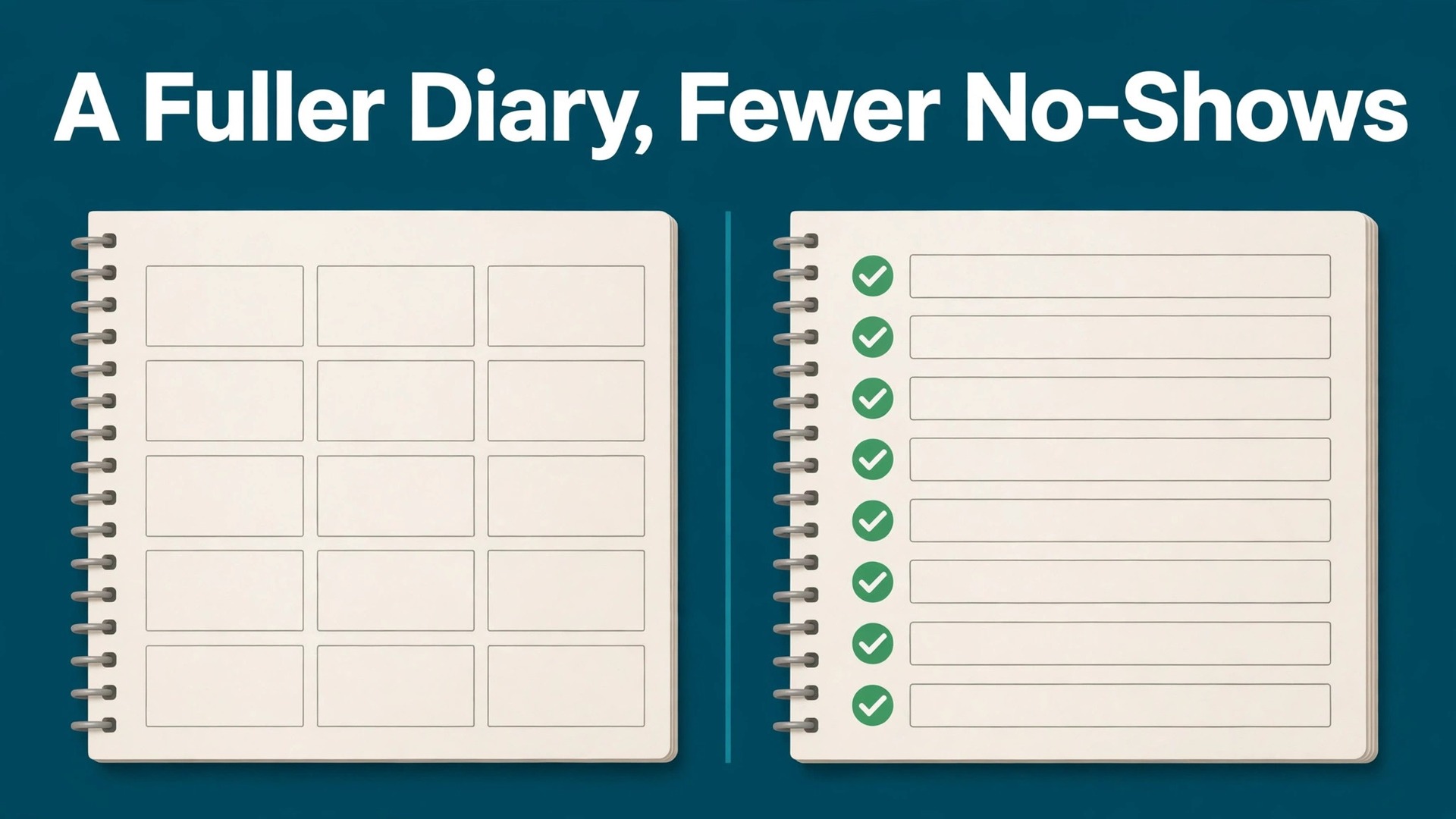
The verdict is plain. A chiropractic clinic does not lose most of its schedule to patients who angrily cancel. It loses it to patients who forget, who meant to reschedule and never got around to it, who finished the painful phase of care and quietly drifted away, and who never heard from the clinic again after their last visit. A reminder system that handles those four cases, at the right moments, with a reply that actually books something, is worth more than any single marketing campaign. That is the whole case when a clinic decides to use AI for chiropractor appointment reminders, and it holds whether the clinic has one doctor or five.
That verdict comes with a condition worth stating early. Reminders support a care plan set by the clinician. They do not set it, change it, or promise outcomes. A patient who needs a clinical decision, who reports new or worsening symptoms, or who asks a medical question needs a person, not an automated reply. The tools in this guide handle the timing, the confirming, the rescheduling, and the follow up around care the clinician already planned. They do not replace clinical judgment, and a clinic that buys software expecting it to manage care will be disappointed fast.
This guide builds the workflow in the order a clinic actually lives it. You will see how care plan cadence shapes reminder timing, how a reminder sequence cuts no-shows without nagging patients, how reschedule rules turn a cancellation into a new booking instead of a lost visit, how a reactivation list brings back patients who drifted away, and how review requests fit naturally after a good visit. It also covers tool choices by clinic size, real costs and trade offs, the mistakes that undo the gains, and the numbers that show whether reminders are truly working.
How to Use AI for Chiropractor Appointment Reminders Day to Day
Appointment reminders for a chiropractic clinic answer six questions in order. What is the patient’s care plan cadence, and what visit comes next. When should the patient hear about it, and on which channel. What happens when the patient confirms, cancels, or says nothing. How quickly can a cancelled visit be rebooked, by the same patient or by someone on a waitlist.
Who has drifted away from care, and who should hear from the clinic again. And what should the patient be asked to do after a good visit. Tools that help you use AI for chiropractor appointment reminders slot into each question, but they work best as one connected sequence rather than a separate app for reminders, recalls, and reviews.
Most clinics start from one of three places. Some still rely on front desk phone calls the day before, which works until the call list grows longer than the afternoon allows. Some use a general scheduling tool with basic reminders, while recalls and reactivation live in spreadsheets or memory. Some already run a chiropractic platform or a patient engagement tool, and want the newer automated features layered on top. The workflow in this guide fits all three, because the steps stay the same even when the software changes. What changes is how much calling a human has to do.
Think of the system as three helpers, not one brain. The first helper times, which covers cadence, reminder timing, and channel choice. The second helper talks, which covers confirmations, reschedule offers, and recall messages. The third helper fills, which covers waitlist backfill, reactivation offers, and review requests. When you evaluate a tool, ask which helper it actually delivers well, because a vendor demo may show all three while the clinic only ever uses one of them properly.
Consent and channel choice belong at the start, not as an afterthought. Ask patients at intake how they want to be contacted, record text, email, and voice preferences separately, and honour opt outs at once. Published guidance from reminder vendors notes that most patients prefer text reminders, but preference still varies, and a clinic that texts patients who asked for calls will create complaints no reminder sequence can fix. A message that cannot be answered is also a problem, because a patient who wants to reschedule needs a reply path, not a broadcast.
Care Plan Cadence That Sets Reminder Timing
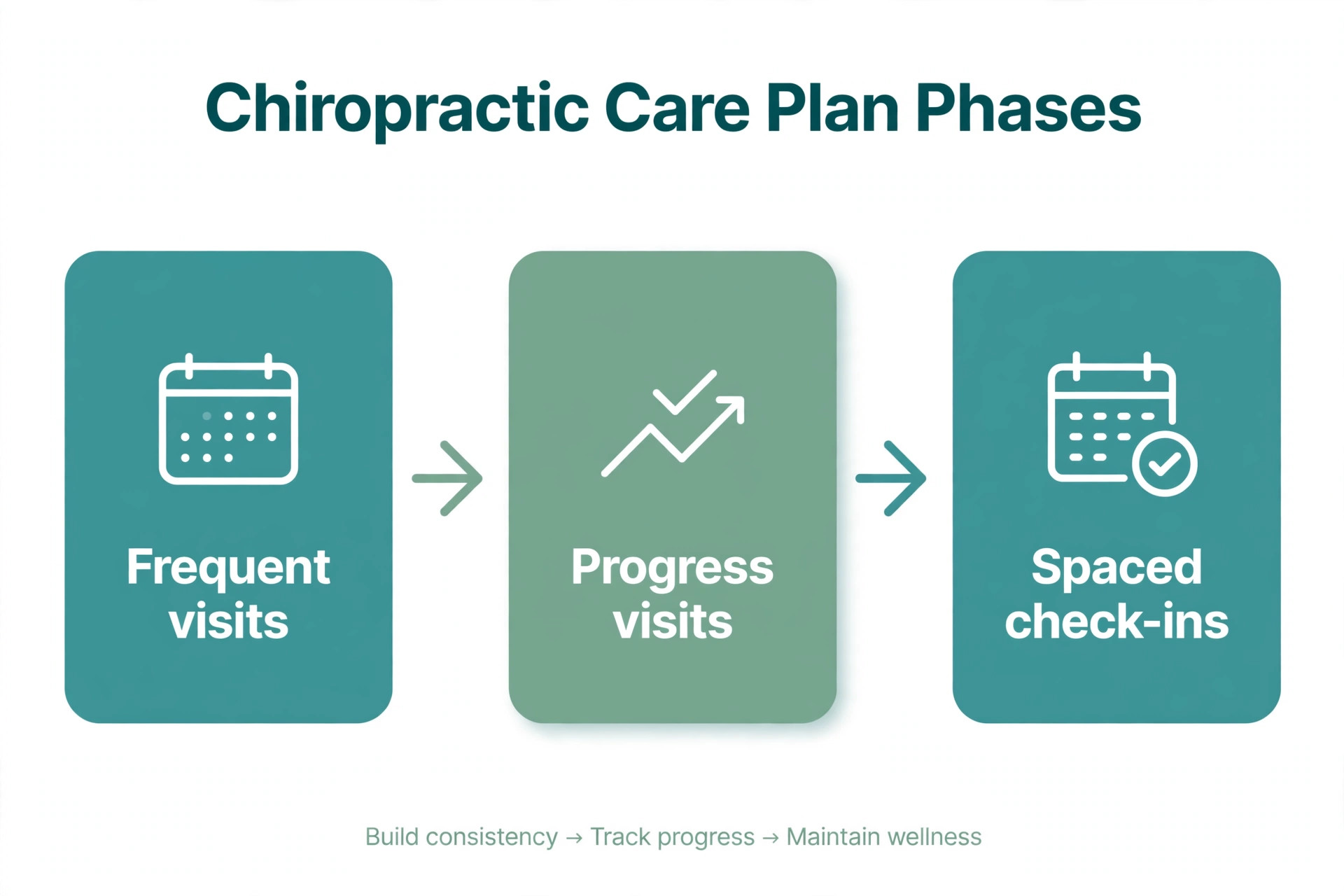
Care plan cadence is the foundation, because a reminder for a visit that should not exist yet is worse than no reminder at all. Chiropractic care often runs in phases, with more frequent visits early on and wider spacing as a patient progresses, followed by periodic check-ins where the clinician recommends them. Each phase needs different reminder timing. An acute phase patient with visits twice a week needs short, practical reminders and an easy way to move one visit without losing the week. A maintenance phase patient with a visit every few weeks needs an earlier reminder, because the appointment is easier to forget.
Software helps by tying reminders to the plan record rather than to a fixed rule for everyone. When you use AI for chiropractor appointment reminders, the system can read the visit cadence from the schedule, send a reminder at the interval that fits that phase, and flag a patient whose visits have stopped without a next booking. The clinician still sets the plan and changes it at each visit. The system simply makes sure the plan the clinician set is the plan the patient actually hears about.
A Reminder Sequence That Cuts No-Shows Without Nagging
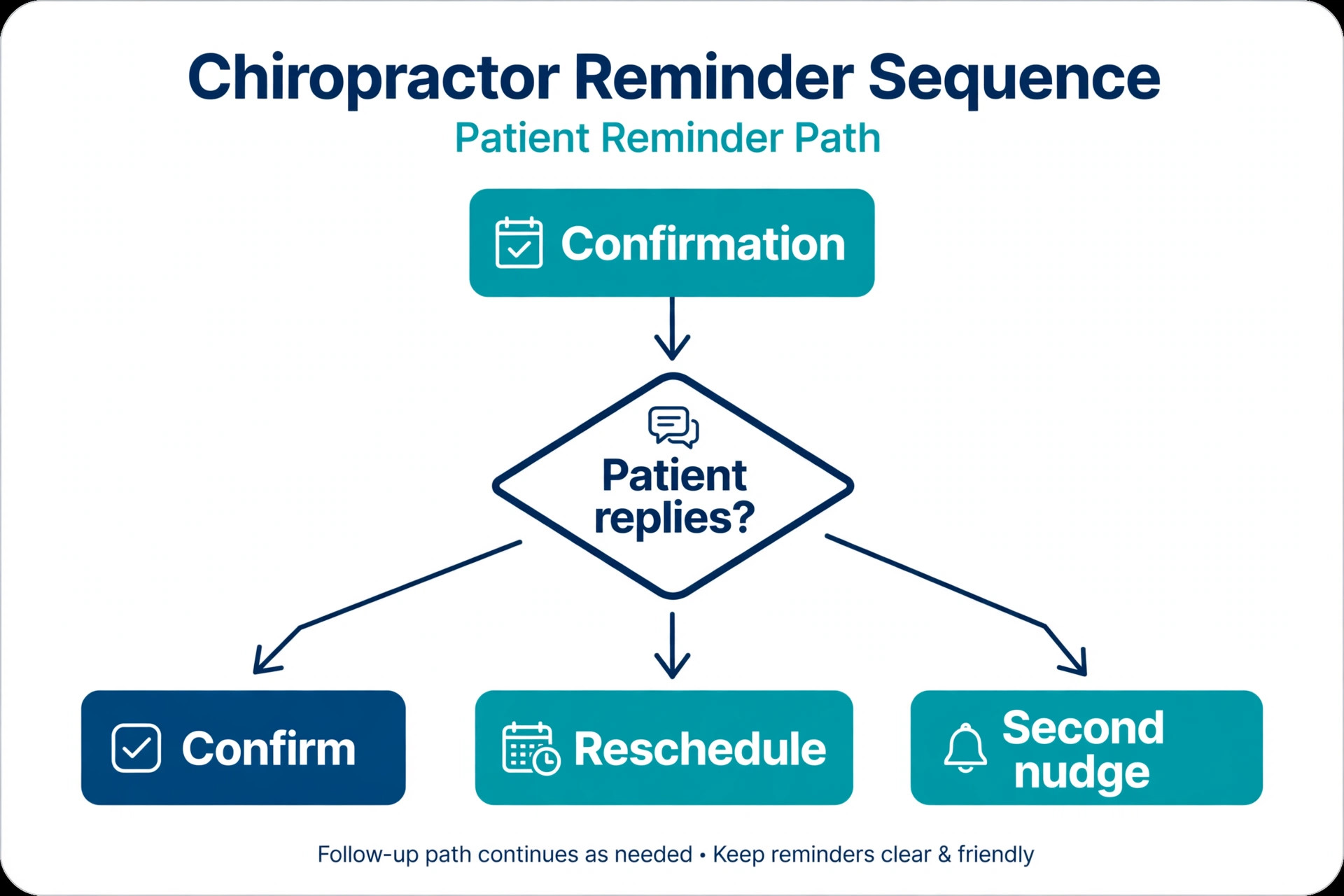
No-shows in a chiropractic clinic usually come from forgetfulness, not defiance, and the reminder sequence should be built for forgetfulness. A sequence that works for most clinics has three messages. A booking confirmation arrives at once, with the date, time, clinician, and visit type. A reminder arrives two days before, with a one tap way to confirm, cancel, or reschedule. A short final note arrives a few hours before the visit for patients who booked long ago or who have missed before. Each message comes from the clinic number patients already recognise, and each allows a reply.
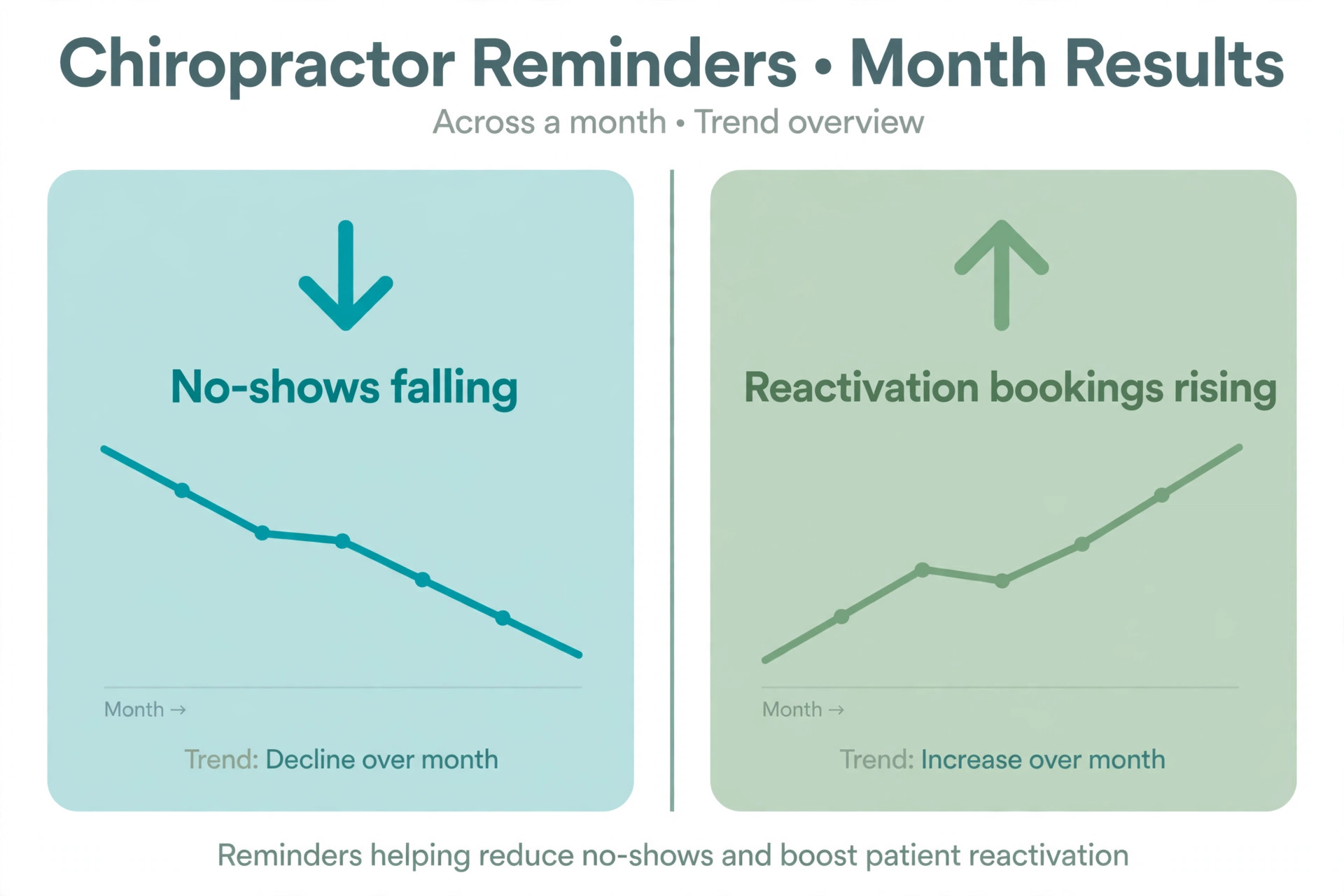
Published vendor guidance describes a similar rhythm, with reminders at forty eight hours, twenty four hours, and two hours before the appointment, and reports that clinics using automated systems see large falls in no-shows. One vendor page reports up to a ninety percent fall in missed appointments, while another reports a twenty nine percent reduction. Those figures come from vendor marketing, so treat them as a range to test against your own numbers rather than a promise, and check the vendor page for the detail behind any claim before quoting it to a partner. Your own before and after no-show rate is the only figure that matters for your clinic.
Two way messaging is what turns a reminder from a notice into a booking tool. A patient who replies to cancel should at once receive reschedule options, not a dead end that requires a phone call during office hours. A patient who replies to confirm should have that confirmation recorded on the schedule without front desk retyping. A patient who says nothing should receive a gentle second nudge, then a front desk call for high value or acute phase visits, rather than an endless stream of automated messages. The rule is simple. Automate the first two attempts, and let a person handle the silence that follows.
Reschedule Rules That Turn Cancellations Into Bookings
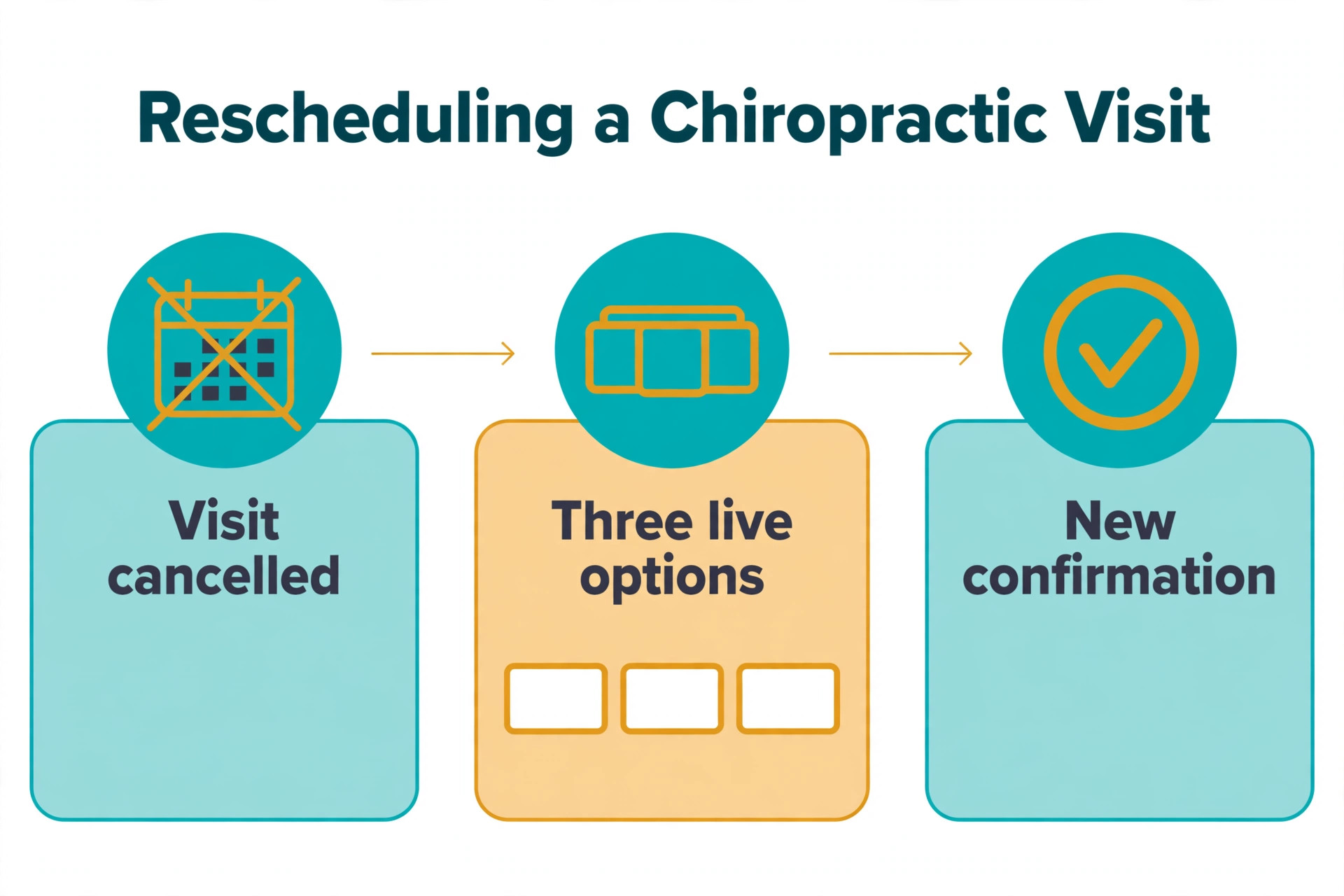
A cancellation is not a lost visit until the patient fails to rebook, and the reschedule rules decide which outcome happens. The best rule is speed. A patient who cancels on a Tuesday morning should receive reschedule options on Tuesday morning, while the intention to continue care is still fresh. A patient who must call back during office hours, wait on hold, and negotiate a new time will often postpone the call, and postponement becomes drift. Make rescheduling a tap, not a task.
When you use AI for chiropractor appointment reminders, offer choice, but keep it narrow. Three real options, such as the same time next week, the next available slot with the same clinician, and the next available slot with any clinician, convert better than an open calendar that asks the patient to do the planning. Where the tool supports it, let the patient pick from live availability rather than requesting a time that is already taken. Confirm the new booking at once, cancel the old one cleanly, and send the new confirmation with the same reminder sequence attached, so the rescheduled visit is not a second class booking.
Waitlist backfill handles the other side of a cancellation, which is the empty slot left behind. When a visit cancels, the system can offer the slot to patients who asked for an earlier visit, or to patients whose cadence suggests they are due, with the first to reply claiming it. Set a reply window that fits the gap, such as a few hours for a slot tomorrow and a day for a slot next week, and let the offer move on automatically when the window passes. A slot filled by backfill is a visit saved, and it also shortens the wait for a patient who wanted care sooner.
Staff rules need writing down for the cases software should not decide alone. A patient who cancels twice without rescheduling deserves a personal call, not a third automated offer, because repeated cancellation often signals a cost worry, a transport problem, or a loss of confidence that a message cannot fix. A patient who cancels an acute phase visit should be flagged for same day front desk follow up, because a gap in early care matters more than a gap in maintenance. Write those escalation rules where the front desk can see them, and review the escalation list daily.
A Reactivation List That Brings Drifted Patients Back
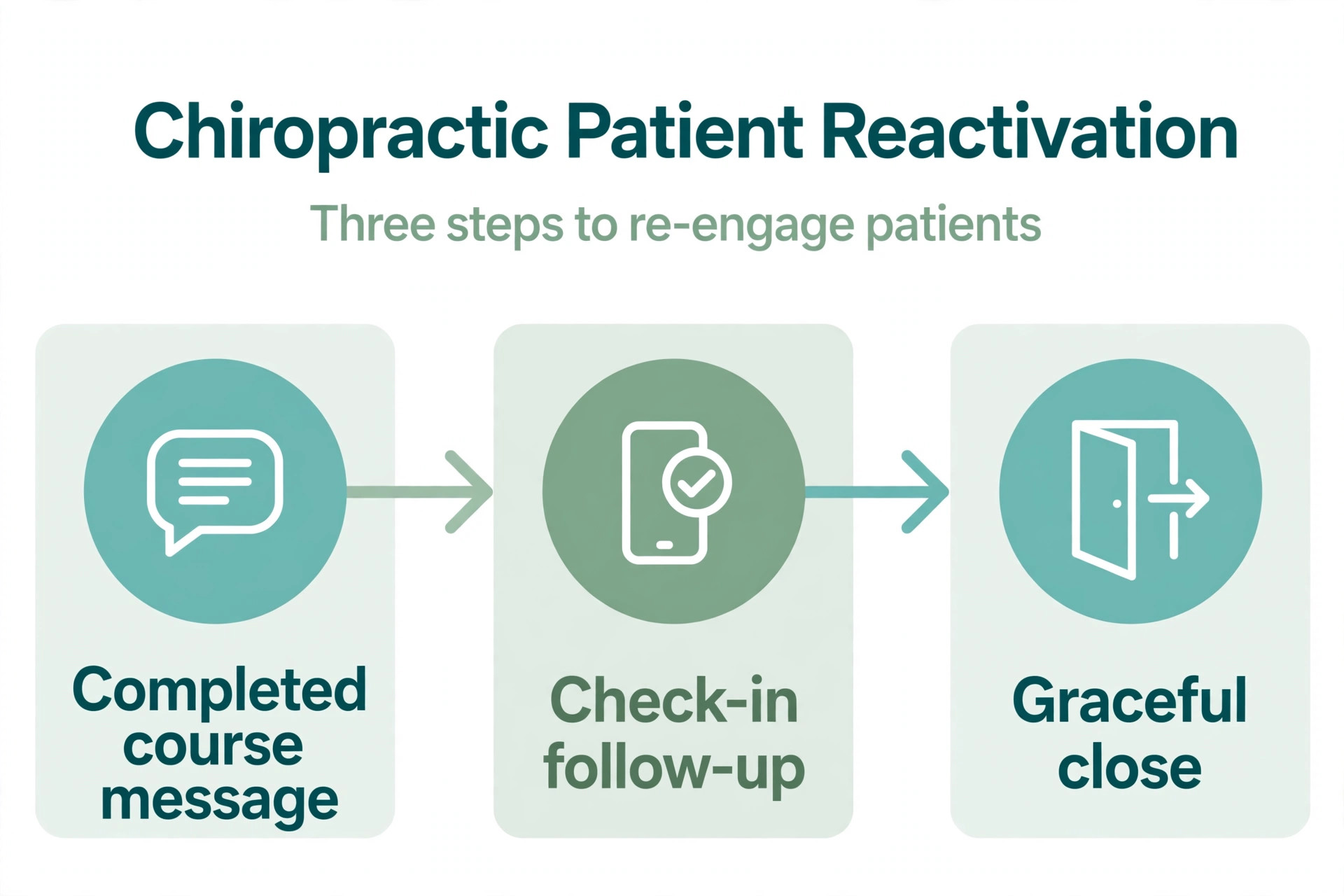
Reactivation is the quiet profit centre of a chiropractic clinic, because the patients most likely to return are the ones who already know the clinic, trust the doctor, and simply drifted away when pain eased or life got busy. Published reactivation guidance describes three tracks that map well to real clinic life. Active patients who cancel without rescheduling get a gentle check-in.
Patients who complete a course and leave without a next booking get a message setting the next check-in expectation, followed by a follow up at that date. Patients who have not been seen for ninety days or more get a personal message referencing their care history, then a second message with a reason to return, then a graceful close if there is no reply.
Build the list from the schedule, not from memory. Patients with no next booking after a completed course, patients who cancelled twice without rescheduling, and patients with no visit in ninety days each belong on a list with a different message and a different timing. Send the first message from the doctor name where the tool supports it, because a message from the clinician carries more weight than a message from a generic clinic account. Keep the message personal and specific, referencing the care the patient actually received, and offer a clear next step, such as a re-evaluation booking link or a call back option.
Vendor claims for reactivation deserve the same caution as no-show claims. One vendor page reports that practices running a consistent reactivation message see twenty to thirty percent of lapsed patients respond within a week, with most of those booking. Another reports that recall tools can reactivate up to thirty five percent of lapsed patients. Treat those figures as starting points to test, not as guarantees, and check the vendor page for how the figures were measured. Your own response rate, measured across a defined list for a defined month, is the figure to trust.
The graceful close matters as much as the first message. A patient who has received two messages and a final kind note, saying the clinic keeps their history on file and welcomes them back whenever they need care, leaves with a good impression. A patient who receives six messages across two months leaves with a reason never to return. Cap reactivation attempts, space them sensibly, and honour every opt out at once. Reactivation done well feels like care. Reactivation done loudly feels like marketing, and patients can tell the difference.
Review Requests Patients Are Happy to Answer
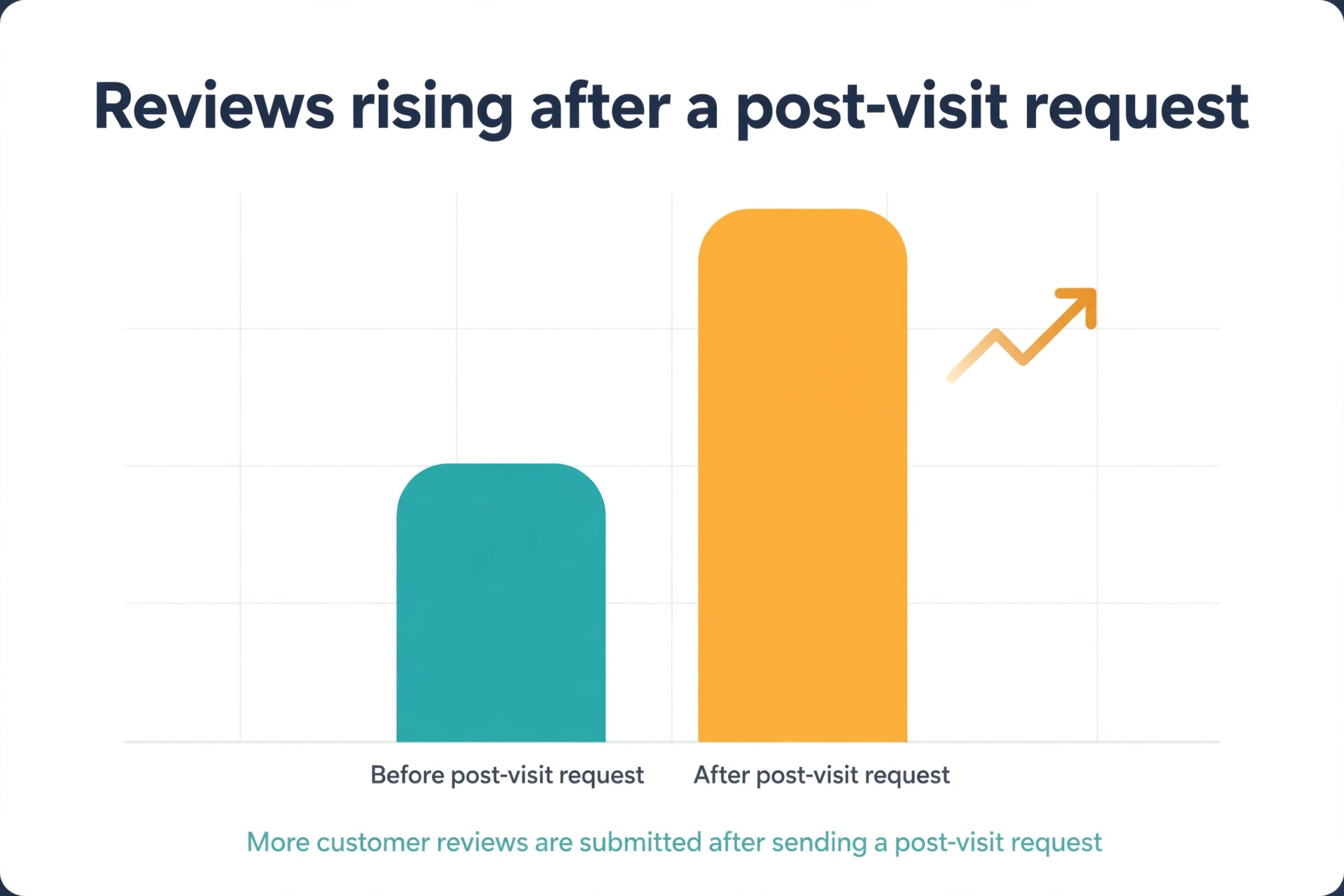
Review requests work best when they follow a good visit, arrive once, and ask at a moment when the patient is still thinking about the clinic. The natural moment is after the visit, once the patient is home, with a short message thanking them and linking to the review page. Published clinic guidance reports that a large share of patients leave a review after a single follow up request, which suggests that timing and simplicity matter more than repeated asking. Ask once, make the link work from a phone, and stop there.
When you use AI for chiropractor appointment reminders, review timing should respect the care relationship. A patient in an acute phase with frequent visits should not receive a review request after every visit, since that quickly feels like nagging. A patient who just completed a course, or who returned after a gap and had a good experience, is a better candidate. Let the system trigger review requests on events the clinic chooses, such as course completion or a first visit follow up, rather than on every appointment, and review the trigger list monthly to make sure it still fits.
Never buy reviews, offer incentives tied to positive reviews, or script what patients should write. Those practices damage trust and can breach platform rules, and they produce reviews that read as fake to the next patient anyway. Honest reviews from real patients, earned by good visits and asked for politely, build a record that new patients trust. That record also helps the clinic appear in local searches, which is a genuine benefit that needs no exaggeration.
Best Pick by Job for Chiropractor Reminder Tools
No single tool fits every chiropractic clinic, because a solo practice and a multi doctor clinic buy different things even when the feature lists look similar. The table below sorts the main approaches by the job they do best, based on how vendors position them and how reviewers describe their fit.
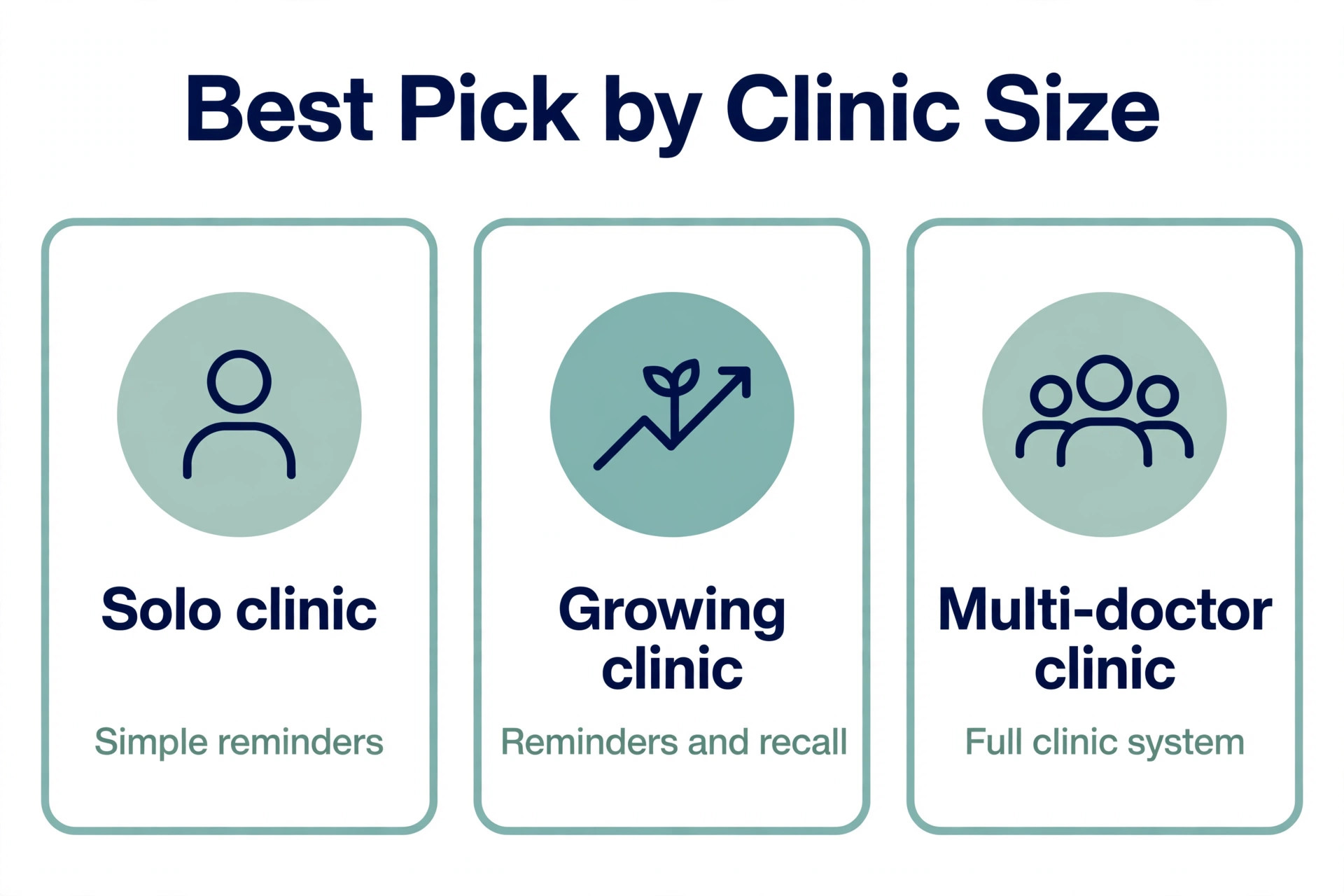
| Clinic shape | Best fit approach | Why it fits |
|---|---|---|
| Solo doctor or small clinic | Patient engagement tool with reminders and two way text | Fast setup, reminders and rescheduling in one place, low monthly cost |
| Growing clinic with recalls | Engagement platform with recall and reactivation lists | Automated recalls, drifted patient lists, and review requests together |
| Multi doctor clinic with front desk team | Practice system with scheduling, reminders, and team roles | Shared schedules, clinician specific availability, and staff task ownership |
| Clinic already on a practice system | Add on reminder and recall features to the current system | Keeps patient records in one place, avoids a second database |
Read that table as a starting point, not a verdict. A solo clinic that plans to grow to three doctors may be better starting on the fuller platform, even if it feels heavy at first, because migrating patient records and reminder history mid growth is painful. A large clinic that values speed over depth may prefer the simpler engagement tool and accept manual workarounds for complex scheduling. Demo each option with your own messy cases, including a patient who cancels twice, a patient who completes a course without booking, and a patient who replies to a reminder with a symptom question, and judge the tool on those days.
Pricing also separates these tools in ways a feature list hides. Some charge a flat monthly fee, some charge per location or per provider, and some price messaging separately, which makes direct comparison hard. Treat any third party price as a starting point and get a written quote for your exact provider count and message volume, because the price for one doctor and the price for five are different products in practice. Check the vendor page again before signing, since prices and plan limits change.
Costs and Trade Offs Worth Pricing Before You Commit
The cost of chiropractor reminder software is not one subscription. It is the platform fee, any messaging cost beyond the included allowance, the time to set cadence rules and message templates, and the staff hours spent checking automated messages in the early weeks. Clinics already paying for a practice system may add reminder features for a smaller increment. Clinics moving from phone calls pay for the whole platform at once, plus setup, and should budget for a slower first month while patients learn the new reply options.
The trade offs are real and worth naming plainly. A full engagement platform brings reminders, recalls, and reviews together, but it also brings a longer setup and a monthly cost that rises with providers or message volume. A simpler reminder tool gets a small clinic running in days, but it may need manual workarounds for reactivation lists or review triggers as the clinic grows.
An automated sequence saves front desk hours, but it can also send a reminder for a visit that should have been moved if the schedule was not updated, which creates confusion for the patient. None of these trade offs is a reason to avoid the tools. Each is a reason to match the tool to the clinic size you have now, with a clear path to the size you plan to reach.
Mistakes That Undo Good Reminders
The most common mistake is automating a messy schedule. If cadence is not recorded today, an automated reminder will remind patients about visits that do not match their plan. If cancellations are not recorded cleanly today, backfill offers will go out for slots that no longer exist. Fix the schedule first, with cadence recorded, cancellations closed properly, and next bookings made at the visit, then let software remind and refill. Software scales whatever you feed it, good or bad.
The second mistake is messaging patients who did not consent to that channel. A text to a patient who asked for calls, or a message sent after an opt out, damages trust faster than any no-show costs money. Record channel preferences at intake, honour opt outs at once, and check the consent record before any reactivation campaign. A campaign sent to an unconsented list is not a marketing win. It is a complaint waiting to happen.
The third mistake is letting the system answer clinical questions. A patient who replies with new symptoms, a worry about treatment, or a request for medical advice needs a clinician or a trained front desk person, not an automated reassurance. Set a rule that symptom and advice messages are flagged for a person at once, with no automated clinical reply, and review flagged messages daily. Speed matters here, but a fast human response matters more than a fast automated one.
The fourth mistake is ignoring front desk feedback. Front desk staff know which reminder timings confuse patients, which reschedule options never get used, and which recall messages produce annoyed replies. If they stop reporting those problems because nobody acts on them, the system keeps making the same errors with confidence. Hold a short review after the first month, fix the top three recurring complaints, and tell the team what changed. That loop is what turns a generic tool into a system shaped for one clinic.
Chiropractor Reminder Checklist for the First Thirty Days
Use this checklist to roll out a plan to use AI for chiropractor appointment reminders without breaking a live clinic week.
1. Record contact preferences and consent at intake, with text, email, and voice choices kept separate. 2. Tie reminder timing to care plan cadence, with different intervals for acute, spaced, and check-in phases. 3. Build the three message sequence, with confirmation, a two day reminder, and a short final note. 4. Set reschedule rules, with three live options offered at once and a clean new confirmation. 5. Build the backfill offer and reply window, and test it with a cancelled slot before going live. 6. Build reactivation lists for completed courses, double cancellations, and ninety day gaps, with capped attempts. 7. Set the clinical escalation rule, so symptom and advice replies reach a person at once. 8. Review no-shows, reschedule speed, and reactivation response weekly, and fix the top recurring cause first.
That checklist is deliberately short. A longer rollout plan looks impressive and gets ignored. Eight steps, done properly, change reminders more than a fifty page manual that nobody reads.
How to Measure Whether Reminders Are Working
Measurement should start before the new workflow, so the improvement is visible rather than claimed. Record four numbers for four weeks on the old method. First, the no-show rate, meaning booked visits where the patient does not arrive and does not cancel in advance. Second, the cancellation to rebooking time, meaning days from cancellation to a new booking. Third, the drift rate, meaning patients with no next booking thirty days after their last visit. Fourth, the front desk call time spent on reminders each week, estimated honestly from the call list.
After rollout, track the same four numbers weekly, plus two more. Track reactivation response, meaning lapsed patients who reply and book, because that number shows whether the recall list is working or just sending messages. Track review volume, meaning reviews received per hundred visits, because a rising number with steady ratings shows the post visit request is working without nagging. A clinic that only tracks visit count will miss the quality change, since more visits booked badly is not progress.
Set targets that fit the starting point. A clinic with a high no-show rate should aim to cut it first, because every avoided empty slot is a visit kept. A clinic with good attendance but slow rebooking should focus on reschedule speed and live options. A clinic with strong attendance but high drift should focus on recall tasks at course completion. One priority at a time beats five targets chased at once, because the team can see which change caused which result.
Review the numbers with the whole team, not just in the office. Front desk staff know which patients struggle with text replies, which clinicians have cadence patterns that confuse the system, and which message timings produce the most calls. When a number improves, say which workflow change likely caused it, so the team keeps doing that thing. When a number worsens, treat it as a rule to fix, not a person to blame, because reminder improvement is a system problem before it is a people problem.
The Chiropractor Reminder Verdict for Clinics Ready to Change
The best way to use AI for chiropractor appointment reminders is to treat software as a disciplined front desk, not a replacement for clinical care. Let it time reminders to the care plan, confirm and reschedule with a tap, fill cancelled slots fast, bring drifted patients back with a kind and capped sequence, and ask for reviews after good visits. Keep people on clinical questions, repeated cancellations, cost worries, and every decision where the record is thin or the stakes are high. That split gives a small clinic the coverage of a larger office without losing the personal feel patients chose the clinic for.
Start small, with the reminder sequence and reschedule options, then add reactivation and review triggers once the schedule data is clean. Choose the platform that fits the clinic you have, with room to grow, and judge it on a week of cancellations rather than a demo day. Measure no-shows, rebooking speed, drift, and reactivation response, and fix the worst number first. Done that way, the clinic spends less time chasing empty slots and more time caring for patients who actually arrive, which is the reason the clinic exists in the first place.
Frequently Asked Questions
Do I need new software to start with automated reminders?
No. Start by adding one helper, such as two way text reminders, to the system you already use, and keep the rest of the workflow unchanged. Most practice and engagement tools already include some reminder features, and a phone call list can still gain from a confirmation text alone. Replace the whole system only when a clear gap remains after the first helper proves itself.
How many reminders should a patient receive for one visit?
Three messages work for most clinics, with a confirmation at booking, a reminder two days before, and a short final note a few hours before the visit. More than that feels like nagging, and patients start ignoring the clinic number. Patients who booked long ago, or who have missed before, benefit most from the final note, while regular weekly patients may need only the first two.
What should happen when a patient cancels?
The patient should receive reschedule options at once, ideally three live options such as the same time next week, the next slot with the same clinician, and the next slot with any clinician. The cancelled slot should then be offered to a waitlist or to patients due for a visit, with a reply window that fits the gap. A patient who cancels twice without rescheduling should receive a personal call, not a third automated offer.
How do I bring back patients who drifted away after pain eased?
Build a list from the schedule, with separate messages for completed courses, double cancellations, and ninety day gaps, and send a personal message from the clinician name where the tool supports it. Offer a clear next step, such as a re-evaluation booking link, then a second message with a reason to return, then a graceful close if there is no reply. Cap attempts and honour every opt out at once.
Should automated messages ever answer clinical questions?
No. A patient who reports new symptoms, worries about treatment, or asks for medical advice should be flagged for a clinician or a trained front desk person at once, with no automated clinical reply. Set that escalation rule before going live, review flagged messages daily, and make sure patients know how to reach a person quickly when they need one.
When is the right moment to ask for a review?
After a good visit, once the patient is home, with one short message and a link that works from a phone. Avoid asking after every visit for frequent patients, and prefer moments such as course completion or a successful return after a gap. Ask once, politely, and stop there, because repeated requests damage the clinic brand more than the extra review is worth.
More Reading on Stratilyze
– Use AI for Plumbing Company Dispatch – Use AI for Roofing Company Estimates – Use AI for Pest Control Route Scheduling – Best Booking Software for Fitness Studios – Automate Small Business with AI