

Two agencies can run the same campaigns, spend the same budgets and land the same results, yet one keeps its clients for years while the other loses them at the first flat month. The difference is rarely the advertising itself. It is the report. One agency sends a clear story that explains what changed, why it changed and what happens next, while the other sends charts that leave the client guessing. That gap is exactly why agencies want to use AI for marketing agency client reporting, because the manual version eats account manager hours and still arrives late, while the automated version can arrive on time and still read as if a person wrote it.
The comparison is worth making honestly, because automation alone does not fix a bad report. A dashboard exported as a PDF is not a report, even if software made it in seconds. A client who cannot tell whether the month was good, bad or mixed will not feel reassured by prettier charts. The agencies that get value from reporting tools are the ones that first decide what each client cares about, then use software to gather those numbers reliably, then add human commentary on top. This guide walks through that sequence in order, from metric selection and data pulls to templates, commentary, delivery cadence, tool choice and measurement.
How to Use AI for Marketing Agency Client Reporting Without Losing Client Trust
Trust is the real product of a client report. A client who trusts the numbers will accept a flat month and approve the next test. A client who doubts the numbers will question every recommendation, however good it is. Automation can strengthen that trust or break it, depending on how it is introduced. When reports suddenly change format, change numbers or arrive with commentary that sounds generic, clients notice, and the first question is usually whether anyone at the agency actually looked at the account.
The safest introduction is boring on purpose. Keep the metrics the client already knows, keep the layout close to the old report, and change only the production method behind the scenes. Tell the client that reporting is moving to a faster system, that the numbers come from the same platforms as before, and that their account manager still reviews every report before it goes out. That single sentence prevents most of the suspicion that a new tool creates, because it answers the unspoken worry that nobody is watching anymore.
Accuracy matters more than speed in the early weeks. A report delivered two days early with one wrong spend figure does more damage than a report delivered on the old schedule with every figure correct. Build a checking routine into the workflow before you promise faster delivery. Compare the new report against the old manual version for two clients over one full month, line by line, and fix every mismatch at the source, whether it is a date range, a currency setting or a filter that counts the wrong campaign. Clients never see that comparison work, but they feel its result in reports they can rely on.
Pick the Metrics Before You Pick the Tool
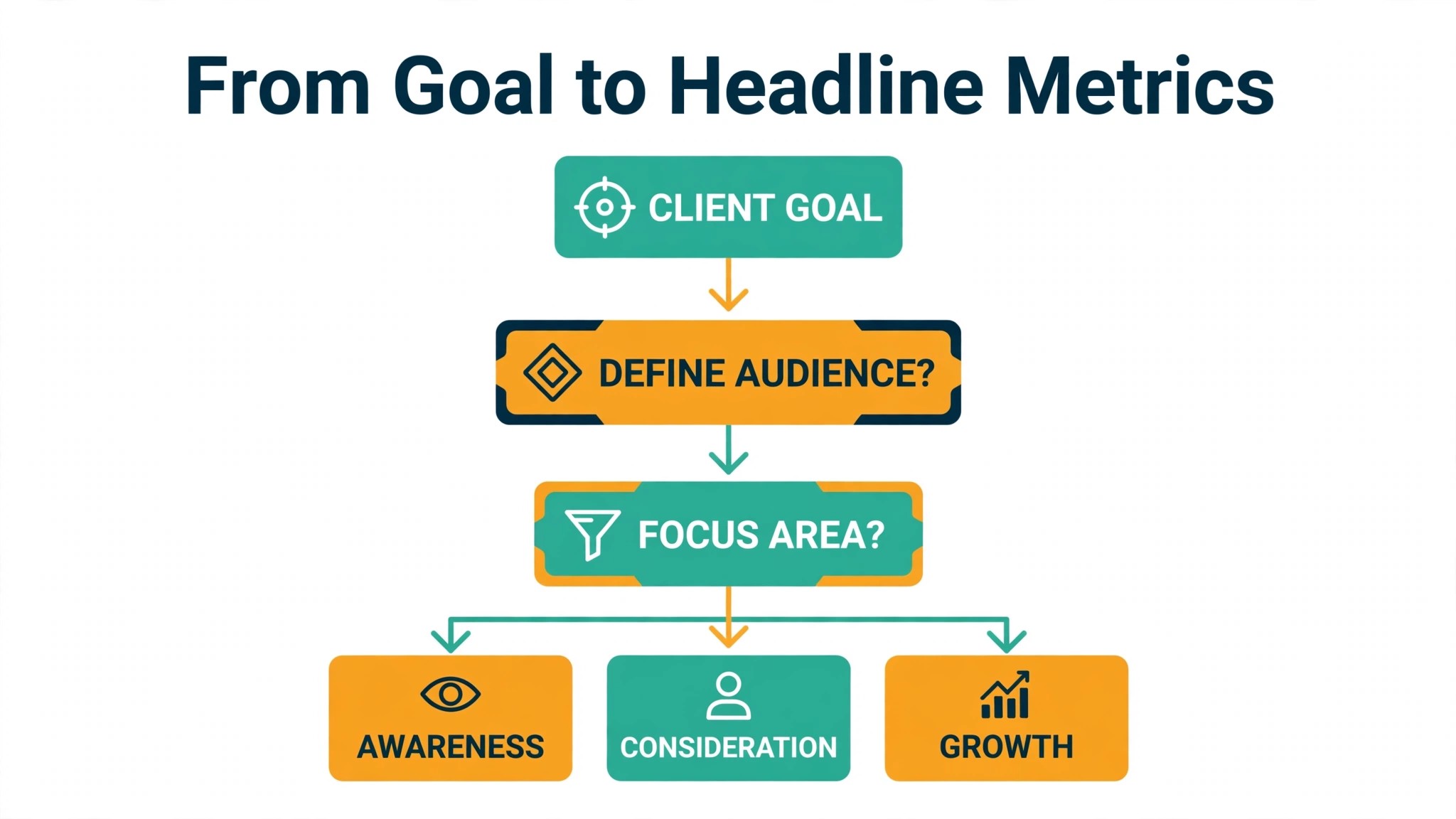
Every reporting tool demo looks impressive because the demo data is clean and the metrics are chosen by the vendor. Real client accounts are messier, and when you use AI for marketing agency client reporting, the first job is to decide, client by client, which numbers actually describe success. A lead generation client cares about cost per qualified lead and the share of leads that become sales conversations. An ecommerce client cares about revenue, return on ad spend and margin after ad cost, not just traffic. A local service client cares about calls, bookings and the cost of each booking. One template with the same five metrics for all three will mislead at least two of them.
Start with the client goal, written in one sentence, and work backward. If the goal is more booked appointments, the report needs appointments, cost per appointment and the source of each appointment, plus a note on capacity or seasonality that explains a change. If the goal is revenue growth, the report needs revenue by channel, spend by channel and the margin picture, plus a note on any promotion or price change that moved the numbers. Anything that does not connect to that goal sentence is a candidate for removal, however interesting it looks in a dashboard.
Limit each client report to a small set of headline metrics, with supporting detail behind them. Five to seven headlines is enough for most clients to follow the story, and more than that turns the first page into a wall of numbers. Supporting metrics still matter, but they belong in an appendix or a second page, where a curious client can check them without being forced to read them every month. When a metric stops changing any decision, drop it and say why, because a shorter report that gets read beats a longer report that gets skimmed.
Metric definitions deserve the same care as metric selection. Two platforms can both report conversions and mean different things, one counting a form submission and the other counting a button click. Write a one line definition for every headline metric, keep it in the report template, and use the same definition every month. When a definition changes, flag it in the commentary, because a sudden jump caused by a definition change looks identical to a sudden jump caused by performance, and only the note tells the client which one happened.
Build Data Pulls Clients Can Actually Trust
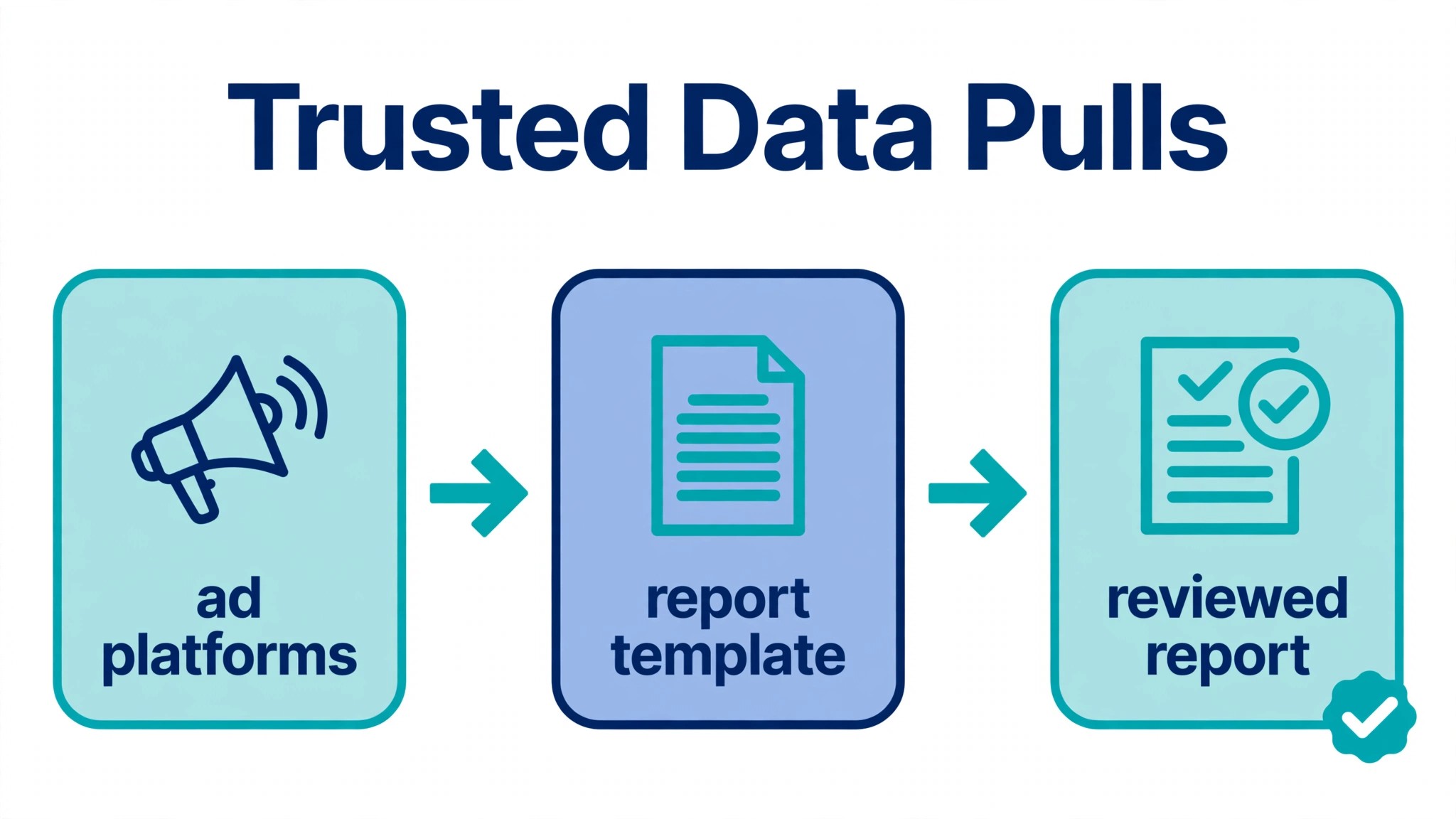
A data pull is only as good as its source connection, its date handling and its naming. Most reporting errors come from one of those three places, not from the AI that writes the summary. A connection that silently stops refreshing will show last month numbers as this month numbers. A date range set to the wrong timezone will shift a day of spend into the wrong month. A campaign renamed mid month will split one campaign into two lines and make both look smaller than they are.
Fix the foundations before adding any narrative layer. Connect each platform through its official integration where one exists, and check the refresh status on a fixed day each month. Set one timezone for reporting and use it for every client, even if the client sits elsewhere, and note that timezone on the report so nobody has to guess. Agree on campaign naming rules with the media team, so a renamed campaign keeps its history or gets a clear note explaining the break. These are dull tasks, and they are the tasks that separate reports clients trust from reports clients argue about.
Blended metrics need special attention, because they combine numbers from different platforms and the combination can hide errors. A blended return on ad spend that mixes revenue from one platform with spend from another will look fine until one platform changes its attribution. A blended cost per lead that merges form leads and call leads without labelling them will confuse any client who tracks only one of those sources. Show the parts before the blend, at least in the detail section, so the client and the account manager can see what went into the headline number.
Reconciliation is the monthly habit that keeps data pulls honest. Compare total spend in the report against spend in each ad platform, compare reported revenue against the client store or CRM where possible, and investigate any gap larger than a small rounding difference before the report goes out. Do this for every client in the first three months of automation, then keep it for the largest clients and spot check the rest. A single month where spend does not reconcile will cost more trust than a year of slightly slower reporting ever would.
Report Templates That Keep Every Client Comparable
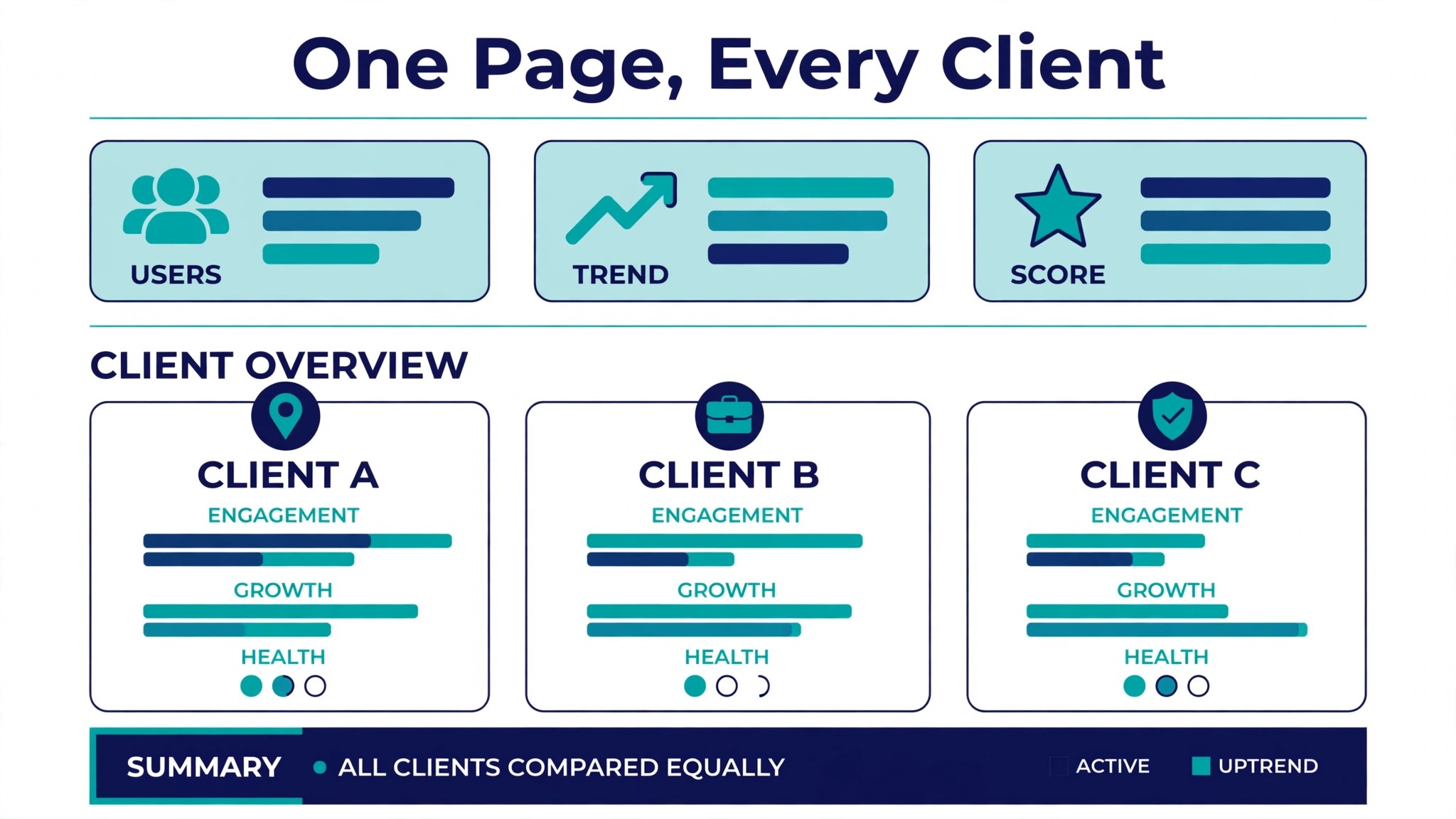
Templates exist to make reports comparable across months and across account managers, not to make every client look identical. That consistency is one reason to use AI for marketing agency client reporting with a fixed structure rather than a fresh layout each month. A good template fixes the structure and leaves room for the client specific story. The first page carries the verdict in plain language, the headline metrics and the three actions for next month. The middle pages carry channel detail, campaign notes and the comparison against the previous period and the goal. The final page carries the appendix, definitions and the link to the live dashboard for anyone who wants to dig deeper.
Build one master template first, then create client variants by changing metrics, not structure. When every client report follows the same order, account managers can cover for each other, new hires learn faster, and clients who run several brands with the agency can read all their reports the same way. The variant work is choosing which metrics fill each slot, which charts illustrate them best, and which commentary prompts fit the client goal. That work is done once per client, not once per month, which is where the real time saving comes from.
The Commentary Pass Where AI Drafts and Humans Decide
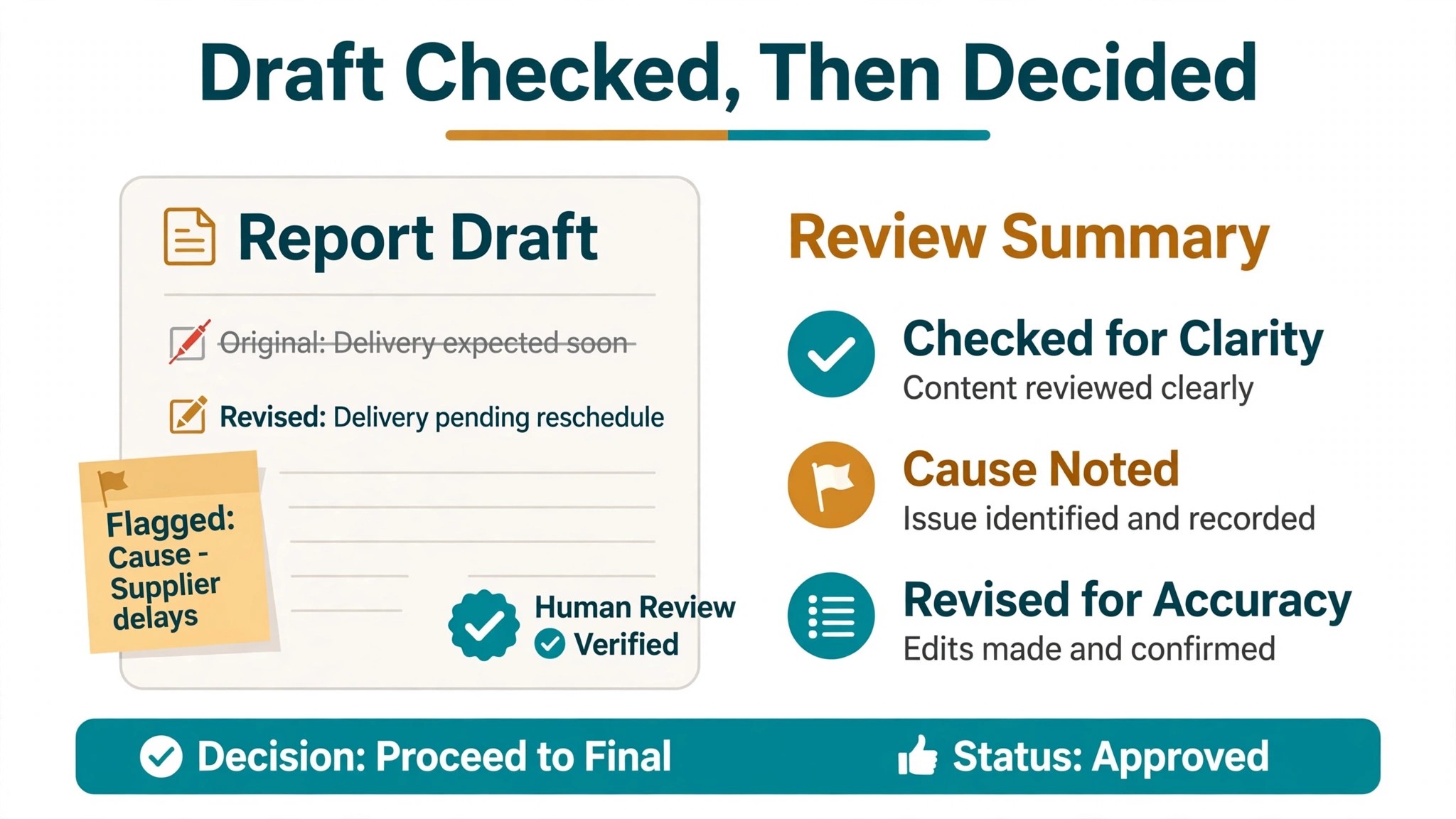
The commentary pass is where reporting automation either earns its fee or exposes itself. AI can draft a solid first version of the commentary, provided it is given the right inputs. It needs the headline numbers, the change against the previous period, the goal for the month, the actions taken during the month and any known context, such as a promotion, a budget change, a site outage or a seasonal event. Without those inputs, the draft will describe the numbers without explaining them, and a description is not commentary.
Give the draft a structure and it will follow it. Ask for three short parts in this order. What changed, in numbers, with the size of the change stated plainly. Why it changed, based on the actions and context supplied, with no invented causes. What happens next, as a short list of actions with an owner and a date. That structure forces the draft to be useful, and it makes the human review fast, because the reviewer checks three things. Are the numbers right. Is the cause supported by evidence. Are the next actions real and dated.
Human review is not optional, and it should stay that way even after months of good drafts. The reviewer checks for four problems that software still misses. A number quoted in the text that does not match the chart. A cause claimed without evidence, such as crediting a creative change for a lift that came from a budget increase. A tone problem, such as celebrating a result the client will see as weak. And a missing fact the account manager knows but the system does not, such as a client hiring freeze that changes what next month can achieve. Fix those four and the draft becomes a report worth sending.
Tone deserves a house style, written down in a few lines. Reports should sound direct, specific and calm, even in a bad month. Avoid superlatives for ordinary results, avoid blaming platforms for every decline, and avoid promising outcomes the next month cannot guarantee. When a month is bad, say so in the first paragraph, explain what is known and what is still being tested, and give the recovery plan. Clients forgive bad months far more readily than they forgive reports that pretend a bad month was good.
Delivery Cadence That Matches How Clients Decide
Cadence is a decision about how clients actually use reports, not about how often software can generate them. A weekly report suits a client making weekly budget decisions. A monthly report suits a client reviewing performance in a monthly meeting. A quarterly summary suits a client who wants the trend without the noise. Sending every client the same monthly PDF ignores those differences, and it creates two problems at once. Fast moving clients feel uninformed between reports, while slow moving clients feel spammed by reports they never open.
Match cadence to the decision rhythm. Ask each client when they review marketing, who else reads the report, and what decision the report should support. A client who shifts budgets weekly needs a short weekly snapshot, even if the full report stays monthly. A client who meets quarterly needs a quarterly trend view added to the monthly report, not a separate quarterly document built from scratch. Record the cadence in the client file, and review it when the client relationship changes, such as a new marketing lead or a bigger budget.
Timing inside the month matters as much as frequency. A report that arrives on the tenth is less useful than the same report on the third, because budget decisions for the new month are often made in the first week. Set a delivery target, such as the third working day after month end, and protect it by scheduling data pulls and commentary review in advance. If data from one platform always arrives late, build the report around that constraint openly, either by using a clearly labelled partial figure or by moving the delivery date, rather than by sending an incomplete report on time and correcting it later.
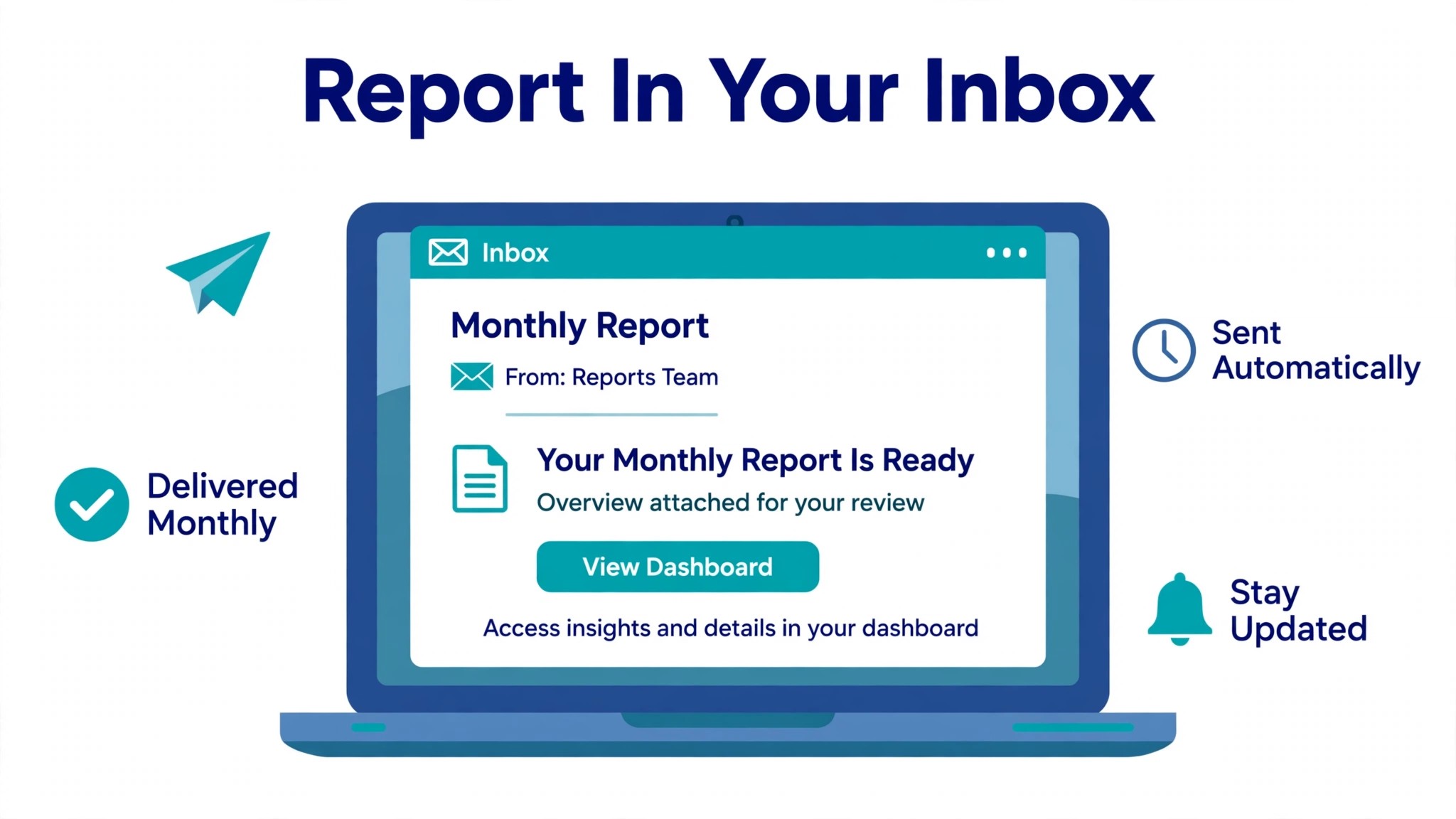
Best Pick by Job for Agency Reporting Tools
Tool choice should follow the agency shape, not the feature list. A small agency with ten clients needs a different system than a large agency with a data team, and both will regret buying the other system. The table below sorts the main approaches by the job they do best, based on how vendors position them and how agencies describe using them in practice.
| Agency shape | Best fit approach | Why it fits |
|---|---|---|
| Small agency, under 20 clients | AgencyAnalytics or Databox | Per client or per account pricing that stays predictable, with white label reports and scheduled delivery built in |
| Mid size agency, many channels per client | Whatagraph or AgencyAnalytics | Strong multi source blending, custom metrics and governed definitions that keep cross channel numbers consistent |
| Agency with a data team | Funnel plus a warehouse and a dashboard tool | Full control over data modelling and blending, at the cost of setup time and in house skill |
| Agency already on a full platform | The reporting layer inside that platform | One system for delivery and reporting, with less integration work, even if report design is less flexible |
Read the table as a starting point, not a verdict. A small agency planning fast growth may prefer the mid size tool early, because migrating dozens of client reports later is painful and error prone. A large agency that values speed over modelling depth may prefer the simpler tool and accept manual workarounds for unusual metrics. Pilot any tool on two real clients, one straightforward and one messy, and judge it on the messy client, because the straightforward client will look good on almost any system.
Pricing needs a written quote for the real client count and source list, because published prices rarely tell the full story. Some tools charge per client, some per account, some for AI credits, and some for white labelling as an extra. A tool that looks cheap at ten clients can become expensive at forty, while a tool that looks expensive at ten clients can become the cheaper option at scale. Map the price at the current size and at double the size before committing, and ask what happens to archived client reports if the subscription ends.
What to Automate and What to Keep Human
Automation works best on repeatable steps with clear inputs. Data pulls, scheduled delivery, chart building, first draft commentary, anomaly flags and reminder messages are all strong candidates. These steps save hours every month, they rarely need judgment, and a mistake is usually visible before the report goes out. Automate them first, and measure the hours saved before adding anything more complex.
Keep a human on anything involving interpretation, bad news or a change of direction. A sharp drop in results, a budget recommendation, a channel to pause, a target to revise and a client complaint about the numbers all need a person. Software can draft the explanation, but a person should decide what it says, because the client relationship sits behind every one of those messages. The same rule applies to any report where the data looks odd. If the system flags an anomaly it cannot explain, an account manager should investigate before the report goes out, not let the anomaly become a chart the client has to question.
A practical split for a first rollout looks like this. The system pulls data, builds the report and drafts the commentary. The account manager reviews every report, edits the commentary, checks the numbers against the platforms and approves delivery. That review list shrinks as confidence grows, but the approval step should never disappear for the largest clients, because those are the reports where a single error costs the most trust. Smaller clients can move to a lighter review once the error rate has stayed low for three months in a row.
Costs and Trade Offs of Automated Client Reporting
The cost when you use AI for marketing agency client reporting is not one subscription. It is the reporting tool, any data warehouse or connector fees, the time to build templates and metric definitions, and the account manager hours spent reviewing drafts in the early months. Agencies already paying for a reporting platform may add AI summary features for a smaller increment. Agencies moving from spreadsheets pay for the whole platform at once, plus setup, and should budget for a slower first month while templates and definitions are built.
The trade offs are real and worth naming. A governed platform gives consistent numbers across clients, but it takes longer to set up and needs an owner for definitions. A simpler dashboard tool gets a small agency running in days, but it may need manual workarounds for blended metrics or unusual client goals. An AI summary saves drafting time, but it can also explain changes confidently without understanding them, which creates reviewer cleanup when inputs are thin. None of these trade offs is a reason to avoid the tools. Each is a reason to match the tool to the agency size you have now, with a clear path to the size you plan to reach.
Mistakes That Make Automated Reports Feel Hollow
The most common mistake is automating a report nobody read in the first place. If clients ignored the manual report, they will ignore a faster version of the same report, and the agency will have spent money to produce silence more efficiently. Before automating, ask clients what they actually read, what decision the report supports, and what would make them open it. Often the answer is a shorter first page, a clearer verdict and fewer charts, not more automation.
The second mistake is letting the AI write causes it cannot prove. A draft that says a creative refresh drove a lift, when the lift came from a budget increase or a seasonal surge, will be caught by a sharp client and will damage every later claim the agency makes. Require evidence for every cause in the commentary, and when the evidence is unclear, say so plainly and describe the test that will clarify it. Honest uncertainty keeps trust. Invented certainty destroys it.
The third mistake is changing metrics without telling the client. A redefined conversion, a new attribution window or a renamed campaign can move headline numbers sharply, and a client who spots the move without an explanation will assume the agency is hiding something. Flag every definition change in the commentary of the first report that uses it, in one plain sentence, and keep the old definition in the appendix for one month so the client can compare.
The fourth mistake is removing the account manager from the process too early. A fully automated report with no human approval feels efficient until the month something unusual happens, and something unusual happens every few months. Keep the approval step, keep the reviewer notes, and keep a short weekly check on report quality in the first quarter. That discipline is what turns a generic tool into a reporting system clients actually trust.
Agency Reporting Checklist for the First Thirty Days
Use this checklist to roll out a plan to use AI for marketing agency client reporting without breaking client trust.
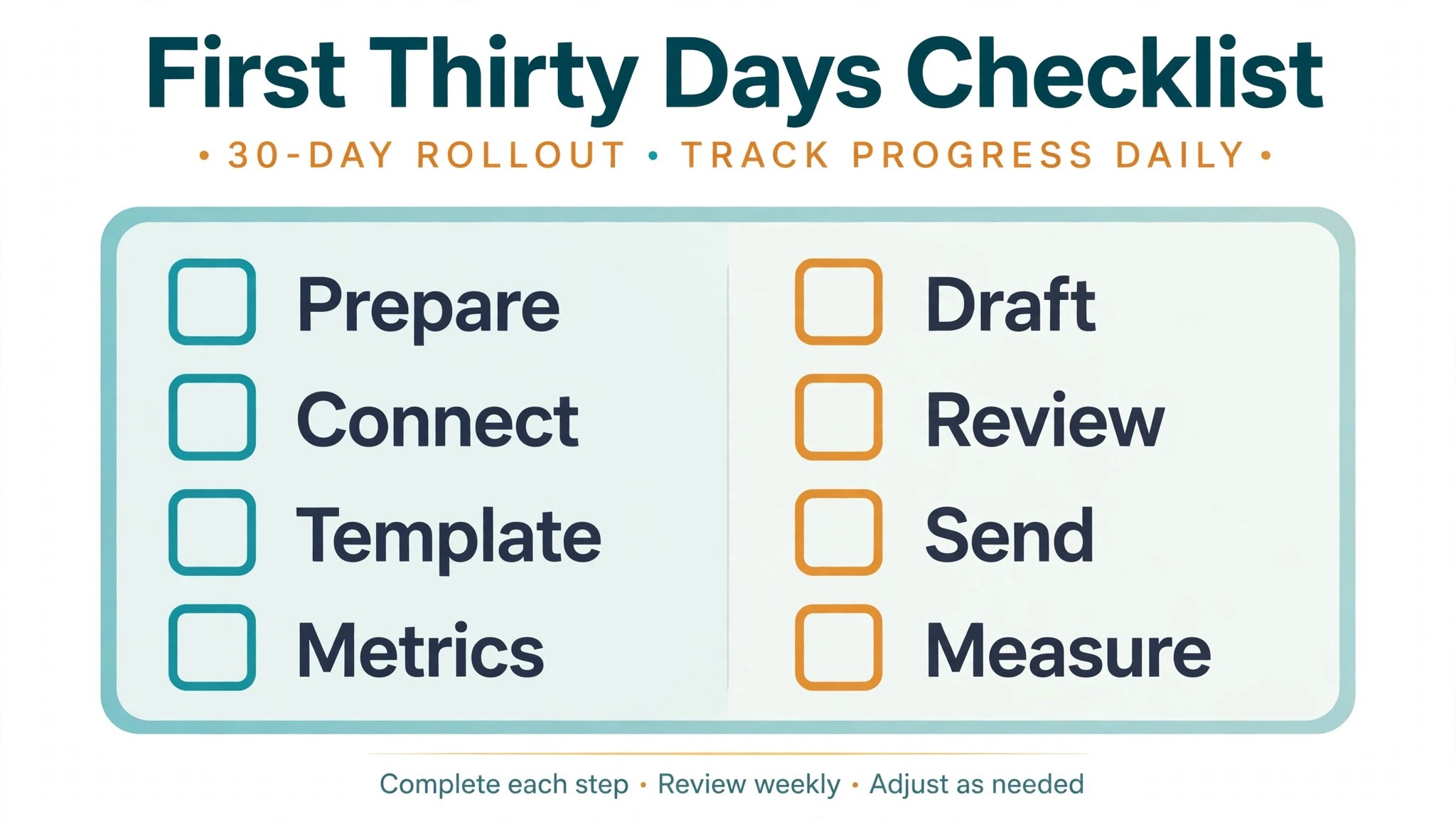
1. Write one goal sentence and five to seven headline metrics for each pilot client, with a one line definition for each metric. 2. Connect every platform through its official integration and confirm that data refreshes on schedule. 3. Build one master template with a verdict first page, channel detail pages and a definitions appendix. 4. Run the new report beside the old manual report for two clients over one full month and fix every mismatch at the source. 5. Draft commentary with a fixed three part structure covering what changed, why it changed and what happens next. 6. Set a delivery target inside the first week after month end and schedule pulls and review time to protect it. 7. Review the first month of reports for number errors, unproven causes and tone problems, and fix the top recurring cause. 8. Decide what stays human, including bad news, budget recommendations and any report with an unexplained anomaly, and write that list where account managers can see it.
That checklist is deliberately short. A longer rollout plan looks impressive and gets ignored. Eight steps, done properly, change reporting more than a fifty page manual that nobody reads.
How to Measure Whether Reporting Got Better
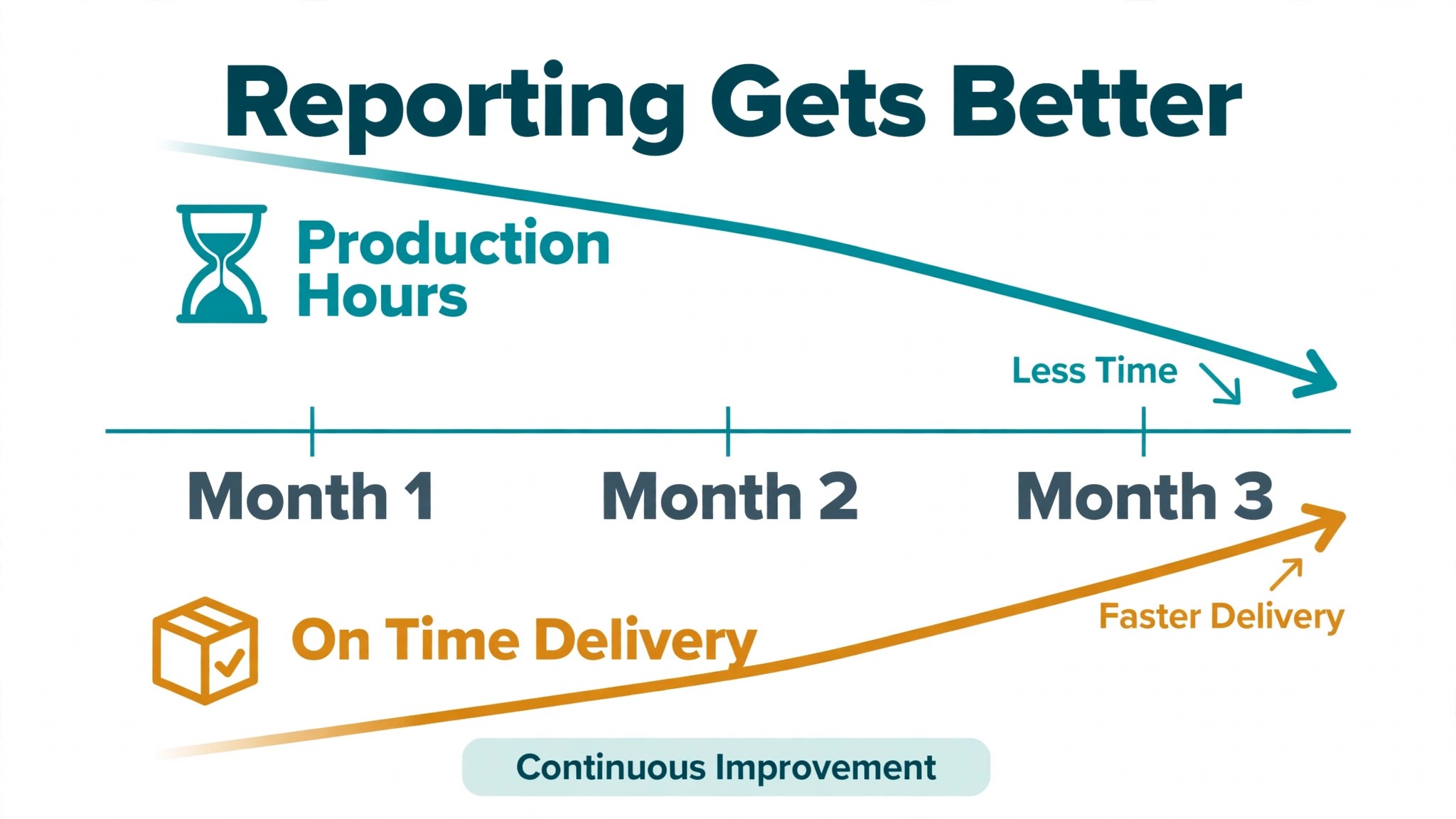
Measurement should start before you use AI for marketing agency client reporting at scale, so the improvement is visible rather than claimed. Record four numbers for one month on the old method. First, the hours spent building reports per client. Second, the delivery date for each client, measured against month end. Third, the number of client questions or corrections per report. Fourth, the share of clients who open or reply to the report, where that data is available.
After rollout, track the same four numbers monthly, plus two more. Track the error rate, meaning reports that needed a correction after delivery, because a faster report with more corrections is not progress. Track account manager review time per report, because review time should fall as templates and definitions improve, while never falling to zero for large clients. A business that only tracks hours saved will miss the quality change, since a report produced quickly but full of errors costs more trust than it saves in time.
The Reporting Verdict for Agencies That Want Clients to Stay
The best way to use AI for marketing agency client reporting is to treat it as a disciplined production assistant, not a replacement account manager. Let it pull data, build charts, draft commentary and deliver on schedule. Keep people on metric decisions, cause explanations, bad news and every report where the data looks odd. That split gives a small agency the reporting quality of a larger team without losing the judgment clients pay for.
Start small, with two pilot clients and one master template, then expand once the error rate stays low and delivery stays on time. Choose the tool that fits the agency you have, with room to grow, and judge it on the messy client rather than the easy one. Measure production hours, delivery dates, corrections and client engagement, and fix the worst number first. Done that way, automated reporting pays for itself in hours returned, reports clients actually read, and renewals that no longer depend on a frantic week of spreadsheet work at month end.
Frequently Asked Questions
Will clients notice that AI helped write their report?
They should not notice a change in quality, and they may notice an improvement in speed and consistency, provided the format stays familiar and an account manager reviews every report. Tell clients that reporting moved to a faster system with the same metrics and a human review before delivery. That disclosure answers the trust question before it is asked, and it keeps the focus on the results rather than the production method.
What if the AI summary gets a cause wrong?
That is what the commentary pass exists to prevent. Check every claimed cause against evidence from the account, such as budget changes, creative changes, promotions or seasonality, and remove any cause that lacks support. If the cause is genuinely unclear, say so and describe the test that will clarify it. A report that admits uncertainty keeps trust, while a report that states a false cause with confidence loses it.
How many metrics should a client report include?
Five to seven headline metrics is enough for most clients, with supporting detail in an appendix or a second section. More than that turns the first page into a wall of numbers that clients skim rather than read. Choose metrics from the client goal, write a one line definition for each, and drop any metric that stops changing a decision. A shorter report that gets read beats a longer report that gets filed unread.
Do I still need a live dashboard if I send a monthly report?
A live dashboard is a useful companion, but it is not a replacement for a monthly report. Dashboards show numbers without a verdict, and clients pay the agency for the verdict as much as for the numbers. Send the PDF report, link the dashboard inside it for anyone who wants to explore, and keep an archived copy of the exact file the client received so any later question about what was reported can be settled quickly.
How long does it take to set up automated reporting properly?
A pilot with two clients and one master template typically takes a few weeks of part time work, covering metric definitions, connections, template building and a month of side by side comparison with the old report. Full rollout across all clients takes longer, because each client needs its own metric set and review. Rushing that work creates definition errors that surface later as client disputes, so the side by side month is worth protecting even when the team feels ready to move faster.
Should small agencies automate reporting at all?
Yes, when reporting already eats a visible share of account manager time or arrives late. Even a simple tool with scheduled delivery and drafted summaries can return hours per client per month, and those hours can go into strategy, creative testing or client conversations. Start with the clients whose reports take longest, keep human review in place, and expand only once the pilot reports prove accurate and on time.
More Reading on Stratilyze
– Use AI for Plumbing Company Dispatch – Automate Small Business with AI – Best Website Builder for Tradespeople – Best Quote Software for Trades Businesses