
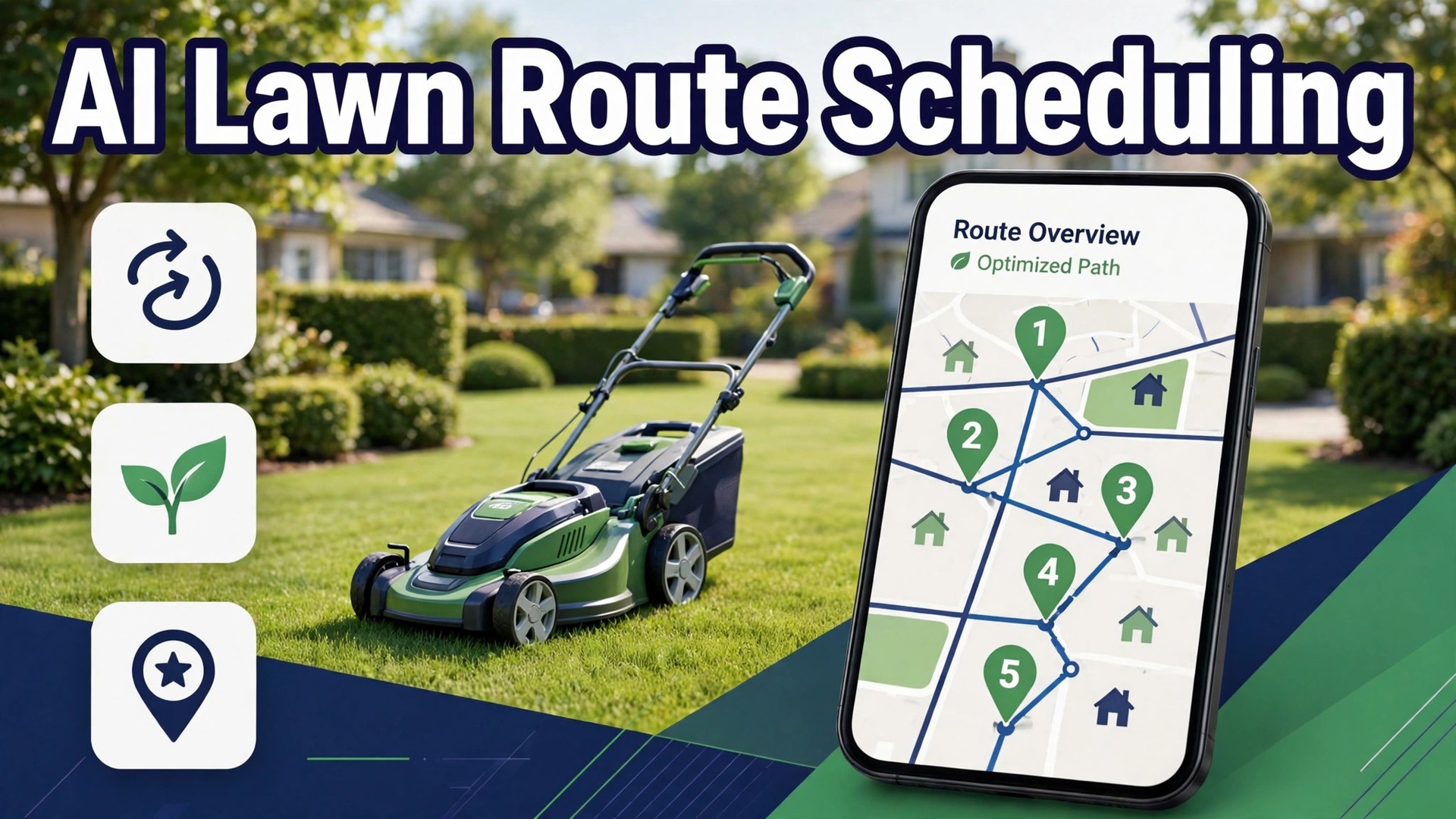
Your crews are spending too much of the day driving between scattered yards, and the mowing hours that actually earn money are shrinking inside long windshield days. That is the problem owners face when they use AI for lawn care route scheduling, because a lawn business does not sell mowing alone. It sells mowing in the right order, in tight areas, on the right week, with the gate open, the dog inside and the invoice already on its way. Get the order wrong and a crew burns fuel, misses windows and still finishes fewer yards than a tighter competitor with the same trucks and the same mowers.
Lawn scheduling is different from appointment booking, and generic calendars miss that difference completely. A lawn customer does not need one visit. They need a visit every week or every two weeks for a whole season, at a mow height that stays consistent, with edging, blowing and cleanup done the same way each time. The scheduler must therefore handle recurrence, weather, growth rates, crew capacity and route geography together, not as separate lists. A tool that books single appointments well can still fail a lawn business badly, because it never learns that Monday belongs to the northwest side and Tuesday belongs to the east side.
This guide builds the workflow in the order a lawn owner actually runs a season. It starts with mow window grouping, because grouping decides which yards share a day. It covers gate access notes, route density, weather rescheduling and invoice batching, because those four steps decide whether a grouped route survives contact with real yards. It finishes with tool choices, pricing, mistakes and the numbers that show whether the season actually improved.
How to Use AI for Lawn Care Route Scheduling Across a Season
A working lawn season answers six questions for every crew, every week, without exception. Which yards are due this week and on which day. Which yards share a tight area and a sensible driving order. What access, gate, dog, sprinkler and no mow detail each yard needs. What happens when rain removes a whole day. How the crew records a completed, skipped or partial yard. And how those completed yards become invoices without a weekend of office work. When those answers live in software rather than in one manager head, a season becomes a repeatable system rather than a weekly scramble.
Most lawn businesses start from one of three positions. Some run routes from memory, a paper list and a group text thread. Some use a general booking tool plus a spreadsheet for recurring customers. Some already use lawn specific tools such as Jobber, Housecall Pro, Service Autopilot, FieldRoutes, LawnPro or LawnCadence, and want route optimisation and weather rescheduling layered on top. The workflow in this guide fits all three, because the steps stay the same even when the tool changes. What changes is how much rebuilding a human has to do when rain, a breakdown or a new customer disturbs the week.
Think of the AI help as four separate helpers rather than one smart system. The first helper builds recurrence, turning a weekly or biweekly customer into a season of visits without manual recreation. The second helper orders routes by geography, drive time and crew capacity. The third helper reflows the week when weather strikes, pushing rained out routes forward without dropping a property from rotation. The fourth helper records and bills, turning completed stops into invoices and flagging skipped or overdue yards. When you demo a tool, ask which helper it actually delivers well, because a demo that shows all four may only do one of them reliably in a wet spring.
Mow Window Grouping That Keeps Crews in One Area
Mow window grouping means assigning each yard to a fixed day and area window, so a crew works one neighbourhood all day instead of crossing town between stops. The window is usually a weekday tied to a zone, such as northwest yards on Monday and east side yards on Tuesday, with biweekly yards split so each week carries a balanced load. Research on lawn scheduling stresses exactly this point, that drive time between stops should stay short, with some guides putting the target at roughly eight to twelve minutes between stops on a dense route.
Grouping starts with a map, not with a customer list. That map first habit is the foundation when you use AI for lawn care route scheduling well. Plot every yard, look for natural clusters, and draw zones that a crew can cover in one working day without long empty drives. Then assign each yard to its real zone, even if that means telling a new customer their day is Wednesday rather than Monday. A customer offered the wrong day to win the sale will cost density all season, while a customer offered the right day with a clear explanation will usually accept it.
Biweekly and ten day cycles need their own grouping care. A biweekly yard that falls on the wrong week can unbalance a whole crew day, leaving one week overloaded and the next week light. Build the cycle into the system from the start, so each visit automatically schedules the next one, and check the load by week before the season starts. A season calendar that looks even in April and collapses in June was never actually balanced, because growth rates, fertilisation visits and cleanups were never layered onto the mow load.

Gate Access Notes That Stop Wasted Stops
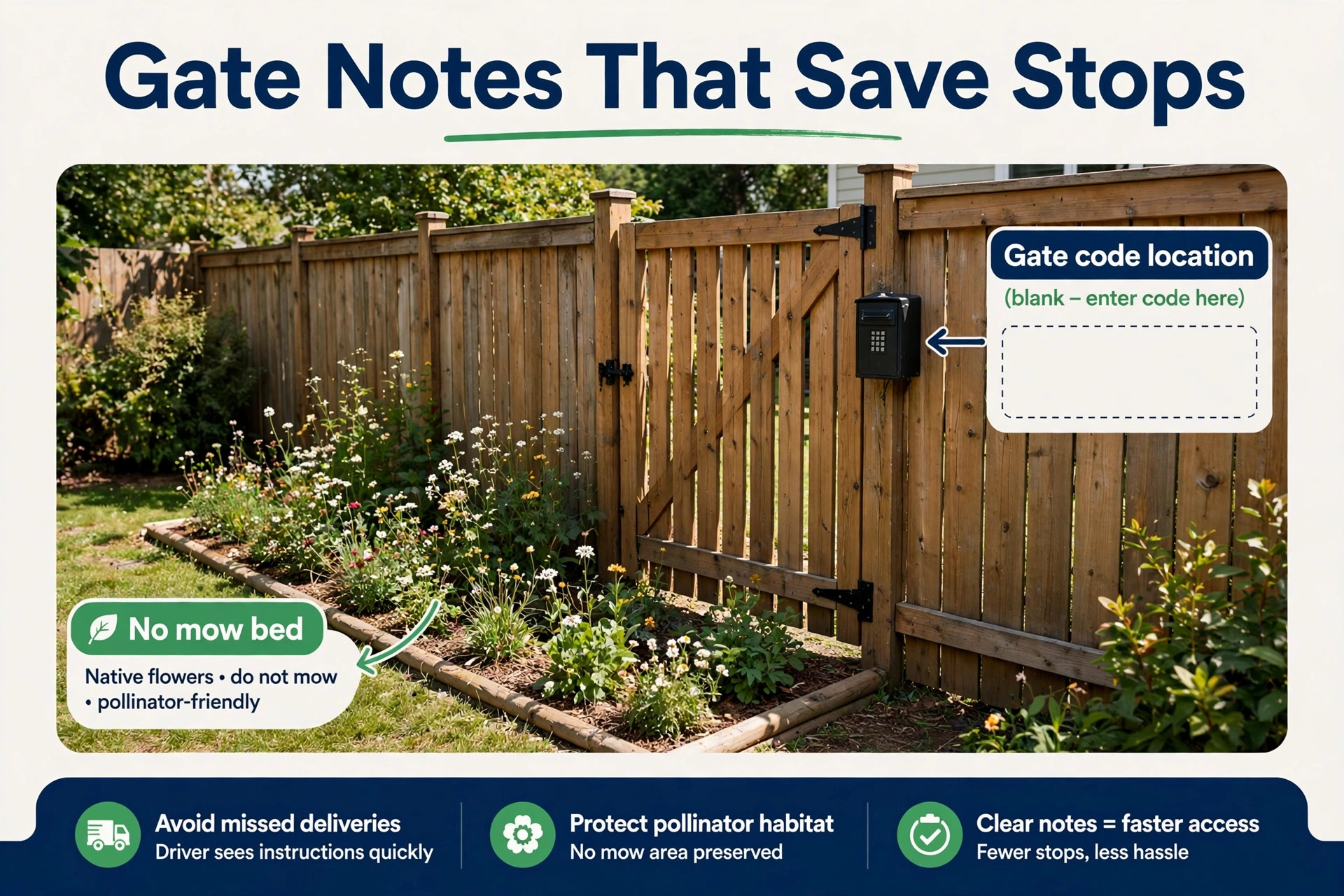
Gate access notes are the small detail that decides whether a stop takes twenty minutes or becomes a wasted visit. A locked gate, a code that changed, a dog in the yard, a sprinkler zone that must not be driven over, a no mow bed that must not be cut, and a side gate that sticks in wet weather all live in this note set. When those notes travel with the yard on every crew day sheet, the crew arrives prepared. When they live in one manager phone, every new crew member rediscovers them by trial and error.
Per property notes should be structured, not free text paragraphs that nobody reads in the truck. Structured notes are what make it possible to use AI for lawn care route scheduling without wasted stops. Use fixed fields for gate code, gate location, dog status, sprinkler zones, no mow areas, mow height and edging notes, plus one short free text field for anything unusual. That structure lets the system show the right detail at the right stop.
A new crew member can then scan the day sheet in seconds rather than reading a diary entry. Vendor descriptions of lawn tools stress exactly this point, that gate codes, sprinkler zones, dog runs and no mow beds should stay attached to the yard for every crew.
Notes must be updated at the stop, not in the office days later. When a gate code changes, a dog is added, or a sprinkler head is damaged, the crew should update the note from the phone before leaving the yard. A note system that only the office can edit will always lag reality, and the lag will show up as a locked gate visit the following week. Give crews edit access to property notes, and review changes in the weekly office check so bad edits get caught early without discouraging good ones.
Access failures need a reason code, not just a skipped flag. A yard skipped for a locked gate needs a different follow up from a yard skipped for rain, a yard skipped because the customer asked for a hold, and a yard skipped because the crew ran out of daylight. Reason codes let the office see which problem is growing, contact the right customers, and reschedule the right yards first. A skip list without reasons is just a list of complaints waiting for a phone call.
Route Density That Turns Driving Time into Mowing Time
Route density is the measure that matters most for a lawn business, because it turns the same crew hours into more completed yards. A dense route might complete fourteen yards in one neighbourhood before lunch, while a scattered route completes eight yards across a county in the same hours and burns the rest on fuel and empty roads. Vendor marketing for route tools claims drive time savings of roughly a quarter to two fifths on the same job count, and while those figures come from vendor pages rather than independent tests, they point at the right prize. Less windshield time means more mowing time, and mowing time is what customers pay for.
Density should be measured, not guessed. Weekly density numbers show whether you use AI for lawn care route scheduling to earn more or only to look organised. Route analytics in lawn tools typically show stops per mile, revenue per mile, cluster share and average gap between stops, often colour coded so a manager can see at a glance whether a route is tight or spread thin. Check those numbers weekly, not at season end, because a route that drifts thin in May will stay thin all summer unless someone intervenes. When a route shows a growing average gap, look for the cause, which is usually a lost cluster customer, a new outlier, or a zone boundary drawn badly in spring.
Building density is also a sales decision. A neighbourhood where you already mow ten yards is worth more marketing effort than a neighbourhood where you mow one, because each new yard in the dense area adds revenue with almost no extra driving. Use a customer density heatmap, where tools offer one, to spot those hot spots, and target door drops, referrals and local ads there first. A lawn business that markets everywhere equally will keep adding outliers, while a business that markets inside its dense zones will keep tightening its routes.

Weather Rescheduling That Does Not Lose a Property
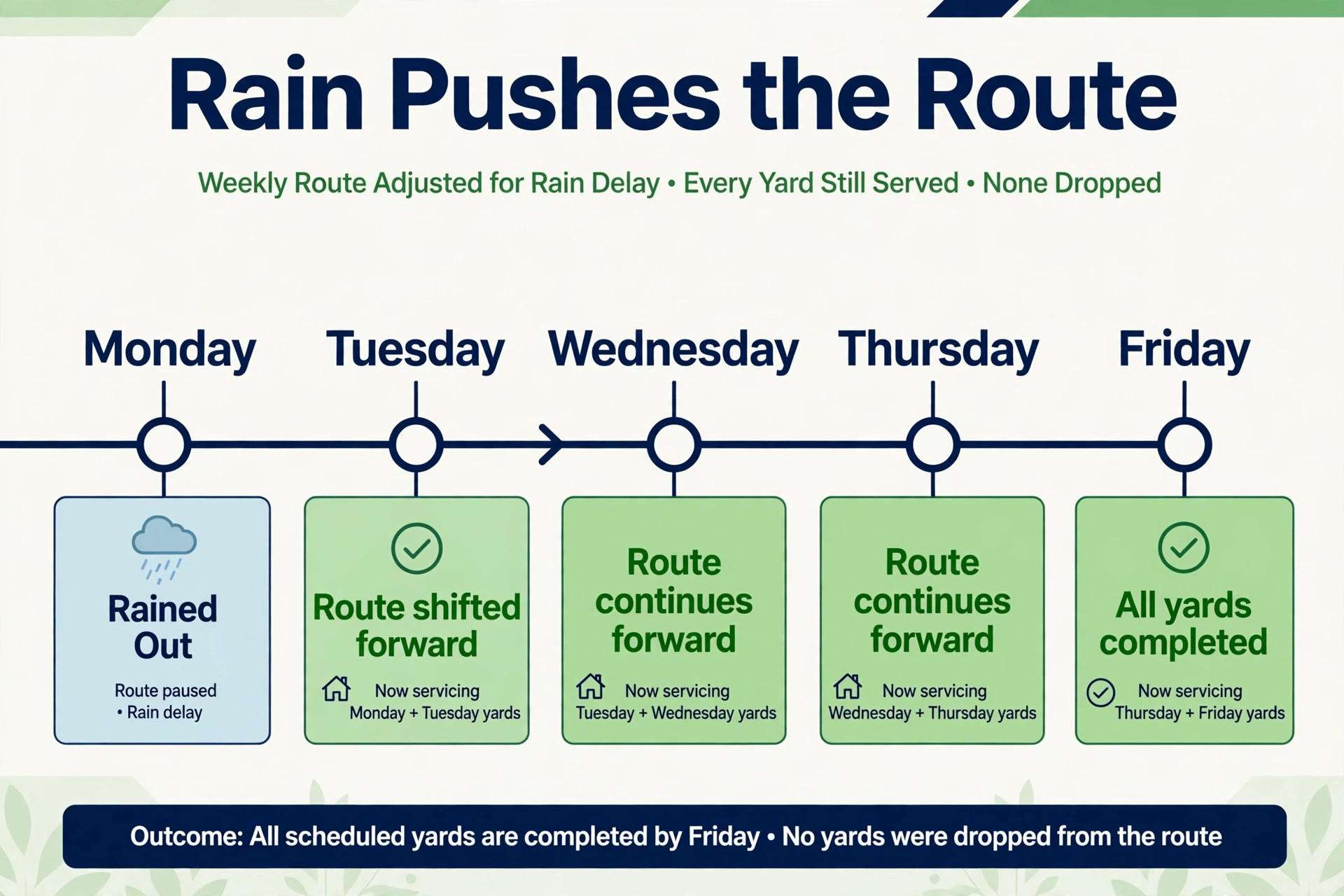
Weather is the one disruption every lawn business can count on, and rain before 8 am can kill a whole mowing day. A scheduler that forces the office to recreate twenty jobs by hand after every storm will consume the morning that should be spent mowing the next dry day. A weather aware system instead pushes a rained out route forward in one action, letting the week reflow without dropping any property from rotation, and showing clearly which yards are skipped, which are overdue and which need catch up priority.
The reschedule rule should be written before the wet season, not invented in a storm. A written rain rule is the test of whether you use AI for lawn care route scheduling or only own a scheduler. Decide how far a rained out route pushes, and how timed treatments are handled when mowing moves. A mow that pushes by one day is a minor change. A fertilisation visit that pushes by a week may miss its treatment window, and the system should flag that difference rather than treating every service as equally movable. Write the rule, load it into the tool, and test it on a fake rain week before the real one arrives.
Customer messages during a weather push matter as much as the new route order. A customer who hears that rain moved their visit to Thursday, with a new window, will wait patiently. A customer who hears nothing and watches the grass grow will call the office, and twenty such calls will consume the dispatcher who should be rebuilding routes. Automate the rain message, with the new day and a simple way to request a hold or a change, and send it as soon as the push decision is made, not at the end of the day.
Catch up tracking is what stops a rain week from becoming a lost property. The system should show skipped yards, overdue yards and yards that have drifted two cycles behind, so the office can prioritise catch up work before the next cycle starts. A yard that misses two cycles will look visibly worse, and the customer will notice before the office does. A weekly skipped and overdue review, even a short one, keeps that drift visible and fixable.
Invoice Batching That Closes the Week Cleanly
Invoice batching turns completed stops into money without a weekend of office work, and it only works if completion data is clean. When a crew marks a yard complete, skipped or partial on the phone, the system should carry that status straight into billing, so the office can batch the week invoices in one review pass. A yard marked complete becomes an invoice line. A yard skipped for rain becomes a rescheduled visit, not an invoice. A yard partially done becomes a partial charge or a note, decided by a written rule rather than by guesswork at invoicing time.
Package and subscription billing adds a layer that batching must handle honestly. Mixed billing models are a good demo test when you use AI for lawn care route scheduling, because one clean model hides the hard cases. Some customers pay per visit, some pay a monthly season fee, and some buy a package of visits or a fertilisation program. The billing system must keep those models separate per customer. Check that distinction in any demo, by asking the vendor to show a mixed week with all three billing types in one batch, because a tool that only handles one model cleanly will create manual work every week.
Overdue balances need a gentle, automatic follow up sequence. A reminder a few days after the due date, a second reminder with a payment link, and a personal call only after two reminders have failed will recover most late payments without damaging relationships. A system that sends no reminder and jumps straight to a personal call wastes manager time, while a system that sends aggressive reminders on day one damages goodwill. Set the sequence once, review the overdue list weekly, and let the automation do the chasing that nobody enjoys doing by hand.
Best Pick by Job for Lawn Route Tools
No single tool fits every lawn business, because a solo operator and a multi crew company buy different things even when the feature list looks similar. The table below sorts the main options by the job they do best, based on how vendors position them and how reviewers describe their fit. Treat it as a starting point for demos, not as a verdict, and judge each option on your own wet week and your own outlier yards.
| Company shape | Best fit approach | Why it fits |
|---|---|---|
| Solo operator or one crew | LawnCadence or Yardbook | Simple recurring schedules, per property notes and route order without a heavy platform |
| Growing team adding crews | Jobber or Housecall Pro | Scheduling, quoting, invoicing and customer messaging in one place, with route tools on higher plans |
| Multi crew operation with programs | Service Autopilot or FieldRoutes | Program scheduling, density analytics and crew management built for larger route operations |
| Density focused operator | LawnPro or Mowzey style route tools | Route optimisation, density analytics and heatmaps as the core selling point |
Pricing separates these tools in ways a feature list hides. Published comparison pages list starting prices from free tiers through to several hundred dollars a month for larger platforms, with many larger tools quoting only after a demo. Treat any third party price you read as a starting point and check the vendor page for your exact crew count, because the price for one crew and the price for five crews are different products in practice. Check what the price includes for route optimisation, GPS tracking and customer portals, since those features often sit on higher plans.

Crew Day Sheets and Property Notes That Actually Get Read
A crew day sheet is the single document a crew actually uses all day, so it deserves more design care than any dashboard in the office. A good day sheet lists stops in driving order, with the service due at each stop, the mow height, edging notes, gate and dog detail, and a simple complete, skip or partial action per stop. A day sheet that buries the gate code at the bottom of a long customer record will be ignored in the truck, and the gate failure that follows will be blamed on the crew rather than on the sheet design.
Day sheets should be built for phone use in bright light, with large stop order numbers and short notes, not for desktop printing. Test the sheet on a real phone, in sunlight, with gloves on if crews wear them, and fix anything that requires zooming or scrolling through irrelevant detail. A sheet that works in the office and fails in the truck is not a working sheet, no matter how complete its data looks on a screen.
Property notes and day sheets also need a feedback loop. When a crew finds a changed gate code, a new dog, a damaged sprinkler head or a yard that has grown faster than expected, that update should flow back to the property record before the next cycle. A one tap update from the stop, reviewed weekly in the office, keeps notes honest without adding paperwork. A note system that only the office can edit will lag reality, and the lag will show up as repeated access failures that crews stop reporting because nobody acts on them.

Pricing and Trade Offs for a Small Lawn Business
The cost of this workflow is not one subscription. It is the scheduling platform, any route optimisation or GPS add on, the time to map zones, clean property records and write reschedule rules, and the manager hours spent checking routes in the early weeks. Businesses already paying for a platform may add route features for a smaller increment. Businesses moving from paper pay for the whole platform at once, plus training, and should budget for a slower first month while crews learn the new day sheet.
The trade offs are real and worth naming plainly. A platform built for scale brings program scheduling and density analytics, but it also brings a longer setup and a steeper learning curve, which reviewers consistently note for larger systems. A simpler tool gets a solo operator running in days, but it may need manual workarounds as crews grow, such as tracking fertilisation programs outside the system.
A route optimisation tool that only orders stops, without recurrence and billing, will leave the office stitching three systems together every week. None of these trade offs is a reason to avoid the tools. Each is a reason to match the tool to the crew count you have now, with a clear path to the size you plan to reach.
Mistakes That Scatter a Good Route
The most common mistake is automating a scattered customer base. If yards are spread across a county today, route software will order them efficiently but still waste the day driving, because the problem is geography, not order. Fix the geography first, with zones, outlier pricing and dense area marketing, then let software order the dense zones. Software optimises whatever you feed it, good or bad.
The second mistake is promising every new customer their preferred day. A customer won on Monday who actually lives in the Wednesday zone will damage Wednesday density all season, and the crew will pay for that sale every week. Offer the zone day at intake, explain it plainly, and price outlier days honestly. A sale that breaks a route is not a good sale, no matter how welcome the revenue looks in the first week.
The third mistake is letting rain rescheduling happen by text message rather than by system push. A group text that says Monday moved to Tuesday does not update the Tuesday load, the fertilisation windows or the customer messages, and the week that follows will be overloaded in ways nobody can see. Push the route in the system, let the week reflow, and let the system send the customer messages from the new plan. Speed without a system record is worse than a slower push that everyone can see.
Results to Measure Across One Season
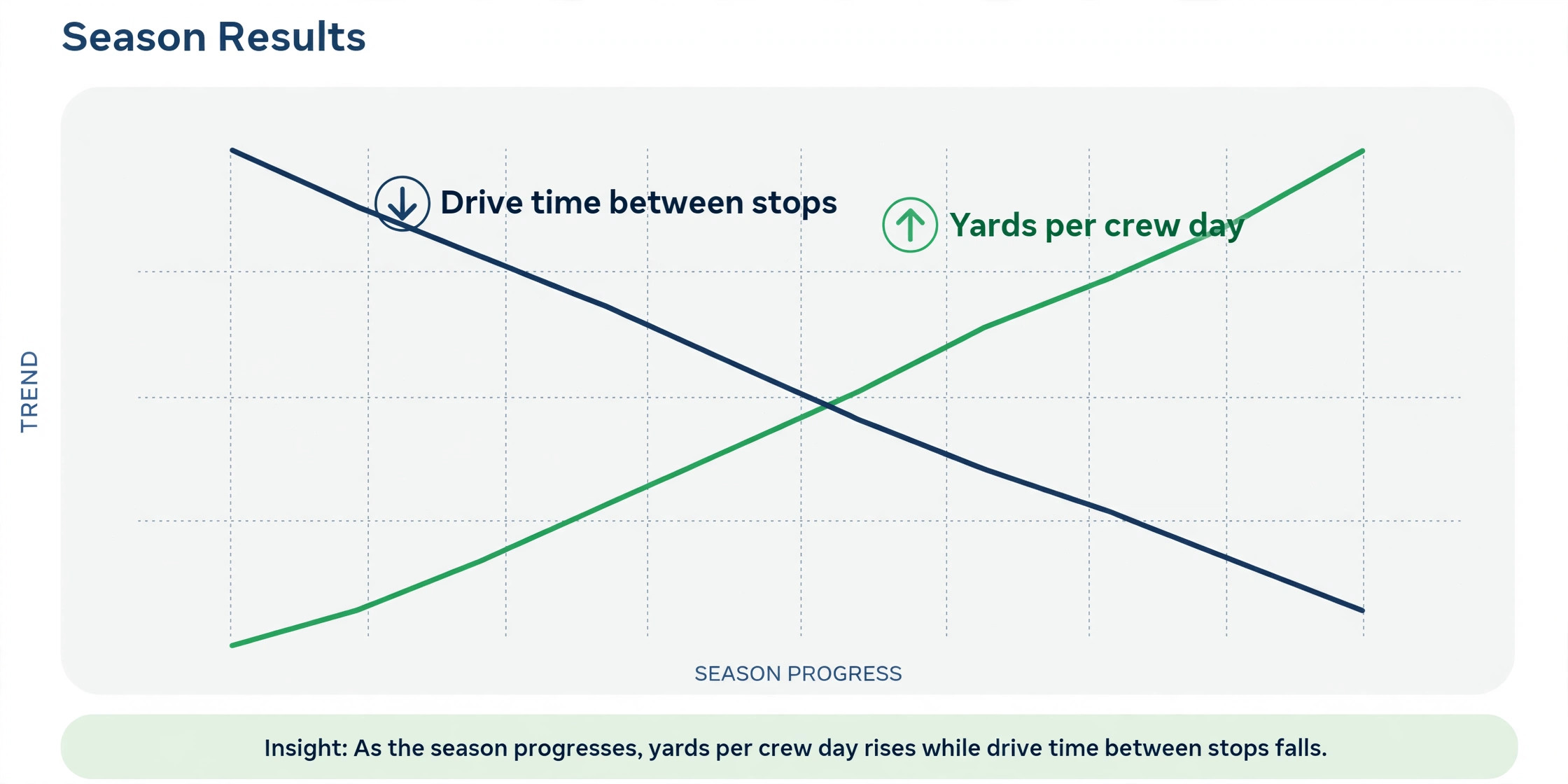
Measurement should start before the new workflow, so the improvement is visible rather than claimed. Record four numbers from last season as a baseline where records allow. First, the average yards completed per crew per day. Second, the average drive time between stops. Third, the share of visits completed on the scheduled day. Fourth, the no access and skip rate by reason code. Those four numbers together show output, density, reliability and access health, and no single number can hide a failure in another area.
After rollout, track the same numbers weekly, plus two more. Track revenue per mile and revenue per crew day, because those numbers show whether density gains are turning into money or only into more yards at low value. Track overdue yards, meaning yards that have drifted a full cycle behind, because a rising overdue count shows rescheduling is losing properties even when daily output looks healthy. Review the numbers with crews, not just in the office, because a route that looks efficient on a screen may ignore parking, gate and yard size realities that crews know from experience.
A Spring Rollout Checklist
Use this checklist to prepare the season without breaking the spring.
1. Map every yard, draw zones by crew day, and assign each yard to the zone it actually sits in. 2. Balance weekly and biweekly cycles by week, and layer fertilisation and cleanup programs onto the mow load. 3. Build structured property notes for gate, dog, sprinkler, no mow areas and mow height, and load them onto day sheets. 4. Write the rain push rule, including how far routes push and how timed treatments are flagged when they move. 5. Set the crew day sheet format and test it on a real phone in sunlight before the season starts. 6. Load billing models per customer, and test a mixed batch with per visit, monthly and package customers. 7. Run suggested routes as recommendations for two weeks, with a manager confirming every change. 8. Review yards per crew day, drive time between stops, skips by reason and overdue yards weekly, and fix the top cause.
That checklist is deliberately short. A longer spring plan looks impressive and gets ignored. Eight steps, done properly, change a season more than a fifty page manual that nobody reads.
The Verdict for Owners Tired of Windshield Time
The best version of this workflow treats software as a route planner that the whole team can read, not as a replacement for the manager who knows the yards. Let it build recurrence, group mow windows, order dense routes, push rain weeks forward and batch invoices from completed stops. Keep people on outlier decisions, zone pricing, crew feedback and every call where a customer is upset or a yard is unsafe. That split gives a small crew the coordination of a larger operation without losing the local knowledge that makes routes work. Owners who use AI for lawn care route scheduling well keep that split deliberate, not accidental.
Start in spring, with zones, property notes and a rain rule, then add density analytics and automated billing once the season data is clean. Choose the tool that fits the crew count you have, with room to grow, and judge it on a wet week rather than on a sunny demo. Measure yards per crew day, drive time between stops, on day completion and revenue per mile, and fix the worst number first. Done that way, the workflow pays for itself in more yards per day, fewer wasted stops and calmer weeks for everyone, from the office to the last yard mowed.
Frequently Asked Questions
Do I need lawn specific software to start?
No. Start by grouping yards into zones and fixed weekdays in the system you already use, and add one helper, such as structured property notes or a rain push rule, before replacing the whole platform. Lawn specific tools earn their place when recurrence, density analytics and weather reflow become daily needs. Replace the system only when a clear gap remains after the first helper proves itself.
How do I handle a yard far outside my zones?
Price it as an outlier, move it to a day that passes nearby, or refer it to a nearby operator, and explain the choice plainly to the customer. A single outlier can damage density all season if it is simply added to the nearest day, because the crew drives past empty miles for one yard every cycle. A route map that shows clusters and gaps makes that decision visible at intake, before the sale creates the problem.
What happens when rain removes a whole day?
Push the whole route forward in the system, let the week reflow, and send customers a new day message as soon as the push decision is made. Check timed treatments separately, because a fertilisation visit that moves by a week may miss its window even when a mow that moves by a day does not. Review skipped and overdue yards weekly, so no property drifts two cycles behind unnoticed.
Will customers accept a fixed weekday for mowing?
Most will, if the weekday is explained at intake as the day their area is served, and if messages confirm the visit each week. A customer who knows their day can plan gate access, dogs and parking around it. A customer who was promised any day and then receives random visit days will call more, not less. Put the weekday in the welcome message and repeat it in weekly reminders.
Can a solo operator benefit from route software?
Yes, because even one crew wastes hours on scattered yards and missed access when the week is planned from memory. Zone grouping, structured gate notes and a rain push rule pay off at any size, and the cost is usually one tool subscription rather than new staff. Start with zones and day sheets, which show results within weeks, and add density analytics next.
How long does a full rollout take?
A basic rollout fits inside a few weeks if zones, property notes and the rain rule are written first and the team reviews results weekly. Data cleanup can extend that timetable, especially for businesses with years of vague yard records, so do not promise a finish date before the records have been checked. A slower rollout that crews actually follow beats a fast rollout that gets abandoned in the first wet month.
More Reading on Stratilyze
– Use AI for Plumbing Company Dispatch – Use AI for Pest Control Route Scheduling – Use AI for Roofing Company Estimates – Best Field Service Management Software for Electricians – Automate Small Business with AI