
A cleaning company lives or dies by its route. One missed home, one cleaner sent to the wrong address and one commercial site left short staffed can lose a contract that took months to win. The best scheduling software for cleaning companies keeps recurring visits, cleaner availability, route order and client notes in one place, so the office stops rebuilding the week by hand.
General calendars struggle here, because cleaning work repeats on a rhythm. Weekly homes, fortnightly offices and monthly deep cleans all need different patterns, and a cleaner who finishes early in one area should pick up the next job nearby, not drive across town. Scheduling software built for cleaning handles those patterns and routes as its core job, not as a workaround.
Prices below are starting points from vendor and comparison pages in late 2026, and you should check the vendor page before you buy. Some tools price by appointment volume, some by user and some by location, so compare the unit that matches your business, not only the headline monthly figure.
Cleaning Schedules At A Glance
Use the table to shortlist by business type, then read the sections for recurring handling, routing and commercial depth. A residential route tool and a commercial contract tool solve different problems, so start from your client mix.
| Tool | Starting price | Best for |
|---|---|---|
| ZenMaid | $19 per month | Residential maid services that want a cheap, capable recurring engine |
| Jobber | $29 per month | Cleaning shops that also want quoting, invoicing and payments |
| Launch27 | $65 per month | Cleaning businesses built around online booking and dispatch |
| Housecall Pro | $59 per month | Home service cleaning teams that want booking plus payments and marketing |
| BookingKoala | $27 per month | New cleaning businesses that want a website plus booking in one |
| Swept | $30 per month | Commercial janitorial teams that need crew accountability across sites |
| MaidCentral | $450 per month | Growing multi team maid services that want deep automation |
| Connecteam | Free for up to 10 users | Cleaning teams that need workforce management and shift communication |
| CleanGuru | Check the vendor page | Cleaning firms that want bidding plus scheduling and inspections |
| GorillaDesk | $49 per month | Route based cleaning and lawn firms that want simple scheduling |
Why Cleaning Scheduling Is Not Just A Calendar
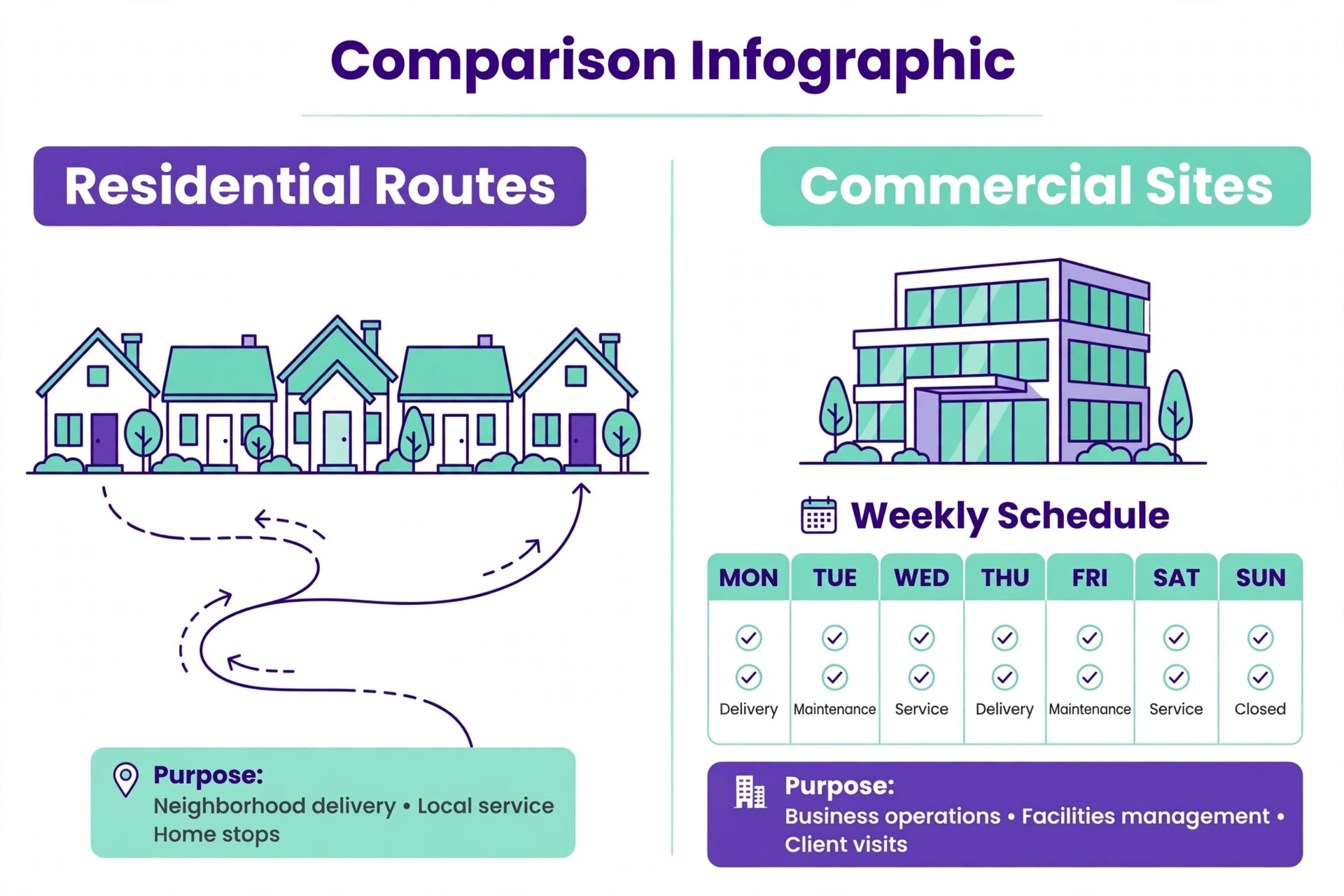
Recurring patterns are the first difference. A cleaning business runs dozens of repeating visits with different frequencies, durations and cleaner skills, and a change to one client should ripple through future visits without manual retyping. The best scheduling software for cleaning companies builds that rhythm in, while a general calendar treats each visit as a one off event that must be copied by hand.
Cleaner routing and availability are the second difference. A good system assigns jobs by location, skill and availability, shows travel order clearly and flags clashes before they reach a client. That routing saves fuel, reduces late arrivals and makes it possible to cover sickness without a frantic morning of calls.
Client history and quality notes are the third difference. A cleaner who arrives knowing the alarm code, the pet note, the priority rooms and the last inspection result does a better job and looks more professional. Cleaning software keeps those notes with the client and the visit, so quality does not depend on one person memory.
Client onboarding sets the tone for the whole relationship, because the first clean is when expectations are formed and misunderstandings are most likely. Record access details, priority rooms, pet notes, cleaning products to avoid and preferred cleaner traits at onboarding, and confirm them with the client before the first visit. A thorough onboarding visit or call prevents the common complaint that a new cleaner did not know the house, and it gives the scheduler a reliable record to build routes from.
Cleaner training should be built into the schedule, because a new cleaner who shadows an experienced colleague for a week makes fewer mistakes than one sent alone on day one. Use the system to pair new starters with mentors, record training completion and note which cleaners handle pets, deep cleans or commercial sites best. That training record helps dispatch assign the right person, and it also shows clients that quality is managed rather than left to chance.
Quality inspections are the difference between a cleaning firm that keeps contracts and one that slowly loses them, because small quality slips accumulate until a client cancels without warning. Schedule regular inspections, record results with photos where appropriate, and share a short quality summary with the client after each inspection. A firm that inspects its own work finds problems first, while a firm that waits for complaints finds them too late.
Key and alarm handling needs strict control, because a lost key or a mishandled alarm code damages trust instantly and can create liability. Record key custody, alarm codes and access instructions securely in the scheduling system, with access limited to the assigned cleaner and the office. When a cleaner leaves, revoke access at once and update the record, so no former staff member retains access to a client home.
Supplies and equipment tracking is easy to ignore until a cleaner arrives without the right product or a vacuum fails mid job. Record which supplies each client provides, which the firm supplies, and which equipment travels with each cleaner, so shortages are spotted before dispatch. A small supplies check in the scheduling workflow prevents the wasted visit where a cleaner cannot complete a job for want of a basic product.
Invoicing rhythm matters for cash flow, because a cleaning firm that invoices monthly in arrears can wait weeks for money it has already earned. Invoice recurring clients on a fixed day each month, send commercial invoices promptly after each site visit where contracts allow, and chase overdue invoices with a polite automated reminder before they age. A predictable invoicing rhythm keeps cash flow steady and reduces the awkward chase that strains client relationships.

Ten Scheduling Tools For Cleaning Firms
1. ZenMaid
ZenMaid is built for maid services, with recurring scheduling, cleaner assignment, client records and automated reminders at a low starting price. The Starter plan covers up to 40 appointments a month, which suits a solo cleaner or a small team, while higher tiers add unlimited appointments, GPS tracking and online booking. For a residential route business, that focus is efficient. Starting price is $19 per month.
ZenMaid is residential first, so commercial janitorial firms with multi building contracts, inspections and site level reporting may find it light. Appointment limits on Starter also need watching as volume grows. Choose it when recurring residential routes lead, and compare Swept or Janitorial tools when commercial contracts dominate.
2. Jobber
Jobber gives a cleaning company scheduling, dispatch, quoting, invoicing and payments in a polished field service system. Recurring jobs, client records and team tracking sit beside billing, so a mixed service firm can run cleaning plus other home services from one app. For a shop that needs billing depth beside scheduling, that breadth helps. Starting price is $29 per month.
Jobber is a general field service tool, so its cleaning specific routing and inspection depth are lighter than Swept or MaidCentral. Per user pricing also rises with crew size. Pick Jobber when cleaning plus billing and other services matter, and pick a cleaning specialist when route and inspection quality lead.
3. Launch27
Launch27 puts online booking first, with a booking page, pricing, dispatch and cleaner management built for cleaning firms. Customers can book, choose services and pay online, while the office dispatches cleaners and tracks jobs from one dashboard. For a business that wins work through its website, that booking strength is a real advantage. Starting price is $65 per month.
Launch27 pricing and tier limits should be checked on the vendor page, because booking led plans differ by features and volume. It also suits booking led residential work more than large commercial contracts. Choose it when website booking is the main growth channel, and test the booking page as a customer would before committing.
4. Housecall Pro
Housecall Pro covers scheduling, dispatch, estimates, invoicing, payments and marketing for home service teams, including cleaning. Online booking, automated reminders and review requests help a residential firm win repeat work, while the mobile app gives cleaners clear job detail. For a growing residential brand, that combination is strong. Starting price is $59 per month.
Housecall Pro is general home service software, so cleaning specific route optimisation and commercial inspection workflows are lighter than specialist rivals. Pricing also rises on higher tiers for fuller features. Pick it when residential booking, payments and marketing lead, and compare ZenMaid for a cheaper residential route focus.
5. BookingKoala
BookingKoala combines a cleaning website with online booking, scheduling, payments and customer management, which helps a new business look professional fast. A startup can launch booking without building a separate site, and the system handles recurring visits, pricing and cleaner assignment. For a new firm, that bundle saves time and setup cost. Starting price is $27 per month.
BookingKoala is best for small and growing residential firms, so large commercial operations with complex site contracts may outgrow it. Higher tiers add automation and follow up depth that a new firm may not need at first. Choose it when a booking website plus scheduling is the priority, and review the fit as contract work grows.
6. Swept
Swept is built for commercial janitorial work, with scheduling, inspections, crew messaging and geofenced time tracking priced by location. Managers can see who is on site, track quality and communicate with cleaners in several languages, which matters across large commercial contracts. For multi site work, that accountability is the core value. Starting price is $30 per month.
Swept suits commercial teams more than small residential route firms, so a maid service may find its site focus heavier than needed. Location based pricing also needs modelling for the real site count. Pick Swept when commercial sites, inspections and crew accountability lead, and pick ZenMaid for simple residential routes.
7. MaidCentral
MaidCentral targets larger maid services with scheduling, automation, scorecards, payroll depth and reporting for multi team operations. The system helps a growing firm standardise quality, track cleaner performance and manage a larger route book without losing control. For a firm past the small team stage, that depth supports scale. Starting price is $450 per month.
The price is a major step up, and the system is overkill for a solo cleaner or a small team. Implementation and training also need commitment. Choose MaidCentral only when team count, route volume and quality management justify the investment, and compare ZenMaid Pro for a cheaper growth step first.
8. Connecteam
Connecteam gives cleaning teams an employee app with scheduling, time tracking, GPS clock in, forms and team communication, free for up to 10 users. That workforce focus suits firms where shift cover, training and daily communication matter as much as client booking. For a team struggling with staff coordination, it fills a clear gap. Starting price is free for up to 10 users.
Connecteam is not a full cleaning CRM or billing system, so client booking, invoicing and payments need another tool or a workaround. A firm that needs customer booking first should pair it carefully. Pick it when workforce management leads, and keep a booking and billing tool beside it for the client side.
9. CleanGuru
CleanGuru combines bidding, scheduling, inspections and quality tracking for cleaning firms, which helps a company that wins commercial work through formal bids. Bid calculations, site inspections and scheduling sit closer together, so a won bid turns into a clean route and quality record without retyping. For bid led firms, that link matters. Starting price is not published, so check the vendor page.
Pricing should be checked on the vendor page, because plan details vary and the total depends on team size and features. CleanGuru also suits bid and inspection led firms more than simple residential routes. Choose it when bidding and quality inspections drive growth, and compare Swept for commercial site accountability.
10. GorillaDesk
GorillaDesk offers scheduling, routing, invoicing and customer management for route based service firms, including cleaning. The route view suits businesses that run fixed rounds, and the system keeps billing close to the schedule. For a firm with regular routes, that simplicity is practical and easy to learn. Starting price is $49 per month.
GorillaDesk prices by route rather than by user, so a firm should compare route count against user based rivals carefully. Cleaning specific depth is also lighter than ZenMaid or Swept. Pick it when fixed routes and simple billing lead, and test route handling with a real week of jobs before committing.
How The Best Scheduling Software For Cleaning Companies Fits Each Client Mix
The pick depends on client mix, so start from the job below and then test routing with a real week of visits.
| Job | Best pick | Why it fits |
|---|---|---|
| Recurring residential | ZenMaid | Purpose built recurring routes and low starting price suit weekly homes. |
| Commercial contracts | Swept | Site scheduling, inspections and crew accountability suit multi site work. |
| One offs | BookingKoala or Launch27 | Booking led tools convert one off website visitors into confirmed jobs. |
A residential firm should not buy commercial contract software, and a commercial firm should not squeeze into a residential route tool. Client mix decides the pick, and a trial week on real routes will show whether routing, cover and quality notes hold up.

Cleaner Routing Checklist For A Trial Week
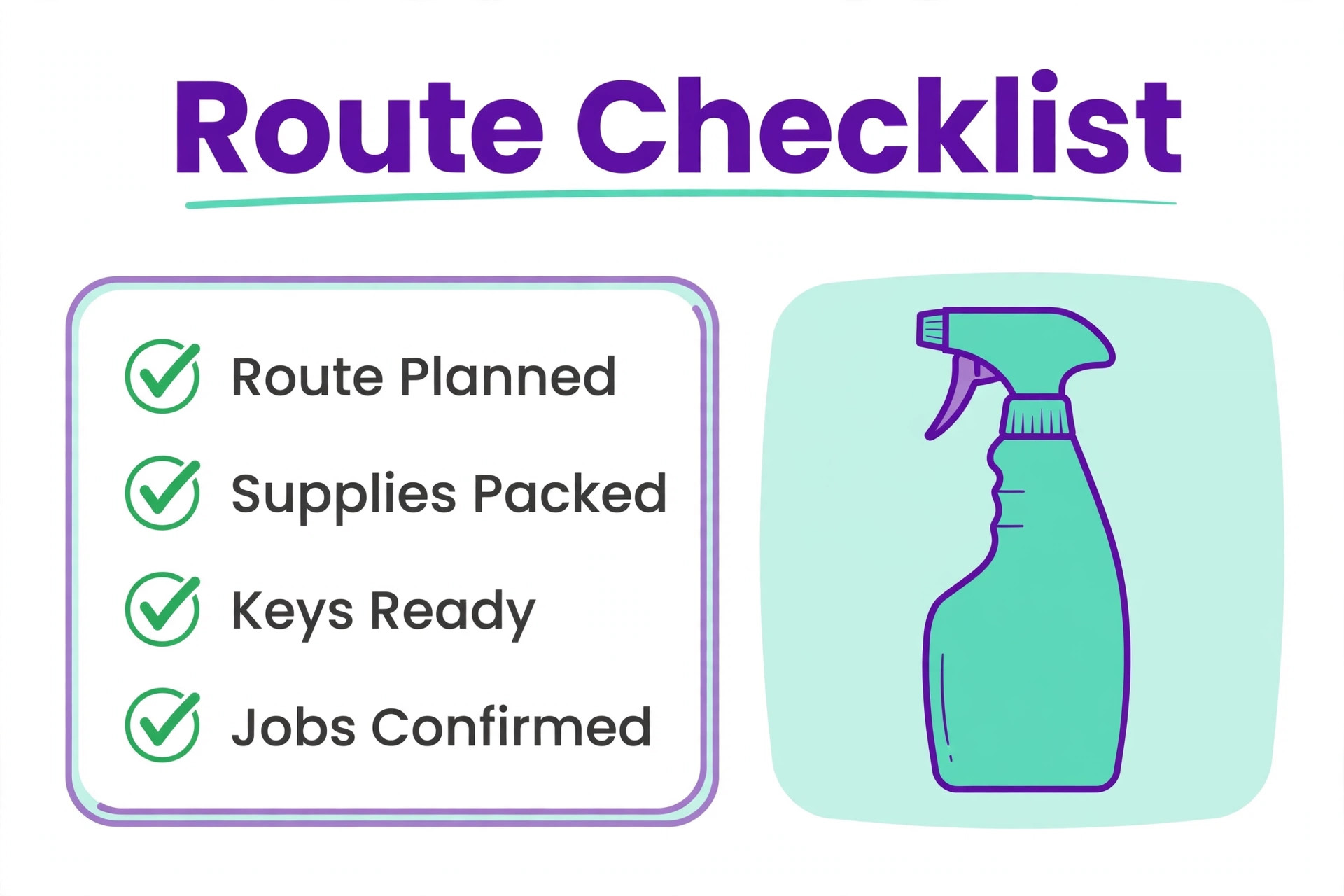
The best scheduling software for cleaning companies should pass this cleaner routing checklist during a trial week with real addresses and real cleaner availability.
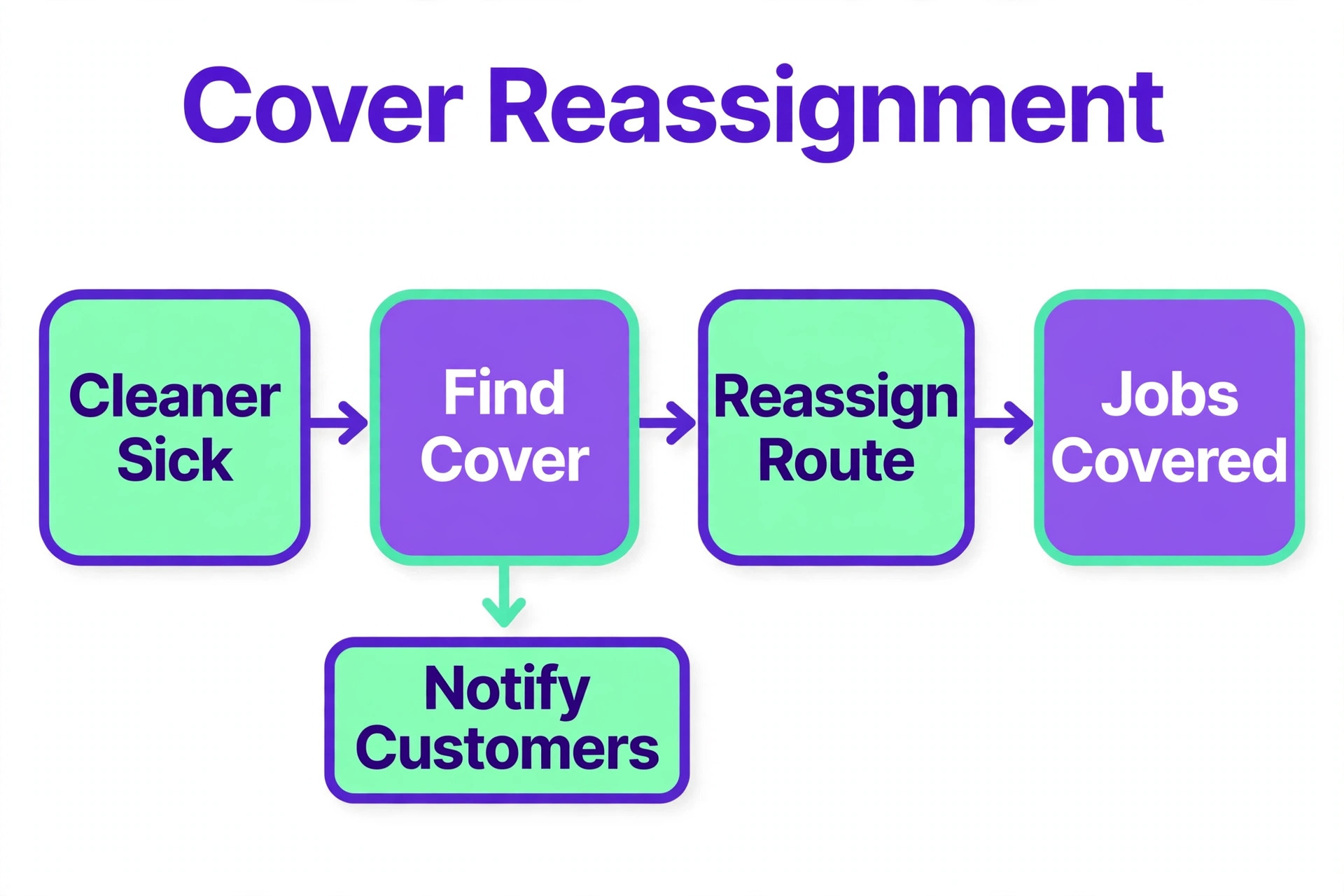
– Confirm that jobs sort by location and travel order, not only by start time, so cleaners avoid crossing town twice. – Check that cleaner skills, availability and time off block assignments that would otherwise clash. – Verify that a sick cleaner can be covered by reassigning a route in minutes, with client notes carried over. – Test that recurring patterns update future visits correctly when one client changes frequency or time. – Confirm that cleaners see address, access notes, pet notes and priority rooms on a phone before arrival. – Check that completed visits, time on site and quality notes feed a simple report the office can review daily.
Run this checklist with the dispatcher who builds routes today, because that person will feel every extra click. A tool that looks tidy in a demo but slows route building on a Monday morning will be abandoned, and the old spreadsheet will return within a month.
What a Real Month Costs a Cleaning Company
Pricing units differ, so a headline comparison can mislead. ZenMaid prices by appointments and seats, Jobber and Housecall Pro price by user, Swept prices by location and GorillaDesk prices by route. That unit difference is central to the best scheduling software for cleaning companies, because a firm with many cleaners but few sites faces a very different bill from a firm with many sites but few cleaners, even on a similar headline price.
Add ons also matter. Text reminders, GPS tracking, online booking on higher tiers, payment processing and payroll depth can add a large monthly amount. A $19 starter plan that needs a higher tier for booking and GPS may cost $49 or more in practice, so price the tier that includes the features you will actually use every week.
The fair comparison is cost per completed visit. Divide the full monthly bill, including add ons and processing, by the visits completed that month. A tool that costs more per month but cuts missed visits, return trips and office admin time can be cheaper per visit than a bargain tool that leaves routes messy.
Mistakes That Break A Cleaning Route
The best scheduling software for cleaning companies cannot fix a route built on guesswork, and the mistakes below break schedules more often than any software bug.
Building routes by time alone. When jobs are ordered by start time instead of location, cleaners waste fuel and arrive late, even though the schedule looks full. Sort by geography first, then by time window, and review travel order before publishing the week.
Hiding client notes from cleaners. When access, pet and priority notes live in the office only, cleaners improvise and quality varies. Put the notes on the job card, keep them current after every visit, and treat a missing note as a route error, not a minor gap.
Ignoring cover planning. Sickness and holidays are certain, yet many firms build routes with no cover plan and scramble each morning. Keep a cover cleaner for each area, record availability honestly, and test a cover reassignment during the trial, not during a crisis.
Keeping bookings in two places. When website bookings, phone bookings and the schedule live in different systems, double bookings and missed jobs follow. Route every booking through one system, and retire the side spreadsheet as soon as the trial proves the new flow.

How To Test Finalists On Real Routes
Test finalists on a real week of routes, with real addresses, cleaner availability and a sick day simulated mid week. Measure travel order, cover speed, missed visits and office time spent rebuilding the week. A tool that survives a simulated sick day will survive a real one.
Give the mobile app to cleaners, not only to the office. Ask cleaners to follow route order, record arrival and completion, and note any missing client detail. Their feedback on taps, map clarity and note visibility matters more than a dashboard demo, because cleaners live in the app all day.
Score the trial on route efficiency, cover speed, client communication, quality notes and billing ease. A tool that wins on routing and cover but loses on billing can still work with a separate billing step, while a tool that loses on routing will cost fuel and clients every week.
Rolling Out Cleaning Scheduling Without Disrupting Routes
Roll out route by route, starting with the most stable residential area, because a stable route gives the team a clean test without the pressure of complex commercial sites. Move that route fully into the new system, fix the template and note problems it reveals, and only then migrate the next area. A route by route rollout keeps most of the business running normally while the new system earns trust.
Migrate client notes carefully, because access, pet and priority notes are the knowledge that makes a cleaner effective. For each client, check access details, special instructions and last inspection results against the old record before migration, and ask cleaners to confirm notes on the first visit in the new system. A note migration error can cause a failed visit, while a careful migration makes the first week in the new system feel like an upgrade.
Train cleaners on the mobile app with real jobs, not with slides, because cleaners learn by doing a route, recording arrival and completion, and noting a quality issue on a phone. Give each cleaner a practice route, answer questions on the first live week, and keep the mobile workflow to the fewest taps possible. A mobile app that cleaners actually complete gives the office real data, while an app they avoid leaves routes based on guesswork.
Set a weekly route review in the first month, looking at travel time, missed visits, cover speed and client feedback together. That review catches routing errors, note gaps and training needs while they are still small, and it gives cleaners a voice in improving routes. A system that improves weekly after launch will be trusted, while a system that stays awkward will be worked around within a month.
Plan for seasonal peaks, because deep cleans before holidays, end of tenancy work and commercial year end cleans all arrive together and strain routes. Use the scheduling system to block peak capacity early, recruit cover cleaners in advance and warn regular clients about limited slots during peak weeks. A firm that plans peaks in the system keeps quality steady, while a firm that reacts to peaks loses both regular and peak clients.
Build a simple review and referral habit into the schedule, because happy cleaning clients rarely leave reviews unless asked at the right moment. Ask for a review after a successful first clean and after a quality inspection, and record referrals in the client record so referrers can be thanked properly. Reviews and referrals are the cheapest growth channel a cleaning firm has, and a scheduling system that prompts them turns good work into new work.
Review pricing and route profitability quarterly, using completed visit data, travel time and cleaner costs from the scheduling system. Some routes look profitable on price alone but lose money on travel, while some clients take far longer than their quoted time. A quarterly profitability review lets a firm adjust prices, regroup routes or renegotiate terms before a loss making route becomes a habit.
Complaint handling should be fast, documented and fair, because a cleaning complaint left unanswered for days becomes a cancellation and a negative review, while a complaint handled same day often strengthens loyalty. Record the complaint against the visit, assign a follow up cleaner or inspection, and close the loop with the client once the fix is complete. A documented complaint process also reveals patterns, such as a recurring missed room or a route that is too tight, so the firm can fix the cause rather than apologising for each symptom.
Staff retention is a scheduling issue as much as a pay issue, because cleaners who receive fair routes, realistic times and respectful communication stay longer than those given impossible schedules. Use the system to balance workload, avoid back to back long travel days, and record cleaner preferences for areas and hours where possible. A stable cleaner team delivers consistent quality and keeps client trust, while high turnover forces constant retraining and breaks the client cleaner relationship that residential work depends on.
More Reading on Stratilyze
– Best scheduling software for small businesses, a plain text guide on Stratilyze to read next. – Best cleaning business software, a plain text guide on Stratilyze to read next. – Best field service software for small teams, a plain text guide on Stratilyze to read next.
Frequently Asked Questions
What is the best scheduling tool for a solo cleaner
ZenMaid Starter is a strong solo pick, with recurring scheduling and client records at a low starting price for up to 40 appointments a month. A solo cleaner who wins work mainly through a website could also test BookingKoala for its booking site bundle.
How do I handle recurring residential cleans differently from commercial contracts
Residential work needs repeating patterns, route order and cleaner notes, while commercial work needs site schedules, inspections and crew accountability. ZenMaid suits the first pattern, Swept suits the second, and a mixed firm should test both patterns in one trial week.
Can scheduling software handle cleaner sickness and cover
Yes, when availability and reassignment are built in. A good system shows available cover cleaners by area and skill, moves a route in minutes and carries client notes to the cover cleaner. Test a sick day simulation before buying, because cover speed is where many tools fail.
Do I need GPS tracking for cleaners
GPS helps for commercial accountability and for proving time on site, but it is not essential for a small trusted residential team. Weigh privacy, staff trust and client needs, and choose a tier that includes GPS only when proof of attendance is a contract or quality requirement.
How much should a cleaning firm budget for scheduling software
Budget from your pricing unit, not the headline. A small residential firm may start near $19 to $29 a month, while a multi site commercial firm may pay $30 per location or $450 a month for a deep maid platform. Add texts, booking tiers and processing to get the true monthly bill.
Should customers book cleaning online or by phone
Offer both where possible. Online booking wins night time and impulse bookings, while phone booking suits older clients and complex commercial quotes. A tool with a good booking page plus a clear phone fallback captures more work than either channel alone.
The Final Verdict for Cleaning Companies
The best scheduling software for cleaning companies for most residential firms is ZenMaid, because its recurring route engine and low starting price match weekly home work. Swept is the better pick for commercial contracts, while Launch27 and BookingKoala suit firms that win most work through online booking.
Trial two finalists on a real week, simulate a sick day, and price the full tier for your real route count. The tool that keeps routes tight, cover fast and cleaners informed will protect contracts and margins far better than the tool with the longest feature list.