

For most cleaning companies, the verdict is simple. ZenMaid wins for residential maid services, Jobber wins for mixed residential and light commercial work, and Swept wins for commercial janitorial teams. The rest of this guide explains why, and when those verdicts change, because the best quote software for cleaning companies depends on the clean you actually sell.
A quote is not just a price. It is a promise about rooms, bathrooms, floors, pets, supplies, time, and what happens when a clean takes longer than expected. Software that captures those details cleanly wins more jobs and prevents disputes, while software that only sends a number leaves the cleaner to argue about scope on site.
This guide compares 6 tools on quoting, booking, scheduling, invoicing, and price, with clear guidance on when to choose or skip each one. Where pricing is reported rather than published, that is stated plainly, and you should confirm the current plan on the vendor page before you buy.
Quotes at a Glance
The table below gives a fast read on price and fit. Read it as a starting point, then use the tool sections for the trade offs that decide a purchase. The best quote software for cleaning companies for your firm depends on whether residential, commercial, or deep cleans pay the bills.
| Tool | Starting price | Best for |
|---|---|---|
| Jobber | 29 dollars per month billed annually for 1 user | Mixed residential and light commercial cleaning |
| Housecall Pro | 59 dollars per month billed annually | Home service teams that want booking and payments |
| ZenMaid | 19 dollars per month | Residential maid services on recurring routes |
| BookingKoala | 27 dollars per month reported | Online booking led residential cleaning |
| Launch27 | 59 dollars per month reported | Cleaning firms built around online booking and dispatch |
| Swept | 30 dollars per month per location | Commercial janitorial across many sites |
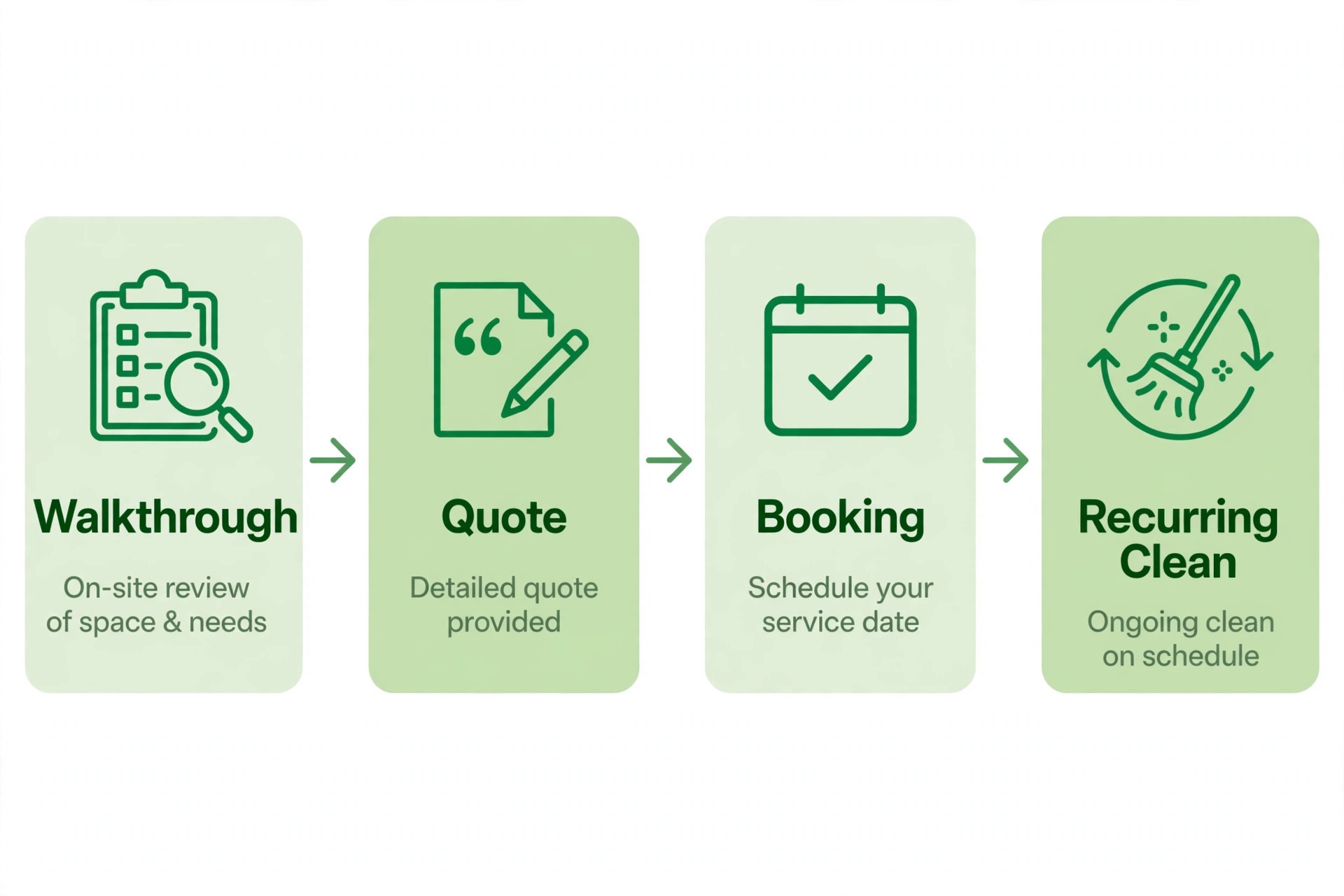
Why the best quote software for cleaning companies beats a phone estimate
A phone estimate relies on memory and a quick guess about rooms and condition. Quote software turns that guess into a structured record, with rooms, services, frequency, and extras captured before a price is sent. That record protects both sides when the clean is larger than described, because scope was agreed in writing.
Speed is the second difference. Customers who request a quote online expect a fast, clear response, and a tool with online booking and instant quote forms can convert a visitor while a phone only firm is still playing voicemail. For residential cleaning, that speed often decides who wins the job.
The third difference is repeat work. Cleaning income comes from recurring schedules, not one off jobs, and quote software that connects the first quote to a recurring booking, reminders, and payment keeps customers on schedule. A one off quote tool that cannot handle weekly or biweekly repeats will leak revenue every month.
Finally, quote software creates consistency. Every cleaner quotes the same way, every customer sees the same inclusions and exclusions, and the owner can see which quotes convert and which do not. That consistency is what turns a small cleaning firm into a business that can grow beyond the owner.
Review the contract line by line with the same care you give to a supplier agreement. Note the minimum term, the notice period, the price change clause and any fee for extra users, locations or transactions. A clear contract protects both sides, while a vague contract protects only the vendor. If a term is unclear, ask for it in plain writing before signing.
Finally, set a review date three months after launch and judge the tool against the reasons you bought it. Write those reasons down now, while they are fresh, and compare them with the actual results at review time. If the tool met them, keep it and deepen its use. If it did not, change the workflow or change the tool before another year of fees passes.
Protect data quality from day one by setting clear rules for names, phone numbers, and job titles. Duplicate customers and misspelled addresses create double bookings and failed messages, and cleaning them later takes far longer than entering them correctly at the start. A short data rule sheet, shared with the team, prevents most of the mess.
Ask for references from businesses of a similar size, not just from large success stories. A vendor that serves a fifty person firm well may still fail a three person firm, because support, pricing, and setup differ by scale. A reference from a firm like yours is worth more than a polished case study.
Measure customer satisfaction after launch, with a short survey or a simple rating after each job. A tool that improves internal efficiency but annoys customers has not improved the business. Customer feedback, read weekly, will show whether the new system helps the people who pay for it.
Ask who owns the setup once the vendor team leaves. A tool that needs a champion inside the business will stall if that person is also the busiest operator. Name one owner, give that person protected time in the first fortnight, and write down the three routines that must happen every day. Without an owner, even a strong product drifts back to spreadsheets and group chats within a month.
Watch the first month of reports closely, because the numbers will show whether the new system helps or merely moves work around. Track time spent on admin, missed bookings or unpaid invoices, and customer complaints about the booking or payment step. If those figures do not improve by the end of month one, fix the workflow before blaming the team, because a good tool with a bad workflow still fails.

Six Quote Tools Compared
Jobber
Jobber covers quoting, scheduling, invoicing, and payments in one polished system, which suits cleaning firms that also handle other home services or light commercial work. Quotes turn into jobs, jobs turn into invoices, and customer reminders and review requests run automatically. The Core plan at 29 dollars per month billed annually for one user in recent comparisons is a clear entry point.
Choose Jobber when you want one system for quoting through payment across mixed work. Skip it when you run a pure residential maid service on recurring routes, because a cleaning specific tool may handle routes and cleaner assignment more simply.
Housecall Pro
Housecall Pro suits cleaning teams that win work through online booking and want strong customer communication. Online booking, on my way texts, mobile invoicing, and payments cover the daily workflow, while consumer financing options can help larger jobs close. The Basic plan at 59 dollars per month billed annually in recent comparisons is the entry point.
Choose Housecall Pro when online booking and customer experience drive bookings. Skip it when you need the cheapest residential route tool, because cleaning specific tools start lower and focus more narrowly on recurring cleans.
ZenMaid
ZenMaid is built specifically for residential maid services, with recurring scheduling, cleaner assignment, and automated reminders at its core. The Starter plan at 19 dollars per month in recent comparisons, with up to 40 appointments per month, makes it the cheapest capable start in this guide. Per user charges apply as cleaners are added, so model the cost at your real team size.
Choose ZenMaid when residential recurring cleans are the whole business. Skip it when commercial janitorial work dominates, because multi site inspections and crew accountability need a different tool.
BookingKoala
BookingKoala is built around online booking for cleaning businesses, letting customers book, reschedule, and pay online while providers manage routes and availability. The booking forms, smart scheduling, and payment tools suit residential firms whose main problem is turning website visitors into bookings. Reported starting prices near 27 dollars per month appear in comparisons, but the vendor page does not publish a firm starting price, so confirm it.
Choose BookingKoala when website conversion and online booking matter most. Skip it when you need deep commercial or janitorial features, because the platform stays focused on residential booking and scheduling.
Launch27
Launch27 is built around online booking and dispatch for cleaning businesses, with customer booking, provider management, and scheduling in one system. The platform suits firms that want customers to book online and staff to be dispatched cleanly, without the complexity of a general field service system. Reported starting prices near 59 dollars per month appear in comparisons, so confirm the current plan.
Choose Launch27 when online booking and dispatch are the core workflow. Skip it when you need the cheapest start or commercial janitorial depth, because other tools in this guide cover those jobs better.
Swept
Swept is built for commercial janitorial teams that manage cleaners across locations, with scheduling, GPS timekeeping, inspections, and crew accountability. The pricing model by location, from 30 dollars per month in recent comparisons, suits firms that bill by building and need proof of attendance and quality at each site. That accountability protects margins on multi building contracts.
Choose Swept when commercial janitorial and multi site accountability are the business. Skip it for a small residential maid service, because the location based model and inspection tools are more than a residential firm needs.
Picks by Clean Type
Use this table to match the tool to the clean type that pays the bills. The best quote software for cleaning companies changes with the customer, so pick by job type rather than by feature count alone.
| Job | Best pick | Why it wins |
|---|---|---|
| Residential | ZenMaid or BookingKoala | Recurring routes and online booking matter most |
| Commercial | Swept or Jobber | Multi site accountability and contract workflow matter most |
| Deep cleans | Jobber or Housecall Pro | Detailed quoting, payment, and follow up matter most |

Walkthrough Checklist for an Accurate Quote
Run through this checklist on a real walkthrough before you commit to a platform. The best quote software for cleaning companies should capture every detail that changes the price, not just the room count.
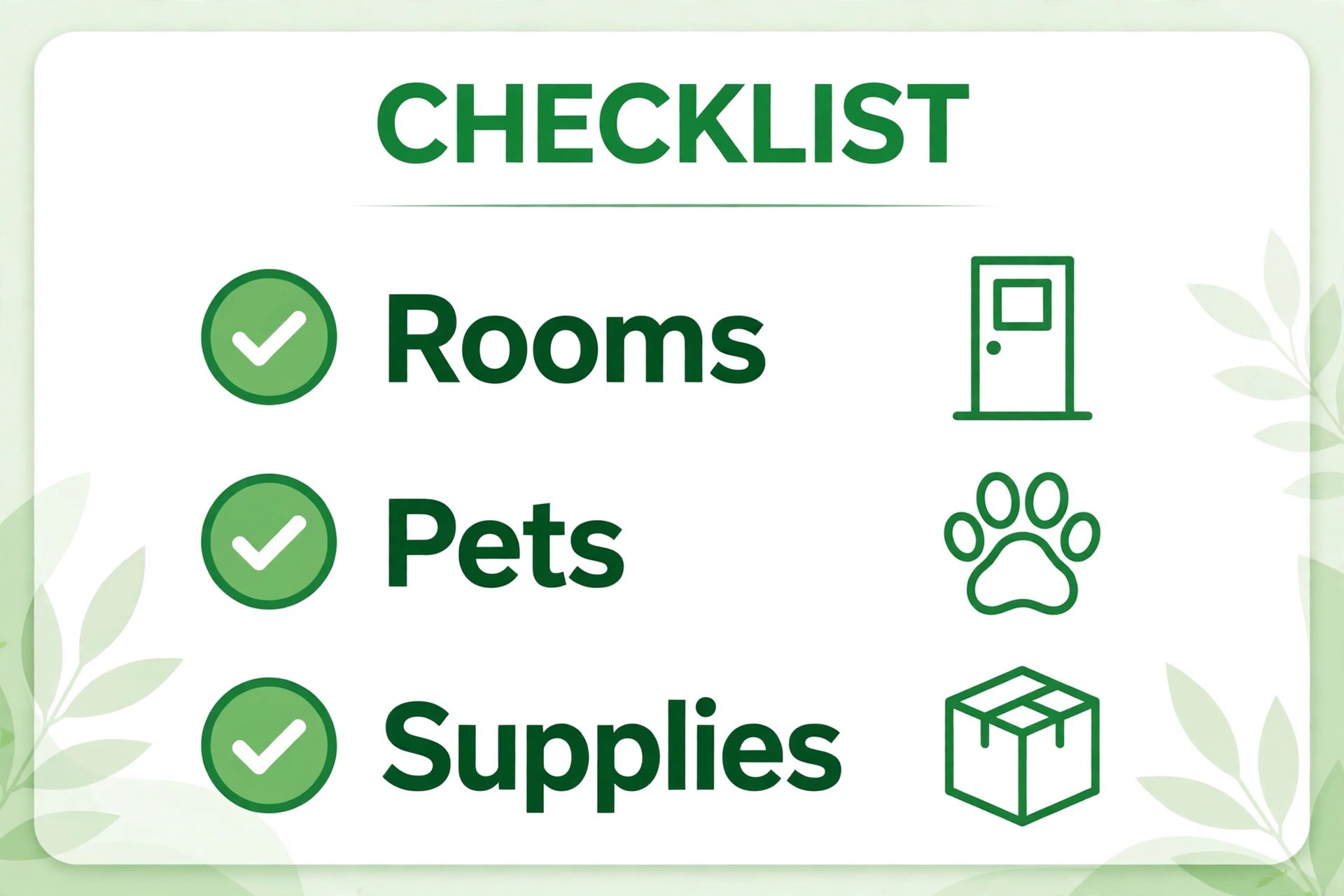
– Record rooms, bathrooms, floor types, and approximate size for each area. – Note pets, stairs, clutter level, and any areas that need extra time. – Confirm supplies, equipment, and who provides them before pricing. – Set frequency, first clean versus recurring clean pricing, and any deep clean uplift. – List inclusions and exclusions clearly, so the customer knows what is not covered. – Capture access details, parking, and any building rules that affect timing. – Send the quote promptly, with a clear accept button and payment terms.
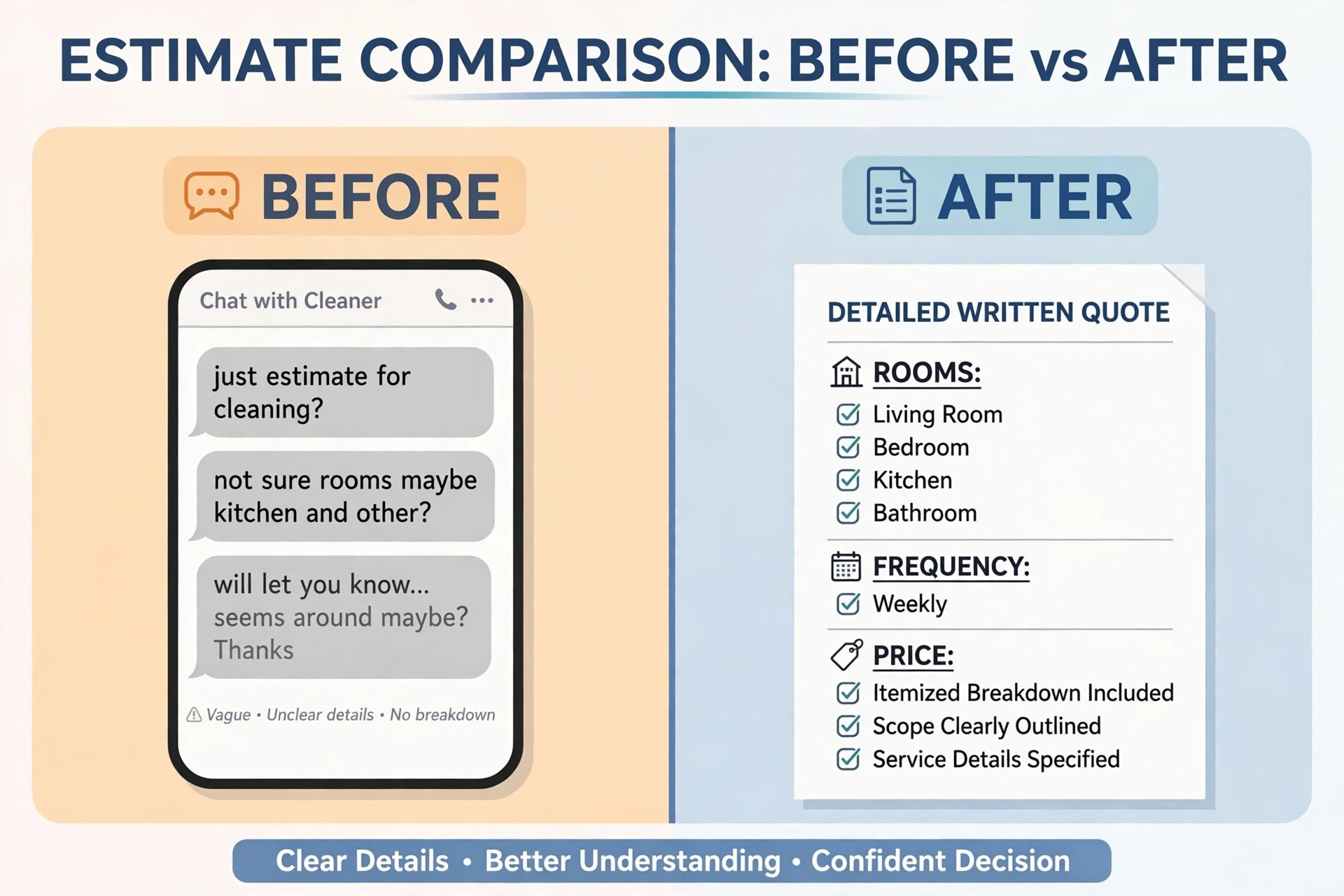
What Quote Software Really Costs
The monthly plan is only part of the bill. Add per user charges, per location charges, payment processing fees, and any second tool for accounting or marketing. The best quote software for cleaning companies on plan price alone can still be the expensive choice once those items are added. Model the cost for your real cleaner count and location count, not for a single user demo.
Pricing units matter more in cleaning than in most trades. A 19 dollar flat plan can beat a 29 dollar per user plan once five cleaners are added, while a per location plan can beat both for a firm with many sites but few cleaners. Write down your real numbers before you compare plans.
Free trials help, but they hide the renewal price. ZenMaid, Jobber, and Housecall Pro all offer trials in recent comparisons, yet the trial price is not the year two price. Note the renewal figure and the next tier price before you sign, especially if you plan to grow the team.
Quote conversion is the offset. A tool that wins one extra job per month through faster quotes and online booking can pay for itself many times over, even at a higher plan price. Track quote conversion during the trial, not just the monthly fee, when you judge value.
Build a simple weekly routine around the new system, with one person checking the key figures and one short meeting to fix problems. A tool that nobody reviews will slowly fill with stale records, duplicate customers and outdated prices. Fifteen minutes a week keeps the data clean, and clean data keeps every later report honest and useful.
Map the customer journey before you change any setting, from first enquiry to final payment, and note every step where a customer waits, repeats information, or gets confused. A system that fixes those steps will feel like an improvement, while a system that only adds a dashboard will feel like extra work. Journey first, features second, is the order that protects adoption.
Test the system at peak load, not at quiet load, because a tool that feels fast with ten records can slow badly with ten thousand. Load a realistic set of customers, jobs, and history during the trial, then run the busiest day of the year through it. Peak performance is the real performance.
Schedule training in the week before launch, not in the month before, so skills are fresh when real work starts. Training that happens too early fades, and training that happens after launch arrives too late. A short session, followed by a real day of work, builds confidence faster than either alone.
Plan for growth in the contract, including the price at the next tier and the cost of adding a location, a team, or a new channel. A tool that punishes growth will be replaced just when the business succeeds, which is the worst time to migrate. Growth pricing, agreed in advance, removes that trap.
Check the exit terms before the entry price, because every system in this guide holds data you will need later. Ask for a sample export, open it, and confirm that customer records, history and financial figures come out in a usable form. A vendor that makes leaving hard will also make price rises easy, so treat export quality as a core feature rather than a footnote in the contract.
Keep the customer experience at the centre of every setting you change. A shorter form, a clearer confirmation and a faster payment step will do more for repeat business than a new dashboard feature. Test every change as a customer would, on a phone, in a hurry, with one hand free. If a step feels awkward there, it will feel awkward for every customer who tries it.
Quoting Mistakes That Cost Cleaning Firms Money
The most common mistake is quoting without a walkthrough record. A price given from a vague phone description will be wrong on site, and the cleaner must either absorb the extra time or argue with the customer. A structured quote form prevents that argument before it starts.
A second mistake is forgetting first clean pricing. A first clean almost always takes longer than a recurring clean, yet many firms quote the same price for both and lose margin on the first visit. Quote software should handle a first clean uplift clearly, so customers understand it before booking.
A third mistake is hiding exclusions. Customers who discover that ovens, windows, or inside appliances are not included will feel misled, even if the quote was technically correct. Clear inclusions and exclusions build trust and reduce complaints.
A fourth mistake is slow follow up. A quote sent days later, or never followed up, loses to a competitor who replied within hours. Quote software with reminders and a clear accept step turns more quotes into booked cleans.
Test the mobile experience before anything else, because staff and customers now do most of this work on phones. If the mobile view hides key buttons, shrinks text too far or forces endless scrolling, adoption will suffer no matter how good the desktop version looks. Judge the product on the smallest screen your team actually uses, not on a large office monitor.
Write down the three numbers that will prove success, such as response time, unpaid invoices, or repeat bookings, and agree on them with the team before launch. Without agreed numbers, every later argument about the tool becomes opinion. With agreed numbers, the review after three months is a simple check, not a debate.
Decide what happens when the system is down, because every online tool fails at some point. Write a simple fallback, such as a paper job sheet or a phone tree, and keep it where staff can find it. A fallback plan turns a system outage into a minor delay rather than a lost day of trading.
Keep the old system running in parallel for two weeks, so staff can check a record in the old place if the new place looks wrong. Parallel running feels like extra work, yet it catches migration errors before they affect customers. Stop the old system only after two clean weeks.
Finally, celebrate the first month of wins with the team, such as faster invoicing, fewer missed bookings, or a happier customer. A new system feels like a burden until staff see it working, and a small celebration marks the change as a success. Recognition builds the habit of using the tool well.
Price the second year, not the first month, because introductory rates, free trials and launch discounts all expire. Write down the renewal price, the price at the next tier and the cost of the add ons you actually need. A plan that looks cheap at launch and dear at renewal is not cheap, and a plan that stays fair as you grow is worth more than a small saving in month one.
Separate must have features from nice to have features before the demo, and score each finalist only on the must have list. A long feature list looks impressive in a sales call, yet most of those features will never be opened after launch. Three features used daily beat thirty features used once, so buy for the daily work and ignore the rest of the catalogue.
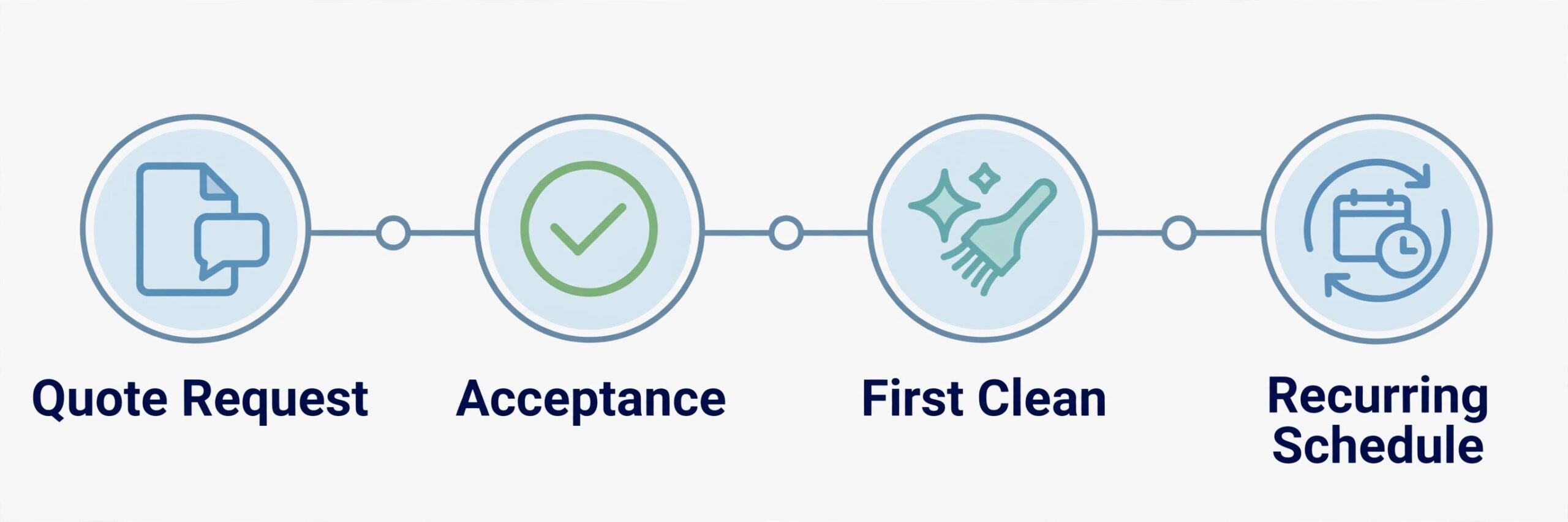
How to Test Finalists With Real Quotes
Pick two finalists and run the same five real quotes through both. Include a small apartment, a large family home, a deep clean, a recurring weekly clean, and a commercial site. The platform that captures scope clearly and sends a clean quote fastest is usually the right pick.
Ask a past customer to test the booking and quote acceptance step. Their confusion is more useful than any feature list, because customers will face the same steps on a paid job. A quote that is hard to accept will lose jobs, no matter how good the scheduling tools are.
Check cleaner assignment and scheduling during the trial. Assign each test job to a cleaner, set a recurring pattern, and confirm reminders and route views work for the team. A quote tool that cannot schedule cleanly will create admin work after every win.
Finally, write down the full first year cost for each finalist, including per user or per location charges. A clear total makes the decision easier and prevents a cheap plan from quietly becoming the expensive choice.
Also check how each finalist handles a cancelled clean and a rescheduled clean, because both happen often in residential work. A system that makes rescheduling easy keeps the customer, while a system that makes it awkward pushes them to a competitor. Test cancellation and rescheduling with a real customer record during the trial.
Plan the migration in small steps, moving one group of records at a time and checking each group before moving the next. A big move on a Friday night creates a Monday morning of missing records and confused staff. Small steps take longer on paper, yet they protect the business from the one error that stops trading for a day.
Keep one channel for internal questions during the first month, so staff do not learn different workarounds in separate chats. A single place for questions lets the owner spot the same problem twice and fix the workflow once, rather than answering the same question five times in five places.
Review user permissions before launch, so each role sees only what it needs. Office staff need financial views, field staff need job details, and customers need only their own records. Clear permissions protect privacy, reduce confusion, and prevent accidental changes to prices or schedules.
Document the daily, weekly, and monthly tasks for the new system on one page, and pin that page where the team works. A one page routine beats a long manual that nobody opens, because staff will follow a short list they can see. Update the page when the workflow changes, so it stays true.
Start the trial with a real week of work, not with a demo account filled with perfect test data. Load your actual timetable, your real customers and your true prices, then ask the team to run the daily routine exactly as they would after launch. A trial that mirrors real work exposes slow screens, missing fields and confusing steps before any money changes hands. If a task takes three clicks in the demo and seven in real use, that gap will cost hours every week.
Train on one workflow at a time, starting with the job that earns money fastest. Staff who learn booking, payment and cancellation in week one will trust the system, while staff who sit through a full feature tour will remember little of it. Short daily practice, using real examples from the previous day, builds confidence faster than a long training day that nobody enjoys.
Agree on response times and support hours in writing, especially if the business trades evenings or weekends. A support team that answers only on weekday mornings is little help when the system fails on a Saturday. Ask for the real support channel, test it during the trial, and note how long a genuine question takes to reach a person who can fix it.

More Reading on Stratilyze
– Best CRM for Cleaning Companies – How to Price Cleaning Services Small Business – Cost of Starting a Cleaning Business Breakdown
Frequently Asked Questions
What is the cheapest quote tool for a cleaning company?
ZenMaid starts at 19 dollars per month in recent comparisons, making it the cheapest capable start for residential maid services. BookingKoala at a reported 27 dollars per month is the next budget option for online booking led firms.
Do I need separate software for quotes and scheduling?
No, in most cases. The tools in this guide connect quoting to scheduling, invoicing, and payment, so a won quote becomes a booked job without retyping. A separate quote only tool makes sense only if you already have scheduling elsewhere.
How should I price a deep clean versus a recurring clean?
Price the deep clean higher, because it takes longer and covers areas that recurring cleans skip. Quote software should let you set a first clean or deep clean uplift clearly, so the customer sees the reason for the higher price before booking.
Can quote software handle commercial cleaning?
Yes, but choose the right type. Swept suits multi site commercial work with inspections and timekeeping, while Jobber suits mixed residential and light commercial work. A pure residential tool will struggle with commercial accountability.
How fast should I send a quote?
As fast as possible, ideally within hours for online enquiries. Faster quotes convert better, and quote software with templates and online acceptance helps a small firm reply quickly without sacrificing scope detail.
Can I switch quote tools later?
You can usually export customer records and quote history, but recurring schedules and cleaner assignments rarely transfer cleanly. Ask for a sample export during the trial, and expect some rebuilding when you switch.
The Verdict for Cleaning Companies
For most cleaning firms, the best quote software for cleaning companies is ZenMaid for residential routes, Jobber for mixed work, and Swept for commercial janitorial. BookingKoala and Launch27 lead when online booking is the main problem, while Housecall Pro fits teams that want strong booking and payments together.
Start with the clean type that pays the bills, test two finalists with real quotes, and price the tool at your real cleaner or location count. A quote system that captures scope clearly, sends fast, and schedules cleanly will win more jobs and protect margin on every clean.