
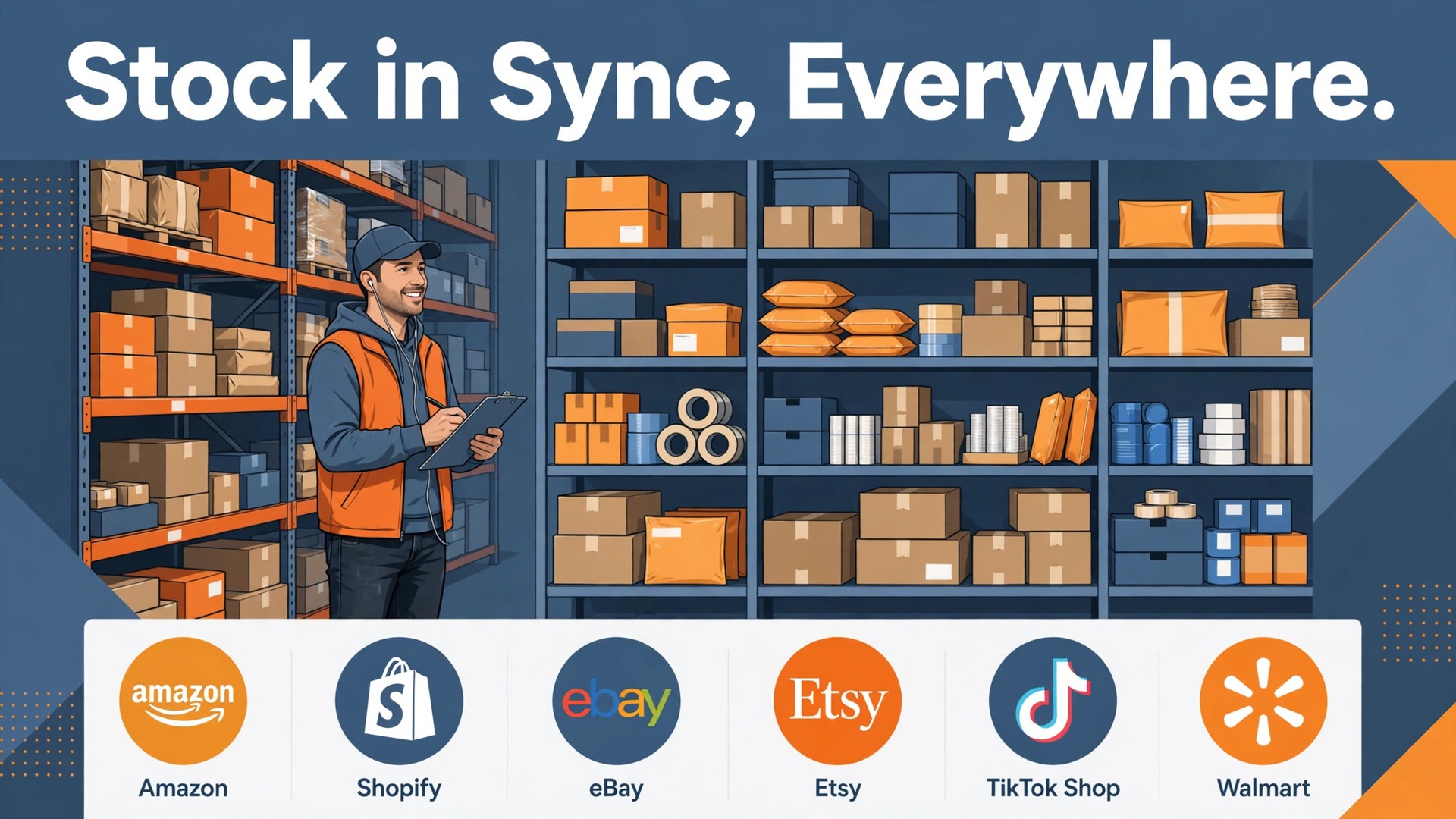
A seller with one warehouse and one store can run on a spreadsheet for a while. A seller with a store, two marketplaces and a warehouse cannot, because the same unit of stock appears in three places at once and sells in the place that updates last. The best inventory software for ecommerce sellers is the system that keeps every channel on one set of numbers, so a sale anywhere updates stock everywhere before the next buyer arrives.
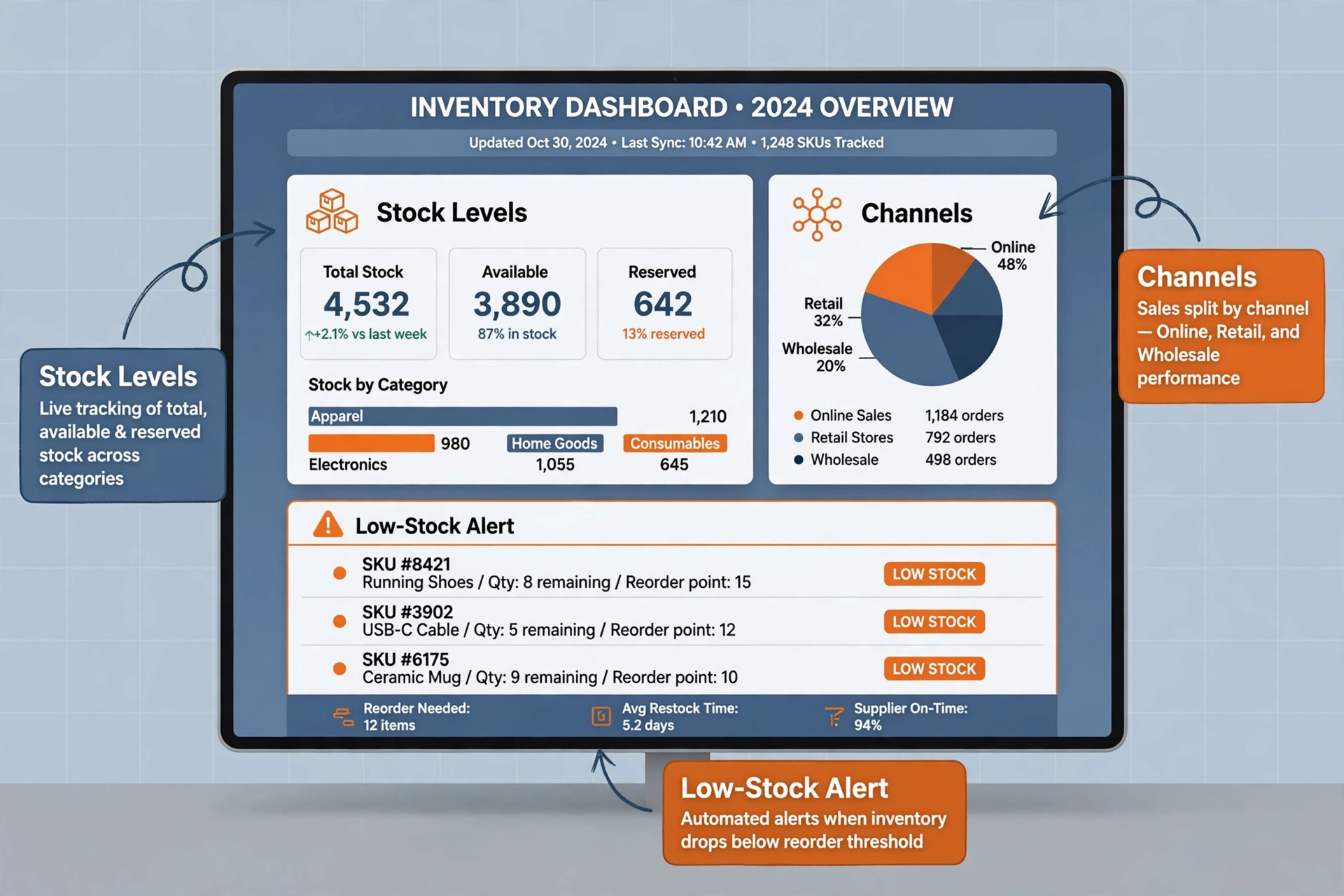
Overselling is the visible failure, but it is not the only one. Underselling happens when stock sits in a warehouse while a listing shows out of stock, and dead stock happens when a seller keeps reordering a slow product because no report shows what actually moves. A good inventory tool prevents all three, by syncing channels, tracking purchase orders and reporting sell through by product and channel.
This guide compares six tools on the same questions. How clean is multi channel sync, how strong are purchase orders and warehouse features, what does the bill become at a real order volume, and where does each tool fall short. Prices are starting points checked at writing time, so confirm the current price on the vendor page before you buy.
Six Inventory Tools Side by Side
Read the table as a shortlist, not as a ranking. A free tool suits a seller testing a first product, while a mid market platform suits a brand whose channels already produce daily volume. Pick three finalists, then read their full sections before committing to a contract.
| Tool | Starting price | Best for |
|---|---|---|
| Zoho Inventory | with a free plan and paid plans from $29 a month billed annually | small sellers who want to start free and grow into multi channel selling |
| Cin7 | from $349 a month for Cin7 Core Standard in recent comparisons | growing brands selling across many channels with wholesale or retail partners |
| ShipStation | from $14.99 a month in recent comparisons | sellers whose main pain is shipping rather than stock depth |
| Veeqo | with a free shipping plan and a paid Inventory plan from $19 a month in recent comparisons | Amazon centric sellers who want low cost multi channel shipping plus stock sync |
| inFlow | from $99 a month billed annually in recent comparisons | small wholesale and B2B sellers who need strong purchasing and partial receiving |
| Finale Inventory | from $99 a month in recent comparisons | barcode heavy sellers who need warehouse tracking without enterprise complexity |
Why the best inventory software for ecommerce sellers Beats a Spreadsheet
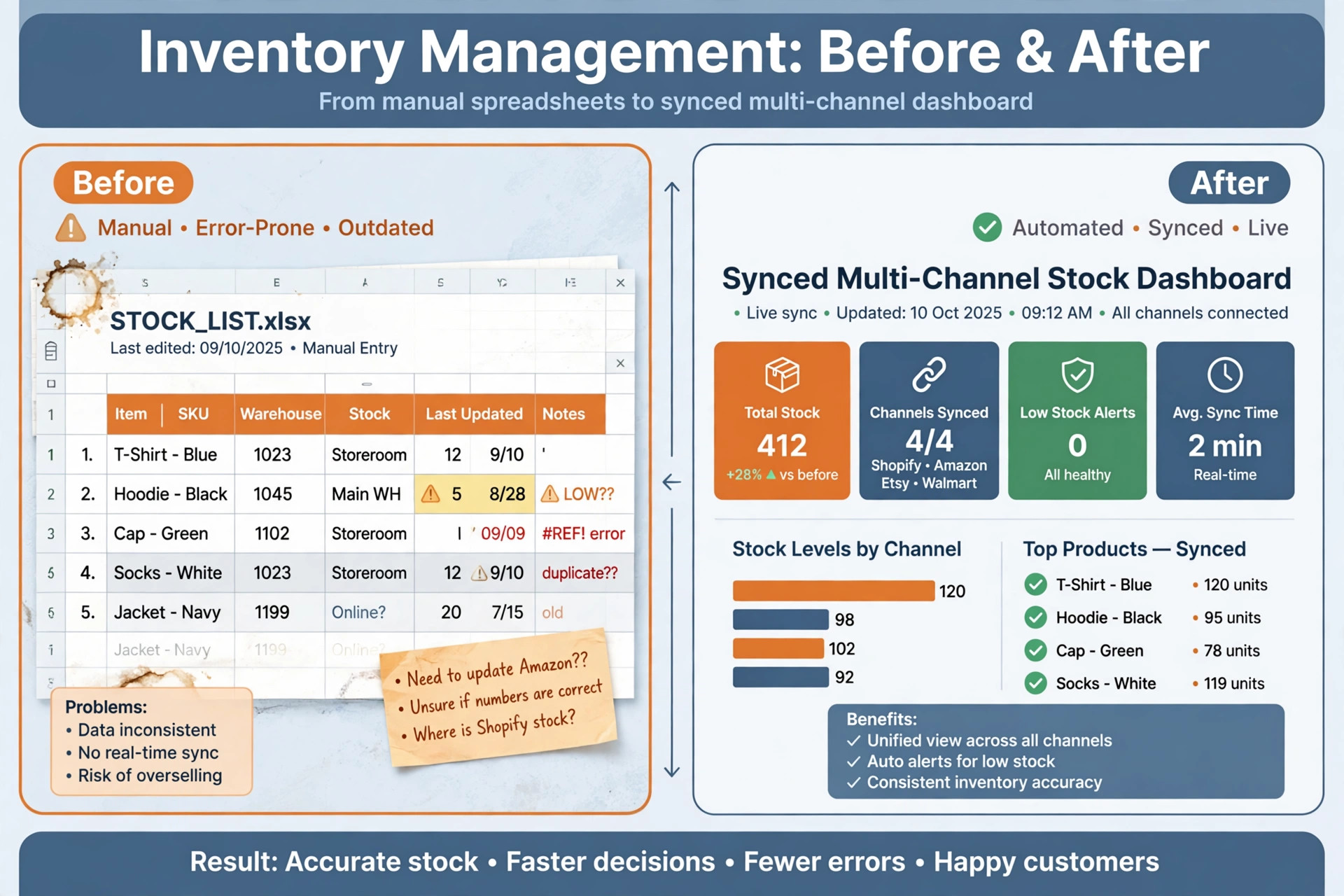
A spreadsheet records what a seller remembers to type. An inventory system records what actually happens, because a sale, a return, a purchase order receipt and a stock transfer all update the same record automatically. That difference matters most during a sale event, when manual updates cannot keep pace with orders and errors multiply.
Multi channel sync is the first test. A seller on Shopify, Amazon and eBay needs one stock figure that falls the moment any channel sells, with buffers for high velocity products so a listing does not oversell during a traffic spike. A tool that syncs hourly rather than instantly will still oversell on a busy day, so test sync speed with a real product during the trial.
Purchase orders are the second test. A seller who orders by gut feel will overstock slow lines and run out of best sellers, while a seller with purchase orders, supplier lead times and reorder points can plan cash flow around real demand. The right tool turns a low stock alert into a purchase order, a receipt and an updated stock figure without retyping.
Warehouse accuracy is the third test. Barcodes, locations, pick lists and stock counts turn a warehouse from a memory exercise into a repeatable process, and a seller who can count stock in hours rather than days can trust the numbers on the screen. A tool without locations and scanning will struggle once SKU count and order volume grow.
Six Tools, Reviewed One by One
Zoho Inventory
Zoho Inventory fits small sellers who want to start free and grow into multi channel selling. Its free plan covers 50 orders a month, one user and two locations in recent comparisons, which genuinely covers a pre launch or very low volume seller. Paid plans add multi channel tracking, purchase orders, warehouse management and integrations with Shopify, Amazon, WooCommerce and accounting tools, so a seller can grow without migrating in the first year. The interface stays approachable for a small team, and the price ladder is gentle compared with mid market rivals.
At a starting point of with a free plan and paid plans from $29 a month billed annually, check the vendor page for the current plan. The limit is order limits on lower tiers can force an upgrade sooner than expected during a sales surge, and advanced warehouse features like complex picking and 3PL handling are thinner than on Cin7, so a high volume brand should test those workflows before committing. Test that limit with a real client during the trial, and walk away if the workaround becomes a daily chore.
Cin7
For growing brands selling across many channels with wholesale or retail partners, Cin7 earns its place through one clear job. Cin7 Core centralises inventory, orders, warehouse operations and accounting connections in one cloud system, with over 700 integrations in vendor comparisons, including Shopify, Amazon, WooCommerce, BigCommerce, eBay, Walmart and ShipStation. Its Omni tier adds built in EDI for retail partners, which matters when a big box retailer demands compliant electronic orders. For a brand juggling direct sales, marketplaces and wholesale, that single set of numbers prevents overselling and manual reconciliation.
The starting point is from $349 a month for Cin7 Core Standard in recent comparisons, so confirm the live price before you budget. Watch out for the price is a step change from budget tools, with no permanently free tier and only a 14 day trial in recent comparisons, so a small seller will pay enterprise level fees before volume justifies them. Implementation also takes planning, because a system this broad needs clean product data, correct warehouse mapping and tested channel connections before it helps. If that weakness touches your main income stream, choose a different finalist.
ShipStation
ShipStation is worth a trial when your main job is sellers whose main pain is shipping rather than stock depth. ShipStation excels at multi carrier rate comparison, label printing, branded tracking and order import from many channels, which makes the shipping desk faster and cheaper per parcel. A seller who already tracks stock in a store platform but loses time on shipping will feel the benefit in week one, because the tool focuses on the step that touches every order. Its reporting also shows shipping cost per order, which helps pricing decisions.
Pricing starts at from $14.99 a month in recent comparisons in recent comparisons, and the vendor page is the final word. Where it falls short is it is shipping first and inventory second, so a seller who needs purchase orders, deep warehouse control or production tracking will still need a true inventory system beside it. Buying ShipStation as an inventory replacement is the most common misunderstanding in this list, and it leads to a second purchase soon after. Judge it on the job you will use every week.
Veeqo
Choose Veeqo when Amazon centric sellers who want low cost multi channel shipping plus stock sync is the work that pays the bills. Veeqo, now owned by Amazon, offers strong Amazon account health and shipping tools, plus paid inventory sync across Amazon, eBay, Shopify, Walmart and WooCommerce in recent comparisons. The free shipping plan covers unlimited orders for shipping alone, which lets a seller test the shipping workflow before paying for inventory features. For a low cost Amazon seller, the paid Inventory plan delivers purchase orders and scanner based receiving at a price far below mid market rivals.
The entry price is with a free shipping plan and a paid Inventory plan from $19 a month in recent comparisons as a starting point, and the full bill depends on users and add ons. The trade off is the free plan does not include automated inventory sync, so a seller who chooses free Veeqo expecting stock control will be disappointed. Inventory depth is also lighter than Cin7, so a brand with complex warehousing, kitting or wholesale EDI will outgrow it sooner. Price that trade off honestly, because a cheap plan that misses the main job costs more in lost bookings.
inFlow
inFlow fits small wholesale and B2B sellers who need strong purchasing and partial receiving. inFlow stands out for purchase orders and receiving, including partial receipts where a supplier delivers 92 of 100 ordered units and leaves eight outstanding on the same order. That workflow matters for wholesale sellers, because short shipments are common and a system that forces a full receipt creates false stock figures. Its B2B features, barcode scanning and sales order handling suit a seller whose customers are businesses rather than only retail buyers.
At a starting point of from $99 a month billed annually in recent comparisons, check the vendor page for the current plan. The limit is the entry price is higher than Zoho or Veeqo, and marketplace depth is thinner than on a multi channel specialist like Cin7 or Linnworks, so a seller whose main channels are Amazon and eBay should compare channel sync carefully. The trial period should test a real purchase order cycle, not just a demo order. Test that limit with a real client during the trial, and walk away if the workaround becomes a daily chore.
Finale Inventory
For barcode heavy sellers who need warehouse tracking without enterprise complexity, Finale Inventory earns its place through one clear job. Finale suits sellers who pick, pack and ship from a warehouse with barcodes, because its warehouse tracking, stock locations and order handling are built for physical operations rather than only for screen based selling. A seller moving from spreadsheets to scanners will find the workflow familiar, with stock counts, transfers and purchase orders in one place. Its simplicity compared with enterprise warehouse systems keeps implementation realistic for a small team.
The starting point is from $99 a month in recent comparisons, so confirm the live price before you budget. Watch out for pricing in some comparisons reaches $499 a month on higher tiers, so the entry price is not the whole story, and marketplace automation depth is lighter than on Cin7. A seller with many channels and complex EDI needs should trial a multi channel specialist alongside Finale before deciding. If that weakness touches your main income stream, choose a different finalist.
Seller Picks Matched to the Selling Setup
The right tool changes with the selling setup that produces the revenue. Single warehouse, multi channel and dropship are different operations, and the tool that wins one may not win another. Use this table to match the pick to the setup, then confirm the fit by running one real order cycle in a trial.
| Job | Best pick | Why it wins |
|---|---|---|
| Single warehouse | Zoho Inventory | Low cost multi channel tracking with purchase orders |
| Multi channel | Cin7 | One set of numbers across stores, marketplaces and wholesale |
| Dropship | Veeqo | Low cost shipping plus stock sync for marketplace sellers |

The Stock Count Checklist Before Peak Season
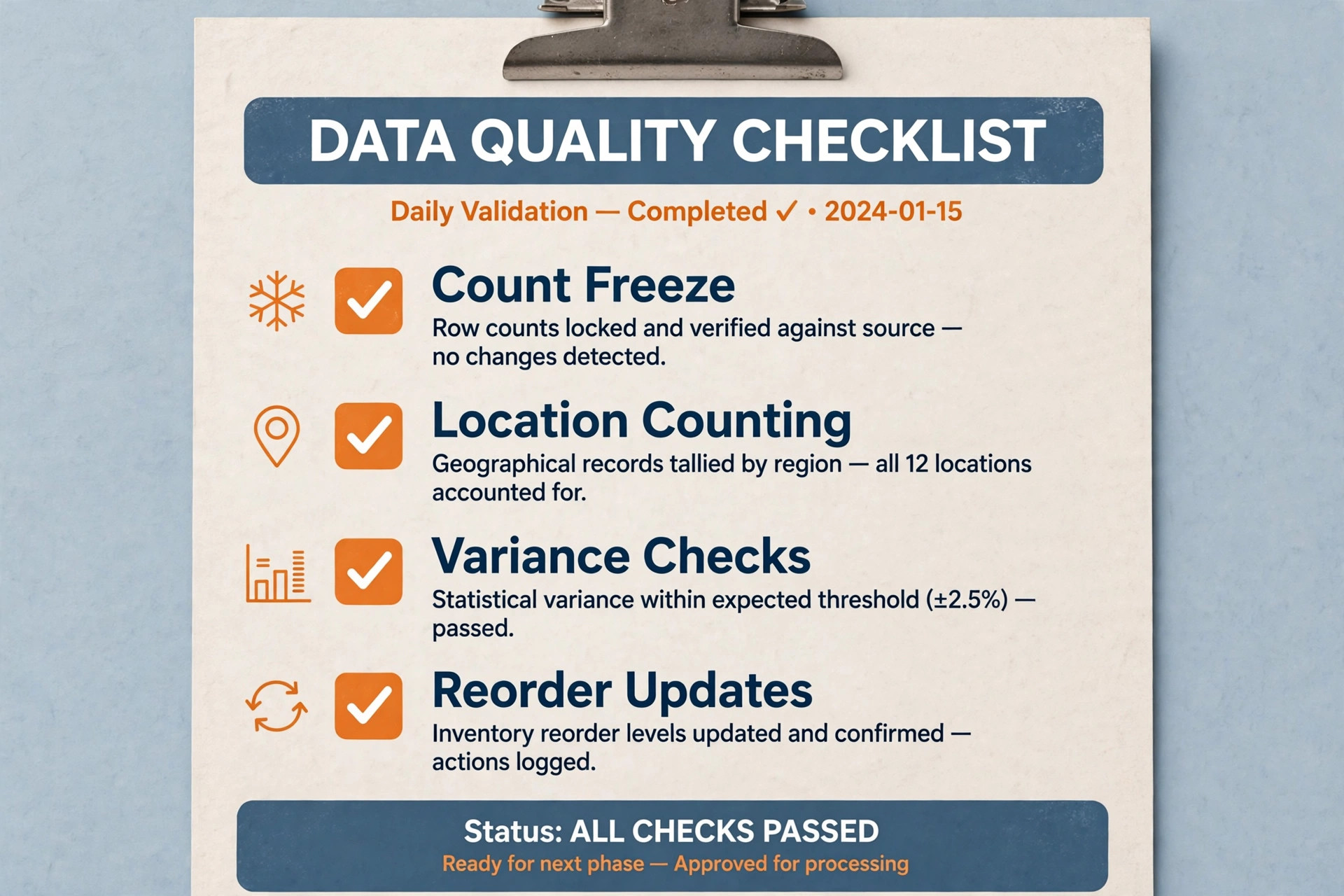
A stock count only helps if the system and the shelf agree afterwards. Run through this checklist before a peak season, and fix every gap in a quiet week rather than during a sale event.
– Freeze receiving and shipping for the count window, so stock does not move while it is being counted. – Count by location, not by product list, so every shelf and bin is covered once and only once. – Record damaged, expired and missing units separately, so the count explains the variance rather than hiding it. – Reconcile the count in the system the same day, and investigate any variance above a small threshold before approving it. – Update reorder points after the count, because a count that does not change buying behaviour is wasted effort. – Test one full order cycle after the count, from sale to pick to pack to ship, to prove the numbers are now trustworthy. – Schedule the next count before peak season, not after it, so the next busy period starts from clean data.
When to Move From Spreadsheets to Software
The move is due when stock errors start costing money rather than time. A seller who oversells once a month, spends a Sunday reconciling channels, or discovers a best seller is out of stock after a promotion has already paid for a budget inventory tool in lost sales. Waiting until the problem is weekly only makes migration harder, because the data is messier and the team is busier.
The move is also due when a second channel or a second location appears. One store and one shelf can live in a spreadsheet, but two channels and one warehouse cannot, because every sale must update two places and every return must update both again. A seller who plans a marketplace launch should choose inventory software before that launch, not after the first oversell.
A seller who is not yet at that point should still prepare. Clean product names, consistent SKUs, one unit of measure per product and a simple location list make a later migration fast, while messy data makes even a good tool look bad. Spend a quiet week cleaning data now, and the future system will reward that work immediately.
Multi Channel Sync Explained in Plain Words
Multi channel sync means one stock pool shared by every sales channel, with each sale reducing the pool instantly and each return adding back to it. A buffer can hold back a few units of a fast seller, so a traffic spike does not oversell the last unit before the sync completes. The seller sets the buffer by product, not by channel, so the protection follows the product wherever it sells.
Sync speed matters more than sync breadth on a busy day. A tool that connects ten channels but syncs hourly will oversell during a flash sale, while a tool that connects three channels but syncs instantly will protect stock on those three. Ask every finalist how often sync runs, what happens when a channel API fails, and how the system recovers a missed sale without manual fixes.
Channel specific rules also matter. Amazon, eBay and a direct store may need different titles, prices, handling times and return rules for the same product, and a good tool lets the seller set those rules once per channel while keeping stock shared. A tool that forces identical listings everywhere will frustrate a seller whose channels genuinely differ.
What an Ecommerce Seller Really Pays for Inventory Each Month
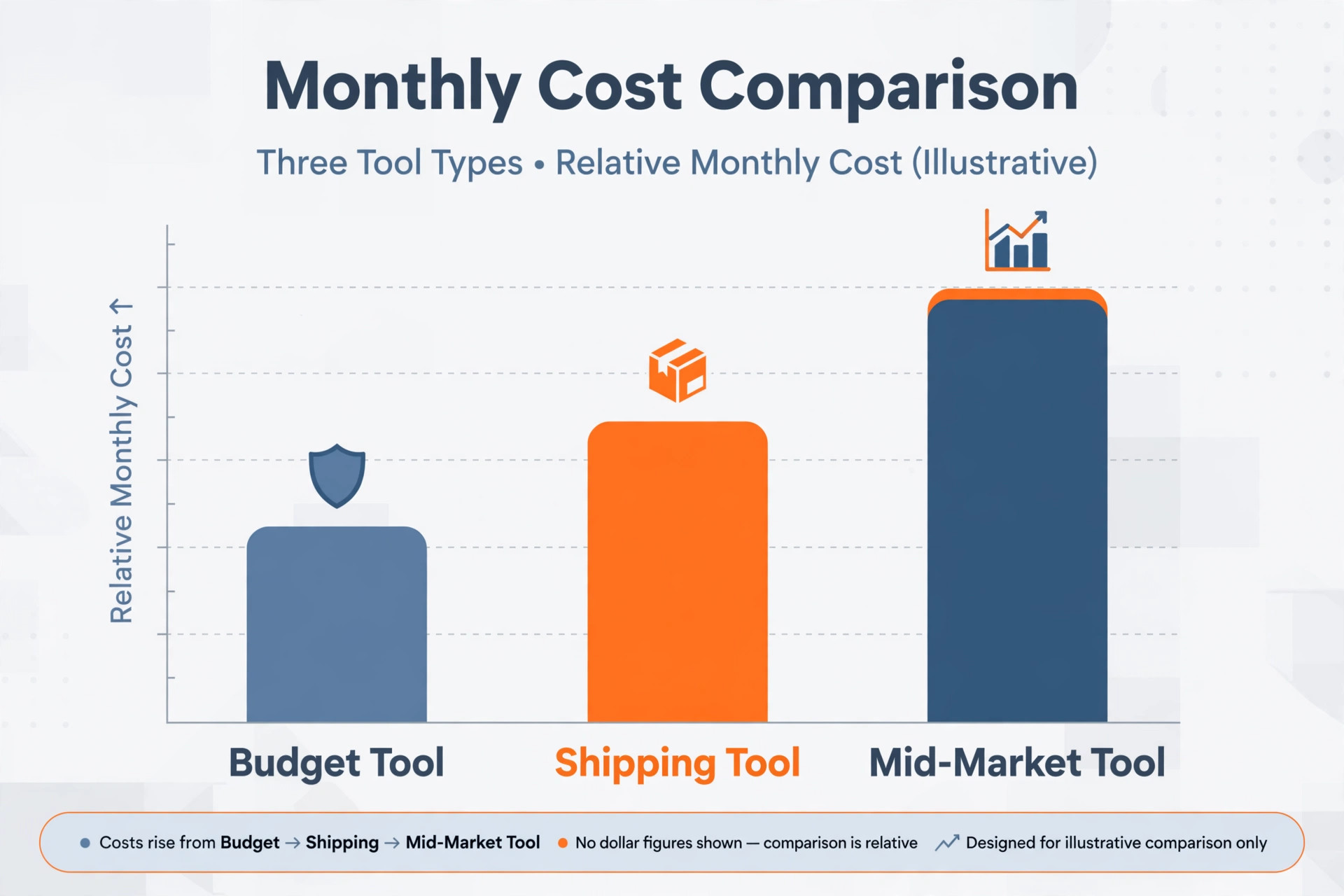
The headline price hides the real decision, because order volume, users, locations and integrations move the total. A seller on Zoho Inventory at $29 a month may pay that fee for a long time, while a seller on Cin7 at $349 a month pays a mid market fee that only makes sense when volume, channels and wholesale complexity justify it. Compare prices at your real order count and SKU count, not at the entry price alone.
Implementation is the second cost. Product data cleaning, warehouse mapping, channel connection testing and staff training take days, and a seller who skips them will blame the tool for data problems the tool did not create. Budget a quiet week for setup, test with a small product set first, and only connect all channels once the small set syncs cleanly.
Shipping and payment costs sit beside the subscription, not inside it. Carrier fees, label costs, marketplace referral fees and card processing all affect margin, and an inventory tool that reports cost per order helps the seller price with those costs in view. A tool that only reports stock levels, without cost context, leaves the pricing decision half made.
Mistakes That Create Oversells and Dead Stock
The most common mistake is buying for channel count alone. A tool that connects many channels but syncs slowly will oversell on a busy day, while a tool that connects fewer channels but syncs instantly will protect stock on the channels that matter. Judge sync speed and recovery behaviour first, and channel count second.
The second mistake is skipping purchase orders. A seller who orders by memory will overstock slow lines and run out of best sellers, because memory favours recent sales over real demand. Use purchase orders, supplier lead times and reorder points from day one, even on a free plan, so buying becomes a system rather than a guess.
The third mistake is never counting stock. A system is only as trustworthy as its last count, and a seller who trusts screen numbers without ever checking the shelf will discover variances during peak season, when there is no time to fix them. Count regularly, reconcile the same day, and treat variances as information rather than blame.
Testing Three Inventory Finalists on One Real Order Cycle
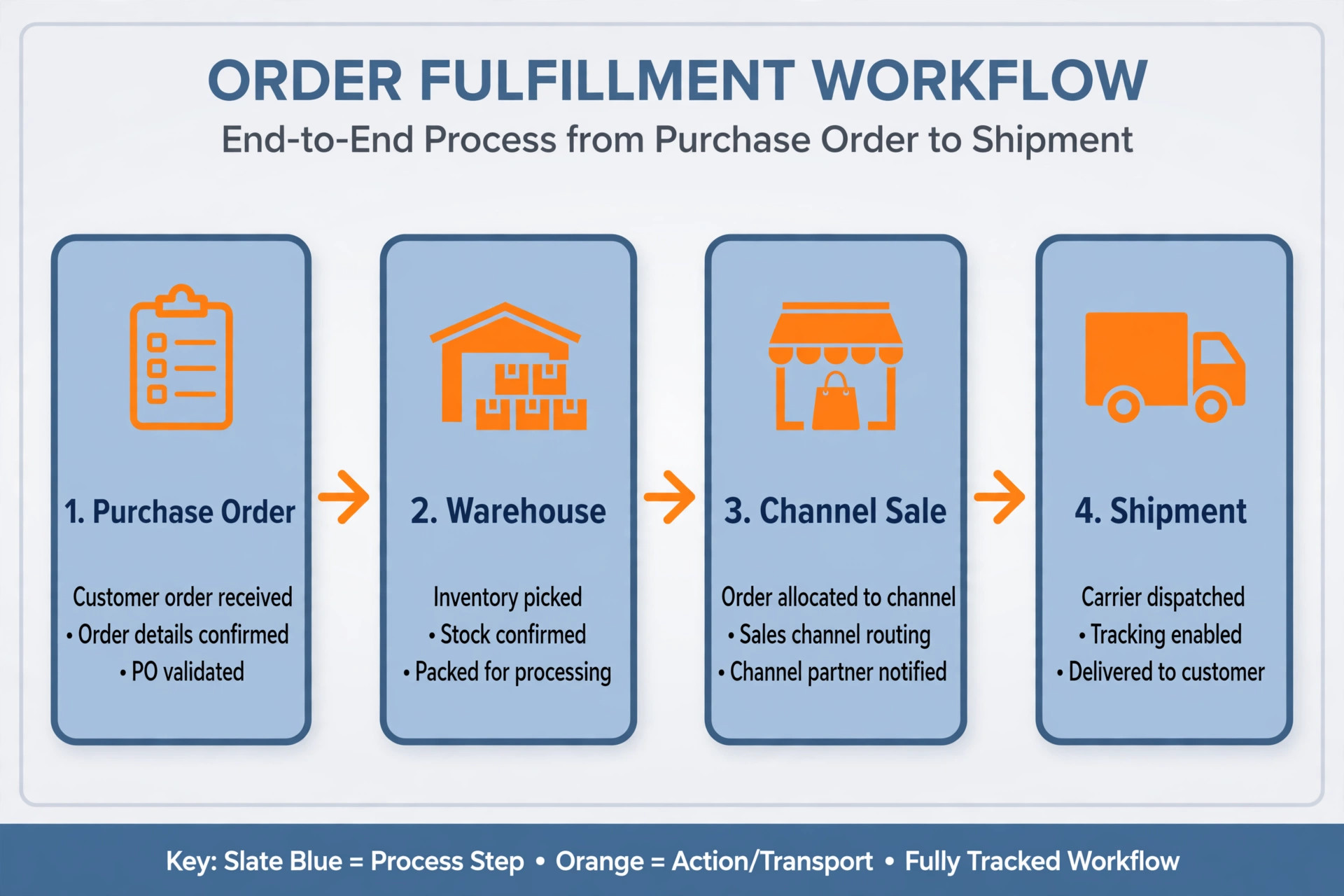
Do not test finalists on demo products, because demo data hides the messy parts of real selling. Instead, load a small real product set into each finalist, with real SKUs, real locations and real channel connections, and run one full cycle from purchase order to receipt to sale to pick to ship. A trial that mirrors real work exposes sync delays and missing fields before any money changes hands.
Score each finalist on sync speed, purchase order handling, partial receipt handling, warehouse location accuracy and reporting clarity. The tool with the highest total for your main selling setup wins, even if another tool wins on price alone. If a stock figure is wrong after one real cycle, it will be wrong at scale, and scale only multiplies the error.

Choosing the best inventory software for ecommerce sellers Without Paying for Enterprise Weight
A seller should buy inventory software for the operation that exists today, with room for the next step, not for the operation imagined in three years. The best inventory software for ecommerce sellers for a small brand is often a budget tool with clean multi channel sync, because a mid market platform bought too early will charge enterprise fees while the team is still learning basic stock discipline. Start with sync, purchase orders and counts, and upgrade when volume or channels force the upgrade.
Data cleanliness decides whether a new system helps or hurts, because a tool fed with duplicate SKUs, inconsistent product names and mixed units of measure will produce confident but wrong stock figures. The best inventory software for ecommerce sellers will still fail on messy data, so spend a quiet week before migration cleaning product names, unifying SKUs, fixing units and listing every location. That week of preparation pays for itself in the first month of trustworthy numbers.
Sync recovery matters as much as sync speed, because every channel API fails at some point and a missed sale during an outage can oversell a product before anyone notices. The best inventory software for ecommerce sellers will show which sales failed to sync, retry them automatically, and alert the seller when a channel has been silent for too long, rather than silently drifting out of step. Ask every finalist how it recovers a missed sale, and test the answer with a real product during the trial.
Barcode discipline is a small habit with a large payoff, because scanning a product on receipt, on pick and on pack removes the typing errors that create most stock variances. A seller who scans consistently can count stock in hours, trust the numbers on screen, and train a new warehouse helper in a day, while a seller who types product codes will keep finding variances that nobody can explain. Choose a tool whose scanning workflow fits the actual warehouse, not a demo warehouse.
Reorder points should be set by product, not by gut feel, because a fast seller with a long supplier lead time needs a higher trigger than a slow seller with a local supplier. The best inventory software for ecommerce sellers will calculate reorder points from sales velocity and lead time, alert before the shelf is empty, and turn the alert into a purchase order without retyping. A seller who sets one reorder rule for every product will still stock out of best sellers and overstock slow lines.
Returns need a home in the system, because a return that is not logged properly will either inflate stock that is damaged or hide stock that is resalable. The best inventory software for ecommerce sellers will route a return to inspection, then to resalable stock, damaged stock or supplier return, with each step recorded against the original order. Test the return flow during the trial, because a system that handles sales well but returns badly will quietly corrupt stock figures every week.
Do not judge a tool by channel count alone, because a tool that connects ten channels but syncs hourly will oversell during a flash sale, while a tool that connects three channels but syncs instantly will protect stock on those three. The best inventory software for ecommerce sellers for a brand with three strong channels is the instant sync tool, even if its marketing page lists fewer logos, because stock accuracy on the channels that pay the bills matters more than a long integration list.
Staff training should focus on the daily routine, not on the full feature catalogue, because a warehouse team that masters receiving, picking, packing and counting in week one will trust the system, while a team given a full feature tour will remember little of it. Write the daily routine on one page, pin it where the team works, and review it weekly until the routine is habit. A tool that nobody follows correctly is worse than a spreadsheet everybody follows.
Finally, review the inventory system after the first peak season against oversells, stockouts, dead stock and count variances, not against how modern the dashboard looks. The best inventory software for ecommerce sellers will show its value in fewer oversells, faster counts and cleaner purchase orders, and if those numbers have not moved, the problem is usually data or routine, not the tool. Fix the routine first, and only change tools when the tool itself is the bottleneck.
More Reading on Stratilyze
– Best Email Marketing Software for Gyms – Best Website Builder for Real Estate Agents – Best CRM for Home Builders at a Small Business
Frequently Asked Questions
Can I start with a free inventory tool?
Yes, Zoho Inventory free plan covers a very low volume seller, and Veeqo free shipping plan covers shipping alone. A free tool is a sound start when order volume is low and channels are few, but move to a paid plan once order limits, locations or sync needs start constraining sales, rather than waiting for an oversell.
How many channels can a budget tool handle?
Budget tools handle a small number of channels well, usually a store plus one or two marketplaces, with instant or near instant sync. A seller with five or more channels, wholesale partners or EDI requirements should trial a mid market platform, because channel complexity, not order count alone, drives the need for a heavier system.
Is ShipStation an inventory tool?
ShipStation is primarily a shipping tool with some inventory features, not a full inventory system. It excels at labels, carrier rates and tracking, but a seller who needs purchase orders, deep warehouse control or production tracking should pair it with, or choose instead, a true inventory platform.
What is a reorder point?
A reorder point is the stock level that triggers a new purchase order, calculated from daily sales and supplier lead time plus a safety buffer. A tool that alerts at the reorder point prevents both stockouts and overstock, because buying starts before the shelf is empty rather than after a customer complains.
How often should I count stock?
Count fast moving products monthly, slow products quarterly, and the whole warehouse before peak season. A seller who counts only once a year will trust numbers that drifted months ago, while a seller who counts in small regular cycles keeps variances small and easy to explain.
Can inventory software handle dropshipping?
Yes, if the tool supports supplier orders and stock sync without holding physical stock, which suits a dropship seller whose supplier ships directly. The test is simple, namely can the system show supplier stock, route an order to the supplier and update the listing when supplier stock changes. If that test fails, the tool is built for warehoused stock, not dropshipping.
A Seller Specific Shortlist to Take Into Your Trial
For most small sellers, Zoho Inventory is the sensible first trial for low cost multi channel tracking, and Veeqo is the sensible first trial for Amazon centric selling, with order limits checked honestly. Sellers whose channels already produce daily multi channel volume should trial Cin7 first, and shipping heavy sellers should trial ShipStation beside their inventory choice. That shortlist is a practical way to choose without paying mid market fees before volume justifies them.
Whichever tool you shortlist, run one real order cycle through it from purchase order to receipt to sale to ship before you pay for a year. The best system is the one where every channel shares one set of numbers, every purchase order is traceable, and every stock count can be trusted. That test, run properly, will choose the tool for you.