
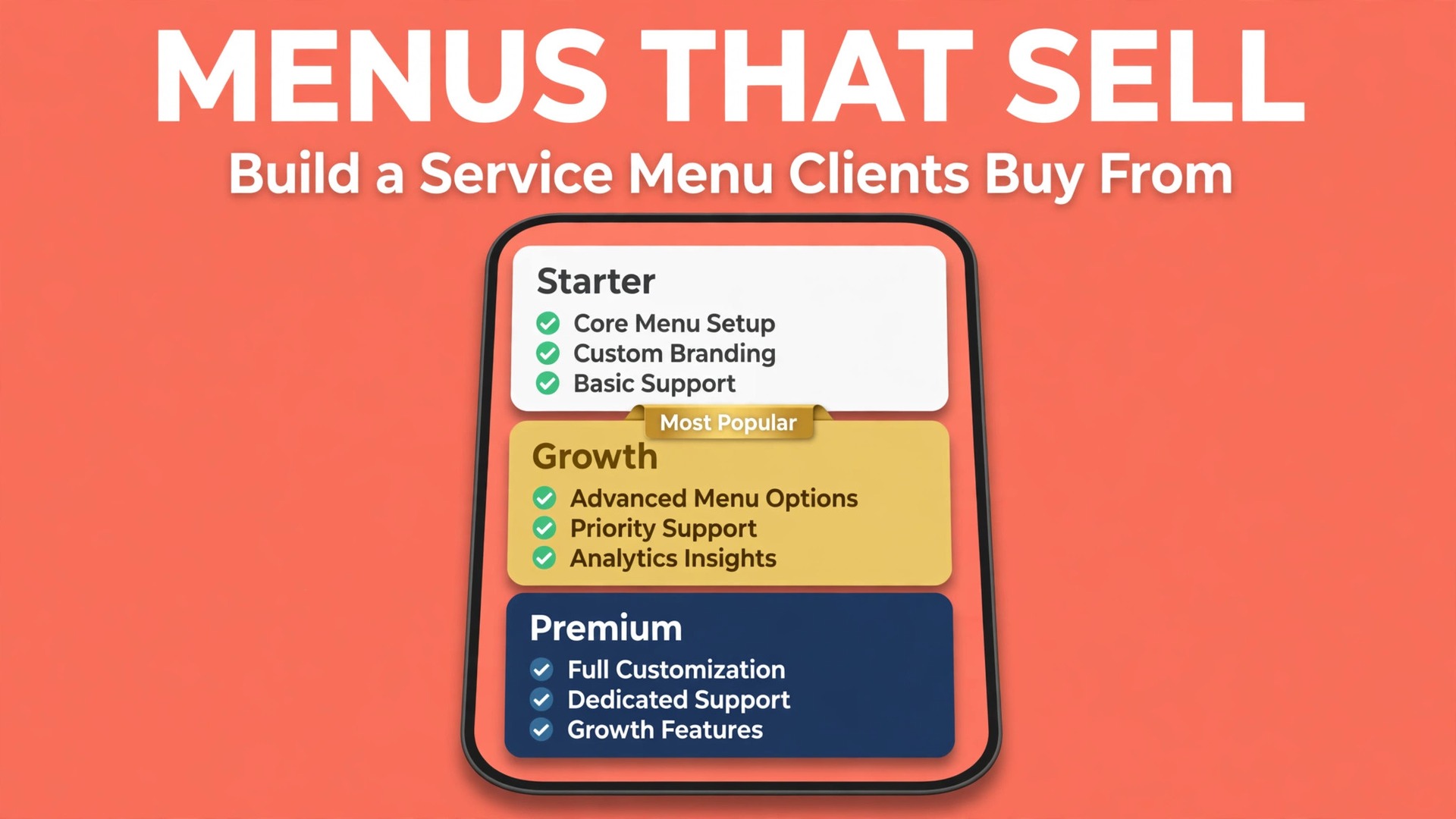
A price list tells a customer what things cost. A service menu tells a customer what to buy, what is included, what happens next, and why one option fits them better than another. The difference shows up in the sales conversation. With a price list, every enquiry turns into a custom quote, a negotiation, and a scope argument later. With a service menu, the customer chooses between clear options, the scope is agreed before work starts, and the add on path handles the extras without reopening the whole deal. This guide explains how to create a service menu small business clients can buy from confidently, from auditing what you sell to pricing tiers, add ons, and layout.
A good menu does three jobs at once. It helps customers decide faster, which raises conversion. It protects your margin, because scope, revisions, and extras are defined before work begins. And it makes delivery repeatable, because the same package delivered ten times teaches you its true cost, while ten custom quotes teach you ten different lessons. If your quotes take days, your scope creeps weekly, or your prices vary by mood, a menu will fix more than your marketing ever will.
Build the menu from your real work, not from a competitor menu copied wholesale. Your costs, your capacity, and your best customers are different from theirs, so your tiers and prices must be too. Use competitor menus as a check on clarity and completeness, then price from your own numbers and scope from your own delivery experience. A menu that reflects how you actually work is one you can defend in a sales call and deliver without resentment.
Start with the customer decision, not with your service list. A customer arriving at your menu asks three questions, usually in this order. What problem does this solve for me. Which option fits my situation. What do I get, and what does it cost. A menu that answers those questions in that order converts. A menu organised around your internal departments, your tools, or your process steps confuses, because customers do not buy your process. They buy an outcome, and the menu should lead with it.
Name each item for the outcome it delivers, not for the technique behind it. A cleaning firm sells a spotless move out ready home, not a three stage HEPA process. A bookkeeping firm sells calm month end numbers, not a reconciliation workflow. Outcome names help customers self select, because they recognise their own problem in the name. Keep names short, plain, and distinct from each other, so a customer can explain the difference between two tiers to a partner without calling you for a translation.
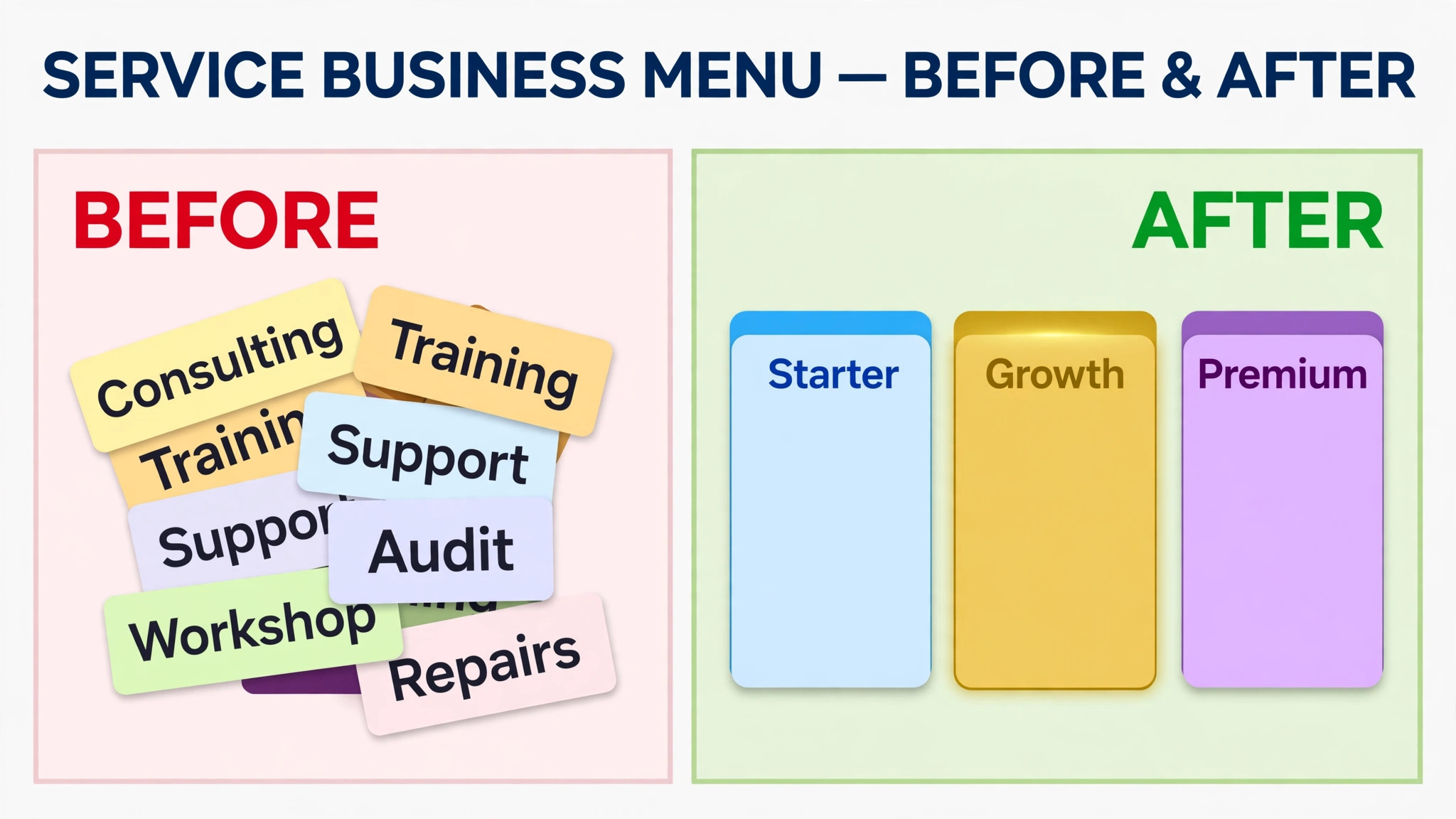
Limit the menu to what you deliver well and profitably. A long menu with twenty overlapping services looks comprehensive and sells poorly, because choice overload slows decisions and every rarely sold item still needs pricing, scoping, and delivery knowledge. Aim for three to five core services, each with clear tiers, plus a short add on list. Depth beats breadth here. A tight menu you deliver excellently builds reputation faster than a sprawling menu you deliver unevenly.

Audit What You Actually Sell
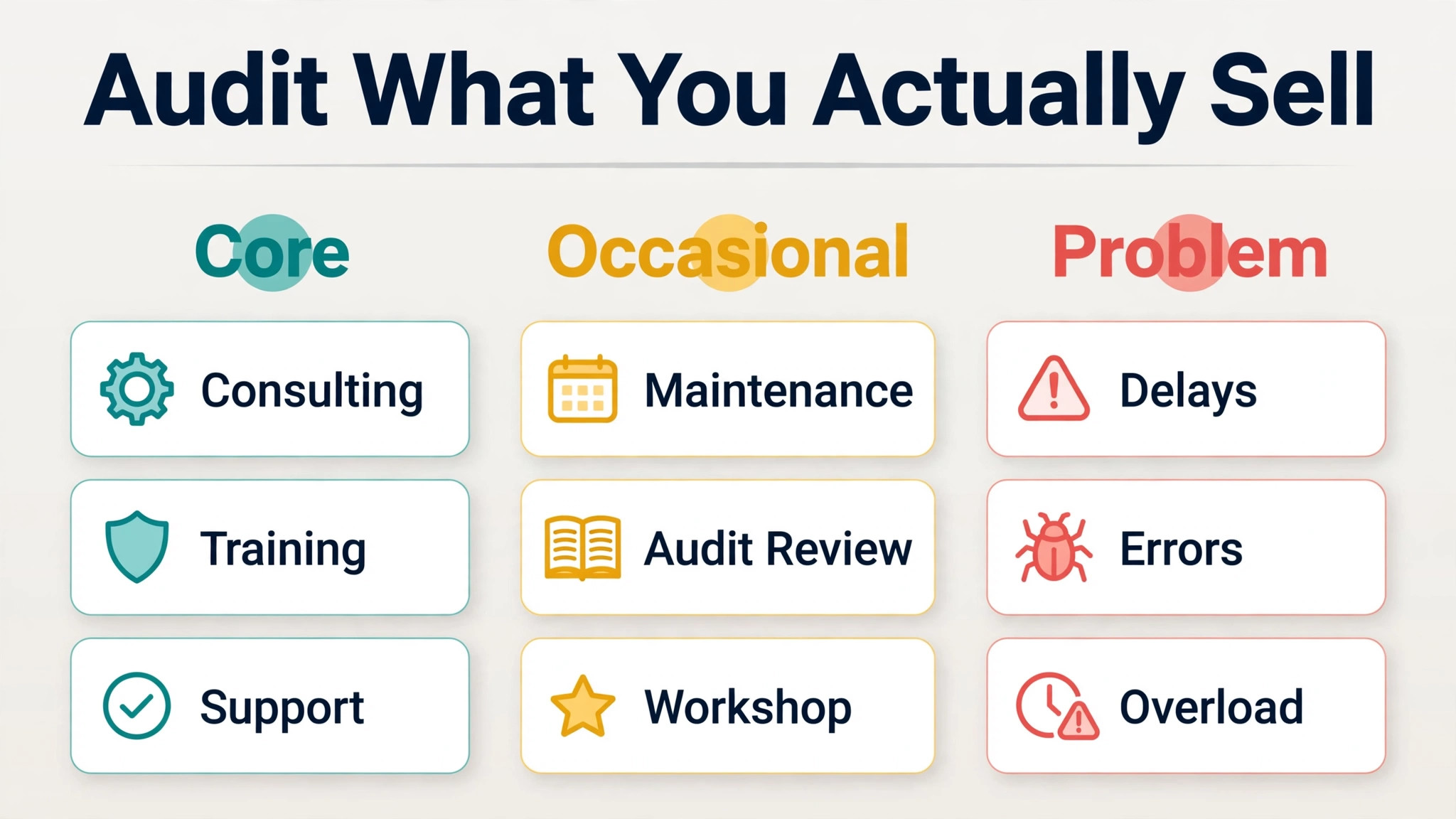
Before writing a single menu line, audit the last twelve months of work. List every service you delivered, how often you delivered it, what it earned, and how painful it was to deliver. Sort the list into three groups. Core services are profitable, repeatable, and requested often. Occasional services are profitable but rare, and may belong as add ons rather than menu items. Problem services lose money, drain time, or attract the wrong customers, and they should be repriced, reshaped, or removed.
Talk to your best customers during the audit, because they know which parts of your service they value and which parts they ignore. Ask what they would miss if it disappeared, what they expected but did not receive, and what they bought elsewhere because you did not offer it clearly. Those answers reveal gaps in the menu and features that cost you time but earn you nothing. A menu built from customer evidence sells better than a menu built from what you enjoy delivering, and the two are not always the same.
Check capacity honestly while you audit. A menu item that requires your personal involvement in every delivery caps your income at your hours, while an item your team can deliver scales. Note which items depend on you, which items a trained team member can deliver, and which items need a specialist or a subcontractor. That capacity note decides tier design later, because the top tier can carry more of your personal time, while the entry tier should be team deliverable. A menu that ignores capacity promises what the business cannot sustain. Capacity notes like these are a quiet but essential part of how to create a service menu small business teams can actually deliver without the owner rescuing every job.
Define Scope per Item, or Pay for the Gap Later
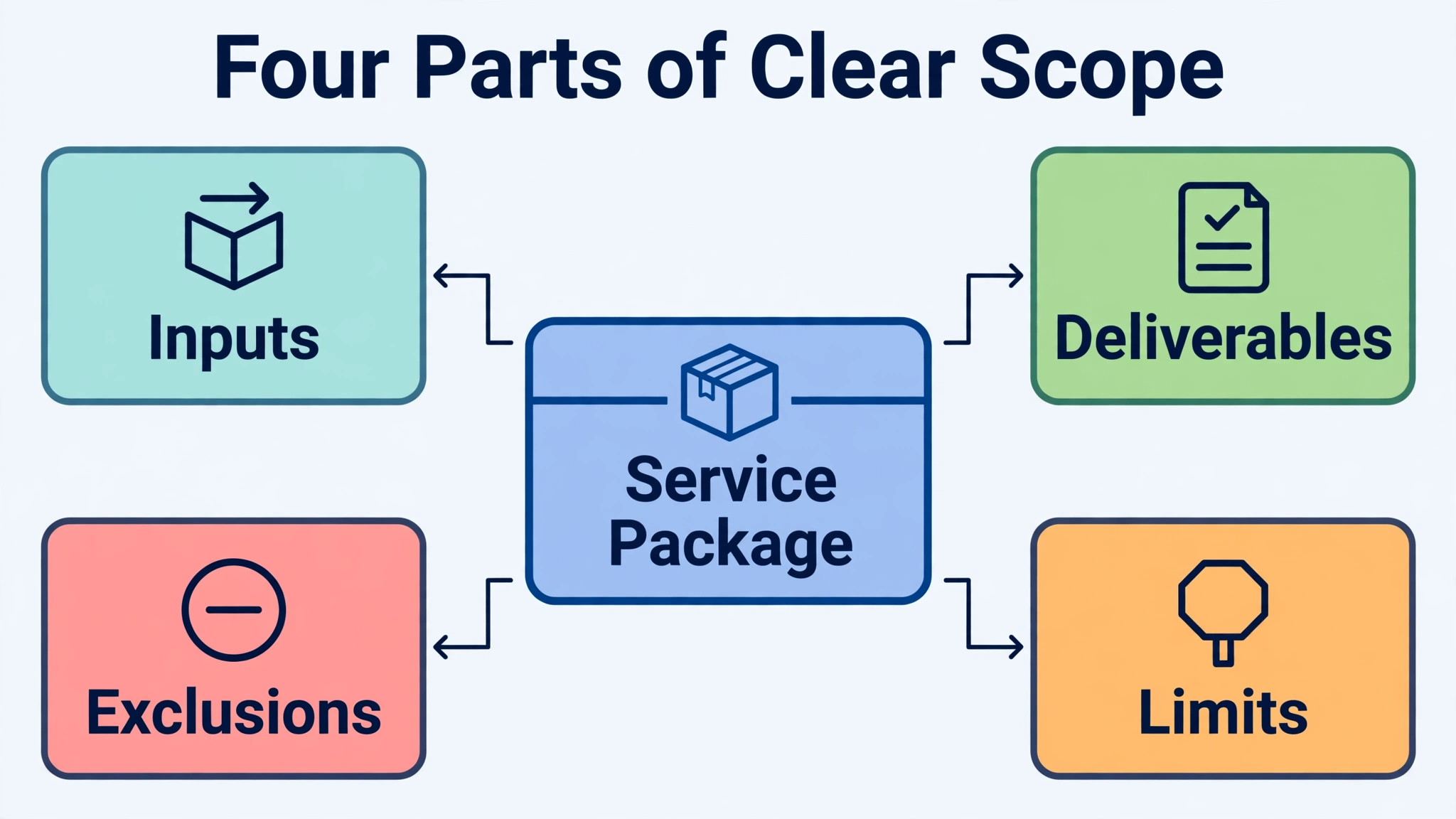
Scope is the part of the menu that prevents most disputes, so write it as carefully as you write prices. For each menu item, define four things. Deliverables, meaning exactly what the customer receives. Limits, meaning quantities, pages, rooms, sessions, or revisions included. Customer inputs, meaning what the customer must provide and by when. Exclusions, meaning what is not included and would be quoted separately. A customer who reads those four points before buying has far less reason to argue after delivery.
Use numbers wherever possible, because vague scope invites generous interpretation. State the number of pages, posts, rooms, or sessions. State the number of revision rounds, and what counts as a revision versus a new request. State the turnaround time, and what happens if customer inputs arrive late. Numbers feel restrictive when you write them, and they feel fair when a customer compares two tiers, because the difference between tiers becomes measurable rather than a matter of tone.
Write exclusions in plain language, not in legalistic fog. Say plainly that extra pages, extra locations, rush delivery, or travel beyond a stated distance are add ons with their own prices. Customers respect clear boundaries more than they respect a low headline price that expands later. If most customers end up needing something you listed as an exclusion, move it into the middle tier instead, since a menu item that routinely disappoints is a menu item designed wrong.
Test every scope statement by reading it as a difficult customer would. Ask where the wording could be stretched, where a reasonable person could expect more, and where you would feel resentful delivering what was promised. Tighten those spots before publishing. A scope test at the writing stage costs minutes. A scope argument during delivery costs hours, goodwill, and sometimes the whole relationship. Testing scope this way is the least glamorous step in how to create a service menu small business owners can stand behind, and it is the step that saves the most time after launch.
Build Three Tiers Around a Hero Middle
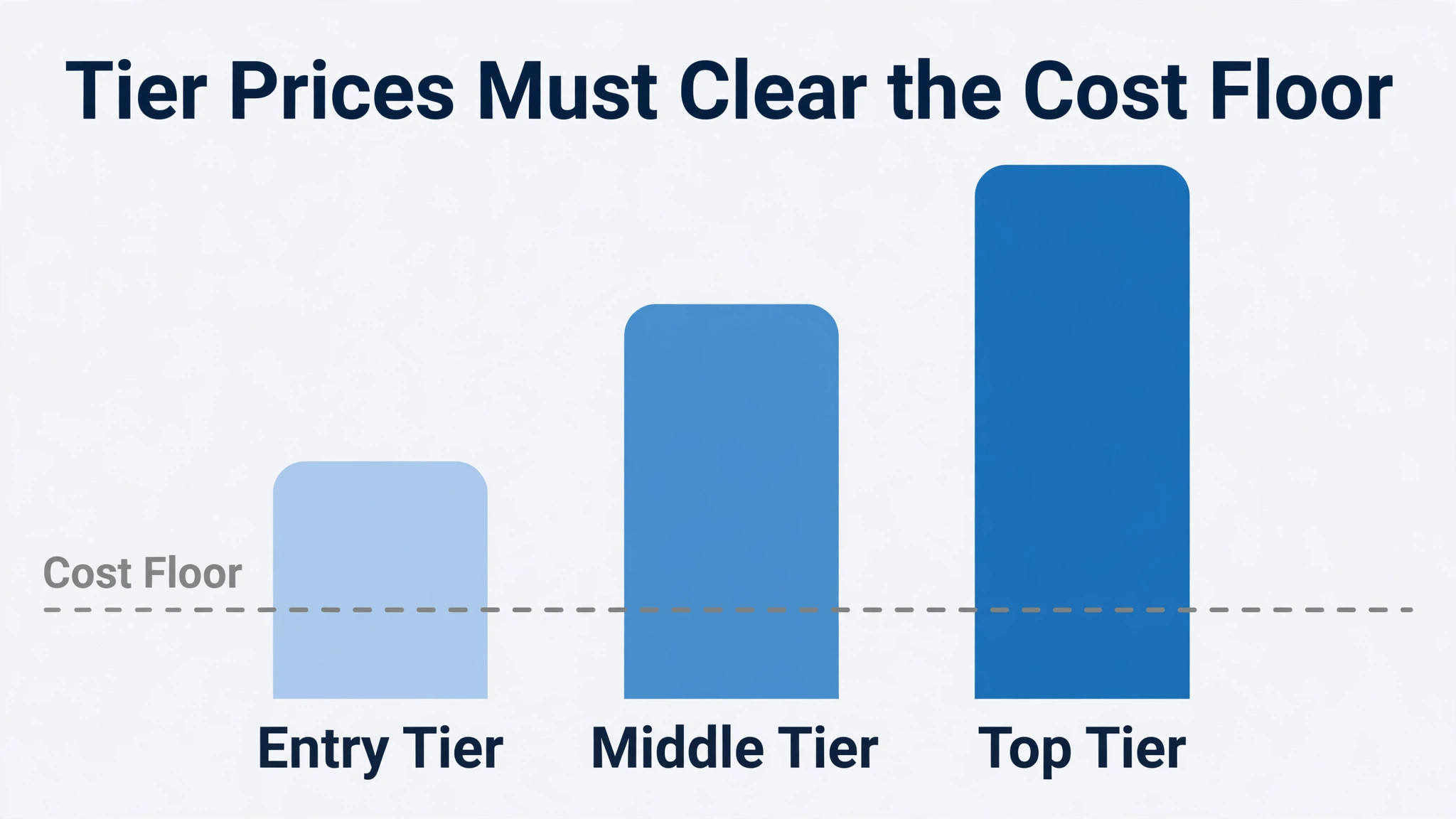
Three tiers change the customer question from yes or no to which one, and that shift alone improves conversion for many service firms. Design the entry tier to solve the core problem cleanly, priced above your cost floor, aimed at the customer who needs to start somewhere. Design the middle tier as the hero, bundling the core result with the extras most customers end up wanting anyway, priced to be the obvious value. Design the top tier as the premium, with speed, depth, or personal attention that a particular kind of customer will gladly pay for.
Make the middle tier the one you want most customers to choose, and design the other tiers to make that choice easy. The entry tier should feel complete but limited, not stripped to the point of frustration. The top tier should feel genuinely premium, not like a penalty price for customers who ask for more.
Price gaps between tiers should reflect real differences in scope and effort, because customers notice when a higher tier adds little but costs much more. A common pattern is a middle tier priced roughly 40 to 60 percent above entry, with the top tier roughly double the entry price, but treat those figures as a starting check, not as a rule, since your costs decide the real gaps.
Name tiers for outcomes or customer types, not for metals or generic labels alone. Bronze, silver, and gold tell a customer nothing about fit. Names like Starter, Growth, and Full Service, or Essential, Complete, and Concierge, help a customer recognise themselves. Whatever naming you choose, use it consistently across the menu, the quote, and the invoice, so the customer never wonders whether the package they bought is the package they received.
Present tiers in a comparison table on the menu, with features down the side and tiers across the top, so differences are visible at a glance. Highlight the middle tier visually as the most popular choice, since social proof helps undecided customers commit. Keep the table to the differences that matter, not to an exhaustive feature dump, because a table with forty rows is a wall, not a decision aid. Ten to fourteen well chosen rows usually show the real differences clearly. A comparison table built this way is the centrepiece of how to create a service menu small business customers can use without calling for an explanation first.
| Tier design choice | Entry tier | Hero middle tier | Premium tier |
|---|---|---|---|
| Solves | Core problem only | Core problem plus common extras | Core problem plus speed and depth |
| Delivered by | Team, standard process | Team plus specialist review | Owner or senior specialist |
| Revisions | One round | Two rounds | Three rounds plus priority handling |
| Turnaround | Standard | Standard, priority queue | Fastest, rush available |
| Best for | Starting out, tight budget | Most customers, best value | Complex needs, tight deadlines |
Price Anchors That Hold Up in a Sales Call
Pricing starts with a floor you can defend, not with a competitor price you hope to match. Calculate the floor from three layers. Direct costs are the time, materials, and subcontractor costs a job consumes. Overhead is the share of software, insurance, phone, premises, and admin that keeps you trading whether or not you have work that week. Non billable time is the quoting, chasing, and admin hours that surround billable work, which many owners forget entirely. A price below the floor costs you money to deliver, however busy it keeps you.
Add margin and a buffer above the floor. Margin is your profit, the reward for running the business and the fund for growth. Buffer covers mistakes, slow approvals, and scope wobbles that every real job contains. Many service owners price with neither, then wonder why a busy month still leaves the bank account flat. Price the tiers from the floor upward, checking that each tier clears its floor with room to spare, rather than pricing the top tier generously and letting the entry tier subsidise nothing.
Use anchors to help customers judge value. The top tier anchors the range, making the middle tier look reasonable by comparison, which is a normal and honest effect when the top tier genuinely delivers more. Show a starting price, or a price range, where the work genuinely varies, and explain what moves a job inside that range, such as size, complexity, or deadline. Avoid a single fixed price for work that varies wildly, since it forces you to absorb the hardest jobs at the easiest job price. Equally, avoid a vague price on request for standard packages, since it reintroduces the custom quote delay the menu exists to remove.
Review prices on a schedule, not in a crisis. Set new rates for new customers without a negotiation, and give existing customers notice with a reason framed around the value they receive. Track which tier sells most, which add ons sell most, and where scope arguments still arise, and adjust the menu from that evidence each quarter. A menu that never changes is a menu that has stopped learning from its own sales data, and its prices will drift away from its costs. Scheduled review is what keeps guidance on how to create a service menu small business owners rely on honest over time, since costs and demand never stand still.
The Add On Path That Raises Order Value Cleanly
Add ons raise average order value without complicating the core choice, provided they follow three rules. They must be truly optional, so a customer who skips them still receives a complete service. They must be priced clearly on the menu, so no add on becomes a surprise invoice later. And they must be easy for you to deliver, so an add on never becomes a second project hiding inside the first. If most customers need an item, it belongs in the middle tier, not in the add on list.
Keep the add on list short, with five to eight items grouped by type, such as speed, extra content, or extra support. Grouping helps customers scan, and a short list preserves the decision speed the menu creates. Price add ons by a consistent method, such as per unit, per project, or monthly for ongoing support, and state the method beside each item. Bundle two related add ons for a small saving where that helps a decision, but avoid heavy discounts that eat the buffer you built into tier pricing.
Common add on types suit different trades, but the pattern repeats. Rush start, extra revision rounds, extra units such as pages or rooms, extended support periods, and reporting or training sessions all work as add ons when they are optional and clearly priced. Price ranges for such items vary widely by trade and market, so set your own figures from your costs and confirm them against local competitors, rather than copying a range from a guide written for a different trade. The method matters more than any single figure.
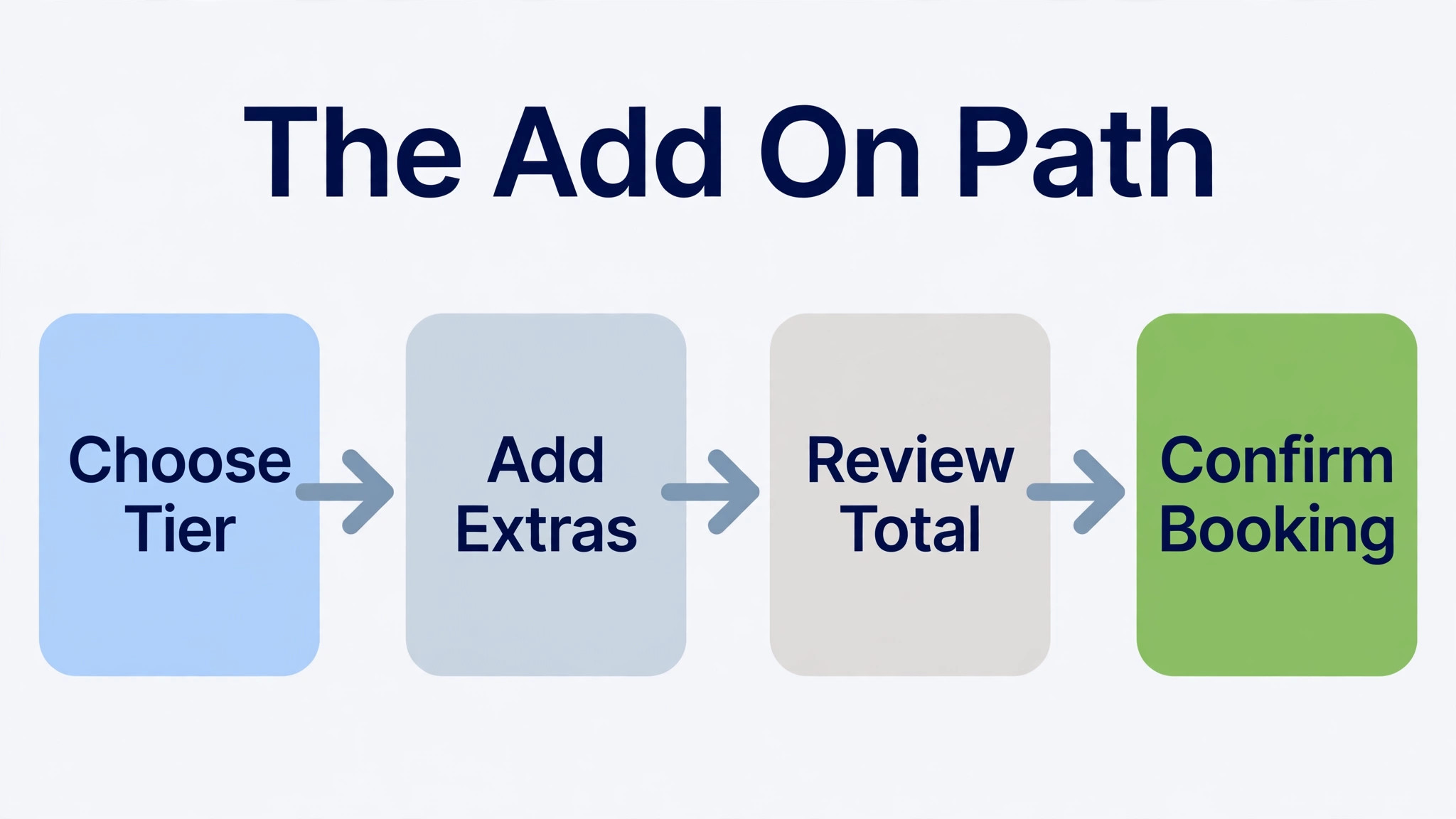
Write the add on path into the buying journey, not only onto the menu page. After a customer chooses a tier, present the add on list as a single step with checkboxes, then confirm the total before payment or agreement. That order, tier first, then add ons, then total, prevents the add on step from reopening the tier decision. It also creates a clean record of what was agreed, which protects both sides if scope is questioned later. A clean buying journey like this is the finishing touch in how to create a service menu small business customers complete without confusion or second guessing.
Layout That Guides the Eye to the Hero
Layout decides whether a good menu gets read or gets skimmed and abandoned. Lead with a short headline naming the outcome, then a one sentence description of who the menu is for. Follow with the tier comparison table, with the hero middle tier highlighted. Follow the table with a short scope note for each tier, the add on list, and a single clear next step, such as booking a call or requesting a start date. That order matches the customer decision order, and it avoids burying the prices beneath paragraphs of background.
On a web page, keep the menu on one page where possible, with anchor links for longer menus, and make prices visible without a download or a form. A menu hidden behind a contact form is not a menu. It is a lead capture page wearing a menu costume, and it loses the customers who wanted to decide before talking. On a printed menu, use the same order, with generous spacing, readable type, and the hero tier visually distinct, since a printed menu is often read at a glance in a waiting room or a shop.
Photography and design should support the decision, not decorate around it. Use one image per tier at most, showing the outcome or the delivery, and keep captions factual. Avoid stock imagery that promises a result you do not deliver, and avoid clutter that competes with the price table. The design test is simple. Can a new customer, in under a minute, name the three tiers, state what the middle tier includes, and say what to do next. If not, simplify before you publish.
Accessibility and honesty complete the layout. State whether prices include tax where your market expects it, state the currency, and state how long a quoted price holds. Those small honesty points prevent the most common post sale friction, which is a customer discovering a tax, a fee, or an expiry they did not expect. A menu that is clear about money earns trust faster than a menu that is clever about hiding it. Honesty about money is also the simplest test of how to create a service menu small business customers recommend, since nobody recommends a menu that surprised them at payment.
Test, Launch and Keep Improving
Test the menu with five real customers before a full launch, ideally a mix of new enquirers and existing customers due for renewal. Watch where they hesitate, which tier they choose, and which questions they ask that the menu did not answer. Those hesitations are the menu revisions, written by the people who matter most. A menu that survives five real tests with only small changes is ready. A menu that confuses three out of five needs another draft, however polished it looks to you.
Launch to new customers first, then migrate existing customers at renewal with notice and a clear explanation of what changes and what stays the same. Grandfathering a few long standing customers at old prices for a defined period can preserve goodwill, but set an end date, or the exception becomes permanent and the menu has two prices for the same work. Announce the menu where customers already look, on your website, in your booking flow, and in your quote replies, so the menu becomes the default answer to a price question rather than a document nobody finds.
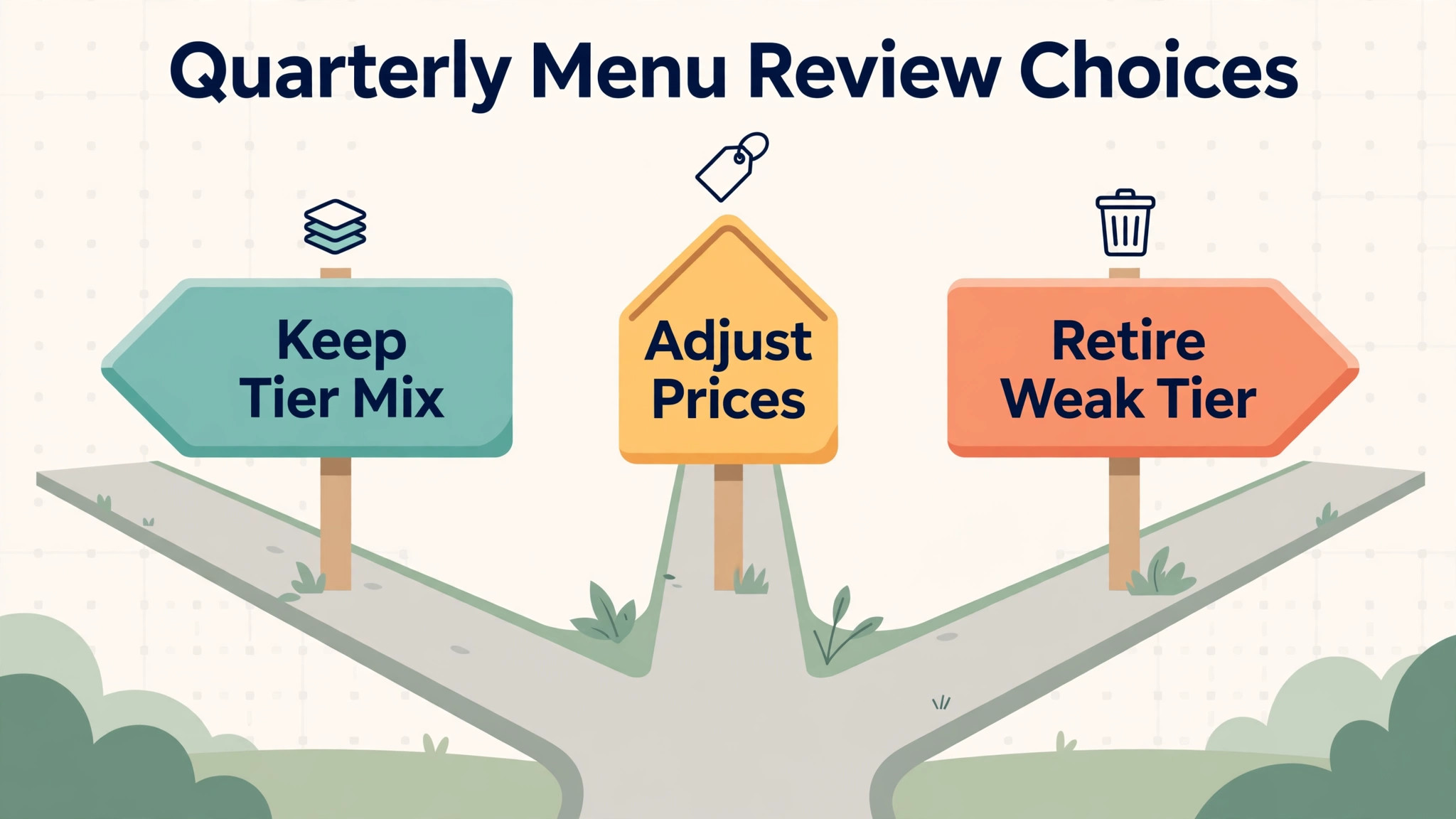
Review the menu quarterly from sales evidence. Track tier mix, add on uptake, conversion rate from enquiry to booking, and the frequency of scope arguments. If the entry tier sells far more than the hero, the hero may be overpriced or under differentiated. If add ons rarely sell, they may be poorly explained or wrongly chosen. If scope arguments persist, the scope statements need tightening, not the prices. A menu reviewed quarterly stays aligned with costs, capacity, and customer behaviour, which is the whole point of having one.
Keep a one page review note each quarter, recording the tier mix, the best selling add on, the most common customer question, and the single change you will make next. That note turns quarterly review from a vague intention into a habit, and it gives you a record of why each change was made when you look back a year later.
The first mistake is listing everything you can do, instead of what you sell well. A sprawling menu slows decisions, dilutes expertise, and creates delivery obligations for services you rarely practise. Cut the menu to core services plus a short add on list, and let unusual requests come through a custom quote path that sits outside the menu. The menu should cover the 80 percent of work that repeats, not the 20 percent that surprises.
The second mistake is pricing from competitors instead of from costs. A competitor price reflects their costs, their capacity, and their strategy, none of which are yours. Matching it without checking your floor can mean delivering at a loss while looking competitive. Price from your floor upward, use competitors only as a sanity check on market position, and be willing to be the more expensive option where your scope, speed, or quality justifies it.
The third mistake is hiding the real price behind a low entry tier that nobody can actually buy. An entry tier stripped of essentials forces every customer into the middle tier feeling tricked, which damages trust more than a higher honest entry price would. Make the entry tier genuinely complete for its stated problem, even if it is limited, so customers who choose it feel served, not upsold against their will.
The fourth mistake is freezing the menu after launch. Costs rise, capacity changes, and customer behaviour shifts, so a menu that never moves slowly becomes unprofitable or irrelevant. Quarterly review, annual repricing, and scope tightening from real arguments keep the menu honest. Treat the menu as a living sales tool, not as a brochure printed once and forgotten.
Frequently Asked Questions
Three to five core services, each with clear tiers, plus five to eight add ons, suits most small service firms. That range gives customers real choice without choice overload, and it keeps delivery knowledge deep rather than spread thin. Firms with a very narrow specialism may need only one or two core services, while broader firms should still resist listing every possible job. Unusual work can sit on a custom quote path outside the menu.
Show prices for standard packages, or at least a starting price with the factors that move it, since visible prices let customers decide before they contact you and filter out enquiries that were never going to afford the work. Reserve price on request for genuinely custom work, where scope varies too much for a standard figure. A menu with no prices at all is a brochure, not a decision tool, and it reintroduces the custom quote delay the menu exists to remove.
How do I price tiers if my jobs vary a lot?
Price from your cost floor for a defined standard job, then state the factors that move the price, such as size, complexity, deadline, and location. Offer a starting price or a range for each tier, with a short note on what pushes a job toward the top of the range. That approach keeps the menu honest for variable work without forcing every enquiry back into a fully custom quote. Review the ranges quarterly against actual job costs.
What belongs in an add on rather than a tier?
An add on belongs where it is truly optional, clearly priced, and easy to deliver without changing the core job. Rush delivery, extra units, extra revision rounds, and extended support all suit add ons. If most customers need an item, or if skipping it leaves the service incomplete, move it into the middle tier instead. The test is simple. A customer who skips every add on should still receive a complete, satisfying service.
Review the menu quarterly from tier mix, add on uptake, conversion, and scope arguments, and reprice at least annually from your current costs. Update scope statements whenever the same argument appears twice, since a repeated argument signals a wording gap rather than a difficult customer. Owners who study how to create a service menu small business customers keep buying from treat review as part of the menu, not as an afterthought, and their menus stay profitable as costs and demand change.
Yes, and it often helps solo operators most, because it replaces custom quoting time with a repeatable decision path and protects personal capacity. Design the entry tier to be deliverable without heroic effort, reserve personal time for the premium tier, and set turnaround times that reflect real availability. A solo menu should be shorter than a team menu, with fewer tiers and add ons, since every item is delivered by the same person.
More Reading on Stratilyze
– How to Set Service Prices for a Trades Business – How to Write a Scope of Work as a Small Business – How to Collect Deposits Before Work as a Small Business