
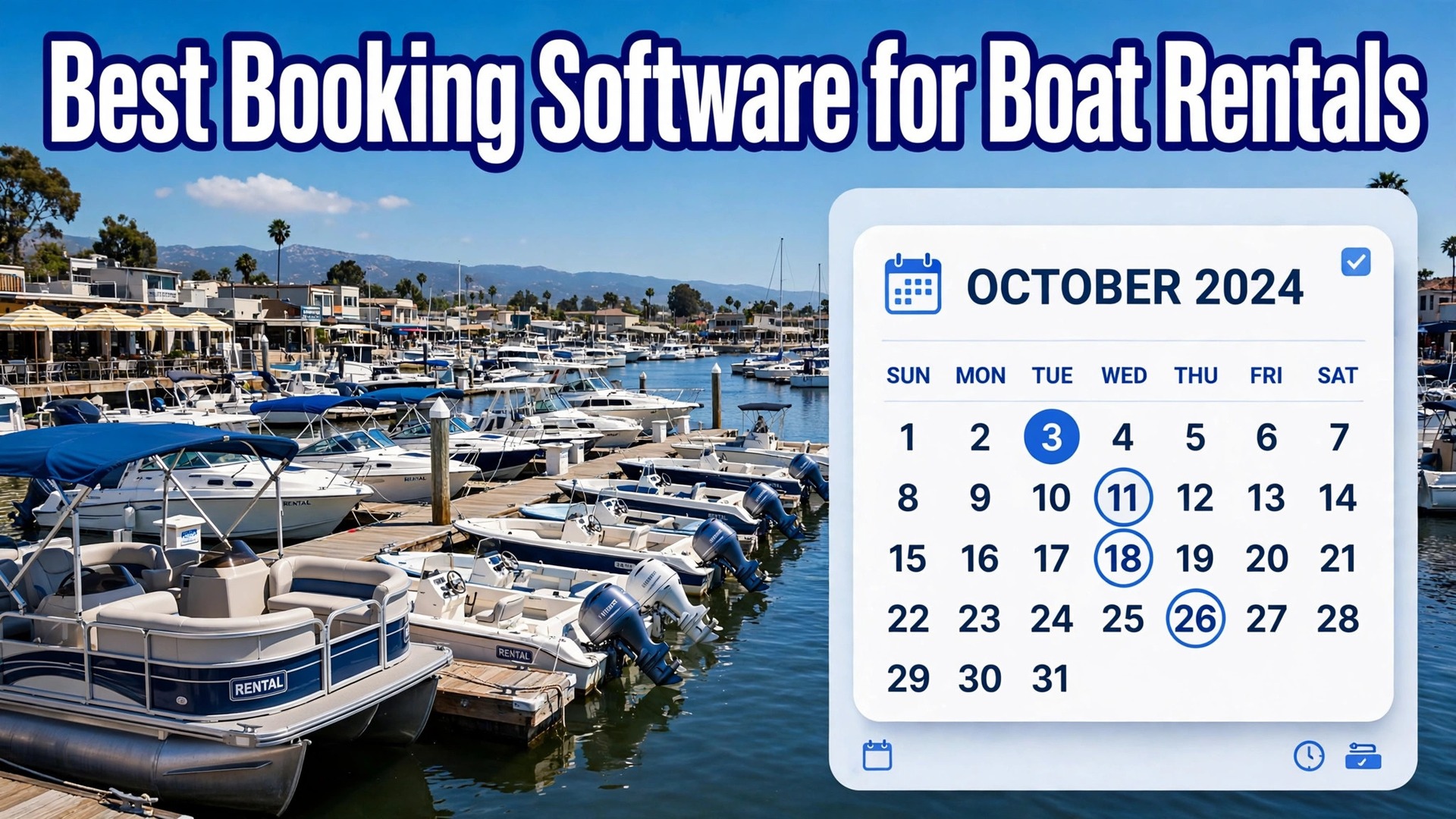
The problem is simple to state and expensive to get wrong. A boat that sits empty on a perfect Saturday loses a day of revenue that no discount on Monday can recover, while a double booked boat creates a refund, a bad review, and a safety argument at the dock. The best booking software for boat rentals has to protect the fleet calendar first, because every other feature depends on it.
This guide compares 14 tools on fleet calendars, deposits, waivers, captained trip handling, marketplace reach, and price. Where a vendor charges commission rather than a monthly fee, that is stated plainly, because commission changes the real cost at high volume. Prices change, so confirm every figure on the vendor page before you sign.
Boat rentals also differ from hotel or tour bookings in one practical way. Weather cancels days, damage happens, and a renter may arrive late, unlicensed, or unprepared. A booking system that cannot hold a deposit, collect a waiver, and move a booking cleanly when wind cancels the afternoon will cost more in dock arguments than it saves in software fees.
Boat Booking Tools at a Glance
The table below gives a fast read on price and fit. Commission tools look free until volume grows, so read the fee column beside the monthly price.
| Tool | Starting price | Best for |
|---|---|---|
| FareHarbor | 0 dollars per month plus about 6 percent commission reported | Low volume operators that want no monthly fee |
| Peek Pro | Custom quote, Pro plans from 199 dollars per month reported | United States operators that want dynamic pricing |
| Checkfront | From 99 dollars per month reported | Operators mixing rentals, lessons, and tours |
| Rezdy | From 49 dollars per month reported | Operators that sell through resellers and agents |
| Bokun | Free plan, paid plans from 49 dollars per month plus a percentage fee | Operators that want a free start with marketplace reach |
| Bookeo | From 14.95 dollars to 119.95 dollars per month reported | Small operators that want published monthly plans |
| Xola | Custom quote, from 199 dollars per month reported | Growing operators that want marketing and booking together |
| WaveRez | Commission based, no monthly fee reported | Operators that prefer commission over a subscription |
| Regiondo | Check the vendor page | European operators that want channel connections |
| TrekkSoft | Check the vendor page | Multi day and multi product operators |
| TicketingHub | Check the vendor page | Operators that want a simple booking widget |
| SimplyBook.me | Check the vendor page | Small fleets that want simple scheduling |
| Vev | Check the vendor page | Operators that want a modern booking storefront |
| Bookinglayer | Check the vendor page | Rental firms that want rental specific workflows |
Why the best booking software for boat rentals beats a phone and a paper calendar
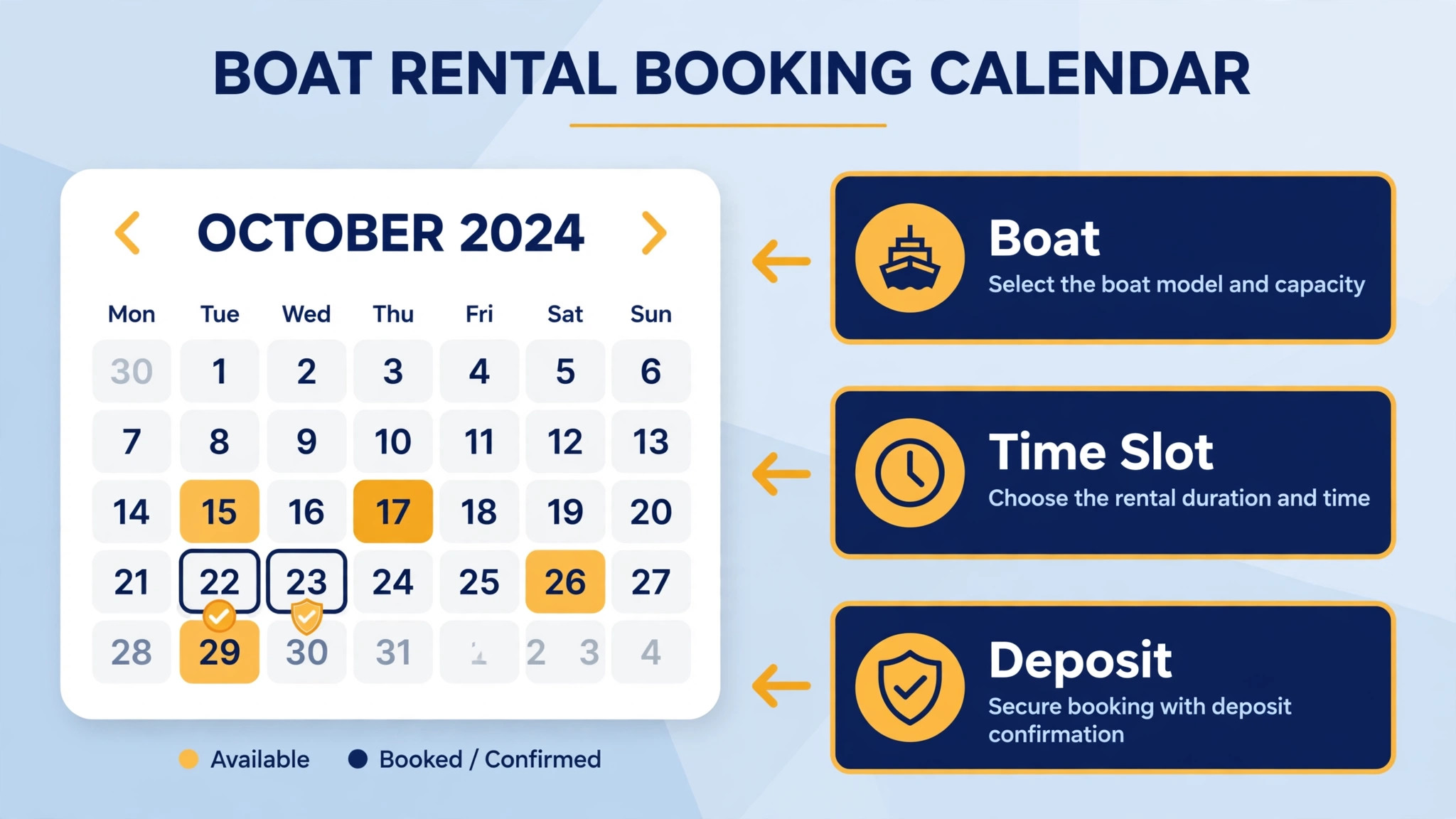
A paper calendar cannot show the same boat on your website, a marketplace, and the dock phone at once. Double bookings happen when those views drift apart, and they happen most on busy weekends when the dock is least able to fix them. Booking software keeps one fleet calendar and updates every channel from it, so a boat booked online is gone everywhere instantly.
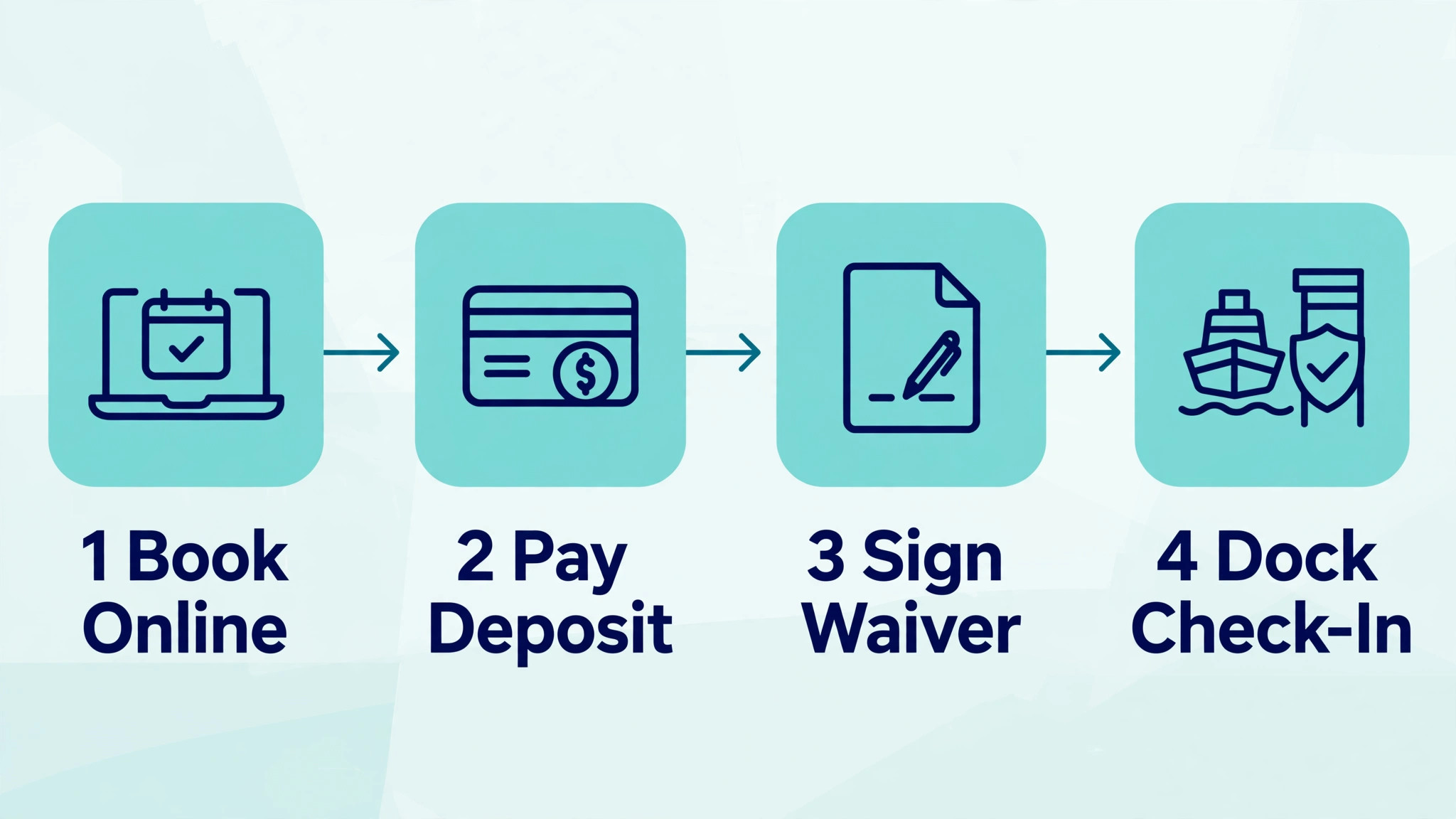
Deposits and waivers are the second difference. A booking tool can collect a damage deposit, a signed waiver, and a boating licence check before the renter reaches the dock. That front loaded paperwork shortens check in, reduces disputes, and gives the business a clear record when damage is found on return.
Weather handling is the third difference. A system that can move a whole afternoon of bookings, message every affected renter, and offer rebooking in a few clicks turns a cancelled day into retained revenue. A phone list and a paper diary turn the same day into hours of calls and lost bookings.
Finally, booking software creates a record of who rented what, when, and for how much. That record supports pricing decisions, maintenance planning, and repeat marketing. A paper calendar loses that history, while a booking system builds it with every completed trip.
Fourteen Booking Tools Compared
FareHarbor
FareHarbor is the easiest booking system to start on, with no monthly fee and payment processing bundled into a commission model reported at about 6 percent per booking. It suits tour and rental operators who want fast setup and marketplace reach. The trade off is that commission applies to bookings you bring in yourself as well, so high volume operators should model the annual total before committing.
Choose FareHarbor when volume is low or seasonal and you want no fixed bill. Skip it when monthly revenue is high, because a flat monthly tool can cost far less than commission at scale.
Peek Pro
Peek Pro offers booking, waivers, point of sale, and dynamic pricing, with a marketplace presence through Peek.com. Pricing is custom and quote based rather than a fixed monthly plan, so a demo and a written quote are needed. Recent comparisons report Pro plans from 199 dollars per month, but confirm the full quote including booking fees and card processing.
Choose Peek Pro when dynamic pricing and United States walk up sales matter. Skip it when you want published pricing you can compare without a sales call.
Checkfront
Checkfront suits operators who sell rentals alongside lessons or tours from one fleet. Its inventory model handles mixed products well, and recent comparisons report starting prices from 99 dollars per month, with a booking fee on online bookings that can be absorbed or passed to the guest. Confirm the current fee on the vendor page.
Choose Checkfront when mixed inventory matters more than the lowest fee. Skip it when you only rent one boat type by the hour, because simpler rental tools may fit better.
Rezdy
Rezdy is built for tour and activity operators with strong reseller and business to business networks. It offers booking management, agent tools, and marketplace connections, with recent comparisons reporting plans from 49 dollars per month. Confirm whether direct bookings carry a fee, because that detail changes the total at volume.
Choose Rezdy when resellers and agents bring a large share of bookings. Skip it when most bookings come direct and you want the simplest rental calendar.
Bokun
Bokun offers a free plan plus paid plans reported at 49 dollars per month for Start, 149 dollars for Plus, and 499 dollars for Premium, each with a small percentage fee on applicable bookings. Paid plans carry no Bokun fee on Viator and offline bookings, and the fee can be passed to guests. Confirm the current fee table before comparing totals.
Choose Bokun when you want to start free and grow into paid tiers. Skip it when you want a single flat fee with no percentage at all.
Bookeo
Bookeo charges monthly plans reported from 14.95 dollars to 119.95 dollars per month, which makes it one of the clearest priced options in this guide. It covers bookings, payments, and customer management for small activity operators. Check which plan fits your booking count, because limits sit behind the tiers.
Choose Bookeo when published monthly pricing and a low entry price matter. Skip it when you need deep fleet maintenance or captained trip workflows, because those areas need a trial check.
Xola
Xola combines booking, marketing, and distribution tools for activity operators. Pricing is subscription based and reported from 199 dollars per month, but the exact figure depends on the quote, so get it in writing. Its strength is pairing bookings with marketing reach rather than offering the cheapest calendar alone.
Choose Xola when marketing and distribution matter beside bookings. Skip it when you want a published price or a bare bones rental calendar.
WaveRez
WaveRez offers booking tools with a commission model and no monthly fee in recent comparisons, with commission reported up to about 6 percent. That model suits operators who would rather pay per booking than carry a fixed bill through a quiet winter. Confirm the exact commission and what happens on refunds before you rely on it.
Choose WaveRez when seasonal cash flow makes a fixed bill painful. Skip it at high volume, where commission overtakes a flat fee quickly.
Regiondo
Regiondo serves activity and rental operators with booking, channel management, and distribution connections. It suits operators selling through multiple travel sites as well as direct. Pricing is quoted, so a demo and a written quote are needed to compare it fairly.
Choose Regiondo when channel distribution is central to the business. Skip it when you want published pricing or a United States focused marketplace.
TrekkSoft
TrekkSoft covers bookings, payments, and distribution for tour and activity firms, including operators with multi day products. It suits rental firms that also sell multi day charters or packages. Pricing is quoted rather than published, so confirm the full fee structure in writing.
Choose TrekkSoft when packages and multi day trips sit beside rentals. Skip it for a simple hourly rental fleet, because the depth adds setup time.
TicketingHub
TicketingHub offers online booking, ticketing, and payments for activity operators, with a focus on getting a booking widget live quickly. It suits small rental firms that mainly need a clean website booking flow without a large platform migration. Pricing is quoted, so confirm fees before comparing totals.
Choose TicketingHub when speed of setup matters most. Skip it when you need deep fleet or captained trip workflows.
SimplyBook.me
SimplyBook.me is a general booking platform that small rental firms can adapt to hourly and day bookings. It offers scheduling, payments, and customer notifications at a small operator scale. Pricing varies by plan, so confirm the current plan and booking limits on the vendor page.
Choose SimplyBook.me when simplicity and a low bill matter more than rental specific depth. Skip it when damage deposits, waivers, and fleet maintenance need built in handling.
Vev
Vev offers booking and storefront tools for service and rental businesses, with a modern website presentation. It suits firms that care about how the booking page looks and converts, as well as how the calendar works. Pricing is quoted, so get the full figure in writing.
Choose Vev when storefront quality and conversion matter. Skip it when you need proven boat fleet depth, because rental specific features need a trial check.
Bookinglayer
Bookinglayer is built for rental businesses, with booking, availability, and rental workflow tools that fit hourly and multi day hire. That rental focus makes it a closer fit than a generic scheduler for firms that rent equipment or boats by time slot. Pricing is quoted, so confirm the plan for your fleet size.
Choose Bookinglayer when rental workflows matter more than tour marketplace reach. Skip it when marketplace distribution drives most bookings.
Best Picks by Trip Type
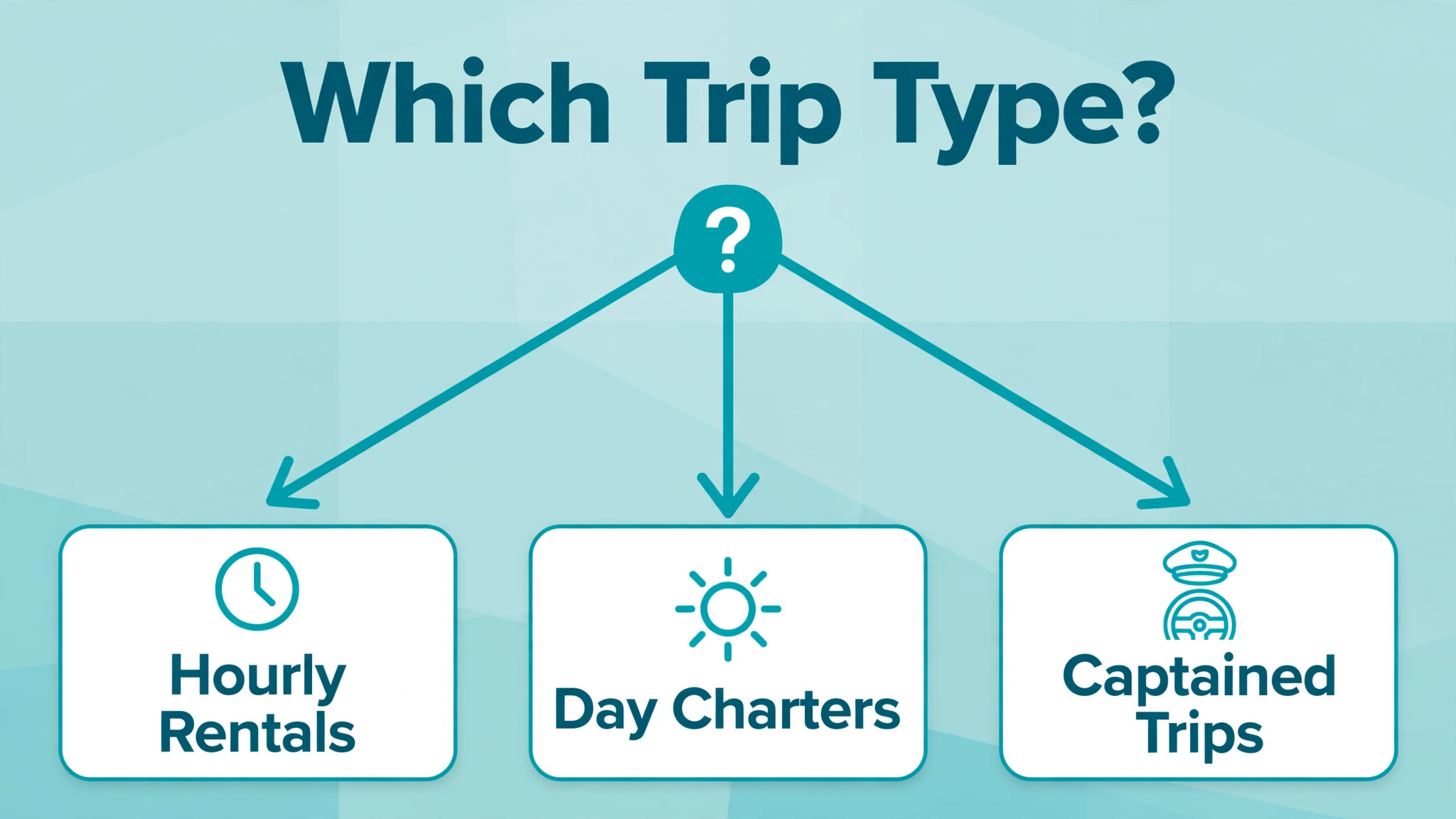
Use this table to match the tool to the trip type that earns the most. A tool that fits hourly rentals can strain on captained trips, where crew, waivers, and weather rules matter more. Keep the best best booking software for boat rentals in view as you compare, and judge each pick on the job it must do daily.
| Job | Best pick | Why it wins |
|---|---|---|
| Hourly rentals | Bookeo or Bookinglayer | Simple time slot booking, low fixed cost, clear availability |
| Day charters | Checkfront or FareHarbor | Mixed products, marketplace reach, and full day inventory |
| Captained trips | Peek Pro or Xola | Dynamic pricing, waivers, and guided trip handling |
Damage Deposit Checklist
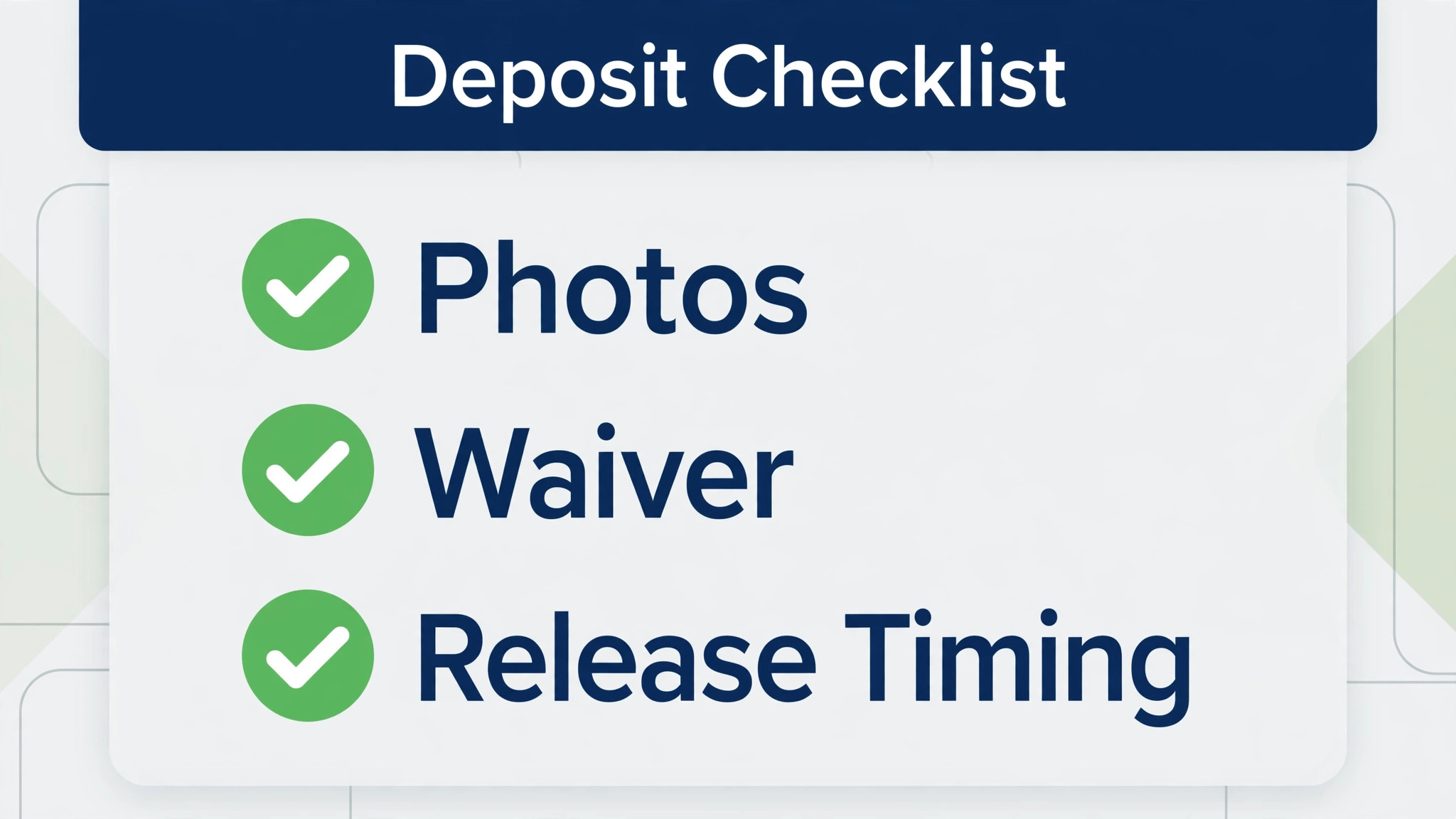
– State the deposit amount, the hold method, and the release timing on the booking page before payment. – Photograph or video the boat with the renter at check in, and store the record against the booking. – Collect the signed waiver and any licence check before the boat leaves the dock, not after. – Record fuel level, equipment, and existing marks on a shared check in form both sides can see. – Inspect on return with the renter present where possible, and note damage before the next booking. – Release or charge the deposit within the stated window, with photos and a written explanation for any charge. – Keep deposit disputes separate from rebooking, so a dispute does not block a future honest renter.

What Boat Booking Really Costs
Commission is the hidden cost in boat booking. A 6 percent commission looks small on one booking and large across a season, especially when it applies to bookings you brought in yourself. Model commission at your real seasonal revenue, not at a quiet month, and compare it with a flat monthly fee plus card processing.
Card processing sits on top of most models. Booking fees, platform fees, and card fees are three different lines, and vendors describe them differently. Ask for all three in writing, plus what happens to each fee when a booking is refunded for weather.
Marketplace fees add a further layer. A marketplace may take 20 percent or more on top of your booking fee, which changes which channel should be pushed. Use direct booking tools to protect margin on repeat renters, and treat marketplace bookings as new customer acquisition rather than core revenue.
Setup and onboarding time is a cost too. Moving a fleet calendar, rewriting waiver text, and training dock staff takes days even on a simple tool. Budget that time before peak season, not during it.
Separate the subscription from the total cost of ownership before you compare finalists. Training time, setup help, extra users, and any second tool all sit outside the headline price, and they decide the real first year bill. The best best booking software for boat rentals on subscription price alone can still be the expensive choice once those items are added, so build one total per finalist and compare totals, not headlines.
Ask every vendor for the renewal price in writing, not just the first year price. Introductory offers, first month discounts, and launch pricing all expire, and the renewal figure is the price you will actually live with. A vendor that will not put renewal pricing in writing is telling you something useful about the second year.
Mistakes That Cost Rental Firms Saturdays
The most common mistake is choosing on monthly price alone and ignoring commission. A free tool that takes 6 percent of a 400 dollar charter costs 24 dollars per booking, which beats a 99 dollar monthly plan only below a small booking count. Do the season maths before you choose.
A second mistake is skipping the deposit and waiver test. Many tools collect payments well and handle deposits poorly, with unclear holds or slow releases. Test a full deposit hold, damage note, and release during the trial, because dock disputes start there.
A third mistake is ignoring weather workflow. A tool that cannot move a whole day of bookings cleanly will cost hours of calls on the first storm weekend. Test a mass move and a mass message before peak season, not after.
A fourth mistake is leaving the old calendar running beside the new one. Two calendars create double bookings faster than one bad calendar ever did. Cut over on a quiet day, check every live booking moved across, and then close the old calendar.
Another common mistake is letting one person hold all the system knowledge. If only the owner knows how to fix fleet calendar and deposit handling, a holiday or a sick day becomes a system outage. Train at least two people on the core routines, write the routines down on one page, and keep that page where the team works.
How to Test Finalists During a Busy Weekend
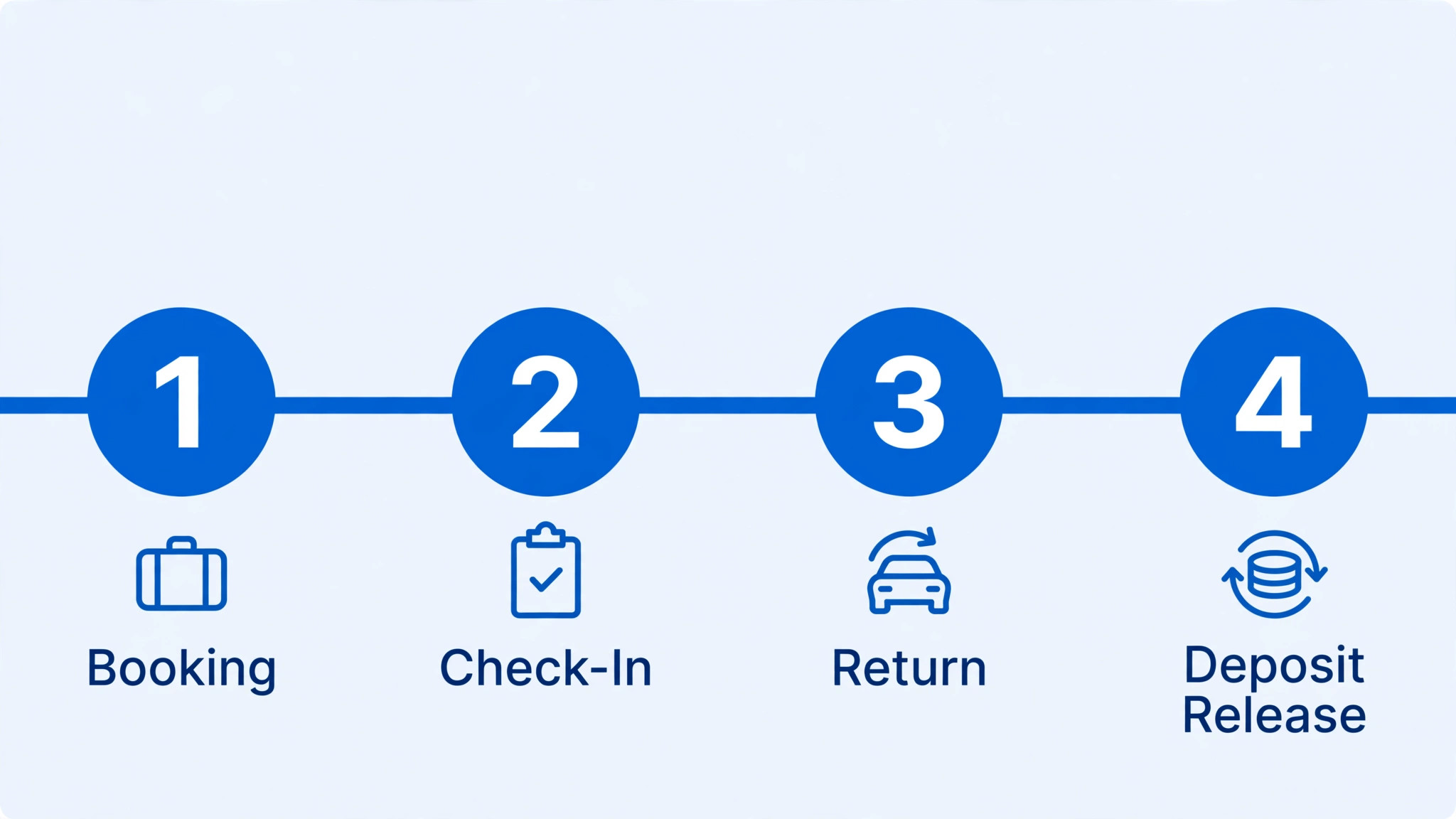
Pick two finalists and run them through a busy weekend in trial. Book an hourly rental, a full day charter, and a captained trip, then cancel one day for weather and move every affected booking. Score how each system handles the calendar, the deposit, the waiver, and the customer message.
Ask dock staff to score each platform separately from office staff. Office staff value reporting and pricing, while dock staff value check in speed, clear boat status, and a phone view that works in sunlight. A tool that only pleases one group will fail at the dock.
Check support before you need it. Send a question about deposits, refunds, or calendar sync and note how fast and how clearly the team replies. Support quality matters most on a Saturday morning, when the dock cannot wait.
How to Choose a Boat Booking Tool
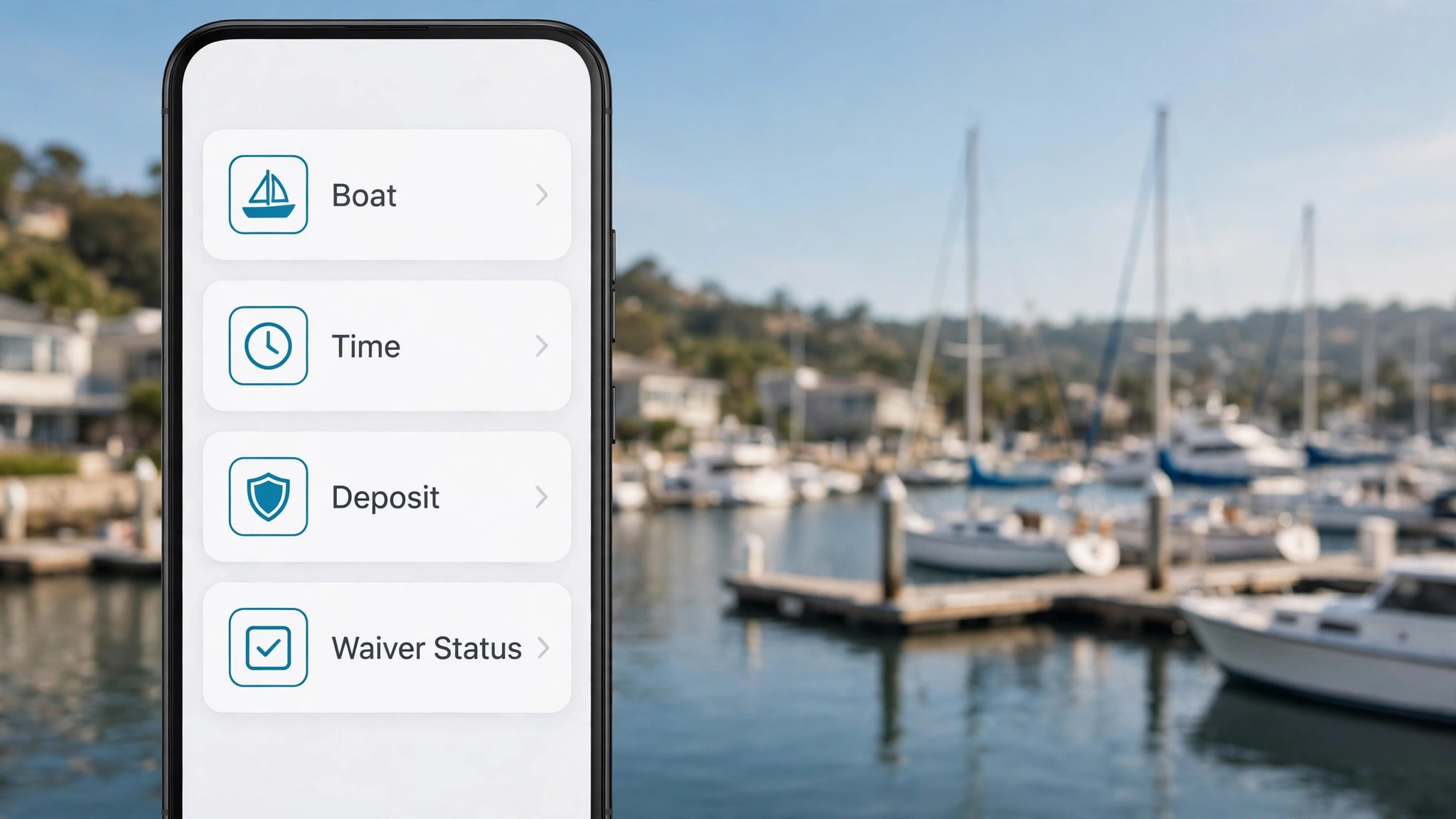
Start with the work that happens every day, not with the feature list that impressed a demo. Write down the five tasks your team repeats most in boat rental, then score each finalist only on those tasks. A tool that handles the daily loop cleanly will earn its fee, while a tool that shines on rare tasks and stumbles on daily ones will frustrate the team within a month.
Next, list the must have features separately from the nice to have features, and keep the must have list short. Three features used daily beat thirty features used once, so buy for the daily work and ignore the rest of the catalogue. The best best booking software for boat rentals for your firm is the one that does the must have list without workarounds, even if a rival lists more features overall.
Check the mobile experience before anything else, because staff and renters now do most of this work on phones. If the mobile view hides key buttons, shrinks text too far, or forces endless scrolling, adoption will suffer no matter how good the desktop version looks. Judge the product on the smallest screen your team actually uses, not on a large office monitor.
Ask for references from businesses of a similar size, not just from large success stories. A vendor that serves a fifty person firm well may still fail a three person firm, because support, pricing, and setup differ by scale. A reference from a firm like yours is worth more than a polished case study, so ask for two and actually call them.
Review the contract line by line with the same care you give to a supplier agreement. Note the minimum term, the notice period, the price change clause, and any fee for extra users, locations, or transactions. A clear contract protects both sides, while a vague contract protects only the vendor, so ask for any unclear term in plain writing before signing.
Decide what happens when the system is down, because every online tool fails at some point. Write a simple fallback, such as a paper record or a phone tree, and keep it where staff can find it. A fallback plan turns a system outage into a minor delay rather than a lost day of trading, and it is a sign of a mature operation.
Plan for growth in the contract, including the price at the next tier and the cost of adding a location, a team, or a new channel. A tool that punishes growth will be replaced just when the business succeeds, which is the worst time to migrate. Growth pricing agreed in advance removes that trap and keeps the decision honest.
Setting Up Without Disrupting the Dock
Migration works best in small steps. Move one group of records at a time and check each group before moving the next, because a big move on a Friday night creates a Monday morning of missing records and confused staff. Small steps take longer on paper, yet they protect the business from the one error that stops trading for a day.
Keep the old system running in parallel for two weeks, so staff can check a record in the old place if the new place looks wrong. Parallel running feels like extra work, yet it catches migration errors before they affect renters. Stop the old system only after two clean weeks, and only when the team agrees the new system is trustworthy. Choosing the best best booking software for boat rentals is only half the job, and a careful cutover is the other half.
Protect data quality from day one by setting clear rules for names, phone numbers, and record titles. Duplicate records and misspelled addresses create double bookings and failed messages, and cleaning them later takes far longer than entering them correctly at the start. A short data rule sheet, shared with the team, prevents most of the mess.
Schedule training in the week before launch, not in the month before, so skills are fresh when real work starts. Training that happens too early fades, and training that happens after launch arrives too late. A short session, followed by a real day of work, builds confidence faster than either alone, especially before a summer weekend.
After Launch, Keep the Fleet Calendar Honest
Celebrate the first month of wins with the team, such as faster follow up, fewer missed bookings, or a happier customer. A new system feels like a burden until staff see it working, and a small celebration marks the change as a success. Recognition builds the habit of using the tool well, which matters more than any launch announcement.
Keep one channel for internal questions during the first month, so staff do not learn different workarounds in separate chats. A single place for questions lets the owner spot the same problem twice and fix the workflow once, rather than answering the same question five times in five places. That discipline keeps the system clean as the team grows.
Document the daily, weekly, and monthly tasks for the new system on one page, and pin that page where the team works. A one page routine beats a long manual that nobody opens, because staff will follow a short list they can see. Update the page when the workflow changes, so it stays true to how work actually happens.
Agree on response times and support hours in writing, especially if the business trades evenings or weekends. A support team that answers only on weekday mornings is little help when the system fails on a Saturday. Ask for the real support channel, test it during the trial, and note how long a genuine question takes to reach a person who can fix it.
Review user permissions before launch, so each role sees only what it needs. Office staff need financial views, field staff need job details, and customers need only their own records. Clear permissions protect privacy, reduce confusion, and prevent accidental changes to prices or schedules that are hard to unwind later.
More Reading on Stratilyze
– Best Booking Software for Yoga Studios – Best Booking Software for Fitness Studios – Best Online Ordering Software for Bakeries
Frequently Asked Questions
Which booking tool is best for a small boat rental firm?
Bookeo and Bookinglayer lead for small fleets because pricing is clear and rental workflows are close to the job. FareHarbor suits a firm that wants no monthly bill, but commission should be modelled across a full season before choosing it.
Is commission or a monthly fee cheaper for boat rentals?
It depends on volume. At low volume, commission can cost less than a monthly fee. At high seasonal revenue, a flat monthly fee plus card processing usually wins. Run both models at your real season revenue, including marketplace fees.
Can booking software handle damage deposits?
Most rental aware tools can, but deposit holds, release timing, and dispute notes vary widely. Test a full deposit cycle during a trial, including photos at check in and a written explanation for any charge.
How do I handle weather cancellations?
Choose a tool that can move a whole day of bookings, message every affected renter, and offer rebooking in a few clicks. Test that flow before peak season, and write the weather policy on the booking page so renters see it before paying.
Do I need marketplace distribution?
Marketplaces bring new renters, but they take a large share. Use them for acquisition and direct booking for repeat renters, where margin and customer data stay with the business. A tool that supports both channels from one calendar protects both goals.
How long does setup take?
Simple booking tools can be live in days, while marketplace heavy platforms take longer for calendar, waiver, and payment setup. Budget staff time for fleet entry, deposit rules, and dock training, and name one owner for the first month.
The Verdict for Boat Rental Firms
The short answer for boat rental firms is that the best booking software for boat rentals is Bookeo or Bookinglayer for hourly rentals, Checkfront or FareHarbor for day charters, and Peek Pro or Xola for captained trips where pricing and waivers carry more weight. The right pick follows the trip type, not the brand name.
Start with the fleet calendar and the deposit workflow, test two finalists through a busy weekend, and price the full season including commission and card fees. A booking system that protects the calendar, collects deposits cleanly, and moves bookings fast on a storm day will pay for itself in saved Saturdays.