
Slack or Discord. One charges per person for a polished business chat tool with strong admin controls. The other charges nothing for the core product and offers always on voice, unlimited history, and a community feel that small creative teams love. The team that decides to switch Slack to Discord small team channels usually starts with the bill, then discovers the real decision is not about money at all. It is about whether the team needs business controls or community energy, and whether it can live without the history, integrations, and admin tools that Slack provides.
This guide refuses to pretend the move is a simple import. There is no official tool that imports Slack history into Discord. Channels, roles, and integrations must be rebuilt, message history must be archived or moved with a community built tool, and the team must learn a different way of organising conversation. The sections below cover each piece honestly, including the compliance gaps that should stop some teams from moving at all. If your team handles regulated data or client records that must be retained and exported on demand, read the control section before you read anything else.
What Discord Changes About Daily Chat
Daily chat changes in three ways that matter more than any feature list. First, voice becomes a place rather than a call. Discord voice channels stay open, so teammates drop in and out without scheduling a meeting or sending a link. Small teams that collaborate live love this. Teams that prefer scheduled calls and quiet focus time may find always on voice distracting, and they should set norms on day one about when voice is open and when it is not.
Second, conversation organises differently. Slack threads keep replies tidy under a parent message. Discord leans on separate channels and forum channels instead, so a team that recreates Slack one to one will end up with either too many channels or one chaotic channel where everything happens. Plan the channel layout from scratch, with a small number of active channels and forum channels for topics that need threaded discussion. Third, identity changes. Discord roles apply across the whole server, while Slack permissions feel more tied to workspaces and channels. A loose default role can expose channels meant to stay private, so roles must be mapped before invitations go out.
Slack Habits That Feel Different in Discord
Slack users expect a search box that finds every old decision, a thread that holds every reply, and an integration that posts alerts into the right channel without fuss. Discord search works, but history that never moved will not be in it. Threads exist in Discord, but the team culture leans toward channels and forums. Expect a week of asking where things live, and answer with a pinned channel guide rather than with frustration. The guide should list every channel, its purpose, and its audience in plain words.
Discord Habits Worth Adopting Early
Discord rewards a tidy server. Use a small set of text channels for daily work, voice channels for live collaboration, and forum channels for discussions that need structure. Pin a welcome channel with rules, channel purposes, and role explanations. Use role mentions sparingly, so an announcement still means something. A server that starts tidy stays usable. A server that starts as a copy of every Slack channel becomes a maze within a month.
What Actually Moves and What Stays in Slack
No official import moves Slack history into Discord, so every plan must choose between archiving, moving with a community built tool, or leaving history behind. Archiving is the safest default. Export the Slack workspace data, store it where the team can search it, and keep the Slack workspace readable for a set period. Moving history with a community built tool is possible for small teams, but it comes with limits that must be understood before anyone promises a clean transfer.
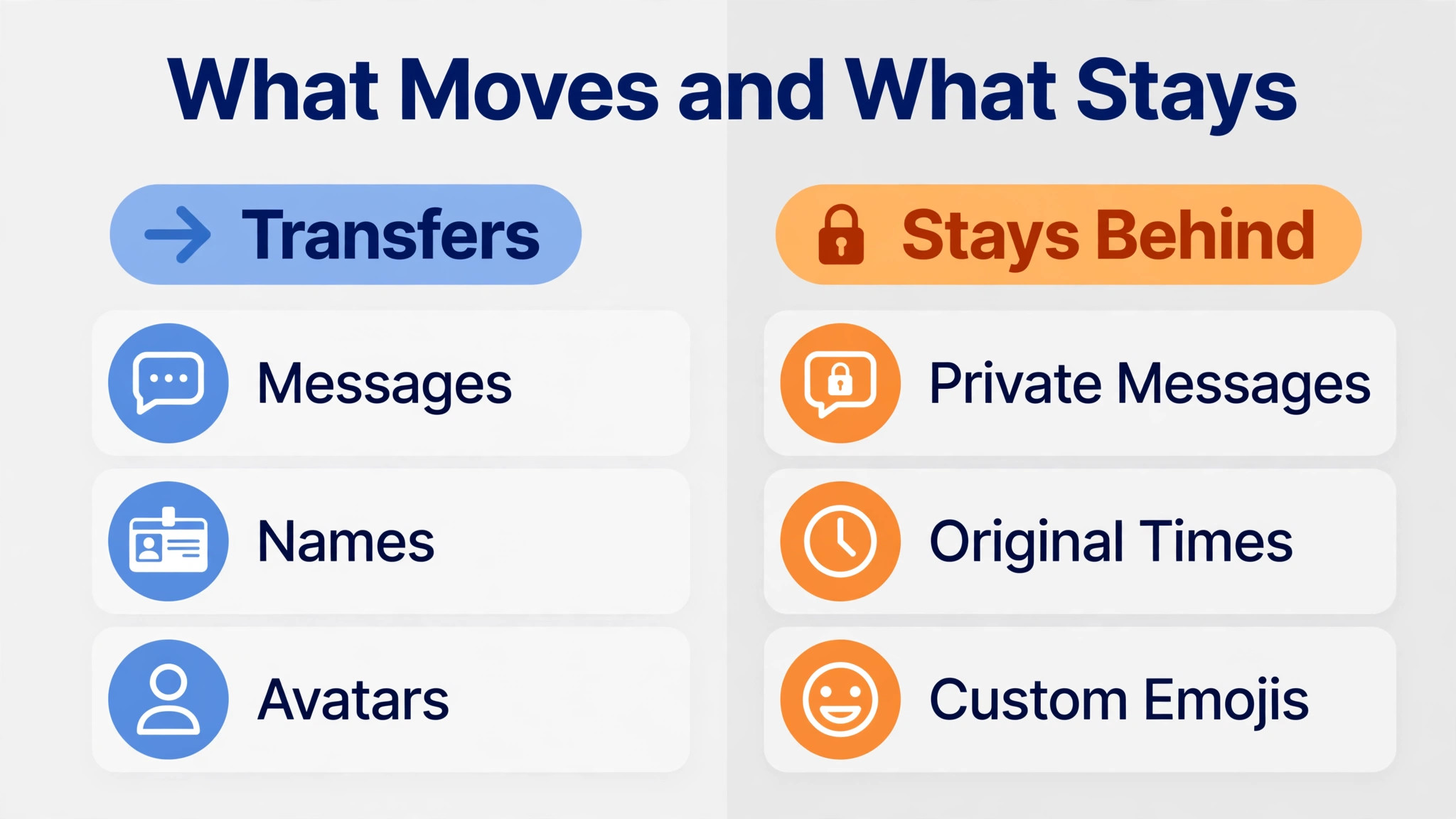
A community built export tool typically reads a Slack export file and posts messages into a Discord server through a bot. Published descriptions of one such tool report imports of just over ten thousand messages, with original names and avatars preserved through webhooks, threaded conversations preserved, and pinned messages preserved. The same descriptions warn that messages arrive timestamped at import time, with the original time added as text, that long messages over two thousand characters are split, that custom emojis must be added manually first, and that private messages are not imported. Treat those limits as the price of the tool, not as bugs to fix later.
| Item | What happens in the move | Action for your team |
|---|---|---|
| Public channels | Rebuilt by hand in Discord | Copy the structure, not every channel |
| Private channels | Rebuilt by hand with roles | Map roles before inviting anyone |
| Message history | No official import | Archive, or move with a community tool |
| Direct messages | Not imported by community tools | Save key decisions elsewhere |
| Files and attachments | Often need separate handling | Store critical files in a shared folder |
| Custom emojis | Added manually in Discord | Recreate only the emojis used weekly |
| Integrations and bots | Rebuilt with Discord equivalents | List every Slack app first |
| Roles and permissions | Rebuilt as Discord roles | Test with a test account |
| Pinned messages | Preserved by some import tools | Repin the ten most important items by hand |
| Search history | Starts fresh in Discord | Keep the Slack archive searchable |
Files deserve a separate plan. Slack files linked inside old messages may stop working once the workspace closes or the export is archived, so download critical files before cutover and store them in a shared folder with clear names. A decision that lives only as a file inside an old Slack thread is a decision waiting to be lost. Move the file, write the decision in the new channel, and link the two together.
How to Switch Slack to Discord Small Team Channels Without Losing Decisions
Work in four stages, and do not invite the whole team until the server is ready to be judged. Stage one is inventory. List every Slack channel, its purpose, its members, and its last activity date. Channels with no activity in ninety days should be archived, not rebuilt. Stage two is server build. Create the Discord server, build the channel layout, define roles, and set permissions. Test every private channel with a test account that holds only the lowest role, because a permission error found by a test account is a lesson, while one found by a client is a problem.
Stage three is history. Decide per channel whether history is archived, moved with a community tool, or left behind. Run any history import into a clean server or a clearly marked archive section before the team arrives, because import tools post messages as new content and will bury anything already there. Stage four is invitation and cutover. Invite the team in waves, starting with the people who built the server, then the rest of the team, then external guests if any. Announce the cutover date, the archive location, and the rule for where new work goes.

Slack Export Steps Before Building the Server
Export Slack data from the workspace settings, choosing the scope the plan allows. Public channel exports are standard on most plans, while private channels and direct messages need higher plans and owner approval on many accounts. Confirm what the export actually contains before promising the team a full history move. Unpack the export, check channel files and message counts, and store the archive in a place the team can search without needing Slack admin help.
Discord Server Steps That Prevent Permission Surprises
Create roles before channels, because channels inherit their audience from roles. Define an admin role, a team role, and any restricted roles for leads or external guests, then assign channel access role by role. Use the view as role check to confirm that a new member sees only what they should see. Create a read only welcome channel with rules and a channel guide, and pin the ten most important decisions from Slack by hand, so the new server feels lived in from day one.
Channels, Roles, and Permissions in Discord Shape
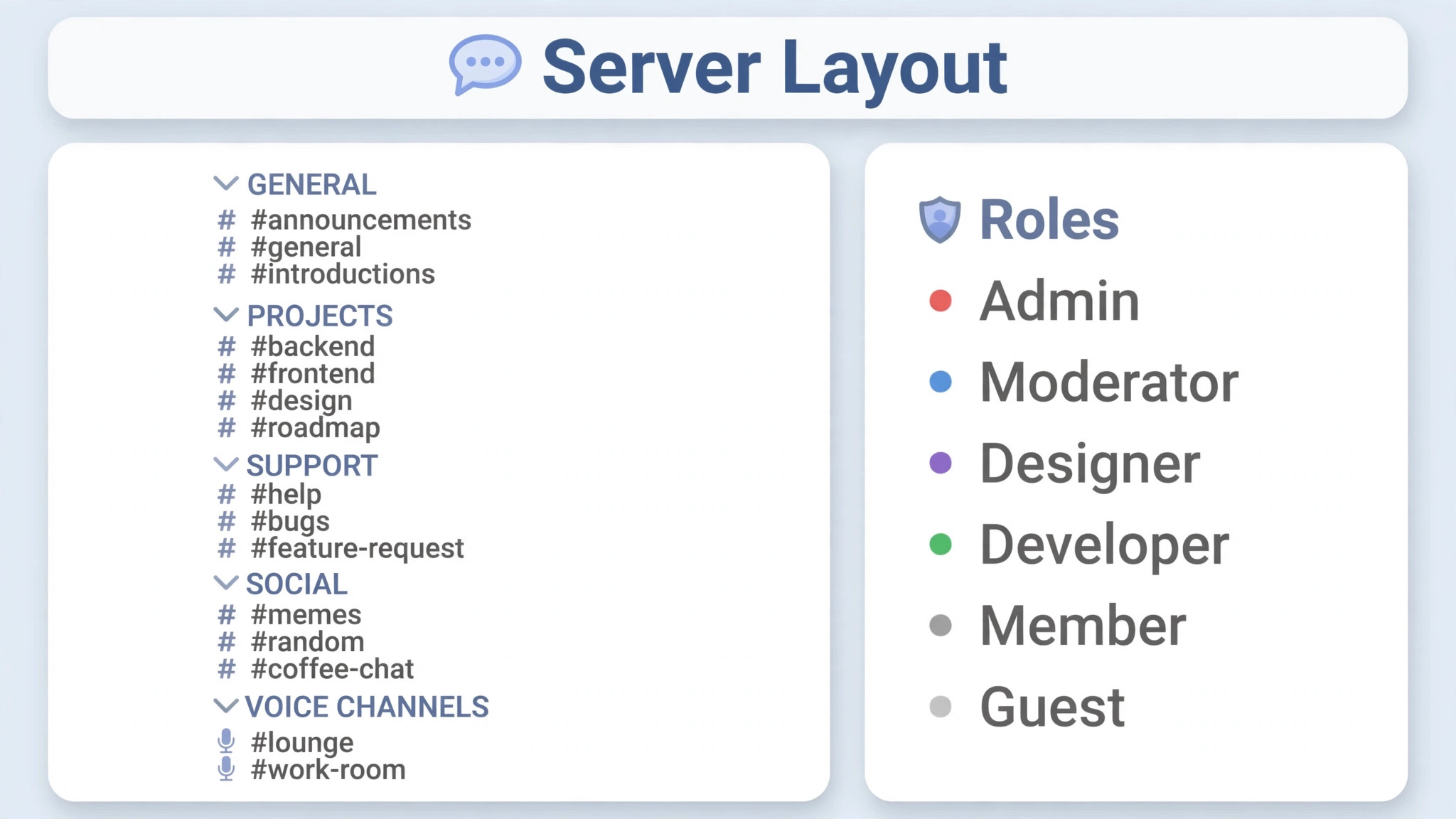
Channel design is the most visible part of the move, and it is where teams most often copy Slack without thinking. A Slack workspace with forty channels usually contains ten active channels, twenty quiet channels, and ten channels nobody can explain. Rebuilding all forty in Discord recreates the sprawl with a new logo. Build ten to fifteen channels instead, grouped into categories for announcements, daily work, projects, and social chat. Use forum channels for topics that generate many parallel discussions, such as feedback or ideas, so one channel does not become a wall of unrelated posts.
Roles need a mapping sheet, not a guess. Slack roles feel tied to channels and workspaces, while Discord roles apply server wide and stack together. Map each Slack responsibility to a Discord role, such as admin, lead, team member, and guest, and write down what each role can see, post, and manage. Test the mapping with test accounts at each level. A guest who can see an internal channel is a failure of the mapping, not a minor settings slip, and it must be fixed before guests are invited.
Private channels need extra care. In Slack, private channels hide membership and content from non members. In Discord, private channels hide content through role permissions, so the role list is the privacy boundary. Review the role list for every private channel before launch, and recheck it after any role change. A role added carelessly later can open a channel that was private at launch, and nobody will notice until someone posts in the wrong place.
Slack Channels to Keep, Merge, or Drop
Keep channels with daily activity and a clear purpose. Merge channels that cover the same topic with different names, such as two feedback channels or three project channels for one client. Drop channels with no activity in ninety days, and note their archive location in the channel guide. A channel list that fits on one screen is a feature, not a limitation, because the team can actually remember where work lives.
Discord Nitro and Server Boosts Explained
Discord core features, including unlimited channels and unlimited history, cost nothing for the team. Discord Nitro is a personal perk at 9.99 dollars a month on last published lists, and it improves individual limits such as file upload size and video quality rather than acting as a team bill. Server boosts improve server level limits for emoji slots and audio quality. Confirm current Nitro and boost pricing at checkout, because they change, and do not budget Nitro for every team member unless the team genuinely needs the higher individual limits.
Integrations and Bots After the Move
Integrations are the second migration, after channels. List every Slack app and bot the team used in the last ninety days, with its purpose and its channel. Calendar reminders, file storage alerts, code hosting alerts, and meeting links are the usual suspects. For each one, find the Discord equivalent, accept a gap, or replace the workflow with a simpler habit. A bot that nobody can explain should be retired, not rebuilt, because a rebuilt mystery bot will surprise someone later.
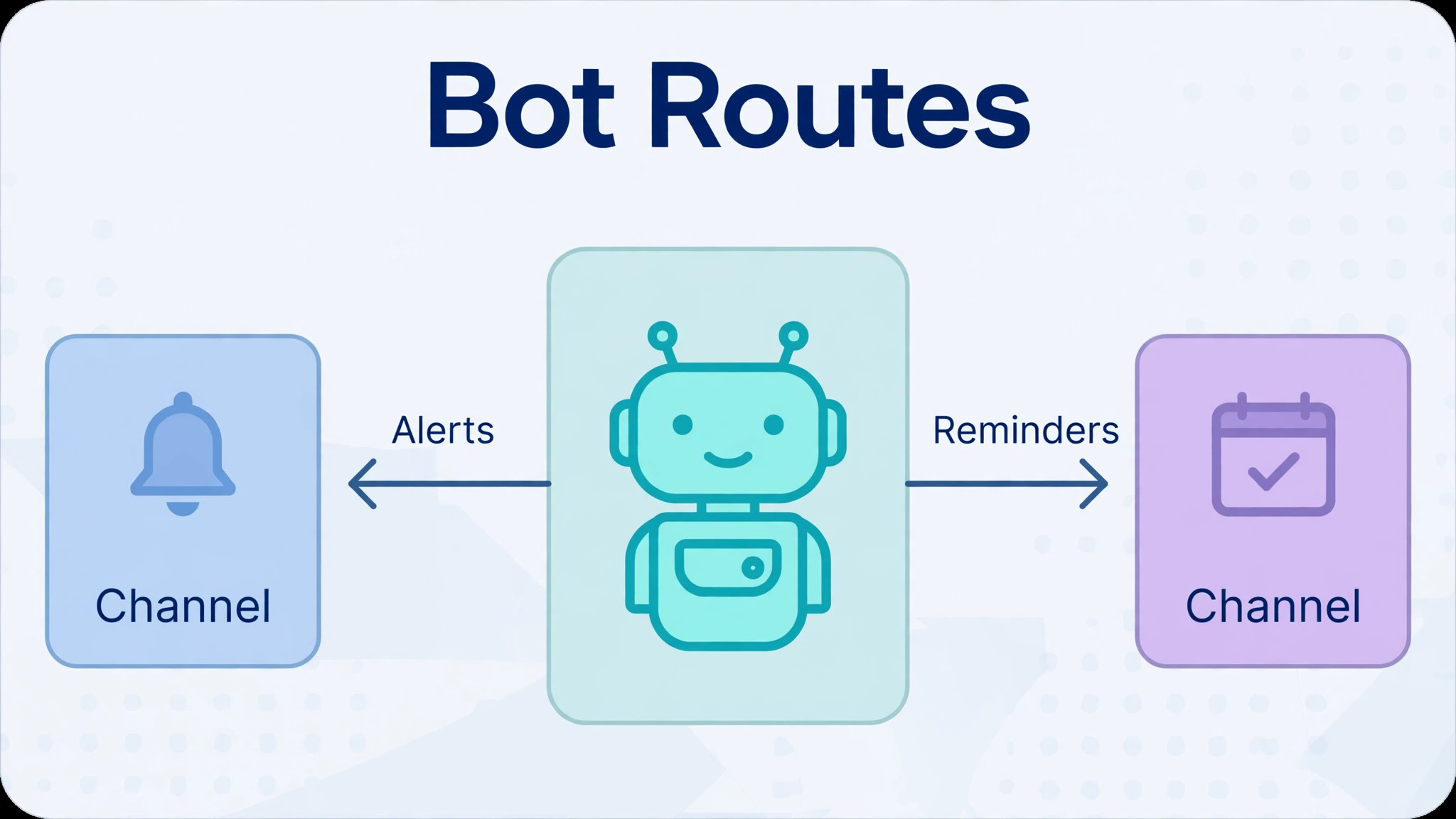
Discord bots cover many common needs, from calendar reminders to polls to file alerts, but the catalogue differs from Slack, and business grade apps are thinner. Test each replacement bot in a private test channel before it posts into a live channel. A bot that posts every alert into the main channel will train the team to ignore the main channel, which defeats the purpose of moving. Route noisy alerts into a dedicated alerts channel, and keep the main channels for conversation.
Meeting links need a decision of their own. Slack teams often start calls from inside Slack, while Discord teams use voice channels for live talk and a separate meeting tool for scheduled external calls. Agree the rule before cutover. Internal collaboration happens in Discord voice channels, external client meetings happen in the scheduled meeting tool, and the link goes in the calendar invite. A team with two meeting habits and no rule will miss meetings in both places.
The Migration Checklist for a Small Team Chat Switch
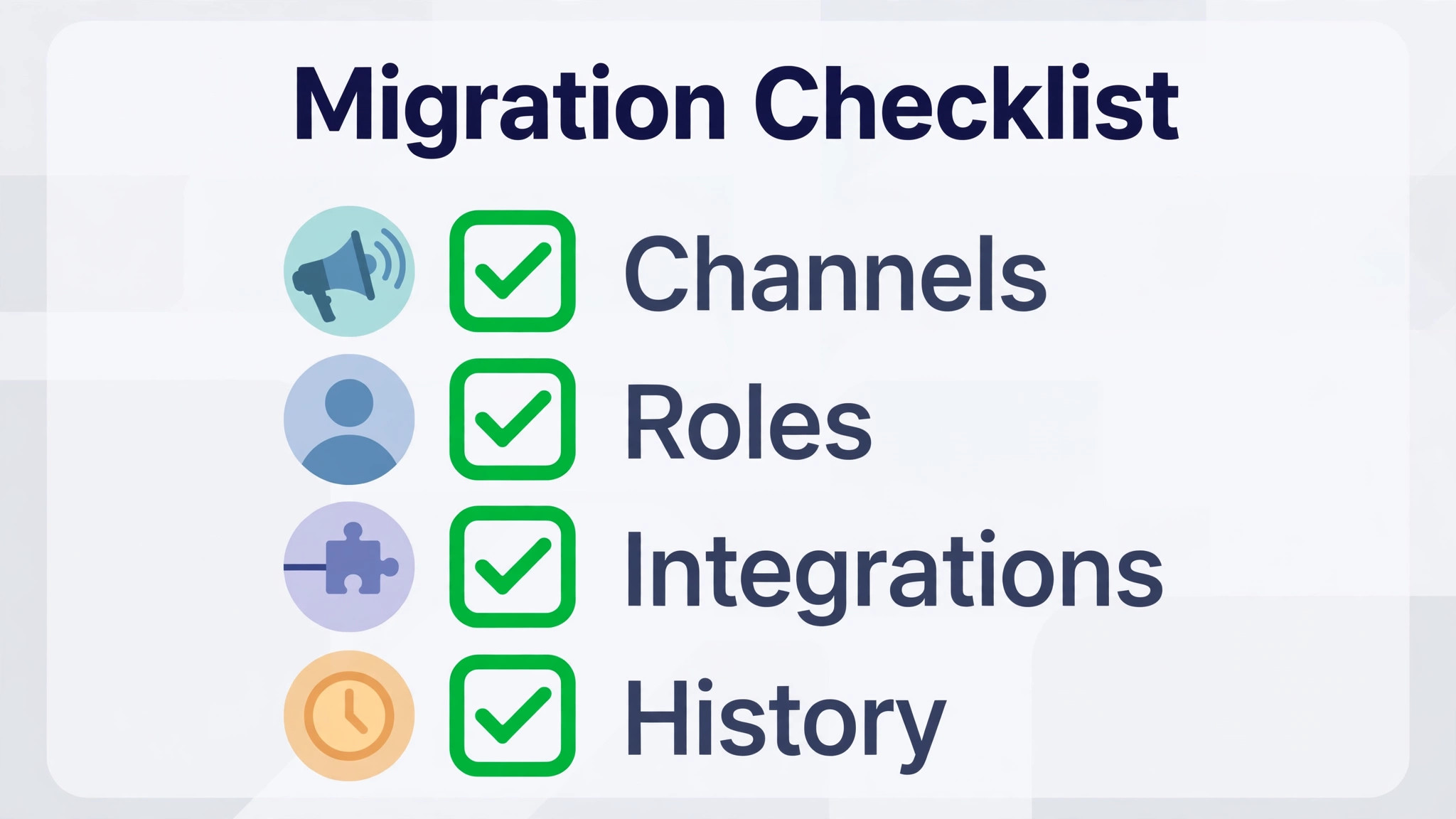
Use this checklist as the project plan, and check each item only when there is evidence, such as a tested role or a searchable archive. The checklist covers channels, roles, integrations, and message history, plus the surrounding work that keeps a switch safe. A team that decides to switch Slack to Discord small team channels should treat the checklist as the contract for the move.
– Confirm the reason for the switch and the compliance check that the team can live without Slack admin exports – List every Slack channel, app, bot, and custom emoji used in the last ninety days – Archive channels with no activity in ninety days, and merge channels that cover the same topic – Export Slack data, check what the export contains, and store a searchable archive the team can use – Decide per channel whether history is archived, moved with a community tool, or left behind – Build the Discord server with ten to fifteen channels in clear categories, plus forum channels where needed – Define Discord roles before inviting anyone, and map each Slack responsibility to a role in writing – Test every private channel with a low level test account, and use the view as role check – Recreate only the emojis used weekly, and repin the ten most important decisions by hand – List every integration, find a Discord equivalent or accept the gap, and test bots in a private channel – Agree the meeting rule for internal voice channels and external scheduled calls – Invite the team in waves, starting with the server builders, then the team, then guests – Train the team on channel purposes, forum use, role mentions, and where the archive lives – Keep Slack readable for thirty days, with new work in Discord and old work read in Slack – Review roles, channels, and bot noise at the end of week one, and fix the top three frictions
What the Switch Saves and What It Costs in Control
The saving is easy to calculate. Slack Pro is listed at 7.25 dollars per user per month on annual billing, or 8.75 dollars billed month to month, on last published guides. For a fifteen person team, annual billing costs about 1,305 dollars a year. Discord core features cost nothing, with Nitro as an optional personal perk near 9.99 dollars a month. A team that decides to switch Slack to Discord small team budgets should confirm Slack pricing at checkout, because seat prices and plan names change.
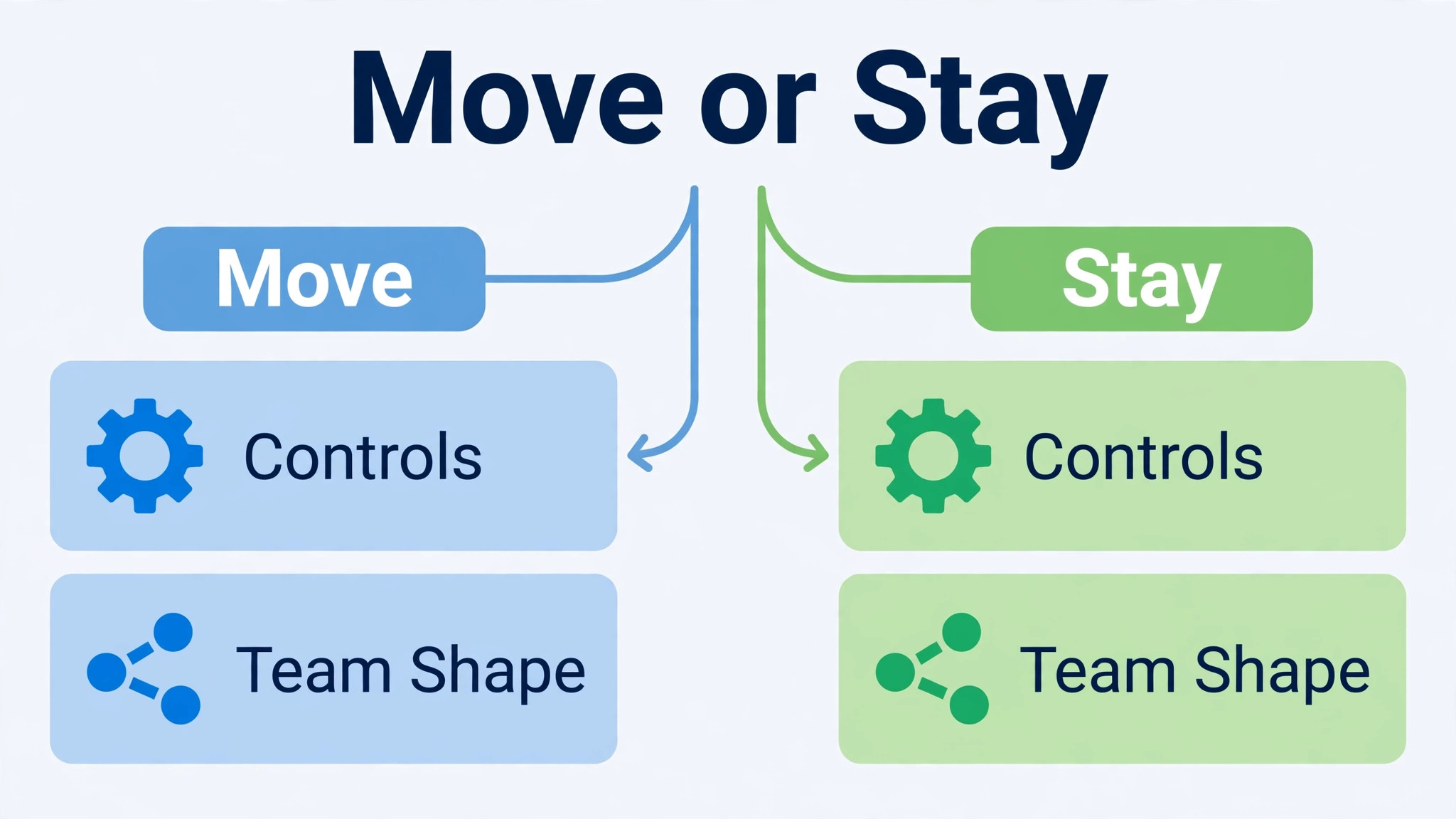
The cost in control is harder to calculate and more important. Discord lacks the business grade admin controls Slack offers, including admin level export of all messages, discovery tools for legal review, data retention policies, and loss prevention policies. External guest handling is also looser. For a small creative team, that gap may never matter. For a team handling client records, financial data, or regulated information, that gap can be a deal breaker. Do not trade a retention obligation for a lower bill, because the bill saving will look small beside a compliance failure.
Run the control check before the cost check. Ask whether any client contract, industry rule, or internal policy requires message retention, export, or discovery. Ask whether the team has ever needed to export all messages for a dispute or an audit. If the answer to either question is yes, stay on Slack or keep Slack for client work and use Discord only for internal community chat. A split setup is messier than a clean switch, but it is honest about the control gap, and honesty about controls protects the team.
The First Week Cutover Plan for Chat
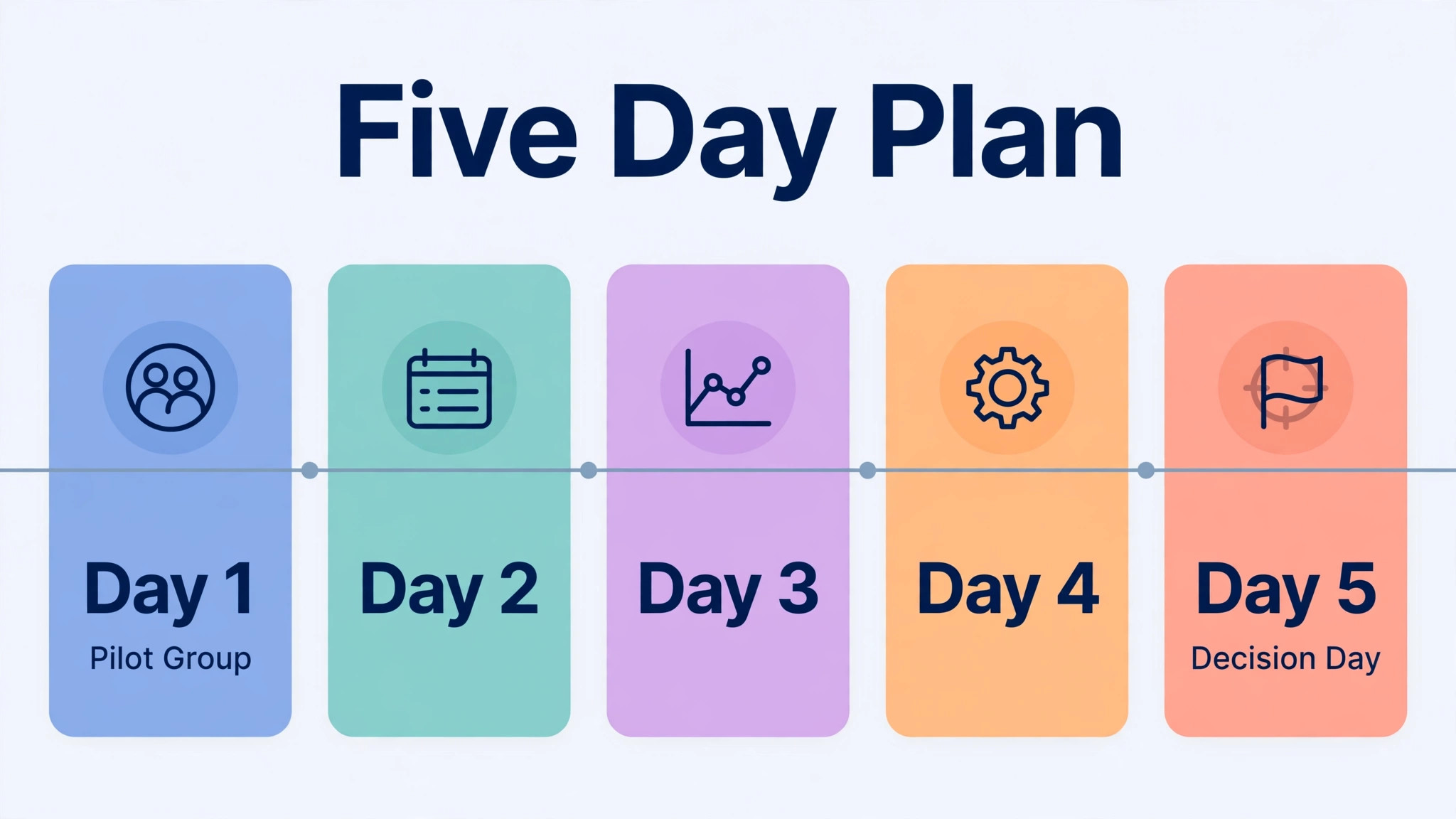
To switch Slack to Discord small team cutovers work best as a five day plan with clear daily rules. Day one is server proof day. The builders invite a small pilot group, test roles and channels, and fix permission errors before the wider team arrives. Day two invites the full team, with a welcome channel, a channel guide, and a short live walkthrough of where work lives. New conversation starts in Discord on day two, while Slack stays readable for history.
Day three is the first full working day in Discord. Expect questions about where threads went, where files live, and how voice channels work. Answer with the channel guide, not with individual explanations that vanish in chat. Day four is cleanup day. Review bot noise, merge a channel that duplicated another, and fix the top three frictions from the shared list. Day five is decision day. Review role permissions once more, confirm the archive is searchable, and agree whether Slack stays readable for another month or moves to archive only.
Keep Slack readable for at least thirty days after cutover, and announce the archive date in advance. A team that loses Slack access on day six will lose a decision that lives only in an old thread, and the new server will be blamed for the loss. The rule stays simple throughout. New work goes in Discord, old work is read in Slack, and nobody posts the same update in both places. Duplicate posting feels safe and creates two conversations that diverge within hours.
Rolling Back to Slack If Discord Fails
Rollback triggers should be agreed before cutover, so the decision stays calm. Useful triggers include a permission failure that exposes private channels, a compliance need that surfaces during week one, or a team adoption failure where most conversation still happens in Slack after five days. If a trigger fires, pause new Discord channels, return live conversation to Slack, and fix the problem without time pressure. A paused move is a delay. A forced move that the team resents is a morale problem.
Never delete the Slack workspace during week one, and never cancel Slack billing until Discord has run for a full working cycle. Teams that switch Slack to Discord small team servers should keep the export archive and the channel mapping sheet, so a rollback means returning to a known structure. Most teams never roll back fully, but a partial rollback is common. A team may keep Discord for internal community chat and return client channels to Slack, which is a reasonable outcome when the control gap matters for client work. Judge the outcome by where work actually happens, not by whether the original plan survived untouched.
Mistakes That Make Discord Feel Chaotic
The most common mistake is copying every Slack channel into Discord. Forty channels in a new server feel like a maze, and the team will default to one or two channels for everything, which defeats the layout. Build fewer channels, use forum channels for parallel topics, and let the team earn new channels with evidence of need. The second mistake is inviting everyone before roles are tested. A permission error found by the whole team is a trust incident, while one found by a test account is a five minute fix.
The third mistake is promising a history import that the tool cannot deliver. Private messages, exact timestamps, and custom emojis all have limits in community tools, and the team should hear those limits before cutover, not discover them afterwards. The fourth mistake is ignoring bot noise. A bot that floods the main channel will train the team to ignore it, and then real messages get missed too. Teams that switch Slack to Discord small team servers successfully are the teams that keep channels few, roles tested, bots quiet, and the archive searchable from day one.
The Honest Call for a Small Team Chat Switch
Move when the team is small, informal, and community shaped, when voice collaboration matters daily, and when no retention or discovery obligation blocks the move. Stay when the team handles regulated data, needs admin exports, or relies on business integrations that have no Discord equivalent. For teams that switch Slack to Discord small team chat, the choice should rest on the obligation, not on the invoice, and the switch will feel like a decision rather than a gamble.
Frequently Asked Questions About This Switch
Teams that switch Slack to Discord small team channels usually ask about history, cost, and control first, so the answers below start there.
Is there an official way to import Slack messages into Discord
No. Neither Slack nor Discord offers a built in import from one to the other. The options are to archive Slack history and keep it searchable, to move history with a community built tool that posts messages through a bot, or to leave history behind and start fresh. Each option has limits, so decide per channel before cutover and tell the team what to expect.
Can direct messages move from Slack to Discord
Community import tools generally do not import private messages, and direct messages need separate handling. Save key decisions from direct messages into a shared doc or a private team channel before cutover, with the context that makes the decision understandable. A decision saved without context is a puzzle, not a record, and the team will waste time reconstructing it later.
What happens to Slack files and attachments in the move
Files often need separate handling, because links inside old messages may stop working once the workspace closes. Download critical files before cutover, store them in a shared folder with clear names, and link them from the new Discord channels where the team will look for them. A file that lives only in an old thread is a file waiting to be lost at the worst moment.
How much does a team save by moving from Slack to Discord
Using last published guides, Slack Pro costs 7.25 dollars per user per month on annual billing. For fifteen people, that is about 1,305 dollars a year. Discord core features cost nothing, with Nitro near 9.99 dollars a month as an optional personal perk. Confirm Slack pricing at checkout, because plan prices change, and subtract any bots or tools the team adds back in Discord.
Does Discord have the same admin controls as Slack
No. Discord lacks admin level export of all messages, discovery tools, data retention policies, and loss prevention policies that Slack offers. External guest handling is also looser. Teams with retention or discovery obligations should stay on Slack for that work, or keep Slack for client channels and use Discord only for internal chat. Do not trade a compliance obligation for a lower bill.
How long does a Slack to Discord migration take
A small team usually needs one to three weeks, depending on channel count and history plans. One week covers inventory, server build, and role testing. A second week covers history handling and the invitation waves. Teams moving history with a community tool should allow extra time for a pilot import of a few channels, because message limits and timestamp quirks only show up in a real test.
Can the team keep using Slack during the move
Yes, and it should. Build the Discord server while Slack stays live, invite the team in waves, and keep Slack readable for at least thirty days after cutover. New work goes in Discord, old work is read in Slack, and nobody posts the same update in both places. Duplicate posting creates two conversations that diverge within hours and confuses everyone.
Can the team roll back to Slack if Discord does not fit
Yes, if the Slack workspace and export archive are kept. Do not delete Slack during week one, and do not cancel billing until Discord has run for a full working cycle. A partial rollback is common and reasonable, such as keeping Discord for internal chat while returning client channels to Slack. Agree rollback triggers before cutover so the decision stays calm and evidence based.