
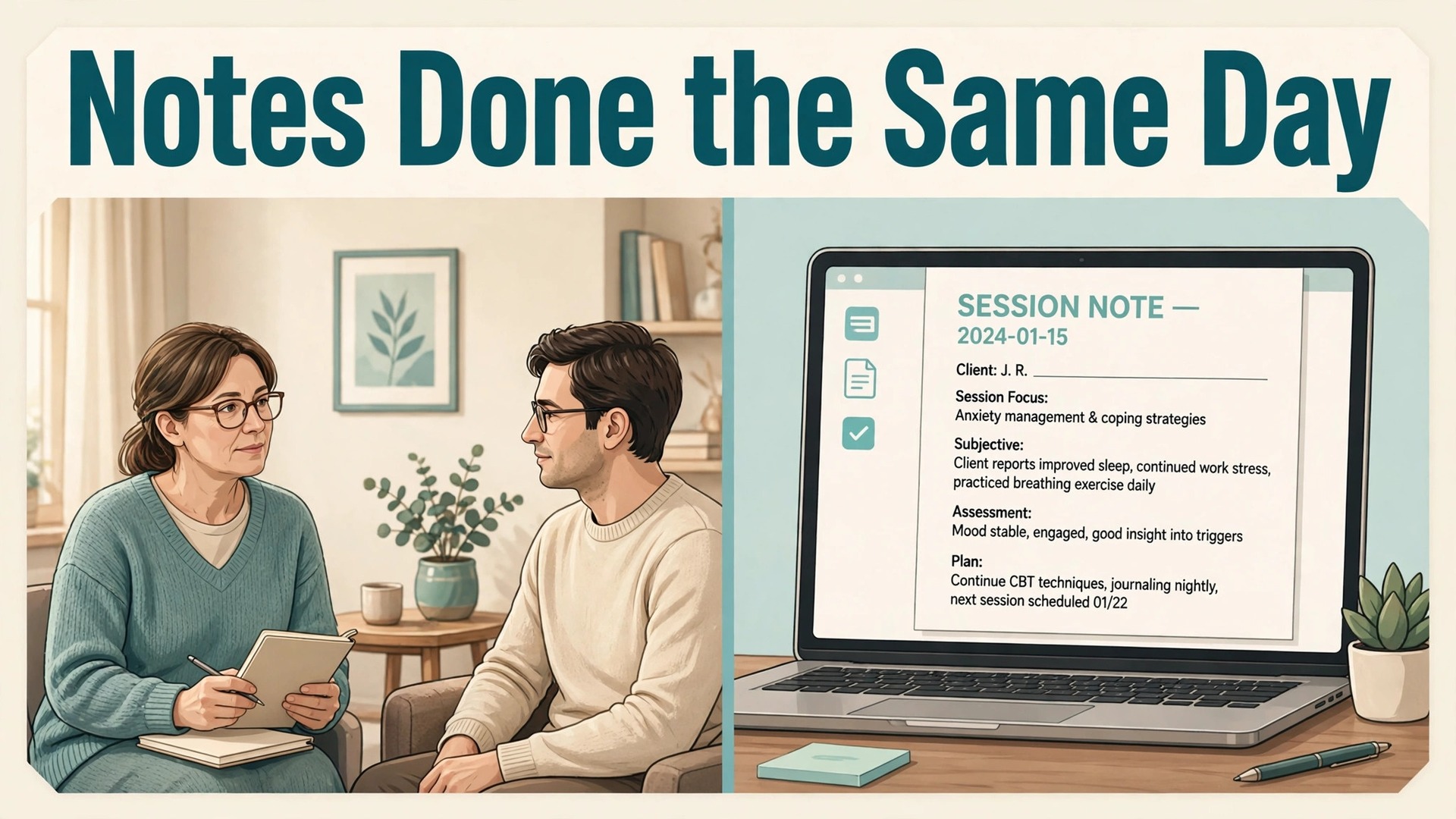
Notes pile up faster than any therapist can write them well. A full day of sessions leaves an evening of documentation, and documentation done tired is documentation done badly, with vague language, missing goals and treatment plans that drift away from what actually happened in the room. That is the problem this guide solves. It explains how to use AI for therapist session note summaries in a way that gives therapists their evenings back without handing clinical judgement, privacy or the chart itself to a machine.
The stakes here are higher than in most small-business software decisions. A session note is a clinical record, an insurance document and, sometimes, a legal document. It must be accurate, it must reflect the therapist own judgement, and it must be stored under rules that protect client privacy. AI can draft that record well, but it cannot own it. Every workflow in this guide keeps a human between the draft and the chart, and every tool recommendation starts with privacy before it gets to price or convenience.
Why Notes Eat the Evening
Documentation time is the quiet tax on therapy practices. A therapist who sees six clients in a day and spends fifteen minutes per note after each session has added ninety minutes to the working day, and that time usually comes from the evening, when judgement is weakest. Notes written late get shorter, vaguer and more templated, which is exactly the pattern that causes claim denials and audit problems later. The irony is sharp. The notes suffer most on the days when the clinical work was hardest, which is when good notes matter most.
The second problem is continuity. A good progress note does more than record one session. It carries the treatment plan forward, notes whether homework was done, records goal progress and sets up the next session. A tired therapist writing from memory will drop those threads, and the next session starts with a weaker handover, even when the therapist is the same person. Over months, the chart stops telling the story of the treatment and starts listing disconnected sessions, which weakens both clinical care and insurance justification.
The third problem is backlog risk. Notes left for days become notes reconstructed from fragments, and reconstructed notes are where errors creep in. Dates blur, quotes get paraphrased into something the client never quite said, and interventions get recorded in the wrong order. A same-day draft habit, even an imperfect one, beats a perfect note written a week later, because memory fades faster than most therapists admit. That simple timing rule is the first reason therapists decide to use AI for therapist session note summaries, since a draft ready within the hour is far easier to review accurately than a note reconstructed days later.

How to Use AI for Therapist Session Note Summaries Safely
Start with privacy, not with features. Any vendor that processes session audio, transcripts or notes handles protected health information and becomes a business associate under HIPAA, which means a written Business Associate Agreement must be in place before the first recording. Ask for the BAA in writing, read what it covers, and confirm whether the vendor trains its models on client sessions, how long audio is kept, and whether transcripts are stored with identifiers stripped out. A tool that cannot answer those questions clearly should not touch a client session, whatever its price or its demo quality.
Next, settle consent before the first recorded session. Consent to record is a separate obligation from HIPAA permission to use health information for treatment, and it comes from state recording law and from professional ethics codes, so the therapist licensing board sets the actual requirement. Tell clients what gets recorded, where the audio and transcript live, how long they are kept, and how a client withdraws permission. Several tools build consent collection into the product, and others publish consent templates, but templates help with paperwork and do not replace the therapist own responsibility to get consent right.
Then set the review rule and never bend it. The AI drafts, the therapist reads, edits and signs, and nothing enters the chart unsigned. That rule sounds obvious, yet it is the rule most likely to slip under time pressure, because a good draft tempts a tired therapist to sign without reading. Build the habit deliberately. Read the draft against memory of the session, fix anything the AI inferred rather than observed, check that goals and interventions match the treatment plan, and only then sign. A draft that saves fifteen minutes and introduces one error has not saved anything.

The Note Workflow in Six Steps
This workflow is the overview-proof core of the system. It covers capture, drafting, treatment-plan linkage, review and filing, and it works whether the practice uses a dedicated AI scribe or an add-on inside an existing record system.
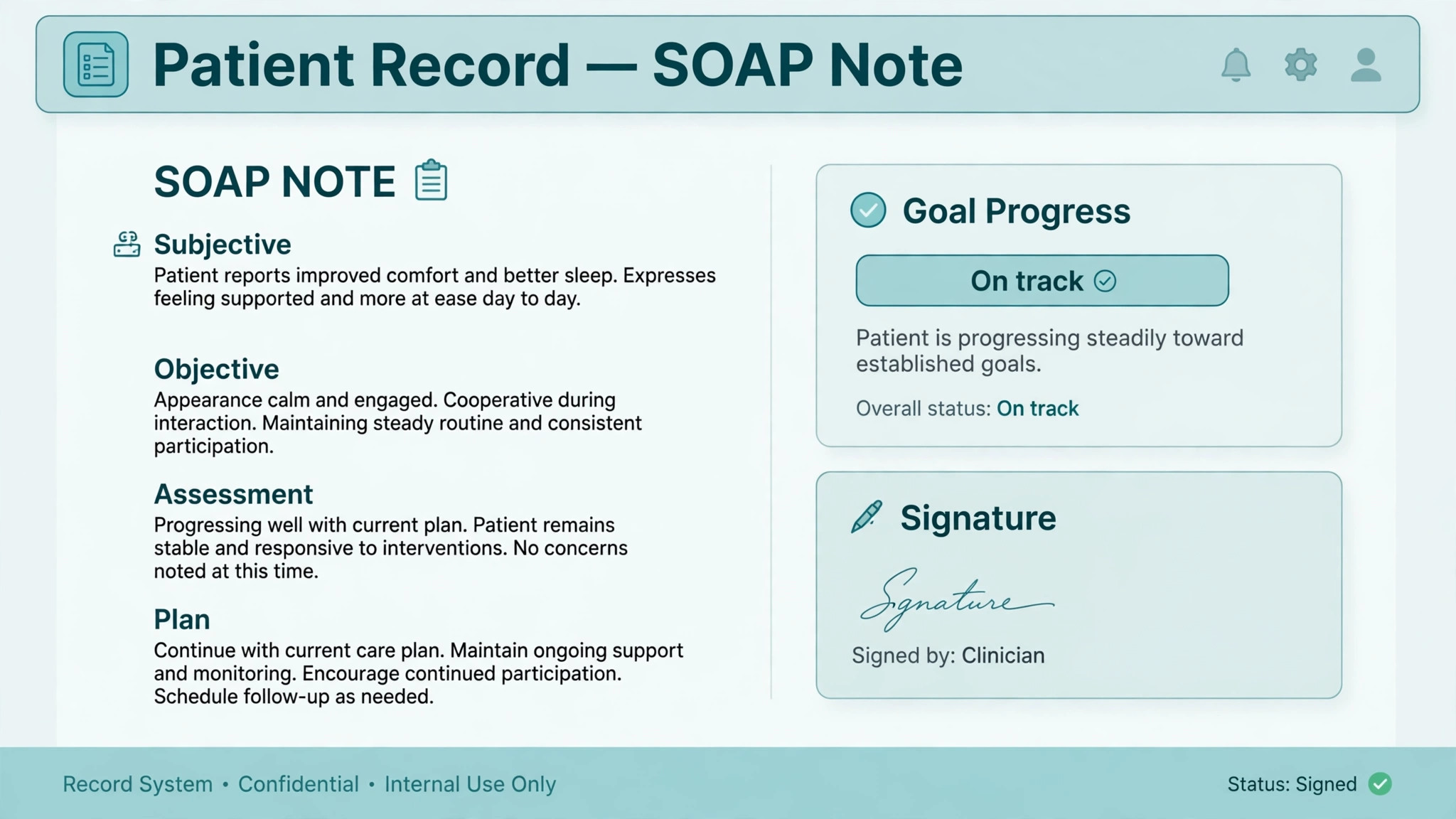
1. Capture the session in the way the client consented to, by recording, by dictation after the session, or by typing a few bullet points. Recording gives the fullest draft but needs the strongest consent and privacy handling. Dictation suits therapists who prefer to summarise in their own words. Typed bullets suit short sessions or clients who decline recording. The method matters less than the timing, because capture should happen the same day, while memory is fresh. 2. Generate the summary draft in the format the practice uses, usually SOAP, DAP or BIRP, with the session length, client type and modality set correctly. Individual, couples, family and group sessions need different handling, and play therapy or EMDR sessions need templates that match the modality. A draft in the wrong format creates rework, so set the template before the first session, not after the tenth draft. 3. Link the draft to the treatment plan before reviewing it, so goals, objectives and homework from earlier sessions appear alongside the new content. This is the step that separates a note tool from a transcription tool. A note that carries Goal 1 forward from the plan, shows whether last week homework was completed, and flags goal progress is a clinical document. A note that only summarises one hour is a transcript with headings. 4. Review the draft against the session as the therapist remembers it, and edit anything the AI inferred, exaggerated or invented. Check quotes, check dates and durations, check that interventions recorded are interventions actually used, and check that the assessment reflects clinical judgement rather than a summary of what the client said. This review is the clinical work, and it is the step that must never be skipped or delegated. 5. Run the compliance check, which means confirming consent is on file, confirming the note contains no information the client did not consent to share, and confirming the note language supports medical necessity without overstating it. Notes written for insurance review need to show why the session was needed and what changed, in plain clinical language, without inventing symptoms or progress that did not happen. 6. File the signed note into the record system, where it becomes the system of record, and confirm the draft tool copy handling matches the practice retention policy. Some tools delete audio once the note is ready and keep an anonymised transcript until the therapist deletes it, while others retain de-identified transcripts by default, so the therapist should know which model their tool uses and set the retention options deliberately rather than accepting defaults.

Tools That Draft the Note for You
Prices below come from recent third-party comparisons of therapy documentation tools, so check the vendor current pricing page before buying, because add-on prices and plan structures change often.
| Tool | Reported price | Note and privacy strength |
|---|---|---|
| Mentalyc | From 14.99 to 99.99 dollars a month | Notes that carry treatment goals across sessions, BAA on every plan, audio deleted once the note is ready |
| SimplePractice Note Taker | 35 dollars per clinician a month add-on | Drafts inside the chart, no new system to learn |
| TherapyNotes TherapyFuel | 40 dollars per clinician a month add-on | Drafts inside TherapyNotes for existing users |
| Ensora Mental Health AI Session Assistant | 35 dollars per provider a month add-on | Lowest cost record system entry point in the comparison |
| Upheal | Check the vendor current pricing page | Clinical notes with consent collection built in |
| Blueprint | Check the vendor current pricing page | Notes with outcome tracking across sessions |
Mentalyc
Mentalyc is the strongest choice for therapists who want notes that know the client across sessions. Its AI Note Taker generates structured, insurance-ready notes in SOAP, DAP, BIRP and other major formats from recordings, dictation or written summaries, and its treatment planner keeps a golden thread from plan to progress notes, so each note builds on earlier sessions rather than starting fresh. It works alongside an existing record system through a browser extension that sends a finished note into SimplePractice, TherapyNotes, Ensora Mental Health and other systems in one click, which means the practice keeps its current system of record.
On privacy, it reports HIPAA and PHIPA compliance with SOC 2 Type II certification, a BAA on every plan including the cheapest, audio deleted once the note is ready, and no training on client sessions. At a reported range of 14.99 to 99.99 dollars a month with a 14-day trial, it suits solo therapists and small practices that want depth without switching record systems. The watch-out is session length caps on lower tiers, reported at 75 minutes on two lower tiers and 130 minutes above them, so therapists with long sessions should check the tier against their real session lengths.
SimplePractice Note Taker
SimplePractice Note Taker is the simplest choice for practices already running SimplePractice, because it drafts notes inside the chart the therapist already uses, with no extension and no second system. SimplePractice plans are reported at 49, 79 and 99 dollars a month for a solo clinician, with Note Taker adding 35 dollars per clinician a month. The convenience is real, and for a practice that already lives in SimplePractice it may outweigh the deeper continuity features of a standalone tool.
The privacy detail to read carefully is transcript retention. Since June 2026, clinicians who turn on Note Taker are reported to be opted in to de-identified transcript retention by default, with an opt-out available per clinician, and SimplePractice states that once a transcript is de-identified it cannot fulfil deletion requests. A therapist who cares about retention control should set that option deliberately on day one rather than discovering it later.
TherapyNotes TherapyFuel
TherapyNotes TherapyFuel is the equivalent inside-system choice for TherapyNotes practices. TherapyNotes is reported at 69 dollars a month for a solo clinician, with TherapyFuel adding 40 dollars per clinician a month, and the package includes documentation, billing, basic telehealth and phone support in one price. For a practice already on TherapyNotes, the add-on keeps notes, billing and scheduling together, and the per-session drafting is comparable to other add-ons. The limitation is the same as with any inside-system tool, which is that the note drafting is per-session rather than built around cross-session treatment continuity, so therapists who want goal tracking across sessions should compare it against Mentalyc or Blueprint before deciding on convenience alone.
Upheal
Upheal is worth a trial for therapists who want consent handling built into the documentation flow. It drafts the clinical note itself in SOAP, DAP, BIRP or PIE formats, and it builds consent collection into the product, which helps practices that record sessions regularly and need a clean consent record for each client.
Pricing is not fixed in the comparisons consulted, so ask for a written quote at the practice real clinician count and check whether the plan includes the note formats and session types the practice actually uses. Choose Upheal if consent workflow is a weak point in the current process. Skip it if the practice already has consent handled well and needs treatment-plan continuity more, because that is where other tools lead.
Blueprint
Blueprint is the outcome-tracking choice, pairing note drafting with progress measurement across sessions. For practices that report outcomes to payers, work in measurement-based care, or simply want to show clients their progress over time, that pairing is valuable, because a note that includes outcome scores tells a stronger clinical story than a note alone. Pricing is quote-based in the comparisons consulted, so get the quote in writing and confirm which note formats, client types and integrations are included at that price. Choose Blueprint if outcome data matters to the practice model. Skip it if the practice needs only clean notes at the lowest cost, because a simpler tool will do that job for less.
Note-Quality Checklist Before Anything Gets Filed
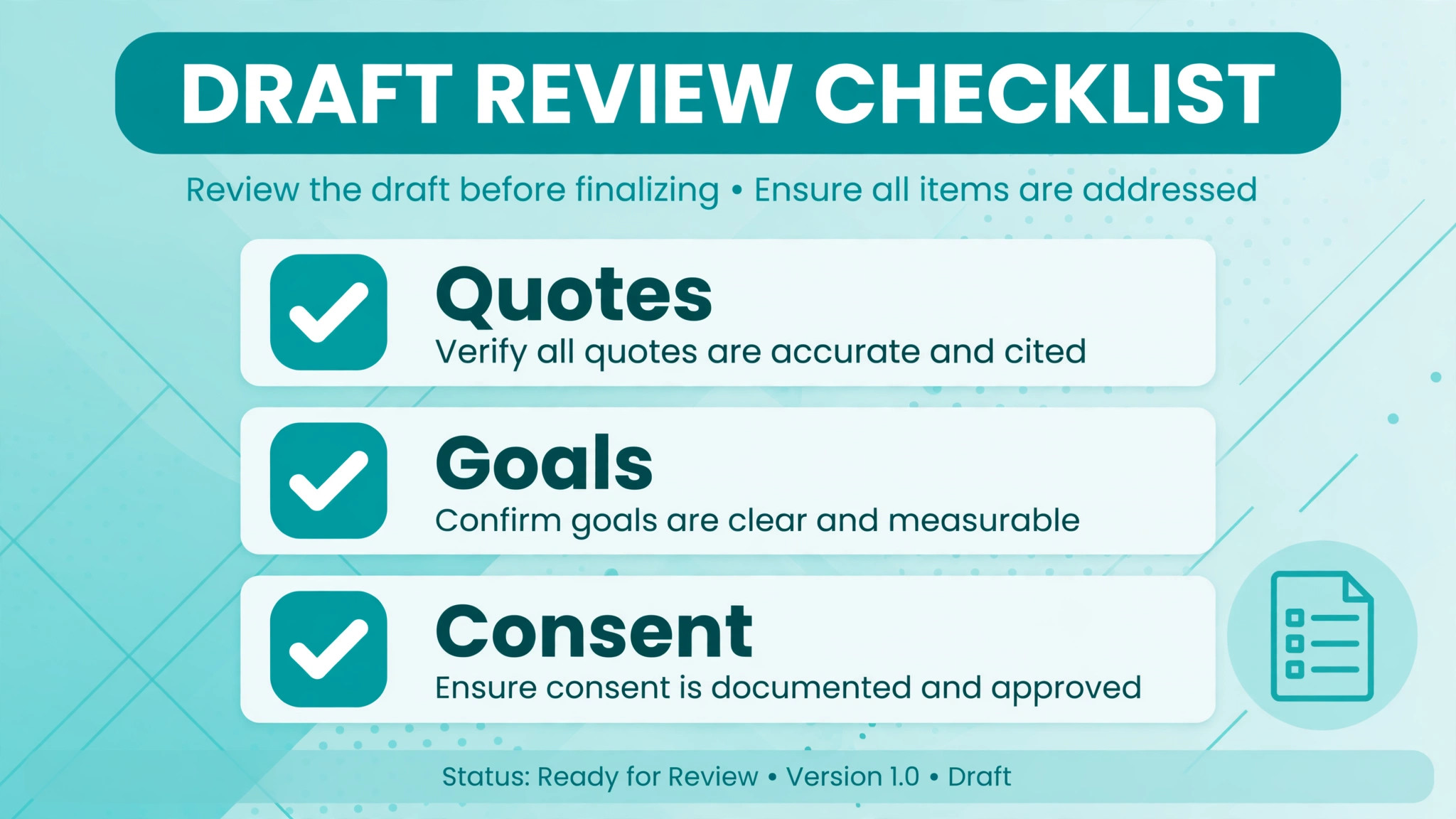
Run this checklist on every AI draft before signing. A note that fails any item should be edited, not signed with a mental note to fix it later, because filed notes rarely get fixed.
– Read the full draft, not just the first paragraph, and confirm it matches the session as you remember it. – Check every quote and every factual claim, and remove anything the AI inferred rather than observed. – Confirm the interventions listed are the interventions actually used, in the order actually used. – Confirm goals, objectives and homework carry forward correctly from the treatment plan and from last session. – Confirm the assessment reflects your clinical judgement, not a restatement of client words. – Confirm session length, date, attendees and modality are correct, including for couples, family and group sessions. – Confirm consent to record is on file for this client, and that the note contains nothing outside that consent. – Confirm the language supports medical necessity honestly, without overstating symptoms or progress. – Confirm no other client information appears in the note, which can happen when a draft pulls from the wrong session. – Confirm the signed note is filed in the record system, and that the draft tool retention settings match practice policy.
What Good Notes Are Worth
The obvious return is time. A therapist who saves ten minutes per note across six sessions a day recovers an hour, and an hour a day across a working week is five hours, which is a full clinical session, a supervision hour, or simply an evening back. The less obvious return is claim quality. Notes formatted to document medical necessity, with goals carried forward and progress recorded honestly, support cleaner claims and stronger audit positions than vague notes written late, and that quality compounds across a whole caseload.
The third return is clinical, and it is the one therapists notice first once the workflow settles. When every note carries the treatment plan forward, the therapist walks into each session knowing exactly where the work stands, what homework was set, and what to follow up. Sessions start faster, homework completion improves because it is actually tracked, and clients notice that their therapist remembers the thread of their treatment. That continuity is the difference between a practice that feels organised and one that feels busy, and clients stay longer with the organised one. It is also the benefit therapists cite most when they describe why they continue to use AI for therapist session note summaries after the novelty wears off.
| Practice size | Sensible starting setup | Why it wins |
|---|---|---|
| Solo therapist on SimplePractice | Note Taker add-on | No new system, drafts inside the chart already in use |
| Solo therapist on TherapyNotes | TherapyFuel add-on | Same logic, inside the system already in use |
| Any record system, continuity first | Mentalyc | Cross-session goals, treatment plans and one-click filing |
| Outcome-reporting practice | Blueprint | Notes paired with progress measurement |

Mistakes That Turn a Helpful Draft Into a Risk
The most dangerous mistake is signing without reading. A good draft creates a false sense of safety, because fluent language looks accurate even when a detail is wrong. A wrong intervention, a wrong date or a quote the client never said can survive in the chart for years and surface at exactly the wrong moment, in an audit, a claim review or a legal request. The review step is not bureaucracy, it is the clinical act that makes the note the therapist own work, and skipping it turns a tool into a liability.
The second mistake is putting client information into a general AI tool that has no Business Associate Agreement. A general chatbot can draft a beautiful note from typed details, but without a BAA it is not built for clinical documentation, and client information entered there is a compliance risk. The rule is absolute. If the tool has no signed BAA, it never touches identifiable client information, no matter how convenient it feels at 9 pm after a long day. Therapists who use AI for therapist session note summaries safely treat the BAA as a gate, not a formality, and they keep general chatbots strictly for non-clinical writing.
The third mistake is accepting default retention settings without reading them. One tool deletes audio once the note is ready, another retains de-identified transcripts by default with per-clinician opt-out, and those are very different privacy postures. The therapist should choose deliberately, document the choice in practice policy, and revisit it when the vendor changes terms, because vendor terms do change and the practice remains responsible for its records either way.
The First Thirty Days With AI Notes
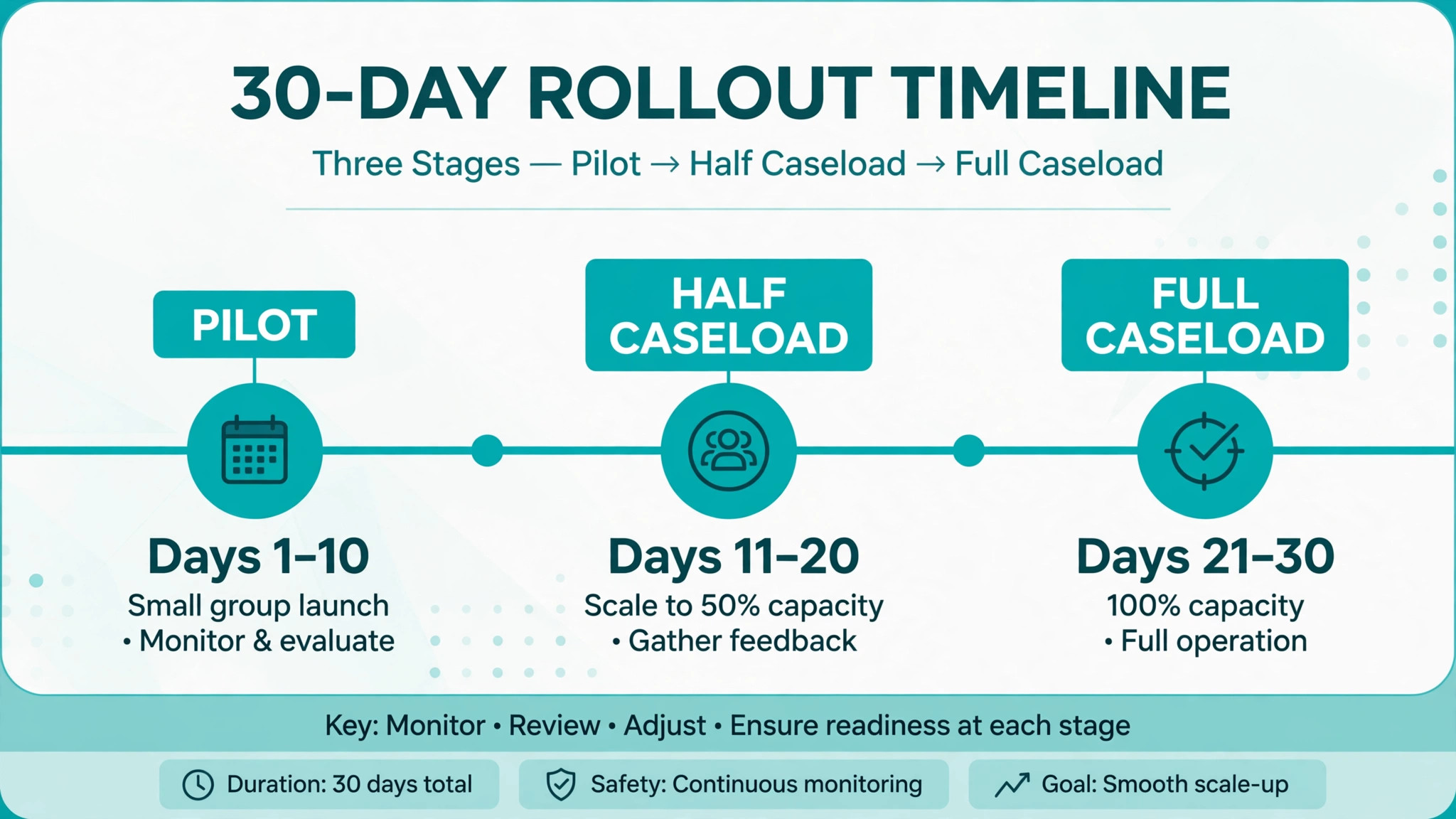
In week one, pick one tool, sign the BAA, set consent forms and templates, and run it on two or three sessions only. Review every draft line by line and note where the AI gets things wrong, because those error patterns teach the therapist what to check fastest. Tell clients what is changing and why, in plain language, and record consent properly before any recording starts.
In week two, expand to a full day of sessions and time the workflow honestly. How long does capture take, how long does review take, how long does filing take, and how does the total compare with the old writing time. If review takes longer than writing did, the template is wrong or the capture method is wrong, and fixing the template is cheaper than abandoning the tool. Most early problems are template problems, not AI problems.
In weeks three and four, turn on treatment-plan linking and milestone summaries, and review a sample of signed notes against the plan to confirm continuity is actually improving. By day thirty, the therapist should be filing same-day notes as a habit, with evenings free and a chart that tells the treatment story clearly. If notes are still piling up at day thirty, the workflow needs a simpler capture method, not a second tool. That thirty-day result is the honest test of whether you use AI for therapist session note summaries or merely pay for a drafting feature.
Questions to Ask on a Vendor Demo
A demo always looks smooth, so the questions matter more than the presentation. Ask for the BAA in writing and ask whether client sessions train the vendor models, because the answer decides whether the tool can touch real sessions at all. Ask how long audio is kept, whether transcripts are stored with identifiers removed, and whether retention can be set per practice rather than per clinician. A vendor that answers those four questions plainly has done this work before, while a vendor that waves them away has not.
Ask about the clinical details next. Which note formats are included at the quoted price, and which are gated to higher tiers. Whether couples, family and group sessions are supported, and how the tool attributes statements when several people speak. What the session length cap is on the tier being quoted, because a cap below the practice longest session creates a quiet failure every week. And how the draft reaches the record system, whether by extension, by copy, or by direct filing, because each path changes how much rework filing needs.
Finally, ask about exit. How client data and note history export, what format the export takes, and whether the practice keeps access to signed notes after cancelling. A practice should never be held hostage by its own chart, and a vendor confident in its product will answer exit questions without defensiveness. Get every answer that matters in writing, because a demo promise that is not in the contract or the security documentation is not a promise the practice can rely on.
Frequently Asked Questions
Is it safe to record therapy sessions for AI notes?
It can be, when consent, a signed BAA and a suitable tool are all in place before the first recording. Consent to record comes from state law and professional ethics codes, so check the licensing board requirement for the practice location. The tool must hold a BAA, store data encrypted, and state its retention rules clearly. Without those three pieces, recording should wait, because convenience never justifies a privacy gap in clinical work.
Does the AI note replace my clinical judgement?
No, and any workflow that suggests otherwise should be rejected. The AI drafts from what was captured, while the therapist supplies judgement, corrects errors, links the treatment plan and signs the note. The signed note is the therapist work, and the therapist remains responsible for everything in it. That is why review is a required step in this guide, not an optional quality habit.
What note formats do AI tools support?
Most support SOAP, DAP and BIRP as standard, with BIRP, PIRP, GIRP, PIE and SIRP plus custom templates on higher tiers of some tools. Individual, couples, family and group sessions are covered by most dedicated tools, though group handling varies by plan, so check the exact client types before buying. The format matters because a note in the wrong structure creates rework and can weaken insurance documentation.
How long is session audio kept?
It depends on the tool, and therapists should check rather than assume. One leading tool deletes audio once the note is ready and keeps an anonymised transcript until the therapist deletes it, while another retains de-identified transcripts by default with a per-clinician opt-out. Retention is a practice policy decision, so set it deliberately, document it, and revisit it when vendor terms change.
Can I use a general chatbot to draft notes if I remove names?
Removing names is not enough, because session details can still identify a client, and a general tool without a BAA is not built for clinical documentation. The safe route is a dedicated tool with a signed BAA, encrypted storage and clear retention rules. A general chatbot may help with non-clinical writing, such as website copy, but it should never receive identifiable client material.
What if a client declines to be recorded?
Then the session is not recorded, and the workflow falls back to dictation or typed bullets after the session, which still produce a good AI draft. Declining recording should never affect the quality of care, and the practice should make that clear when asking for consent, because a client who feels pressured into recording has not truly consented. The fallback method is part of the system, not an exception to it.
Do AI notes work for couples, family and group sessions?
Yes, on tools that list those client types, though the plan tier matters, because some tools gate group or family handling to higher plans. Check that the tool captures multiple attendees correctly, attributes statements to the right person, and files the note under the correct record. A tool that handles individual sessions beautifully and group sessions badly will create exactly the errors that review is meant to catch, so test a group session during the trial.
How much time does AI note drafting actually save?
It varies by therapist and by session type, but the saving comes from drafting, not from review, because review remains mandatory. Therapists who previously spent fifteen minutes writing a note often spend five minutes reviewing and editing a draft, which recovers real time across a full caseload. The honest way to measure it is to time both workflows for two weeks, because a tool that saves drafting time but adds filing friction may save less than its marketing suggests.
The Verdict
For most therapists, the sensible first trial is the tool that fits the record system already in use, or Mentalyc when cross-session continuity is the priority. Practices on SimplePractice should trial Note Taker inside the chart, practices on TherapyNotes should trial TherapyFuel, and practices that want notes carrying treatment goals forward across sessions should trial Mentalyc for its golden-thread planning and one-click filing. Upheal suits practices that need consent handling built in, and Blueprint suits practices that report outcomes.
Whichever tool wins, the discipline decides the result. Sign the BAA before the first recording, get consent properly, review every draft against memory, link every note to the treatment plan, and file same-day. A therapist who does that gets evenings back and a chart that tells the treatment story clearly, without handing clinical judgement or client privacy to a machine. That balance is the whole point when you use AI for therapist session note summaries, and it is a balance worth protecting as firmly as the clients it serves.