
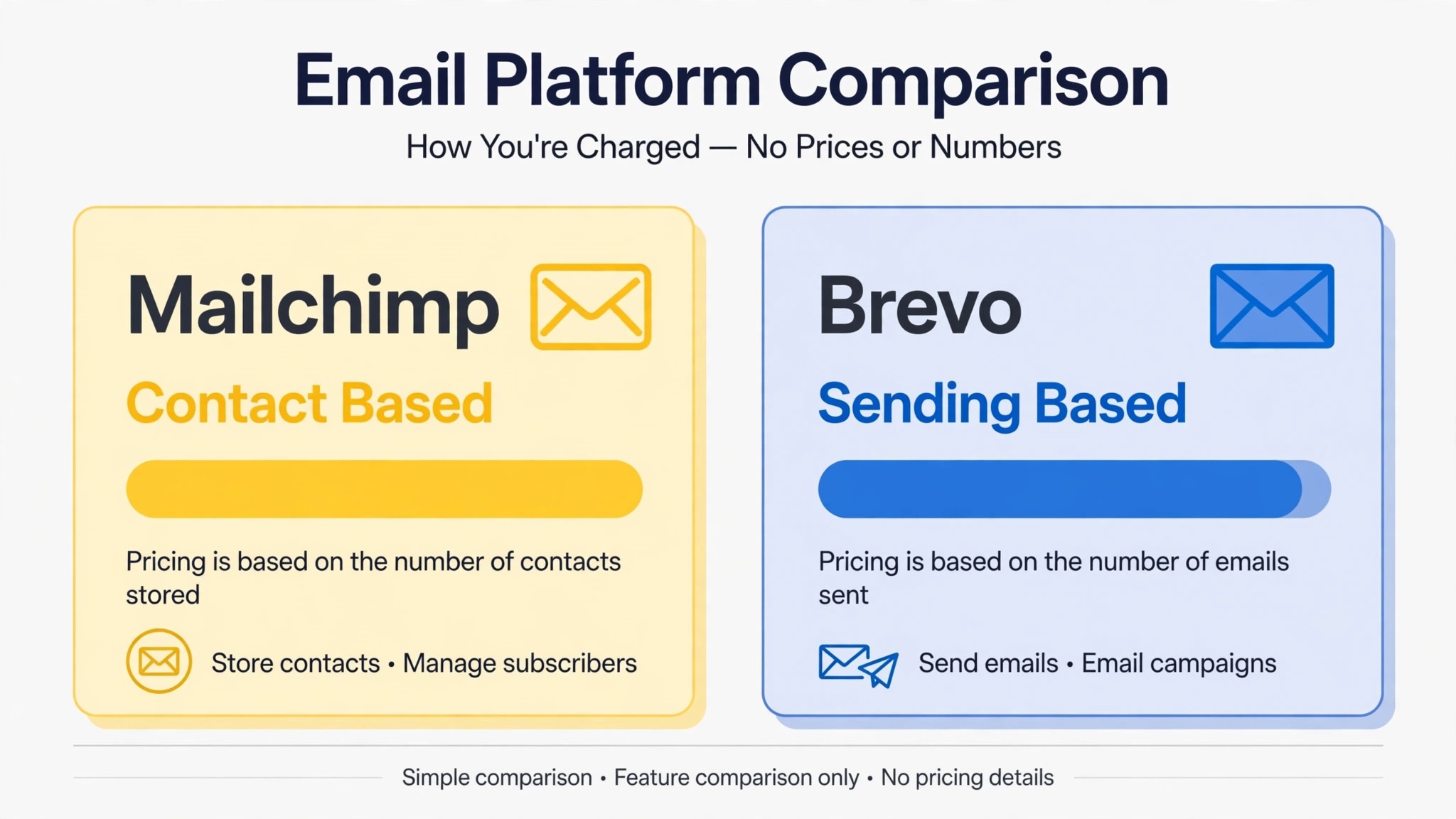
Mailchimp charges by how many contacts you hold. Brevo charges mainly by how many emails you send. That single difference is the comparison hook that drives most small business moves between the two, because a business with a large list that emails rarely pays Mailchimp for contacts it barely uses, while Brevo lets that same business pay for actual sending. The switch Mailchimp to Brevo small business move therefore makes sense for a specific kind of sender, not for every sender, and this guide helps you tell which kind you are.
Mailchimp is the better known tool, with a large template library, strong reporting and a familiar interface that many marketers learned first. Brevo is the broader, cheaper-to-scale tool for many small businesses, because it combines email with SMS, WhatsApp, chat and a CRM, and its pricing follows sending volume rather than list size. A business that sends frequently to a small, engaged list may find Mailchimp competitive. A business with a large list, seasonal sending, or a need for SMS alongside email will usually find Brevo cheaper and simpler to grow with.
This guide covers the move in full, from list cleaning and consent to templates, automations, sending domain setup and the first week of sending. It gives a migration checklist and a first-week cutover plan, and it is honest about the two known gaps in Brevo’s own migration guidance, namely address fields and tags, which need manual rebuilding. It is written for a small business sending newsletters, promotions or customer updates, not for cold outreach, which both tools restrict and which needs a different approach entirely.
Switch Mailchimp to Brevo Small Business, Starting With the Pricing Test
Before migrating anything, run the pricing test on your own numbers, because the headline saving is where most moves are justified or rejected. Count your Mailchimp contacts, including unsubscribed and inactive contacts that still count toward billing on some plans, and count your actual emails sent per month over the last three months. Then compare that with Brevo’s sending-based pricing on the vendor’s current pricing page. A business with 10,000 contacts that sends one newsletter a month will see a very different result from a business with 2,000 contacts that sends weekly, and only your numbers tell you which case you are in.
List size is not the same as list value. A list of 10,000 contacts where only 2,000 open regularly is a smaller effective audience than a list of 3,000 contacts where 2,500 open regularly. Brevo’s model rewards a business that cleans its list and sends to engaged contacts, because sending volume, not stored contacts, drives the bill. Mailchimp’s model penalises a business that keeps a large, quiet list, because the bill grows with contacts whether they open or not. The migration is therefore also a list hygiene project, and a team that migrates a dirty list into Brevo will carry its deliverability problems with it.
Do a second test on features. List the Mailchimp features your business actually uses, such as a specific automation, a landing page, a signup form or a report. Then check each one against Brevo’s equivalent before moving. Most core features have a Brevo match, but the names, limits and setup steps differ, and a feature that looks equivalent on a pricing page may work differently in practice. A short feature test on a Brevo trial account, with one real campaign rebuilt, answers more questions than a week of reading comparison pages.
Cleaning the List and Confirming Consent Before Anything Moves
List cleaning is the most important step in this migration, and it should happen in Mailchimp before any sync starts. Brevo’s own migration guidance states that its Mailchimp integration only imports contacts who have consented to hear from you within the last two years, and that it will not import contacts who never opted in. That rule protects deliverability, but it also means a business that skips cleaning will discover on import day that part of its list did not travel, and will have no clear record of why.
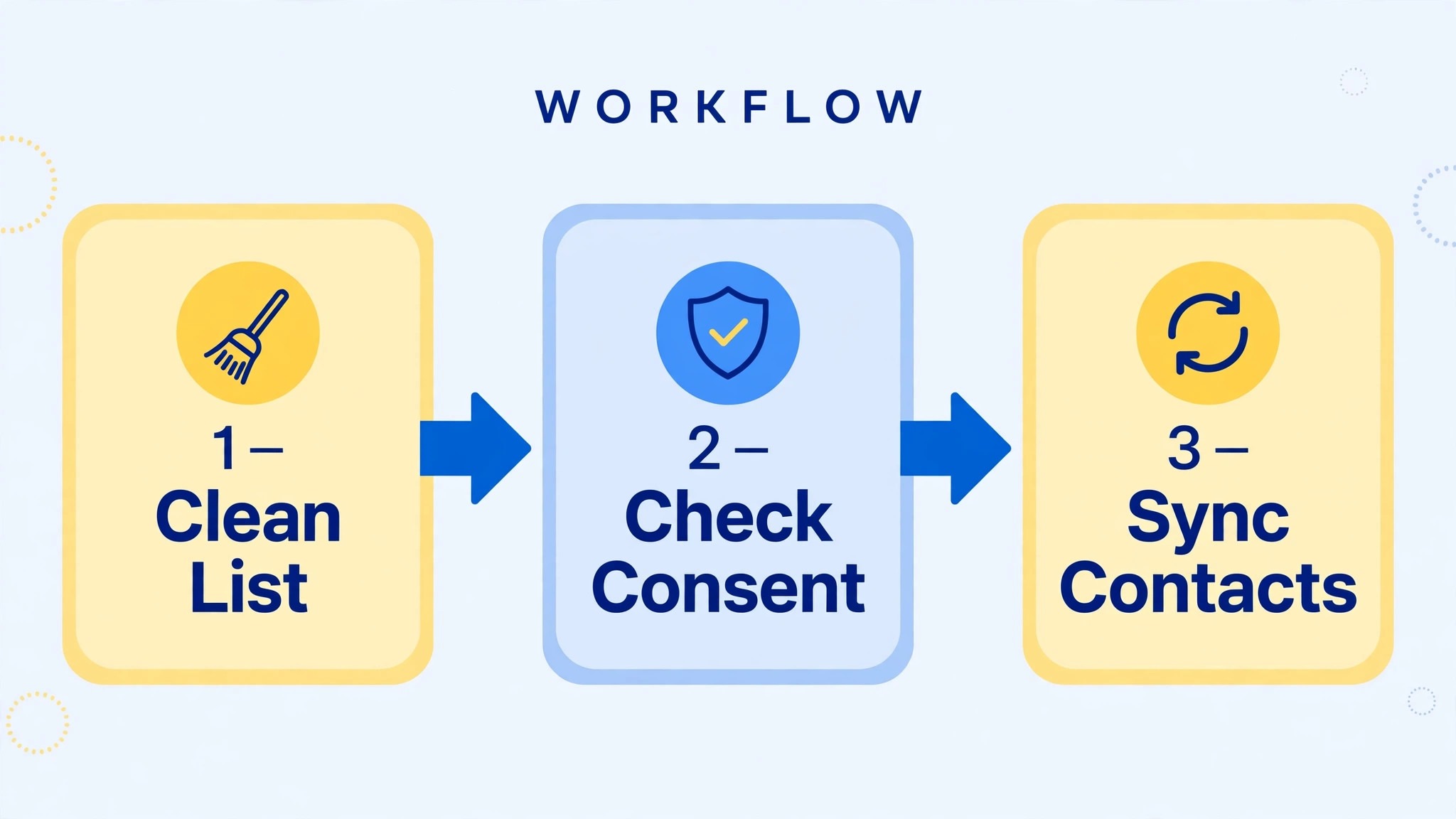
Start by removing hard bounces, unsubscribes and contacts with no opt-in record. Then segment the remaining list by engagement. Contacts who opened or clicked in the last 90 days are your core audience. Contacts who engaged in the last year are a re-engagement segment. Contacts who have not engaged in over a year need a re-engagement campaign or removal, not a silent migration into a new tool. Sending to a year of inactive contacts from a fresh Brevo domain is one of the fastest ways to damage the new sender reputation you are trying to build.
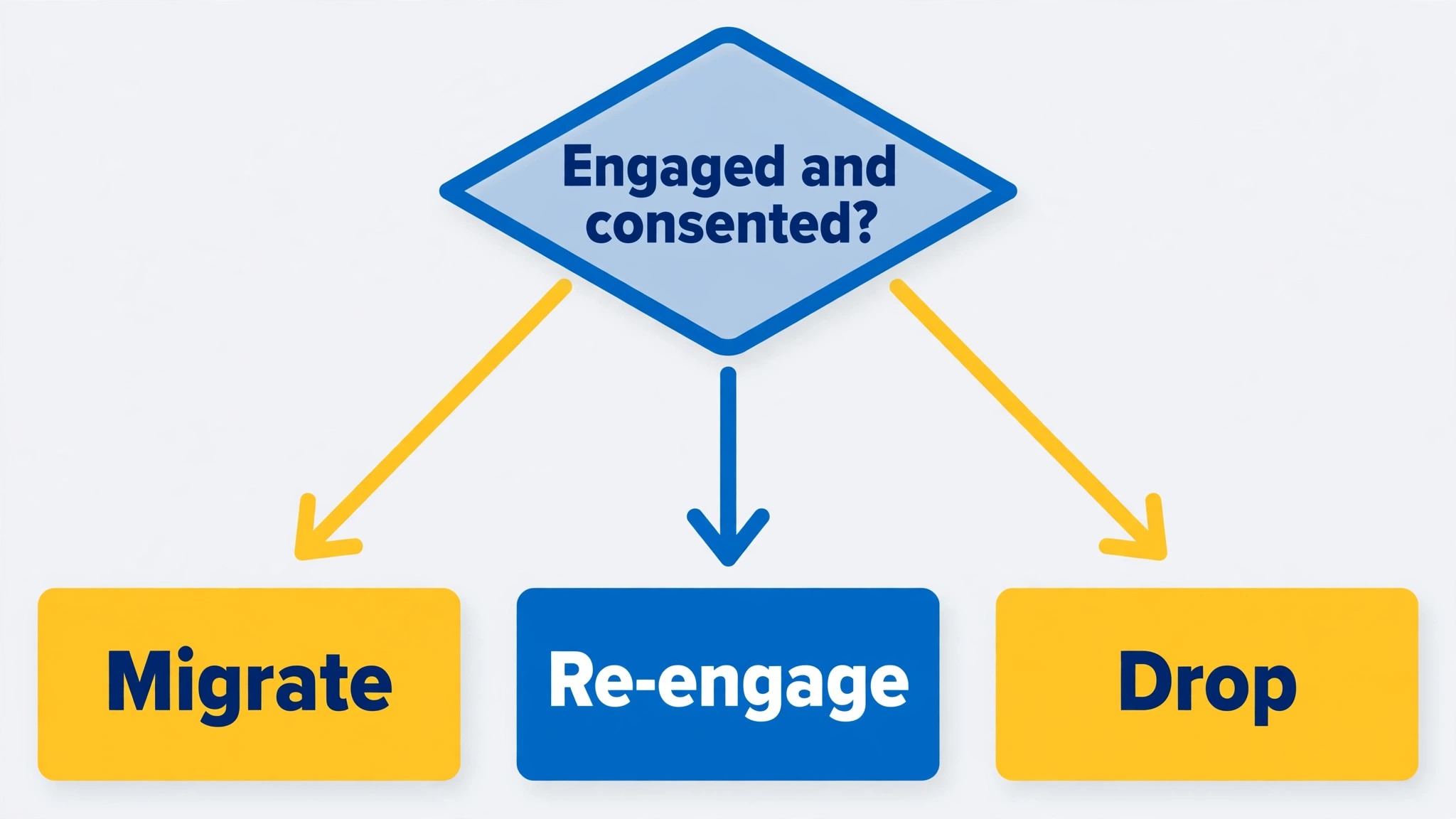
Consent records deserve a separate file. Export your Mailchimp audience with consent and signup source fields, store that export with a date in the file name, and keep it even after the migration succeeds. If a deliverability question arises later, that file is your evidence that contacts opted in. It also protects the business if Brevo ever asks about list quality, because a business that can show its consent records is treated very differently from one that cannot.
Suppression lists must travel too. Unsubscribes, bounces and complaints from Mailchimp should become a suppression list in Brevo before the first send, even if the main import already excludes them. A suppression list is cheap insurance against the worst migration mistake, which is emailing someone who unsubscribed in the old tool and now complains in the new one. One complaint does little harm. A pattern of complaints on a new domain does real harm, and it is entirely avoidable.
What the Brevo Mailchimp Integration Carries and What It Drops
Brevo offers a native Mailchimp integration that syncs contacts directly, without a manual CSV export and re-upload. That is the recommended route for most small businesses, because it reduces formatting errors and keeps the list in sync during the transition. The sync runs on a schedule you choose, and it starts after you confirm that you are syncing only opted-in contacts. For a small list, the sync itself takes minutes. Most of the migration time goes into cleaning and setup, not into the transfer.
Two gaps in that integration need planning, and Brevo’s own guidance names them plainly. First, address fields do not map. Mailchimp stores address details such as street and ZIP as one combined field, which Brevo cannot split apart automatically. A business that segments by location, or that prints addresses on invoices and letters, must rebuild address fields in Brevo by hand or by a cleaned CSV after the sync.
Second, tags are not imported, because Brevo does not have a matching tag system in the form Mailchimp users expect. Any segmentation built on Mailchimp tags must be rebuilt as Brevo lists or segments after the import, and that rebuild should be planned before cutover, not discovered when a campaign needs a tag-based audience.
The table below gives the working picture for planning. Treat every row marked as rebuild as real work with an owner, not as a detail to sort out later.
| Mailchimp element | In Brevo after migration | Action needed |
|---|---|---|
| Contacts, opted in within two years | Synced via the native integration | Clean the list first, confirm consent, check counts after sync |
| Contacts without opt-in | Not imported | Remove or re-permission them in Mailchimp before migration |
| Audiences and lists | Brevo lists, after mapping | Decide the list structure before sync, merge tiny audiences |
| Address fields | Not split automatically | Rebuild address fields by hand or by cleaned CSV |
| Tags | Not imported | Rebuild segmentation as Brevo lists or segments |
| Signup forms | Rebuilt in Brevo | Recreate forms, test them, update website embeds |
| Templates and designs | Rebuilt in Brevo editor | Rebuild top templates first, test rendering in major clients |
| Automations and journeys | Rebuilt in Brevo automation | Map each journey, rebuild the top few, test with seed contacts |
| Campaign reports and history | Not carried as usable history | Export key reports as a record, start fresh reporting in Brevo |
| Sending domain and authentication | Set up fresh in Brevo | Add SPF, DKIM and DMARC records, verify before first send |
| Suppression lists | Rebuilt in Brevo | Import unsubscribes and bounces before the first campaign |
Templates and automations deserve a closer look, because they are where a migration feels slow. A Mailchimp template does not become a Brevo template automatically. The design must be rebuilt in Brevo’s editor, and that is actually an opportunity to simplify, because many small business templates carry years of patched sections and unused blocks. Rebuild the three templates the business sends most, test them in Gmail, Outlook and on mobile, and leave older templates for later. The same applies to automations. A welcome series, an abandoned cart flow and a post-purchase follow-up are usually the three that matter, and rebuilding those three well beats rebuilding ten flows badly.
For a related move with the same template problem, the Mailchimp to ConvertKit creators guide shows how another destination handles templates and lists, and the Mailchimp to Klaviyo checklist is useful for a business that later outgrows Brevo and needs ecommerce automation depth.
Setting Up the Sending Domain, Authentication and Warmup
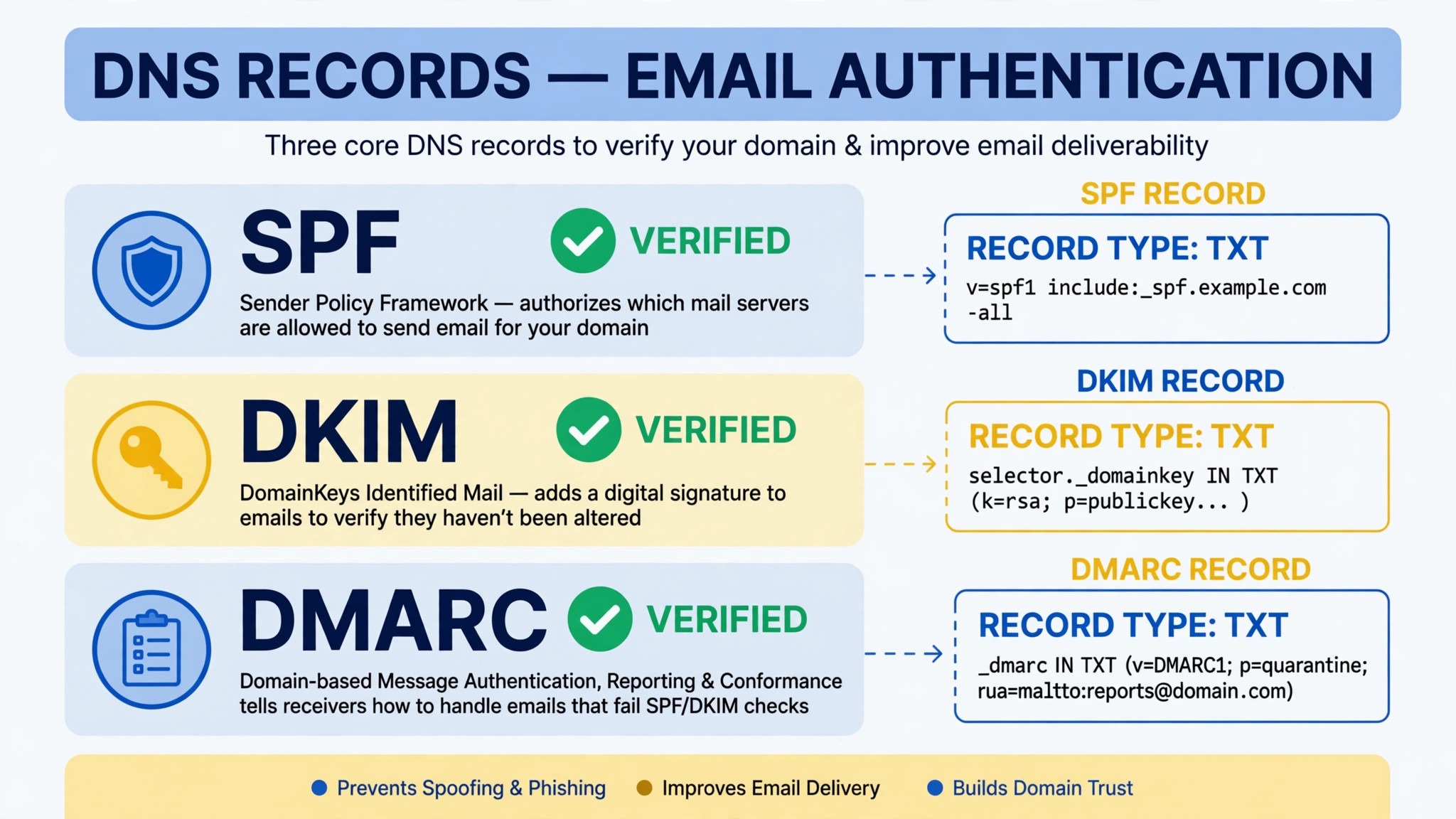
Sending domain setup is the technical step that decides whether the first Brevo campaigns land in inboxes or in spam, and it must happen before the first real send. Add Brevo to your domain’s DNS records, including SPF and DKIM records as Brevo instructs, and set a DMARC policy, starting with a monitoring policy if you have never used DMARC before. Verify the domain in Brevo, send a test campaign to seed addresses across Gmail, Outlook and Yahoo, and check that authentication passes and that the messages render correctly. A domain that is not authenticated is a domain that mailbox providers will distrust, however good the content is.
Warmup is the second half of domain reputation. A brand new sending domain, or a domain sending from a new platform for the first time, should not blast the full list on day one. Start with your most engaged segment, a few hundred contacts at most, and increase volume over the first week as inbox placement holds. This feels slow, and it is the reason the cutover plan below starts small. A business that blasts 10,000 contacts on day one from a cold domain risks a spam placement problem that takes weeks to repair, while a business that warms up over a week builds a reputation that lasts.
The from name and reply address also need a decision. Use a real person’s name or a clear business name, not a generic role address alone, and use a reply address that someone monitors. Mailbox providers and recipients both trust a sender that looks like a real business with a real person behind it. A no-reply address saves nobody time, because replies that bounce or go unread become complaints and lost customer conversations.
Finally, update every place that mentions Mailchimp. Website signup forms, landing pages, checkout opt-ins and any integration that adds subscribers must point to Brevo before the old forms are switched off. A form that still adds contacts to Mailchimp after cutover creates a split list, where new subscribers land in the old tool and never receive Brevo campaigns. Audit forms on cutover day, and test each one with a seed signup.
The Full Migration Checklist
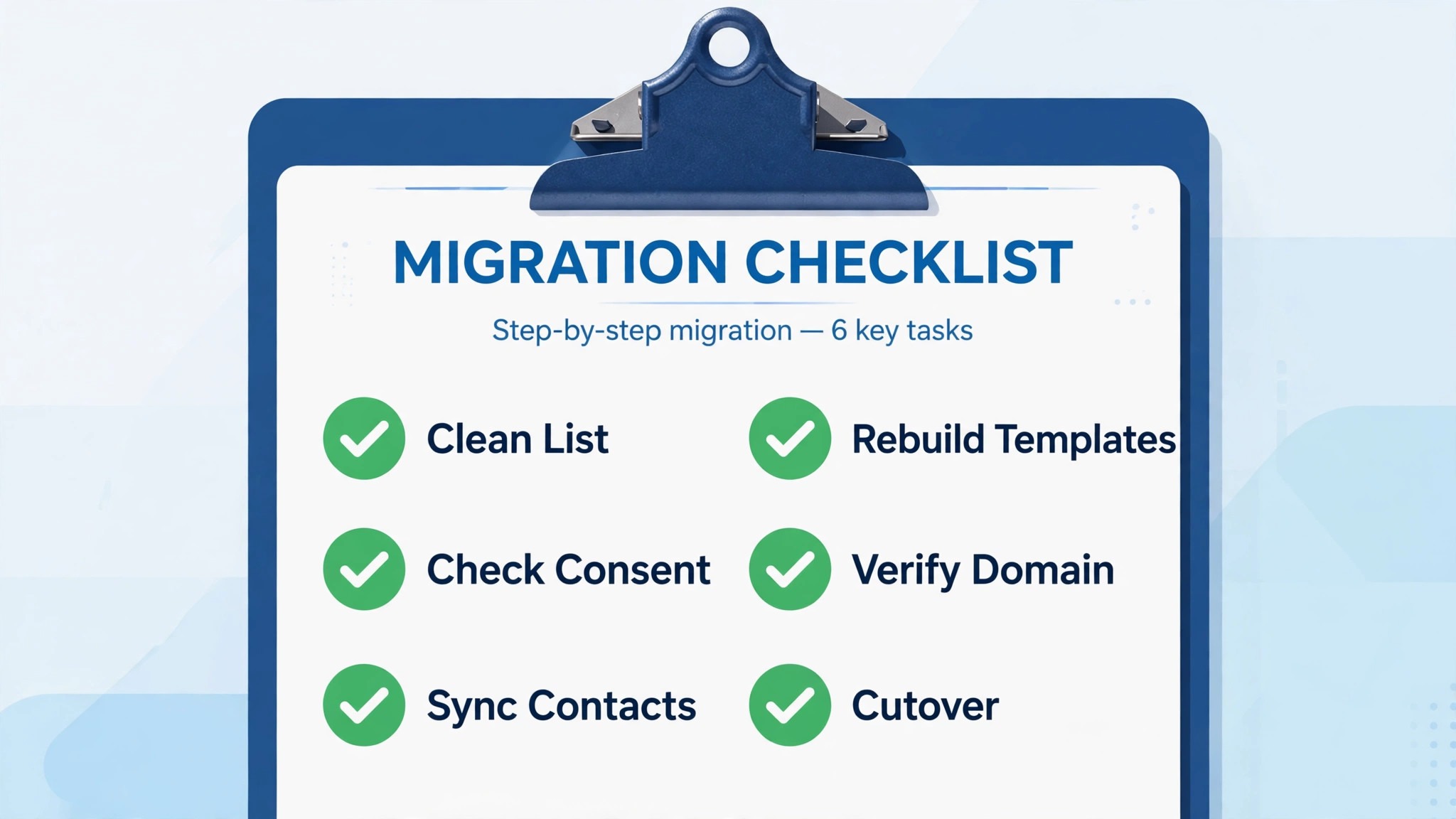
Work through this checklist in order, with one owner per item. A tick means the result was checked, not merely attempted, and the seed send is the item that must not be skipped.
– Run the pricing test on your own contact and sending numbers, using the vendor’s current pricing page – Clean the Mailchimp list, removing bounces, unsubscribes and contacts with no opt-in record – Segment by engagement, and plan re-engagement or removal for contacts inactive over a year – Export the Mailchimp audience with consent fields and store the dated file as a record – Build a Brevo suppression list from Mailchimp unsubscribes, bounces and complaints – Decide the Brevo list structure and rebuild tag-based segmentation as lists or segments – Rebuild address fields that do not map, by hand or by cleaned CSV after the sync – Set up the Brevo Mailchimp integration, confirm opt-in only, and check synced counts – Authenticate the sending domain with SPF, DKIM and DMARC, and verify it in Brevo – Rebuild the top three templates in Brevo and test rendering in Gmail, Outlook and mobile – Rebuild the top three automations in Brevo and test them with seed contacts – Recreate signup forms and landing pages, update website embeds, and test each form – Send a seed campaign to engaged contacts first, check inbox placement, then increase volume – Update integrations that add subscribers, so new signups land in Brevo, not Mailchimp – Set Mailchimp to stop sending on cutover day, keep it as an archive for a month, then close it
The checklist is ordered so that list quality and domain setup come before design work. A beautiful template sent from an unauthenticated domain to a dirty list will still fail, while a simple template sent from a warm domain to an engaged list will succeed. Get the foundations right, and the design work has a chance to perform.
The First-Week Cutover Plan
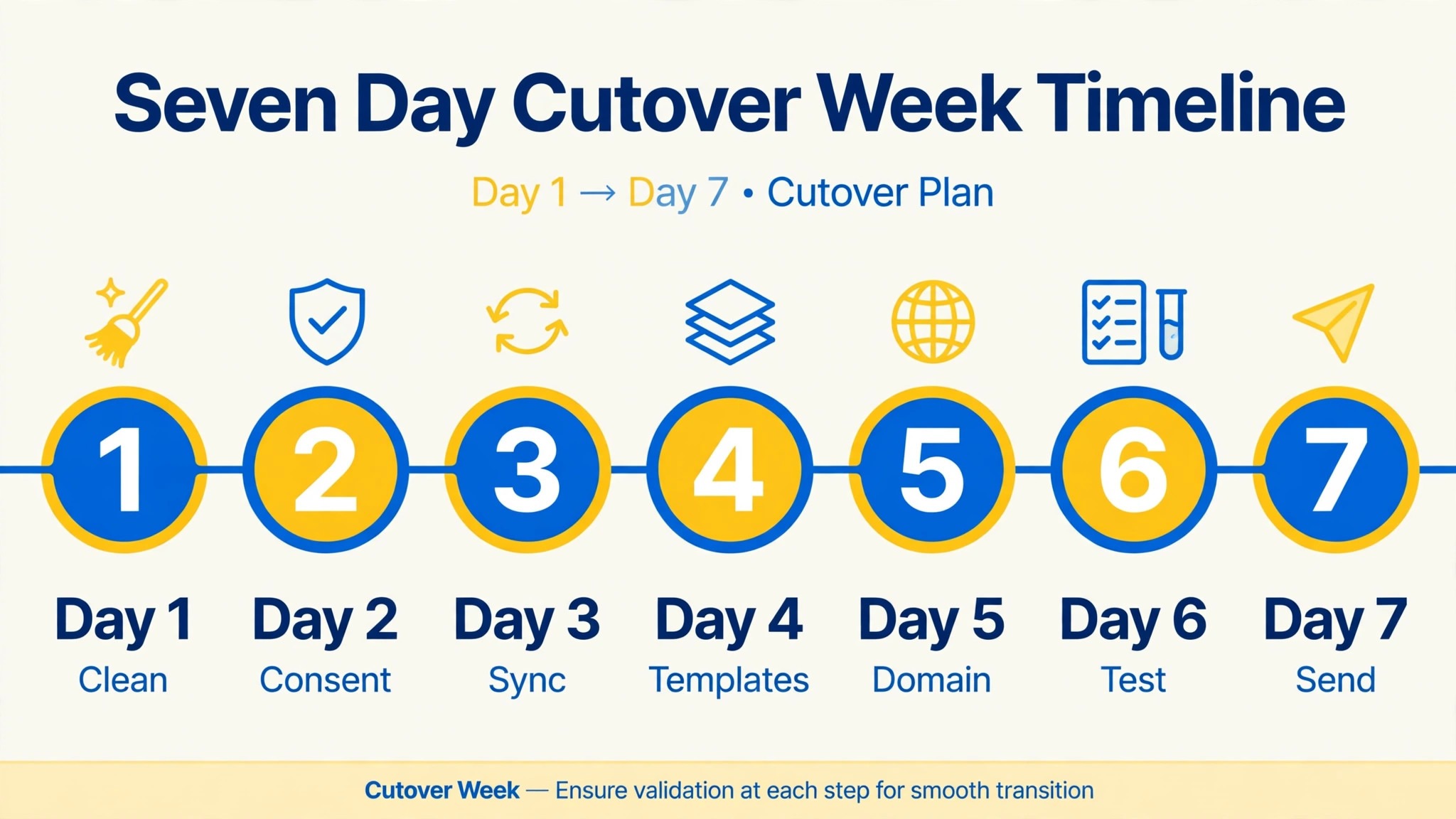
Cutover week starts small and grows, because domain reputation is built by early success, not by early volume. The table below is the plan to follow, with the most engaged segment sending first.
| Day | Job for the day | Done looks like |
|---|---|---|
| Day 1, domain and seed send | Verify domain authentication, send a seed campaign to engaged contacts and staff | Authentication passes, seed messages land in inboxes |
| Day 2, template and form check | Test rebuilt templates and signup forms, fix rendering and embed errors | Forms add test contacts to Brevo, templates render cleanly |
| Day 3, automation check | Test welcome, cart and follow-up automations with seed contacts | Each automation fires correctly, with correct content and timing |
| Day 4, engaged segment send | Send the first real campaign to the 90 day engaged segment only | Open and bounce rates look normal, no complaint spike |
| Day 5, wider segment send | Send to the one year engaged segment, monitor placement and complaints | Placement holds, complaints stay low, volume grows |
| Day 6, archive and integration check | Confirm Mailchimp is not sending, confirm new signups land in Brevo | No split list, archive exports stored and reachable |
| Day 7, closeout | Review first week results, fix the top three issues, agree Mailchimp stays off | Three fixes done, next campaign planned from Brevo only |
Day four is the real test. A campaign to the engaged segment should show normal open rates and low bounces. If bounces spike, stop and check the list, because a bounce spike on day four usually means a segment was misbuilt or a suppression list was missed. Fixing that before day five is far cheaper than repairing a damaged domain reputation later.
Day seven is a review, not a celebration. Compare Brevo’s first week open, click and bounce rates with Mailchimp’s recent averages, noting that a new domain’s first week will differ slightly. Look for complaints, unsubscribes and any template rendering complaints. If the numbers are broadly in line, the migration has succeeded, and the team can plan the next campaign with confidence.
A Worked Example of the Switch Mailchimp to Brevo Small Business Move
An illustrative example shows how the pricing test plays out in real numbers that are easy to follow. Imagine a small home goods shop with a Mailchimp list of 8,000 contacts, built over four years of market stalls, website orders and in-store signups. The shop sends one newsletter a month, plus a sale campaign in November and December, which means about fourteen campaigns a year to a list that grows slowly. The owner suspects the Mailchimp bill is high for that sending pattern, and the pricing test confirms it. The shop pays for 8,000 contacts every month, even in months when it sends nothing, while its actual sending volume is modest.
Cleaning changes the picture further. Of the 8,000 contacts, about 1,500 have not opened anything in over a year, 400 are bounces or unsubscribes that were never removed, and a few hundred have no clear opt-in record from early market stall sheets. The cleaned, consented list is closer to 5,500 contacts, with about 3,000 in the engaged core who opened in the last 90 days. That cleaning alone would lower a contact-based bill, but it also changes the Brevo maths, because the shop now sends to a smaller, healthier audience and wastes less sending volume on contacts who never read.
The switch Mailchimp to Brevo small business plan for this shop starts with the engaged core. Domain authentication is set up first, then the top newsletter template is rebuilt in Brevo, followed by a simple welcome automation for new website signups. The first Brevo campaign goes to the 3,000 engaged contacts, not to the full cleaned list, and it lands cleanly with normal open rates. Over the next week, the shop adds the one year engaged segment, then the full cleaned list, while the inactive segment receives a re-engagement campaign with a clear choice to stay or leave. Contacts who do not respond are removed, which keeps the sending audience healthy for future campaigns.
By the end of the first month, the shop has a simpler system. One list structure in Brevo replaces a tangle of Mailchimp tags, the signup form on the website feeds Brevo directly, and the owner can see sending volume, not contact count, as the driver of cost. The shop also gains SMS as an option for sale announcements, which it tests carefully with a small segment before using it widely, because SMS is more intrusive than email and a poorly timed text does more harm than a poorly timed newsletter. That restraint is part of the lesson. A new tool’s extra channels are options, not obligations.
The example also shows the limits of the move. If this shop sent weekly to a small, highly engaged list, the pricing advantage would shrink, and the effort of rebuilding templates might not pay off. If it relied on a Mailchimp automation that Brevo cannot match, the move would need a workaround before cutover. The switch Mailchimp to Brevo small business decision in the example works because the shop’s sending pattern, a large list with infrequent sends, matches Brevo’s sending-based model, and because the owner was willing to clean the list rather than migrate it dirty. A real business should test the same match on its own numbers before committing.
Costs, Risks and When to Stay on Mailchimp
Price the move on sending volume, not on list size alone, and check the vendor’s current pricing page for both tools before committing. Brevo’s sending-based model usually wins for a large, rarely emailed list, and Mailchimp can win for a small, frequently emailed list on a lower tier. Add the cost of any SMS sending, because Brevo’s SMS credits are a separate cost that a business using SMS must budget. Also allow for a migration tool or a few hours of setup help if the business has complex automations, because that cost is real even when the monthly saving looks large.
The risks are specific and manageable. The first is deliverability damage from sending to a dirty list from a cold domain. Mitigate it with cleaning, suppression lists and a warmup week. The second is lost segmentation from tags and address fields that do not map. Mitigate it with a rebuild plan before cutover. The third is a split list from forms and integrations that still point to Mailchimp. Mitigate it with a form audit on cutover day. Each risk has a checklist item, which is why the checklist matters more than the import button.
Stay on Mailchimp when its specific strengths drive results. A business that relies on Mailchimp’s advanced segmentation, its template library, its ecommerce integrations, or a team that knows Mailchimp deeply may find Brevo’s simpler model a step back, even if the bill is lower. A lower bill that costs open rates and sales is not a saving. In that case, the better project is to clean the Mailchimp list and drop to a lower tier, rather than migrating to a tool that cannot hold the work. The switch Mailchimp to Brevo small business decision should rest on total value, meaning cost plus deliverability plus the team’s ability to run campaigns well, not on the monthly price alone.
For broader email tool context, the small business newsletter guide and the creators newsletter guide help a business confirm that Brevo fits its sending pattern, while the MailerLite to ConvertKit migration shows how a creator-focused move handles the same list and template questions.
Frequently Asked Questions
Will all my Mailchimp contacts move to Brevo?
No, and that is by design. Brevo’s integration imports only contacts who have consented within the last two years, and it will not import contacts who never opted in. Clean your list in Mailchimp first, remove bounces and unsubscribes, and check the synced count against your cleaned list. A gap between the two counts usually means unconsented or stale contacts were correctly excluded.
Tags are not imported, and address fields do not split automatically, because Mailchimp stores addresses as one combined field. Rebuild tag-based segmentation as Brevo lists or segments, and rebuild address fields by hand or by cleaned CSV after the sync. Plan this rebuild before cutover, so that a campaign needing a location segment is not blocked on launch day.
Will my Mailchimp templates and automations move automatically?
No. Templates must be rebuilt in Brevo’s editor, and automations must be rebuilt as Brevo automation workflows. Rebuild the three templates and three automations the business uses most, test them with seed contacts, and leave older items for later. A rebuilt template is also a chance to simplify designs that have grown messy over years of patching.
How do I protect deliverability during the switch?
Clean the list, build a suppression list, authenticate the sending domain with SPF, DKIM and DMARC, and warm up by sending to engaged contacts first and increasing volume over the first week. Monitor bounces and complaints daily in week one. A bounce spike means stop and check the segment, not push through with a larger send.
How long does the migration take for a small business?
A small list with simple templates can usually clean in a day, set up domain and templates in two or three days, and complete the cutover week as set out above, which is a realistic timeline for the switch Mailchimp to Brevo small business move. The timeline stretches when the list is large and dirty, when many tags need rebuilding, or when complex automations need recreating. Allow extra days for list decisions rather than rushing them, since list quality decides deliverability.
Should I close Mailchimp immediately after cutover?
No. Stop Mailchimp sending on cutover day, keep it as a read-only archive for a month, and keep the dated exports as a record. If a Brevo campaign reveals a missing segment or a broken automation, the archive lets you recover the source data quickly. Close Mailchimp after a month of clean Brevo sending, once the team agrees nothing in the old tool is still needed.
A Final Word on Choosing Well
The switch Mailchimp to Brevo small business move is a good move for a business with a large list, seasonal sending, or a need for SMS and CRM alongside email, provided the list is cleaned and the domain is warmed up properly. It is a poor move for a business that sends to a small, highly engaged list on Mailchimp’s lower tiers, or that depends on Mailchimp features Brevo does not match. Run the pricing test, run the feature test, and let your own numbers decide.
Start with cleaning, not with design. Authenticate the domain, rebuild the top templates and automations, and let the first week grow from engaged contacts outward. A quiet first week with clean inbox placement is a successful migration, and the team will know it worked when the next campaign goes out from Brevo without anyone asking where the old tool went.