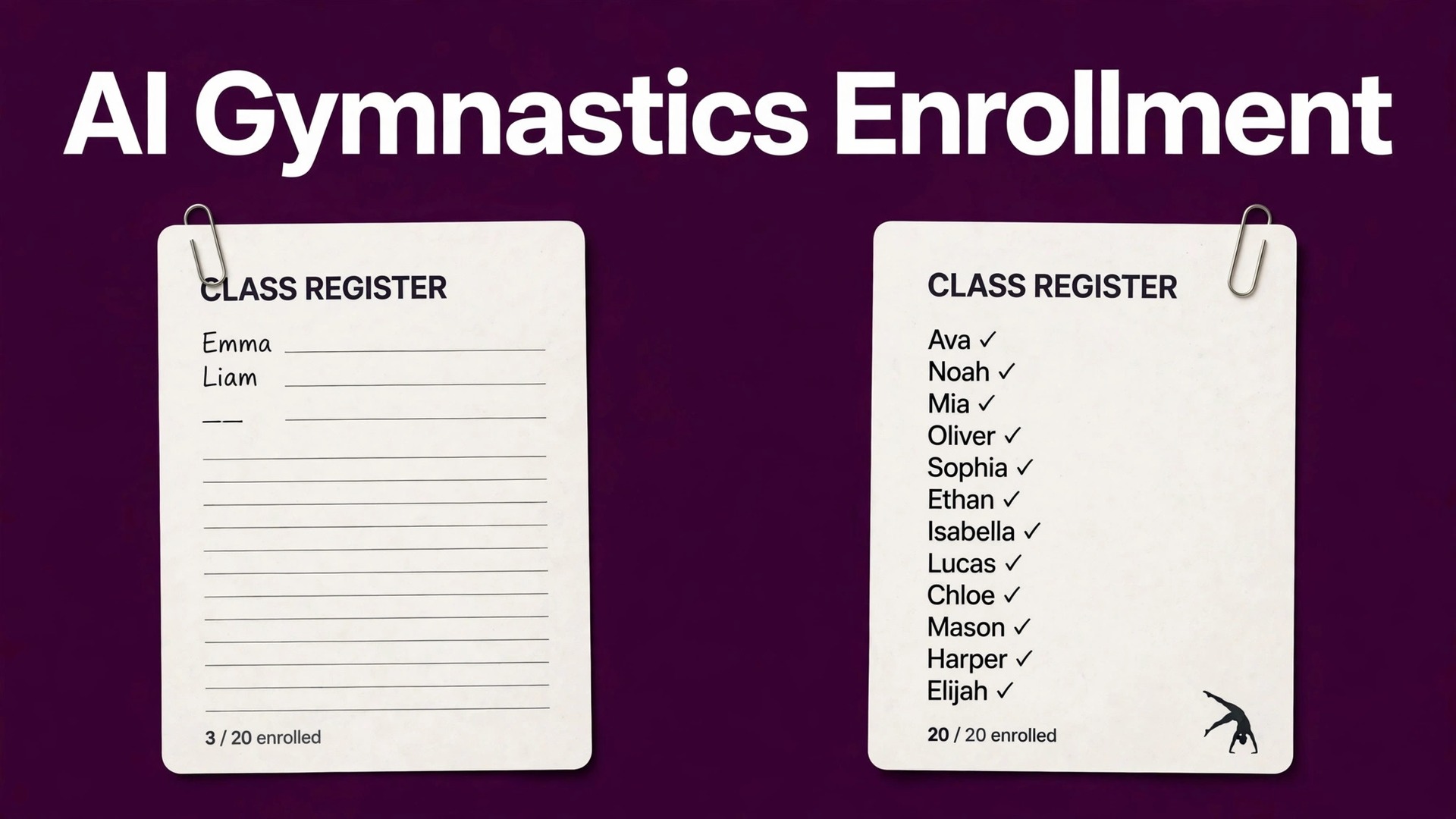
A studio running 20 classes a week, with two empty places in each class, carries 40 unsold places every single week. Over a ten week term, that is 400 places that could have been filled by a trial family, a waitlisted child, or a returning student who never got a reminder. The arithmetic is simple, and it is why enrollment work deserves the same attention as coaching. Most studios do not lose enrollment because their classes are weak. They lose it because inquiries sit unanswered, trial families drift, waitlists go stale, and level moves happen late. When you use AI for gymnastics studio enrollment management, you are buying back the hours that currently go to chasing those gaps by hand.
Enrollment in a gymnastics studio is different from enrollment in a general fitness business. Children move by age and by level, classes are capped for safety and for coach ratios, terms roll over on a schedule, and parents decide on behalf of a child who may be nervous, excited, or both.
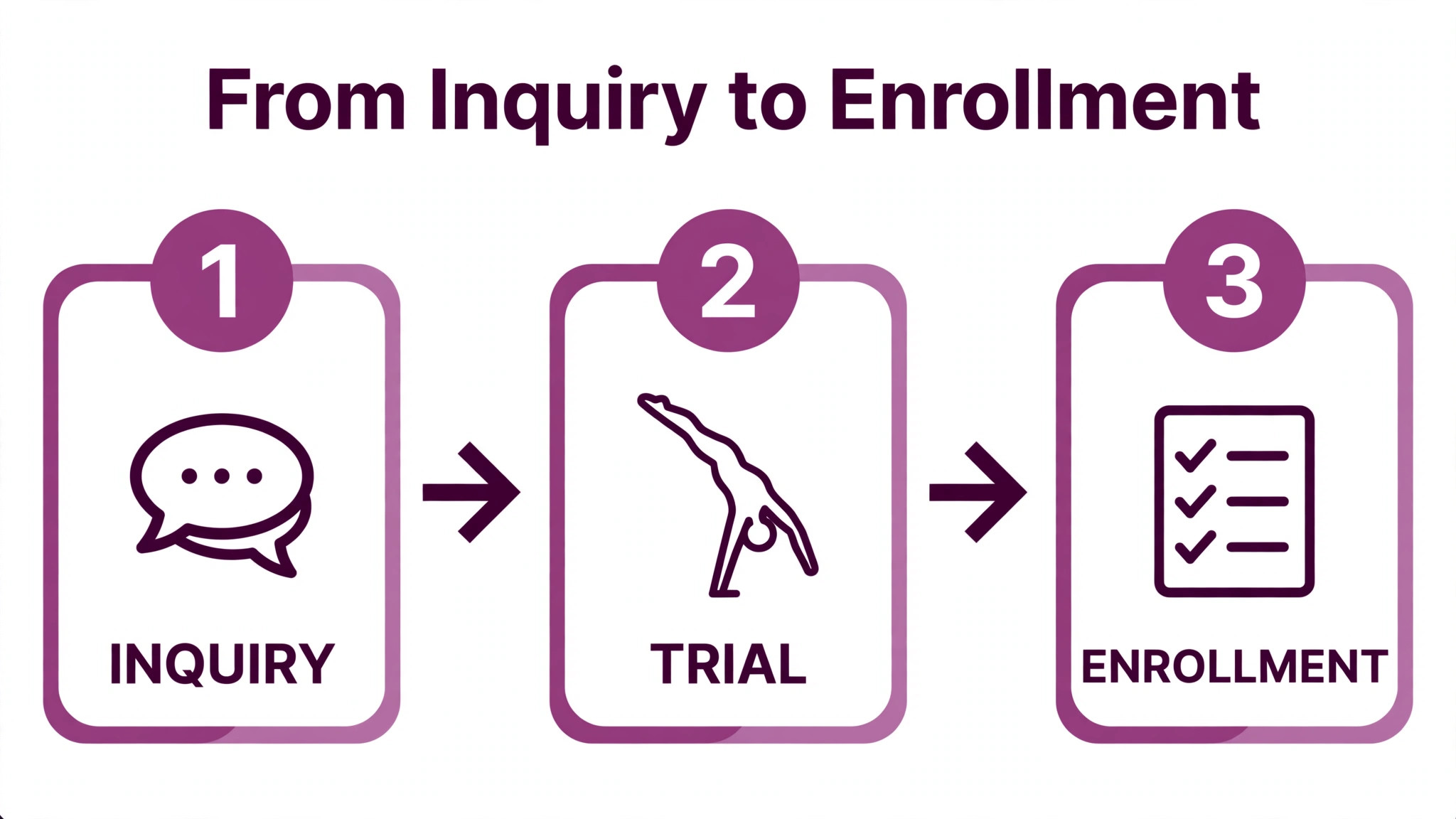
A parent who inquires on a Tuesday night wants a trial place, a clear answer about which level fits their child, and a payment route that does not require a phone call during work hours. If any of those steps stalls, the family tries another activity. The system in this guide is built around that reality, with a step workflow for trial classes, waitlist offers, and level moves, plus an enrollment-funnel checklist you can copy and use from the next term.
Artificial intelligence fits this work in a narrow and practical way. It can draft replies to inquiries, sort trial families by readiness, rank waitlists by fit rather than by join date alone, flag children who are ready for a level move, and keep term rollover lists moving. It cannot judge a child’s readiness, reassure a nervous parent, or override a coach’s assessment. Those decisions stay human. The rest of this guide keeps that boundary clear, and it flags every figure that is an illustration rather than a measured result, so you can test the system against your own numbers instead of trusting a vendor claim.
Why Gymnastics Enrollment Leaks in Predictable Places
Enrollment leaks follow a pattern in most studios, and naming the pattern is the first step to fixing it. The first leak is slow inquiry response. A parent messages through a website form or social media, and the reply arrives two days later, after the family has already booked a trial elsewhere. The second leak is the trial that never converts. A child attends a trial, enjoys it, and then hears nothing for a week, so the excitement fades and the place goes to another family. The third leak is the waitlist that nobody works. Names sit on a list, a place opens, and staff cannot remember who wanted which day, which level, and which coach.
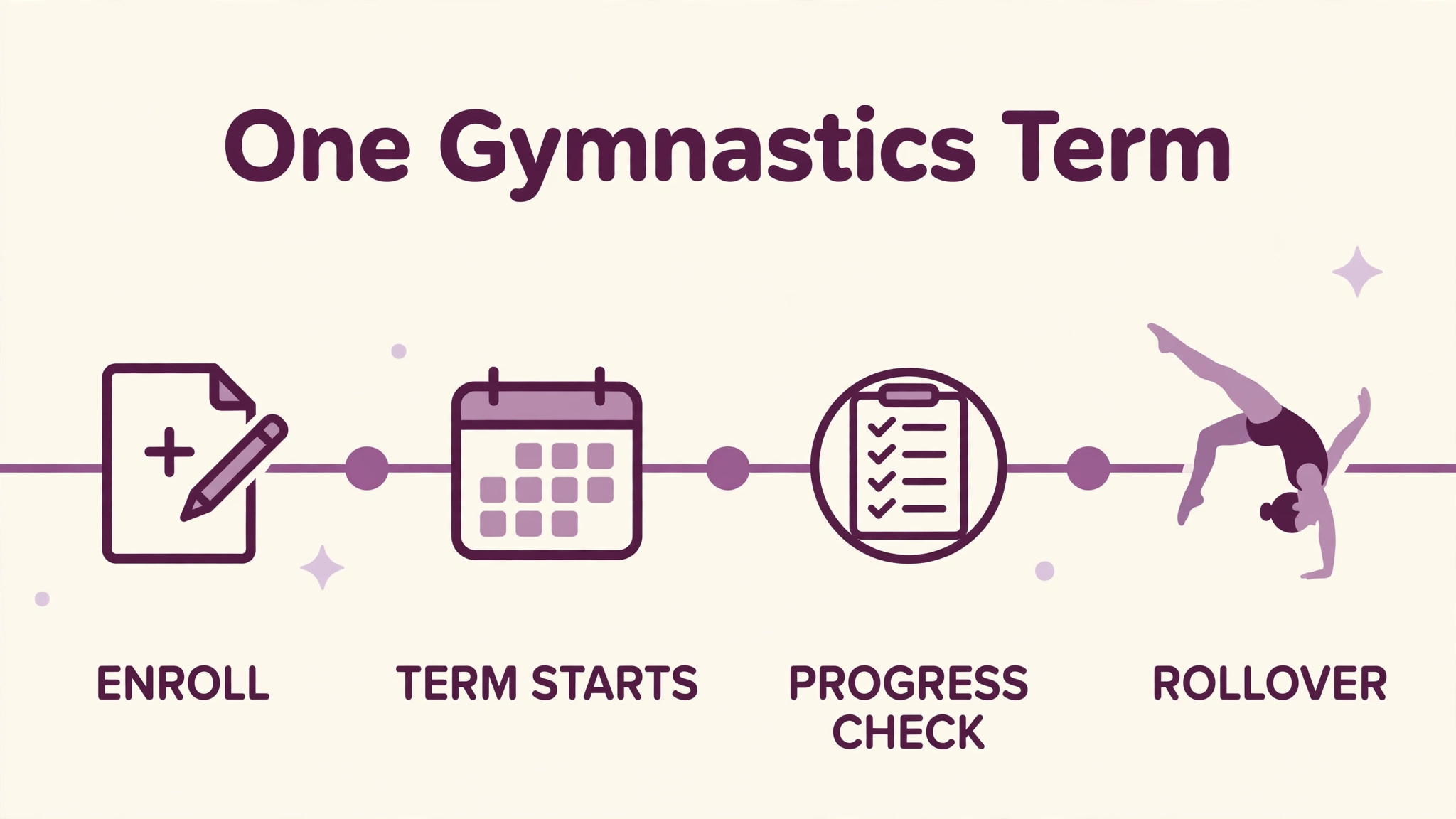
The fourth leak is the level move that happens a term late. A child masters the skills for their current level, gets bored, and leaves, when a timely move to the next group would have kept them. The fifth leak is term rollover. Families who intended to continue simply forget to re-enroll, because nobody reminded them before the deadline, and their place is given away. Each leak looks small on its own. Together, they explain why a studio with a strong reputation can still run classes below capacity.
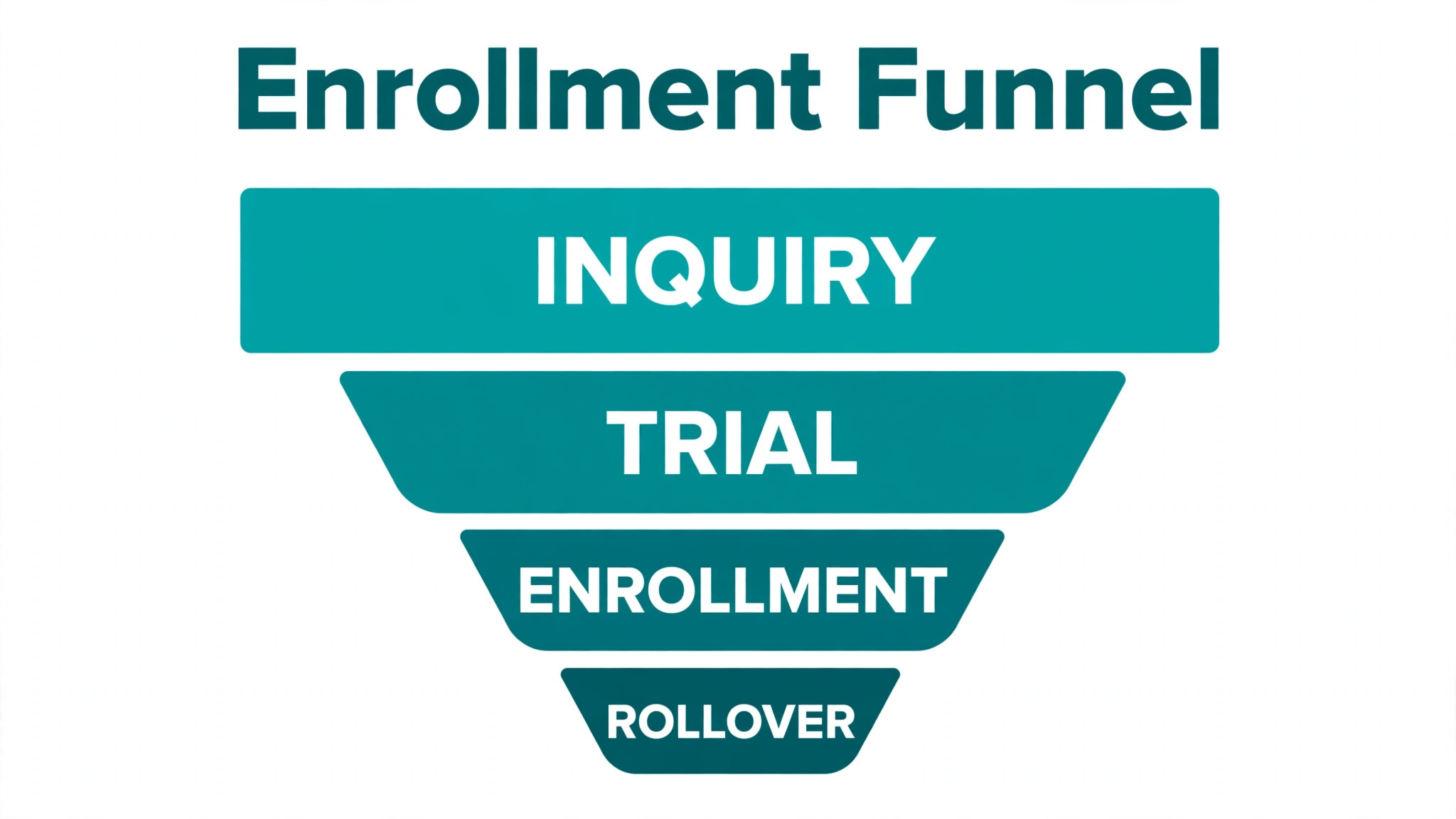
Data from your own studio will show which leak matters most to you. Count inquiries per month, trials booked, trials attended, trials converted, waitlist offers made, waitlist offers accepted, and rollover completions. If trials convert poorly, your follow-up sequence needs work. If waitlists stall, your offer process needs work. If rollover drops, your reminder timing needs work. Measure for one full term before you automate anything, because automation applied to the wrong leak will speed up the wrong process and still leave classes half full.
What Good Enrollment Software Already Handles
Gymnastics class platforms already cover much of the admin load, and it helps to know what you are adding AI to, rather than replacing. Vendor pages for tools such as Class Manager describe online registration, self-service parent booking, waitlists that fill open places automatically, and trial bookings built into the schedule. Gymdesk describes seasonal enrollment windows with automatic billing and end dates, plus family accounts that link siblings under one parent. iClassPro, widely used in class-based businesses, covers class scheduling, billing, and skill tracking. Check the vendor’s current page for the exact feature set before you buy, because features and pricing change, and a feature listed in a review may sit behind a higher tier.
AI adds a layer on top of those systems. It drafts the message, ranks the list, suggests the timing, and flags the exception. It does not replace the class register, the payment system, or the safeguarding record. A useful test for any AI tool is whether it reads from and writes back to your existing class platform, rather than creating a second list that staff must update by hand. A second list will drift within a fortnight, and staff will stop trusting it. Insist on one source of truth for enrollment, and let AI work on that source, with a human approving anything that changes a child’s class, a family’s bill, or a waitlist order.
Consent and safeguarding belong in this foundation too. Parent contact details, children’s ages, medical notes, and collection arrangements are sensitive, and they must not be pasted into a general chatbot or a tool without proper data controls. Record who may collect each child, which contact should receive enrollment messages, and whether a family has consented to marketing messages as distinct from service messages about their own booking. AI can respect those preferences at scale, but only if the preferences are recorded in the first place. A system built on missing consent data is a compliance risk, not a convenience.
How to Use AI for Gymnastics Studio Enrollment Management in a Term Cycle
A term cycle gives enrollment work a natural rhythm, and AI should follow that rhythm rather than fight it. Before enrollment opens, use AI to draft the term announcement, the class descriptions, and the answers to common questions about age groups, levels, kit, and trial places. Review every draft for accuracy, because an AI draft may invent a class time, a price, or a level requirement that does not exist. One wrong detail in a term announcement will generate a week of correction messages.
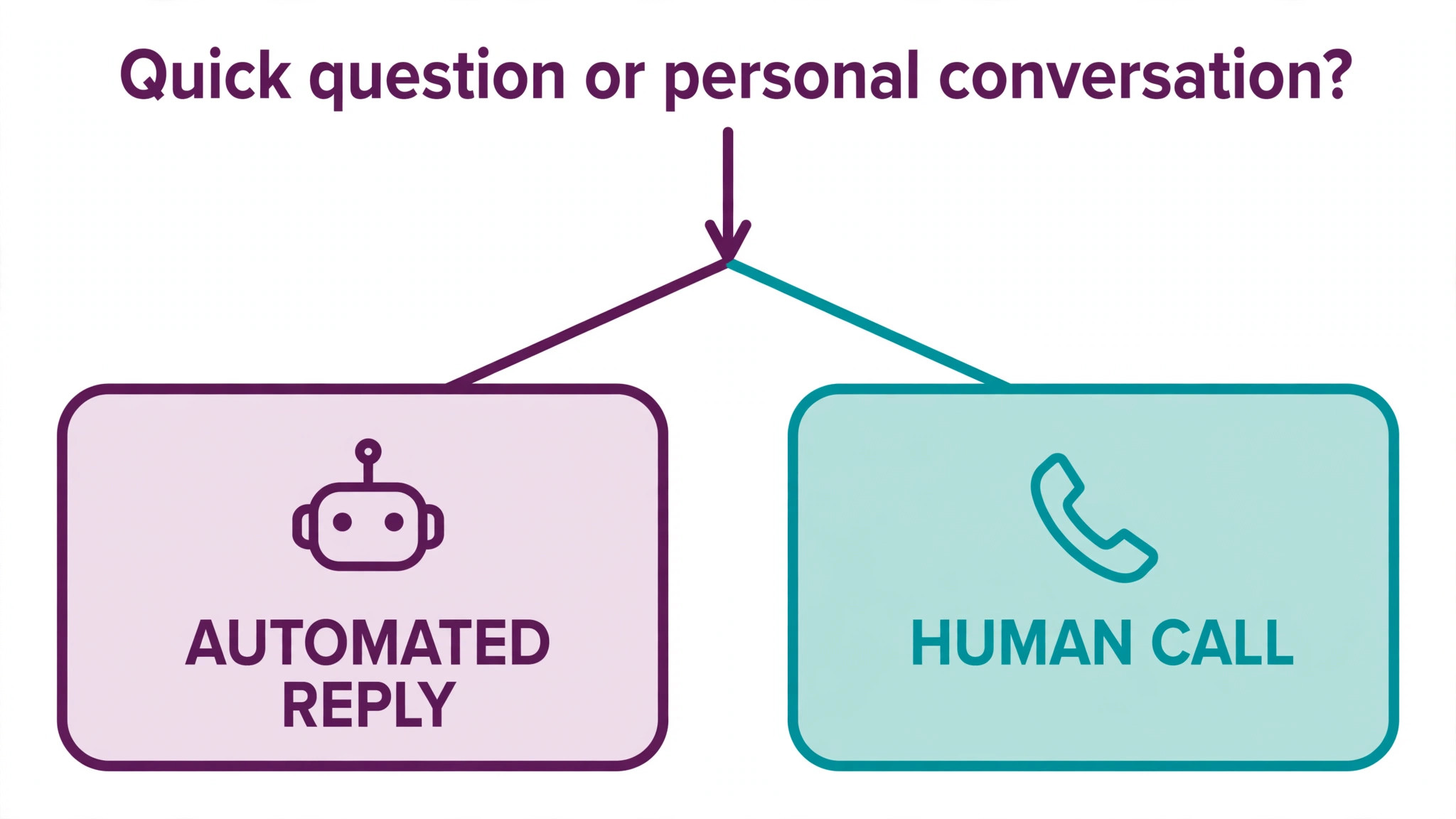
During enrollment week, use AI to triage inquiries. Sort them by class fit, by urgency, and by completeness of information. A parent who gave the child’s age, previous experience, and preferred days can be offered a trial place immediately. A parent who only wrote “interested in gymnastics” needs a short reply asking for age and experience. Draft both replies with AI, but send them after a quick human check in the first term you use the system. After that, routine replies can go out automatically, with anything unusual flagged for a person.
During the term, use AI to watch for the signals that precede a departure. Falling attendance, a missed payment, a child who has not progressed in skill tracking for a long stretch, or a parent who stopped opening messages are all early warnings. None of them proves a family will leave, and none of them should trigger an automated discount or a pushy message. They should trigger a short, human check-in from a coach or from front desk staff, asking how the child is finding the class. That conversation saves more enrollments than any automated offer, and AI earns its place by making sure the conversation happens on time.
A Step Workflow for Trials, Waitlists, and Level Moves
This workflow assumes a small to mid-size studio with a class platform, a parent contact list, and an AI-assisted messaging tool that drafts and ranks, with human approval for anything that changes a booking. Adapt the tools, keep the order, and run it weekly through the term, not only at enrollment time.
Step 1, answer every inquiry within one working day
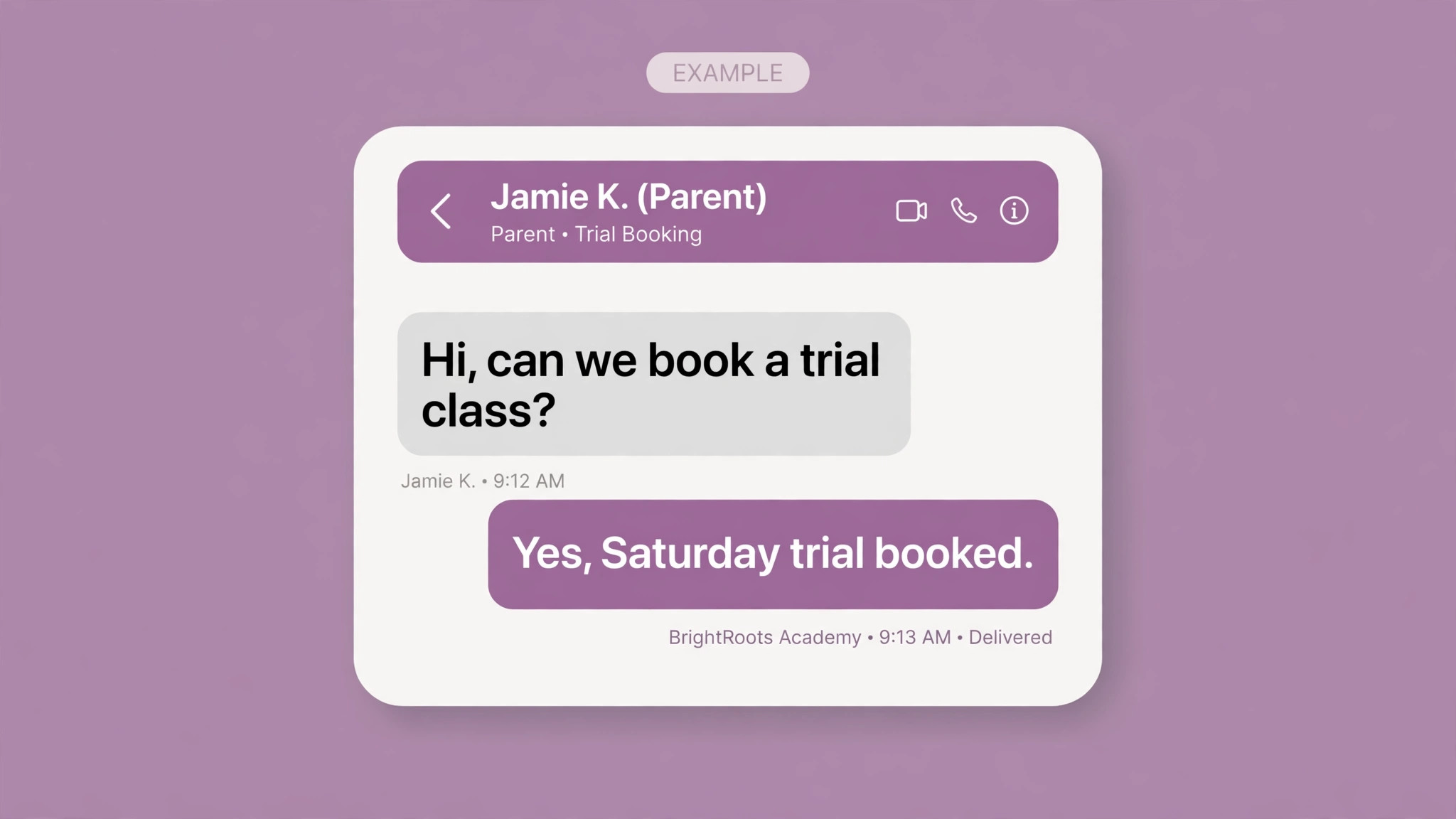
Each morning, review new inquiries from the website, social media, and phone messages. Use AI to draft a reply that confirms the child’s age group, suggests the right level for a trial, offers two trial times, and links to registration and payment. A human checks the level suggestion before sending, because placing a child in the wrong level for a trial wastes everyone’s time. Track response time as a number, and aim to cut it week by week, because speed is the single biggest controllable factor in inquiry conversion.
Step 2, run the trial like a conversion process, not a casual visit
Before the trial, send a short message with the day, time, what to wear, where to wait, and who will meet the family. After the trial, the coach records a brief note on fit, level, and any concern, such as a child who was anxious or a parent who asked about fees. Within one working day, send a personal follow-up that references the trial itself, offers the right class, and gives a clear deadline for holding the place. AI can draft that follow-up from the coach’s note, but the coach should approve the level recommendation. A generic “thanks for coming” message converts far worse than a message that names the class and the coach.
Step 3, work the waitlist by fit, not only by join date
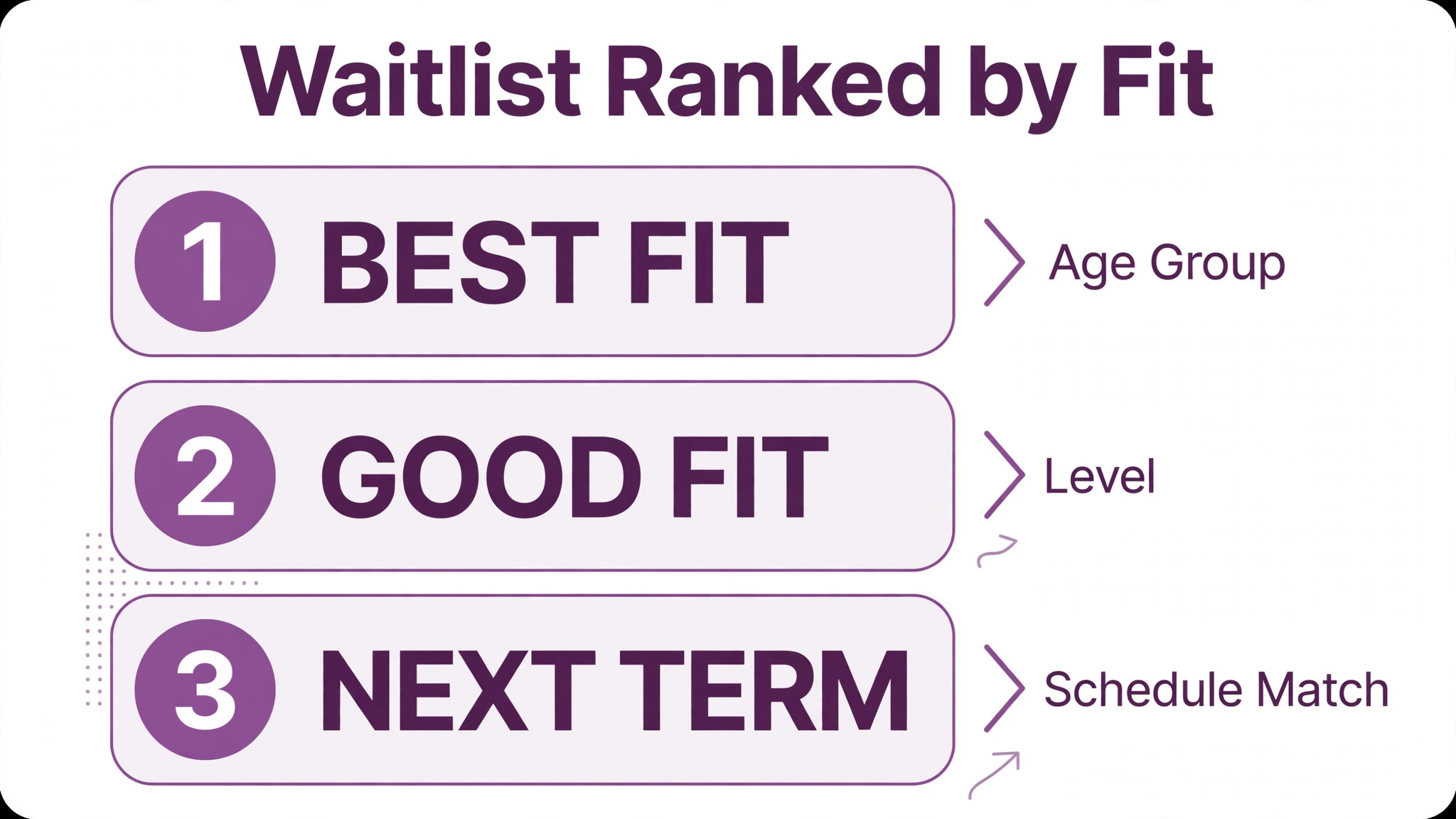
When a place opens, rank waitlisted children by class fit first, then by how long they have waited, then by schedule match. A child waiting for a Tuesday advanced class should not be offered a Thursday beginner place simply because they joined first. AI can build that ranking from age, level, preferred days, and sibling schedules. Offer the place by message and by a second channel if there is no reply within your stated window, and give each family a clear deadline before moving to the next name. Record every offer and every decline, so the ranking improves over time.
Step 4, review level moves every half term
Coaches review skill tracking data and flag children who have met the requirements for the next level, children who are close, and children who may need more time. AI can surface those flags from skill records and attendance, but the coach makes the call. Once a move is agreed, message the family early, explain what changes, name the new class time and coach, and offer a trial session in the new group where that makes sense. Late level moves frustrate parents and bore children, so this review should never be skipped because the term is busy. It is the work that keeps children in the studio for years rather than terms.
Step 5, run rollover as a campaign with a deadline
Four weeks before term end, send a rollover reminder to every continuing family, with their current class, the next term dates, and a simple confirm step. Two weeks before the deadline, send a second message to families who have not confirmed. In the final week, call the remaining families, starting with those whose classes are full or oversubscribed. AI can draft each wave and sort families by class demand, so staff call the families whose places are most at risk first. After the deadline, release unconfirmed places to the waitlist promptly, and message waitlisted families the same day, while demand is still warm.
Step 6, close the loop on every lost enrollment
When a family leaves, declines a trial place, or lets a rollover lapse, record the reason in broad categories, such as schedule clash, cost, location, level fit, or child preference. AI can group those reasons into a monthly summary, which is far more useful than a pile of individual notes. If schedule clashes dominate, the fix may be a new class time, not more marketing. If level fit dominates, the fix may be a new intermediate group. Enrollment data should change what you offer, not only how you message.
The Enrollment-Funnel Checklist
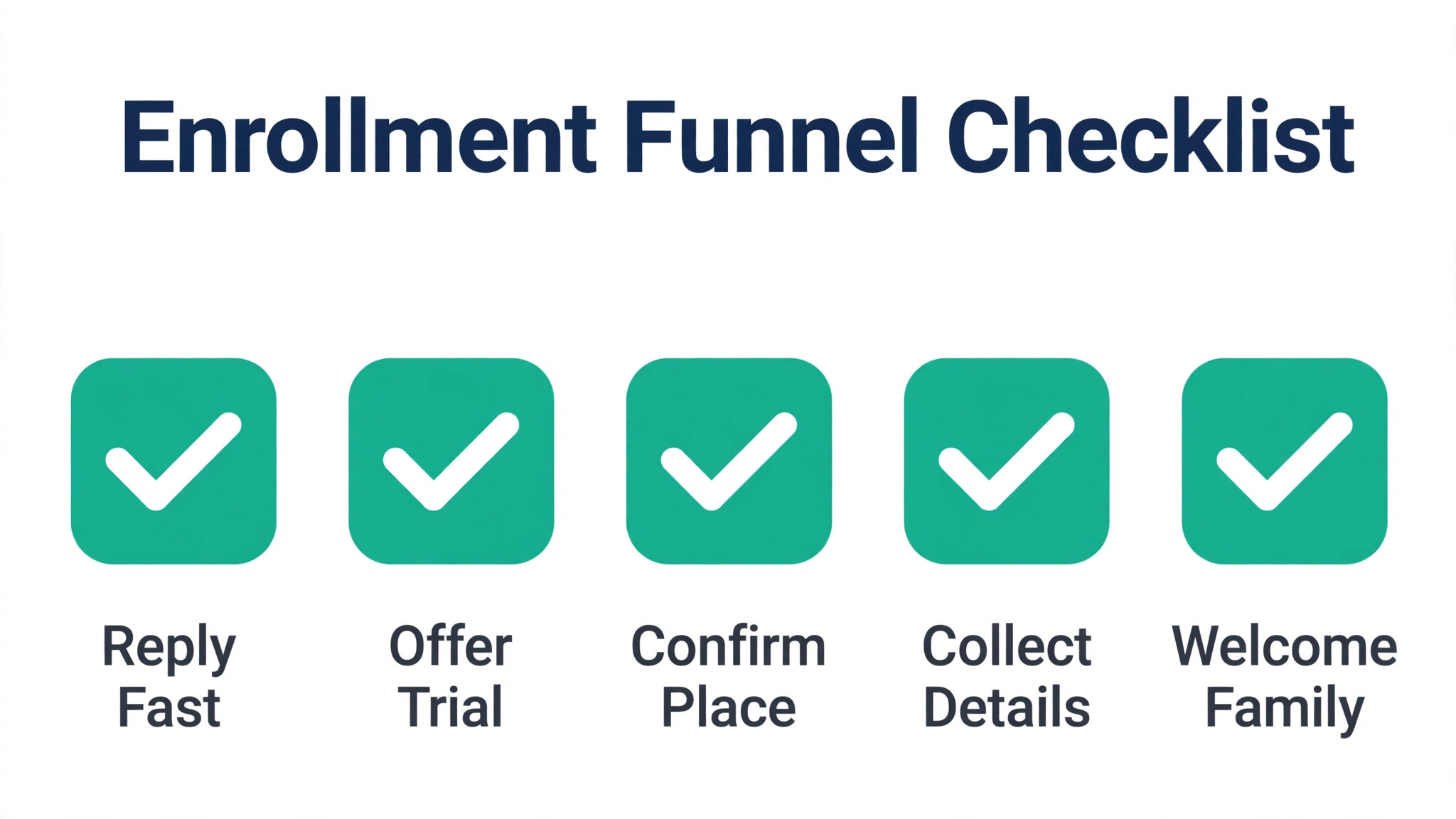
Copy this checklist and run it weekly during enrollment periods, then fortnightly during the term. It covers the full funnel, from first inquiry to confirmed rollover, and it gives one owner per line, so nothing sits between two people.
Inquiry stage. Every inquiry answered within one working day. Age, experience, and preferred days recorded. Trial offered with two times, not an open question. Registration link tested and working.
Trial stage. Pre-trial message sent with arrival details. Coach note recorded the same day. Follow-up sent within one working day, naming the class and coach. Place hold deadline stated clearly.
Waitlist stage. Waitlist ranked by fit, wait time, and schedule match. Offer sent with a reply deadline. Second channel used if no reply. Declines recorded with a reason.
Level move stage. Skill review completed each half term. Family messaged before the new term, not after it. New class time and coach named. Trial in the new group offered where useful.
Rollover stage. First reminder sent four weeks before term end. Second reminder sent to non-responders at two weeks. Calls completed in the final week, fullest classes first. Unconfirmed places released promptly.
Data stage. Consent and collection details checked for every new family. Payment details current. Attendance and skill records up to date. Monthly funnel numbers reviewed, with one action chosen for the next month.
Pricing, Places, and the Conversation About Cost
Cost questions arrive early in gymnastics enrollment, and handling them badly loses families who would otherwise have joined. Publish term fees, trial fees, and any membership or registration fee clearly, and make sure AI drafts never quote a price that is not on your current price list. If your fees change between terms, update the AI templates before enrollment opens, not after the first parent complains. A price quoted by an automated reply feels like a promise, and correcting it later damages trust.
Where a family hesitates on cost, the right response is a human conversation about payment options, sibling discounts, or a shorter commitment, not an automated discount. AI can flag the hesitation and draft a reply that invites a call, but the terms should be set by the studio, applied consistently, and recorded. Discounts given quietly to one family and not another will surface, and they will cost more in trust than they gain in enrollment. Keep a simple rule for who may offer what, and let AI enforce the rule by flagging any draft that promises terms outside it.
Capacity decisions deserve the same care. Adding one place to a class may seem harmless, but coach ratios, apparatus time, and safety rules set real limits, and those limits should never be overridden by an enrollment target. AI can show you which classes are full, which have a waiting list, and where a new class would fill fastest. Use that picture to plan the timetable, and let coaches set the cap. A full class with a waiting list is a better problem than an overfull class with a safety incident.
Mistakes That Quietly Shrink Enrollment
The first mistake when you use AI for gymnastics studio enrollment management is automating a messy list. Duplicate family records, wrong ages, outdated phone numbers, and children listed in two levels will produce confident, wrong messages at scale. Clean the list before enrollment opens, and keep cleaning it weekly. The second mistake is letting AI invent class details. Times, levels, prices, and coach names must come from your timetable, never from a draft. Check every template against the timetable each term.
The third mistake is treating every inquiry the same. A parent asking about a recreational class for a five year old and a parent asking about a competitive pathway for a ten year old need different replies, different trial structures, and different timelines. AI can sort those inquiries, but only if you give it the categories and the reply templates for each. The fourth mistake is forgetting the child. Enrollment messages go to parents, but the experience belongs to the child. A trial that feels welcoming, a coach who remembers a name, and a level move handled with excitement will do more for retention than any message sequence.
The fifth mistake is measuring only new enrollments and ignoring retention. A studio that recruits well and loses families each term is running uphill. Track retention by level and by coach, and look for patterns. If one level loses more children than others, the timetable, the coaching, or the progression route may need attention. AI can surface the pattern, but only a coach can explain it, and only the studio can fix it.
Measuring Whether Enrollment Is Improving
After one term using AI for gymnastics studio enrollment management, compare your funnel numbers with the previous term, using the same definitions. Inquiries, trials booked, trials attended, trials converted, waitlist offers accepted, level moves completed on time, and rollover rate. Look at the breakdown by class and by level, because an overall improvement can hide a worsening pattern in one group. If trial conversion improved but rollover fell, your term-end campaign needs work, not your trial process.
After two terms, add experience measures. How many parents complained about message frequency. How many trial families said the follow-up felt personal. How many staff hours were saved on inquiry replies, and where that time went. If staff time was saved but not redeployed to coaching support, trial welcome, or waitlist calls, the gain is theoretical. Use saved time deliberately, so the team feels the benefit and families feel the difference.
Keep a simple log of template changes, timetable changes, and ranking rule changes, with dates. When a number moves suddenly, that log helps you tell whether the cause was a template change, a new class time, a price change, or a system error. Without a log, every change becomes a debate about memory. With a log, it becomes a testable question, and that discipline is what turns an enrollment tool into an enrollment system.
Safeguarding, Data, and the Limits of Automation
A sensible enrollment system knows where automation stops. When you use AI for gymnastics studio enrollment management, the tool should never contact a child directly, never share a child’s details with a third party without a clear purpose, and never make a safeguarding decision. Messages go to the parent or guardian on record, and any message that touches medical needs, behavioural notes, or collection arrangements should be reviewed by a person before it is sent. If a parent raises a safeguarding concern in a reply, that reply should go straight to the studio’s safeguarding lead, with no automated response beyond a brief acknowledgement that someone will respond.
Data hygiene supports that boundary. Keep children’s records in the class platform, not in scattered spreadsheets or chat threads, and limit AI tool access to the fields it actually needs for enrollment work, such as name, age group, level, class, and parent contact details. Review tool permissions when staff change roles, and remove access promptly when someone leaves. Parents should be able to ask what data you hold and how it is used, and staff should be able to answer without guessing. A short written answer to that question, kept at the desk, prevents awkward improvisation and builds trust.
Automation also has a tone limit. A message that celebrates a level move, welcomes a nervous beginner, or responds to a family leaving after a bereavement or an injury needs a human voice. Use AI to draft the routine messages, and keep a short list of situations that always get a personal message instead. Coaches and front desk staff should know that list by heart, and the AI tool should be configured to flag those cases rather than sending. When you use AI for gymnastics studio enrollment management with those limits in place, families experience speed where speed helps and warmth where warmth matters, and the studio keeps control of its most sensitive decisions.
Finally, test the system the way a new parent would. Submit an inquiry, book a trial, join a waitlist, and follow the rollover steps yourself, once a term, and note every point where the wording confused you, the timing felt wrong, or the reply promised something the studio does not offer. Fix those points before the next enrollment window, and log the fix with a date. A system that is tested from the parent’s side stays honest, and a studio that tests its own funnel will spot problems before families do. That habit, more than any single feature, is what keeps enrollment steady across terms.
For related reading, see yoga studio waitlist management, setting up a waitlist, setting up a client feedback loop, cancellation policy and holiday schedule planning. Those posts cover adjacent scheduling and follow-up problems, and the same lesson applies when you use AI for gymnastics studio enrollment management. Automate the routine, keep a human for the child and the family, and measure the funnel, not just the headline.
Frequently Asked Questions
How quickly should a gymnastics studio reply to an inquiry?
Aim for within one working day, and faster during enrollment week if you can manage it. Parents often contact more than one activity at once, and the first clear reply with trial times usually wins the trial. AI drafts help you reply fast without losing accuracy, but a human should check level suggestions and prices before the first term you automate, and any unusual inquiry should go to a person straight away.
Can AI decide which level a child belongs in?
No. AI can surface skill tracking data, attendance, and coach notes, and it can flag a child who looks ready for a move. The decision belongs to the coach who has seen the child train, because readiness includes confidence, strength, maturity, and safety, not only a checklist of skills. Use AI to make sure the review happens on time, and keep the judgement human.
What makes a waitlist offer convert?
Fit, speed, and a clear deadline. Offer the right class at a time the family can attend, message them the same day the place opens, and state how long the place will be held. A second message on another channel helps if the first goes unread. Record declines with a reason, because a waitlist full of families who wanted a different day is not a waitlist, it is a timetable signal.
Should trial classes be free or paid?
That depends on your market, your costs, and your conversion rate, so check what comparable studios in your area do and test one approach for a full term before changing it. Free trials usually attract more inquiries and need stronger follow-up. Paid trials usually attract more committed families and need a clear refund or credit policy. Whichever you choose, state the policy in the trial message, so there is no surprise at the desk.
How do you handle siblings on different levels and days?
Link siblings under one parent account, keep their schedules visible together, and rank waitlist offers with sibling logistics in mind where possible. Parents value a timetable that keeps family logistics simple, so a waitlist offer that aligns siblings may convert better than an earlier offer that splits them across days. AI can flag those overlaps, but the family should always be offered the choice, not moved silently.
How often should enrollment templates be reviewed?
Review them every term, before enrollment opens, and again after the first week, when real parent questions reveal gaps. Check class times, prices, coach names, trial policy, and rollover deadlines against the live timetable. Assign template ownership to one staff member, and log each change with a date, so the team knows which version is live and AI never sends last term’s details.
A Practical Verdict
Enrollment grows when inquiries get fast, accurate replies, trials get personal follow-up, waitlists get worked by fit, level moves happen on time, and rollover gets a real campaign with a deadline. AI helps with every one of those jobs, by drafting, ranking, flagging, and reminding, but it does not replace the coach who judges readiness or the person who welcomes a nervous child. Studios that use AI for gymnastics studio enrollment management as a helper for staff, rather than a replacement for them, tend to fill classes more steadily and keep families longer. That is the honest claim, and it is enough.