

MailerLite gives you a polished editor, friendly pricing, and groups that are easy to explain to a new team member. Kit, the platform formerly called ConvertKit, gives you tags, visual automations, and creator tools like paid newsletters and digital product sales built for selling to an audience. Creators who switch MailerLite to ConvertKit usually do it for one of three reasons. Their sequences have outgrown MailerLite groups, they want to sell products or paid subscriptions from the same account that sends the emails, or they are tired of rebuilding segments every time they launch something new.
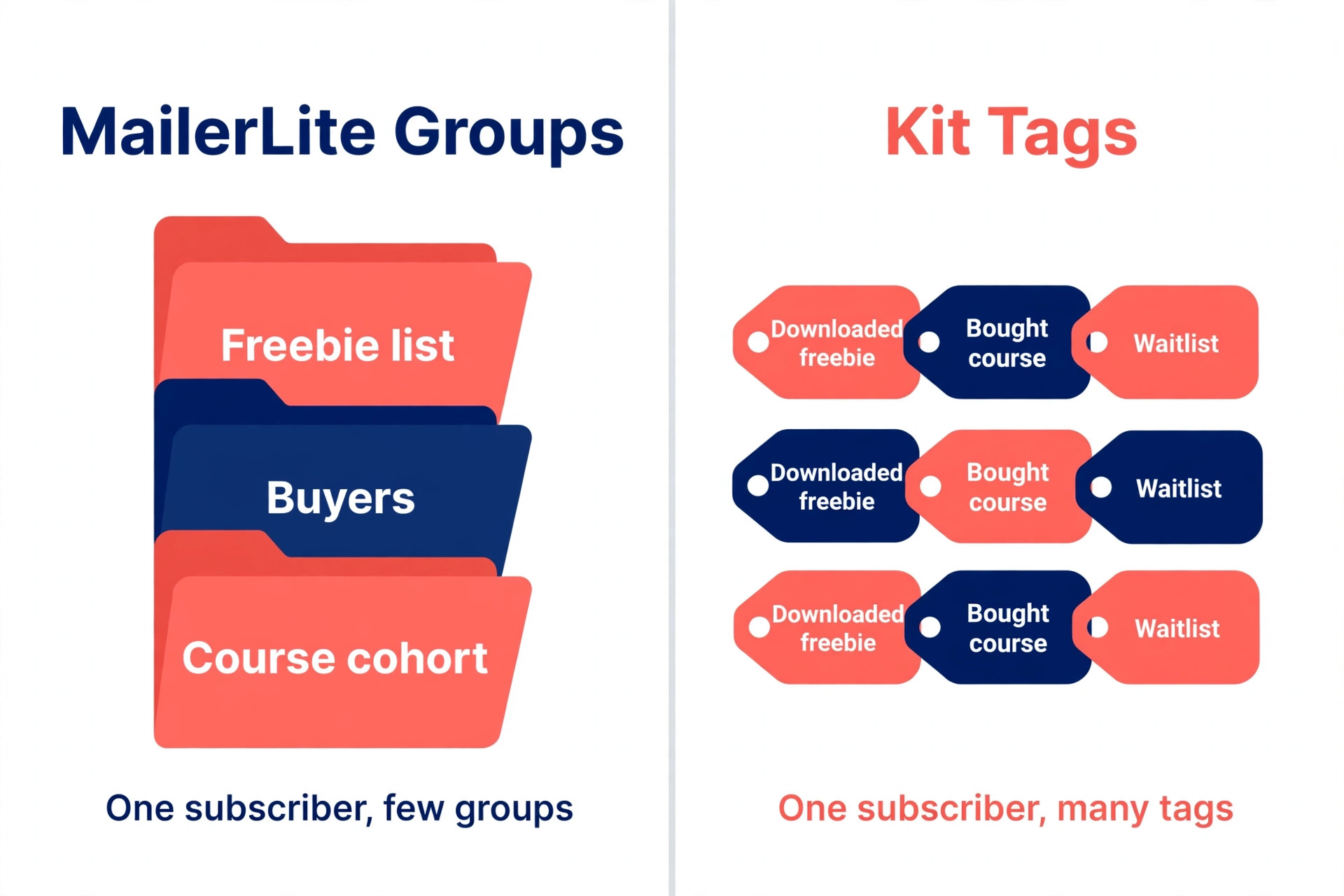
That comparison is the whole decision in one frame. MailerLite is the cheaper, calmer tool for sending good newsletters to a list. Kit is the more expensive, more creator shaped tool for turning subscribers into buyers through tags and automations. The wrong move is switching on a vague feeling that Kit is the serious creator tool, then discovering your bill doubled while your sequences still send the same welcome emails. This guide maps the move properly, covering sequences and tags, prices, and a deliverability checklist.
Why Creators switch MailerLite to ConvertKit
The most common trigger is a list that has grown past simple groups. In MailerLite, a subscriber sits in one or more groups, and segments are filtered views built on top of those groups. That model works well for one newsletter and a few lead magnets. It strains when one subscriber downloads three freebies, buys a course, and joins a waitlist, because each fact needs a group or a segment rule. Kit flips the model, with one subscriber carrying many tags, each able to start or stop a sequence on its own.
The second trigger is selling. Kit Commerce lets creators sell digital products and paid newsletter subscriptions from inside the same account, with purchase tags applied automatically when someone buys. MailerLite also sells digital products and paid newsletters on paid plans, so the gap is narrower than older comparisons suggest. The real difference is how purchase data flows into automations. In Kit, a purchase tag can trigger a bonus sequence, remove a prospect from a sales sequence, and add the buyer to a customer only list in one step. In MailerLite, the same result usually takes a group move plus an automation rule.
What Actually Moves and What Does Not
Only the first layer of a migration moves with a click. Subscribers and their email addresses export as a CSV file and import into Kit in minutes. Custom fields travel in that file too, if you map the columns during import instead of accepting defaults. Everything else is rebuilt by hand or with Kit free migration help on a paid plan. Anyone who says a migration takes an afternoon is counting only the CSV import.
Groups do not become groups in Kit, because Kit has no group equivalent in the MailerLite sense. Each MailerLite group becomes one or more Kit tags, and segments become either tags or saved filters built from tags and custom fields. A group called freebie SEO checklist becomes a tag with the same name. A segment called engaged buyers in the last 90 days becomes a buyer tag plus a recent activity filter, and you should write that definition down before you delete anything in MailerLite.
Automations do not transfer at all. A MailerLite workflow with triggers, delays, conditions, and actions must be rebuilt as a Kit visual automation or as a Kit sequence with rules. The logic transfers, the wiring does not. Map every workflow on paper first and rebuilding takes hours. Rebuild from memory and you will forget delays, conditions, and exit rules.
Forms, landing pages, templates, and historical reporting also stay behind. A Kit form can replace a MailerLite form on your site, but every page holding the old embed code needs an update. Kit emails are deliberately plain and text first, so a heavily designed MailerLite template must be redesigned rather than replicated. Open rates and campaign history do not import into Kit, so export the reports you want before you downgrade the old account. Paid subscribers need a separate plan too, because Kit’s own help documentation states there is currently no convenient method for moving paid subscribers with their payment details from MailerLite to Kit. Tell paid subscribers in advance and explain the resubscribe steps.
The Sequence and Tag Mapping Table
This table is the overview proof document for the whole migration. Build your own copy before you touch Kit, one row per MailerLite group, segment, workflow, and form. Do not mark a row complete until the Kit version has been tested with a seed subscriber.
| MailerLite item | What it is | Kit equivalent | Rebuild notes |
|---|---|---|---|
| Group for one lead magnet | Subscribers from one signup source | One tag, same name | Apply the tag on the new Kit form |
| Group for buyers | Customers from one product | One buyer tag per product | Never merge all buyers into one tag |
| Group for a course cohort | Students in one intake | One cohort tag plus a course tag | Cohort tag controls timing |
| Segment for engaged readers | Opens or clicks in 90 days | Saved filter on tags plus activity | Write the exact definition down first |
| Segment for cold subscribers | No opens in 180 days | Saved filter plus a re-engagement tag | Suppress this group from launches |
| Welcome workflow | Timed emails after signup | Kit sequence entered by form or tag | Copy delays exactly, then test timing |
| Sales workflow | Pitch emails after a trigger | Kit visual automation, link triggers | Test every link in the chain |
| Post purchase workflow | Bonus and onboarding emails | Visual automation, purchase tag entry | Add an exit rule for the sales sequence |
| Newsletter campaign | One off broadcast to a group | Kit broadcast to a tag or segment | Match old sender name and reply address |
| Signup form on your site | Embedded form or pop up | Kit form or landing page, same offer | Update every page embed |
| Landing page | Standalone signup page | Kit landing page, rebuilt in Kit | Redirect the old page URL or update links |
| Custom field | Subscriber data like city | Kit custom field, same name | Map columns during import, verify ten records |
Three mapping rules prevent most post migration mess. First, one MailerLite group becomes one Kit tag, never a bundle, or you lose the ability to tell which offer brought a subscriber in. Second, every tag name should say what happened, not what you think about the subscriber. A tag called downloaded SEO checklist tells you the exact event. Third, keep a retired tags list. When a launch ends, mark its tags retired instead of deleting them, so old reports still make sense.

Sequences need their own mapping rows, because a sequence is more than its emails. For each MailerLite workflow, record the trigger, each email in order, the delay before each email, every condition, every exit rule, and the tag applied at each step. Then rebuild that row in Kit and test it with a seed subscriber. A sequence that looks right in the editor and sends email two before email one is broken, and only a live test catches it.
The Price Reality at Real List Sizes
Prices on both platforms changed in 2025 and 2026, so older guides quoting Kit at 29 dollars or MailerLite at 10 dollars for 1,000 subscribers are stale. Check the official pricing page and checkout before you pay, The figures below reflect publicly listed October 2026 monthly billing figures. Confirm the exact figure for your list size at checkout.
Kit offers a free Newsletter plan for up to 10,000 subscribers, but it is limited to one basic visual automation and one email sequence, and it keeps Kit branding on emails. Free is a good place to test Kit, and a poor home for a creator with several active sequences. The paid Creator plan starts at 39 dollars a month for up to 1,000 subscribers on monthly billing, or 33 dollars a month billed annually. Creator Pro starts at 79 dollars a month, or 66 dollars a month billed annually, and adds advanced reporting, subscriber scoring, and the newsletter referral system.
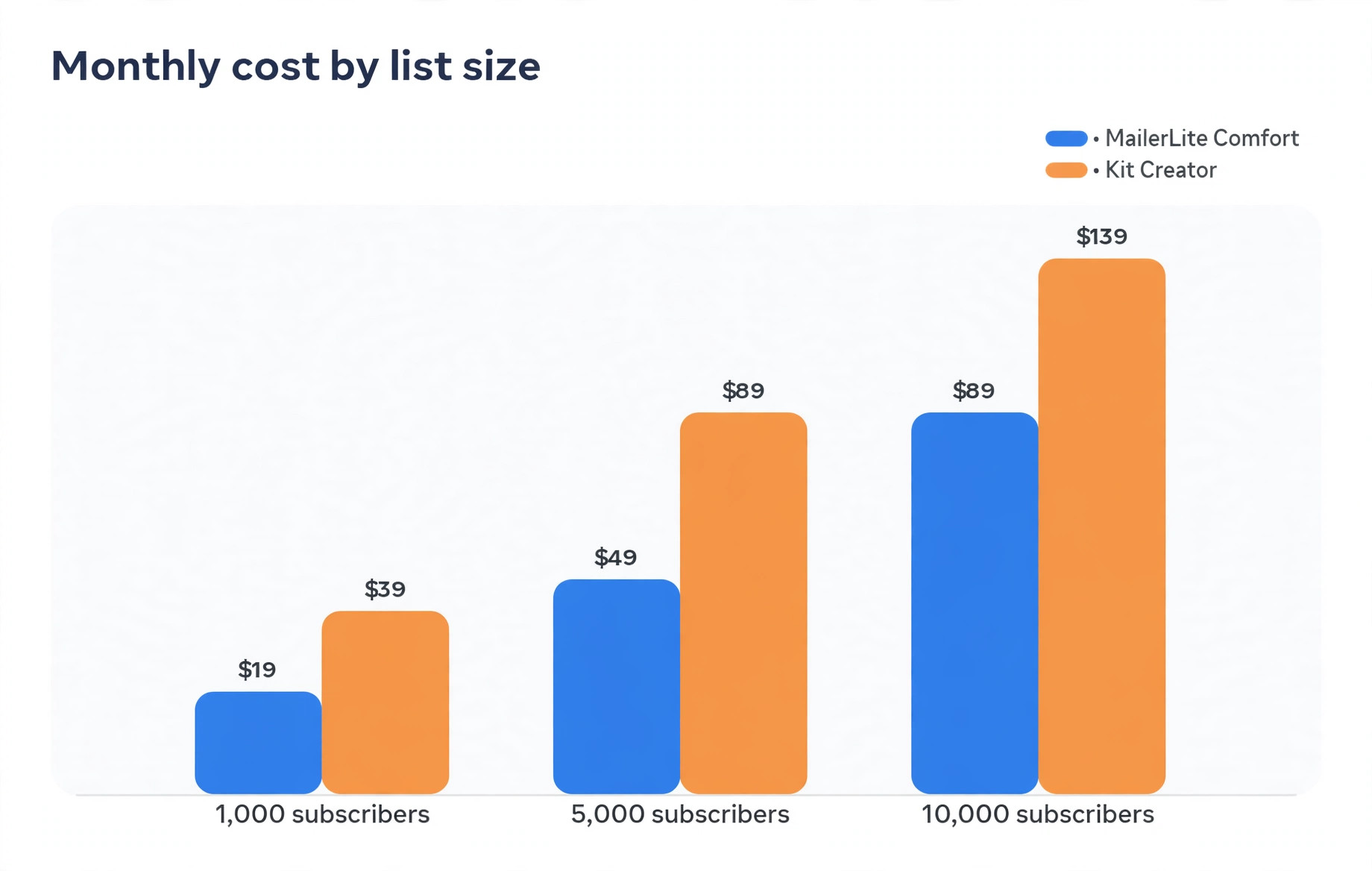
MailerLite is cheaper at every comparable size, which is the main reason to think twice before moving. Its free plan covers up to 250 subscribers and 2,500 emails a month. Its Comfort plan starts at 12 dollars a month for up to 500 subscribers, then runs about 19 dollars at 1,000, 49 dollars at 5,000, and 89 dollars at 10,000. Its Power plan, with unlimited monthly emails and unlimited automations, starts at 25 dollars a month for up to 500 subscribers, then runs about 39 dollars at 1,000, 69 dollars at 5,000, and 129 dollars at 10,000.
MailerLite also counts only active unique subscribers, while Kit bills on total subscribers, so a list with many cold subscribers costs more on Kit than the headline comparison suggests.
| List size | MailerLite Comfort | MailerLite Power | Kit Creator monthly | Kit Creator Pro monthly |
|---|---|---|---|---|
| 1,000 subscribers | About 19 dollars | About 39 dollars | About 39 dollars | About 79 dollars |
| 5,000 subscribers | About 49 dollars | About 69 dollars | About 89 dollars | About 139 dollars |
| 10,000 subscribers | About 89 dollars | About 129 dollars | About 139 dollars | About 189 dollars |
When you switch MailerLite to ConvertKit at 5,000 subscribers, the gap is the honest number to sit with. MailerLite Comfort at about 49 dollars against Kit Creator at about 89 dollars is a difference of about 40 dollars a month, or about 480 dollars a year. At 10,000 subscribers, the gap is about 50 dollars a month, or about 600 dollars a year. That gap is worth paying if Kit tags and selling tools earn you more than 600 dollars a year in extra sales or saved admin time. It is not worth paying if your sequences are simple and your sales already work in MailerLite.
Two cost traps sit beyond the monthly bill. The first is paying for cold subscribers on Kit, so clean your list before you import. A re-engagement campaign in MailerLite, sent before the move, can cut 10 to 20 percent from a neglected list. The second trap is the free plan cliff on Kit. Crossing from 10,000 free subscribers to 10,001 moves you straight to a paid Creator bill, with no gradual ramp.
The Migration Week Plan
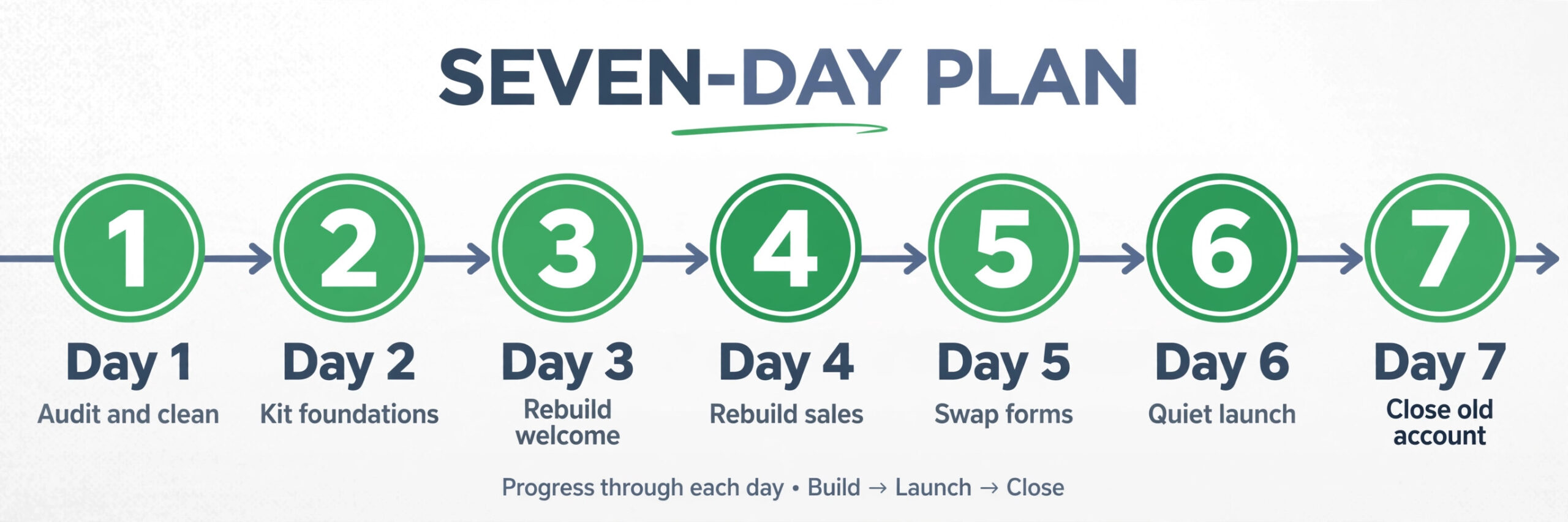
A calm migration takes one week, not one weekend, and the order matters more than the speed. Rushing the import before the sequences are rebuilt is how subscribers land in Kit with no welcome emails and no tags that mean anything. The week you switch MailerLite to ConvertKit should keep MailerLite sending until Kit is proven.
Day one is audit and clean. Export every group count, segment definition, workflow, form location, and landing page URL into your mapping table. Export the cleaned list as a CSV file, keep a backup copy outside both platforms, and fix duplicate addresses and inconsistent custom field values in the CSV file before import.
Day two is Kit foundations. Create the Kit account, connect your sending domain, and set the sender name and reply address to match your MailerLite sends. Create every tag from your mapping table and the custom fields your CSV file needs. Import a test batch of ten subscribers first, verify tags, names, and custom fields, then import the full list and check the import report for rejected rows.
Days three and four are rebuild days. Start with the welcome sequence, because it touches every new subscriber from the moment forms go live. Then rebuild the sales sequence and the post purchase sequence, because those carry revenue. Test each one with a seed subscriber. Do not publish a sequence you have only previewed. A seed test shows the timing, the tags, and the exits.
Day five is the form and page swap. Replace MailerLite embeds on your site with Kit forms, rebuild landing pages in Kit, and update lead magnet delivery emails to point to the right files. Then send a test broadcast to your seed list from Kit and check it on a phone and in Gmail.
Day six is the quiet launch. Send your next real broadcast from Kit to your most engaged tag only, such as subscribers who opened in the last 90 days, and watch opens, clicks, bounces, and spam complaints for 24 hours. If the numbers look normal against your MailerLite baseline, send the next broadcast to the full list from Kit. If the numbers drop sharply, pause and send the next broadcast from MailerLite while you fix Kit.
Day seven is a clean close. Once two Kit broadcasts have performed normally, cancel or downgrade MailerLite, but keep the account available for 30 days if the plan allows it. Tell your audience in a short note that you have moved platforms and where to reply if anything looks wrong.
Rebuilding Sequences in Kit Without Losing Subscribers Mid Flow
The hardest part of the move is subscribers who are halfway through a MailerLite sequence on migration day. A subscriber on email three of a five email welcome series cannot simply be dropped into Kit at the start of the same series, or they will receive emails one and two again. Decide the cutoff rule before you switch MailerLite to ConvertKit. Subscribers in the first half of a sequence restart the Kit version, while subscribers in the second half finish the MailerLite version and new subscribers enter the Kit version.

Kit sequences and visual automations serve different jobs, and choosing the wrong one creates fragile logic. A Kit sequence is a timed series of emails, ideal for a welcome series or a course drip. A visual automation is a branching workflow with triggers, conditions, delays, and actions, ideal for sales sequences where a click, a purchase, or a tag change alters the path. Build branching flows as visual automations from the start, and reserve plain sequences for straight line series.
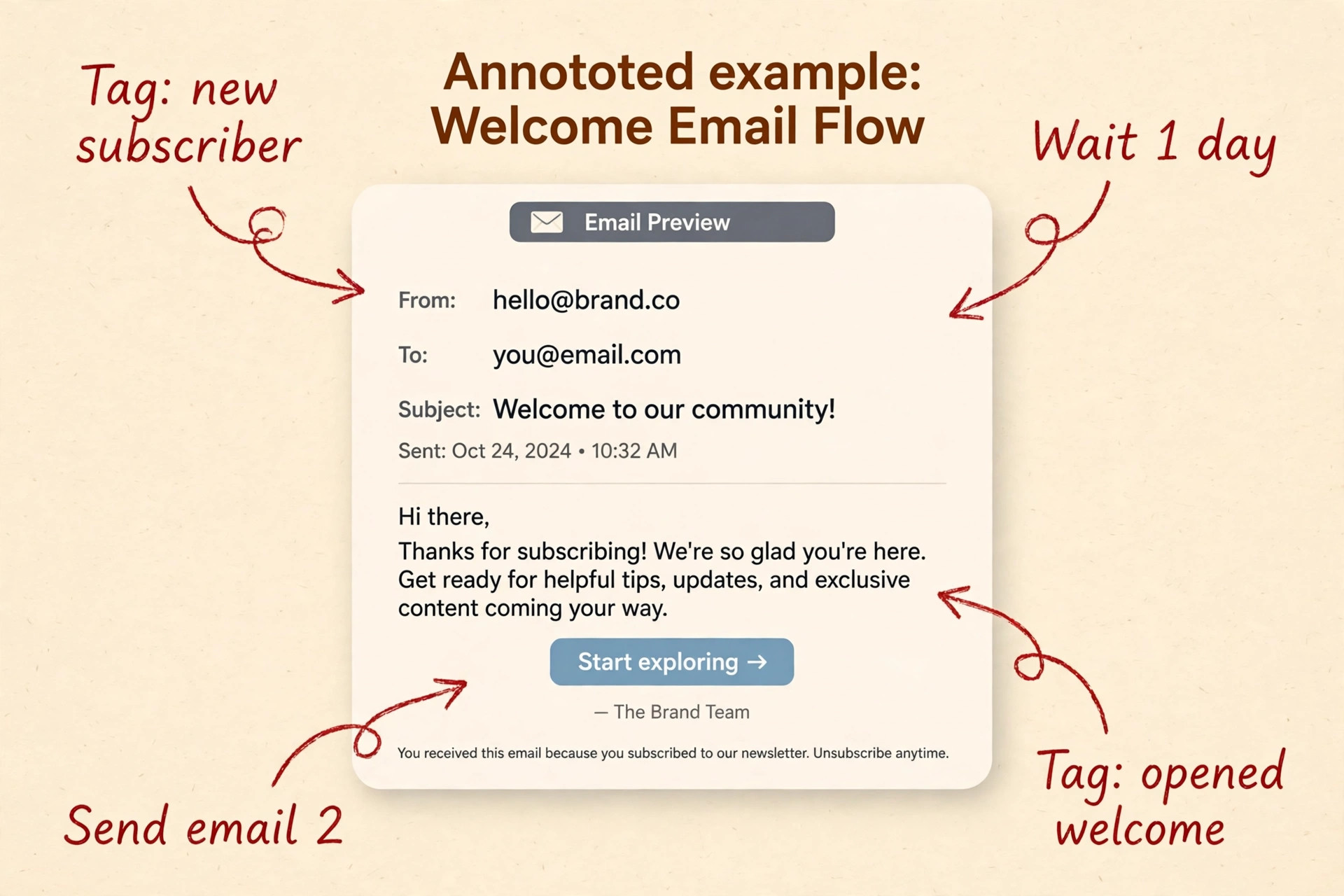
Delays deserve the same care as copy. MailerLite delays can be set in days, hours, or at a specific time of day, and Kit delays work similarly, but the two tools count the start point differently when a trigger fires late in the day. If MailerLite sent email two three days after signup at 9 in the morning, set Kit to send three days after entry at the same morning time, and test with a seed subscriber rather than trusting that the settings look alike.
Link triggers are the quiet engine of Kit automations. When a subscriber clicks a specific link in an email, Kit can apply a tag, and that tag can start, stop, or redirect an automation. That is how a creator builds a choose your own path welcome series. The mapping table must record which link applied which tag, because link URLs change when you rebuild emails in Kit. After rebuilding, click every tracked link yourself and confirm the right tag appears on the seed subscriber record. When a purchase tag is applied, the automation should also remove the buyer from the sales sequence in the same step, not in a later cleanup job.
Swapping Forms, Landing Pages, and Integrations
Forms are where migrations leak subscribers quietly. A MailerLite form left live on an old blog post will keep collecting subscribers into MailerLite after you have moved, and those subscribers will never enter your Kit sequences unless someone imports them by hand. After you switch MailerLite to ConvertKit, check new subscriber counts in both tools daily during week one. If MailerLite keeps gaining subscribers after the move, a form is still live somewhere. List every page, post, sidebar, footer, and pop up that holds a MailerLite form, and search for the old embed code.
Kit forms and landing pages trade design control for speed and deliverability. A Kit landing page is quick to build and works well for a single lead magnet, while a Kit form embedded on your own site keeps your branding and your page speed under your control. For creators with a WordPress site, embedding a Kit form on an existing page is usually better, because the page already ranks. Either way, the form must apply the right tag on signup, and the confirmation email must come from the same sender name your audience recognises.
Integrations need the same page by page audit. Any checkout tool, course platform, or Zapier workflow that added subscribers to MailerLite must be repointed to Kit and tested with a real signup or purchase. Kit offers a free migration service on paid plans, but it does not remove your testing duty. Rebuild product pages in Kit Commerce and make a test purchase before real buyers arrive.
The Deliverability Checklist for Launch Week
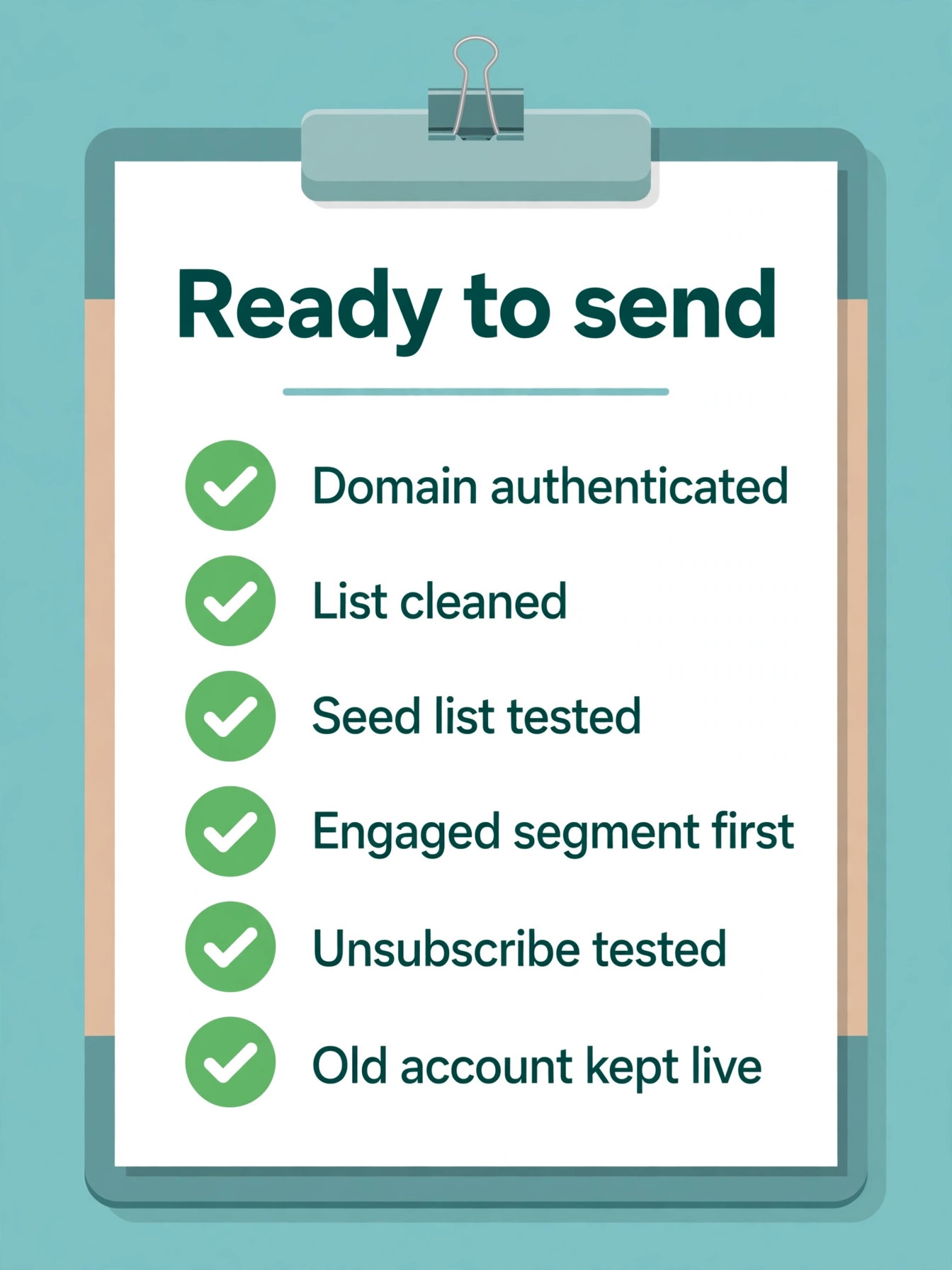
Deliverability is where a decision to switch MailerLite to ConvertKit is won or lost, and this checklist is the second overview proof element of this guide. A list that lands in spam on Kit will perform worse than the same list on MailerLite, no matter how good the tags are. Work through this checklist in order.
| Check | Action | Status to record |
|---|---|---|
| Sending domain authenticated | Add SPF, DKIM, and DMARC records for Kit, verify in Kit settings | Verified date |
| Sending domain matches history | Use the same domain you sent from on MailerLite where possible | Old and new domain noted |
| Sender name and reply address | Match MailerLite sender name, use a monitored reply address | Exact sender name recorded |
| List cleaned before import | Re-engagement sent, non responders suppressed, duplicates removed | Starting and cleaned count |
| Seed list tested | Ten seed addresses across Gmail, Outlook, and Apple Mail tested | Inbox placement per provider |
| Engaged segment first | First Kit broadcast goes to openers from the last 90 days only | Open and click rates recorded |
| Volume ramped over days | Increase send volume gradually across the first week | Daily send counts recorded |
| Bounce handling confirmed | Hard bounces suppressed automatically, soft bounces monitored | Bounce rate after each send |
| Spam complaint monitoring | Complaint rate checked after every send in week one | Complaint rate per send |
| Unsubscribe working | One click unsubscribe tested from a real inbox, not just preview | Test date and result |
| Link tracking checked | Every tracked link clicked by a seed subscriber, tag confirmed | Links tested count |
| Old platform kept live | MailerLite account kept available for 30 days as a fallback | Downgrade date recorded |
Domain authentication is the single most important row. SPF, DKIM, and DMARC records tell inbox providers that Kit is allowed to send on behalf of your domain, and a missing or incorrect record is a common cause of a sudden spam folder problem after a platform move. Add the records Kit provides and verify inside Kit before your first real send. Do not change the platform and the sending domain in the same week, or you cannot tell which change caused a dip.
Watch the numbers that inbox providers watch. A bounce rate above about 2 percent, a spam complaint rate above about 0.1 percent, or a sudden open rate drop of more than a third against your MailerLite baseline are all signals to pause and investigate before the next send. Check whether one provider, such as Gmail or Outlook, is affected more than others, since that points to authentication or reputation with that provider.
How to Choose Between Staying and Moving
Stay on MailerLite if your list is under about 5,000 subscribers, your sequences are simple, your main need is a good newsletter with occasional automation, and your budget matters more than creator selling tools. MailerLite at those sizes is cheaper, its editor is stronger, and its automation covers welcome series and basic sales flows. Staying is choosing the tool that fits the business you actually run.
Move to Kit if you run several sequences that depend on tags, you sell products or paid subscriptions and want purchase tags to drive automations, you grow through creator recommendations, or your MailerLite groups have become a weekly admin job. If none of those apply, do not switch MailerLite to ConvertKit yet. Wait until a real need appears, because a migration without a need is cost without benefit.
| Situation | Stay on MailerLite | Move to Kit |
|---|---|---|
| List size | Under about 5,000 and budget led | Over about 5,000 with revenue per subscriber proven |
| Sequence complexity | One welcome series and a few broadcasts | Several branching sequences driven by behaviour |
| Selling model | Occasional product launches | Products or paid subscriptions as core revenue |
| Growth channel | Search, video, or social media | Creator recommendations and newsletters |
| Design priority | Polished templates matter a lot | Plain text first emails are fine |
| Admin pain | Groups and segments still feel easy | Groups have become a weekly cleanup job |
Mistakes That Cost Creators Their List
The most common reason people regret the decision to switch MailerLite to ConvertKit is importing the whole list, including cold subscribers, and then blaming Kit for poor deliverability. A list that has not been mailed in six months, or that contains addresses collected at events years ago, will hurt any new platform. Clean first, import second, and accept that a smaller engaged list outperforms a larger cold list on every metric that matters, including revenue.
The second mistake is rebuilding sequences from memory instead of from the mapping table. Memory drops delays, exit rules, and conditions, and each dropped rule creates a subscriber experience nobody intended, such as a buyer still receiving a pitch series or a new subscriber receiving a launch email before the welcome series finishes. The mapping table is the specification the rebuild is tested against.
The third mistake is leaving old forms live. A creator who moves the main site but forgets a sidebar form, a pop up, or a landing page link will keep collecting subscribers into the old tool for months. Audit every form location, search for old embed code, and check new subscriber counts in both tools daily during week one.
The fourth mistake is switching the sending domain and the platform in the same week, then misreading the deliverability result. If opens fall, you will not know whether the new platform, the new domain, or the new template caused the fall. Keep the domain, sender name, and email style close to your old sends for the first two broadcasts. The fifth mistake is cancelling MailerLite on day one. Keep the old account available for 30 days and only cancel once Kit has sent two normal broadcasts to the full list. The sixth mistake is forgetting paid subscribers, who need advance notice and personal support during the switch.
For related reading, best AI tools for email marketing compares the wider email field, and how to start a newsletter with AI covers list building basics for a fresh Kit setup. If you are still weighing alternatives, mailchimp alternatives and mailchimp vs klaviyo cover the same segmentation questions, and best AI tools for content creators fits a wider creator toolkit upgrade. For the official side of the move, see the Kit pricing page, the MailerLite pricing page, and the Kit guide to migrating from MailerLite.
Frequently Asked Questions
Can I move from MailerLite to Kit without losing subscribers?
Yes, most creators move their full engaged list without losing subscribers, because the import itself is a CSV transfer that preserves email addresses, names, and custom fields. What you can lose is timing and context, if a subscriber is mid sequence and you drop them into the wrong Kit sequence, or if tags are mapped badly. Clean the list first, map tags on paper, and test with seed subscribers before the full import.
How long does a MailerLite to Kit migration take?
A simple list with one welcome sequence and a few forms takes two to three days of focused work. A creator list with several branching automations, multiple lead magnets, and paid subscribers should plan a full week, with two weeks of dual running for subscribers mid sequence. The CSV import takes minutes. The rebuild, form swap, testing, and deliverability ramp take the rest of the time.
Do MailerLite groups transfer to Kit automatically?
No, groups do not transfer automatically, because Kit organises subscribers with tags rather than groups. During import you can apply a tag to the whole imported batch, which works for a single group list, but a list with several groups needs either separate imports per group or a CSV file with a column that Kit maps to tags. Separate imports per group are usually cleaner than one large import with complex column mapping.
Will my MailerLite automations work in Kit?
No, automations do not transfer between the platforms, and they must be rebuilt as Kit sequences or visual automations. The logic, the copy, the delays, and the conditions all transfer as ideas, but the wiring must be built again in Kit. Kit offers free migration help on paid plans, but still test every rebuilt automation with a seed subscriber before it goes live.
Is Kit worth the higher price over MailerLite?
Kit is worth the higher price when tags, purchase driven automations, or creator growth tools earn more than the price gap, which at 5,000 subscribers is about 40 dollars a month between MailerLite Comfort and Kit Creator. Kit is not worth the higher price for a simple newsletter with one welcome series, where MailerLite delivers the same subscriber experience for far less. Work out your revenue per subscriber and your admin time saved, and let those two numbers decide.
What happens to my paid subscribers when I move?
Paid subscribers cannot move with their payment details in a simple transfer, so you need a plan for them before migration week. Tell them in advance, explain the resubscribe steps clearly, and keep the old product page live until the last paid subscriber has moved. Some creators run billing through a separate payment tool while Kit handles emails, which avoids asking paid subscribers to resubscribe at all. Treat paid subscribers as a customer service project, not as a CSV row.
The Switch That Pays Only When the Sequences Survive
A platform move is judged by one test, and it is not the price, the editor, or the logo on the login page. It is whether every subscriber still gets the right emails, in the right order, with the right tags, after the move. If your welcome series still welcomes, your buyers still exit the sales sequence the day they buy, and your first Kit broadcasts land in the inbox at normal rates, the migration worked.
Start with the mapping table, clean the list before you import, rebuild sequences as visual automations where behaviour should branch, swap every form before you cancel anything, and ramp sends from your most engaged subscribers outward. Keep MailerLite live for 30 days, log every send in week one, and compare Kit results against your MailerLite baseline before you declare the move a success. Do those things, and the higher Kit bill buys a system that scales with your selling.