
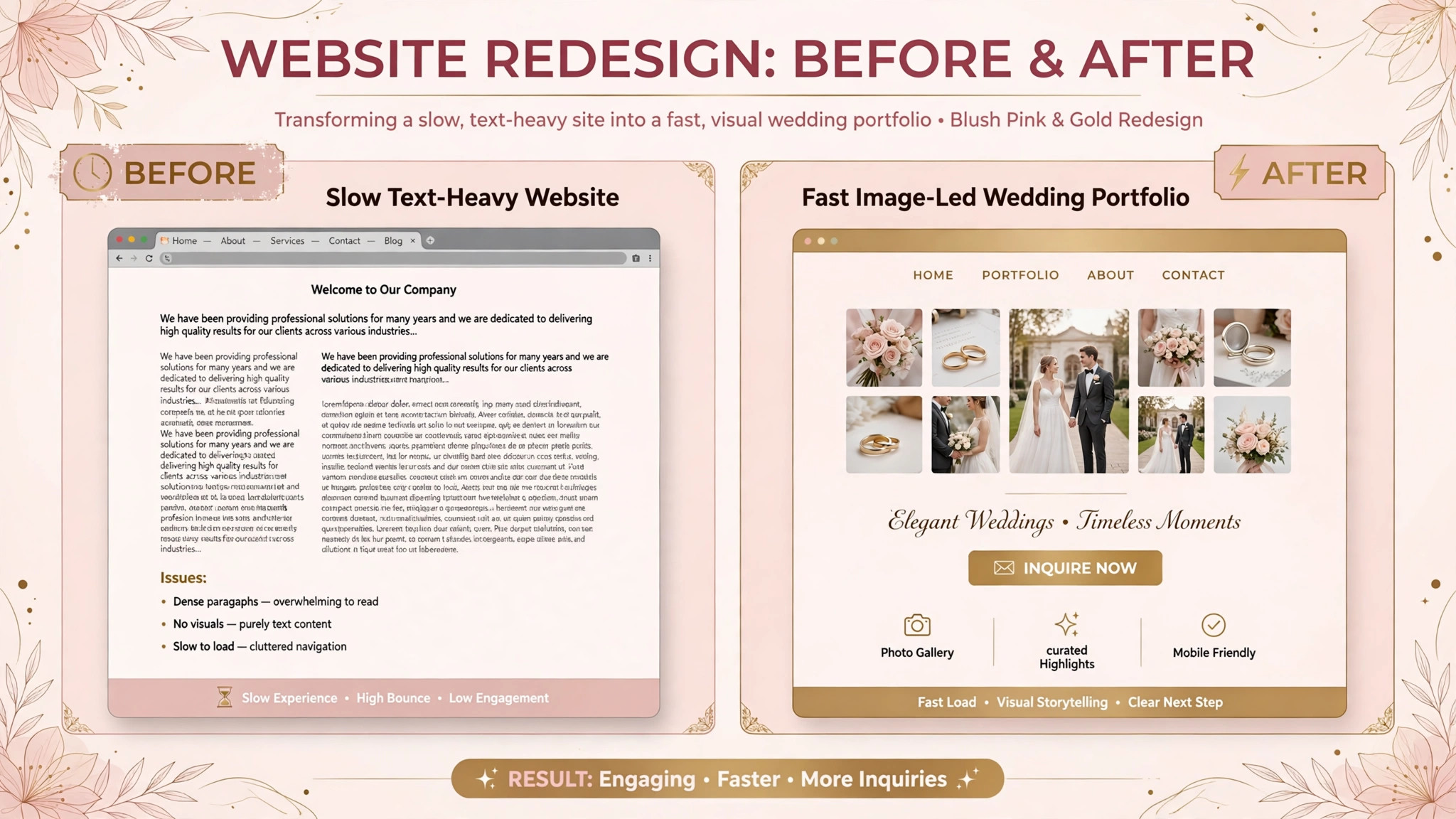
A wedding photographer with a fast, image-led website and a photographer with a slow, text-heavy site are not competing on photography alone. The first photographer’s galleries load beautifully on a phone, the inquiry form is simple, and a couple can picture their own wedding in the work. The second photographer’s best images sit behind slow pages and a confusing menu, and the couple moves on to the next portfolio before ever making contact. That gap is why the best website builder for wedding photographers matters as much as the camera and the portfolio itself.
A wedding photography website has to handle more than a homepage. It must show large galleries that load fast, present pricing and packages clearly, collect inquiries with wedding dates and venues, support client galleries and proofing, and sell prints or albums where relevant. A generic website builder can publish pages. It cannot easily handle full resolution galleries, client proofing, and print sales in a workflow built for photographers.
This guide compares twelve tools, from photographer focused platforms to general website builders that wedding photographers adapt. Prices vary by storage, bandwidth, and feature tier, so treat any starting price as a prompt to get a quote. Check the vendor pricing page before you budget, since storage limits, client gallery seats, and commission on print sales behave very differently as inquiry volume grows.
Why Wedding Photography Websites Break a Normal Builder
A wedding photography website is an image business, not a text business. A couple judges the photographer in seconds from gallery images, and a slow gallery or a poorly cropped image costs the inquiry before any words are read. A normal website builder can publish images, but it may compress them harshly, load them slowly, or crop them badly on mobile, which undermines exactly the work the site exists to sell.
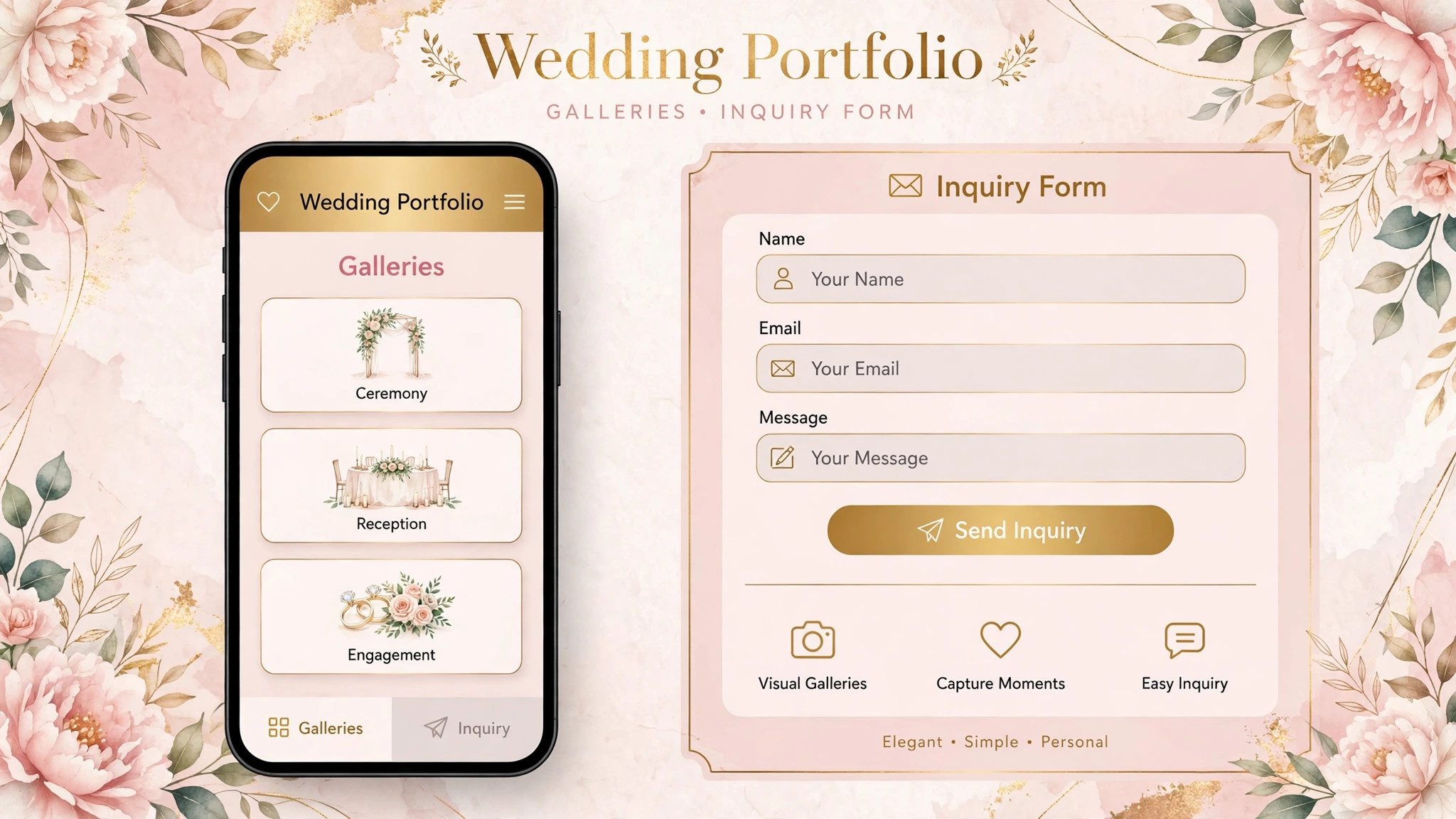
Inquiry quality adds a second constraint. A wedding inquiry needs a date, a venue, a guest count, a coverage length, and a budget range, not just a name and a message. A builder with only a generic contact form forces the photographer to chase those details by email, which slows response time when couples are comparing several photographers at once. A form built for wedding inquiries collects the right details on the first message.
Client delivery adds a third constraint. After the wedding, the photographer must deliver galleries, handle proofing and selections, and sometimes sell prints and albums. A website builder that cannot connect the public portfolio to private client galleries forces the photographer to run two systems, which doubles admin work and confuses clients who expect one professional experience.
The 12 Tools at a Glance
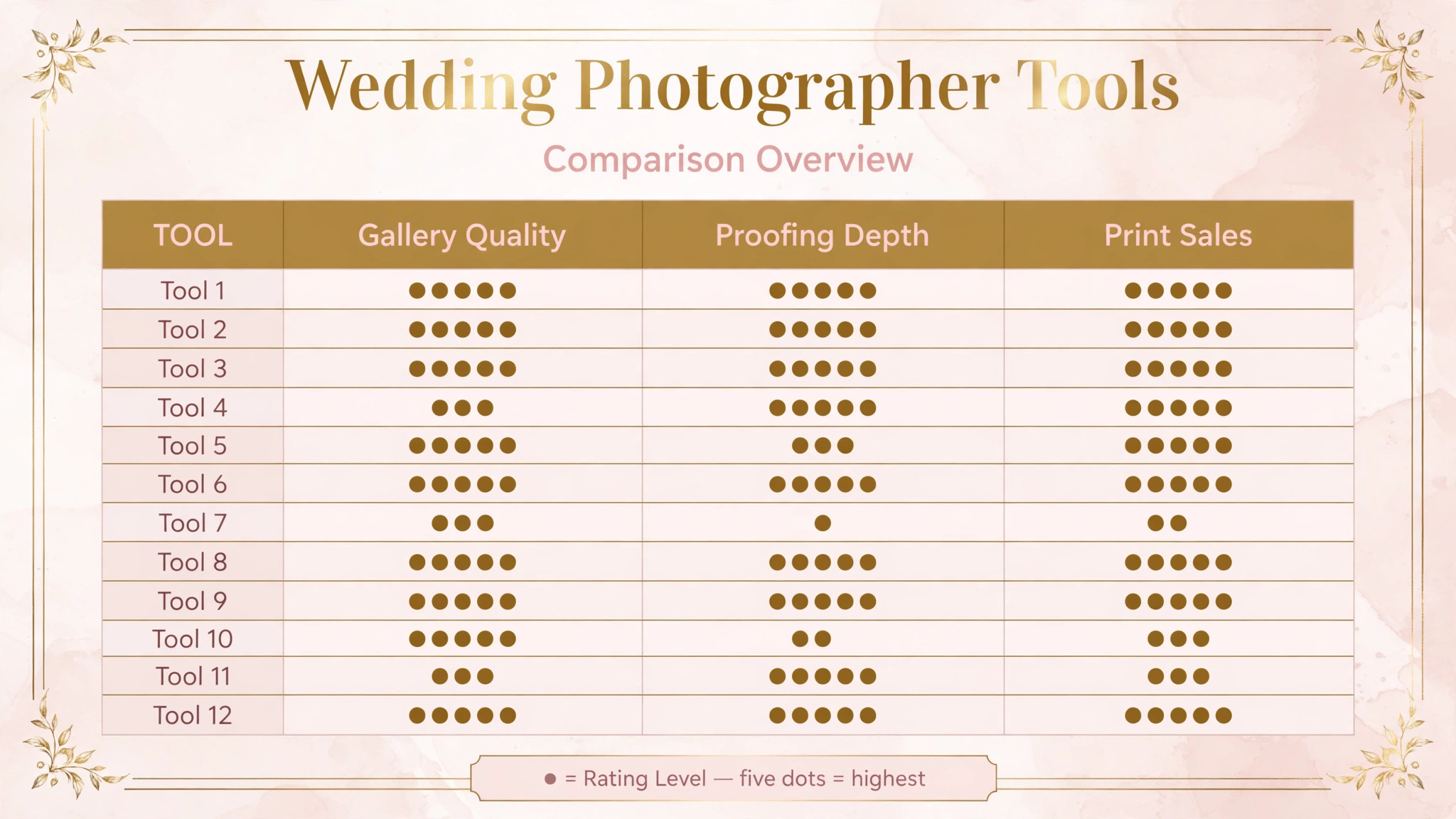
| Tool | Starting price | Best for | Wedding photography depth |
|---|---|---|---|
| Pixieset | Check the vendor pricing page | Galleries, proofing, and storefronts | Strong |
| Showit | Check the vendor pricing page | Design-led custom portfolios | Strong |
| Squarespace | Check the vendor pricing page | All in one websites with strong templates | Good |
| Wix | Check the vendor pricing page | Flexible websites with many templates | Good |
| Format | Check the vendor pricing page | Portfolio focused photographer sites | Good |
| SmugMug | Check the vendor pricing page | Galleries with print sales | Good |
| Zenfolio | Check the vendor pricing page | Client galleries and business tools | Good |
| PhotoBiz | Check the vendor pricing page | Photographer websites with marketing | Good |
| WordPress | Check the vendor pricing page | Full control with themes and plugins | Good |
| ShootProof | Check the vendor pricing page | Client galleries and print sales | Good |
| Pic-Time | Check the vendor pricing page | Gallery delivery and print sales | Good |
| Flothemes | Check the vendor pricing page | WordPress themes for photographers | Good |
Pricing transparency is uneven in this market, and several tools charge by storage, gallery count, or sales commission. That is why a comparison of the best website builder for wedding photographers should start with a written check of your real gallery volume and storage needs, not with a directory starting price alone. Check the vendor pricing page for storage limits and print commission terms before comparing totals, and confirm whether client galleries, proofing, and custom domains are included or charged separately.
Best Pick by Job
| Job type | First pick | Why it fits | Watch out for |
|---|---|---|---|
| Solo photographer | Pixieset | Galleries, proofing, and a website in one place | Confirm design flexibility for a custom portfolio |
| Associate team | Showit | Design-led sites that scale across associates | Confirm gallery and proofing workflow for the team |
| Luxury studio | Showit | Custom design that matches a luxury brand | Check cost and design time for a fully custom site |
| Simple portfolio | Format | Portfolio first sites with fast setup | Confirm inquiry form depth for wedding dates |
| Print focused studio | SmugMug | Galleries with print sales built in | Confirm website design flexibility |
The job type that matches most of your work should decide the shortlist for the best website builder for wedding photographers. A solo photographer that buys a fully custom design platform will pay for design freedom it rarely uses. A luxury studio that buys a simple portfolio tool will struggle to present a brand that justifies premium pricing.
Gallery and Inquiry Checklist
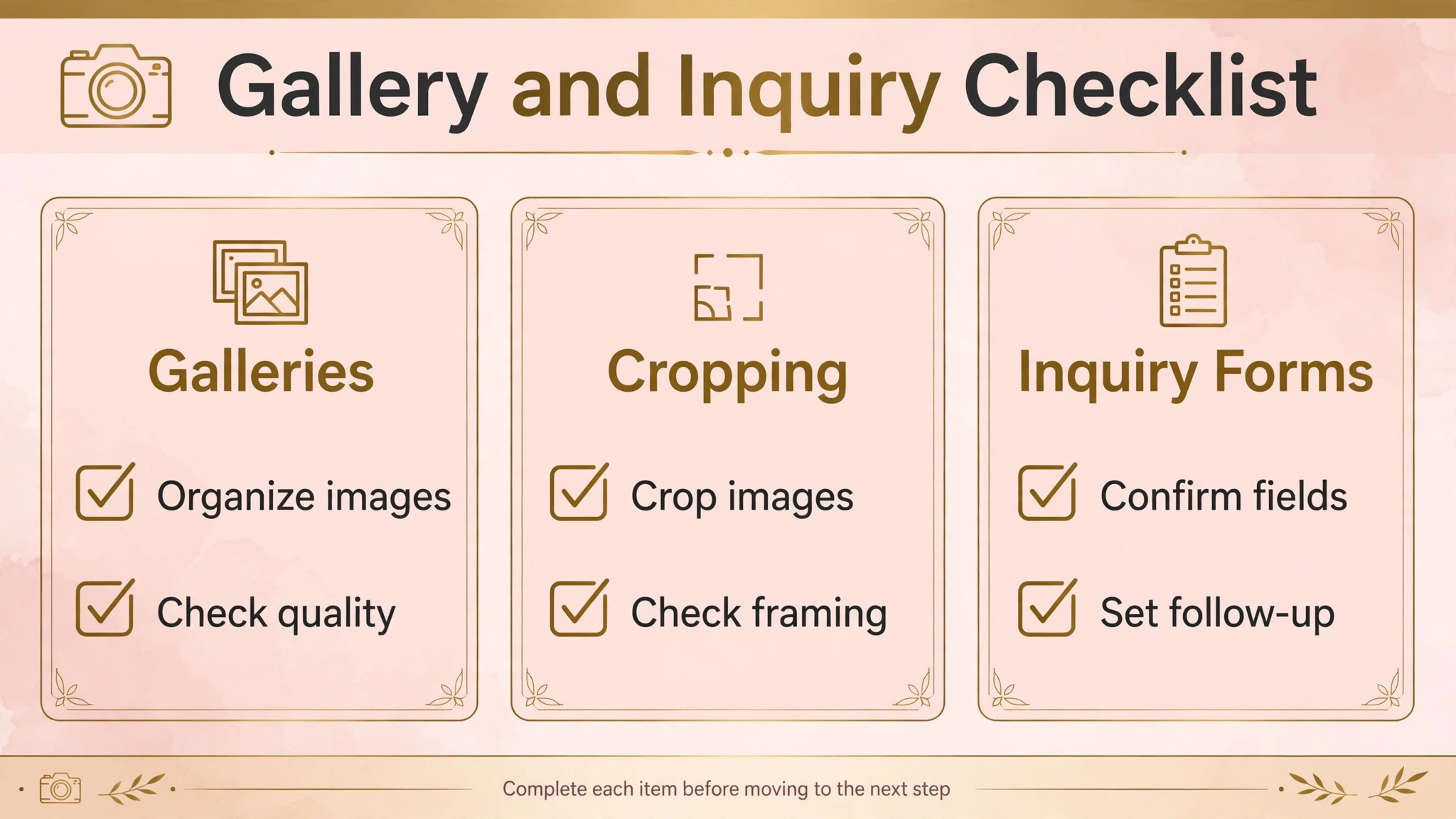
Use this checklist before launching or relaunching a wedding photography website. It turns portfolio work into inquiries, rather than leaving inquiries to chance.
– Confirm the homepage shows a small number of strongest wedding images, with fast loading on mobile, before any text about the photographer. – Check that every gallery image is correctly cropped on phone and desktop, with no faces cut off and no key moments lost to automatic cropping. – Confirm the portfolio is organised by wedding type or style, so a couple can find work that matches their own wedding quickly. – Test the inquiry form with a real wedding date, venue, guest count, and coverage length, and confirm the photographer receives every detail. – Check that pricing or package guidance is clear enough to qualify inquiries, without hiding every price behind a contact form where that hurts conversions. – Confirm client galleries, proofing, and print sales work from the same brand and domain, so clients experience one professional system. – Test page speed on a phone connection for the largest gallery, and compress or resize any image that slows loading noticeably. – Check search basics, including page titles, image descriptions, and a contact page with location and service area, so couples searching locally can find the site.
Software helps this checklist only if galleries, inquiry forms, client delivery, and site speed are handled in one photographer workflow, which is a core test for the best website builder for wedding photographers. If those pieces live in separate tools with different logins and brands, the checklist becomes a patchwork that clients notice.
The 12 Tools in Detail
1. Pixieset
Pixieset is a platform for photographers that combines a website builder, client galleries, proofing, and an online store for prints and digital downloads. Wedding photographers use it to present a portfolio, deliver wedding galleries, let clients select favourites, and sell prints and albums from the same account.
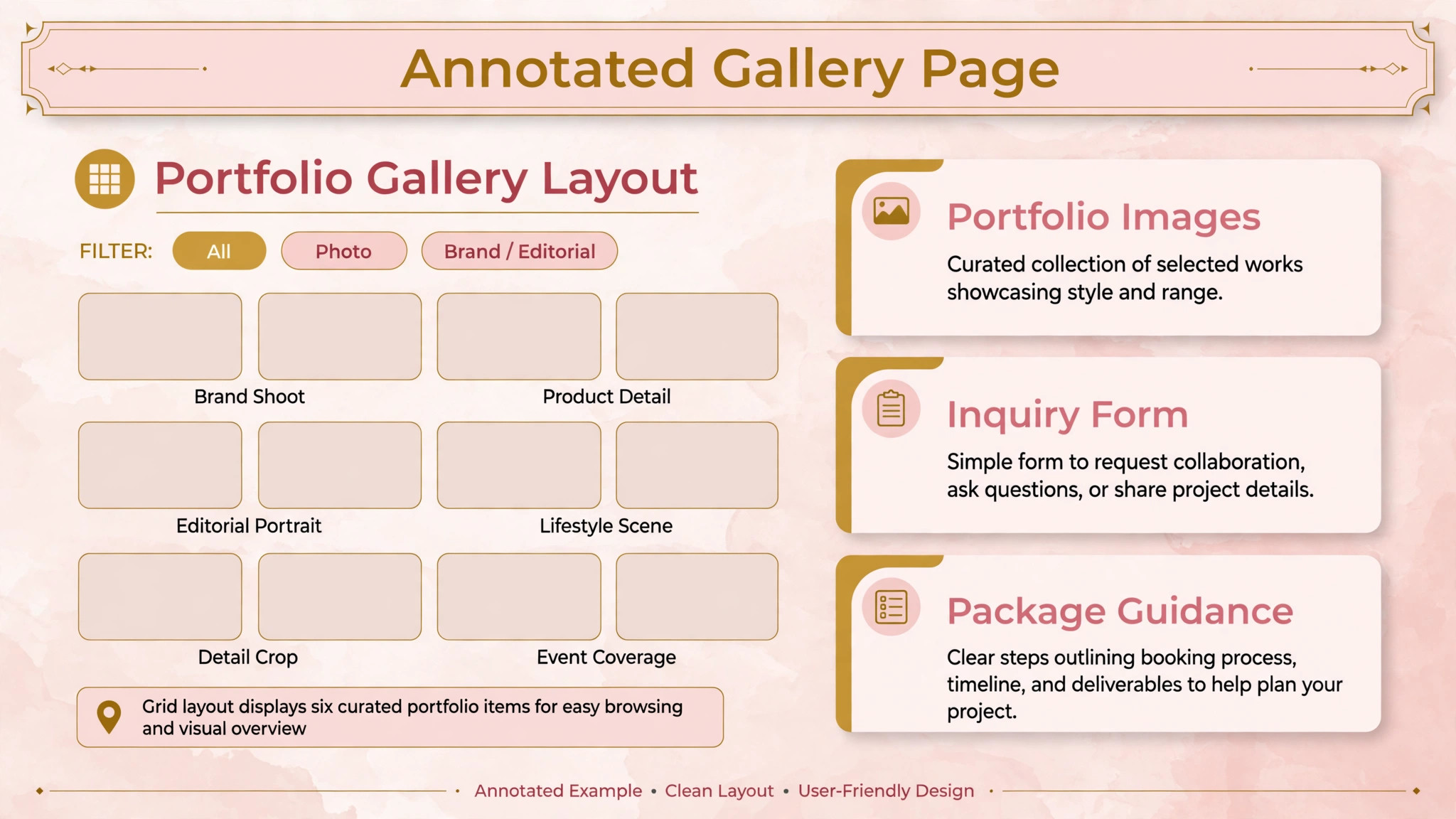
The strength is the combined workflow. A photographer can move from portfolio to client delivery to print sales without a second system, which saves admin time and gives clients one consistent experience. The limit is design freedom compared with a fully custom builder. A luxury studio that wants a completely bespoke design may find Pixieset templates more structured than a custom design platform. Check the vendor pricing page for storage and gallery limits.
Best for a solo photographer who wants galleries, proofing, and a website in one place.
2. Showit
Showit is a design-led website builder popular with wedding photographers, known for drag and drop design freedom on desktop and mobile separately. Photographers use it to build highly custom portfolios that match their brand exactly, with control over layout, typography, and mobile presentation.
The strength is design control. A photographer with a strong brand can build a site that looks nothing like a template, which matters for luxury studios competing on style. The limit is workflow depth. Client galleries and proofing usually sit in a connected platform such as a gallery tool, so the photographer should plan the full portfolio to delivery workflow, not just the website. Check the vendor pricing page for subscription and design terms.
Best for a luxury studio or an associate team that wants a fully custom, design-led portfolio.
3. Squarespace
Squarespace is a general website builder with strong templates, blogging, and commerce, widely used by photographers for portfolio websites. It offers image-led templates, custom domains, inquiry forms, and built in analytics, with a polished design standard across templates.
The strength is the all in one standard. A photographer gets hosting, templates, forms, and analytics from one provider, with a design quality that suits most wedding brands. The limit is photographer workflow depth. Client galleries, proofing, and print sales are not the core focus, so a photographer who needs those features will add a gallery platform alongside Squarespace. Check the vendor pricing page for the tier that includes the commerce and analytics features you need.
Best for a wedding photographer who wants a polished all in one website and will handle client galleries separately.
4. Wix
Wix is a general website builder with a large template library, drag and drop editing, and app integrations for forms, bookings, and stores. Wedding photographers use it to build flexible portfolio sites with galleries, inquiry forms, and pricing pages, customised to their brand.
The strength is flexibility and template choice. A photographer can start from a wedding or photography template and adapt it quickly, with apps for extra features as needs grow. The limit is image performance and workflow depth. Large galleries need careful optimisation, and client proofing and print sales usually require a separate gallery platform. Check the vendor pricing page for storage and bandwidth terms.
Best for a wedding photographer who wants flexible design with many templates at a modest cost.
5. Format
Format is a portfolio website builder for photographers and creative professionals, with image-led templates, client galleries, and blogging. Wedding photographers use it to present a clean portfolio quickly, with galleries organised by wedding or style and a simple inquiry path.
The strength is portfolio focus. A photographer who wants a clean, image-first site without a long build can launch quickly and keep the focus on the work. The limit is business depth. Inquiry form customisation, marketing tools, and print sales are lighter than on broader platforms, so a studio with complex inquiry or sales needs should test those features. Check the vendor pricing page for gallery and storage terms.
Best for a solo photographer who wants a simple, portfolio first website with fast setup.
6. SmugMug
SmugMug is a photography platform with galleries, website building, and print sales, long used by photographers to present and sell work. Wedding photographers use it to host large galleries, protect client galleries with passwords, and sell prints and downloads with fulfilment handled through the platform.
The strength is galleries plus print sales. A photographer who earns from print and album sales benefits from a system where galleries and sales are connected, with no separate store to manage. The limit is website design flexibility. SmugMug sites are gallery strong but less design free than a custom builder, so a luxury brand should test design options carefully. Check the vendor pricing page for storage and commission terms.
Best for a print focused studio that wants galleries and print sales in one platform.
7. Zenfolio
Zenfolio is a photography business platform with website building, client galleries, and sales tools for photographers. Wedding photographers use it to present a portfolio, deliver client galleries, and sell prints and products, with business features such as contracts and invoicing on some plans.
The strength is the business breadth. A photographer gets a website, galleries, and sales tools from one provider, which suits a studio that wants one system for client work. The limit is design modernity compared with design-led builders. A photographer with a strong luxury brand should compare template design against a custom builder before choosing. Check the vendor pricing page for plan features and commission terms.
Best for a wedding photographer who wants a website, galleries, and business tools in one place.
8. PhotoBiz
PhotoBiz is a website and marketing platform for photographers, with website building, client galleries, blogging, and marketing tools. Wedding photographers use it to build a portfolio site with search friendly pages, inquiry forms, and client proofing features.
The strength is the photographer plus marketing combination. A photographer who wants a website that also supports blogging and local search visibility benefits from tools built for that purpose. The limit is template design range compared with fully custom builders. A luxury studio should test design options against its brand before committing. Check the vendor pricing page for plan features and gallery terms.
Best for a wedding photographer who wants a website with marketing and blogging tools built in.
9. WordPress
WordPress is an open source website platform that wedding photographers use with photography themes and plugins to build fully controlled websites. It supports custom galleries, inquiry forms, blogging, and search optimisation, with full ownership of the site, the content, and the data.
The strength is control. A photographer who wants a specific gallery layout, custom inquiry form, or unusual booking flow can build exactly that, rather than fitting a hosted platform’s template. The limit is maintenance. Hosting, updates, security, and plugin compatibility become the photographer’s job, which suits a studio with technical help but burdens a solo photographer. Check hosting and theme costs before judging the total price, since WordPress itself is free but themes and plugins may not be.
Best for a photographer who wants full control and has technical support for a WordPress site.
10. ShootProof
ShootProof is a client gallery and sales platform for photographers, with galleries, proofing, contracts, invoicing, and print sales. Wedding photographers use it mainly for client delivery, while pairing it with a separate website builder for the public portfolio.
The strength is client delivery depth. A photographer can deliver galleries, handle selections, send contracts and invoices, and sell prints from one client system. The limit is public website building. ShootProof is strongest as a client platform, so a photographer still needs a portfolio website alongside it, which means two systems to manage. Check the vendor pricing page for gallery and sales terms.
Best for a wedding photographer who wants strong client galleries and sales, paired with a separate portfolio site.
11. Pic-Time
Pic-Time is a gallery delivery and sales platform for photographers, with client galleries, print sales, and marketing tools for gallery delivery. Wedding photographers use it to deliver beautiful galleries that encourage print and album sales, with storefronts connected to each gallery.
The strength is gallery sales. A photographer who wants client galleries to generate print and album revenue benefits from a platform designed around that goal, with marketing features that prompt clients to buy. The limit is public portfolio building. Like ShootProof, Pic-Time is a client delivery platform first, so a photographer still needs a portfolio website. Check the vendor pricing page for gallery and commission terms.
Best for a wedding photographer who wants gallery delivery that drives print and album sales.
12. Flothemes
Flothemes provides WordPress themes for photographers, including wedding photographers, with design-led layouts for portfolios, galleries, and inquiry pages. Photographers use Flothemes themes on WordPress to get a custom looking portfolio without designing from scratch.
The strength is design quality on WordPress. A photographer gets a polished, wedding focused design with the full control of WordPress behind it. The limit is the WordPress maintenance burden. Themes, plugins, hosting, and updates remain the photographer’s responsibility, and client galleries usually sit in a separate platform. Check theme pricing and WordPress hosting costs together before judging the total.
Best for a wedding photographer who wants a design-led WordPress portfolio with full control.
How a Website Changes Inquiry Quality
A website changes inquiry quality before it changes inquiry volume. When a couple can see work that matches their wedding, find clear package guidance, and send a detailed inquiry in minutes, the photographer spends the first conversation on fit and dates, not on basic questions. That matters for a wedding photographer, because couples often contact several photographers at once, and the photographer who responds first with a relevant answer often wins the booking.
The second change is the quality of the inquiry itself. An inquiry form that collects date, venue, guest count, and coverage length lets the photographer answer with availability and a tailored package, rather than a generic reply. That tailored reply converts better than a generic reply, and it saves back and forth emails that delay booking. A form that collects too little, however, forces the photographer to chase details, which slows response when speed matters most.
The third change is trust after booking. A couple who receives a professional client gallery, clear proofing, and simple print ordering will recommend the photographer and return for anniversary or family sessions. A couple who receives a confusing delivery link and no print option will not, even if the photographs are excellent. Judged on inquiries, bookings, and referrals, the best website builder for wedding photographers is the tool that turns more visits into detailed inquiries and more inquiries into bookings, not the tool with the most templates.
There is also a search effect. A photographer who blogs real weddings, with location and venue details, builds local search visibility over time, which brings inquiries that never came through social media. A website builder that makes blogging and search basics easy supports that long term channel, while a builder that makes blogging hard starves it. That long term effect is easy to miss in a demo, but it decides inquiry volume a year later.
How to Choose the Best Website Builder for Wedding Photographers
Start with the mobile gallery test. Load your largest gallery on a phone, on a normal connection, and time it honestly. Check cropping, image quality, and navigation. If the gallery feels slow or crops badly, the tool will cost inquiries every week, no matter how good the desktop design looks.
Next, test the inquiry journey from first visit to first message. Can a couple find work that matches their wedding, understand packages, and send a detailed inquiry with date, venue, and coverage needs without confusion. Count the steps and the emails required. A website that still needs a phone call for every basic question has not solved the inquiry problem, even if the portfolio looks good.
Then test client delivery together with the portfolio. Deliver a sample gallery, handle proofing selections, and sell a print or album through the same brand. The system should connect the public portfolio to private delivery in one experience. If those pieces live in separate systems with different brands, clients will notice the gap.
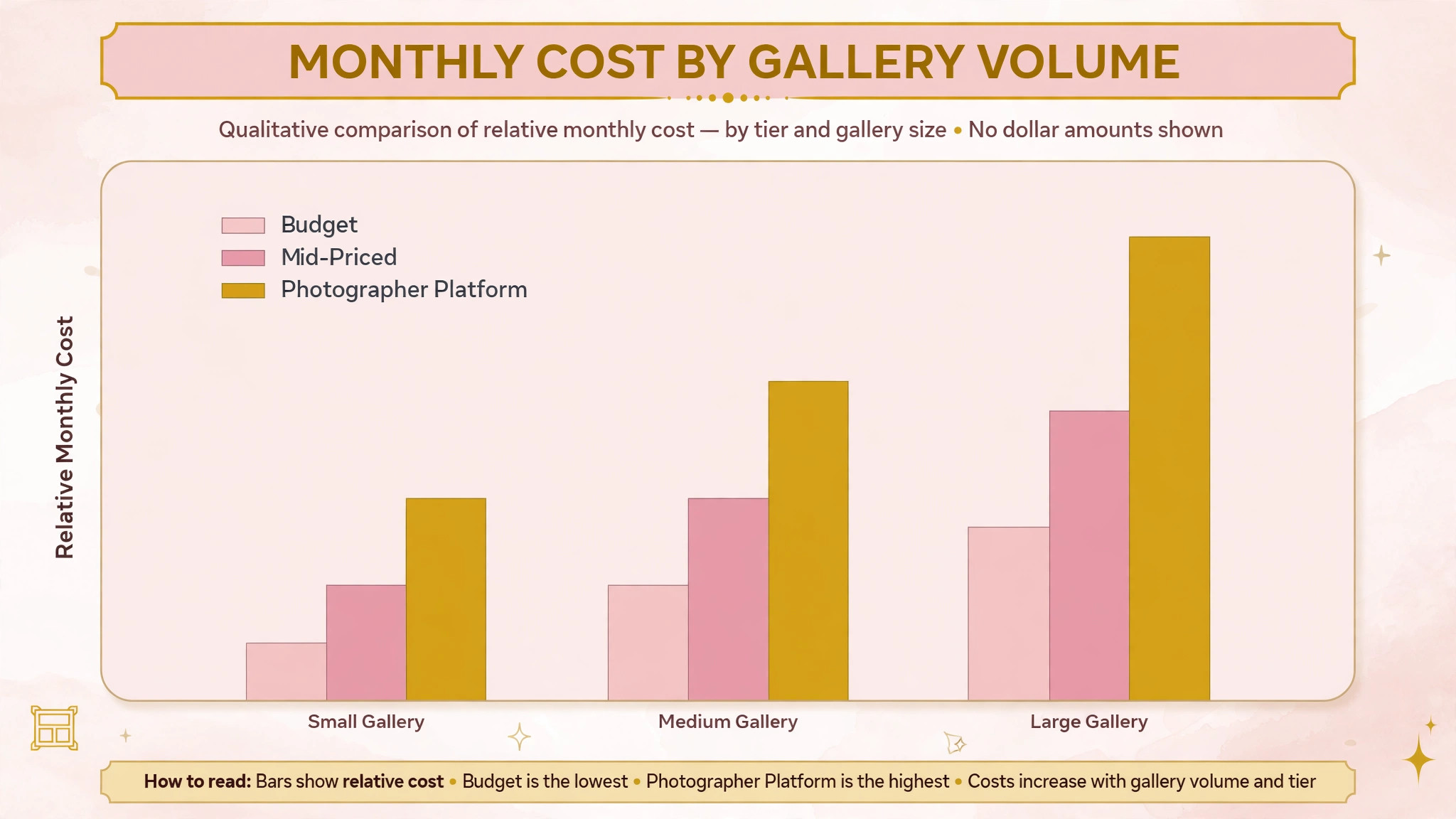
Finally, price the full website stack. Add storage, gallery seats, print commission, domain, and any separate gallery platform to the subscription. A cheap website builder with an expensive separate gallery platform can cost more than a mid priced photographer platform once client volume grows. Get the monthly total for your real gallery volume and storage needs in writing before comparing tools.
Common Mistakes When Buying a Wedding Photography Website Builder
The first mistake is choosing on desktop design alone. A desktop portfolio can look stunning while the mobile gallery loads slowly and crops badly, and most couples browse on phones first. Test mobile speed and cropping before judging design.
The second mistake is ignoring inquiry depth. Many website problems are inquiry problems, not design problems. A site with a generic contact form will generate vague inquiries that take days to qualify, while a site with a wedding specific form generates detailed inquiries that convert faster. Inquiry form depth should be a scored test in the trial.
The third mistake is forgetting client delivery. A portfolio website without a clear client gallery and proofing path forces the photographer to run a second system, which doubles admin work and confuses clients. Test the full path from portfolio to delivered gallery before choosing.
The fourth mistake is buying for the studio you hope to become, not the studio you run. A fully custom design platform with a long build is valuable for a luxury studio, but it adds cost and time for a solo photographer who needs inquiries now. Start with the tool that fits current inquiry volume and brand needs, and check that it can grow when associates and bookings rise.
The fifth mistake is neglecting data export. Galleries, client lists, and inquiry histories are the studio’s business history. Before signing, confirm that images, client records, and inquiry data can be exported in a usable format, and that the studio is not locked into a platform by its own work.
Frequently Asked Questions
How much does a website builder for wedding photographers cost?
Costs range from modest subscriptions on general builders to higher tiers on photographer platforms with storage and gallery features, plus print commission where relevant. The final cost depends on storage, gallery count, client seats, and print sales. A photographer with many weddings per year should model storage and commission costs at that volume, since those charges grow with every gallery. Check the vendor pricing page for storage and commission terms before comparing headline prices.
What is the best website builder for a solo wedding photographer?
For many solo photographers, Pixieset is a strong starting point among the best website builder for wedding photographers, because it combines a website, client galleries, proofing, and print sales in one place. Format suits a photographer who wants a simple portfolio first, while Squarespace suits a photographer who wants a polished all in one site. The right choice depends on whether delivery, simplicity, or design matters most.
Can wedding photographers sell prints through their website?
Yes, on platforms with storefronts such as Pixieset, SmugMug, Zenfolio, ShootProof, and Pic-Time. Clients can order prints and albums from their gallery, with fulfilment handled through the platform or a connected lab. Confirm commission, lab options, and product range before choosing, since those terms affect print revenue.
Does a wedding photography website need client galleries?
Yes, for most wedding photographers. Client galleries deliver the finished work, handle proofing and selections, and drive print sales, all under the photographer’s brand. A portfolio site without client galleries forces a second system, which adds admin work and weakens the client experience.
How important is mobile speed for a wedding photography website?
Very important. Most couples browse portfolios on phones first, and a slow gallery or badly cropped image costs the inquiry before any words are read. Test gallery speed and cropping on a phone connection with real wedding images, and compress or resize images that slow loading noticeably.
What is the difference between a photographer platform and a general website builder?
A general website builder publishes pages and galleries, but treats photography as generic content. A photographer platform connects the portfolio to client galleries, proofing, and print sales in a workflow built for photographers. A general builder can work with a separate gallery platform, while a photographer platform reduces that split.
How long does it take to switch wedding photography website builders?
A solo photographer can switch in one to two weeks if galleries, images, and inquiry forms are prepared in advance. A studio with many client galleries should allow three to four weeks, including gallery migration and client communication. A luxury studio with a fully custom design should allow six to eight weeks, including design, gallery setup, and testing.
Should a wedding photographer blog on their website?
Yes, for most photographers. Blogging real weddings with location and venue details builds local search visibility over time, shows recent work, and gives couples a reason to return to the site. The website builder should make blogging easy, with image-led posts that load fast on mobile.
A Two Week Launch Plan
Do not choose from a feature list. Run a two week launch plan on your two finalists. In week one, build the homepage and two galleries, test mobile speed and cropping, and run the inquiry form with real wedding details. In week two, deliver a sample client gallery, test proofing and print sales, and ask a couple or a friend to complete the full journey from portfolio to inquiry to gallery without help.
The tool that passes those two weeks with the fewest fixes, the fastest galleries, and the clearest inquiries is the best website builder for wedding photographers for your studio, and the tool to keep. Price matters, but a cheap tool that loses inquiries to slow galleries will cost more in lost bookings than a mid priced tool that runs cleanly. Choose the system that makes your work look its best, your inquiries detailed, and your clients more likely to book and refer.
More Reading on Stratilyze
– Best Website Builder for Photographers – Best Booking Software for Music Schools – Best Booking Software for Fitness Studios – Best CRM for Real Estate Agents – Best Booking Software for Yoga Studios