
For most farmers market vendors, the best POS system for farmers market vendors is Square, and the rest of this guide explains when that answer is wrong. Square wins on market day speed, offline card payments, and a free starting tier that fits a single stall. It stops being the obvious pick when a vendor runs several markets at once, sells CSA boxes on subscription, or needs stock control across a stall, a farm shop, and an online store. Those vendors need a different trade-off, and this guide maps it.
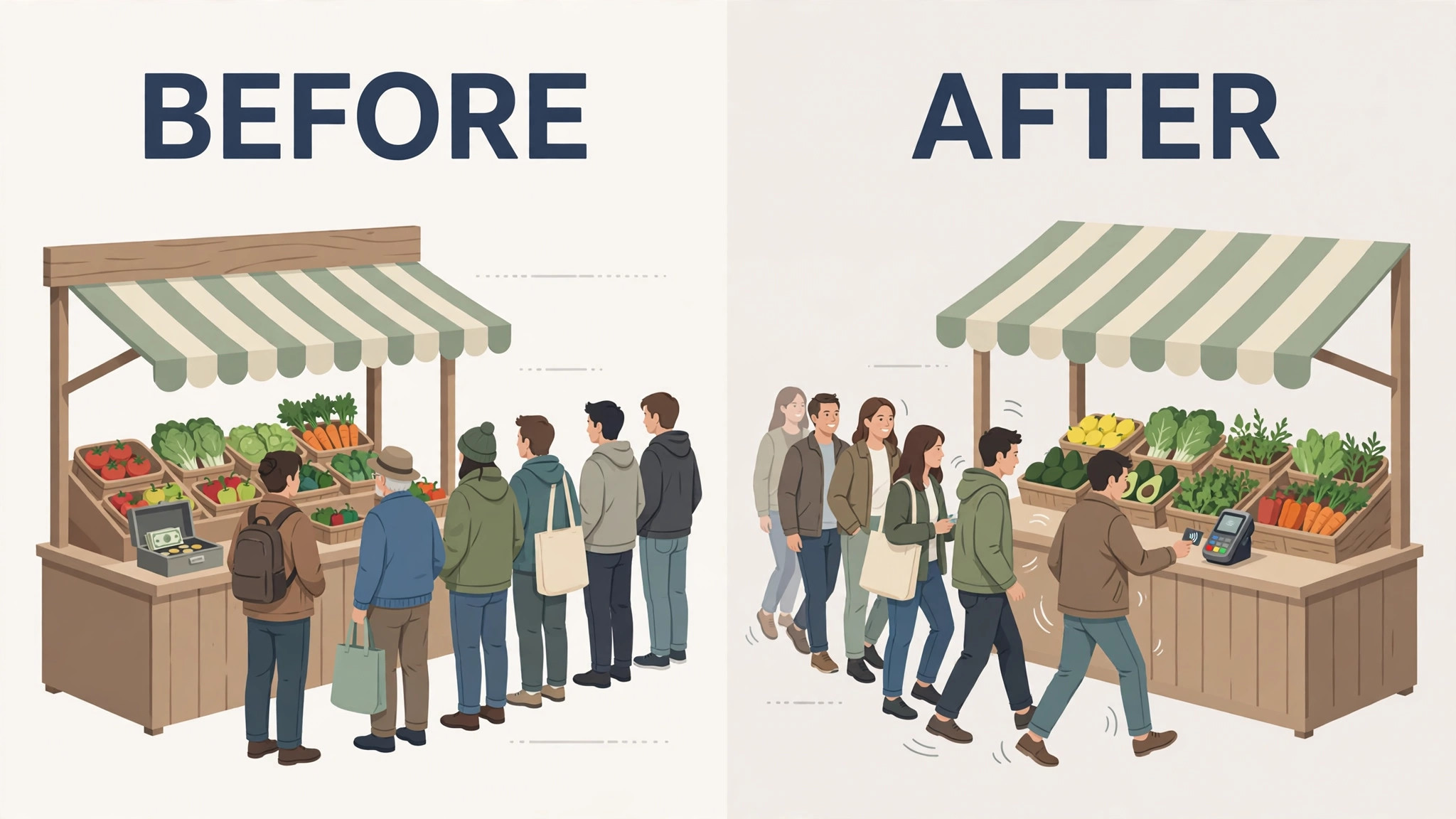
The best POS system for farmers market vendors has to work where market work actually happens. That means under a canopy, in bright sun, with patchy signal, wet hands, and a queue that grows while a card reader searches for a connection. A till that needs perfect Wi-Fi will fail at exactly the moment a market gets busy. A till that queues card payments offline, shows large product buttons, and prints or texts a receipt in seconds will keep the queue moving and the vendor selling.
This guide compares 8 tools, from market stall favourites to retail systems that vendors adapt. Prices are starting prices where published, and several tools charge for hardware, payment processing, or feature tiers on top of a subscription. Check the vendor pricing page before you budget, since card fees and hardware costs change the real market day cost fast.
What Breaks First on Market Day
Signal breaks first. Many markets sit in parks, car parks, and town squares where mobile signal fades as crowds grow. A POS that stops at the first failed connection forces the vendor into cash only or into handwritten IOUs, and both lose sales. Offline mode matters more than any dashboard feature, because a sale that cannot be taken is a sale lost, not a sale delayed.
Speed breaks second. Market customers decide fast, pay fast, and expect to move on. A till that needs five taps to sell a bunch of carrots, or that hides the best sellers behind search, will slow the queue and push buyers to the next stall. Large buttons, favourite items on the home screen, and barcode or quick-add selling are market day essentials, not nice extras.
Stock truth breaks third. A vendor who sells at two markets on the same Saturday needs to know what is left after the first market packs up. A vendor who also sells CSA boxes needs to know what is promised to subscribers before the stall opens. A POS that tracks stock across markets, or at least makes end of day counts fast, stops the vendor from promising boxes the farm no longer has.
The 8 Tools at a Glance
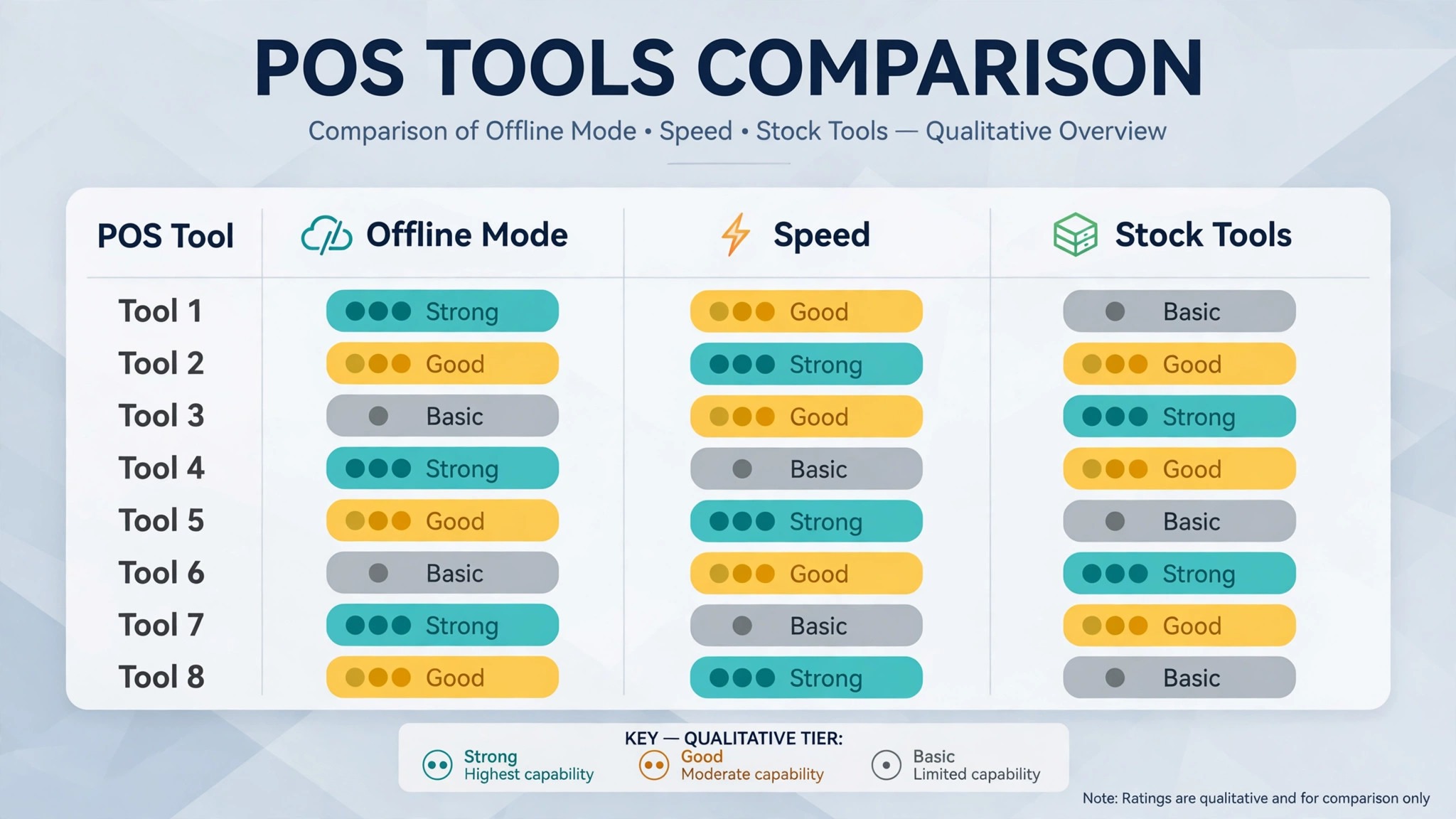
| Tool | Starting price | Best for | Market depth |
|---|---|---|---|
| Square | Check the vendor pricing page | Single stalls wanting speed and offline mode | Strong |
| Shopify POS | Check the vendor pricing page | Vendors with an online store plus a stall | Strong |
| SumUp | Check the vendor pricing page | Low cost card readers for small stalls | Good |
| PayPal Zettle | Check the vendor pricing page | Simple card payments with low setup | Good |
| Clover | Check the vendor pricing page | Vendors wanting counter hardware options | Good |
| Lightspeed Retail | Check the vendor pricing page | Vendors needing stock control across channels | Strong |
| Epos Now | Check the vendor pricing page | Multi-stall vendors wanting reports | Good |
| Revel Systems | Check the vendor pricing page | Larger vendors with complex menus | Fair |
Pricing in this market is rarely a single number, since hardware, card fees, and feature tiers sit on top of any subscription. That is why a comparison of the best POS system for farmers market vendors should start with a written quote for real hardware, card volume, and market count, not with a directory starting price alone. Confirm whether offline payments, receipt options, and stock tools sit inside the chosen plan or on top of it.
Best Pick by Job
| Job type | First pick | Why it fits | Watch out for |
|---|---|---|---|
| Single stall | Square | Fast offline selling with simple setup | Stock depth at larger scale |
| Multi-market vendor | Lightspeed Retail | Stock control across markets and channels | Higher setup effort |
| Vendor with CSA boxes | Shopify POS | Online store plus stall selling in one system | Subscription cost per location |
The job type that matches most of your selling should decide the shortlist for the best POS system for farmers market vendors. A single stall vendor who buys a retail inventory platform will pay for controls a simple till already covers. A multi-market vendor who buys a single stall till will struggle with stock counts, staff logins, and a shared view of what sold where.
Offline Payments Checklist
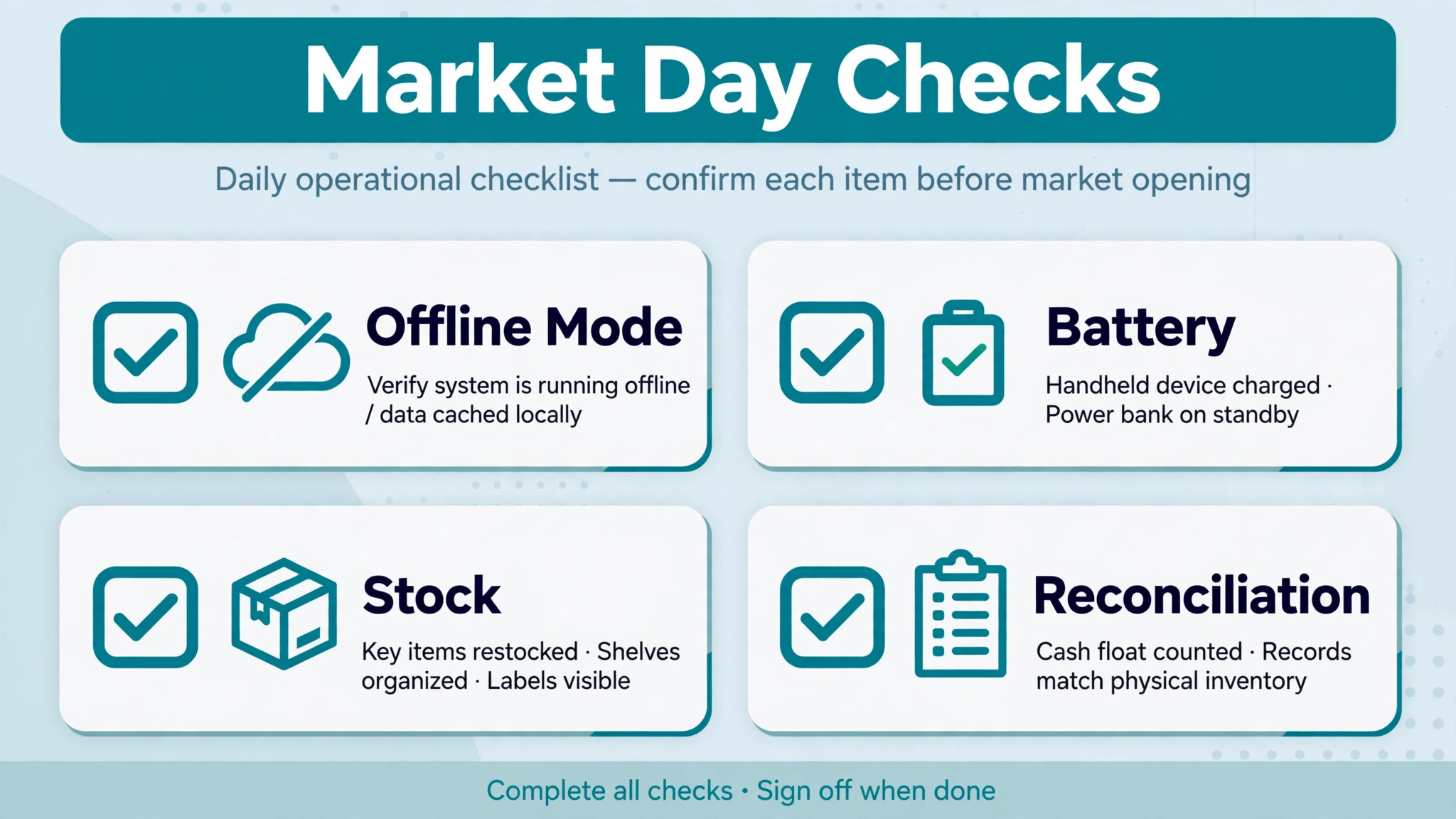
Use this checklist before every market day to keep card sales flowing when signal fails. It turns a known market risk into a routine check, rather than a mid-queue surprise.
– Turn on offline mode and test a card payment with the phone in flight mode before leaving home. – Charge every reader, phone, and tablet fully, and pack a spare battery and cable. – Load the market day product list with large buttons for best sellers at the top. – Set a clear offline payment limit and a process for failed payments after reconnection. – Print or prepare a price list as a backup for a full hardware failure. – Assign one staff login per seller, so end of day sales can be split by person. – Count opening stock before the market, and count closing stock before packing up. – Reconcile offline payments the same evening, while failed payments can still be followed up.
Software helps this checklist only if offline mode, product buttons, and sales reports live in one system. If those details live in separate apps, the checklist becomes a manual reconciliation exercise at the end of a long market day.
The 8 Tools in Detail
1. Square
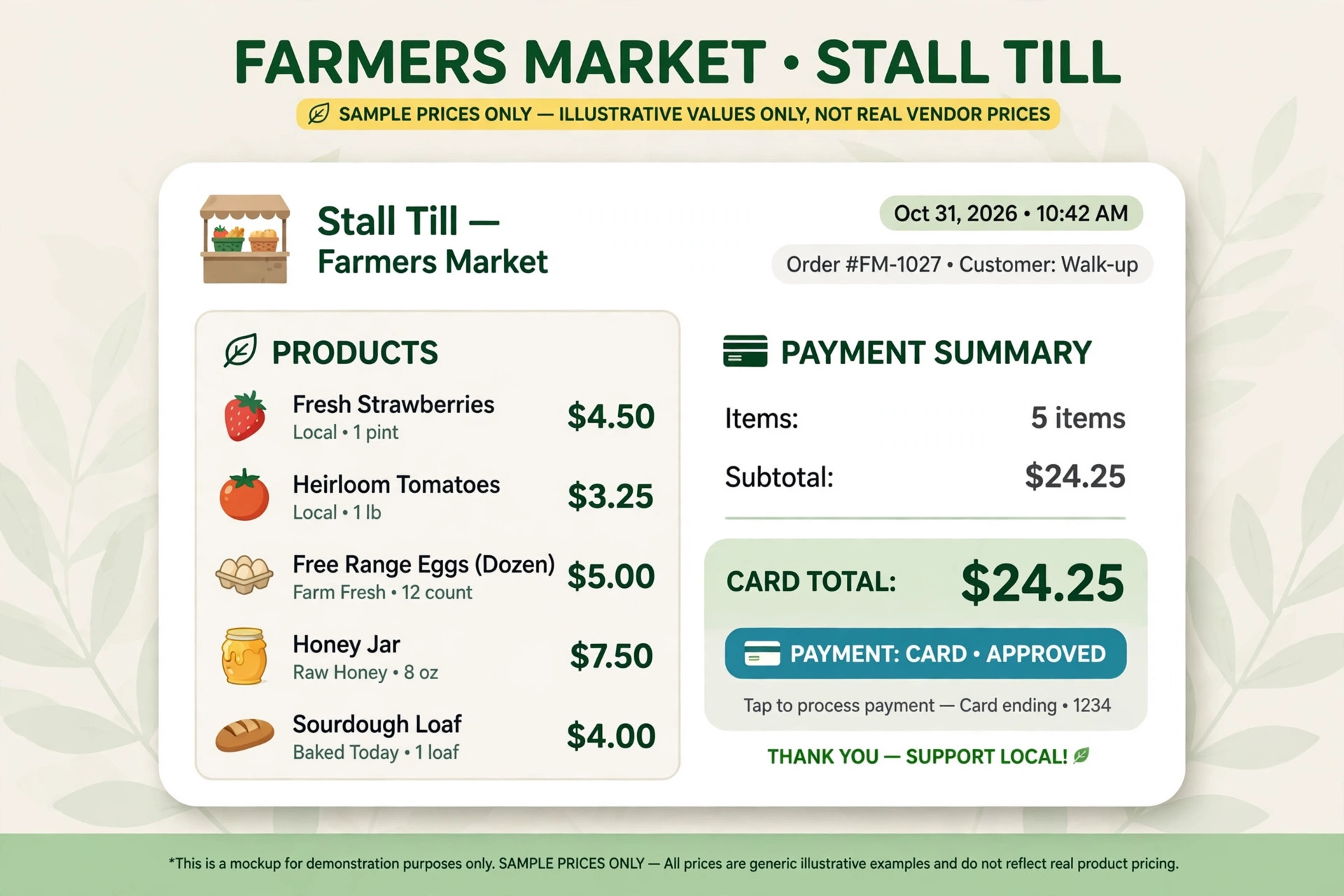
Square is the default market stall POS for good reason, with a free point of sale app, low cost readers, offline card payments, and simple product setup. A vendor can set up items, prices, and taxes, take cards with a phone or tablet, and see sales by item at the end of the day without a long implementation.
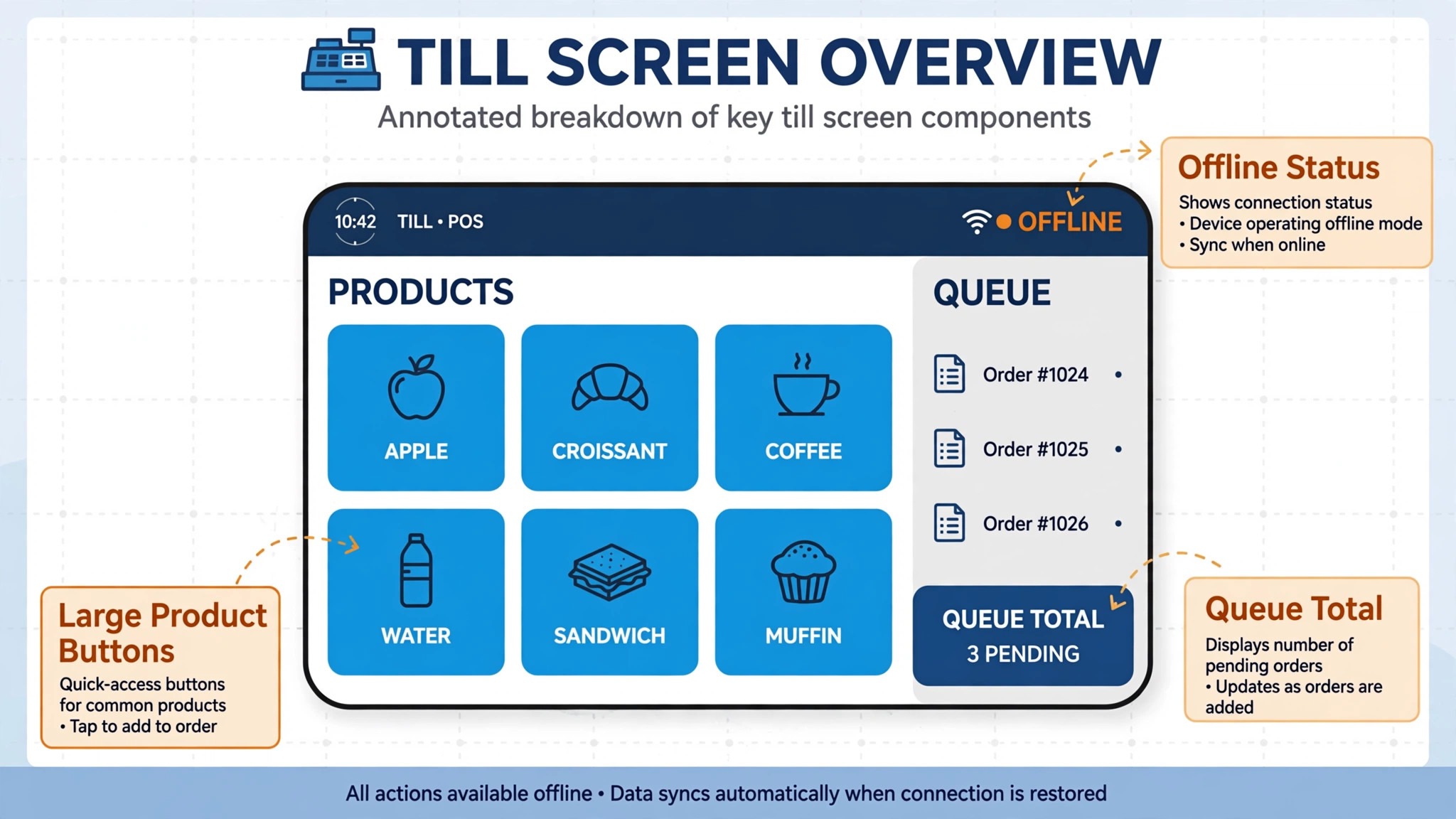
The strength is market day reliability at low cost. Offline mode queues card payments when signal drops, the app is easy for seasonal staff to learn, and the hardware range fits a folding table rather than a shop counter. The limit is depth at scale. Stock control across several markets, complex CSA subscription handling, and advanced retail reporting are lighter than on Lightspeed or Shopify POS, so a growing vendor may outgrow the free tier.
Best for a single stall vendor who wants fast setup, offline selling, and low upfront cost. Check the vendor pricing page for card processing terms and hardware prices.
2. Shopify POS
Shopify POS connects a market stall to a Shopify online store, so the same products, stock counts, and customer records work at the stall and online. A vendor who sells CSA boxes online, takes pre-orders, and then sells surplus at the market can run both channels from one product catalogue.
The strength is the online plus stall combination. Pre-orders, subscriptions through Shopify apps, and online stock visibility sit beside market selling, which suits a vendor building a year-round customer base beyond market day. The limit is cost and complexity for a stall-only vendor. A vendor who never sells online will pay for store features that add little on market day, and should compare the per location cost carefully.
Best for a vendor with an online store plus a stall, especially one selling CSA boxes or pre-orders. Check the vendor pricing page for the plan and per location terms.
3. SumUp
SumUp is a card payment system built around small, low cost readers that pair with a phone app. A market vendor can take card payments with minimal setup, no monthly subscription for the basic product, and a simple sales view in the app. That simplicity suits a small stall that mainly needs to take cards reliably.
The strength is low upfront cost and fast setup. A new vendor can start taking cards on the first market day without buying counter hardware or learning a full retail system. The limit is POS depth. Product catalogues, stock tracking, and multi-market reporting are lighter than on Square or Lightspeed, so SumUp fits card taking more than full stall management.
Best for a small stall that mainly needs reliable card payments at low cost. Check the vendor pricing page for card processing terms and reader prices.
4. PayPal Zettle
PayPal Zettle, formerly iZettle, is a card reader and POS app for small sellers, with product setup, sales reports, and card payments through a phone or tablet. A market vendor can build a small product list, take cards at the stall, and review sales by item without a monthly subscription for the basic app.
The strength is simplicity for a vendor who already uses PayPal, plus a clean sales view for a small product range. The limit is market depth at scale. Offline behaviour, multi-stall stock control, and CSA handling need testing, since Zettle is built for small sellers broadly rather than multi-market vendors specifically.
Best for a small vendor wanting simple card payments and a clean sales view. Check the vendor pricing page for card processing terms and hardware prices.
5. Clover
Clover is a POS hardware and software system with counter terminals, handheld devices, and a POS app that vendors can shape with apps and product settings. A market vendor who wants a more counter-like setup, or who also sells from a farm shop, can use Clover hardware in both places with one account.
The strength is hardware choice. A vendor can pick a handheld for the stall and a counter terminal for the shop, and keep products and sales in one system. The limit is cost and contract detail. Hardware, software plans, and payment processing terms vary by provider, so a vendor should get the full monthly and hardware cost in writing before committing.
Best for a vendor who wants hardware options across a stall and a shop. Check the vendor pricing page and confirm hardware, plan, and processing terms together.
6. Lightspeed Retail
Lightspeed Retail is a retail POS with product catalogues, stock control, customer records, and reporting across locations and channels. A multi-market vendor can track stock by market, see what sold where, and manage a farm shop and online sales from the same catalogue.
The strength is stock truth across channels. A vendor selling at several markets plus a shop can see remaining stock after each market, which stops overselling CSA boxes and popular lines. The limit is setup effort and cost for a single stall. A vendor with one table and twenty products will find Lightspeed heavier than needed, and should confirm the monthly cost against real market volume.
Best for a multi-market vendor who needs stock control across markets and channels. Check the vendor pricing page for the plan that includes multi-location stock.
7. Epos Now
Epos Now is a POS system with till software, product management, staff logins, and business reports, offered with hardware bundles for counter and mobile selling. A vendor running several stalls can set products once, give staff their own logins, and compare sales by stall at the end of the day.
The strength is reporting and staff control for a growing vendor. Sales by item, by stall, and by staff member help the vendor see which market and which products earn best. The limit is market day simplicity compared with Square. Setup takes longer, and a vendor should test the mobile selling flow in bright sun and weak signal before market day.
Best for a multi-stall vendor who wants staff logins and stall level reports. Check the vendor pricing page for hardware bundle and plan terms.
8. Revel Systems
Revel Systems is a POS platform for food and retail businesses, with product menus, order management, payments, and reporting. A larger vendor with a complex menu, prepared foods, and several selling points can shape products, modifiers, and pricing in one system.
The strength is menu and product depth for a vendor with many lines and options. Prepared food vendors who need modifiers, combos, and kitchen style workflows will find more structure here than on a simple card reader app. The limit is fit and cost for a small produce stall. A vendor selling a short seasonal list will pay for depth that adds little on market day.
Best for a larger vendor with a complex product range and several selling points. Check the vendor pricing page and ask for a quote at real market and product counts.
How Offline Mode Decides a Market Day
Offline mode decides a market day before any sales report matters. When signal drops, the vendor has seconds to decide whether to keep selling or to turn buyers away. A till that queues payments quietly keeps the queue moving and the vendor focused on the customer. A till that freezes forces a conversation about cash, IOUs, or a return visit, and most market buyers will simply walk to the next stall instead.
The second effect is trust. A buyer who taps a card and hears a clear approval, even offline, leaves happy. A buyer who watches a reader spin, fail, and retry leaves unsure whether they have paid twice. Clear offline messaging, a printed or text receipt, and a same evening reconciliation routine protect that trust. Judged on that routine alone, the best POS system for farmers market vendors is the tool whose offline flow the vendor has actually tested before market day, not the tool with the longest feature list.
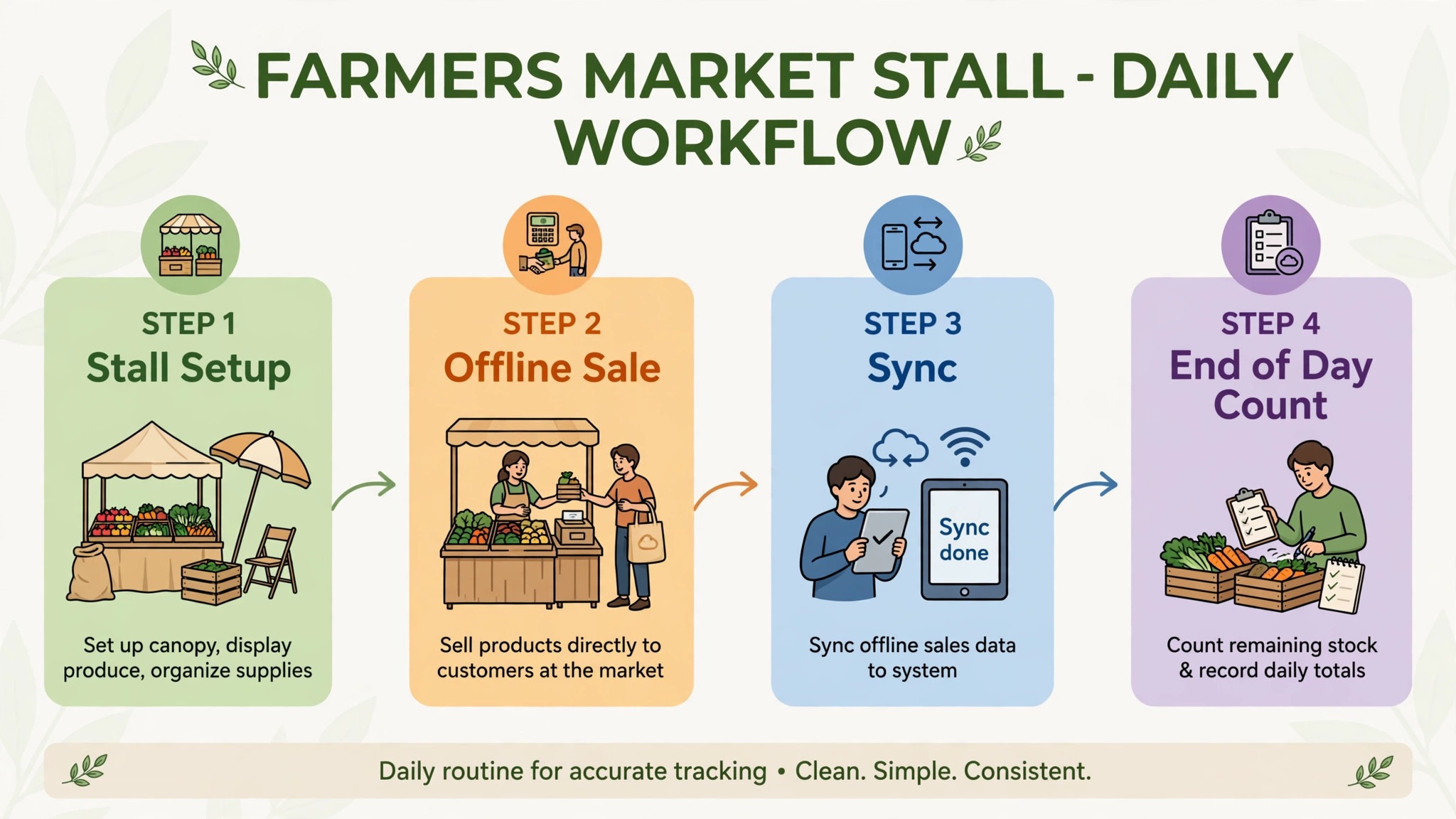
The third effect is the end of day count. Offline sales that sync cleanly give a true picture of the day. Offline sales that sync partially, duplicate, or vanish create a stock and cash puzzle after a long day outdoors. Test the full loop, from flight mode sale to synced report, before trusting any POS at a busy market.
The fourth effect is staff confidence. Seasonal helpers will sell more, and make fewer mistakes, on a till they trust. A reader that fails in front of a queue makes a new seller nervous, and a nervous seller slows down, double checks every tap, and asks the vendor for help. A till that handles a signal drop without drama keeps new staff selling, which matters most at the markets where the vendor cannot be at every table at once. That confidence is hard to measure in a feature table, and easy to feel on a busy Saturday.
Selling at Several Markets at Once
A vendor at one market can carry the whole day in memory. A vendor at three markets cannot, and that is where a POS either earns its fee or creates a new problem. The first test is staff. Each market needs its own login, its own cash float record, and its own end of day total, so the vendor can see which market earned, which market wasted stock, and which seller needs help. A system with one shared login hides all three answers.
The second test is stock movement. Produce picked on Friday morning may be split across a Saturday city market and a Sunday village market, with the best lines sold out by noon on Saturday. A POS that shows stock by market lets the vendor move remaining stock to the market where it will sell, instead of discovering a gap after packing up. A POS that shows only a single total leaves the vendor guessing, and guessing with fresh produce means waste.
The third test is pricing. A city market may support a higher price for the same bunch of flowers than a village market, and a vendor may run a late day discount at one market but not the other. A POS that supports market specific prices and discounts keeps those decisions clean. A POS that forces one price everywhere forces the vendor into manual adjustments at the till, which slow the queue and create errors.
The fourth test is the week after the market. A multi-market vendor needs to compare markets honestly, including stall fees, travel time, card fees, and waste. A market that looks busy can still lose money once fees and unsold stock are counted. A POS with market level sales reports gives the vendor that comparison without a spreadsheet, and that comparison decides which markets to keep next season.
How to Choose the Best POS System for Farmers Market Vendors
Start with the signal test. Take the shortlisted POS to a park or car park, put the phone in a weak signal spot, and run ten sales including a refund and a split payment if the tool supports it. Check that offline sales queue, sync, and report correctly. If that test fails, the tool will fail at a busy market.
Next, test the queue test. Set up the twenty best sellers as large buttons, then time a new staff member selling five items to a stranger. Count the taps and the mistakes. A till that needs search for every common item will slow the queue, however good its reports look later.
Then test the stock test. Sell the same product at two fake markets, then check remaining stock and sales by market. The system should show what is left and where it sold, without a spreadsheet. If stock lives only in a single total, a multi-market vendor will oversell sooner or later.
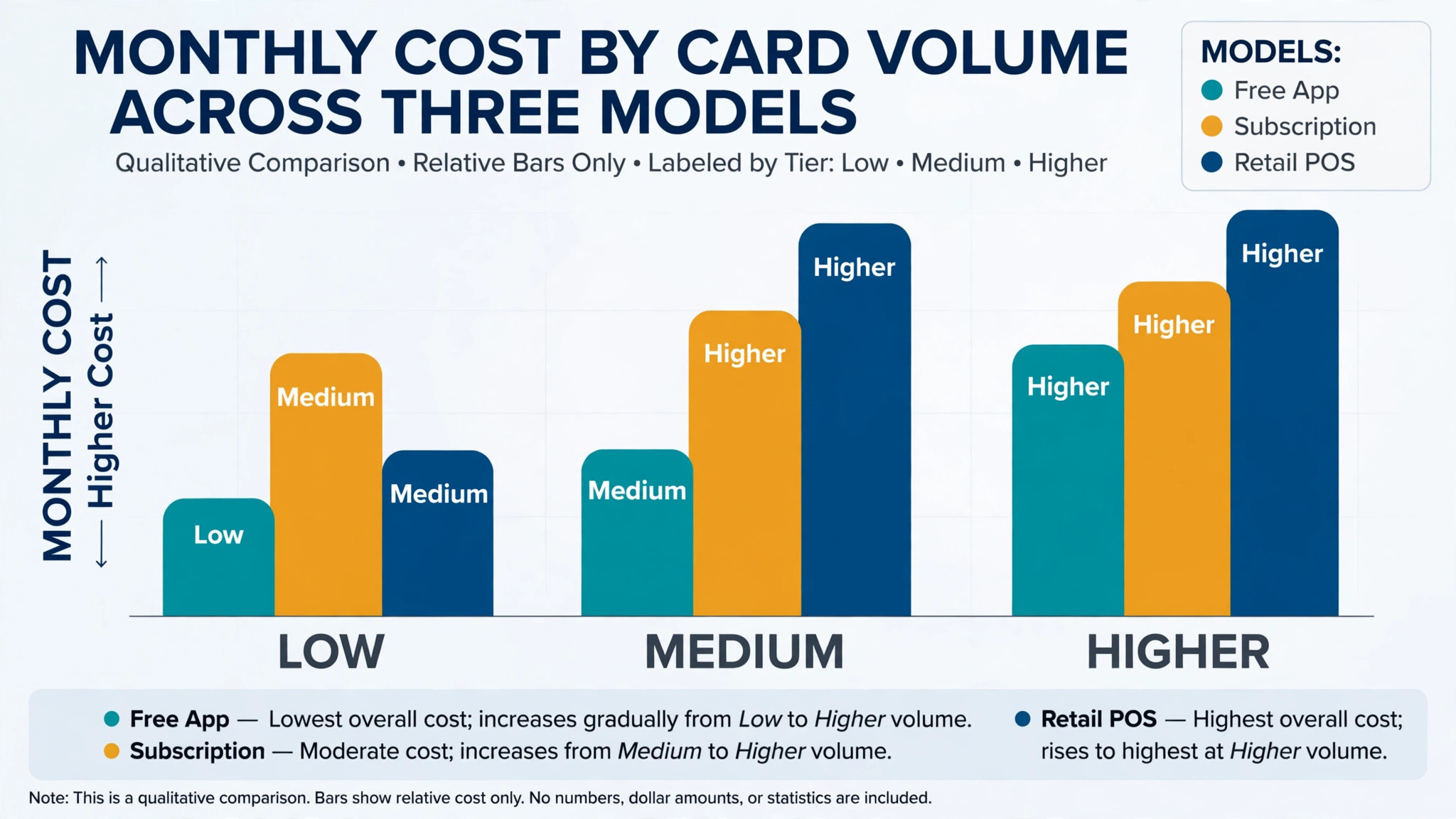
Finally, price the full market stack. Add hardware, card fees, per location charges, and any stock or reporting add-ons to the subscription. A free app with high card fees can cost more than a paid POS once card volume grows. Get the monthly total for real card volume in writing before comparing tools.
Mistakes That Cost Market Vendors Sales
The first mistake is buying a shop till for a field stall. A counter system built for stable Wi-Fi, mains power, and a fixed counter will struggle under a canopy with a phone battery and patchy signal. Test the tool outdoors, in sun, with gloves, before market day.
The second mistake is ignoring card fees. A vendor who compares subscriptions but not processing rates will misjudge the real cost, because card fees apply to every sale while a subscription is fixed. Model fees at real market volume, including the busiest market of the year.
The third mistake is skipping the offline test. Many vendors discover offline limits during a busy market, when there is no time to fix them. Test offline selling, reconnection, and failed payment handling at home, with a written process for the one payment that fails to sync.
The fourth mistake is running two stock truths. A vendor who tracks stall stock on paper and online stock in a shop system will double sell popular lines. Keep one catalogue, one stock count, and one end of day routine across every channel.
The fifth mistake is neglecting receipts and records. Market sales still need clear records for tax, refunds, and repeat customers. Confirm that receipts, refunds, and sales exports work in the chosen system, and that records can be exported in a usable format before signing.
Frequently Asked Questions
How much does a POS system for farmers market vendors cost?
Costs for the best POS system for farmers market vendors range from free apps with card fees on Square, SumUp, and PayPal Zettle to tiered subscriptions on Shopify POS, Lightspeed, and Epos Now. The final cost depends on hardware, card volume, market count, and feature tiers. A vendor with high card volume should model card fees at that volume, since those fees grow with every sale. Get a written quote for real hardware and card volume, including processing terms, before comparing headline prices.
What is the best POS system for a single farmers market stall?
For many single stall vendors, Square is a strong starting point, because it combines fast offline selling, low cost readers, and simple product setup. SumUp and PayPal Zettle are the alternatives for a vendor who mainly needs card payments at low cost. The right choice depends on whether offline depth, stock tools, or the lowest upfront cost matters most.
Can farmers market POS systems take card payments without Wi-Fi?
Yes, on tools with a proper offline mode, including Square. The POS queues card payments when signal drops and processes them after reconnection, subject to limits and terms set by the provider. A vendor should test offline mode before market day, confirm the offline limit, and reconcile payments the same evening, since a payment that fails after reconnection still needs follow-up.
Do farmers market POS tools handle CSA boxes?
Shopify POS handles CSA boxes best in this guide, because online pre-orders and subscriptions sit beside stall selling in one catalogue. Lightspeed handles the stock side well across markets and channels. A vendor should test the full CSA flow, from online order to box packing to stall collection, before promising boxes through a new system.
How do card fees affect a market vendor?
Card fees apply to every card sale, so they grow with market volume while a subscription stays fixed. A vendor with a busy market and a high card share should compare processing rates as carefully as subscription prices, and should check whether offline payments, refunds, and chargebacks carry extra terms. A low subscription with a high processing rate can cost more than a mid priced POS once volume grows.
Should a market vendor take cash and cards together?
Yes, for most vendors. Cards suit larger baskets and buyers without cash, while cash suits small purchases and buyers who prefer it. The POS should record both in one sales view, so end of day totals, stock counts, and tax records stay complete. A cash only stall will lose larger sales, and a card only stall will lose cash buyers.
How long does it take to switch farmers market POS systems?
A single stall vendor can switch in a few days if products, prices, and hardware are prepared in advance. A multi-market vendor should allow two to three weeks, including staff training, offline testing, and parallel running at a quiet market. A vendor with CSA boxes and online sales should allow three to four weeks, including order migration and stock checks.
The Market Day Test
Do not choose from a feature list. Run a market day test on your two finalists at a quiet market or a mock stall. Set up the best sellers as large buttons, test a card sale in weak signal, sell the same product from two logins, and reconcile stock at the end of the day. Check how many sales needed help, how many taps each sale took, and whether the end of day report matched the stock count.
The tool that passes that test with the fewest failed payments, the fastest queue, and the cleanest reconciliation is the best POS system for farmers market vendors for your stall, and the tool to keep.
Keep the runner-up notes from the test, because a stall that grows into a second market or a CSA list will need to revisit the choice. The right system at one stall is not always the right system at three stalls, and a vendor who knows exactly where the first system fell short will choose the second one faster. Price matters, but a cheap till that drops sales in a queue will cost more in lost buyers than a mid priced till that keeps selling. Choose the system that keeps the queue moving, the stock true, and the vendor selling instead of troubleshooting.
More Reading on Stratilyze
– Best POS System for Vintage and Antique Shops – Best Booking Software for Nail Salons – Best Scheduling Software for Mobile Pet Groomers – Best CRM for Independent Car Dealers – Best Management Software for Funeral Homes