
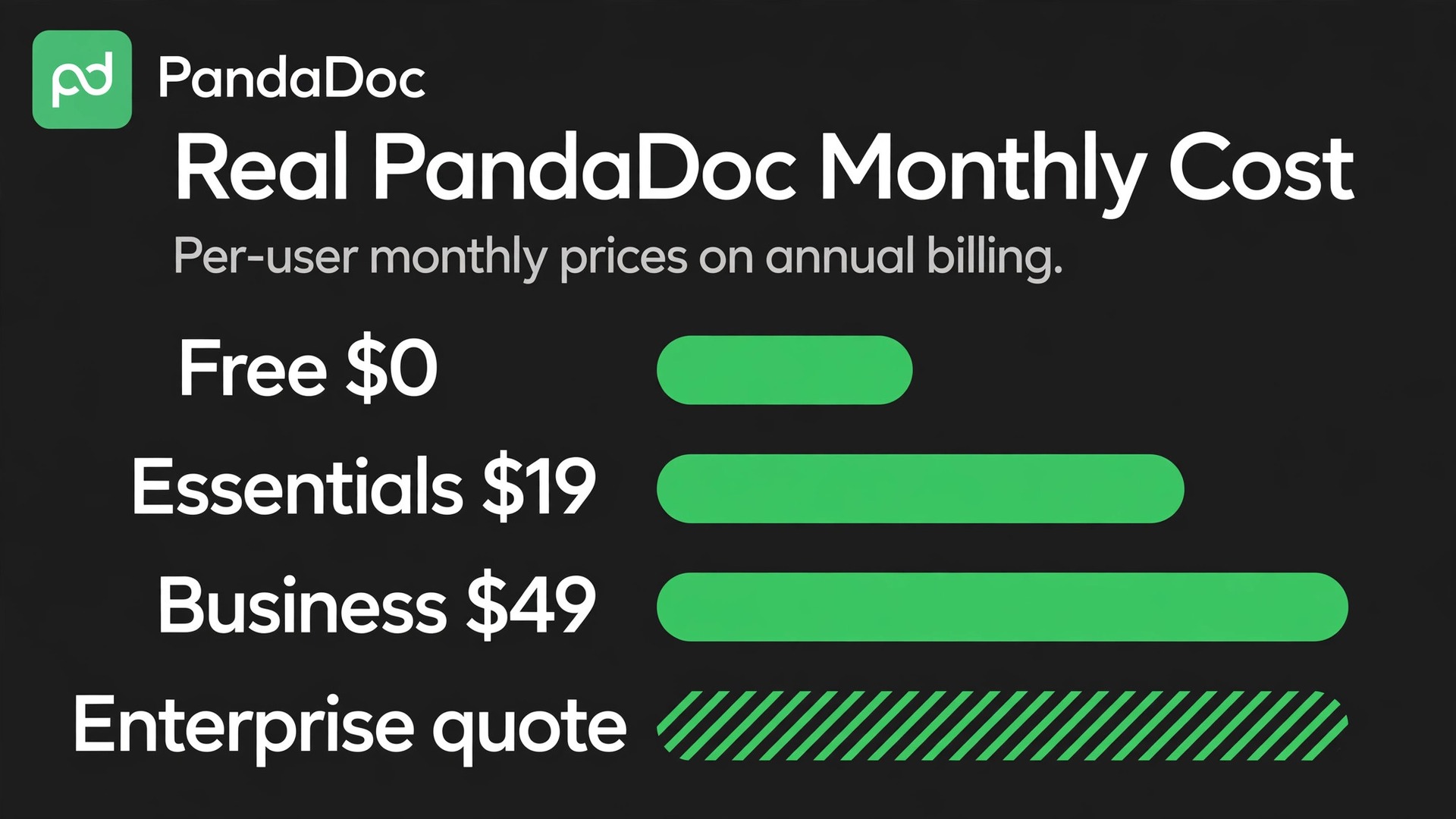
Verdict first. Most small businesses that send proposals, quotes, and contracts regularly should budget for PandaDoc Business at 49 dollars per user per month on annual billing, not for the cheaper Essentials tier. Essentials looks attractive at 19 dollars per user per month on annual billing, but it caps seats at two and leaves out CRM integrations, custom branding, approval workflows, and bulk send. The cost of PandaDoc for small business monthly is therefore a Business bill for any team larger than two people, or any team that needs its documents to look branded and flow from its CRM.
PandaDoc is document automation software for proposals, quotes, contracts, and forms, with electronic signatures, pricing tables, templates, and document tracking in one place. A small business uses it to send a proposal that a client can sign and pay from the same document, instead of emailing a PDF back and forth and chasing signatures by phone. The price model is per user per month, which makes seat count the main lever, followed by the tier jump from Essentials to Business.
All figures in this guide are in United States dollars before tax, from PandaDoc pricing listings and pricing coverage checked in October 2026. PandaDoc pricing pages present monthly and annual rates side by side, and this guide uses both, so a team can see the billing period effect without guessing. Where a price is unpublished, such as Enterprise, this guide says so plainly instead of estimating a figure.
Real monthly totals by team size
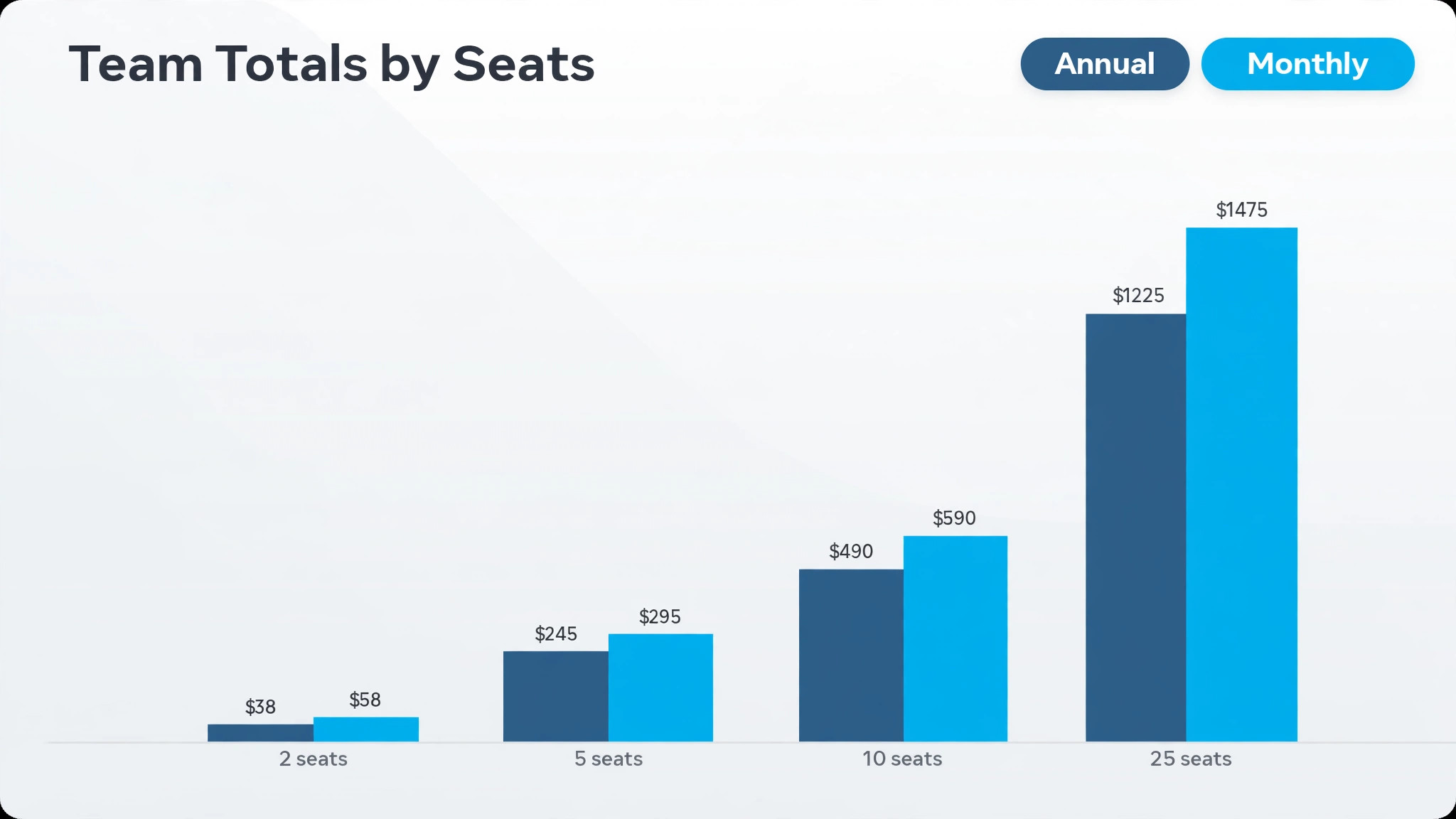
The table below is the heart of the PandaDoc decision, because the Essentials seat cap changes the tier at three seats. Annual billing figures show the monthly equivalent of the upfront annual payment, while monthly billing figures show what a team pays when it bills month to month. Enterprise is quote only in every row, because no published per user price exists for it.
| Seats | Tier that fits | Annual billing monthly total | Monthly billing monthly total |
|---|---|---|---|
| 2 | Essentials | 38 dollars | 58 dollars |
| 5 | Business | 245 dollars | 295 dollars |
| 10 | Business | 490 dollars | 590 dollars |
| 25 | Business | 1,225 dollars | 1,475 dollars |
A two seat team on Essentials pays 38 dollars a month on annual billing, or 58 dollars a month on monthly billing. The 20 dollar monthly gap equals 240 dollars a year for two seats, which is more than the annual cost of one Essentials seat at 228 dollars is not, but it is close enough that finance should see both figures before approving. A two seat team that only needs templates, e-signatures, pricing tables, and document analytics will find Essentials sufficient, provided it never needs a third seat or a CRM integration.
At five seats, Essentials is no longer an option, because its two seat cap blocks a third user. Business at 49 dollars per user on annual billing totals 245 dollars a month, or 295 dollars a month on monthly billing at 59 dollars per user. The jump from two Essentials seats at 38 dollars to five Business seats at 245 dollars looks steep, but most of that jump is headcount, not tier. Five Essentials seats would cost 95 dollars a month if the cap did not exist, so the tier jump itself adds 150 dollars a month on annual billing for five seats, in exchange for CRM integrations, branding, approvals, and bulk send.
At ten seats, Business totals 490 dollars a month on annual billing or 590 dollars a month on monthly billing. At 25 seats, Business totals 1,225 dollars a month on annual billing or 1,475 dollars a month on monthly billing. Those totals assume every seat is a Business seat, which is the correct assumption for a sales or proposals team where everyone sends documents. A business where only part of the team sends documents should not buy Business seats for everyone, and the worked example later in this guide shows a mixed seat model that costs far less.
Tax is excluded from the published per user figures, so the checkout total will run higher than the table above in regions where tax applies. Record the checkout total per user and the team total together when seeking approval, so finance approves the real figure rather than the headline rate. A team that approves 245 dollars a month for five Business seats and then sees a higher invoiced total will treat PandaDoc as a surprise cost, even if proposals close faster.
Tiers behind the cost of PandaDoc for small business monthly
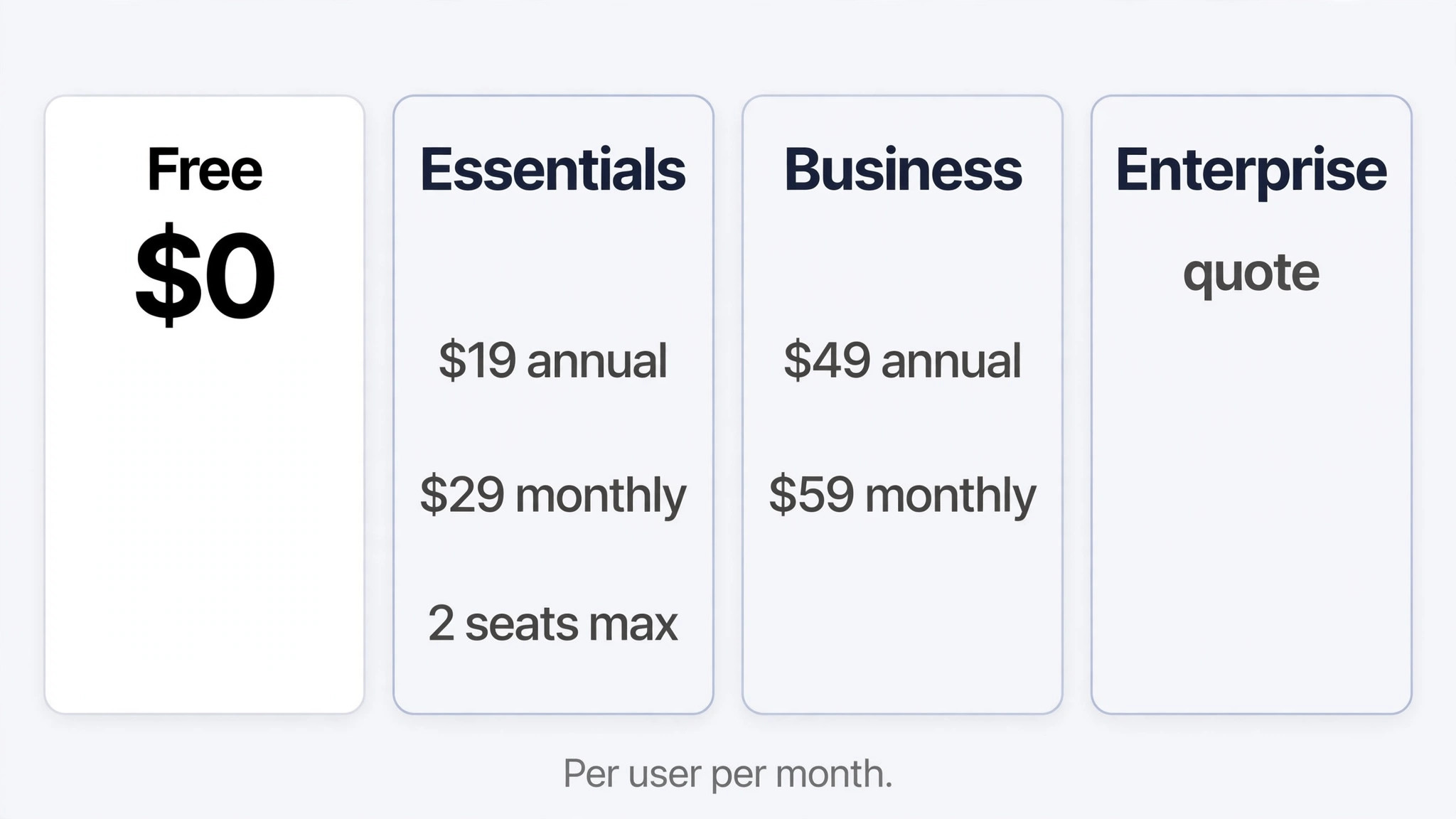
PandaDoc offers a free eSign tier at no cost per user, with unlimited document uploads and e-signatures for simple signing needs. That free tier suits a business that occasionally needs a signature on a simple document and has no need for templates, tracking, or branded proposals. It is not a proposals tier, because it lacks the template editor, pricing tables, and analytics that make PandaDoc worth paying for. A business that sends one simple contract a month can start free and learn the signing flow without spending.
Essentials, at 19 dollars per user per month on annual billing or 29 dollars per user per month on monthly billing, adds the document editor, templates, pricing tables, document analytics, payments, and 24 hour email and chat support. Those features cover a solo owner or a two person team that sends proposals regularly and wants to track when a client opens a document. The two seat cap is the defining limit, and it should be treated as a hard wall rather than a soft guideline. A team that plans to hire a third proposals person within the year should start on Business, because migrating tiers mid year costs time and retraining.
Business, at 49 dollars per user per month on annual billing or 59 dollars per user per month on monthly billing, adds everything in Essentials plus CRM and Zapier integrations, a content library, custom branding, approval workflows, forms, and bulk send. Those additions matter most for teams that send documents in volume or from a CRM. A sales team that creates proposals from CRM records, routes them for approval, and sends them in bulk will save hours a week on Business, while a two person team that sends a few proposals a month will barely notice the difference.
Enterprise is quote only, with advanced features such as single sign-on, API capabilities, and dedicated support reported in pricing coverage. No published per user price could be verified at draft time, so a small business cannot budget Enterprise from a headline figure. The honest approach is to treat Business as the budgeted tier and to request a written Enterprise quote only when a Business limit, such as security controls or API access, actually blocks the work. A team that requests Enterprise pricing before hitting a Business limit will spend sales time on a tier it does not need.
The two seat cap, and why it traps growing teams
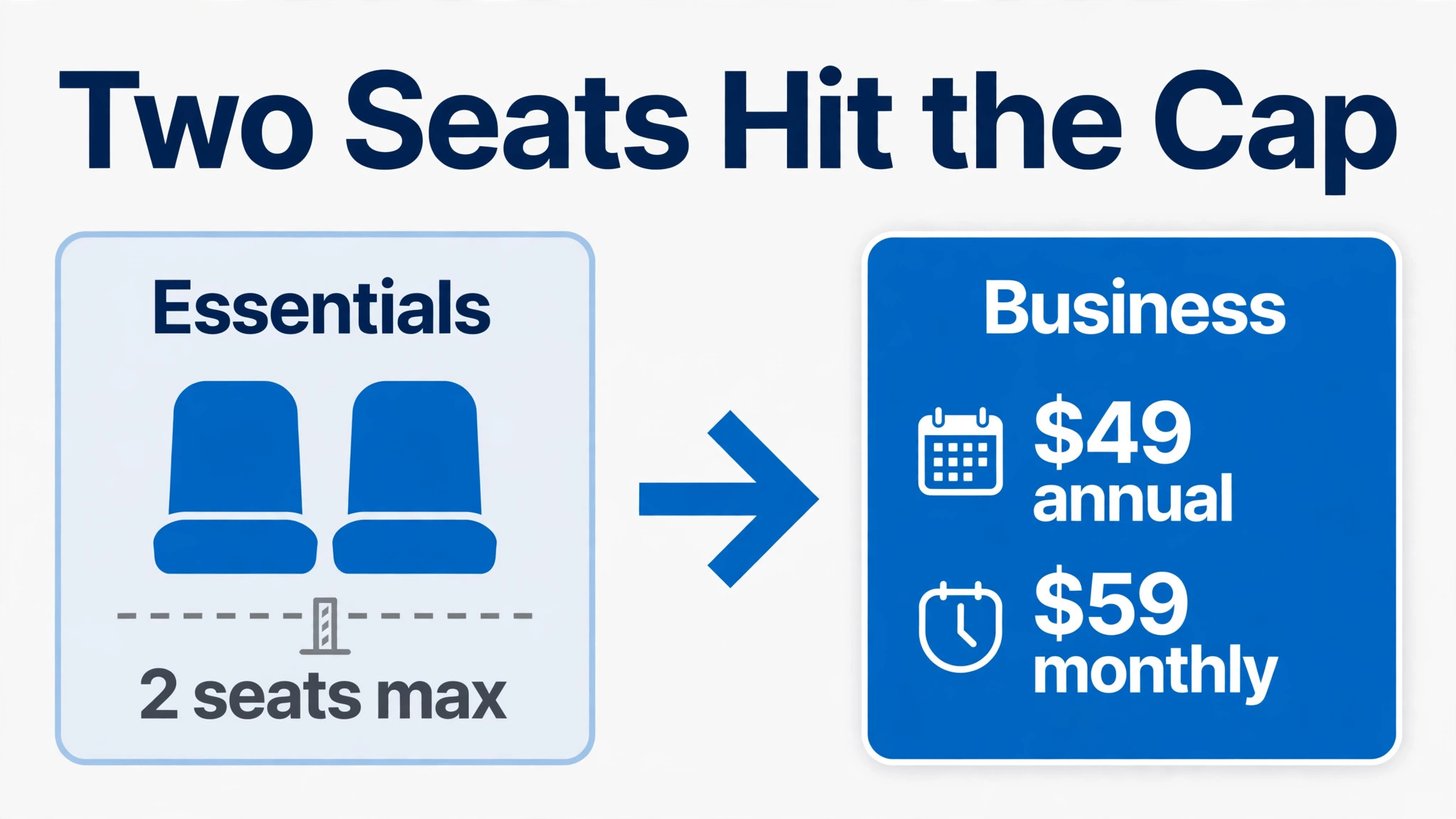
The Essentials cap deserves its own section, because it is the most common PandaDoc budgeting trap. A two person business that starts on Essentials at 38 dollars a month on annual billing feels it has found a bargain. When it hires a third person who needs to send proposals, it discovers that Essentials cannot add that seat, and the move to Business reprices every seat, not just the new one. Three Business seats cost 147 dollars a month on annual billing, against 38 dollars for two Essentials seats, which is a jump of 109 dollars a month for one additional person.
That jump is not a penalty. It reflects the feature gap between tiers, because Business adds branding, approvals, CRM integrations, and bulk send for all seats. But a team that did not plan for it will experience it as a surprise, and surprises damage trust in a tool even when the tool itself performs well. The prevention is simple. If the team expects to reach three document senders within twelve months, start on Business. If the team will stay at two senders for the foreseeable future, Essentials is safe, and the saving against Business is real.
A related trap is seat scope. Not everyone who reads a proposal needs a PandaDoc seat. Clients sign as recipients without a paid seat, and managers who only approve occasionally may be covered by an approval workflow on Business rather than by a full seat each. Count document senders, not employees, when sizing PandaDoc. A ten person business with three people who send proposals needs three Business seats at 147 dollars a month on annual billing, not ten seats at 490 dollars. That distinction alone can cut a PandaDoc bill by more than two thirds for businesses where proposals are a specialised task.
Contractors deserve the same discipline. A contractor who sends one proposal a month does not need a permanent seat. Route that proposal through a staff sender, or give the contractor a seat only for the months when volume justifies it. PandaDoc seats bill per user per month, so a seat kept for a dormant contractor is a monthly cost with no monthly output.
What the PandaDoc price buys in daily work
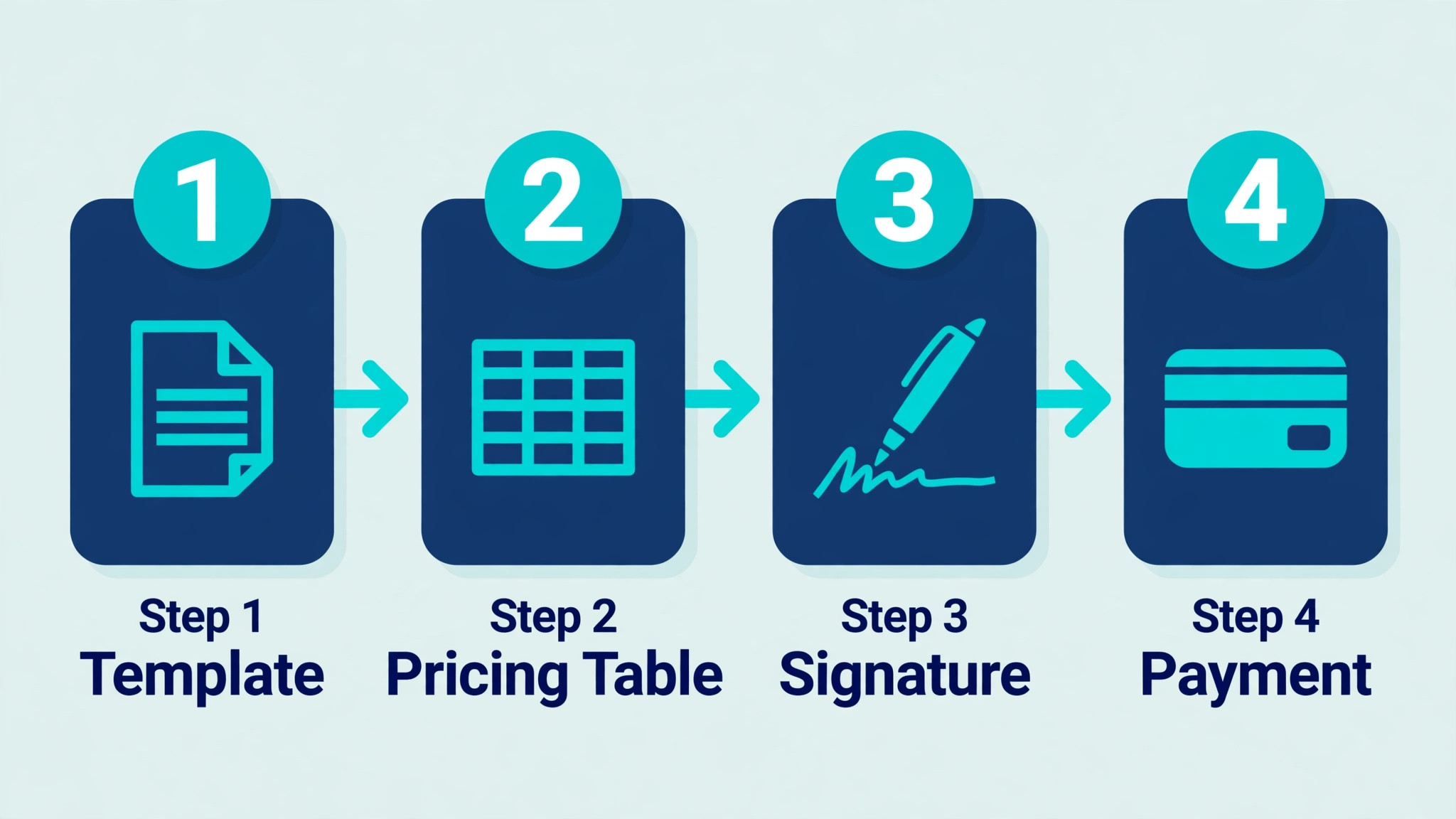
The price buys a proposal workflow that replaces PDF email chains. A team builds a proposal from a template, adds a pricing table that a client can adjust, sends it for signature, and tracks when the client opens it, how long they spend on each section, and whether they have signed. That tracking changes follow-up, because a salesperson can call a client who spent ten minutes on pricing with a different conversation than a client who never opened the document at all.
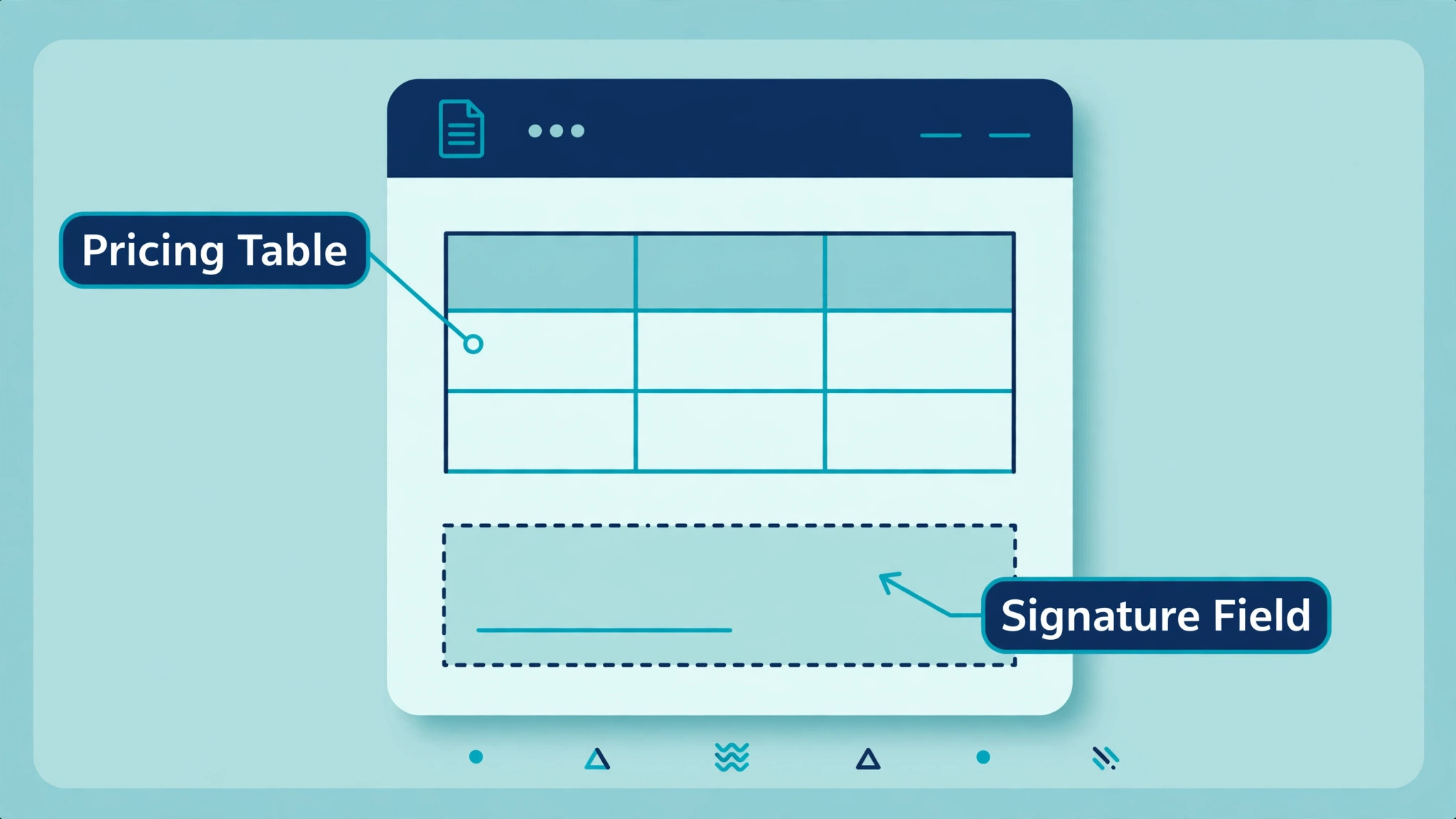
Pricing tables are the feature that most directly affects revenue. A client who can select options, adjust quantities, and see the total update in the document is more likely to complete the purchase than a client who must reply by email asking for a revised PDF. That interactivity also reduces errors, because the total in the signed document matches the total in the pricing table, rather than depending on a salesperson retyping figures into a separate invoice.
Approval workflows on Business protect a team from sending a proposal with a wrong price or an unapproved discount. A proposal can route to a manager for approval before it reaches the client, which prevents the costly error of a signed proposal at a price the business cannot honour. That control matters more as volume grows, because manual price checks do not scale with proposal count. A team that sends five proposals a month can check each one by eye, while a team that sends fifty cannot.
Document analytics complete the workflow by showing which proposals close and which stall. A team can see which templates, pricing structures, or proposal lengths correlate with signed deals, and can improve the weakest templates first. That feedback loop is the long term value of PandaDoc, beyond the time saved on any single proposal. It turns proposals from one off documents into a repeatable sales asset that improves with use.
A worked month for a five seat proposals team
Take a five person sales team where all five people send proposals, on Business with annual billing. The team pays 245 dollars a month, or 2,940 dollars for the year. The same five seats on monthly billing cost 295 dollars a month, or 3,540 dollars for the year. The billing choice alone changes the yearly bill by 600 dollars, which is more than the annual cost of one Business seat at 588 dollars is not, but it is close enough that finance should see the comparison in writing before approving either option.
Now consider the more common mixed shape. A ten person business has three people who send proposals and seven people who only read them or approve occasionally. Three Business seats cost 147 dollars a month on annual billing, or 177 dollars a month on monthly billing. Buying Business seats for all ten people would cost 490 dollars a month on annual billing, which is 343 dollars a month more for seven seats that produce no proposals. The mixed model is not a workaround. It is the correct way to buy a per user tool, and it should be the default assumption for any business where proposals are a specialised task.
That worked total is the baseline for the cost of PandaDoc for small business monthly at five Business seats. Add the realistic extras to the worked month. If the team uses PandaDoc Payments to collect payment inside the document, payment processing terms apply separately and should be confirmed at checkout, because processing fees are not included in the per user subscription figure. This guide does not quote a processing rate, because none could be verified as a current published PandaDoc rate at draft time, and inventing one would mislead the reader. Confirm the processing terms in writing before promising clients a pay inside the proposal option.
If the team also needs a CRM integration, that integration sits on Business, which is already the assumed tier in the worked example, so no extra PandaDoc fee applies for the integration itself. The CRM subscription itself is a separate cost, and a team that buys PandaDoc Business partly for CRM integration should count both subscriptions together when judging value. A 245 dollar PandaDoc bill plus an existing CRM bill is still cheaper than manual proposal work at volume, but only when proposal volume is high enough to justify both.
How PandaDoc compares with emailing PDFs
A team that emails PDF proposals can operate without any subscription, and for very low volume that approach costs nothing in software. The hidden cost is time and lost deals. A PDF proposal cannot show whether the client opened it, which section they studied, or whether they stalled on pricing. Follow-up becomes guesswork, and a salesperson who calls too early annoys a client who has not read the proposal, while a salesperson who calls too late loses a client who already chose a rival.
PandaDoc tracking removes that guesswork, and pricing tables remove the revision cycle that PDF proposals create. A client who wants a different option must ask for a revised PDF, wait for it, and then review it again, while a PandaDoc client adjusts the option inside the document and signs the updated total. That difference is small on one proposal and large across fifty, because every revision round delays a close and creates a chance for the deal to stall.
The cost of PandaDoc for small business monthly should therefore be judged against proposal volume and close speed, not against the zero software cost of PDFs. A team that sends two proposals a month will struggle to justify Business, and should test free or Essentials first. A team that sends twenty proposals a month will likely recover a Business subscription through faster closes alone, before any time saving on drafting is counted.
Mistakes that inflate the PandaDoc bill
The first mistake is buying Essentials without modelling the cost of PandaDoc for small business monthly at three seats and beyond. The tier migration reprices every seat and surprises finance, even though the feature gap justifies the higher tier. Plan seat count for the next twelve months, not for this month alone, and start on Business when three senders are likely within that window.
The second mistake is buying seats for readers and approvers. PandaDoc charges per user, so a seat for a manager who reads one proposal a month costs 49 dollars on annual billing for almost no output. Use approval workflows and shared document access where possible, and reserve paid seats for people who create and send documents regularly. That discipline alone can halve a PandaDoc bill for businesses where proposals are concentrated in a small team.
The third mistake is staying on monthly billing out of habit after the team has committed to PandaDoc. Monthly billing costs 10 dollars more per user per month on both Essentials and Business, which is 120 dollars per user per year. A five seat Business team that stays on monthly billing pays 600 dollars a year extra for the same product, which is a billing choice rather than a product cost. Switch to annual billing after a short trial proves the fit.
The fourth mistake is ignoring the free tier for simple signing needs. A business that only needs occasional signatures should start free and upgrade only when templates, tracking, or branded proposals become a weekly need. Paying for Business to sign one simple contract a month is waste, not investment, and the free tier exists precisely for that low volume pattern.
The fifth mistake is forgetting tax and payment processing terms at checkout. Published per user figures exclude tax, and payment processing fees sit outside the subscription. Record the checkout total, including tax, and the processing terms together as the budget figure, so finance approves the real cost of sending and collecting proposals, not just the seat price.
How to cut the PandaDoc bill without slowing sales
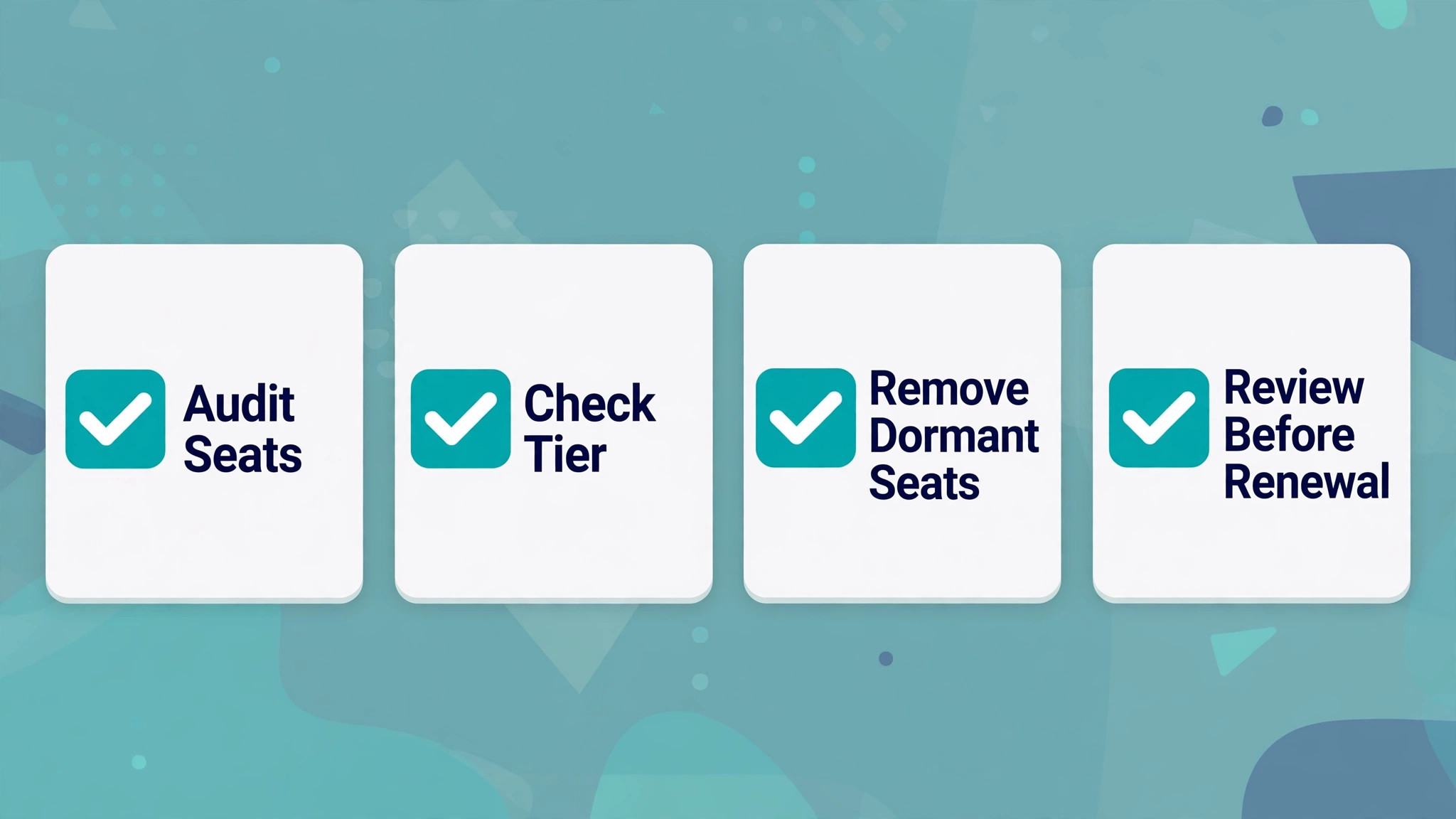
Cutting the cost of PandaDoc for small business monthly starts with seat count, because it is the largest lever after tier choice. Audit seats quarterly, remove leavers and dormant senders, and confirm that every paid seat sent a document in the past month. A team that removes two unused Business seats on annual billing saves 98 dollars a month, or 1,176 dollars a year, without any loss of proposal capacity. Seat audits should be a calendar task owned by the sales manager, because seats accumulate silently when staff change roles.
Switch to annual billing once the team has used PandaDoc for a month and is committed, and the saving is 10 dollars per user per month on both paid tiers. That saving applies to the same product on the same tier, which makes it the cleanest saving available after seat discipline. Do not switch before a trial proves the fit, because an annual commitment made to chase a discount can become the most expensive decision in the purchase.
Use templates and a content library properly rather than rebuilding proposals from scratch. A shared template set with approved pricing tables, terms, and branding reduces drafting time per proposal, which means fewer seats need to be involved in each deal. A team that templates well can handle the same proposal volume with three active seats that a poorly templated team struggles to handle with five.
Consolidate document tools before adding PandaDoc. A firm that pays for a separate e-signature tool, a separate proposal tool, and PandaDoc may duplicate features that Business already includes. List every document tool, note what each one does that PandaDoc does not, and cancel the duplicates. The saving is often larger than the PandaDoc subscription itself, and the workflow becomes simpler for sales staff who previously switched between tools.
Finally, review use before renewal. If the team sends proposals weekly, tracks opens, and can show faster close times, annual renewal is easy to justify. If use is thin, the answer may be training, a smaller seat count, or a downgrade to Essentials for a two person team, rather than a blanket renewal for the whole team. Data from real proposal volume, not habit, should drive the renewal decision.
Checks to run on the pricing page before you pay
Confirm the Essentials seat cap before choosing, because it decides the tier for any team larger than two senders. Essentials is reported at 19 dollars per user per month on annual billing or 29 dollars on monthly billing, with a maximum of two seats. Business is reported at 49 dollars per user per month on annual billing or 59 dollars on monthly billing, with no such two seat cap published. A budget built on Essentials for three or more senders will fail at signup.
Confirm both billing periods for the chosen tier, because a pricing page may default to annual billing and hide the monthly figure. Annual billing saves 10 dollars per user per month on both paid tiers, which is 120 dollars per user per year. Record the figure that matches the commitment you intend to make, and do not compare an annual PandaDoc figure against a monthly rival figure.
Confirm the Enterprise route, because Enterprise is priced by quote only and no published per user price could be verified at draft time. A team that needs single sign-on, API access, or dedicated support should request a written quote early and get the commitment term in writing. Treat any Enterprise estimate without a quote as a placeholder, not a budget.
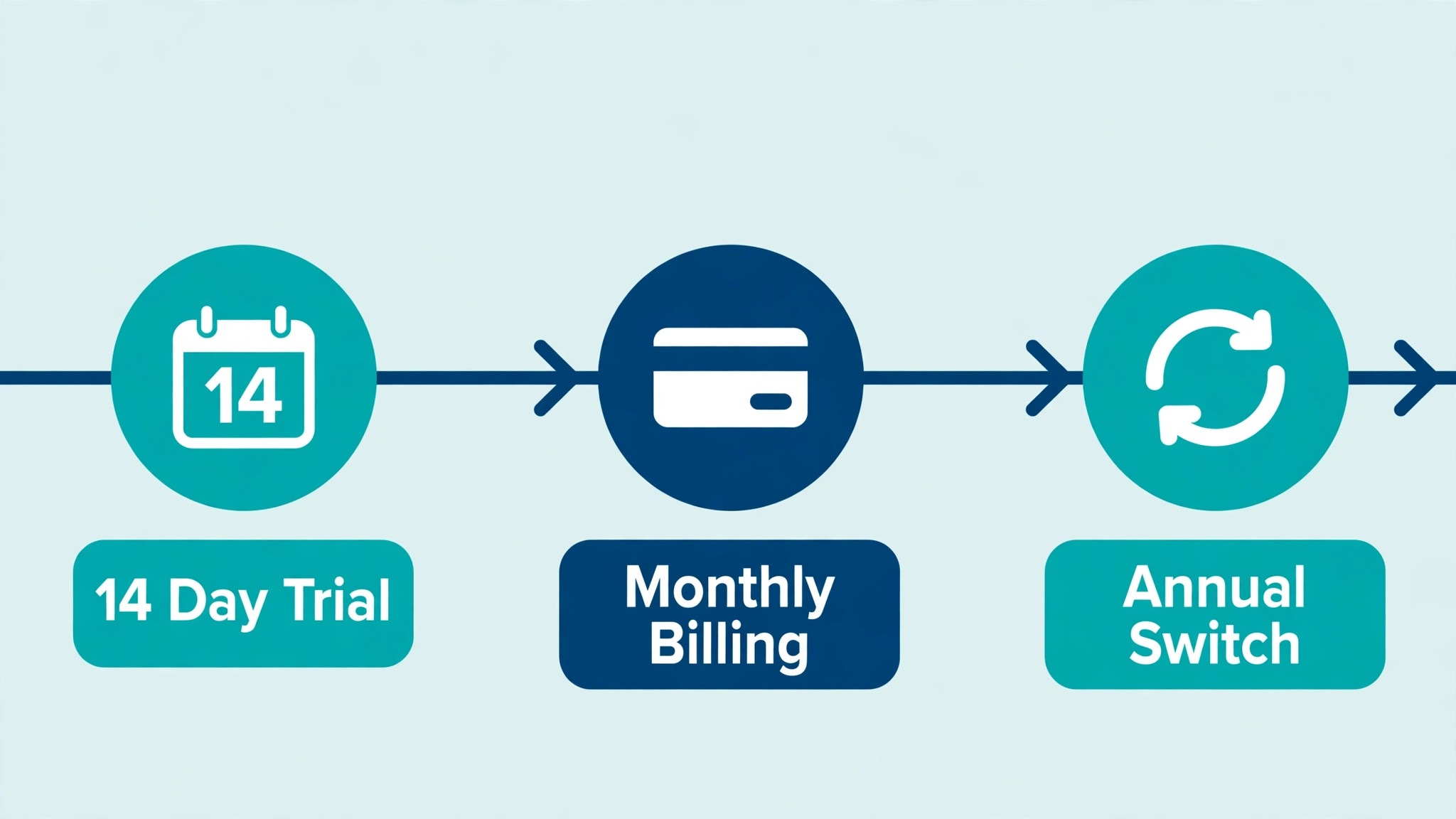
Confirm the free tier and trial terms at signup, because PandaDoc offers a free eSign tier and a 14 day free trial on paid plans according to pricing coverage. Note the trial end date and the billing period selected before entering payment details, so the trial does not become an accidental subscription. Check tax and payment processing terms at checkout as well, because the checkout total is the budget figure finance should approve.
Frequently Asked Questions
How much is PandaDoc Essentials per month?
Essentials costs 19 dollars per user per month on annual billing, or 29 dollars per user per month on monthly billing, according to pricing listings checked in October 2026. It includes templates, the document editor, pricing tables, document analytics, payments, and 24 hour email and chat support, with a maximum of two seats.
How much is PandaDoc Business per month?
Business costs 49 dollars per user per month on annual billing, or 59 dollars per user per month on monthly billing. It adds CRM and Zapier integrations, a content library, custom branding, approval workflows, forms, and bulk send to everything in Essentials. For the cost of PandaDoc for small business monthly at five seats, Business totals 245 dollars a month on annual billing.
Can a team of five use PandaDoc Essentials?
No, because Essentials caps seats at two. A five seat team must use Business, at 245 dollars a month on annual billing or 295 dollars a month on monthly billing. A team that expects to reach three document senders within a year should start on Business rather than migrating mid year.
Is there a free PandaDoc plan?
Yes, PandaDoc offers a free eSign tier at no cost per user, with unlimited document uploads and e-signatures for simple signing needs. It lacks templates, pricing tables, tracking, and branded proposals, so it suits occasional simple signing rather than regular proposal work. A 14 day free trial is also available on paid plans.
How much does PandaDoc Enterprise cost?
Enterprise pricing is quote only, and no published per user price could be verified at draft time. It adds advanced features such as single sign-on, API capabilities, and dedicated support. Request a written quote and confirm the commitment term before budgeting Enterprise.
Does PandaDoc charge for clients who sign?
Clients sign as recipients and do not need a paid seat. Paid seats are for team members who create and send documents. That distinction matters for budgeting, because a business with many clients but few senders needs far fewer seats than its client count suggests.
Is PandaDoc worth it for a two person business?
It depends on proposal volume and branding needs. A two person team that sends branded proposals weekly will likely recover an Essentials or Business subscription in faster closes and better tracking. A two person team that signs one simple contract a month may fit the free tier and should test free before paying.
Verdict
For a two person team that sends simple proposals, Essentials at 38 dollars a month on annual billing is the right answer. For any team with three or more senders, or any team that needs CRM integration, custom branding, approvals, or bulk send, Business at 49 dollars per user per month on annual billing is the right answer. The cost of PandaDoc for small business monthly should therefore be budgeted from the tier the team will need in twelve months, not from the cheapest tier it fits today.
Start with a seat count of document senders only, test the 14 day trial on real proposals, and switch to annual billing once the fit is proven. Do that, and PandaDoc becomes a predictable sales cost tied to proposals sent and deals closed. Buy Essentials for a growing team, add seats for readers, and stay on monthly billing by default, and the same tool will cost far more than expected for the same proposals.
More Reading on Stratilyze
– Cost of DocuSign for a Small Business, Monthly – Cost of Grammarly for a Small Business, Monthly – Best CRM for Independent Car Dealers (10 Tools) – Best Quote Software for Landscaping Companies (9 Tools) – Best Order Management Software for Meal Prep Businesses (13 Tools)