
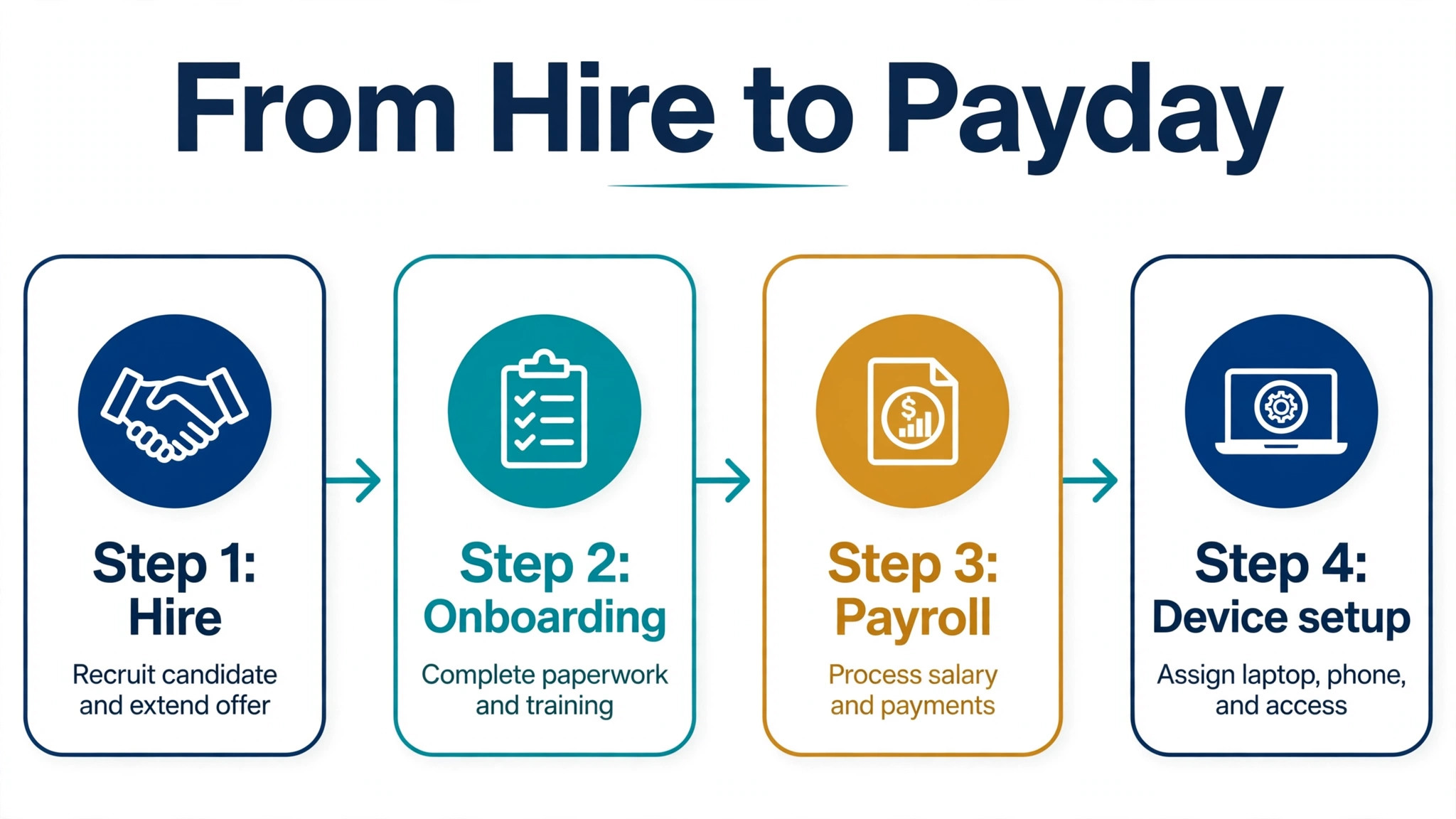
A small business that hires its tenth employee often discovers that HR has become a second job. Onboarding, payroll, benefits, time tracking, and device setup each live in a different place, and each new hire multiplies the admin. Rippling promises to join HR, payroll, IT, and finance on one platform, so a new hire is set up once and every system reads the same record. The problem is that Rippling does not publish a simple price list, so a business cannot tell whether that promise costs 80 dollars a month or 800 dollars a month. That is why the cost of Rippling for small business monthly deserves a module by module build before any quote is approved.
That opacity is the central fact about Rippling pricing. There is no plan grid with three tiers and a checkout button. Instead, Rippling sells a required core platform and lets buyers add products on top, with most products billed per employee per month and some carrying a monthly base fee. The cost of Rippling for small business monthly therefore cannot be quoted as a single number. It must be built as a starting floor, plus modules, plus any module base fees, and the only firm figure comes from a written sales quote for the exact headcount and module set.
This guide separates what Rippling itself publishes from what third parties report, so a reader can tell a published starting rate from a buyer reported range. Published starting rates are the floor, not the working budget. Buyer reported ranges show what fuller setups tend to cost, but they are not Rippling list prices and should never be presented as such. A business that budgets from the floor alone will be surprised, while a business that budgets from a reported range without a quote will still be guessing. The safe path is to use the floor and the range to frame the quote request, then budget from the quote itself.
How the cost of Rippling for small business monthly is built
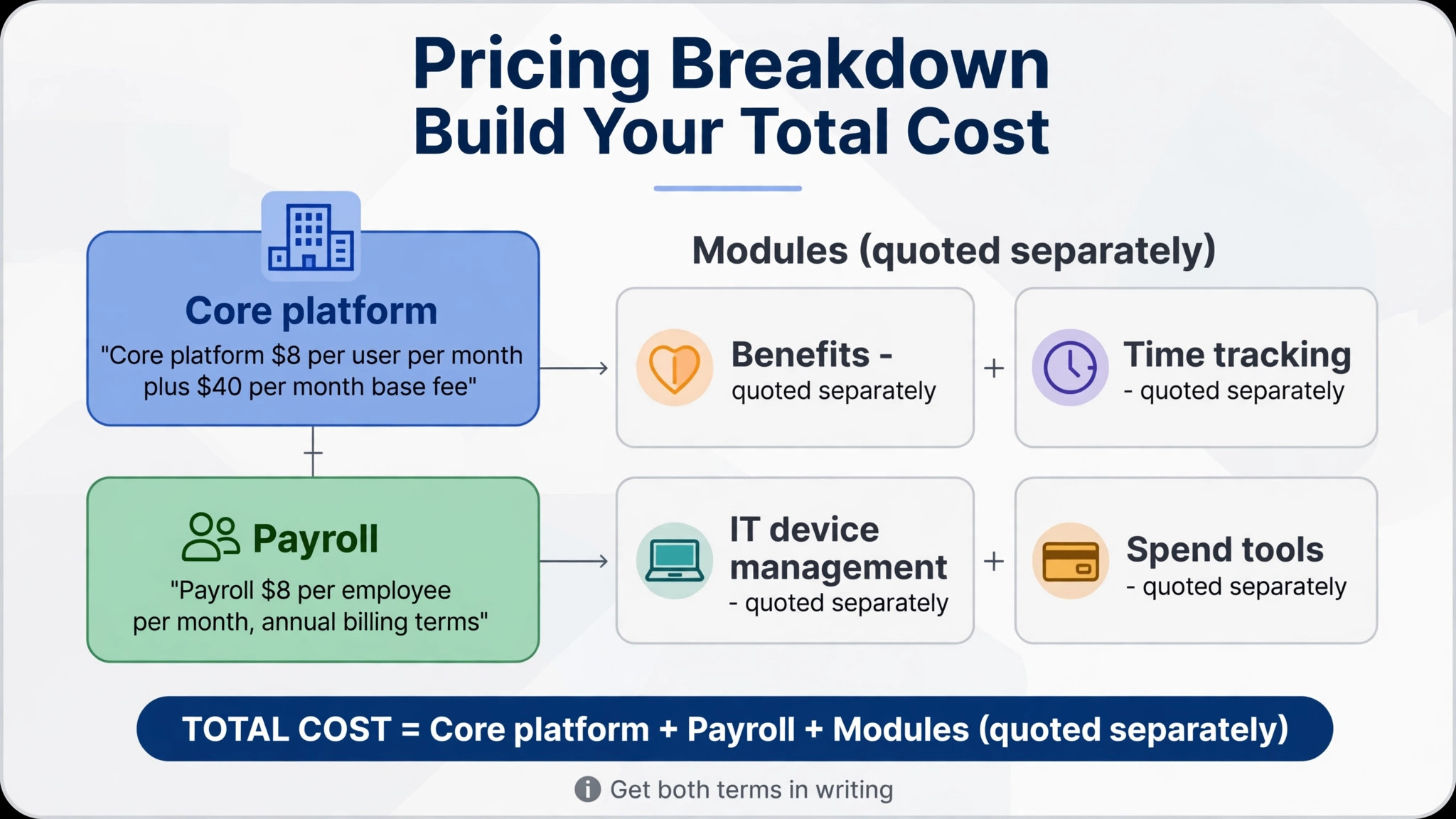
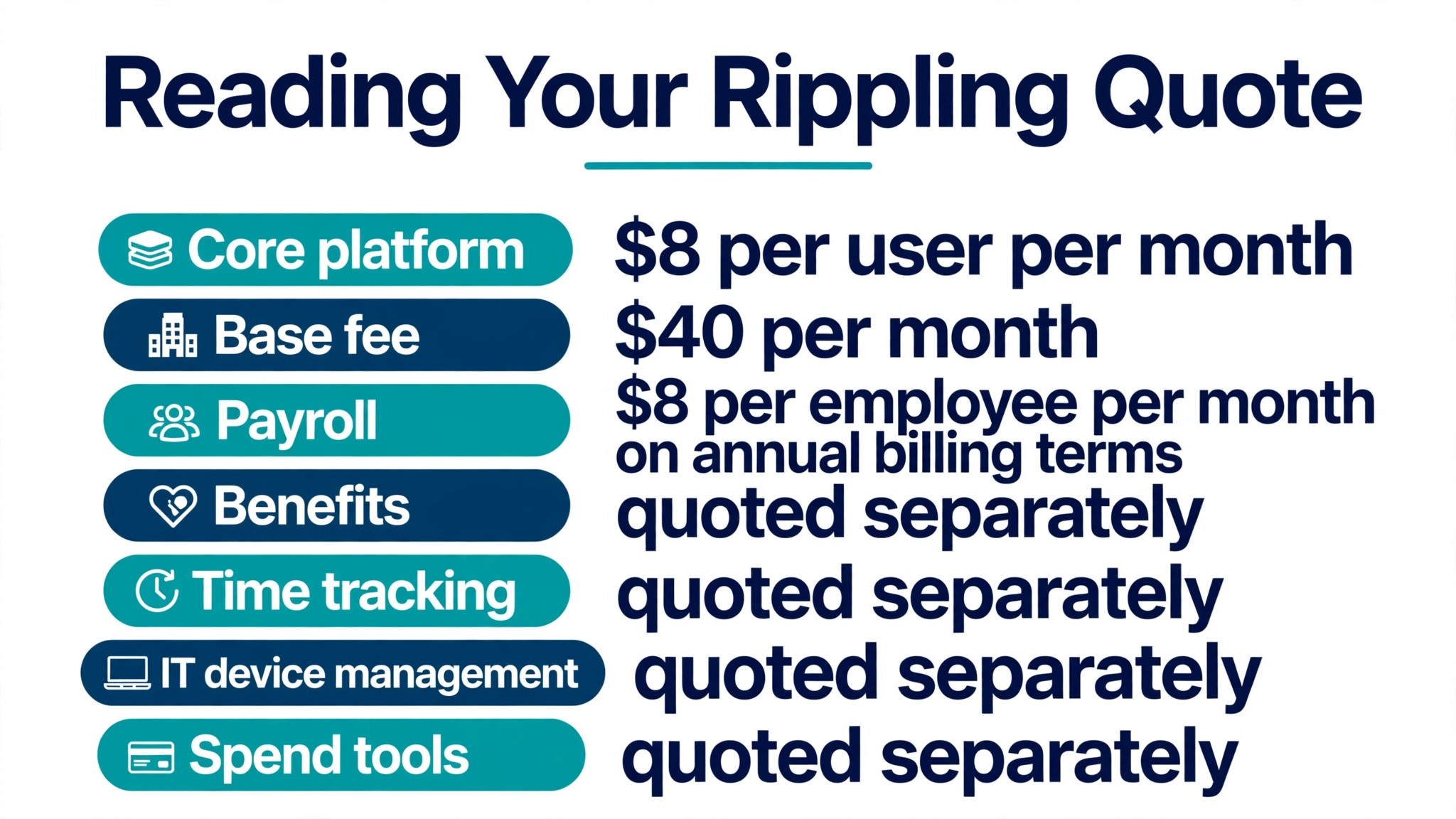
Rippling pricing starts with a core platform that every buyer must purchase, according to Rippling pricing guidance. Each HR, finance, and IT product can then be purchased separately alongside that core platform. Most products are billed on a simple per employee per month basis, while some may be charged at, or include, a monthly base fee. That modular shape is the reason two businesses with the same headcount can pay very different amounts. One buys the core plus payroll, while the other buys the core plus payroll, benefits, time tracking, IT device management, and spend tools.
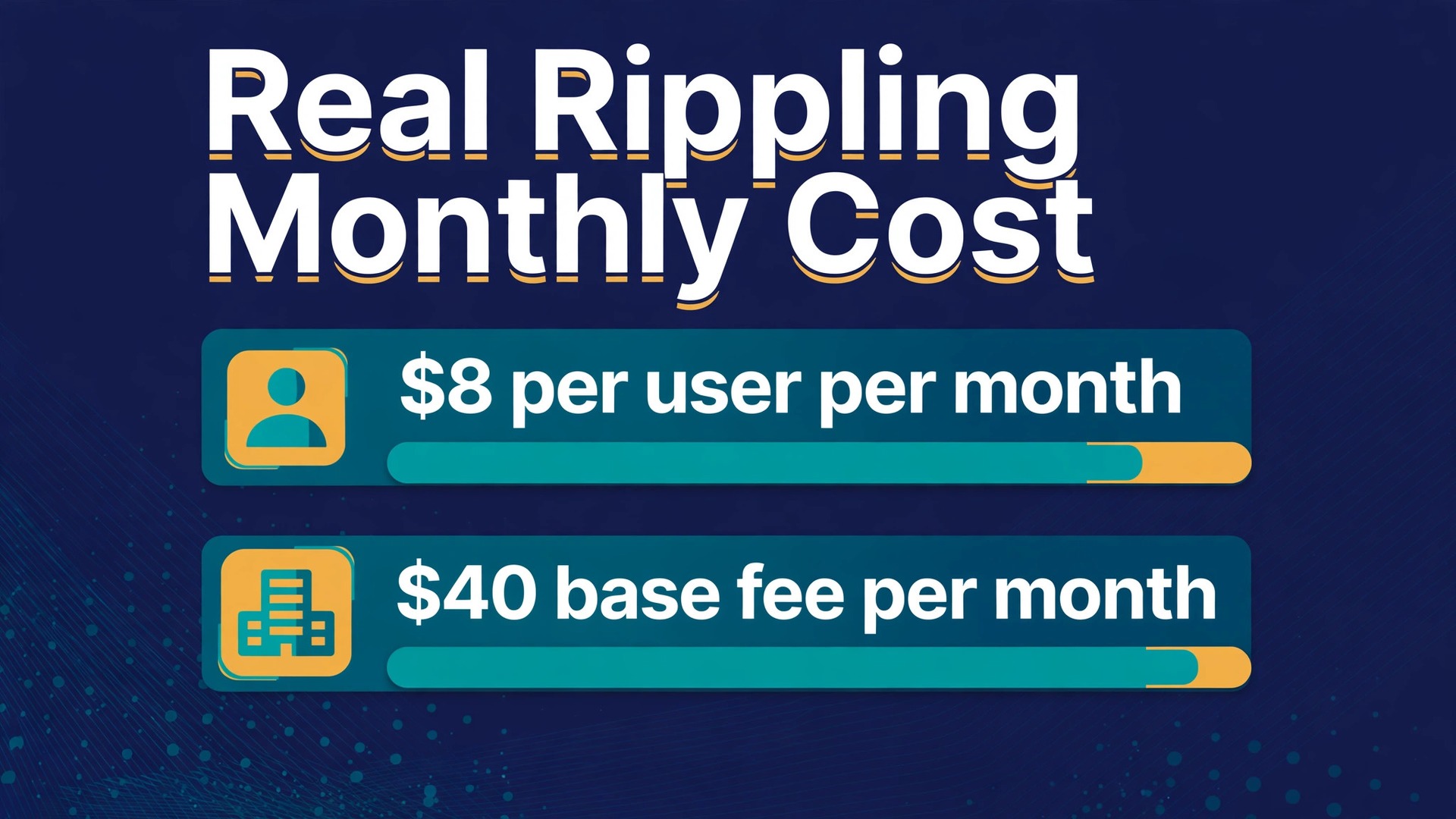
The published starting point, from Rippling small business pages as reported in pricing coverage checked in September and October 2026, is 8 dollars per user per month plus a 40 dollar per month base fee. A separate Rippling review source lists the same 8 dollar rate with a 35 dollar base fee, so the base fee itself varies by source. This guide uses the 40 dollar figure from the small business page as the working floor and flags the 35 dollar figure as a discrepancy to confirm in the quote, rather than picking one silently.
Payroll is also described in Rippling guidance as starting from 8 dollars per employee per month when billed annually. That figure is sometimes quoted as the Rippling price on its own, which misleads buyers who need a working HR and payroll setup rather than payroll alone. The core platform fee and the payroll fee are separate parts of the same bill, and a buyer who budgets only one of them will understate the total by roughly half. Always ask the quote to separate the platform fee, each module fee, and any module base fees, so each part can be checked.
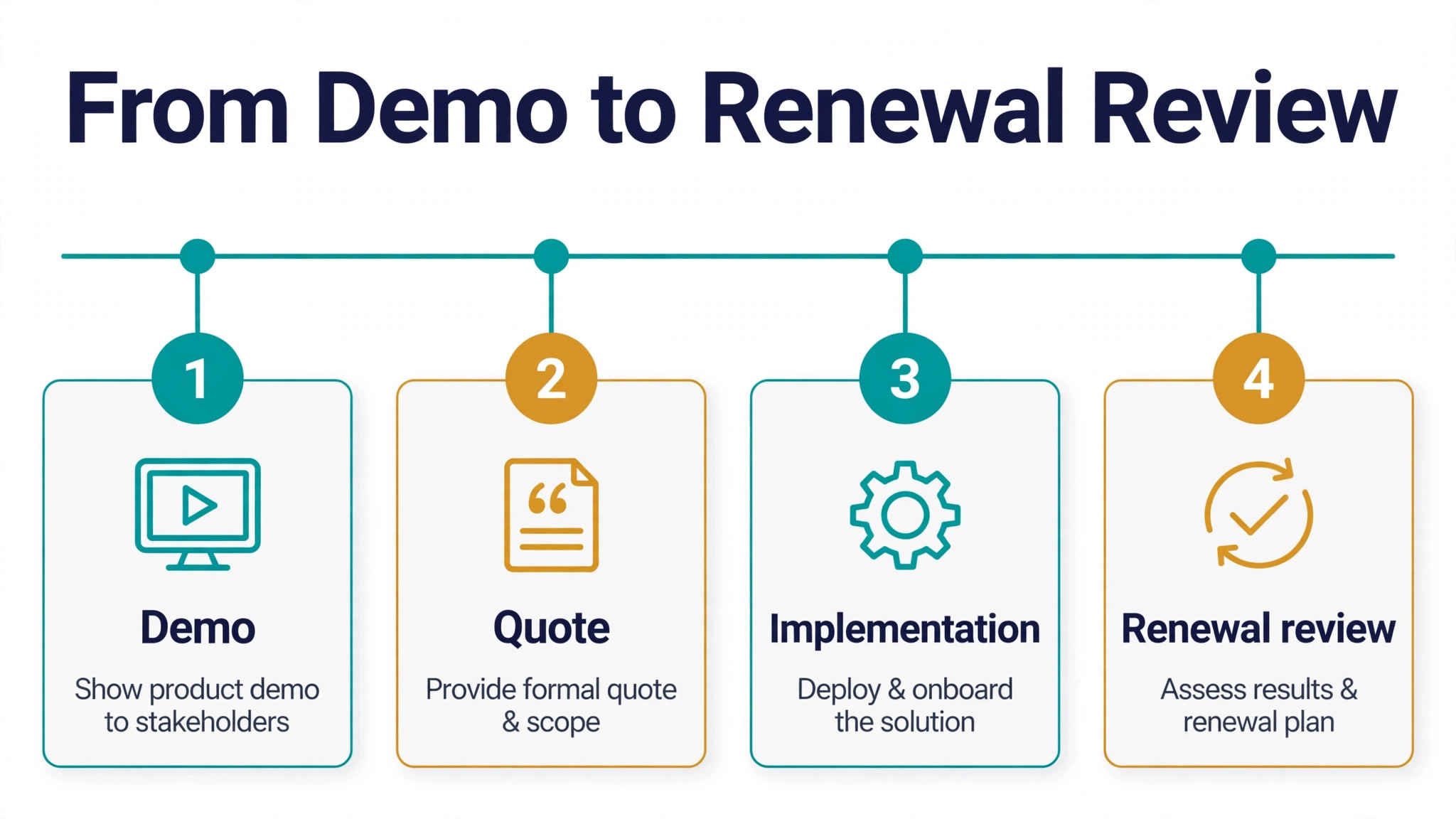
No free trial is published for Rippling in the coverage reviewed. Buyers evaluate through a sales demo and a guided implementation, with guided implementation through the first payroll run reported as free for small businesses. That demo led path means a buyer cannot test Rippling on real payroll without a sales conversation, which is a further reason to frame the quote request carefully before committing time to evaluation.
Real monthly totals by team size
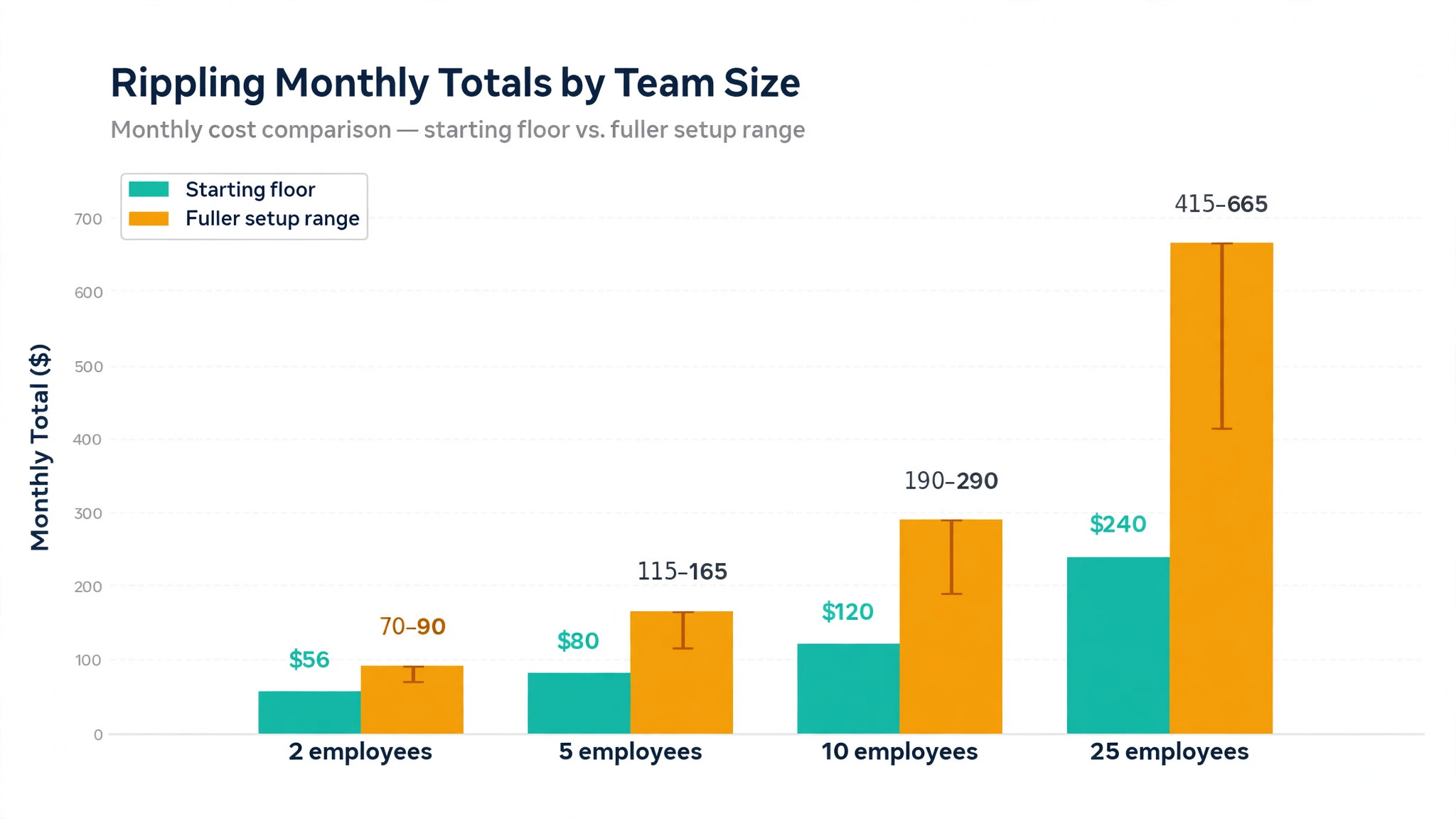
The table below builds team totals from the published starting floor, then shows a fuller setup range drawn from buyer reported figures. The starting floor column is arithmetic from published starting rates, at 40 dollars base plus 8 dollars per employee. The fuller setup column uses a buyer reported range of 15 dollars to 25 dollars per employee per month for HRIS plus payroll plus benefits plus time tracking, plus the 40 dollar base fee, and it is labelled as reported, not published. The cost of Rippling for small business monthly for a real team will sit between those columns or above them, depending on modules, and only a quote can fix it.
| Employees | Published starting floor monthly | Fuller setup reported range monthly | What the floor leaves out |
|---|---|---|---|
| 2 | 56 dollars | 70 dollars to 90 dollars | Benefits, time tracking, IT, and spend tools |
| 5 | 80 dollars | 115 dollars to 165 dollars | Benefits, time tracking, IT, and spend tools |
| 10 | 120 dollars | 190 dollars to 290 dollars | IT device management, global payroll, and spend tools |
| 25 | 240 dollars | 415 dollars to 665 dollars | IT device management, global payroll, and spend tools |
A two employee business on the starting floor pays 40 dollars base plus 16 dollars for two employees, which totals 56 dollars a month. That floor covers the core platform plus payroll at starting rates, on the arithmetic in this guide, and it leaves benefits administration, time and attendance, IT device management, and spend management to be quoted separately. A two employee business that needs benefits help will therefore pay more than 56 dollars, and the fuller setup range of 70 dollars to 90 dollars is a more honest planning figure for that shape.
A five employee business on the starting floor pays 80 dollars a month, while the fuller setup range runs from 115 dollars to 165 dollars. The 35 dollar to 85 dollar gap between floor and range is the cost of the modules most small businesses actually need, which is why budgeting from the floor alone fails. A ten employee business on the floor pays 120 dollars a month, against a fuller range of 190 dollars to 290 dollars, and a 25 employee business on the floor pays 240 dollars a month, against a fuller range of 415 dollars to 665 dollars.
Fuller setups beyond that range are also reported. Buyer reported coverage describes full stack setups with IT, global payroll, and spend management at 30 dollars to 50 dollars or more per employee per month, and PEO services at 70 dollars to 120 dollars per employee per month. Those figures are not Rippling list prices, and they vary with country coverage, benefits complexity, and device counts. A business that needs global payroll or PEO services should request a separate quote line for each, because those services can exceed the core HR and payroll bill on their own.
Annual versus monthly billing cannot be stated as a simple discount for Rippling, because no published monthly versus annual price split could be verified at draft time. One guide describes the payroll starting rate as billed annually, which suggests annual commitment shapes the starting figure, but the core platform annual terms are not published as a clear monthly alternative. A buyer should ask sales for both monthly and annual terms in writing, including what happens to per employee rates and base fees if headcount rises or falls mid term, rather than assuming a standard annual saving.
Modules that decide the real bill
Benefits administration is usually the first module beyond payroll that lifts the cost of Rippling for small business monthly that a small business needs, and it is also one of the hardest to price in advance. Benefits costs depend on the plans chosen, the carriers involved, and the enrolment complexity, so a per employee module rate without a benefits discussion is only a partial figure. A business that offers health coverage, retirement plans, or multiple benefit types should ask for a benefits module line in the quote that separates Rippling fees from the benefit premiums themselves, because confusing the two will distort the budget badly.
Time and attendance is the next common module, and it matters most for businesses with hourly staff, shifts, or overtime rules. Rippling time tracking connects hours to payroll, which reduces manual entry and overtime errors, but it also adds a per employee fee that must be counted. A business with salaried staff and no overtime complexity may defer time tracking, while a business with hourly teams across locations will likely need it from day one. That distinction should be settled before the quote, not after it.
IT device management is the module that most surprises small businesses, because it is easy to underestimate. Rippling IT can provision devices, manage apps, and handle access for new hires, which saves real time when hiring is frequent. But device management fees interact with device counts, app licences, and security requirements, so a business with many devices or strict access rules will pay more than a business with a few laptops. Count devices and apps before the quote, and ask for the IT line to be priced on that count.
Spend management, expense tools, and corporate cards sit further up the module ladder, and they suit businesses that want finance and HR on one record. A small business that already uses a separate expense tool should compare the Rippling spend module against that existing cost, rather than adding it by default. The same logic applies to global payroll and employer of record services, which are priced separately and can dominate the bill for businesses hiring across borders. Add modules by need, one at a time, with a named task each module removes.
A worked month for a ten employee business
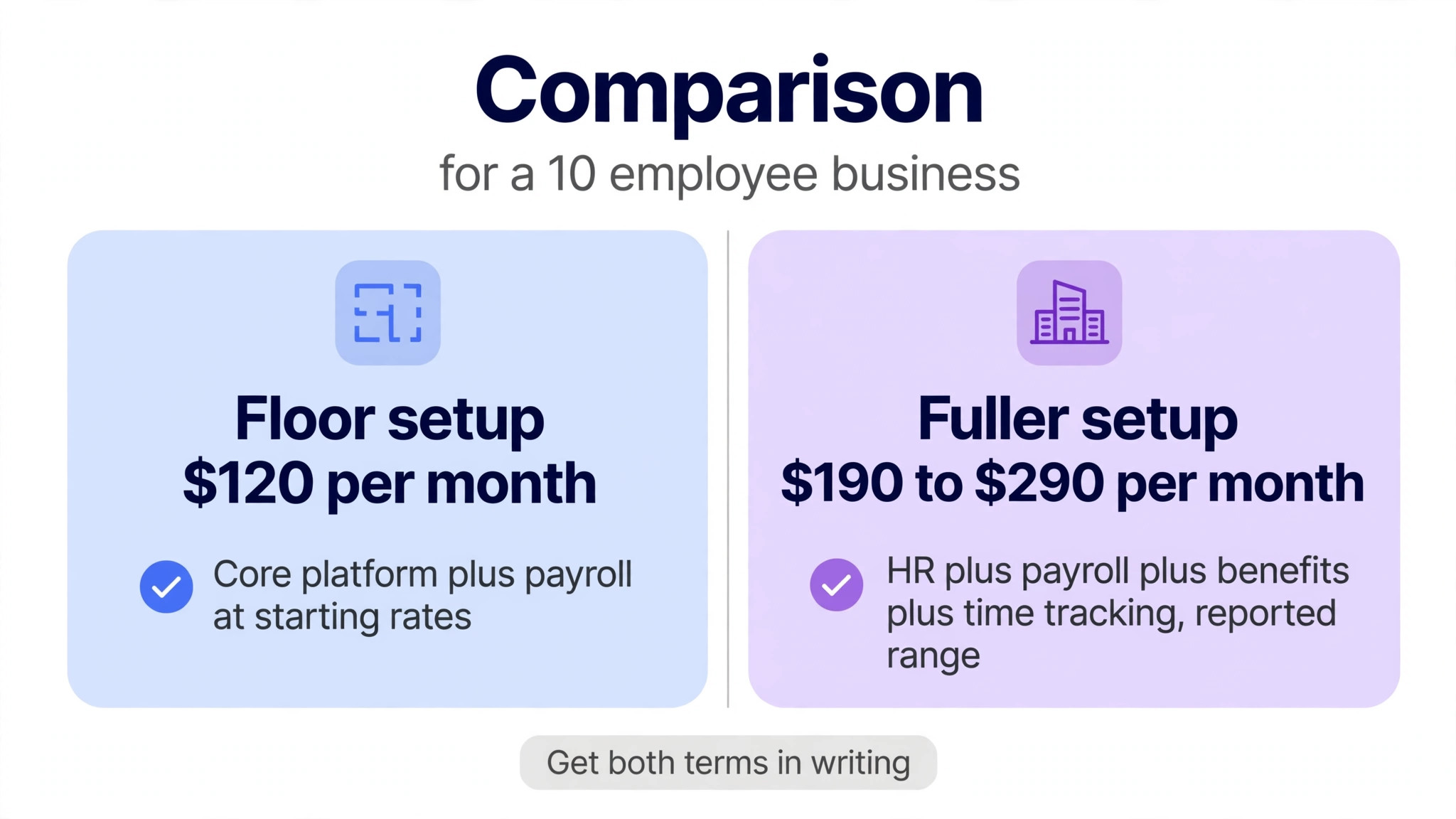
Take a ten employee business that buys the core platform plus payroll at starting rates, as a worked example for the cost of Rippling for small business monthly. The floor bill is 40 dollars base plus 80 dollars for ten employees, which totals 120 dollars a month. That figure is the cheapest honest Rippling month for ten employees on published starting rates, and it should be treated as a floor, not as a budget. No benefits, time tracking, or IT module is included in that floor, so a business that needs those modules will pay more from the first invoice.
Now apply the fuller setup range. At 15 dollars per employee, ten employees cost 150 dollars plus the 40 dollar base, which totals 190 dollars a month. At 25 dollars per employee, ten employees cost 250 dollars plus the 40 dollar base, which totals 290 dollars a month. A finance owner should therefore approve a planning range of 190 dollars to 290 dollars a month for a ten employee HR plus payroll plus benefits plus time setup, and then replace that range with the written quote figure once sales responds. Approving the 120 dollar floor as the budget would understate the fuller setup by 70 dollars to 170 dollars a month.
Add one realistic extension. If the same ten employee business adds IT device management, the bill rises by a quoted per employee amount that this guide does not estimate, because no current published IT module rate could be verified at draft time. That refusal to estimate is deliberate. Inventing an IT module rate would give the worked month a false precision, while the honest statement is that IT is quoted separately and must be added to the 190 dollar to 290 dollar range once quoted. A worked month that hides its largest unknown is worse than a worked month that names it.
For a 25 employee business, the same logic gives a floor of 240 dollars a month and a fuller range of 415 dollars to 665 dollars a month, before IT, global payroll, or spend tools. At that size, the quote conversation should include volume terms, implementation scope, and support terms, because a 25 employee rollout touches onboarding, payroll history, benefits enrolment, and device setup all at once. A small business that treats a 25 employee Rippling purchase as a simple subscription will underestimate the implementation effort even when the monthly fee looks manageable.
When Rippling earns its price, and when it does not
Rippling earns its price when HR admin already consumes real management time and when hiring is frequent enough that onboarding, payroll, benefits, and device setup repeat every month. A business hiring two people a month will feel the value of a single employee record immediately, because every manual handoff between HR, payroll, and IT is a chance for error and delay. A business with stable headcount, simple payroll, and no IT complexity will feel less value, because the problems Rippling solves occur rarely.
It also earns its price when the business operates across locations or with a mix of employees and contractors. One system for onboarding, time, payroll, and access reduces the reconciliation work that grows with each location and each worker type. A single location business with ten salaried employees and one payroll run a month may achieve the same result with a simpler payroll tool at a lower published price, and should compare Rippling against that simpler alternative honestly.
Rippling does not earn its price when the business only needs payroll and nothing else. A payroll only business that buys a full HR, IT, and finance platform will pay for modules it never opens, and the modular price will still exceed a focused payroll subscription. In that pattern, the right answer is a payroll tool, not a platform, and Rippling should be revisited only when HR, benefits, or IT needs grow enough to justify the platform fee.
It is also a weak fit when the business needs a firm price before a sales conversation and cannot wait for a quote cycle. Rippling pricing requires that conversation, and a business with an urgent payroll deadline may need a tool with published tiers and self serve checkout instead. That is not a criticism of the platform. It is a practical constraint on buying it, and it should be weighed alongside features when time is short.
How to read a Rippling quote without missing a fee
A Rippling quote should be read line by line, because the modular model hides costs in lines that look minor. Start with the platform base fee and confirm whether it is 40 dollars a month, 35 dollars a month, or a different figure for the quoted plan, since sources differ. Then confirm the per employee rate for the core platform itself, and check whether payroll is included in that rate or charged as a separate per employee module. Those two checks alone prevent the most common misreading, which is counting the platform rate as the full price.
Next, list every module in the quote with its per employee rate and any module base fee. Benefits, time and attendance, IT device management, spend tools, global payroll, and PEO services should each appear as a separate line, with the headcount each line applies to. A module priced for employees only, while contractors are priced separately, can change the total if the business has many contractors. Confirm the worker types covered by each line before approving.
Then check the term and the headcount rules. Ask whether per employee rates change when headcount rises or falls, whether a minimum headcount or minimum fee applies, and whether annual commitment locks the module set or only the platform. A quote that looks cheap at current headcount can become expensive after a hiring wave if rates step up, or wasteful after a contraction if minimums bind. Those rules matter more than a small difference in the starting rate.
Finally, check implementation, support, and renewal terms. Guided implementation through the first payroll run is reported as free for small businesses, but enterprise implementations carry fixed pricing that is not published, so confirm which category the quote falls into. Confirm support hours and channels, because payroll support timing matters on pay day. Confirm renewal terms and notice periods, so the first renewal does not arrive as a surprise. A quote that answers all of those questions is a budget. A quote that answers only the monthly total is a starting point.
How to keep the Rippling bill under control
Keep the module set tight at signup to control the cost of Rippling for small business monthly, because modules are the main lever after headcount. Buy the core platform plus payroll first, add benefits and time tracking only when those needs are concrete, and defer IT and spend tools until hiring volume or finance complexity justifies them. Each deferred module is a monthly saving for every month it stays deferred, and it can be added later when the need is proven. That staged approach also makes implementation simpler, because the team learns one module at a time.
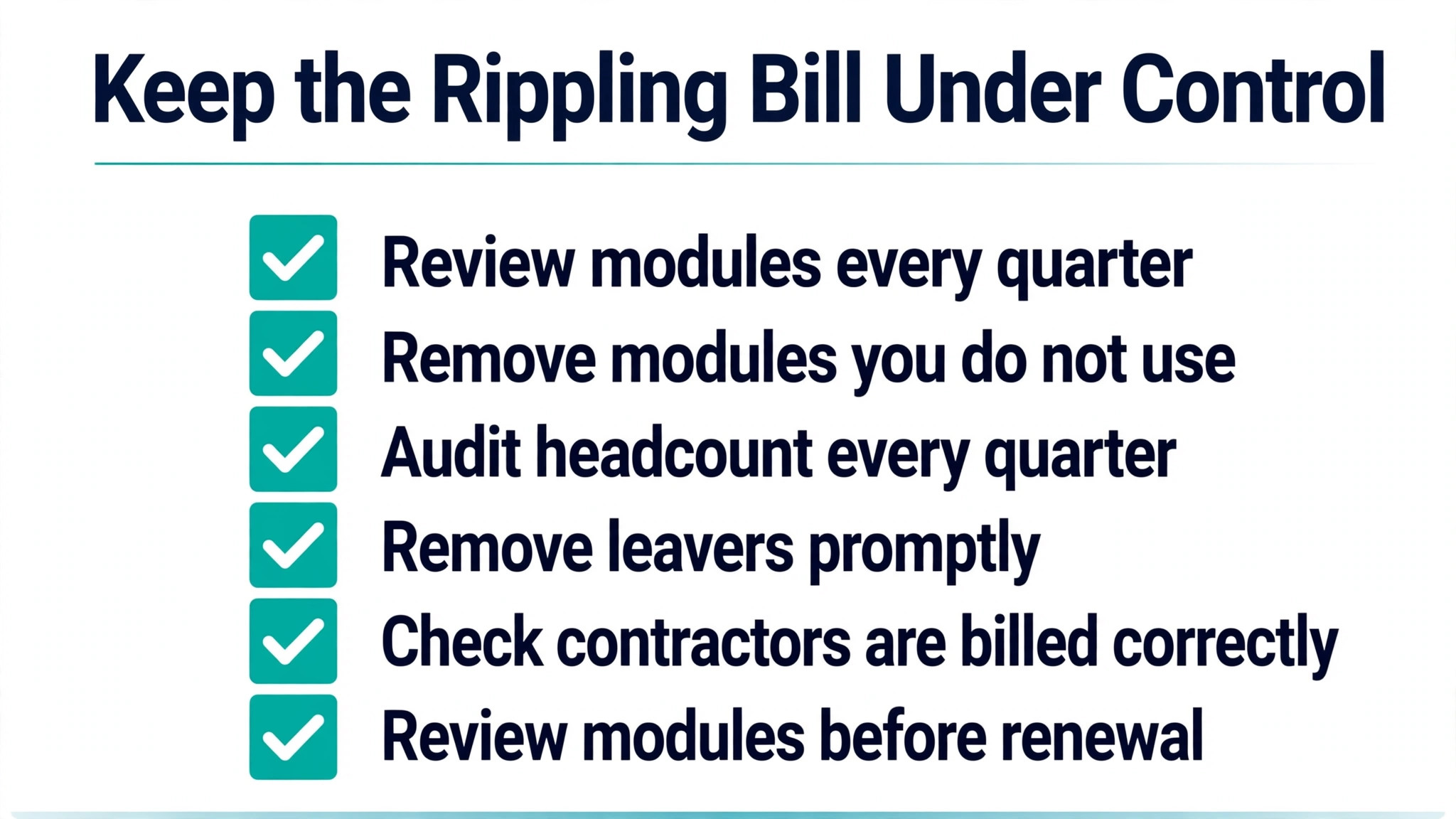
Audit headcount and worker types quarterly, because Rippling bills per employee per month and headcount drives the total directly. Remove leavers promptly, confirm that contractors are billed on the correct terms, and check that part time or seasonal workers are counted as the quote intended. A business that grows from ten to fifteen employees will see its Rippling bill rise by roughly half on per employee modules, which is expected, but a business that keeps billing for five departed employees is paying for ghosts.
Negotiate the quote as a bundle, not as isolated lines. A sales quote that separates platform, payroll, benefits, and time fees gives the buyer room to ask which lines can move, which module base fees can be waived, and what volume terms apply at the next headcount band. Get the final quote in writing with every line, rate, base fee, term, and headcount rule stated, because a verbal monthly total cannot be budgeted or audited later.
Review the module set before renewal, with usage evidence for each module. If benefits enrolment runs smoothly and time tracking saves payroll hours, those modules earn renewal. If IT device management sits unused because the team manages devices elsewhere, that module should be removed or renegotiated. Renewal is the moment when a modular bill either stays disciplined or drifts upward, and the review should be owned by one person with access to both usage data and the quote.
Checks to run before signing a Rippling quote
Confirm the published starting point for the cost of Rippling for small business monthly in the quote itself, at 8 dollars per user per month plus a base fee, and resolve the base fee discrepancy between the 40 dollar small business figure and the 35 dollar review figure. Do not budget from either figure until the quote states the base fee for the quoted plan. Confirm whether payroll is included in the platform rate or charged separately at 8 dollars per employee per month on annual billing terms, as described in Rippling guidance.
Confirm monthly versus annual terms in writing, because no published monthly versus annual split could be verified at draft time. Ask sales to state both options, including per employee rates, base fees, and headcount rules under each term. Do not assume an annual discount exists, and do not assume monthly billing is available on the same rates, until the quote says so. That check prevents the common error of budgeting an annual saving that was never offered.
Confirm every module the business needs, with a separate line for benefits, time and attendance, IT device management, spend tools, global payroll, and PEO services where relevant. Treat any module without a quoted rate as unbudgeted, not as included, and do not approve a total that bundles unlisted modules into a single figure. Confirm implementation scope, support terms, and renewal notice periods as well, because those terms decide the true first year cost beyond the monthly fee.
Confirm tax treatment at checkout, because published starting rates exclude tax in most coverage, and the invoiced total will be higher where tax applies. Record the quote total, including tax treatment and every module line, as the budget figure, so finance approves the real Rippling cost rather than the advertised starting floor. A business that approves the floor and then receives a fuller invoice will treat Rippling as a surprise cost, even when the platform itself performs well.
Frequently Asked Questions
How much does Rippling cost per employee?
Rippling advertises a starting price of 8 dollars per user per month plus a 40 dollar per month base fee for the core platform, according to small business pages as reported in pricing coverage. Payroll is described separately as starting from 8 dollars per employee per month on annual billing terms. Most products are billed per employee per month, with modules quoted separately, so the full per employee cost depends on the module set.
What is the cost of Rippling for small business monthly at ten employees?
For the cost of Rippling for small business monthly at ten employees, the published starting floor is 120 dollars a month, from a 40 dollar base plus 80 dollars for ten employees. A fuller setup with HR, payroll, benefits, and time tracking is reported in a range of 190 dollars to 290 dollars a month. Only a written quote for the exact module set can fix the real figure.
Does Rippling publish a full price list?
No full plan grid with published tier prices could be verified at draft time. Rippling sells a required core platform plus separately quoted modules, and most pricing requires a sales quote. That is why this guide separates published starting rates from buyer reported ranges, and why a written quote is essential before budgeting.
Is there a monthly billing option for Rippling?
No published monthly versus annual split could be verified at draft time. One guide describes the payroll starting rate as billed annually, but core platform annual terms are not published as a clear monthly alternative. Ask sales for both monthly and annual terms in writing, including headcount rules under each term, before assuming either option.
Does Rippling offer a free trial?
No free trial was published in the coverage reviewed. Buyers evaluate through a sales demo, with guided implementation through the first payroll run reported as free for small businesses. A business that needs to test payroll on real data should confirm the evaluation path with sales before committing time.
What modules increase the Rippling bill most?
Benefits administration, time and attendance, IT device management, spend tools, global payroll, and PEO services each add quoted fees on top of the core platform and payroll. Buyer reported coverage describes full stack setups at 30 dollars to 50 dollars or more per employee per month, and PEO services at 70 dollars to 120 dollars per employee per month. Each module should be quoted separately.
Is Rippling worth it for a very small team?
It depends on admin volume. A two employee business with simple payroll may find the starting floor of 56 dollars a month reasonable, but a fuller setup range of 70 dollars to 90 dollars should be the planning figure if benefits or time tracking are needed. A business that only needs payroll should compare Rippling against a focused payroll tool before choosing a full platform.
Verdict
For a small business that hires regularly and needs HR, payroll, benefits, and IT on one record, Rippling is worth a quote, with a planning budget set from the fuller setup range rather than the starting floor. A ten employee business should plan 190 dollars to 290 dollars a month for HR plus payroll plus benefits plus time, and then replace that range with the written quote. The cost of Rippling for small business monthly only becomes a real budget figure when that quote lists every module, base fee, term, and headcount rule in writing.
Do not approve the 8 dollar starting rate as the budget, do not assume an annual discount, and do not add modules at signup that the team has not yet needed. Quote carefully, stage modules by proven need, audit headcount quarterly, and review the module set before renewal. Do that, and Rippling becomes a predictable platform cost tied to real admin work. Skip those steps, and the same platform will cost far more than the advertised starting point for the same headcount.
More Reading on Stratilyze
– Best CRM for Independent Car Dealers (10 Tools) – Best Booking Software for Nail Salons (11 Tools) – Best Inventory Software for Plant Nurseries (15 Tools) – Cost of Zapier for a Small Business, Monthly – Cost of DocuSign for a Small Business, Monthly