
A mobile groomer can lose an hour before the first bath starts. One client sits north of town, the next sits south, and a third booked a full groom in a slot that only fits a bath and tidy. By midday the van is low on water, the groomer is behind, and the last dog of the day waits in a driveway while the light fades. If you want to use AI for mobile pet grooming route scheduling, the goal is simple. Put the right dogs in the right order, in the right part of town, with enough time to do each groom well.
The problem is rarely grooming skill. Most mobile groomers know coats, temperaments, and handling. The problem is geography plus time. Dogs are scattered across suburbs, appointment lengths vary wildly by breed and coat condition, and setup takes real minutes at every stop. Water tanks need refilling, power leads need running, and a nervous dog needs a slow start. A route built on hope treats all of that as zero. A route built with care treats it as the job itself.
Why a Mobile Grooming Day Falls Apart on the Road
Distance is the first leak. A van that crosses town three times burns fuel, wears the groomer out, and eats slots that could have held paying grooms. The fix is not driving faster. The fix is grouping stops by zone and day. North side on Monday and Thursday, east side on Tuesday, and so on, with exceptions only for clients who pay a premium or need urgent care. When zones are clear, clients understand the system, and the groomer stops apologising for a map that makes no sense.
Duration is the second leak. A short coated beagle bath and a full groom on a large, thick coated doodle are not the same job, yet many booking pages give them the same slot. Add matting, a puppy first groom, an elderly dog that needs breaks, or a dog that hates the dryer, and the gap grows. Good scheduling starts with honest duration data. Track how long each dog actually takes, not how long the booking page guessed, and let those real numbers drive the route.
Setup and teardown form the third leak. Parking, levelling the van, connecting power or running the generator, filling water, laying out tools, and greeting the dog all take minutes. At a house with a long driveway or no nearby power point, they take more. A route that ignores setup will look full on paper and run late in practice. Build setup into every stop, and build a longer setup allowance into the first stop of the day, when the van is being readied from cold.
The fourth leak is the empty gap. A cancellation at 10 a.m. leaves a hole that is too short for a full groom and too long to waste. Without a plan, the groomer sits in a car park scrolling a phone. With a plan, that gap becomes a bath only client nearby, a nail trim route, a supply stop, or a moved forward afternoon appointment. Gaps are not failures. They are the normal shape of a mobile day, and a good system uses them rather than mourning them.
How to Use AI for Mobile Pet Grooming Route Scheduling Step by Step
The workflow below turns a messy list of bookings into a workable day. It does not replace judgment. It gives judgment better material to work with, and it keeps the same steps running on busy weeks when willpower is low.
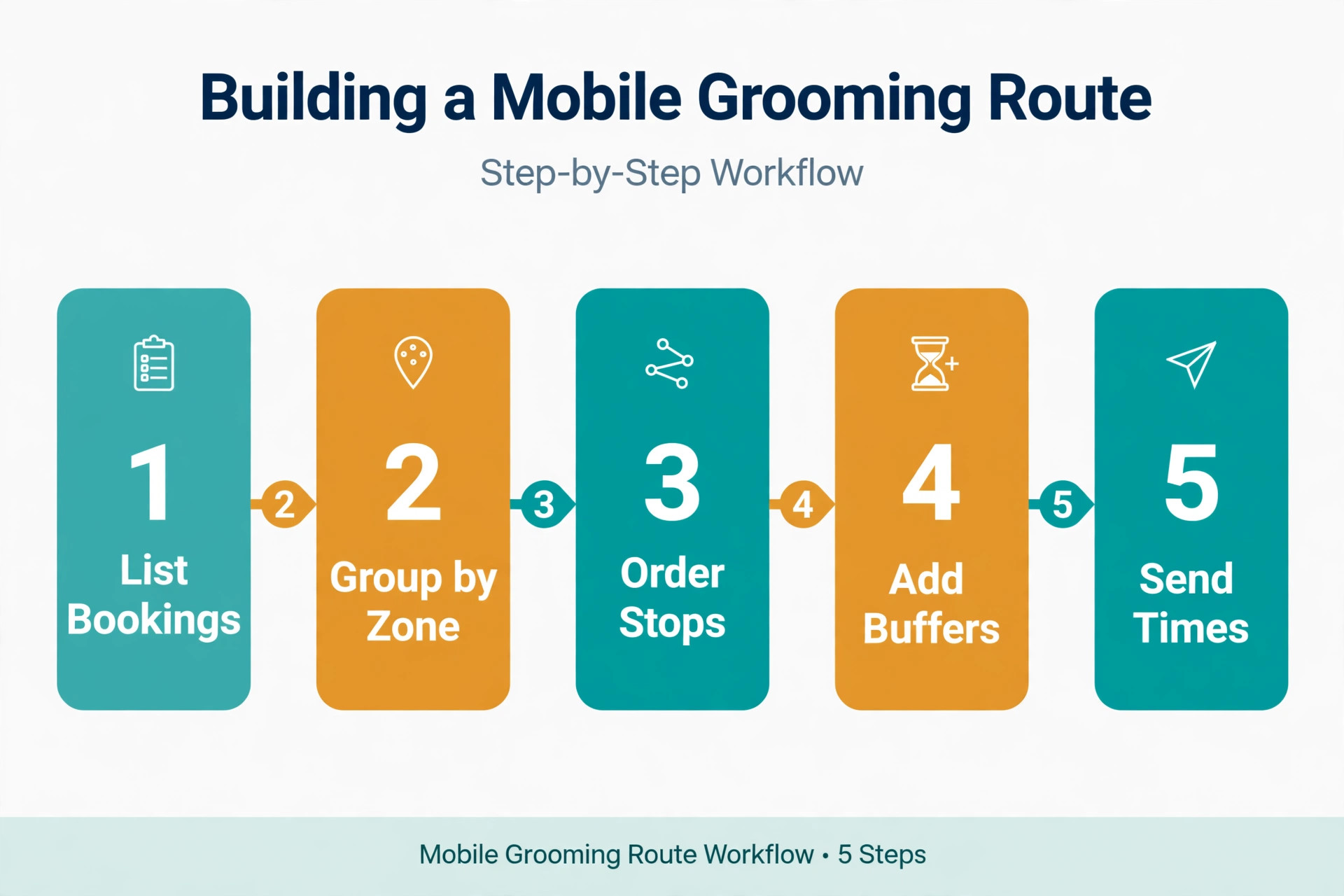
- Gather the raw bookings. Pull every confirmed booking for the week into one place, with address, dog name and breed, coat type, service requested, last groom date, temperament notes, and any access notes. Tools groomers already use, such as MoeGo, Booksy, and Square Appointments, hold most of this. Export or copy it into a single sheet so the route work happens on complete information, not memory.
- Ask AI to sort by zone and realistic duration. Paste the booking list into an AI tool with a clear prompt that names the zones, the working hours, the setup time, and the rule that no groom is squeezed. The output is a draft order, not a final answer. Check it against local knowledge, because AI does not know about the school run traffic on one road or the client whose driveway floods after rain.
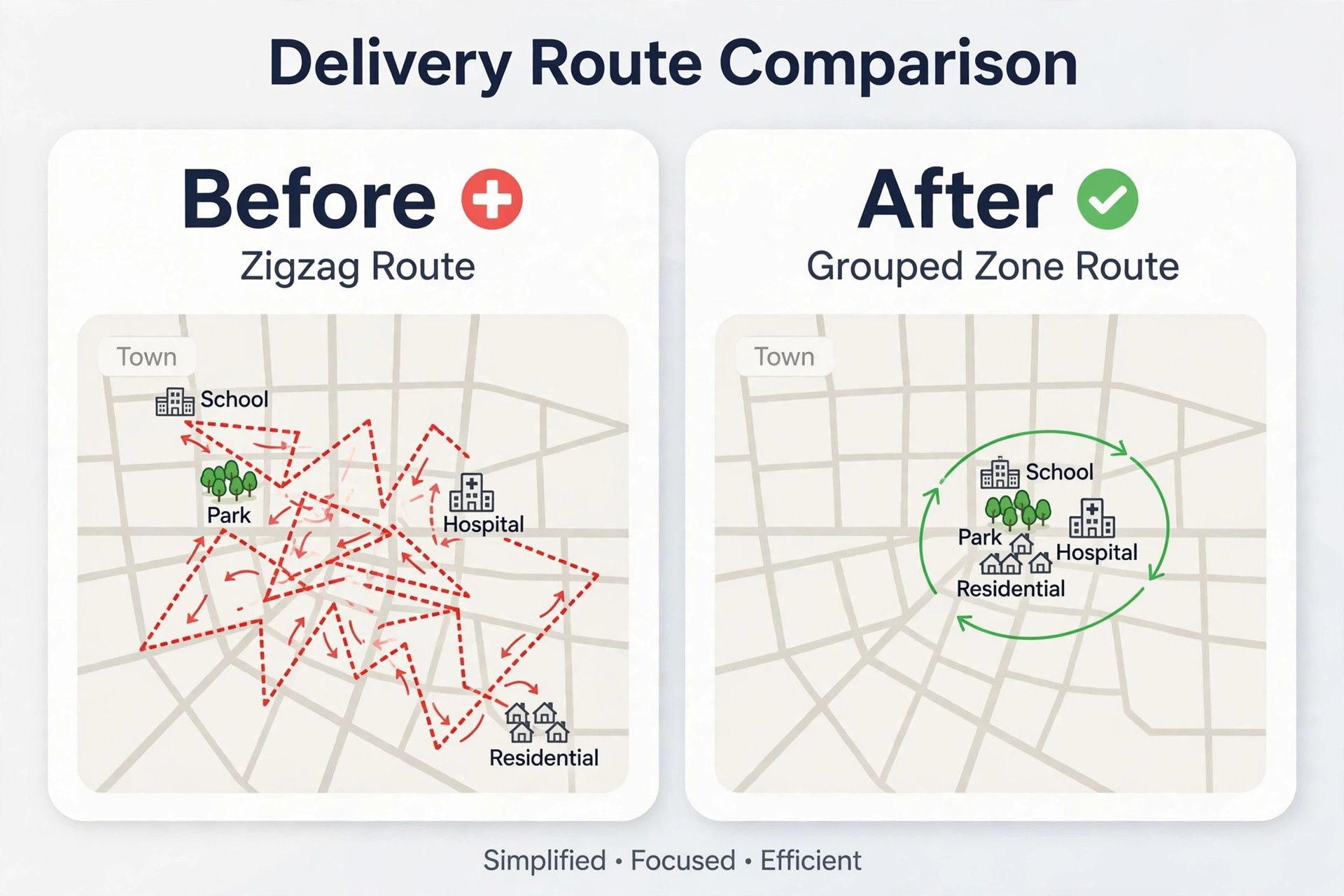
- Check drive times between consecutive stops. Use a routing tool or a maps check for each leg, and add a buffer for parking and setup. If two stops are 30 minutes apart with nothing between them, move one to its home zone day. A route that looks neat on a list but zigzags on a map is not a route. It is a list with delusions.
- Fill gaps deliberately. Look at every gap longer than 30 minutes. Can a nearby bath only client fit. Can an afternoon dog move earlier with a text. Can the groomer take a proper break, refill water, and reset the van. A planned gap beats a frantic gap, and clients notice when the groomer arrives calm rather than rushed.
- Send confirmations with arrival windows, not exact minutes. Tell each client a window, such as mid morning, plus a text when the groomer is on the way. Windows protect the groomer from one slow dog wrecking every later promise. They also reduce the number of “where are you” messages that interrupt grooming.
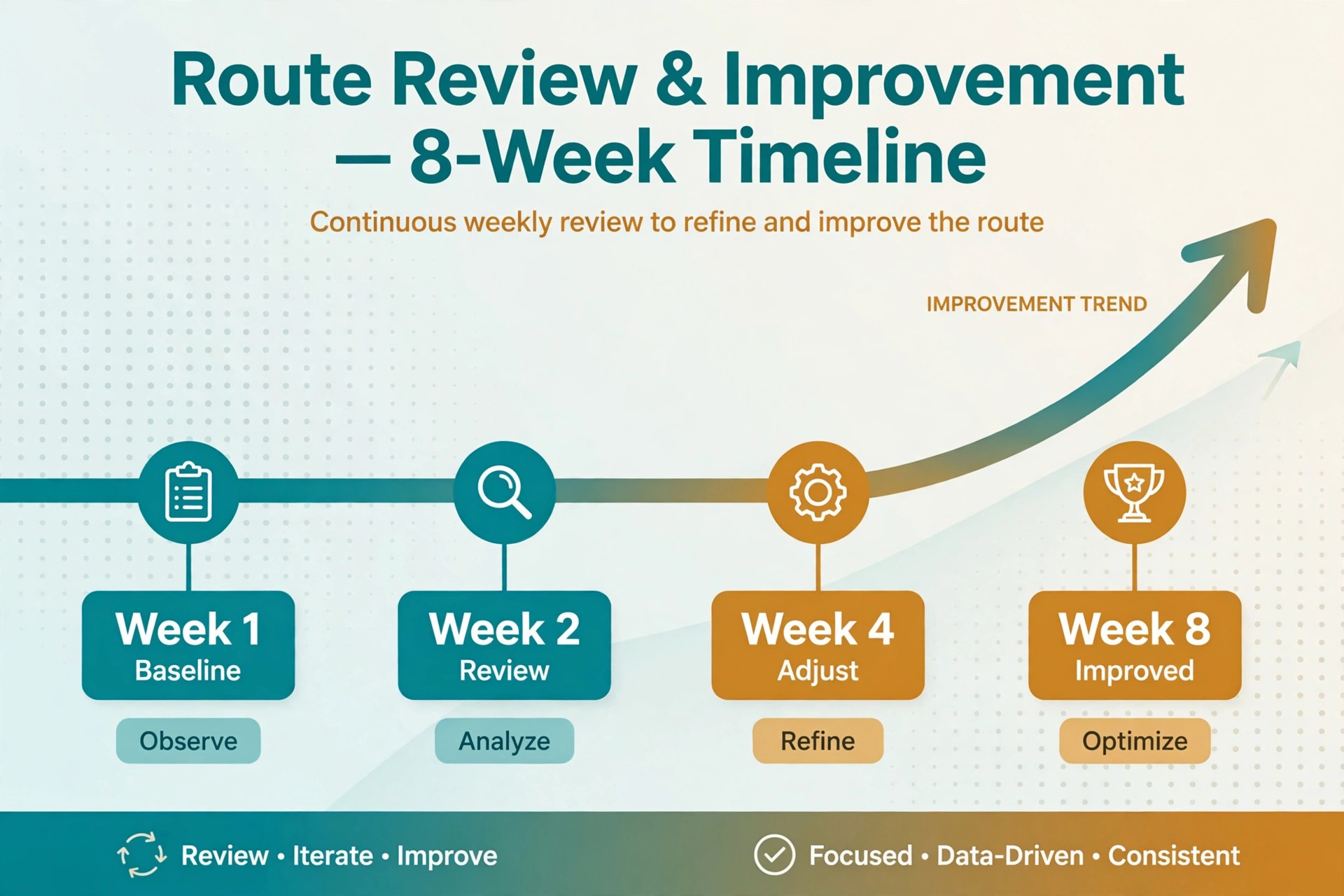
- Run the day, then record what actually happened. Note start and finish times, drive times, and anything that slowed a stop. Feed those notes back into the next round of prompts. This loop is where the value compounds. After three weeks, the durations stop being guesses and start being evidence.
This workflow works because it separates three jobs. AI drafts the order, the groomer checks it against reality, and the booking tool holds the final version clients see. When one tool fails, the other two still hold the day together.
Route Building Rules That Keep the Day Profitable
A route needs rules before it needs software. Rules stop the day from filling with well meaning exceptions that quietly destroy profit. Write the rules down, share them with clients in plain language, and let AI apply them the same way every week.
Start with zones. Divide the service area into four or five zones that match real roads and neighbourhoods, not postcode shapes that look tidy but drive badly. Assign each zone two days per week where possible, so clients have a choice without the groomer crossing town daily. Keep a small list of exceptions, such as elderly clients or multi dog households, and review that list monthly. If the exceptions list grows past ten clients, the zones need redrawing. When you use AI for mobile pet grooming route scheduling, give it these zones as fixed rules, not suggestions.
Next, set duration bands by coat and service, and stick to them. A bath and tidy on a short coat is one band. A full groom on a medium coat is another. A large doodle, a heavily coated breed, or a matted coat sits in the longest band, with a note that matting may require a second visit or a vet referral. When a client books online, the booking form should ask about coat condition and last groom date, because those two answers predict duration better than breed alone.
Drive time rules come next. Cap the drive between consecutive stops at 20 minutes in normal conditions, and treat anything longer as a flag that needs a reason. A 20 minute cap does not mean every leg must be short. It means long legs are deliberate, priced, or paired with a high value groom that justifies the trip. Two short grooms separated by a 40 minute drive rarely justify themselves, even if both clients are lovely.
Buffer slots protect the whole day. Add 10 to 15 minutes of buffer after long grooms and after new clients, whose temperament and coat are still unknowns. Add a longer buffer before the last appointment, so a slow day does not push the groomer into evening driving. Buffers look like waste on a calendar. On the road, they are the difference between a day that finishes on time and a day that unravels from the middle.
Water, power, and waste rules deserve their own line in the plan. Know how many full grooms one tank supports, where refills happen, and which clients have reliable power access. A route that plans a refill stop near a friendly client or a service station avoids the mid afternoon discovery that the tank is empty. The same applies to generator fuel, towels, and drying capacity. A van is a small salon, and small salons need restocking plans.
For groomers comparing booking platforms, a roundup of scheduling software for salons helps clarify which tools handle service durations and client records well. The right platform matters less than honest durations, but a platform that hides coat notes or forces equal slots will fight the route every week.
Prompts and Templates You Can Copy This Week
AI is only as good as the prompt behind it. Vague prompts return vague routes. A strong prompt gives the booking list, the constraints, and the output format, and it asks for flags rather than silent guesses. The prompts below are written for a typical solo groomer, and they can be pasted into any general AI tool with the booking details added.
Prompt one builds the weekly draft. “You are helping plan a mobile pet grooming week. Here are the bookings with address, suburb, dog breed and coat, service, and last groom date. Working hours are 8.30 a.m. to 5 p.m. Allow 15 minutes setup at each stop and 15 minutes buffer after long grooms. Group stops by these zones, and keep drives between stops under 20 minutes where possible. Return a day by day order with drive estimates, and flag any booking that breaks a rule and why.” That last sentence matters. Flags are more useful than a confident but wrong route.
Prompt two fixes a single day. “Here is tomorrow’s route in order, with actual durations from last time. One client has cancelled at 11 a.m. Suggest three options to fill or use the gap, using only clients within 15 minutes of that stop, and say which option protects the afternoon schedule best.” This prompt turns a cancellation into a choice instead of a scramble, and it keeps the groomer from accepting a distant fill that wrecks the rest of the day.
Prompt three writes client messages. “Write a short, warm confirmation text for a mobile grooming client. Include the arrival window, the service booked, what the client should have ready, and a one line reminder about access to power or water if needed. Keep it under 60 words and friendly, not formal.” Good messages reduce no shows and reduce setup delays, because clients have the driveway clear and the dog ready.
Prompt four reviews the week. “Here are planned times versus actual times for this week’s grooms, with notes on delays. List the three biggest causes of lateness, suggest one rule change for each, and rewrite the duration bands for the breeds that ran over most often.” This weekly review is the habit that separates groomers who keep firefighting from groomers whose routes get calmer month by month.
Keep a prompt library in a notes app, not scattered across chats. Save the four prompts above, plus a message template for running late, a message template for a weather move, and a message template for a zone day offer. When the prompts live in one place, a busy morning does not require fresh thinking. It requires copying, pasting, and checking. Each time you use AI for mobile pet grooming route scheduling, save the prompt version that produced the cleanest draft, so next week starts from what worked.
One caution applies to every prompt. Never paste sensitive client details beyond what the task needs, and strip surnames, phone numbers, and house numbers when a general AI tool is used for drafting. Use first names and suburbs for route work, and keep full addresses in the booking tool where they belong.
A Daily Route Template You Can Reuse
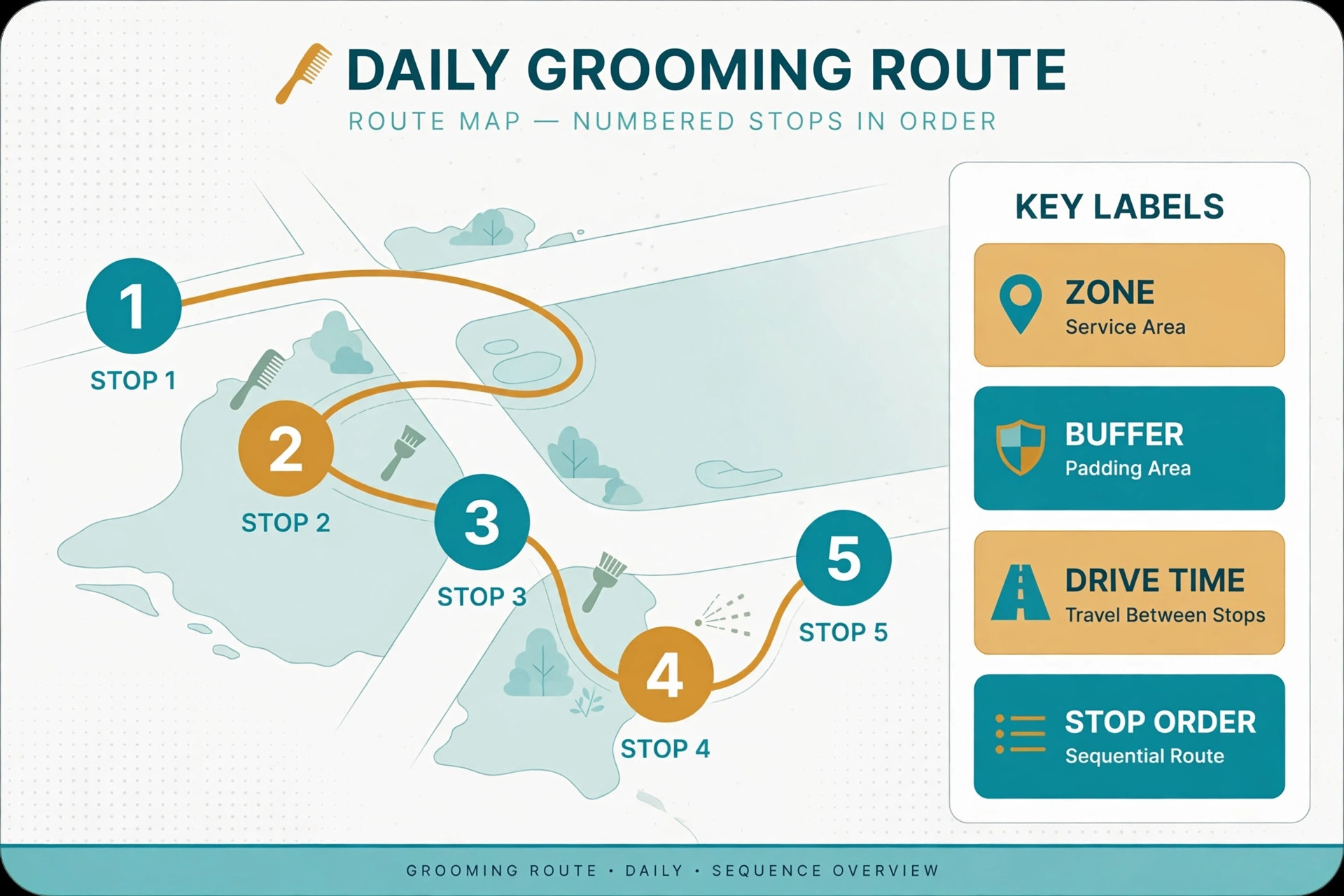
A template turns good intentions into a repeatable day. The table below shows a realistic route for a solo groomer, with setup, buffers, and a refill stop built in. Copy the shape, then swap in real clients, dogs, and drive times for each day.
| Time | Stop | Dog and service | Drive and setup notes |
|---|---|---|---|
| 8.30 a.m. | Van prep at home base | Load towels, check water and fuel | 20 minute prep before first drive |
| 9 a.m. | Stop 1, north zone | Small short coat, bath and tidy | 10 minute drive, 15 minute setup |
| 10.15 a.m. | Stop 2, north zone | Medium coat, full groom | 12 minute drive, 15 minute buffer after |
| 12 p.m. | Break and refill | Water top up, lunch, van reset | 30 minute planned break near zone |
| 12.45 p.m. | Stop 3, north zone | Large doodle, full groom | 10 minute drive, 20 minute buffer after |
| 2.45 p.m. | Stop 4, north zone | Elderly small dog, bath and tidy | 8 minute drive, slow handling allowance |
| 3.45 p.m. | Buffer and admin | Messages, tomorrow route check | Protects the last stop from earlier drift |
| 4.15 p.m. | Stop 5, north zone | Two small dogs, bath only | Same household, one setup for both |
| 5.15 p.m. | Day close | Notes, photos, next day prep | Record actual times before leaving |
Notice what the template protects. The break is scheduled, not stolen from a gap. The long groom gets a buffer. The multi dog household shares one setup. The last stop is short and close to home, so a slow day still ends at a reasonable hour. A template like this can be reused all week, with zones and dogs changing but the shape staying steady.
To use AI for mobile pet grooming route scheduling well, paste this template shape into the prompt and ask for a filled version for each day. Ask for the same columns, the same buffer logic, and a flag wherever a drive exceeds 20 minutes. When the output matches the template, checking it takes five minutes. When the output invents a new shape each time, checking it takes longer than building the route by hand.
Duration bands make the template honest. Use the bands below as a starting point, then adjust them with real timed data after a month. New clients always start in the longer band for their coat type until the groomer has timed them once. That single rule prevents most overbooking.
| Coat and service | Starting allowance | Notes |
|---|---|---|
| Short coat, bath and tidy | 45 to 60 minutes | Add time for anxious dogs |
| Medium coat, full groom | 75 to 90 minutes | Add time if coat is thick or tangled |
| Large doodle or heavy coat, full groom | 105 to 135 minutes | Buffer after, and check matting first |
| Puppy first groom | 60 to 75 minutes | Slow introduction, frequent breaks |
| Elderly or nervous dog, any service | Add 15 to 30 minutes | Breaks and gentle handling included |
| Multi dog household, bath only | 45 minutes per dog | One setup shared across the household |
Groomers who run routes for other mobile services face the same geometry problem, and a comparison of route scheduling software for pool services shows how other trades handle zones, drive caps, and refill stops. The vehicles differ, but the discipline of grouping stops and protecting buffers transfers directly.
When Dogs Cancel, Weather Turns, or Traffic Hits
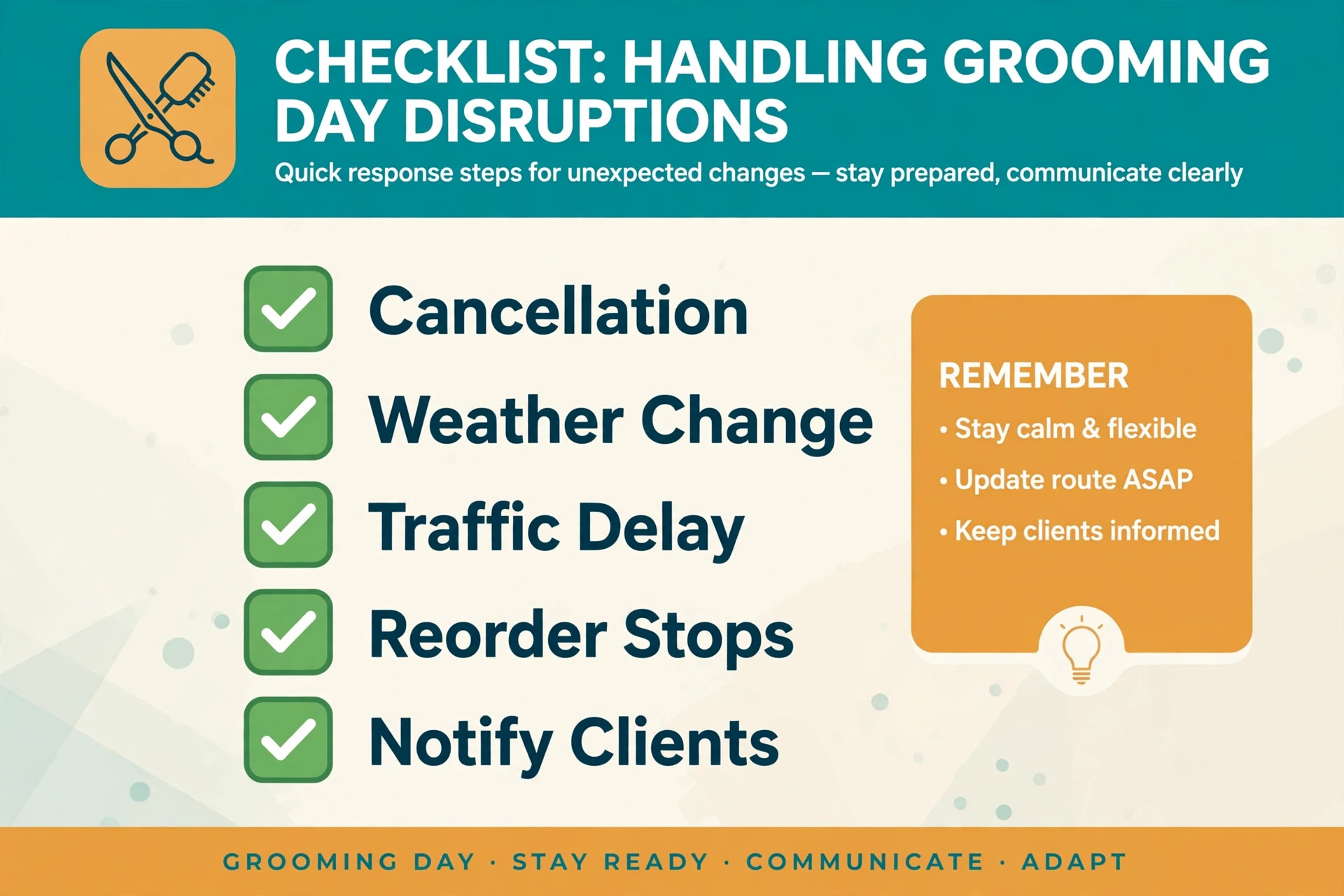
Cancellations are the most common disruption, and they need a standing response, not improvisation. Keep a waitlist of clients in each zone who want an earlier slot, plus a short list of bath only clients who can fit a gap. When a cancellation lands, text the waitlist in zone order, not in booking order. The nearest suitable client gets the first offer, because distance decides whether the gap is usable. When you use AI for mobile pet grooming route scheduling after a cancellation, ask it to rank fills by distance first, not by booking order.
Charge policy shapes cancellation behaviour. A clear policy, stated at booking and in the confirmation message, reduces late cancellations without sounding harsh. For example, cancellations with more than 48 hours notice rebook free, while same day cancellations pay a fee or lose a deposit. The policy must be applied evenly. Exceptions for genuine emergencies keep goodwill, but quiet exceptions for everyone teach clients that the policy is decoration.
Weather deserves the same standing plan. On hot days, start earlier, keep water and shade checks frequent, and move afternoon grooms in full sun to a cooler day where possible. On wet days, allow extra time for muddy paws and longer drying. On storm days, reschedule rather than risk driving a van in dangerous conditions. Clients respect a groomer who puts dog safety ahead of a full diary.
Mobile car wash operators solve a close cousin of this problem, and their approach to mobile car wash route scheduling offers a helpful parallel for water, access, and zone grouping. The lesson is the same across trades. Plan the geography first, and the diary follows.
How to Tell Whether the New Routes Are Working
A route system needs numbers, or it becomes a feeling. Feelings are unreliable after a tiring week, and they hide slow improvement. Track five numbers weekly, and review them every Sunday evening for ten minutes. That short review is enough to steer the system. If you use AI for mobile pet grooming route scheduling, these numbers are also the test of whether each new draft is genuinely better than the last.
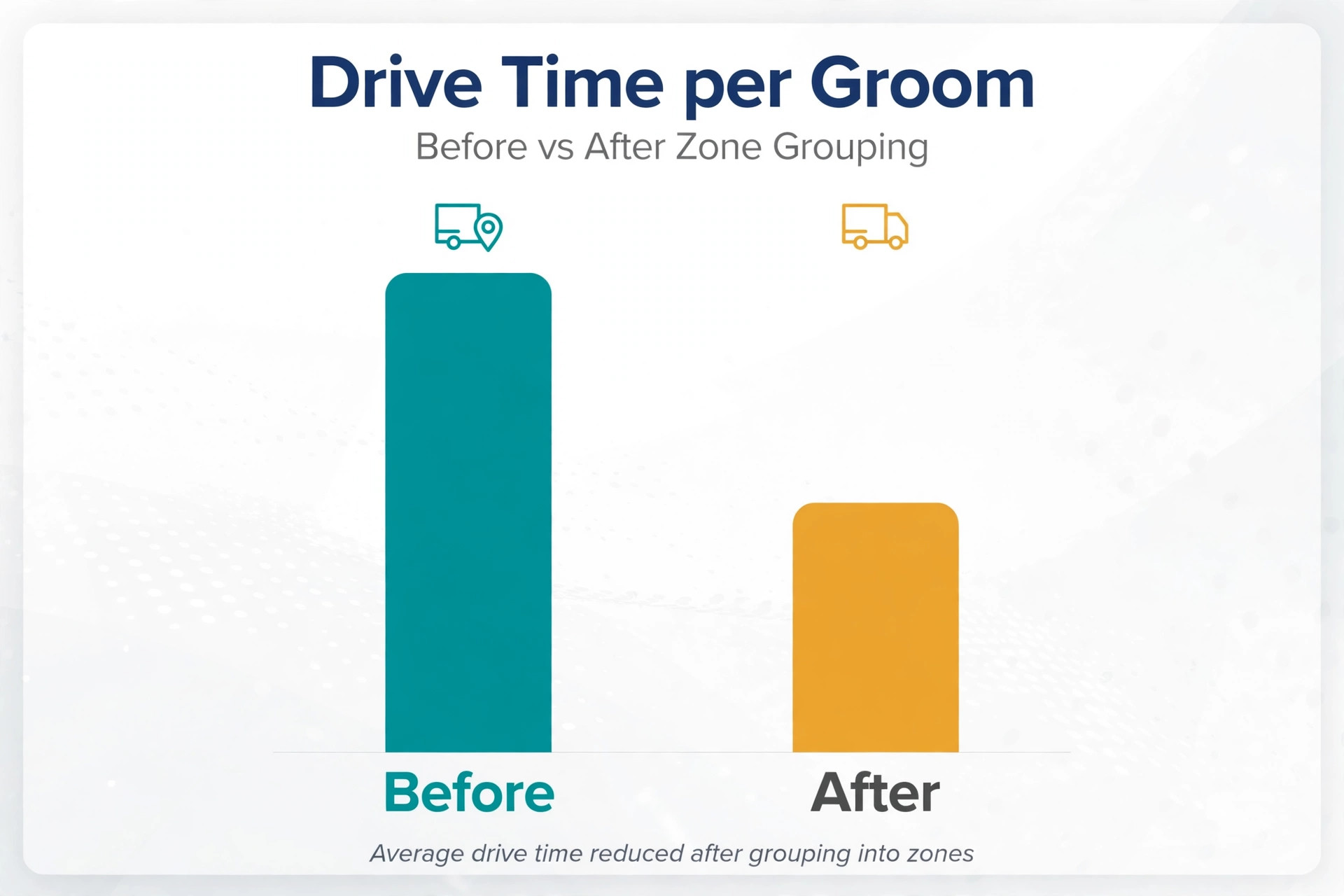
First, track drive time per groom. Add all driving minutes for the week and divide by the number of grooms. A falling number means zones are working. A rising number means exceptions are creeping back in, or a zone boundary needs moving. Aim for steady improvement, not a perfect number, because rural rounds will always drive more than city rounds.
Second, track on time arrivals. Count how many stops started inside the promised window. If the number sits below eight in ten, the durations or buffers are wrong, not the groomer. Fix the bands first. Blaming effort when the plan is impossible only burns out good groomers.
Third, track grooms per day and revenue per day. A better route should hold or raise both without lengthening the day. If grooms rise but revenue falls, the route is filling with short low value jobs and pushing out full grooms. If revenue rises but the day lengthens by an hour, the route is profitable on paper and unsustainable in life. Both numbers together tell the truth.
Fourth, track cancellations filled. Count gaps that became paid work, and gaps that stayed empty. A fill rate above half is strong for a solo groomer. Below that, the waitlist needs more names, or the gap offer needs to go out faster. Speed matters here, because a waitlist client who hears at noon cannot always free an afternoon.
Fifth, track rebooking rate and client messages about timing. Rebooking shows whether clients enjoyed the experience, including punctuality and calm handling. A rise in rebooking after route changes is the strongest sign the system is working, stronger than any single efficiency number. Clients rebook groomers who arrive when promised and finish without rushing the dog.
Review these numbers alongside one short weekly note. What worked, what broke, and one change for next week. One change per week compounds, while ten changes at once collapse. After two months, the groomer will have a route system built from local evidence, not borrowed advice.
Dog walking routes face similar timing and geography pressure, and notes on dog walking route scheduling show how other animal services balance short stops, buffers, and client windows. The comparison is useful because dog walkers, like groomers, cannot simply add a stop without moving every later promise.
Mistakes That Quietly Undo a Good Route
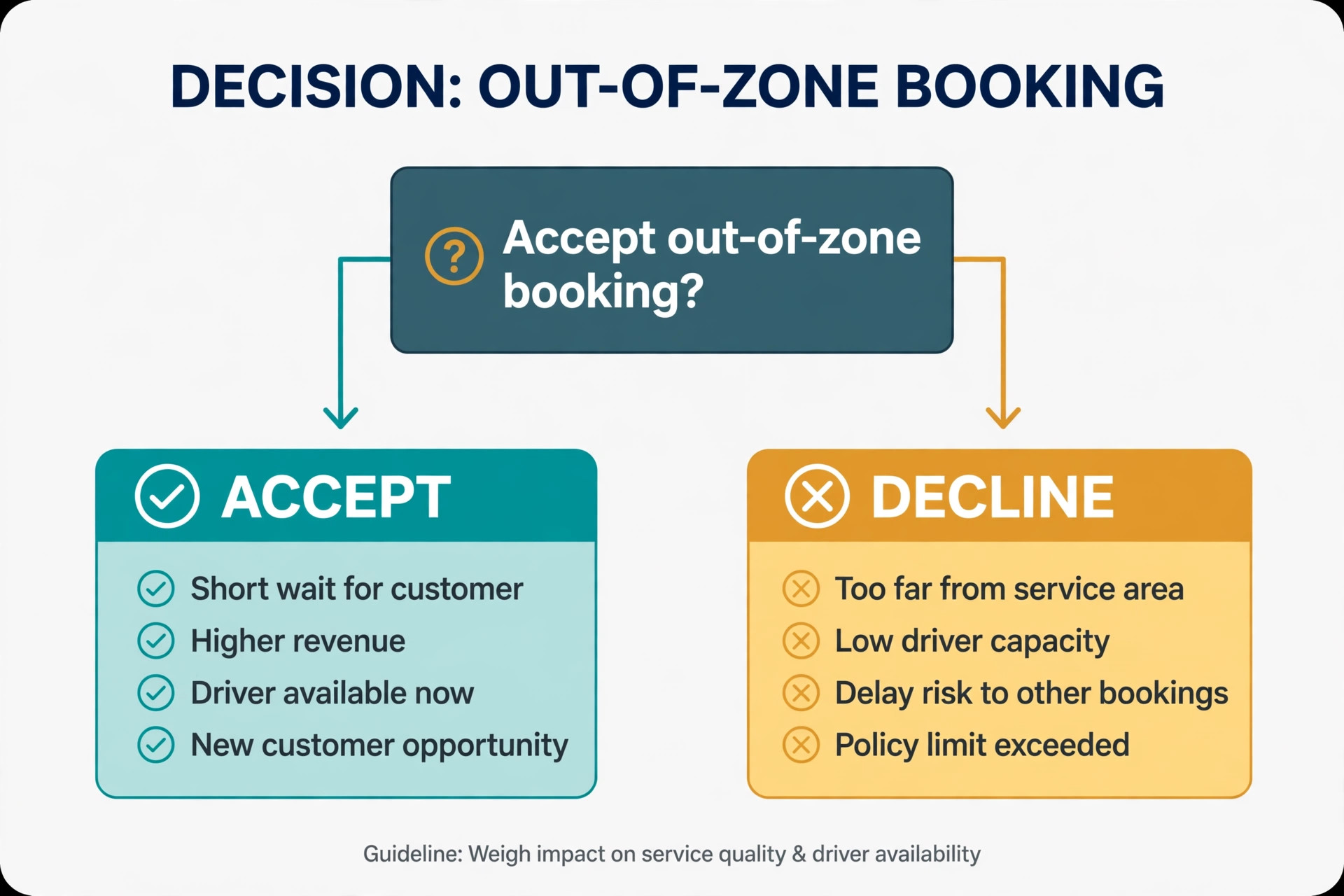
The first mistake is booking by availability instead of by zone. A free Tuesday slot looks tempting, but filling it with a south side dog on a north side day creates a drive that costs more than the groom earns. The discipline is to offer the zone day first, every time, and to treat out of zone bookings as premium exceptions. Availability is not the same as suitability, and a full diary built on bad geography is a tired diary.
The second mistake is trusting the booking form duration. Clients understate matting, overstate how often the dog was last groomed, and forget to mention a second dog. Build a confirmation step that asks about coat condition, last groom, and temperament before the route is finalised. A two minute message exchange prevents a 45 minute overrun that no buffer can absorb.
The third mistake is skipping the evening route check. Morning building feels efficient, but it leaves no time to fix problems. The evening check catches double bookings, zone errors, and overfull days while there is still time to text clients. Groomers who skip it spend their mornings firefighting problems that an evening check would have solved calmly.
The fourth mistake is letting buffers disappear under pressure. When a popular client asks to squeeze in, the buffer is the first thing cut. Cut buffers once, and the whole day runs late. Protect buffers the way a salon protects its closing time. If a client truly needs squeezing in, offer the waitlist or a zone day, not a buffer that the rest of the day depends on.
The fifth mistake is building routes in the booking tool alone, without a map check. Booking tools sort by time, not by road. A route that is correct by time can still zigzag by geography. A quick map view, or a routing check, catches the zigzag before the groomer lives it. Five minutes with a map saves an hour on the road, which is a trade worth making every day.
Frequently Asked Questions
How long does it take to build a route with AI each week
Most groomers build a weekly draft in 30 to 45 minutes once the prompts and zones are set, plus five minutes per day for checks and messages. The first week takes longer, because zones, duration bands, and client notes need setting up. After that, the system reuses the same structure, and only the bookings change. If route building still takes over an hour after a month, the booking data is probably incomplete, and fixing the intake form will save more time than any new tool.
Do I need expensive routing software to start
No. A booking tool, a maps check, and a general AI tool are enough to start, and many groomers run well on that combination for months. Dedicated routing software earns its place when the diary grows past a certain size, or when multiple groomers share vans and zones. Start simple, measure drive time per groom, and add software when the numbers show the simple system is the bottleneck, not before.
What if a client insists on a day outside their zone
Offer the zone day first, explain the travel fee or minimum service for the requested day, and let the client choose with full information. Most clients accept the zone day once they understand it keeps prices stable and arrival times reliable. Clients who still want the exception pay for the extra driving, which keeps the route fair. Keep exceptions rare and logged, so they do not quietly become the new normal.
How should I handle a badly matted dog found on arrival
Stop and assess before starting, explain the situation honestly to the owner, and do not promise a full groom in the booked time if the coat cannot be handled safely. Matting close to skin can hide soreness and injury, and rushing it risks harm. Offer a safe plan, which may mean a shorter comfort groom now and a fuller groom later, or a vet referral where needed. Record the coat condition for next time, so the duration band and the booking questions improve.
Can AI really know how long each dog takes
AI cannot know until it is given real timed data, and that is why the feedback loop matters. Start with the duration bands in this guide, record actual times for three weeks, and feed those times back into the prompts. After that, the estimates reflect the groomer’s real dogs, not generic averages. Treat early AI durations as drafts, check them against experience, and let the system earn trust gradually.
What is the best way to fill a last minute cancellation
Text the zone waitlist first, starting with the nearest suitable client, and offer the exact gap with a clear arrival window. Bath only clients and nail trim clients are often the best fills, because they fit shorter gaps. If no waitlist client can take the gap, use it for a break, a refill, or moving an afternoon appointment earlier. A planned use of the gap beats a distant fill that delays every later stop.
A Calmer Route Is a Business Decision
A calm route is not a luxury for mobile groomers. It is the difference between a business that grows by rebooking and a business that grows by exhaustion. When drives are grouped, durations are honest, buffers are protected, and gaps have a plan, the groomer arrives steady, the dog settles faster, and the groom finishes well. Clients notice that steadiness, and they describe it to friends in exactly the terms that bring new bookings.
Start small this week. Draw the zones, set the duration bands, and build one day with the prompts in this guide. Measure drive time per groom and on time arrivals for that day, then compare them with a normal day. The comparison will show whether the system helps, and by how much, without requiring a leap of faith or a new software subscription.
To use AI for mobile pet grooming route scheduling at its best, keep the human in charge of the final order. AI drafts, maps check, and the groomer decides, because only the groomer knows the dog that panics at the dryer, the driveway that floods, and the client who always needs an extra five minutes to say goodbye. That judgment, supported by a clear workflow, is what turns a van full of appointments into a route worth running.
For groomers still choosing a booking platform, a look at pet grooming appointment tools can help match software features to the route habits in this guide. The platform should support the zones, durations, and client notes that make routes work, rather than forcing every groom into the same slot shape.