
The best AI tools for game developers in 2026 are not the ones that promise to build a whole game on their own. They are the ones that remove a specific bottleneck in a real production pipeline: a programmer stuck on boilerplate, an artist facing a hundred placeholder assets, or a QA lead who cannot reproduce a crash that only happens on one device. Games fail more often because production ran out of time, money, or testing hours than because an idea was weak.
A useful way to judge any tool on this list is to ask what it replaces in your week. If it saves an hour of repetitive work and the output still passes your own review, it is worth keeping. If it creates new work in the form of fixes, re-exports, licensing checks, or broken builds, it is costing you more than it saves. The tools below are grouped by the job they actually do: code assistance, art and assets, audio, and testing and quality assurance. Each one is judged on that job alone, not on how impressive its demo looks.
One rule matters more than any feature list. Keep a human in charge of anything players will see, hear, or pay for, and review AI output the way you always have.
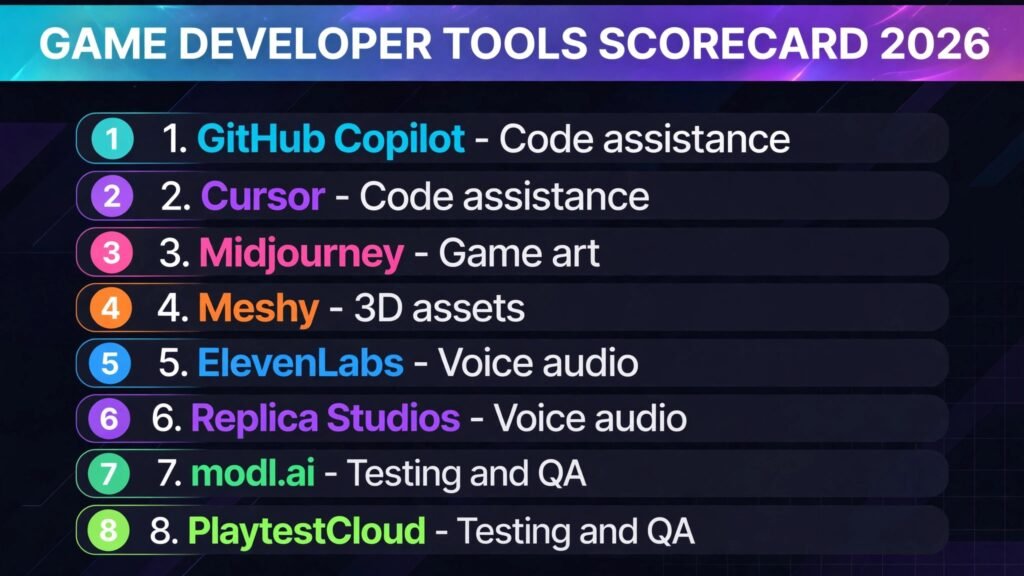
The 8 best AI tools for game developers at a glance
| Tool | Main job | Best for |
|---|---|---|
| GitHub Copilot | Code assistance | Teams already working in Visual Studio Code or JetBrains |
| Cursor | Code assistance | Solo developers and small teams who want an AI native editor |
| Midjourney | Game art | Concept art, mood boards, and marketing key art |
| Meshy | 3D assets | Fast 3D props and characters from text or images |
| ElevenLabs | Voice audio | Character voices, narration, and localisation drafts |
| Replica Studios | Voice audio | Game ready voice performances with licensing built in |
| modl.ai | Testing and QA | Automated playtesting and gameplay behaviour checks |
| PlaytestCloud | Testing and QA | Real player feedback before launch |
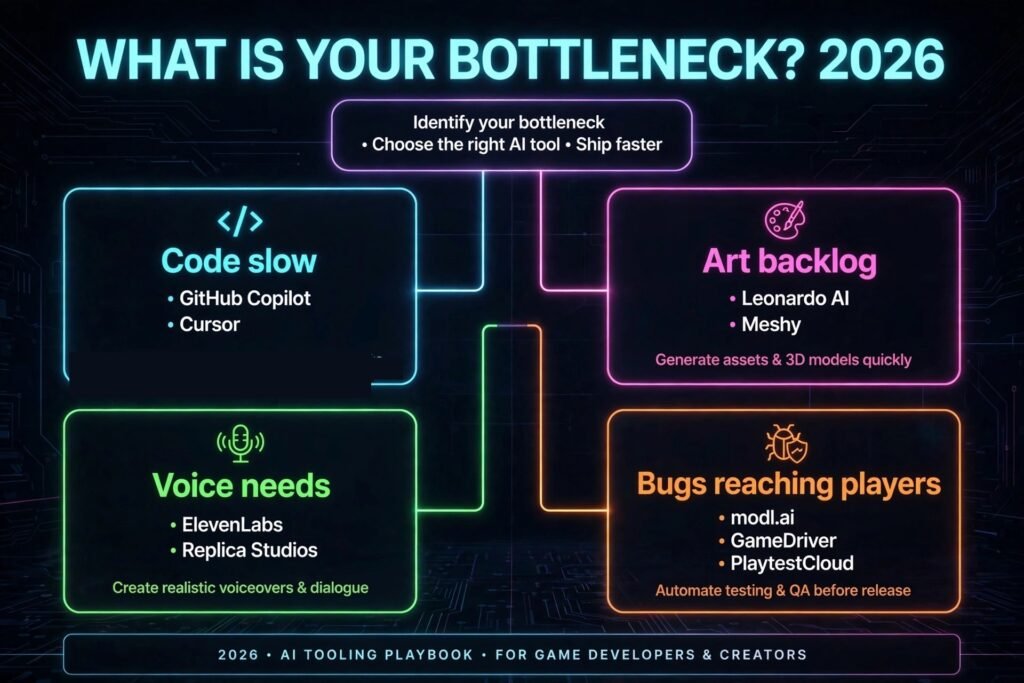
Start here: the right pick for each game dev job
| Your bottleneck | Start with | Why |
|---|---|---|
| You write code slowly or repeat the same patterns | GitHub Copilot | It fits into the editors most teams already use |
| You want the editor itself to help plan and refactor | Cursor | It treats the whole codebase as context, not just one file |
| You need strong concept art fast | Midjourney | It still leads on atmosphere and visual range |
| You need 3D models without a modelling team | Meshy | It turns a prompt or image into a usable mesh quickly |
| You need believable character voices | ElevenLabs | Its voices handle emotion and pacing well |
| You need voices you can ship commercially with clear terms | Replica Studios | Its licensing is built around game production |
| You need bots that actually play your game | modl.ai | It tests behaviour, not just menus and buttons |
| You need to know what real players do | PlaytestCloud | It records real sessions instead of guessing |
Code assistance
1. GitHub Copilot
GitHub Copilot suggests code as you type, completes functions, and can explain or refactor a block you select. It is strong on common patterns: movement controllers, inventory systems, save and load routines, and API calls that every game project needs. For a team already using GitHub, there is no new editor to learn, and suggestions appear inside the workflow you already have.
The limits show up in larger systems. Copilot is good at the next ten lines, and weaker at holding a whole architecture in mind. Treat every suggestion as a draft from a junior colleague: useful, fast, and always in need of review.
Pricing: Subscription per user, with a free tier for verified students and some open source maintainers. Check checkout for current team pricing in October 2026.
Best for: Teams already working in Visual Studio Code, Visual Studio, or JetBrains editors who want code help without changing tools.
Watch out for: Suggestions that ignore your project structure, and code that looks correct but uses a deprecated API.
Try it at: https://github.com/features/copilot

2. Cursor
Cursor is an editor built around AI assistance rather than an assistant added to an existing editor. You can ask it to explain a system, find where a bug comes from, or refactor across several files at once. Because it reads more of your codebase as context, it handles multi file changes better than a single file autocomplete tool.
The trade off is dependence on one tool. Large refactors can touch files you did not intend to change, so use its agent mode in small steps, commit often, and read the diff before you accept it.
Pricing: Subscription per user with a free tier for limited use. Check checkout for current pricing in October 2026.
Best for: Solo developers and small teams who want planning, refactoring, and multi file edits in one place.
Watch out for: Large automated edits that change more than you asked for, and the habit of accepting code you have not read.
Try it at: https://cursor.com
Art and assets
3. Midjourney
Midjourney remains the first tool many game artists reach for when they need concept art, mood boards, or marketing key art. Its images have a strong sense of light and composition, which makes it useful at the start of a project when you are still deciding what a world should feel like. A small team can explore ten visual directions in an afternoon before spending weeks on production art.
Midjourney is not a production asset pipeline on its own. Characters change between images, and a beautiful image may be hard to turn into a sprite, a texture, or a 3D model. Use it for exploration, then hand the approved direction to an artist or to a more controlled tool. See also our guide to Midjourney alternatives.
Pricing: Subscription per user, billed monthly or yearly. Check checkout for current pricing in October 2026.
Best for: Concept art, mood boards, pitch decks, and marketing key art.
Watch out for: Inconsistent characters across images, and images that look finished but are not usable as game assets without rework.
Try it at: https://www.midjourney.com
4. Meshy
Meshy turns a text prompt or an image into a 3D model, complete with textures. For a prototype, a jam game, or a background prop, that speed is hard to match. A designer can test a level with placeholder geometry that looks close to the final art, instead of grey boxes that hide scale problems.
Do not expect hero assets. Generated meshes often need retopology and optimisation before they run well in a real game, especially on mobile. Treat Meshy as a fast way to get a shape into the engine, then decide whether to clean it up or replace it.
Pricing: Free tier with limited credits, plus paid plans for more generations. Check checkout for current pricing in October 2026.
Best for: Prototypes, background props, and fast 3D placeholders that beat grey boxes.
Watch out for: Heavy meshes, messy topology, and textures that need rework before shipping.
Try it at: https://www.meshy.ai
Audio
5. ElevenLabs
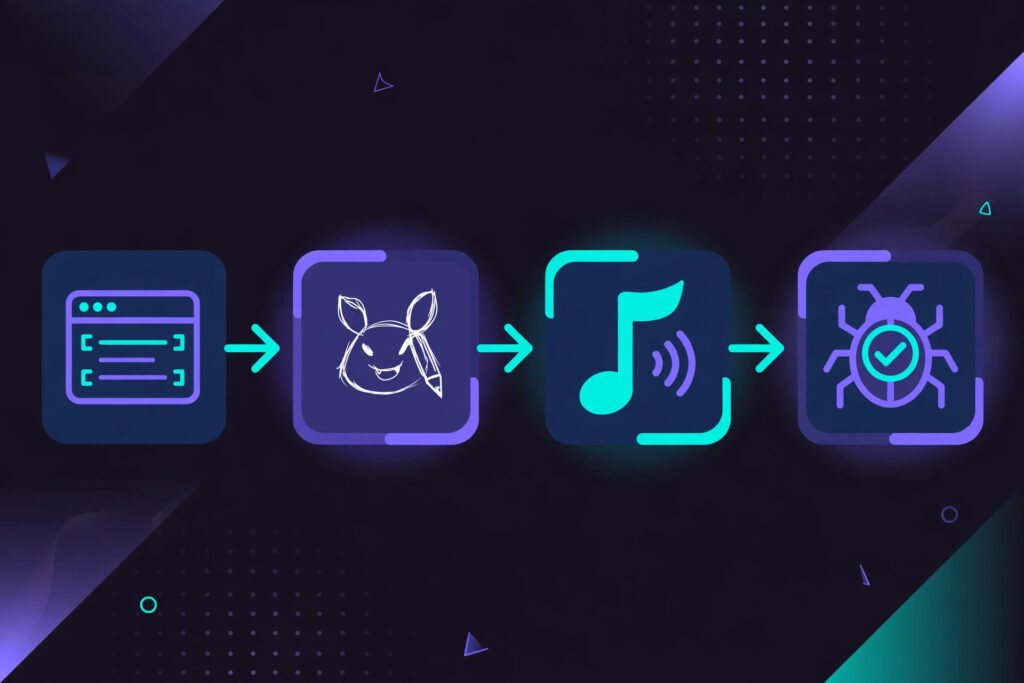
ElevenLabs produces some of the most natural sounding AI voices available, with control over tone, pacing, and emphasis. For game developers, the practical use is iteration. You can hear a line read aloud before you book a recording session, or draft localisation in another language to check timing.
The risk is over reliance. AI voices can sound convincing in isolation and flat in a full scene, and you must not clone a real actor’s voice without clear permission. For placeholder and draft work, ElevenLabs is excellent. For a final performance, a human actor still sets the standard.
Pricing: Free tier with limited characters, plus paid plans by usage. Check checkout for current pricing in October 2026.
Best for: Character voice drafts, narration, and localisation timing tests.
Watch out for: Flat delivery in emotional scenes, and licensing questions around cloned or shipped voices.
Try it at: https://elevenlabs.io
6. Replica Studios
Replica Studios is built specifically for games, and that focus shows in its terms and its workflow. Its voices are licensed for game production, and it offers tools for managing voice lines at scale. For an indie team that cannot afford a full cast for every minor character, shopkeepers and background characters can sound human without a recording session for every line.
Quality varies by voice. Some voices handle narration well and struggle with shouting or comedy timing, so test the exact lines and emotions your game needs before you commit to a voice, and keep a human actor for your leads if your budget allows it.
Pricing: Subscription and credit based plans for game projects. Check checkout for current pricing in October 2026.
Best for: Game ready voice performances for secondary characters, with licensing built in.
Watch out for: Uneven quality across voices and emotions, and the need to test a voice on your real script, not just a demo line.
Try it at: https://replicastudios.com
Testing and quality assurance
7. modl.ai
modl.ai trains bots that play your game, explore levels, and report problems such as getting stuck or breaking a quest sequence. This is different from scripted UI testing. A bot that plays can find issues that only appear after an unusual sequence of actions, which is exactly the kind of bug human testers find late.
The cost is setup time. Bots need a build they can run and time to learn, so small projects may get more value from focused human playtests. If your game is large or updated often, modl.ai can catch regressions that would otherwise reach players.
Pricing: Custom pricing by project and scale. Check checkout for current pricing in October 2026.
Best for: Automated playtesting for large, systemic, or frequently updated games.
Watch out for: Setup effort, and the need for a stable build before bot testing is useful.
Try it at: https://modl.ai
8. PlaytestCloud
PlaytestCloud puts your game in front of real players and records what they do, where they get stuck, and what they say. That is information no automated tool can replace. A bot can tell you that a level is completable, but only a player can tell you that a tutorial is boring or a boss feels unfair.
Feedback needs to be read with care. One player struggling does not mean a system is broken, and five players struggling in the same place almost certainly does. Use PlaytestCloud for specific questions, such as whether the first fifteen minutes teach the game clearly.
Pricing: Priced per test and per tester, by project scope. Check checkout for current pricing in October 2026.
Best for: Real player feedback, session recordings, and pre launch usability checks.
Watch out for: Noisy feedback from small samples, and the time needed to watch and act on sessions.
Try it at: https://www.playtestcloud.com
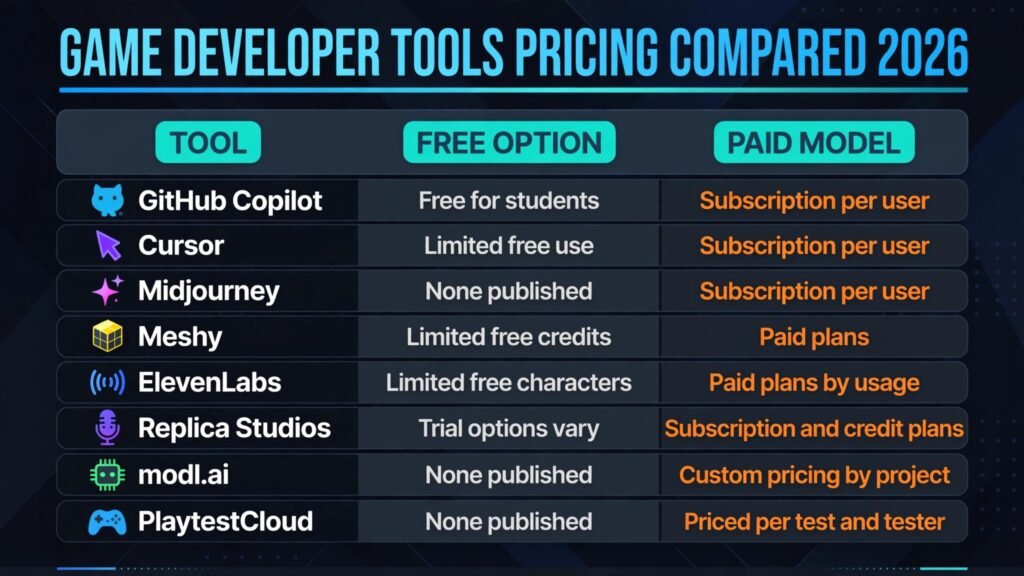
Pricing compared: what a game developer actually pays in 2026
| Tool | Free option | Paid model |
|---|---|---|
| GitHub Copilot | Free for students and some open source maintainers | Subscription per user, check checkout |
| Cursor | Limited free use | Subscription per user, check checkout |
| Midjourney | None published | Subscription per user, check checkout |
| Meshy | Limited free credits | Paid plans for more generations, check checkout |
| ElevenLabs | Limited free characters | Paid plans by usage, check checkout |
| Replica Studios | Trial options vary by plan | Subscription and credit plans, check checkout |
| modl.ai | None published | Custom pricing by project, check checkout |
| PlaytestCloud | None published | Priced per test and tester, check checkout |
Code and art tools tend to use flat subscriptions, voice and 3D tools tend to use credits, and testing tools tend to price by project. Estimate your real usage before you commit, since the cheapest tool on paper can become the most expensive one in practice.
How to Choose without buying twice
Start from the bottleneck, not the demo. If your team spends most of its time writing and debugging code, a code assistant will help more than another art generator. If your levels look empty because you have no props, a 3D tool will help more than a voice library. Write down the three tasks that slow your project down most, then match one tool to each task. That simple test prevents the most common mistake in this space: buying four tools that all do the same job.
Next, run a one week test on real work, not on a sample project. Measure two things: how much time you saved, and how much cleanup the output needed. A tool that saves two hours and creates one hour of fixes is still useful. A tool that saves two hours and creates three hours of fixes is not.
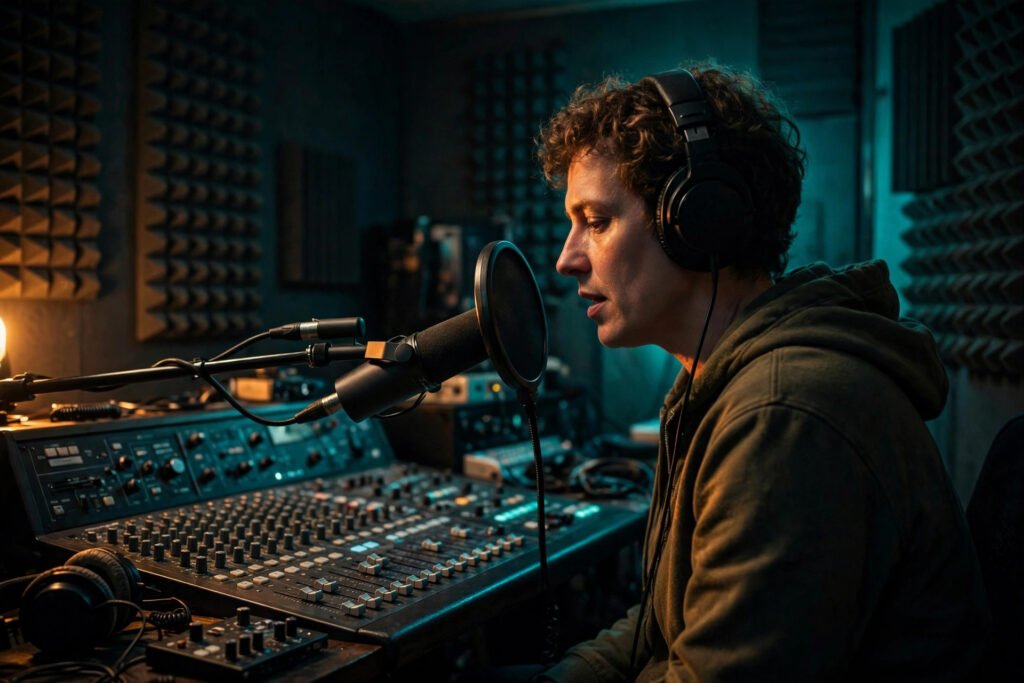
It also helps to keep the stack balanced across stages. This guide keeps two tools per stage: two for code, two for art and assets, two for audio, and two for testing. That shape is deliberate. A stack weighted toward one stage usually means another stage is being neglected, and the neglected stage is where launch delays tend to come from. If your project already has strong code help but no automated testing, the next purchase should fix testing, not add a third code assistant that overlaps with the two you already own.
Finally, check three questions before you pay. Does the output licence cover commercial release on your target platforms? Does the tool work with your engine and version control, or need a separate workflow? Can you export your work if you cancel? If any answer is unclear, ask the vendor in writing first. Run the test on a vertical slice, not on a toy example. Pick one real feature, one real level, or one real quest line, and take it from draft to review using the tool. A toy example hides the problems that matter: messy existing code, inconsistent art, voice lines that must match timing, and tests that must run on a real build. A vertical slice shows all of them in a week, and the result is solid evidence you can trust when the purchase decision comes up.
If you are still building programming skills, our guide to AI tools for learning to code covers assistants that explain as well as complete.
Mistakes that quietly cost game developers time
The first mistake is letting AI set the art direction. A generator will happily produce beautiful images in ten styles, and a team without a clear direction will ship a game that looks like ten different games. Lock your style guide first, then use generators inside it.
The second mistake is shipping AI output without a review pass. Code needs a code review, art needs an art review, and audio needs a listen in context. Skipping that pass is how placeholder assets, wrong voice tones, and subtle bugs reach players.
The third mistake is ignoring licensing and consent. Keep records of which tool produced which asset, which licence tier you paid for, and whether a voice or style required permission.
The fourth mistake is testing only the happy path. AI playtests and automated suites are most useful when they cover failure cases: low health, no internet, a full inventory, a skipped tutorial step. Design tests for the ways players actually break games, not just the ways they are supposed to play them.
The fifth mistake is buying tools before fixing process. If your team has no version control discipline or build pipeline, AI will produce more output faster and make the mess bigger. Fix the pipeline first.
Frequently asked questions
Can AI build a complete game on its own?
No, not to a standard players will pay for. AI can help with code, art, audio, and testing, but a complete game still needs design decisions, a coherent art direction, balanced systems, and thorough testing. The tools in this guide are best used as production help, not as a replacement for a development team.
Which AI tool should a solo indie developer start with?
Start with the job that slows you down most, usually code or art. GitHub Copilot or Cursor will help with code, while Midjourney will help with art. Add audio and testing tools once the core game is playable.
Is AI generated game art safe to use commercially?
It depends on the tool, the licence tier, and the platform. Check the terms for the exact plan you buy, keep a record of it, and avoid generating art in the style of a living artist or an existing franchise without permission.
Do AI coding assistants write secure game code?
They write code that looks plausible, which is not the same as secure code. Review anything that handles accounts, payments, network traffic, or player data with extra care, and run the same security checks you would run on human written code. Never paste secrets, keys, or private player data into a prompt.
Will players notice if a game uses AI voices?
Sometimes, yes, especially for main characters and emotional scenes. Players are more forgiving of AI voices for background characters, announcements, and draft content. If voice acting is central to your game, budget for human actors for the roles players will spend the most time with.
How much should a small studio budget for AI tools?
Start with free tiers and one paid tool in your biggest bottleneck category, then expand only when a one week test shows a clear time saving after cleanup. Review your stack every few months and cancel anything that is not earning its place.
Conclusion: buy the bottleneck, not the demo
The best AI tools for game developers in 2026 share one quality: they make a specific, repeatable job faster without creating a larger job in return. GitHub Copilot and Cursor speed up code, Midjourney and Meshy speed up assets, ElevenLabs and Replica Studios speed up voice work, and modl.ai and PlaytestCloud catch problems earlier. None of them replaces judgement, taste, or testing, and none of them should be bought because a demo looked impressive.
Pick one tool for your biggest bottleneck, test it on real work for a week, and keep it only if the output survives review and the time saving survives cleanup. Review the stack the same way you review a build. Once a tool stops saving time, or once your team has outgrown it, cancel it and put the money toward the next bottleneck. A small stack that every member of the team actually uses will always beat a large stack that only one person opens.
Then repeat for the next bottleneck. That practical approach is how small teams actually ship games on time.