
The best AI tools for print on demand sellers in 2026 are not the ones that make the prettiest picture. They are the ones that fix a specific leak in the chain from idea to sale. Print on demand removes inventory risk, but it does not remove competition. A seller still has to produce designs people want, show them honestly on a product, get the order printed and shipped without damage or delay, and write a listing that a buyer can actually find. When one link in that chain is weak, the whole store feels it. Designs sit with no views. Mockups look better than the printed shirt. Orders arrive late. Listings rank for the wrong search terms.
This guide treats print on demand as a pipeline. The ten tools below are grouped by job: design generation, mockups, store and fulfilment, and marketing and listings. Most sellers do not need ten new tools. They need one tool for the stage where they lose the most time or money. Each section gives an honest description, October 2026 pricing, what it is best for, what to watch out for, and a link to the official vendor site. Where no single headline price is published, the pricing note says check checkout.
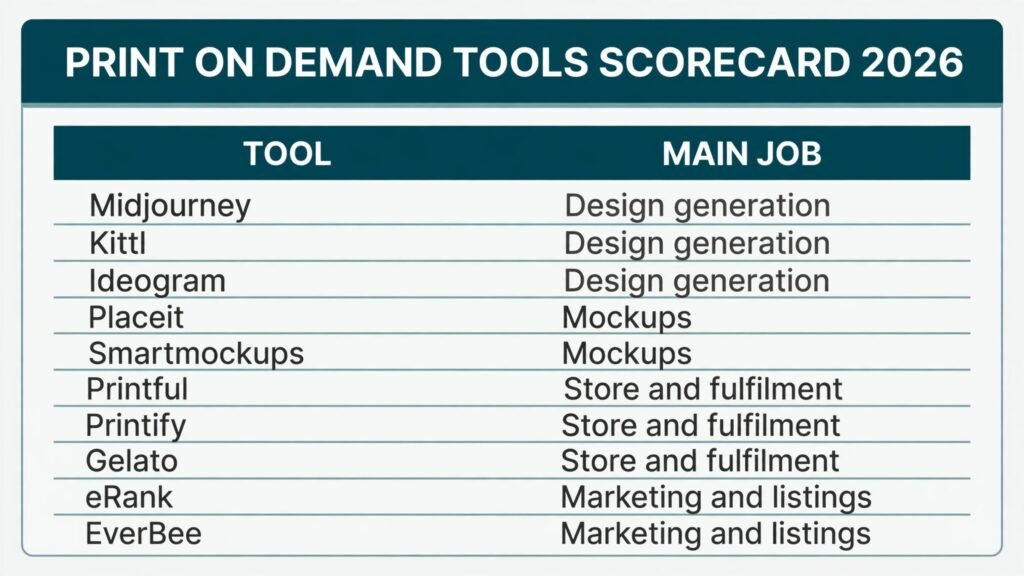
The 10 best AI tools for print on demand sellers at a glance
| Tool | Main job | Best for |
|---|---|---|
| Midjourney | Design generation | Distinctive artwork and style exploration |
| Kittl | Design generation | Print ready text and vintage style designs |
| Ideogram | Design generation | Text inside artwork that stays readable |
| Placeit | Mockups | Fast lifestyle mockups across many products |
| Smartmockups | Mockups | Clean product shots for a storefront |
| Printful | Store and fulfilment | Quality control and a wide product range |
| Printify | Store and fulfilment | Comparing print providers on price and location |
| Gelato | Store and fulfilment | Local printing close to the buyer |
| eRank | Marketing and listings | Keyword research for Etsy style listings |
| EverBee | Marketing and listings | Finding proven products and listing ideas |
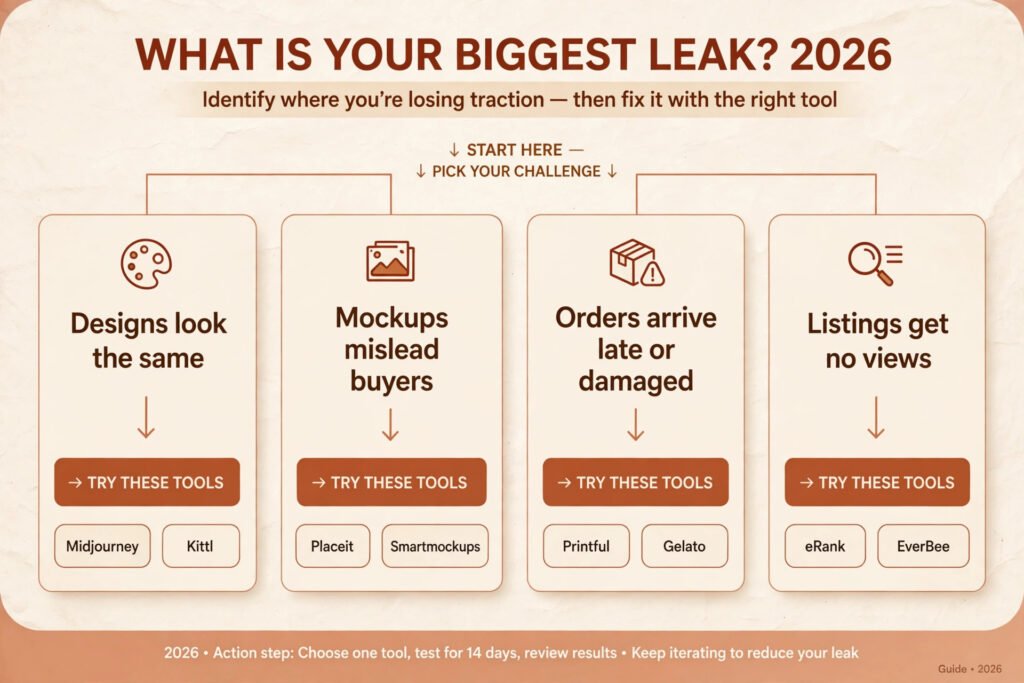
Start here: the right pick for each print on demand job
| If your main problem is | Start with | Why |
|---|---|---|
| Designs all look the same | Midjourney or Kittl | Stronger style control and more original starting points |
| Text keeps coming out wrong | Ideogram or Kittl | Better text handling for slogans and typography |
| Mockups mislead buyers | Placeit or Smartmockups | Realistic placement and consistent product views |
| Orders arrive late or damaged | Printful or Gelato | Tighter quality checks or printing closer to the buyer |
| Listings get no views | eRank or EverBee | Search terms based on what buyers actually type |
Buy the tool that solves your current bottleneck, test it on a small batch, and measure the result before adding another subscription.
Design generation
A generator can produce a hundred images in an afternoon, but only a few will sell. The reason is usually the niche, the slogan, or how the artwork sits on the product. Judge each design by one test: would a buyer understand it in three seconds, and would it still look good at print size?
1. Midjourney
Midjourney is an image generator known for distinctive, painterly and highly detailed artwork. If you want a wider comparison first, see Midjourney alternatives. It works through prompts. Describe subject, style, lighting and composition in plain language, then refine through variations rather than accepting the first image. For print on demand, it is strongest for illustration led niches such as fantasy art, animal portraits, vintage posters and detailed scenic designs where a generic stock look would hurt sales.
Pricing: check checkout. Midjourney sells subscription plans and does not offer a free tier for commercial use in the usual sense, so confirm the current plan and commercial terms before using images on products for sale.
Best for: sellers who want a recognisable style and are willing to spend time refining prompts and curating results.
Watch out for: text. Midjourney has improved, but long slogans and small lettering still come out wrong more often than a typography tool. Keep text short, or add lettering afterwards in a design editor. Also check the current terms for commercial use, because they change, and keep records of the plan you are on.
Try it at: https://www.midjourney.com
2. Kittl
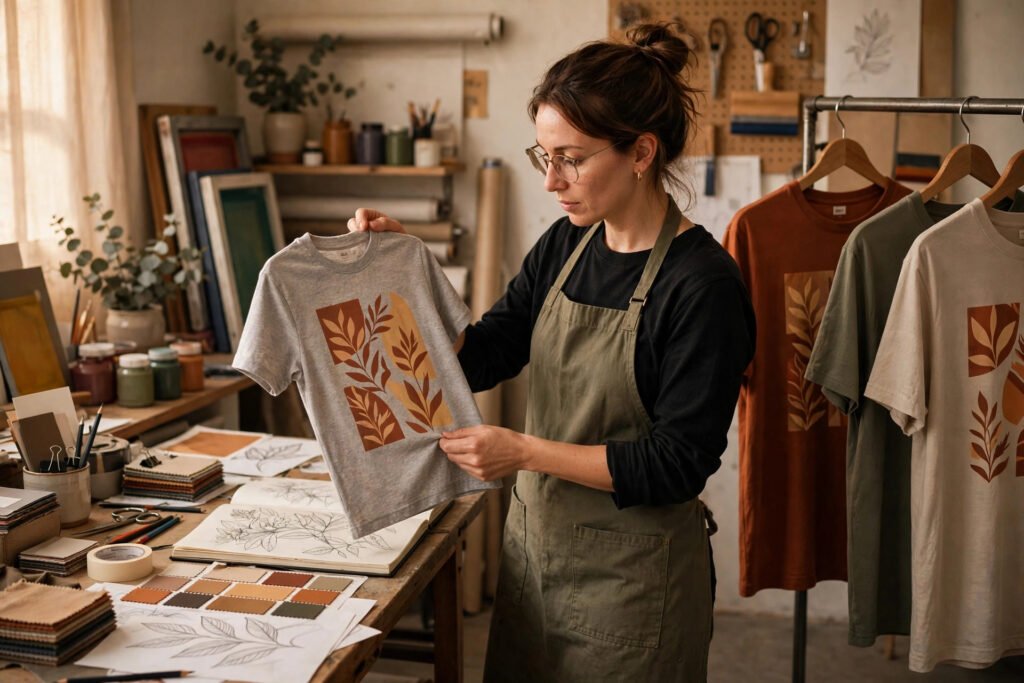
Kittl is a design platform built for print products, with templates, fonts, textures and illustration elements aimed at apparel and merchandise. Its strength is how text, layout and print ready export come together in one workspace. Vintage badges, retro typography and distressed textures are easier here than in a general image generator.
Pricing: check checkout. Kittl offers a free tier and paid plans with wider commercial use and more assets, so confirm which plan covers the products you sell.
Best for: sellers who build text led designs and want faster production without jumping between three different apps.
Watch out for: template sameness. Because many sellers use the same fonts and badge shapes, a Kittl design needs a distinct slogan, colour choice or illustration detail to stand out. Change more than the words. Change the layout, the texture and the colour palette, and test the design on a real mockup before listing it.
Try it at: https://www.kittl.com
3. Ideogram
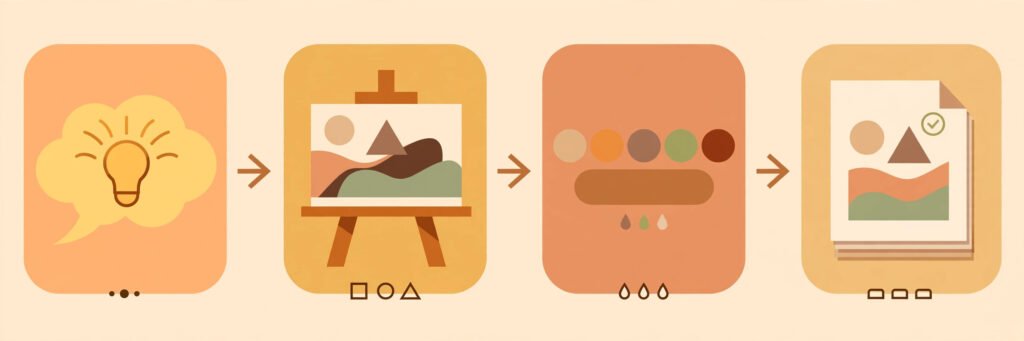
Ideogram is an image generator with a clear advantage for print on demand: it handles short text inside images more reliably than most general generators. That matters for slogan shirts, posters, mugs and tote bags, where the words are the product.
Pricing: check checkout. Ideogram offers a free tier and paid plans, and the right plan depends on how many images you generate and whether you need faster processing or higher resolution output.
Best for: slogan designs, typographic posters and any artwork where readable words are essential.
Watch out for: long text still fails. Keep slogans short, use one clear font style in the prompt, and check every word at full size before export. Small print, curved text and multiple text blocks are still risky. When a slogan matters, generate the artwork first and add the final lettering in a design editor so you control spelling exactly.
Try it at: https://ideogram.ai
Mockups
A mockup is a promise about what the printed product will look like, and it is the image most buyers judge first. A mockup that flatters the design, with perfect lighting and colours richer than the print will ever be, leads to returns and bad reviews. Good tools show the design realistically and from more than one angle.
4. Placeit
Placeit offers a large library of mockups for apparel, mugs, posters, phone cases and many other products, including lifestyle scenes where a model wears or holds the product. The appeal is speed. Upload a design, place it on a product, and download a listing image without a photo shoot. For sellers who list often, that speed is the main value.
Pricing: check checkout. Placeit sells subscriptions and single downloads, and the best option depends on how many mockups you need each month.
Best for: sellers who need many lifestyle mockups quickly and want variety across products and settings.
Watch out for: overused scenes. Placeit mockups are popular, so the same model and background can appear in many stores. Mix lifestyle mockups with flat product shots, and avoid using the exact same scene for every design. Also check the design placement at full size. A design that looks centred in the editor can sit too high or too low once it is printed, so compare the mockup against the print provider’s placement guide.
Try it at: https://placeit.net
5. Smartmockups
Smartmockups focuses on clean, realistic product mockups with a simpler interface than a full design suite. Upload artwork, choose a product and scene, and get a polished image for a main storefront photo. It suits sellers who want a consistent, product focused store look.
Pricing: check checkout. Smartmockups offers a free tier with limited mockups and paid plans for full access and higher resolution downloads.
Best for: sellers building a tidy storefront where the product, not the background, should carry the listing.
Watch out for: realism limits. A clean mockup can still hide fabric texture, print softness and colour shift. Use at least one image that shows the product plainly, and write the listing description to match what the buyer will actually receive. If the print is soft or vintage in style, say so. A buyer who expects a sharp photo print and receives a soft vintage print will feel misled even if the product is well made.
Try it at: https://smartmockups.com
Store and fulfilment
Fulfilment is where print on demand earns or loses trust. The seller does not print, pack or ship, so the provider choice is the quality control choice. Returns, reprints and slow shipping all cost money and reputation, so the right provider depends on where your buyers live and what you sell.
6. Printful
Printful is a print on demand fulfilment provider with a wide product catalogue, in house production in several regions, and integrations with major store platforms and marketplaces. Sellers upload designs, connect a store, set retail prices, and Printful prints, packs and ships each order. Its reputation rests on consistent print quality and checks before shipping.
Pricing: check checkout. Printful does not charge a monthly subscription for the basic service in the usual model. You pay per product and per order, plus shipping, so the real cost is the base product price, print cost and shipping to the buyer’s country. Always order a sample before listing a new product.
Best for: sellers who prioritise consistent quality, a wide product range and reliable integrations over the lowest possible base price.
Watch out for: base prices are often higher than a marketplace of providers. That squeezes margins on low price products such as basic t-shirts. Run the margin math for each product before launch, including shipping and marketplace fees. A product that looks profitable at the retail price can lose money once shipping to a distant buyer is added.
Try it at: https://www.printful.com

7. Printify
Printify is a print on demand network that lets sellers compare multiple print providers for the same product, by price, location, production time and rating. Instead of being locked to one printer, you can choose a provider close to your buyers and switch if quality drops. That flexibility helps sellers with buyers in several countries.
Pricing: check checkout. Printify offers a free tier and paid plans that lower product costs and add features. The product price still depends on the provider you choose for each item, so compare the full delivered cost, not just the base price.
Best for: sellers who want provider choice, want to optimise shipping by region, and are willing to manage more than one provider relationship.
Watch out for: quality varies by provider. A provider with a low price and a good rating for t-shirts may be weak for hoodies or mugs. Order samples from each provider you use, and keep a note of which provider supplies each product. When a buyer reports a problem, you need to know exactly who printed that order, not just that it came through Printify.
Try it at: https://printify.com
8. Gelato
Gelato is a print on demand provider built around a global network of local print partners. The idea is simple: print close to the buyer, so shipping is faster and delivery costs are lower. For international sellers, that local model can beat a single central printer on delivery time.
Pricing: check checkout. Gelato charges per product and per order, with costs that vary by product and print location, so check the delivered price for your main buyer countries before setting retail prices.
Best for: sellers with buyers in many countries who want faster local delivery and lower cross border shipping costs.
Watch out for: product range and print consistency can vary by location, because different local partners print different items. Test the exact products you plan to sell in your main markets, and do not assume a product that prints well in one country will print identically in another. Order samples to the countries you target most.
Try it at: https://www.gelato.com
Marketing and listings
A good design on a reliable product still needs to be found. Marketplace search rewards listings that match what buyers type and earn clicks and sales over time. Visual promotion matters too, so see best AI tools for Instagram for social promotion ideas. These tools show what buyers search for and which products already sell. Use them for research before you publish, not as a substitute for your own sales data.
9. eRank
eRank is a research tool for Etsy sellers that tracks keywords, trends and competition for listings. You can check search volume, competition and related terms. That helps you choose between a broad phrase with heavy competition and a narrower phrase where a new listing can rank.
Pricing: check checkout. eRank offers a free tier and paid plans with deeper keyword data and more searches, so the right plan depends on how many listings you research each month.
Best for: Etsy sellers who want keyword decisions based on search data rather than guesswork.
Watch out for: data is a guide, not a guarantee. A keyword with good volume and low competition still needs a design and mockup that earn clicks. Also, keyword tools can lag behind fast trends, so check a trending phrase against recent sales in that niche before building a whole collection around it.
Try it at: https://erank.com

10. EverBee
EverBee is a research tool that helps sellers find products and listings that already sell on Etsy, along with the keywords and tags those listings use. For print on demand, the value is seeing what actually works: which niches have steady sales and which listing structures repeat. That evidence beats a list of trending topics with no sales behind them.
Pricing: check checkout. EverBee offers a free tier and paid plans with more product research and tracking features.
Best for: sellers who want to validate a niche before designing, and sellers who want listing ideas grounded in real sales.
Watch out for: copying. Seeing a successful listing is not permission to copy its design, slogan or photos. Use EverBee to understand the niche, the price range and the search terms, then create original artwork and your own listing copy. Marketplaces and buyers both punish copycat stores, and a copied design can also create intellectual property problems.
Try it at: https://everbee.io
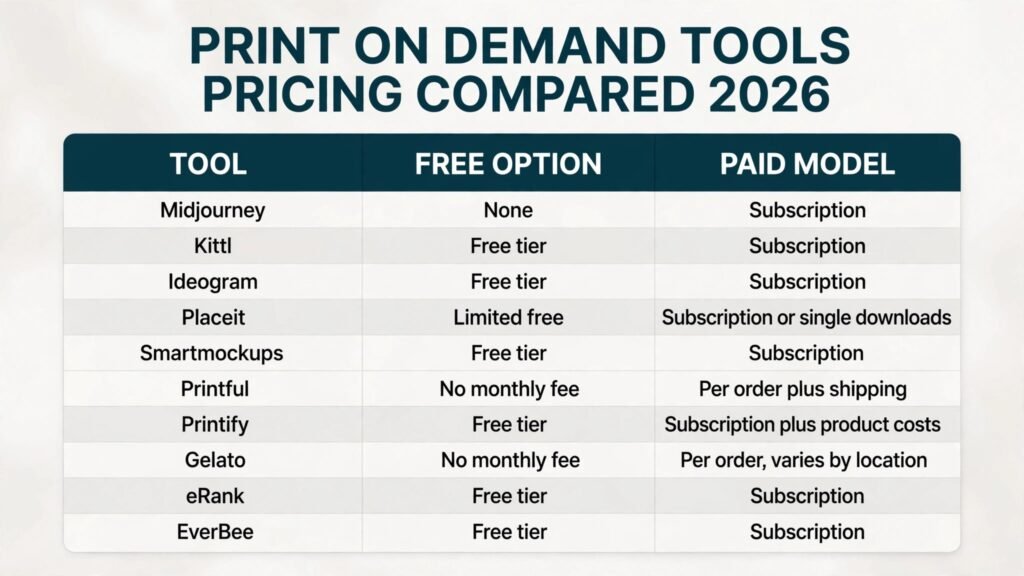
Pricing compared: what a print on demand seller actually pays
| Tool | Free option | Paid model |
|---|---|---|
| Midjourney | None for commercial use in the usual model | Subscription, check checkout |
| Kittl | Free tier | Subscription, check checkout |
| Ideogram | Free tier | Subscription, check checkout |
| Placeit | Limited free options | Subscription or single downloads, check checkout |
| Smartmockups | Free tier | Subscription, check checkout |
| Printful | No monthly fee for basic service | Per product and per order, plus shipping |
| Printify | Free tier | Subscription, plus per product provider costs |
| Gelato | No monthly fee for basic service | Per product and per order, varies by location |
| eRank | Free tier | Subscription, check checkout |
| EverBee | Free tier | Subscription, check checkout |
Design and mockup subscriptions are usually the smaller cost. The larger cost is base product, print and shipping on every order, plus marketplace fees. Work out the delivered cost to your main buyer countries, subtract fees, and only then set a retail price.
How to Choose without buying ten tools
Start with the leak, not the tool list. Look at your last thirty days and ask four questions. Where do you lose the most time? Where do buyers complain or return products? Which listings get views but no sales? Which listings get no views at all? Each answer points to a different stage. Time lost on design points to Kittl or Ideogram. Complaints about print quality point to a fulfilment change and a sample order. Views without sales point to mockups or pricing. No views at all point to keyword research with eRank or EverBee.
Next, test one tool on five to ten listings and compare them with similar unchanged listings. Give the test at least two weeks, because marketplace search needs time to react. If test listings do not improve, the problem may be the niche, the price or the design itself.
Finally, check integration before you pay. Confirm export size, print area, supported store platforms and commercial use terms for the plan you will actually use.
Mistakes to avoid when selling print on demand
The first mistake is designing for yourself instead of for a buyer. A design you love can fail if no one searches for it or the slogan is unclear at thumbnail size. Research the niche first.
The second mistake is trusting a mockup more than a sample. Order a sample of every product you plan to push, wear or use it, and photograph it in normal light.
The third mistake is copying a successful design too closely. Changing a colour or a word is not enough to make it original, and it can still create trademark or copyright problems. Create your own artwork, slogan and listing copy.
The fourth mistake is pricing from the base cost alone. Shipping, marketplace fees, returns and advertising all eat margin, and a cheap looking product can lose money on every international order.
The fifth mistake is listing once and never revisiting. Review titles, tags, mockups and prices when sales stall. Small, regular updates beat a large relaunch that loses sales history.
Frequently asked questions
Do I need all ten tools to start print on demand?
No. Most sellers start with one design tool, one mockup source, one fulfilment provider and one research tool. Add tools only when a specific stage clearly limits sales.
Which fulfilment provider should a beginner choose?
Printful is a safe starting point for quality and integrations, Printify is useful for comparing providers, and Gelato is worth testing if most buyers live outside your home country. Order a sample before you rely on any provider.
Can I use AI generated art on products for sale?
It depends on the tool and the plan. Check the current commercial terms for the exact plan you use, keep a record of that plan, and avoid copying a known artist, brand or character.
Why do my mockups look better than the printed product?
Mockups use perfect lighting and flat fabric, while real printing has texture and colour shift. If the gap is large, check resolution, colour profile and print area, then order a sample before scaling the listing.
How many listings should I publish before judging a niche?
Ten listings in one niche give a better signal than one listing in ten niches. Publish a focused batch, give it time to be indexed, then judge by views, click rate and sales together.
Is print on demand still profitable in 2026?
It can be, but only with disciplined margins and original designs. The model removes inventory cost yet adds per order production and shipping costs. Sellers who focus on a clear niche, test in small batches and keep fulfilment quality high do best.
Conclusion: build the pipeline, then improve one stage at a time
Print on demand rewards sellers who think in stages. The best AI tools for print on demand sellers are not a single winner, but a small stack matched to the stage that currently loses the most sales. Start with the leak you can measure, test one tool on a small batch, order samples before you scale, and keep designs and listings original. That steady pipeline, not a single viral design, builds a store that lasts.