

A course stalls in the same place every time. The slides are ready, the script is written, but recording means a camera, lights, retakes, and a full day for one ten minute lesson, and that is the exact pain the best ai video generators for course creators are built to remove. The tools do not replace the teacher. They turn a script into a finished lesson video without a studio.
This guide compares eight tools that course creators actually use in 2026, judged on avatar quality, lesson features, LMS delivery, and price. Prices here come from vendor pages and comparisons checked in late 2026, so confirm the current price before you commit, because video tool pricing is often metered by minutes.
The eight tools split into three jobs. Synthesia, HeyGen, Colossyan and Elai present lessons with AI avatars. Pictory and D-ID turn existing content into video. Vyond and Camtasia build animated and screen recorded lessons that avatars cannot.
Why Recording a Course Takes Months, Not Weeks
A ten lesson course needs ten recordings, and each one needs setup, retakes and editing. A single mistake in lesson three means re-recording the whole lesson, and a script change after recording means starting over. Most course creators finish the outline and never finish the videos.
The second problem is updates. A course that teaches a tool or a process goes stale when the tool changes, and re-recording a whole lesson for one changed step is wasteful. Avatar video fixes this, because a script edit re-renders the video in minutes.
The third problem is delivery. A lesson video is not a course until it reaches the LMS with quizzes, tracking and certificates. The tools in this list differ sharply on SCORM export and interactivity, and the wrong choice leaves you rebuilding the course in a second tool.
The fix is a stack, not a single tool. One tool presents the lessons, one turns existing material into video, and one handles the screen recordings and animation. Each tool below is judged on the one job it does best, and the guide shows how they fit together.
The best ai video generators for course creators below are judged on the job each tool does, not on the demo it shows.
The 8 AI Video Generators for Course Creators at a Glance
The table below is the short version. Read it to narrow the list to two or three tools, then read the detail section before you pay for anything. Use it to shortlist the best ai video generators for course creators worth testing on your own work.
| Tool | Main job | Best for | Starting paid price |
|---|---|---|---|
| Synthesia | Avatar training video | Enterprise training | about 18 dollars a month billed yearly |
| HeyGen | Avatar video platform | Cross functional video | about 24 dollars a month billed yearly |
| Colossyan | Interactive course video | Structured L and D courses | about 19 dollars a month billed yearly |
| Elai | Budget avatar training | SCORM on a budget | about 23 dollars a month billed yearly |
| Pictory | Script to video | Repurposing course material | about 19 dollars a month |
| Vyond | Animated explainer video | Animated compliance training | about 49 dollars a month |
| D-ID | Avatar video from photos | Affordable avatar video | about 6 dollars a month |
| Camtasia | Screen recording and editing | Software tutorials | about 180 dollars a year |
The table above narrows the field, but the right answer for most readers is a pair of tools, not one. The detail section shows what each tool actually does, what it costs, and where it falls short, so the choice follows the job rather than the marketing.
Best Pick by Job
| Job type | First pick | Second tool | Why this pair works |
|---|---|---|---|
| Corporate training at scale | Synthesia | HeyGen | Enterprise governance plus the fastest avatar renders cover big teams |
| Cross functional video team | HeyGen | Synthesia | One workspace for training, marketing and comms, not just courses |
| Structured courses with quizzes | Colossyan | Elai | Scenario builder and SCORM plus interactive branching cover real courses |
| Budget training with SCORM | Elai | Colossyan | SCORM export and quizzes at the lowest price in this list |
| Turning slides into lessons | Pictory | Vyond | Script to video plus animated explainers cover existing material |
| Screen recorded tutorials | Camtasia | D-ID | Real screen capture plus avatar presenters for mixed lessons |
A course creator running the best ai video generators for course creators as a stack gets further than one running a single avatar tool hard. HeyGen presents the lessons, Elai adds the SCORM quizzes, and Camtasia records the screen demos. That combination covers the three jobs that decide whether a course is finished and deliverable.
Minutes change the answer. Most avatar tools meter video minutes that do not roll over, so a ten minute monthly cap disappears by the ninth of the month. Count the finished minutes your course needs, then buy the plan that covers them with a margin.
How to Judge the Best AI Video Generators for Course Creators
Judge every option on avatar quality and natural delivery first. The best ai video generators for course creators are only good if students will watch them, so render the same ninety second script on three tools and watch each one twice. A stiff avatar loses a student in the first minute.
Next, test lesson features like quizzes and branching on your own work. A tool that looks strong on a feature list but stumbles on lesson features like quizzes and branching will cost more time than it saves, so run it on a real task before you compare anything else. The test should use your files, your audience and your deadline, not the vendor demo data.
Then weigh LMS delivery and SCORM export against cost per finished minute. A tool that wins on LMS delivery and SCORM export but fails on cost per finished minute is a bad buy, and a tool that handles both is worth paying for. Check the LMS delivery and SCORM export first, because a failure there shows up in the first week, while a failure on cost per finished minute shows up in the first month.
Finally, model the cost across the whole course, not one month. A ten lesson course at five minutes a lesson needs fifty finished minutes, and a plan with a ten minute monthly cap needs five months. Count the total minutes, and buy the plan that covers the course, not the month.
What to Check Before You Pay for a Course Video Tool
Check the free tier on your real work first. A free tier that covers a full week of real tasks tells you more than any demo, and a free tier that runs out in a day tells you the paid plan is the real price. Run the trial on the job you will actually do, not on the sample data the vendor provides.
Read the licence and the export rules before you buy. A tool that keeps your work locked inside its own format costs you every time you switch, and a tool that limits commercial use on the plan you bought costs you when you publish. The licence page is short, and reading it takes ten minutes.
Ask what happens when you cancel. A tool that exports your work cleanly is a tool you can leave, and a tool that holds your data hostage is a tool you should not enter. Check the export options on day one, while leaving is still cheap.
Talk to one real user before you commit to a year. A yearly plan saves money only if you still use the tool in month eleven, and a monthly plan costs more but lets you leave. Start monthly, prove the value over two months, then switch to yearly if the tool earns it.
The 8 AI Video Generators for Course Creators in Detail
1. Synthesia
Synthesia is the enterprise standard for avatar training video, serving most of the Fortune 100 with realistic presenters in 160 plus languages. It is the default choice when governance, compliance and scale matter.
The free Basic plan covers a few minutes, and Starter costs about 18 dollars a month billed yearly for ten video minutes. Creator costs more for thirty minutes, and Enterprise is custom priced.
Synthesia fits enterprise training teams. The trade off is the ten minute monthly cap on the entry plan, which disappears by the ninth of the month on a real course.
Build one real training module in Synthesia, a script delivered by a realistic presenter in the language your learners speak, and watch it through as a learner would. The test is whether the ten minute monthly cap on the entry plan survives a real course, since it disappears by the ninth of the month on a real course load. If the module lands and the governance and compliance hold up for an enterprise team, Starter at eighteen dollars a month is the entry point, and Creator or Enterprise is where a real course lives.
2. HeyGen
HeyGen is the fastest avatar video tool in this list, rendering a ninety second script in about two minutes, with 175 plus languages, voice cloning and a digital twin from a short webcam recording. It covers training, marketing and comms from one workspace.
The free plan covers a few videos, and Creator costs about 24 dollars a month billed yearly with unlimited video creation. Pro costs more for 4K export and more premium features.
HeyGen fits teams that make more than training video. The trade off is credit based pricing, which burns through budgets fast on premium avatar minutes.
Take a ninety second script and render it in HeyGen, timing the job, then test the voice cloning and the digital twin from a short webcam recording. The test is speed and range, since HeyGen renders faster than any rival in this list and covers training, marketing and comms from one workspace. If the render finishes in about two minutes and the twin looks like you, Creator at twenty four dollars a month with unlimited video creation is fair. If credit based pricing burns through the budget fast on premium avatar minutes, count the minutes before you commit.
3. Colossyan
Colossyan is built around instructional design, with a scenario builder, SCORM export, quizzes and branching built in. It is the only tool in this list where the course comes first and the video second.
The free Starter tier covers basic use, and Basic costs about 19 dollars a month billed yearly. Professional costs about 59 dollars a month for more minutes and members.
Colossyan fits L and D teams that build real courses. The trade off is a narrower range than HeyGen, since it does marketing and comms poorly.
Build a short course in Colossyan with the scenario builder, a quiz and a branching path, then export it as SCORM and load it into your LMS. The test is whether the course comes first and the video second, which is the only reason to choose Colossyan over a general avatar tool. If the SCORM export works and the branching holds up, Basic at nineteen dollars a month is fair for L and D teams that build real courses. If you need marketing and comms video too, the narrower range will show, since Colossyan does those poorly.
4. Elai
Elai turns scripts and documents into avatar presented training video with SCORM export, quizzes and branching, at the lowest price in this list for those features. It is the closest like for like replacement for the expensive enterprise tools.
A free trial covers one minute, and Creator costs about 23 dollars a month billed yearly for fifteen minutes. Team costs more for fifty minutes and more seats.
Elai fits small teams that need SCORM without an enterprise budget. The trade off is avatar quality that trails HeyGen and Synthesia.
Build a training video in Elai from a script or a document, with SCORM export, quizzes and branching, and compare the result against the enterprise tools it replaces. The test is value. At twenty three dollars a month for fifteen minutes, Elai is the closest like for like replacement for the expensive enterprise tools at the lowest price in this list for those features. If the SCORM export works and the video teaches well, the budget price is doing its job. If the avatar quality trails HeyGen and Synthesia enough that learners notice, the saving costs you credibility.
5. Pictory
Pictory turns scripts, articles and long videos into finished lesson videos with stock footage, voiceover and captions. It is the best tool in this list for turning material you already have into video.
Plans start at about 19 dollars a month, with a free trial of three videos. The value is in volume, since one long document becomes several lessons.
Pictory fits creators with a library of written material. The trade off is that it repurposes, it does not present with an avatar, so it pairs with an avatar tool.
Take a long document your course already has and let Pictory turn it into several lesson videos with stock footage, voiceover and captions. The test is volume from material you already own, since Pictory is the best tool in this list for that job. If one document becomes several lessons in an afternoon, nineteen dollars a month is fair. If the lessons feel like repurposed text rather than teaching, remember the limit. Pictory repurposes, it does not present with an avatar, so it pairs with an avatar tool rather than replacing one.
6. Vyond
Vyond builds animated explainer videos with characters, scenes and props, which suit compliance and process training that a talking avatar cannot show. It is the animation specialist in this list.
Essential costs about 49 dollars a month, with higher tiers for more features and team seats. The price is the highest in this list for a single purpose tool.
Vyond fits animated training and compliance content. The trade off is price and the fact that animation takes longer to build than avatar video.
Use Vyond characters, scenes and props to build an animated explainer for a compliance or process topic, showing what a talking avatar cannot. The test is whether animation teaches the process better than a presenter reading a script. If the animation makes the process clear and the compliance training lands, Essential at forty nine dollars a month is the price of the animation specialist in this list. If the build takes longer than avatar video and the price is the highest in this list for a single purpose tool, the animation has to earn that time, or a faster tool wins.
7. D-ID
D-ID turns a single photo into a talking avatar video, which is the cheapest way to add a presenter to a lesson. It is the most affordable avatar platform in this list by a clear margin.
Lite costs about 6 dollars a month, with Pro at about 30 dollars and Advanced at about 50 dollars. The low entry price makes it easy to test avatar video before committing.
D-ID fits small teams and solo creators on a budget. The trade off is simpler avatars and fewer lesson features than the course focused tools.
Take a single photo and turn it into a talking avatar video with D-ID, then drop it into a lesson and watch whether learners accept the presenter. The test is the cheapest way to add a presenter to a lesson, and Lite at six dollars a month makes it easy to try. If the photo presenter works and the lesson feels complete, the low entry price has done its job. If the simpler avatars and fewer lesson features show beside the course focused tools, the saving is real but so is the gap, and the decision is whether the presenter or the course features matter more.
8. Camtasia
Camtasia records the screen, edits the result and adds quizzes and callouts, which makes it the best tool in this list for software tutorials. An avatar cannot show a real workflow, and Camtasia can.
It costs about 180 dollars a year for the full version, with a Starter tier for lighter use. The one year price is cheaper than a monthly avatar subscription over the same period.
Camtasia fits tutorial creators who teach software. The trade off is that it records real screens, it does not generate avatar presenters.
Record a software tutorial in Camtasia, capturing the screen, editing the result and adding quizzes and callouts, then hand it to a learner who has never used the software. The test is whether the learner can follow the real workflow, which an avatar cannot show. If the tutorial teaches the software cleanly, a hundred eighty dollars a year is cheaper than a monthly avatar subscription over the same period. If you need a presenter rather than a screen, Camtasia records real screens and does not generate avatar presenters, so the tool is wrong for that job, not too expensive for it.
A Course Workflow From Script to LMS
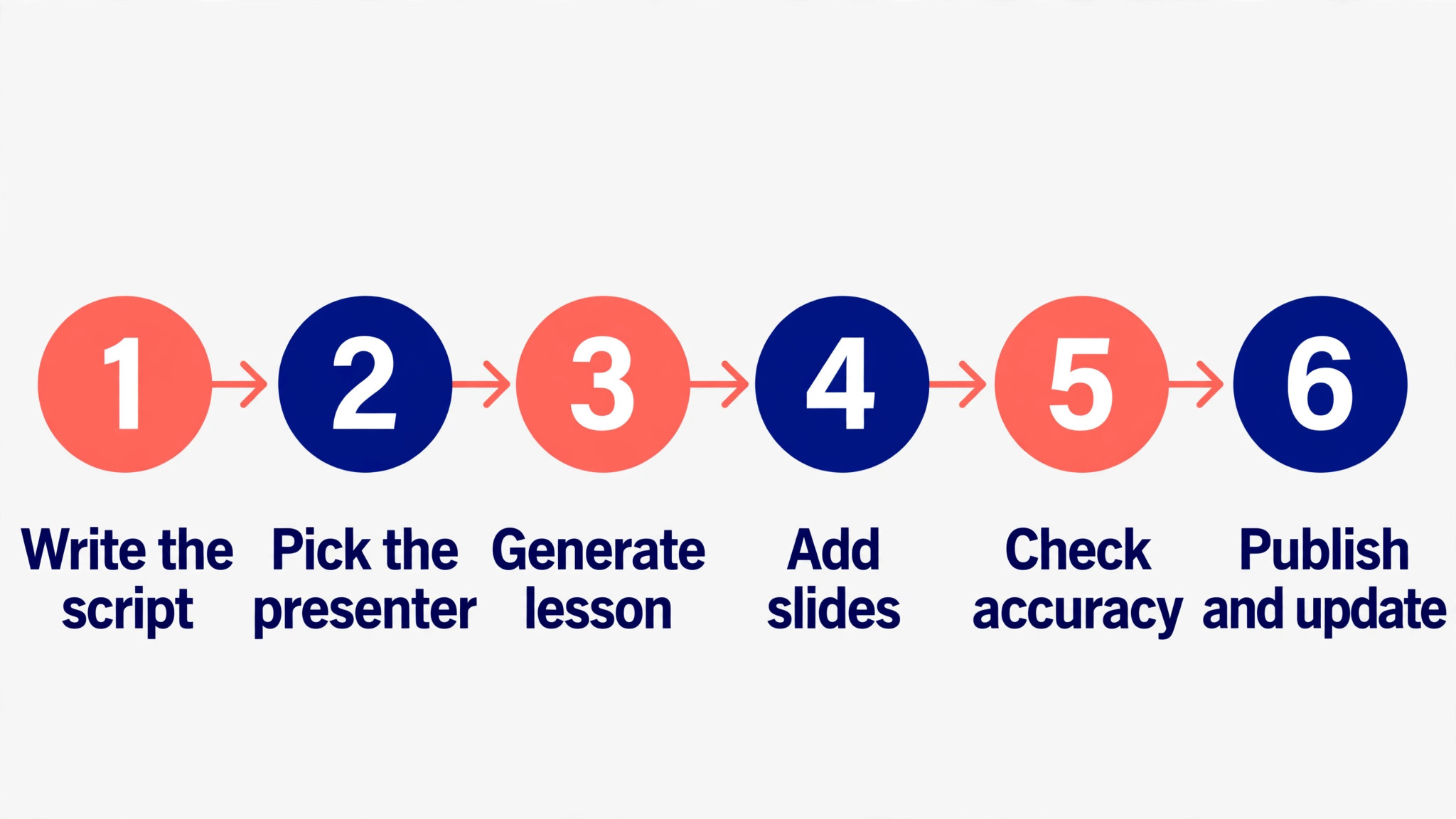
The order matters. Script first, avatar second, interactivity third, and LMS last. A tool used out of order creates rework, so run the steps in sequence. The best ai video generators for course creators that fit your work are the ones that survive this order.
| Step | Job | Best tool | What good looks like |
|---|---|---|---|
| 1 | Write the script | HeyGen | Script to avatar in one workspace, no separate shoot |
| 2 | Render the lessons | Synthesia | Avatar lessons in 160 plus languages for global teams |
| 3 | Add interactivity | Colossyan | Quizzes, branching and scenarios inside the video |
| 4 | Record screen demos | Camtasia | Real software walkthroughs the avatar cannot show |
| 5 | Repurpose old material | Pictory | Slides and blog posts turned into lesson video |
| 6 | Deliver to the LMS | Elai | SCORM export with tracking and completion reporting |
Run the workflow on one lesson before you commit to it. Script, render, add a quiz, record a demo and deliver it to the LMS for a single lesson, and time each step. The workflow that finishes a lesson in an hour will finish a course in a month. The workflow that takes a day per lesson will never finish the course.
What a Course Stack Costs at Real Volume
Prices below use annual billing where it is cheaper. Minutes are the real unit, so the cost per finished minute is shown where the vendor meters it. The best ai video generators for course creators below are priced at real volume, not at headline rates.
| User type | Volume | Tool stack | Monthly cost |
|---|---|---|---|
| Solo creator, one course | 50 finished minutes | HeyGen Creator plus Elai | About 47 dollars a month |
| Solo creator, budget | 50 finished minutes | Elai Creator plus Pictory | About 42 dollars a month |
| Small team, quarterly courses | 200 finished minutes | Synthesia Starter plus Colossyan | About 77 dollars a month |
| Corporate team, monthly courses | 500 finished minutes | Synthesia Creator plus HeyGen Pro | About 138 dollars a month |
| Enterprise, global training | 1000 finished minutes | Synthesia Enterprise | Pricing on the vendor site |
Render the first lesson on the free tools and see whether the course idea holds up before spending anything. Drafting costs nothing that way. The paid tier becomes worth it when finished minutes and LMS delivery decide whether the course ships or stalls, so keep drafting free and pay only for the minutes and delivery that get it out the door.

Three Course creators Setups That Actually Work
A single tool rarely covers the whole job, and the setups below are the pairs that readers actually run. Each one costs less than a single enterprise platform, and each one is easier to learn than a tool that tries to do everything.
Setup 1 fits corporate training at scale. Synthesia does the heavy work, and HeyGen covers the gap it leaves. Enterprise governance plus the fastest avatar renders cover big teams. Run this setup for a month before you add anything else, because most readers never need a third tool, and the money saved is better spent on the work itself.
Setup 2 fits cross functional video team. HeyGen does the heavy work, and Synthesia covers the gap it leaves. One workspace for training, marketing and comms, not just courses. Run this setup for a month before you add anything else, because most readers never need a third tool, and the money saved is better spent on the work itself.
Setup 3 fits structured courses with quizzes. Colossyan does the heavy work, and Elai covers the gap it leaves. Scenario builder and SCORM plus interactive branching cover real courses. Run this setup for a month before you add anything else, because most readers never need a third tool, and the money saved is better spent on the work itself.
The common thread across all three setups is the same. Buy the pair that matches the job you do most often, learn it properly, and add a third tool only when a real gap appears. A stack that grows with the work beats a stack bought all at once.
Mistakes to Avoid With Course Video AI
The best ai video generators for course creators fail in the same few ways, and each mistake below costs time or money. Avoid them and the stack works.
Buying a plan with a ten minute monthly cap. A ten minute cap covers two lessons, and a ten lesson course needs five months on that plan. Count the finished minutes your course needs before you buy, and choose a plan whose cap covers at least one full course.
Publishing avatar video without a quiz or check. A lesson without a check is a video, not a course, and students who only watch retain far less than students who answer. Add a quiz or a branching question to every lesson, even a short one, so watching becomes learning.
Ignoring the LMS until the videos are done. A video that cannot report completion to your LMS is a file, not a course. Test SCORM export on lesson one, not lesson ten, so a delivery problem surfaces when it is cheap to fix.
Letting the avatar read a script written for print. A script written for reading sounds stiff when spoken, and students tune out in the first minute. Read every script aloud before rendering, cut the long sentences, and write the way you talk.

First Week Setup Checklist for Course Creators
Use this checklist when you set up your stack, and keep a copy with your project notes. It turns the best ai video generators for course creators into a working setup in a week.
- Write one full lesson script and read it aloud twice.
- Render the same ninety second script on three avatar tools.
- Test SCORM export into your LMS with one lesson.
- Add one quiz and one branching question to the test lesson.
- Record one screen demo in Camtasia and place it in the lesson.
- Count the finished minutes your whole course needs.
- Pick the plan whose monthly cap covers one full course.
- Publish one lesson end to end before rendering the rest.
Related Guides
Keep exploring with these guides on Stratilyze:
- Best AI Story Generators for Content Creators (15 Tools)
- Best AI Quiz Makers for Course Creators (8 Tools)
- Best AI Course Creators for Small Businesses (10 Tools)
Frequently Asked Questions
Which AI video generator is best for course creators?
HeyGen is the best pick for most course creators, because it renders fast, covers 175 plus languages, and now supports quizzes, branching and SCORM export alongside avatar video. Synthesia is the best pick for enterprise training, because it serves most of the Fortune 100 with governance and compliance built in.
Can AI video generators export to an LMS?
Yes, on the right tools. Colossyan, Elai and HeyGen all support SCORM export, which reports completion and quiz results to your LMS. Synthesia supports SCORM on its enterprise tier. Test the export on lesson one, because a tool without SCORM cannot deliver a trackable course.
How much does it cost to make a course with AI video?
About 40 to 80 dollars a month for a solo creator making one course, using HeyGen or Elai plus a repurposing tool. A ten lesson course at five minutes a lesson needs fifty finished minutes, and the plan must cover those minutes, since most tools meter minutes that do not roll over.
Is Synthesia or HeyGen better for training videos?
HeyGen is better for most teams, because it renders a ninety second script in about two minutes, costs from about 24 dollars a month, and has no ten minute monthly ceiling. Synthesia is better for enterprise teams that need governance, compliance and SCORM at scale, and it serves most of the Fortune 100.
Can I update an AI video lesson without re-recording?
Yes, and that is the main advantage of avatar video. Edit the script and re-render, and the lesson updates in minutes, with no camera, lights or retakes. That makes avatar video the right choice for courses that teach tools and processes that change often.
Do students learn well from AI avatar videos?
Yes, when the lesson includes interaction. Avatar video alone is a lecture, and students retain less from watching than from answering. Add quizzes, branching and checks for understanding, and the learning results match a recorded human presenter for most training topics.
Our Call for Course Creators, and When the Runner-Up Wins
Our call is HeyGen for most course creators, because it is the fastest avatar renderer in this list, it covers training, marketing and comms from one workspace, and it now ships the quizzes, branching and SCORM export that turn videos into courses. Pair it with Elai for budget SCORM delivery and Camtasia for screen demos. That is what the best ai video generators for course creators are for, a stack that ships rather than a list that impresses.
The runner-up is Colossyan, and it wins when the job is a structured course rather than a set of videos. If your course needs scenarios, branching and interactive assessment built in from the start, Colossyan is built around instructional design in a way HeyGen is not. Start there when the course is the product.