

A promotion stalls in the same place every time. The product is ready, the offer is good, but the video needs a camera, an editor, and a day you do not have, and that is the exact pain the best ai video generators for small business are built to remove. The tools do not replace the business owner. They turn a sentence into a finished promo video in minutes.
This guide compares fifteen tools that small businesses actually use in 2026, judged on speed, ease of use, template quality, and price. Prices here come from vendor pages and comparisons checked in late 2026, so confirm the current price before you commit, because video tool pricing changes often.
The fifteen tools split into four jobs. Synthesia, HeyGen, Colossyan and Elai present with AI avatars. Pictory, InVideo, Lumen5 and Kapwing turn text and articles into video. Animoto, Wave.video, Biteable, Promo and Renderforest make promos from templates. Vyond and Runway make animation and AI footage.
Why Small Businesses Post Less Video Than They Should
Video is the format that sells, and it is the format small businesses make least. A promo video needs a shoot, an edit and captions, and a business owner with ten other jobs cannot find a day for it. The result is a social feed that goes quiet for weeks.
The second problem is cost. A freelance editor charges hundreds per video, and a monthly subscription stack passes a hundred dollars before the first video ships. A small business needs video that costs minutes and dollars, not days and hundreds.
The third problem is consistency. One good video does not grow a business, and a feed that posts once a month does not build an audience. The tools in this list exist because a business that can make a video in twenty minutes will post weekly, and a business that needs a day will not.
The best ai video generators for small business below are judged on the job each tool does, not on the demo it shows.
The 15 AI Video Generators for Small Business at a Glance
The table below is the short version. Read it to narrow the list to two or three tools, then read the detail section before you pay for anything. Use it to shortlist the best ai video generators for small business worth testing on your own work.
| Tool | Main job | Best for | Starting paid price |
|---|---|---|---|
| Synthesia | Avatar business video | Corporate and training video | about 18 dollars a month billed yearly |
| HeyGen | Avatar video platform | Presenter videos | about 24 dollars a month billed yearly |
| Pictory | Script to video | Repurposing content | about 19 dollars a month |
| InVideo | Prompt to video | Fast promos and explainers | about 15 dollars a month |
| Lumen5 | Article to video | Social video from text | about 19 dollars a month billed yearly |
| Animoto | Slideshow video maker | Photo promos | free |
| Wave.video | Video marketing platform | Live and recorded video | about 20 dollars a month |
| Biteable | Template video maker | Quick explainers | about 19 dollars a month |
| Promo | Promo video templates | Ads and social promos | about 29 dollars a month |
| Renderforest | Video and branding maker | Intros and promos | about 14 dollars a month |
| Vyond | Animated explainer video | Animated explainers | about 49 dollars a month |
| Colossyan | Interactive training video | Training and onboarding | about 19 dollars a month billed yearly |
| Elai | Budget avatar video | Affordable presenter video | about 23 dollars a month billed yearly |
| Runway | Generative video AI | AI footage and effects | about 12 dollars a month billed yearly |
| Kapwing | Browser video editor | Editing and captions | about 16 dollars a month |
The table above narrows the field, but the right answer for most readers is a pair of tools, not one. The detail section shows what each tool actually does, what it costs, and where it falls short, so the choice follows the job rather than the marketing.
Best Pick by Job
| Job type | First pick | Second tool | Why this pair works |
|---|---|---|---|
| Fastest promo this week | InVideo | Pictory | Prompt to video plus blog to video cover any starting point |
| Talking head without a camera | HeyGen | Synthesia | Avatar presenters in minutes, with Synthesia as the enterprise route |
| Social posts from articles | Lumen5 | Pictory | Article to video plus repurposing cover the content you already have |
| Slideshows and photo promos | Animoto | Renderforest | Templates that turn photos into polished promos fast |
| Live and webinar video | Wave.video | Kapwing | Streaming plus editing cover live and recorded video in one place |
| Animated explainers | Vyond | Biteable | Character animation plus simple templates cover explainers at two prices |
A small business running the best ai video generators for small business as a small stack gets further than one running a single tool hard. InVideo drafts the promo, HeyGen adds the presenter, and Kapwing edits the result. That combination covers the three jobs that decide whether a business posts video weekly.
Price changes the answer. InVideo starts at about 15 dollars a month, Pictory at about 19 dollars, and Animoto has a free tier, so a business can start video marketing for less than a single freelance edit. Pay for the tool that matches the video type you make most, not the one with the longest feature list.
How to Judge the Best AI Video Generators for Small Business
Judge every option on speed from idea to finished video first. The best ai video generators for small business are only useful if they ship, so make one real promo in each tool you shortlist and time it. A tool that takes twenty minutes wins over one that takes two hours, whatever its feature list says.
Next, test template quality for your business type on your own work. A tool that looks strong on a feature list but stumbles on template quality for your business type will cost more time than it saves, so run it on a real task before you compare anything else. The test should use your files, your audience and your deadline, not the vendor demo data.
Then weigh branding and watermark rules against cost per video at your volume. A tool that wins on branding and watermark rules but fails on cost per video at your volume is a bad buy, and a tool that handles both is worth paying for. Check the branding and watermark rules first, because a failure there shows up in the first week, while a failure on cost per video at your volume shows up in the first month.
Finally, model the cost across a month of real posting. A business that posts three videos a week needs twelve videos a month, and a plan with ten exports will fail in week four. Count your posts, and buy the plan that covers your busiest month with a small margin.
The 15 AI Video Generators for Small Business in Detail
1. Synthesia
Synthesia creates avatar videos with realistic presenters in 160 plus languages, and it is the most polished avatar platform in this list. It suits businesses that need professional training and explainer videos.
The free Basic plan covers a few minutes, and Starter costs about 18 dollars a month billed yearly for ten video minutes. The ten minute cap is the main limit for a business posting weekly.
Synthesia fits corporate video and training.
Make a corporate explainer in Synthesia with a realistic presenter, and watch it as a customer would. If the avatar video looks professional and the ten minute cap covers a weekly posting rhythm, Starter at eighteen dollars a month is fair. If the cap runs out mid month, the ten minute limit is the main problem, and a tool without a minute cap fits a business that publishes often.
2. HeyGen
HeyGen makes realistic avatar videos with voice cloning and translation in 175 plus languages, and it renders faster than any rival in this list. It is the best avatar tool for a business that needs a presenter without a camera.
The free plan covers a few videos, and Creator costs about 24 dollars a month billed yearly with unlimited video creation. Pro costs more for 4K export and more premium features.
HeyGen fits businesses that need a presenter on camera.
Build your digital twin in HeyGen from a short webcam clip, and make a presenter video without ever setting up a camera. If the twin looks and sounds like you, Creator at twenty four dollars a month with unlimited video creation is fair. If the voice cloning feels off or the premium minutes burn the budget, the avatar is the question, and a simpler video tool may serve the business better.
3. Pictory
Pictory turns scripts, blog posts and long videos into finished short videos with stock footage, voiceover and captions. It is the best tool in this list for turning content you already have into video.
Plans start at about 19 dollars a month, with a free trial of three videos. The value is in volume, since one article becomes a video in minutes.
Pictory fits businesses with a blog or a video library.
Take a blog post your business already published and let Pictory turn it into a finished short video. If the video is good enough to post and the volume holds up, nineteen dollars a month is fair. If the stock footage feels generic beside your brand, a template tool with your own photos may fit better.
4. InVideo
InVideo turns a text prompt into a full video draft with stock footage, voiceover, transitions and music, which you then edit by hand. It is the fastest route from an idea to a watchable promo.
The free tier covers watermarked exports, and paid plans start at about 15 dollars a month. The credit system meters generation, so heavy users need a higher tier.
InVideo fits small businesses that need video fast.
Type a prompt for a promo into InVideo and see how fast a full video draft appears. If the draft is good enough to edit into a finished ad in an afternoon, paid plans from fifteen dollars a month are fair. If heavy use burns through credits, count them before you commit, since the credit system meters generation.
5. Lumen5
Lumen5 turns a blog post or script into a storyboard video with matching visuals, and it is built for social media marketers. It is the simplest article to video tool in this list.
The free plan includes branding and 720p export, and paid plans start at about 19 dollars a month billed yearly. The free plan is usable for testing, but the branding stays on the video.
Lumen5 fits marketers who turn articles into social video.
Take an article your business wrote and let Lumen5 turn it into a storyboard video. If the article becomes a social video without you learning an editor, the free plan is usable for testing, though the branding stays on the video. If the storyboard feels like a slideshow of your own words, a tool that adds motion may serve the marketing better.
6. Animoto
Animoto turns photos and clips into polished promo videos with templates that handle timing and transitions automatically. It is the easiest tool in this list for a business that sells with photos.
The free Basic tier covers simple videos, and paid plans start at about 16 dollars a month. It is rated highly by small businesses and real estate agents who need promos fast.
Animoto fits photo led businesses like real estate and food.
Gather the photos of a product or a property and let Animoto turn them into a polished promo video. If the first video takes minutes and looks professional, paid plans from sixteen dollars a month are fair for a photo led business. If the templates all look alike after three videos, the ease is the limit, and a tool with more control is the next step.
7. Wave.video
Wave.video combines video editing, live streaming and hosting in one platform, which suits small teams that stream and post. It is the only tool in this list that covers live video as well as recorded.
Plans start at about 20 dollars a month, with higher tiers for more streaming and branding. The combined features make it cheaper than buying a streamer and an editor separately.
Wave.video fits teams that stream and post video.
Run a live stream and a recorded video through Wave.video in the same week. If the stream runs clean and the recorded video posts well, plans from twenty dollars a month are cheaper than buying both separately. If you never stream, you are paying for a feature you never use, and a plain editor plus a free host does the same job for less.
8. Biteable
Biteable makes short explainer and promo videos from templates, with animation, stock footage and text tools in one simple editor. It is built for speed, and a first video takes minutes.
Plans start at about 19 dollars a month, with a free tier for testing. The template library covers the common business video types, from explainers to announcements.
Biteable fits businesses that need quick explainers.
Make a short explainer in Biteable from a template and time the job. If the explainer ships the same afternoon, nineteen dollars a month is fair for a business that needs quick explainers. If the templates feel limiting after a few videos, the speed was the whole value, and a tool with more control is the next step.
9. Promo
Promo offers thousands of video templates built for ads and social posts, with music and stock footage included. It is the template specialist in this list, and the fastest way to make an ad that looks professional.
Plans start at about 29 dollars a month, which is higher than the general tools. The price buys the template library, so a business that posts ads weekly gets value from it.
Promo fits businesses that run paid ads with video.
Make a week of video ads in Promo, using the thousands of templates built for ads and social posts. If a business that posts ads weekly gets a professional ad every time, the price buys the library. If the ads run rarely, the library sits unused and the higher price buys nothing, so a general tool at half the price is the honest choice.
10. Renderforest
Renderforest makes intros, logo animations, promos and slideshows from templates, and it also handles branding material. It is the best tool in this list for a business that needs a logo animation and a promo from one place.
Plans start at about 14 dollars a month, with a free tier for watermarked exports. The low price makes it easy to keep alongside a main video tool.
Renderforest fits businesses that need intros and promos.
Make a logo animation and a promo in Renderforest, and see whether one place covers both. If both come out well, the low price from fourteen dollars a month makes it easy to keep alongside a main video tool. If the intros feel templated and the promos feel thin, the low price is the only reason to keep it, and a main tool that does one job well may serve better.
11. Vyond
Vyond builds animated explainer videos with characters, scenes and props, which suit businesses that need to explain a process or a product. It is the animation specialist in this list.
Essential costs about 49 dollars a month, with higher tiers for more features. The price is the highest in this list for a single purpose tool.
Vyond fits businesses that explain with animation.
Build an animated explainer in Vyond that shows a process your customers struggle to understand. If customers finally understand the process, Essential at forty nine dollars a month is the price of the animation specialist. If the animation takes longer to build than the explanation is worth, the single purpose is the problem, and a faster avatar tool wins.
12. Colossyan
Colossyan makes interactive training video with avatars, quizzes and branching, which suits businesses that onboard staff with video. It is the course focused tool in this business list.
The free Starter tier covers basic use, and Basic costs about 19 dollars a month billed yearly. Professional costs about 59 dollars a month for more minutes.
Colossyan fits staff training and onboarding video.
Build an onboarding video in Colossyan with an avatar and a quiz, and give it to a new hire on their first day. If the new hire finishes the video and passes the quiz, Basic at nineteen dollars a month is fair. If the business only needs a simple promo, the course features are wasted, and a general video tool at the same price does more.
13. Elai
Elai turns scripts into avatar presented video with slides and visuals, at a lower price than the enterprise avatar tools. It is the budget avatar option in this list.
A free trial covers one minute, and Creator costs about 23 dollars a month billed yearly for fifteen minutes. The price per minute is low for avatar video.
Elai fits small businesses that need a presenter on a budget.
Turn a script into an avatar presented video in Elai and watch it as a customer would. At twenty three dollars a month for fifteen minutes, the price per minute is low for avatar video. If the avatar quality trails the enterprise tools enough that customers notice, the budget price costs you credibility, and the presenter, not the price, is the decision.
14. Runway
Runway generates video from text and images, with AI tools for effects and editing that no template tool offers. It is the most creative video tool in this list.
Plans start at about 12 dollars a month billed yearly, with credits that meter generation. The cost depends on how much footage you generate.
Runway fits businesses that need footage that does not exist yet.
Ask Runway to generate the shot your business video needs and cannot film, and see whether the footage belongs in your edit. If the shot lands and the credits stretch far enough, twelve dollars a month is fair. If the footage looks generated, a stock library may be cheaper, and the creativity is not worth the credit meter.
15. Kapwing
Kapwing is a browser video editor with captions, templates, trimming and branding tools, and it is the best editor in this list for finishing a video made elsewhere. It runs entirely in the browser.
The free tier covers watermarked exports, and Pro costs about 16 dollars a month. The price is low for an editor that also handles captions and social formats.
Kapwing fits businesses that edit video from several sources.
Take video made elsewhere and finish it in Kapwing in the browser, adding captions, templates, trimming and branding. If the finished video posts cleanly, Pro at sixteen dollars a month is a low price for an editor that also handles captions and social formats. If the browser slows down on long videos, the convenience has a limit, and a desktop editor is the better home for heavy work.
A Promo Workflow From Idea to Post
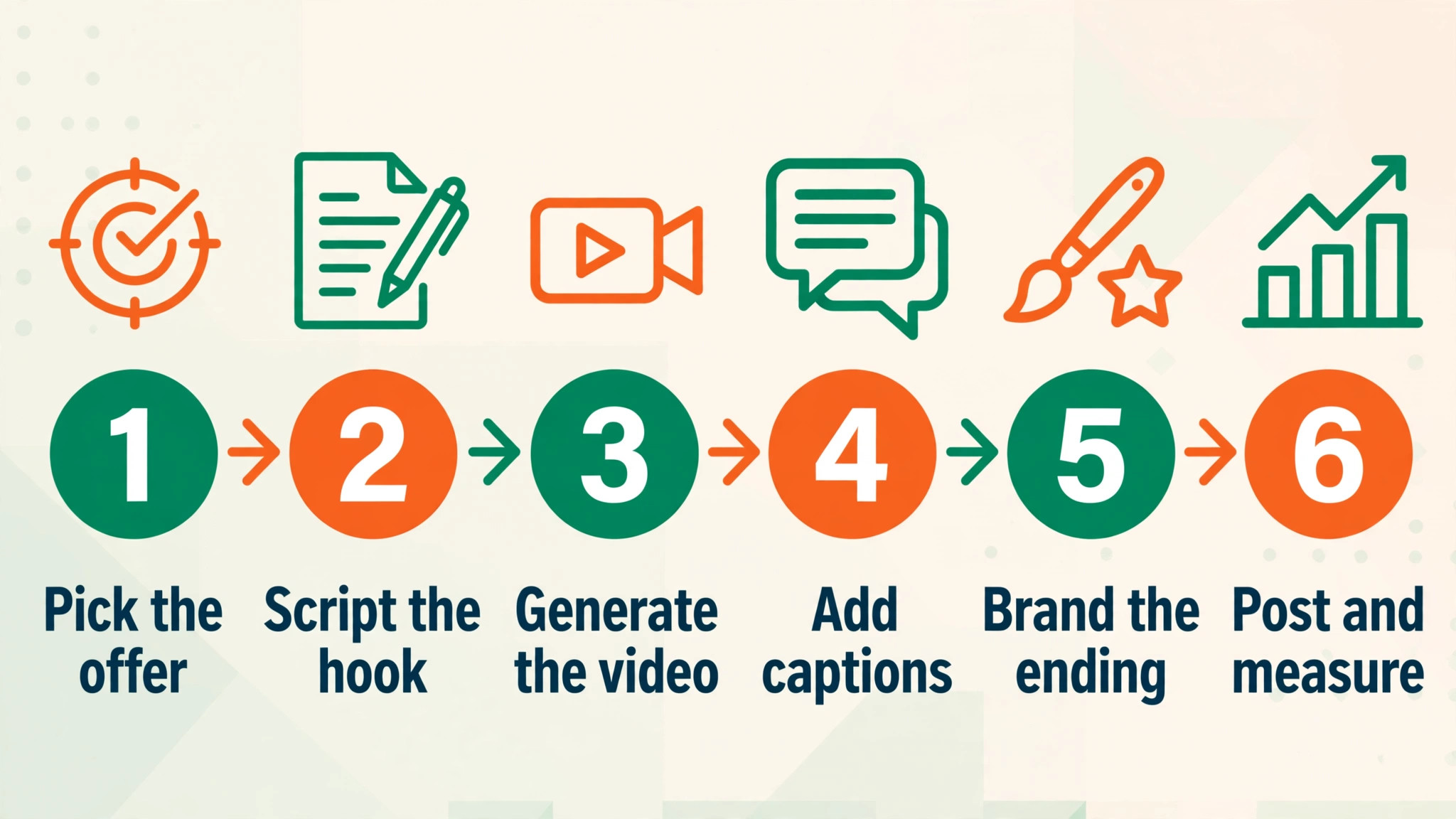
The order matters. Draft first, present second, edit third, and post last. A tool used out of order creates rework, so run the steps in sequence. The best ai video generators for small business that fit your work are the ones that survive this order.
| Step | Job | Best tool | What good looks like |
|---|---|---|---|
| 1 | Draft the promo | InVideo | Prompt to video draft with stock footage and voiceover |
| 2 | Add a presenter | HeyGen | Avatar presenter that speaks the script on camera |
| 3 | Repurpose an article | Pictory | Blog post turned into a short video with captions |
| 4 | Polish the edit | Kapwing | Captions, cuts and branding in one browser editor |
| 5 | Make the thumbnail | Renderforest | Templates that turn a frame into a clickable thumbnail |
| 6 | Post and schedule | Wave.video | Streaming and scheduling that put the video in front of customers |
Run the workflow on one promo before you commit to it. Draft, present, repurpose, polish and post a single video, and time each step. The workflow that finishes a promo in an hour will post weekly. The workflow that takes a day will go quiet within a month.
What a Business Video Stack Costs at Real Volume
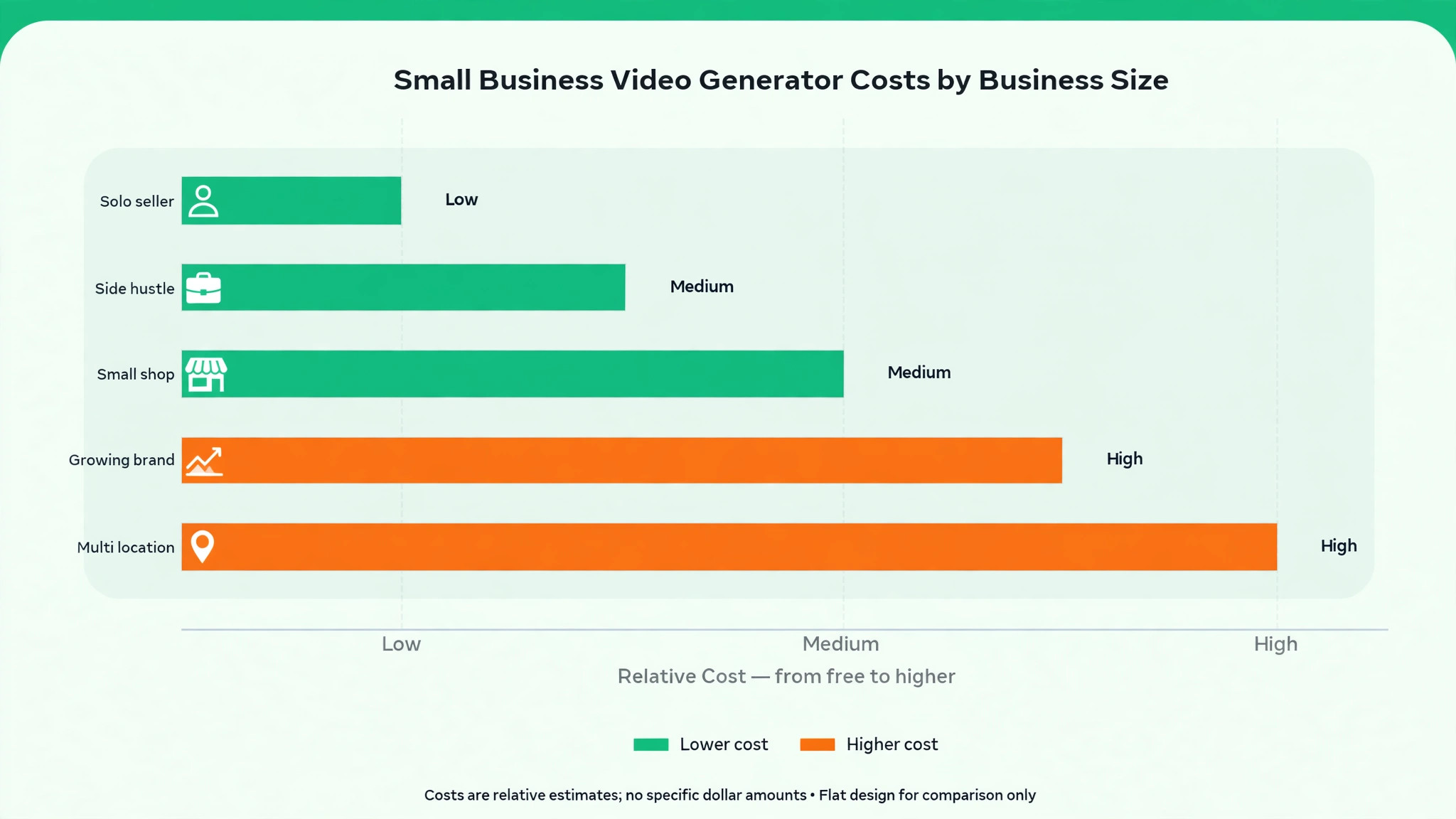
Prices below use annual billing where it is cheaper. Video counts are the real unit, so check the export limit on each plan against your posting schedule. The best ai video generators for small business below are priced at real volume, not at headline rates.
| User type | Volume | Tool stack | Monthly cost |
|---|---|---|---|
| Solo owner, testing video | 4 videos a month | InVideo free plus Animoto free | 0 dollars |
| Small business, weekly posts | 12 videos a month | InVideo Business plus Kapwing Pro | About 31 dollars a month |
| Small business, avatar promos | 12 videos a month | HeyGen Creator plus Pictory | About 43 dollars a month |
| Growing business, daily posts | 30 videos a month | InVideo Unlimited plus HeyGen Pro | About 129 dollars a month |
| Agency, many clients | 100 videos a month | Pictory Team plus Renderforest | Pricing on the vendor site |
Keep the testing budget at zero and put the money into volume instead. A business can publish its first videos free, and the paid tier only earns its keep once watermark-free exports and higher limits are what keep the feed active, so pay for posting volume and leave the rest on free tools.
Mistakes to Avoid With Business Video AI
The best ai video generators for small business fail in the same few ways, and each mistake below costs time or money. Avoid them and the stack works.
Posting a video with a watermark. A watermark tells customers the business would not pay for its own marketing. Use a paid plan that removes it, or use a free tool that exports clean, before you post anything to a customer facing feed.
Making one video and stopping. One video does not grow a business, and a feed that posts once a month does not build an audience. Plan twelve videos before you make the first one, and use a tool fast enough to keep the schedule.
Using the same template as every competitor. A template that every business in your town uses makes your video invisible. Change the colours, the opening line and the call to action, so the video looks like your business and not like the tool that made it.
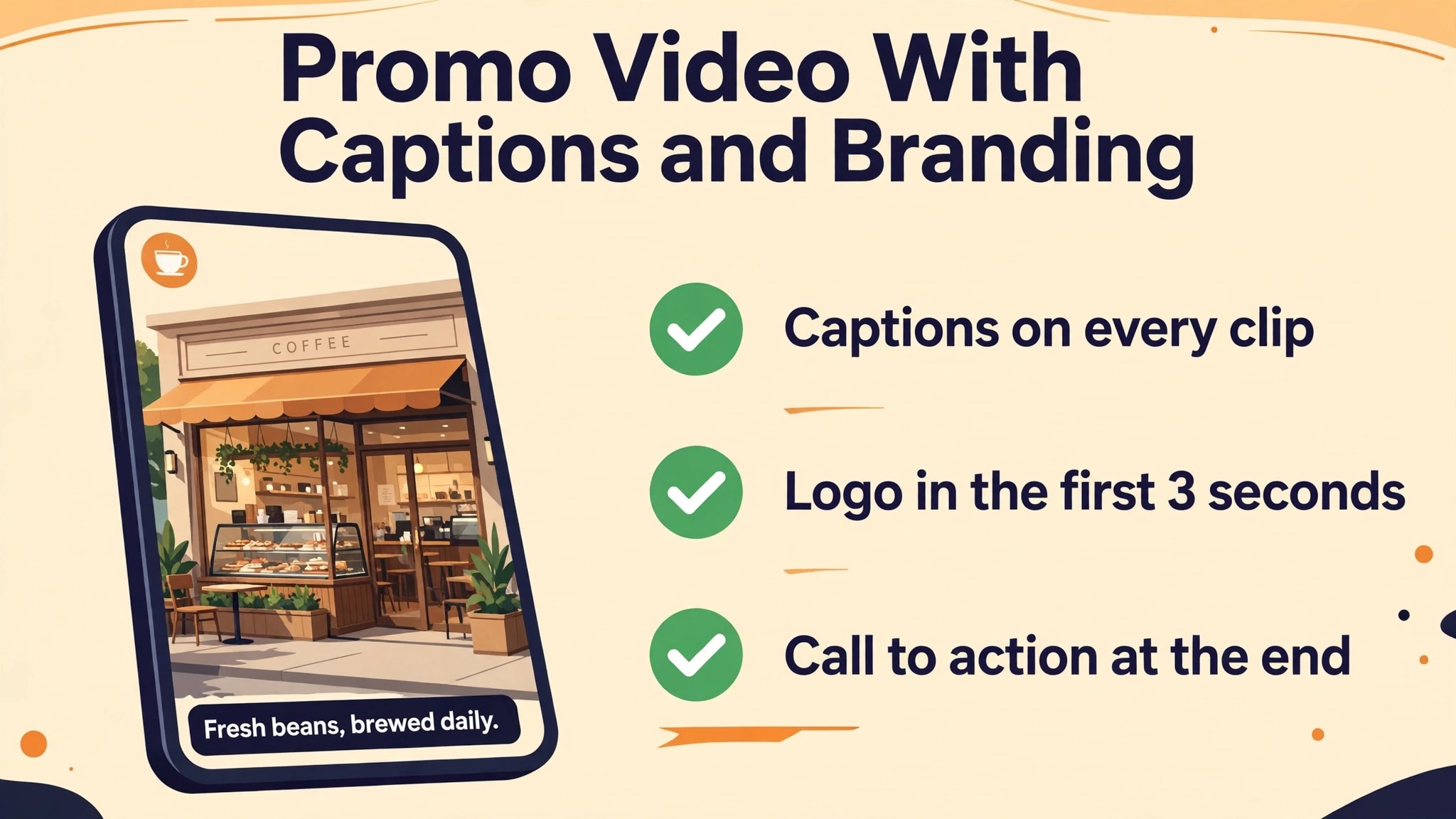
Skipping captions on social video. Most social video is watched without sound, and a promo without captions loses those viewers in seconds. Add captions to every video you post, and check them on a phone before you publish.
First Week Setup Checklist for Small Businesses
Use this checklist when you set up your stack, and keep a copy with your project notes. It turns the best ai video generators for small business into a working setup in a week.
- Pick the video type you will post most and choose one tool for it.
- Make one promo in InVideo and time the whole job.
- Test HeyGen with your real script and watch the avatar twice.
- Turn one blog post into a video with Pictory or Lumen5.
- Add captions to every video and check them on a phone.
- Set up your brand colours and logo in the tool before you post.
- Plan twelve videos before you publish the first one.
- Post one video end to end before you plan the next eleven.
Related Guides
Keep exploring with these guides on Stratilyze:
- Best AI Image Generators for Small Business (15 Tools)
- Top 10 AI Business Plan Generators for Restaurants (10 Tools)
- Top 10 AI Name Generators for Small Businesses (10 Tools)
Frequently Asked Questions
Which AI video generator is best for a small business?
InVideo is the best pick for most small businesses, because it turns a prompt into a full video draft with stock footage, voiceover and music, and paid plans start at about 15 dollars a month. Pictory is the best pick for businesses with a blog, because it turns articles into video automatically.
Can I make business videos for free with AI?
Yes, for testing. InVideo, Animoto and Kapwing all have free tiers, and Lumen5 has a free plan with branding. The catch is watermarks and export limits, so a business that posts to customers should pay for a plan that exports clean video.
How much does AI video cost a small business per month?
About 15 to 45 dollars a month for a business posting weekly, using InVideo plus Kapwing or HeyGen plus Pictory. A business posting daily needs a higher tier, at about 100 dollars a month or more. Start on the cheapest plan that covers your posting volume.
Is HeyGen or Synthesia better for small business video?
HeyGen is better for most small businesses, because it starts at about 24 dollars a month, renders fast, and covers marketing as well as training. Synthesia is better for corporate training at scale, and its entry plan caps video minutes at ten a month, which is too low for a business posting weekly.
Do AI video tools work for real estate and restaurants?
Yes, and those are two of the best fits. Animoto and Renderforest have templates built for property and food, and Pictory turns a listing description or a menu post into a video in minutes. Pick the tool with templates in your industry, not the one with the most templates overall.
Our Call for Small Businesses, and When the Runner-Up Wins
Our call is InVideo for most small businesses, because it is the fastest route from an idea to a finished promo, it starts at about 15 dollars a month, and it covers social, explainer and YouTube formats from one tool. Pair it with HeyGen for presenter videos and Kapwing for editing, and the stack covers the whole job from prompt to post. That is what the best ai video generators for small business are for, a stack that ships rather than a list that impresses.
The runner-up is Pictory, and it wins when the job is repurposing rather than creating. If your business already has a blog, a YouTube channel or a library of articles, Pictory turns that material into video faster than any prompt tool. Start there when the content already exists.