

Housecall Pro is the best crm software for home services pick for a residential shop that sells memberships, because dispatch, proposals and service agreements live in one system from $59 a month. Jobber is the pick for a shop that wants the simplest start, and Service Fusion is the pick for a shop that wants flat pricing with unlimited users. The ten tools below compare price, scheduling and customer records, so a home services business can pick the CRM its office and its techs will both open every day.
A home services CRM is not a sales database. It is the record of every customer, every job, every quote and every payment, and it is the board the office watches while the techs are on the road. A plumbing, HVAC, cleaning or pest control business lives or dies on repeat customers, so the CRM has to remember who called, what was fixed last time, and when the next service is due. A generic sales CRM cannot do that work, because it was built for deals rather than jobs.
The buying problem is that every tool in this category calls itself a CRM while doing a different job. Some are dispatch systems with a customer list attached. Some are CRMs with a scheduling add-on. Some are marketing platforms that happen to book jobs. The comparison below separates those three shapes, and it says plainly where each tool charges, where it caps its users, and where its customer record falls short.
The 10 Tools at a Glance
This table lines up the best crm software for home services on the four numbers that decide a purchase, so the price model and the fit are visible before the detail sections begin.
| Tool | Main job | Best for | Starting price |
|---|---|---|---|
| Housecall Pro | Dispatch, proposals and memberships | Residential shops selling agreements | $59 per month |
| Jobber | Scheduling, quoting and invoicing | Small shops wanting a simple start | $29 per month |
| ServiceTitan | Full operations platform | Large shops scaling up | Quote-based |
| FieldEdge | Dispatch and flat-rate pricing | Pricebook-driven shops | Quote-based |
| Service Fusion | Flat-price field service | Shops wanting unlimited users | $245 per month |
| Workiz | Scheduling, calls and payments | Shops that live on the phone | Quote-based |
| Kickserv | Simple scheduling and invoicing | Solo operators and tiny teams | $59 per month |
| Thryv | CRM, marketing and payments | Small businesses wanting marketing too | $99 per month |
| ServiceM8 | Job management and dispatch | Small teams on mobile | $40 per month |
| mHelpDesk | Scheduling, CRM and invoicing | Shops wanting a simple CRM | Quote-based |
Best Pick by Job
| Job type | First pick | Second tool | Why this pair works |
|---|---|---|---|
| Residential shop selling memberships | Housecall Pro | Jobber | Housecall Pro leads on agreements, Jobber is simpler to run |
| Solo operator or tiny team | Jobber | Kickserv | Jobber is the easiest full system to run, Kickserv is the lowest-cost simple start |
| Shop wanting flat pricing | Service Fusion | FieldEdge | Service Fusion bills per company, FieldEdge brings the pricebook depth |
| Shop scaling past ten techs | ServiceTitan | Service Fusion | ServiceTitan brings the automation, Service Fusion holds the bill flat |
| Business wanting marketing built in | Thryv | Housecall Pro | Thryv bundles marketing and CRM, Housecall Pro leads on dispatch |
The pattern across this list is that the best crm software for home services splits by what the business sells most. A shop that sells memberships needs Housecall Pro. A shop that sells one-off repairs needs Jobber or Kickserv. A shop that sells through marketing needs Thryv. A shop that sells through scale needs ServiceTitan or Service Fusion. A business that knows its main sale will pick faster than one that compares feature lists.
Which Home Services CRM Is Best for a Small Team?
Housecall Pro is the best pick for a small residential team, because the Essentials plan at $149 a month for up to five users covers the whole job flow, from the first call to the signed proposal to the renewed service agreement. The dispatch board shows who is free, the proposal builder produces estimates a homeowner can approve on a phone, and the agreement tools track memberships without a spreadsheet. The platform serves more than 40,000 businesses, with HVAC as its largest trade.
The Basic plan at $59 a month for one user covers scheduling, invoicing and payments, but it lacks the agreement tools, so a shop that buys Basic to sell memberships pays twice when it upgrades. The MAX plan at $299 a month for eight users adds advanced reporting and GPS tracking, with extra seats around $35 each. A small team should buy Essentials, since that is the tier where the CRM earns its keep.
Jobber is the better pick when the team wants the simplest start. Core costs $29 a month on annual billing for one user, and a shop can dispatch a job the same day it signs up. The Connect plan at $99 to $139 a month adds online booking and two-way texting, and Grow at $149 to $199 adds quote add-ons and automation. The membership depth is thinner than Housecall Pro, but a team that sells few agreements will not miss it.
How to Choose the Best CRM Software For Home Services
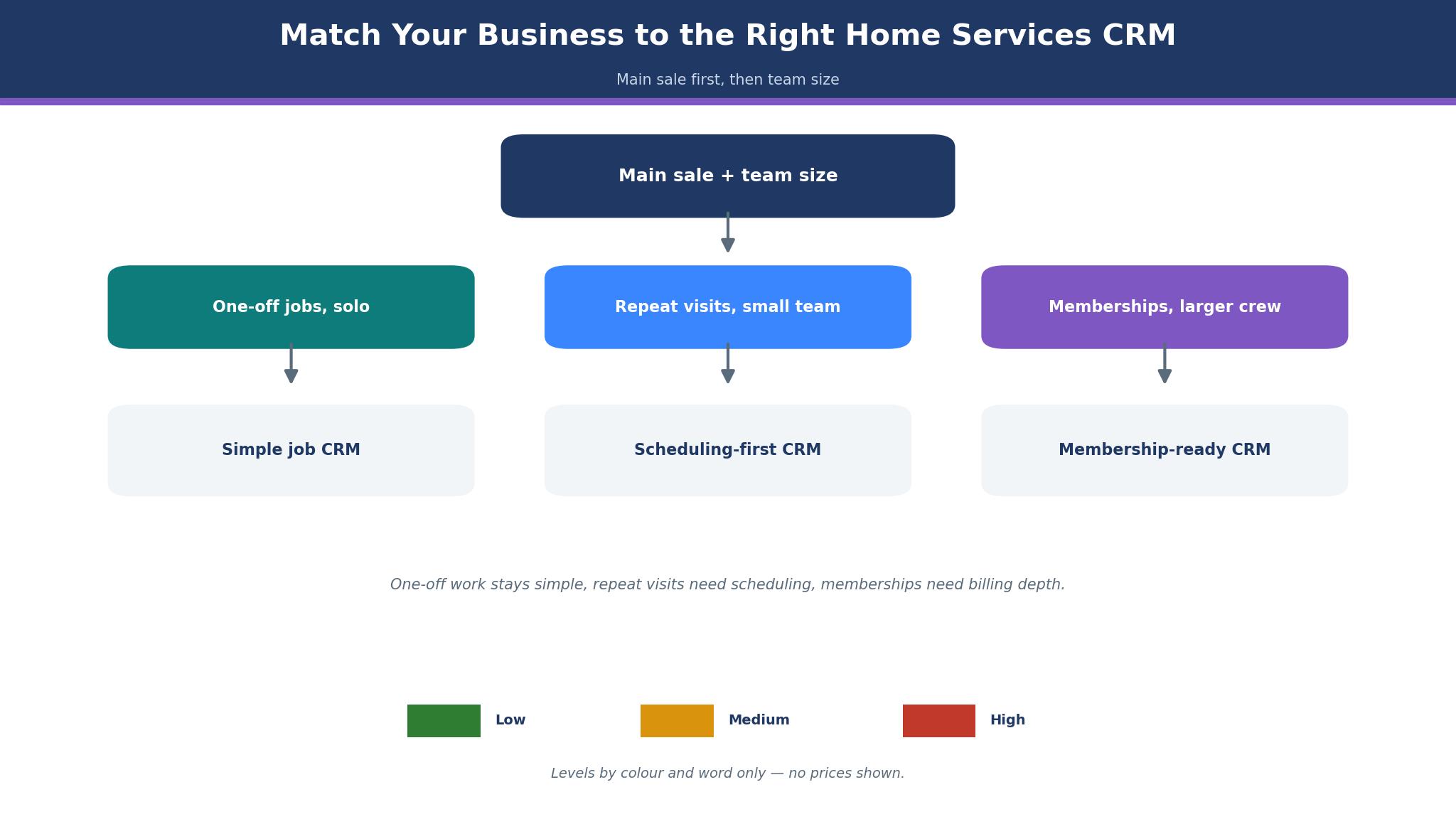
Start with the main sale, because it rules out half the list in one pass. A business that sells memberships needs Housecall Pro or ServiceTitan, since both track agreements from sale to renewal. A business that sells one-off jobs needs Jobber, Kickserv or ServiceM8, since those tools keep the job flow simple. A business that sells through marketing needs Thryv, since it bundles the CRM with campaigns and review requests.
Next, test the customer record the way the office will use it. Open a customer who has called three times, and check whether the record shows every job, every quote and every payment without a search. A CRM that hides history behind tabs will slow every call, and the office will stop using it. Then test the dispatch board with the person who answers the phones, because that person lives in the board all day and a board that needs three clicks to move a job will slow every call.
Then check the price model at next year headcount. Jobber and Housecall Pro bill per user, so the monthly total grows with every tech added. Service Fusion charges a flat $245 a month per company, so the bill stays flat as the team grows. Finally, confirm the payment processing rate in writing, since processing runs about 2.9 percent plus $0.30 per transaction on the published tools, and that rate matters more than the subscription once the business is busy.
The 10 Tools in Detail
The ten tools below cover dispatch-first, CRM-first and marketing-first systems. Each one is judged on the customer record, scheduling, memberships and price, so this roundup of the best crm software for home services stays honest about what each tool is actually built to do.
1. Housecall Pro
Housecall Pro is the customer system for a residential shop whose money comes from memberships and system replacements. The agreement tools follow a membership from the first sale through every renewal, and the proposal builder produces estimates a homeowner can approve on a phone. The dispatch board stays visual, so the office can see who is where without digging through lists. The platform serves more than 40,000 businesses across home services, and it announced an HVAC-specific package in July 2026.
Basic runs $59 a month for one user on annual billing, or $79 month to month, covering scheduling, invoicing and payments. Essentials is $149 a month for up to five users and adds service agreements, proposals and estimates, the tier a membership business actually needs. MAX is $299 a month for eight users, adding advanced reporting and GPS tracking.
Pick it when the business sells service agreements and needs proposals that close. The agreement tracking and the phone-friendly estimates beat Jobber for a membership-led shop, and per-user pricing stays fair until the team grows past eight techs.
Start on Essentials rather than Basic, run one membership sale from first call to renewal, and open the proposal on a phone before paying.
2. Jobber
Most small home services businesses start with Jobber, the simplest full system in this guide. Scheduling, quoting, invoicing, client records and payments live in one place, so the customer file follows the job from first call to final invoice. A tech checks the day plan on the mobile app, quotes a repair on site and takes payment there, without calling the office. Online booking, automated reminders and two-way texting arrive on the Connect plan, while the Grow plan adds quote add-ons and automation.
Published pricing is rare in this category, and Jobber publishes all of it. Core is $29 a month for one user on annual billing, or $49 month to month, with extra users at about $29 each. Connect is $99 to $139 a month, Grow $149 to $199, and Plus $399 to $499 for five users. Payment processing runs from 2.9 to 3.5 percent depending on volume, so confirm the processing rate before comparing subscriptions.
It fits a one to five person business that wants to start fast on a published price. Same-day setup and per-user pricing suit a small team, and the quote-to-invoice flow is the cleanest here for a tech working from a truck.
Open the trial on a live week, build a real quote and a real invoice, and move the schedule across only when the office trusts the flow.
3. ServiceTitan
ServiceTitan puts the customer record at the centre of the business instead of the job card. Every call, visit, estimate, invoice and membership sits on one timeline for each household, so the office sees the full history before anyone picks up the phone. One system covers dispatch and the pricebook, marketing and call tracking, memberships and reporting, with AI dispatch and more than 180 integrations. The platform went public in December 2024, and larger residential contractors now measure themselves against it.
There is no published price, which is the honest problem for a small business. ServiceTitan sells by quote, per technician, and third-party reports put the range at roughly $245 to $500 per technician per month, with a $5,000 to $15,000 implementation fee on top. Those figures are user-reported rather than vendor-confirmed. At five techs, the annual bill reaches about $19,500 before implementation, more than ten times what Jobber costs for the same headcount, so the repeat business and retention the system drives have to be worth that gap.
It suits a business scaling past ten techs that lives on repeat customers and membership renewals. The marketing scorecards show which campaigns bring old customers back, and the membership tracking flags renewals before they lapse. A smaller business should wait until the customer base is big enough to justify the contract.
Before signing, get the quote in writing, ask how the renewal reminders work in practice, and speak with a business of similar size that handles the same customer volume.
4. FieldEdge
FieldEdge is the flat-rate pricing specialist in this guide, built for a business that lives by the pricebook. The pricebook, the dispatch board and the QuickBooks integration form the core, and the system carries a replacement-heavy business through the estimate-to-invoice flow all day. It sits below ServiceTitan in size while keeping the same pricebook depth, and the same group owns both platforms.
Pricing is quote only, which is the main drawback for a small business that wants a number before a sales call. The vendor prices by company size and feature set, so ask for a written quote and compare it against the published Service Fusion tiers. Implementation runs shorter than ServiceTitan, and the pricebook tools are what make a business pick FieldEdge over a simpler scheduler.
It fits a business that prices by the book and wants the dispatch board built around that book. Flat-rate estimates and the QuickBooks sync keep the office work clean, and the system scales further than the per-user tools.
Get the quote in writing, run ten real jobs through the pricebook, and watch the QuickBooks sync carry an invoice end to end before signing.
5. Service Fusion
Service Fusion prices the way a growing business wishes every tool priced, with a flat monthly fee per company and unlimited users on every plan. The package covers scheduling, dispatch, estimates, invoicing and payments, and the flat model means adding a tech costs nothing in software. It sits under the EverPro brand, and it is the clearest answer to the per-user billing that punishes growth on Jobber and Housecall Pro.
Published tiers sit at about $245 a month for Starter, $382 for Plus and $627 for Pro, all with unlimited users. That entry price is higher than Jobber or Housecall Pro for a solo operator, so a one-person business pays more here than on the per-user tools. The maths flips at around five users, where the flat fee undercuts the per-user total, and a ten-tech business saves thousands a year against the per-user tools.
It fits a business with three to ten techs that plans to keep growing. Unlimited-user pricing removes the software tax on hiring, and the feature set covers the daily work without the ServiceTitan contract.
Work out the flat fee against the per-user total at next year headcount, then sit the office manager in front of the dispatch board for a full day before deciding.
6. Workiz
Workiz earns its place here by answering the question every home services office asks after a missed call, which is whether that caller ever became a customer. Call tracking ties each inbound call to a job and records the conversation, then shows which ads and sources produce booked work, so the office can follow the path from first ring to paid invoice. The package covers scheduling, dispatch, invoicing and payments, and the mobile app hands each tech the day plan with customer history attached.
Pricing is quote based, with the Essentials plan reported from about $65 a month. Treat that figure as reported rather than a list price and ask for a written quote. The recorded calls are the reason to pick Workiz, and a business that gets most jobs by phone will open those recordings every day. Membership tools sit on the higher plan, so a business that sells agreements should price the plan that includes them instead of the entry tier.
It fits a small business where the customer relationship starts with a phone call and the office has to know which calls became paying work. No other tool in this guide traces a call to a booked job as clearly, and a new tech picks up the scheduling in a day.
Run the call tracking through a real week of calls, listen to how booked jobs are logged against each customer, and confirm the membership tools are in the quoted plan before deciding.
7. Kickserv
Kickserv keeps things deliberately small. It is built for a solo operator or a two-person team that needs scheduling and invoicing and nothing else to learn. Jobs sit on a clean board, past visits and notes for each customer are one tap away, and an invoice goes out from the truck in about a minute. There is no automation layer to configure, which is the point when the owner still dispatches from memory and knows most customers by name.
The price starts at $59 a month, matching the entry figure for Housecall Pro Basic with a simpler system behind it. Depth is the trade, since Kickserv has no proposal builder and no membership tools like the ones Housecall Pro reserves for its higher plans. A business that outgrows it will move to Jobber or Housecall Pro, so the customer export deserves a test run well before that day arrives.
It suits a solo operator or a tiny team that wants the cheapest simple start with no learning curve. Scheduling and invoicing cover the daily work, and the low monthly cost leaves budget for marketing instead of software.
Run a week of live jobs through it, collect one payment from the truck, and export the customer list once to prove the book moves cleanly before committing.
8. Thryv
Thryv is the CRM for a small business that wants marketing and payments in the same system as the customer record. The platform bundles a CRM with email and text campaigns, online booking, review requests, invoicing and payments, so a business can run its marketing from the same place it runs its jobs. The command centre shows the day schedule, the unread messages and the unpaid invoices together.
The pricing starts at $99 a month for the Business Center, with higher tiers for more marketing automation and more users. The dispatch depth is thinner than Housecall Pro or Jobber, since Thryv is a general small-business CRM rather than a trade-specific dispatch system. A business that needs heavy dispatch should take a trade tool instead, while a business that needs marketing will find Thryv covers more of the week.
It suits a small business that wants one system for customers, marketing and payments. The review requests and the campaign tools help a business win repeat work, and the CRM keeps the customer history behind every campaign.
Test the online booking and the review request flow on real customers, and confirm the dispatch covers the busiest day before committing.
9. ServiceM8
ServiceM8 is the mobile-first job management tool for small teams that run the business from phones. The app covers job cards, quoting, invoicing, scheduling and customer history, with an add-on marketplace for accounting, payments and forms. The dispatch is simple, the job card carries photos, notes and signatures, and the office sees the same job the tech sees.
The pricing starts at $40 a month for the Starter plan, with Growth and Pro tiers above it for more users and more features. The system is lighter on memberships and marketing than Housecall Pro, and the desktop experience is thinner than the mobile app, since the product is built phone-first. A business with an office manager who works at a desk all day should test the desktop flow before committing.
It suits a small team that works mostly from phones and wants a job card that carries the whole job. The mobile app is the best in this guide for a tech on site, and the add-on marketplace covers the gaps without forcing a bigger platform.
Run a week of jobs on the mobile app, test the quote and signature flow on site, and check the accounting add-on the business already uses before deciding.
10. mHelpDesk
mHelpDesk is the field service tool with a CRM at its centre, which suits a business that wants customer history and follow-up in the same place as scheduling. Scheduling, dispatch, estimates, invoicing and payments are covered, with a customer record that tracks every job, call and note. The interface stays straightforward, and a small office picks it up without training.
Pricing is quote based, with third-party guides reporting a starting figure near $169 a month. Treat that number as reported and ask for a written quote. The CRM depth is the reason to pick it, and a business that chases repeat work and referrals will open the customer record more than the dispatch board. The mobile app is serviceable rather than excellent, so a tech-heavy business should test it on a real job before committing.
It fits a business that wants a simple CRM beside its scheduling rather than a pure dispatch tool. The customer history and the follow-up reminders help win repeat work, and the quote-based pricing needs a written number before any comparison.
Get the quote in writing, send a tech out with the mobile app on a live job, and verify the customer export before any contract is signed.
Housecall Pro vs Jobber: Membership Muscle Against Simple Speed
Price separates them first. Jobber Core is $29 a month for one user on annual billing, while Housecall Pro Basic is $59, so a solo operator starts at half the cost on Jobber. The gap narrows as the team grows, since Jobber Grow at $149 to $199 a month and Housecall Pro Essentials at $149 a month for five users land in the same range. Price the plan that has the features the business needs, not the entry tier of either tool.
Membership handling separates them second. Housecall Pro puts service agreements, proposals and estimates on Essentials, and that bundle is why a membership business picks it. Jobber covers recurring jobs and reminders well, but its agreement-specific reporting and renewal flow run thinner. A business selling ten agreements a month will feel that gap; a business selling two will not.
What the business sells decides it. A business living on repairs and one-off jobs should take Jobber, since the lower entry price and the simpler setup fit that work. A business building its revenue on memberships should take Housecall Pro, since the agreement tools repay the higher entry price within a season. That split is the cleanest way to read the best crm software for home services when the choice narrows to two.
What Does a Home Services CRM Cost Each Month?
A home services business pays anywhere from about $29 a month to more than $2,000 a month for the best crm software for home services, and the price model matters more than the sticker. A solo operator is covered by Jobber Core at $29 or ServiceM8 Starter at $40, while a five-person team pays about $149 a month on Jobber Grow or Housecall Pro Essentials. Service Fusion charges a flat $245 a month with unlimited users, so a ten-tech business pays less there than on any per-user tool in this guide.
Start with processing, not the subscription. The published tools charge about 2.9 percent plus $0.30 per transaction, which comes to about $580 a month in fees alone for a business processing $20,000. ServiceTitan adds a reported $5,000 to $15,000 implementation fee, and texting carries carrier registration plus per-message fees on every platform. Once the business is busy, the subscription is the smaller number, so the processing and the add-ons belong in the same budget.
The honest way to budget is to cost the plan at the headcount and order volume expected in a year, then add processing at real monthly revenue. A solo operator should take the cheapest published plan and upgrade when the job count forces it. A growing business should take the flat-price tool and stop paying a software tax on every hire.
How Do You Switch CRMs Without Losing Customer History?
Export everything before the old system is cancelled. Pull the customer list, the job history, the open quotes and the active agreements, and store each export in a shared folder with the date on the file name. Import a sample of fifty customers first and check every phone number and agreement date, because a scrambled import is worse than a slow move.
Then pick one dispatcher and one tech as the pilot pair, and run only their jobs on the new system while the rest of the business stays put. The pilot pair surfaces the setup mistakes while the risk is still small, and their fix list decides how long the full move takes. Watch the quote-to-sign rate and the invoice-to-pay time every day, since those two numbers show whether the system is actually working.
Move the whole schedule across, turn on automated reminders, and send the first renewal batch from the new tool. Keep the old system read-only for a month, so the office can check any record that looks wrong without losing it. When the month ends with agreements tracked, quotes signed on phones and invoices paid online, the switch has worked, and the old system can be cancelled with confidence.

Frequently Asked Questions
Is Housecall Pro good for a small home services business?
Yes. Housecall Pro Basic costs $59 a month on annual billing for one user, and Essentials at $149 a month for five users adds the service agreements, proposals and estimates a membership business needs. A small team should price Essentials, because that is the tier where the CRM earns its keep.
Can Jobber handle a growing home services business?
Yes, up to a point. Jobber Core at $29 a month covers a solo operator, and Grow at $149 to $199 a month covers a five-person team with quote add-ons and automation, which is why it ranks high among the best crm software for home services for small teams. A business growing past ten techs should compare the per-user total against the flat $245 a month Service Fusion charges, since the flat plan wins at that size.
How much does ServiceTitan cost a small business?
No price is published. The vendor sells by quote, per technician, and independent reports put the monthly range at roughly $245 to $500 per technician, with a $5,000 to $15,000 implementation fee on top. Those figures are user-reported rather than vendor-confirmed, so get a written quote before budgeting any figure.
Does a home services CRM include marketing?
Some do. Thryv bundles email and text campaigns, review requests and online booking with the CRM from $99 a month, which suits a business that wants marketing in the same system. Housecall Pro and Jobber focus on dispatch and jobs, so a business that wants heavy marketing should pair them with a separate tool or pick Thryv.
Can I switch CRMs without losing customer history?
Yes, when the export is tested first. Pull the customer list, the job history and the open agreements out of the old system, and import a sample of fifty customers into the new tool before moving the whole book. Leave the old system read-only for a month after the switch, so the office can check any record that looks wrong.
Is flat-price CRM software better than per-user pricing?
It depends on headcount. A solo operator pays less on Jobber or ServiceM8 than on the flat $245 a month Service Fusion charges. A business with five or more techs pays less on the flat plan, because the per-user total passes $245 and keeps rising with every hire. Cost the plan at next year headcount to see which side wins.
Pick the CRM Your Office Will Actually Use
Memberships point to Housecall Pro Essentials for a residential business, since the agreement and proposal tools repay $149 a month within a season. That payback is the core test for the best crm software for home services. A solo operator belongs on Jobber, where $29 a month buys the whole job flow and setup takes a day. Past five techs, Service Fusion wins, because a flat $245 a month stops the software bill rising with every hire, and that saving is real money every month of the year.