

A small seller can photograph a good product, list it the same day and still watch buyers scroll past, because the background does the talking first. A kitchen counter, a wrinkled sheet or a cluttered shelf tells the buyer the shop is a hobby, and the product never gets a fair look. The best ai background removers for small businesses exist because a clean cutout on a plain background is the cheapest trust signal a listing can buy, and it takes seconds instead of a studio.
The change is urgent now, because the tool most sellers used for years shut its standalone site on 1 December 2026, and anyone who built a workflow on it needs a replacement before the next batch of listings. The good news is that the replacements are stronger, with batch processing, AI backdrops and marketplace-sized exports that the old default never offered. The bad news is that picking the wrong one wastes money on watermarks, low-resolution exports and credits that expire.
This guide compares ten background removers that work for a small business in 2026, judged on cutout quality, price, batch handling and export resolution. Each entry names what the tool does well, where it falls short and who should buy it, so a seller can shortlist two or three and test them on real product photos before paying.
Why a Clean Cutout Decides Whether a Product Sells
Buyers decide in under a second, and the background is the first thing they read, because the eye lands on the mess before it lands on the product. A plain white or brand-coloured background lets the product speak, while a busy background competes with it and loses the sale before the price is even seen. Marketplaces know this, which is why the best-performing listings share one look, a sharp product on a clean field with a realistic shadow.
Consistency matters as much as cleanliness, because a shop whose photos share one style looks like a business and a shop whose photos vary wildly looks like a garage sale. A background remover that batches a hundred photos into the same style builds that consistency in an afternoon, while manual editing takes a week and still drifts. The best ai background removers for small businesses earn their price by making every listing look like it came from the same professional shop.
Edges decide the quality, and hair, fur, glass and jewellery are where cheap tools fail. A remover that leaves a halo around a necklace or eats the fur on a pet bed produces a photo worse than the original, and the buyer notices even when they cannot name the fault. Judge every tool below on its hardest edges, not its easiest product shots.
The phone in a seller’s pocket is now enough, because a modern phone camera in bright, even light captures more detail than a marketplace listing can show. The background remover does the studio work, and the seller’s job is light, steadiness and a plain surface. A seller who masters those three things needs no photographer, and the tools below do the rest.
The 10 Tools at a Glance
| Tool | Main job | Best for | Starting price |
|---|---|---|---|
| PhotoRoom | Product cutouts with AI backdrops | Ecommerce product photos | 12.99 dollars a month |
| Adobe Express | Free background removal on the web | Single images at no cost | Free with account |
| Canva | Cutouts inside designs | Sellers already designing in Canva | 15 dollars a month |
| Adobe Firefly | Free batch background removal | Free batch work | Free with account |
| Fotor | All-in-one photo editor | Beginners wanting one editor | 8.99 dollars a month |
| Picsart | Cutouts with creative tools | Social and lifestyle shots | 11.99 dollars a month |
| Pixlr | Browser editing with AI cutout | Quick browser edits | 9.99 dollars a month |
| Slazzer | High-volume API cutouts | Bulk and API work | 9.99 dollars a month |
| Removal.AI | Simple cutouts with API | Developers and small teams | 9.99 dollars a month |
| Clipping Magic | Precise manual touch-ups | Tricky edges by hand | 3.99 dollars a month |
Best Pick by Job
| Job type | First pick | Second tool | Why this pair works |
|---|---|---|---|
| Marketplace seller | PhotoRoom | Adobe Firefly | PhotoRoom batches listings, Firefly handles free overflow |
| Seller already in Canva | Canva | Adobe Express | Canva keeps cutouts in designs, Express covers free singles |
| Social and lifestyle shop | Picsart | Fotor | Picsart adds creative flair, Fotor edits the rest |
| Developer or bulk API | Slazzer | Removal.AI | Slazzer scales the volume, Removal.AI covers simple calls |
Pick by where the photos go, because a marketplace seller needs batch exports and a social seller needs creative tools. Trial the first pick among the best ai background removers for small businesses on ten real product photos, add the second when the first leaves a gap, and judge the edges at full size before you pay. A cutout that looks clean as a thumbnail and ragged at full size will cost sales.
How to Judge the Best AI Background Removers for Small Businesses
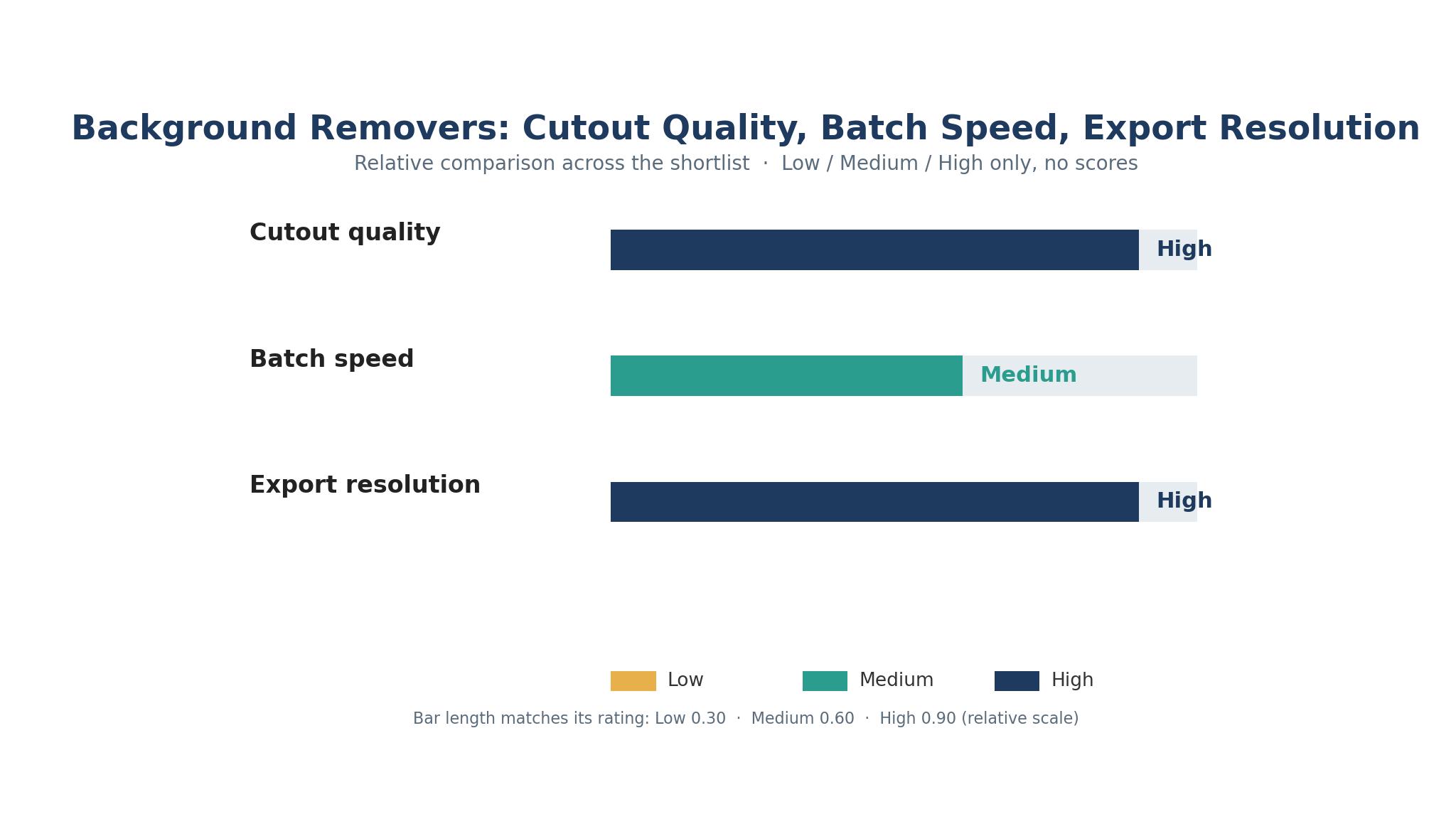
Judge a remover on your hardest photo, not its demo image, because every tool cuts a shoe on white cleanly and the difference shows on hair, fur, glass and jewellery. Upload the trickiest product you sell, zoom to full size and inspect the edge pixel by pixel. The best ai background removers for small businesses keep fine detail intact and leave no halo, and the ones that chew the edges should be dropped no matter how cheap they are.
Export rules decide the real cost, since a free tier that watermarks exports or caps resolution at a small size is not free for a seller. PhotoRoom’s free plan allows 100 exports a month at up to 2000 pixels on the web, while Adobe Express removes backgrounds free with full-resolution output and no watermark. Read the export limits before you judge the price, because a watermarked export is unusable for a listing.
Batch handling and format support come next, because a seller with a hundred new products needs bulk processing, marketplace-sized presets and transparent PNG export. Check whether the tool batches, whether it keeps the original resolution and whether the API exists if the shop grows. Confirm the figure on the vendor page before you pay, since free limits and prices change often.
The 10 Tools in Detail
Ten tools made this list because each one is live, removes backgrounds with AI, and fits a distinct small-business shape. The write-ups run in table order, each one naming the price, the strength and the catch.

1. PhotoRoom
PhotoRoom began as a mobile background remover and became a product-photography stack, with cutout, generated studio backdrops, realistic shadows, batch export and marketplace publishing in one pass. Snap or upload a product, and it isolates the subject, then drops it on a plain white background, a brand colour or an AI-generated scene. Pro lists at 12.99 dollars a month, or 7.50 dollars a month billed yearly.
Product work is the whole design, and it shows in the batch processing, the marketplace export presets sized for eBay, Poshmark and Shopify, and the shadow rendering that makes a cutout look photographed rather than pasted. The API costs 2 cents an image, which is the cheapest mainstream rate, and the free plan allows 100 exports a month. For a seller shipping listings fast, PhotoRoom is the product photography pick.
The free plan watermarks exports and its terms exclude commercial use, so sellers must pay to use it for listings. The monthly rate is higher than the yearly rate, and the generated backdrops can look artificial on some products. The tool is built for sellers, and the paywall sits exactly where sellers need it.
Choose PhotoRoom when the shop lists products weekly and needs batch cutouts with marketplace sizing. It fits ecommerce sellers who photograph products on a phone.
2. Adobe Express
Adobe Express removes backgrounds free with an Adobe account, accepting JPEG, PNG and WEBP files up to 50MB and downloading the result as a transparent PNG. The removal is one click, the output is full resolution with no watermark, and the result drops straight into a design, a social post or a flyer. Premium lists at 9.99 dollars a month, but background removal itself is free.
The free route is the strongest on this list, because full-resolution output with no watermark is the combination almost every other free tier takes away. Commercial use is permitted on free output for your own uploads, and the tool needs no signup for basic use. For a seller who needs a few clean cutouts a week, the price is zero and the quality is high.
Adobe Express is a design tool, not a batch processor, so a seller with a hundred photos will work through them one at a time. The premium tier adds generative AI credits and brand kits, but it is not required for background removal. The tool suits occasional use brilliantly and volume poorly.
Pick Adobe Express when the need is a few clean cutouts at no cost and full resolution. It fits small sellers who remove backgrounds a few times a week.
3. Canva
Canva folds background removal into a design suite most teams already pay for, so a cutout drops straight into templates, text and brand kits without exporting between apps. The Background Remover works on photos and, on Pro, videos too, and the cutout stays editable inside the design. Pro lists at 15 dollars a month, or 120 dollars a year on some plans.
The workflow is the appeal, because the seller removes the background and keeps designing, dropping the cutout onto a presentation, a social post or a flyer without a second tool. Team collaboration suits shops where several people design together, and the template library covers every marketplace and social size. For a seller already in Canva, the convenience beats a slightly better edge elsewhere.
Background removal is a Pro feature, so the free plan does not include it, and the cutout quality is good rather than leading. The per-user price adds up on a team, and the tool is a design suite that happens to remove backgrounds. A seller who only needs cutouts will find cheaper specialists here.
Choose Canva when the shop already designs in it and wants cutouts inside the workflow. It fits social sellers and small teams that design together.
4. Adobe Firefly
Adobe Firefly is the new default for free background removal, with free-with-account access and real batch processing that most free tools lack. The tool handles many images at once, keeps full resolution and exports transparent PNGs without a watermark. Paid plans add generative credits, but background removal itself costs nothing.
Batch processing on a free plan is the feature that changes the comparison, because a seller can clear a whole product shoot in one pass without paying. The Adobe engine is strong on edges, and the workflow feeds naturally into Express and Photoshop for finishing. For a small shop with volume and no budget, Firefly is the strongest free answer in 2026.
Firefly is newer as a standalone destination, and the interface assumes some familiarity with Adobe tools. The free tier is generous, but heavy generative use pushes toward paid credits, and the tool is less focused on marketplace presets than PhotoRoom. It removes backgrounds brilliantly and leaves the listing workflow to the seller.
Pick Adobe Firefly when the shop needs free batch removal at full resolution. It fits sellers with volume who want the best free route available.
5. Fotor
Fotor is an all-in-one photo editor with background removal beside design tools, filters and templates, aimed at beginners who want one app for the whole job. The cutout is one click, the editor handles cropping, colour and text, and the templates cover social posts, listings and banners. Pro lists at 8.99 dollars a month.
The all-in-one shape suits a seller who wants to edit, design and export without learning three tools. The interface is friendly, the templates are plentiful, and the background remover is good enough for straightforward products. For a beginner running a small shop alone, the simplicity is worth more than a specialist’s edge.
Cutout quality trails the leaders on tricky edges, and the free plan limits the AI features. The editor is broad rather than deep, and a seller with demanding products will notice the gap on hair and glass. Fotor is a general editor that removes backgrounds, not a removal specialist.
Choose Fotor when the shop needs one friendly editor for photos, designs and cutouts together. It fits beginners who want a single app for everything visual.
6. Picsart
Picsart pairs background removal with creative tools, stickers, filters and collage features, aimed at sellers whose photos need lifestyle flair as well as clean cutouts. The remover is quick, the editing suite is deep, and the social templates keep a shop’s feed consistent. Plus lists at 11.99 dollars a month, with a free tier for basic use.
Creative range is the draw, because a seller can cut a product out, drop it on a styled scene, add text and export a social post without leaving the app. The mobile experience is strong, and the community templates give a small shop ideas it would not have alone. For lifestyle and fashion sellers, the flair matters as much as the cutout.
Cutout precision is good rather than best, and the free tier watermarks some exports. The app can feel busy, with creative features crowding the simple removal job, and the subscription is needed for the full toolset. A marketplace seller who needs plain white backgrounds will find the creativity beside the point.
Pick Picsart when the shop sells a lifestyle and the photos need style as well as clean edges. It fits fashion, beauty and home sellers active on social media.
7. Pixlr
Pixlr is a browser-based editor with an AI cutout, aimed at sellers who want quick edits without installing anything. The tool opens in a tab, removes the background in seconds and offers layers, filters and text for finishing. Premium lists at 9.99 dollars a month, with a free plan offering limited AI credits.
The browser is the advantage, because there is nothing to install and the tool works on any computer. The cutout is fast, the editor is capable, and the price is friendly for a small shop. For a seller who edits on a shared or borrowed machine, the zero-install route is genuinely useful.
The free plan limits AI credits, so regular use needs the subscription, and the cutout quality is mid-pack on difficult edges. The interface carries ads on the free tier, and the tool is a general editor rather than a removal specialist. It does the job well and nothing about it stands out.
Choose Pixlr when the shop needs quick browser edits with no install. It fits sellers who edit on the go or on shared computers.
8. Slazzer
Slazzer focuses on high-volume background removal through an API, with a web tool beside it for single images. The engine handles bulk uploads, returns transparent PNGs fast and integrates into a shop’s own pipeline with simple API calls. The subscription lists at 9.99 dollars a month, with credit packs for heavier use.
Volume is the reason to buy, because Slazzer is built for shops and developers who process hundreds or thousands of images. The API is straightforward, the turnaround is fast, and the per-image cost falls with volume. For a business that automates its listing pipeline, the integration matters more than any single cutout.
The web tool is basic beside PhotoRoom or Canva, and the subscription model suits volume rather than occasional use. A seller with ten photos a month will find the API overkill, and the cutout quality on the hardest edges trails the leaders. Slazzer is infrastructure, not a design app.
Pick Slazzer when the shop processes images in bulk or through an API. It fits developers and larger sellers automating their photo pipeline.
9. Removal.AI
Removal.AI offers simple background removal with an API, aimed at developers and small teams that want a clean integration without a heavy platform. The web tool handles single images quickly, and the API covers bulk work with predictable pricing. The plan lists at 9.99 dollars a month, with credit options above it.
Simplicity is the strength, because the tool does one job, does it quickly and stays out of the way. The API documentation is clear, the pricing is transparent, and the cutout quality is solid for standard products. For a small team that needs removal inside its own app, the integration takes an afternoon.
The feature set is narrow, with no backdrops, no batch design tools and no marketplace presets. The web experience is plain, and the cutout quality on hair and fur is average. Removal.AI is a utility, and a seller who wants a design workflow will need a second tool.
Choose Removal.AI when the team needs a simple API for background removal inside its own product. It fits developers and small teams building removal into a pipeline.
10. Clipping Magic
Clipping Magic is the precision tool, with manual touch-up controls beside the AI cutout, so a seller can fix the exact edge the automation missed. The interface lets you paint the keep and remove areas, refine hair and fur, and preview the result at full size. The basic plan lists at 3.99 dollars a month, with higher tiers for volume.
Manual control is the reason it survives, because no AI gets every edge right, and Clipping Magic lets a human fix the last five percent. The refine tools handle hair, translucent objects and fine detail better than a one-click tool, and the price is the lowest for a paid plan here. For a seller with tricky products, the control is worth the extra minute.
The workflow is slower than a one-click remover, since each image gets human attention, and there is no batch processing to speak of. The interface looks dated, and the tool does nothing beyond cutouts. It is a finishing tool, not a volume tool, and it knows it.
Pick Clipping Magic when the products have tricky edges and the seller will spend a minute per photo for a perfect cutout. It fits jewellery, glass and fur sellers who need precision.
From Phone Photo to Marketplace Listing in Twenty Minutes
A listing workflow fails when the photo editing takes longer than the listing itself, because the seller postpones the shoot and the shop goes stale. Give the process twenty minutes, one tool and a fixed routine, and the best ai background removers for small businesses turn a phone photo into a marketplace-ready listing before the coffee cools.
1. Photograph the product on a plain surface in bright, even light, with the phone held steady. 2. Upload the photo to the remover and check the cutout at full size before anything else. 3. Fix any ragged edge with the refine tool, or switch tools if the edge will not clean up. 4. Drop the cutout on a plain white background with a soft shadow, and export at marketplace size. 5. Add the title, price and description, then publish the listing the same day. 6. Save the routine as a checklist, and repeat it the same way for the next product.
The full-size check in step two catches the halo and the chewed edge that a thumbnail hides, and it takes ten seconds. A seller who skips it publishes photos that look fine small and ragged large, and the buyer who zooms in sees the truth. Make the check a habit, and the shop’s photos will stay sharp even when the shoot runs late.
Five Cutout Errors That Make a Shop Look Amateur
The first error is publishing a watermarked export, which tells every buyer the shop would not pay for its own photos. Free tiers that watermark are fine for testing, and the listing needs the paid export or a free tool with no watermark. A watermark on a product photo is a sign the shop cuts corners, and buyers read it that way.
The second error is shrinking the image, because a low-resolution export looks soft on a large screen and the marketplace downscales it further. Export at the highest resolution the tool allows, and let the marketplace do the compressing. A sharp photo survives compression, and a soft one does not.
The third error is ignoring the shadow, since a cutout floating on white without a shadow looks pasted rather than photographed. A soft, realistic shadow grounds the product and sells the illusion, and the tools that generate shadows well earn their price here. The best ai background removers for small businesses handle shadows as carefully as edges, and the ones that skip them leave listings looking flat.
The fourth error is using a different background for every listing, which makes the shop look like a collection of random photos rather than a brand. Pick one background style, save it as a preset, and use it for every product. Consistency is free once the preset exists, and it makes the shop look established.
The fifth error is trusting the thumbnail, because a cutout that looks clean small can be ragged at full size. Zoom every photo before publishing, fix the edge or switch tools, and never let a buyer be the first person to see the flaw at full size. The ten-second check is the cheapest quality control in the shop.
Frequently Asked Questions
Which background remover is best for ecommerce sellers?
Among the best ai background removers for small businesses, PhotoRoom leads for ecommerce, because it batches cutouts, adds AI backdrops and exports at marketplace sizes in one pass. Adobe Firefly is the best free alternative, with batch processing and full-resolution exports at no cost. Trial both on ten real product photos and judge the edges at full size.
Can I remove backgrounds for free as a small business?
Yes, Adobe Express and Adobe Firefly both remove backgrounds free with full-resolution exports and no watermark, which covers a seller who needs a few cutouts a week. PhotoRoom’s free plan allows 100 exports a month but watermarks them and excludes commercial use, so listings need the paid plan. Start free, and pay when the volume or the watermark forces it.
How do I remove the background from a photo with hair or fur?
Use a tool with manual refine controls, such as Clipping Magic, and paint the keep and remove areas by hand around the tricky edge. One-click AI handles straight edges well and struggles with fine detail, so the human touch is what saves the photo. Zoom to full size, fix the edge, and export only when the hair looks natural.
Do background removers work for videos too?
Some do, with Canva Pro offering video background removal inside its editor, while most tools on this list handle still images only. Video cutouts need more processing and the quality varies, so test a short clip before committing to a video workflow. For most sellers, still photos carry the listing and video is a bonus.
What image size should I export for a marketplace listing?
Export at the highest resolution the tool allows, usually at least 2000 pixels on the longest side, and let the marketplace compress from there. A sharp original survives compression, while a small export turns soft on a large screen. Check the marketplace’s own size guide, since the recommended dimensions vary by platform.
Ship the Listing, Then Fix the Next Photo
A clean cutout is the fastest way to make a small shop look like a serious business, and the tools in this guide do it in seconds for the price of a coffee a month. Trial PhotoRoom for batch listings, keep Adobe Firefly free for overflow, and judge every tool on its hardest edge at full size. The best ai background removers for small businesses earn their price by making every listing look like it came from the same professional shop, and the shop that looks professional gets the click.
Photograph the next product today, run it through the routine in this guide, and publish the listing before the day ends. The photo habit compounds, the shop starts to look consistent, and the buyer who once scrolled past will stop, look and buy. The next product is already on the shelf, and the camera is already in your pocket.