
A visitor lands on a small business website at 10.00 at night, has one question about delivery, and finds no way to ask it. The contact form promises an answer in a day, the phone is closed, and the visitor buys from a competitor whose chat answered in thirty seconds. That lost sale is the everyday problem behind this guide, and the best ai chatbot builders for small businesses exist to answer the question while the visitor is still on the page.
A chatbot is not a gimmick for a small business. It is the night shift, the weekend cover, and the first answer to the ten questions every visitor asks. A good bot answers the routine questions itself, hands the hard ones to a person with the full conversation attached, and never pretends to be human when it is not. A bad bot loops, guesses, and drives the visitor away faster than an empty page would.
This guide compares ten builders on what they do for a small business with a real website, real visitors, and a small team. Every price in this guide is the vendor list price checked in November 2026. The goal is a bot that answers well at midnight and hands over cleanly at nine in the morning.
Why Website Visitors Leave Without Asking
Visitors leave without asking because asking takes too much effort. A contact form with eight fields, a phone number that goes to voicemail, and an email address that answers tomorrow all tell the visitor that the business is not ready to talk. Most visitors will not wait. They will click back, try the next result, and buy there, and the first business will never know they were there.
The second reason is the unanswered routine question. Delivery times, prices, opening hours, and return policies are the questions every visitor asks, and they are the easiest to answer well. A business that makes a visitor search for these answers loses the sale to a business that puts them one click away. A chatbot that answers these questions in seconds is worth more than a clever sales script.
The third reason is the slow handoff. A visitor who starts with a bot and then needs a person should reach one without repeating the whole story. A bot that forgets the conversation, asks the same questions again, or drops the visitor into a queue with no wait time will lose the sale at the last step, after the business already paid to bring the visitor to the site.
What a Chatbot Has to Do Before It Earns a Sale
A chatbot earns a sale in three ways. First, it answers the routine questions correctly, every time, with the current price, the current delivery time, and the current stock. A bot that quotes an old price or a wrong delivery date does more damage than no bot at all, so the answers must come from the real business data, not from a guess.
Second, it knows when to hand over. A visitor asking about a refund, a complaint, or a large order needs a person, and the bot should recognise that in one message and pass the full conversation to the team. The handoff should carry the visitor’s name, the question, and everything already said, so the person can pick up without asking the visitor to start again.
Third, it works where the visitors are. A bot that only lives on the website misses the visitors who message on Instagram, WhatsApp, or Messenger, and a small business that sells through social channels needs the bot there too. The tools on this list are ranked on how many channels they cover and how cleanly they hand over on each one.
The 10 Tools at a Glance
The table below gives the short version of the best ai chatbot builders for small businesses. Prices are starting monthly prices unless stated, and the main job column states what each builder is built to do first.
| Tool | Main job | Best for | Starting price |
|---|---|---|---|
| Tidio | Live chat with AI agent | Small stores that want chat plus AI | Free, Starter from $24.17 per month |
| Intercom | AI agent with help centre | Growing teams that need a full inbox | From $19 per seat per month |
| ManyChat | Social DM automation | Brands that sell through Instagram | Free, Essential from $14 per month |
| Chatfuel | WhatsApp and social bots | Shops that sell through WhatsApp | From $18 per month |
| Landbot | No-code chat flows | Teams that build guided conversations | Free, paid plans on the vendor site |
| Botpress | Open chatbot platform | Teams that want to build their own | Free, paid plans on the vendor site |
| Zendesk AI | AI support with ticketing | Teams that need support and tickets | From $19 per agent per month |
| Freshchat | Live chat with AI replies | Small teams that want simple chat | Free, Growth from $19 per agent per month |
| Zoho SalesIQ | Chat with visitor tracking | Teams already on Zoho | Free, paid plans on the vendor site |
| ChatBot.com | Visual chatbot builder | Small teams that build flows fast | From $52 per month |
Best Pick by Job
The table below matches each business pattern to a first pick and a backup from the best ai chatbot builders for small businesses, so a small shop and a growing team can each see their own answer at once.
| Job type | First pick | Second tool | Why this pair works |
|---|---|---|---|
| Small store, first chatbot | Tidio | Freshchat | Tidio answers fast and Freshchat keeps the inbox simple |
| Brand that sells on Instagram | ManyChat | Chatfuel | ManyChat runs Instagram DMs and Chatfuel covers WhatsApp too |
| Team that needs support tickets | Zendesk AI | Intercom | Zendesk tracks every ticket and Intercom adds a polished messenger |
| Team that builds its own flows | Landbot | Botpress | Landbot builds flows without code and Botpress goes deeper |
| Team already on Zoho | Zoho SalesIQ | Tidio | Zoho SalesIQ fits the stack and Tidio adds a stronger AI agent |
How to Choose the Best AI Chatbot Builders for Small Businesses
Choosing starts with the questions your visitors actually ask. Read the last month of emails, form submissions, and social messages, and write down the ten questions that appear most often. The best ai chatbot builders for small businesses differ most on how well they answer those ten questions, and the tool that answers them correctly on the first try is the one to buy.
Then check the billing model, because chatbot pricing is the messiest part of this category. Some tools charge per seat, some per conversation, some per resolved chat, and some per contact, so the cheapest headline can be the most expensive at your volume. Model your real monthly chat volume, including the AI-handled chats, before you compare prices.
Finally, test the bot as a visitor, not as an owner. Open your own website as a stranger, ask the ten questions, and see what happens. If the bot answers well, hands over cleanly, and never loops, it is ready for your visitors. If it guesses, repeats itself, or drops the conversation, it will do the same to your customers.

The 10 Tools in Detail
1. Tidio
Tidio is the best all-round pick for a small business, because it combines live chat, an AI agent called Lyro, and rule-based flows in one inbox. Lyro can resolve a large share of routine questions on its own, and the free plan covers 50 conversations a month, so a small shop can start without paying. Starter costs $24.17 a month on annual billing, or $29 monthly, and the Lyro add-on starts from $32.50 a month.
The weak point is the usage billing. The AI conversations are metered on top of the plan, so a busy month costs more than the headline price, and the free plan runs out fast for a shop with real traffic. The help centre features are lighter than Intercom or Zendesk, so a team that needs deep support tools will outgrow it.
It suits a small store or service business that wants AI chat and live chat in one place without a large budget. For that business, the free plan is a genuine trial and the paid plans scale with volume.
Test it by loading your ten most-asked questions into Lyro, then asking them as a visitor on your own site. Count how many answers were correct, how many needed a human, and how long each answer took, because the resolution rate on your own questions is the only number that matters.
2. Intercom
Intercom is the polished pick for a growing team, with a strong messenger, a help centre, and an AI agent called Fin that resolves chats on its own. The Essential plan starts from $19 per seat per month on annual billing for new customers, or $29 monthly, with Fin billed at $0.99 per resolved outcome on top. The design is the best on this list, and the inbox handles a team well.
The catch is the cost at scale. The per-seat price plus the per-resolution fee adds up fast for a team handling thousands of chats, and the cheapest plans limit the features a growing team needs. A small business with a tight budget will find the bill grows faster than the team does.
It suits a growing SaaS or service team that wants one polished system for chat, support, and help content. For that team, the quality of the messenger and the resolution rate of Fin justify the price.
Evaluate it by running Fin on your last month of chat transcripts, counting how many conversations it would have resolved without a human, and pricing those resolutions at $0.99 each. If the resolved share is high and the cost beats a hire, Intercom earns its place.
3. ManyChat
ManyChat is the social DM tool, built for brands that sell through Instagram, Messenger, and WhatsApp. It automates replies, runs comment-to-DM flows, and captures leads from social posts, which is where many small businesses now meet their customers. The free plan covers 25 active contacts, and Essential costs $14 a month on annual billing, or $17 monthly, with Pro at $39 a month for AI replies.
The downside is the channel limit. ManyChat is built for social messaging, not for website chat, so a business that needs a website bot will need another tool. The AI replies sit on Pro, so the cheaper plans automate flows but do not answer in the AI’s own words, and the pricing changed in March 2026 to bill by active contacts.
It suits a brand that sells through Instagram DMs and wants those conversations automated. For that brand, the comment-to-DM flow alone can be worth the price.
Try it by setting up one comment-to-DM flow on your best-performing post, then tracking how many commenters became DM conversations and how many of those became sales. If the flow turns comments into conversations at a good rate, ManyChat is doing its job.
4. Chatfuel
Chatfuel builds AI chatbots for WhatsApp, Instagram, and Messenger, with a focus on ads and sales. A business can run a bot that answers product questions, takes orders, and follows up on abandoned carts, all inside the messaging apps where customers already are. Business plans start from $18 a month on annual billing, with AI credits included.
The trade-off is the credit model. Each bot reply costs about $0.0093 in credits, and the credits do not roll over, so a busy month can burn through the allowance fast. The pricing page and the help pages do not always agree, so a buyer should confirm the current plan before committing.
It suits a small business that sells through WhatsApp or Instagram and wants an AI sales agent in those channels. For that business, the ad-driven lead capture is the feature that matters.
Test it by running the bot on one ad campaign for two weeks, tracking how many ad clicks became bot conversations and how many of those became orders. If the bot converts ad traffic better than a landing page, Chatfuel earns its fee.
5. Landbot
Landbot is the no-code flow builder, and its strength is the visual editor. A team can build a guided conversation by dragging blocks, with no code and no developer, and the result looks like a chat rather than a form. The free plan covers the basics, and paid plans sit on the vendor site.
The flaw is the AI depth. Landbot is built for guided flows, not for free-form AI answers, so a visitor who asks an unexpected question will hit the edge of the flow. The pricing is not published as clearly as the leaders here, so a buyer needs to ask for a quote before budgeting.
It suits a team that wants to build a guided conversation, like a quote, a booking, or a product finder, without writing code. For that team, the visual builder is the whole point.
Judge it by building your most common guided flow, like a product recommendation or a booking, then testing it with five real visitors. Count how many finished the flow, how many dropped out, and where they dropped out, because the drop-off point is where the flow needs fixing.
6. Botpress
Botpress is the open platform, built for teams that want to build their own chatbot with full control. It offers a visual builder, an AI agent, and the freedom to deploy anywhere, with a free tier for small use and paid plans on the vendor site. The platform suits a team with technical skill that wants to own the bot completely.
The limit is the effort. Botpress is a platform, not a ready-made product, so a team without a developer will struggle to get value from it. The setup, the training, and the maintenance all fall on the buyer, and a small business that wants a bot this week will find it too slow.
It suits a team with a developer who wants to build a custom bot and own every part of it. For that team, the openness is worth the work.
Evaluate it by writing down the exact bot you want, then asking your developer to estimate the build time and the monthly maintenance. If the build is under two weeks and the bot does something no off-the-shelf tool can do, Botpress fits, and if the build is longer, a ready-made tool will be cheaper.
7. Zendesk AI
Zendesk AI brings AI answers and ticketing to teams that need support handled properly. The AI agent resolves routine tickets, the ticketing system tracks every conversation, and the reporting shows what the bot resolved and what needed a human. Suite Team starts from $19 per agent per month, with AI billed per resolution on higher plans.
The snag is the cost and the weight. Zendesk is a full support platform, so a small business that only needs a website chatbot will pay for ticketing, reporting, and admin features it never uses. The per-resolution AI billing can also grow fast at volume, and the setup takes real work.
It suits a team that already handles support tickets and wants the AI to resolve the routine ones first. For that team, the ticket history and the resolution reporting are worth the price.
Test it by running the AI on your last month of support tickets, counting how many it would have resolved and how many it would have passed to a human. If the resolved share is high and the handoffs carried the full history, Zendesk earns its place.
8. Freshchat
Freshchat is the simple chat pick, with live chat, AI replies, and a shared inbox that a small team can learn in an afternoon. The free plan covers the basics, and Growth starts from $19 per agent per month. The tool is part of the Freshworks family, so a team on Freshdesk can add it without a new vendor.
The part to weigh is the depth. Freshchat is simpler than Intercom or Zendesk, and a team that needs advanced automation, deep reporting, or a large help centre will outgrow it. The AI features are useful but lighter than Tidio Lyro or Intercom Fin, so the resolution rate will be lower.
It suits a small team that wants a clean, affordable chat inbox with some AI help. For that team, the simplicity and the price are the whole argument.
Try it by handling one week of website chats through Freshchat only, tracking how many chats the AI answered, how many needed a human, and how long each visitor waited. If the wait time dropped and the team kept up, Freshchat is doing its job.
9. Zoho SalesIQ
Zoho SalesIQ is the tracking pick, showing who is on the website, what they looked at, and when to start a chat. A team can see a visitor browsing the pricing page, open a chat with the context already known, and answer before the visitor asks. The free plan covers the basics, and paid plans sit on the vendor site.
The thing to watch is the AI depth, which is lighter than the leaders here, and the tool is at its best inside the Zoho stack. A team not on Zoho will get less from it, and the chatbot building is simpler than Landbot or ChatBot.com, so a team that needs complex flows will feel the limit.
It suits a team already on Zoho that wants chat with visitor tracking built in. For that team, the context of knowing what the visitor looked at is worth more than a cleverer bot elsewhere.
Judge it by watching the live visitor feed for a week, noting how many high-intent visitors you spotted and how many of those became conversations. If the tracking turned browsing into chats, SalesIQ is doing its job.
10. ChatBot.com
ChatBot.com is the visual builder pick, with a drag-and-drop editor that lets a small team build a chatbot in an afternoon. The templates cover the common jobs, like lead capture, product help, and booking, and the bot can run on the website and in messaging apps. Plans start from $52 a month.
The cost to weigh is the price for a small business, which sits above Tidio and ManyChat, and the AI features are more template-driven than the leaders. A team that wants free-form AI answers will find the bot more rigid than Lyro or Fin, and the reporting is simpler than Zendesk.
It suits a small team that wants to build a bot fast with a visual editor and does not need deep AI. For that team, the speed of building is the whole point.
Test it by building your ten-question bot in one afternoon, then testing it with five real visitors. Count how many questions it answered, how many it missed, and how long the build took, because a bot built in a day that answers eight of ten questions is a good result.
A Chat Week That Turns Visitors Into Buyers
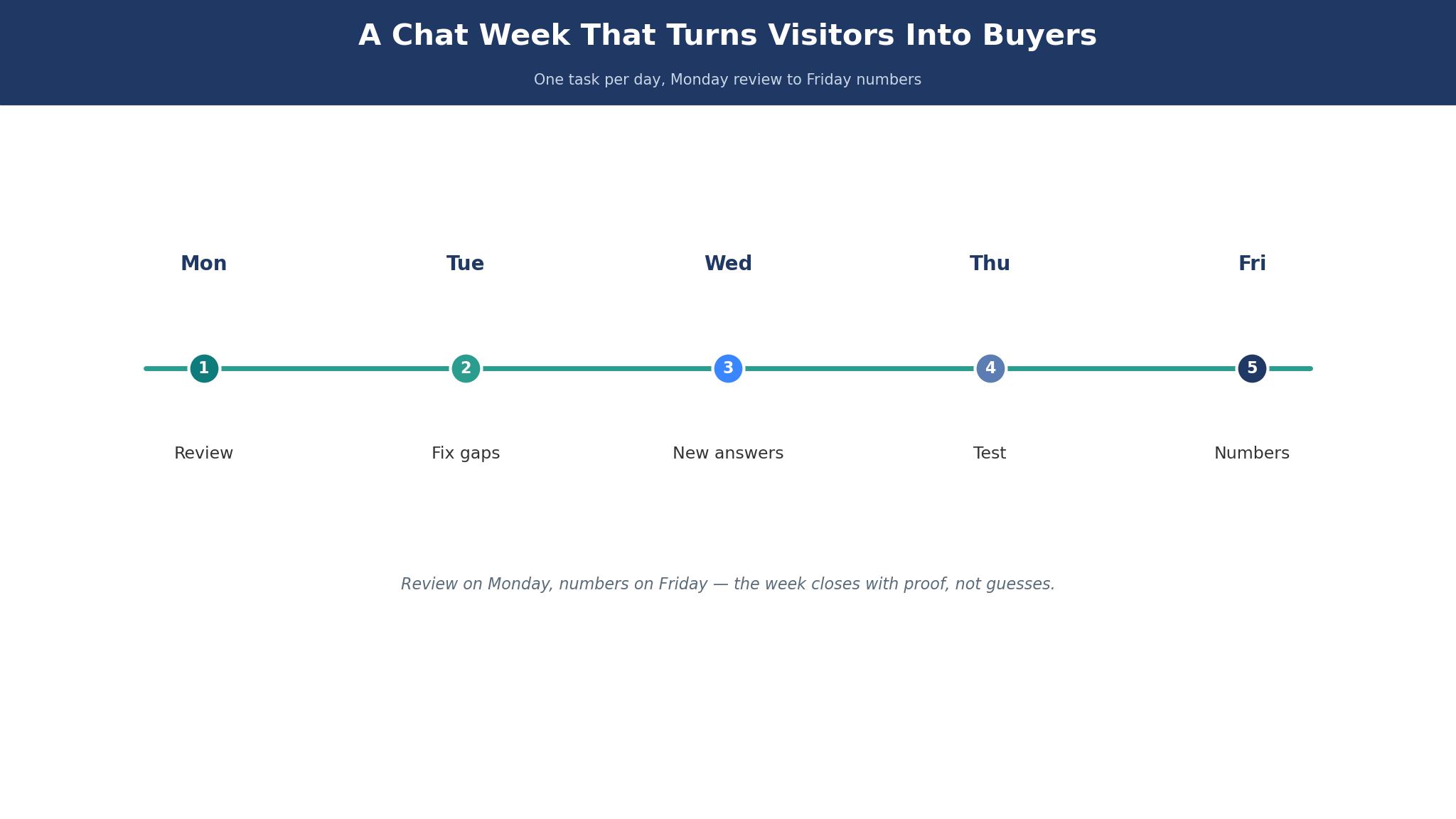
A good chat week has a shape. Monday is for the review, when the team reads the last week’s chats and finds the questions the bot missed, the answers that were wrong, and the visitors who left without an answer. Tuesday is for the fix, when those answers are added or corrected, so the bot gets smarter every week instead of repeating the same mistake.
Wednesday and Thursday are for the live hours, when the team watches the inbox during the busiest times and jumps in fast on the conversations that need a person. Friday is for the numbers, when the team counts how many chats the bot resolved, how many became sales, and how long visitors waited. The best ai chatbot builders for small businesses all promise a resolution rate, yet the test is whether that rate rises week by week on your own chats.
The week works because a chatbot is never finished. The questions change, the prices change, and the visitors change, so the bot needs a weekly tune. A team that reviews the chats every Monday will have a bot that answers better in month three than in month one, and a team that never reviews will have a bot that answers worse as the business changes.
Chatbot Mistakes That Drive Visitors Away
The first mistake is a bot that pretends to be human. A visitor who realises they have been talking to a bot that claimed to be a person will lose trust in the business, not just the bot. The bot should say it is automated, answer well, and hand over honestly when it cannot help.
The second mistake is the loop. A bot that repeats the same question, offers the same three options, and never reaches a human will drive a visitor away in under a minute. Every flow needs an escape to a person, and the escape should be visible from the first message. The third mistake is the stale answer, which is a bot quoting last year’s price or a discontinued product. The answers must be reviewed every week, because a wrong answer from a bot is worse than no answer at all.
The fourth mistake is the bot on every page. A chat widget that pops up on every visit, interrupts reading, and asks the same question each time will be closed and ignored. Show the widget quietly, let the visitor open it, and use a proactive message only on the pages where visitors actually need help, like pricing and checkout.
Frequently Asked Questions
How much does a chatbot cost a small business each month?
Most small businesses pay between $0 and $60 a month, starting with a free plan and moving to a paid tier as volume grows. The best ai chatbot builders for small businesses include free plans, yet the real cost includes the AI usage on top, so model your monthly chat volume before you choose, because a $24 plan with $40 of AI usage is a $64 bill.
Will a chatbot replace my team?
No, and it should not. A chatbot handles the routine questions, like prices, hours, and delivery, and hands the rest to a person. A business that tries to automate every conversation will lose the customers who needed a human, and a business that uses the bot for the routine work will free the team for the conversations that actually sell.
How do I stop the bot giving wrong answers?
Feed it only your real business data, review the chats every week, and fix the answers that were wrong. A bot that quotes a price should read it from your current price list, not from a training document written a year ago. The weekly review is the cheapest way to keep the bot honest, and it takes less than an hour.
Should the bot be on every page of my site?
No. Put it on the pages where visitors ask questions, like pricing, product pages, and checkout, and keep it quiet on the blog and the about page. A widget that appears everywhere feels like a pop-up, and visitors will close it. A widget that appears where help is needed feels like service.
Can one bot cover my website and Instagram?
Yes, with the right tool. ManyChat and Chatfuel cover the social channels, Tidio and Intercom cover the website plus some social, and a team that needs both should check the channel list before buying. A bot that only lives on the website will miss the visitors who message on social, and those visitors are often the ones ready to buy.
How long does it take to set up a chatbot?
A simple bot with ten questions can be live in an afternoon, while a bot with deep integrations and a help centre takes a week or more. Start with the ten questions, go live, and add the rest over the next month. A bot that answers ten questions well is better than a bot that answers fifty badly.
The Chatbot That Fits Your Shop
For most small businesses, Tidio is the safest first step, because the free plan is real, the AI agent resolves a good share of chats, and the paid plans scale with volume. A brand that sells on Instagram should start with ManyChat, and a team that needs support tickets should test Zendesk AI. A team that wants to build its own flows should try Landbot first, and a team on Zoho should start with SalesIQ. The best ai chatbot builders for small businesses all answer questions, yet the winner is the one your visitors actually use and your team actually maintains.
Pick two tools, load them with your ten most-asked questions, and keep the one that answers more of them correctly. That test takes a week, and it will save your visitors from the silence that loses sales.