
A church that picks a member database on price alone usually ends up with a giving tool that cannot run check-in, while a church that picks on feature count alone usually ends up paying for modules nobody opens. The best crm software for churches sits between those two mistakes, and the gap shows up every Sunday. One side wants a single screen where the welcome team can find a family, check in two children, and record a gift in under a minute. The other side wants fund accounting, volunteer rotas, and small-group tracking that still makes sense when attendance doubles.
That split is the real buying decision. A small plant with forty people needs a cheap, forgiving system that a part-time administrator can run without training. A congregation of eight hundred needs permission controls, background-check tracking, and reports the treasurer can defend at a board meeting. Both call their software a church CRM, but they are buying different products.
This guide compares ten live systems on the work they actually do. Prices are list prices as published by the vendors in late 2026, before tax, and where a vendor sells by quote the guide says so rather than guessing a number. The differences sit in check-in, volunteer scheduling, and fund accounting.
What a Church CRM Has to Do on a Sunday Morning
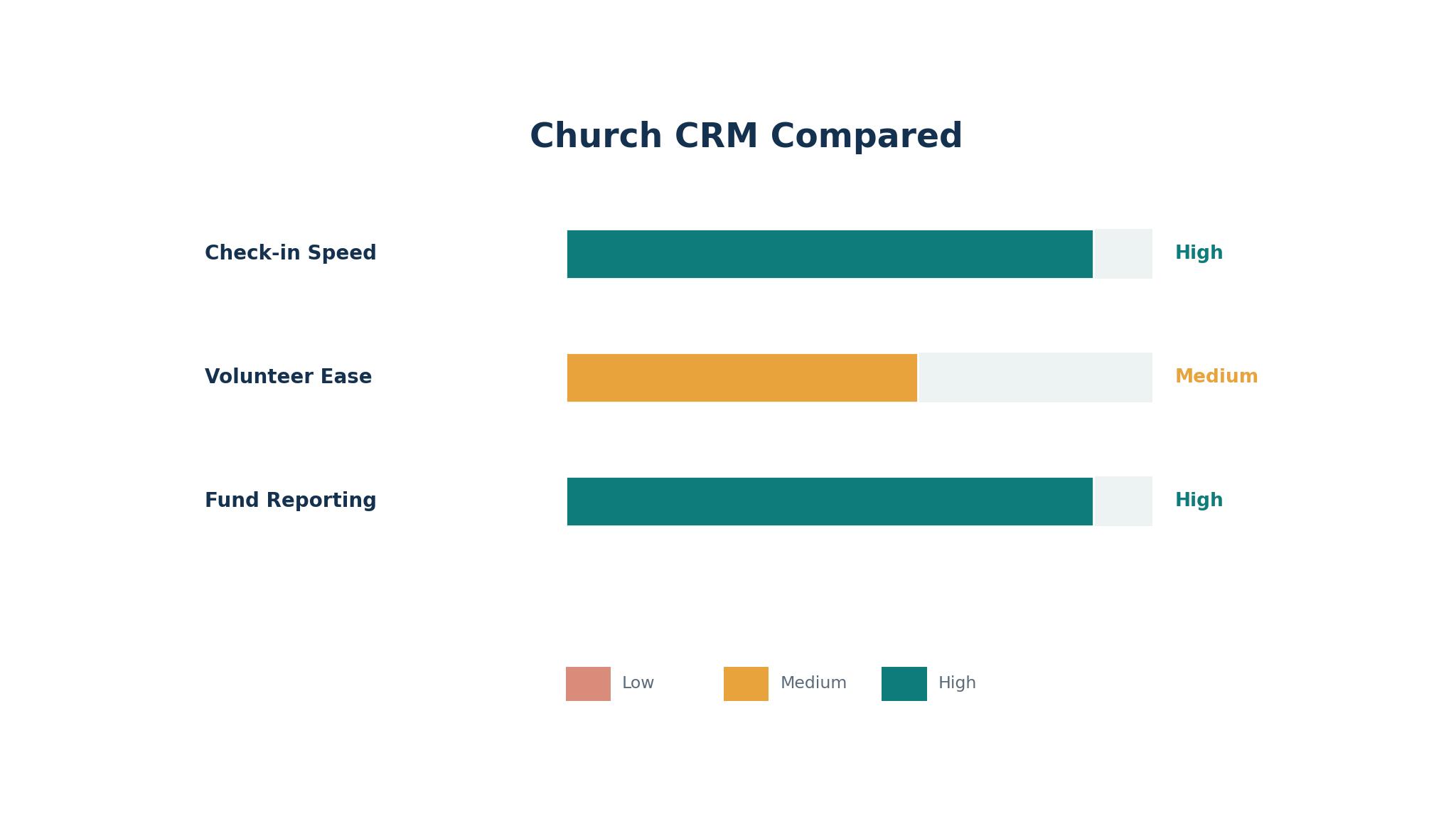
Sunday is the stress test, and it exposes weak software faster than any demo. The welcome desk needs to find a visitor by first name, add them without creating a duplicate record, and print a name label before the family reaches the door. The children check-in station needs allergy notes visible at a glance and a pickup code that matches the parent. The giving table needs to record cash and checks in batches, then reconcile them against the bank deposit on Monday.
The best crm software for churches handles those three jobs in one flow and earns its keep. A system that forces the team to jump between a database, a separate check-in app, and a spreadsheet for giving will slow the morning down, and volunteers will quietly stop using it. Ask each vendor to walk through a full Sunday in the trial, from first guest to final deposit, and watch where the clicks pile up.
The second Sunday job is follow-up. A first-time guest who leaves no trace in the system gets no welcome note, and a member who stops attending for a month gets no call. The better tools in this list turn attendance and giving patterns into simple lists, such as guests from the last two Sundays or members absent for three weeks. Those lists are the pastoral work, and they matter more than any dashboard chart.
People Records, Giving Records, and the Books
A church CRM holds two kinds of records that must stay linked but never get confused. People records carry contact details, family links, small-group membership, volunteer roles, and pastoral notes. Giving records carry amounts, funds, dates, and payment methods. When a donor asks for a year-end statement, the system has to pull both together without manual matching.
Fund accounting is where the best crm software for churches splits from the cheap tools. A general ledger that treats all income as one pot cannot show a building-fund balance separately from the general fund, and that gap creates real trouble at audit time. ChurchTrac and Aplos include fund accounting in their standard plans, which is why treasurers keep recommending them. Breeze and Planning Center handle giving well but expect the books to live elsewhere, usually QuickBooks, and that split is fine as long as the export is clean.
Before buying, list the funds your church actually tracks and ask the vendor to show a fund-by-fund report for one of them. If the demo cannot produce it, the tool will not produce it on a busy December Sunday either, and the treasurer will be rebuilding statements in a spreadsheet by January.
Volunteer Scheduling and Small Groups Without the Spreadsheet
Volunteers are the workforce of a church, and scheduling them is the job most CRMs handle worst. A worship rota, a nursery rota, and a parking team rota each need different rules, and a tool that only offers a generic calendar will push the work back into group chats. Planning Center Services remains the standard here, with role-based scheduling, conflict checks, and reminders that volunteers actually answer.
Small groups need a different shape of tracking. A group leader wants to see who attended, who missed two weeks, and who asked for prayer, without opening the full member database. The tools that do this well give leaders a limited view of their own group only, which protects privacy and keeps leaders engaged. Elvanto and Realm both handle group-level views, while simpler tools treat every user as a full administrator, which becomes a privacy problem as the church grows.
The 10 Tools at a Glance
The table below gives the short version of the best crm software for churches, with each tool, its main job, and its starting price. Prices are the published entry point as of late 2026. Quote-only tools are marked as such, and the detail sections explain what sits behind each price.
| Tool | Main job | Best for | Starting price |
|---|---|---|---|
| Planning Center | Member database plus worship planning | Churches that plan services weekly | Free tier, paid per module |
| Breeze | Simple all-in-one church database | Small churches wanting one flat bill | $72 per month |
| ChurchTrac | Database plus fund accounting | Budget churches needing the books included | From $9 per month |
| Tithe.ly | Giving plus church management | Churches that want giving and ChMS together | $72 per month for ChMS |
| FellowshipOne | Enterprise church management | Large churches with complex ministries | Custom quote |
| ShelbyNext | Membership and financial management | Churches with detailed reporting needs | Custom quote |
| Elvanto | People, groups, and services | Mid-size churches with many volunteers | Pricing on the vendor site |
| Realm | Member engagement and giving | Churches wanting a member-facing app | Custom quote |
| Pushpay | Giving and engagement platform | Churches prioritising digital giving | Custom quote |
| Aplos | Fund accounting plus donor management | Treasurer-led churches and nonprofits | From $79 per month |
Best Pick by Job
This table matches the best crm software for churches to the job it fits, so a small plant and a large church do not end up buying the same system.
| Job type | First pick | Second tool | Why this pair works |
|---|---|---|---|
| Small plant under 100 people | ChurchTrac | Planning Center | ChurchTrac keeps the cost near zero while Planning Center covers worship planning free |
| One flat bill, no counting | Breeze | Tithe.ly | Both charge one price for unlimited people, so growth never changes the invoice |
| Worship-heavy Sundays | Planning Center | Elvanto | Planning Center runs the service plan while Elvanto tracks the people behind it |
| Treasurer-led church | Aplos | ChurchTrac | Aplos carries full fund accounting while ChurchTrac covers the same ground at a lower price |
| Large multi-ministry church | FellowshipOne | ShelbyNext | Both handle complex reporting, and the second keeps the first honest on price |
| Giving-first church | Pushpay | Tithe.ly | Pushpay leads on mobile giving while Tithe.ly pairs giving with a full member database |
| Member app and engagement | Realm | Elvanto | Realm gives members a home on their phone while Elvanto gives staff the admin depth |
How to Judge the Best CRM Software for Churches Before You Pay
The best crm software for churches is the one your volunteers will still use in six months, and the only way to learn that is a live trial with real Sunday data. Import fifty real member records, including two families with the same surname and one household with different last names, then ask a volunteer to find each one, record attendance, and log a gift. Time the task. If it takes more than two minutes per family, the interface is fighting the workflow.
Check the giving flow the same way. Enter ten gifts across three funds, mix cash, check, and card, then produce a donor statement for one giver and a fund report for the treasurer. The statement has to be correct to the cent, and the fund report has to separate restricted gifts from general ones. A tool that cannot do this in the trial will not learn how to do it after purchase, and the finance team will pay for the gap in hours.
Price the whole year, not the first month. Add the subscription, the card fees on online gifts, and the cost of any module the demo showed but the entry plan excludes. Planning Center looks cheap at the free tier and grows by module, while Breeze looks dear at $72 a month until the church passes two hundred people. ChurchTrac is the cheapest honest option for a small church, and Aplos is the cheapest honest option for a church that needs real fund accounting. Run the twelve-month total for your actual attendance and giving volume, then choose on that number.
The 10 Tools in Detail
1. Planning Center
Planning Center is a set of connected modules rather than one fixed product, and People, its member database, is free. Churches add Services for worship planning, Giving for donations, Check-Ins for children, Groups for small groups, and Registrations for events, paying only for the modules they use. That structure suits a church that wants to start small and grow into the system, since the database and the worship tools share the same people records from day one.
The weak spot is the bill. Each module prices separately, and a church that turns on five modules can pass the cost of a flat-rate rival without noticing, since no single invoice shows the full picture. The per-module model also means features that feel basic, such as advanced reporting, sometimes sit in a module the church has not bought.
It suits churches that plan services every week and want the worship team, the welcome team, and the office working from one set of people records. A plant that only needs a database will find it more than it needs, while a church with a real worship ministry will find it hard to leave.
Run a full Sunday on the free People module plus a trial of Services. Build one service plan, assign six volunteers, and check in ten children, then ask the worship leader whether the plan view saved them time or added admin. The answer to that question decides whether the module model pays for itself.
2. Breeze
Breeze charges one flat $72 a month for unlimited people, unlimited users, and every feature, which makes budgeting simple. The interface is plain and fast, and most administrators learn it in an afternoon. Giving, events, check-in, forms, and volunteer tracking all live in the same place, and the system does not charge extra as the church grows.
The honest drawback is depth. Breeze has no fund accounting, so the treasurer still needs separate books, and its worship planning tools are thin next to Planning Center. A church that outgrows simple reporting will feel the ceiling within a couple of years, and moving data out takes planning.
It suits churches under six hundred people that want one bill, one login, and no sales calls. A small staff team with a part-time administrator will get more done in Breeze than in a system that needs a trained operator, and the flat price removes the monthly argument about who counts.
Load your real directory into the trial and run two Sundays end to end. Check in families, record gifts, and send a group message to the volunteers, then export a donor statement and see whether the treasurer accepts it without rework. If the export passes, the flat price is doing its job.
3. ChurchTrac
ChurchTrac prices by the number of names in the database, starting from $9 a month, and includes fund accounting in every plan. That combination is rare at this price, and it makes ChurchTrac the strongest value for a church that needs the books and the database in one login. Giving, attendance, events, and messaging are all included, and the free tier covers very small congregations.
The honest drawback is polish. The screens look dated next to Breeze, and some workflows take an extra click or two. New volunteers may need a short walkthrough before their first Sunday, and the mobile experience is functional rather than delightful.
It suits budget-conscious churches under three hundred people, especially where the treasurer runs the office and wants fund reports without a second subscription. A plant or a rural church will find the price hard to beat, and the accounting depth means it stays useful as the church grows.
Enter a month of real gifts across two funds in the trial and print the fund report. Compare the restricted-fund balance against your own spreadsheet, then ask the treasurer whether the numbers match to the cent. A match here is worth more than a prettier dashboard anywhere else.
4. Tithe.ly
Tithe.ly started as a giving platform and grew into a full church system, with the ChMS plan at $72 a month and an All Access plan at $119 a month that adds a website, a custom app, and worship tools. Giving is free to start, with card fees of 2.9 percent plus $0.30 per gift, and the member database, events, and messaging share the same records as the giving history.
The honest drawback is that the pieces feel assembled rather than born together. The ChMS is solid but less deep than a dedicated database, and churches that need advanced reporting or complex volunteer scheduling may find gaps. The All Access price also climbs fast once the church wants everything.
It suits churches that want giving and membership in one place and like the idea of a church app without building one. A growing church that already takes most gifts online will get the most from it, since the giving flow is the part Tithe.ly built first and best.
Process a real online gift in the trial, refund a test gift, and check that the donor statement updates correctly. Then open the ChMS side and find that donor, add them to a group, and send a message. If both halves feel like one system, the pairing is working.
5. FellowshipOne
FellowshipOne is built for large churches with multiple campuses, complex ministries, and staff who need detailed reporting. It covers membership, giving, check-in, events, volunteer management, and background checks, with permission controls that let a campus pastor see their own campus only. MinistryPlatform, its underlying platform, is the reason many large churches stay for years.
The honest drawback is cost and complexity. Pricing is by quote, implementation takes weeks, and the system expects a trained administrator. A small church would drown in it, and a church without dedicated office staff would pay for capacity it never uses.
It suits churches over a thousand people, multi-site churches, and churches with a full-time operations team. The reporting depth and the permission model are the reasons to buy it, and both only matter at scale.
Ask the vendor for a reference church of similar size and call them. Ask how long implementation took, who runs the system day to day, and what they still do in spreadsheets. Their answers will tell you whether your staff can carry it.
6. ShelbyNext
ShelbyNext pairs a membership system with financial tools that many treasurers trust, including fund accounting, payroll integration, and detailed contribution reporting. It has served churches for decades, and its reporting is among the most thorough in this list. Churches that need audit-ready records often land here after outgrowing simpler tools.
The catch is the learning curve. The interface carries its history, and new staff need training before they work confidently. Pricing is by quote, and the sales process is slower than the self-serve tools, which frustrates churches that want to start this week.
It suits established churches with a finance office, a larger staff, and reporting requirements that a flat-rate tool cannot meet. A church with an annual audit and several restricted funds will value the depth, while a plant will find it far too much.
Give the treasurer a trial login and a real month of transactions to enter. Ask for a fund-by-fund balance sheet and a donor statement, then compare both against the current books. If the treasurer trusts the output, the training cost is justified.
7. Elvanto
Elvanto covers people, groups, services, and check-in within one cloud system, with a strong volunteer scheduling view and a member-facing app. It is popular with mid-size churches that run many services and rosters, since the service planning and the people records share one database. The interface is modern, and the pricing sits in the middle of this list.
The honest drawback is that pricing is not published plainly on the vendor site, so budgeting means a sales conversation. Some churches also find the reporting less flexible than ShelbyNext or FellowshipOne, and custom reports need more effort than the demo suggests.
It suits mid-size churches with many volunteers, several services a week, and a team that wants one system for rosters and membership. A church running three services with rotating teams will feel the benefit quickly, while a single-service church may not need the roster depth.
Build one full service roster in the trial with real volunteers, including two who are unavailable that week. Send the roster, collect the responses, and see how many replies come back without a reminder. A high response rate means the volunteers find it easy, which is the whole point.
8. Realm
Realm, from ACS Technologies, is built around member engagement, with a member app, online giving, groups, and event registration in one place. Members can update their own details, join groups, register for events, and give from their phone, which cuts office admin. The staff side covers the database, contributions, and check-in.
The honest drawback is price transparency. Realm sells by quote, and the total depends on church size and modules, so two churches can pay very different amounts for the same product.
It suits churches that want members to self-serve, with a strong app and online community feel. A church with an active congregation that registers for events and joins groups online will get the most from it, while a church that mainly needs back-office records will pay for engagement it does not use.
Invite ten real members to the trial app and ask them to update a detail, join a group, and make a test gift. Count how many finish without asking the office for help. That completion rate is the honest measure of the member experience.
9. Pushpay
Pushpay is a giving and engagement platform first, with mobile giving, a church app, and donor management at its core. It handles recurring gifts, text giving, and donor communication well, and its reporting shows giving trends that help leaders spot changes early.
The honest drawback is that it is not a full ChMS in the traditional sense. Member records and volunteer scheduling are thinner than in Breeze or Planning Center, so churches often pair Pushpay with another database, which means two systems and two bills.
It suits churches where digital giving is the priority and the office already has a member database it likes. A church with a young congregation that gives by phone will see the return quickly, while a church that still takes mostly cash and checks will not.
Run a live test gift from a phone in the trial, set up a recurring gift, then cancel it, and check that every step shows correctly in the donor record. Then ask the office how the gift appears in their reports. If the flow is clean end to end, the giving focus is paying off.
10. Aplos
Aplos is fund accounting software with donor management built in, starting from $79 a month, and it is the pick for churches where the books come first. It tracks funds, budgets, and donor statements properly, handles online giving, and produces the reports a board and an auditor expect. Nonprofits use it for the same reasons churches do.
The honest drawback is that the people side is lighter than a dedicated ChMS. Check-in and volunteer scheduling are basic, and a church that needs deep roster tools will pair Aplos with another system. The interface is built for finance people, so non-finance volunteers may find it less friendly.
It suits treasurer-led churches and small nonprofits that need true fund accounting without enterprise prices. A church with several restricted funds and a part-time bookkeeper will find it a good fit, while a church that mainly needs Sunday check-in will find it the wrong shape.
Enter three months of real transactions in the trial and produce the board pack, fund balances, budget against actual, and donor statements. Hand the pack to the treasurer and ask whether they would present it as it stands. Their answer is the buying decision.
What the Best CRM Software for Churches Costs Over a Full Year
The monthly price is only the first line of the bill, and the rest hides in giving fees and modules. A church that takes $10,000 a month online at 2.9 percent plus $0.30 per gift pays roughly $300 a month in card fees before any subscription, while a church on Planning Center Giving at 2.15 percent plus $0.30 pays closer to $220. That difference alone can cover a cheaper subscription, which is why the giving rate deserves as much attention as the software price.
Modules are the second hidden cost. Planning Center grows by module and Tithe.ly grows by plan tier, so the price in month twelve can look very different from month one. Breeze and ChurchTrac change slowly and predictably, while Aplos sits in between with a clear entry price and paid add-ons.
Work out the twelve-month total before signing. Add the subscription, the card fees on your actual online giving volume, and any module the trial showed you need. Then compare that total across two finalists, not the headline monthly price. The cheapest headline is rarely the cheapest year, and the most expensive headline sometimes is, once the giving fees are counted honestly.
Moving Your Records Without Losing People
Migration is where church CRM projects fail, and the failure is usually duplicate records rather than missing ones. A family that appears twice, once with a nickname and once with a full name, will get two welcome notes and two statements, and the office will spend months fixing it. Clean the data before importing, merge the obvious duplicates, and decide one rule for household names before the first file goes in.
Run the old system and the new one side by side for a month. Record attendance and gifts in both, compare the totals weekly, and only switch off the old system when the numbers match for two Sundays in a row. Export everything from the old system first, including notes and giving history, since some vendors charge for a full export after the contract ends.
Train one volunteer per ministry area, not just the office staff, since a system that only the administrator understands will fail the first Sunday the administrator is away.

Frequently Asked Questions
Which church CRM is best for a small church with no budget?
Among the best crm software for churches, ChurchTrac is the strongest answer for a church with almost no budget, since the free tier covers very small congregations and paid plans start from $9 a month with fund accounting included. Planning Center People is free too, and it suits a church that plans to grow into the paid modules later. Either one works, and the choice comes down to whether the treasurer or the worship leader matters more in the first year.
Does a church CRM need fund accounting built in?
A church needs fund accounting somewhere, but it does not have to live inside the CRM. ChurchTrac and Aplos include it, which keeps everything in one login. Breeze and Planning Center expect the books to live in separate accounting software, which works well as long as the giving export is clean and the treasurer reconciles monthly. The risk is a church that buys a CRM without fund accounting and never sets up the books properly, which creates audit trouble later.
How much should a church expect to pay each month?
Most churches in this guide pay between $9 and $119 a month for the software itself, before card fees on online gifts. Small churches land at the low end with ChurchTrac, mid-size churches land near $72 a month with Breeze or Tithe.ly, and large churches pay by quote for FellowshipOne or ShelbyNext. Card fees add roughly 2.2 to 2.9 percent of online giving on top, so a church should budget the software price plus the giving fees together.
Can volunteers really run check-in without staff help?
Yes, when the system is set up for them. Breeze and Planning Center both offer check-in screens that a trained volunteer can run after one practice session, with allergy notes and pickup codes visible. The setup matters more than the software, since a station with a slow printer or a weak network will fail whatever tool runs it. Test the full check-in flow with real families before the first live Sunday.
Is it hard to switch from one church CRM to another?
Switching is straightforward when the data is clean and painful when it is not. Most vendors offer an import service for member records and giving history, and the work sits in deduplicating households, standardising names, and checking fund balances. Plan for a month of overlap, keep the old system running until the numbers match, and export a full backup before cancelling anything.
Should a church buy the giving tool and the CRM from the same vendor?
Buying both from one vendor removes the export step and keeps donor records in one place, which is why Tithe.ly and Pushpay appeal to giving-first churches. Buying them separately lets the church pick the best giving tool and the best database independently, which is why many churches pair Planning Center with a separate accounting package. Either approach works, and the deciding factor is whether the office prefers one login or best-in-class tools.
The Verdict for Churches Choosing a CRM in 2026
ChurchTrac is the best starting point for most small churches, since it pairs the lowest honest price with real fund accounting, and that pairing is why it leads the best crm software for churches for small congregations. Breeze is the best pick for a church that wants one flat bill and no surprises, and Planning Center is the best pick for a church where worship planning drives the week.
Larger churches should shortlist FellowshipOne and ShelbyNext, and treasurer-led churches should look at Aplos before anything else. Pick the tool your volunteers will use on a busy Sunday, price the full year including giving fees, and run a live trial with real families before paying. The system that survives that test is the right one, and the rest is marketing.