
A farm that runs its books on a general small-business ledger usually discovers the gap at tax time, when the accountant asks for enterprise costs and the software can only show a single profit line. A farm that buys a farm-specific system usually discovers the opposite gap, when the software tracks every acre and head of cattle but cannot send a clean invoice to a buyer. The best accounting software for farmers closes both gaps at once, and the choice between the two approaches decides how much of the winter gets spent reconstructing the year.
The split comes down to what the farm actually sells. A grain operation needs field-level costs, inventory by bin, and a Schedule F that matches the tax return. A dairy or beef operation needs livestock records, feed costs, and depreciation on equipment that works hard for a decade. A market garden selling at three farmers markets needs fast invoicing, sales tax handling, and a way to see which crop actually made money. No single tool leads on all three, which is why the shortlist below mixes general ledgers with farm-built systems.
This guide compares eight live tools on farm work, not on generic accounting checklists. The prices in this guide come from the vendors’ own pages as read in late 2026, before tax. Two of the farm-built tools sell as one-time purchases rather than subscriptions, and the guide states the price in the form the vendor charges it. Where a vendor sells by quote, the guide says so.
Field Costs, Enterprise Costs, and the Schedule F
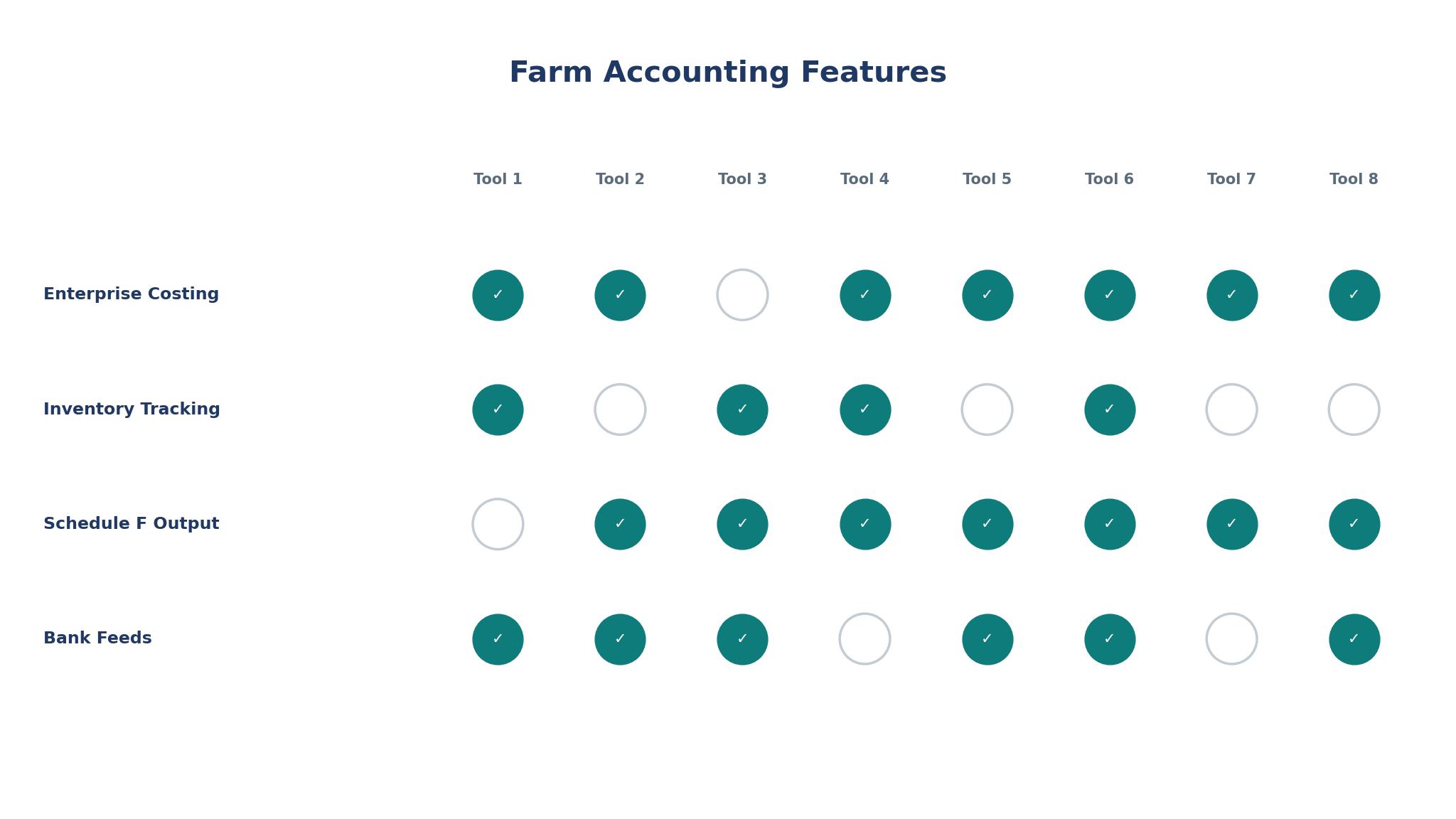
Farm accounting starts with a question a normal business never asks, which is what each enterprise cost and earned. A corn field, a soybean field, and a cow-calf herd are three businesses sharing one bank account, and the books have to keep them apart. QuickBooks Online can do this with classes or locations, but it takes setup and discipline. FarmBooks and CenterPoint were built for it, with enterprise tracking in the core product rather than added on.
The Schedule F is the second test for the best accounting software for farmers. The tax return for a farm reports income and expenses by category, and the software should produce those categories without retyping. FarmBooks produces Schedule F reports directly, and Figured and EasyFarm both aim at the same output. A general ledger can get there too, but only if the chart of accounts was built with the Schedule F in mind from the first entry, and most farms set it up in a hurry and pay for it in February.
Ask each vendor to show a Schedule F report built from sample farm data, then ask for an enterprise profit report for one crop. If both reports come out clean, the tool understands farm books. If either needs a spreadsheet in between, the farm will be maintaining that spreadsheet forever, and the cost of the software is not the price on the page.
Cash, Inventory, and the Grain in the Bin
A farm holds inventory that a shop never holds. Grain sits in bins and changes value with the market, cattle gain weight and change value with age, and inputs bought in December get used in June. The books have to track quantities as well as dollars, and a system that only tracks dollars will misstate the year whenever the bin is full at year end.
FarmBooks tracks inventory quantities and values, including two quantities per commodity, which matters when grain is measured in bushels and sold by the truckload. CenterPoint handles inventory with the same double-entry care it gives everything else. QuickBooks Online tracks inventory on its higher plans, but the setup is generic, and a farm that stores several crops in several bins will spend real time making it fit. Wave does not try to do this at all, which is fine for a small market farm and wrong for a grain farm.
Depreciation is the other weight the best accounting software for farmers has to carry. A tractor, a combine, and a barn each depreciate on different schedules, and the books should carry those schedules without a separate fixed-asset spreadsheet. Ask the vendor to show an asset register with three machines bought in different years, then ask for the depreciation report. The answer shows whether the tool was built for farms or adapted to them.
Invoicing Buyers, Paying Suppliers, and Getting Paid
A farm sells to buyers who pay on their own timetable, and the invoicing tool has to cope with that. A grain elevator pays on delivery, a restaurant buying vegetables pays in thirty days, and a CSA customer pays upfront for a season. The software should handle all three without the farmer keeping a separate list of who owes what, and it should age receivables so the farmer can see at a glance which buyer is late.
Payables matter just as much in the best accounting software for farmers. Seed, feed, fuel, and fertiliser arrive on supplier terms, and missing a discount date costs real money. FreshBooks and Xero both handle payables cleanly, with supplier bills, due dates, and payment reminders. FarmBooks handles bill tracking and check writing in the same place as the farm records, which suits a farm that pays suppliers from the office once a week.
The test is a real week of farm transactions. Enter five sales to three different kinds of buyer, three supplier bills with different due dates, and one part-payment, then produce an aged receivables report and an aged payables report. If both reports are right, the tool will keep the farm paid and paying on time. If either is wrong, the farm will be chasing money it has already earned.
The 8 Tools at a Glance
The table below gives the short version of the best accounting software for farmers, with each tool, its main job, and its starting price. One-time purchases are shown as a single price, and quote-only tools are marked as such.
| Tool | Main job | Best for | Starting price |
|---|---|---|---|
| QuickBooks Online | General ledger with farm setup | Farms wanting the standard ledger | From $30 per month |
| Xero | Cloud ledger with bank feeds | Farms wanting clean online books | From $20 per month |
| FreshBooks | Invoicing-first accounting | Farms selling direct to buyers | From $19 per month |
| Wave | Free ledger and invoicing | Small farms with simple books | Free |
| FarmBooks | Farm-built accounting and payroll | Small farms wanting farm reports | $595 one-time |
| CenterPoint | Agriculture accounting, Red Wing | Small to mid-size farms | Custom quote |
| EasyFarm | Farm bookkeeping and cash flow | Cash-crop and livestock farms | $650 one-time |
| Figured | Farm financial planning and budgets | Farms planning ahead with forecasts | From $14.50 per month |
Best Pick by Job
This table matches the best accounting software for farmers to the job it fits, so a grain farm and a market garden do not end up buying the same system.
| Job type | First pick | Second tool | Why this pair works |
|---|---|---|---|
| Grain farm with bins and fields | FarmBooks | CenterPoint | FarmBooks tracks enterprise costs while CenterPoint adds depth for a larger operation |
| Small farm, tight budget | Wave | Figured | Wave costs nothing for the ledger while Figured adds planning at a low price |
| Direct-sales farm, many invoices | FreshBooks | Xero | FreshBooks sends invoices fast while Xero keeps the full ledger behind it |
| Farm wanting the standard ledger | QuickBooks Online | Xero | QuickBooks Online is the accountant’s default while Xero offers a cleaner cloud alternative |
| Livestock and cash-flow focus | EasyFarm | FarmBooks | EasyFarm handles cash flow and livestock while FarmBooks adds payroll and inventory |
| Farm planning a loan or expansion | Figured | QuickBooks Online | Figured builds forecasts a lender can read while QuickBooks Online holds the history |
How to Judge the Best Accounting Software for Farmers Before You Buy
The best accounting software for farmers proves itself on last year’s numbers, not on a demo with sample data. Take one real month from last season, with sales, purchases, payroll if any, and a loan payment, and enter it into the trial. Then produce three reports, a profit and loss by enterprise, a Schedule F summary, and a cash-flow statement. The enterprise report is the one that separates farm tools from general tools, and it is the report a farmer will actually use to decide what to plant.
Check the bank feed next. A farm bank account mixes personal and business spending more than most businesses, and the feed has to make categorising fast rather than painful. Xero and QuickBooks Online both have strong bank feeds with rules that learn from past entries. FarmBooks and EasyFarm are desktop tools with a different rhythm, importing statements rather than syncing live, which suits a farmer who does the books once a week at the kitchen table.
Price the tool over three years, not one month. A $595 one-time purchase with a $95 annual maintenance fee costs less over three years than a $30 monthly subscription, and a free tool costs nothing until the farm outgrows it. Work out the three-year total for your farm, add the accountant’s fee for year-end work either way, and choose on that number. The cheapest month is rarely the cheapest three years, and the dearest month sometimes is, once the accountant’s hours are counted.
The 8 Tools in Detail
1. QuickBooks Online
QuickBooks Online is the ledger most farm accountants already know, and that familiarity is its main strength. Bank feeds, invoicing, bill tracking, payroll add-ons, and a large accountant network all come standard, and the Simple Start plan at $30 a month covers a small farm. Classes and locations can separate enterprises, and the reporting library covers everything a lender asks for.
The honest drawback is that none of it is farm-specific. Enterprise tracking, inventory by bin, and Schedule F reporting all need setup, and a farm that skips the setup ends up with a generic ledger that cannot answer farm questions. The price also rises through the tiers, and the features a farm needs often sit in a plan above the entry one.
It suits farms whose accountant already works in QuickBooks Online and wants the farm’s books in the same system. A farm with a good bookkeeper and a clear chart of accounts will get strong results, while a farm that wants farm reports out of the box will find the setup slow.
Enter last October in the trial, a real month with harvest sales, fuel bills, and a loan payment. Build a profit report by enterprise and a Schedule F summary, then send both to your accountant and ask whether they would accept them. The accountant’s answer is the trial result that matters.
2. Xero
Xero is a clean cloud ledger with strong bank feeds, a simple interface, and invoicing that a farmer can learn in an afternoon. It handles multiple currencies, fixed assets, and expense claims, and its app marketplace connects to farm tools that fill the gaps the core product leaves. The entry price of $20 a month keeps it within reach of a small farm.
The weakness mirrors QuickBooks Online, in a different shape. Xero has no farm-specific reports, no enterprise costing, and no livestock tracking, so the farm either adds an app or keeps a spreadsheet for the farm side of the books. The per-organisation pricing also means a farm with two businesses pays twice.
It suits farms that value a clean online ledger and a bank feed that works, especially where the owner does the books from a phone between jobs. A market garden or a direct-sales farm will find it a good fit, while a grain farm that needs bin inventory will feel the gap quickly.
Connect the real bank feed in the trial and categorise a week of farm transactions. Time how long it takes, then produce an aged receivables report and check it against the farm’s own list of who owes money. If the feed saves an hour a week, the subscription is paying for itself.
3. FreshBooks
FreshBooks is built around invoicing, and it sends professional invoices, tracks when a client opens them, and chases late payment automatically. For a farm selling direct to restaurants, shops, and CSA members, that invoicing strength matters more than any ledger feature. Time tracking and expense capture are included, and the entry plan starts at $19 a month.
The honest drawback is accounting depth. FreshBooks is not a full double-entry ledger in the way QuickBooks Online or Xero are, and a farm that needs enterprise costing, inventory, or a Schedule F will outgrow it. FreshBooks works best as the sales front end, with a real ledger behind it or an accountant reconciling at year end.
It suits direct-sales farms, market gardens, and farms with many small buyers who need chasing. A farm with fifty CSA members and a dozen restaurant accounts will save hours a week, while a grain farm selling to one elevator will not need what FreshBooks does best.
Send five real invoices in the trial to different kinds of buyer, record one part-payment, and check the late-payment reminder that follows. Then export the sales list and see whether the farm’s accountant can work from it without retyping. If both steps are clean, the invoicing is earning its price.
4. Wave
Wave is free, with a ledger, invoicing, and receipt capture at no monthly cost, and it charges only for payment processing and payroll add-ons. For a small farm with simple books, that price is hard to argue with, and the interface is friendly enough for a farmer doing the books on a Sunday evening.
The honest drawback is scope. Wave has no farm reports, no enterprise costing, no inventory, and no Schedule F output, and its support is thinner than the paid tools. A farm that grows past simple books will need to migrate, and migration from a free tool always costs more time than the saving was worth.
It suits a new farm, a hobby farm turning commercial, or a small operation with one enterprise and few transactions. A farm that needs to know which crop made money will outgrow Wave within a season or two, and should plan the move before the books get complicated.
Run a full month of real transactions through Wave in the trial and produce the year-end reports the accountant needs. Ask the accountant whether they can file from those reports alone. If they can, Wave is enough for now, and if they cannot, the farm has learned the limit before it matters.
5. FarmBooks
FarmBooks is built for farms, and it shows in the reports. Enterprise costing, payroll, inventory with two quantities per commodity, loan amortisation, and Schedule F reports all come in a one-time purchase of $595, with a $95 annual maintenance fee for updates and support. It runs on Windows and Mac, and it has served small farms for years.
The honest drawback is that it is desktop software in a cloud world. There is no live bank feed, no mobile app for entering expenses in the field, and no automatic backup unless the farmer sets one up. A farm that wants to check the books from a phone will find it old-fashioned, and a farm with several people entering data will find the single-user shape limiting.
It suits small farms that want farm reports without a monthly subscription, especially grain and mixed farms with a single office computer. A farm that does the books once a week at a desk will get the most from it, while a farm that needs mobile entry will not.
Enter a full season in the trial, with planting costs, harvest sales, and a loan payment. Produce the Schedule F report and the enterprise profit report, then compare the Schedule F figures against last year’s tax return. A match to the dollar is the proof the tool was built for this work.
6. CenterPoint
CenterPoint Accounting for Agriculture, from Red Wing Software, is double-entry accounting built for farms, with enterprise tracking, inventory, payroll, and a ratios module that shows where the farm is strong and where it is weak. It suits small to mid-size farms that want proper books without enterprise prices, and its screens follow standard accounting layouts that a bookkeeper recognises at once.
The honest drawback is price transparency. CenterPoint does not publish a price, so budgeting means a sales conversation, and the desktop-first design means no live bank feed and no mobile entry. A farm that wants cloud access for an accountant working remotely will need to plan around that.
It suits farms with a bookkeeper who wants proper double-entry books and farm reports in one place. A mid-size farm with several enterprises and a part-time bookkeeper will find it a good fit, while a one-person farm doing the books on a phone will find it too heavy.
Ask the vendor for a trial with sample farm data already loaded, then enter a month of your own transactions alongside it. Produce the ratios report and the enterprise report, and check whether the ratios tell you anything you did not already know. If they do, the tool is adding judgement, not just arithmetic.
7. EasyFarm
EasyFarm is farm bookkeeping with a focus on cash flow, forecasts, and enterprise reports, priced at $650 as a one-time purchase. It handles cash-crop and livestock accounting, with cash-flow forecasts that show whether the farm can cover the next quarter, and it produces Schedule F figures without a separate tax package. The interface is plain and direct, built for farmers rather than accountants.
The honest drawback is breadth. EasyFarm does not match QuickBooks Online on invoicing polish or on the size of its accountant network, and it has no cloud sync, so the books live on one computer. A farm that needs to share the books with an accountant remotely will be sending files back and forth.
It suits cash-crop and livestock farms that want to see cash flow clearly and plan the season ahead. A farm that lives or dies by the timing of sales and purchases will value the forecasts, while a farm that mainly needs invoicing will find it the wrong shape.
Load last year’s figures in the trial and build a cash-flow forecast for the next six months. Check whether the forecast warns about the tight month before harvest, and whether the enterprise report shows which crop carried the year. If both answers are useful, the tool is doing farm work rather than generic bookkeeping.
8. Figured
Figured is farm financial planning software that starts from $14.50 a month, with budgets, forecasts, and scenario planning built around the farm year. It connects to Xero for the ledger, then adds the farm layer on top, with actuals against budget, cash-flow forecasts, and production tracking. It suits farms that plan ahead rather than record the past.
The honest drawback is dependence. Figured is not a standalone ledger, so a farm needs Xero underneath it, which means two subscriptions and two systems to learn. A farm that has never budgeted will also find the planning tools take a season to become useful, since forecasts only help once the farm trusts them.
It suits farms planning a loan, an expansion, or a change of enterprise, where a lender or a partner needs to see the numbers ahead. A farm that already runs Xero and wants to plan the next season will get the most from it, while a farm without a ledger will need to buy one first.
Build a budget for next season in the trial using last year’s actuals, then change one assumption, such as the grain price falling ten percent, and watch the forecast move. If the change shows the farm where the risk sits, the planning layer is working, and if it does not, the farm is not ready to pay for it yet.
What Farm Accounting Really Costs Each Year
The subscription price is the smallest part of the cost for most farms. A $30 monthly ledger costs $360 a year, while the accountant’s year-end fee often runs several times that, and a messy set of books can double the fee. A tool that produces a clean Schedule F and clean enterprise reports saves accountant hours, and those hours are worth more than any subscription difference in this guide.
One-time purchases change the maths. FarmBooks at $595 plus $95 a year for maintenance costs $880 over three years, while QuickBooks Online at $30 a month costs $1,080 over the same period, before any tier increase. EasyFarm at $650 one-time is cheaper still over three years, as long as the farm does not need the features a subscription keeps adding. The trade is that a one-time purchase does not keep improving the way a subscription does, and a farm that buys it should be happy with the tool as it stands.
Work out the three-year total, then add the accountant’s fee for a clean set of books against a messy one. The cheapest tool is the one that leaves the accountant with the least to fix, and that is rarely the tool with the lowest monthly price. Ask the accountant which tool they would prefer to receive, and weight that answer heavily, since they are the one who has to file from it.
Keeping the Books Straight Through the Season
Farm books go wrong in the gaps between jobs, not during them. A farmer enters expenses faithfully in spring, then harvest arrives, and three months of receipts sit in a box until winter. The fix is a weekly habit rather than better software, and the best software is the one that makes the weekly habit easy. A mobile app for photographing receipts, a bank feed that categorises automatically, and an invoice template that takes a minute to send all help the habit stick.
Reconcile the bank account every month, without exception. A farm that reconciles monthly finds a missing deposit or a double-entered bill while it is still easy to fix, while a farm that reconciles at year end finds a year’s worth of errors at once. The reconciliation report is the single most useful output of any tool in this guide, and a tool that makes it hard is costing the farm more than its price.
Keep the personal and farm spending apart from the first day. A farm bank account that also pays for groceries will produce a chart of accounts that no accountant can trust, and the cleanup costs more than a separate account ever would. Open a farm account, run every farm transaction through it, and let the software do the rest. The discipline matters more than the brand, and the brand only helps once the discipline is in place.

Frequently Asked Questions
Can a farmer use QuickBooks Online for a farm?
Yes, and many do, since QuickBooks Online handles bank feeds, invoicing, bills, and payroll well, and most farm accountants already work in it. The farm needs to set up classes or locations for enterprise tracking and build the chart of accounts around the Schedule F, which takes care at the start. A farm that skips that setup gets a generic ledger, so the first month of setup decides whether QuickBooks Online works as farm software or just as a ledger.
Is FarmBooks still a good choice in 2026?
Yes, for a small farm that wants farm reports without a monthly subscription. FarmBooks covers enterprise costing, payroll, inventory, and Schedule F reports for a $595 one-time purchase, and it has served small farms for years. The trade is desktop software with no live bank feed and no mobile app, so a farm that wants to enter expenses from the field will find it old-fashioned. A farm that does the books at a desk once a week will find it a strong fit.
What is the cheapest honest option for a small farm?
Among the best accounting software for farmers, Wave is free and honest for a very small farm with simple books, since the ledger, invoicing, and receipt capture cost nothing. Figured starts from $14.50 a month and adds planning, while FarmBooks costs $595 once and nothing monthly after the first year except maintenance. The honest answer depends on what the farm needs, since a free tool that cannot produce a Schedule F will cost more in accountant fees than a paid tool that can.
How do farm tools handle grain inventory in bins?
Farm-built tools track quantities as well as dollars, so grain in a bin shows as bushels on hand with a value that moves with the market. FarmBooks tracks two quantities per commodity, and CenterPoint handles inventory inside its double-entry books. General ledgers track inventory on higher plans but need setup to handle several crops in several bins, and a farm should test that setup with real bin data before committing.
Should a farm buy farm-specific software or a general ledger?
A farm should buy farm-specific software when enterprise costs and the Schedule F drive decisions, which is most grain, livestock, and mixed farms. A farm should buy a general ledger when invoicing, bank feeds, and accountant familiarity matter more, which is most direct-sales and market-garden farms. Many farms end up with both, using a general ledger for the books and a farm tool for planning, and that pairing works when the two share data cleanly.
Does Figured replace QuickBooks Online or Xero?
No, Figured sits on top of Xero and adds budgets, forecasts, and farm planning, so a farm needs the ledger underneath it. The pairing gives the farm a clean ledger plus a planning layer, at the cost of two subscriptions. A farm that wants one system should look at FarmBooks or CenterPoint instead, while a farm that already runs Xero and wants to plan ahead will get the most from adding Figured.
The Verdict for Farmers Choosing Accounting Software in 2026
FarmBooks is the best pick for most small farms, since it delivers farm reports, payroll, and Schedule F output for a one-time price. QuickBooks Online is the best pick for a farm whose accountant already works in it, and Xero is the best pick for a farm that wants a clean cloud ledger. Figured is the best addition for a farm planning a loan or an expansion, and Wave is the best starting point for a farm with almost no budget.
Enter a real month of farm transactions into the trial of the best accounting software for farmers, produce the enterprise report and the Schedule F summary, and let the accountant judge the output. The tool that passes that test is the right one for the farm.