

A course landing page that converts at 3 percent earns three times the revenue of one that converts at 1 percent, and the best landing page builders for course creators exist because that gap is decided by page speed, checkout friction and the quality of the sales page, not by the course itself. Kajabi leads this guide because it combines the landing page, the course, the email marketing and the checkout in one system, so a creator never loses a sale to a broken integration between tools.
Teachable follows for creators who want the cheapest paid start, since its Starter plan costs 39 dollars a month and handles courses, checkout and sales tax without extra tools. The remaining eight tools cover all-in-one platforms, course-first platforms, funnel builders and simple storefronts, and each one solves a specific creator problem better than the generalists do. Every tool below was live in November 2026, and the prices quoted are the vendor list prices found on their own pricing pages and recent price checks, so confirm the current number before paying.
Course creators differ in audience size, course count and marketing skill, and this guide weights those differences heavily. A creator with 500 email subscribers needs different tools than one with 50,000, and a first-time seller needs a simpler setup than a creator running evergreen funnels.
Why Course Landing Pages Fail to Convert
Course landing pages fail in a specific way. The first failure is a slow page, because a sales page that takes four seconds to load loses a quarter of its visitors before they read the headline. Page speed is decided by the platform’s hosting and the template’s weight, and the tools in this guide were judged partly on whether their pages load fast on a phone. A beautiful page that loads slowly is a page that sells nothing.
The second failure is a checkout that asks too much. A buyer who has to create an account, confirm an email and fill in five fields before paying will abandon the cart, and the best platforms let a buyer pay in two clicks with Apple Pay or Google Pay. The checkout is part of the landing page, and a tool that separates the two will leak sales at the exact moment the buyer decided to pay.
The third failure is a page that talks about the creator instead of the student. A landing page that leads with the creator’s biography, awards and story will lose a visitor who came to solve a problem, while a page that leads with the outcome, the curriculum and the proof will keep them reading. The best landing page builders for course creators in this guide were scored on whether their templates put the student’s outcome first, because the template shapes the message.
What a Course Platform Really Costs
The sticker price of a course platform rarely matches what a creator pays in year one. A 39 dollar plan looks cheap until the platform takes a 7.5 percent transaction fee on every sale, and a creator selling 2,000 dollars a month in courses pays 150 dollars a month in fees on top of the subscription.
Transaction fees are the cost that matters most. Kajabi charges no platform fee on any plan, Thinkific charges none with its own payments, and Podia charges 5 percent on its Mover plan and zero on Shaker. LearnWorlds charges 5 dollars per paid enrollment on Starter, and Kartra charges 5 percent on its entry plan. Before choosing, multiply the fee by the monthly sales the creator expects, and compare that number with the price of the next tier up.
Free plans deserve a hard look too. Systeme.io offers a genuine free plan, and several platforms offer free trials, but a free plan that limits the creator to one course or caps the student count is a demo, not a business. The catch is the upgrade moment, because a creator who builds an audience on a free plan and then hits the limit will pay whatever the next tier costs. Check the limits before building the first landing page.
The 10 Tools at a Glance
| Tool | Main job | Best for | Starting price |
|---|---|---|---|
| Kajabi | All-in-one course business | Replacing several tools | 179 dollars a month |
| Teachable | Course-first selling | Cheapest paid start | 39 dollars a month |
| Thinkific | Branded course academies | Structured courses | 54 dollars a month |
| Podia | Simple all-in-one selling | Solo creators | 49 dollars a month |
| LearnWorlds | Interactive learning | Interactive courses | 29 dollars a month |
| Kartra | Marketing funnels and courses | Marketing-heavy businesses | 59 dollars a month |
| Systeme.io | Free all-in-one platform | Starting free | Free, paid from 27 dollars a month |
| FreshLearn | All-in-one with no fees | Low-cost all-in-one | 41 dollars a month |
| Zenler | Courses with live classes | Live teaching | 47 dollars a month |
| Stan Store | Simple creator storefront | Selling from social media | 29 dollars a month |
Best Pick by Job
| Job type | First pick | Second tool | Why this pair works |
|---|---|---|---|
| All-in-one business | Kajabi | Kartra | Kajabi covers everything and Kartra adds deeper funnels |
| First course | Teachable | Systeme.io | Teachable is simple to launch and Systeme.io is free to start |
| Structured academy | Thinkific | LearnWorlds | Thinkific builds academies and LearnWorlds adds interactivity |
| Solo creator | Podia | FreshLearn | Podia is simple and FreshLearn adds no transaction fees |
| Social selling | Stan Store | Teachable | Stan Store sells from a link and Teachable adds course depth |
The job decides the winner because a creator selling one course from Instagram needs a storefront and a checkout, while a creator running an academy needs assessments, certificates and cohorts. A tool that does both passably can still be the wrong buy if it does the creator’s main job badly. Match the first pick to the selling model, then use the second tool as the fallback when the first one hits a limit.
Budget follows the same logic. A creator earning 5,000 dollars a month can justify 179 dollars for Kajabi, because the cost is a small share of revenue and the platform replaces three other subscriptions. A creator earning nothing yet cannot, and should start free on Systeme.io, then upgrade when sales force the issue. The best landing page builders for course creators are the ones that fit the creator’s current revenue without blocking the next stage of growth.
How to Judge the best landing page builders for course creators
Start with the page speed test, because that is where a landing page builder either earns its fee or wastes it. Build a sales page with a headline, a video, three testimonials and a checkout button, then load it on a phone over a mobile connection and time it. A page that loads in under two seconds will convert, while one that takes four seconds will lose a quarter of its visitors before they read the headline.
Next, test the checkout end to end. Buy your own course with a test card, count the clicks from the landing page to the confirmation, and check whether the buyer has to create an account first. A checkout that takes two clicks and accepts Apple Pay will sell more than one that takes five clicks and a password. The best landing page builders for course creators treat the checkout as part of the page, not as a separate system.
Then check the template quality. Build the same sales page on two tools and compare the result on a phone, since most buyers arrive from social media. Look for a template that puts the outcome first, the curriculum second and the price last, because that order converts. A template that leads with the creator’s biography will lose the visitor who came to solve a problem.
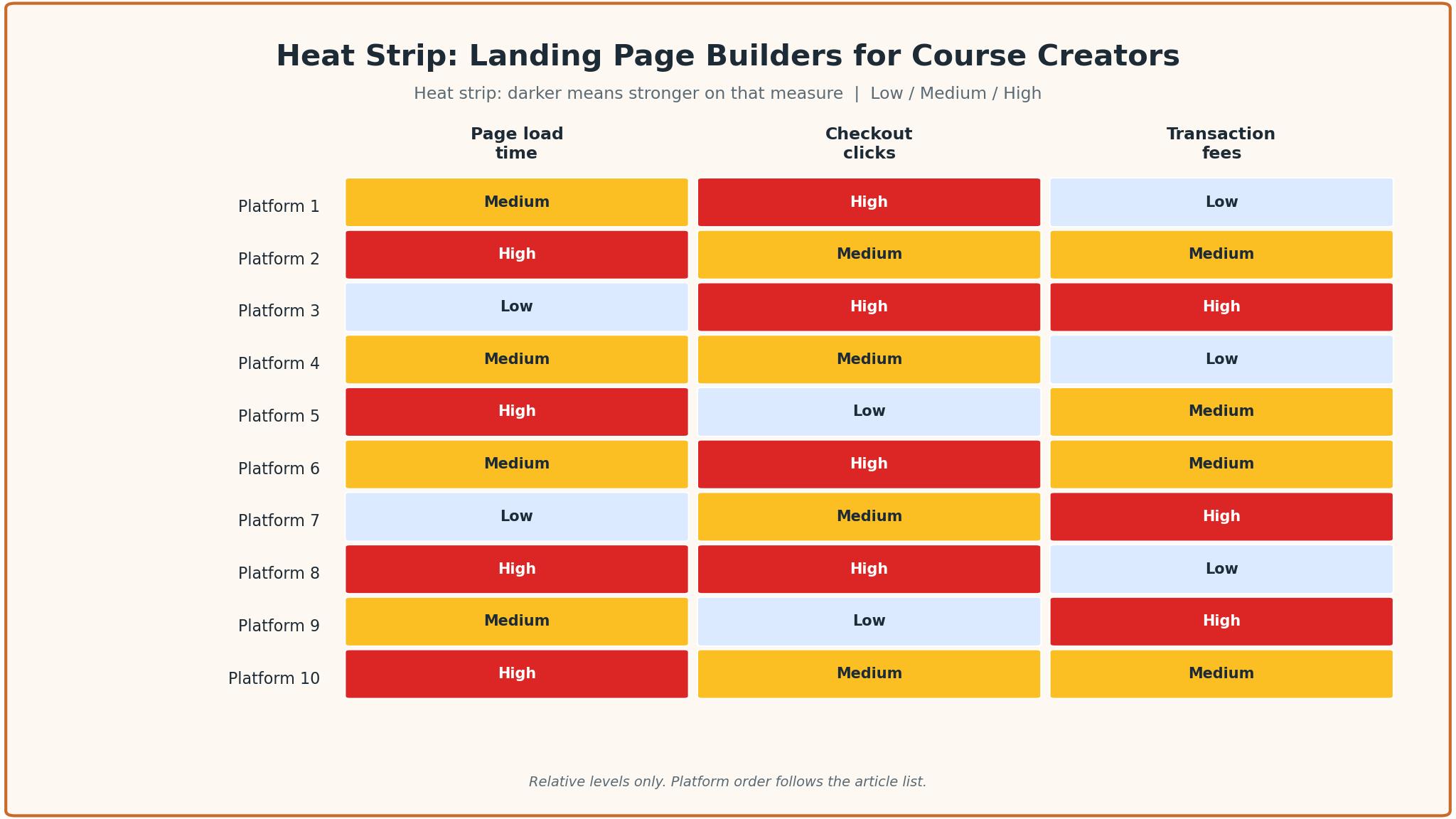
The 10 Tools in Detail
All-in-one depth sets the order below, so the platform that replaces the most tools leads the list.
1. Kajabi
Kajabi is the all-in-one platform for creators who want one system instead of five. It gives the creator a website, unlimited landing pages and funnels, email marketing, automations, checkout and a contact CRM on every plan, plus courses, coaching, communities and a mobile app. Basic costs 179 dollars a month, or 143 dollars a month billed annually, with five products, 2,500 contacts and two admins.
The drawback is the price. At 179 dollars a month, Kajabi costs more than every other tool in this guide, and a creator who is validating a first course will feel the bill before the first sale. The platform is powerful but heavy, and a new creator needs a week to learn where everything lives. The five-product limit on Basic also forces an upgrade sooner than most creators expect.
Kajabi suits creators who want to replace several tools with one. It fits a creator selling courses, coaching and a community together, a business with an email list to monetise, and anyone who would rather pay one bill than manage five integrations. The unlimited landing pages and funnels are the feature that matters, because a creator who tests pages often needs to build them without counting.
Build one sales page and one email sequence during the trial, then judge the tool on those two things. If both work without a support call, Kajabi will carry the business further than its price suggests.
2. Teachable
Teachable is the simplest way to launch a first course, and its course builder is the reason. The platform handles courses, quizzes, certificates, coaching, downloads and memberships, with drip content and sales tax handled for the creator. Starter costs 39 dollars a month, or 29 dollars a month billed annually, with five products and a 7.5 percent transaction fee, while Builder at 89 dollars a month drops the fee to zero.
The drawback is the transaction fee and the marketing depth. Starter’s 7.5 percent fee means a creator selling 2,000 dollars a month pays 150 dollars in fees, which is more than the subscription itself. Teachable has no funnel builder and lighter automation than Kajabi, and it offers no permanent free tier after price increases in 2023 and again in June 2025.
Teachable suits first-time course sellers who want a simple launch. It fits a creator with one course, a teacher moving classes online, and anyone who wants sales tax handled without thinking about it. The simplicity is the selling point, because a creator who can launch in a day will sell sooner than one who spends a month configuring a platform.
Launch one course on the trial and buy it yourself. If the launch is fast and the checkout is clean, Teachable is the right tool for the first course.
3. Thinkific
Thinkific is the best overall alternative to Kajabi for structured courses. It offers unlimited courses with video, quizzes and a community on every plan, plus assignments, certificates, live cohorts and coaching on higher plans, with SCORM on Plus. Basic costs 54 dollars a month, or 40 dollars a month billed annually, with Start at 109 dollars a month and Grow at 219 dollars a month.
The drawback is the marketing depth. Thinkific has a site builder and landing pages, email automations and abandoned cart emails, but no funnel builder and lighter automation than Kajabi. The Basic plan charges a 5 percent gateway fee with Stripe or PayPal in some countries, and the price rose about 10 percent in August 2026, so the entry cost is higher than it was a year ago.
Thinkific suits creators building branded academies. It fits a trainer with a structured curriculum, a company selling employee training, and anyone who needs assessments and certificates. The unlimited courses on every plan are the feature that matters, because a creator who plans ten courses should not pay per course.
Build one course with a quiz and a certificate, then check the student experience on a phone. If the course feels professional and the page loads fast, Thinkific is the right tool for the academy.
4. Podia
Podia is the simplest all-in-one platform for solo creators. It covers courses, coaching, webinars, digital downloads and a community, with a website, blog, landing pages, built-in checkout, sales tax handling in 230 countries, AI tools and email and chat support. Mover costs 49 dollars a month, or 42 dollars a month billed annually, with a 5 percent transaction fee, while Shaker at 99 dollars a month drops the fee to zero.
The drawback is the marketing depth and the fee. Podia has built-in email with segments and automations, but no funnel builder and no sales pipeline, and the Mover plan’s 5 percent fee adds up once sales grow. There is no mobile app for students that the creator can brand, and the platform is best for simple businesses rather than complex funnels.
Podia suits solo creators who want simple. It fits a creator selling a course and a download, a coach adding a course to a practice, and anyone who wants to launch without learning a complex system. The sales tax handling is the quiet strength, because a creator selling worldwide should not have to think about VAT.
Build one sales page and one email automation during the trial. If the launch is simple and the page converts, Podia will carry the solo business.
5. LearnWorlds
LearnWorlds is the platform for educators who need advanced learning and assessment. It offers interactive video, SCORM, a white-label mobile app and advanced assessments, with a course builder that handles complex curricula. Starter costs 29 dollars a month, or 24 dollars a month billed annually, with a 5 dollar fee per paid enrollment, while Pro Trainer at 99 dollars a month removes the fee.
The drawback is the enrollment fee and the complexity. The 5 dollar fee per paid enrollment means a creator selling 100 courses a month pays 500 dollars in fees, which makes Starter expensive at volume. The platform is powerful but dense, and a new creator needs time to learn the interactive video tools. The landing page builder is good but not as flexible as Kajabi’s.
LearnWorlds suits trainers and academies that need interactive learning. It fits a corporate trainer, a language school, and anyone who needs SCORM and advanced assessments. The interactive video is the feature that sets it apart, because a video that asks questions keeps students watching longer than a passive one.
Build one interactive video lesson and one sales page, then test both on a phone. If the lesson engages and the page converts, LearnWorlds is the right tool for the interactive course.
6. Kartra
Kartra is the marketing platform that also sells courses. It offers email and SMS marketing, a CRM, automation, split testing and a funnel simulator, plus membership-style courses with drip content. The entry plan costs 59 dollars a month, or 52 dollars a month billed annually, with a 5 percent transaction fee, and higher tiers climb to 549 dollars a month.
The drawback is the course depth. Kartra’s courses are membership-style with drip content, and quizzes are a separate tool built for surveys and lead profiling, so it is not ideal for structured learning with assessments. The platform is stronger on marketing than on course delivery, and a creator who needs certificates and advanced assessments will find it thin.
Kartra suits marketers who sell courses through funnels. It fits a creator running webinars and email campaigns, a business that sells through a funnel rather than a storefront, and anyone who wants split testing on every page. The funnel simulator is the feature that matters, because a creator who can see the funnel before building it will waste less time.
Build one funnel with a landing page, an email sequence and a checkout, then test the whole flow. If the funnel converts and the automation is reliable, Kartra earns its place as the marketing engine.
7. Systeme.io
Systeme.io is the free all-in-one platform, and its free plan is the reason to try it. The free tier covers courses, funnels, email marketing and a website, and the paid plans run from 27 dollars a month upward, which makes it the cheapest all-in-one in this guide. The platform is simple, and a creator can launch a course and a funnel in a day without learning a complex system.
The drawback is the depth. Systeme.io is simpler than Kajabi or Kartra, with lighter automation, fewer integrations and a smaller community. The templates are functional but plainer than the premium platforms, and a creator who needs advanced assessments or a branded mobile app will outgrow it. The low price reflects a simpler product, not a hidden bargain.
Systeme.io suits creators starting free and validating a first course. It fits a new creator with no budget, a side project testing demand, and anyone who wants to learn funnels without paying. The free plan is the selling point, because a creator who can launch for free will test more ideas than one who pays 179 dollars a month to start.
Launch one course and one funnel on the free plan and drive traffic to it. If the launch is smooth and the first sale arrives, Systeme.io is the right tool for the validation stage.
8. FreshLearn
FreshLearn is the low-cost all-in-one platform with no transaction fees on any plan. Its Pro plan costs 49 dollars a month, or 41 dollars a month billed annually, with zero percent transaction fees on every plan, including free. The platform covers courses, coaching, communities, memberships and digital products, with a course builder and marketing tools in one place.
The drawback is the smaller footprint. FreshLearn is less widely used than Kajabi or Teachable, so the integration list is shorter, the template library is smaller, and the community is thinner. A creator who needs a specific integration or a niche feature may find it missing, and the support team is smaller than the big platforms’ teams.
FreshLearn suits creators who want an all-in-one platform without transaction fees. It fits a creator selling at volume, a teacher who hates paying a percentage on every sale, and anyone who wants the Pro features at a low price. The zero-fee model is the reason to choose it, because a creator selling 5,000 dollars a month saves hundreds in fees.
Build one course and one sales page, then calculate the fee saving. If the saving is real and the page converts, FreshLearn is the right tool for the volume seller.
9. Zenler
Zenler is the closest match to Kajabi’s all-in-one model at a lower price. It offers courses with built-in Zoom live classes, quizzes, assignments, certificates, a community and a mobile app, plus built-in email, funnels, automations and webinars. The entry plan costs 47 dollars a month, which undercuts Kajabi by more than 100 dollars a month for a similar feature set.
The drawback is the smaller scale. Zenler is less widely used than Kajabi, so the template library is smaller, the integration list is shorter, and the community is thinner. The platform is strong on live classes but lighter on advanced marketing automation, and a creator who needs deep split testing or a large affiliate programme will find it thin.
Zenler suits creators who teach live and want an all-in-one platform. It fits a coach running live cohorts, a teacher who uses Zoom classes, and anyone who wants Kajabi-style features at a lower price. The built-in Zoom integration is the feature that matters, because a creator who teaches live should not have to manage a separate webinar tool.
Run one live class through Zenler and check the whole flow. If the live class runs smoothly and the sales page converts, Zenler is the right tool for the live teacher.
10. Stan Store
Stan Store is the creator storefront for selling from social media. It gives the creator a simple store with a link in bio, digital products, courses, coaching and memberships, all designed to convert traffic from Instagram and TikTok. Creator costs 29 dollars a month, and Creator Pro costs 99 dollars a month, with zero percent platform fees on both plans.
The drawback is the depth. Stan Store is a storefront, not a course platform, so it has no advanced assessments, no SCORM and no complex curriculum builder. A creator who needs a structured academy will outgrow it, and the landing page options are simpler than a dedicated builder. The platform is best for selling, not for teaching.
Stan Store suits creators who sell from social media. It fits an influencer with a link in bio, a creator selling a short course or a template, and anyone whose traffic comes from Instagram or TikTok. The simplicity is the selling point, because a buyer who arrives from a story should be able to pay in two taps.
Set up the store, add one course, and buy it from your own phone. If the purchase is fast and the delivery is instant, Stan Store is the right tool for the social seller.
Landing Page Mistakes That Cost Course Sales
The most expensive mistake is building a landing page that talks about the creator instead of the student. A page that leads with a biography, awards and a life story will lose a visitor who came to solve a problem, while a page that leads with the outcome, the curriculum and the proof will keep them reading.
A second mistake is ignoring the transaction fee. A creator who picks a 39 dollar plan with a 7.5 percent fee will pay more than a creator on an 89 dollar plan with no fee once sales pass 650 dollars a month, and the crossover is easy to miss. Multiply the fee by the expected monthly sales before choosing, and pick the tier that costs less at the volume the creator actually expects.
A third mistake is never testing the page on a phone. Most course buyers arrive from social media on a mobile device, and a page that looks good on a laptop can break on a phone, with a video that does not play and a checkout button below the fold. The best landing page builders for course creators preview the mobile view, and the creator should check it before every launch.
How to Make the Final Call on a Course Platform
Start by listing the creator’s non-negotiables, because the list is shorter than most creators expect. Landing page speed, checkout friction, transaction fees and course depth are the four that eliminate most tools quickly. Write them down, score each tool against them, and drop any tool that fails a non-negotiable, no matter how attractive its other features look. A tool that fails a core requirement will be replaced within a year, and the migration cost will exceed any saving.
Next, run a trial on the top two choices with a real course. A trial with demo data proves nothing, while one real sales page with real traffic shows the truth. Measure three things, page load time on a phone, clicks from landing page to confirmation, and the transaction fee on a test sale. The winner on those three measures is usually the right tool, even when it is not the cheapest.
Then check the human factor. Email support during the trial, ask a hard question about the checkout, and judge the answer. A creator who cannot reach a knowledgeable person when the checkout breaks will pay for that gap later, usually on launch day. The best landing page builders for course creators pair strong pages with reachable support, and the trial is the time to test that claim.

Frequently Asked Questions
Which landing page builder is best for course creators?
Kajabi is the best pick for a creator who wants one system for the whole business, because it combines the landing page, the course, the email marketing and the checkout. Teachable is the better pick for a first course, since it launches fast and costs 39 dollars a month. A creator with no budget should start free on Systeme.io and upgrade when sales force the issue.
How much does a course platform cost per month?
A course platform costs between 27 and 179 dollars a month, depending on the tool and the plan. Systeme.io starts free with paid plans from 27 dollars a month, while Kajabi starts at 179 dollars a month.
Can I sell courses without transaction fees?
Yes, several platforms charge no transaction fee. Kajabi charges none on any plan, FreshLearn charges none on every plan including free, and Stan Store charges none on both its plans. Teachable Builder, Thinkific with its own payments and Podia Shaker also drop the fee to zero. A creator selling at volume should always compare the fee-free tier with the cheap tier that charges a percentage.
Is Kajabi worth 179 dollars a month?
Kajabi is worth the price for a creator earning enough to cover it, because it replaces a course platform, an email tool, a funnel builder and a checkout system. A creator earning 5,000 dollars a month pays about 3.6 percent of revenue for the platform, which is cheap for what it replaces. A creator earning nothing yet should start on a cheaper tool and move to Kajabi when the revenue justifies it.
What is the difference between Teachable and Thinkific?
Teachable is simpler and cheaper to start, with a course builder that launches fast and a 39 dollar entry plan. Thinkific is stronger for structured academies, with unlimited courses, assignments, certificates and live cohorts on higher plans. A first-time seller should test Teachable first, while a trainer building an academy should test Thinkific first.
Do I need a separate landing page tool?
No, most course platforms include a landing page builder, and a separate tool adds cost and integration risk. Kajabi, Teachable, Thinkific, Podia and LearnWorlds all include landing pages with their courses. A creator should only add a separate landing page tool if the platform’s pages are slow or the templates do not convert, and the trial is the time to check that.
The Verdict on Landing Page Builders for Course Creators
Kajabi takes the top spot because it is the platform a creator is least likely to outgrow. The landing pages are fast, the checkout is smooth, the email marketing is built in, and the course builder handles everything from a single lesson to a full academy.
Teachable is the pick for a first course, Thinkific is the pick for a structured academy, and Systeme.io is the pick for starting free. The best landing page builders for course creators are not the ones with the most features, they are the ones that load fast on a phone, sell in two clicks, and charge a fair price for the volume the creator actually sells.
Choose by the selling model first, the revenue second and the price third. Run a real trial, measure the three things that matter, and set a review date. A creator who picks this way will spend less time configuring tools and more time selling the course.