

A person who logs food for 90 days loses on average twice as much weight as someone who logs for 30 days and stops, and the best ai nutrition tools make that 90-day habit easier by scanning meals with a camera, estimating portions from a photo, and adjusting calorie targets as weight changes. The gap between the cheapest and the most expensive tool in this guide is more than 15 dollars a month, yet the right choice is rarely the cheapest one, because a nutrition app earns its place by being used every day, not by having the longest feature list.
MyFitnessPal leads this guide because it pairs the largest food database with AI meal scanning, so a user can log a restaurant plate in seconds instead of searching for every ingredient. Cronometer follows for people who care about micronutrients, since it tracks up to 84 nutrients per food and shows the gaps a calorie counter never sees. The remaining six tools cover adaptive macro coaching, behaviour change, simple calorie budgets and fasting, and each one solves a specific nutrition problem better than the generalists do.
Every tool below was live in November 2026, and the prices quoted are the vendor list prices found on their own pricing pages and App Store listings, so confirm the current number before paying. People differ in goals, diets and budgets, and this guide weights those differences heavily. A lifter tracking protein needs different numbers than a person managing blood sugar, and the recommendations below reflect that split.
Why Nutrition Apps Fail After Week Three
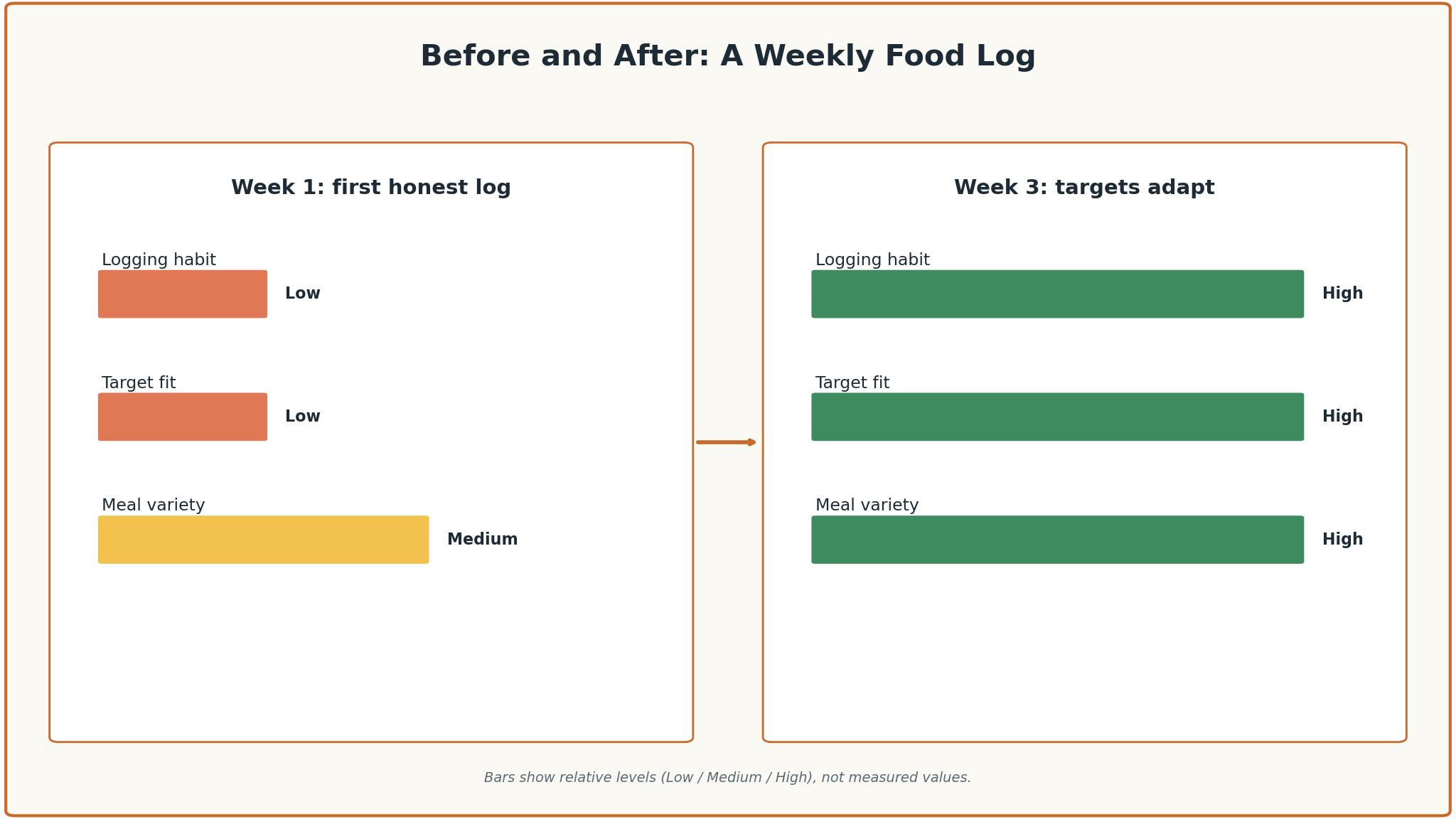
Nutrition apps fail on a familiar schedule. Week one brings enthusiasm and daily logging, week two brings a missed day and a skipped meal, and week three brings the quiet decision to stop logging altogether. The tools that survive past month three are the ones that make logging fast, so a meal takes ten seconds to record instead of two minutes. Photo and barcode scanning are the features that decide whether the habit lasts, because a slow log is a log that gets skipped.
The second failure is a calorie target that never changes. A static target set on day one ignores weight loss, muscle gain and a busy week, so the numbers drift away from reality and the user stops trusting them. Good nutrition apps adjust the target weekly based on weight trend and intake, which keeps the plan honest. The best ai nutrition tools in this guide were scored partly on whether their targets adapt, because a target that never moves is a guess that goes stale.
A third failure is a food database that cannot find the meal. An app that lacks the local restaurant, the regional dish or the brand the user actually eats will force manual entry, and manual entry is where logging dies. The database size matters, but so does the accuracy of the entries, since a crowdsourced database full of wrong numbers is worse than a smaller verified one. The tools below were judged on both size and the quality of the top search result for a common meal.
A fourth failure is the wrong coaching model. Some people lose weight with a coach checking in, others with a community, and others alone with no audience at all. A tool that forces one model on everyone will lose the users who need the opposite, so the best platforms offer coaching, community or solo modes and let the user choose. Matching the support model to the person matters as much as matching the calorie target to the goal.
What a Nutrition App Really Costs
The sticker price of a nutrition app rarely matches what a user pays in year one. A 10 dollar monthly plan looks cheap until the app shows a yearly price that is half the monthly rate, and the same plan can cost 9.99 dollars a month on one store and 19.99 dollars a month on the vendor’s own site. Prices vary by storefront, by country and by promotion, so the number on the pricing page is the one to trust, and the App Store price is the one to check before paying.
Annual billing is where the real saving lives. MyFitnessPal Premium costs 19.99 dollars a month or 79.99 dollars a year, which is about 6.67 dollars a month, and MacroFactor costs 11.99 dollars a month or 71.99 dollars a year. A user who commits to a year saves roughly half, but only if the app is still being used in month six. The honest way to price a nutrition app is to pay monthly for the first month, then switch to annual once the habit is proven.
Free tiers deserve a hard look too. MyFitnessPal, Cronometer, Lose It! and Yazio all offer free plans that cover basic logging, and for a user who only needs a calorie budget they can be enough. The catch is the feature that matters most, which is usually the barcode scanner, the meal scan or the custom macro goals. MyFitnessPal puts barcode scanning behind Premium, while Cronometer includes it free, and that single difference can decide the pick.
Per-person pricing is simple here, since every tool in this guide charges one user, but the family and couples plans differ. A household that shares one account will hit the limits of a single-user plan fast, and a couple tracking together should check whether the app supports shared meals or separate profiles.
The 8 Tools at a Glance
| Tool | Main job | Best for | Starting price |
|---|---|---|---|
| MyFitnessPal | Food logging with the largest database | Most people starting out | 19.99 dollars a month |
| Cronometer | Detailed nutrient tracking | Micronutrient tracking | 10.99 dollars a month |
| MacroFactor | Adaptive macro coaching | Lifters and macro trackers | 11.99 dollars a month |
| Noom | Behaviour-change coaching | People who need coaching | 17 dollars a month |
| Lose It! | Simple calorie budgets | Easy daily logging | 80 dollars a year |
| Yazio | Calorie tracking and fasting | Intermittent fasting | 24 dollars a year |
| HealthifyMe | AI coaching with Indian food data | Indian diets and coaching | 25 dollars a year |
| Lifesum | Meal plans and diet styles | Structured meal plans | From 8 dollars a month |
Best Pick by Job
| Job type | First pick | Second tool | Why this pair works |
|---|---|---|---|
| Starting out | MyFitnessPal | Lose It! | MyFitnessPal has the biggest database and Lose It! is simpler |
| Micronutrients | Cronometer | MyFitnessPal | Cronometer tracks 84 nutrients and MyFitnessPal adds the database |
| Lifting and macros | MacroFactor | Cronometer | MacroFactor adapts macros weekly and Cronometer adds nutrient detail |
| Behaviour change | Noom | Lifesum | Noom coaches daily habits and Lifesum adds structured meal plans |
| Tight budget | Yazio | Cronometer | Yazio costs little yearly and Cronometer scans free |
The job decides the winner because a lifter needs adaptive macros and protein targets, while a person managing blood sugar needs detailed nutrient data and a simple log. A tool that does both passably can still be the wrong buy if it does the user’s main job badly. Match the first pick to the goal, then use the second tool as the fallback when the first one hits a limit.
Budget follows the same logic. A user who logs every day can justify 20 dollars a month for MyFitnessPal Premium, because the cost is a small share of the grocery bill and a scanned meal saves minutes daily. A user who logs three times a week cannot, and should start free on Cronometer, then upgrade when the habit is solid. The best ai nutrition tools are the ones that fit the user’s current habit without blocking the next stage of the plan.
How to Judge the best ai nutrition tools
Start with the logging speed test, because that is where a nutrition app either earns its place or wastes it. Log three real meals, one cooked at home, one from a restaurant and one packaged snack, and time each one. A tool that logs a restaurant plate in ten seconds with a photo scan will be used daily, while one that needs two minutes of manual entry will be abandoned by week three. Check whether the top search result matches the food you actually ate.
Next, test the target adaptation. Log honestly for two weeks, including a missed day and a big weekend meal, then check whether the calorie and macro targets change in response. A tool that adjusts the plan when weight moves is coaching, while one that keeps the same target forever is a calculator. The best ai nutrition tools adjust weekly based on weight trend and intake, and they explain the change in plain language.
Then check the database on the foods you actually eat. Search for five meals from your normal week, including one local dish and one restaurant item, and count how many the app finds with accurate numbers. A database that finds four out of five with correct calories is useful, while one that finds two is a daily frustration. Look for barcode scanning on packaged foods, since that is the fastest way to log accurately.
Finally, check the exit and the export. A good nutrition app lets the user export the full food diary and weight history, and it keeps the data when the subscription is paused. The best ai nutrition tools treat a pause as a normal part of the journey rather than a cancellation to be prevented, and that flexibility keeps users coming back after a break.
The 8 Tools in Detail
Database size sets the order below, so the tool with the most foods logged leads the list.
1. MyFitnessPal
MyFitnessPal is the default nutrition app, and its database is the reason. With the largest food database in this guide, it finds the restaurant dish, the packaged snack and the regional food faster than any other tool, and the AI meal scan logs a plate from a photo in seconds. The free version covers simple food search and logging with ads, while Premium adds barcode scan, meal scan, voice logging, custom macro goals, intermittent fasting and ad-free logging.
The drawback is the price and the paywall. Premium costs 19.99 dollars a month or 79.99 dollars a year, and Premium Plus, which adds a meal planner, costs 24.99 dollars a month or 99.99 dollars a year. Barcode scanning, the feature most users want, sits behind Premium, which frustrates people who remember when it was free. The database is crowdsourced, so some entries carry wrong numbers and need checking.
MyFitnessPal suits most people starting out, and it fits anyone who eats out often. It fits a user who wants the fastest log, a dieter who needs a huge database, and a person who syncs with a fitness tracker. The device sync is the quiet strength, pulling steps and workouts in without manual entry.
Log three of your normal meals and check the top search result for each. If the search finds your food and the scan is fast, MyFitnessPal will carry the daily habit.
2. Cronometer
Cronometer is the tool for people who care about what is in the food, not just how many calories it has. The free Basic account tracks up to 84 nutrients per food, with a barcode scanner included free, custom macro targets and device sync, all with ads and a seven-day report view. Gold costs 10.99 dollars a month or 59.99 dollars a year, and it adds photo and voice logging, a fasting timer and a recipe importer.
The drawback is the smaller database and the interface. Cronometer finds fewer restaurant dishes than MyFitnessPal, and the design feels denser, with more numbers on screen than a casual user wants. The free plan shows ads, and the seven-day report limit means a user who wants a long view of their nutrition will pay for Gold.
Cronometer suits people tracking micronutrients, managing a medical condition, or eating a restricted diet. It fits a user with a vitamin deficiency, a person on a therapeutic diet, and anyone who wants to know whether their food covers iron, magnesium and vitamin D. The nutrient detail is the reason to choose it over a simpler calorie counter.
Log a full day of your normal food and read the nutrient report. If the report teaches you something and the scanner is fast, Cronometer is the right tool for the job.
3. MacroFactor
MacroFactor is the only app in this guide with no free tier, and it says there never will be one. The app compares weight trend with calorie intake to estimate energy burn, then adjusts the macro plan every week, which is the closest thing to a coach in software form. It costs 11.99 dollars a month, 47.99 dollars for six months or 71.99 dollars a year, with a seven-day trial and no ads.
The drawback is the price of entry and the audience. A user who wants a free plan will not find one, and the app is built for lifters and macro trackers rather than casual dieters. The interface assumes the user knows what a macro is, so a beginner will need a week to learn the terms. There is no community and no coach, just the algorithm and the numbers.
MacroFactor suits lifters, athletes and anyone who tracks macros seriously. It fits a person building muscle, a user cutting for a competition, and anyone who wants the plan to adapt weekly without a coach. The adaptive algorithm is the feature that matters, because a macro plan that never changes is a plan that stops working.
Run the seven-day trial with honest logging and watch the first adjustment. If the adjustment matches your weight trend and the explanation is clear, MacroFactor earns the subscription.
4. Noom
Noom is a behaviour-change programme disguised as a nutrition app, and its coaching is the reason people pay for it. Daily lessons, a coach who checks in, and a psychology-based approach to eating habits set it apart from every calorie counter in this guide. Noom Weight starts from 17 dollars a month on a 209 dollar annual web plan, and Noom Med starts at 39 dollars for the first month, with medication extra.
The drawback is the cost and the food logging. At 209 dollars a year, Noom is the most expensive tool in this guide, and its food database and logging are weaker than MyFitnessPal or Cronometer. The coaching is the product, so a user who only wants a calorie counter will find it expensive and slow. The programme works best for people who want to change how they think about food, not just count it.
Noom suits people who have failed with calorie counters before and need a coach. It fits a user who eats emotionally, a person who wants daily lessons, and anyone whose main problem is habit rather than knowledge. The daily check-in is the feature that keeps people going past week three, when most apps get deleted.
Try the programme for two weeks and judge the coaching, not the logging. If the lessons feel useful and the coach keeps you logging, Noom is worth the premium. If the lessons feel generic, a cheaper tracker will do.
5. Lose It!
Lose It! is the simplest calorie tracker in this guide, and its simplicity is the point. The free plan builds a personalised calorie budget and weight loss schedule, with a food database of more than 50 million items and community support, all on phone and web. Premium costs 79.99 dollars a year, and a lifetime plan is available at 299.99 dollars, which is unusual in this category.
The drawback is the paywall and the price history. Barcode scanning, photo and voice logging, macro and nutrient tracking, fasting and fitness tracker sync are all Premium, and the annual price roughly doubled to 79.99 dollars. The app adjusts prices by promotion and by how often the user opens it, so the price you see may not be the price your friend sees. The free plan carries ads on Android.
Lose It! suits people who want a simple calorie budget and a clear plan. It fits a first-time dieter, a user who wants a weight loss schedule without complexity, and anyone who prefers a clean interface to a dense dashboard. The personalised budget is the feature that matters, because a target built for the individual is easier to follow than a generic one.
Set up your budget and log for a week on the free plan. If the habit sticks and the missing features start to matter, pay for Premium. If the free plan is enough, stay on it.
6. Yazio
Yazio is the cheapest paid nutrition app in this guide, with Pro at 23.90 dollars a year on the App Store, which is about 1.99 dollars a month. The free calorie counter includes a barcode scanner, a food diary with a database of more than 4 million foods, and basic tracking with ads. Pro adds photo logging, the full recipe database, automatic sync with Fitbit and Garmin, more fasting plans and an ad-free app.
The drawback is the price opacity. Yazio prints no price on its website, and the App Store lists twelve-month Pro at 23.90 or 47.90 dollars, so the offer you see may vary. The AI photo tracking and detailed nutrients are Pro features, and the app is smaller than MyFitnessPal, so the database finds fewer restaurant dishes. The fasting features are strong, but the nutrition detail is thinner than Cronometer.
Yazio suits people who fast and want a cheap tracker. It fits an intermittent faster, a user on a budget, and anyone who wants a barcode scanner free and a Pro plan that costs less than a coffee a month. The fasting plans are the feature that sets it apart, with more options than the generalist apps offer.
Try the free plan for two weeks, including one fast day. If the fasting tools help and the price feels trivial, Yazio is the right buy.
7. HealthifyMe
HealthifyMe, now called Healthify, is the nutrition app with the strongest Indian food data. Its database covers Indian dishes, regional foods and home cooking better than any global app, and its AI coach, Ria, gives meal suggestions and answers questions in plain language. The App Store lists a yearly plan at 24.99 dollars, with other yearly items at 39.99 and 49.99 dollars, and the app offers coaching plans above that.
The drawback is the regional focus and the price spread. Outside India, the database is thinner than MyFitnessPal, and the multiple yearly price points make it hard to know what you will pay. The AI coaching is useful, but the app is built around Indian diets and Indian coaches, so a user eating a Western diet will find less depth. The free tier is limited, and the best features sit behind a paid plan.
HealthifyMe suits people eating Indian food and anyone who wants an AI coach. It fits a user in India, a person cooking Indian food abroad, and anyone who wants meal suggestions rather than just a log. The Indian food database is the reason to choose it, because no global app covers dal, sabzi and regional thalis as well.
Log a week of your normal Indian meals and check the database. If the database finds your food and the coach gives useful answers, HealthifyMe earns its place.
8. Lifesum
Lifesum is the nutrition app for people who want a plan, not just a log. It offers meal plans, diet styles and structured programmes, with basic food logging free and custom calorie and macro goals behind Premium. The App Store lists Premium at 99.99 or 119.99 dollars a year, or 29.99 or 39.99 dollars for three months, which works out to about 8.33 dollars a month on the annual plan.
The drawback is the price opacity and the AI paywall. Lifesum prints no price on its site, and the App Store shows several different prices, so the offer varies. AI photo, voice and text logging are Premium, while the free tier covers the basics. The meal plans are the strength, but a user who only wants to log food will find the plans unnecessary and the price high for what they use.
Lifesum suits people who want a structured meal plan and a diet style to follow. It fits a user starting keto, Mediterranean or high-protein eating, a person who wants weekly meal plans, and anyone who prefers guidance to a blank log. The diet styles are the feature that matters, because a plan to follow is easier than a target to hit alone.
Try the free tier for a week, then look at one meal plan. If the plan feels like something you would actually cook, pay for Premium. If the plan feels generic, a simpler tracker will do.
Nutrition Mistakes These Apps Cannot Fix
The most expensive mistake is choosing an app for the diet you wish you had instead of the food you actually eat. A person who eats out five times a week does not need a recipe app, and a person who cooks at home does not need a restaurant database. Match the app to the real week, not to the ideal one, and the logging habit will last longer. The best ai nutrition tools are judged here on fit for the user’s real food, not on the longest feature list.
A second mistake is trusting the database without checking. Crowdsourced entries carry wrong numbers, and a wrong entry repeated daily will throw the whole plan off by hundreds of calories. Check the top search result against the label for a week, flag the wrong ones, and favour verified entries over the first result. A database that is wrong is worse than a database that is small.
A third mistake is quitting after a bad week. A missed day, a big weekend meal or a holiday will break the streak, and the user who sees a broken streak often stops logging altogether. The tools that keep people going are the ones that treat a missed day as normal, not as a failure. Log the next meal, not the missed one, and let the weekly average do the work.
How to Pick Your Nutrition App
Start by listing the non-negotiables, because the list is shorter than most people expect. Logging speed, database coverage, target adaptation and price are the four that eliminate most tools quickly. Note them down, judge each tool against them, and reject any tool that fails a non-negotiable, however good its other features seem. A tool that fails a core requirement will be deleted within a month, and the data will go with it.
Next, run a trial on the top two choices with real meals. A trial with demo data proves nothing, while two weeks with the real food, the real restaurants and the real weight scale shows the truth. Measure three things, time to log a restaurant meal, accuracy of the top search result, and whether the targets adapt after two weeks. Whichever tool leads on those three measures is usually the right choice, even when it is not the cheapest.
Then check the human factor. Read the coaching, answer the daily questions, and judge whether the advice changes how you eat. A user who cannot get a useful answer when the plan stalls will pay for that gap later, usually at the next plateau. The best ai nutrition tools pair strong logging with guidance that respects the user’s time, and the trial is the time to test that claim.

Frequently Asked Questions
Which nutrition app is best for weight loss?
MyFitnessPal is the best starting point for weight loss, because it has the largest database, the fastest logging and a free tier that covers the basics. Noom is the better pick when the user needs coaching and behaviour change, since its daily lessons address the habits behind the eating. A user who has failed with calorie counters before should try Noom, while a first-time logger should start with MyFitnessPal.
How much does a nutrition app cost per month?
A nutrition app costs between 2 and 20 dollars a month, depending on the tool and the billing term. Yazio Pro costs about 2 dollars a month on its yearly plan, while MyFitnessPal Premium costs 19.99 dollars a month or 79.99 dollars a year. Annual billing usually halves the monthly rate, so pay monthly for the first month and switch to annual once the habit is proven.
Can AI track calories from a photo?
AI meal scanning can estimate calories from a photo, but the estimate is rough, usually within 20 to 30 percent of the true value. It works best for simple plates with clear portions, and it struggles with mixed dishes, sauces and hidden ingredients. Treat the photo scan as a fast first log, then adjust the portions by hand when the meal matters.
Is Cronometer better than MyFitnessPal?
Cronometer is better for micronutrient tracking, because it shows up to 84 nutrients per food and includes the barcode scanner free. MyFitnessPal is better for finding food fast, because its database is larger and its meal scan is quicker. A user who manages a medical condition should pick Cronometer, while a user who eats out often should pick MyFitnessPal.
Does Noom really work for weight loss?
Noom works for people who need behaviour change, because its daily lessons and coaching address the habits behind overeating. Studies and user reports show weight loss for people who complete the programme, but the result depends on engagement, and a user who ignores the lessons will not see the benefit. The 209 dollar annual price is the cost of the coaching, not of the logging.
What is the cheapest good nutrition app?
Yazio is the cheapest good nutrition app, with Pro at about 24 dollars a year on the App Store. Cronometer is the best free option, because its free tier includes the barcode scanner and detailed nutrient tracking. A user on a tight budget should start with Cronometer free, then add Yazio Pro if fasting features matter.
The Verdict on AI Nutrition Tools
MyFitnessPal takes the top spot because it is the tool a user is least likely to abandon. The database is the largest, the logging is the fastest, and the meal scan turns a restaurant plate into a log entry in seconds.
Cronometer is the pick for nutrient tracking, MacroFactor is the pick for lifters, and Noom is the pick for people who need a coach. The best ai nutrition tools are not the ones with the longest feature list, they are the ones that log a meal in seconds, adapt the target as weight changes, and keep the user logging past week three.
Choose by the goal first, the food you actually eat second and the price third. Try one with real meals for two weeks, watch the three numbers that matter, and fix a review date. A user who picks this way will spend less time logging and more time eating the way they planned to.